Rear Door window TOYOTA RAV4 HYBRID 2020 Owners Manual (in English)
[x] Cancel search | Manufacturer: TOYOTA, Model Year: 2020, Model line: RAV4 HYBRID, Model: TOYOTA RAV4 HYBRID 2020Pages: 744, PDF Size: 31.43 MB
Page 2 of 744
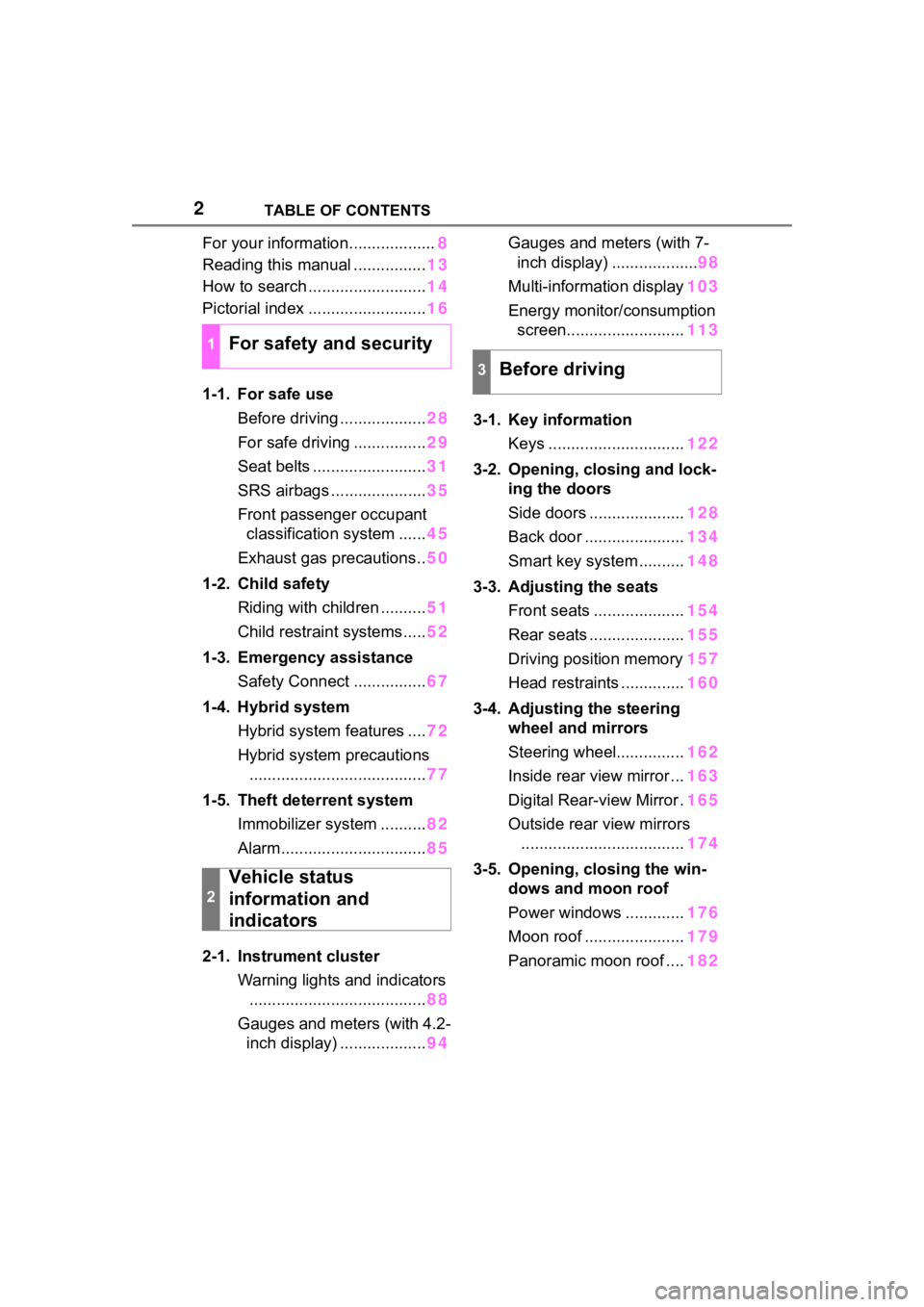
2TABLE OF CONTENTS
For your information...................8
Reading this manual ................ 13
How to search .......................... 14
Pictorial index .......................... 16
1-1. For safe use Before driving ................... 28
For safe driving ................ 29
Seat belts ......................... 31
SRS airbags ..................... 35
Front passenger occupant classification system ...... 45
Exhaust gas precautions.. 50
1-2. Child safety Riding with children .......... 51
Child restraint systems..... 52
1-3. Emergency assistance Safety Connect ................ 67
1-4. Hybrid system Hybrid system features .... 72
Hybrid system precautions ....................................... 77
1-5. Theft deterrent system Immobilizer system .......... 82
Alarm................................ 85
2-1. Instrument cluster Warning lights and indicators....................................... 88
Gauges and meters (with 4.2- inch display) ................... 94Gauges and meters (with 7-
inch display) ................... 98
Multi-information display 103
Energy monitor/ consumption
screen.......................... 113
3-1. Key information Keys .............................. 122
3-2. Opening, closing and lock- ing the doors
Side doors ..................... 128
Back door ...................... 134
Smart key system .......... 148
3-3. Adjusting the seats Front seats .................... 154
Rear seats ..................... 155
Driving position memory 157
Head restraints .............. 160
3-4. Adjusting the steering wheel and mirrors
Steering wheel............... 162
Inside rear view mirror ... 163
Digital Rear-view Mirror . 165
Outside rear view mirrors .................................... 174
3-5. Opening, closing the win- dows and moon roof
Power windows ............. 176
Moon roof ...................... 179
Panoramic moon roof .... 182
1For safety and security
2
Vehicle status
information and
indicators
3Before driving
Page 16 of 744
16Pictorial index
Pictorial index
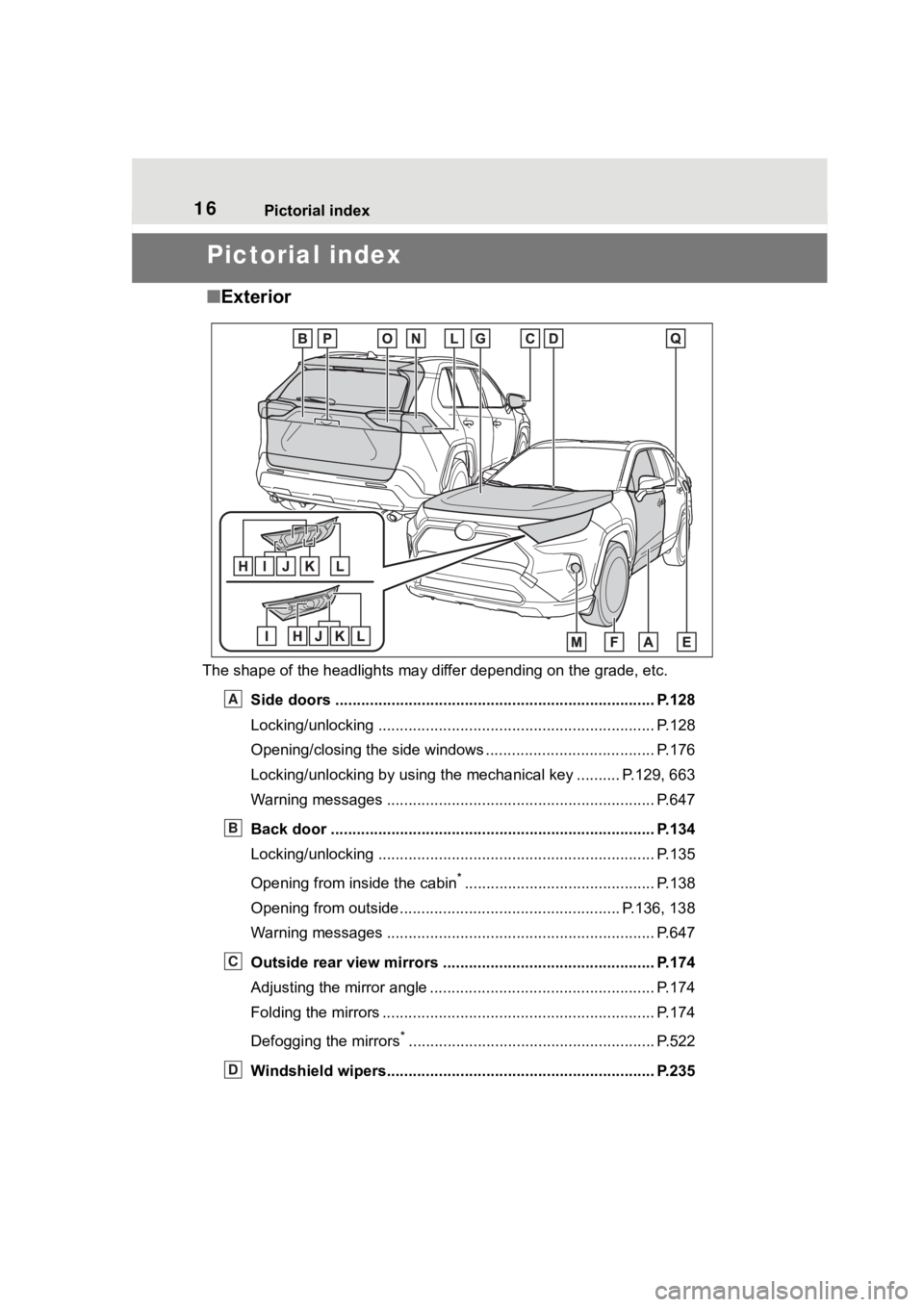
■Exterior
The shape of the headlights may differ depending on the grade, etc.
Side doors ......... ................................. ................................ P.128
Locking/unlocking .............................................. .................. P.128
Opening/closing the side windows ............................... ........ P.176
Locking/unlocking by using the mechanical key .......... P.129, 663
Warning messages ............................................... ............... P.647
Back door ...................................................... ..................... P.134
Locking/unlocking .............................................. .................. P.135
Opening from inside the cabin
*............................................ P.138
Opening from outside................................................... P.136, 138
Warning messages ............................................... ............... P.647
Outside rear view mirrors ................................................. P.174
Adjusting the mirror angle ..................................... ............... P.174
Folding the mirrors ............................................ ................... P.174
Defogging the mirrors
*......................................................... P.522
Windshield wipers.............................................. ................ P.235
A
B
C
D
Page 20 of 744

20Pictorial index
Energy monitor..................................................................... P.113
When the warning messages are displayed ........................ P. 6 4 7
Turn signal lever.............................................. ................... P.223
Headlight switch ............................................... ................. P.229
Headlights/parking lights/tail lights/
license plate lights/daytime running lights .................... ........ P.229
Fog lights
*1............................................................... ............ P.235
Windshield wiper and washer switch............................... P.235
Rear window wiper and washer switch ........................... P.238
Usage.......................................................... ................. P.235, 238
Adding washer fluid .............................................................. P.583
Warning messages ............................................... ............... P.647
Emergency flasher switch ....................................... .......... P.628
Hood lock release lever ........................................ ............. P.575
Tilt and telescopic steering lock release lever ................P. 1 6 2
Adjustment ..................................................... ...................... P.162
Air conditioning system ............................. ....................... P.520
Usage................................................................................... P.520
Rear window defogger ........................................... .............. P.522
Audio
*1............................................................... ................. P.385
Audio Plus
*1, 2
Premium Audio*1, 2
Fuel filler door opener swi tch ........................................... P.241
*1: If equipped
*2: Refer to “NAVIGATION AND MULTIMEDIA SYSTEM OWNER’S MAN-
UAL”.
E
F
G
H
I
J
K
L
Page 21 of 744
21Pictorial index
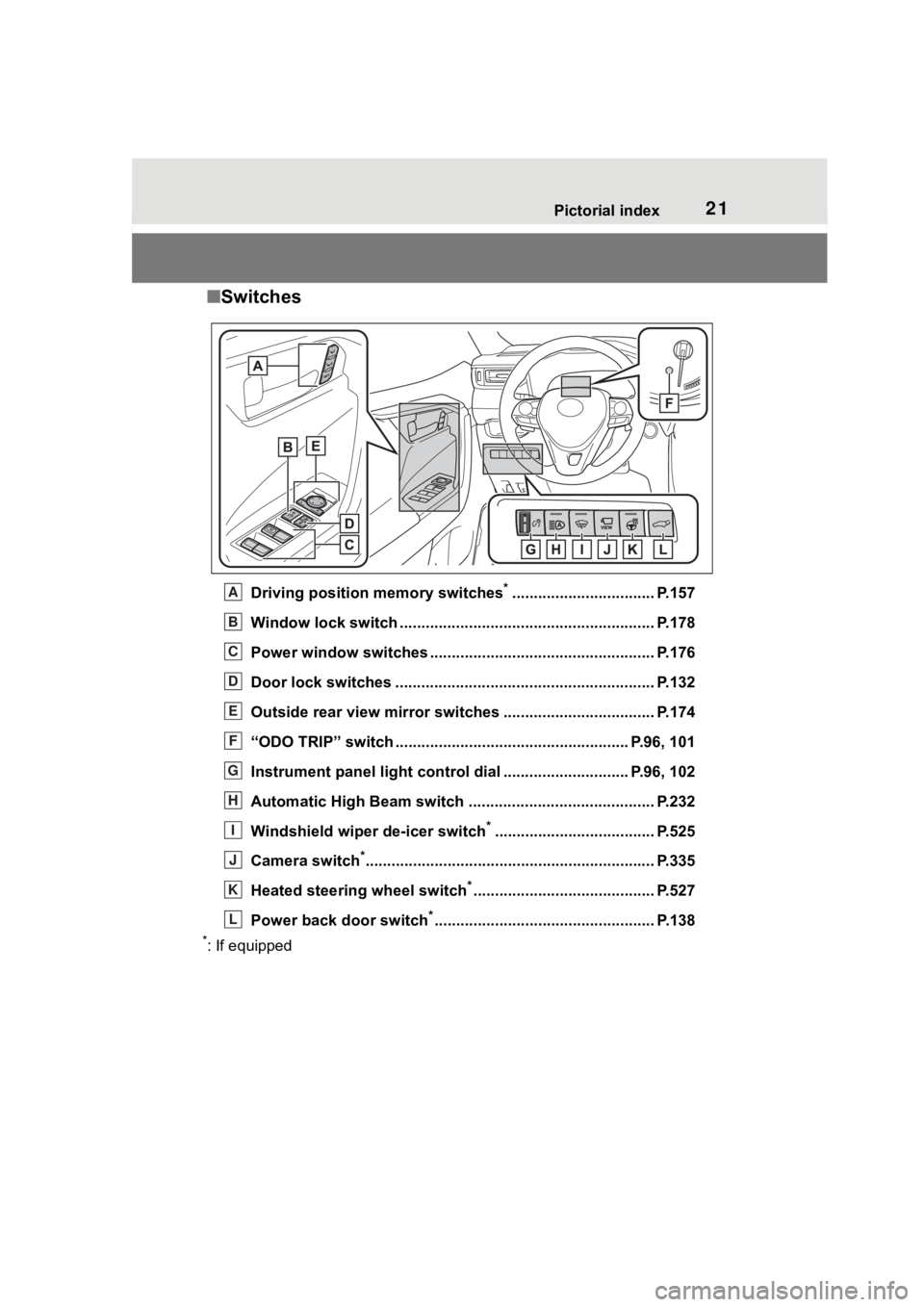
■Switches
Driving position memory switches*................................. P.157
Window lock switch ............................................. .............. P.178
Power window switches ....... ............................................. P.176
Door lock switches ............................................................ P.132
Outside rear view mirror swi tches ................................... P.174
“ODO TRIP” switch .............................................. ........ P.96, 101
Instrument panel light cont rol dial ............................. P.96, 102
Automatic High Beam switch ..................................... ...... P.232
Windshield wiper de-icer switch
*..................................... P.525
Camera switch
*............................................................... .... P.335
Heated steering wheel switch
*.......................................... P.527
Power back door switch
*................................................... P.138
*: If equipped
A
B
C
D
E
F
G
H
I
J
K
L
Page 42 of 744
421-1. For safe use
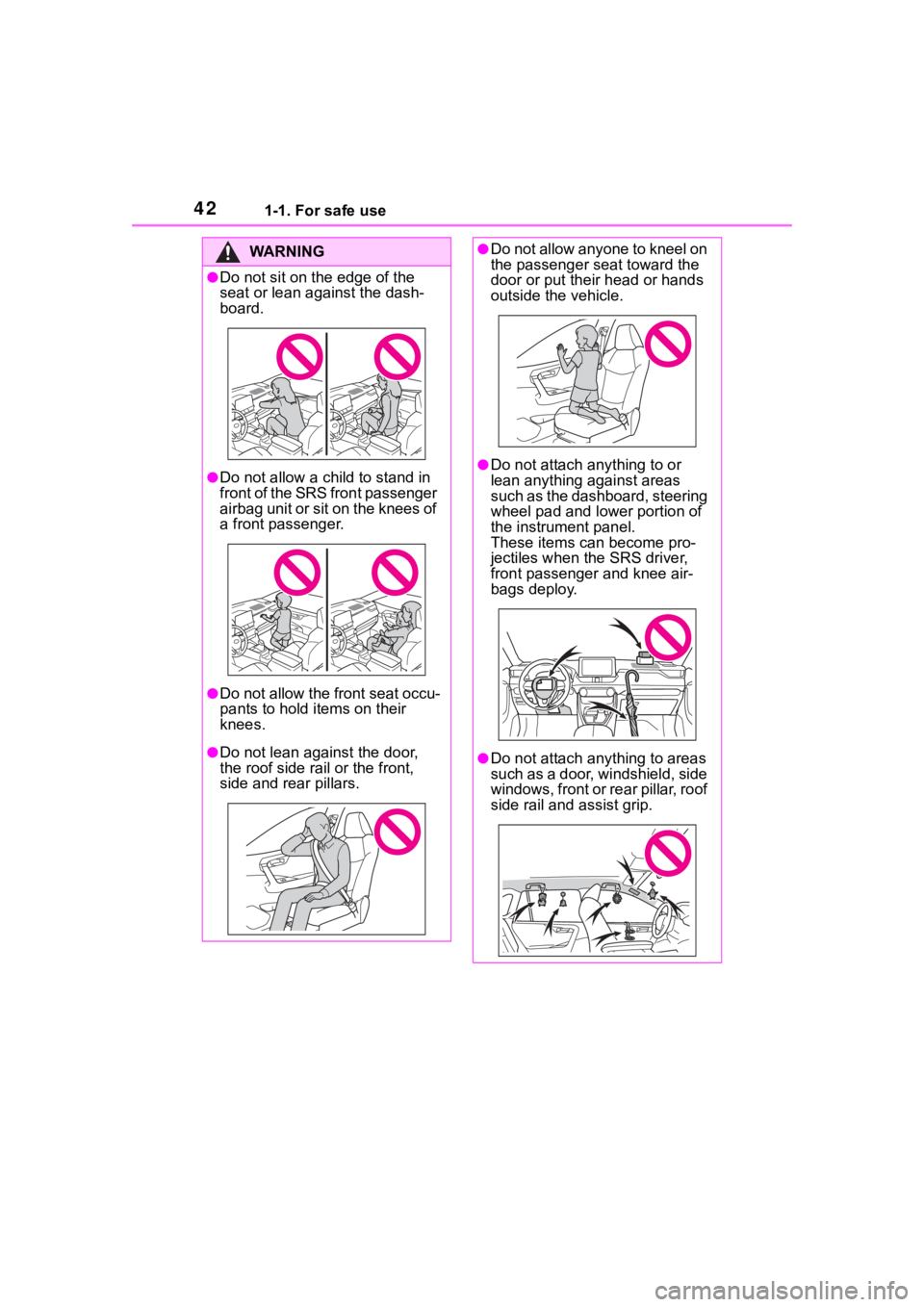
WA R N I N G
●Do not sit on the edge of the
seat or lean against the dash-
board.
●Do not allow a child to stand in
f r o n t o f t h e S R S f r o n t p a s s e n g e r
airbag unit or sit on the knees of
a front passenger.
●Do not allow the front seat occu-
pants to hold items on their
knees.
●Do not lean against the door,
the roof side rail or the front,
side and rear pillars.
●Do not allow anyone to kneel on
the passenger seat toward the
door or put their head or hands
outside the vehicle.
●Do not attach a nything to or
lean anything against areas
such as the dashboard, steering
wheel pad and lower portion of
the instrument panel.
These items can become pro-
jectiles when th e SRS driver,
front passenger and knee air-
bags deploy.
●Do not attach anything to areas
such as a door, windshield, side
windows, front or rear pillar, roof
side rail and assist grip.
Page 43 of 744
431-1. For safe use
1
For safety and security
WA R N I N G
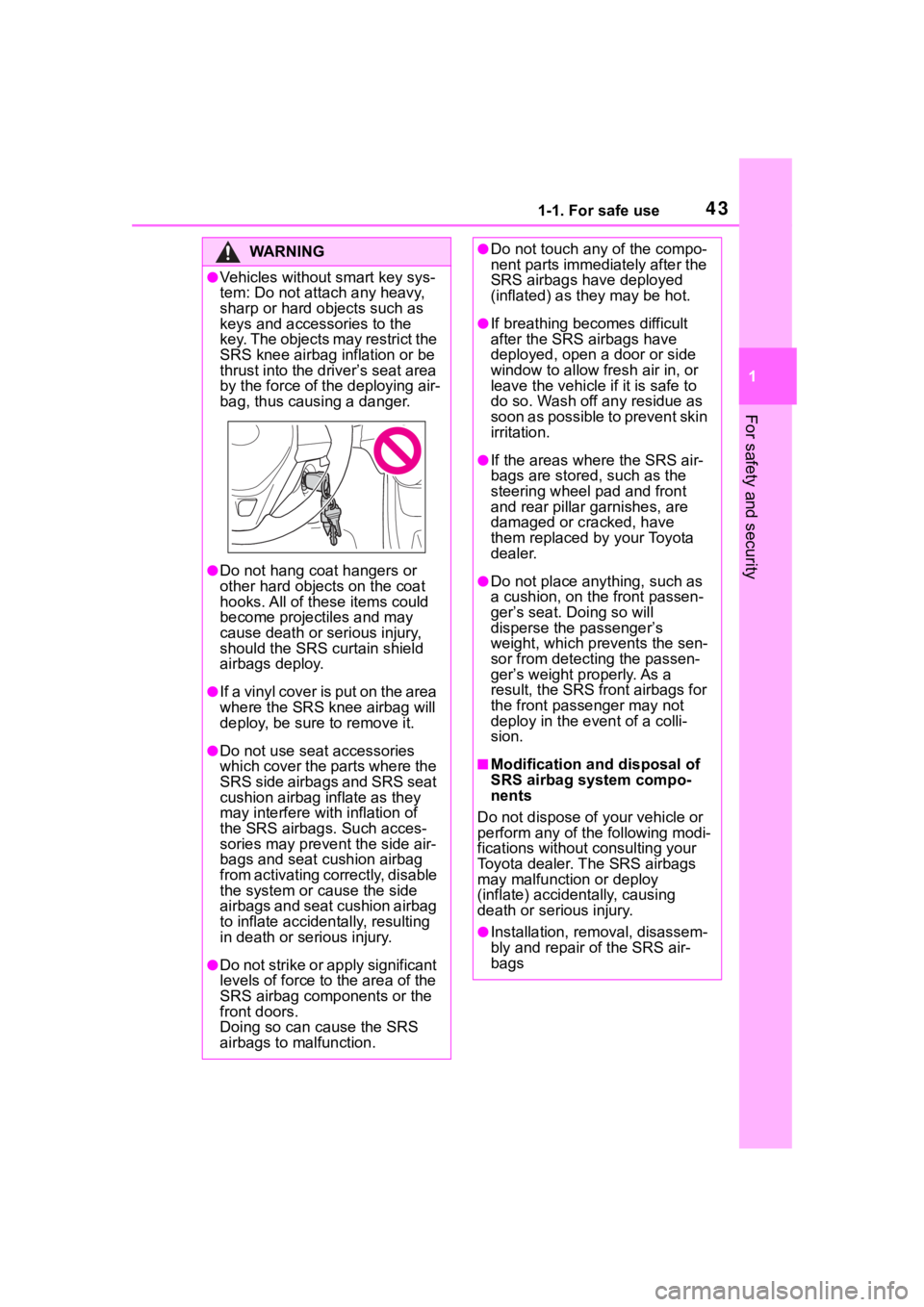
●Vehicles without smart key sys-
tem: Do not attach any heavy,
sharp or hard objects such as
keys and accessories to the
key. The objects may restrict the
SRS knee airbag inflation or be
thrust into the driver’s seat area
by the force of the deploying air-
bag, thus causing a danger.
●Do not hang coat hangers or
other hard objects on the coat
hooks. All of these items could
become projectiles and may
cause death or serious injury,
should the SRS curtain shield
airbags deploy.
●I f a vin yl co ver is p u t on t he ar ea
where the SRS knee airbag will
deploy, be sure to remove it.
●Do not use seat accessories
which cover the parts where the
SRS side airbags and SRS seat
cushion airbag inflate as they
may interfere with inflation of
the SRS airbags. Such acces-
sories may prevent the side air-
bags and seat cushion airbag
from activating correctly, disable
the system or cause the side
airbags and seat cushion airbag
to inflate accidentally, resulting
in death or serious injury.
●Do not strike or apply significant
levels of force to the area of the
SRS airbag components or the
front doors.
Doing so can cause the SRS
airbags to malfunction.
●Do not touch any of the compo-
nent parts immediately after the
SRS airbags have deployed
(inflated) as they may be hot.
●If breathing becomes difficult
after the SRS airbags have
deployed, open a door or side
window to allow fresh air in, or
leave the vehicle if it is safe to
do so. Wash off any residue as
soon as possible to prevent skin
irritation.
●If the areas where the SRS air-
bags are stored, such as the
steering wheel pad and front
and rear pillar garnishes, are
damaged or cracked, have
them replaced by your Toyota
dealer.
●Do not place anything, such as
a cushion, on the front passen-
ger’s seat. Doing so will
disperse the passenger’s
weight, which prevents the sen-
sor from detecting the passen-
ger’s weight properly. As a
result, the SRS front airbags for
the front passenger may not
deploy in the event of a colli-
sion.
■Modification and disposal of
SRS airbag system compo-
nents
Do not dispose of your vehicle or
perform any of the following modi-
fications without consulting your
Toyota dealer. The SRS airbags
may malfunction or deploy
(inflate) accidentally, causing
death or serious injury.
●Installation, re moval, disassem-
bly and repair of the SRS air-
bags
Page 51 of 744
511-2. Child safety
1
For safety and security
1-2.Child safety
Riding with children
Observe the following pre-
cautions when children are
in the vehicle.
Use a child restraint system
appropriate for the child,
until the child becomes
large enough to properly
wear the vehicle’s seat belt.
It is recommended that chil-
dren sit in the rear seats to
avoid accidental contact
with the shift lever, wiper
switch, etc.
Use the rear door child-pro-
tector lock or the window
lock switch to avoid children
opening the door while driv-
ing or operating the power
window accidentally.
( P.132, 178)
Do not let small children
operate equipment which
may catch or pinch body
parts, such as the power
window, hood, back door,
seats, etc.
WA R N I N G
■When children are in the vehi-
cle
Never leave children unattended
in the vehicle, and never allow
children to have or use the key.
Children may be able to start the
vehicle or shift the vehicle into
neutral. There is also a danger
that children ma y injure them-
selves by playing with the side
windows, the moon roof (if
equipped), the panoramic moon
roof (if equipped) or other features
of the vehicle. In addition, heat
build-up or extremely cold tem-
peratures inside the vehicle can
be fatal to children.
Page 121 of 744
121
3
3
Before driving
Before driving
3-1. Key informationKeys ............................ 122
3-2. Opening, closing and locking the doors
Side doors ................... 128
Back door .................... 134
Smart key system ....... 148
3-3. Adjusting the seats Front seats .................. 154
Rear seats................... 155
Driving position memory .................................. 157
Head restraints............ 160
3-4. Adjusting the steering wheel and mirrors
Steering wheel ............ 162
Inside rear view mirror 163
Digital Rear-view Mirror 165
Outside rear view mirrors .................................. 174
3-5. Opening, closing the win- dows and moon roof
Power windows ........... 176
Moon roof .................... 179
Panoramic moon roof.. 182
Page 125 of 744
1253-1. Key information
3
Before driving
Opens and closes the power
back door
*2 ( P.138)
Sounds the alarm ( P.125)
*1: These settings must be custom-
ized at your Toyota dealer.
*2: If equipped
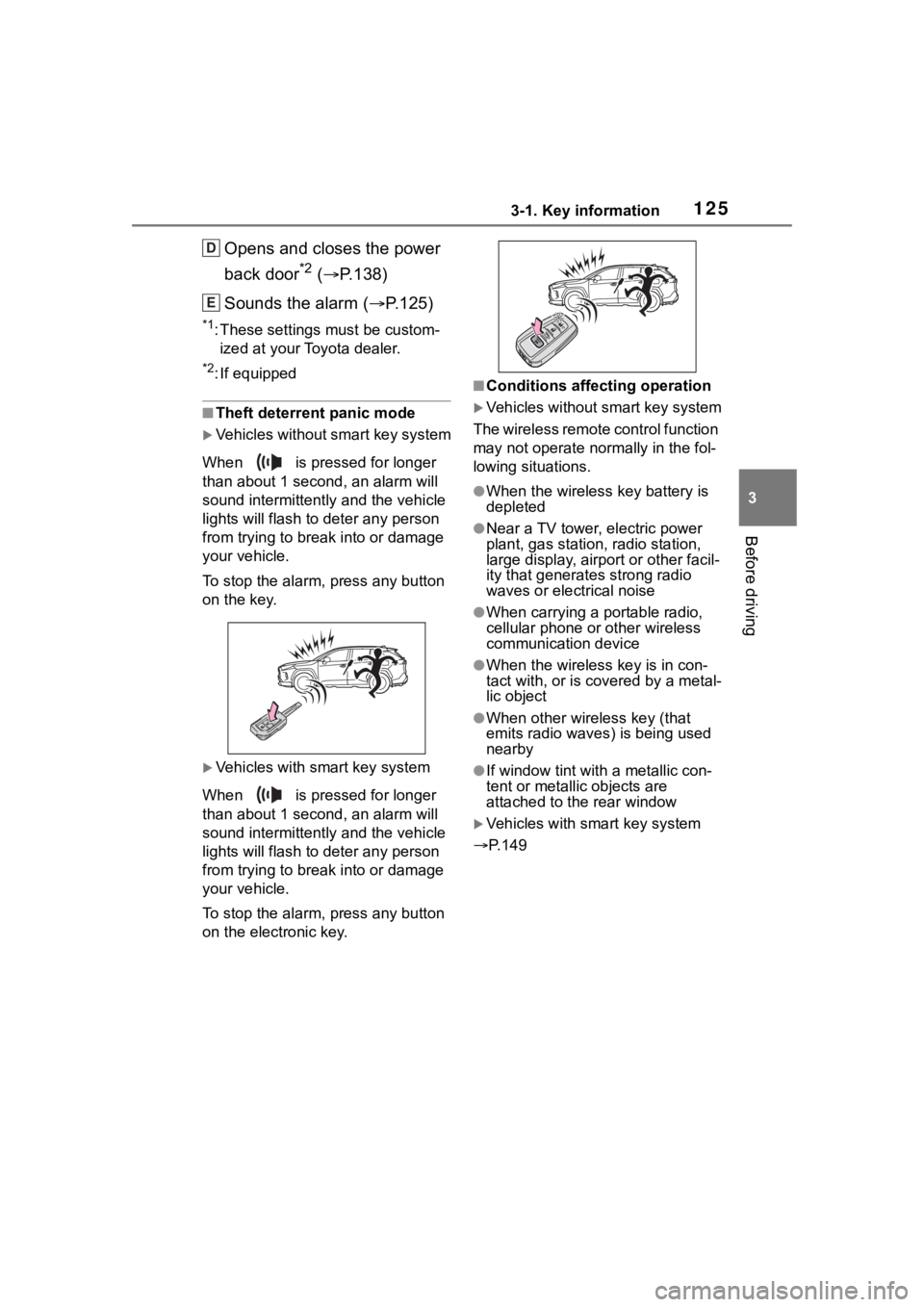
■Theft deterrent panic mode
Vehicles without smart key system
When is pressed for longer
than about 1 seco nd, an alarm will
sound intermittentl y and the vehicle
lights will flash to deter any person
from trying to break into or damage
your vehicle.
To stop the alarm, press any button
on the key.
Vehicles with smart key system
When is pressed for longer
than about 1 seco nd, an alarm will
sound intermittentl y and the vehicle
lights will flash to deter any person
from trying to break into or damage
your vehicle.
To stop the alarm, press any button
on the electronic key.
■Conditions affecting operation
Vehicles without smart key system
The wireless remote control function
may not operate normally in the fol-
lowing situations.
●When the wireles s key battery is
depleted
●Near a TV tower, electric power
plant, gas station, radio station,
large display, airpo rt or other facil-
ity that generates strong radio
waves or electrical noise
●When carrying a portable radio,
cellular phone or other wireless
communication device
●When the wireless key is in con-
tact with, or is c overed by a metal-
lic object
●When other wireless key (that
emits radio waves) is being used
nearby
●If window tint wit h a metallic con-
tent or metallic objects are
attached to the rear window
Vehicles with smart key system
P.149
D
E
Page 128 of 744
1283-2. Opening, closing and locking the doors
3-2.Opening, closing and locking the doors
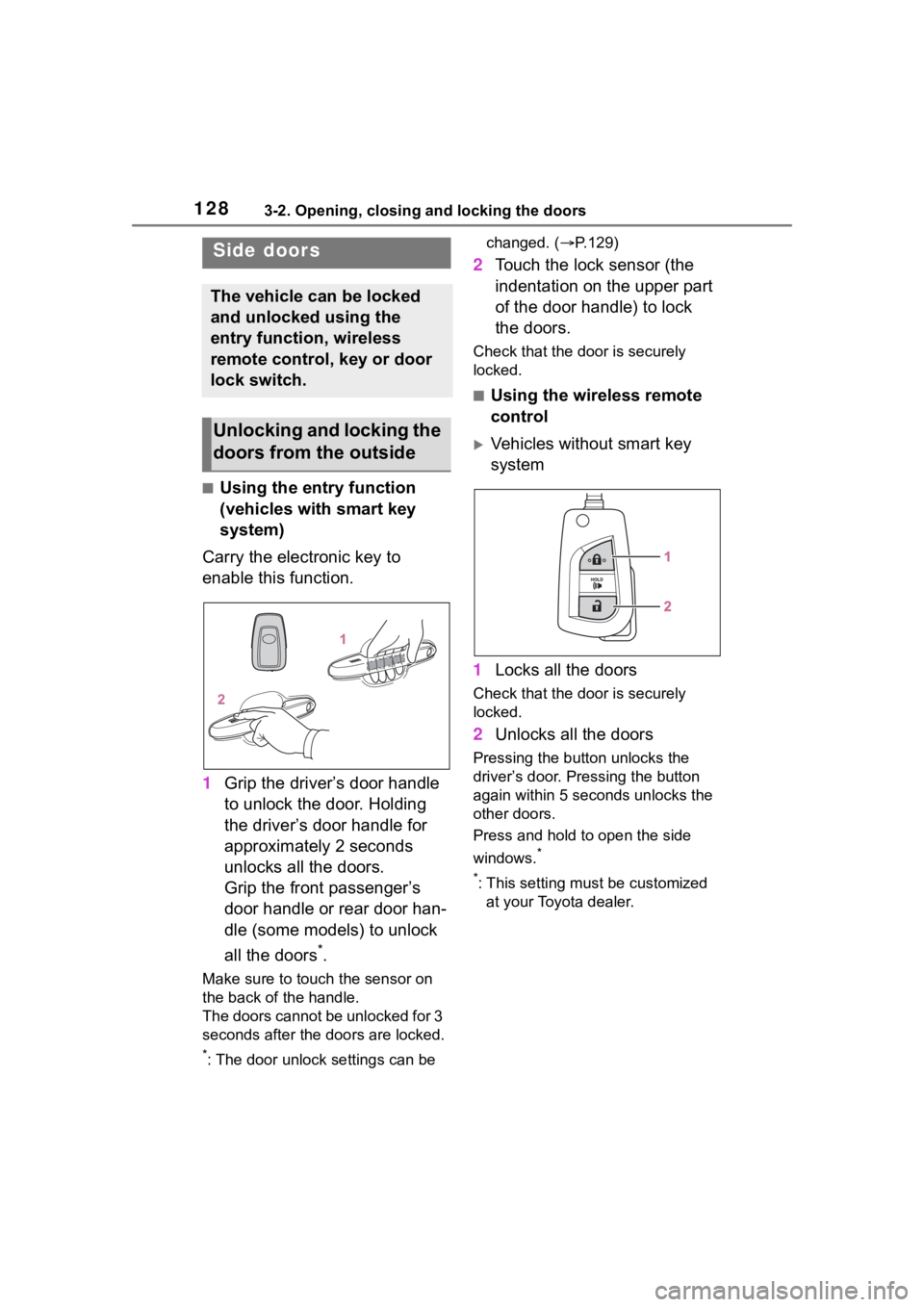
■Using the entry function
(vehicles with smart key
system)
Carry the electronic key to
enable this function.
1 Grip the driver’s door handle
to unlock the door. Holding
the driver’s door handle for
approximately 2 seconds
unlocks all the doors.
Grip the front passenger’s
door handle or rear door han-
dle (some models) to unlock
all the doors
*.
Make sure to touch the sensor on
the back of the handle.
The doors cannot be unlocked for 3
seconds after the doors are locked.
*: The door unlock settings can be changed. (
P.129)
2 Touch the lock sensor (the
indentation on the upper part
of the door handle) to lock
the doors.
Check that the d oor is securely
locked.
■Using the wireless remote
control
Vehicles without smart key
system
1 Locks all the doors
Check that the d oor is securely
locked.
2 Unlocks all the doors
Pressing the button unlocks the
driver’s door. Pressing the button
again within 5 seconds unlocks the
other doors.
Press and hold to open the side
windows.
*
*
: This setting must be customized at your Toyota dealer.
Side doors
The vehicle can be locked
and unlocked using the
entry function, wireless
remote control, key or door
lock switch.
Unlocking and locking the
doors from the outside