window TOYOTA RAV4 PLUG-IN HYBRID 2021 User Guide
[x] Cancel search | Manufacturer: TOYOTA, Model Year: 2021, Model line: RAV4 PLUG-IN HYBRID, Model: TOYOTA RAV4 PLUG-IN HYBRID 2021Pages: 666, PDF Size: 161.28 MB
Page 49 of 666
47
1
1-1. For safe use
For safety and security
Exhaust gas precautions
Harmful substance to the
human body is included in
exhaust gases if inhaled.
WARNING
Exhaust gases contain harmful car -
bon monoxide (CO), which is color -
less and odorless. Observe the following precautions.
Failure to do so may cause exhaust
gases to enter the vehicle and may lead to an acciden t caused by light-
headedness, or may lead to death or
a serious health hazard.
■Important points while driving
●Keep the back door closed.
●If you smell exhaust gases in the
vehicle even when the back door is
closed, open the side windows and have the vehicle inspected at any
authorized Toyota retailer or Toyota
authorized repairer, or any reliable repairer as soon as possible.
■When parking
●If the vehicle is in a poorly venti -
lated area or a closed area, such as
a garage, stop t he hybrid system.
●Do not leave the vehicle with the
hybrid system opera ting for a long time.
If such a situation cannot be
avoided, park the vehicle in an open space and ensure that
exhaust fumes do not enter the
vehicle interior.
●Do not leave the hybrid system
operating in an area with snow build-up, or where it is snowing. If
snowbanks build up around the
vehicle while the hybrid system is operating, exhaust gases may col -
lect and enter the vehicle.
■Exhaust pipe
The exhaust system needs to be
checked periodically. If there is a hole
or crack caused b y corrosion, dam- age to a joint or abnormal exhaust
noise, be sure to have the vehicle
inspected and repai red by any autho- rized Toyota retaile r or Toyota autho-
rized repairer, or any reliable repairer.
Page 51 of 666
49
1
1-2. Child safety
For safety and security
WARNING
■When installing a child restraint
system
For safety reasons , always install a child restraint system in a rear seat. In
the event that the rear seat cannot be
used, the front seat can be used as long as the airbag manual on-off sys-
tem is set to “OFF”.
If the airbag manual on-off system is
left on, the strong impact of the airbag deployment (inflation) may cause
serious injury or even death.
■When a child restr aint system is
not installed on the front passen -
ger seat
Ensure that the airbag manual on-off
system is set to “ON”.
If it is left off, the airbag may not deploy in the even t of an accident,
which may result in serious injury or
even death.
Riding with children
Observe the following precau -
tions when children are in the
vehicle.
Use a child restraint system
appropriate for the child, until
the child becomes large
enough to properly wear the
vehicle’s seat belt.
It is recommended that chil-
dren sit in the rear seats to
avoid accidental contact with
the shift lever, wiper switch,
etc.
Use the rear door child-protec-
tor lock or the window lock
switch to avoi d children open-
ing the door while driving or
operating the power window
accidentally. ( →P.209, 293)
Do not let small children oper-
ate equipment which may
catch or pinch body parts,
such as the power window,
hood, back door, seats, etc.
Page 52 of 666
501-2. Child safety
Points to remember: P.51
When using a child restraint sys -
tem: P.52
Child restraint system compatibility
for each seating position: P.54
Child restraint system installation
method: P.60
• Fixed with a seat belt: P.61
WARNING
■When children are in the vehicle
Never leave children unattended in
the vehicle, and never allow children to have or use the key.
Children may be able to start the vehi -
cle or shift the vehi cle into neutral. There is also a danger that children
may injure themselves by playing with
the side windows, panoramic moon
roof (if equipped) or other features of the vehicle. In addition, heat build-up
or extremely cold temperatures inside
the vehicle can be fatal to children.
Child restraint systems
Before installing a child
restraint system in the vehicle,
there are precautions that need
to be observed, different types
of child restrai nt systems, as
well as installation methods,
etc., written in this manual.
Use a child restraint system
when riding with a small child
that cannot properly use a seat
belt. For the child’s safety,
install the child restraint sys -
tem to a rear seat. Be sure to
follow the installation method
that is in the operation manual
enclosed with the restraint sys -
tem.
The use of a Toyota genuine
child restraint system is rec -
ommended, as it is safer to
use in this vehicle. Toyota gen -
uine child restraint systems
are made specifically for
Toyota vehicles. They can be
purchased at a Toyota dealer.
Table of contents
Page 79 of 666
77
1
1-4. Theft dete rrent system
For safety and security
*: If equipped
■Setting
Turn the power switch to OFF, have
all the passengers exit the vehicle
and ensure that all the doors are
closed.
Using the entry function:
Touch the sensor area on the front
outside door handle twice within 5
seconds.
Using the wireless remote control:
Press twice within 5 sec -
onds.
■Canceling
Using the entry function:
Hold the front outside door handle.
Using the wireless remote control:
Press .
Double locking system*
Unauthorized access to the
vehicle is prevented by dis -
abling the door unlocking
function from both the interior
and exterior of the vehicle.
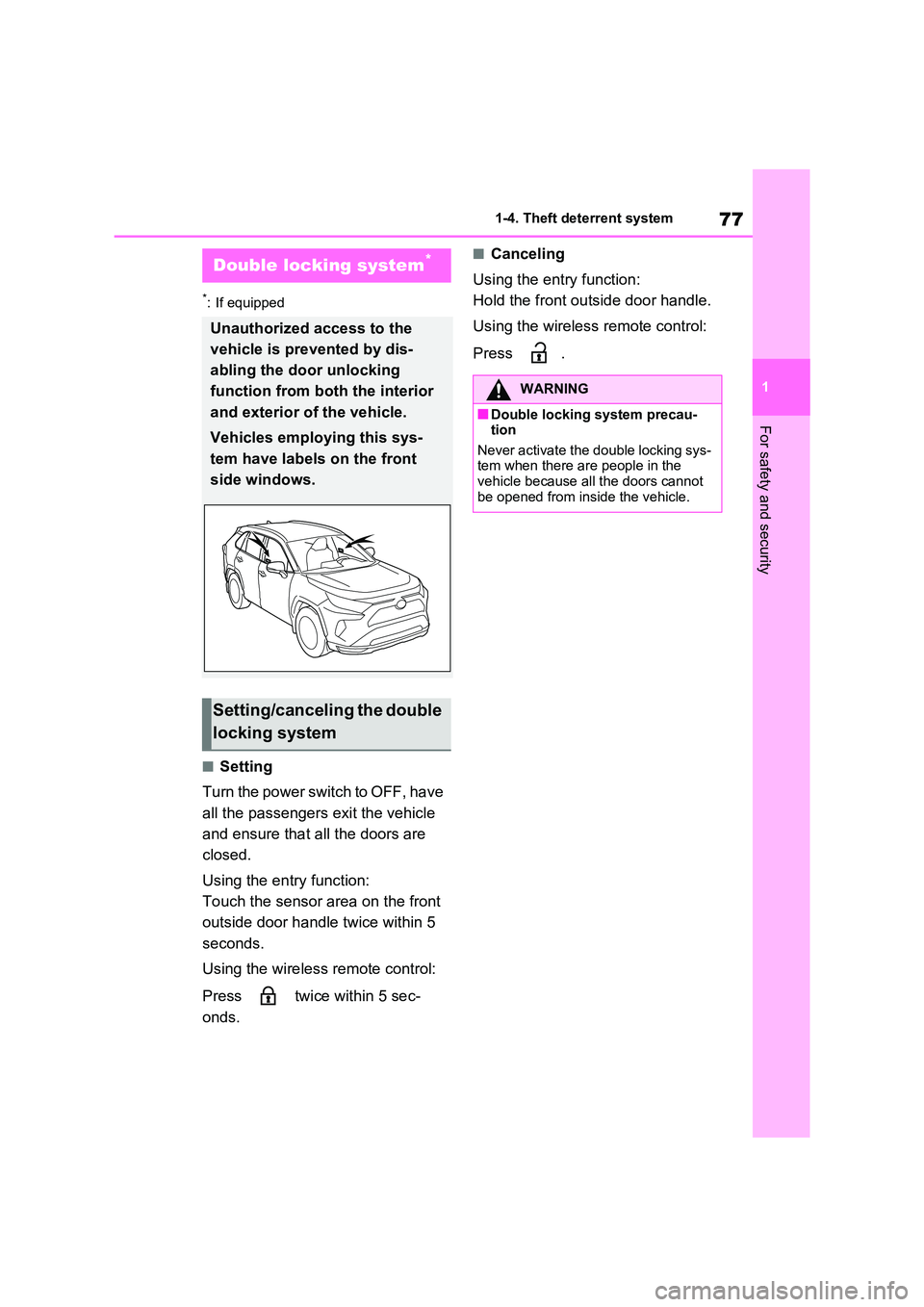
Vehicles employing this sys -
tem have labels on the front
side windows.
Setting/canceling the double
locking system
WARNING
■Double locking system precau - tion
Never activate the double locking sys-
tem when there are people in the vehicle because all the doors cannot
be opened from inside the vehicle.
Page 80 of 666
781-4. Theft deterrent system
*: If equipped
■Items to check before locking
the vehicle
To prevent unexpected triggering of
the alarm and vehicle theft, make
sure of the following:
Nobody is in the vehicle.
The side windows and pan-
oramic moon roof (if equipped)
are closed before the alarm is
set.
No valuables or other personal
items are left in the vehicle.
■Setting
Close the doors and hood, and lock
all the doors using the entry func -
tion or wireless remote control. The
system will be set automatically
after 30 seconds.
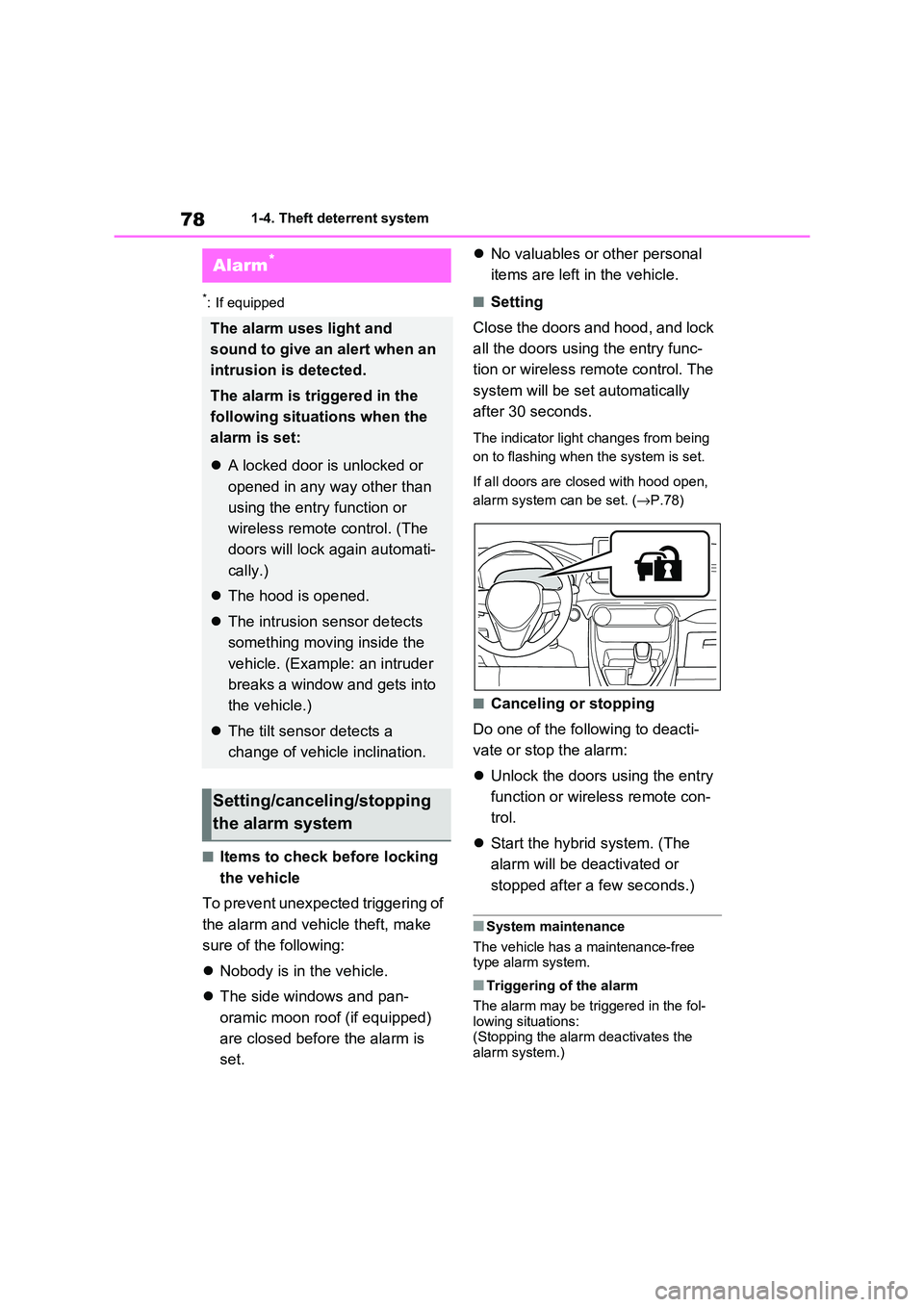
The indicator light changes from being
on to flashing when the system is set.
If all doors are closed with hood open,
alarm system can be set. ( →P.78)
■Canceling or stopping
Do one of the fo llowing to deacti-
vate or stop the alarm:
Unlock the doors using the entry
function or wirel ess remote con-
trol.
Start the hybrid system. (The
alarm will be de activated or
stopped after a few seconds.)
■System maintenance
The vehicle has a maintenance-free type alarm system.
■Triggering of the alarm
The alarm may be tr iggered in the fol-
lowing situations: (Stopping the alar m deactivates the
alarm system.)
Alarm*
The alarm uses light and
sound to give an alert when an
intrusion is detected.
The alarm is triggered in the
following situat ions when the
alarm is set:
A locked door is unlocked or
opened in any way other than
using the entry function or
wireless remote control. (The
doors will lock again automati -
cally.)
The hood is opened.
The intrusion sensor detects
something moving inside the
vehicle. (Example: an intruder
breaks a window and gets into
the vehicle.)
The tilt sensor detects a
change of vehicle inclination.
Setting/canceling/stopping
the alarm system
Page 82 of 666
801-4. Theft deterrent system
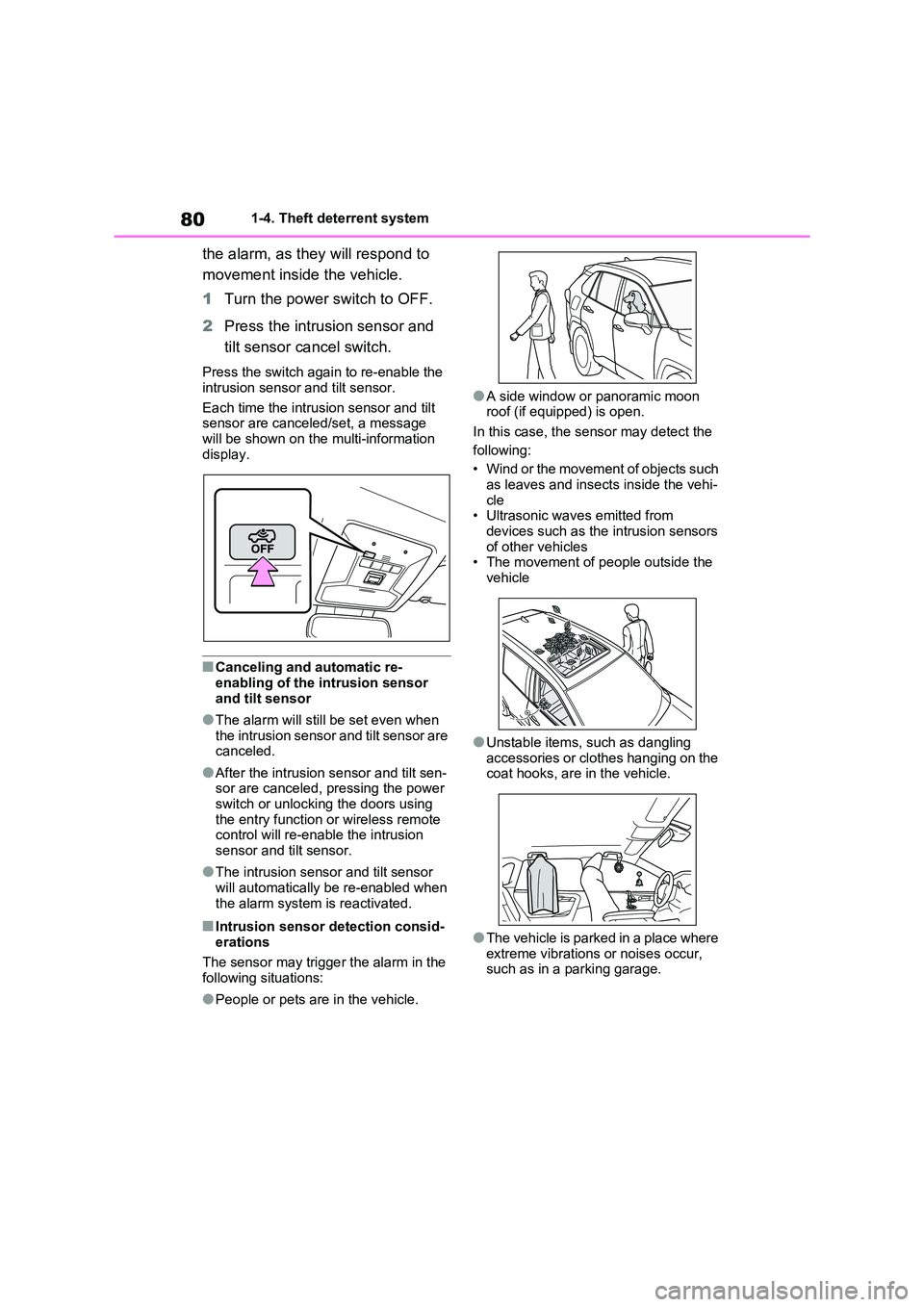
the alarm, as they will respond to
movement inside the vehicle.
1 Turn the power switch to OFF.
2 Press the intrusion sensor and
tilt sensor cancel switch.
Press the switch again to re-enable the
intrusion sensor and tilt sensor.
Each time the intrus ion sensor and tilt
sensor are canceled/set, a message
will be shown on the multi-information display.
■Canceling and automatic re-
enabling of the intrusion sensor
and tilt sensor
●The alarm will still be set even when
the intrusion sensor and tilt sensor are canceled.
●After the intrusion sensor and tilt sen- sor are canceled, pressing the power
switch or unlocking the doors using
the entry func tion or wireless remote control will re-enable the intrusion
sensor and tilt sensor.
●The intrusion sens or and tilt sensor
will automatically be re-enabled when
the alarm system is reactivated.
■Intrusion sensor detection consid -
erations
The sensor may trigge r the alarm in the
following situations:
●People or pets are in the vehicle.
●A side window or panoramic moon
roof (if equipped) is open.
In this case, the sensor may detect the
following:
• Wind or the movement of objects such
as leaves and insects inside the vehi -
cle • Ultrasonic wave s emitted from
devices such as the intrusion sensors
of other vehicles • The movement of people outside the
vehicle
●Unstable items, such as dangling
accessories or clothes hanging on the
coat hooks, are in the vehicle.
●The vehicle is parked in a place where
extreme vibrations or noises occur, such as in a parking garage.
Page 192 of 666
1903-1. Instrument cluster
■Suggestion to enable the
power back door (if equipped)
If the power back door system is
disabled on the screen and the
power back door switch on the
instrument panel is operated, a
suggestion message will be dis -
played asking if you wish to enable
the power back door system. To
enable the power back door sys -
tem, select “Yes”.
After enabling the power back door sys -
tem, press the powe r back door switch
again to open or close the power back
door.
■Suggestion to turn on the
headlights
If the headlight switch is in other
than or , and the vehicle
speed is 5 km/h (3 mph) or higher
for a certain amount of time when
the surroundings are dark, a sug -
gestion message wi ll be displayed.
■Suggestion to turn off the
headlights
If the headlights are left on for a
certain amount of time after the
power switch has been turned off, a
suggestion message will be dis -
played.
■Suggestion to close the power
windows (linked to windshield
wiper operation)
If the windshield wipers are oper -
ated with a power window open, a
suggestion message will be dis -
played asking if you wish to close
the power windows. To close all of
the power windows, select “Yes”.
■Suggestion to close the power
windows (driving at high
speeds)
If the vehicle speed exceeds a cer -
tain speed with a power window
open, a suggestion message will be
displayed asking if you wish to
close the power windows. To close
all of the power windows, select
“Yes”.
■Customization
The suggestion function can be turned
on/off. (Customizable features: →P.631)
Page 203 of 666
4
201
4
Before driving
Before driving
4-1. Key information
Keys.................................. 202
4-2. Opening, closing and locking
the doors
Side doors ........................ 205
Back door ......................... 210
Smart entry & start system 223
4-3. Adjusting the seats
Front seats........................ 270
Rear seats ........................ 271
Driving position memory ... 273
Head restraints ................. 276
4-4. Adjusting the steering wheel
and mirrors
Steering wheel .................. 278
Inside rear view mirror ...... 279
Digital Rear-view Mirror .... 280
Outside rear view mirrors . 289
4-5. Opening, closing the win -
dows and moon roof
Power windows................. 291
Panoramic moon roof ....... 294
Page 206 of 666
2044-1. Key information
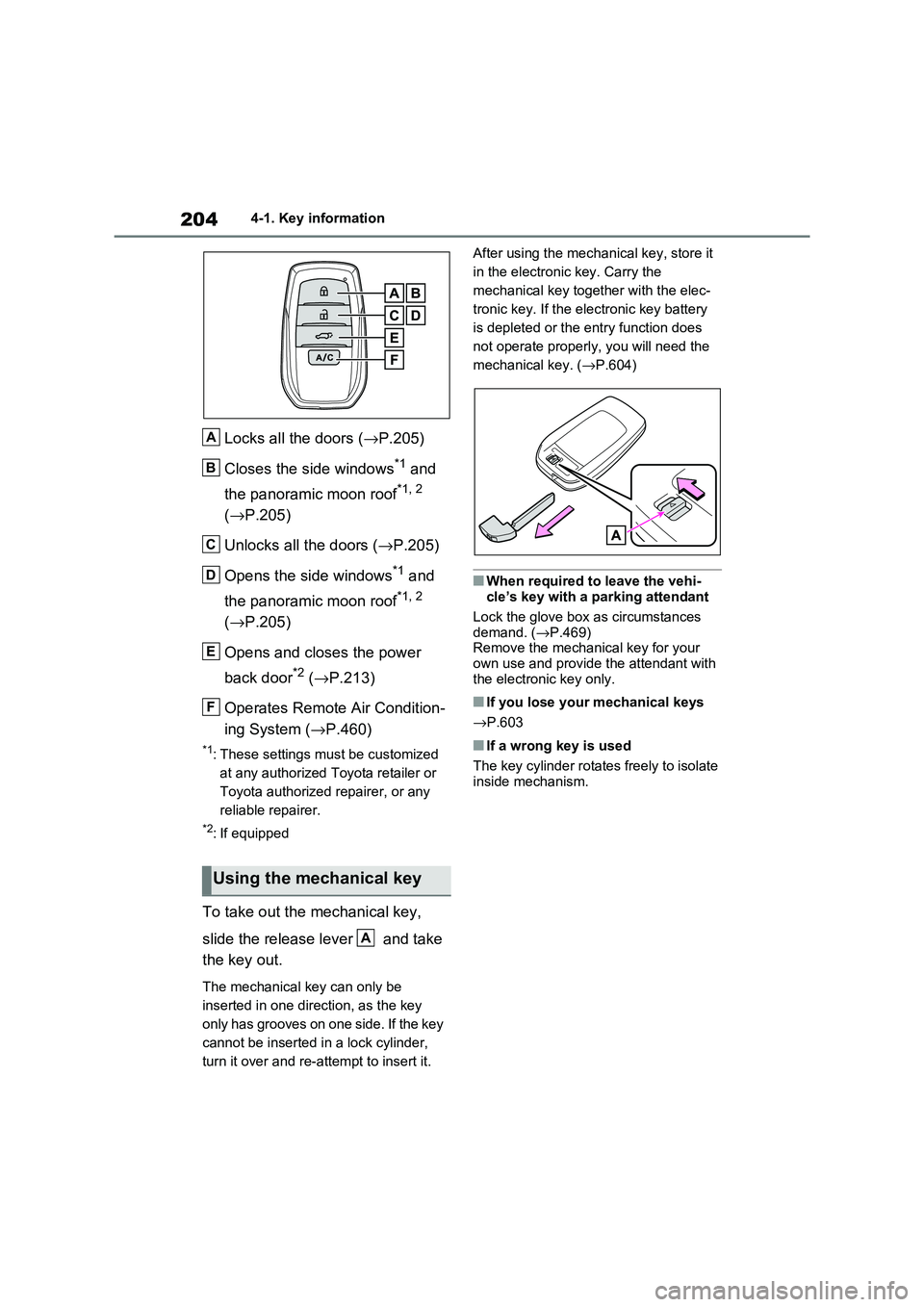
Locks all the doors (→P.205)
Closes the side windows*1 and
the panoramic moon roof*1, 2
( →P.205)
Unlocks all the doors ( →P.205)
Opens the side windows*1 and
the panoramic moon roof*1, 2
( →P.205)
Opens and closes the power
back door*2 ( →P.213)
Operates Remote Air Condition -
ing System ( →P.460)
*1: These settings must be customized
at any authorized Toyota retailer or
Toyota authorized repairer, or any
reliable repairer.
*2: If equipped
To take out the mechanical key,
slide the release lever and take
the key out.
The mechanical key can only be
inserted in one direction, as the key
only has grooves on one side. If the key
cannot be inserted i n a lock cylinder,
turn it over and re-at tempt to insert it.
After using the mec hanical key, store it
in the electronic key. Carry the
mechanical key together with the elec -
tronic key. If the elec tronic key battery
is depleted or the ent ry function does
not operate properly, you will need the
mechanical key. ( →P.604)
■When required to leave the vehi-
cle’s key with a parking attendant
Lock the glove box a s circumstances demand. ( →P.469)
Remove the mechani cal key for your
own use and provide the attendant with the electronic key only.
■If you lose your mechanical keys
→ P.603
■If a wrong key is used
The key cylinder rotate s freely to isolate inside mechanism.
Using the mechanical key
A
B
C
D
E
F
A
Page 208 of 666
2064-2. Opening, closing and locking the doors
The setting changes each time an oper -
ation is performed, as shown below.
(When changing the setting continu-
ously, release the buttons, wait for at
least 5 seconds, and repeat step 3.)
Vehicles with alarm: To prevent unin - tended triggering of the alarm, unlock
the doors using the wireless remote
control and open and close a door once after the settings have been changed. (If
a door is not opened within 30 seconds
after is pressed, the doors will
be locked again and the alarm will auto - matically be set.)
In a case that the a larm is triggered,
immediately st op the alarm. (→P.78)
■Impact detection door lock release system
In the event that the vehicle is subject to
a strong impact, all the doors are unlocked. Depending on the force of the
impact or the type of accident, however,
the system may not operate.
■Operation signals
Doors: The emergency flashers flash to indicate that the doors have been
locked/unlocked. (Locked: Once;
Unlocked: Twice)
Side windows and panoramic moon roof
(if equipped): A buzzer sounds to indi -
cate that the side windows and pan- oramic moon roof are operating.
■Security feature
If a door is not opened within approxi -
mately 30 seconds af ter the vehicle is unlocked, the security feature automati -
cally locks the vehicl e again. (However,
depending on the location of the elec - tronic key, the key m ay be detected as
being in the vehicle. In this case, vehicle
may be unlocked.)
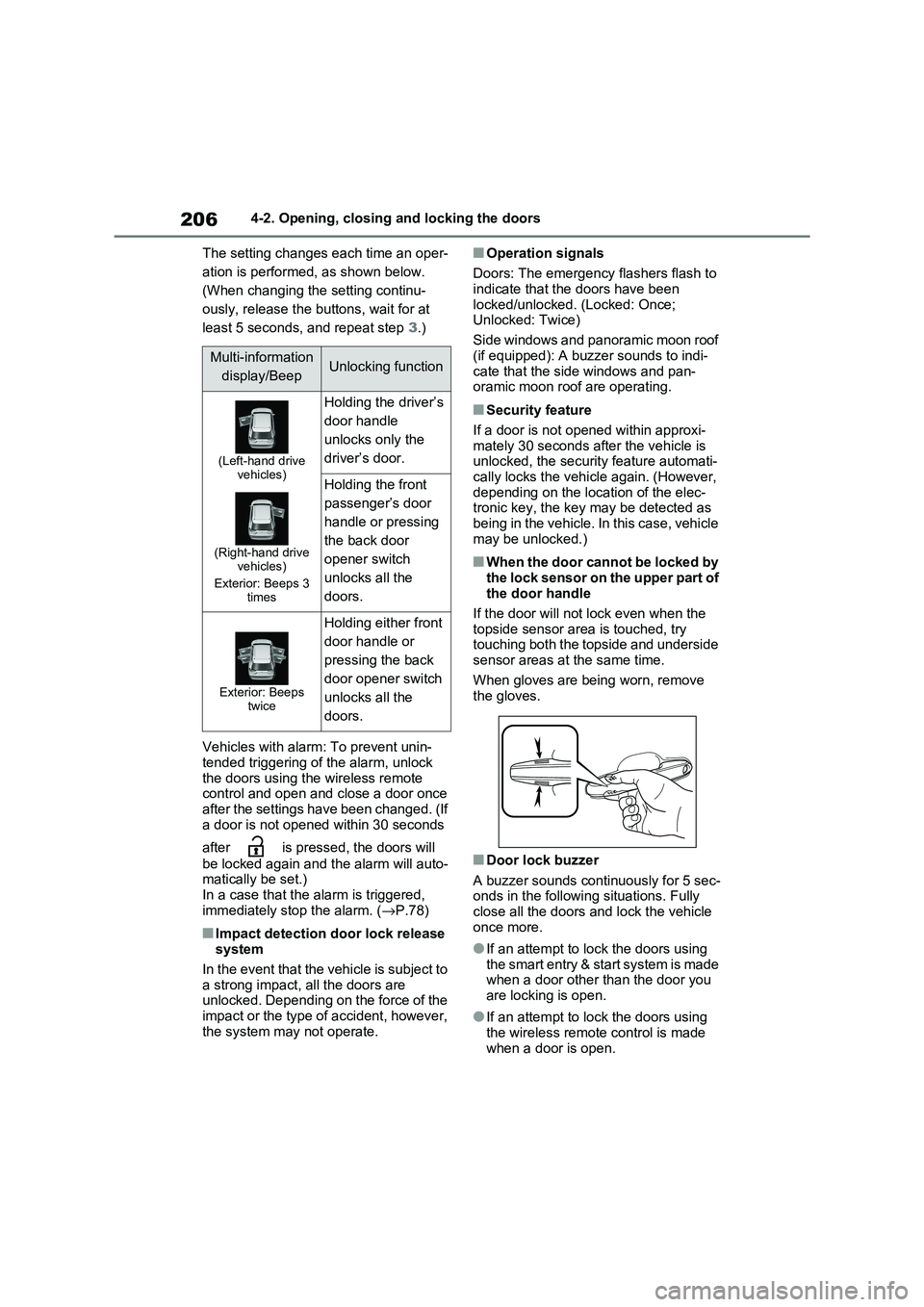
■When the door cannot be locked by the lock sensor on the upper part of
the door handle
If the door will not lock even when the topside sensor are a is touched, try
touching both the topside and underside
sensor areas at the same time.
When gloves are being worn, remove
the gloves.
■Door lock buzzer
A buzzer sounds continuously for 5 sec -
onds in the followi ng situations. Fully close all the doors and lock the vehicle
once more.
●If an attempt to lo ck the doors using the smart entry & start system is made
when a door other than the door you
are locking is open.
●If an attempt to lo ck the doors using
the wireless remote control is made when a door is open.
Multi-information
display/BeepUnlocking function
(Left-hand drive vehicles)
(Right-hand drive vehicles)
Exterior: Beeps 3 times
Holding the driver’s
door handle
unlocks only the
driver’s door.
Holding the front
passenger’s door
handle or pressing
the back door
opener switch
unlocks all the
doors.
Exterior: Beeps twice
Holding either front
door handle or
pressing the back
door opener switch
unlocks all the
doors.