alarm TOYOTA RAV4 PLUG-IN HYBRID 2021 Owners Manual
[x] Cancel search | Manufacturer: TOYOTA, Model Year: 2021, Model line: RAV4 PLUG-IN HYBRID, Model: TOYOTA RAV4 PLUG-IN HYBRID 2021Pages: 666, PDF Size: 161.28 MB
Page 4 of 666
2TABLE OF CONTENTS
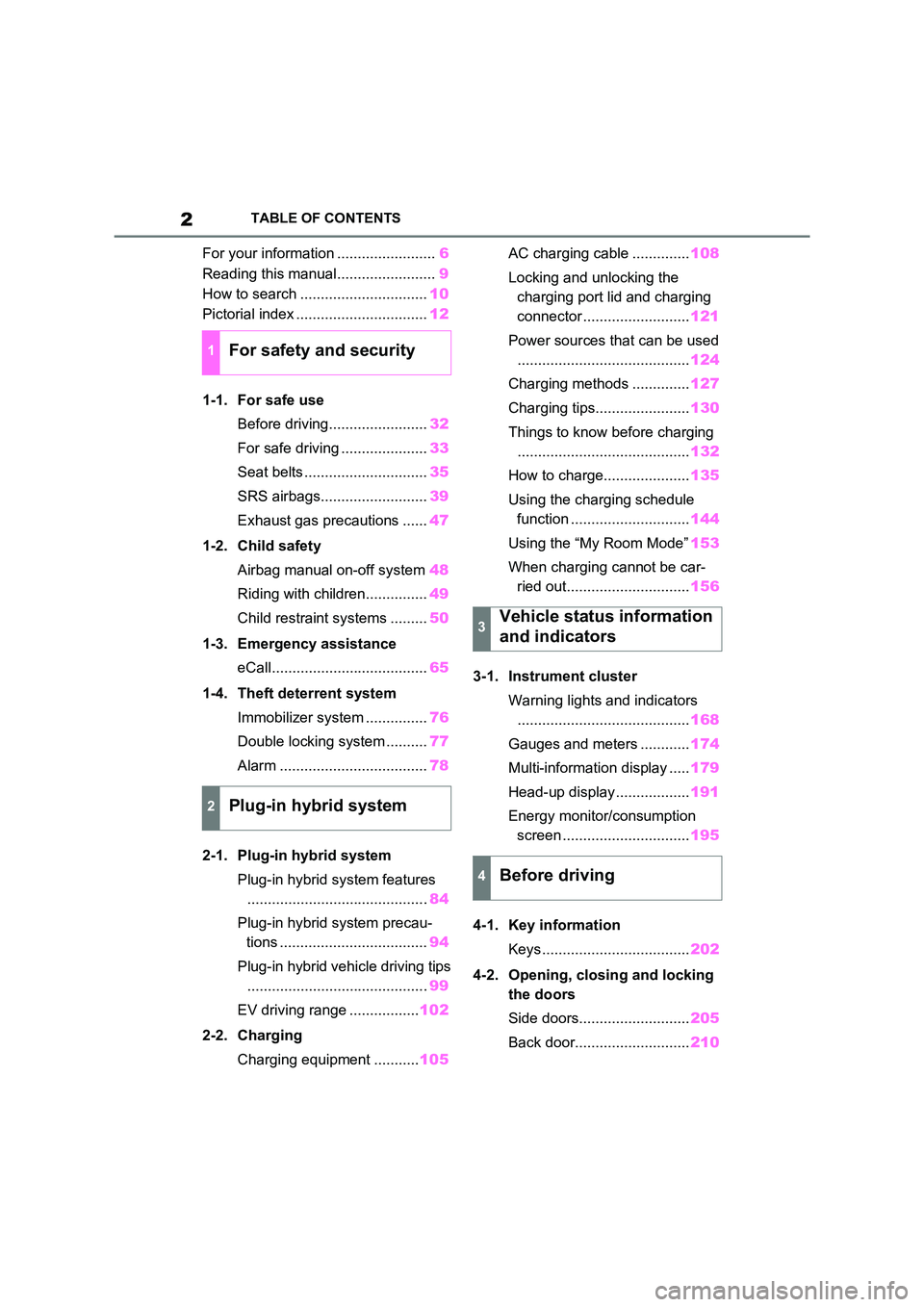
For your information ........................6
Reading this manual........................ 9
How to search ............................... 10
Pictorial index ................................ 12
1-1. For safe use
Before driving........................ 32
For safe driving ..................... 33
Seat belts .............................. 35
SRS airbags.......................... 39
Exhaust gas precautions ...... 47
1-2. Child safety
Airbag manual on-off system 48
Riding with children............... 49
Child restraint systems ......... 50
1-3. Emergency assistance
eCall...................................... 65
1-4. Theft deterrent system
Immobilizer system ............... 76
Double locking system .......... 77
Alarm .................................... 78
2-1. Plug-in hybrid system
Plug-in hybrid system features
............................................ 84
Plug-in hybrid system precau -
tions .................................... 94
Plug-in hybrid vehicle driving tips
............................................ 99
EV driving range ................. 102
2-2. Charging
Charging equipment ........... 105
AC charging cable .............. 108
Locking and unlocking the
charging port lid and charging
connector .......................... 121
Power sources that can be used
.......................................... 124
Charging methods .............. 127
Charging tips....................... 130
Things to know before charging
.......................................... 132
How to charge..................... 135
Using the charging schedule
function ............................. 144
Using the “My Room Mode” 153
When charging cannot be car -
ried out.............................. 156
3-1. Instrument cluster
Warning lights and indicators
.......................................... 168
Gauges and meters ............ 174
Multi-information display ..... 179
Head-up display .................. 191
Energy monitor/consumption
screen ............................... 195
4-1. Key information
Keys .................................... 202
4-2. Opening, clo sing and locking
the doors
Side doors........................... 205
Back door............................ 210
1For safety and security
2Plug-in hybrid system
3Vehicle status information
and indicators
4Before driving
Page 33 of 666
1
31
1
For safety and security
For safety and security
1-1. For safe use
Before driving ..................... 32
For safe driving ................... 33
Seat belts............................ 35
SRS airbags ....................... 39
Exhaust gas precautions .... 47
1-2. Child safety
Airbag manual on-off system
......................................... 48
Riding with children ............ 49
Child restraint systems ....... 50
1-3. Emergency assistance
eCall ................................... 65
1-4. Theft deterrent system
Immobilizer system ............. 76
Double locking system ........ 77
Alarm .................................. 78
Page 80 of 666
781-4. Theft deterrent system
*: If equipped
■Items to check before locking
the vehicle
To prevent unexpected triggering of
the alarm and vehicle theft, make
sure of the following:
Nobody is in the vehicle.
The side windows and pan-
oramic moon roof (if equipped)
are closed before the alarm is
set.
No valuables or other personal
items are left in the vehicle.
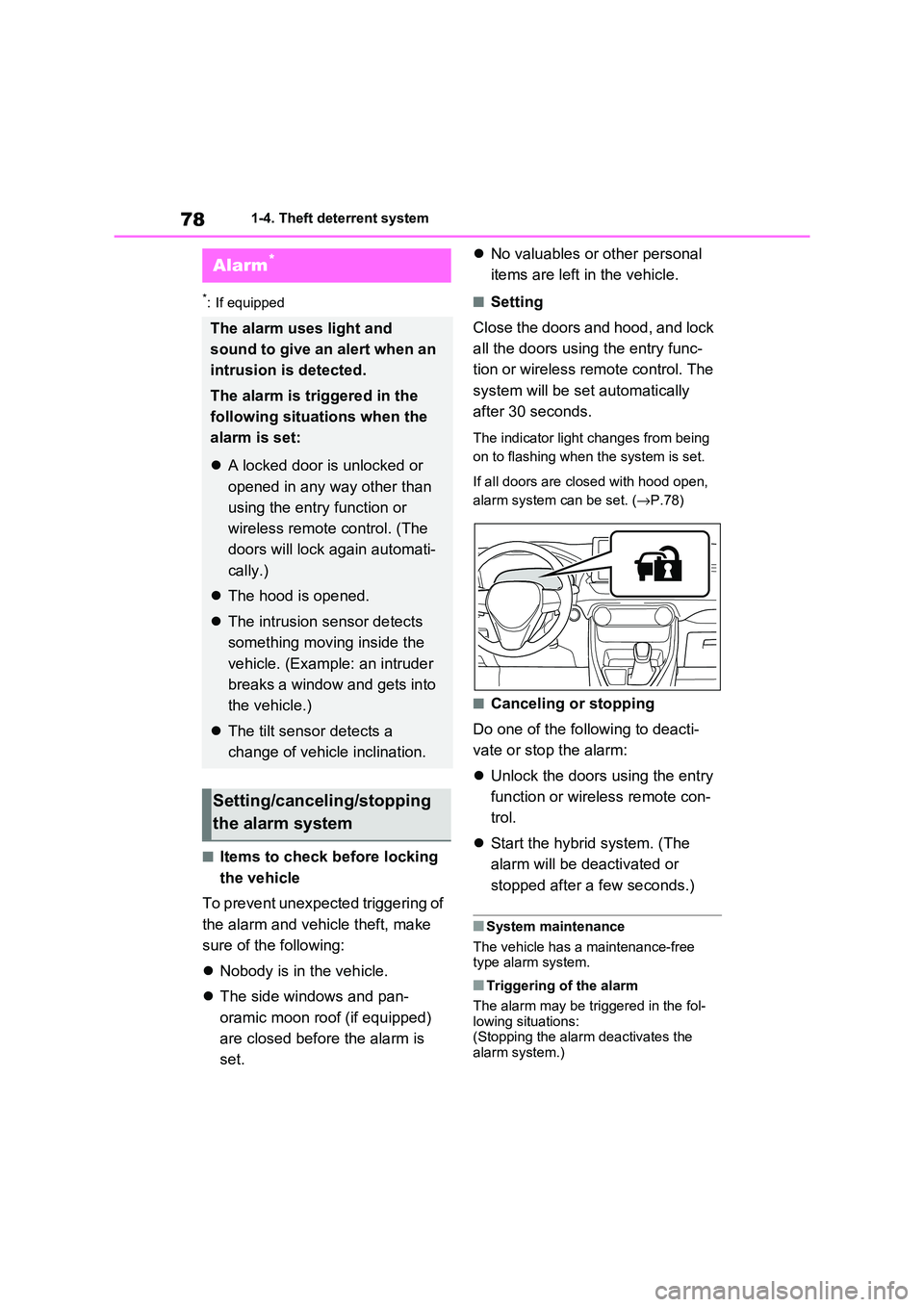
■Setting
Close the doors and hood, and lock
all the doors using the entry func -
tion or wireless remote control. The
system will be set automatically
after 30 seconds.
The indicator light changes from being
on to flashing when the system is set.
If all doors are closed with hood open,
alarm system can be set. ( →P.78)
■Canceling or stopping
Do one of the fo llowing to deacti-
vate or stop the alarm:
Unlock the doors using the entry
function or wirel ess remote con-
trol.
Start the hybrid system. (The
alarm will be de activated or
stopped after a few seconds.)
■System maintenance
The vehicle has a maintenance-free type alarm system.
■Triggering of the alarm
The alarm may be tr iggered in the fol-
lowing situations: (Stopping the alar m deactivates the
alarm system.)
Alarm*
The alarm uses light and
sound to give an alert when an
intrusion is detected.
The alarm is triggered in the
following situat ions when the
alarm is set:
A locked door is unlocked or
opened in any way other than
using the entry function or
wireless remote control. (The
doors will lock again automati -
cally.)
The hood is opened.
The intrusion sensor detects
something moving inside the
vehicle. (Example: an intruder
breaks a window and gets into
the vehicle.)
The tilt sensor detects a
change of vehicle inclination.
Setting/canceling/stopping
the alarm system
Page 81 of 666
79
1
1-4. Theft dete rrent system
For safety and security
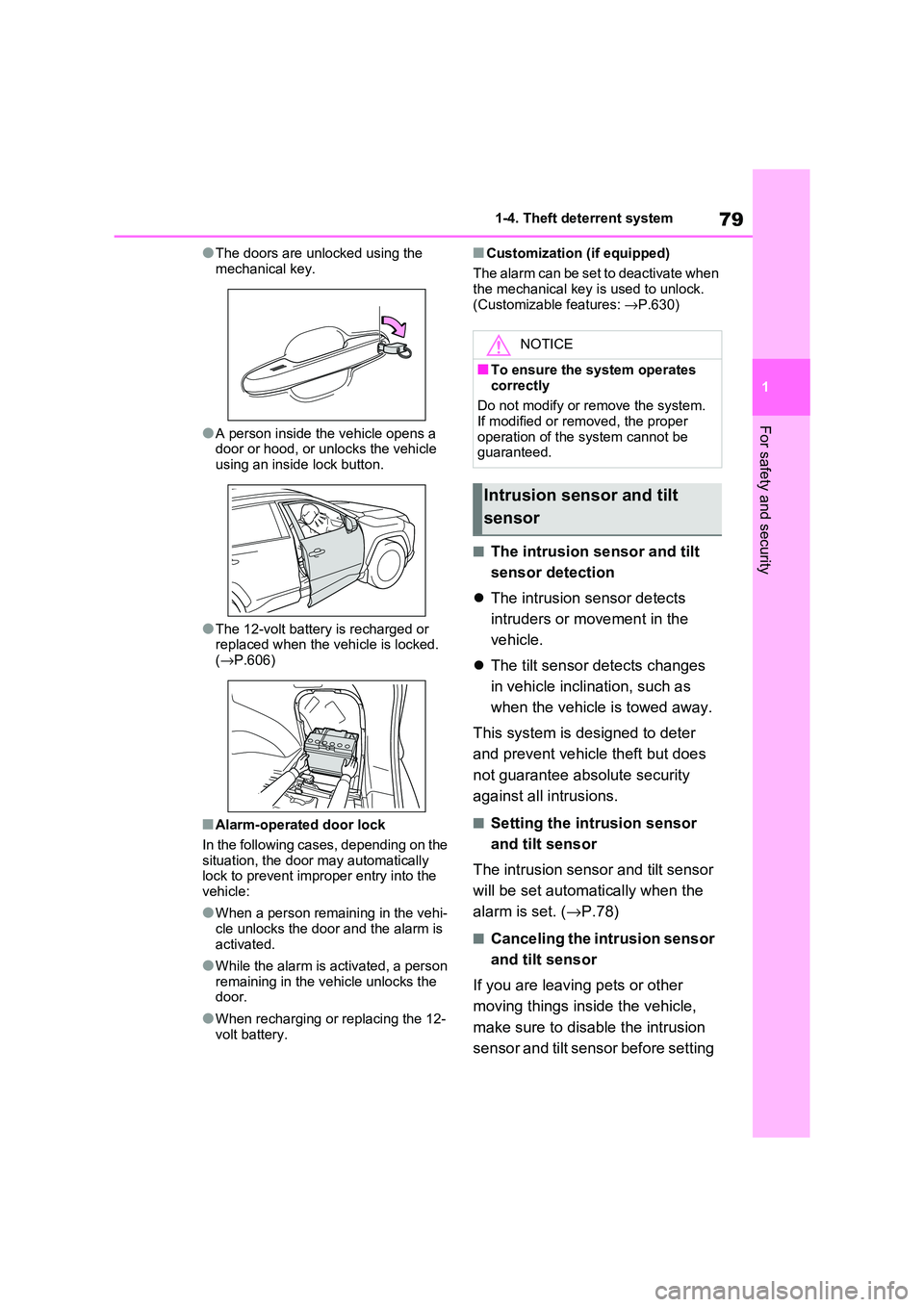
●The doors are unlocked using the
mechanical key.
●A person inside the vehicle opens a
door or hood, or unlocks the vehicle using an inside lock button.
●The 12-volt battery is recharged or replaced when the v ehicle is locked.
( →P.606)
■Alarm-operated door lock
In the following cases, depending on the
situation, the door may automatically lock to prevent impro per entry into the
vehicle:
●When a person rem aining in the vehi-
cle unlocks the door and the alarm is
activated.
●While the alarm is activated, a person
remaining in the v ehicle unlocks the door.
●When recharging or replacing the 12-
volt battery.
■Customization (if equipped)
The alarm can be set to deactivate when the mechanical key is used to unlock.
(Customizable features: →P.630)
■The intrusion sensor and tilt
sensor detection
The intrusion sensor detects
intruders or movement in the
vehicle.
The tilt sensor detects changes
in vehicle inclination, such as
when the vehicle is towed away.
This system is designed to deter
and prevent vehicle theft but does
not guarantee abs olute security
against all intrusions.
■Setting the intrusion sensor
and tilt sensor
The intrusion sensor and tilt sensor
will be set automa tically when the
alarm is set. ( →P.78)
■Canceling the intrusion sensor
and tilt sensor
If you are leaving pets or other
moving things inside the vehicle,
make sure to disable the intrusion
sensor and tilt sensor before setting
NOTICE
■To ensure the system operates correctly
Do not modify or r emove the system.
If modified or remo ved, the proper
operation of the system cannot be guaranteed.
Intrusion sensor and tilt
sensor
Page 82 of 666
801-4. Theft deterrent system
the alarm, as they will respond to
movement inside the vehicle.
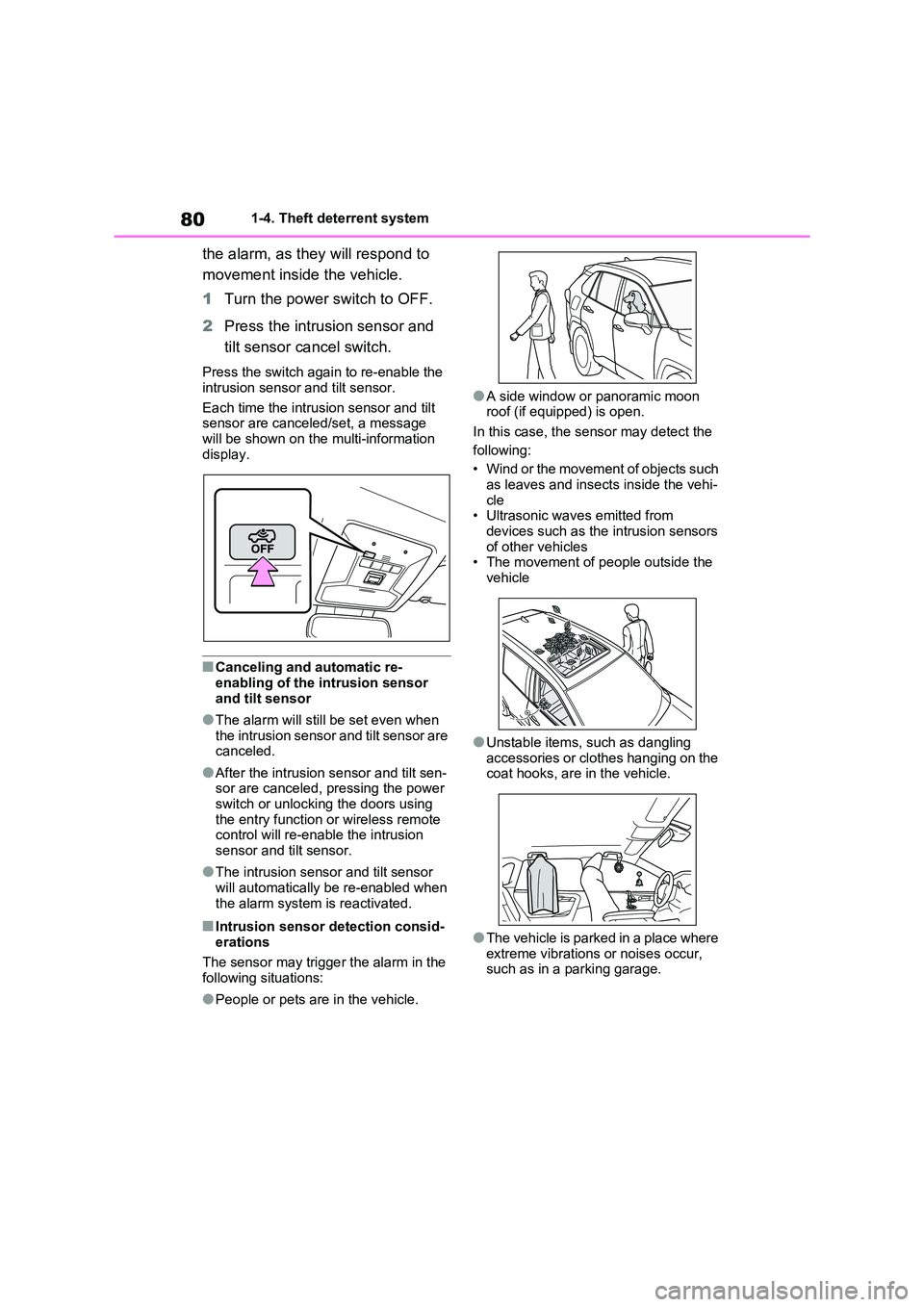
1 Turn the power switch to OFF.
2 Press the intrusion sensor and
tilt sensor cancel switch.
Press the switch again to re-enable the
intrusion sensor and tilt sensor.
Each time the intrus ion sensor and tilt
sensor are canceled/set, a message
will be shown on the multi-information display.
■Canceling and automatic re-
enabling of the intrusion sensor
and tilt sensor
●The alarm will still be set even when
the intrusion sensor and tilt sensor are canceled.
●After the intrusion sensor and tilt sen- sor are canceled, pressing the power
switch or unlocking the doors using
the entry func tion or wireless remote control will re-enable the intrusion
sensor and tilt sensor.
●The intrusion sens or and tilt sensor
will automatically be re-enabled when
the alarm system is reactivated.
■Intrusion sensor detection consid -
erations
The sensor may trigge r the alarm in the
following situations:
●People or pets are in the vehicle.
●A side window or panoramic moon
roof (if equipped) is open.
In this case, the sensor may detect the
following:
• Wind or the movement of objects such
as leaves and insects inside the vehi -
cle • Ultrasonic wave s emitted from
devices such as the intrusion sensors
of other vehicles • The movement of people outside the
vehicle
●Unstable items, such as dangling
accessories or clothes hanging on the
coat hooks, are in the vehicle.
●The vehicle is parked in a place where
extreme vibrations or noises occur, such as in a parking garage.
Page 83 of 666
81
1
1-4. Theft dete rrent system
For safety and security
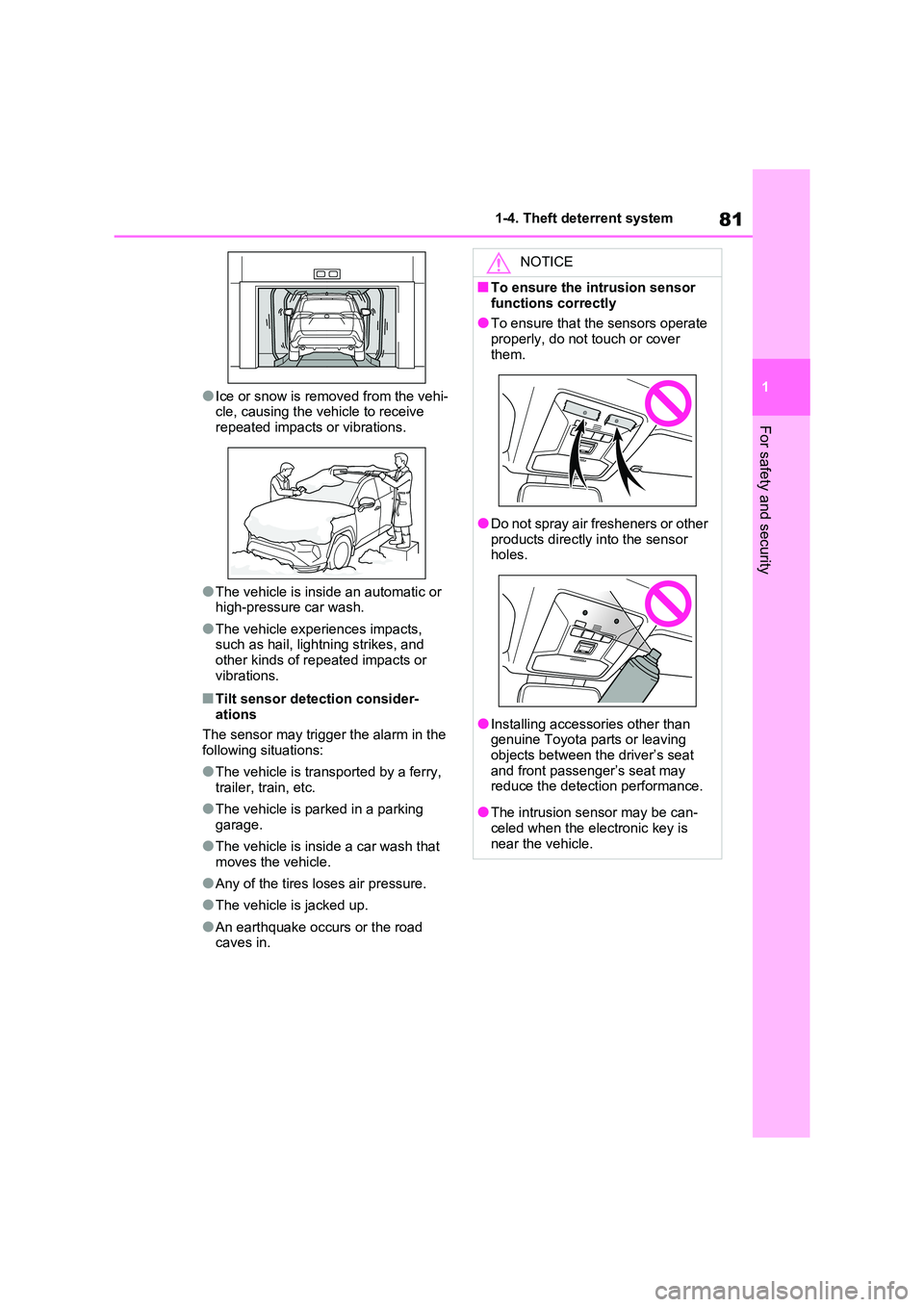
●Ice or snow is removed from the vehi-
cle, causing the vehicle to receive repeated impacts or vibrations.
●The vehicle is insid e an automatic or high-pressure car wash.
●The vehicle experiences impacts, such as hail, lightning strikes, and
other kinds of rep eated impacts or
vibrations.
■Tilt sensor detection consider - ations
The sensor may trigge r the alarm in the
following situations:
●The vehicle is transported by a ferry,
trailer, train, etc.
●The vehicle is par ked in a parking
garage.
●The vehicle is insid e a car wash that
moves the vehicle.
●Any of the tires loses air pressure.
●The vehicle is jacked up.
●An earthquake occurs or the road caves in.
NOTICE
■To ensure the intrusion sensor
functions correctly
●To ensure that the sensors operate properly, do not touch or cover
them.
●Do not spray air fresheners or other products directly into the sensor
holes.
●Installing accessories other than
genuine Toyota parts or leaving
objects between the driver’s seat and front passenger’s seat may
reduce the detection performance.
●The intrusion se nsor may be can-
celed when the ele ctronic key is
near the vehicle.
Page 204 of 666
2024-1. Key information
4-1.Key information
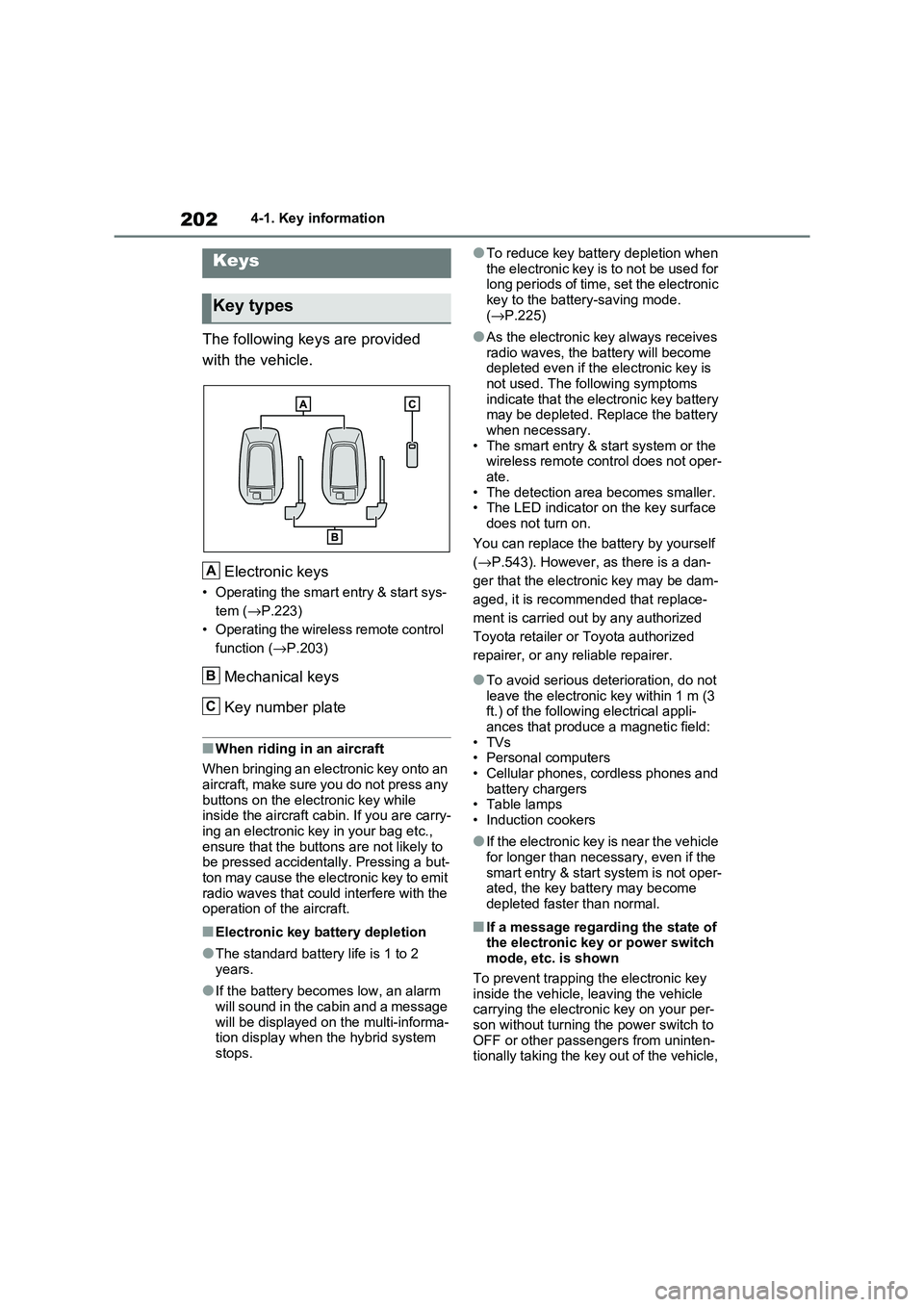
The following keys are provided
with the vehicle.
Electronic keys
• Operating the smart entry & start sys -
tem ( →P.223)
• Operating the wireless remote control
function ( →P.203)
Mechanical keys
Key number plate
■When riding in an aircraft
When bringing an electronic key onto an
aircraft, make sure you do not press any
buttons on the electronic key while inside the aircraft cabin. If you are carry -
ing an electronic key in your bag etc.,
ensure that the buttons are not likely to be pressed accidentally. Pressing a but -
ton may cause the electronic key to emit
radio waves that could interfere with the operation of t he aircraft.
■Electronic key battery depletion
●The standard battery life is 1 to 2
years.
●If the battery becom es low, an alarm
will sound in the cabin and a message will be displayed on the multi-informa -
tion display when the hybrid system
stops.
●To reduce key battery depletion when
the electronic key is to not be used for long periods of time, set the electronic
key to the batter y-saving mode.
( →P.225)
●As the electronic key always receives
radio waves, the ba ttery will become depleted even if the electronic key is
not used. The following symptoms
indicate that the electronic key battery may be depleted. Replace the battery
when necessary.
• The smart entry & start system or the wireless remote control does not oper -
ate.
• The detection area becomes smaller. • The LED indicator on the key surface
does not turn on.
You can replace the battery by yourself
( →P.543). However, as there is a dan-
ger that the electro nic key may be dam-
aged, it is recomm ended that replace-
ment is carried ou t by any authorized
Toyota retailer or Toyota authorized
repairer, or any reliable repairer.
●To avoid serious deterioration, do not
leave the electronic key within 1 m (3
ft.) of the followi ng electrical appli- ances that produce a magnetic field:
•TVs
• Personal computers • Cellular phones, cordless phones and
battery chargers
• Table lamps • Induction cookers
●If the electronic key is near the vehicle for longer than necessary, even if the
smart entry & star t system is not oper-
ated, the key battery may become depleted faster than normal.
■If a message regarding the state of the electronic key or power switch
mode, etc. is shown
To prevent trapping the electronic key inside the vehicle, leaving the vehicle
carrying the electronic key on your per -
son without turning t he power switch to OFF or other passengers from uninten -
tionally taking the key out of the vehicle,
Keys
Key types
A
B
C
Page 207 of 666
205
4
4-2. Opening, closing and locking the doors
Before driving
4-2.Opening, closing and locking the doors
■Using the entry function
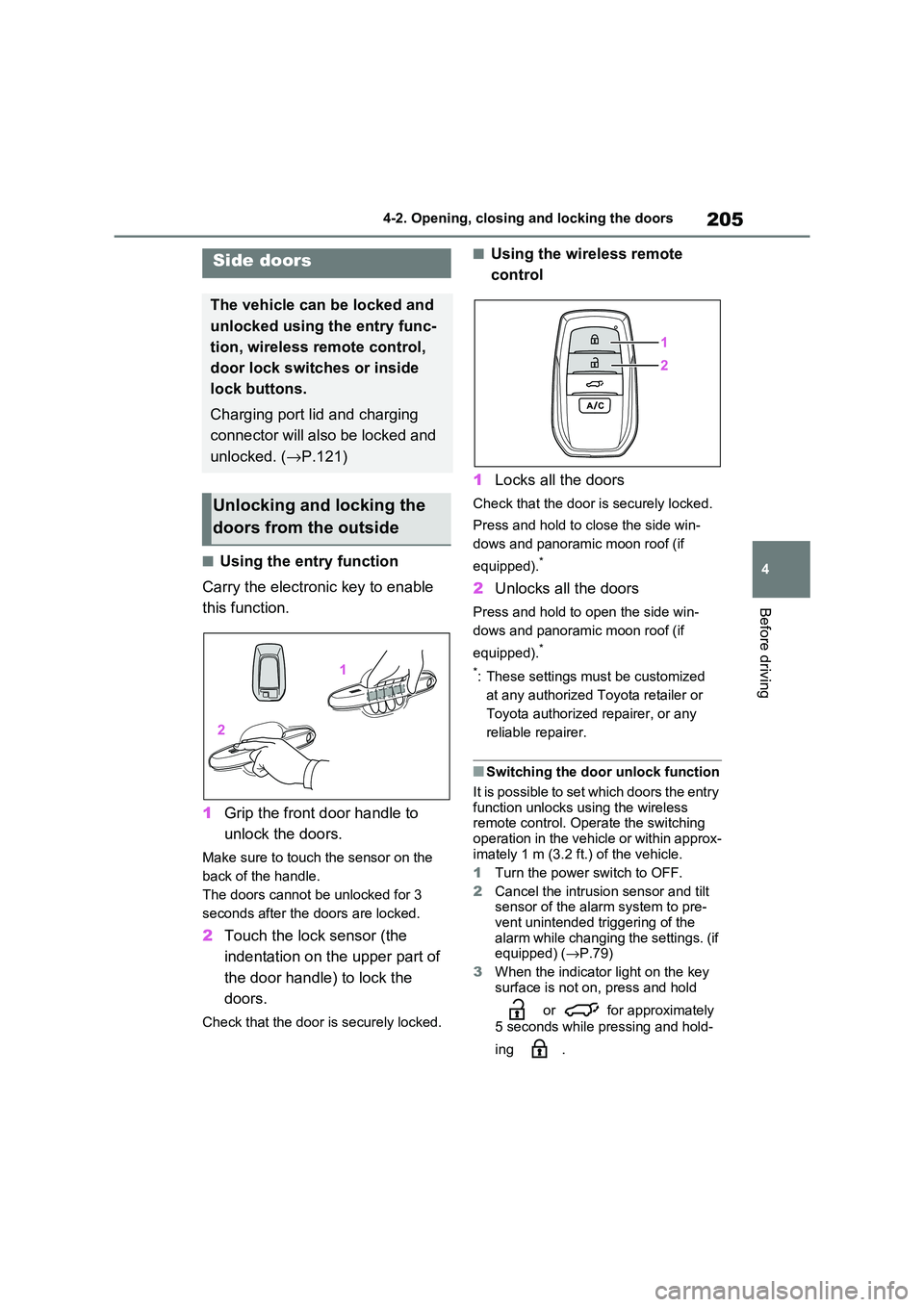
Carry the electronic key to enable
this function.
1 Grip the front door handle to
unlock the doors.
Make sure to touch the sensor on the
back of the handle.
The doors cannot be unlocked for 3
seconds after the doors are locked.
2 Touch the lock sensor (the
indentation on the upper part of
the door handl e) to lock the
doors.
Check that the door is securely locked.
■Using the wireless remote
control
1 Locks all the doors
Check that the door is securely locked.
Press and hold to close the side win-
dows and panoram ic moon roof (if
equipped).*
2 Unlocks all the doors
Press and hold to open the side win-
dows and panoram ic moon roof (if
equipped).*
*: These settings must be customized
at any authorized Toyota retailer or
Toyota authorized repairer, or any
reliable repairer.
■Switching the door unlock function
It is possible to set which doors the entry function unlocks us ing the wireless
remote control. Ope rate the switching
operation in the vehicle or within approx - imately 1 m (3.2 f t.) of the vehicle.
1 Turn the power switch to OFF.
2 Cancel the intrusion sensor and tilt
sensor of the alarm system to pre -
vent unintended triggering of the
alarm while changing the settings. (if equipped) ( →P.79)
3 When the indicator light on the key
surface is not on, press and hold
or for approximately
5 seconds while pressing and hold -
ing .
Side doors
The vehicle can be locked and
unlocked using the entry func -
tion, wireless remote control,
door lock switches or inside
lock buttons.
Charging port lid and charging
connector will also be locked and
unlocked. ( →P.121)
Unlocking and locking the
doors from the outside
Page 208 of 666
2064-2. Opening, closing and locking the doors
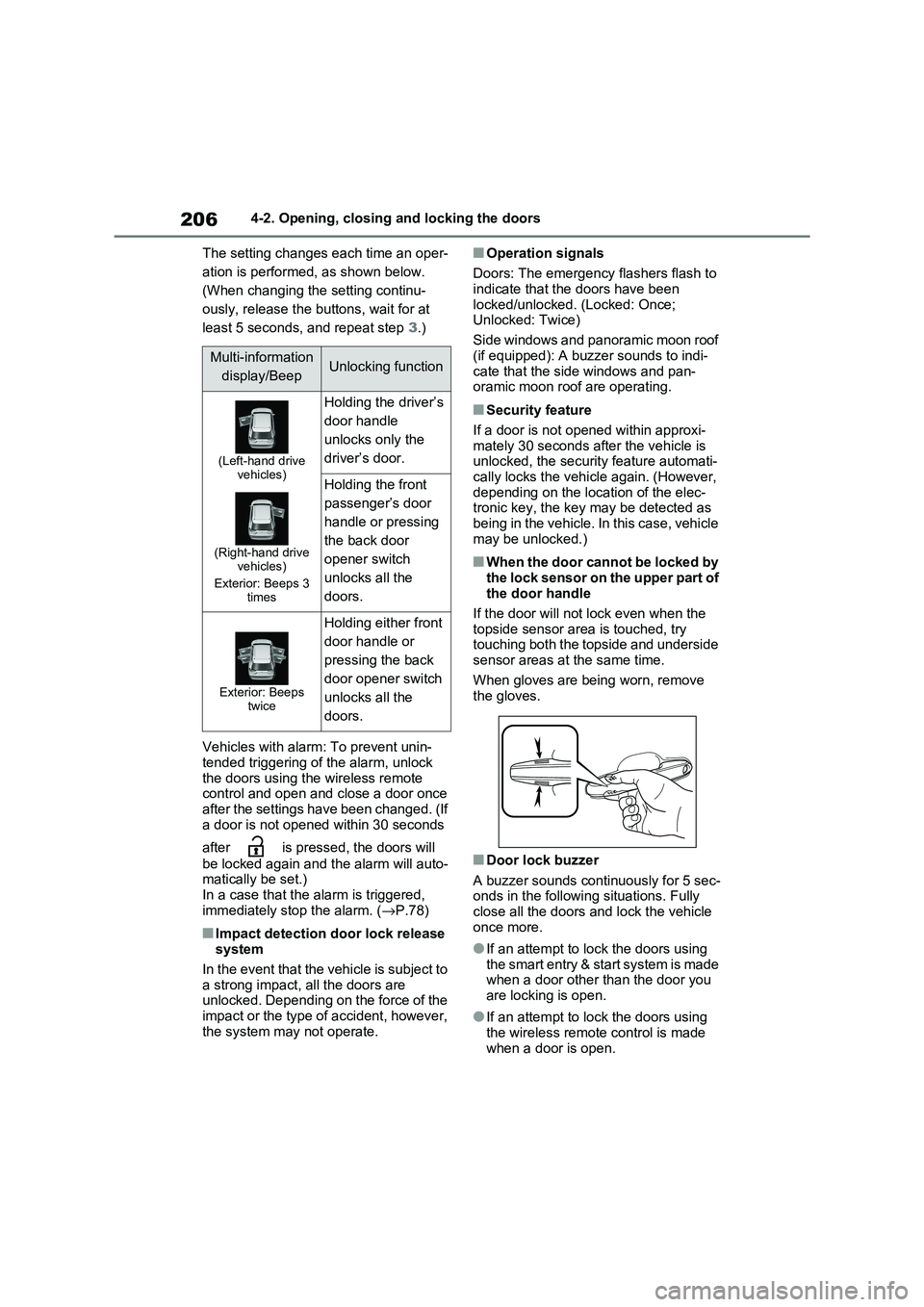
The setting changes each time an oper -
ation is performed, as shown below.
(When changing the setting continu-
ously, release the buttons, wait for at
least 5 seconds, and repeat step 3.)
Vehicles with alarm: To prevent unin - tended triggering of the alarm, unlock
the doors using the wireless remote
control and open and close a door once after the settings have been changed. (If
a door is not opened within 30 seconds
after is pressed, the doors will
be locked again and the alarm will auto - matically be set.)
In a case that the a larm is triggered,
immediately st op the alarm. (→P.78)
■Impact detection door lock release system
In the event that the vehicle is subject to
a strong impact, all the doors are unlocked. Depending on the force of the
impact or the type of accident, however,
the system may not operate.
■Operation signals
Doors: The emergency flashers flash to indicate that the doors have been
locked/unlocked. (Locked: Once;
Unlocked: Twice)
Side windows and panoramic moon roof
(if equipped): A buzzer sounds to indi -
cate that the side windows and pan- oramic moon roof are operating.
■Security feature
If a door is not opened within approxi -
mately 30 seconds af ter the vehicle is unlocked, the security feature automati -
cally locks the vehicl e again. (However,
depending on the location of the elec - tronic key, the key m ay be detected as
being in the vehicle. In this case, vehicle
may be unlocked.)
■When the door cannot be locked by the lock sensor on the upper part of
the door handle
If the door will not lock even when the topside sensor are a is touched, try
touching both the topside and underside
sensor areas at the same time.
When gloves are being worn, remove
the gloves.
■Door lock buzzer
A buzzer sounds continuously for 5 sec -
onds in the followi ng situations. Fully close all the doors and lock the vehicle
once more.
●If an attempt to lo ck the doors using the smart entry & start system is made
when a door other than the door you
are locking is open.
●If an attempt to lo ck the doors using
the wireless remote control is made when a door is open.
Multi-information
display/BeepUnlocking function
(Left-hand drive vehicles)
(Right-hand drive vehicles)
Exterior: Beeps 3 times
Holding the driver’s
door handle
unlocks only the
driver’s door.
Holding the front
passenger’s door
handle or pressing
the back door
opener switch
unlocks all the
doors.
Exterior: Beeps twice
Holding either front
door handle or
pressing the back
door opener switch
unlocks all the
doors.
Page 209 of 666
207
4
4-2. Opening, closing and locking the doors
Before driving
■Setting the alarm (if equipped)
Locking the doors will set the alarm sys - tem. ( →P.78)
■Conditions affecting the operation
of the smart entry & start system or
wireless remote control
→ P.225
■If the smart entry & start system or
the wireless remote control does
not operate properly
●Use the mechanical key to lock and
unlock the doors. ( →P.604)
●Replace the key battery with a new
one if it is depleted. ( →P.543)
■If the 12-volt battery is discharged
The doors cannot be locked and
unlocked using the smart entry & start
system or wireless rem ote control. Lock or unlock the doors using the mechani -
cal key. ( →P.604)
■Rear seat reminder function
●In order to remind you not to forget
luggage, etc. in the rear seat, when
the power switch i s turned to OFF after any of the fo llowing conditions
are met, a buzzer will sound and a
message will be displayed on the multi-information di splay for approxi-
mately 6 seconds.
• The hybrid system is started within 10 minutes after opening and closing a
rear door.
• A rear door has been opened and closed after the hy brid system was
started.
However, if a rear door is opened and
then closed within approximately 2 sec-
onds, the rear seat reminder function
may not operate.
●The rear seat reminder function deter - mines that luggage, etc. has been
placed in a rear seat based on open -
ing and closing of a rear door. There - fore, depending on t he situation, the
rear seat reminder function may not
operate and you may still forget lug - gage, etc. in the rear seat, or it may
operate unnecessarily.
●The rear seat reminder function can
be enabled/disabled. ( →P.629)
■Customization
Settings (e.g. unlocking function using a key) can be changed.
(Customizable features: →P.633)
WARNING
■To prevent an accident
Observe the following precautions while driving the vehicle.
Failure to do so may result in a door
opening and an occupant could be thrown out of the v ehicle, resulting in
death or serious injury.
●Ensure that all doo rs are properly closed.
●Do not pull the in side handle of the doors while driving.
Be especially care ful for the front
doors, as the doors may be opened even if the inside lock buttons are in
locked position.
●Set the rear door child-protector
locks when childre n are seated in
the rear seats.
■When opening or closing a door
Check the surroundings of the vehicle such as whether the vehicle is on an
incline, whether there is enough
space for a door to open and whether a strong wind is blowing. When open -
ing or closing the door, hold the door
handle tightly to prepare for any unpredictable movement.