display TOYOTA SEQUOIA 2013 2.G Service Manual
[x] Cancel search | Manufacturer: TOYOTA, Model Year: 2013, Model line: SEQUOIA, Model: TOYOTA SEQUOIA 2013 2.GPages: 740, PDF Size: 15.34 MB
Page 310 of 740
310
3-1. Using the air conditioning system and defogger
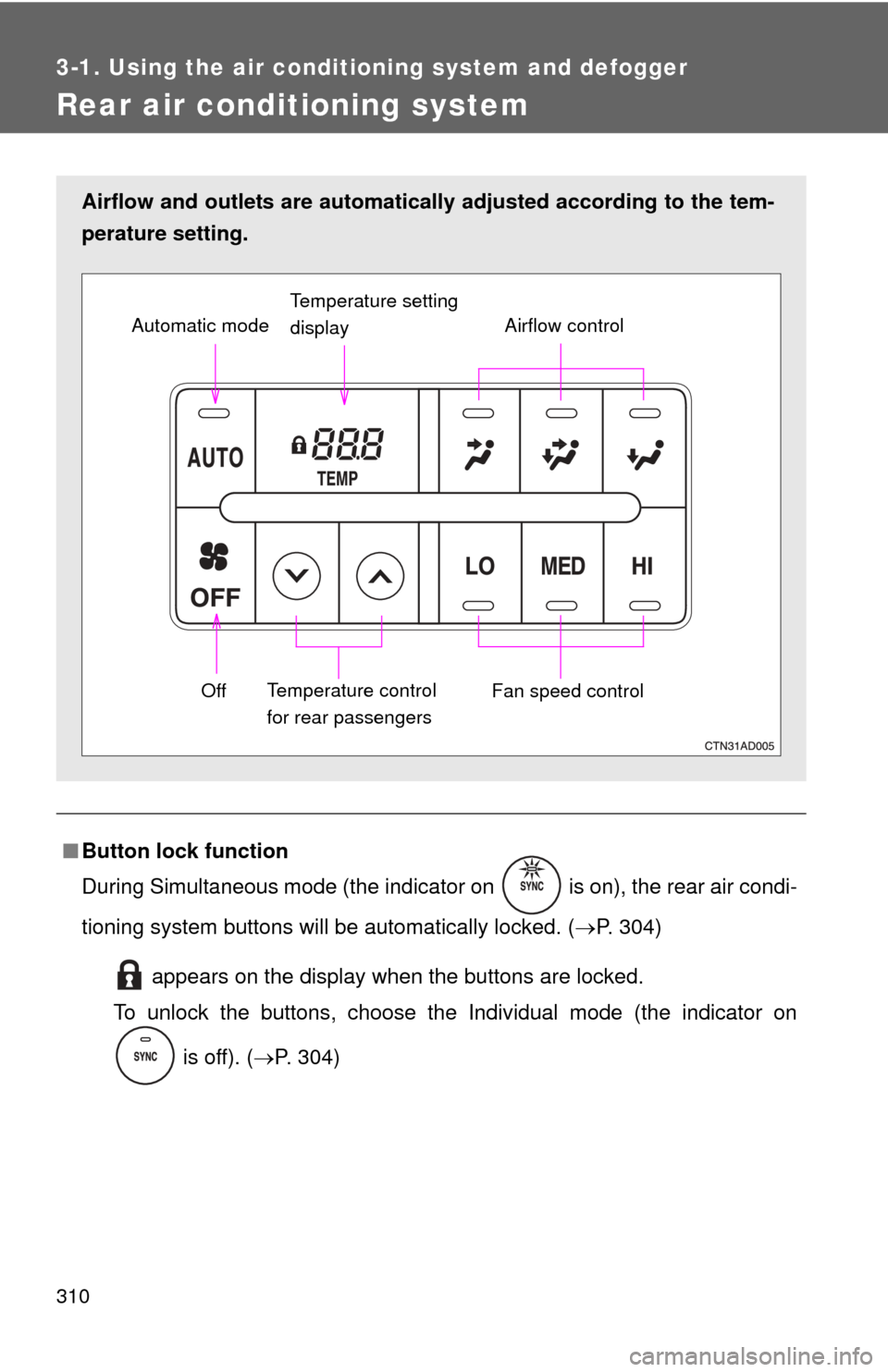
Rear air conditioning system
■Button lock function
During Simultaneous mode (the indicator on is on), the rear air condi-
tioning system buttons will be automatically locked. ( P. 304)
appears on the display when the buttons are locked.
To unlock the buttons, choose the Individual mode (the indicator on
is off). ( P. 304)
Airflow and outlets are automatica lly adjusted according to the tem-
perature setting.
Airflow control
Temperature setting
display
Fan speed control
Off
Automatic mode
Temperature control
for rear passengers
Page 323 of 740
323
3-2. Using the audio system
3
Interior features
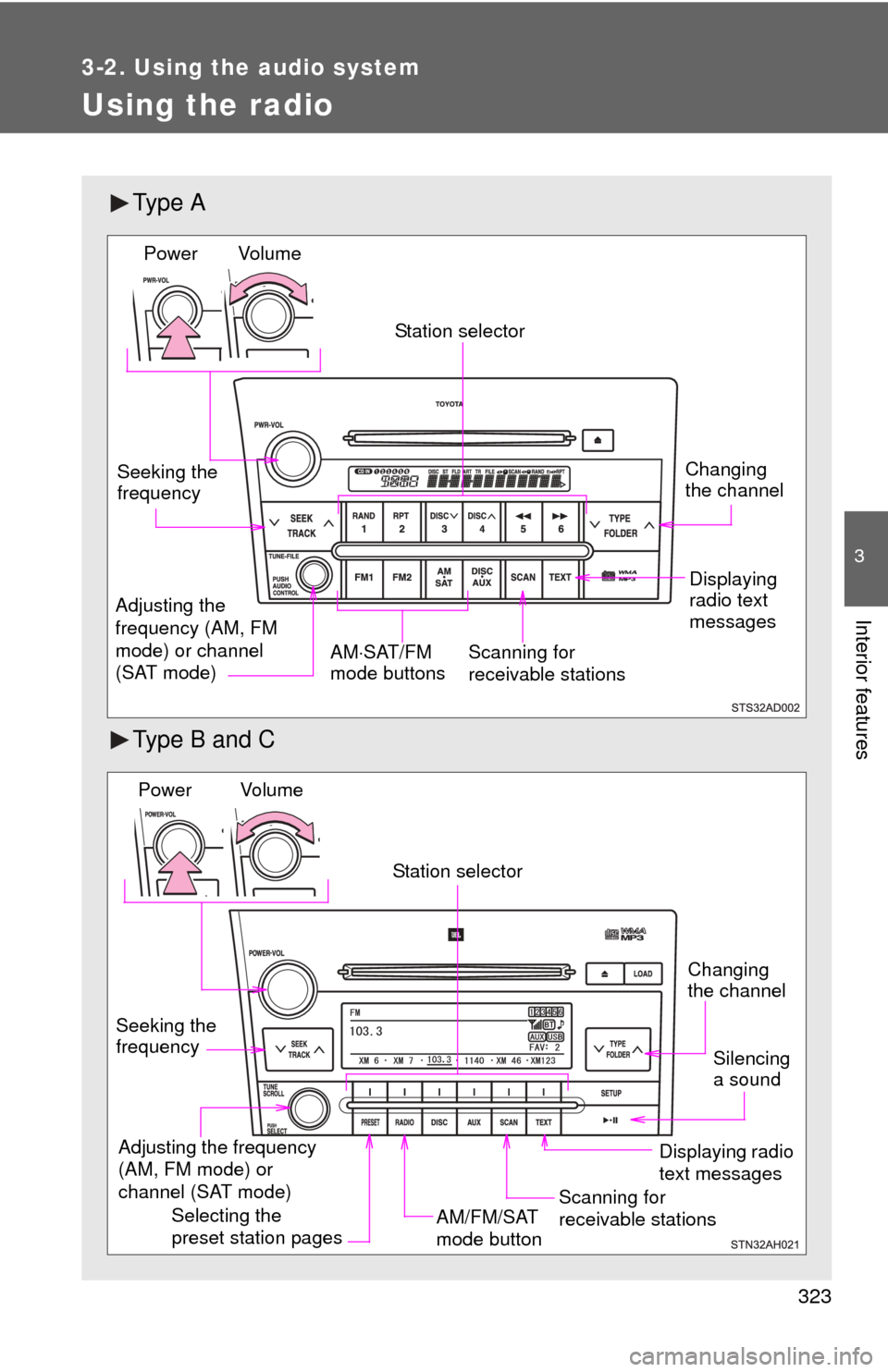
Using the radio
Ty p e A
Type B and C
Vol u m eScanning for
receivable stations
Station selector
Seeking the
frequency
Adjusting the
frequency (AM, FM
mode) or channel
(SAT mode) AM
SAT/FM
mode buttonsPower
Displaying
radio text
messages
Changing
the channel
AM/FM/SAT
mode button
Station selector
Seeking the
frequency Adjusting the frequency
(AM, FM mode) or
channel (SAT mode)
Displaying radio
text messages
Changing
the channel
Scanning for
receivable stations
Vo l u m e
Power
Silencing
a sound
Selecting the
preset station pages
Page 325 of 740
325
3-2. Using the audio system
3
Interior features
■
Displaying radio text messages (for type B and C, FM mode
only)
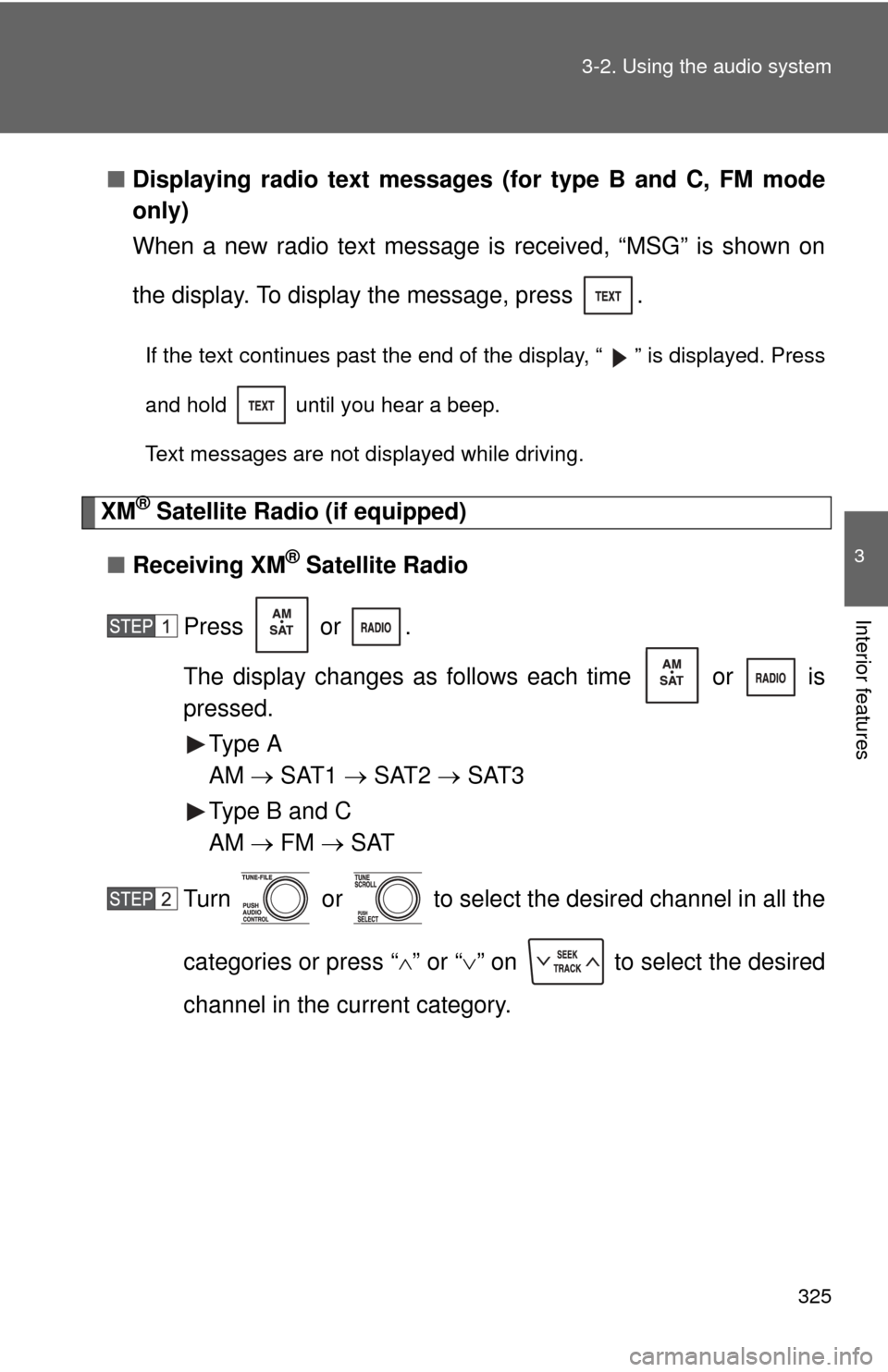
When a new radio text message is received, “MSG” is shown on
the display. To display the message, press .
If the text continues past the end of the display, “ ” is displayed. Press
and hold until you hear a beep.
Text messages are not displayed while driving.
XM® Satellite Radio (if equipped)
■ Receiving XM
® Satellite Radio
Press or .
The display changes as follows each time or is
pressed. Type A
AM SAT1 SAT2 SAT3
Type B and C
AM FM SAT
Turn or to select the desired channel in all the
categories or press “ ” or “ ” on to select the desired
channel in the current category.
Page 327 of 740
327
3-2. Using the audio system
3
Interior features
■
Displaying text information
Press .
Each time is pressed, the display changes in the following order:
Type A
Channel name Title (song/program title) Name (artist name/feature)
Channel number.
Type B and C
Title (song/program title) Title (song/program title) Name (artist name/
feature).
Page 331 of 740
331
3-2. Using the audio system
3
Interior features
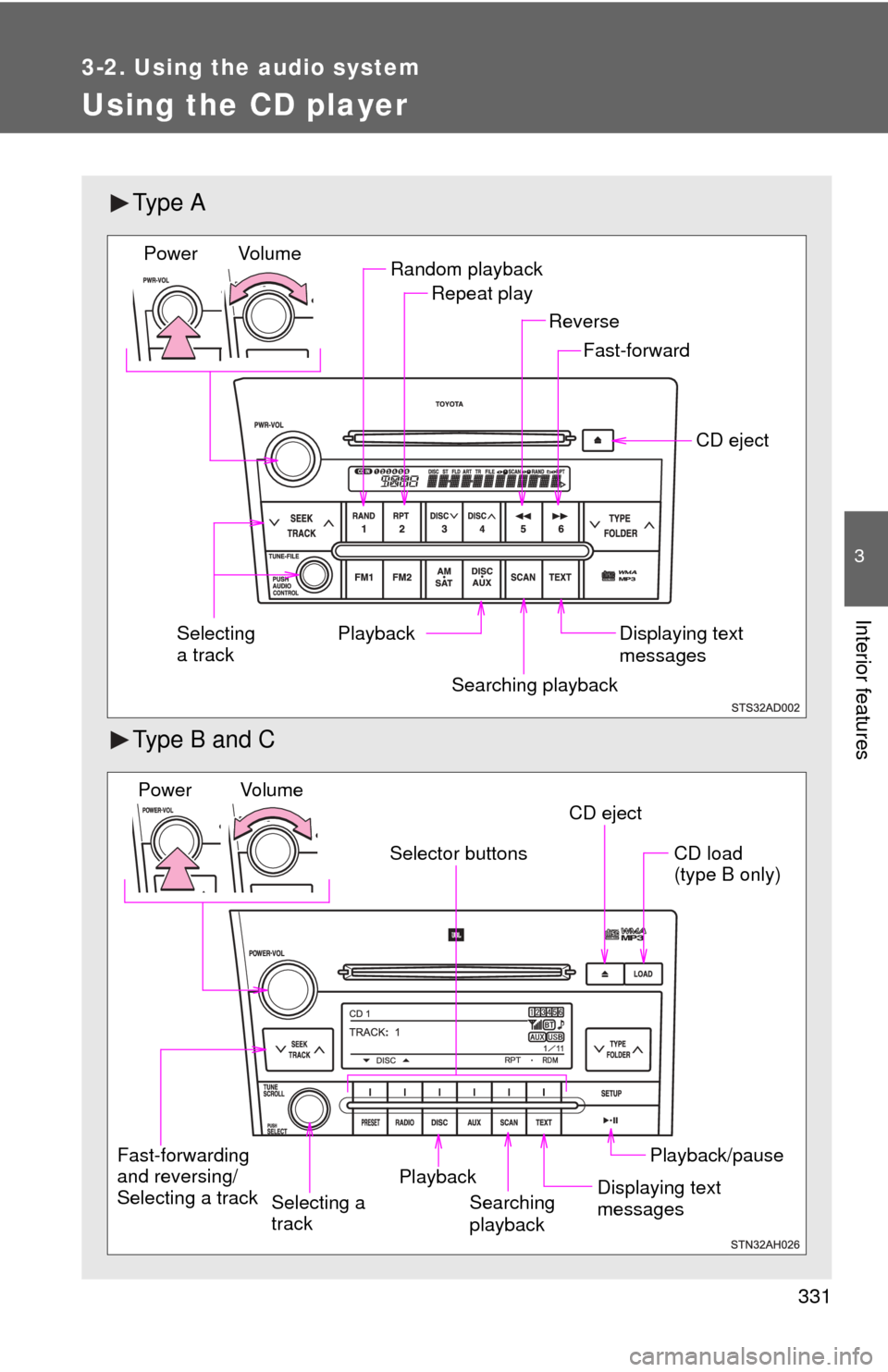
Using the CD player
Ty p e A
Type B and C
Random playbackRepeat play
Playback CD eject
Displaying text
messages
Selecting
a track
Fast-forward
Reverse
Searching playback
Vol u m e
Power
CD eject
Fast-forwarding
and reversing/
Selecting a track Searching
playbackCD load
(type B only)
Playback/pause
Displaying text
messages
Selector buttons
Playback
Vo l u m e
Power
Selecting a
track
Page 333 of 740
333
3-2. Using the audio system
3
Interior features
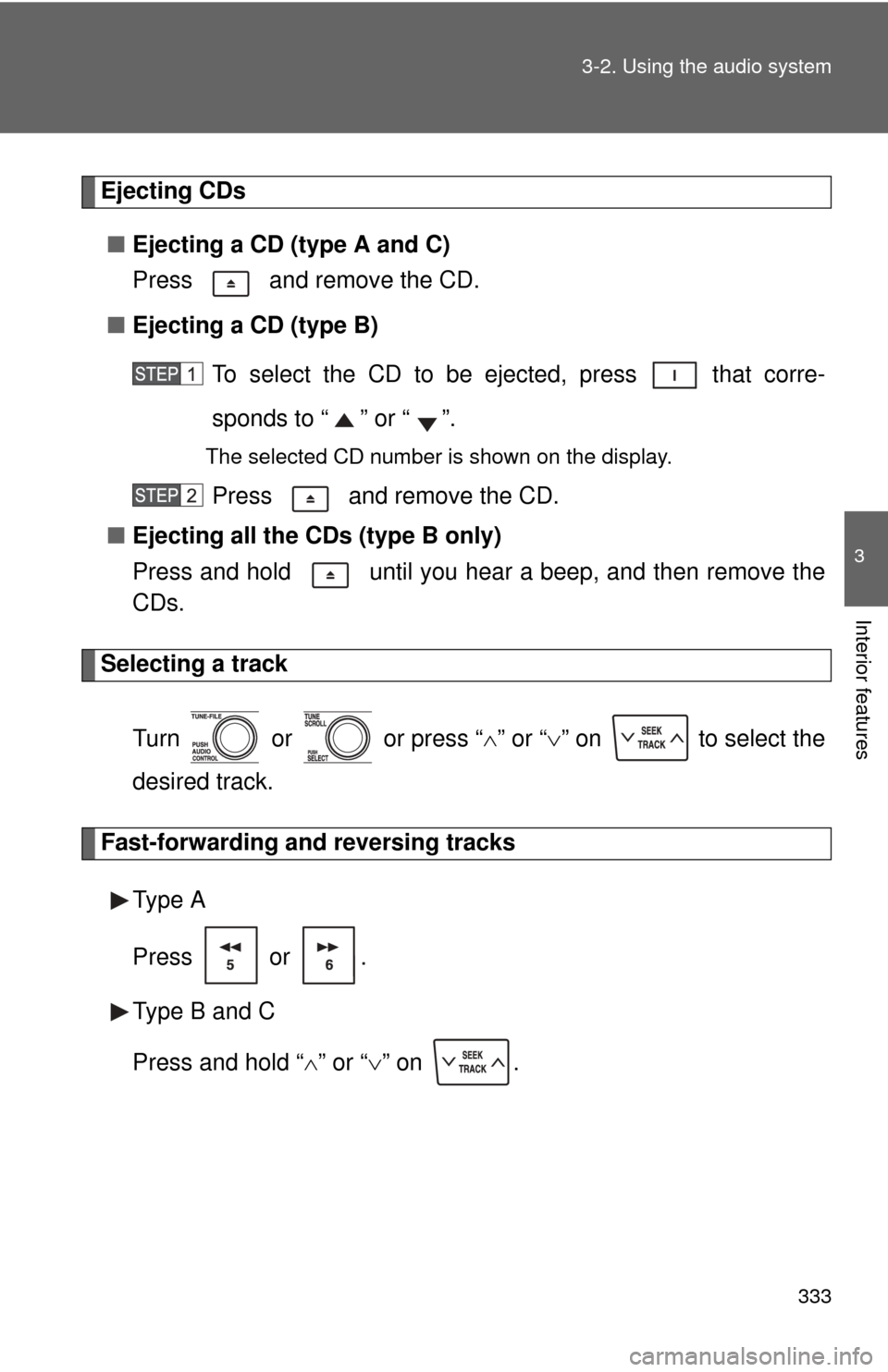
Ejecting CDs
■ Ejecting a CD (type A and C)
Press and remove the CD.
■ Ejecting a CD (type B)
To select the CD to be ejected, press that corre-
sponds to “ ” or “ ”.
The selected CD number is shown on the display.
Press and remove the CD.
■ Ejecting all the CDs (type B only)
Press and hold until you hear a beep, and then remove the
CDs.
Selecting a track
Turn or or press “ ” or “ ” on to select the
desired track.
Fast-forwarding and reversing tracks
Type A
Press or .
Type B and C
Press and hold “ ” or “ ” on .
Page 336 of 740
336 3-2. Using the audio system
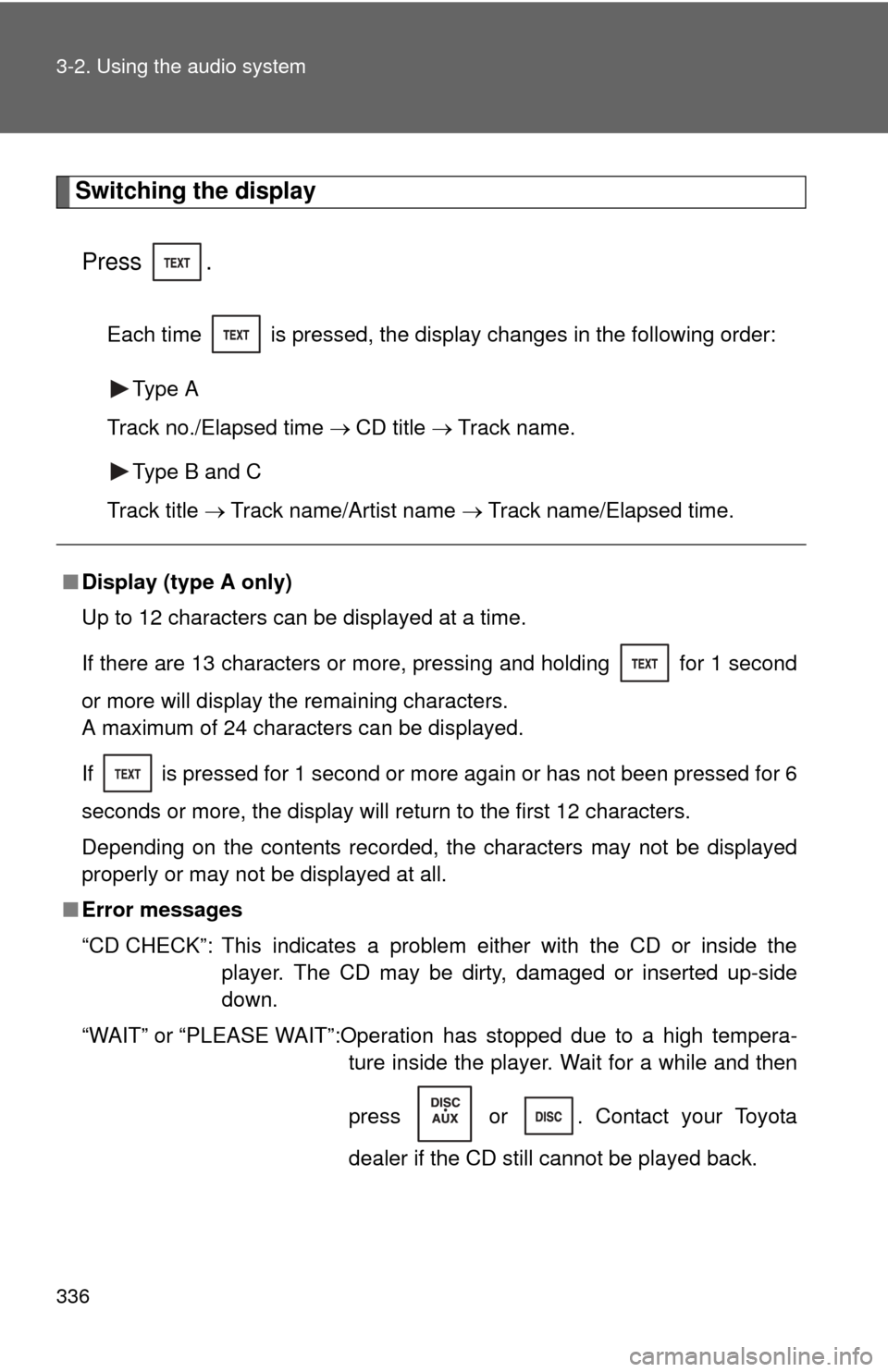
Switching the displayPress .
Each time is pressed, the display changes in the following order: Type A
Track no./Elapsed time CD title Track name.
Type B and C
Track title Track name/Artist name Track name/Elapsed time.
■Display (type A only)
Up to 12 characters can be displayed at a time.
If there are 13 characters or more, pressing and holding for 1 second
or more will display the remaining characters.
A maximum of 24 characters can be displayed.
If is pressed for 1 second or more again or has not been pressed for 6
seconds or more, the display will return to the first 12 characters.
Depending on the contents recorded, the characters may not be displayed
properly or may not be displayed at all.
■ Error messages
“CD CHECK”: This indicates a problem either with the CD or inside the
player. The CD may be dirty, damaged or inserted up-side
down.
“WAIT” or “PLEASE WAIT”:Operation has stopped due to a high tempera- ture inside the player. Wait for a while and then
press or . Contact your Toyota
dealer if the CD still cannot be played back.
Page 340 of 740
340
3-2. Using the audio system
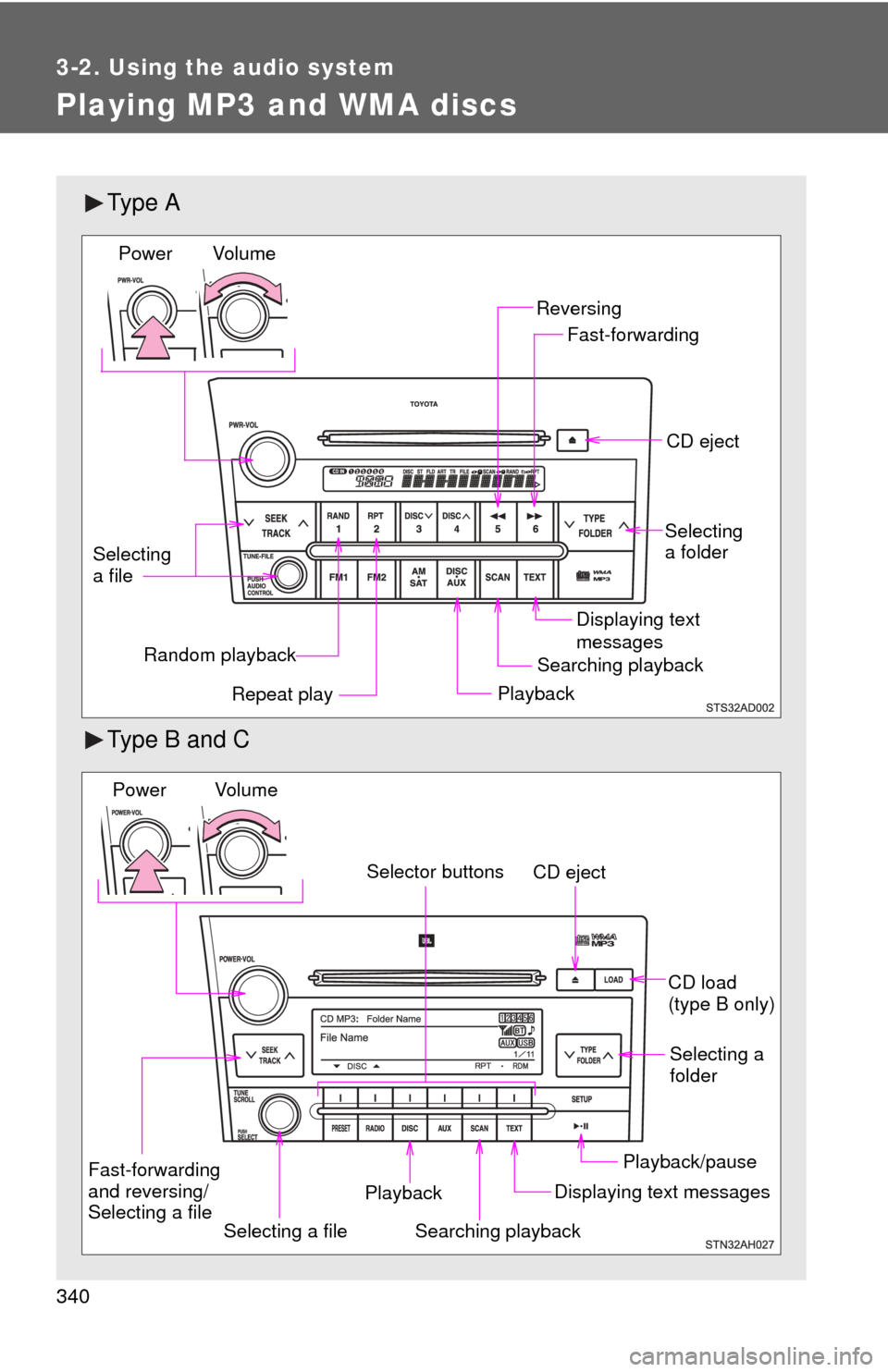
Playing MP3 and WMA discs
Ty p e A
Type B and C
Random playbackPlaybackCD eject
Displaying text
messages
Selecting
a file
Repeat play
Searching playback Selecting
a folder
Reversing
Fast-forwarding
Vol u m e
Power
CD eject
Searching playback Selecting a
folder
CD load
(type B only)
Playback/pause
Displaying text messages
Selecting a file
Selector buttons
Fast-forwarding
and reversing/
Selecting a file Playback
Vo l u m e
Power
Page 343 of 740
343
3-2. Using the audio system
3
Interior features
Repeat play
■ Repeating a file
Press or that corresponds to “RPT”.
To cancel, press the button again.
■Repeating all of the files in a folder
Type A
Press and hold until you hear a beep.
To cancel, press the button again.
Type B and C
Press that corresponds to “RPT” twice.
To cancel, press the button again.
■Repeating all of the files in a disc (type B only)
Press that corresponds to “RPT” three times.
To cancel, press the button again.
Switching the display
Press .
Each time is pressed, the display changes in the following order: Type A
Folder no./File no./Elapsed time Folder name File name Album
title (MP3 only) Track title Artist name.
Type B and C
Track title Track title/Artist name Track title/Album name Track
title/Elapsed time.
Page 344 of 740
344 3-2. Using the audio system
■Display (type A only)
P. 336
■ Error messages
“CD CHECK”: This indicates a problem either with the CD or inside the
player. The CD may be dirty, damaged or inserted up-side
down.
“WAIT” or “PLEASE WAIT”:Operation has stopped due to a high tempera- ture inside the player. Wait for a while and then
press or . Contact your Toyota
dealer if the CD still cannot be played.
■ Discs that can be used
P. 337
■ CD player protection feature
P. 337
■ If CDs are left inside the CD player or in the ejected position for
extended periods
P. 337
■ Lens cleaners
P. 337