warning lights TOYOTA SUPRA 2019 User Guide
[x] Cancel search | Manufacturer: TOYOTA, Model Year: 2019, Model line: SUPRA, Model: TOYOTA SUPRA 2019Pages: 456, PDF Size: 88.65 MB
Page 157 of 456
157
3
Supra Owner's Manual3-1. CONTROLS
CONTROLS
The current fill level of the fuel tank
is displayed.
The angle of the vehicle may cause
the display to fluctuate.
Notes on refuelling, see page 276.It is vital to avoid engine speeds in
the red warning zone. In this zone,
the fuel supply is interrupted to pro-
tect the engine.
Depending on the equipment, the
shift lights on the revolution counter
indicate the maximum shift point at
which the best possible accelera-
tion can be achieved.
When the selected driving mode is
sport mode, a shift light will be dis-
played.
1Select SPORT using the sport
mode switch.
2Activate manual mode of the
transmission. Automatic high-beam
Automatic high-beamis
switched on.
The high-beam head-
lights are switched on and
off automatically depend-
ing on the traffic situation.
Automatic high-beam, see
page 174.
Blue lights
High-beam headlights
The high-beam head-
lights are switched on.
High-beam headlights,
see page 139.
Fuel gauge
Principle
General
Display
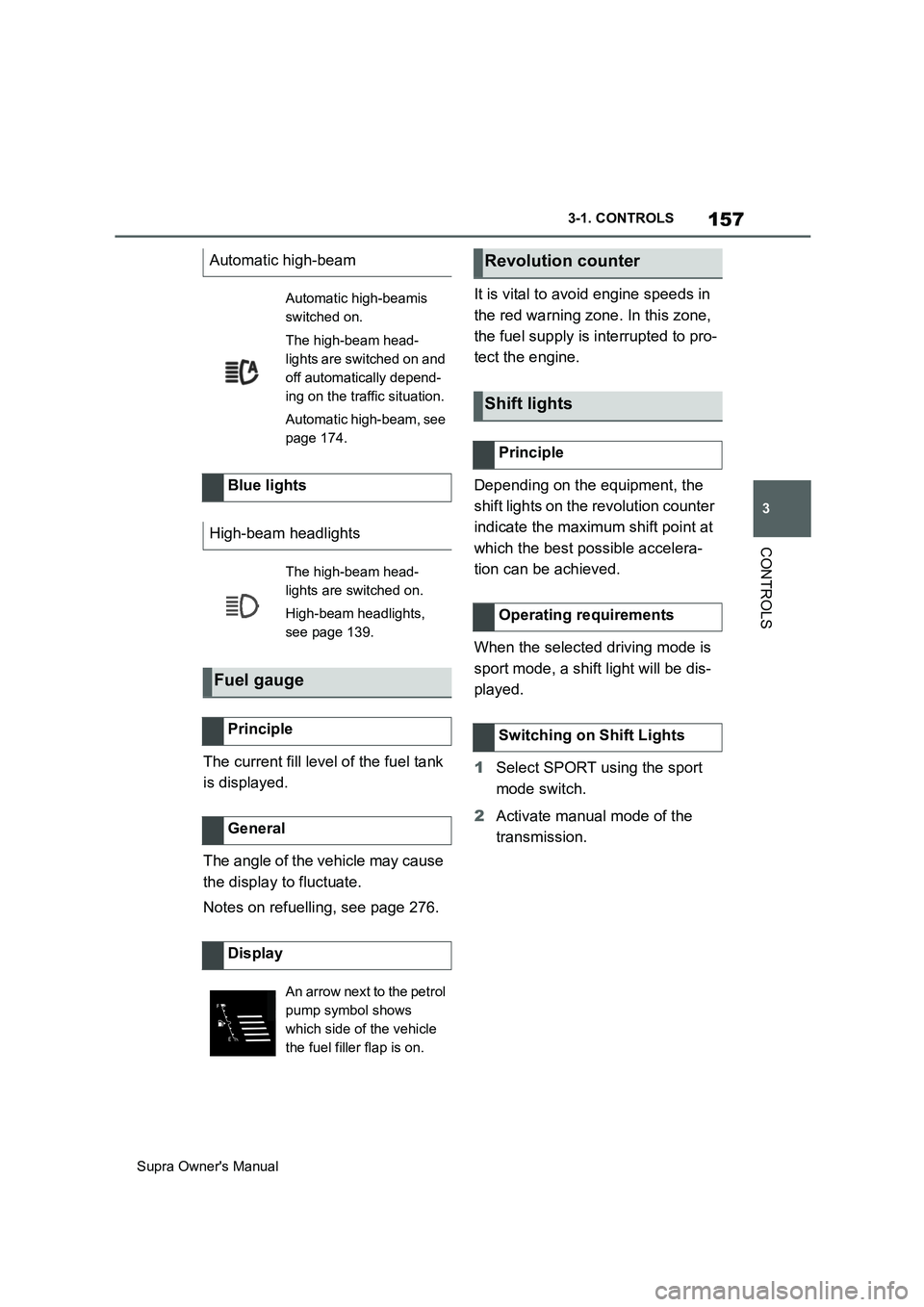
An arrow next to the petrol
pump symbol shows
which side of the vehicle
the fuel filler flap is on.
Revolution counter
Shift lights
Principle
Operating requirements
Switching on Shift Lights
Page 211 of 456
211
3
Supra Owner's Manual3-1. CONTROLS
CONTROLS
155 mph, the system once again
responds according to the setting.
The system may have limited func-
tionality in the following situations,
for example:
If the speed of the approaching
vehicle is significantly higher
than the driver's own speed.
In thick fog, wet conditions or
snow.
On sharp bends or narrow roads.
If the bumper is dirty, iced up or
covered, for example by stickers.
When a projecting load is being
transported.
A vehicle message is displayed in
the event of limited functionality.
Depending on the selected setting
for warnings, for example the warn-
ing time, it is possible for more
warnings to be displayed. As a
result, there may be an increased
number of premature warnings
about critical situations.
The system responds to vehicles
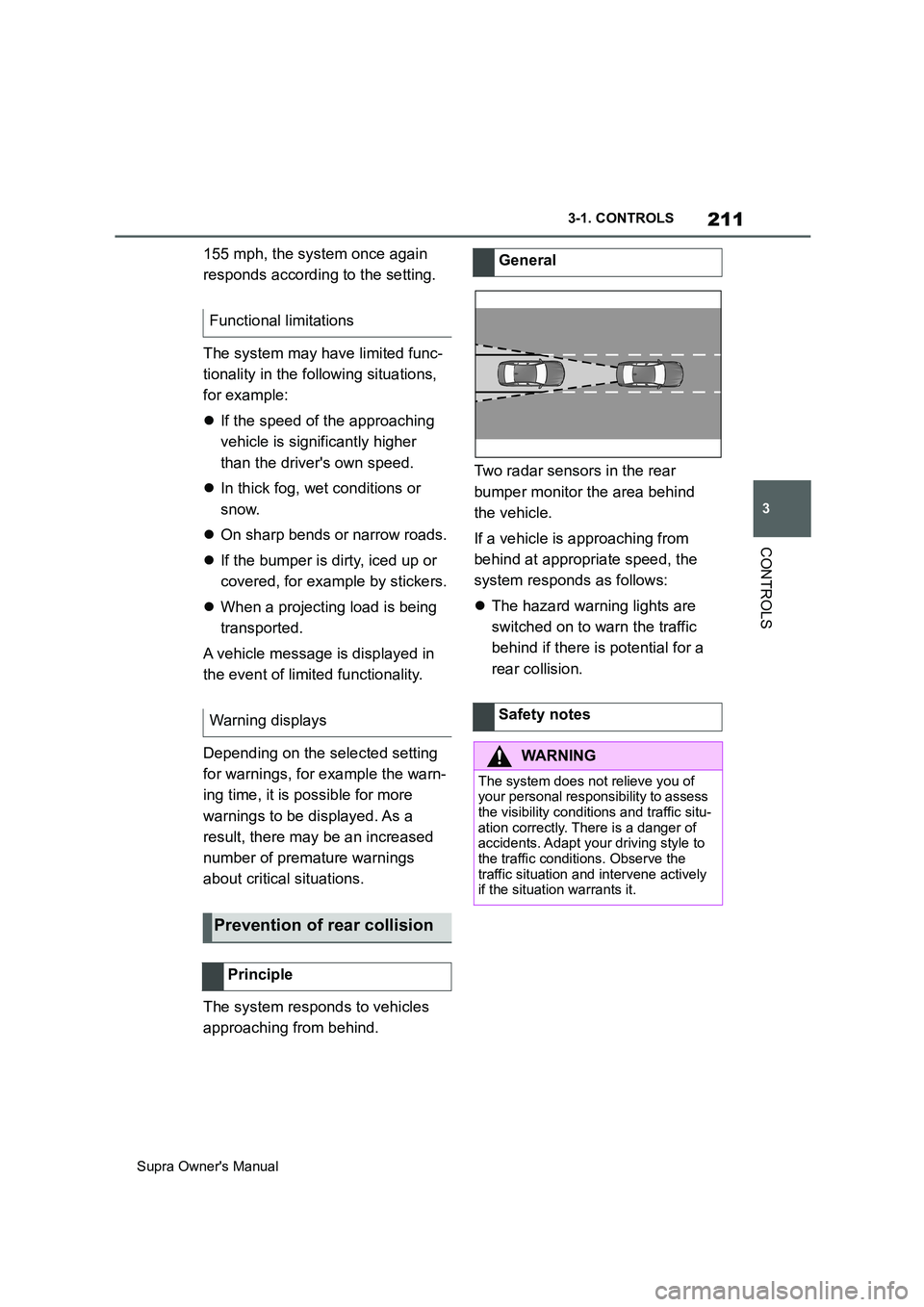
approaching from behind.Two radar sensors in the rear
bumper monitor the area behind
the vehicle.
If a vehicle is approaching from
behind at appropriate speed, the
system responds as follows:
The hazard warning lights are
switched on to warn the traffic
behind if there is potential for a
rear collision. Functional limitations
Warning displays
Prevention of rear collision
Principle
General
Safety notes
WARNING
The system does not relieve you of
your personal responsibility to assess
the visibility conditions and traffic situ-
ation correctly. There is a danger of
accidents. Adapt your driving style to
the traffic conditions. Observe the
traffic situation and intervene actively
if the situation warrants it.
Page 212 of 456
212
Supra Owner's Manual3-1. CONTROLS
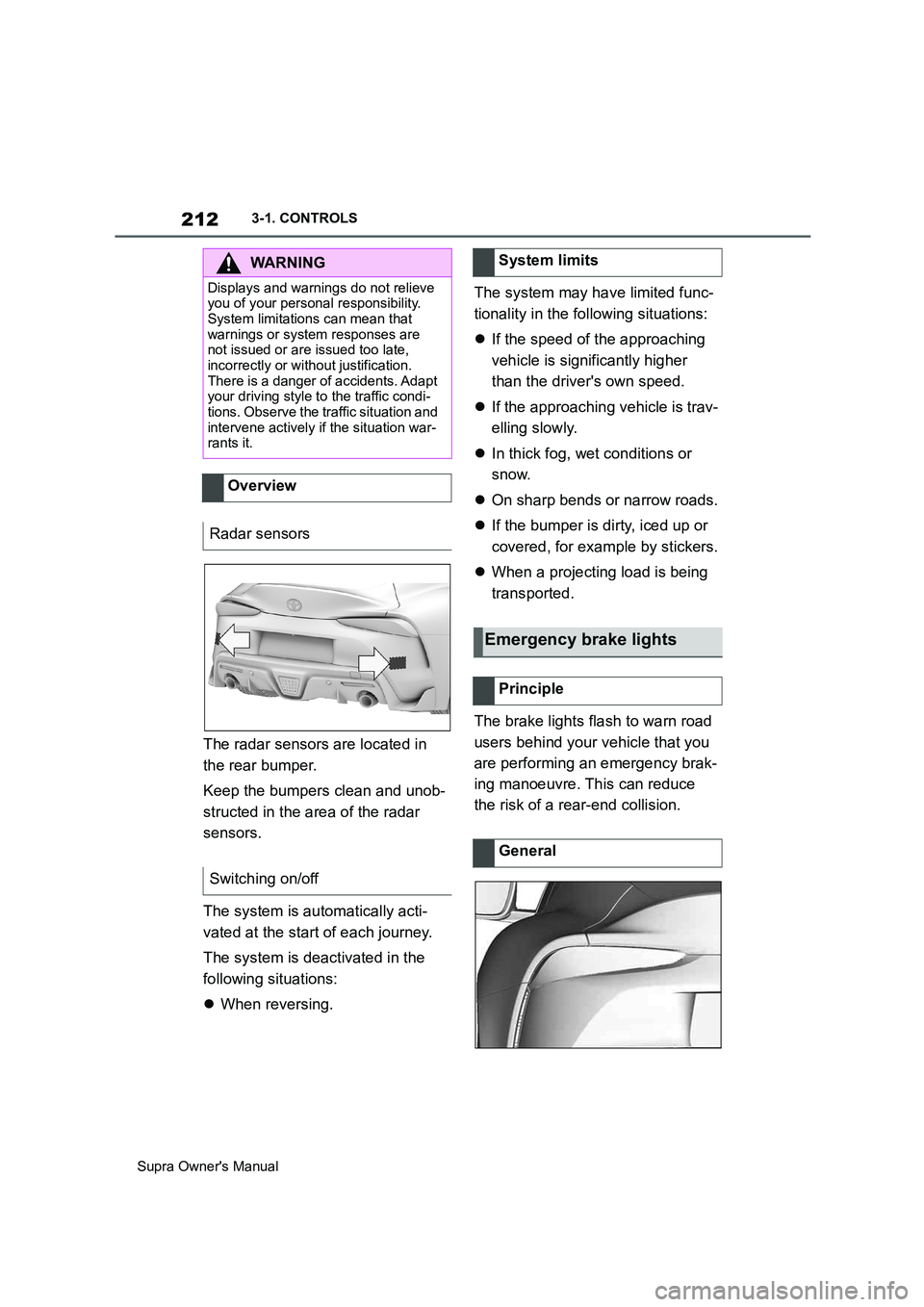
The radar sensors are located in
the rear bumper.
Keep the bumpers clean and unob-
structed in the area of the radar
sensors.
The system is automatically acti-
vated at the start of each journey.
The system is deactivated in the
following situations:
When reversing.The system may have limited func-
tionality in the following situations:
If the speed of the approaching
vehicle is significantly higher
than the driver's own speed.
If the approaching vehicle is trav-
elling slowly.
In thick fog, wet conditions or
snow.
On sharp bends or narrow roads.
If the bumper is dirty, iced up or
covered, for example by stickers.
When a projecting load is being
transported.
The brake lights flash to warn road
users behind your vehicle that you
are performing an emergency brak-
ing manoeuvre. This can reduce
the risk of a rear-end collision.
WARNING
Displays and warnings do not relieve
you of your personal responsibility.
System limitations can mean that
warnings or system responses are
not issued or are issued too late,
incorrectly or without justification.
There is a danger of accidents. Adapt
your driving style to the traffic condi-
tions. Observe the traffic situation and
intervene actively if the situation war-
rants it.
Overview
Radar sensors
Switching on/off
System limits
Emergency brake lights
Principle
General
Page 213 of 456
213
3
Supra Owner's Manual3-1. CONTROLS
CONTROLS
Normal braking: brake lights illu-
minate.
Heavy braking: brake lights flash.
Shortly before the vehicle comes to
a standstill, the hazard warning
lights are activated.
To switch off the hazard warning
lights:
Accelerate.
Press the hazard warning lights
button.
The system can automatically bring
the vehicle to a standstill in certain
accident situations without the
involvement of the driver. The risk
of a further collision and its conse-
quences can thereby be reduced.
After the vehicle has come to a halt,
the brake is released automatically.
In certain situations, it may be nec-
essary to bring the vehicle to a
standstill more quickly.
To do this, for a short time the brak-
ing pressure applied when stepping
on the brake pedal must be higher
than the braking pressure achieved by the automatic braking function.
This action interrupts the automatic
braking process.
In certain situations, it may be nec-
essary to cancel automatic braking,
for example for an evasive
manoeuvre.
Cancel automatic braking:
By depressing the brake pedal.
By depressing the accelerator
pedal.
The system can detect decreasing
attentiveness or the onset of fatigue
in the driver on long monotonous
journeys, for example on motor-
ways. In this situation, it is recom-
mended that you take a break.
Autonomous Emergency
Braking
Principle
At a standstill
Harder vehicle braking
Cancelling automatic braking
Driver Attention Control
General
Safety note
WARNING
The system does not relieve you of
your personal responsibility to assess
your physical condition correctly.
Increasing inattention or fatigue might
not be detected, or may not be
detected in good time. There is a dan-
ger of accidents. Make sure that the
driver is rested and alert. Adapt your
driving style to the traffic conditions.
Page 242 of 456
242
Supra Owner's Manual3-1. CONTROLS
the outline of the vehicle.
Under the following conditions, the
system may issue a warning even
though there is no obstacle in the
detection range:
In heavy rain.
If the sensors are very soiled or
covered with ice.
If the sensors are covered with
snow.
On rough road surfaces.
On uneven surfaces, for exam-
ple speed bumps.
In large, rectangular buildings
with smooth walls, for example
underground car parks.
In washing bays and car washes.
Due to dense exhaust gases.
Due to other ultrasonic sources,
for example sweeping machines,
steam-jet cleaners or neon lights.
To reduce false alarms, for example
in automatic car washes, switch off,
see page 238, automatic activation
of Parking Sensor when obstacles
are detected if necessary.
A vehicle message is shown.Parking Sensor has failed. Have
the system checked by any author-
ized Toyota retailer or Toyota
authorized repairer, or any reliable
repairer.
The rear-view camera provides
assistance when reverse parking or
manoeuvring. It does this by show-
ing an image of the area behind the
vehicle on the Control Display. False alarms
Malfunction
A white symbol is shown and
the capture area of the sen-
sors is shown in dark colour
on the Control Display.
Rear-view camera
Principle
Safety note
WARNING
The system does not relieve you of
your personal responsibility to assess
the traffic situation correctly. There is
a danger of accidents. Adapt your
driving style to the traffic conditions.
Additionally, look directly to check the
traffic situation and the area around
the vehicle and intervene actively in
the corresponding situations.
Page 284 of 456
284
Supra Owner's Manual5-1. MOBILITY
In the event of a complete loss of
tyre inflation pressure, run-flat tyres
enable you to continue driving, with
certain restrictions.
The wheels are fitted with tyres
which are self-supporting to a lim-
ited degree. They may also have
special rims.
The reinforced side wall means that
the tyre keeps the vehicle mobile to
a degree even if tyre inflation pres-
sure has been lost.
Observe the notes on continuing to
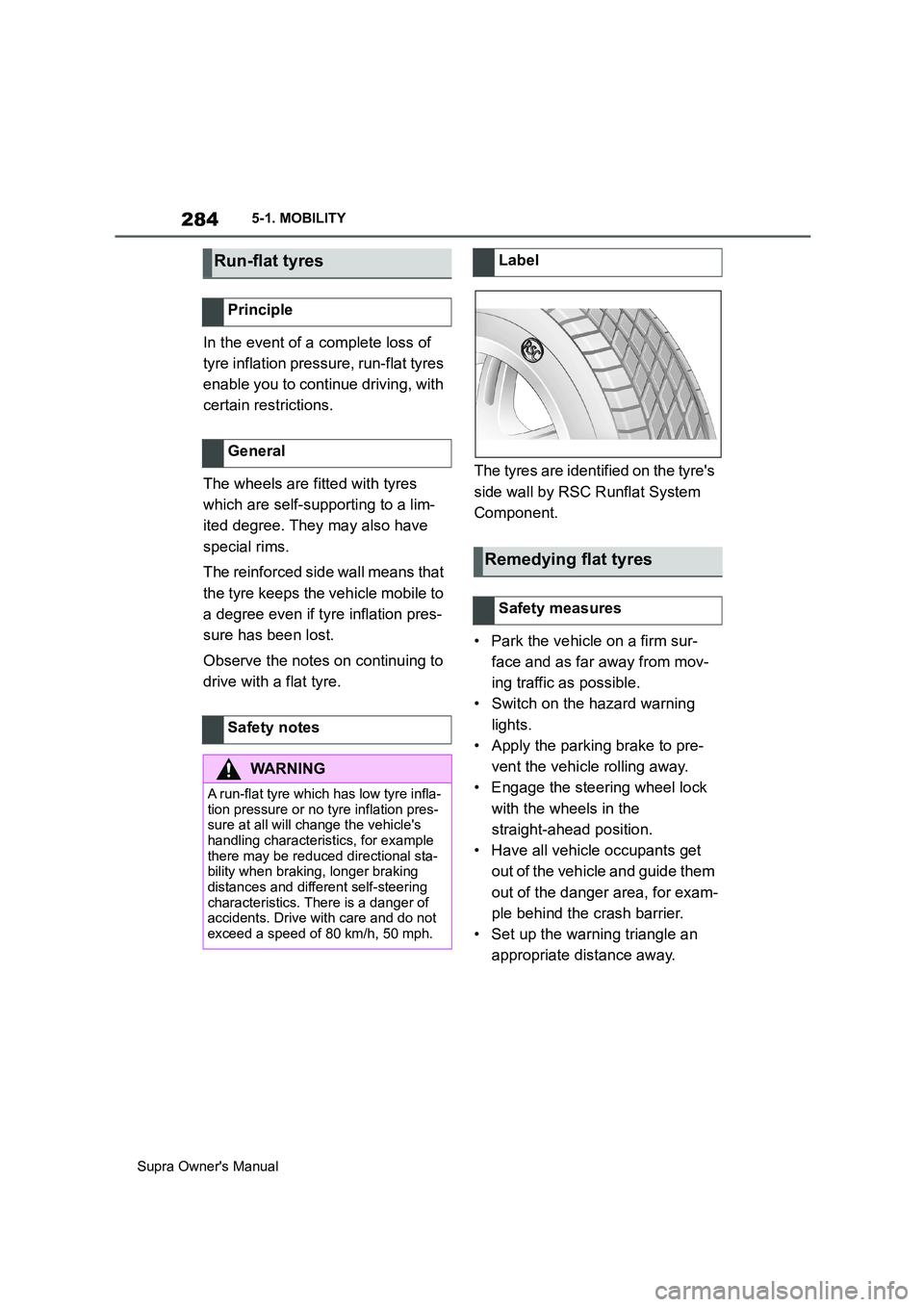
drive with a flat tyre.The tyres are identified on the tyre's
side wall by RSC Runflat System
Component.
• Park the vehicle on a firm sur-
face and as far away from mov-
ing traffic as possible.
• Switch on the hazard warning
lights.
• Apply the parking brake to pre-
vent the vehicle rolling away.
• Engage the steering wheel lock
with the wheels in the
straight-ahead position.
• Have all vehicle occupants get
out of the vehicle and guide them
out of the danger area, for exam-
ple behind the crash barrier.
• Set up the warning triangle an
appropriate distance away.
Run-flat tyres
Principle
General
Safety notes
WARNING
A run-flat tyre which has low tyre infla-
tion pressure or no tyre inflation pres-
sure at all will change the vehicle's
handling characteristics, for example
there may be reduced directional sta-
bility when braking, longer braking
distances and different self-steering
characteristics. There is a danger of
accidents. Drive with care and do not
exceed a speed of 80 km/h, 50 mph.
Label
Remedying flat tyres
Safety measures
Page 286 of 456
286
Supra Owner's Manual5-1. MOBILITY
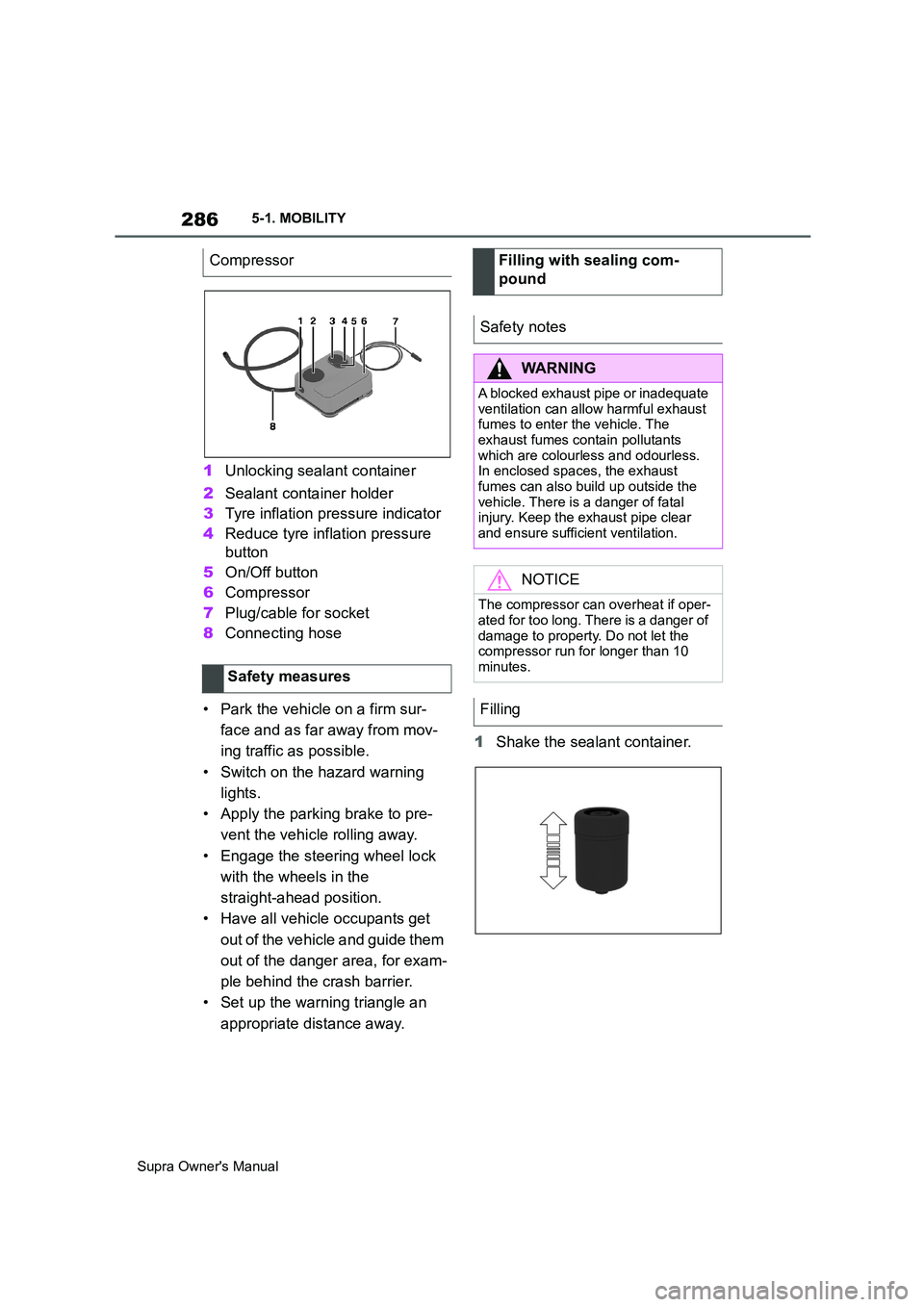
1Unlocking sealant container
2Sealant container holder
3Tyre inflation pressure indicator
4Reduce tyre inflation pressure
button
5On/Off button
6Compressor
7Plug/cable for socket
8Connecting hose
• Park the vehicle on a firm sur-
face and as far away from mov-
ing traffic as possible.
• Switch on the hazard warning
lights.
• Apply the parking brake to pre-
vent the vehicle rolling away.
• Engage the steering wheel lock
with the wheels in the
straight-ahead position.
• Have all vehicle occupants get
out of the vehicle and guide them
out of the danger area, for exam-
ple behind the crash barrier.
• Set up the warning triangle an
appropriate distance away.1Shake the sealant container. Compressor
Safety measures
Filling with sealing com-
pound
Safety notes
WARNING
A blocked exhaust pipe or inadequate
ventilation can allow harmful exhaust
fumes to enter the vehicle. The
exhaust fumes contain pollutants
which are colourless and odourless.
In enclosed spaces, the exhaust
fumes can also build up outside the
vehicle. There is a danger of fatal
injury. Keep the exhaust pipe clear
and ensure sufficient ventilation.
NOTICE
The compressor can overheat if oper-
ated for too long. There is a danger of
damage to property. Do not let the
compressor run for longer than 10
minutes.
Filling
Page 301 of 456
301
5
Supra Owner's Manual5-1. MOBILITY
MOBILITY
3After screwing on the wheel
stud, remove the adapter again
and stow it.
• Park the vehicle on firm and-
non-slip ground at a safe dis-
tance from traffic.
• Switch on the hazard warning
lights.
• Apply the parking brake.
• Engage a gear or select selector
lever position P.
• As soon as the traffic permits,
have all vehicle occupants get
out of the vehicle and guide them
out of the danger area, for exam-
ple behind the crash barrier.
• Depending on the equipment,
take the wheel change tools and,
if necessary, the emergency
wheel out of the vehicle.
• If applicable, set up warning tri-
angle or flashing light at the cor-
rect distance.
• Additionally protect the vehicle
against rolling away.
• Undo the wheel studs by half a
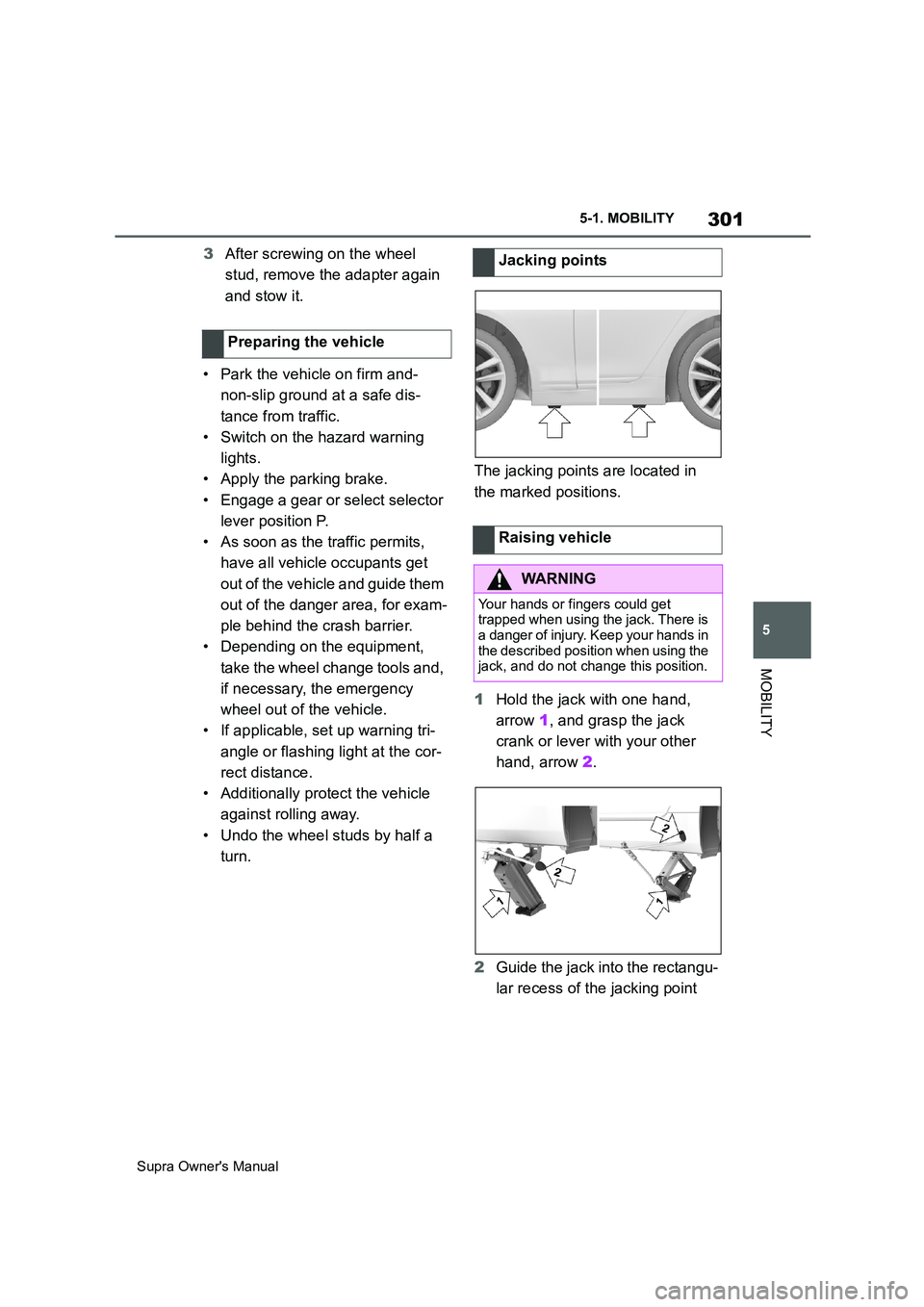
turn.The jacking points are located in
the marked positions.
1Hold the jack with one hand,
arrow 1, and grasp the jack
crank or lever with your other
hand, arrow 2.
2Guide the jack into the rectangu-
lar recess of the jacking point Preparing the vehicleJacking points
Raising vehicle
WARNING
Your hands or fingers could get
trapped when using the jack. There is
a danger of injury. Keep your hands in
the described position when using the
jack, and do not change this position.
Page 327 of 456
327
5
Supra Owner's Manual5-1. MOBILITY
MOBILITY
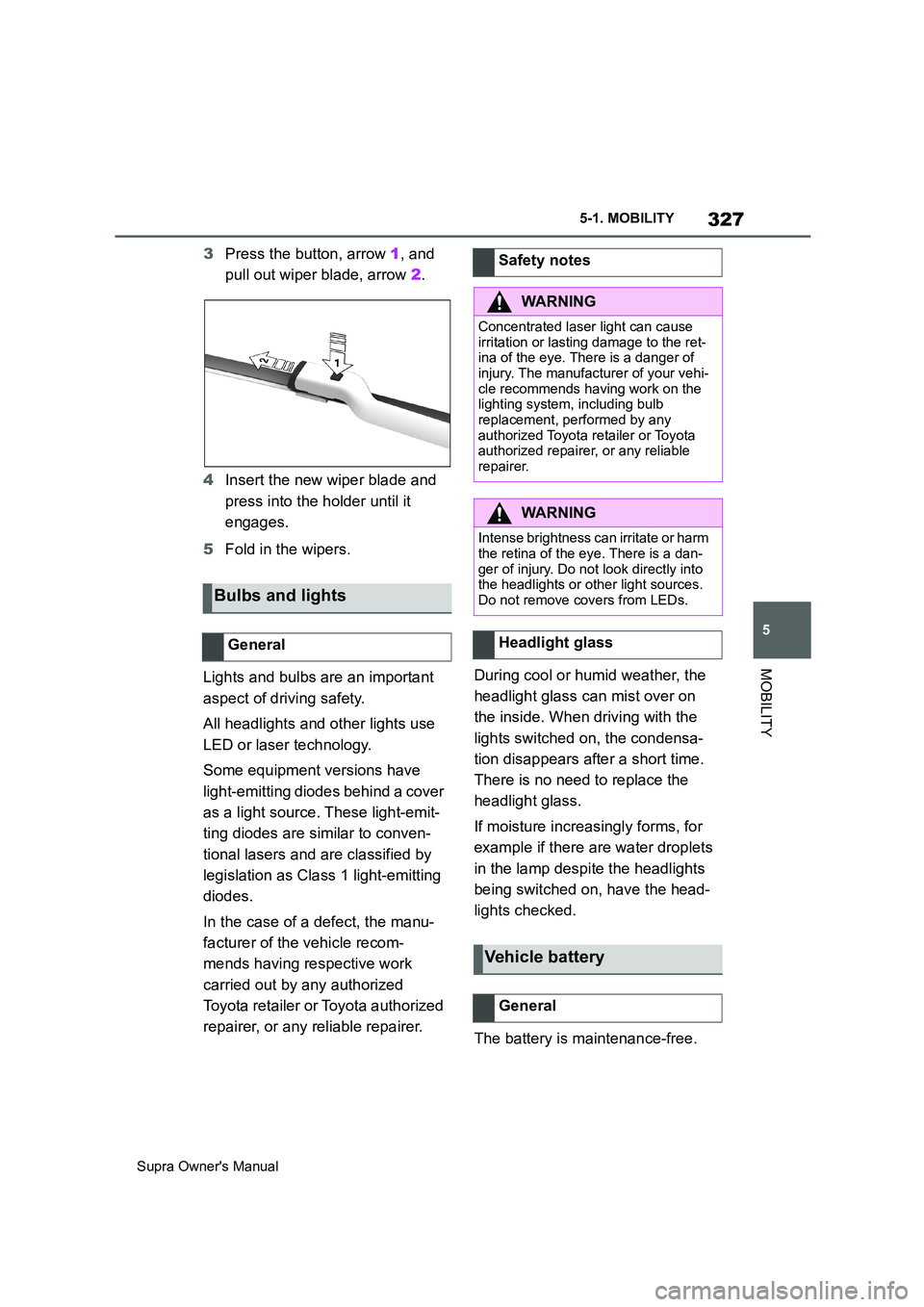
3Press the button, arrow 1, and
pull out wiper blade, arrow 2.
4Insert the new wiper blade and
press into the holder until it
engages.
5Fold in the wipers.
Lights and bulbs are an important
aspect of driving safety.
All headlights and other lights use
LED or laser technology.
Some equipment versions have
light-emitting diodes behind a cover
as a light source. These light-emit-
ting diodes are similar to conven-
tional lasers and are classified by
legislation as Class 1 light-emitting
diodes.
In the case of a defect, the manu-
facturer of the vehicle recom-
mends having respective work
carried out by any authorized
Toyota retailer or Toyota authorized
repairer, or any reliable repairer.During cool or humid weather, the
headlight glass can mist over on
the inside. When driving with the
lights switched on, the condensa-
tion disappears after a short time.
There is no need to replace the
headlight glass.
If moisture increasingly forms, for
example if there are water droplets
in the lamp despite the headlights
being switched on, have the head-
lights checked.
The battery is maintenance-free.
Bulbs and lights
General
Safety notes
WARNING
Concentrated laser light can cause
irritation or lasting damage to the ret-
ina of the eye. There is a danger of
injury. The manufacturer of your vehi-
cle recommends having work on the
lighting system, including bulb
replacement, performed by any
authorized Toyota retailer or Toyota
authorized repairer, or any reliable
repairer.
WARNING
Intense brightness can irritate or harm
the retina of the eye. There is a dan-
ger of injury. Do not look directly into
the headlights or other light sources.
Do not remove covers from LEDs.
Headlight glass
Vehicle battery
General
Page 333 of 456
333
5
Supra Owner's Manual5-1. MOBILITY
MOBILITY
This chapter describes all standard,
country-specific and special equip-
ment available for the model series.
It may therefore describe equip-
ment and functions which are not
installed in your vehicle, for exam-
ple on account of the optional
equipment selected or the country
specification. This also applies to
safety-relevant functions and sys-
tems. Please comply with the rele-
vant laws and regulations when
using the corresponding functions
and systems.
Controller (Toyota Supra
Command)
Electric fan (air cooler), Con-
trolled differential lock
12 V socket, Cigarette
lighter
Interior lights in the boot
Door lock, Exterior door
handle electronics, Telem-
atic Communication Box
Electronic gear box control
Telematic Communication
Box, Exterior door handle
electronics
Electric fan, Rear Power dis-
tributor
Engine control
Switching center column,
Light switch element, Body
Domain Controller
Control panels centre con-
sole, Interior light in the
glove box, Interior light, Inte-
rior light in the sunvisor,
Exterior mirror, Selector
lever
Telematic Communication
Box, Exterior door handle
electronics passenger side
Switcher block driver's door,
Exterior mirror
SymbolMeaningBreakdown Assist
Vehicle equipment
If a malfunction occurs
while driving
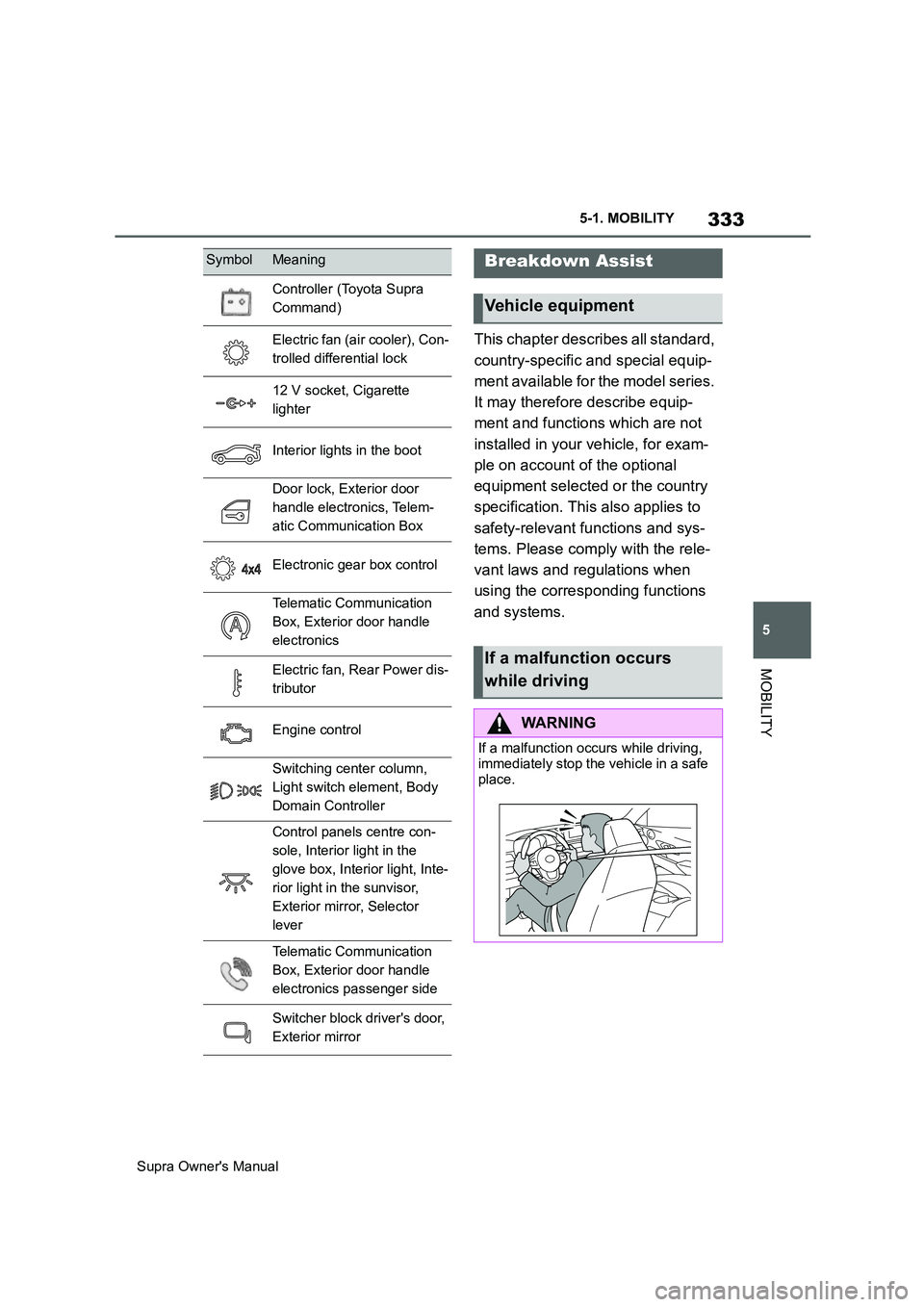
WARNING
If a malfunction occurs while driving,
immediately stop the vehicle in a safe
place.