lock TOYOTA SUPRA 2019 Workshop Manual
[x] Cancel search | Manufacturer: TOYOTA, Model Year: 2019, Model line: SUPRA, Model: TOYOTA SUPRA 2019Pages: 456, PDF Size: 88.65 MB
Page 215 of 456
215
3
Supra Owner's Manual3-1. CONTROLS
CONTROLS
mph.
If a sporty driving style is
adopted, for example sharp
acceleration or fast cornering.
In active driving situations, for
example frequent lane changes.
In poor road conditions.
In strong crosswinds.
The system is reset approximately
45 minutes after the vehicle is
stopped, for example when taking a
break during a long motorway jour-
ney.This chapter describes all standard,
country-specific and special equip-
ment available for the model series.
It may therefore describe equip-
ment and functions which are not
installed in your vehicle, for exam-
ple on account of the optional
equipment selected or the country
specification. This also applies to
safety-relevant functions and sys-
tems. Please comply with the rele-
vant laws and regulations when
using the corresponding functions
and systems.
ABS prevents the wheels from lock-
ing when the brakes are applied.
Steering control is retained even in
the event of full braking, thereby
enhancing active road safety.
ABS is ready to operate each time
the engine is started.
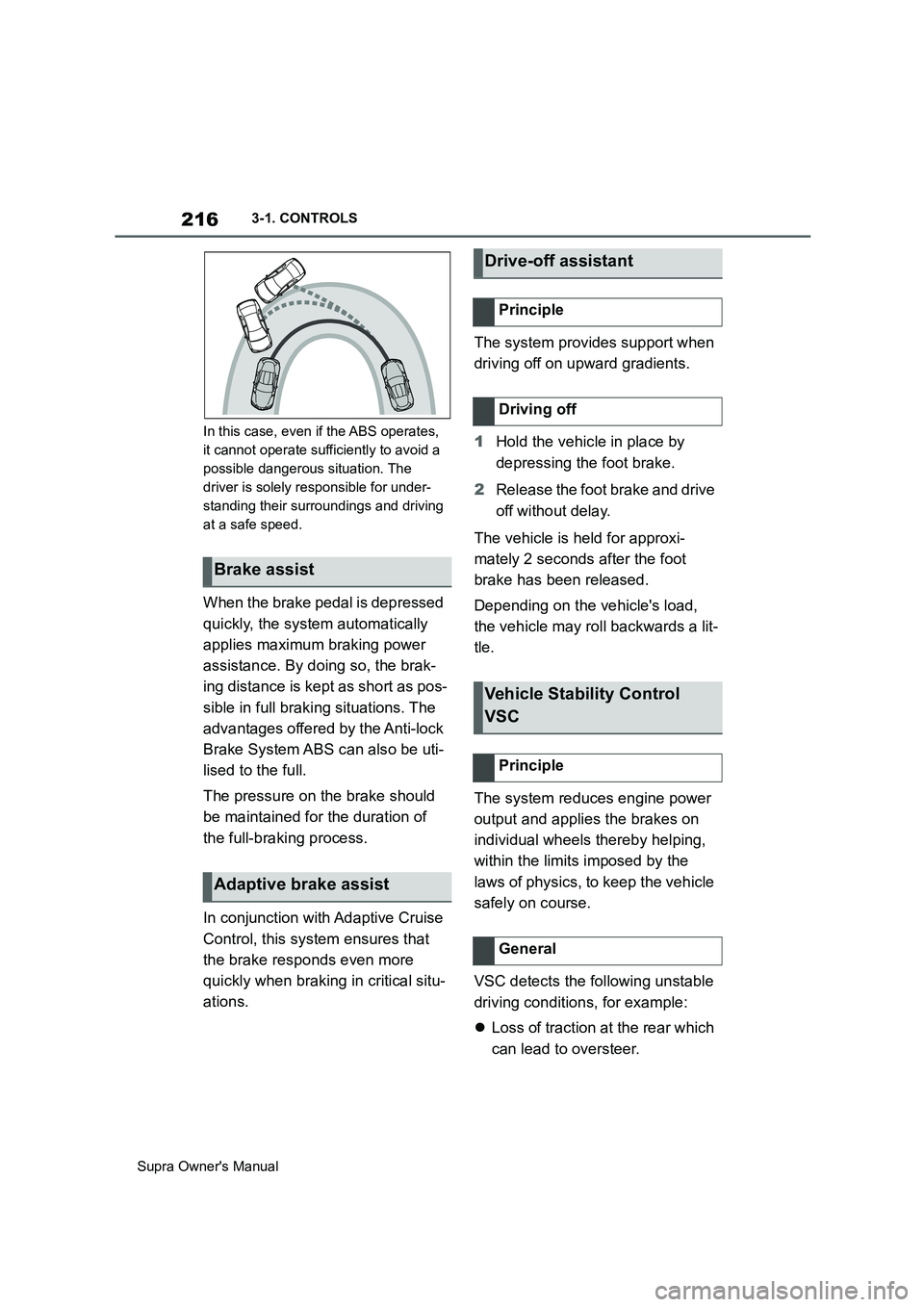
Situations which the ABS cannot
operate sufficiently:
When entering a curve at an
excessively high rate of speedDriving Stability Control
Systems
Vehicle equipment
Anti-lock Brake System ABS
Page 216 of 456
216
Supra Owner's Manual3-1. CONTROLS
In this case, even if the ABS operates,
it cannot operate sufficiently to avoid a
possible dangerous situation. The
driver is solely responsible for under-
standing their surroundings and driving
at a safe speed.
When the brake pedal is depressed
quickly, the system automatically
applies maximum braking power
assistance. By doing so, the brak-
ing distance is kept as short as pos-
sible in full braking situations. The
advantages offered by the Anti-lock
Brake System ABS can also be uti-
lised to the full.
The pressure on the brake should
be maintained for the duration of
the full-braking process.
In conjunction with Adaptive Cruise
Control, this system ensures that
the brake responds even more
quickly when braking in critical situ-
ations.The system provides support when
driving off on upward gradients.
1Hold the vehicle in place by
depressing the foot brake.
2Release the foot brake and drive
off without delay.
The vehicle is held for approxi-
mately 2 seconds after the foot
brake has been released.
Depending on the vehicle's load,
the vehicle may roll backwards a lit-
tle.
The system reduces engine power
output and applies the brakes on
individual wheels thereby helping,
within the limits imposed by the
laws of physics, to keep the vehicle
safely on course.
VSC detects the following unstable
driving conditions, for example:
Loss of traction at the rear which
can lead to oversteer.
Brake assist
Adaptive brake assist
Drive-off assistant
Principle
Driving off
Vehicle Stability Control
VSC
Principle
General
Page 219 of 456
219
3
Supra Owner's Manual3-1. CONTROLS
CONTROLS
When Traction mode is activated,
TRACTION is displayed in the
instrument cluster.
In certain situations, VSC is acti-
vated automatically:
If Adaptive Cruise Control with
Stop&Go function ACC is acti-
vated.In the event of a braking inter-
vention by the Toyota Supra
Safety Systems.
In the event of a flat tyre.
The active differential steplessly
locks the rear axle depending on
the driving conditions. This pro-
vides optimal power transfer in all
driving conditions by helping pre-
vent wheel spin at either rear
wheel.
The driver is responsible for a driv-
ing style appropriate to the situa-
tion. Activate/deactivate Traction
mode
Activating Traction mode
Press the button.
TRACTION is displayed in
the instrument cluster and the
VSC OFF indicator lamp is
illuminated.
Deactivating Traction mode
Press the button again.
TRACTION and the VSC
OFF indicator light are extin-
guished.
Display
Display in the instrument cluster
Indicator and warning lamps
The indicator lamp is illumi-
nated: Traction mode has
been activated.
Automatic programme
change
Active differential
Page 251 of 456
251
3
Supra Owner's Manual3-1. CONTROLS
CONTROLSPress any button, with the following
exceptions:
Switch off.
Rear window heating.
Seat heating.
Complete system:
The automatic air conditioning
adjusts to the set temperature as
quickly as possible, using maxi-
mum cooling or heating power if
necessary. The temperature is then
maintained.Via Toyota Supra Command:
1"My Vehicle"
2"Vehicle settings"
3"Climate comfort"
4"Temperature adjustment, upper
body"
5Set the desired temperature.
Avoid switching between different
temperature settings in rapid suc-
cession. The automatic air condi-
tioning may not have sufficient time
to establish the temperature
selected.
Interior air is cooled and dried, then
reheated to suit the temperature
setting.
The interior can only be cooled
when drive-ready state is switched
on.
Seat heating, see page
107.
Air flow, manual, see page
253.
Switching on/off
Switching on
Switching off
Press and hold the button.
Te m p e r a t u r e
Principle
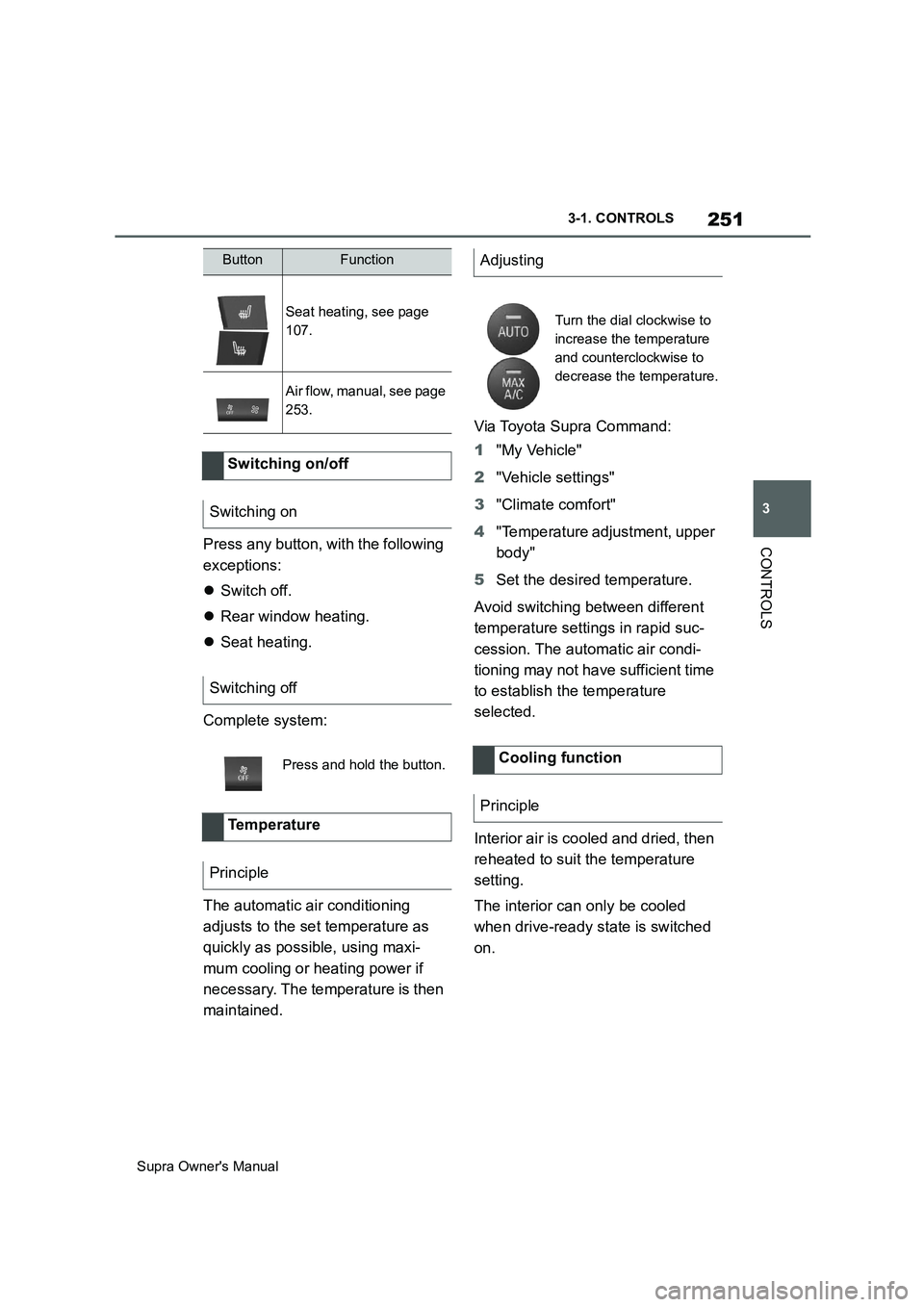
ButtonFunctionAdjusting
Turn the dial clockwise to
increase the temperature
and counterclockwise to
decrease the temperature.
Cooling function
Principle
Page 256 of 456
256
Supra Owner's Manual3-1. CONTROLS
tery. As a result, the maximum
activation time is restricted to protect
the battery. After the engine is started
or after driving a short distance, the
system will be available again.
Ensure that the date and time
are set correctly in the vehicle.
Open the side nozzles to allow
the air to enter the passenger
compartment.
The system can be switched on or
off in various ways.
The system switches off automati-
cally after a certain period of time. It
continues to run for a short time
after it has been switched off.
If the vehicle is in standby state, the
independent ventilation can be
switched on or off via the buttons of
the automatic air conditioning.
Press any button, except:
Rear window heating.
Seat heating.
Menu.
The system switches off after leav-
ing and locking the vehicle.
1"My Vehicle" 2"Vehicle settings"
3"Climate comfort"
4"Auxiliary ventilation"
5"Activate now"
To ensure a pleasant interior tem-
perature in the vehicle at the start
of the journey, it is possible to set
different departure times.
One-off departure time: the time
can be set.
System is switched on once.
Departure time with day of the
week: time and day of the week
can be set.
The system is switched on in good time
before the set departure time on the
required days of the week.
The departure time is preselected
in two steps:
Set departure times.
Activate departure time. Switching on/off directly
General
Using the button
Via Toyota Supra Command
Display
SymbolDescription
Symbol on the climate dis-
play.
Flashing: independent
ventilation is switched on.
Departure time
Principle
Page 260 of 456
260
Supra Owner's Manual3-1. CONTROLS
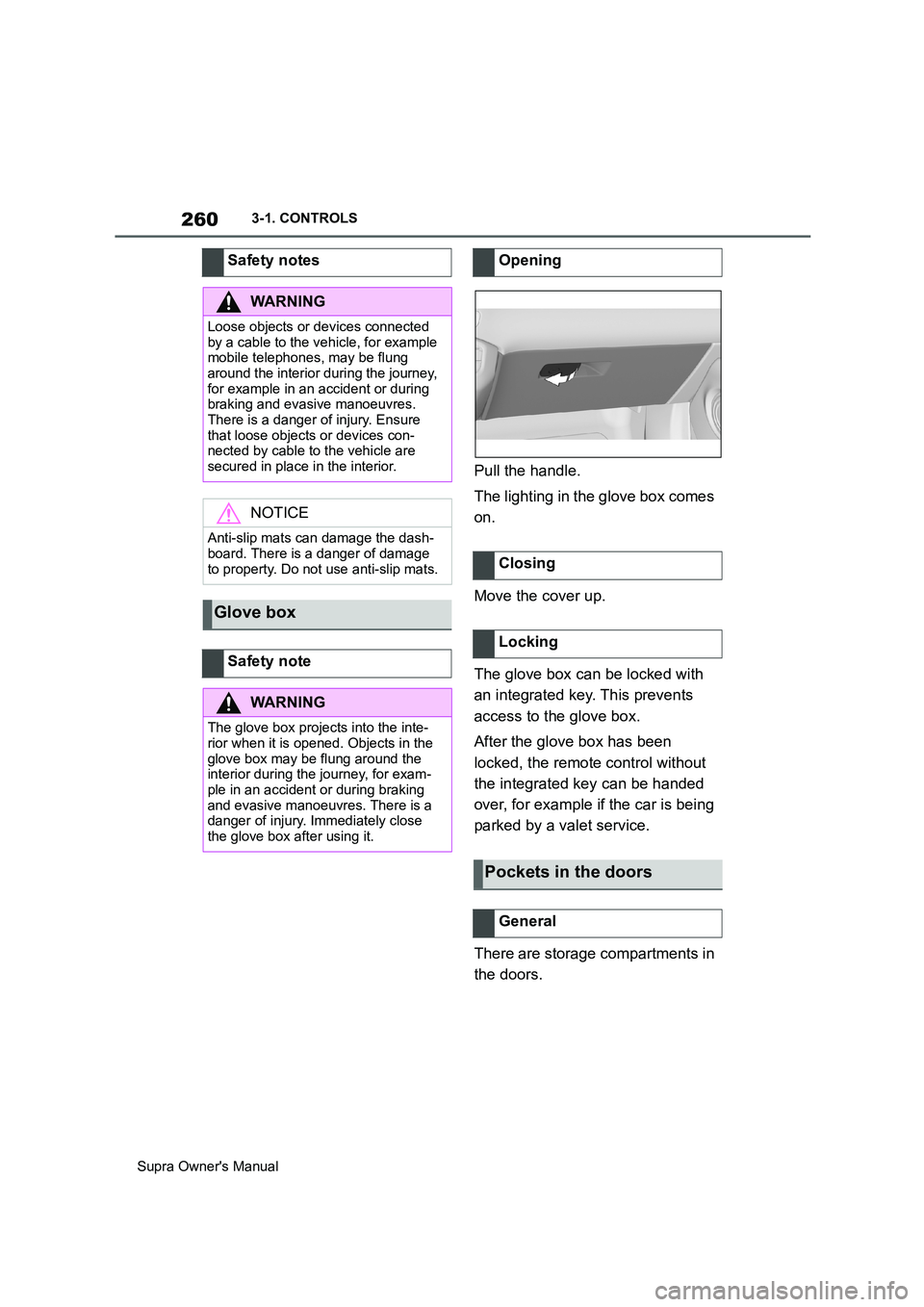
Pull the handle.
The lighting in the glove box comes
on.
Move the cover up.
The glove box can be locked with
an integrated key. This prevents
access to the glove box.
After the glove box has been
locked, the remote control without
the integrated key can be handed
over, for example if the car is being
parked by a valet service.
There are storage compartments in
the doors. Safety notes
WARNING
Loose objects or devices connected
by a cable to the vehicle, for example
mobile telephones, may be flung
around the interior during the journey,
for example in an accident or during
braking and evasive manoeuvres.
There is a danger of injury. Ensure
that loose objects or devices con-
nected by cable to the vehicle are
secured in place in the interior.
NOTICE
Anti-slip mats can damage the dash-
board. There is a danger of damage
to property. Do not use anti-slip mats.
Glove box
Safety note
WARNING
The glove box projects into the inte-
rior when it is opened. Objects in the
glove box may be flung around the
interior during the journey, for exam-
ple in an accident or during braking
and evasive manoeuvres. There is a
danger of injury. Immediately close
the glove box after using it.
Opening
Closing
Locking
Pockets in the doors
General
Page 263 of 456
263
3
Supra Owner's Manual3-1. CONTROLS
CONTROLSThere is a tensioning strap on the
right-hand trim panel for securing
small objects.
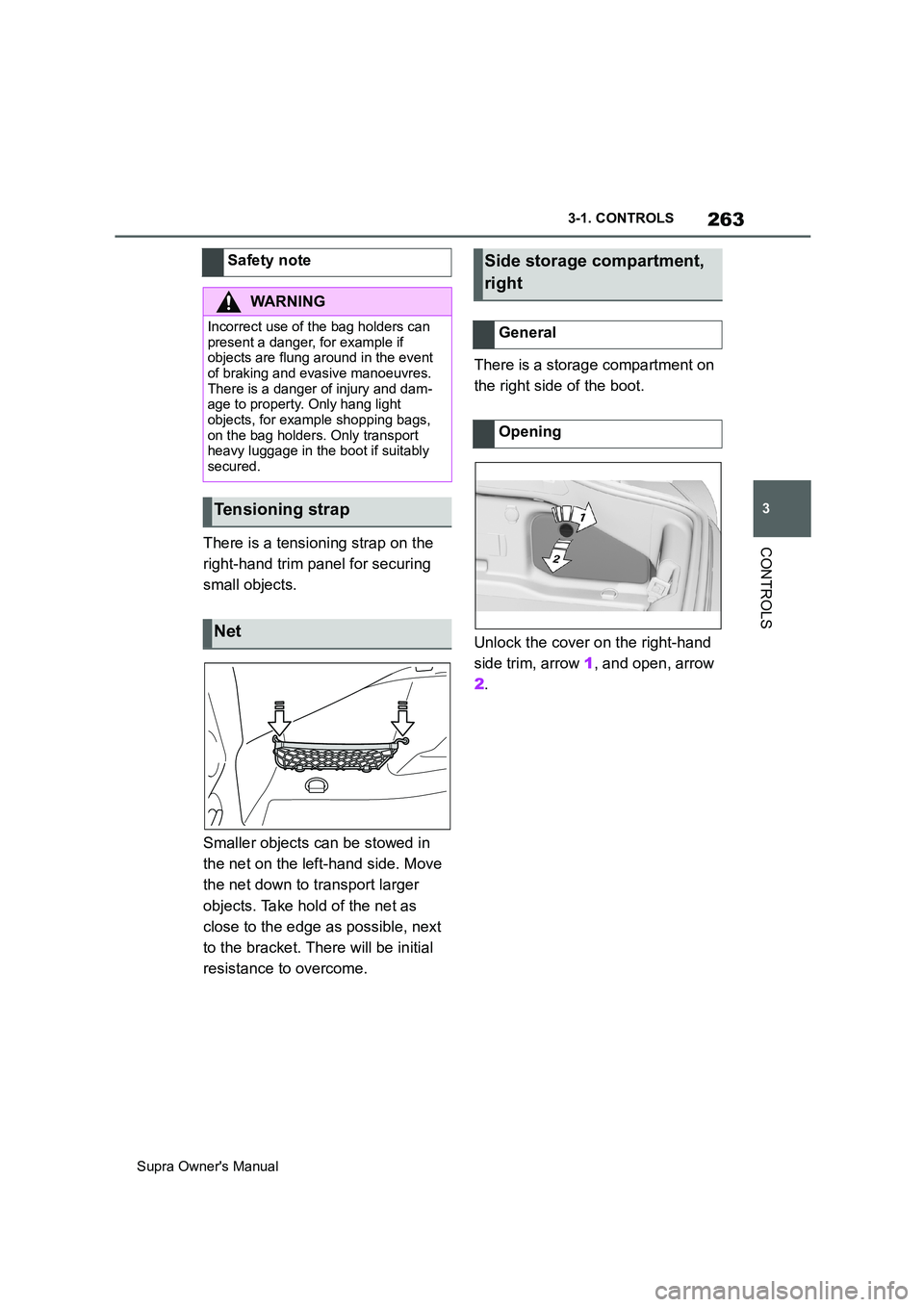
Smaller objects can be stowed in
the net on the left-hand side. Move
the net down to transport larger
objects. Take hold of the net as
close to the edge as possible, next
to the bracket. There will be initial
resistance to overcome.There is a storage compartment on
the right side of the boot.
Unlock the cover on the right-hand
side trim, arrow 1, and open, arrow
2. Safety note
WARNING
Incorrect use of the bag holders can
present a danger, for example if
objects are flung around in the event
of braking and evasive manoeuvres.
There is a danger of injury and dam-
age to property. Only hang light
objects, for example shopping bags,
on the bag holders. Only transport
heavy luggage in the boot if suitably
secured.
Tensioning strap
Net
Side storage compartment,
right
General
Opening
Page 270 of 456
270
Supra Owner's Manual4-1. DRIVING HINTS
This situation, known as aquaplan-
ing, means that the tyre can actu-
ally lose contact completely with
the road surface and the vehicle
can neither be steered, nor the
brakes properly applied.
Please comply with the following
when driving through water:
Only drive through still water.
Only drive through water up to a
max. depth of 25 cm, 9.8 in.
Drive through water at a walking
speed of no more than 5 km/h, 3
mph.
The vehicle is equipped with the
Anti-lock Brake System ABS as
standard.
Perform full braking in situations that require it.
The vehicle remains steerable. Any
obstacles can be avoided by per-
forming steering movements as
smoothly as possible.
A pulsing of the brake pedal and
hydraulic regulating sounds indi-
cate that the Anti-lock Brake Sys-
tem ABS is regulating.
In certain braking situations, the
perforated brake discs can cause
functional noise. However, func-
tional noises have no effect on the
efficiency and operational safety of
the brakes.
In damp weather, on gritted roads
and in heavy rain, apply the brakes
lightly every few kilometres/miles. Driving through water
General
Safety note
NOTICE
Driving through excessively deep
water too fast can result in water
entering the engine compartment,
electrical system or transmission.
There is a danger of damage to prop-
erty. When driving through water, do
not exceed the maximum water depth
and speed specified above.
Safe braking
General
Objects in the range of movement
of the pedals
WARNING
Objects in the driver's footwell can
restrict the pedal travel or block a
pedal that has been pressed. There is
a danger of accidents. Stow items in
the vehicle so that they are secure
and cannot get into the driver's
footwell. Only use floor mats that are
suitable for the vehicle and can be
securely fastened to the floor. Do not
use loose floor mats, and do not place
several floor mats on top of one
another. Make sure that there is suffi-
cient space for the pedals. Ensure
that floor mats are securely reat-
tached after having been removed, for
example for cleaning.
Wet roads
Page 277 of 456
277
5
Supra Owner's Manual5-1. MOBILITY
MOBILITY
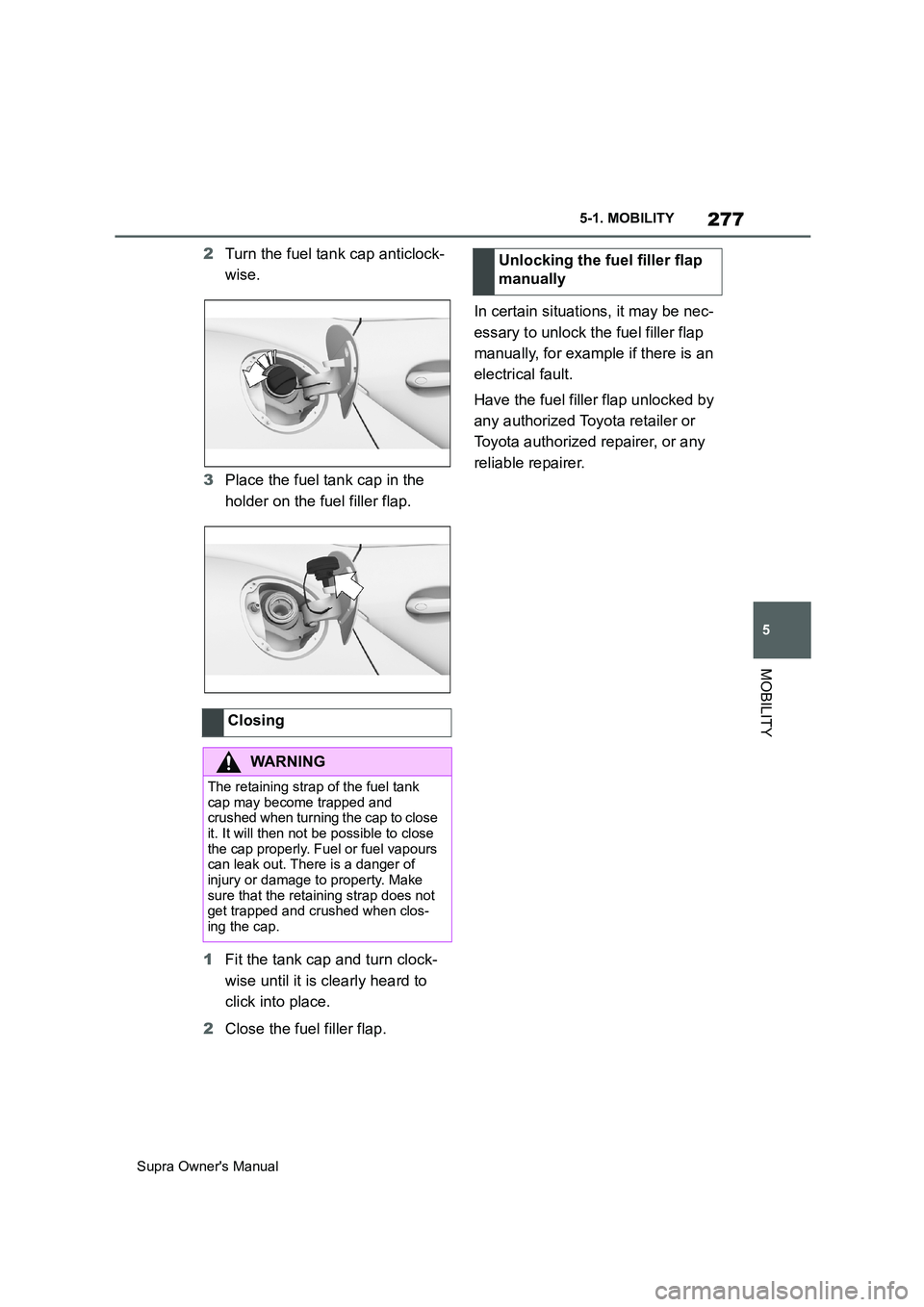
2Turn the fuel tank cap anticlock-
wise.
3Place the fuel tank cap in the
holder on the fuel filler flap.
1Fit the tank cap and turn clock-
wise until it is clearly heard to
click into place.
2Close the fuel filler flap.In certain situations, it may be nec-
essary to unlock the fuel filler flap
manually, for example if there is an
electrical fault.
Have the fuel filler flap unlocked by
any authorized Toyota retailer or
Toyota authorized repairer, or any
reliable repairer.
Closing
WARNING
The retaining strap of the fuel tank
cap may become trapped and
crushed when turning the cap to close
it. It will then not be possible to close
the cap properly. Fuel or fuel vapours
can leak out. There is a danger of
injury or damage to property. Make
sure that the retaining strap does not
get trapped and crushed when clos-
ing the cap.
Unlocking the fuel filler flap
manually
Page 282 of 456
282
Supra Owner's Manual5-1. MOBILITY
Have the wheel fitted and balanced
by any authorized Toyota retailer or
Toyota authorized repairer, or any
reliable repairer.
Information on the correct
wheel/tyre combination and rim
designs for the vehicle can be
obtained from any authorized
Toyota retailer or Toyota authorized
repairer, or any reliable repairer.
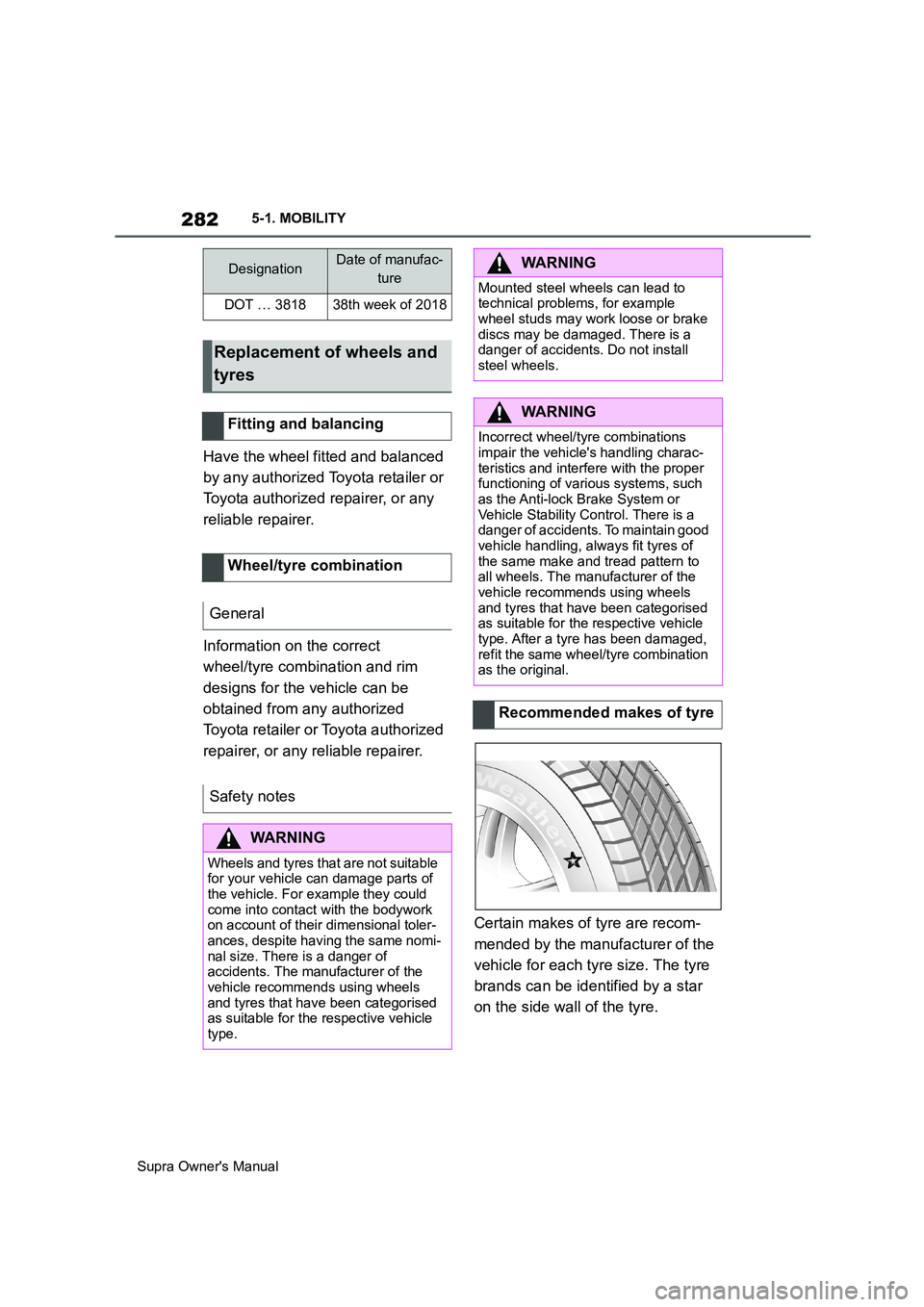
Certain makes of tyre are recom-
mended by the manufacturer of the
vehicle for each tyre size. The tyre
brands can be identified by a star
on the side wall of the tyre.
DesignationDate of manufac-
ture
DOT … 381838th week of 2018
Replacement of wheels and
tyres
Fitting and balancing
Wheel/tyre combination
General
Safety notes
WARNING
Wheels and tyres that are not suitable
for your vehicle can damage parts of
the vehicle. For example they could
come into contact with the bodywork
on account of their dimensional toler-
ances, despite having the same nomi-
nal size. There is a danger of
accidents. The manufacturer of the
vehicle recommends using wheels
and tyres that have been categorised
as suitable for the respective vehicle
type.
WARNING
Mounted steel wheels can lead to
technical problems, for example
wheel studs may work loose or brake
discs may be damaged. There is a
danger of accidents. Do not install
steel wheels.
WARNING
Incorrect wheel/tyre combinations
impair the vehicle's handling charac-
teristics and interfere with the proper
functioning of various systems, such
as the Anti-lock Brake System or
Vehicle Stability Control. There is a
danger of accidents. To maintain good
vehicle handling, always fit tyres of
the same make and tread pattern to
all wheels. The manufacturer of the
vehicle recommends using wheels
and tyres that have been categorised
as suitable for the respective vehicle
type. After a tyre has been damaged,
refit the same wheel/tyre combination
as the original.
Recommended makes of tyre