boot TOYOTA SUPRA 2019 Owners Manual
[x] Cancel search | Manufacturer: TOYOTA, Model Year: 2019, Model line: SUPRA, Model: TOYOTA SUPRA 2019Pages: 456, PDF Size: 88.65 MB
Page 2 of 456
2
Supra Owner's ManualTABLE OF CONTENTS
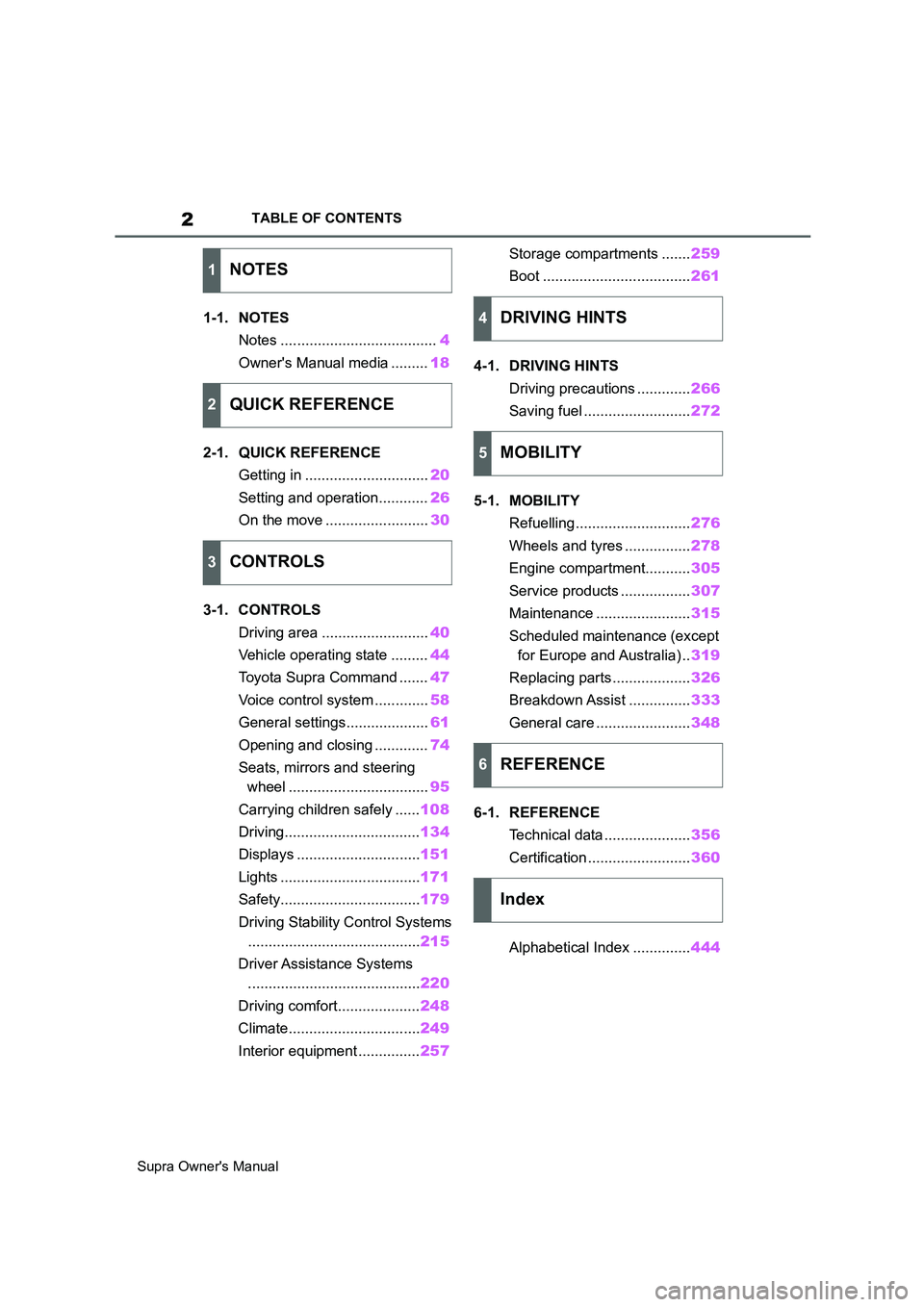
1-1. NOTES
Notes ......................................4
Owner's Manual media .........18
2-1. QUICK REFERENCE
Getting in ..............................20
Setting and operation............26
On the move .........................30
3-1. CONTROLS
Driving area ..........................40
Vehicle operating state .........44
Toyota Supra Command .......47
Voice control system .............58
General settings....................61
Opening and closing .............74
Seats, mirrors and steering
wheel ..................................95
Carrying children safely ......108
Driving.................................134
Displays ..............................151
Lights ..................................171
Safety..................................179
Driving Stability Control Systems
..........................................215
Driver Assistance Systems
..........................................220
Driving comfort....................248
Climate................................249
Interior equipment ...............257Storage compartments .......259
Boot ....................................261
4-1. DRIVING HINTS
Driving precautions .............266
Saving fuel ..........................272
5-1. MOBILITY
Refuelling ............................276
Wheels and tyres ................278
Engine compartment...........305
Service products .................307
Maintenance .......................315
Scheduled maintenance (except
for Europe and Australia) ..319
Replacing parts ...................326
Breakdown Assist ...............333
General care .......................348
6-1. REFERENCE
Technical data .....................356
Certification .........................360
Alphabetical Index ..............444
1NOTES
2QUICK REFERENCE
3CONTROLS
4DRIVING HINTS
5MOBILITY
6REFERENCE
Index
Page 22 of 456
22
Supra Owner's Manual2-1. QUICK REFERENCE
objects before driving.
When backing up (reversing), if
you cannot see the area behind
the vehicle sufficiently, exit the
vehicle and check the area
before proceeding.
Refrain from driving when you are
fatigued or not feeling well.
Also, if driving for a long time, be
sure to stop and rest periodically.
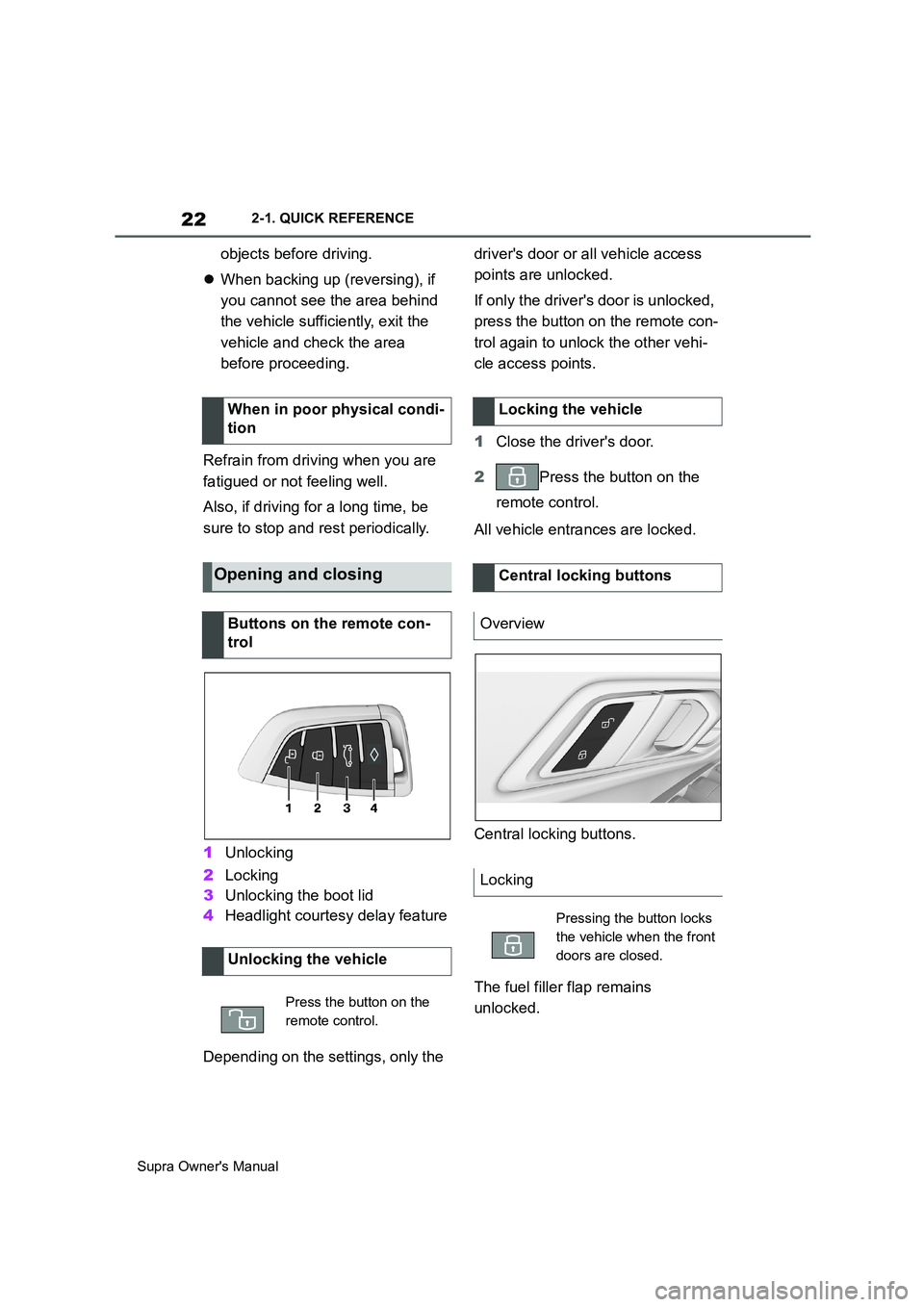
1Unlocking
2Locking
3Unlocking the boot lid
4Headlight courtesy delay feature
Depending on the settings, only the driver's door or all vehicle access
points are unlocked.
If only the driver's door is unlocked,
press the button on the remote con-
trol again to unlock the other vehi-
cle access points.
1Close the driver's door.
2Press the button on the
remote control.
All vehicle entrances are locked.
Central locking buttons.
The fuel filler flap remains
unlocked. When in poor physical condi-
tion
Opening and closing
Buttons on the remote con-
trol
Unlocking the vehicle
Press the button on the
remote control.
Locking the vehicle
Central locking buttons
Overview
Locking
Pressing the button locks
the vehicle when the front
doors are closed.
Page 23 of 456
23
2
Supra Owner's Manual2-1. QUICK REFERENCE
QUICK REFERENCE
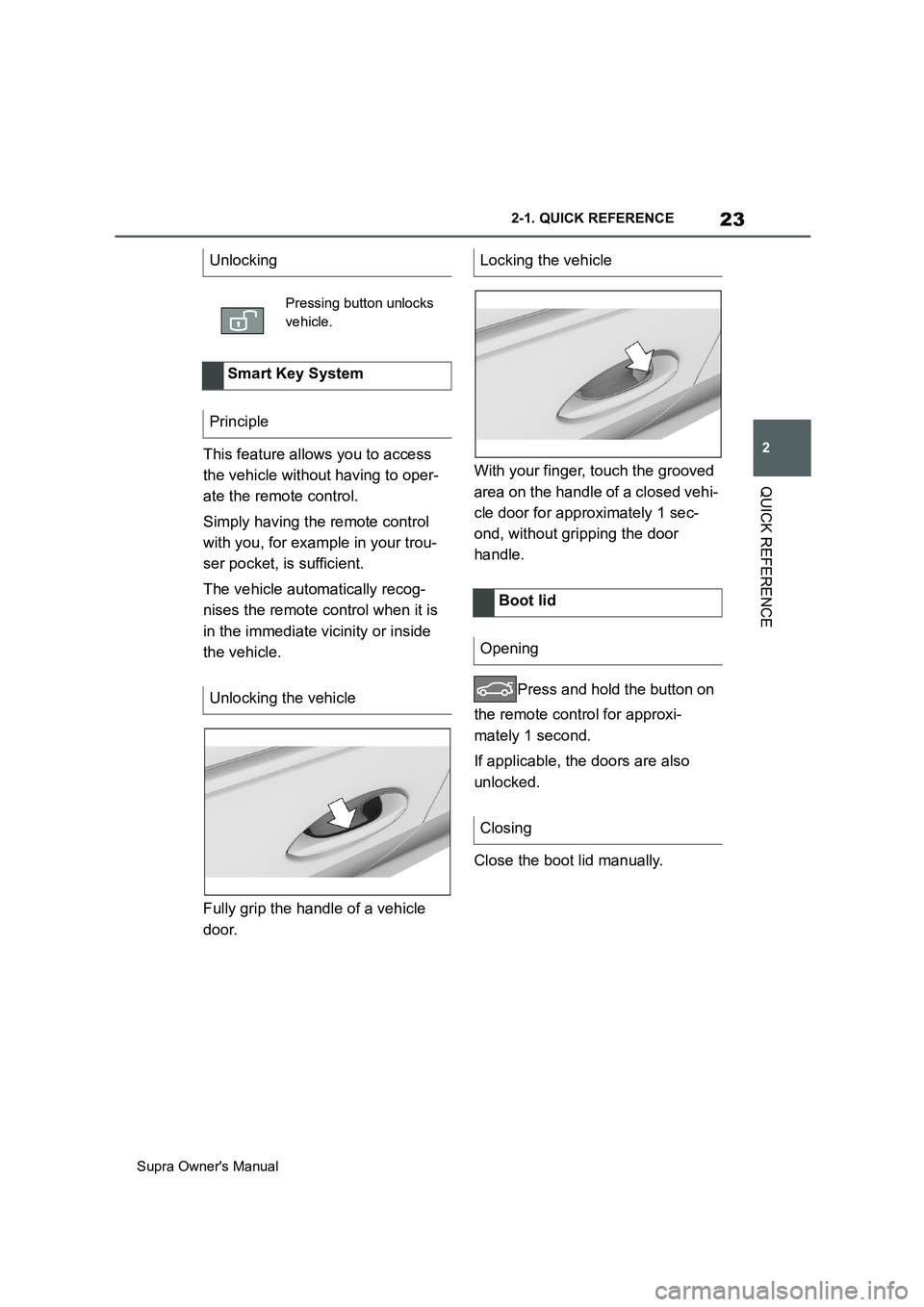
This feature allows you to access
the vehicle without having to oper-
ate the remote control.
Simply having the remote control
with you, for example in your trou-
ser pocket, is sufficient.
The vehicle automatically recog-
nises the remote control when it is
in the immediate vicinity or inside
the vehicle.
Fully grip the handle of a vehicle
door.With your finger, touch the grooved
area on the handle of a closed vehi-
cle door for approximately 1 sec-
ond, without gripping the door
handle.
Press and hold the button on
the remote control for approxi-
mately 1 second.
If applicable, the doors are also
unlocked.
Close the boot lid manually. Unlocking
Pressing button unlocks
vehicle.
Smart Key System
Principle
Unlocking the vehicle
Locking the vehicle
Boot lid
Opening
Closing
Page 24 of 456
24
Supra Owner's Manual2-1. QUICK REFERENCE
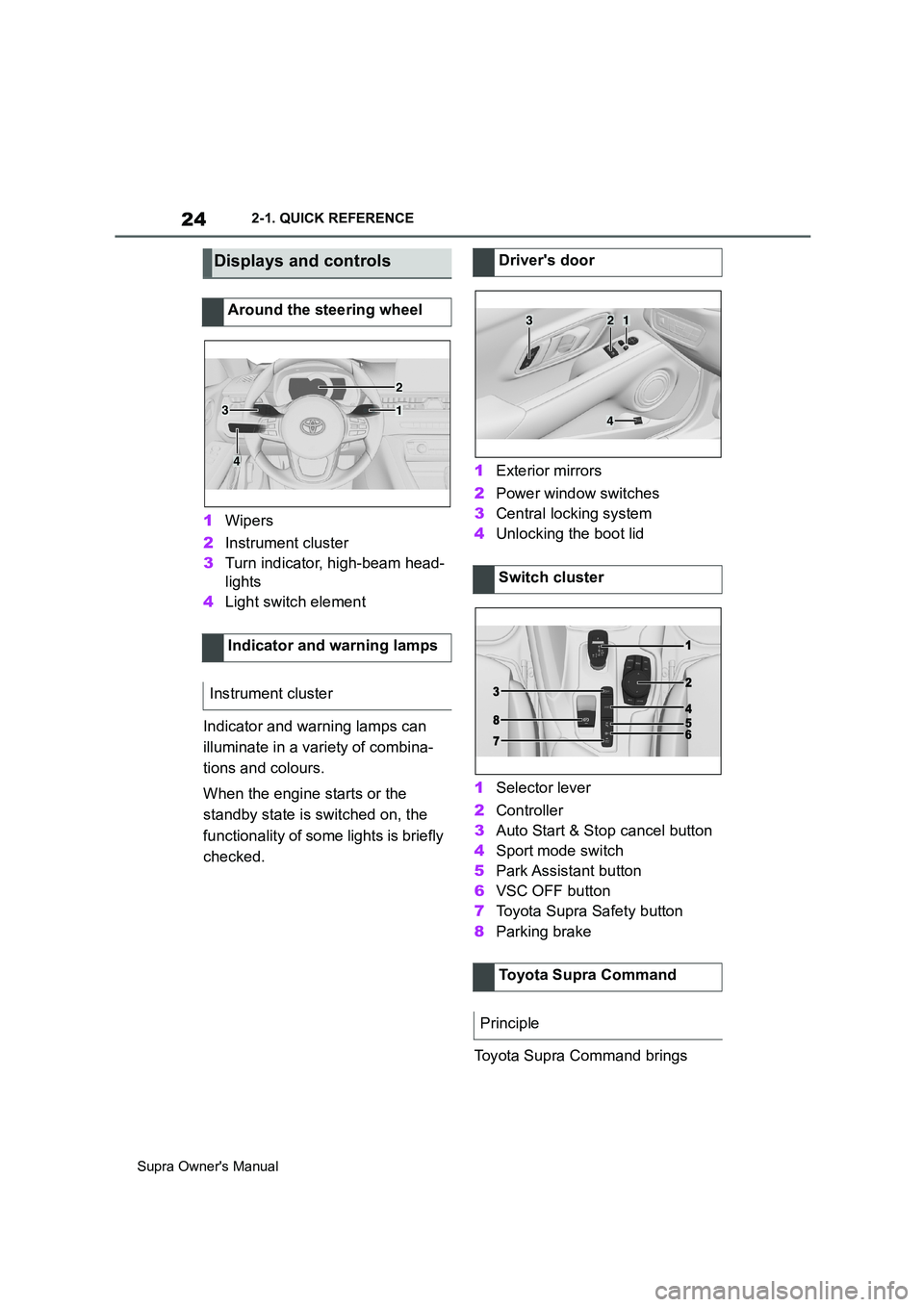
1Wipers
2Instrument cluster
3Turn indicator, high-beam head-
lights
4Light switch element
Indicator and warning lamps can
illuminate in a variety of combina-
tions and colours.
When the engine starts or the
standby state is switched on, the
functionality of some lights is briefly
checked.1Exterior mirrors
2Power window switches
3Central locking system
4Unlocking the boot lid
1Selector lever
2Controller
3Auto Start & Stop cancel button
4Sport mode switch
5Park Assistant button
6VSC OFF button
7Toyota Supra Safety button
8Parking brake
Toyota Supra Command brings
Displays and controls
Around the steering wheel
Indicator and warning lamps
Instrument cluster
1
2
3
4
Driver's door
Switch cluster
Toyota Supra Command
Principle
321
4
Page 39 of 456
3
39
Supra Owner's Manual
3
CONTROLS
CONTROLS
.3-1. CONTROLS
Driving area ........................40
Vehicle operating state .......44
Toyota Supra Command .....47
Voice control system...........58
General settings .................61
Opening and closing ...........74
Seats, mirrors and steering
wheel ................................95
Carrying children safely ....108
Driving ..............................134
Displays ............................151
Lights ................................171
Safety ...............................179
Driving Stability Control Sys-
tems ................................215
Driver Assistance Systems
.......................................220
Driving comfort .................248
Climate .............................249
Interior equipment.............257
Storage compartments .....259
Boot ..................................261
Page 42 of 456
42
Supra Owner's Manual3-1. CONTROLS
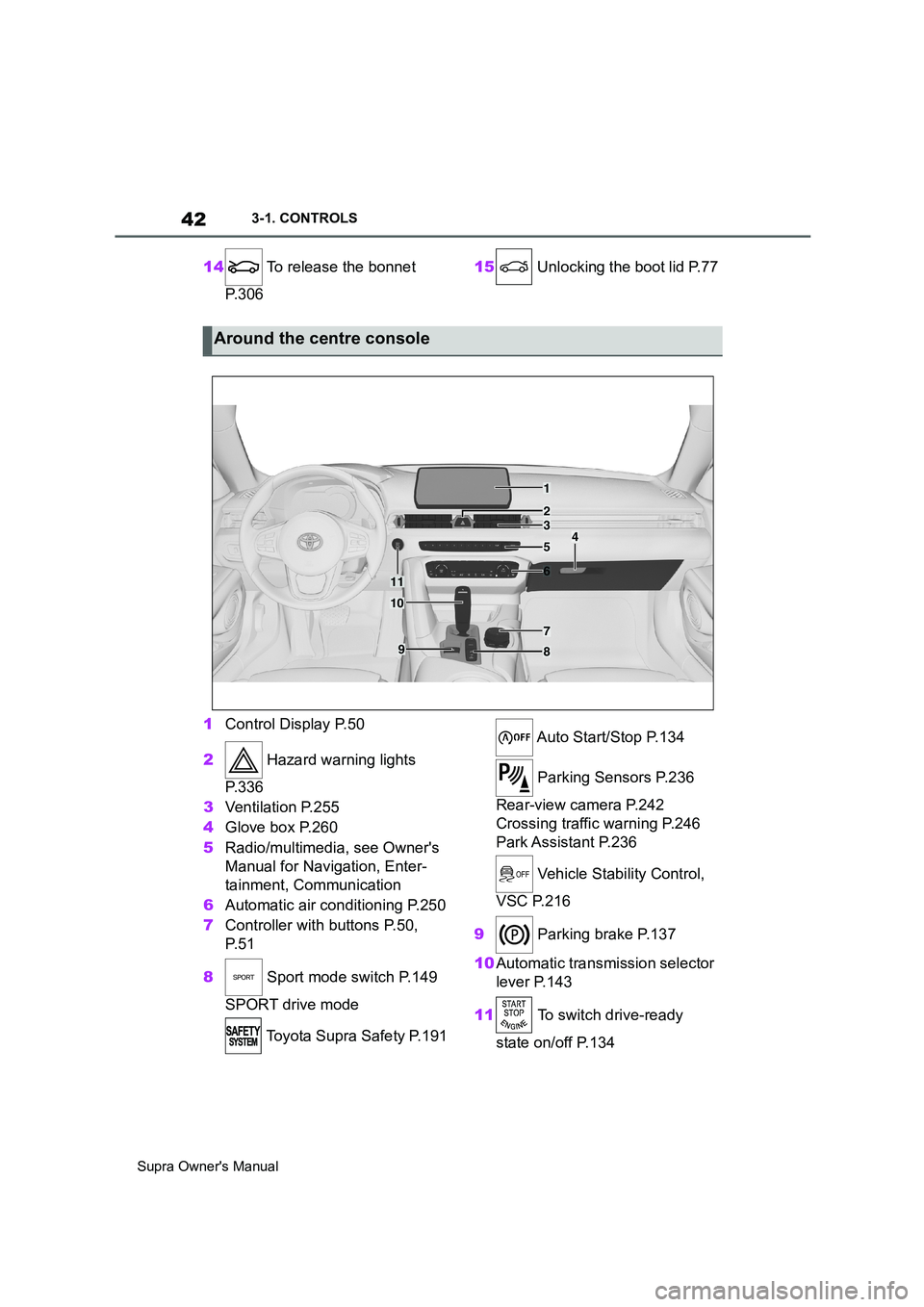
14 To release the bonnet
P. 3 0 615 Unlocking the boot lid P.77
1Control Display P.50
2 Hazard warning lights
P. 3 3 6
3Ventilation P.255
4Glove box P.260
5Radio/multimedia, see Owner's
Manual for Navigation, Enter-
tainment, Communication
6Automatic air conditioning P.250
7Controller with buttons P.50,
P. 5 1
8 Sport mode switch P.149
SPORT drive mode
Toyota Supra Safety P.191 Auto Start/Stop P.134
Parking Sensors P.236
Rear-view camera P.242
Crossing traffic warning P.246
Park Assistant P.236
Vehicle Stability Control,
VSC P.216
9 Parking brake P.137
10Automatic transmission selector
lever P.143
11 To switch drive-ready
state on/off P.134
Around the centre console
1
4
23
5
6
7
89
10
11
Page 75 of 456
75
3
Supra Owner's Manual3-1. CONTROLS
CONTROLS
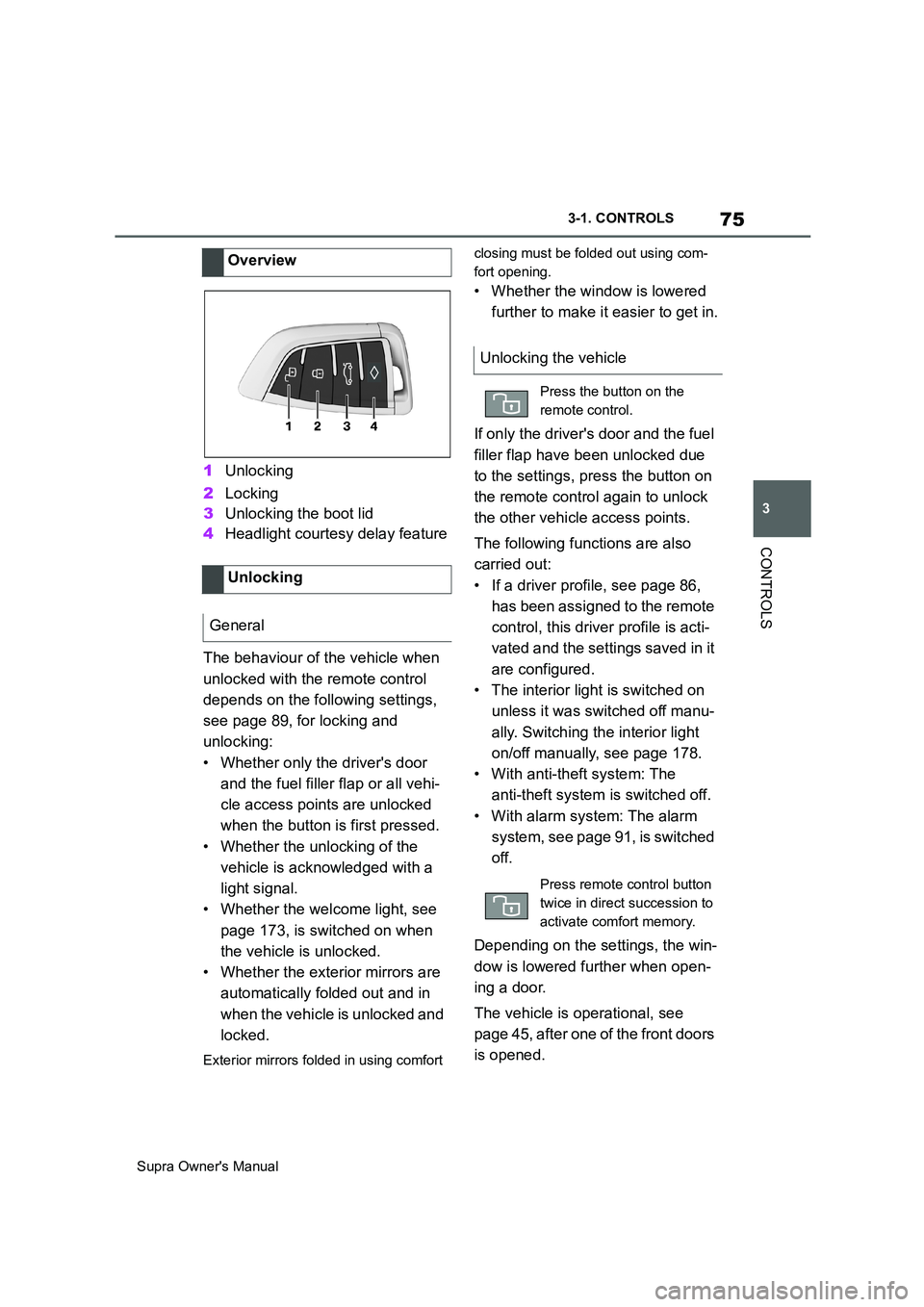
1Unlocking
2Locking
3Unlocking the boot lid
4Headlight courtesy delay feature
The behaviour of the vehicle when
unlocked with the remote control
depends on the following settings,
see page 89, for locking and
unlocking:
• Whether only the driver's door
and the fuel filler flap or all vehi-
cle access points are unlocked
when the button is first pressed.
• Whether the unlocking of the
vehicle is acknowledged with a
light signal.
• Whether the welcome light, see
page 173, is switched on when
the vehicle is unlocked.
• Whether the exterior mirrors are
automatically folded out and in
when the vehicle is unlocked and
locked.
Exterior mirrors folded in using comfort closing must be folded out using com-
fort opening.
• Whether the window is lowered
further to make it easier to get in.
If only the driver's door and the fuel
filler flap have been unlocked due
to the settings, press the button on
the remote control again to unlock
the other vehicle access points.
The following functions are also
carried out:
• If a driver profile, see page 86,
has been assigned to the remote
control, this driver profile is acti-
vated and the settings saved in it
are configured.
• The interior light is switched on
unless it was switched off manu-
ally. Switching the interior light
on/off manually, see page 178.
• With anti-theft system: The
anti-theft system is switched off.
• With alarm system: The alarm
system, see page 91, is switched
off.
Depending on the settings, the win-
dow is lowered further when open-
ing a door.
The vehicle is operational, see
page 45, after one of the front doors
is opened. Overview
Unlocking
General
Unlocking the vehicle
Press the button on the
remote control.
Press remote control button
twice in direct succession to
activate comfort memory.
Page 76 of 456
76
Supra Owner's Manual3-1. CONTROLS
The light functions might be
dependent on the ambient bright-
ness.
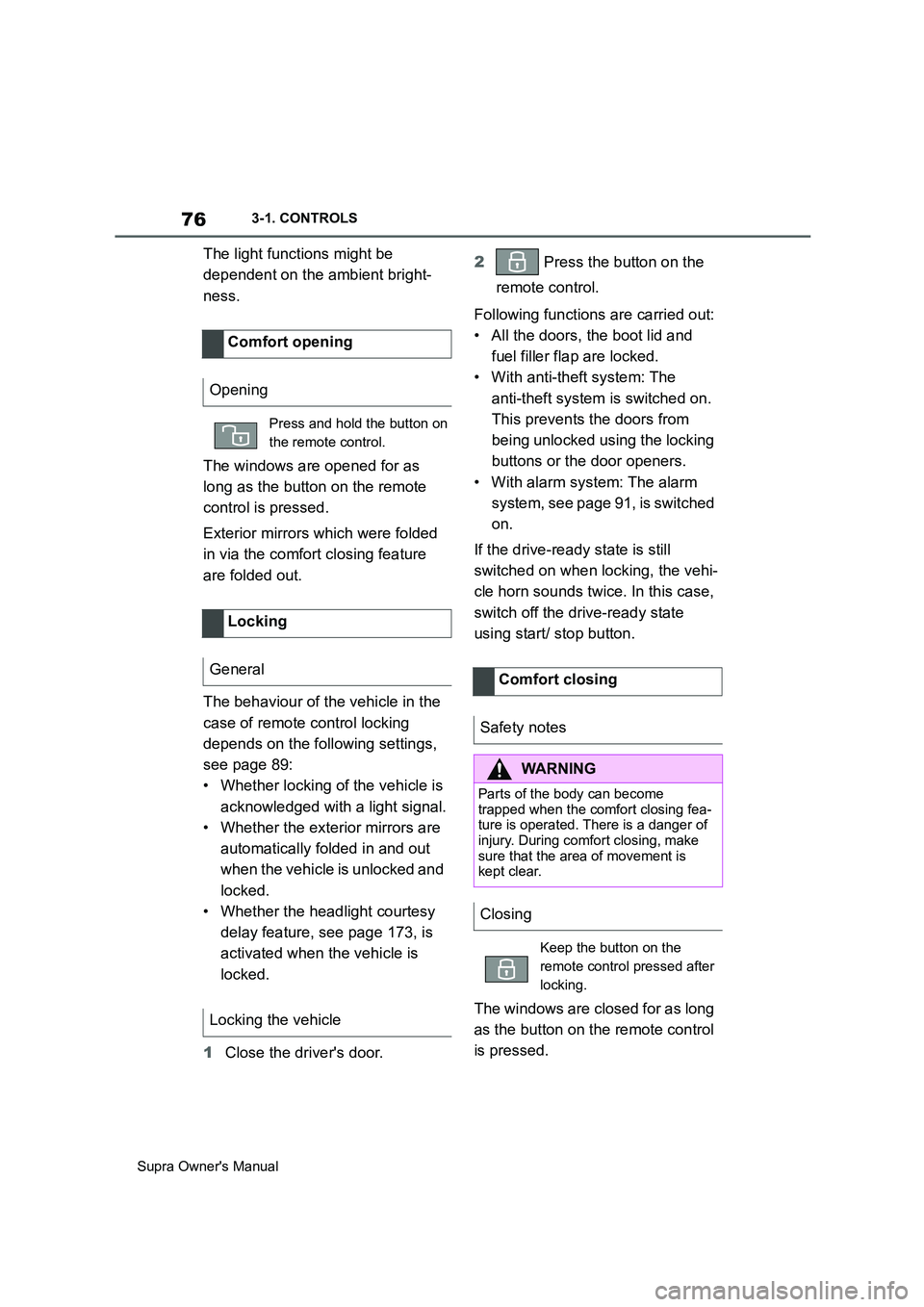
The windows are opened for as
long as the button on the remote
control is pressed.
Exterior mirrors which were folded
in via the comfort closing feature
are folded out.
The behaviour of the vehicle in the
case of remote control locking
depends on the following settings,
see page 89:
• Whether locking of the vehicle is
acknowledged with a light signal.
• Whether the exterior mirrors are
automatically folded in and out
when the vehicle is unlocked and
locked.
• Whether the headlight courtesy
delay feature, see page 173, is
activated when the vehicle is
locked.
1Close the driver's door.2 Press the button on the
remote control.
Following functions are carried out:
• All the doors, the boot lid and
fuel filler flap are locked.
• With anti-theft system: The
anti-theft system is switched on.
This prevents the doors from
being unlocked using the locking
buttons or the door openers.
• With alarm system: The alarm
system, see page 91, is switched
on.
If the drive-ready state is still
switched on when locking, the vehi-
cle horn sounds twice. In this case,
switch off the drive-ready state
using start/ stop button.
The windows are closed for as long
as the button on the remote control
is pressed. Comfort opening
Opening
Press and hold the button on
the remote control.
Locking
General
Locking the vehicle
Comfort closing
Safety notes
WARNING
Parts of the body can become
trapped when the comfort closing fea-
ture is operated. There is a danger of
injury. During comfort closing, make
sure that the area of movement is
kept clear.
Closing
Keep the button on the
remote control pressed after
locking.
Page 77 of 456
77
3
Supra Owner's Manual3-1. CONTROLS
CONTROLS
The exterior mirrors are folded in.
If the hazard warning lights are
switched on, the exterior mirrors
are not folded in.
The function is not available for the
first 10 seconds after locking.
• The interior light is switched on
unless it was switched off manu-
ally. Switching the interior light
on/off manually, see page 178.
• Depending on the settings, the
exterior lights, see page 173, are
switched on.
The light functions might be
dependent on the ambient bright-
ness.
To prevent the remote control from
being locked in, do not place the
remote control in the boot.
It is possible to set whether the
doors are unlocked when the boot
lid is opened with the remote con-
trol. For settings, see page 89.On some equipment versions, the
doors are also unlocked each time.
Setting the duration, see page 173.
1Remove the integrated key from
the remote control, see page 80.
2Place integrated key under the
battery compartment cover,
arrow 1, and pry off the cover Switching on the interior
light and exterior lights
With the vehicle locked,
press the button on the
remote control.
Boot lid
General
Safety notes
WARNING
Parts of the body can become
trapped when the boot lid is operated.
There is a danger of injury. When
opening and closing, make sure that
the area of movement of the boot lid
is kept clear.
NOTICE
The boot lid swings rearwards and
upwards when opened. There is a
danger of damage to property. When
opening and closing, make sure that
the area of movement of the boot lid
is kept clear.
Unlocking
Press and hold the button on
the remote control for approx-
imately 1 second.
Switching on the headlight
courtesy delay feature
Press and hold the button on
the remote control for approx-
imately 1 second.
Replacing the battery
Page 83 of 456
83
3
Supra Owner's Manual3-1. CONTROLS
CONTROLS
Safety notes
WARNING
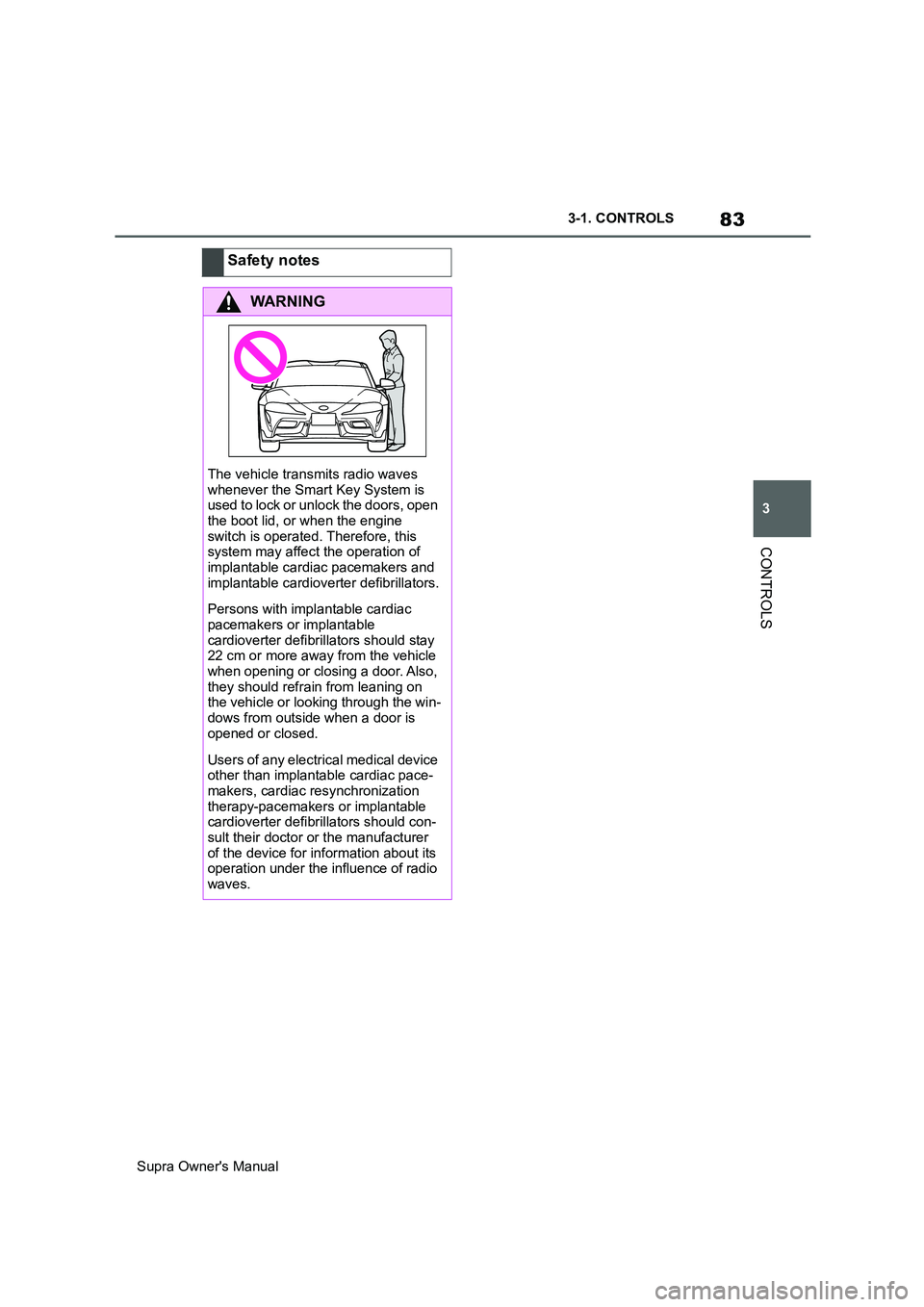
The vehicle transmits radio waves
whenever the Smart Key System is
used to lock or unlock the doors, open
the boot lid, or when the engine
switch is operated. Therefore, this
system may affect the operation of
implantable cardiac pacemakers and
implantable cardioverter defibrillators.
Persons with implantable cardiac
pacemakers or implantable
cardioverter defibrillators should stay
22 cm or more away from the vehicle
when opening or closing a door. Also,
they should refrain from leaning on
the vehicle or looking through the win-
dows from outside when a door is
opened or closed.
Users of any electrical medical device
other than implantable cardiac pace-
makers, cardiac resynchronization
therapy-pacemakers or implantable
cardioverter defibrillators should con-
sult their doctor or the manufacturer
of the device for information about its
operation under the influence of radio
waves.