belt TOYOTA SUPRA 2020 Owners Manual (in English)
[x] Cancel search | Manufacturer: TOYOTA, Model Year: 2020, Model line: SUPRA, Model: TOYOTA SUPRA 2020Pages: 360, PDF Size: 5.97 MB
Page 8 of 360
81-1. NOTES
Supra Owner's Manual
Maintenance system.
"Owner's Warranty Informa-
tion Booklet" or "Owner's
Manual Supplement".
If the vehicle is not maintained
according to these specifica-
tions, this could result in serious
damage to the vehicle. Such
damage is not covered by the
warranty.
Electronic control devices are
installed in the vehicle. Elec-
tronic control units process data
they receive from vehicle sen-
sors, self-generate or exchange
with each other. Some control
units are necessary for the vehi-
cle to function safely or provide
assistance during driving, for
instance driver assistance sys-
tems. Furthermore, control
devices facilitate comfort or info-
tainment functions.
Information about stored or
exchanged data can be
requested from the manufac-
turer of the vehicle, in a sepa-
rate booklet, for example.
Each vehicle is marked with a
unique vehicle identification
number. Depending on the country, the vehicle owner can
be identified with the vehicle
identification number, license
plate and corresponding authori-
ties. In addition, there are other
options to track data collected in
the vehicle to the driver or vehi-
cle owner, e.g. via the Toyota
Supra Connect account that is
used.
Control units process data to
operate the vehicle.
For example, this includes:
• Status messages for the vehi-
cle and its Customize compo-
nents, e.g., wheel rotational
speed, wheel speed, deceler-
ation, transverse acceleration,
engaged safety belt indicator.
• Ambient conditions, e.g., tem- perature, rain sensor signals.
The processed data is only pro-
cessed in the vehicle itself and
generally volatile. The data is
not stored beyond the operating
period.
Electronic components, e.g.
control units and ignition keys,
contain components for storing
technical information. Informa-
tion about the vehicle condition,
component usage, mainte-
nance requirements or faults
can be stored temporarily or
permanently.
Data memory
General information
Personal reference
Operating data in the vehi-
cle
Page 12 of 360
121-1. NOTES
Supra Owner's Manual
period of time, typically 30 sec-
onds or less.
The EDR in this vehicle is
designed to record such data
as:
• How various systems in your vehicle were operating.
• Whether or not the driver and passenger safety belts were
fastened.
• How far, if at all, the driver was depressing the accelera-
tor and/or brake pedal.
• How fast the vehicle was trav- eling.
This data can help provide a
better understanding of the cir-
cumstances in which crashes
and injuries occur.
EDR data is recorded by your
vehicle only if a nontrivial crash
situation occurs; no data is
recorded by the EDR under nor-
mal driving conditions and no
personal data, for instance
name, gender, age, and crash
location, are recorded.
However, other parties, such as
law enforcement, could combine
the EDR data with the type of
personally identifying data rou-
tinely acquired during a crash
investigation.
To read data recorded by an
EDR, special equipment is
required, and access to the
vehicle or the EDR is needed. In
addition to the vehicle manufac-
turer, other parties, such as law enforcement, that have the spe-
cial equipment, can read the
information if they have access
to the vehicle or the EDR.
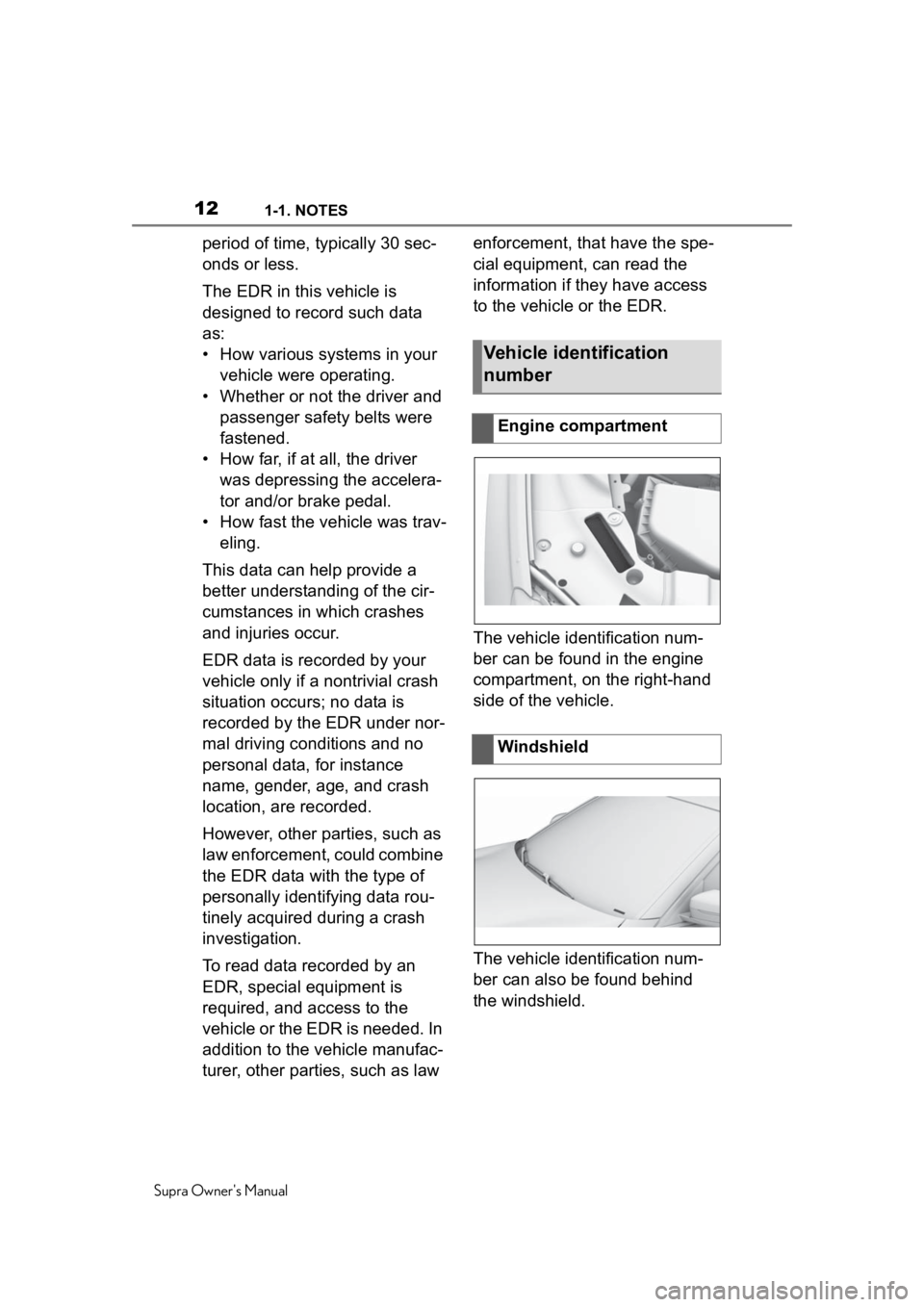
The vehicle identification num-
ber can be found in the engine
compartment, on the right-hand
side of the vehicle.
The vehicle identification num-
ber can also be found behind
the windshield.
Vehicle identification
number
Engine compartment
Windshield
Page 27 of 360
272-1. QUICK REFERENCE
Supra Owner's Manual
2
QUICK REFERENCE
1 Engage selector lever posi-
tion P with the vehicle
stopped.
2 Press the Start/Stop button.
The engine is switched off.
3Set the parking brake.
The Auto Start/Stop function
switches the engine off automat-
ically while stationary to save
fuel. The engine starts automati-
cally under the following precon-
ditions:
• By releasing the brake pedal. The LED and indicator light go
out.
The parking brake is released.
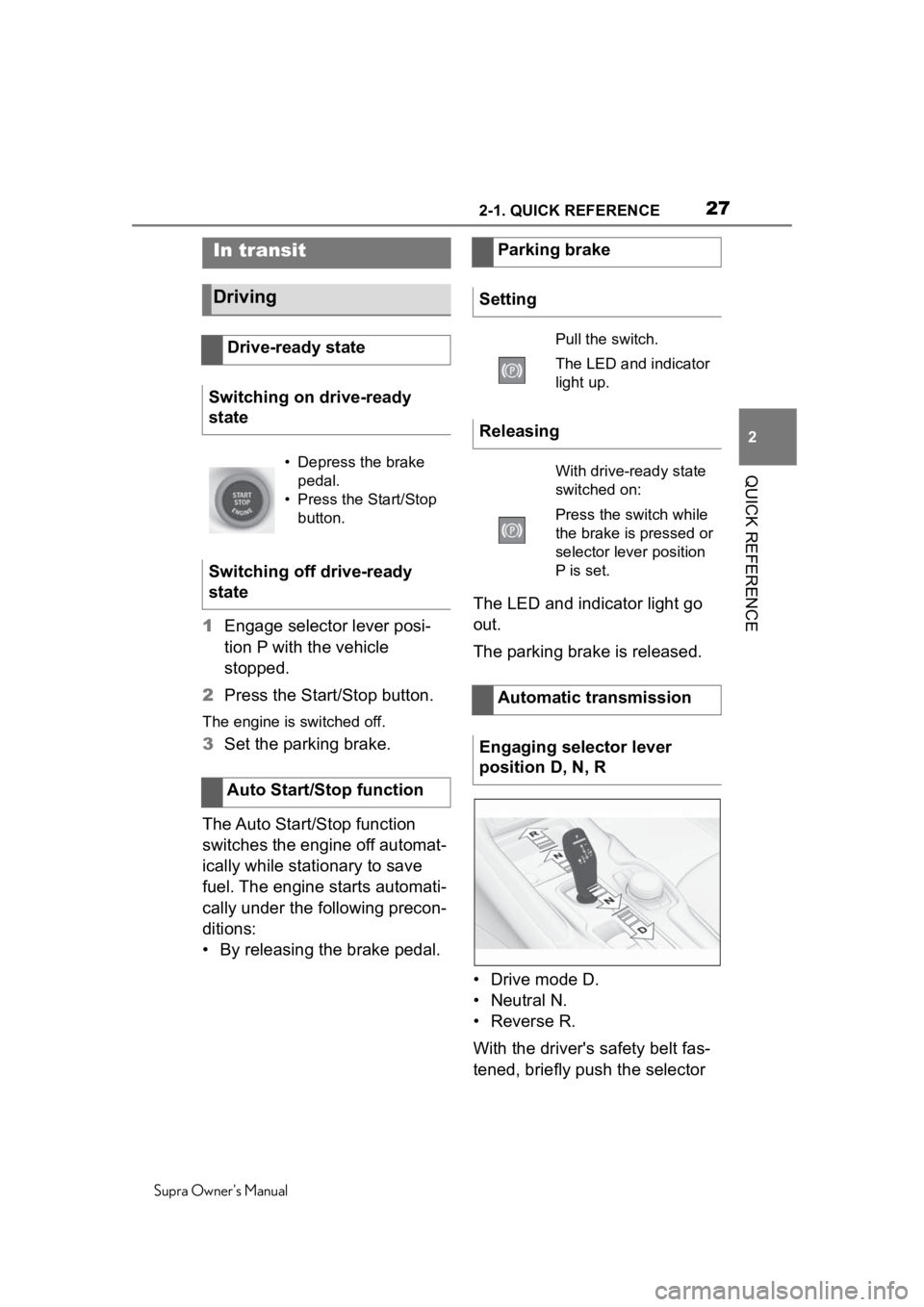
• Drive mode D.
• Neutral N.
•Reverse R.
With the driver's safety belt fas-
tened, briefly push the selector
In transit
Driving
Drive-ready state
Switching on drive-ready
state
• Depress the brake pedal.
• Press the Start/Stop button.
Switching off drive-ready
state
Auto Start/Stop function
Parking brake
Setting
Pull the switch.
The LED and indicator
light up.
Releasing
With drive-ready state
switched on:
Press the switch while
the brake is pressed or
selector lever position
P is set.
Automatic transmission
Engaging selector lever
position D, N, R
Page 96 of 360
964-1. CONTROLS
Supra Owner's Manual
In case of danger from the out-
side or if ice might prevent nor-
mal closing, proceed as follows:
1 Pull the switch past the
resistance point and hold it
there.
The window closes with limited jam
protection. If the closing force
exceeds a specific t hreshold, clos-
ing is interrupted.
2 Pull the switch past the
resistance point again within
approx. 4 seconds and hold it
there.
The window closes without jam pro-
tection.
This chapter describes all stan-
dard, country-specific and
optional features offered with
the series. It also describes fea-
tures and functions that are not
necessarily available in your
vehicle, e.g., due to the selected
options or country versions. This
also applies to safety-related
functions and systems. When
using these functions and sys-
tems, the applicable laws and
regulations must be observed.
An ideal seating position that
meets the needs of the occu-
pants can make a vital contribu-
tion to relaxed, fatigue-free
driving.
In the event of an accident, the
correct seating position plays an
important role. Follow the infor-
mation in the following chapters:
• Seats, refer to page 97.
• Safety belts, refer to page 100.
• Head restraints, refer to page 104.
• Airbags, refer to page 160.
Closing without the jam pro-
tection system
Seats, mirrors, and
steering wheel
Vehicle features and
options
Sitting safely
Page 97 of 360
974-1. CONTROLS
Supra Owner's Manual
4
CONTROLS
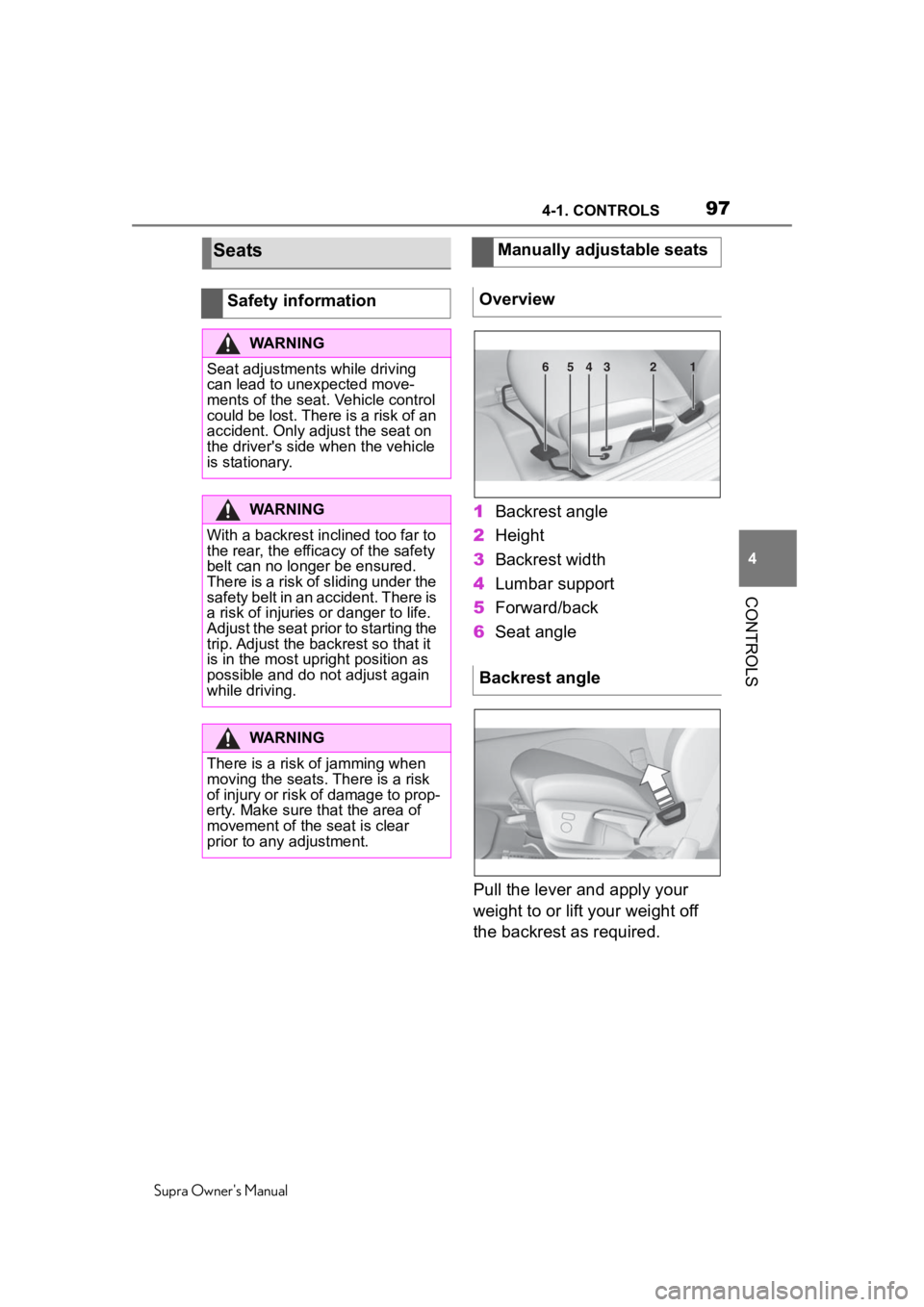
1 Backrest angle
2 Height
3 Backrest width
4 Lumbar support
5 Forward/back
6 Seat angle
Pull the lever and apply your
weight to or lift your weight off
the backrest as required.
Seats
Safety information
WARNING
Seat adjustments while driving
can lead to unexpected move-
ments of the seat. Vehicle control
could be lost. There is a risk of an
accident. Only adjust the seat on
the driver's side when the vehicle
is stationary.
WARNING
With a backrest inclined too far to
the rear, the efficacy of the safety
belt can no longer be ensured.
There is a risk of sliding under the
safety belt in an accident. There is
a risk of injuries or danger to life.
Adjust the seat prior to starting the
trip. Adjust the backrest so that it
is in the most upright position as
possible and do not adjust again
while driving.
WARNING
There is a risk of jamming when
moving the seats. There is a risk
of injury or risk of damage to prop-
erty. Make sure that the area of
movement of the seat is clear
prior to any adjustment.
Manually adjustable seats
Overview
Backrest angle
654321
Page 100 of 360
1004-1. CONTROLS
Supra Owner's Manual
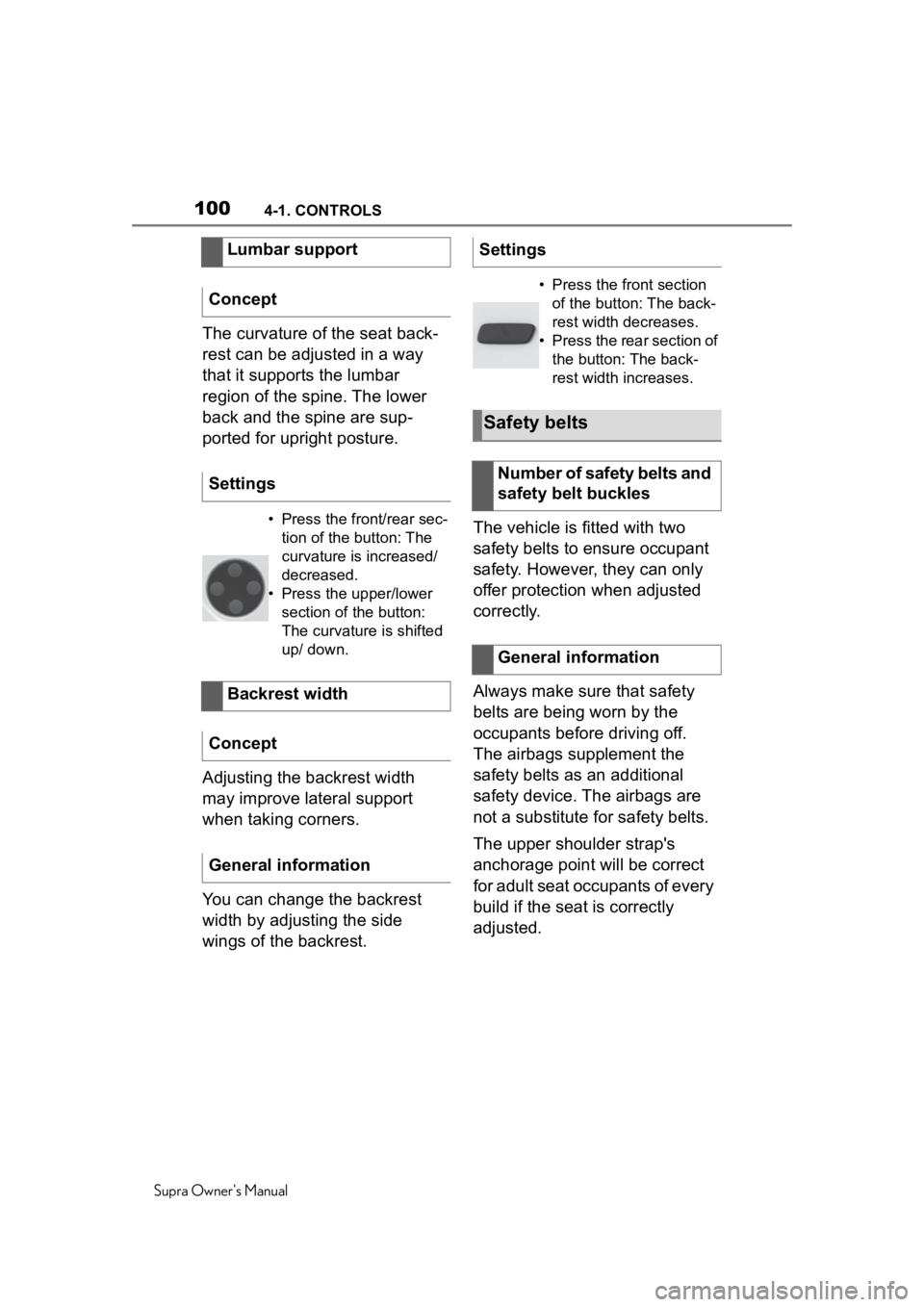
The curvature of the seat back-
rest can be adjusted in a way
that it supports the lumbar
region of the spine. The lower
back and the spine are sup-
ported for upright posture.
Adjusting the backrest width
may improve lateral support
when taking corners.
You can change the backrest
width by adjusting the side
wings of the backrest.The vehicle is fitted with two
safety belts to ensure occupant
safety. However, they can only
offer protection when adjusted
correctly.
Always make sure that safety
belts are being worn by the
occupants before driving off.
The airbags supplement the
safety belts as an additional
safety device. The airbags are
not a substitute for safety belts.
The upper shoulder strap's
anchorage point will be correct
for adult seat occupants of every
build if the seat is correctly
adjusted.
Lumbar support
Concept
Settings
• Press the front/rear sec- tion of the button: The
curvature is increased/
decreased.
• Press the upper/lower section of the button:
The curvature is shifted
up/ down.
Backrest width
Concept
General information
Settings
• Press the front section of the button: The back-
rest width decreases.
• Press the rear section of the button: The back-
rest width increases.
Safety belts
Number of safety belts and
safety belt buckles
General information
Page 101 of 360
1014-1. CONTROLS
Supra Owner's Manual
4
CONTROLS
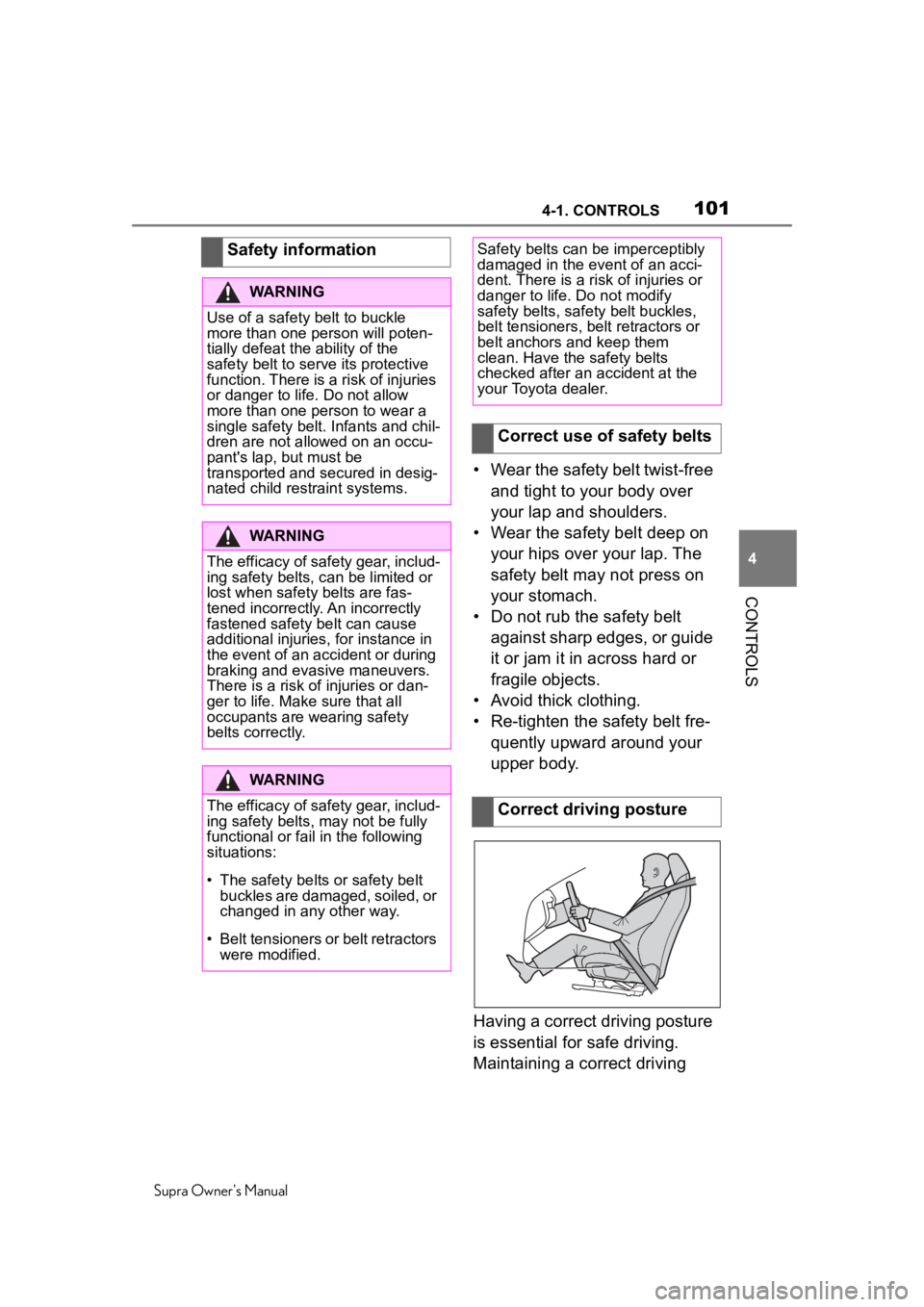
• Wear the safety belt twist-free and tight to your body over
your lap and shoulders.
• Wear the safety belt deep on your hips over your lap. The
safety belt may not press on
your stomach.
• Do not rub the safety belt against sharp edges, or guide
it or jam it in across hard or
fragile objects.
• Avoid thick clothing.
• Re-tighten the safety belt fre- quently upward around your
upper body.
Having a correct driving posture
is essential for safe driving.
Maintaining a correct driving
Safety information
WARNING
Use of a safety belt to buckle
more than one person will poten-
tially defeat the ability of the
safety belt to serve its protective
function. There is a risk of injuries
or danger to life. Do not allow
more than one person to wear a
single safety belt. Infants and chil-
dren are not allowed on an occu-
pant's lap, but must be
transported and secured in desig-
nated child restraint systems.
WARNING
The efficacy of safety gear, includ-
ing safety belts, c
an be limited or
lost when safety belts are fas-
tened incorrectly. An incorrectly
fastened safety belt can cause
additional injuries, for instance in
the event of an accident or during
braking and evasive maneuvers.
There is a risk o f injuries or dan-
ger to life. Make sure that all
occupants are wearing safety
belts correctly.
WARNING
The efficacy of safety gear, includ-
ing safety belts, may not be fully
functional or fail in the following
situations:
Page 102 of 360
1024-1. CONTROLS
Supra Owner's Manual
posture not only helps reduce
fatigue while driving, but helps
ensure that the occupant protec-
tion devices, such as the seat
belts and airbags, will operate
correctly in a collision, reducing
the impact to the occupants.The most basic occupant pro-
tection device is the seat belt.
The airbags are designed to
supplement the seat belts, not
be used in place of them. Wear-
ing the seat belt correctly
ensures that the occupants are
securely held in the seats and
helps prevent them from con-
tacting interior parts or being
thrown from the vehicle in a col-
lision. Therefore, it is necessary
for all occupants to wear their
seat belt. If a seat belt is worn
improperly, its effectiveness as
an occupant protection device
will be severely reduced. Pay
attention to the following to
ensure the correct driving pos-
ture and use of the seat belts.
Correct use of the seat
belts
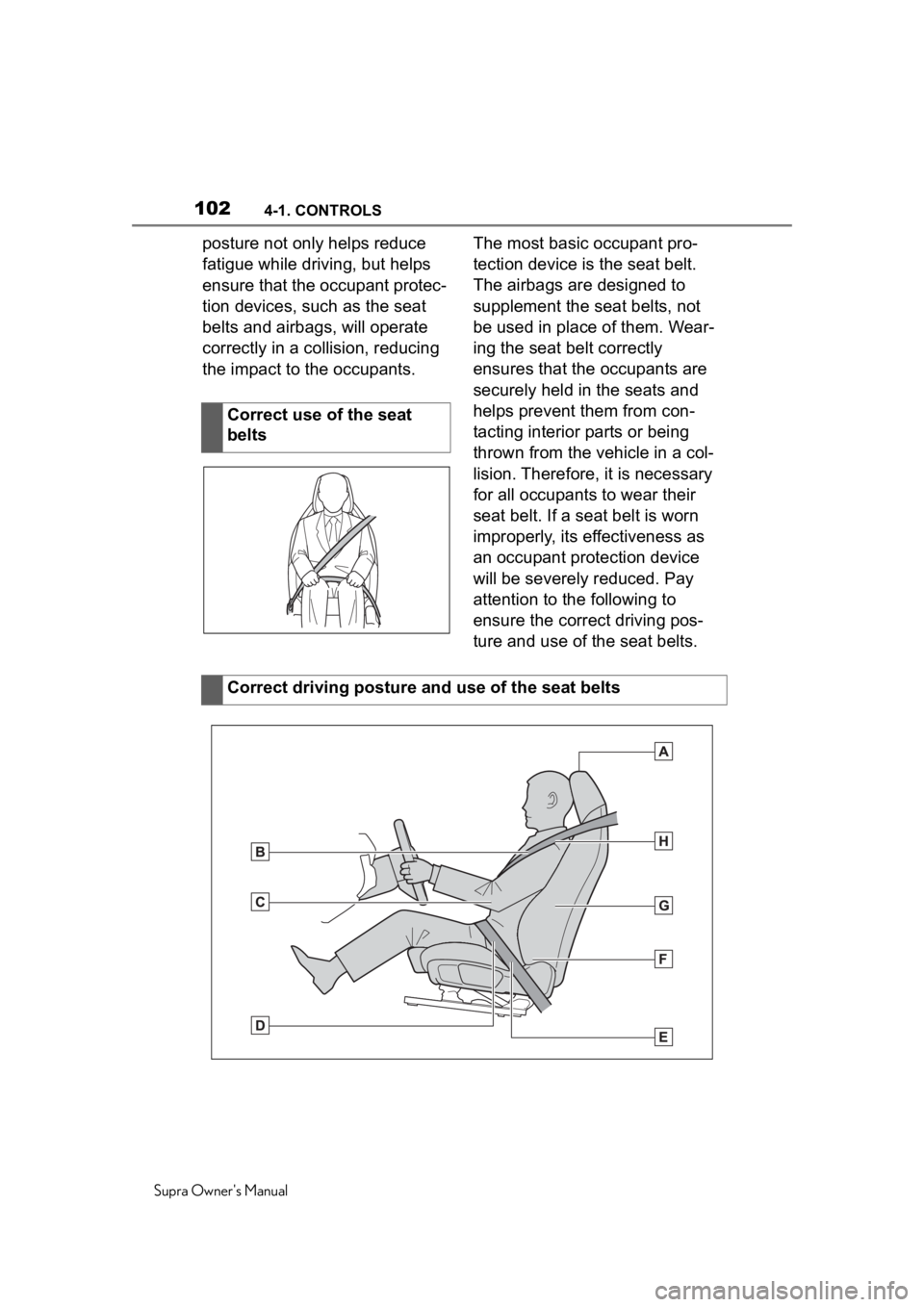
Correct driving posture and use of the seat belts
Page 103 of 360
1034-1. CONTROLS
Supra Owner's Manual
4
CONTROLS
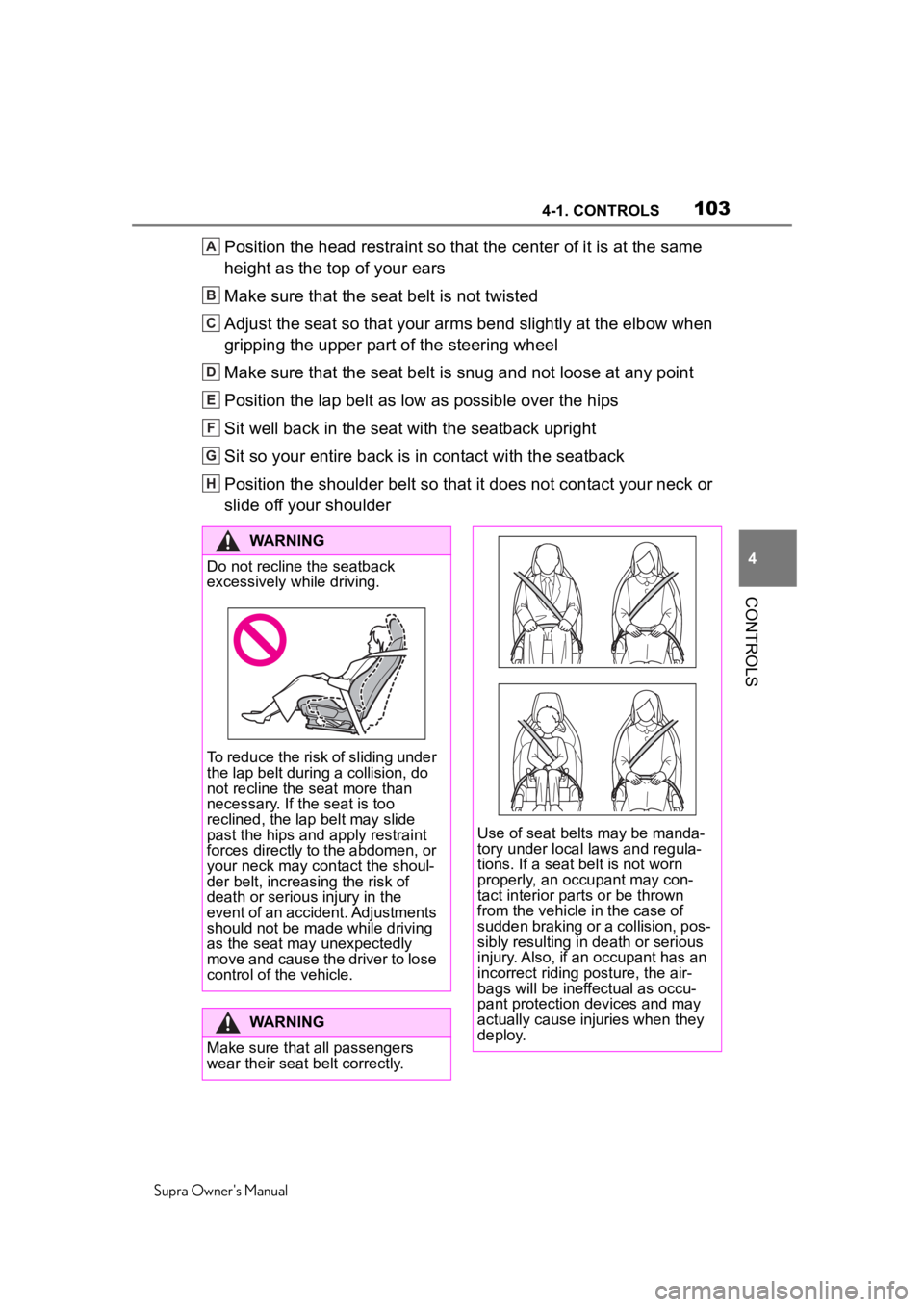
Position the head restraint so that the center of it is at the same
height as the top of your ears
Make sure that the seat belt is not twisted
Adjust the seat so that your arms bend slightly at the elbow when
gripping the upper part of the steering wheel
Make sure that the seat belt is snug and not loose at any point
Position the lap belt as low as possible over the hips
Sit well back in the seat with the seatback upright
Sit so your entire back is in contact with the seatback
Position the shoulder belt so that it does not contact your nec k or
slide off your shoulderA
B
C
D
E
F
G
H
WARNING
Do not recline the seatback
excessively while driving.
To reduce the risk of sliding under
the lap belt during a collision, do
not recline the seat more than
necessary. If the seat is too
reclined, the lap belt may slide
past the hips and apply restraint
forces directly to the abdomen, or
your neck may contact the shoul-
der belt, increasing the risk of
death or serious injury in the
event of an accident. Adjustments
should not be made while driving
as the seat may unexpectedly
move and cause the driver to lose
control of the vehicle.
WARNING
Make sure that all passengers
wear their seat belt correctly.
Use of seat belts may be manda-
tory under local laws and regula-
tions. If a seat belt is not worn
properly, an occupant may con-
tact interior parts or be thrown
from the vehicle in the case of
sudden braking or a collision, pos-
sibly resulting in death or serious
injury. Also, if an occupant has an
incorrect riding posture, the air-
bags will be ineffectual as occu-
pant protection devices and may
actually cause injuries when they
deploy.
Page 104 of 360
1044-1. CONTROLS
Supra Owner's Manual
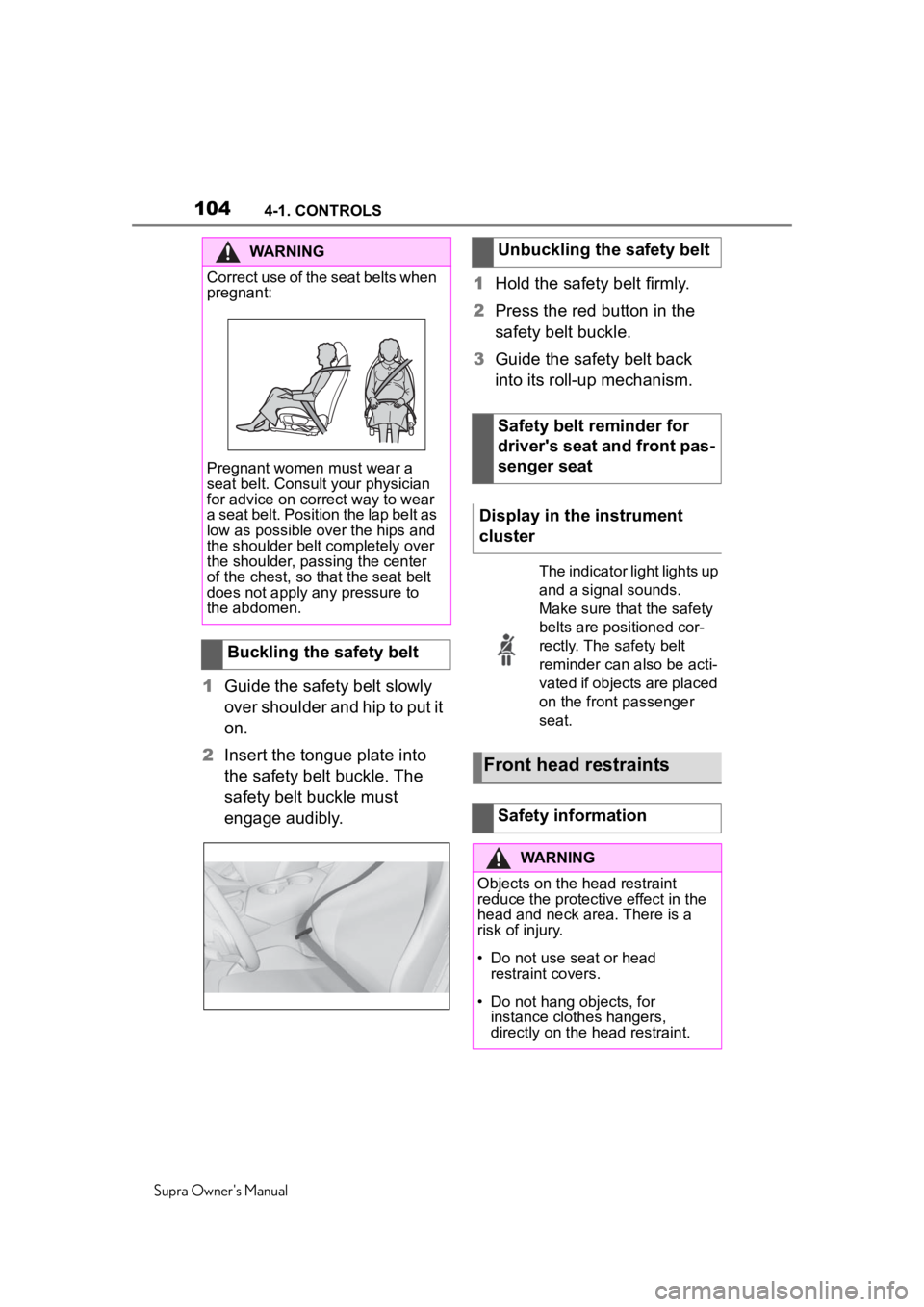
1Guide the safety belt slowly
over shoulder and hip to put it
on.
2 Insert the tongue plate into
the safety belt buckle. The
safety belt buckle must
engage audibly. 1
Hold the safety belt firmly.
2 Press the red button in the
safety belt buckle.
3 Guide the safety belt back
into its roll-up mechanism.
WARNING
Correct use of the seat belts when
pregnant:
Pregnant women must wear a
seat belt. Consult your physician
for advice on correct way to wear
a seat belt. Position the lap belt as
low as possible over the hips and
the shoulder belt completely over
the shoulder, passing the center
of the chest, so tha t the seat belt
does not apply any pressure to
the abdomen.
Buckling the safety belt
Unbuckling the safety belt
Safety belt reminder for
driver's seat and front pas-
senger seat
Display in the instrument
cluster
The indicator light lights up
and a signal sounds.
Make sure that the safety
belts are positioned cor-
rectly. The safety belt
reminder can also be acti-
vated if objects are placed
on the front passenger
seat.
Front head restraints
Safety information
WARNING
Objects on the head restraint
reduce the protecti ve effect in the
head and neck area. There is a
risk of injury.
• Do not use seat or head
restraint covers.
• Do not hang objects, for instance clothes hangers,
directly on the head restraint.