tow TOYOTA SUPRA 2021 Owners Manual (in English)
[x] Cancel search | Manufacturer: TOYOTA, Model Year: 2021, Model line: SUPRA, Model: TOYOTA SUPRA 2021Pages: 360, PDF Size: 10.41 MB
Page 16 of 360
162-1. QUICK REFERENCE
Supra Owner's Manual_U (from Jul. '20 Prod.)
2-1.QUICK REFERENCE
Before starting the engine, per-
form the necessary routine vehi-
cle checks. It is the owner’s
responsibility to perform routine
vehicle checks and any legally
necessary yearly inspections,
according to any local laws and
regulations. For details about
inspection procedures, refer to
the Service Book (Maintenance
Guide).
Entering
Before driving
Vehicle inspection
WA R N I N G
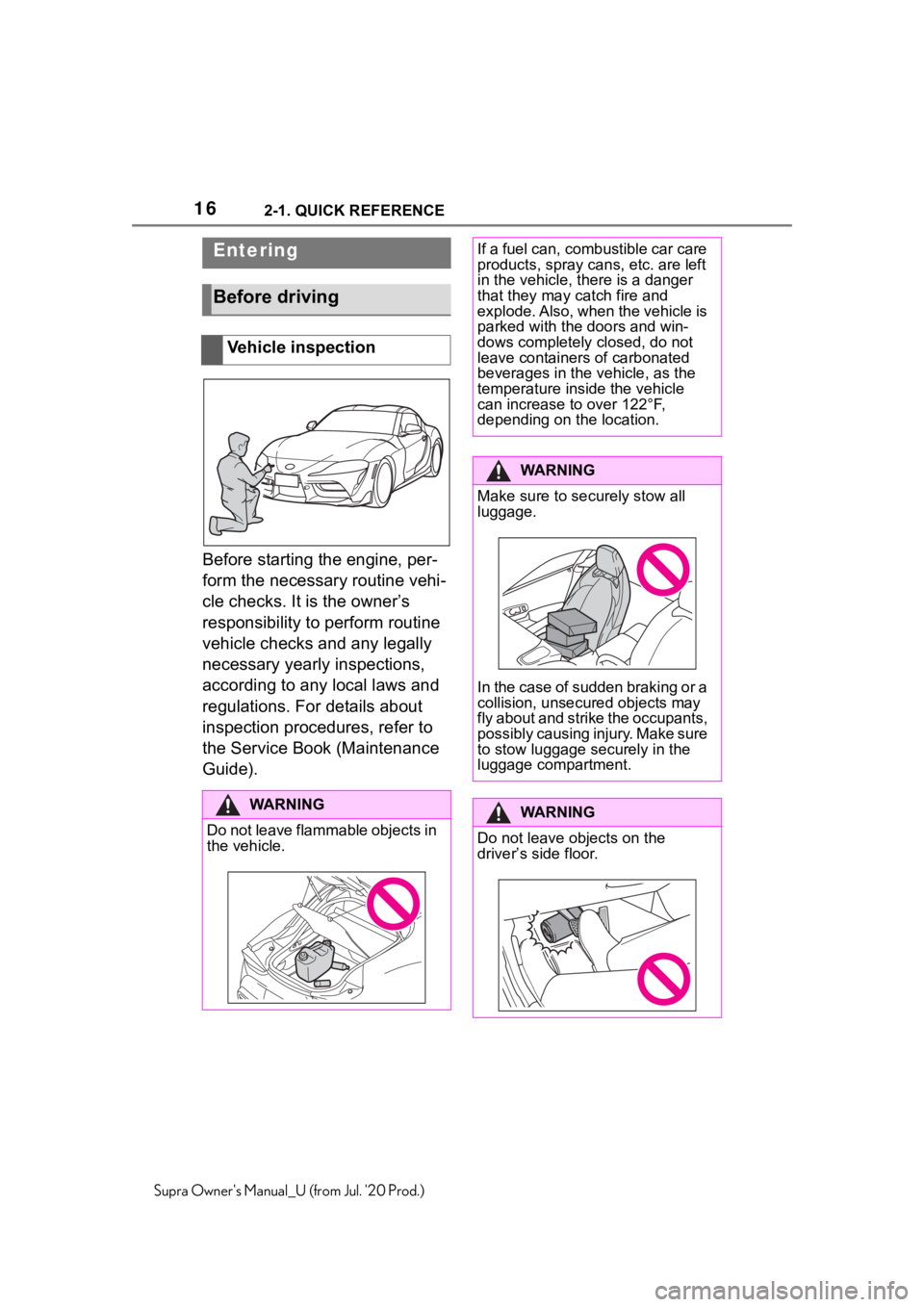
Do not leave flammable objects in
the vehicle.
If a fuel can, combustible car care
products, spray cans, etc. are left
in the vehicle, there is a danger
that they may catch fire and
explode. Also, when the vehicle is
parked with the doors and win-
dows completely closed, do not
leave containers of carbonated
beverages in the vehicle, as the
temperature inside the vehicle
can increase to over 122°F,
depending on the location.
WA R N I N G
Make sure to securely stow all
luggage.
In the case of sudden braking or a
collision, unsecured objects may
fly about and strike the occupants,
possibly causing injury. Make sure
to stow luggage securely in the
luggage compartment.
WA R N I N G
Do not leave objects on the
driver
Page 30 of 360
302-1. QUICK REFERENCE
Supra Owner's Manual_U (from Jul. '20 Prod.)
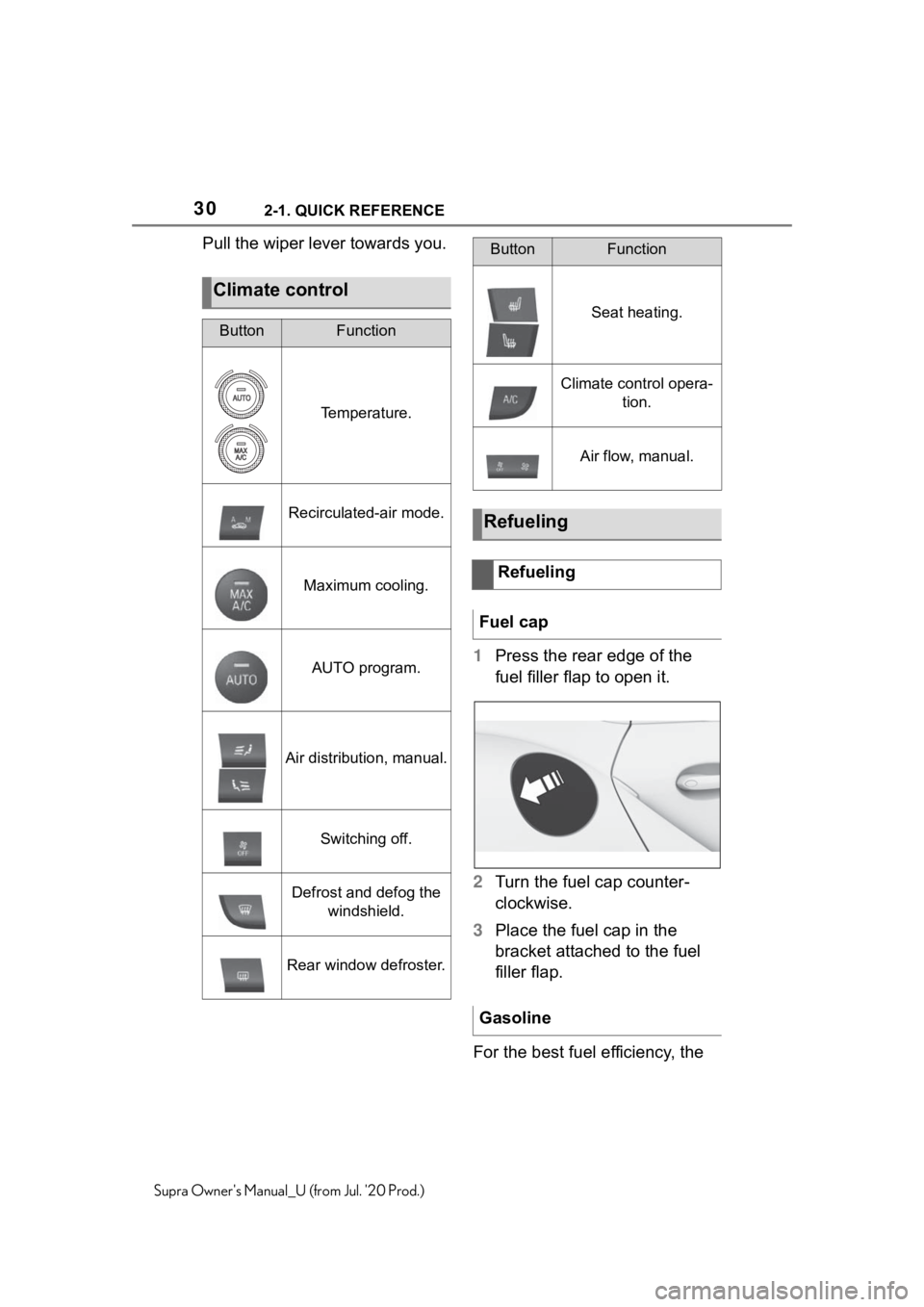
Pull the wiper lever towards you.1Press the rear edge of the
fuel filler flap to open it.
2 Turn the fuel cap counter-
clockwise.
3 Place the fuel cap in the
bracket attached to the fuel
filler flap.
For the best fuel efficiency, the
Climate control
ButtonFunction
Temperature.
Recirculated-air mode.
Maximum cooling.
AUTO program.
Air distribution, manual.
Switching off.
Defrost and defog the windshield.
Rear window defroster.
Seat heating.
Climate control opera- tion.
Air flow, manual.
Refueling
Refueling
Fuel cap
Gasoline
ButtonFunction
Page 79 of 360
793-1. CONTROLS
3
CONTROLS
Supra Owner's Manual_U (from Jul. '20 Prod.)
4Insert a type CR 2032 battery
with the positive side facing
up.
5 Press the cover closed.
6 Push the integrated key into
the vehicle key until the inte-
grated key engages.
Additional remote controls are
available from your Toyota
dealer.
A lost remote control can be
blocked and replaced by your
Toyota dealer.
If the lost remote control has an
assigned driver profile, refer to
page 62, the connection to this
remote control must be deleted.
A new remote control can then
be assigned to the driver profile.
A vehicle message, refer to
page 131, is displayed.
Remote control detection by the
vehicle may malfunction under the following circumstances:
• The battery of the vehicle key
is discharged. For replacing
the battery, refer to page 78.
• Interference of the radio con- nection from transmission
towers or other equipment
with high transmitting power.
• Shielding of the remote con- trol due to metal objects.
Do not transport the remote control
together with metal objects.
• Interference of the radio con-nection from mobile phones
or other electronic devices in
direct proximity to the remote
control.
Do not transport the remote control
together with electronic devices.
• Interference of radio transmis-sion by a charging process of
mobile devices, for instance
charging of a mobile phone.
• The remote control is in direct proximity of the wireless
charging tray.
Place the remote control down at a
different location.
In the case of interference, the
vehicle can be unlocked and
locked from the outside with the
integrated key, refer to page 80.
Have old batteries dis-
posed of by your Toyota
dealer or take them to a
collection point.
Additional remote controls
Loss of the remote con-
trols
Malfunction
General information
Page 89 of 360
893-1. CONTROLS
3
CONTROLS
Supra Owner's Manual_U (from Jul. '20 Prod.)
2"Vehicle settings"
3 "Doors/Key"
4 "Turn off after door opening"
Opening the front doors establishes
the idle state, refer to page 40.
When the vehicle is locked, the
vehicle alarm system reacts to
the following changes:
• Opening a door, the hood or
the trunk lid.
• Movements in the car's inte- rior.
• Changes in the vehicle tilt, e. g., during attempts at stealing
a wheel or when towing the
vehicle.
• Disconnected battery voltage.
• Improper use of the socket for OBD Onboard Diagnosis.
• Locking the vehicle while a device is connected to the
socket for the OBD Onboard-
Diagnosis. For socket for the
OBD Onboard Diagnosis,
refer to page 302.
The alarm system signals the
following changes visually and
acoustically:
• Acoustic alarm: Depending on local regulations, the acoustic
alarm may be suppressed.
• Visual alarm: By flashing of the hazard warning system
and headlights, where required.
Do not modify the system to
ensure function of the alarm
system.
When you unlock and lock the
vehicle, either with the remote
control or with Comfort entry, the
alarm system is switched off and
on at the same time.
The alarm system is triggered
when a door is opened if the
door was unlocked using the
integrated key in the door lock.
Switching off the alarm, refer to
page 91.
The trunk lid can be opened
even when the alarm system is
switched on.
After the trunk lid is closed, it is
locked and monitored again pro-
vided the doors are locked. The
hazard warning system flashes
once.
You can trigger the alarm sys-
Alarm system
General information
Switching on/off
Opening the doors with
the alarm system switched
on
Opening the trunk lid with
the alarm system switched
on
Panic mode
Page 90 of 360
903-1. CONTROLS
Supra Owner's Manual_U (from Jul. '20 Prod.)
tem if you find yourself in a dan-
gerous situation.
To switch off the alarm: press
any button.
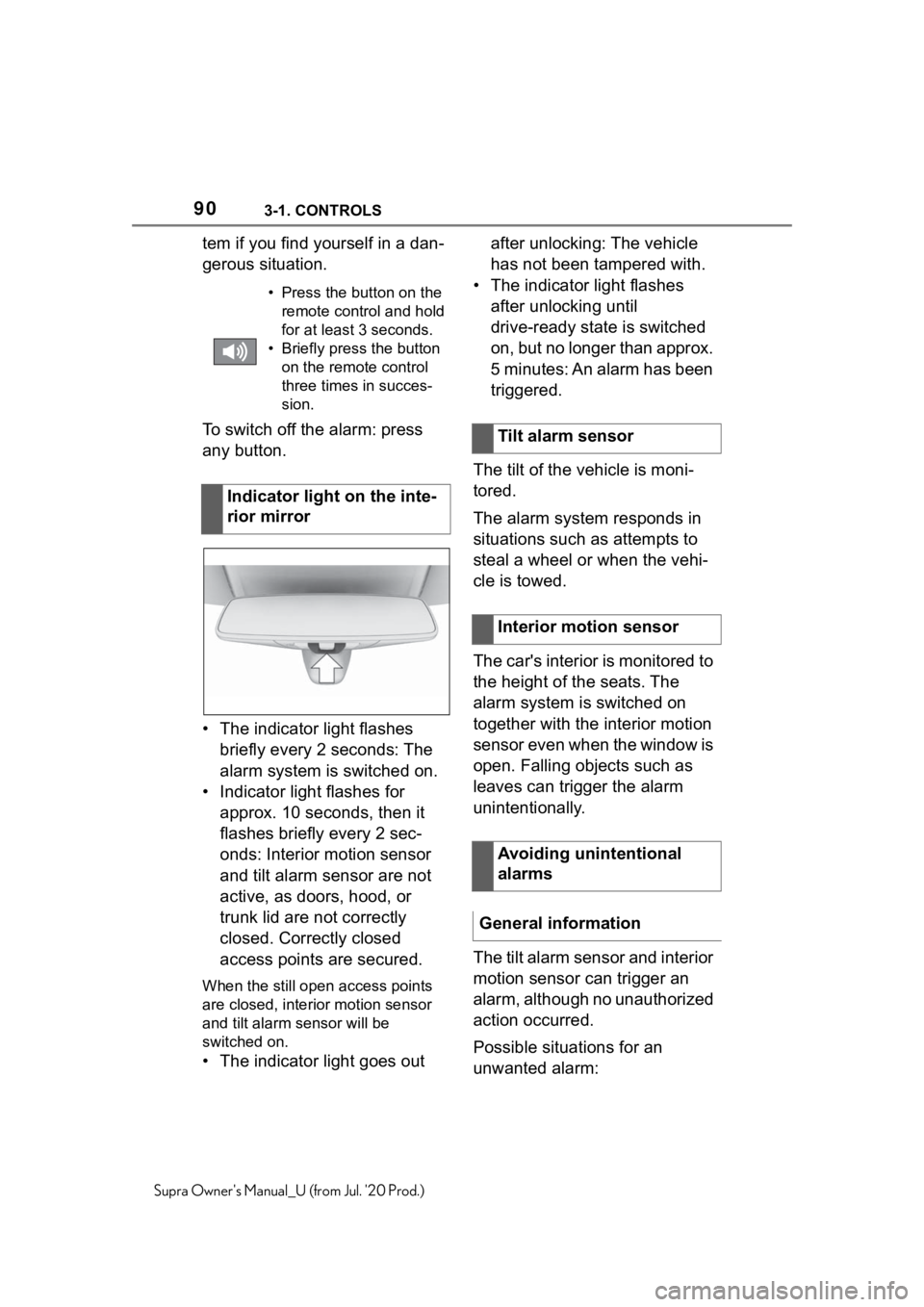
• The indicator light flashes briefly every 2 seconds: The
alarm system is switched on.
• Indicator light flashes for approx. 10 seconds, then it
flashes briefly every 2 sec-
onds: Interior motion sensor
and tilt alarm sensor are not
active, as doors, hood, or
trunk lid are not correctly
closed. Correctly closed
access points are secured.
When the still open access points
are closed, interior motion sensor
and tilt alarm sensor will be
switched on.
• The indicator light goes out after unlocking: The vehicle
has not been tampered with.
• The indicator light flashes after unlocking until
drive-ready state is switched
on, but no longer than approx.
5 minutes: An alarm has been
triggered.
The tilt of the vehicle is moni-
tored.
The alarm system responds in
situations such as attempts to
steal a wheel or when the vehi-
cle is towed.
The car's interior is monitored to
the height of the seats. The
alarm system is switched on
together with the interior motion
sensor even when the window is
open. Falling objects such as
leaves can trigger the alarm
unintentionally.
The tilt alarm sensor and interior
motion sensor can trigger an
alarm, although no unauthorized
action occurred.
Possible situations for an
unwanted alarm:
• Press the button on the remote control and hold
for at least 3 seconds.
• Briefly press the button on the remote control
three times in succes-
sion.
Indicator light on the inte-
rior mirror
Tilt alarm sensor
Interior motion sensor
Avoiding unintentional
alarms
General information
Page 127 of 360
1273-1. CONTROLS
3
CONTROLS
Supra Owner's Manual_U (from Jul. '20 Prod.)
Shifting up: pull the right shift
paddle.
Shifting down: pull left shift
paddle.
Downshifting to the lowest
possible gear: keep the left
shift paddle pulled.
The selected gear is briefly dis-
played in the instrument cluster,
followed by the current gear.
Electronically unlock the trans-
mission lock to maneuver vehi-
cle from a danger area.
Unlocking is possible, if the
starter can spin the engine.
Before unlocking the transmis-
sion lock, set the parking brake
to prevent the vehicle from roll-
ing away. 1
Press and hold down brake
pedal.
2 Press the Start/Stop button.
The starter must audibly
start. Hold the Start/Stop but-
ton pressed.
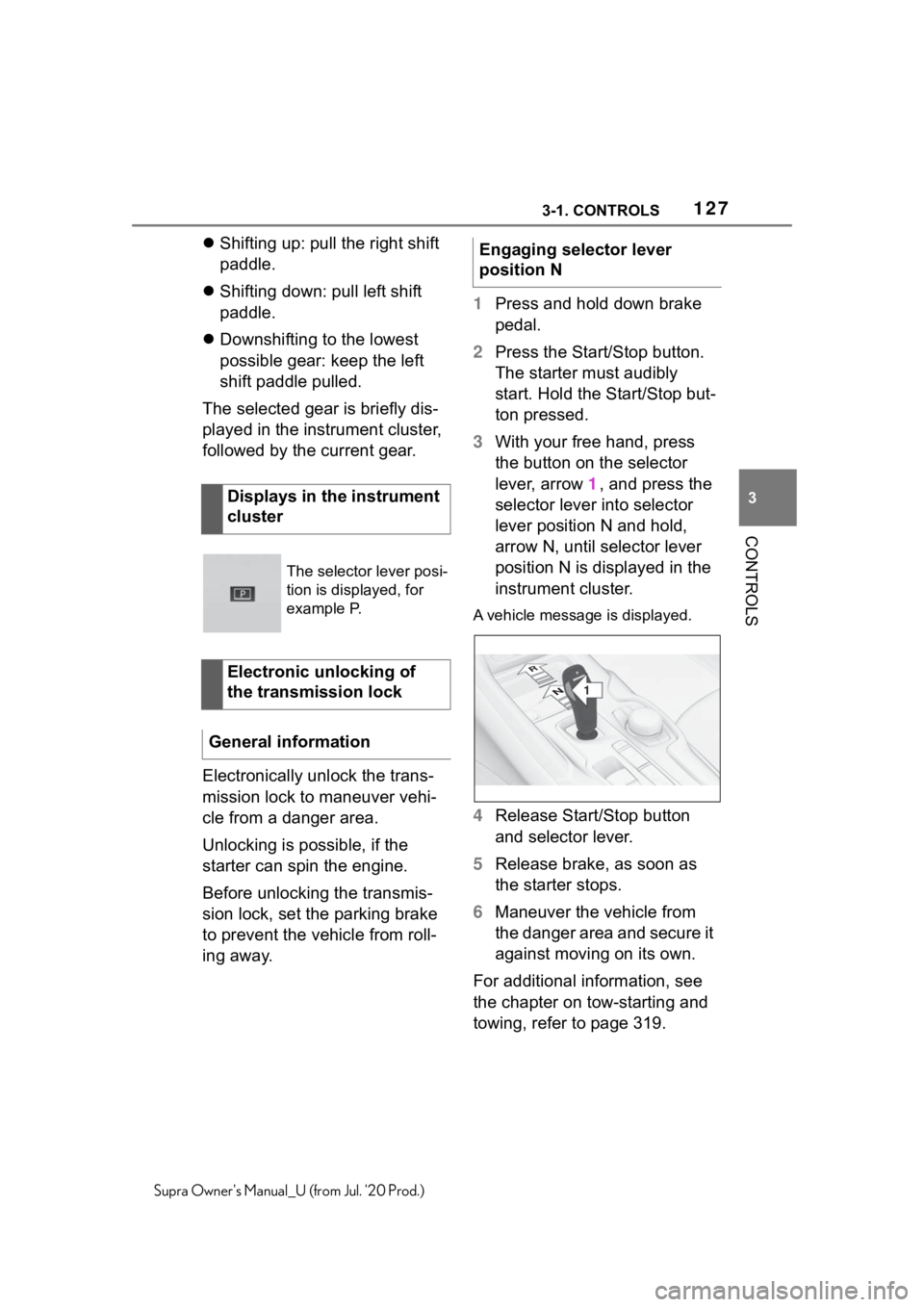
3 With your free hand, press
the button on the selector
lever, arrow 1, and press the
selector lever into selector
lever position N and hold,
arrow N, until selector lever
position N is displayed in the
instrument cluster.
A vehicle messag e is displayed.
4Release Start/Stop button
and selector lever.
5 Release brake, as soon as
the starter stops.
6 Maneuver the vehicle from
the danger area and secure it
against moving on its own.
For additional information, see
the chapter on tow-starting and
towing, refer to page 319.
Displays in the instrument
cluster
The selector lever posi-
tion is displayed, for
example P.
Electronic unlocking of
the transmission lock
General information
Engaging selector lever
position N
1
R
N
Page 142 of 360
1423-1. CONTROLS
Supra Owner's Manual_U (from Jul. '20 Prod.)
ing of the Speed Limit Info
display in the instrument clus-
ter and Head-up Display
when the currently valid
speed limit is exceeded.
"Excess speed display": the
speed limit that is detected by
the Speed Limit Info is dis-
played with a marking in the
speedometer in the instru-
ment cluster.
The system may not be fully
functional and may provide
incorrect information in the fol-
lowing situations:
In heavy fog, wet conditions,
or snowfall.
When signs are fully or par-
tially concealed by objects,
stickers or paint.
When driving very close to the
vehicle in front of you.
When driving toward bright
lights or strong reflections.
When the windshield in front
of the interior mirror is fogged
over, dirty or covered by a
sticker, etc.
If the camera has overheated
and been temporarily
switched off due to exces-
sively high temperatures.
In the event of incorrect
detection by the camera.
If the speed limits or road data stored in the navigation sys-
tem are incorrect.
If the speed limits vary with
the time of day and the day of
the week.
In areas not covered by the
navigation system.
When roads differ from the
navigation, such as due to
changes in road routing.
In case of electronic traffic
signs.
When passing buses or trucks
with traffic signs applied to
them.
If the traffic signs are
non-conforming.
When signs that are valid for
a parallel road are detected.
In the presence of coun-
try-specific signs and road
configurations.
During calibration of the cam-
era immediately after vehicle
delivery.
The display can be operated
when necessary.
Entertainment source.
Current audio source.
List of most recent telephone
calls.
System limits
Selection lists
Concept
Page 154 of 360
1543-1. CONTROLS
Supra Owner's Manual_U (from Jul. '20 Prod.)
4"Daytime running lamps"
The setting is stored for the
driver profile currently used.
The Automatic high-beam
detects other traffic participants
early on and automatically
switches the high beams on or
off depending on the traffic situ-
ation.
The Automatic high-beam
ensures that the high beams are
switched on, whenever the traf-
fic situation allows. In the low
speed range, the high beams
are not switched on by the sys-
tem.
The system responds to light
from oncoming traffic and traffic
driving ahead of you, and to
ambient lighting, for instance in
towns and cities.
The high beams can be
switched on and off manually at
any time.
1 Press the button on the
light switch element.
The LED in the button lights up.
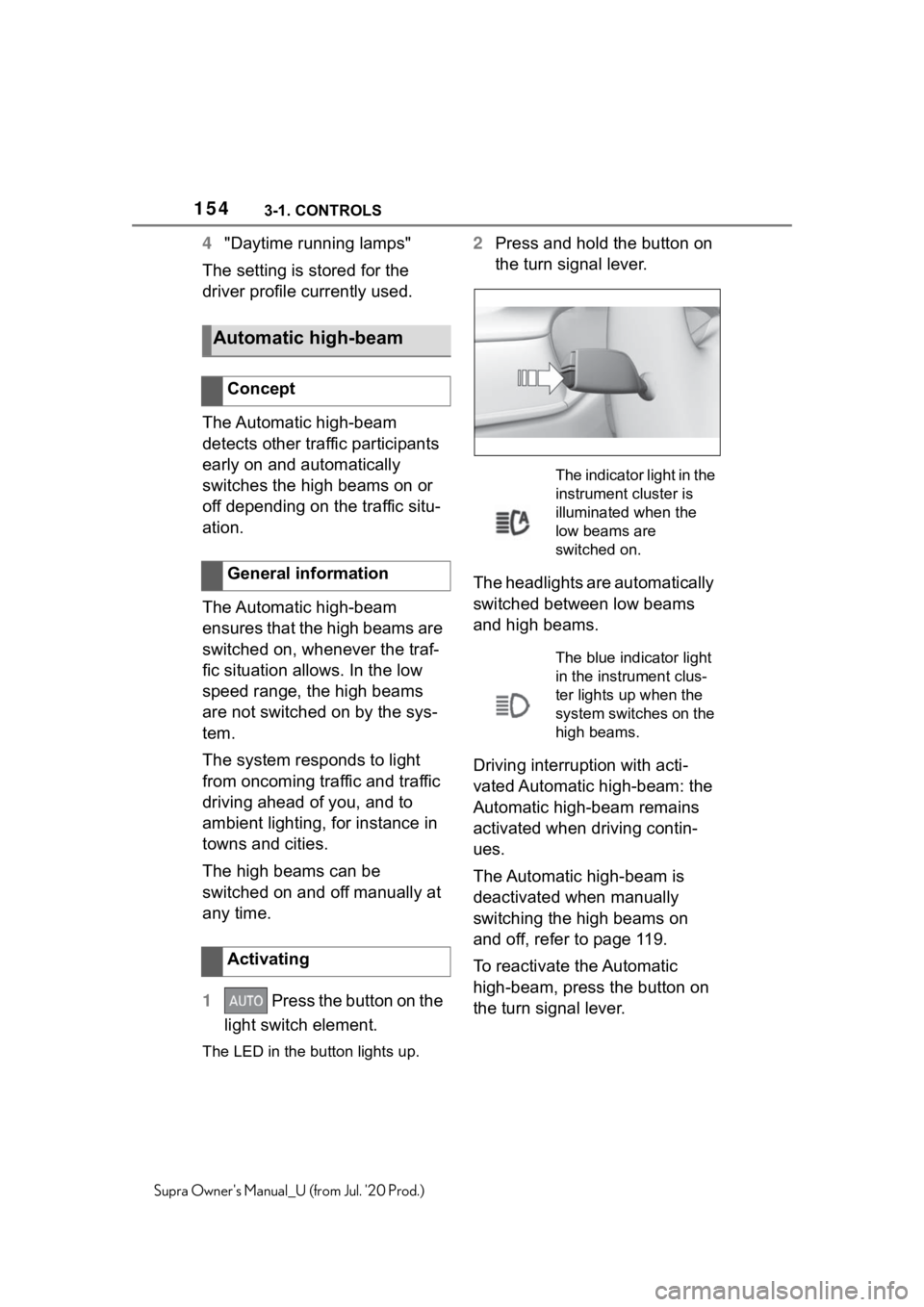
2 Press and hold the button on
the turn signal lever.
The headlights are automatically
switched between low beams
and high beams.
Driving interruption with acti-
vated Automatic high-beam: the
Automatic high-beam remains
activated when driving contin-
ues.
The Automatic high-beam is
deactivated when manually
switching the high beams on
and off, refer to page 119.
To reactivate the Automatic
high-beam, press the button on
the turn signal lever.
Automatic high-beam
Concept
General information
Activating
The indicator light in the
instrument cluster is
illuminated when the
low beams are
switched on.
The blue indicator light
in the instrument clus-
ter lights up when the
system switches on the
high beams.
Page 156 of 360
1563-1. CONTROLS
Supra Owner's Manual_U (from Jul. '20 Prod.)
traffic or half-obscured
oncoming traffic on highways.
In poorly-lit towns and cities
or in the presence of highly
reflective signs.
When the windshield in front
of the interior mirror is fogged
over, dirty or covered with
stickers, etc.
The parking lights or low beams
must be switched on to adjust
the brightness.
Depending on the equipment
version, interior lights, footwell
lights and door entry lighting are
automatically controlled. To switch off permanently: press
the button and hold for approx. 3
seconds.
Instrument lighting
Functional requirement
Settings
Adjust the brightness
with the thumbwheel.
Interior lights
General information
Overview
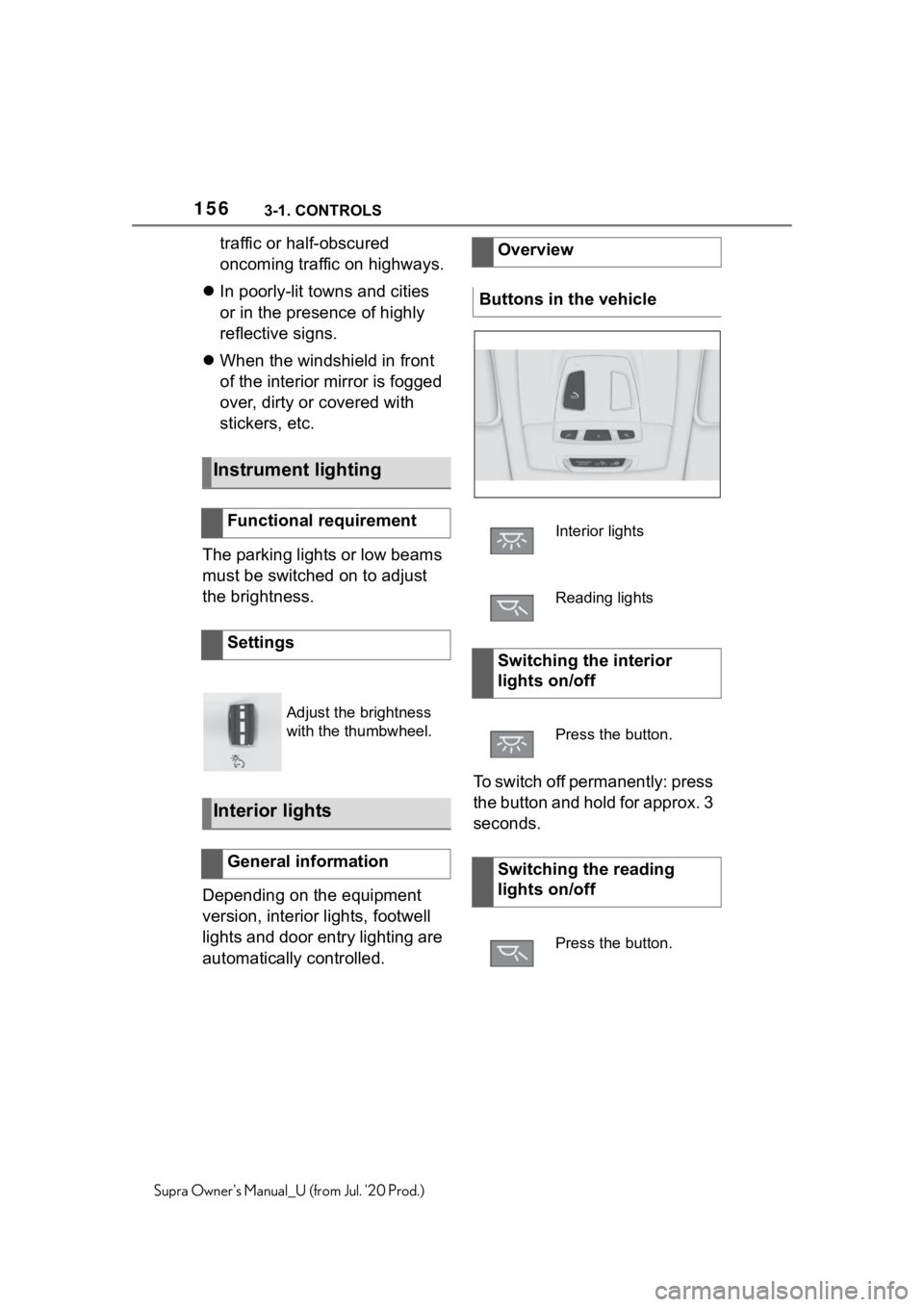
Buttons in the vehicle
Interior lights
Reading lights
Switching the interior
lights on/off
Press the button.
Switching the reading
lights on/off
Press the button.
Page 215 of 360
2153-1. CONTROLS
3
CONTROLS
Supra Owner's Manual_U (from Jul. '20 Prod.)
3"Tone"
4 "Volume settings"
5 "Parking Sens."
6 Set the desired value.
The setting is stored for the
driver profile currently used.
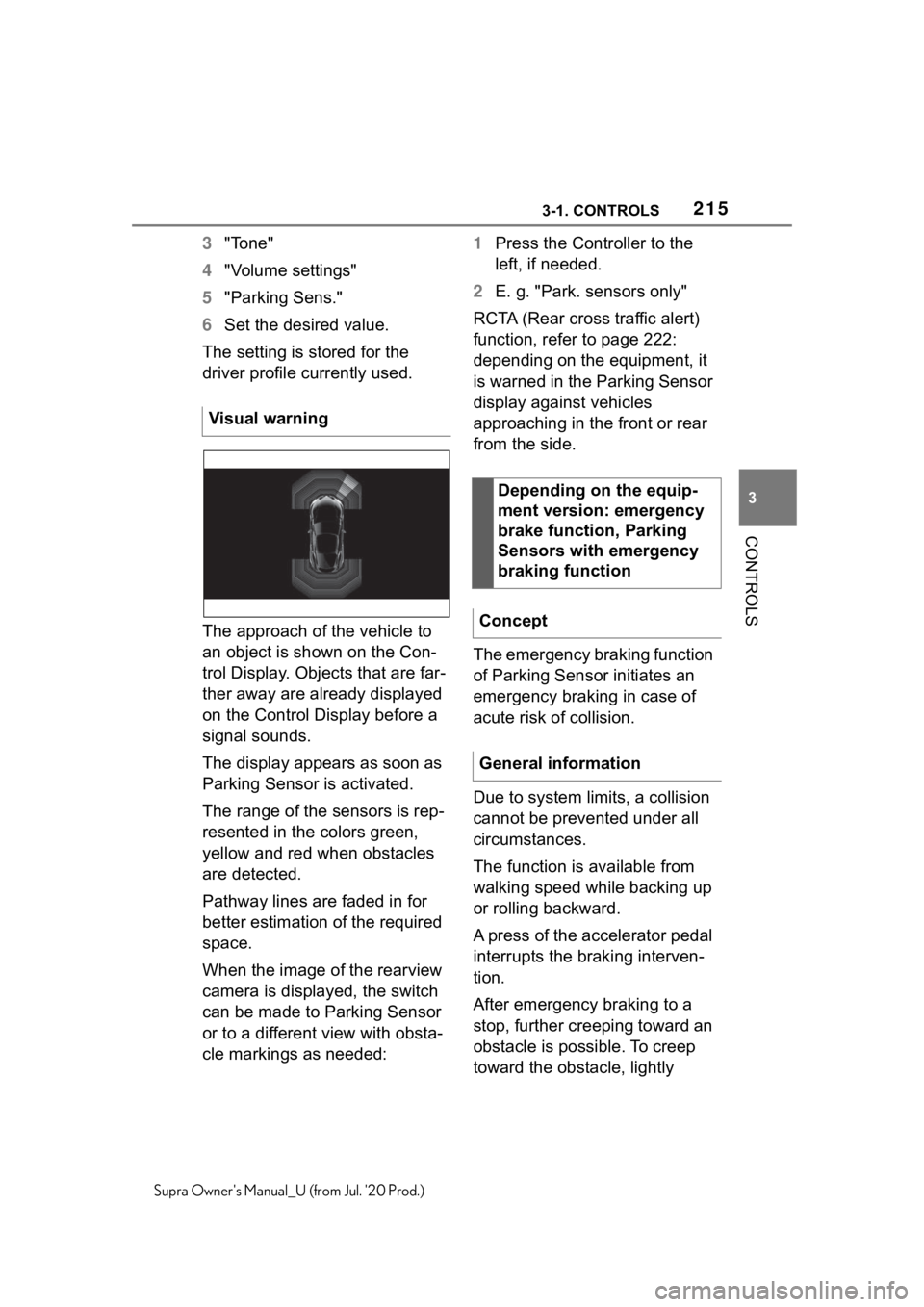
The approach of the vehicle to
an object is shown on the Con-
trol Display. Objects that are far-
ther away are already displayed
on the Control Display before a
signal sounds.
The display appears as soon as
Parking Sensor is activated.
The range of the sensors is rep-
resented in the colors green,
yellow and red when obstacles
are detected.
Pathway lines are faded in for
better estimation of the required
space.
When the image of the rearview
camera is displayed, the switch
can be made to Parking Sensor
or to a different view with obsta-
cle markings as needed: 1
Press the Controller to the
left, if needed.
2 E. g. "Park. sensors only"
RCTA (Rear cross traffic alert)
function, refer to page 222:
depending on the equipment, it
is warned in the Parking Sensor
display against vehicles
approaching in the front or rear
from the side.
The emergency braking function
of Parking Sensor initiates an
emergency braking in case of
acute risk of collision.
Due to system limits, a collision
cannot be prevented under all
circumstances.
The function is available from
walking speed while backing up
or rolling backward.
A press of the accelerator pedal
interrupts the braking interven-
tion.
After emergency braking to a
stop, further creeping toward an
obstacle is possible. To creep
toward the obstacle, lightly
Visual warning
Depending on the equip-
ment version: emergency
brake function, Parking
Sensors with emergency
braking function
Concept
General information