headlights TOYOTA SUPRA 2022 User Guide
[x] Cancel search | Manufacturer: TOYOTA, Model Year: 2022, Model line: SUPRA, Model: TOYOTA SUPRA 2022Pages: 498, PDF Size: 104.06 MB
Page 189 of 498
187
3
3-1. CONTROLS
CONTROLS
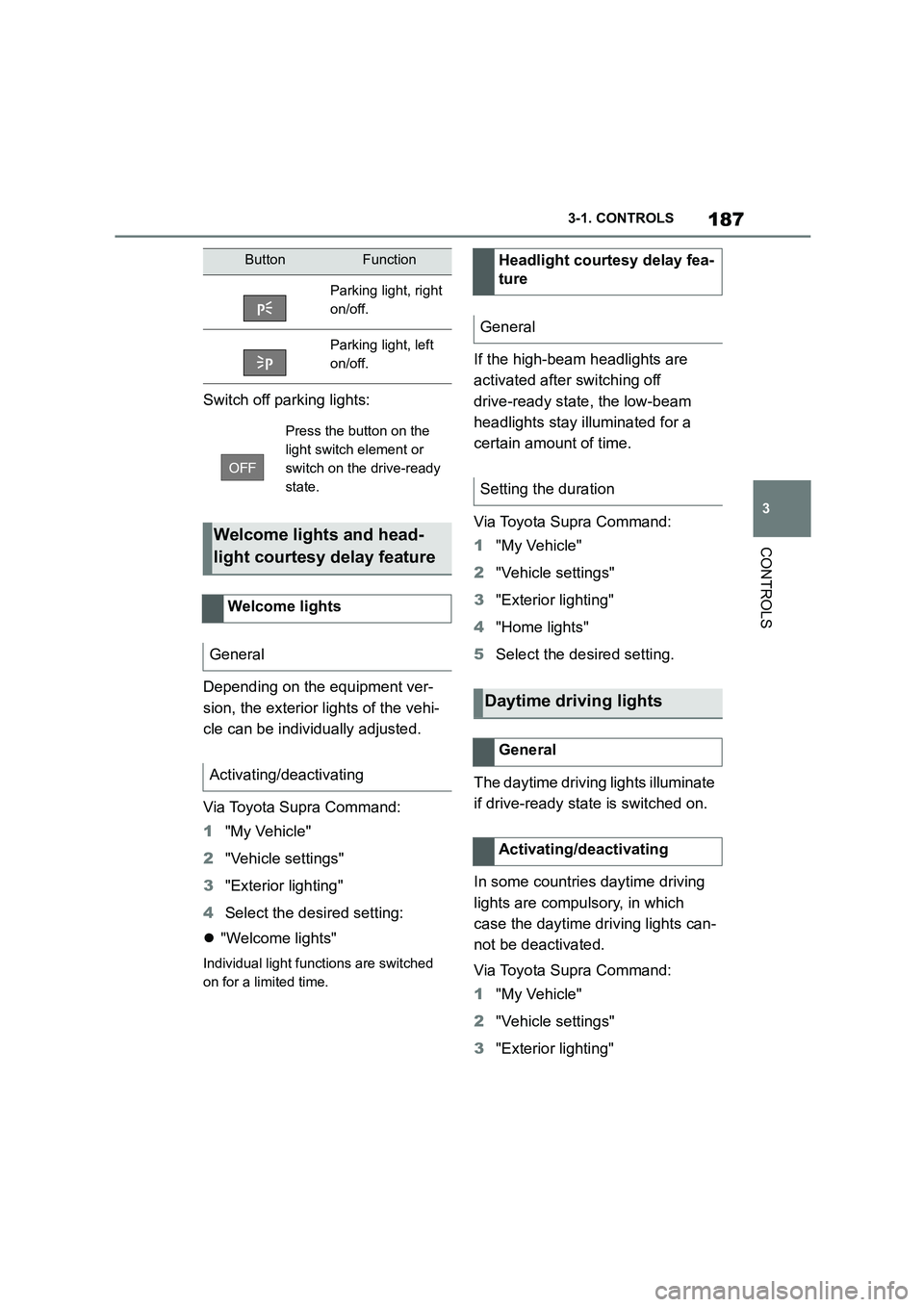
Switch off parking lights:
Depending on the equipment ver-
sion, the exterior lights of the vehi-
cle can be individually adjusted.
Via Toyota Supra Command:
1 "My Vehicle"
2 "Vehicle settings"
3 "Exterior lighting"
4 Select the desired setting:
"Welcome lights"
Individual light functions are switched
on for a limited time.
If the high-beam headlights are
activated after switching off
drive-ready state, the low-beam
headlights stay illuminated for a
certain amount of time.
Via Toyota Supra Command:
1 "My Vehicle"
2 "Vehicle settings"
3 "Exterior lighting"
4 "Home lights"
5 Select the desired setting.
The daytime drivin g lights illuminate
if drive-ready state is switched on.
In some countries daytime driving
lights are compulsory, in which
case the daytime driving lights can-
not be deactivated.
Via Toyota Supra Command:
1 "My Vehicle"
2 "Vehicle settings"
3 "Exterior lighting"
ButtonFunction
Parking light, right
on/off.
Parking light, left
on/off.
Press the button on the
light switch element or
switch on the drive-ready
state.
Welcome lights and head-
light courtesy delay feature
Welcome lights
General
Activating/deactivating
Headlight courtesy delay fea-
ture
General
Setting the duration
Daytime driving lights
General
Activating/deactivating
Page 190 of 498
1883-1. CONTROLS
4"Daytime driving lights"
Variable light distribution enables
even better illumination of the car-
riageway.
The light distribution is automati-
cally adapted to the speed.
If equipment includes a navigation
system, the light distribution is
automatically adapted depending
on the navigation data and speed.
The illuminated area of the
low-beam headlights is extended at
the sides.
The range of the low-beam head-
lights is increased.
In sharp turns up to a specified
speed, for example in hairpin bends
or when turning off, a cornering
light is added to illuminate the
inside area of the bend.
The cornering light is activated
automatically depending on the
steering angle or use of the turn
indicators.
The cornering light may be acti-
vated automatically when driving in
reverse, irrespective of the steer-
ing angle.
Automatic high-beam detects other
road users in good time and acti-
vates or deactivates the high beam
depending on the traffic situation.
Automatic high-beam ensures that
the high-beam headlights are
switched on when the traffic situa-
tion allows. The high-beam head-
lights are not switched on by the
system in the low speed range.
The system responds to the lights
from oncoming traffic and traffic
driving ahead of you, and to ambi-
ent lighting, for example in built-up
areas.
The high-beam headlights can be
switched on and off manually at any
time.
If the vehicle is equipped with daz-
zle-free Automatic high-beam, the
high-beam headlights are not
switched off for oncoming vehicles
or vehicles driving ahead of you;
instead, the system masks those
Variable light distribution
Principle
General
City light
Motorway beam pattern
Cornering light
Automatic high-beam
Principle
General
Page 191 of 498
189
3
3-1. CONTROLS
CONTROLS
areas of the beam which would oth-
erwise dazzle oncoming traffic or
traffic driving ahead. In this case,
the blue indicator lamp continues to
illuminate.
If the headlights are converted, see
page 190, automatic high-beam
may only function to a limited
extent.
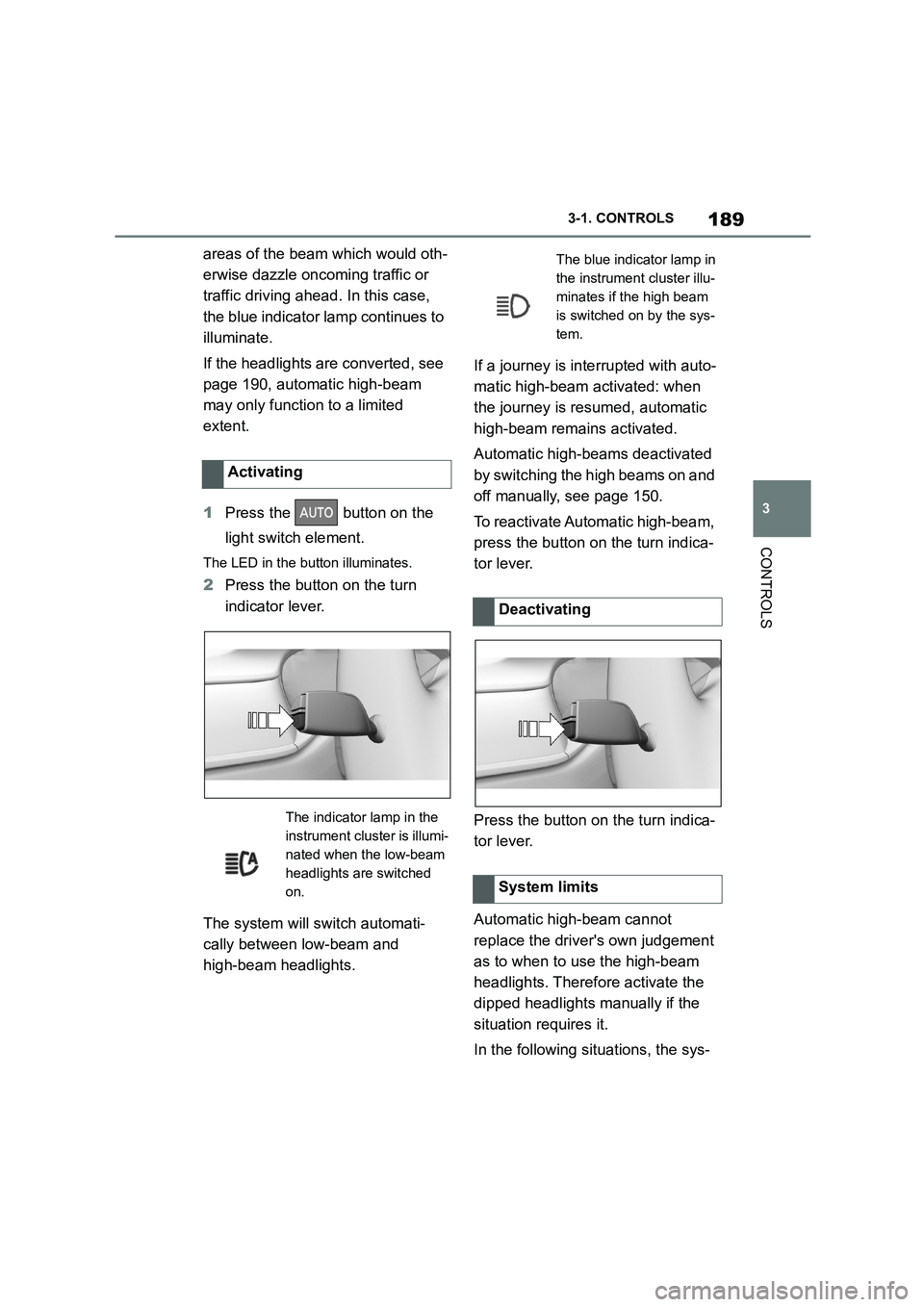
1 Press the button on the
light switch element.
The LED in the button illuminates.
2 Press the button on the turn
indicator lever.
The system will switch automati-
cally between low-beam and
high-beam headlights.
If a journey is inte rrupted with auto-
matic high-beam activated: when
the journey is resumed, automatic
high-beam remains activated.
Automatic high-bea ms deactivated
by switching the high beams on and
off manually, see page 150.
To reactivate Automatic high-beam,
press the button on the turn indica-
tor lever.
Press the button on the turn indica-
tor lever.
Automatic high-beam cannot
replace the driver's own judgement
as to when to use the high-beam
headlights. Therefore activate the
dipped headlights manually if the
situation requires it.
In the following situations, the sys-
Activating
The indicator lamp in the
instrument cluster is illumi-
nated when the low-beam
headlights are switched
on.
The blue indicator lamp in
the instrument cluster illu-
minates if the high beam
is switched on by the sys-
tem.
Deactivating
System limits
Page 192 of 498
1903-1. CONTROLS
tem will not operate or its operation
will be impaired and your interven-
tion may be required:
In extremely unfavourable
weather conditions such as fog
or heavy precipitation.
When detecting poorly lit road
users such as pedestrians,
cyclists or horse riders or car-
riages and when trains or ships
are close to the road, or when
animals are crossing the road.
On narrow bends, on steep hill-
tops or in depressions, when
there is crossing traffic or if the
view of oncoming vehicles on a
motorway is obstructed.
In poorly lit towns or where there
are highly reflective signs.
If the area of windscreen in front
of the rearview mirror is covered
with condensation, dirt, stickers,
labels, etc.
Before the rear fog light is switched
on, the low-beam headlights must
be switched on.
If automatic driving lights control,
see page 185, has been activated,
the low-beam headlights switch on
automatically when the rear fog
light is switched on.
When driving in countries where
vehicles drive on the opposite side
of the road to your vehicle's country
of registration, you will need to pre-
vent your headlights from dazzling
oncoming vehicles.
Via Toyota Supra Command:
1 "My Vehicle"
2 "Vehicle settings"
3 "Exterior lighting"
4 "Right-hand/left-hand traffic"
5 Select the desired setting.
Depending on the national-market ver- sion, the parking brake must be
applied.
Fog lights
Rear fog light
Operating requirements
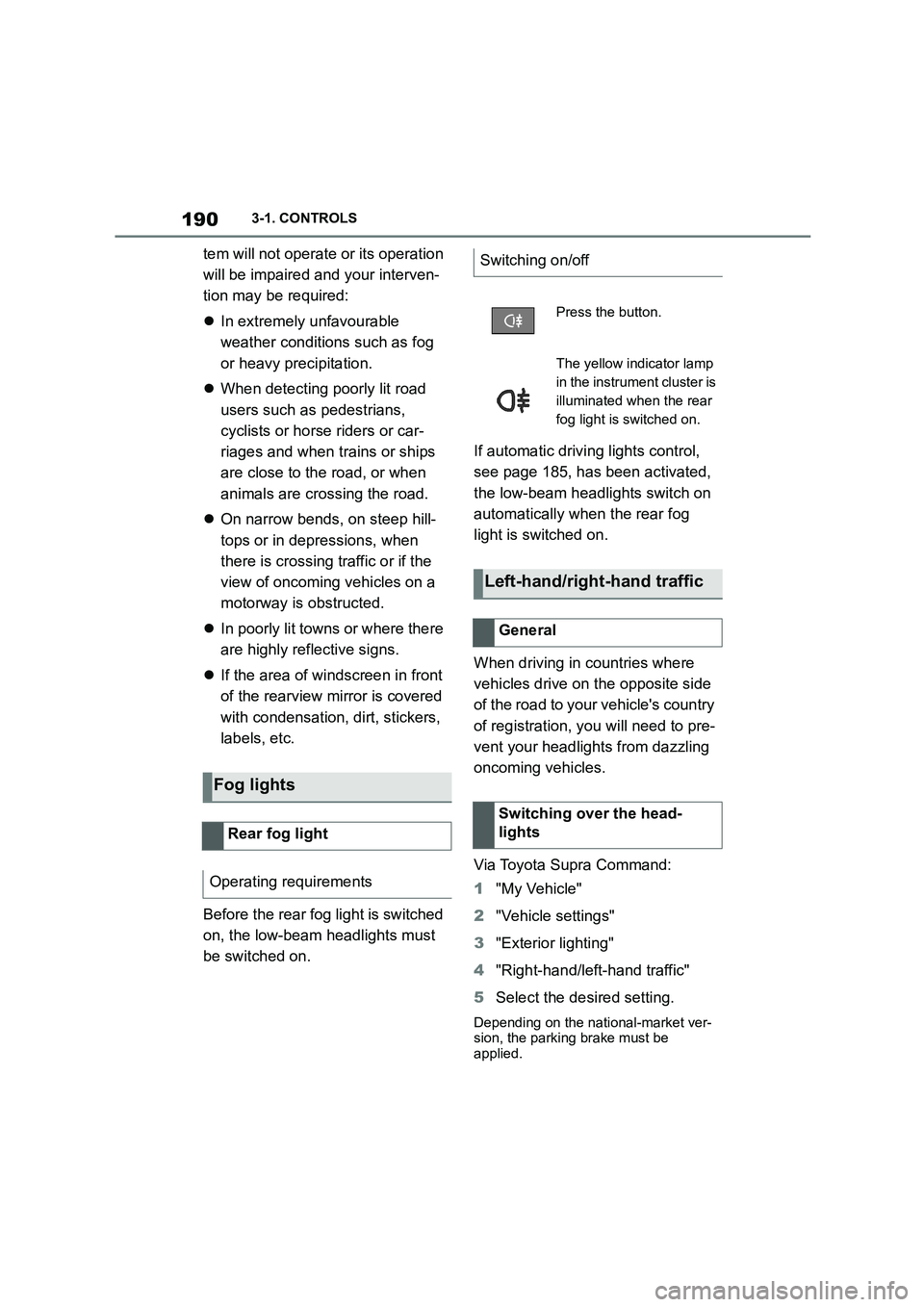
Switching on/off
Press the button.
The yellow indicator lamp
in the instrument cluster is
illuminated when the rear
fog light is switched on.
Left-hand/right-hand traffic
General
Switching over the head-
lights
Page 193 of 498
191
3
3-1. CONTROLS
CONTROLS
The automatic high-beam may only
function to a limited extent.
The availability of the adaptive light
functions might be restricted.
The brightness can only be
adjusted when the side lights or the
low-beam headlights are switched
on.
Depending on the equipment, the
interior light, the footwell lights and
door entry lighting are controlled
automatically.
To switch off permanently: press
and hold the button for approxi-
mately 3 seconds.
System limits
Instrument lighting
Operating requirements
Adjusting
The brightness can be
set using the knurled
wheel.
Interior light
General
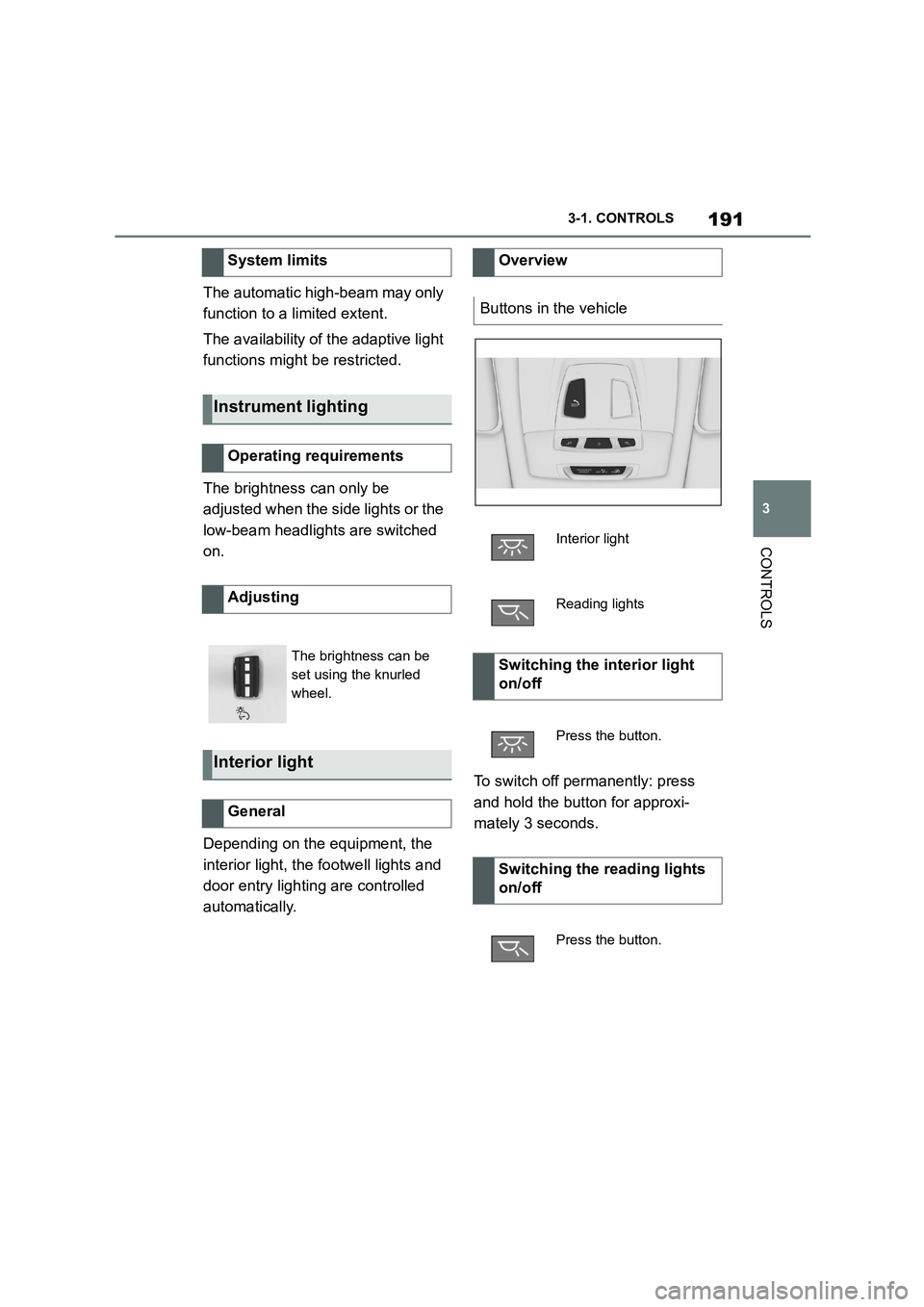
Overview
Buttons in the vehicle
Interior light
Reading lights
Switching the interior light
on/off
Press the button.
Switching the reading lights
on/off
Press the button.
Page 285 of 498
283
4
4-1. DRIVING HINTS
DRIVING HINTS
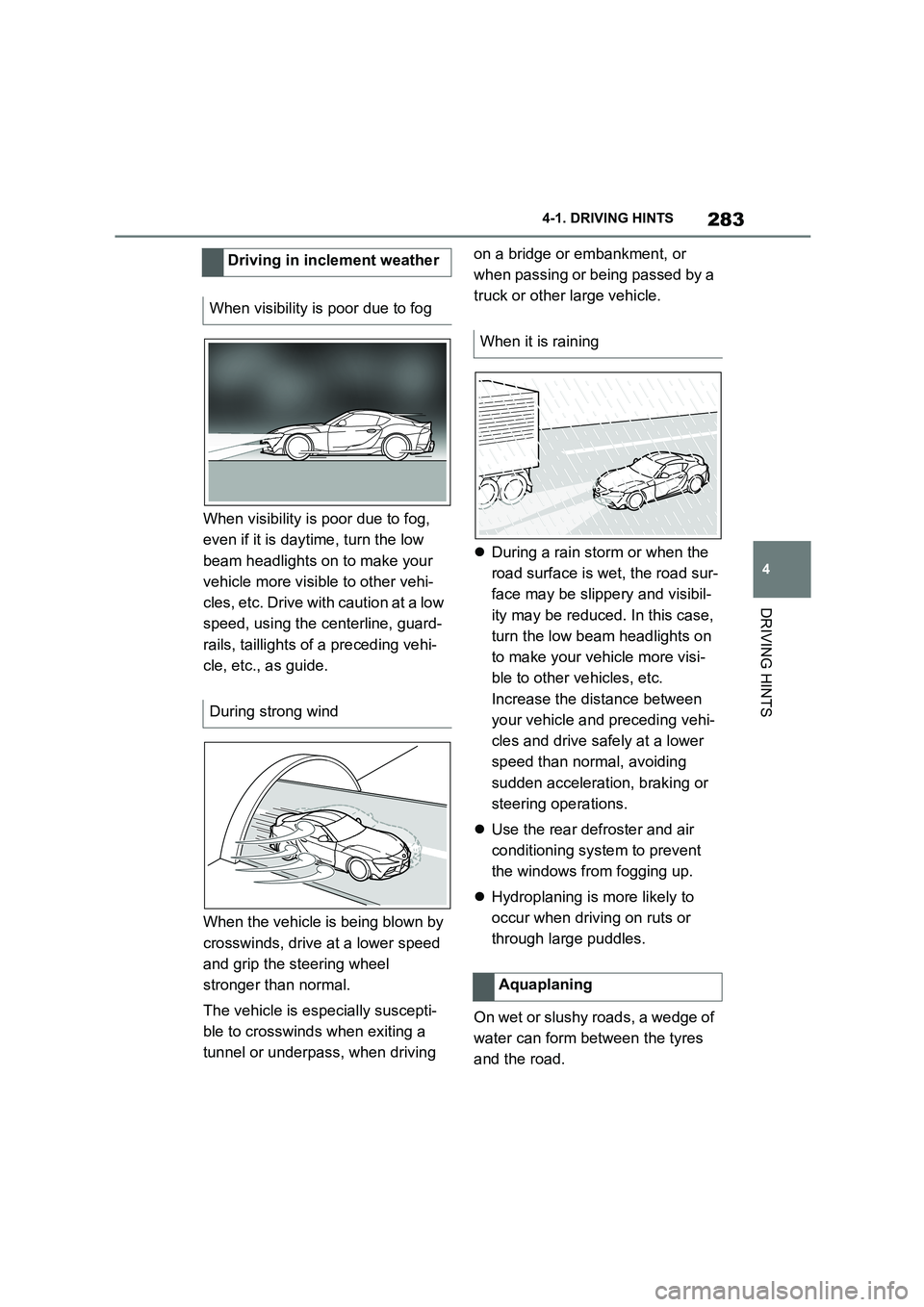
When visibility is poor due to fog,
even if it is daytime, turn the low
beam headlights on to make your
vehicle more visible to other vehi-
cles, etc. Drive with caution at a low
speed, using the centerline, guard-
rails, taillights of a preceding vehi-
cle, etc., as guide.
When the vehicle is being blown by
crosswinds, drive at a lower speed
and grip the steering wheel
stronger than normal.
The vehicle is especially suscepti-
ble to crosswinds when exiting a
tunnel or underpass, when driving
on a bridge or embankment, or
when passing or being passed by a
truck or other large vehicle.
During a rain storm or when the
road surface is wet, the road sur-
face may be slippery and visibil-
ity may be reduced. In this case,
turn the low beam headlights on
to make your vehicle more visi-
ble to other vehicles, etc.
Increase the distance between
your vehicle and preceding vehi-
cles and drive safely at a lower
speed than normal, avoiding
sudden acceleration, braking or
steering operations.
Use the rear defroster and air
conditioning system to prevent
the windows from fogging up.
Hydroplaning is more likely to
occur when driving on ruts or
through large puddles.
On wet or slushy roads, a wedge of
water can form between the tyres
and the road.
Driving in inclement weather
When visibility is poor due to fog
During strong wind
When it is raining
Aquaplaning
Page 342 of 498
3405-1. MOBILITY
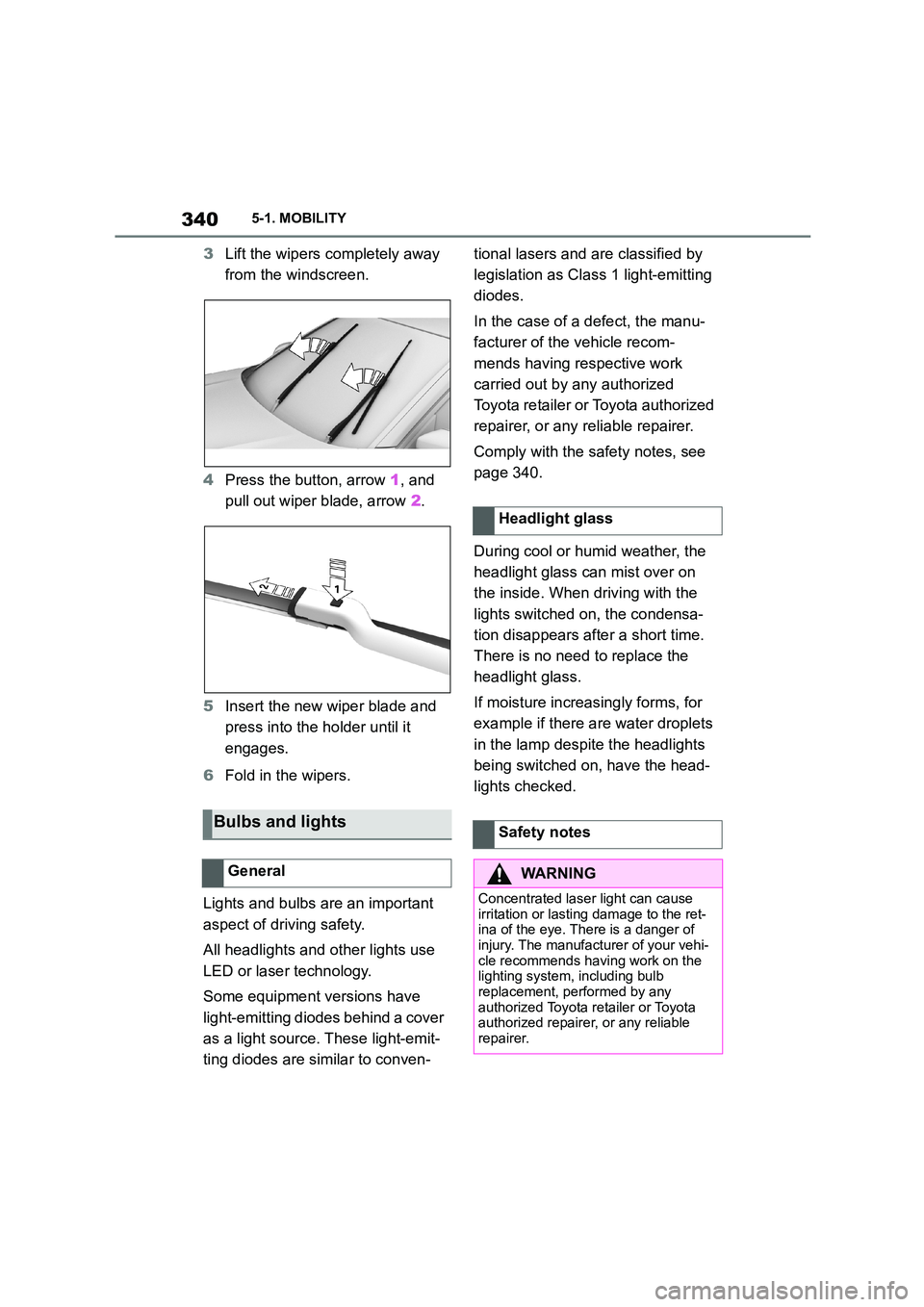
3Lift the wipers completely away
from the windscreen.
4 Press the button, arrow 1, and
pull out wiper blade, arrow 2.
5 Insert the new wiper blade and
press into the ho lder until it
engages.
6 Fold in the wipers.
Lights and bulbs are an important
aspect of driving safety.
All headlights and other lights use
LED or laser technology.
Some equipment versions have
light-emitting diodes behind a cover
as a light source. These light-emit-
ting diodes are similar to conven-
tional lasers and are classified by
legislation as Class 1 light-emitting
diodes.
In the case of a defect, the manu-
facturer of the vehicle recom-
mends having respective work
carried out by any authorized
Toyota retailer or Toyota authorized
repairer, or any reliable repairer.
Comply with the safety notes, see
page 340.
During cool or humid weather, the
headlight glass can mist over on
the inside. When driving with the
lights switched on, the condensa-
tion disappears after a short time.
There is no need to replace the
headlight glass.
If moisture increasingly forms, for
example if there are water droplets
in the lamp despite the headlights
being switched on, have the head-
lights checked.
Bulbs and lights
General
Headlight glass
Safety notes
WA R N I N G
Concentrated laser light can cause
irritation or lasting damage to the ret- ina of the eye. There is a danger of
injury. The manufacturer of your vehi-
cle recommends having work on the lighting system, including bulb
replacement, performed by any
authorized Toyota retailer or Toyota authorized repairer, or any reliable
repairer.
Page 343 of 498
341
5
5-1. MOBILITY
MOBILITY
The battery is maintenance-free.
More information regarding the bat-
tery can be obtained from any
authorized Toyota retailer or Toyota
authorized repairer, or any reliable
repairer.
The manufacturer of your vehicle
recommends having any author-
ized Toyota reta iler or Toyota
authorized repairer, or any reliable
repairer register the vehicle battery
to the vehicle after the battery has
been replaced. Once the battery
has been registered again, all com-
fort functions will be available with-
out restriction and any vehicle
messages relating to the comfort
functions will no longer be dis-
played.
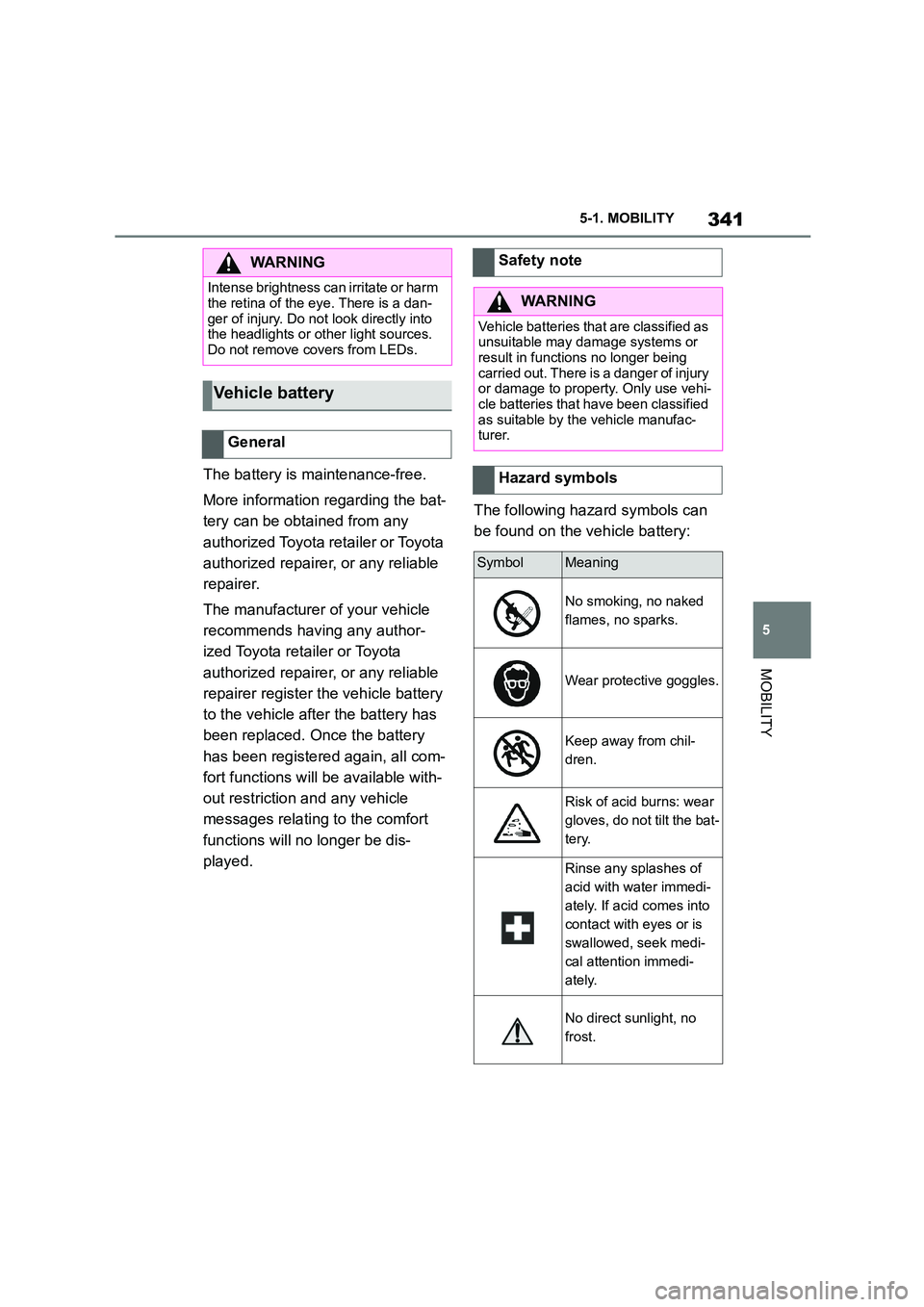
The following hazard symbols can
be found on the vehicle battery:
WA R N I N G
Intense brightness can irritate or harm
the retina of the eye. There is a dan-
ger of injury. Do not look directly into the headlights or other light sources.
Do not remove covers from LEDs.
Vehicle battery
General
Safety note
WA R N I N G
Vehicle batteries that are classified as
unsuitable may damage systems or result in functions no longer being
carried out. There is a danger of injury
or damage to property. Only use vehi- cle batteries that have been classified
as suitable by the vehicle manufac-
turer.
Hazard symbols
SymbolMeaning
No smoking, no naked
flames, no sparks.
Wear protective goggles.
Keep away from chil-
dren.
Risk of acid burns: wear
gloves, do not tilt the bat-
tery.
Rinse any splashes of
acid with water immedi-
ately. If acid comes into
contact with eyes or is
swallowed, seek medi-
cal attention immedi-
ately.
No direct sunlight, no
frost.
Page 365 of 498
363
5
5-1. MOBILITY
MOBILITY
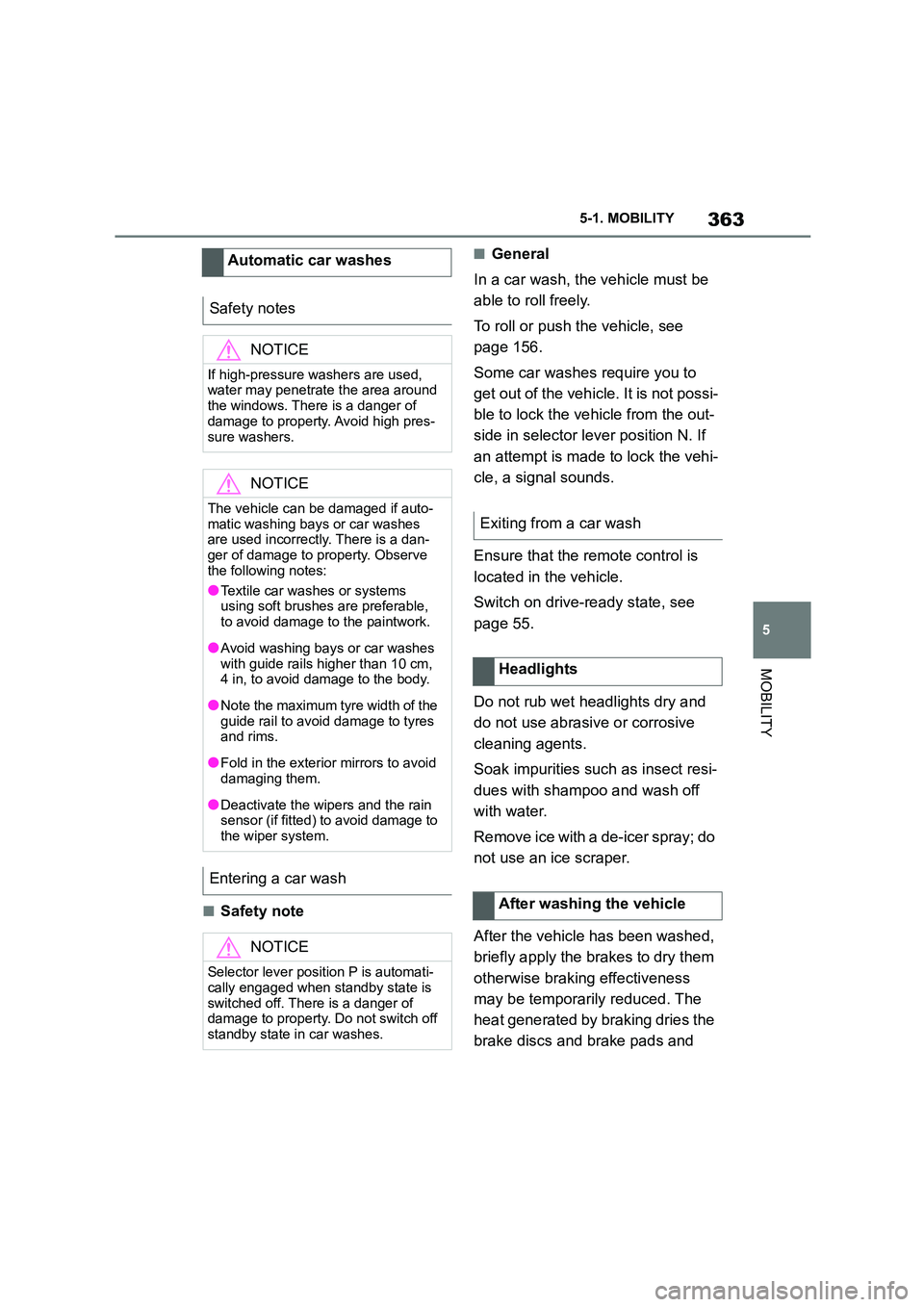
■Safety note
■General
In a car wash, the vehicle must be
able to roll freely.
To roll or push the vehicle, see
page 156.
Some car washes require you to
get out of the vehicle. It is not possi-
ble to lock the vehicle from the out-
side in selector lever position N. If
an attempt is made to lock the vehi-
cle, a signal sounds.
Ensure that the remote control is
located in the vehicle.
Switch on drive-ready state, see
page 55.
Do not rub wet headlights dry and
do not use abrasive or corrosive
cleaning agents.
Soak impurities such as insect resi-
dues with shampoo and wash off
with water.
Remove ice with a de-icer spray; do
not use an ice scraper.
After the vehicle has been washed,
briefly apply the brakes to dry them
otherwise braking effectiveness
may be temporarily reduced. The
heat generated by braking dries the
brake discs and br ake pads and
Automatic car washes
Safety notes
NOTICE
If high-pressure washers are used, water may penetrate the area around
the windows. There is a danger of
damage to property. Avoid high pres-
sure washers.
NOTICE
The vehicle can be damaged if auto-
matic washing bays or car washes are used incorrectly. There is a dan-
ger of damage to property. Observe
the following notes:
●Textile car washes or systems
using soft brushes are preferable,
to avoid damage to the paintwork.
●Avoid washing bays or car washes
with guide rails higher than 10 cm,
4 in, to avoid damage to the body.
●Note the maximum tyre width of the
guide rail to avoid damage to tyres and rims.
●Fold in the exterior mirrors to avoid damaging them.
●Deactivate the wipers and the rain sensor (if fitted) to avoid damage to
the wiper system.
Entering a car wash
NOTICE
Selector lever position P is automati-
cally engaged when standby state is
switched off. There is a danger of damage to property. Do not switch off
standby state in car washes.
Exiting from a car wash
Headlights
After washing the vehicle
Page 486 of 498
484Alphabetical Index
Alphabetical Index
A
A/C button, see Cooling function 262
ABS, anti-lock braking system .... 228
ACC, see Dynamic radar cruise con-
trol ............................................... 238
Acceleration assistant, see Launch
Control ........................................ 159
Accessories and parts ..................... 7
Acknowledgement signals of the
vehicle ......................................... 102
Activated carbon filter.................. 266
Activation, airbags ....................... 202
Active bonnet, see Active pedestrian
protection.................................... 204
Active Guard, see Toyota Supra
Safety .......................................... 205
Active pedestrian protection ....... 204
Adaptive brake assist .................. 228
Adaptive variable suspension ..... 259
Adaptive variable suspension, adap-
tive ............................................... 259
Additional coolant tank cooling,
Capacity ...................................... 375
Additives, engine oil grades........ 326
Adjustable speed limit, see Manual
Speed Limiter ............................. 232
Adjusting the headlights.............. 190
Age of tyres................................... 295
Air conditioning ............................ 261
Air outlets, see Ventilation........... 266
Air pressure, tyres........................ 292
Airbag switch, see Key switch for
front passenger airbags ............ 202
Airbags .......................................... 192
Airbags, indicator/warning lamp . 195
Alarm system ................................ 102
Alarm, false ................................... 104
All-season tyres, see Winter tyres
..................................................... 297
Angle, backrest ............................. 110
Anti-lock braking system, ABS ... 228
Anti-theft alarm system, see Alarm
system ......................................... 102
Anti-theft system, locking.............. 90
Anti-theft system, see Thiefproof
wheel studs ................................. 314
Anti-theft, wheel studs ................. 314
Anti-trap mechanism, windows ... 106
Apple CarPlay, connection to the
vehicle ........................................... 84
Aquaplaning .................................. 283
AUTO programme, automatic air
conditioning ................................263
Auto Start Stop function .............. 145
Automatic air conditioning ..........261
Automatic anti-glare control, see
Automatic high-beam................. 188
Automatic Cruise Control, see
Dynamic radar cruise control .... 238
Automatic driving lights control .185
Automatic emergency call ........... 355
Automatic high-beam ................... 188
Automatic locking......................... 102
Automatic parking function, exterior
mirror ........................................... 118
Automatic start-sto p function ..... 145
Automatic transmission ...............154
Automatic transmission, Fluid .... 375
Automatic transmission, see Auto-
matic transmission.....................154
Automatic unlocking .................... 102
Avoiding false alarms................... 104
Axle load limit ............................... 371
Axle loads, weight ........................371
B
Backrest angle .............................. 110
Backrest contour, see Lumbar sup-
port .............................................. 110
Backrest width .............................. 110
Backrest, seats .............................107
Bag holders ...................................277
Bar for tow-starting/towing ..........360
Battery, vehicle .............................341
Belts, see Seat belts ..................... 111
Black ice, see Outside temperature
warning........................................169
Blind spot monitor ........................220