remote control TOYOTA SUPRA 2022 Owner's Manual
[x] Cancel search | Manufacturer: TOYOTA, Model Year: 2022, Model line: SUPRA, Model: TOYOTA SUPRA 2022Pages: 498, PDF Size: 104.06 MB
Page 107 of 498
105
3
3-1. CONTROLS
CONTROLS
remote control.
• Unlock the vehicle with the inte-
grated key and switch on
drive-ready state using the spe-
cial ID feature of the remote con-
trol, see page 93.
• With Smart Key System: fully
grasp the door handle on either
the driver's door or the front pas-
senger door while carrying the
remote control.
The windows can be opened and
closed from outside with the vehicle
key.
For further information: Remote
control, see page 88.
The windows can be operated
under the following conditions.
• In standby state.
• In drive-ready state.
• For a short while after idle state
has been established.
• The remote control is in the inte-
rior.
The vehicle key must be in the
vehicle interior.
• Push the switch as far as
the resistance point.
The window opens as long as the
switch is held.
• Push the switch past the
resistance point.
The window is opened automatically.
The movement is stopped by pressing
the switch again.
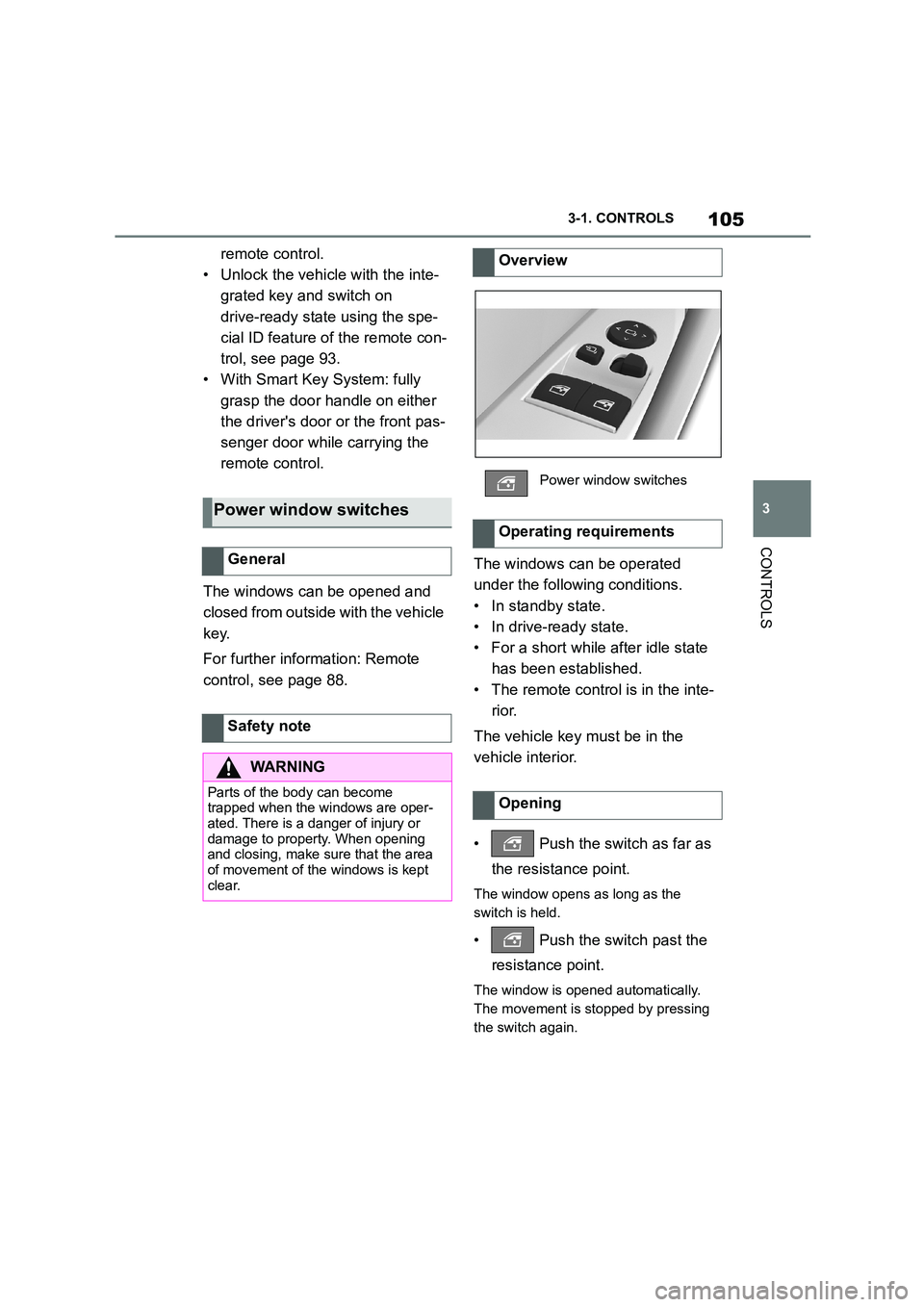
Power window switches
General
Safety note
WA R N I N G
Parts of the body can become
trapped when the windows are oper-
ated. There is a danger of injury or damage to property. When opening
and closing, make sure that the area
of movement of the windows is kept clear.
Overview
Power window switches
Operating requirements
Opening
Page 124 of 498
1223-1. CONTROLS
WA R N I N G
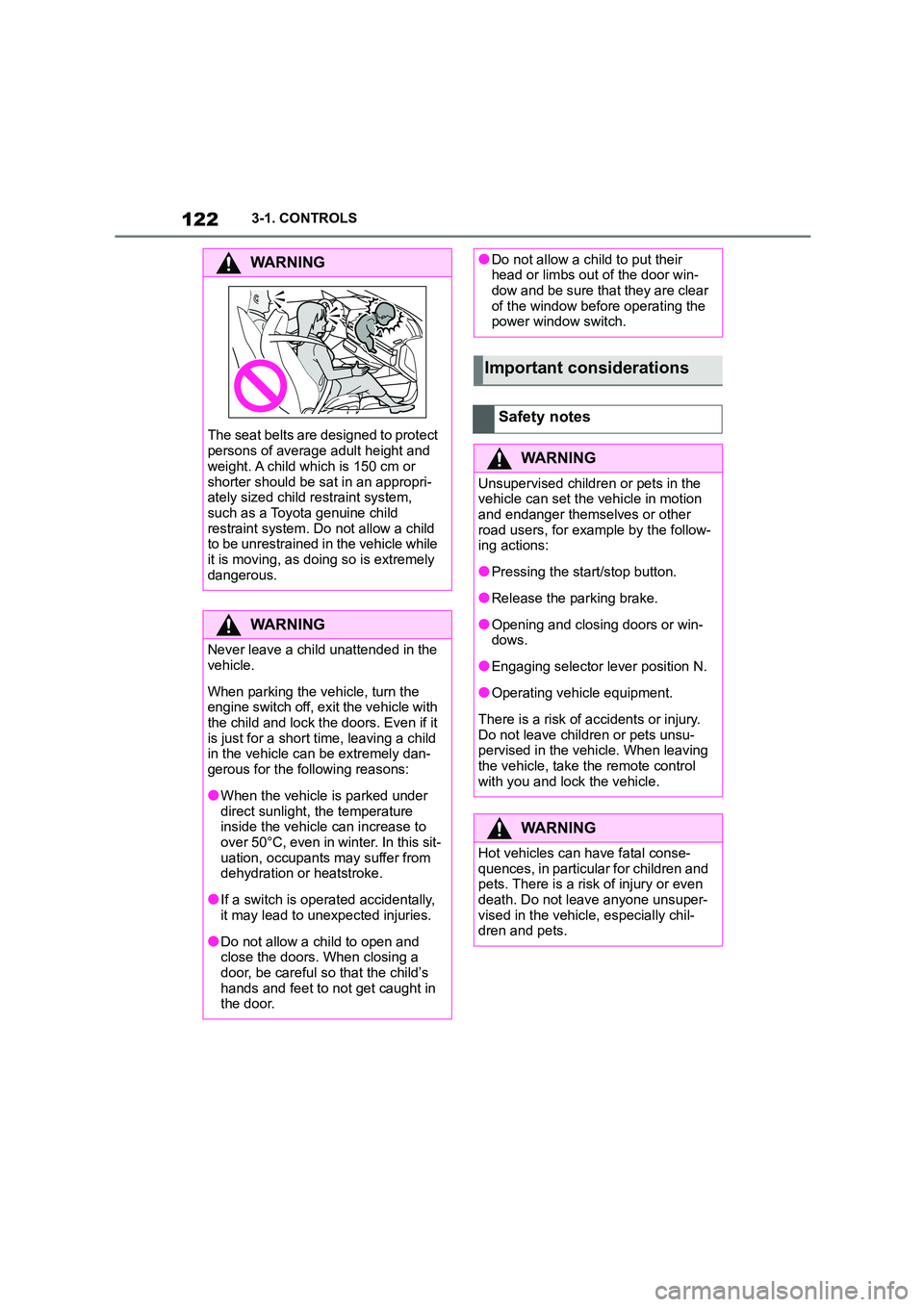
The seat belts are designed to protect
persons of average adult height and
weight. A child which is 150 cm or
shorter should be sat in an appropri- ately sized child restraint system,
such as a Toyota genuine child
restraint system. Do not allow a child to be unrestrained in the vehicle while
it is moving, as doing so is extremely
dangerous.
WA R N I N G
Never leave a child unattended in the
vehicle.
When parking the vehicle, turn the
engine switch off, exit the vehicle with
the child and lock the doors. Even if it
is just for a short time, leaving a child in the vehicle can be extremely dan-
gerous for the following reasons:
●When the vehicle is parked under
direct sunlight, the temperature
inside the vehicle can increase to over 50°C, even in winter. In this sit-
uation, occupants may suffer from
dehydration or heatstroke.
●If a switch is operated accidentally,
it may lead to unexpected injuries.
●Do not allow a child to open and
close the doors. When closing a door, be careful so that the child’s
hands and feet to not get caught in
the door.
●Do not allow a child to put their head or limbs out of the door win-
dow and be sure that they are clear
of the window before operating the power window switch.
Important considerations
Safety notes
WA R N I N G
Unsupervised children or pets in the vehicle can set the vehicle in motion
and endanger themselves or other
road users, for example by the follow- ing actions:
●Pressing the start/stop button.
●Release the parking brake.
●Opening and closing doors or win-
dows.
●Engaging selector lever position N.
●Operating vehicle equipment.
There is a risk of accidents or injury.
Do not leave children or pets unsu- pervised in the vehicle. When leaving
the vehicle, take the remote control
with you and lock the vehicle.
WA R N I N G
Hot vehicles can have fatal conse-
quences, in particular for children and
pets. There is a risk of injury or even death. Do not leave anyone unsuper-
vised in the vehicle, especially chil-
dren and pets.
Page 150 of 498
1483-1. CONTROLS
example in order to leave it.
1 Press the start/stop button.
Drive-ready state is switched off.
Standby state is switched on.
Selector lever position P is auto-
matically engaged.
2 Apply the parking brake.
In certain situations the Auto
Start/Stop is deactivated automati-
cally for safety reasons, for exam-
ple if the absence of the driver is
detected.
The Auto Start/Stop no longer shuts
down the engine automatically. A
vehicle message is shown. It is
possible to keep driving. Have the
system checked by any authorized
Toyota retailer or Toyota authorized
repairer, or any reliable repairer.
The parking brake is used to pre-
vent the vehicle from rolling when it
is parked.
Automatic deactivation
General
Malfunction
Parking brake
Principle
Safety notes
WA R N I N G
An unsecured vehicle can start mov-
ing and rolling away. There is a risk of accident. Before leaving the vehicle,
secure it to prevent it from rolling
away.
Observe the following to ensure that
the vehicle is secured against rolling
away:
●Apply the parking brake.
●Turn the front wheels towards the kerb on upward or downward gradi-
ents.
●Additionally secure the vehicle on
upward or downward gradients, for
example with a chock.
WA R N I N G
Unsupervised children or pets in the
vehicle can set the vehicle in motion
and endanger themselves or other road users, for example by the follow-
ing actions:
●Pressing the start/stop button.
●Releasing the parking brake.
●Opening and closing doors or win-
dows.
●Engaging selector lever position N.
●Operating vehicle equipment.
There is a risk of accidents or injury. Do not leave children or pets unsu-
pervised in the vehicle. When leaving
the vehicle, take the remote control with you and lock the vehicle.
Page 184 of 498
1823-1. CONTROLS
• "Tyre Pressure Monitor": Sta-
tus of the Tyre Pressure Monitor,
see page 304
• "Engine oil leve l": Electronic
oil measurement, see page 324.
• "Vehicle messages": Vehicle
messages are stored in the
background and can be shown
on the Control Display. Display-
ing of saved vehicle messages,
see page 163.
• "Service requirements": dis-
play of the service requirements,
see page 170.
• "Remote maintenance call":
Remote maintenance call.
*: if equipped
The system projects important
information, for example the speed,
into the driver's field of vision.
The driver can register this informa-
tion without having to divert atten-
tion from the road.
Follow the instruct ions on cleaning
the Head-Up Display, see page
368.
Via Toyota Supra Command:
1 "My vehicle"
2 "System settings"
3 "Displays"
4 "Head-up display"
5 "Head-up display"
The following information is dis-
played in the Head-Up Display:
Speed.
Navigation instructions.
Vehicle messages.
Selection list in the instrument
cluster.
Driver Assistance Systems.
Some of this information is only
shown briefly when needed.
Overview of the information
Head-Up Display*
Principle
General
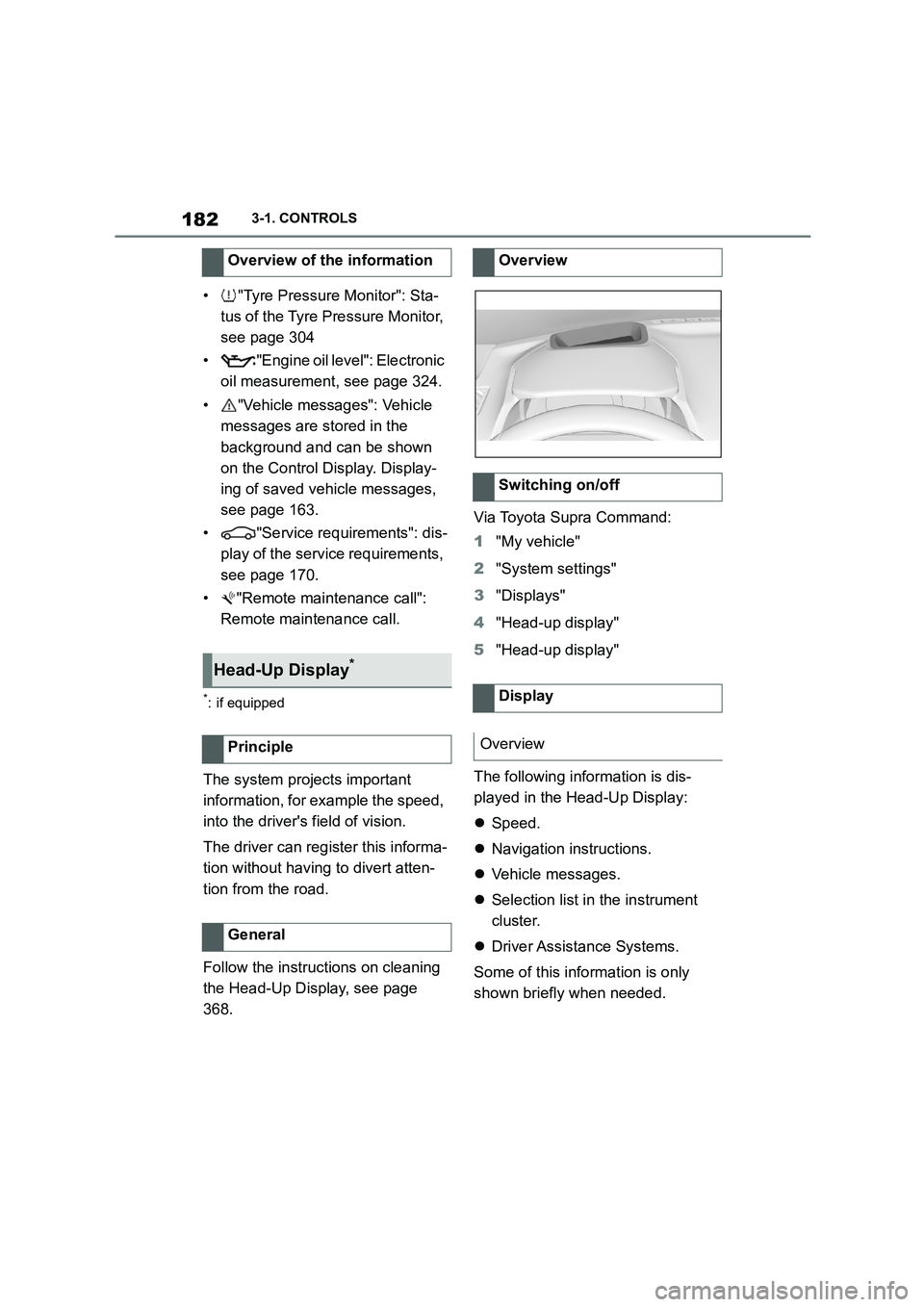
Overview
Switching on/off
Display
Overview
Page 205 of 498
203
3
3-1. CONTROLS
CONTROLS
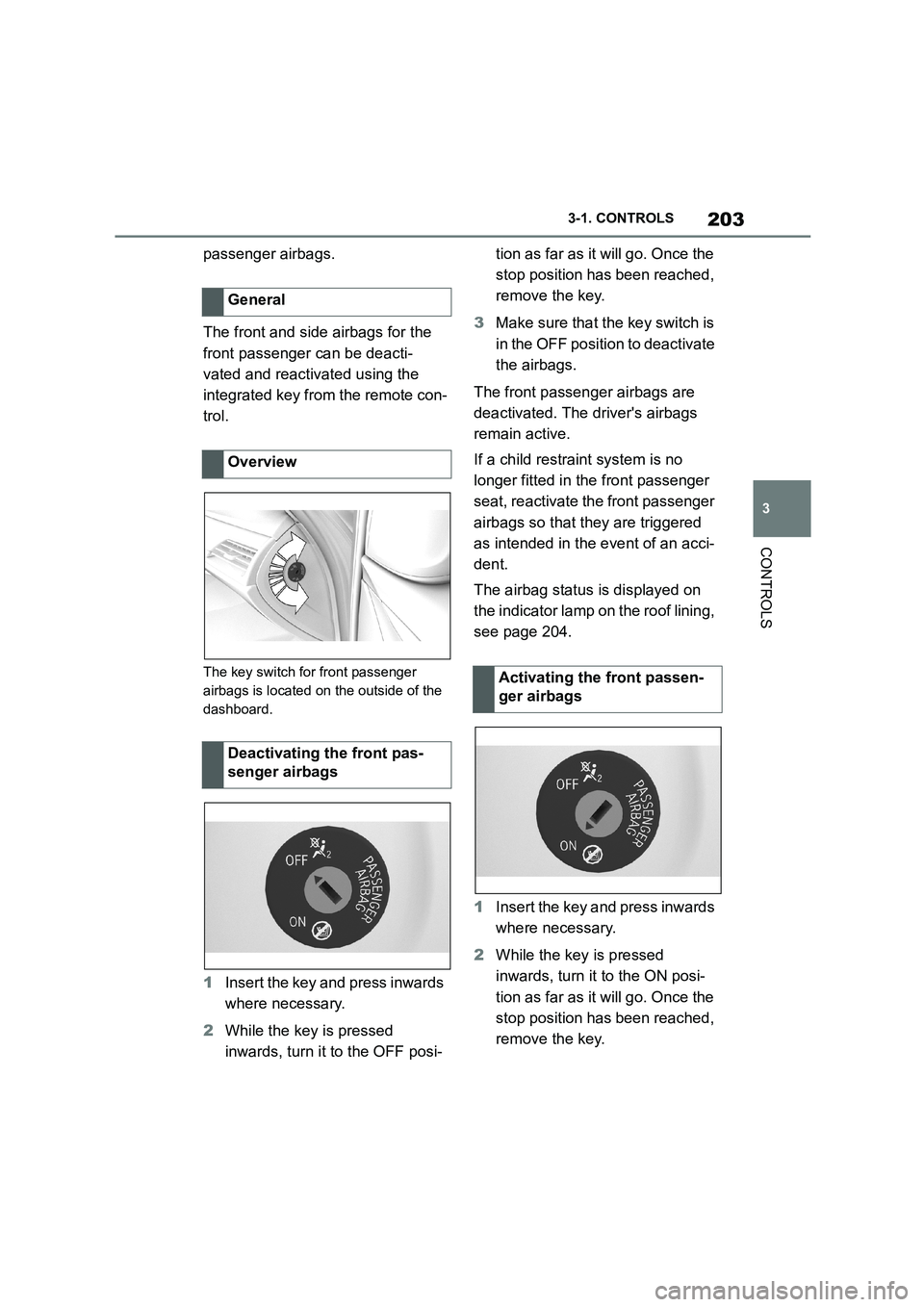
passenger airbags.
The front and side airbags for the
front passenger can be deacti-
vated and reactivated using the
integrated key from the remote con-
trol.
The key switch for front passenger
airbags is located on the outside of the
dashboard.
1 Insert the key and press inwards
where necessary.
2 While the key is pressed
inwards, turn it to the OFF posi-
tion as far as it will go. Once the
stop position has been reached,
remove the key.
3 Make sure that the key switch is
in the OFF position to deactivate
the airbags.
The front passenger airbags are
deactivated. The driver's airbags
remain active.
If a child restraint system is no
longer fitted in the front passenger
seat, reactivate the front passenger
airbags so that they are triggered
as intended in the event of an acci-
dent.
The airbag status is displayed on
the indicator lamp on the roof lining,
see page 204.
1 Insert the key and press inwards
where necessary.
2 While the key is pressed
inwards, turn it to the ON posi-
tion as far as it will go. Once the
stop position has been reached,
remove the key.
General
Overview
Deactivating the front pas-
senger airbags
Activating the front passen-
ger airbags
Page 276 of 498
2743-1. CONTROLS
The vehicle interior contains multi-
ple storage compartments for stow-
ing objects.
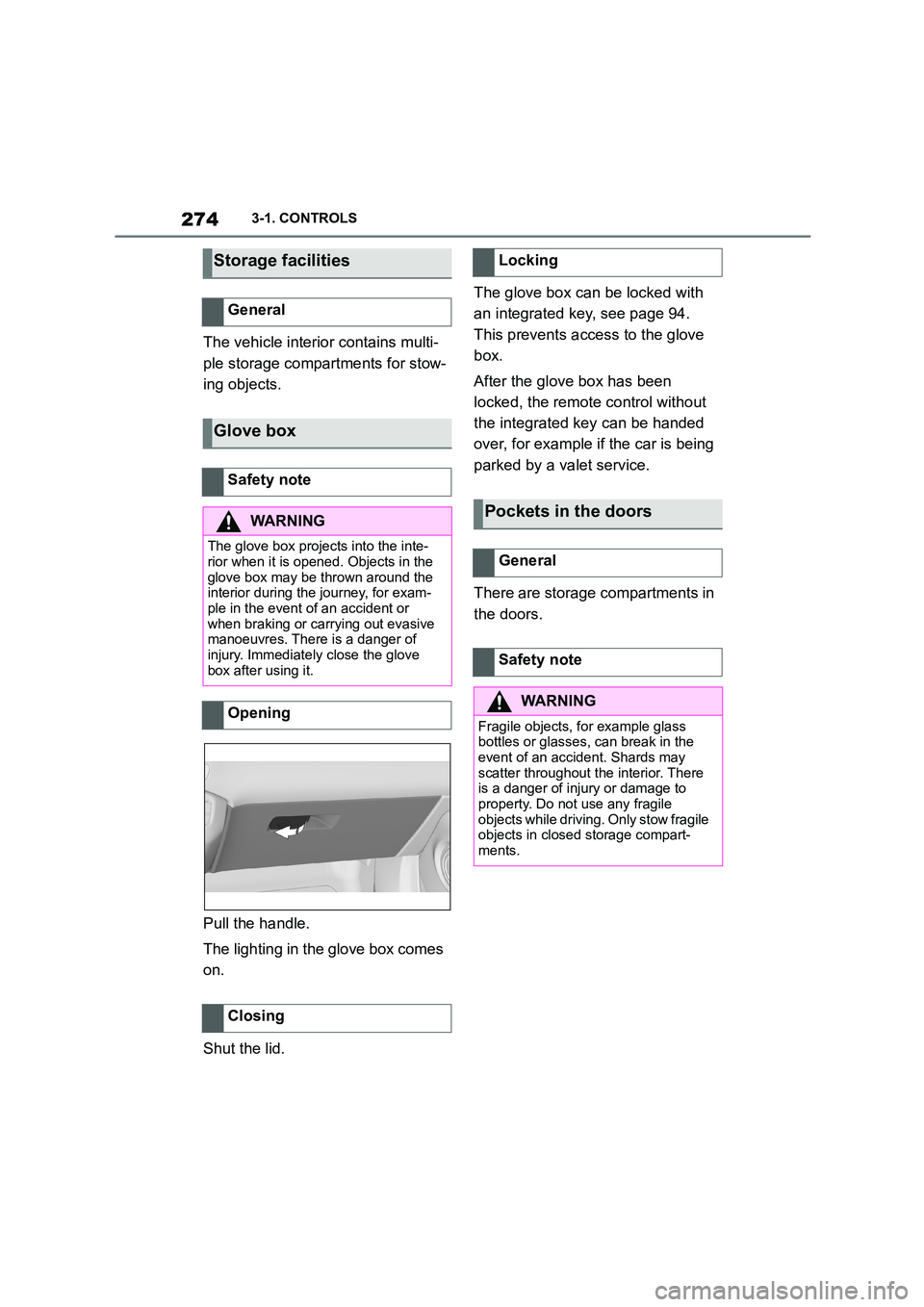
Pull the handle.
The lighting in the glove box comes
on.
Shut the lid.
The glove box can be locked with
an integrated key, see page 94.
This prevents access to the glove
box.
After the glove box has been
locked, the remote control without
the integrated key can be handed
over, for example if the car is being
parked by a valet service.
There are storage compartments in
the doors.
Storage facilities
General
Glove box
Safety note
WA R N I N G
The glove box projects into the inte- rior when it is opened. Objects in the
glove box may be thrown around the
interior during the journey, for exam- ple in the event of an accident or
when braking or carrying out evasive
manoeuvres. There is a danger of injury. Immediately close the glove
box after using it.
Opening
Closing
Locking
Pockets in the doors
General
Safety note
WA R N I N G
Fragile objects, for example glass
bottles or glasses, can break in the event of an accident. Shards may
scatter throughout the interior. There
is a danger of injury or damage to property. Do not use any fragile
objects while driving. Only stow fragile
objects in closed storage compart- ments.
Page 350 of 498
3485-1. MOBILITY
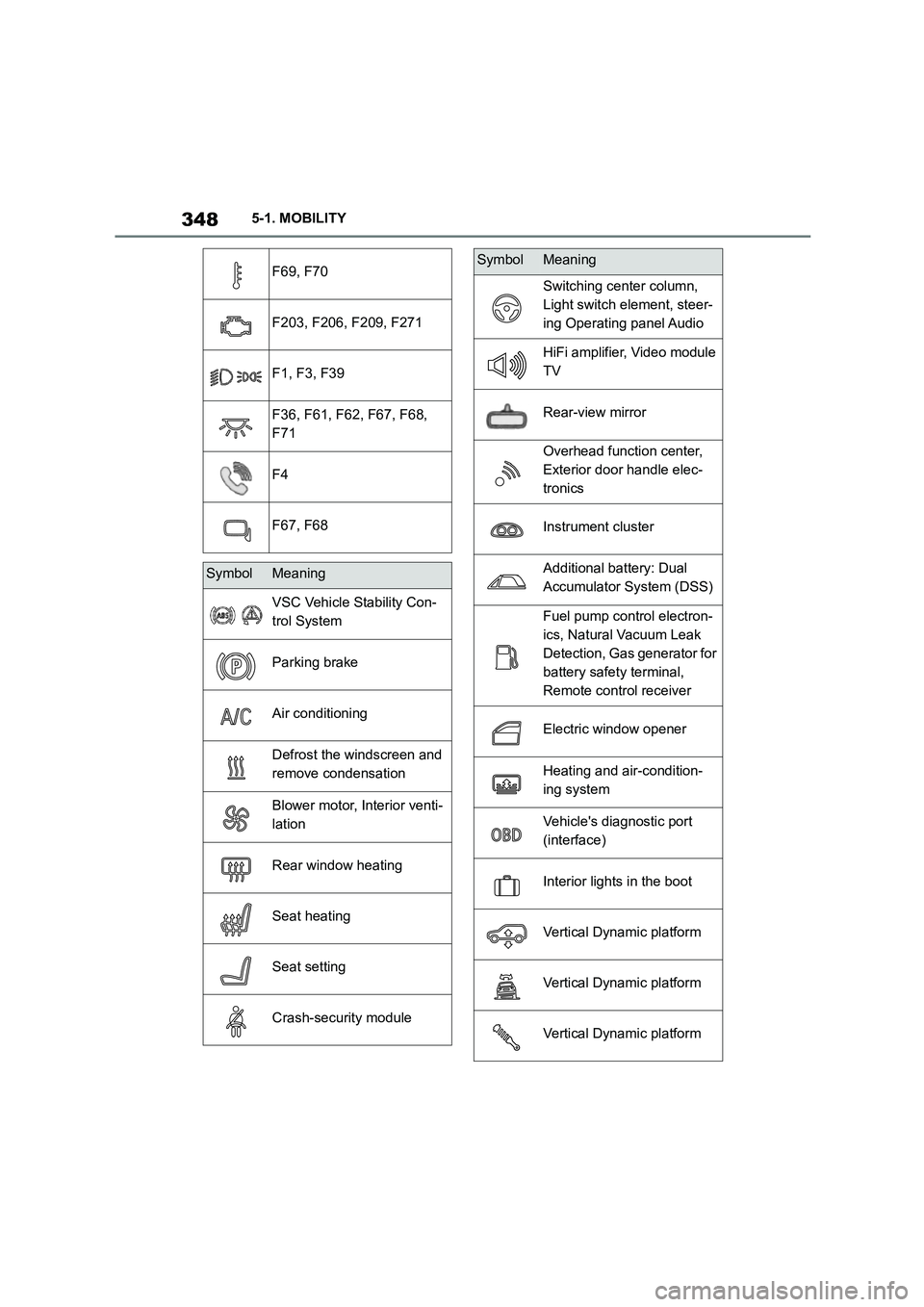
F69, F70
F203, F206, F209, F271
F1, F3, F39
F36, F61, F62, F67, F68,
F71
F4
F67, F68
SymbolMeaning
VSC Vehicle Stability Con-
trol System
Parking brake
Air conditioning
Defrost the windscreen and
remove condensation
Blower motor, Interior venti-
lation
Rear window heating
Seat heating
Seat setting
Crash-security module
Switching center column,
Light switch element, steer-
ing Operating panel Audio
HiFi amplifier, Video module
TV
Rear-view mirror
Overhead function center,
Exterior door handle elec-
tronics
Instrument cluster
Additional battery: Dual
Accumulator System (DSS)
Fuel pump control electron-
ics, Natural Vacuum Leak
Detection, Gas generator for
battery safety terminal,
Remote control receiver
Electric window opener
Heating and air-condition-
ing system
Vehicle's diagnostic port
(interface)
Interior lights in the boot
Vertical Dynamic platform
Vertical Dynamic platform
Vertical Dynamic platform
SymbolMeaning
Page 365 of 498
363
5
5-1. MOBILITY
MOBILITY
■Safety note
■General
In a car wash, the vehicle must be
able to roll freely.
To roll or push the vehicle, see
page 156.
Some car washes require you to
get out of the vehicle. It is not possi-
ble to lock the vehicle from the out-
side in selector lever position N. If
an attempt is made to lock the vehi-
cle, a signal sounds.
Ensure that the remote control is
located in the vehicle.
Switch on drive-ready state, see
page 55.
Do not rub wet headlights dry and
do not use abrasive or corrosive
cleaning agents.
Soak impurities such as insect resi-
dues with shampoo and wash off
with water.
Remove ice with a de-icer spray; do
not use an ice scraper.
After the vehicle has been washed,
briefly apply the brakes to dry them
otherwise braking effectiveness
may be temporarily reduced. The
heat generated by braking dries the
brake discs and br ake pads and
Automatic car washes
Safety notes
NOTICE
If high-pressure washers are used, water may penetrate the area around
the windows. There is a danger of
damage to property. Avoid high pres-
sure washers.
NOTICE
The vehicle can be damaged if auto-
matic washing bays or car washes are used incorrectly. There is a dan-
ger of damage to property. Observe
the following notes:
●Textile car washes or systems
using soft brushes are preferable,
to avoid damage to the paintwork.
●Avoid washing bays or car washes
with guide rails higher than 10 cm,
4 in, to avoid damage to the body.
●Note the maximum tyre width of the
guide rail to avoid damage to tyres and rims.
●Fold in the exterior mirrors to avoid damaging them.
●Deactivate the wipers and the rain sensor (if fitted) to avoid damage to
the wiper system.
Entering a car wash
NOTICE
Selector lever position P is automati-
cally engaged when standby state is
switched off. There is a danger of damage to property. Do not switch off
standby state in car washes.
Exiting from a car wash
Headlights
After washing the vehicle
Page 406 of 498
4046-1. REFERENCE
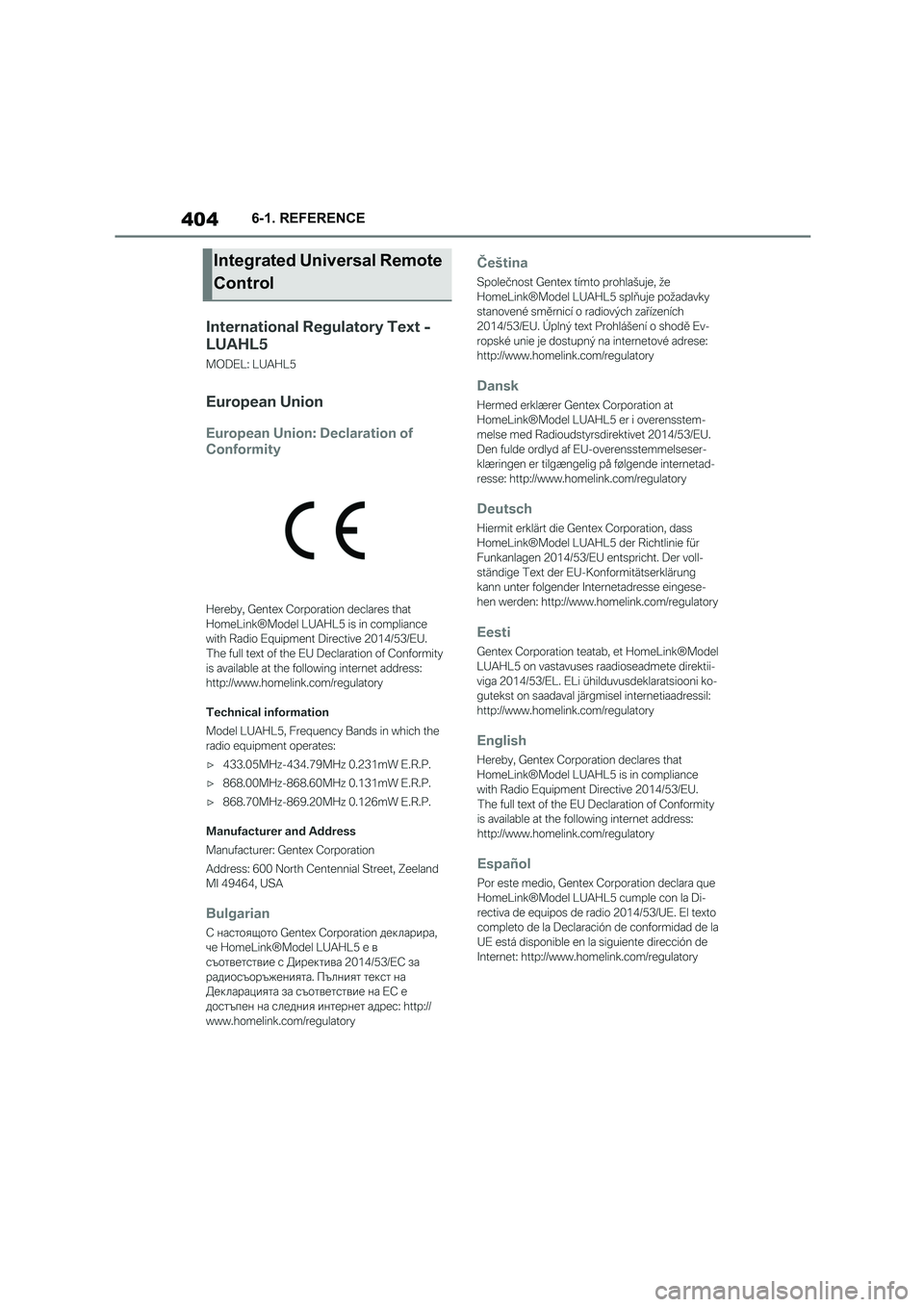
Integrated Universal Remote
Control
Page 437 of 498
435
6
6-1. REFERENCE
REFERENCE
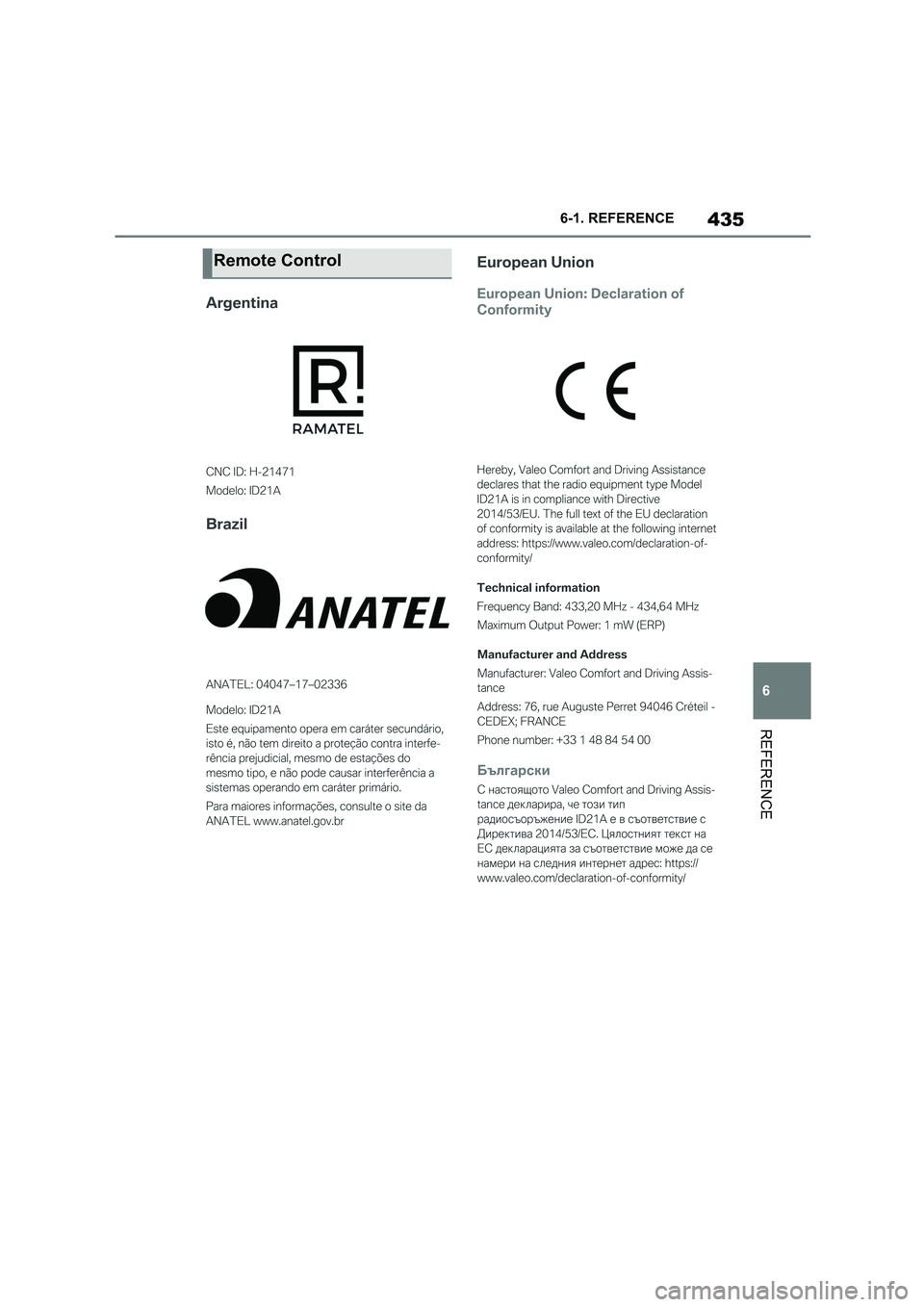
Remote Control