warning TOYOTA SUPRA 2023 User Guide
[x] Cancel search | Manufacturer: TOYOTA, Model Year: 2023, Model line: SUPRA, Model: TOYOTA SUPRA 2023Pages: 372, PDF Size: 6.32 MB
Page 47 of 372
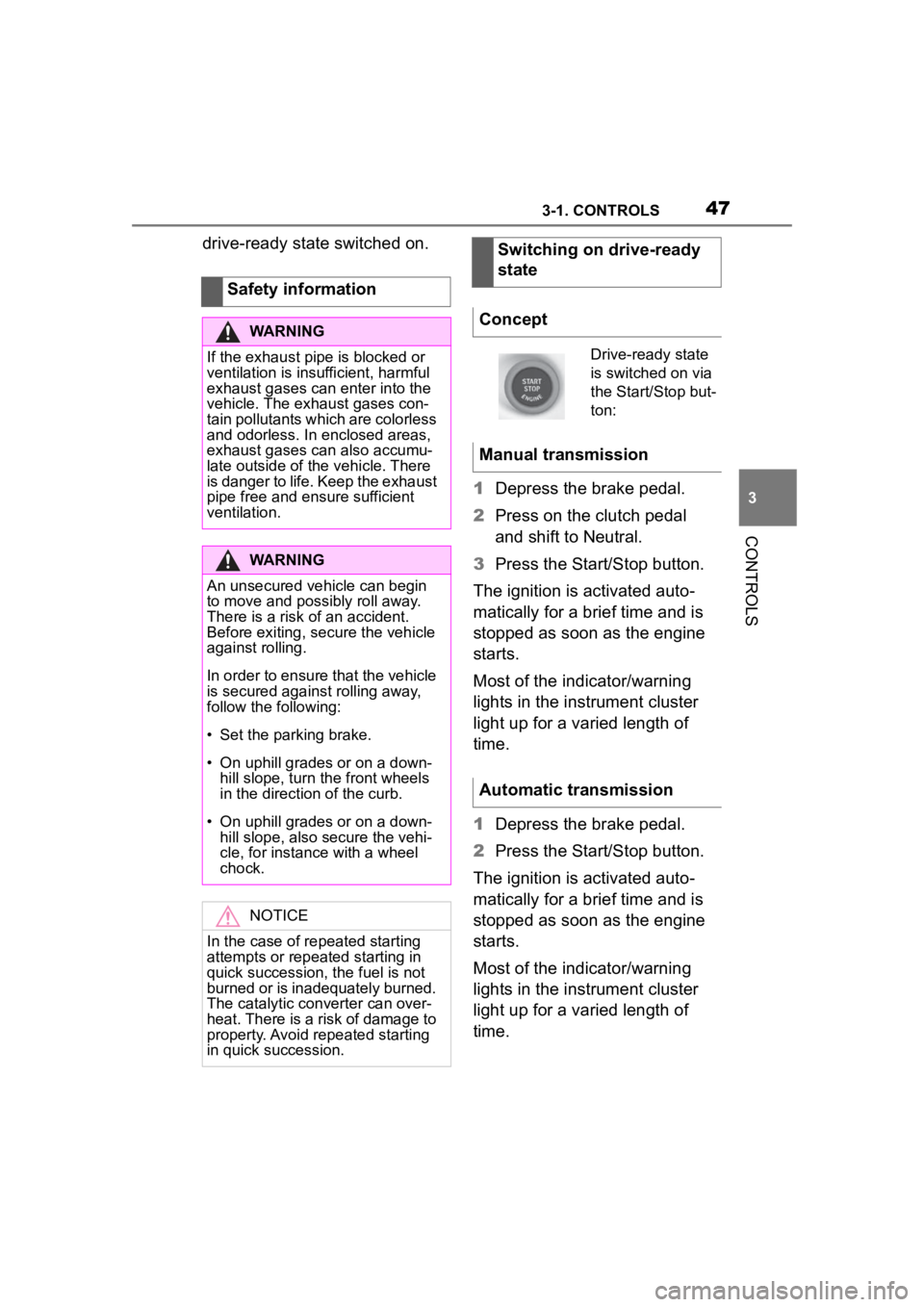
473-1. CONTROLS
3
CONTROLS
drive-ready state switched on.1Depress the brake pedal.
2 Press on the clutch pedal
and shift to Neutral.
3 Press the Start/Stop button.
The ignition is activated auto-
matically for a brief time and is
stopped as soon as the engine
starts.
Most of the indicator/warning
lights in the instrument cluster
light up for a varied length of
time.
1 Depress the brake pedal.
2 Press the Start/Stop button.
The ignition is activated auto-
matically for a brief time and is
stopped as soon as the engine
starts.
Most of the indicator/warning
lights in the instrument cluster
light up for a varied length of
time.
Safety information
WARNING
If the exhaust pipe is blocked or
ventilation is insufficient, harmful
exhaust gases can enter into the
vehicle. The exhaust gases con-
tain pollutants which are colorless
and odorless. In enclosed areas,
exhaust gases can also accumu-
late outside of the vehicle. There
is danger to life. Keep the exhaust
pipe free and ensure sufficient
ventilation.
WARNING
An unsecured vehicle can begin
to move and possibly roll away.
There is a risk of an accident.
Before exiting, secure the vehicle
against rolling.
In order to ensure that the vehicle
is secured against rolling away,
follow the following:
Page 49 of 372
493-1. CONTROLS
3
CONTROLS
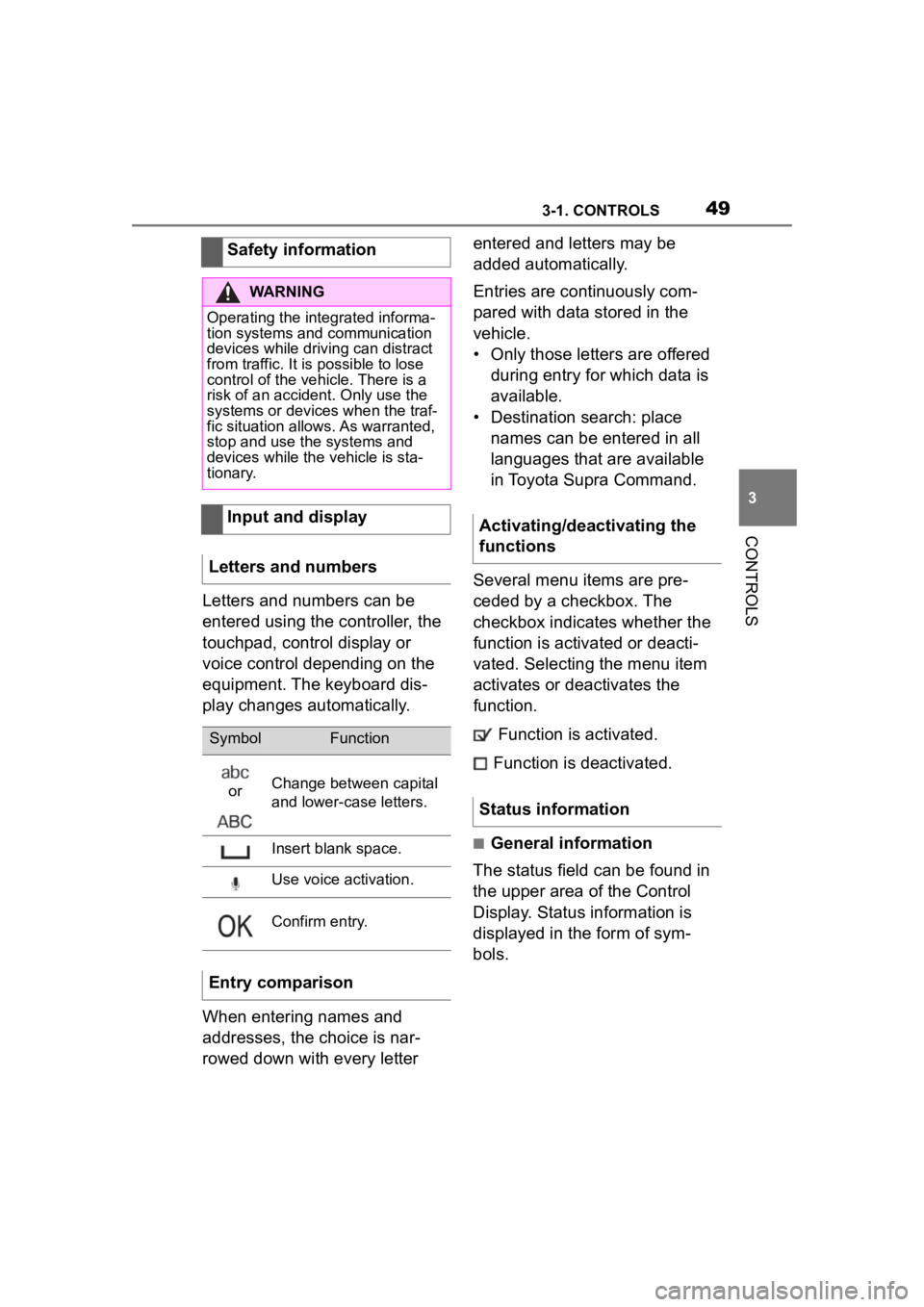
Letters and numbers can be
entered using the controller, the
touchpad, control display or
voice control depending on the
equipment. The keyboard dis-
play changes automatically.
When entering names and
addresses, the choice is nar-
rowed down with every letter entered and letters may be
added automatically.
Entries are continuously com-
pared with data stored in the
vehicle.
• Only those letters are offered
during entry for which data is
available.
• Destination search: place names can be entered in all
languages that are available
in Toyota Supra Command.
Several menu items are pre-
ceded by a checkbox. The
checkbox indicates whether the
function is activated or deacti-
vated. Selecting the menu item
activates or deactivates the
function. Function is activated.
Function is deactivated.
■General information
The status field can be found in
the upper area of the Control
Display. Status information is
displayed in the form of sym-
bols.
Safety information
WARNING
Operating the integrated informa-
tion systems and communication
devices while driving can distract
from traffic. It is possible to lose
control of the vehicle. There is a
risk of an accident. Only use the
systems or devices when the traf-
fic situation allows. As warranted,
stop and use the systems and
devices while the vehicle is sta-
tionary.
Input and display
Letters and numbers
SymbolFunction
orChange between capital
and lower-case letters.
Insert blank space.
Use voice activation.
Confirm entry.
Entry comparison
Activating/deactivating the
functions
Status information
Page 72 of 372
723-1. CONTROLS
vehicle:
• Bluetooth.
• Apple CarPlay.
• Screen Mirroring.
Paired devices are automatically
recognized later on and con-
nected to the vehicle.
• Compatible device with Blue-tooth interface.
• The remote control is in the vehicle.
• The device is ready for opera- tion.
• Bluetooth is switched on in the vehicle, refer to page 73,
and on the device.
• Bluetooth presetting, such as visibility, may be required on
the device; refer to the
owner's manual of the device. Via Toyota Supra Command:
1
"My Vehicle"
2 "System settings"
3 "Mobile devices"
4 "Settings"
5 "Bluetooth
®"
To use all supported functions of
a mobile phone, the following
functions must be activated prior
to pairing the mobile phone with
the vehicle.
Via Toyota Supra Command:
1 "My Vehicle"
2 "System settings"
3 "Mobile devices"
4 "Settings"
5 Select desired setting:
• "Office"
Activate function t o transmit short
messages, e-mails, calendars,
tasks, notes, and reminders to the
vehicle. Costs can be incurred by
transmitting all data to the vehicle.
• "Contact images"
Activate function to show the con-
tact pictures.
6 Move the Controller to the
left.
Safety information
WARNING
Operating the integrated informa-
tion systems and communication
devices while driving can distract
from traffic. It is possible to lose
control of the vehicle. There is a
risk of an accident. Only use the
systems or devices when the traf-
fic situation allows. As warranted,
stop and use the systems and
devices while the vehicle is sta-
tionary.
Bluetooth connection
Functional requirements
Switching on Bluetooth
Activating/deactivating
telephone functions
Page 80 of 372
803-1. CONTROLS
the remote control, take the
remote control with you when
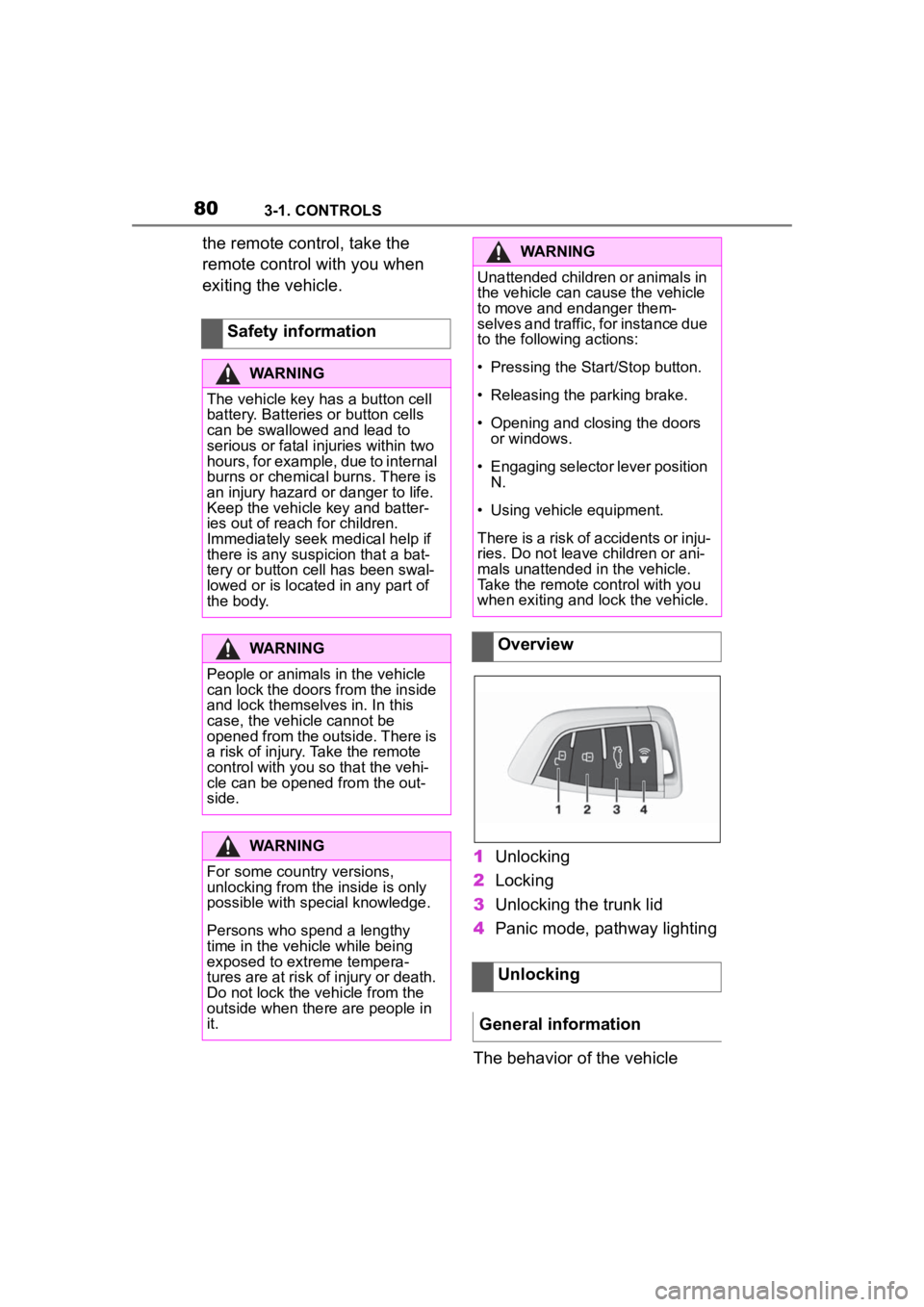
exiting the vehicle.1Unlocking
2 Locking
3 Unlocking the trunk lid
4 Panic mode, pathway lighting
The behavior of the vehicle
Safety information
WARNING
The vehicle key has a button cell
battery. Batteries or button cells
can be swallowed and lead to
serious or fatal injuries within two
hours, for example, due to internal
burns or chemical burns. There is
an injury hazard or danger to life.
Keep the vehicle key and batter-
ies out of reach for children.
Immediately seek medical help if
there is any suspicion that a bat-
tery or button cell has been swal-
lowed or is located in any part of
the body.
WARNING
People or animals in the vehicle
can lock the doors from the inside
and lock themselves in. In this
case, the vehicle cannot be
opened from the outside. There is
a risk of injury. Take the remote
control with you so that the vehi-
cle can be opene
d from the out-
side.
WARNING
For some country versions,
unlocking from the inside is only
possible with special knowledge.
Persons who spend a lengthy
time in the vehicle while being
exposed to extreme tempera-
tures are at risk of injury or death.
Do not lock the vehicle from the
outside when there are people in
it.
WARNING
Unattended children or animals in
the vehicle can cause the vehicle
to move and endanger them-
selves and traffic, for instance due
to the following actions:
Page 82 of 372
823-1. CONTROLS
settings, refer to page 93:
• If the locking of the vehicle is confirmed with a light signal
or a sound signal.
• If the exterior mirrors are automatically folded in when
the vehicle is locked. The
exterior mirrors are not folded
in when the hazard warning
flashers are switched on.
• If the headlight courtesy delay feature is activated during
locking.
1 Close the driver's door.
2 Press the button on the
remote control.
The following functions are exe-
cuted:
• All doors, the trunk lid, and the fuel filler flap are locked.
• With alarm system: The alarm system will be switched on.
If the drive-ready state is still
switched on when you lock the
vehicle, the vehicle horn honks
twice. In this case, the
drive-ready state must be
switched off by means of the
Start/Stop button. The windows are closed in the
area close to the vehicle, as
long as the button on the remote
control is pressed.
The function is not available for
the first 10 seconds after lock-
ing.
• The interior lights are
switched on, unless they were
manually switched off. For
switching the interior lights
on/off manually, refer to page
162.
• Depending on the settings, the exterior lighting, refer to
page 159, will be switched on.
Locking the vehicleWith Smart Key System:
convenient closing
Safety information
WARNING
With convenient closing, body
parts can be jammed. There is a
risk of injury. Make sure that the
area of movement of the doors is
clear during convenient closing.
Closing
Press and hold the button
on the remote control after
locking.
Switching on the interior
and exterior lights
Press the button on the
remote control with the
vehicle locked.
Page 83 of 372
833-1. CONTROLS
3
CONTROLS
The light functions may depend
on the ambient brightness.
To avoid locking the vehicle key
in the vehicle, do not place the
vehicle key in the cargo area.
You can set up if the doors will
be unlocked when the trunk lid
is opened with the remote con-
trol. Settings, refer to page 93.
You can trigger the alarm sys-tem if you find yourself in a dan-
gerous situation.
To switch off the alarm: press
any button.
Set the duration, refer to page
159.
Trunk lid
General information
Safety information
WARNING
Body parts can be jammed when
operating the trunk lid. There is a
risk of injury. Make sure that the
area of movement o f the trunk lid
is clear during opening and clos-
ing.
NOTICE
During opening, the trunk lid piv-
ots back and up. There is a risk of
damage to property. Make sure
that the area of movement of the
trunk lid is clear during opening
and closing.
Unlocking
Press and hold the button
on the remote control for
approx. 1 second.
Panic mode
• Press the button on the
remote control and hold
for at least 3 seconds.
• Briefly press the button on the remote control
three times in succes-
sion.
Switching on the headlight
courtesy delay feature
Press and hold the button
on the remote control for
approx. 1 second.
Replacing the battery
WARNING
The battery inside the vehicle key
is a button cell. Batteries or button
cells can be swallowed, causing
serious or even fatal injuries
within two hours, e .g. due to inter-
nal burns or cauterisations. There
is a danger of injury or danger to
life. Keep vehicle keys and batter-
ies out of the reach of children.
Seek medical assistance immedi-
ately if you suspect that a battery
or button cell ha s been swallowed
or has got into a part of the body.
Page 86 of 372
863-1. CONTROLS
Remote Services of the Toy-
ota Supra Connect app
include the ability to lock and
unlock a vehicle.
This requires an active Toyota
Supra Connect contract and the
Toyota Supra Connect app must be
installed on a smartphone.
• Unlocking the vehicle can be requested via the Concierge.
An active Toyota Supra Connect
contract is required.
The driver's door can be locked
and unlocked without remote
control using the integrated key.
The integrated key also fits the
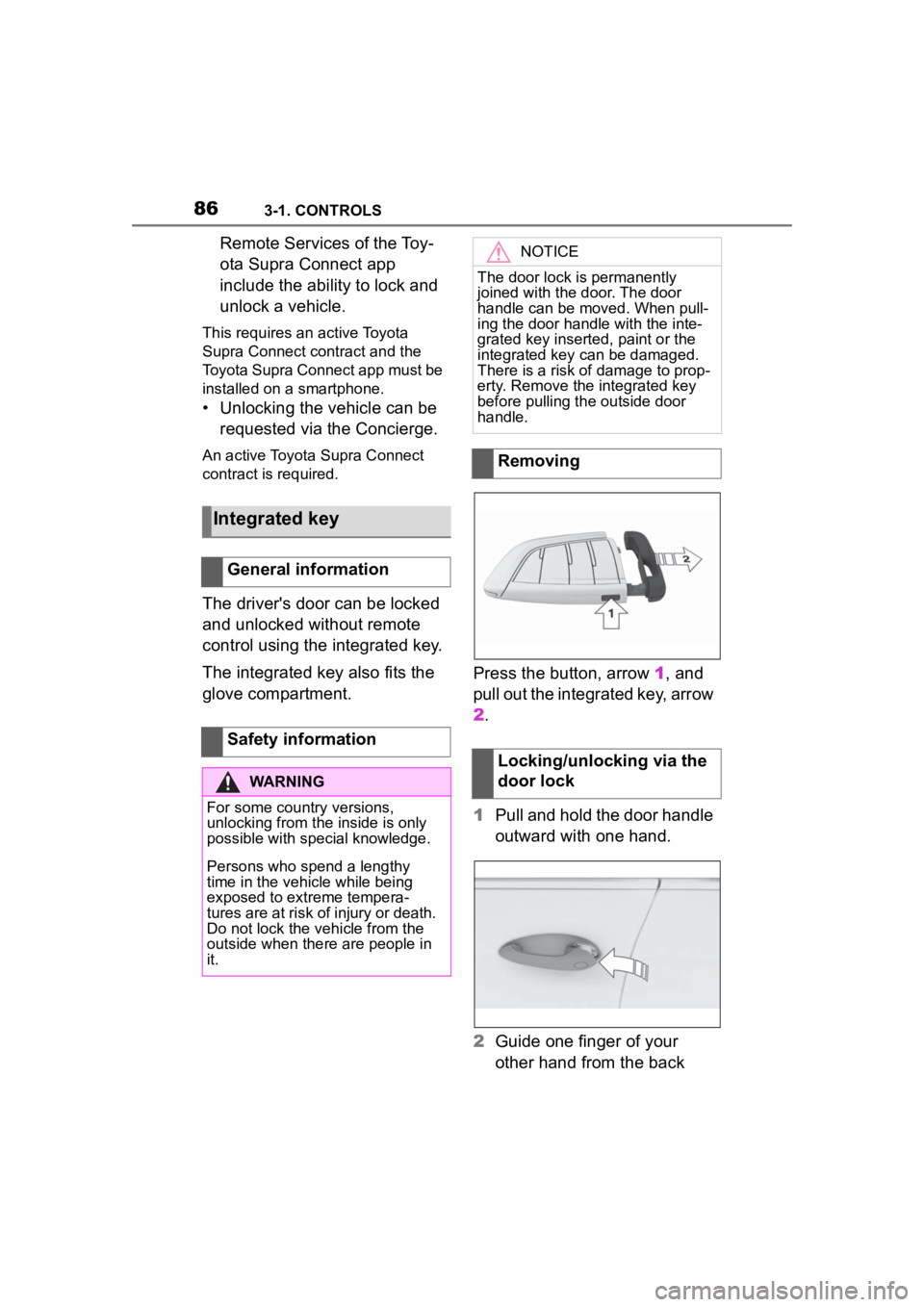
glove compartment. Press the button, arrow 1, and
pull out the integrated key, arrow
2.
1
Pull and hold the door handle
outward with one hand.
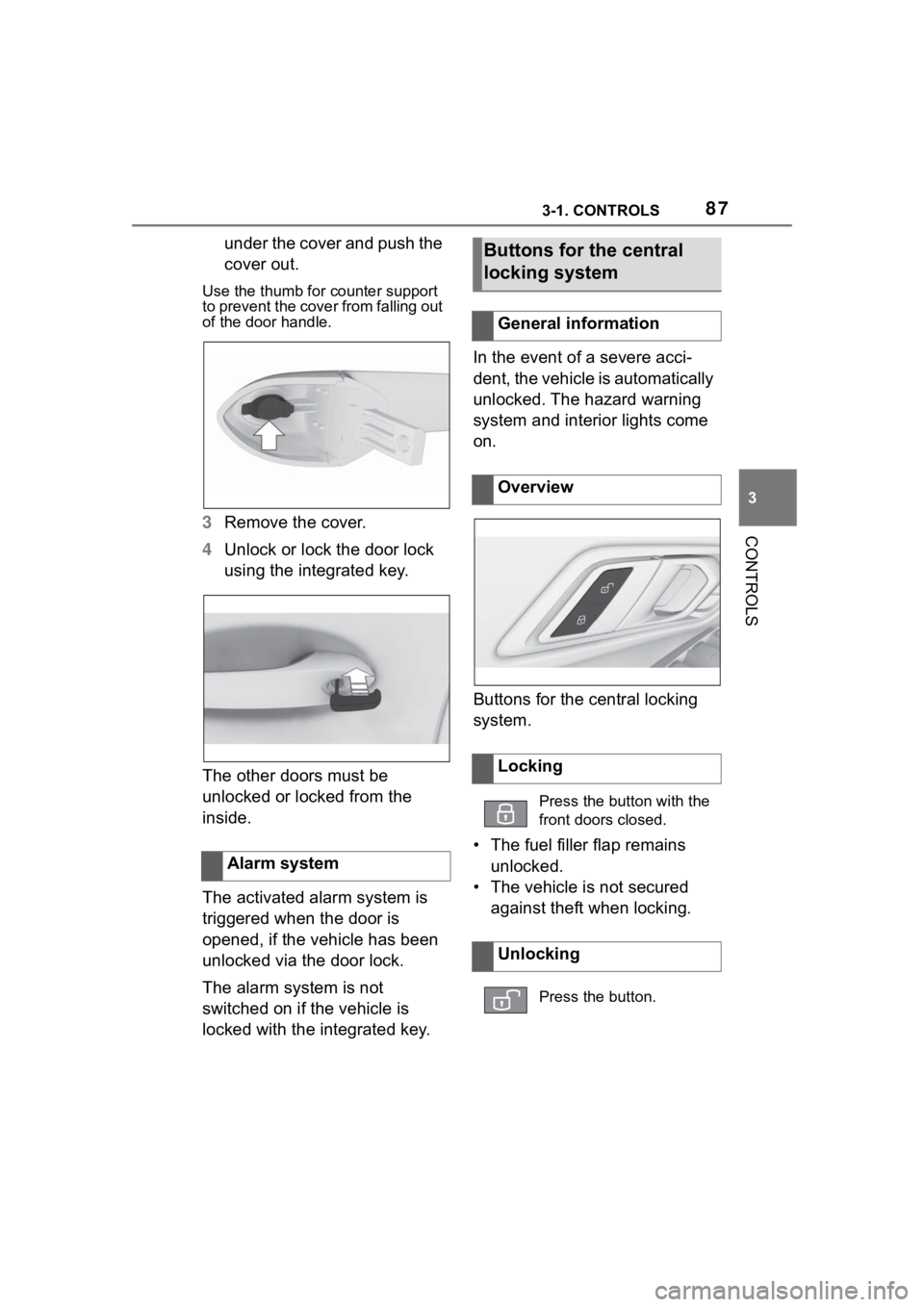
2 Guide one finger of your
other hand from the back
Integrated key
General information
Safety information
WARNING
For some country versions,
unlocking from the inside is only
possible with special knowledge.
Persons who spend a lengthy
time in the vehicle while being
exposed to extreme tempera-
tures are at risk of injury or death.
Do not lock the vehicle from the
outside when there are people in
it.
NOTICE
The door lock is permanently
joined with the door. The door
handle can be moved. When pull-
ing the door handle with the inte-
grated key inserted, paint or the
integrated key can be damaged.
There is a risk of damage to prop-
erty. Remove the integrated key
before pulling the outside door
handle.
Removing
Locking/unlocking via the
door lock
Page 87 of 372
873-1. CONTROLS
3
CONTROLS
under the cover and push the
cover out.
Use the thumb for counter support
to prevent the cover from falling out
of the door handle.
3 Remove the cover.
4 Unlock or lock the door lock
using the integrated key.
The other doors must be
unlocked or locked from the
inside.
The activated alarm system is
triggered when the door is
opened, if the vehicle has been
unlocked via the door lock.
The alarm system is not
switched on if the vehicle is
locked with the integrated key. In the event of a severe acci-
dent, the vehicle is automatically
unlocked. The hazard warning
system and interior lights come
on.
Buttons for the central locking
system.
• The fuel filler flap remains
unlocked.
• The vehicle is not secured against theft when locking.
Alarm system
Buttons for the central
locking system
General information
Overview
Locking
Press the button with the
front doors closed.
Unlocking
Press the button.
Page 89 of 372
893-1. CONTROLS
3
CONTROLS
Safety notes
WARNING
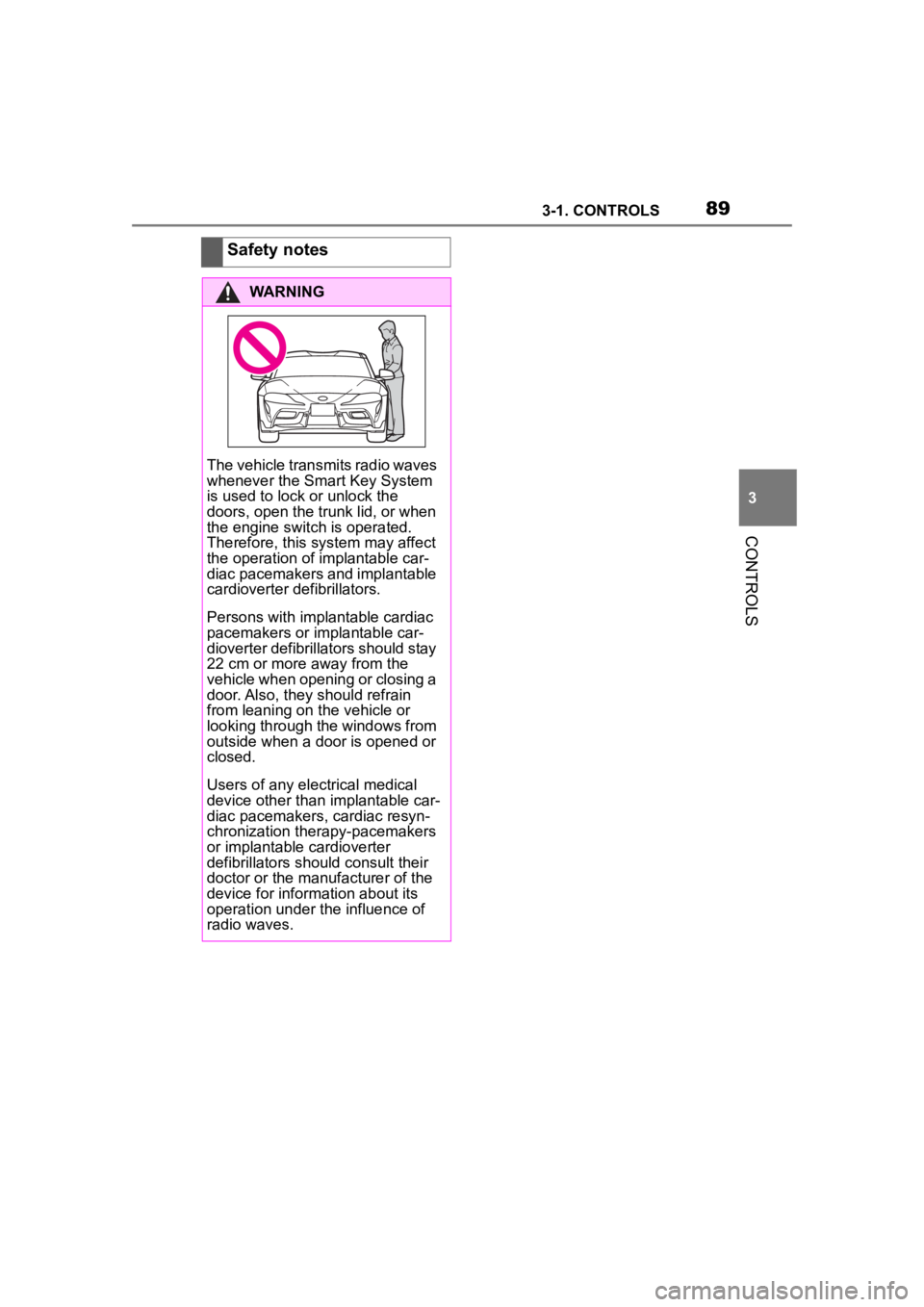
The vehicle transmits radio waves
whenever the Smart Key System
is used to lock or unlock the
doors, open the trunk lid, or when
the engine switch is operated.
Therefore, this system may affect
the operation of implantable car-
diac pacemakers and implantable
cardioverter defibrillators.
Persons with implantable cardiac
pacemakers or implantable car-
dioverter defibrillators should stay
22 cm or more away from the
vehicle when opening or closing a
door. Also, they should refrain
from leaning on the vehicle or
looking through the windows from
outside when a door is opened or
closed.
Users of any electrical medical
device other than i mplantable car-
diac pacemakers, cardiac resyn-
chronization therapy-pacemakers
or implantable cardioverter
defibrillators should consult their
doctor or the manufacturer of the
device for information about its
operation under the influence of
radio waves.
Page 91 of 372
913-1. CONTROLS
3
CONTROLS
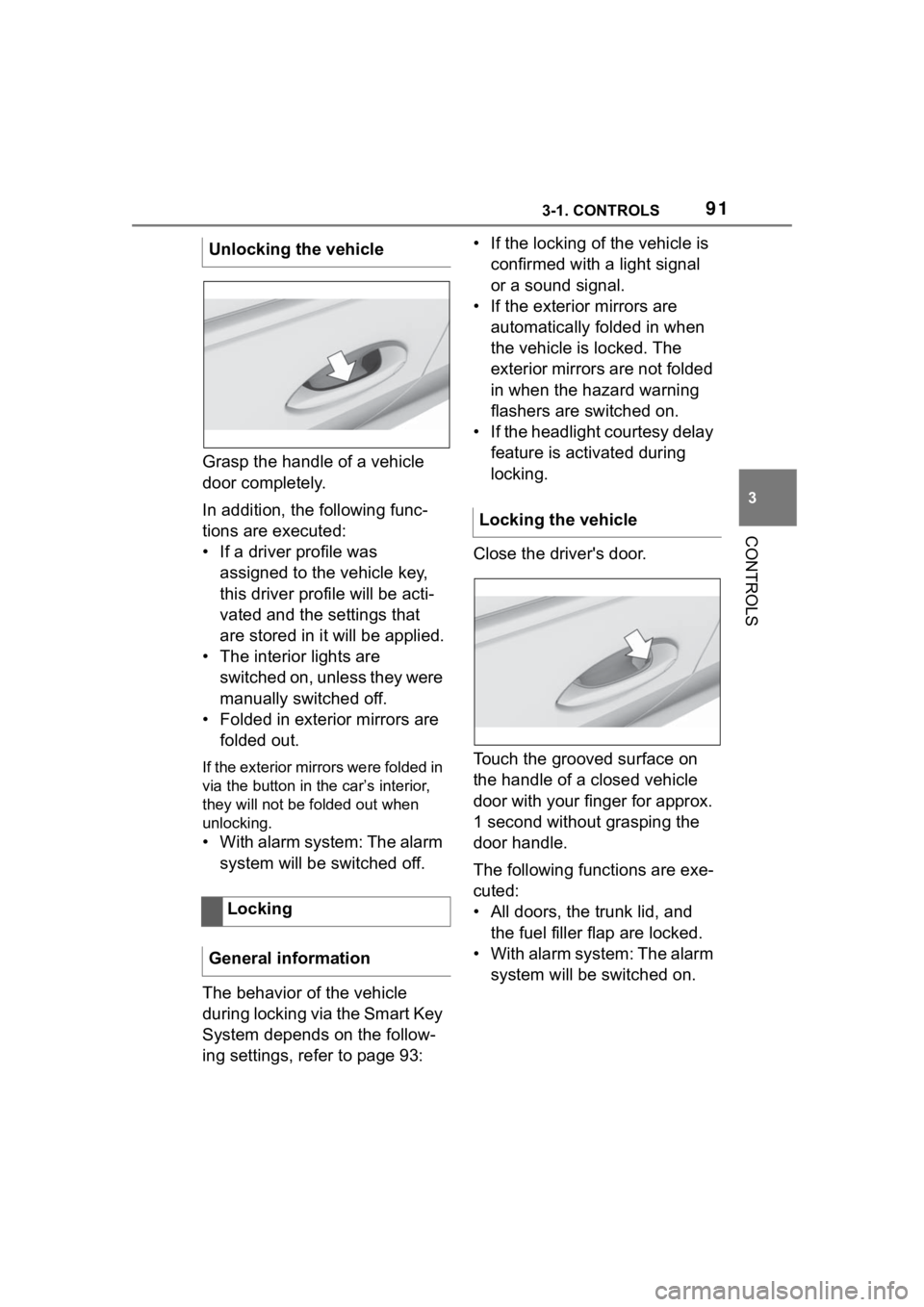
Grasp the handle of a vehicle
door completely.
In addition, the following func-
tions are executed:
• If a driver profile was assigned to the vehicle key,
this driver profile will be acti-
vated and the settings that
are stored in it will be applied.
• The interior lights are switched on, unless they were
manually switched off.
• Folded in exterior mirrors are folded out.
If the exterior mirrors were folded in
via the button in the car’s interior,
they will not be f olded out when
unlocking.
• With alarm system: The alarm
system will be switched off.
The behavior of the vehicle
during locking via the Smart Key
System depends on the follow-
ing settings, refer to page 93: • If the locking of the vehicle is
confirmed with a light signal
or a sound signal.
• If the exterior mirrors are automatically folded in when
the vehicle is locked. The
exterior mirrors are not folded
in when the hazard warning
flashers are switched on.
• If the headlight courtesy delay feature is activated during
locking.
Close the driver's door.
Touch the grooved surface on
the handle of a closed vehicle
door with your finger for approx.
1 second without grasping the
door handle.
The following functions are exe-
cuted:
• All doors, the trunk lid, and the fuel filler flap are locked.
• With alarm system: The alarm system will be switched on.
Unlocking the vehicle
Locking
General information
Locking the vehicle