warning TOYOTA SUPRA 2023 Workshop Manual
[x] Cancel search | Manufacturer: TOYOTA, Model Year: 2023, Model line: SUPRA, Model: TOYOTA SUPRA 2023Pages: 372, PDF Size: 6.32 MB
Page 145 of 372
1453-1. CONTROLS
3
CONTROLS
Always avoid engine speeds in
the red warning field. In this
range, the fuel supply is reduced
to protect the engine.
Depending on the vehicle equip-
ment, the shift position indica-
tors on the instrument cluster
indicates the maximum shift
point at which the best possible
acceleration can be achieved.
Depending on the equipment
and nationalmarket version, the
Shift lights are active in the sport
mode of the Automatic transmis-
sion and with manual transmis-
sion.
When the selected driving mode
is sport mode, a shift light will be
displayed.
Automatic transmission:
1Select SPORT using the
sport mode switch.
2 Activate manual mode of the
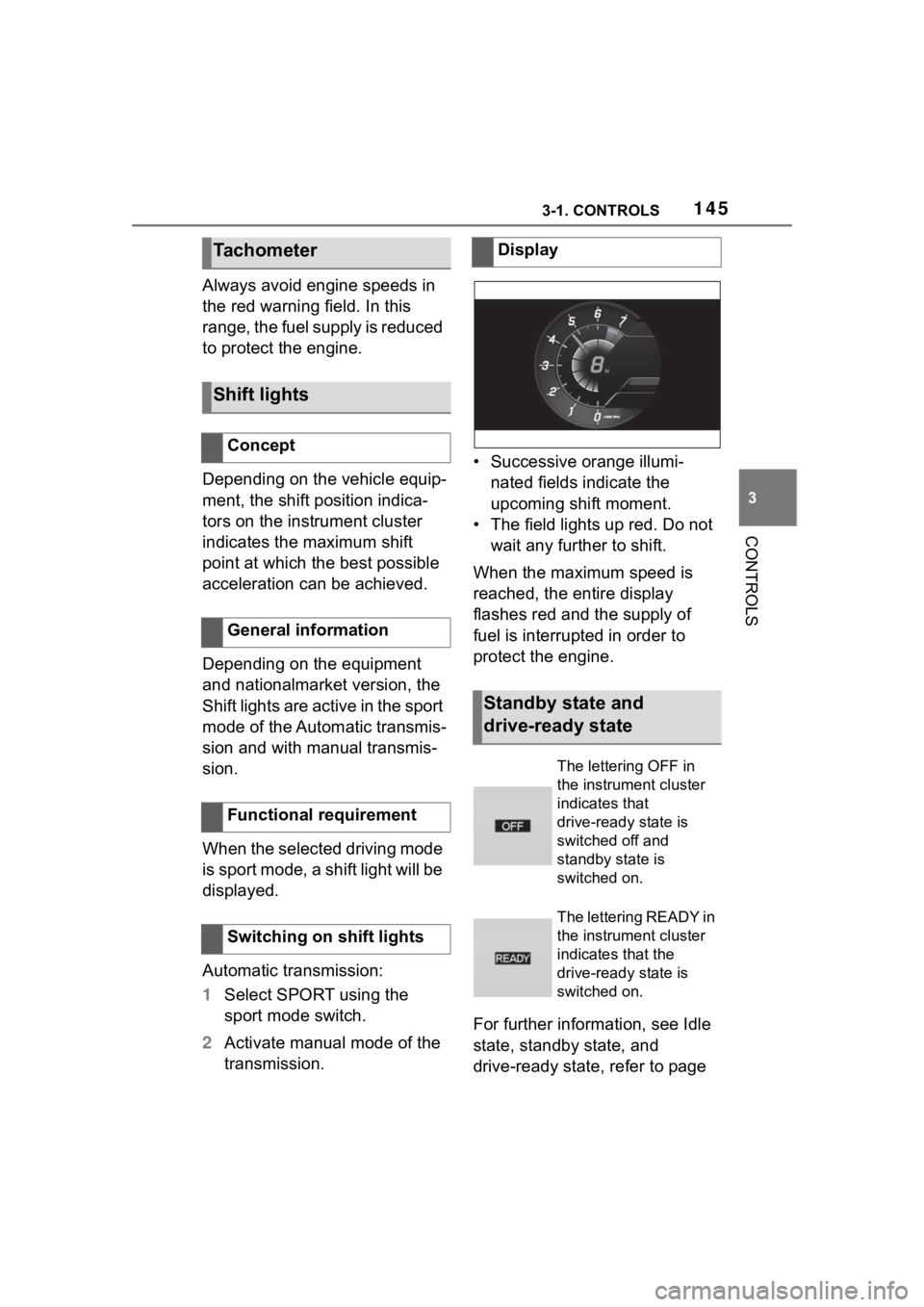
transmission. • Successive orange illumi-
nated fields indicate the
upcoming shift moment.
• The field lights up red. Do not wait any further to shift.
When the maximum speed is
reached, the entire display
flashes red and the supply of
fuel is interrupted in order to
protect the engine.
For further information, see Idle
state, standby state, and
drive-ready state, refer to page
Tachometer
Shift lights
Concept
General information
Functional requirement
Switching on shift lights
Display
Standby state and
drive-ready state
The lettering OFF in
the instrument cluster
indicates that
drive-ready state is
switched off and
standby state is
switched on.
The lettering READY in
the instrument cluster
indicates that the
drive-ready state is
switched on.
Page 146 of 372
1463-1. CONTROLS
45.If the indicator drops to
+37°F/+3°C or lower, a signal
sounds.
A vehicle message is displayed.
There is an increased risk of ice
on roads.
The time is displayed in the
instrument cluster. Setting the
time and time format, refer to
page 63.
The range indicates the dis-
tance that can still be covered
with the current fuel level.
The estimated range available
Engine coolant tempera-
ture
Display
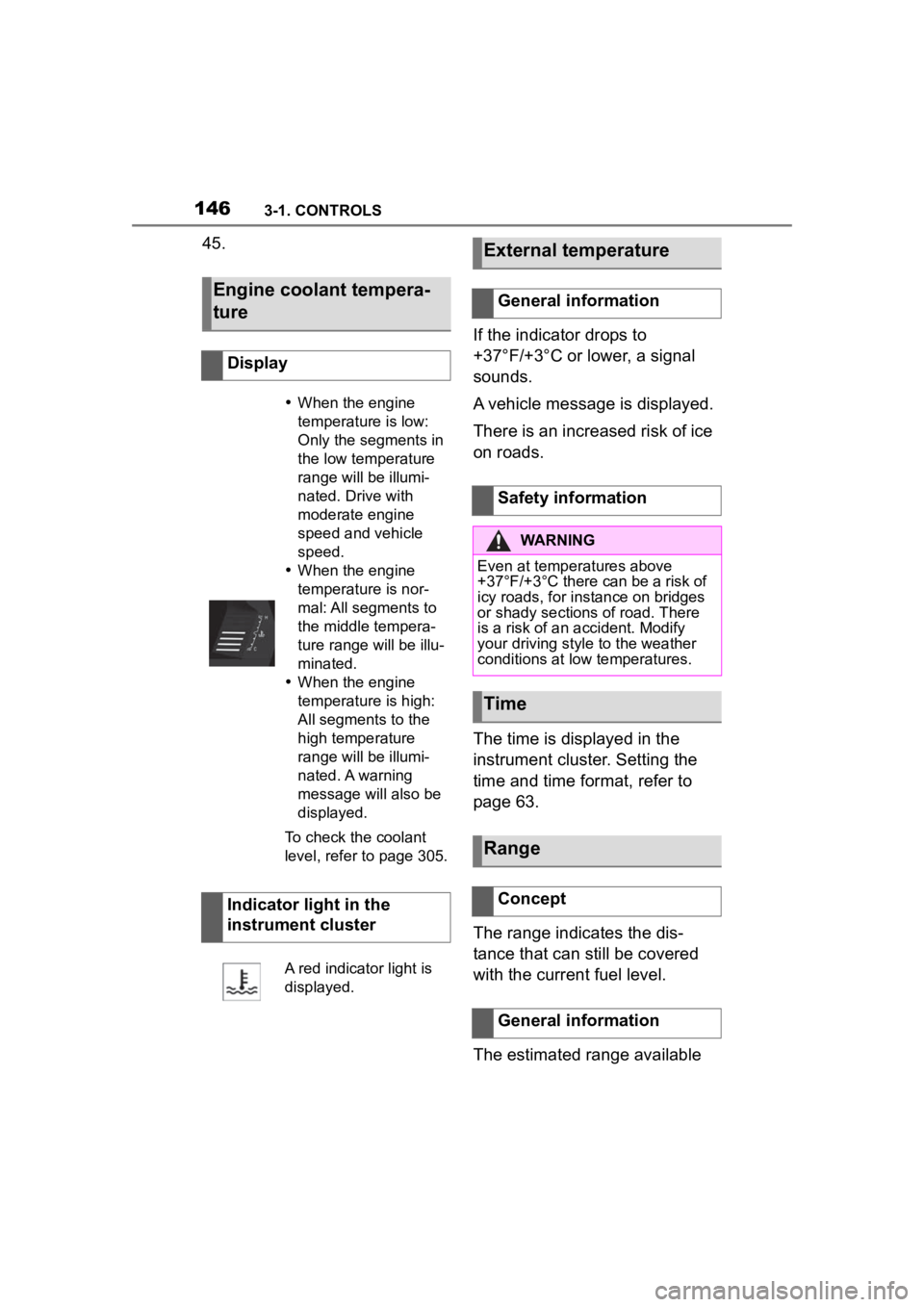
When the engine
temperature is low:
Only the segments in
the low temperature
range will be illumi-
nated. Drive with
moderate engine
speed and vehicle
speed.
When the engine
temperature is nor-
mal: All segments to
the middle tempera-
ture range will be illu-
minated.
When the engine
temperature is high:
All segments to the
high temperature
range will be illumi-
nated. A warning
message will also be
displayed.
To check the coolant
level, refer to page 305.
Indicator light in the
instrument cluster
A red indicator light is
displayed.
External temperature
General information
Safety information
WARNING
Even at temper atures above
+37°F/+3°C there can be a risk of
icy roads, for instance on bridges
or shady sections of road. There
is a risk of an accident. Modify
your driving style to the weather
conditions at low temperatures.
Time
Range
Concept
General information
Page 153 of 372
1533-1. CONTROLS
3
CONTROLS
Via Toyota Supra Command:
1"My vehicle"
2 "Sport displays"
A speed limit can be set that
when reached will cause a
warning to be issued.
The warning is repeated if the
vehicle speed exceeds the set
speed limit again, after it has
dropped below it by 3 mph/5
km/h.
Via Toyota Supra Command:
1 "My Vehicle"
2 "Vehicle settings"
3 "Speed warning"
4 "Warning at:"
5 Turn the Controller until the
desired speed is displayed.
6 Press the Controller.
Via Toyota Supra Command: 1
"My Vehicle"
2 "Vehicle settings"
3 "Speed warning"
4 "Speed warning"
Via Toyota Supra Command:
1 "My Vehicle"
2 "Vehicle settings"
3 "Speed warning"
4 "Select current speed"
The status can be displayed and
actions performed for several
systems.
Via Toyota Supra Command:
1 "My vehicle"
2 "Vehicle status"
"Tire Pressure Monitor":
Status of the Tire Pressure
Monitor, refer to page 287.
"Engine oil level": Elec-
tronic engine oil level check,
refer to page 302.
"Vehicle messages": Vehi-
Displays
Speed warning
Concept
General information
Configuring the speed
limit warning
Activating/deactivating the
speed warning
Setting your current speed
as the speed warning
Vehicle status
General information
Opening the vehicle status
Information at a glance
Page 161 of 372
1613-1. CONTROLS
3
CONTROLS
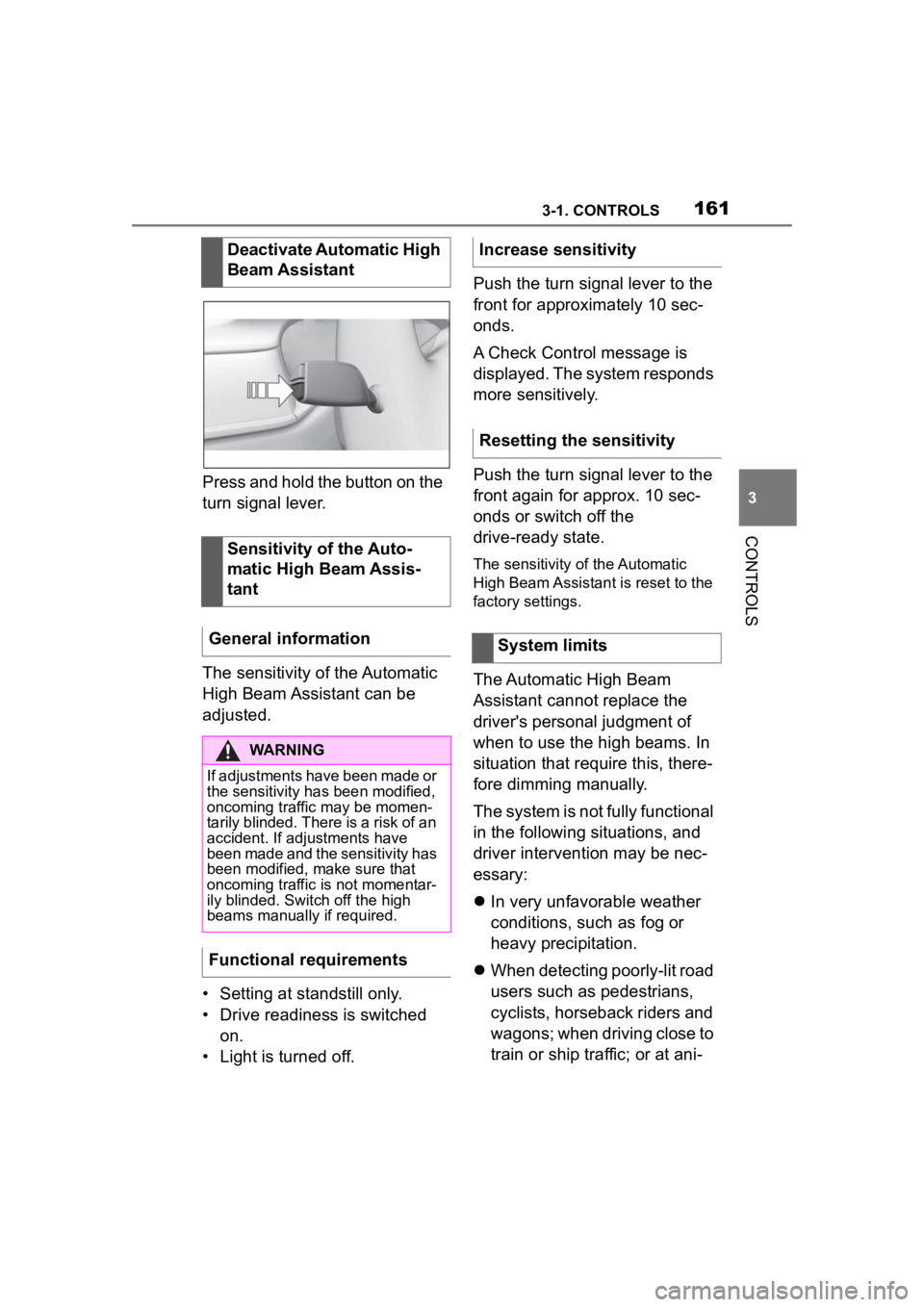
Press and hold the button on the
turn signal lever.
The sensitivity of the Automatic
High Beam Assistant can be
adjusted.
• Setting at standstill only.
• Drive readiness is switched on.
• Light is turned off. Push the turn signal lever to the
front for approximately 10 sec-
onds.
A Check Control message is
displayed. The system responds
more sensitively.
Push the turn signal lever to the
front again for approx. 10 sec-
onds or switch off the
drive-ready state.
The sensitivity of the Automatic
High Beam Assistant is reset to the
factory settings.
The Automatic High Beam
Assistant cannot replace the
driver's personal judgment of
when to use the high beams. In
situation that require this, there-
fore dimming manually.
The system is not fully functional
in the following situations, and
driver intervention may be nec-
essary:
In very unfavorable weather
conditions, such as fog or
heavy precipitation.
When detecting poorly-lit road
users such as pedestrians,
cyclists, horseback riders and
wagons; when driving close to
train or ship traffic; or at ani-
Deactivate Automatic High
Beam Assistant
Sensitivity of the Auto-
matic High Beam Assis-
tant
General information
WARNING
If adjustments have been made or
the sensitivity ha s been modified,
oncoming traffic may be momen-
tarily blinded. There is a risk of an
accident. If adjustments have
been made and the sensitivity has
been modified, make sure that
oncoming traffic is not momentar-
ily blinded. Switch off the high
beams manually if required.
Functional requirements
Increase sensitivity
Resetting the sensitivity
System limits
Page 165 of 372
1653-1. CONTROLS
3
CONTROLS
Airbags are not triggered in
every impact situation, for
instance in less severe acci-
dents.
Keep a distance from the air-
bags.
Always grasp the steering
wheel on the steering wheel
rim. Hold your hands at the 3
o'clock and 9 o'clock posi-
tions, to keep the risk of injury
to your hands or arms as low
as possible when the airbag is
triggered.
Adjust seat and steering
wheel so that hands can be
crossed over the steering
wheel. Select the settings so
that the shoulder rests against
the backrest when crossing
the hands and the upper body is as far back as possible
while still maintaining a com-
fortable grip on the steering
wheel.
Make sure that the front pas-
senger is sitting correctly, i.e.,
keeps his or her feet and legs
in the floor area and does not
support them on the dash-
board.
Make sure that occupants
keep their heads away from
the side airbag.
There should be no addi-
tional persons, animals or
objects between an airbag
and a person.
Dashboard and windshield on
the front passenger side must
stay clear - do not attach
adhesive labels or coverings
and do not attach brackets or
cables, for instance for GPS
devices or mobile phones.
Do not apply adhesive materi-
als to the airbag cover panels,
do not cover them or modify
them in any way.
Do not use the cover of the
front airbag on the front pas-
senger side as a storage
area.
Do not attach slip covers, seat
cushions or other objects to
the front passenger seat that
are not specifically suited for
seats with integrated side air-
bags.
Protective effect
General information
Information on optimum
effect of the airbags
WARNING
If the seat position is incorrect or
the deployment area of the air-
bags is impaired, the airbag sys-
tem cannot provide protection as
intended and ma y cause addi-
tional injuries due to triggering.
There is a risk o f injuries or dan-
ger to life. Follow the information
on achieving the optimum protec-
tive effect of the airbag system.
Page 166 of 372
1663-1. CONTROLS
Do not hang pieces of cloth-
ing, such as jackets, over the
backrests.
Never modify either the indi-
vidual components or the wir-
ing in the airbag system. This
also applies to steering wheel
covers, the dashboard, and
the seats.
Do not remove the airbag sys-
tem.
Even when you follow all
instructions very closely, injury
from contact with the airbags
cannot be fully ruled out in cer-
tain situations.
The ignition and inflation noise
may lead to short-term and, in
most cases, temporary hearing
impairment in sensitive occu-
pants.
Vehicle modifications for a per-
son with disabilities may affect
the air bag system; contact the
Toyota dealer for further infor-
mation.
Warnings and information on the
airbags are also found on the
sun visors. Functional readiness of
the airbag system
Safety information
WARNING
Individual components can be hot
after triggering of the airbag sys-
tem. There is a risk of injury. Do
not touch individual components.
WARNING
Improperly executed work can
lead to failure, malfunction or
unintentional triggering of the air-
bag system. In the case of a mal-
function, the airbag system might
not trigger as intended despite the
accident severity. There is a risk
of injuries or danger to life. Have
the airbag system checked,
repaired, dismantled and
scrapped by your Toyota dealer.
Display in the instrument
cluster
When drive-ready state is
switched on, the warning
light in the instrument
cluster lights up briefly and
thereby indicates the func-
tion readiness of the entire
airbag system and the belt
tensioners.
Malfunction
Warning light does not
come on when
drive-ready state is
switched on.
The warning light lights
up continuously.
Page 168 of 372
1683-1. CONTROLS
deploy when additional reduc-
tion of the impact applied to the
occupants in a collision is nec-
essary.
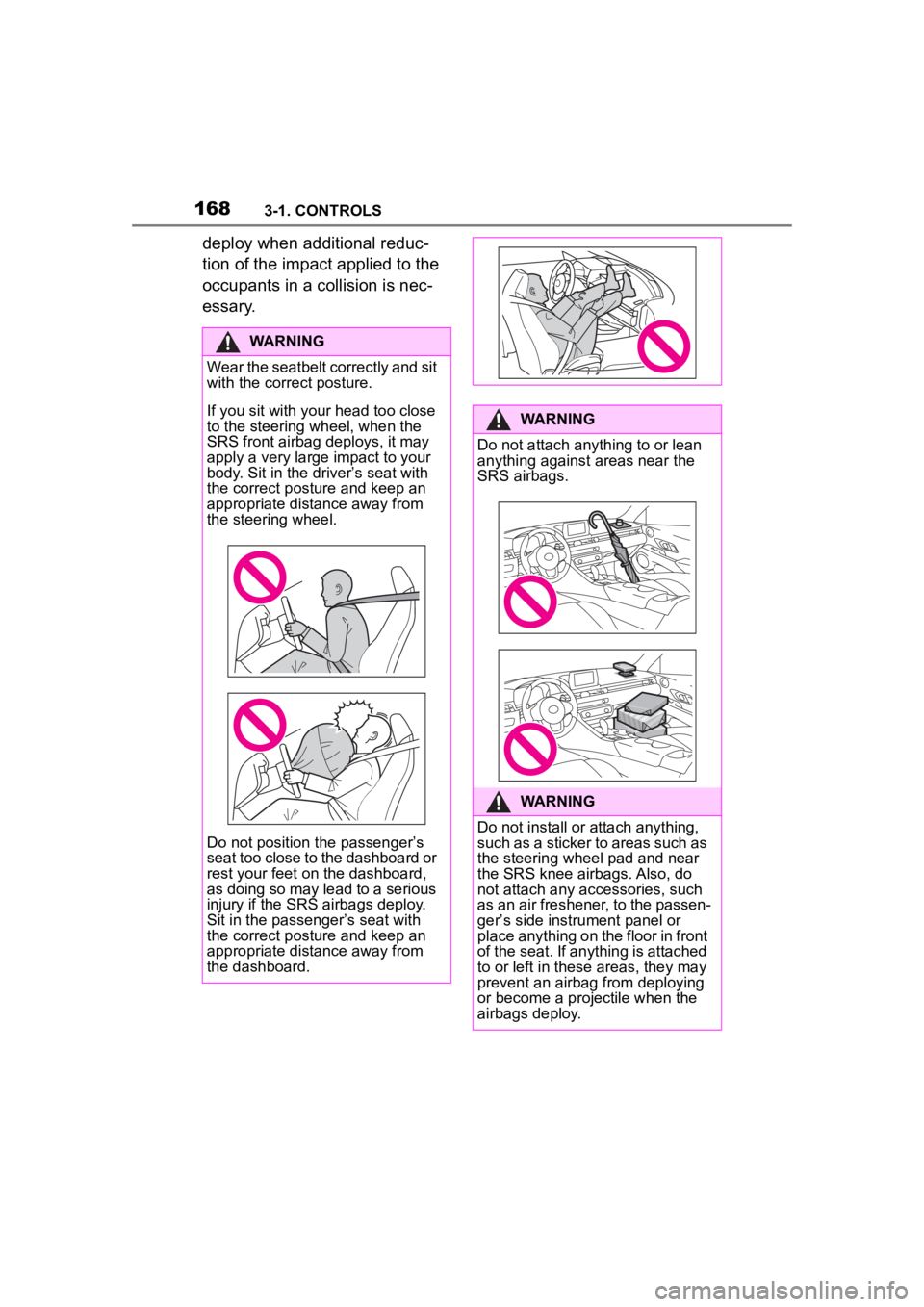
WARNING
Wear the seatbelt correctly and sit
with the correct posture.
If you sit with your head too close
to the steering wheel, when the
SRS front airbag deploys, it may
apply a very large impact to your
body. Sit in the driver
Page 172 of 372
1723-1. CONTROLS
ating an air cushion to help
reduce the impact on the occu-
pants and restrain them from
contacting the door window,
door, etc. with their head and
torso. When an airbag deploys,
as it will inflate nearly instantly, it
may impact an occupant and
cause an injury, or the loud
noise emitted by ignition or
deployment may cause tempo-
rary partial loss of hearing. Also,
as an airbag and nearby parts
will be extremely hot after the
airbag deploys, touching them
may cause burns. For these rea-
sons, deployment of the airbags
is not entirely risk free. There-
fore, in order to reduce this risk,
the airbags are designed to only
deploy when additional reduc-
tion of the impact applied to the
occupants in a collision is nec-
essary.
If the force of the collision does
not cause the airbags to deploy,
the seatbelts will protect the
occupants.
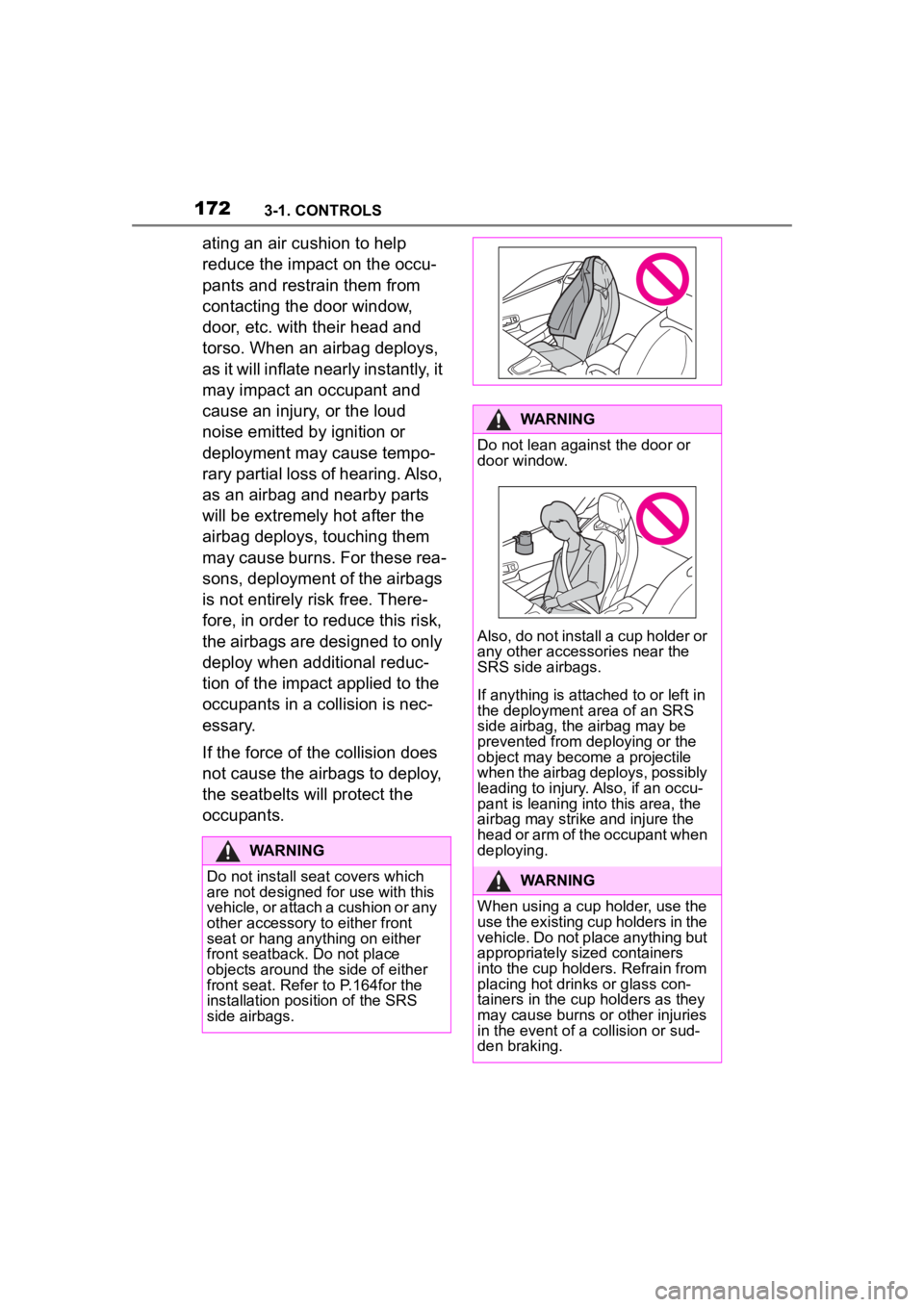
WARNING
Do not install seat covers which
are not designed for use with this
vehicle, or attach a cushion or any
other accessory to either front
seat or hang anything on either
front seatback. Do not place
objects around the side of either
front seat. Refer to P.164for the
installation position of the SRS
side airbags.
WARNING
Do not lean against the door or
door window.
Also, do not install a cup holder or
any other accessor ies near the
SRS side airbags.
If anything is attached to or left in
the deployment a rea of an SRS
side airbag, the airbag may be
prevented from deploying or the
object may become a projectile
when the airbag deploys, possibly
leading to injury. Also, if an occu-
pant is leaning into this area, the
airbag may strike and injure the
head or arm of the occupant when
deploying.
WARNING
When using a cup holder, use the
use the existing cup holders in the
vehicle. Do not place anything but
appropriately sized containers
into the cup holders. Refrain from
placing hot drinks or glass con-
tainers in the cup holders as they
may cause burns or other injuries
in the event of a collision or sud-
den braking.
Page 174 of 372
1743-1. CONTROLS
When a subsequent collision
occurs after a SRS side air-
bag or SRS curtain shield air-
bag has operated
When only a small impact is
applied to the side of the vehi-
cle in a collision
When the SRS airbag warn-
ing light is illuminated
When the majority of the initial
force of an impact is applied
only to a door
The explosive power that acti-
vates driver's/front-seat passen-
ger airbags very much depends
on the positions of the
driver's/front passenger seat.
To maintain the accuracy of this
function over the long term, cali-
brate the front seats as soon as
a respective message appears
on the Control Display. A corresponding message
appears on the Control Display.
1
Press the switch and move
the respective seat all the
way forward, until it stops.
2 Press the switch forward
again. The seat still moves
forward slightly.
3 Readjust the seat to the
desired position.
The calibration procedure is
completed when the message
on the Control Display disap-
pears.
If the message continues to be
displayed, repeat the calibration.
If the message does not disap-
pear after a repeat calibration,
have the system checked as
soon as possible.
The system reads if the front
passenger seat is occupied by
The SRS side airbags and
SRS curtain shield airbags
will not deploy when
Strength of the driver's
and front-seat passenger
airbag
Calibrating the front seats
WARNING
There is a risk of jamming when
moving the seats. There is a risk
of injury or risk of damage to prop-
erty. Make sure that the area of
movement of the seat is clear
prior to any adjustment.
Automatic deactivation of
the front-seat passenger
airbags
Concept
Page 175 of 372
1753-1. CONTROLS
3
CONTROLS
measuring the human body's
resistance.
Front, knee, and side airbag on
the front passenger's side are
activated or deactivated.
Before transporting a child on
the front passenger seat, refer
to the safety information and
instructions for children on the
front passenger seat, see Chil-
dren.
When transporting older chil-
dren and adults, the front-seat
passenger airbags may be
deactivated in certain sitting
positions. In this case, the indi-
cator light for the front-seat pas-
senger airbags lights up.
In this case, change the sitting
position so that the front-seat
passenger airbags are acti-vated and the indicator light
goes out.
If it is not possible to activate the
airbags, have the person sit in
the rear.
To enable correct recognition of
the occupied seat cushion.
Do not attach covers, cush-
ions, ball mats or other items
to the front passenger seat
unless they are specifically
determined to be safe for use
on the front passenger seat.
Do not place any electronic
devices on the front passen-
ger seat if a child restraint
system is to be installed on it.
Do not place objects under
the seat that could press
against the seat from below.
No moisture in or on the seat.
The indicator light for the
front-seat passenger airbag in
the roofliner indicates the oper-
ating state of the front-seat pas-
senger airbag.
The light indicates whether the
airbags are either activated or
deactivated.
After drive-ready state is
switched on, the light briefly
lights up and then indicates
whether the airbags are either
General information
Safety information
WARNING
To ensure the front-seat passen-
ger airbag function, the system
must be able to detect whether a
person is sitting
in the front pas-
senger seat. The entire seat cush-
ion area must be used for this
purpose. There is a risk of injuries
or danger to life. Make sure that
the front passeng er keeps his or
her feet in the floor area.
Malfunction of the auto-
matic deactivation system
Indicator light for the
front-seat passenger air-
bags