warning TOYOTA SUPRA 2023 Owner's Manual
[x] Cancel search | Manufacturer: TOYOTA, Model Year: 2023, Model line: SUPRA, Model: TOYOTA SUPRA 2023Pages: 372, PDF Size: 6.32 MB
Page 92 of 372
923-1. CONTROLS
To avoid locking the vehicle key
in the vehicle, do not place the
vehicle key in the cargo area.
Depending on the vehicle equip-
ment and country version, it is
also possible to have the doors
unlocked. To perform settings,
refer to page 93.When unlocking with the vehicle
key, refer to page 83, the doors
may also be unlocked.
Trunk lid
General information
Safety information
WARNING
Body parts can be jammed when
operating the trunk lid. There is a
risk of injury. Make sure that the
area of movement of the trunk lid
is clear during opening and clos-
ing.
NOTICE
During opening, the trunk lid piv-
ots back and up. There is a risk of
damage to property. Make sure
that the area of movement of the
trunk lid is clear during opening
and closing.
NOTICE
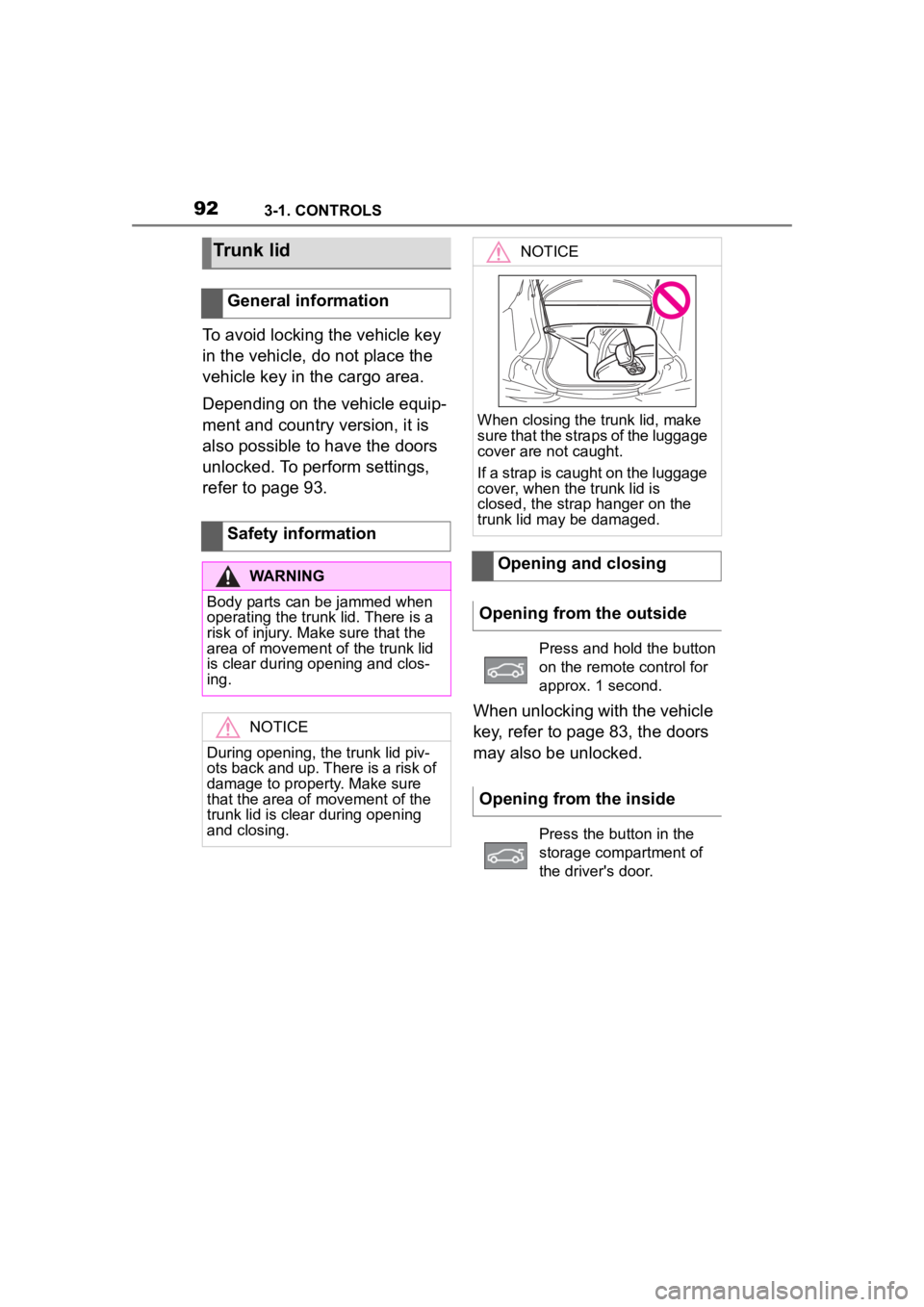
When closing the trunk lid, make
sure that the straps of the luggage
cover are not caught.
If a strap is caught on the luggage
cover, when the trunk lid is
closed, the strap hanger on the
trunk lid may be damaged.
Opening and closing
Opening from the outside
Press and hold the button
on the remote control for
approx. 1 second.
Opening from the inside
Press the button in the
storage compartment of
the driver's door.
Page 95 of 372
953-1. CONTROLS
3
CONTROLS
3"Doors/Key"
4 "Turn off after door opening"
Opening the front doors establishes
the idle state, refer to page 45.
The alarm system issues a
visual and acoustic signal when
someone attempts to open the
locked vehicle incorrectly.
When the vehicle is locked, the
vehicle alarm system reacts to
the following changes:
• Opening a door, the hood or
the trunk lid.
• Movements in the car's inte- rior.
• Changes in the vehicle tilt, e. g., during attempts at stealing
a wheel or when towing the
vehicle.
• Disconnected battery voltage.
• Improper use of the socket for OBD Onboard Diagnosis.
• Locking the vehicle while a device is connected to the
socket for the OBD Onboard-
Diagnosis. For socket for the
OBD Onboard Diagnosis,
refer to page 309.
The alarm system signals the
following changes visually and
acoustically:
• Acoustic alarm: Depending on local regulations, the acoustic
alarm may be suppressed.
• Visual alarm: By flashing of the hazard warning system
and headlights, where
required.
Do not modify the system to
ensure function of the alarm
system.
When you unlock and lock the
vehicle, either with the remote
control or with Comfort entry, the
alarm system is switched off and
on at the same time.
The alarm system is triggered
when a door is opened if the
door was unlocked using the
integrated key in the door lock.
Switching off the alarm, refer to
page 97.
The trunk lid can be opened
even when the alarm system is
switched on.
After the trunk lid is closed, it is
locked and monitored again pro-
vided the doors are locked. The
hazard warning system flashes
Alarm system
Concept
General information
Switching on/off
Opening the doors with
the alarm system switched
on
Opening the trunk lid with
the alarm system switched
on
Page 97 of 372
973-1. CONTROLS
3
CONTROLS
motion sensor can trigger an
alarm, although no unauthorized
action occurred.
Possible situations for an
unwanted alarm:
• In automatic vehicle washes.
• In duplex garages.
• During transport on trains car-rying vehicles, at sea or on a
trailer.
• With animals in the vehicle.
• When the vehicle is locked after start of fueling.
The tilt alarm sensor and the
interior motion sensor can be
switched off in such situations.
The indicator light lights up for
approx. 2 seconds and then
continues to flash.
The tilt alarm sensor and interior
motion sensor are switched off
until the vehicle is locked again.
• Unlock the vehicle with the remote control.
• Unlock the vehicle with the integrated key and activate
the drive-ready state via
emergency detection of the vehicle key, refer to page 85.
• With Smart Key System: when carrying the vehicle key,
grasp the driver’s door or front
passenger door handle com-
pletely.
The windows can be opened
with the vehicle key from the
outside as well as closed with
Smart Key System.
Additional information: Vehicle
key, refer to page 80.
Switching off the tilt alarm
sensor and interior motion
sensor
Press the button on the
remote control within 10
seconds as soon as the
vehicle is locked.
Switching off the alarm
Power windows
General information
Safety information
WARNING
When operating the windows,
body parts and objects can be
jammed. There is a risk of injury
or risk of damage to property.
Make sure that the area of move-
ment of the windows is clear
during opening and closing.
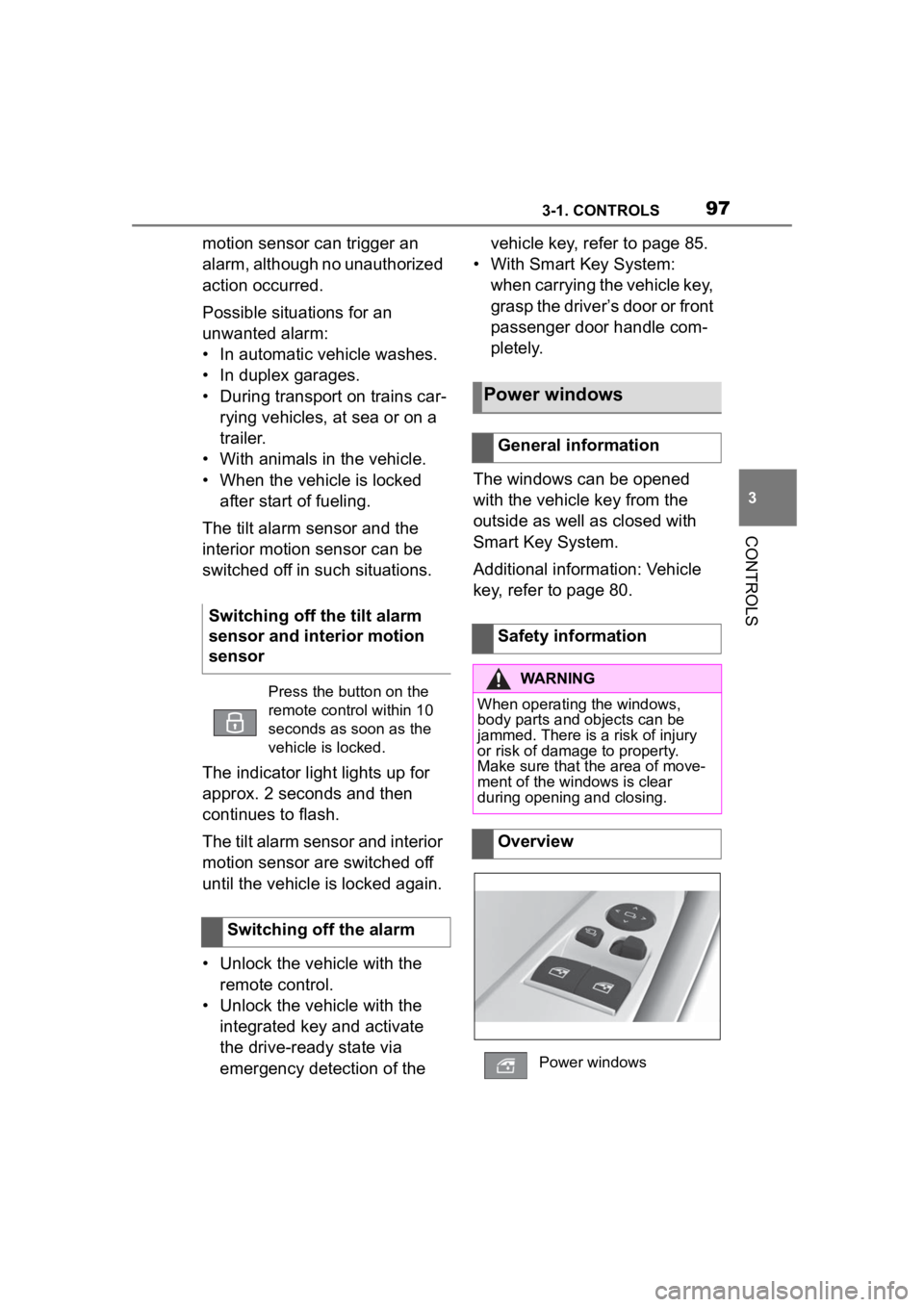
Overview
Power windows
Page 98 of 372

983-1. CONTROLS
The windows can be operated
under the following conditions.
• Standby state is established.
• Drive-ready state is activated.
The remote control must be in
the car’s interior.
• Press the switch to the resistance point.
The window opens while the switch
is being held.
• Press the switch beyond the resistance point.
The window opens automatically.
Pressing the switch again stops the
motion.
• Pull the switch to the
resistance point.
The window closes while the switch
is being held.
• Pull the switch beyond the resistance point.
The window closes automatically if
the door is closed. Pulling again
stops the motion.
The jam protection prevents objects or body parts becoming
jammed between the door frame
and window while a window is
being closed.
If resistance or a blockage is
detected while a window is
being closed, the closing action
is interrupted.
In case of danger from the out-
side or if ice might prevent nor-
mal closing, proceed as follows:
1
Pull the switch past the
resistance point and hold it
there.
The window closes with limited jam
protection. If the closing force
exceeds a specific threshold, clos-
ing is interrupted.
2 Pull the switch past the
resistance point again within
approx. 4 seconds and hold it
there.
The window closes without jam pro-
tection.
Functional requirements
Opening
Closing
Jam protection system
Concept
General information
Safety information
WARNING
Accessories on the windows such
as antennas can impact jam pro-
tection. There is a risk of injury.
Do not install accessories in the
area of movement of the win-
dows.
Closing without the jam pro-
tection system
Page 99 of 372
993-1. CONTROLS
3
CONTROLS
This chapter describes all stan-
dard, country-specific and
optional features offered with
the series. It also describes fea-
tures and functions that are not
necessarily available in your
vehicle, e.g., due to the selected
options or country versions. This
also applies to safety-related
functions and systems. When
using these functions and sys-
tems, the applicable laws and
regulations must be observed.
An ideal seating position that
meets the needs of the occu-
pants can make a vital contribu-
tion to relaxed, fatigue-free
driving.
In the event of an accident, the
correct seating position plays an
important role. Follow the infor-
mation in the following chapters:
• Seats, refer to page 99.
• Safety belts, refer to page 103.
• Head restraints, refer to page 108.
• Airbags, refer to page 164.
Seats, mirrors, and
steering wheel
Vehicle features and
options
Sitting safely
Seats
Safety information
WARNING
Seat adjustments while driving
can lead to unexpected move-
ments of the seat. Vehicle control
could be lost. There is a risk of an
accident. Only adjust the seat on
the driver's side when the vehicle
is stationary.
WARNING
With a backrest inclined too far to
the rear, the efficacy of the safety
belt can no longer be ensured.
There is a risk of sliding under the
safety belt in an accident. There is
a risk of injuries or danger to life.
Adjust the seat prior to starting the
trip. Adjust the backrest so that it
is in the most upright position as
possible and do not adjust again
while driving.
WARNING
There is a risk of jamming when
moving the seats. There is a risk
of injury or risk of damage to prop-
erty. Make sure that the area of
movement of the seat is clear
prior to any adjustment.
Page 102 of 372
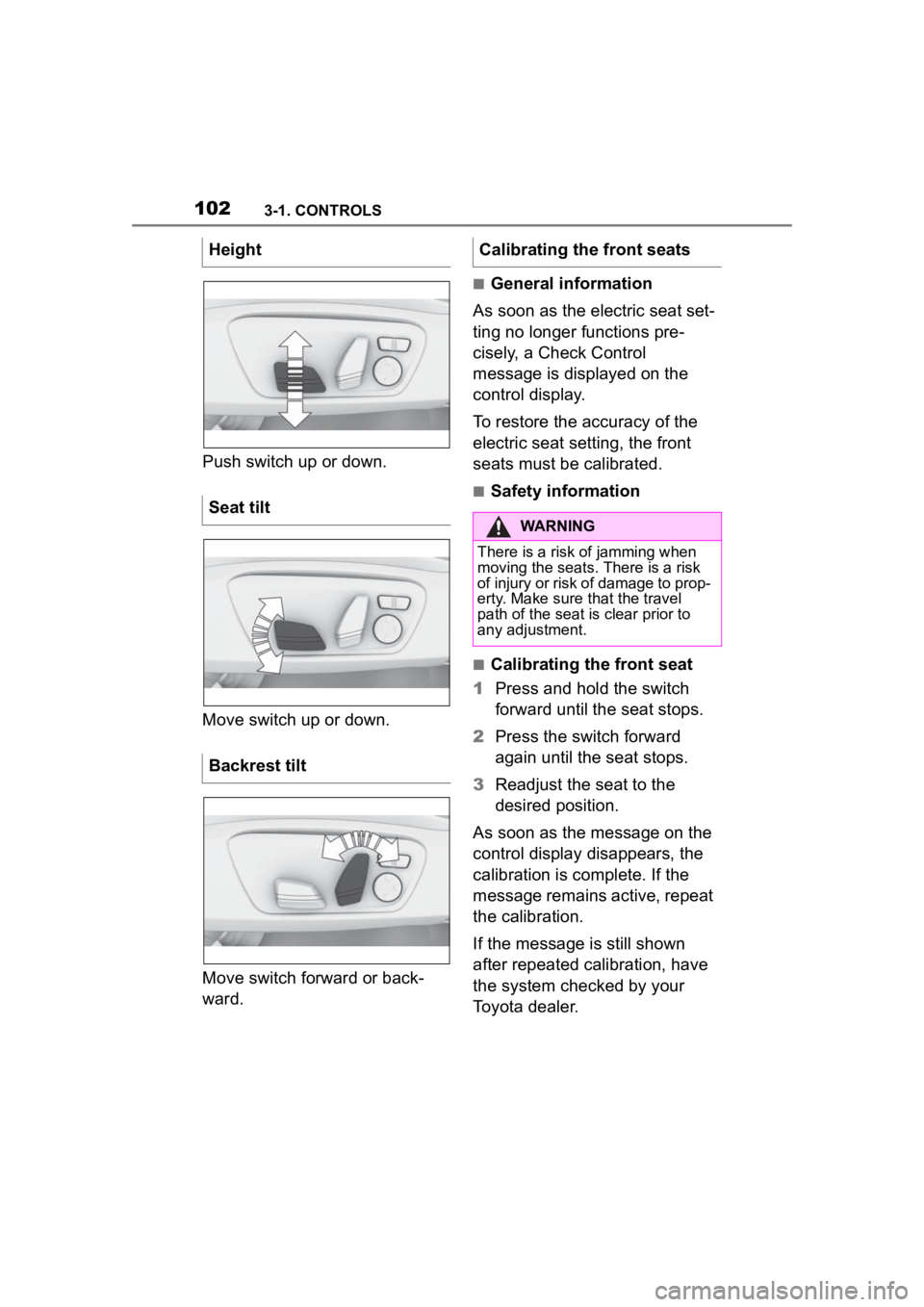
1023-1. CONTROLS
Push switch up or down.
Move switch up or down.
Move switch forward or back-
ward.
■General information
As soon as the electric seat set-
ting no longer functions pre-
cisely, a Check Control
message is displayed on the
control display.
To restore the accuracy of the
electric seat setting, the front
seats must be calibrated.
■Safety information
■Calibrating the front seat
1 Press and hold the switch
forward until the seat stops.
2 Press the switch forward
again until the seat stops.
3 Readjust the seat to the
desired position.
As soon as the message on the
control display disappears, the
calibration is complete. If the
message remains active, repeat
the calibration.
If the message is still shown
after repeated calibration, have
the system checked by your
Toyota dealer.
Height
Seat tilt
Backrest tilt
Calibrating the front seats
WARNING
There is a risk of jamming when
moving the seats.
There is a risk
of injury or risk of damage to prop-
erty. Make sure t hat the travel
path of the seat is clear prior to
any adjustment.
Page 104 of 372
1043-1. CONTROLS
• Wear the safety belt twist-free and tight to your body over
your lap and shoulders.
• Wear the safety belt deep on your hips over your lap. The
safety belt may not press on
your stomach.
• Do not rub the safety belt against sharp edges, or guide
it or jam it in across hard or
fragile objects.
• Avoid thick clothing.
• Re-tighten the safety belt fre- quently upward around your
upper body.
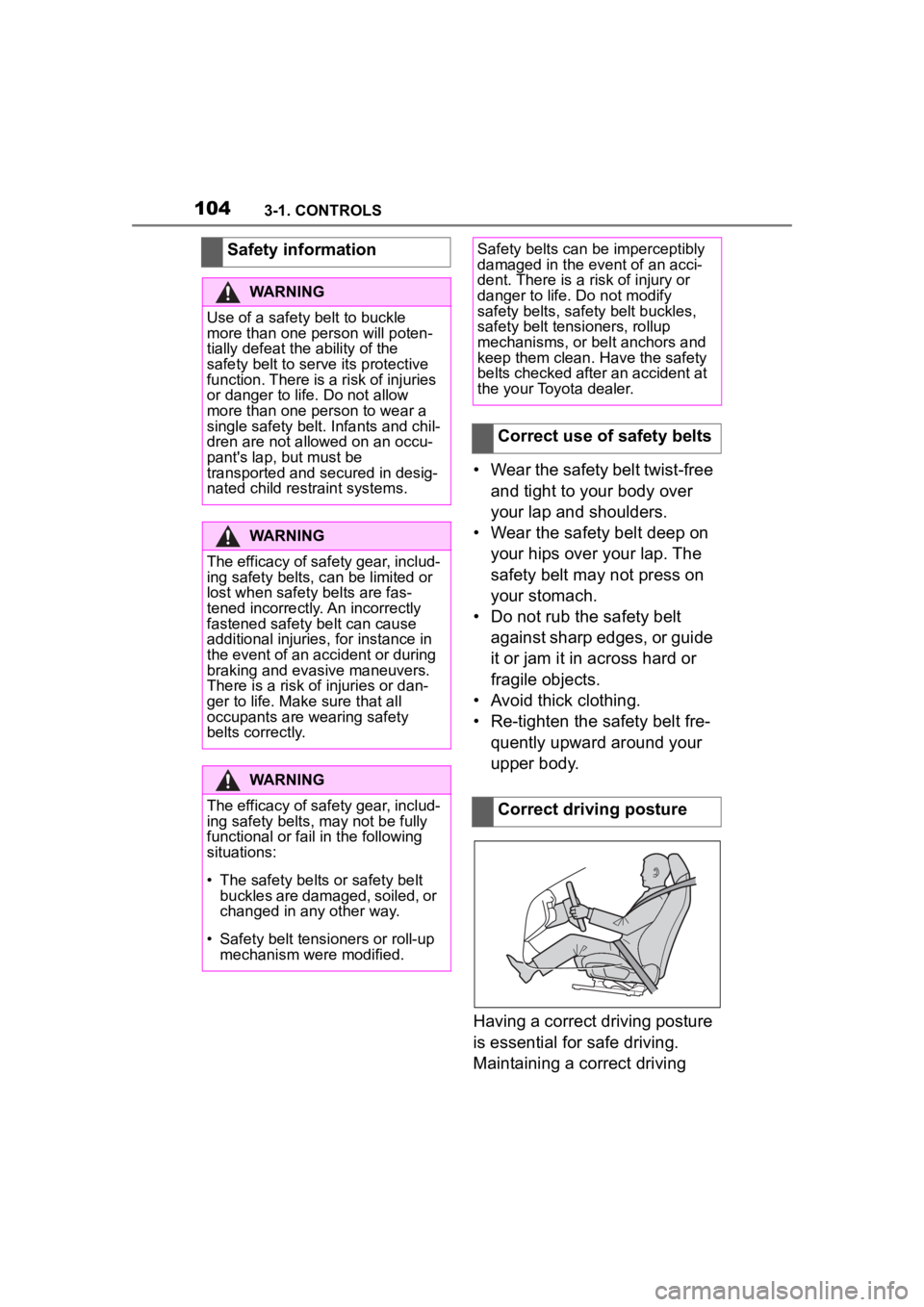
Having a correct driving posture
is essential for safe driving.
Maintaining a correct driving
Safety information
WARNING
Use of a safety belt to buckle
more than one person will poten-
tially defeat the ability of the
safety belt to serve its protective
function. There is a risk of injuries
or danger to life. Do not allow
more than one person to wear a
single safety belt. Infants and chil-
dren are not allowed on an occu-
pant's lap, but must be
transported and secured in desig-
nated child restraint systems.
WARNING
The efficacy of safety gear, includ-
ing safety belts, c
an be limited or
lost when safety belts are fas-
tened incorrectly. An incorrectly
fastened safety belt can cause
additional injuries, for instance in
the event of an accident or during
braking and evasive maneuvers.
There is a risk o f injuries or dan-
ger to life. Make sure that all
occupants are wearing safety
belts correctly.
WARNING
The efficacy of safety gear, includ-
ing safety belts, may not be fully
functional or fail in the following
situations:
Page 106 of 372
1063-1. CONTROLS
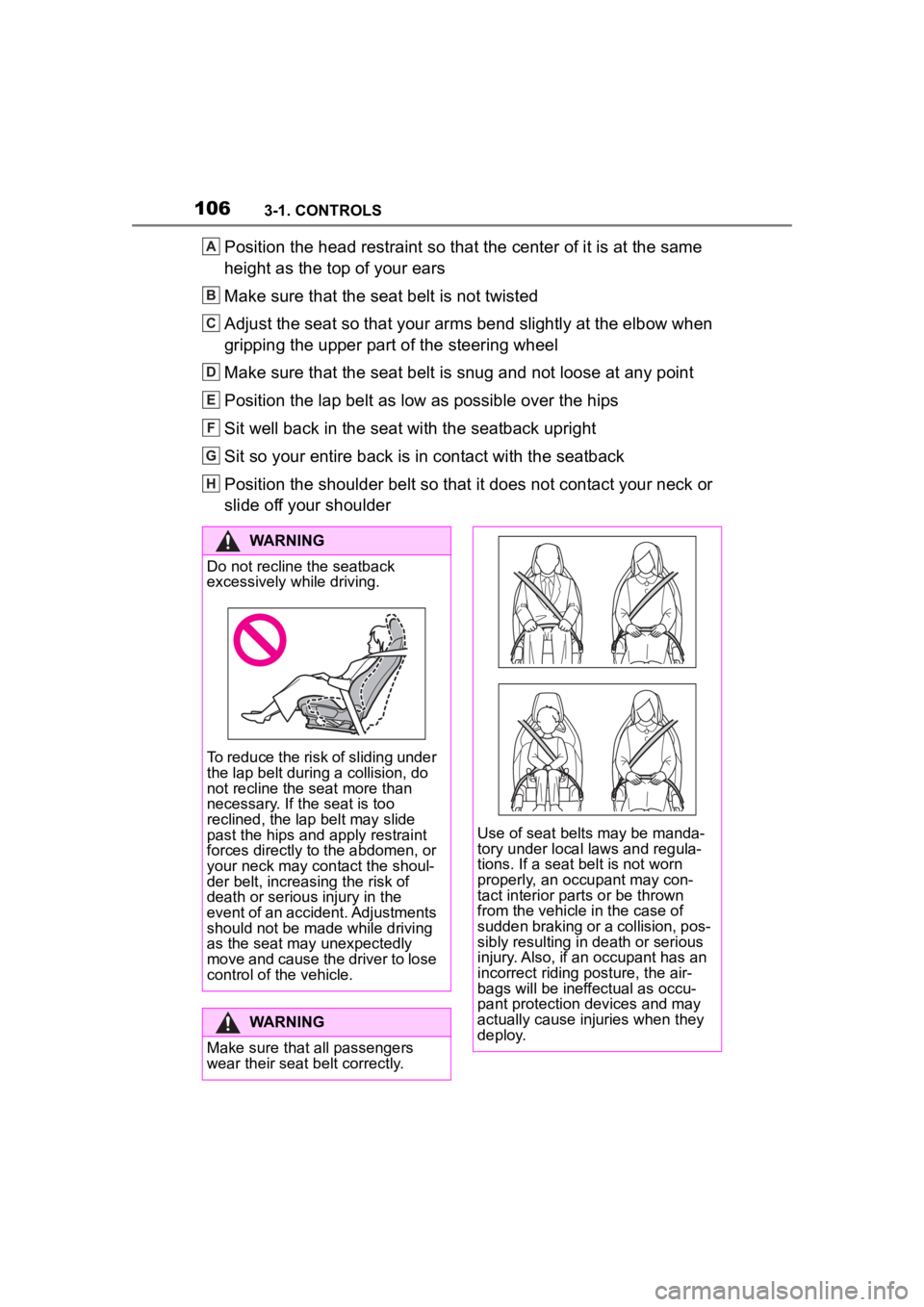
Position the head restraint so that the center of it is at the same
height as the top of your ears
Make sure that the seat belt is not twisted
Adjust the seat so that your arms bend slightly at the elbow when
gripping the upper part of the steering wheel
Make sure that the seat belt is snug and not loose at any point
Position the lap belt as low as possible over the hips
Sit well back in the seat with the seatback upright
Sit so your entire back is in contact with the seatback
Position the shoulder belt so that it does not contact your nec k or
slide off your shoulderA
B
C
D
E
F
G
H
WARNING
Do not recline the seatback
excessively while driving.
To reduce the risk of sliding under
the lap belt during a collision, do
not recline the seat more than
necessary. If the seat is too
reclined, the lap belt may slide
past the hips and apply restraint
forces directly to the abdomen, or
your neck may contact the shoul-
der belt, increasing the risk of
death or serious injury in the
event of an accident. Adjustments
should not be made while driving
as the seat may unexpectedly
move and cause the driver to lose
control of the vehicle.
WARNING
Make sure that all passengers
wear their seat belt correctly.
Use of seat belts may be manda-
tory under local laws and regula-
tions. If a seat belt is not worn
properly, an occupant may con-
tact interior parts or be thrown
from the vehicle in the case of
sudden braking or a collision, pos-
sibly resulting in death or serious
injury. Also, if an occupant has an
incorrect riding posture, the air-
bags will be ineffectual as occu-
pant protection devices and may
actually cause injuries when they
deploy.
Page 107 of 372
1073-1. CONTROLS
3
CONTROLS
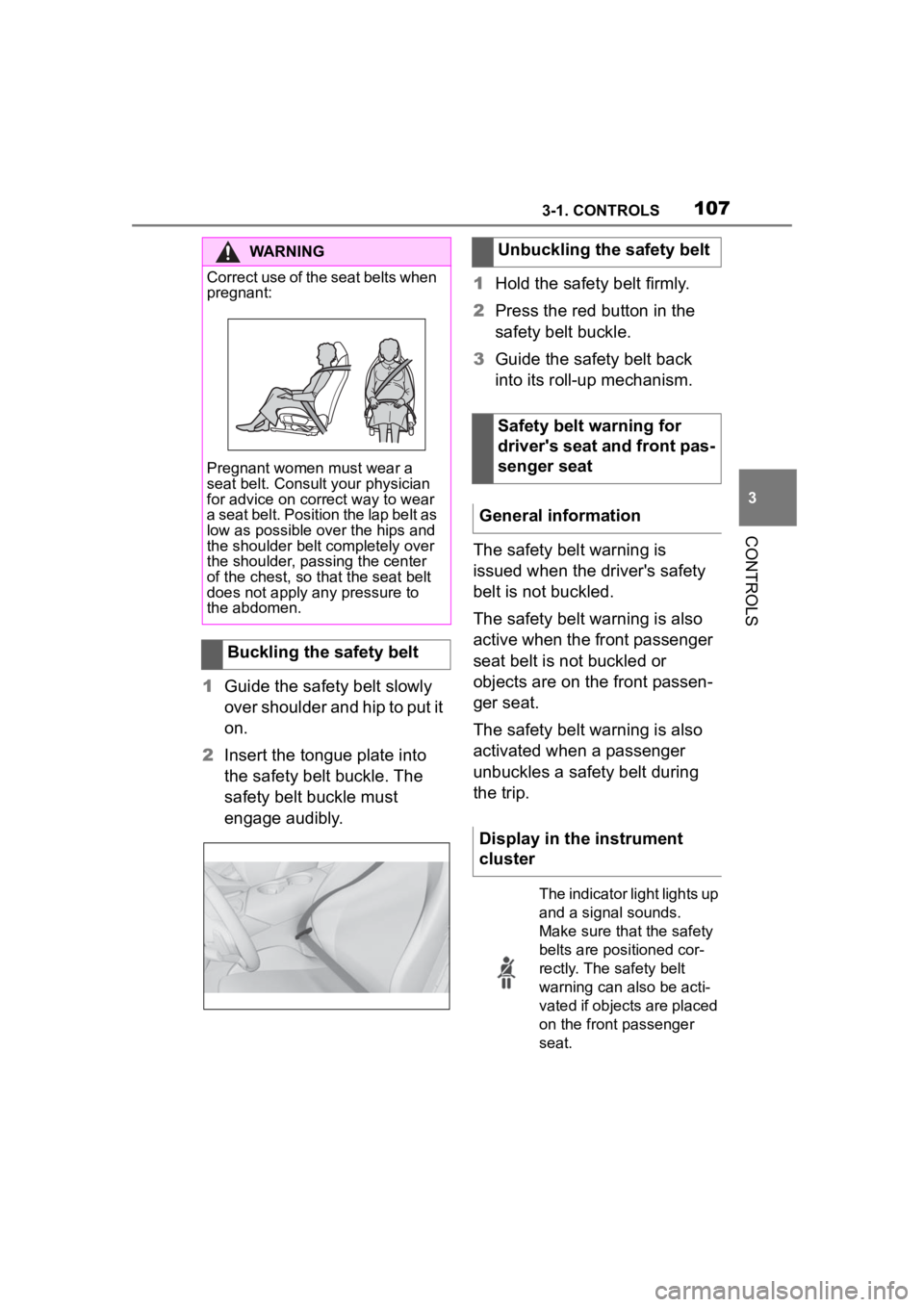
1Guide the safety belt slowly
over shoulder and hip to put it
on.
2 Insert the tongue plate into
the safety belt buckle. The
safety belt buckle must
engage audibly. 1
Hold the safety belt firmly.
2 Press the red button in the
safety belt buckle.
3 Guide the safety belt back
into its roll-up mechanism.
The safety belt warning is
issued when the driver's safety
belt is not buckled.
The safety belt warning is also
active when the front passenger
seat belt is not buckled or
objects are on the front passen-
ger seat.
The safety belt warning is also
activated when a passenger
unbuckles a safety belt during
the trip.
WARNING
Correct use of the seat belts when
pregnant:
Pregnant women must wear a
seat belt. Consult your physician
for advice on correct way to wear
a seat belt. Position the lap belt as
low as possible over the hips and
the shoulder belt completely over
the shoulder, passing the center
of the chest, so tha t the seat belt
does not apply any pressure to
the abdomen.
Buckling the safety belt
Unbuckling the safety belt
Safety belt warning for
driver's seat and front pas-
senger seat
General information
Display in the instrument
cluster
The indicator light lights up
and a signal sounds.
Make sure that the safety
belts are positioned cor-
rectly. The safety belt
warning can also be acti-
vated if objects are placed
on the front passenger
seat.
Page 108 of 372
1083-1. CONTROLS
The height of the head restraints
cannot be adjusted.
The distance to the back of the
head is adjusted via the back-
rest tilt.
Adjust the distance so that the
head restraint is as close as
possible to the back of the head.
The head restraints cannot be
removed.The mirror on the front passen-
ger side is more curved than the
driver's side mirror.
The mirror setting is stored for
the driver profile currently in
use. When the vehicle is
unlocked via the vehicle key, the
position is automatically
retrieved if the function, refer to
page 68, is activated for this
purpose.
The current exterior mirror posi-
tion can be stored using the
memory function, refer to page
111 .
Front head restraints
Safety information
WARNING
Objects on the head restraint
reduce the p
rotective effect in the
head and neck area. There is a
risk of injury.
• Do not use seat or head restraint covers.
• Do not hang objects, for instance clothes hangers,
directly on the head restraint.
• Only use accessories that have been determined to be safe for
attachment to a h ead restraint.
• Do not use any accessories, for instance pillows, while driving.
Adjusting the height
Adjusting the distance
Removing
Exterior mirrors
General information
Safety information
WARNING
Objects reflected in the mirror are
closer than they appear. The dis-
tance to the traffic behind could
be incorrectly estimated, for
instance while changing lanes.
There is a risk of an accident.
Estimate the distance to the traffic
behind by looking over your
shoulder.