warning light TOYOTA SUPRA 2023 User Guide
[x] Cancel search | Manufacturer: TOYOTA, Model Year: 2023, Model line: SUPRA, Model: TOYOTA SUPRA 2023Pages: 372, PDF Size: 6.32 MB
Page 106 of 372
1063-1. CONTROLS
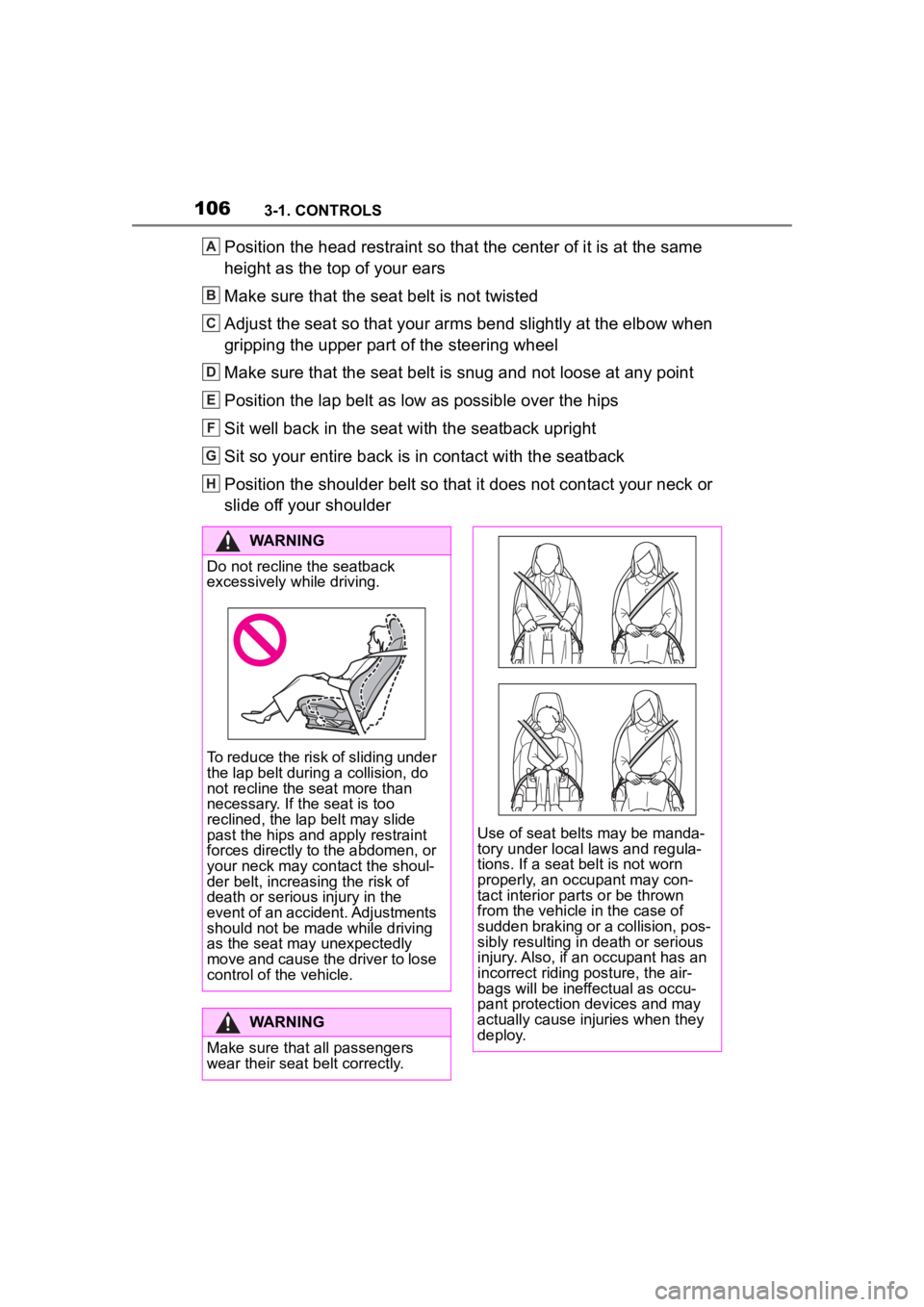
Position the head restraint so that the center of it is at the same
height as the top of your ears
Make sure that the seat belt is not twisted
Adjust the seat so that your arms bend slightly at the elbow when
gripping the upper part of the steering wheel
Make sure that the seat belt is snug and not loose at any point
Position the lap belt as low as possible over the hips
Sit well back in the seat with the seatback upright
Sit so your entire back is in contact with the seatback
Position the shoulder belt so that it does not contact your nec k or
slide off your shoulderA
B
C
D
E
F
G
H
WARNING
Do not recline the seatback
excessively while driving.
To reduce the risk of sliding under
the lap belt during a collision, do
not recline the seat more than
necessary. If the seat is too
reclined, the lap belt may slide
past the hips and apply restraint
forces directly to the abdomen, or
your neck may contact the shoul-
der belt, increasing the risk of
death or serious injury in the
event of an accident. Adjustments
should not be made while driving
as the seat may unexpectedly
move and cause the driver to lose
control of the vehicle.
WARNING
Make sure that all passengers
wear their seat belt correctly.
Use of seat belts may be manda-
tory under local laws and regula-
tions. If a seat belt is not worn
properly, an occupant may con-
tact interior parts or be thrown
from the vehicle in the case of
sudden braking or a collision, pos-
sibly resulting in death or serious
injury. Also, if an occupant has an
incorrect riding posture, the air-
bags will be ineffectual as occu-
pant protection devices and may
actually cause injuries when they
deploy.
Page 107 of 372
1073-1. CONTROLS
3
CONTROLS
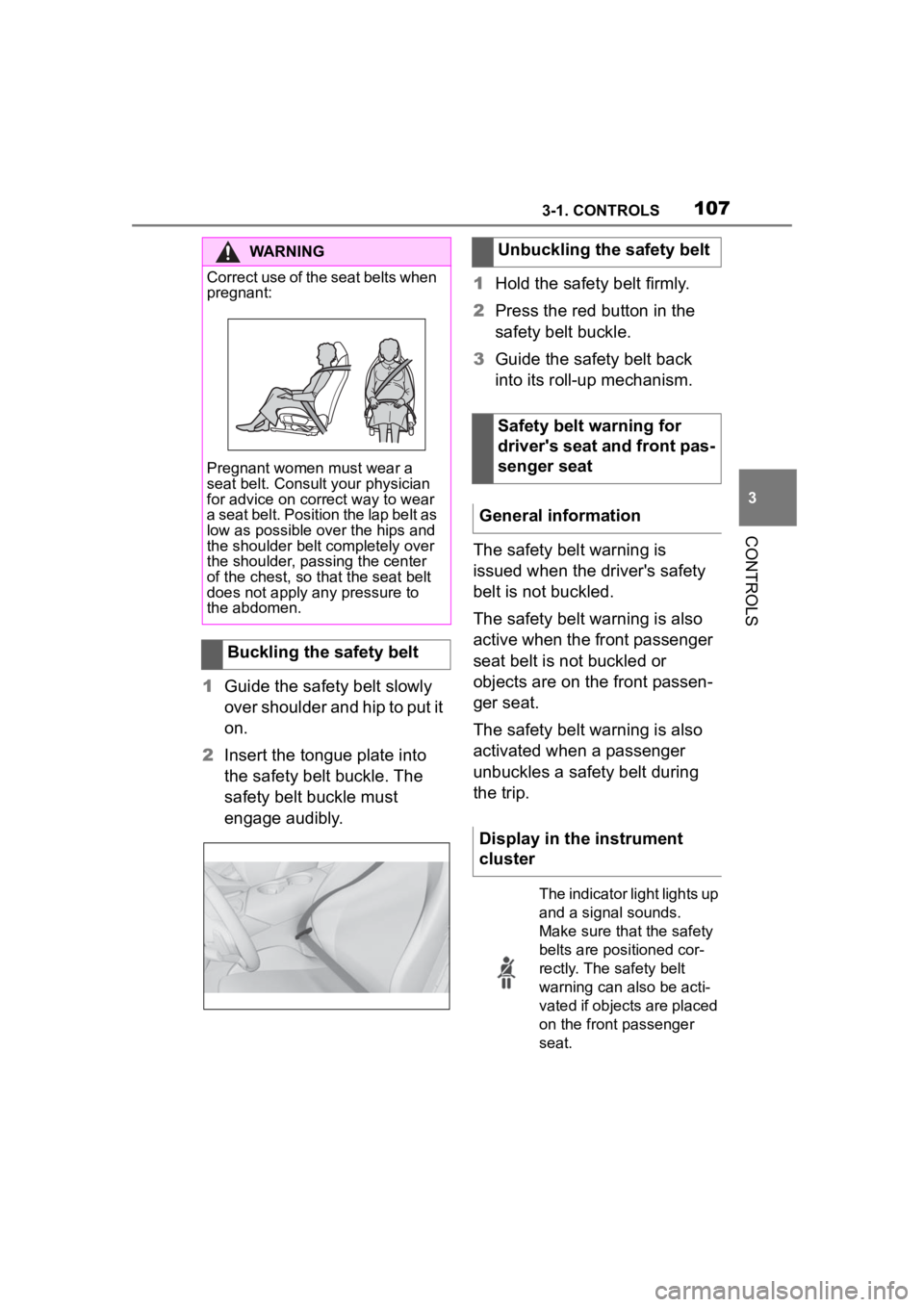
1Guide the safety belt slowly
over shoulder and hip to put it
on.
2 Insert the tongue plate into
the safety belt buckle. The
safety belt buckle must
engage audibly. 1
Hold the safety belt firmly.
2 Press the red button in the
safety belt buckle.
3 Guide the safety belt back
into its roll-up mechanism.
The safety belt warning is
issued when the driver's safety
belt is not buckled.
The safety belt warning is also
active when the front passenger
seat belt is not buckled or
objects are on the front passen-
ger seat.
The safety belt warning is also
activated when a passenger
unbuckles a safety belt during
the trip.
WARNING
Correct use of the seat belts when
pregnant:
Pregnant women must wear a
seat belt. Consult your physician
for advice on correct way to wear
a seat belt. Position the lap belt as
low as possible over the hips and
the shoulder belt completely over
the shoulder, passing the center
of the chest, so tha t the seat belt
does not apply any pressure to
the abdomen.
Buckling the safety belt
Unbuckling the safety belt
Safety belt warning for
driver's seat and front pas-
senger seat
General information
Display in the instrument
cluster
The indicator light lights up
and a signal sounds.
Make sure that the safety
belts are positioned cor-
rectly. The safety belt
warning can also be acti-
vated if objects are placed
on the front passenger
seat.
Page 114 of 372
1143-1. CONTROLS
WARNING
■When children are in the vehi-
cle
Never leave children unattended
in the vehicle, and never allow
children to have or use the
key.Children may be able to start
the vehicle or shift the vehicle into
neutral. There is also a danger
that children may injure them-
selves by playing with the win-
dows or other features of the
vehicle. In additi on, heat build-up
or extremely cold temperatures
inside the vehicle can be fatal to
children.
●When the vehicle is parked
under direct sunlight, the tem-
perature inside the vehicle can
increase to over 122°F, even in
winter. In this situation, occu-
pants may suffer from dehydra-
tion or heatstroke.
●If a switch is operated acciden-
tally, it may lead to unexpected
injuries.
●Do not allow a child to open and
close the doors. When closing a
door, be carefu l so that the
child’s hands and feet to not get
caught in the door.
●Do not allow a child to put their
head or limbs out of the door
window and be sure that they
are clear of the window before
operating the power window
switch.
The right place for chil-
dren
Safety information
WARNING
Unattended children or animals in
the vehicle can cause the vehicle
to move and endanger them-
selves and traffic, for instance due
to the following actions:
●Pressing the Sta rt/Stop button.
●Releasing the parking brake.
●Opening and closing the doors
or windows.
●Engaging selector lever position
N.
●Using vehicle equipment.
There is a risk of accidents or inju-
ries. Do not leave children or ani-
mals unattended in the vehicle.
Take the remote control with you
when exiting and l ock the vehicle.
WARNING
A heated vehicle may result in
death to persons, especially chil-
dren and animals. There is a risk
of injuries or danger to life. Do not
leave persons, especially chil-
dren and animals unattended in
the vehicle.
Page 115 of 372
1153-1. CONTROLS
3
CONTROLS
After using a child restraint sys-
tem on the front passenger seat,
ensure that the front, knee, and
side airbags on the front pas-
senger side are deactivated. For
automatic deactivation of front-
seat passenger airbags, refer to
page 175.Pay attention to the specifica-
tions and the operating and
safety information of the child
restraint system manufacturer
when selecting, installing, and
using child restraint systems.
WARNING
Exposure to intense sunlight can
cause child restraint systems and
their components to become very
hot. Persons may sustain burn
injuries when touching the hot
components. There is a risk of
injury. Do not e
xpose the child
restraint system to direct sunlight
or cover where necessary. If nec-
essary, let the ch ild restraint sys-
tem cool down before transporting
a child. Do not leave children
unattended in the vehicle.
Children on the front pas-
senger seat
General information
Safety information
WARNING
Active front-seat passenger air-
bags can injure a child in a child
restraint system when the airbags
are activated. There is a risk of
injury. Make sure that the
front-seat passenger airbags are
deactivated and that the PAS-
SENGER AIRBAG OFF indicator
light lights up.
The safety bel t cannot be fas-
tened correctly on children shorter
than 5 ft, 150 cm without suitable
additional child restraint systems.
The efficacy of safety gear, includ-
ing safety belts, can be limited or
lost when safety belts are fas-
tened incorrectly. An incorrectly
fastened safety belt can cause
additional injuries, for instance in
the event of an accident or during
braking and evasive maneuvers.
There is a risk of injuries or dan-
ger to life. Secure children shorter
than 5 ft, 150 cm using suitable
child restraint systems.
Installing child restraint
systems
General information
Page 116 of 372
1163-1. CONTROLS
Before installing a child restraint
system in the front passenger
seat, make sure that the front,
knee and side airbags on the
front passenger side are deacti-
vated.
Deactivate the front-seat pas-
senger airbags automatically,
refer to page 175.
After installing a child restraint
system, move the front passen-
ger seat as far back as it will go
and, if possible, bring it up to
medium height. This seat posi-
tion and height ensure the best
possible position for the belt and
offers optimal protection in the
event of an accident.
If the upper anchor of the safety
belt is located in front of the belt
guide of the child seat, move the
front passenger seat carefully
Safety information
WARNING
The protective effect of child
restraint systems and their fasten-
ing systems which have been
damaged or exposed to an acci-
dent can be limited or lost. A child
cannot be properly restrained in
the event of an a
ccident or brak-
ing and evasive maneuvers.
There is a risk o f injuries or dan-
ger to life. Do not use child
restraint systems which have
been damaged or e xposed to an
accident. If a child restraint sys-
tem and its fastening system has
been damaged or e xposed to an
accident, have these systems
checked and replaced by your
Toyota dealer.
WARNING
The stability of the child restraint
system is limited or compromised
with incorrect seat adjustment or
improper installati on of the child
seat. There is a risk of injuries or
danger to life. Make sure that the
child restraint system fits securely
against the backrest. If possible,
adjust the backr est tilt for all
affected backrests and correctly
adjust the seats. Make sure that
seats and backrests are securely
engaged or locked.
On the front passenger
seat
Deactivating airbags
WARNING
Active front-sea t passenger air-
bags can injure a child in a child
restraint system when the airbags
are activated. Ther e is a risk of
injury. Make sure that the
front-seat passenger airbags are
deactivated and that the PAS-
SENGER AIRBAG OFF indicator
light lights up.
Seat position and height
Page 124 of 372
1243-1. CONTROLS
■General information
To use as emergency brake
while driving:
Pull the switch and hold it. The
vehicle brakes hard while the
switch is being pulled.
A vehicle message is displayed.
If the vehicle is slowed down to
a speed of approx. 2 mph/3
km/h the parking brake is set.
1 Switch on drive-ready state.
2 Manual transmission:
press the switch while the
brake pedal is pressed.
Automatic transmission:
WARNING
Unattended children or animals in
the vehicle can cause the vehicle
to move and endanger them-
selves and traffic, for instance due
to the following actions:
●Pressing the Start/Stop button.
●Releasing the parking brake.
●Opening and closing the doors
or windows.
●Engaging selector lever position
N.
●Using vehicle equipment.
There is a risk of accidents or inju-
ries. Do not leave children or ani-
mals unattended in the vehicle.
Take the remote control with you
when exiting and lock the vehicle.
Overview
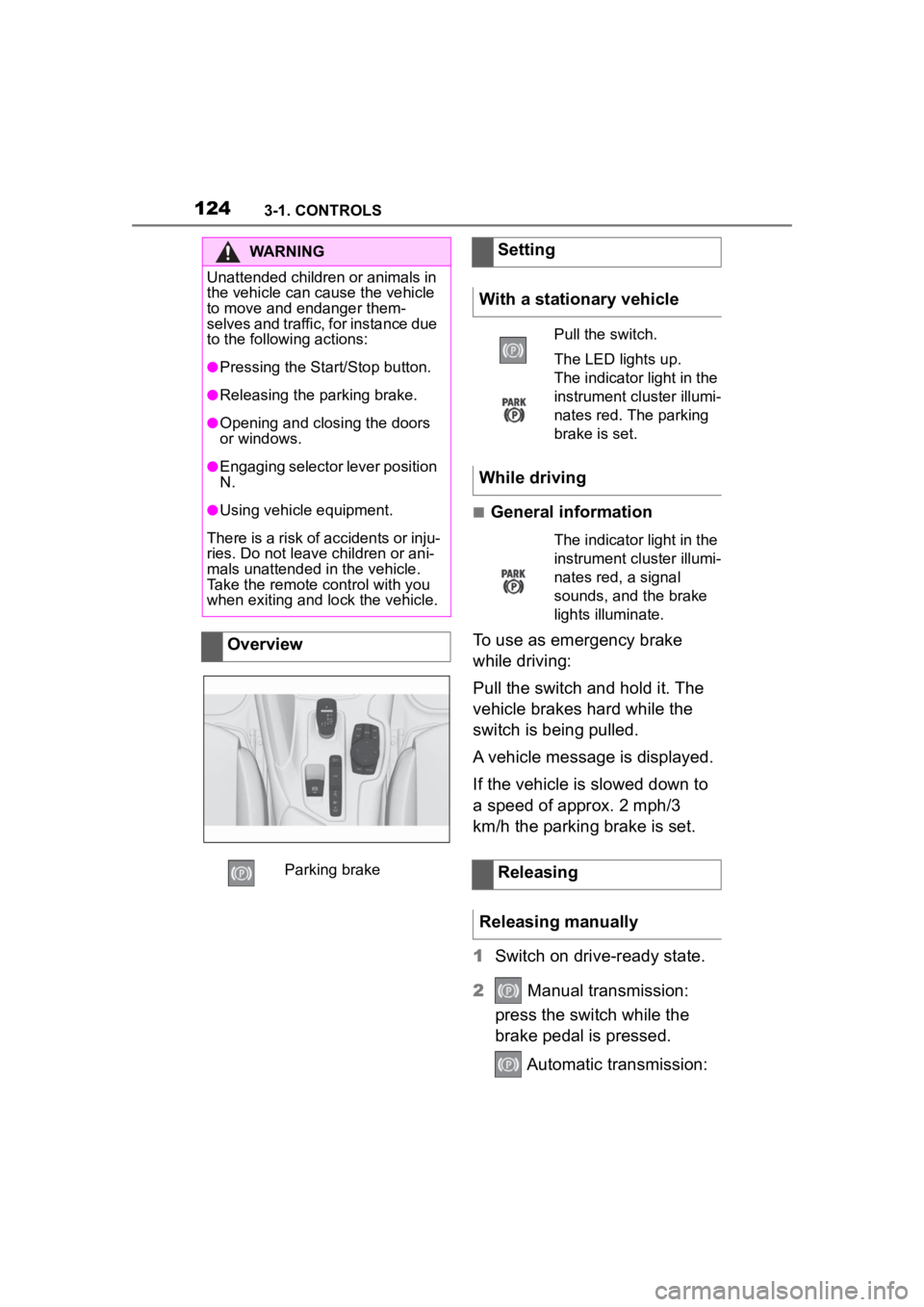
Parking brake
Setting
With a stationary vehicle
Pull the switch.
The LED lights up.
The indicator light in the
instrument cluster illumi-
nates red. The parking
brake is set.
While driving
The indicator light in the
instrument cluster illumi-
nates red, a signal
sounds, and the brake
lights illuminate.
Releasing
Releasing manually
Page 125 of 372
1253-1. CONTROLS
3
CONTROLS
press the switch while the
brake is pressed or selector
lever position P is set.
The LED and indicator light go out.
The parking brake is released.
The parking brake is released
automatically when you drive
away.
The LED and indicator light go
out.
In the event of a failure or mal-
function of the parking brake:
Secure the vehicle against roll-
ing away, for instance with a
wheel chock, after existing the
vehicle.
To reestablish parking brake
functionality after a power fail-
ure:
1Switch on standby state.
2 Pull the switch while
stepping on the brake pedal
or selector lever position P is
set and then push.
This process may take a few
seconds. Any sounds associ-
ated with this are normal. When driving and during opera-
tion of the turn signals or hazard
warning system, do not fold in
the exterior mirrors, so that the
signal lights on the exterior mir-
ror are easy to see.
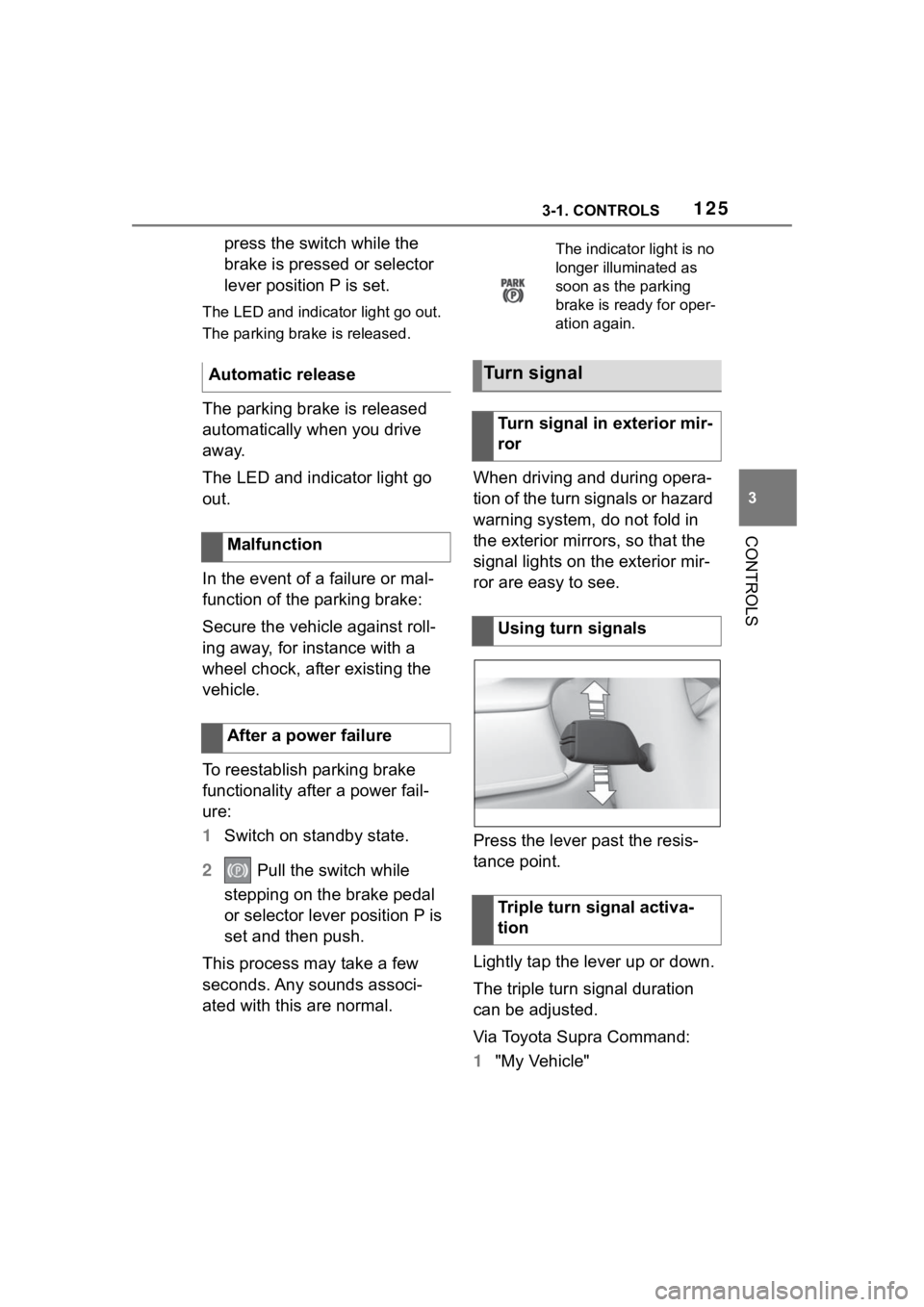
Press the lever past the resis-
tance point.
Lightly tap the lever up or down.
The triple turn signal duration
can be adjusted.
Via Toyota Supra Command:
1
"My Vehicle"
Automatic release
Malfunction
After a power failure
The indicator light is no
longer illuminated as
soon as the parking
brake is ready for oper-
ation again.
Turn signal
Turn signal in exterior mir-
ror
Using turn signals
Triple turn signal activa-
tion
Page 126 of 372
1263-1. CONTROLS
2"Vehicle settings"
3 "Exterior lighting"
4 "One-touch turn signal"
5 Select the desired setting.
Press the lever to the resistance
point and hold it there for as
long as you want the turn signal
to flash.
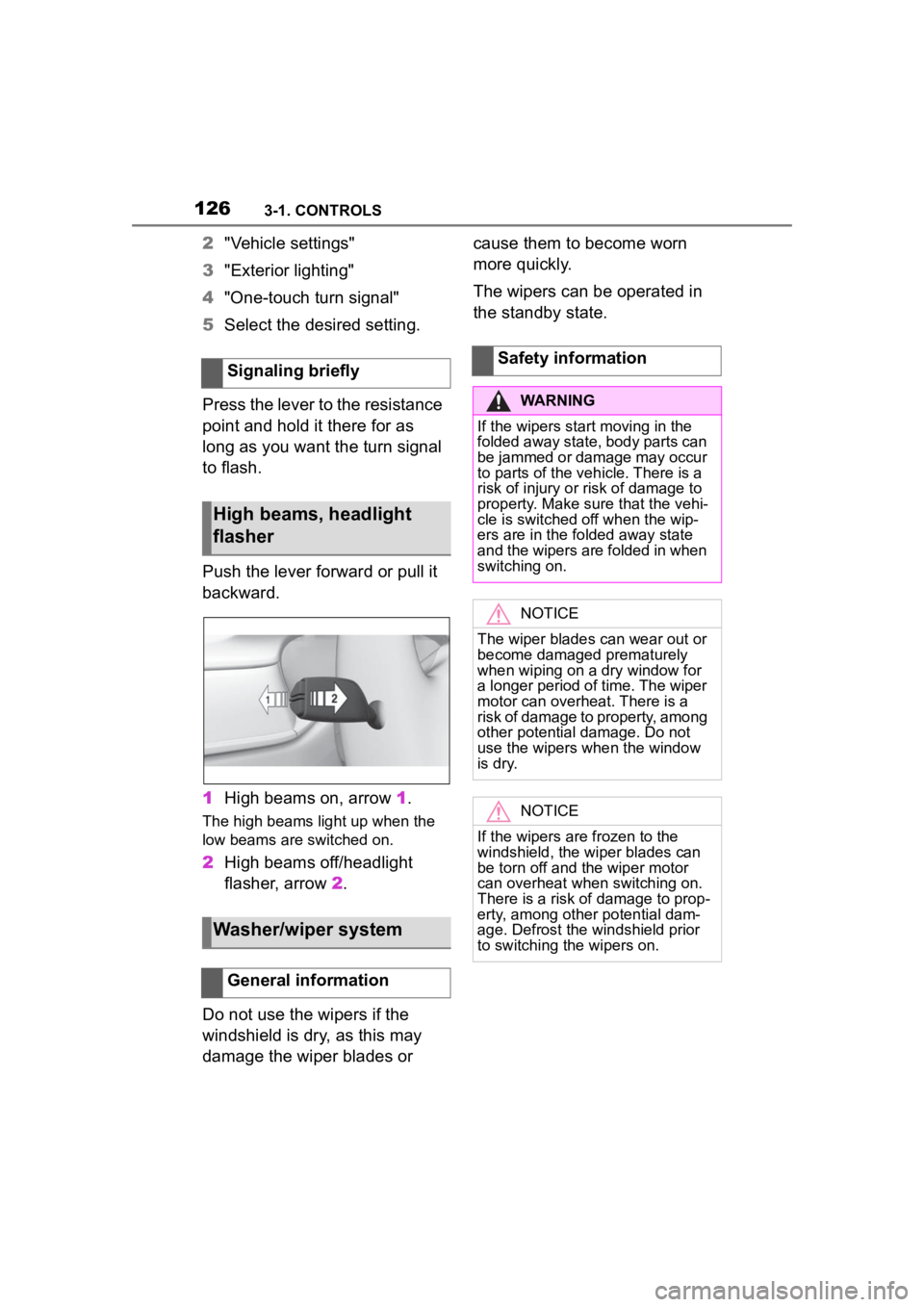
Push the lever forward or pull it
backward.
1 High beams on, arrow 1.
The high beams light up when the
low beams are switched on.
2High beams off/headlight
flasher, arrow 2.
Do not use the wipers if the
windshield is dry, as this may
damage the wiper blades or cause them to become worn
more quickly.
The wipers can be operated in
the standby state.
Signaling briefly
High beams, headlight
flasher
Washer/wiper system
General information
Safety information
WARNING
If the wipers start moving in the
folded away state, body parts can
be jammed or damage may occur
to parts of the veh icle. There is a
risk of injury or risk of damage to
property. Make sure that the vehi-
cle is switched off when the wip-
ers are in the folded away state
and the wipers are folded in when
switching on.
NOTICE
The wiper blades can wear out or
become damaged prematurely
when wiping on a dry window for
a longer period of time. The wiper
motor can overheat. There is a
risk of damage to property, among
other potential damage. Do not
use the wipers when the window
is dry.
NOTICE
If the wipers are frozen to the
windshield, the wiper blades can
be torn off and th e wiper motor
can overheat whe n switching on.
There is a risk of damage to prop-
erty, among other potential dam-
age. Defrost the windshield prior
to switching the wipers on.
Page 139 of 372
1393-1. CONTROLS
3
CONTROLS
In some areas of the instrument
cluster, various assistance sys-
tems, for example the cruise
control, can be displayed. The
displays may vary depending on
the equipment version and
country variant.
The display can be changed for
sport mode.
The driving mode will change to
sport mode.
The vehicle messages system
monitors functions in the vehicle
and notifies you of malfunctions
in the monitored systems.
A vehicle messages message is
displayed as a combination of
indicator or warning lights and SMS text messages in the
instrument cluster and, if appli-
cable, in the Head-up Display.
In addition, an acoustic signal
may sound and an SMS text
message may appear on the
Control Display.
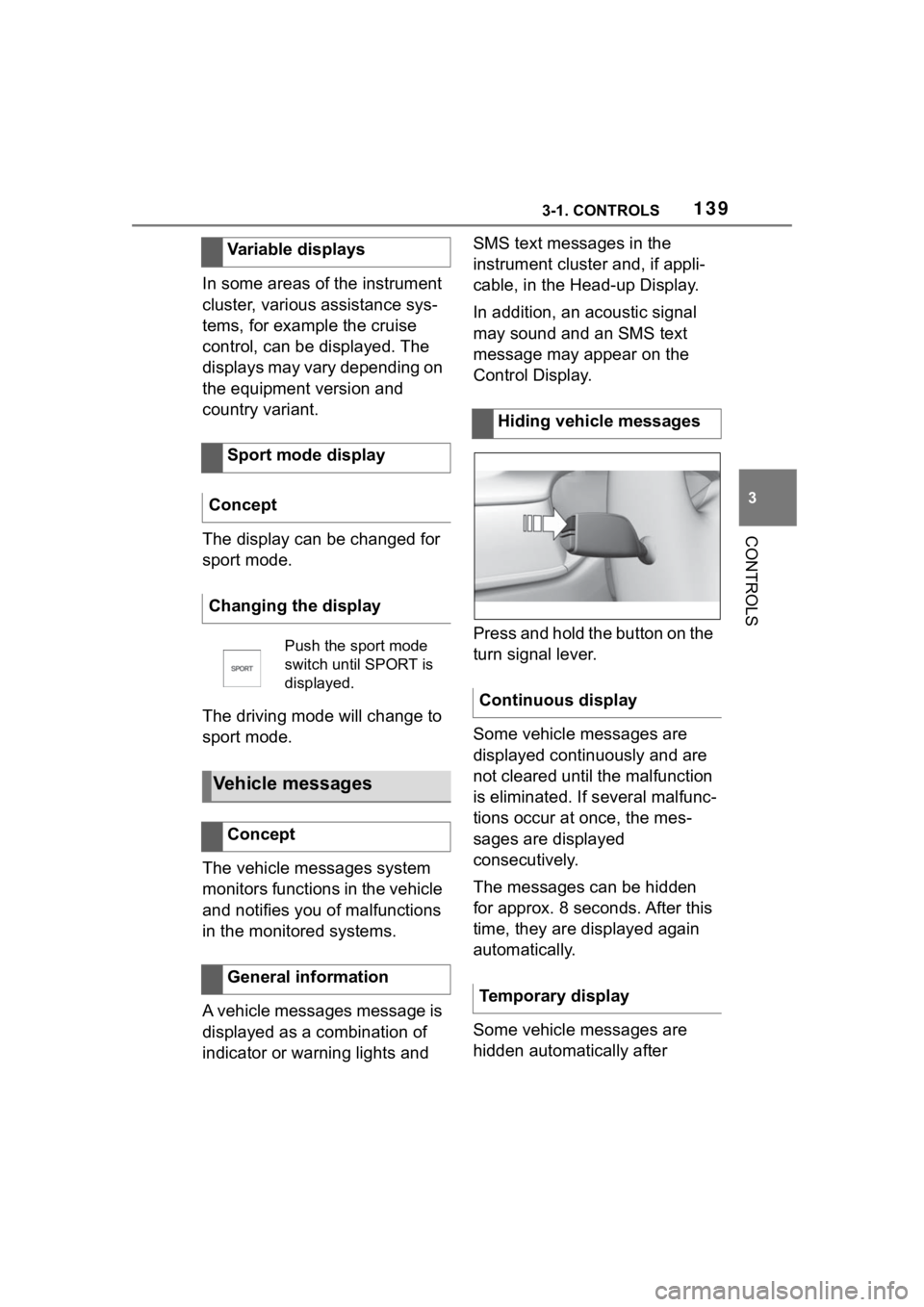
Press and hold the button on the
turn signal lever.
Some vehicle messages are
displayed continuously and are
not cleared until the malfunction
is eliminated. If s
everal malfunc-
tions occur at once, the mes-
sages are displayed
consecutively.
The messages can be hidden
for approx. 8 seconds. After this
time, they are displayed again
automatically.
Some vehicle messages are
hidden automatically after
Variable displays
Sport mode display
Concept
Changing the display
Push the sport mode
switch until SPORT is
displayed.
Vehicle messages
Concept
General information
Hiding vehicle messages
Continuous display
Temporary display
Page 140 of 372
1403-1. CONTROLS
approx. 20 seconds. The vehicle
messages are stored and can
be displayed again later.
Via Toyota Supra Command:
1"My vehicle"
2 "Vehicle status"
3 "Vehicle messages"
4 Select the SMS text mes-
sage.
SMS text messages in combina-
tion with a symbol in the instru-
ment cluster explain a vehicle
message and the meaning of
the indicator/warning lights.
Additional information, such as
the reason for an error or mal-
function or the required action,
can be called up via vehicle
messages.
With urgent messages the added text will be automatically
displayed on the Control Dis-
play.
Depending on the vehicle mes-
sage, further help can be
selected.
Via Toyota Supra Command:
1
"My vehicle"
2 "Vehicle status"
3 "Vehicle messages"
4 Select the desired text mes-
sage.
5 Select desired setting
Certain messages displayed
while driving are displayed
again after drive-ready state is
switched off.
Indicator/warning lights in the
instrument cluster display the
status of some functions in the
vehicle and indicate when a
malfunction is present in the
monitored systems.
The indicator/warning lights can
light up in a variety of combina-
tions and colors.
Displaying stored vehicle
messages
Display
Vehicle messages
At least one vehicle
messages message is
displayed or is stored.
SMS text messages
Supplementary SMS text
messages
Messages after trip comple-
tion
Indicator/warning lights
Concept
General information