warning light TOYOTA SUPRA 2023 Service Manual
[x] Cancel search | Manufacturer: TOYOTA, Model Year: 2023, Model line: SUPRA, Model: TOYOTA SUPRA 2023Pages: 372, PDF Size: 6.32 MB
Page 221 of 372
2213-1. CONTROLS
3
CONTROLS
The system is controlled using
the following sensors:
• Ultrasonic sensors in the bumpers.
Additional information:
Sensors of the vehicle, refer to
page 42.
The system switches on auto-
matically in the following situa-
tions:
If selector lever position R is
engaged when the engine is
running.
Depending on the equipment
version: while approaching
detected obstacles if the
speed is slower than approx.
2.5 mph/4 km/h. The activa-
tion distance depends on the
situation in question.
You may switch automatic acti-
vation when obstacles are
detected on and off.
Via Toyota Supra Command:
1 "My vehicle"
2 "Vehicle settings"
3 "Parking"
4 Where applicable: "Automatic
Parking Sens. activation" 5
"Automatic Parking Sensors
activ."
Depending on equipment, an
additional camera view is also
switched on.
The system switches off when a
certain driving distance or speed
is exceeded.
Switch the system back on, if
needed.
On: the LED lights up.
Off: the LED goes out.
The rearview camera image is
displayed if the reverse gear is
engaged when pressing the
park assistance button.
Depending on the equipment
version, the system cannot be
switched off manually if the
reverse gear is engaged.
■General information
An intermittent tone indicates
when the vehicle is approaching
an object. For instance, if an
Sensors
Switching on/off
Switching on automatically
Automatic deactivation
during forward travel
Switching on/off manually
Press the park assistance
button.
WARNING
Signal tones
Page 223 of 372
2233-1. CONTROLS
3
CONTROLS
is warned in the Parking Sensor
display against vehicles
approaching in the front or rear
from the side.
The emergency braking function
of Parking Sensor initiates an
emergency braking in case of
acute risk of collision.
Due to system limits, a collision
cannot be prevented under all
circumstances.
The function is available from
walking speed while backing up
or rolling backward.
A press of the accelerator pedal
interrupts the braking interven-
tion.
After emergency braking to a
stop, further creeping toward an
obstacle is possible. To creep
toward the obstacle, lightly
press the accelerator pedal and
release it again.
If the accelerator pedal is heav-
ily depressed, the vehicle drives
off as usual. Manual braking is
possible at any time.The system uses the ultrasound
sensors of Parking Sensor and
parking assistant.
Via Toyota Supra Command:
1
"My vehicle"
2 "Vehicle settings"
3 "Parking"
4 "Park. Sens. w. em. braking
funct."
5 "Park. Sens. w. em. braking
funct."
The system warns of obstacles
on the side of the vehicle.
Depending on the equip-
ment version: emergency
brake function, Parking
Sensors with emergency
braking function
Concept
General information
Safety information
WARNING
The system cannot serve as a
substitute for the driver’s personal
judgment in assessing the traffic
situation. Based on the limits of
the system, it cannot inde-
pendently react to all traffic situa-
tions. There is a risk of accident.
Adjust driving style to traffic condi-
tions. Check surrounding traffic
and vehicle's surroundings
closely and actively intervene
where appropriate.
Activating/deactivating the
system
Side parking aid
Concept
Page 230 of 372
2303-1. CONTROLS
1"My vehicle"
2 "Vehicle settings"
3 "Parking"
4 "Cross traffic alert"
5 "Cross traffic alert"
If the system was activated on
the Control Display, it is auto-
matically switched on as soon
as Parking Sensors or Pan-
orama View is active and a gear
is engaged.
If reverse gear is engaged, the
rear system is switched on.
The system is automatically
switched off in the following situ-
ations:
When the speed exceeds
walking speed.
When a certain driving dis-
tance is exceeded.
With an active parking opera-
tion of the parking assistant.
The respective display is called
up on the Control Display. A sig-
nal tone may sound and the light
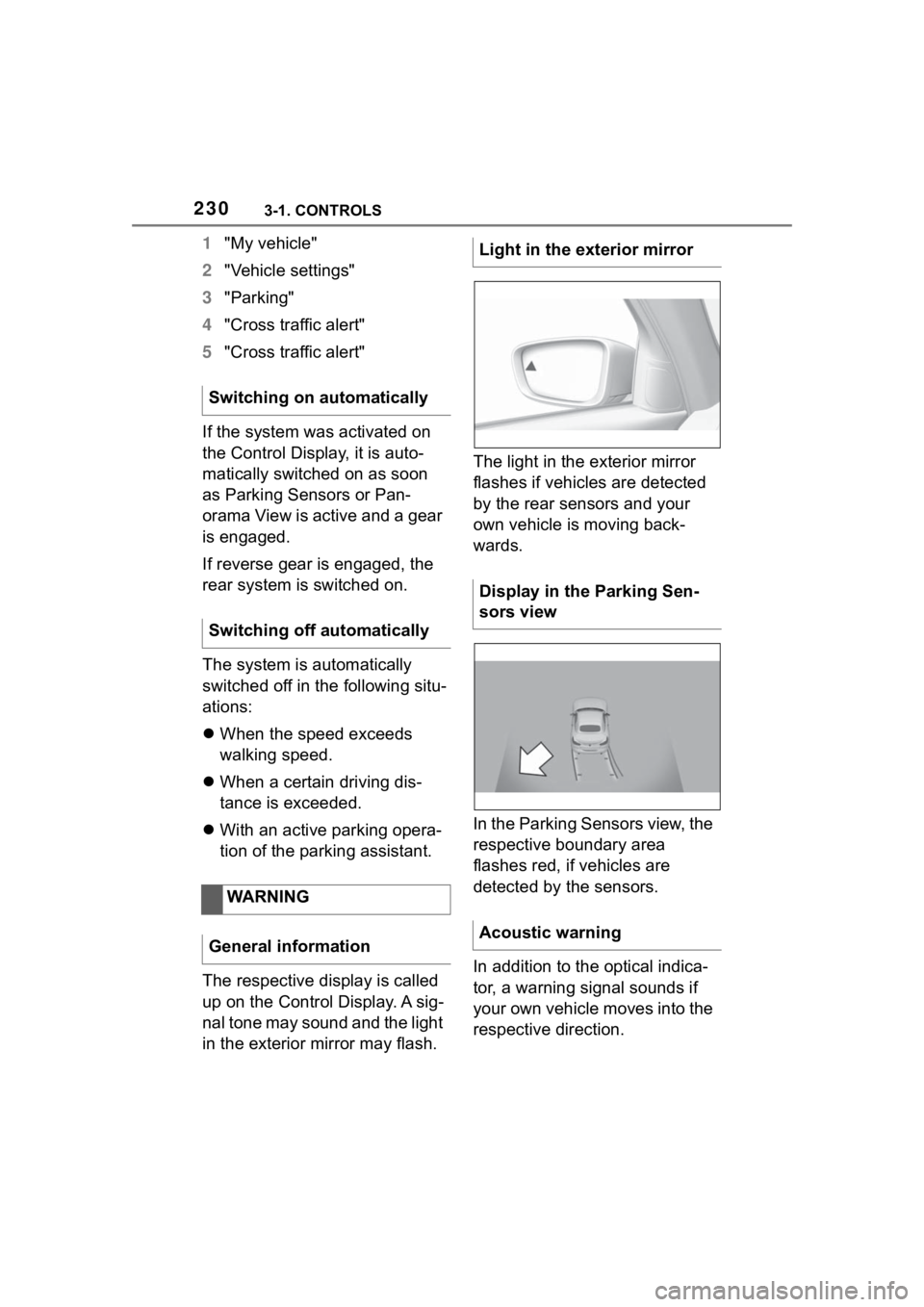
in the exterior mirror may flash. The light in the exterior mirror
flashes if vehicles are detected
by the rear sensors and your
own vehicle is moving back-
wards.
In the Parking Sensors view, the
respective boundary area
flashes red, if vehicles are
detected by the sensors.
In addition to the optical indica-
tor, a warning signal sounds if
your own vehicle moves into the
respective direction.
Switching on automatically
Switching off automatically
WARNING
General informationLight in the exterior mirror
Display in the Parking Sen-
sors view
Acoustic warning
Page 245 of 372
2453-1. CONTROLS
3
CONTROLS
The system, such as the garage
door, can be operated using the
button on the interior mirror
while the drive-ready or standby
state is switched on. To do this,
hold down the button within
receiving range of the system
until the function is activated.
The interior mirror LED stays lit
while the wireless signal is being
transmitted.
All stored functions will be
deleted. The functions cannot
be deleted individually.
Press and hold the two outer
buttons on the interior mirror
simultaneously for approxi-
mately 10 seconds until the LED
on the interior mirror flashes
green rapidly.Fold the sun visor down or up.
A vanity mirror is located in the
sun visor behind a cover. When
the cover is opened, the mirror
lighting switches on.
The lighter socket can be used
as a socket for electrical equip-
ment when standby and
drive-ready state are switched
on.
The total load of all sockets
must not exceed 140 watts at 12
volts.
Do not damage the socket by
using non-compatible connec-
tors.
Operation
WARNING
The operation of remote-con-
trolled systems with the integrated
universal remote c
ontrol, such as
the garage door, may result in
injury, for example, body parts
becoming jammed in a garage
door. There is a risk of injury or
risk of damage to property. Make
sure that the area of movement of
the respective system is clear
during programming and opera-
tion. Also follow the safety infor-
mation of the hand-held
transmitter.
Deleting stored functions
Sun visor
Glare shield
Vanity mirror
Sockets
Concept
General information
Page 251 of 372
2513-1. CONTROLS
3
CONTROLS
This chapter describes all stan-
dard, country-specific and
optional features offered with
the series. It also describes fea-
tures and functions that are not
necessarily available in your
vehicle, e.g., due to the selected
options or country versions. This
also applies to safety-related
functions and systems. When
using these functions and sys-
tems, the applicable laws and
regulations must be observed.The vehicle interior contains
multiple storage compartments
for stowing objects.
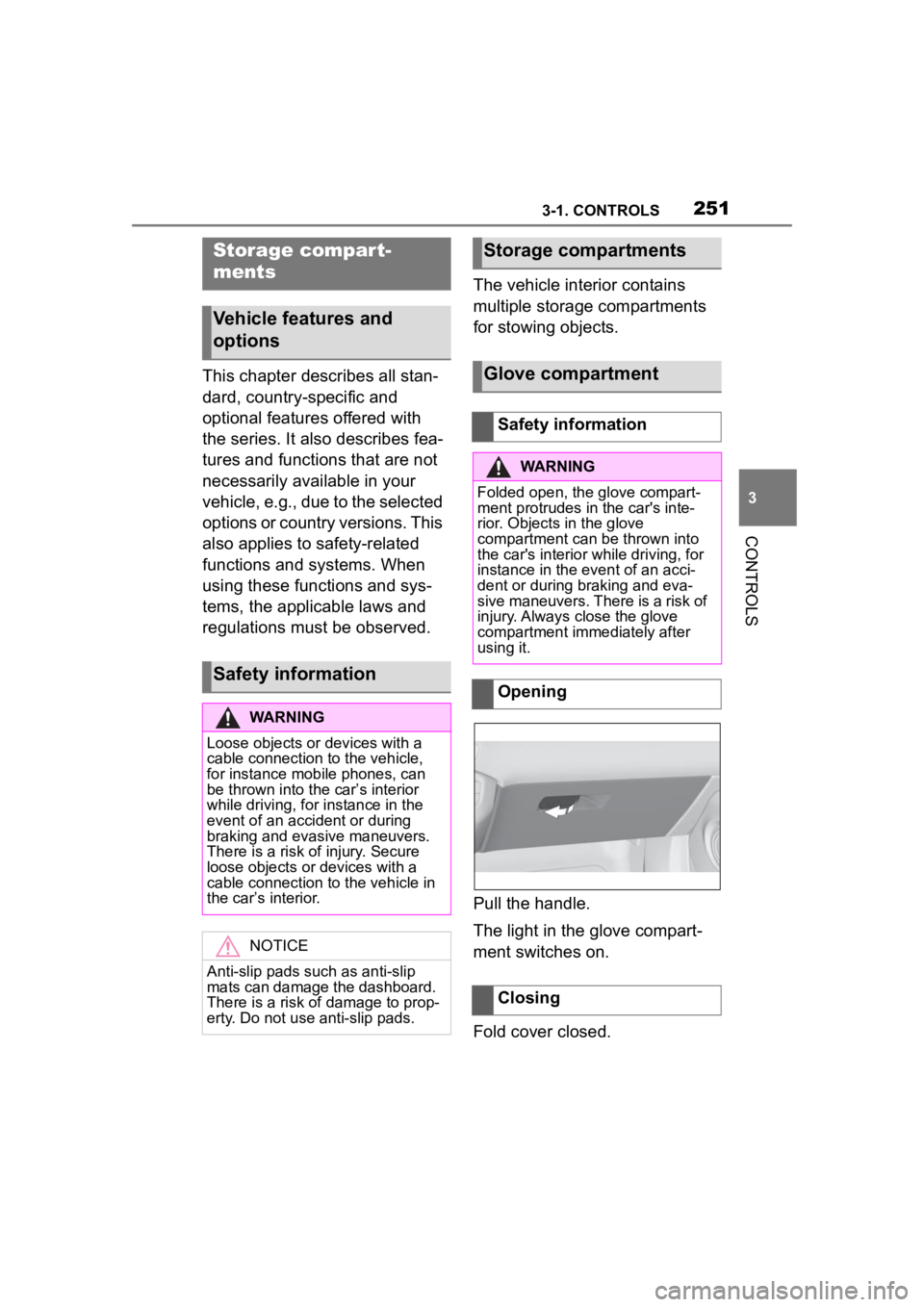
Pull the handle.
The light in the glove compart-
ment switches on.
Fold cover closed.
Storage compar t-
ments
Vehicle features and
options
Safety information
WARNING
Loose objects or devices with a
cable connection to the vehicle,
for instance mobile phones, can
be thrown into the car’s interior
while driving, for
instance in the
event of an accident or during
braking and evasive maneuvers.
There is a risk of injury. Secure
loose objects or devices with a
cable connection to the vehicle in
the car’s interior.
NOTICE
Anti-slip pads such as anti-slip
mats can damage the dashboard.
There is a risk of damage to prop-
erty. Do not use anti-slip pads.
Storage compartments
Glove compartment
Safety information
WARNING
Folded open, the glove compart-
ment protrudes in the car's inte-
rior. Objects in the glove
compartment can be thrown into
the car's interior w hile driving, for
instance in the event of an acci-
dent or during braking and eva-
sive maneuvers. There is a risk of
injury. Always close the glove
compartment immediately after
using it.
Opening
Closing
Page 252 of 372
2523-1. CONTROLS
The glove compartment can be
locked with an integrated key,
refer to page 86. This prevents
access to the glove compart-
ment.
After the glove compartment is
locked, the remote control can
be handed over without the inte-
grated key, for instance when
the vehicle is parked by valet
parking.
There are storage compart-
ments in the doors.Locking
Compartments in the
doors
General information
Safety information
WARNING
Breakable objects, such as glass
bottles or glasses, can break in
the event of an accident or a brak-
ing or evasive maneuver. Broken
glass can be scattered in the car's
interior. There is a risk of injury or
risk of damage to property. Do not
use any breakable objects while
driving. Only stow breakable
objects in closed storage com-
partments.
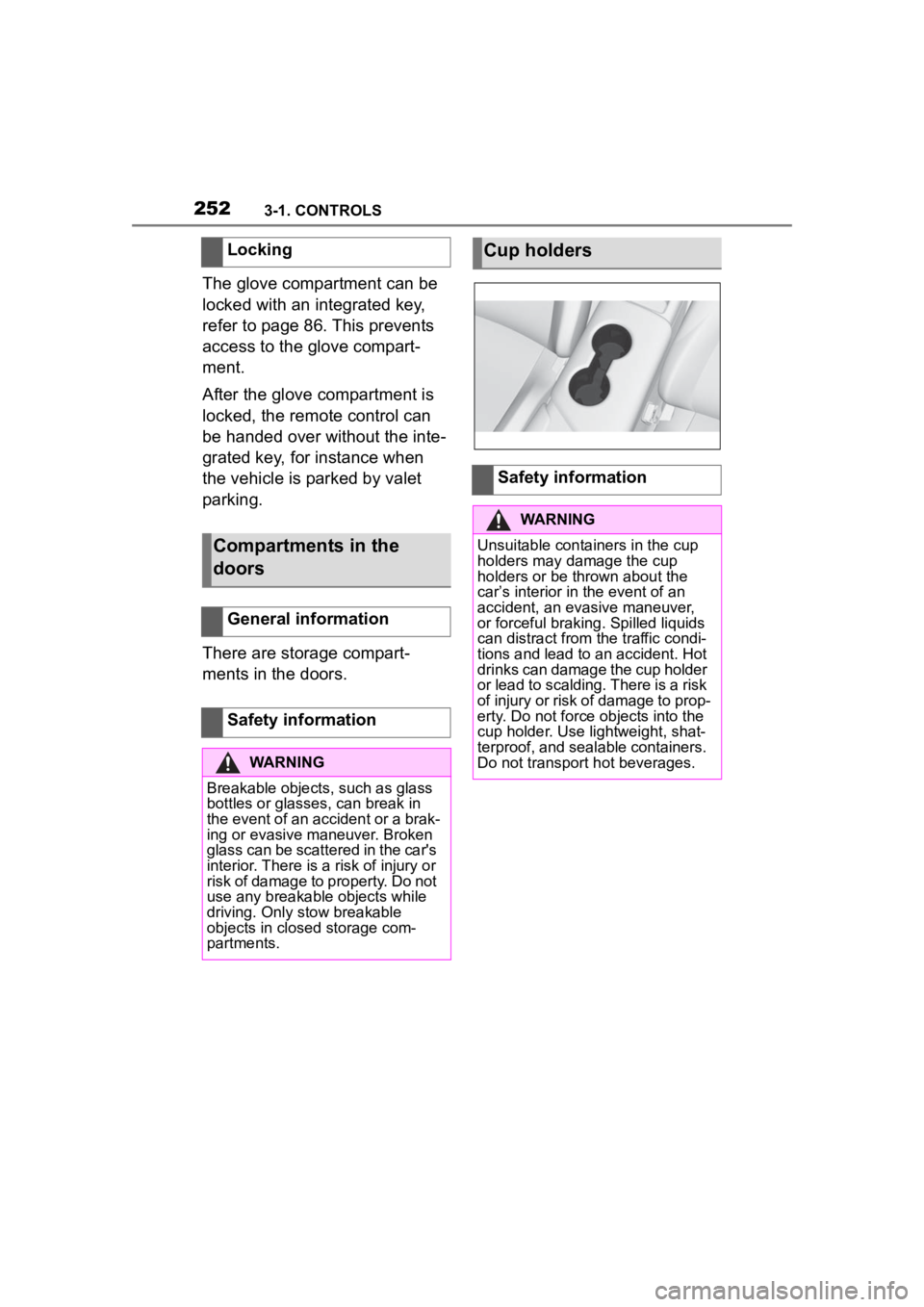
Cup holders
Safety information
WARNING
Unsuitable containers in the cup
holders may damage the cup
holders or be thrown about the
car’s interior in the event of an
accident, an evasive maneuver,
or forceful braking. Spilled liquids
can distract from the traffic condi-
tions and lead to an accident. Hot
drinks can damage the cup holder
or lead to scalding. There is a risk
of injury or risk of damage to prop-
erty. Do not force objects into the
cup holder. Use lightweight, shat-
terproof, and sealable containers.
Do not transport hot beverages.
Page 255 of 372
2553-1. CONTROLS
3
CONTROLS
Attach load securing aids, such
as lashing straps, tensioning
straps, draw straps or cargo
nets, to the lashing eyes in the
cargo area.
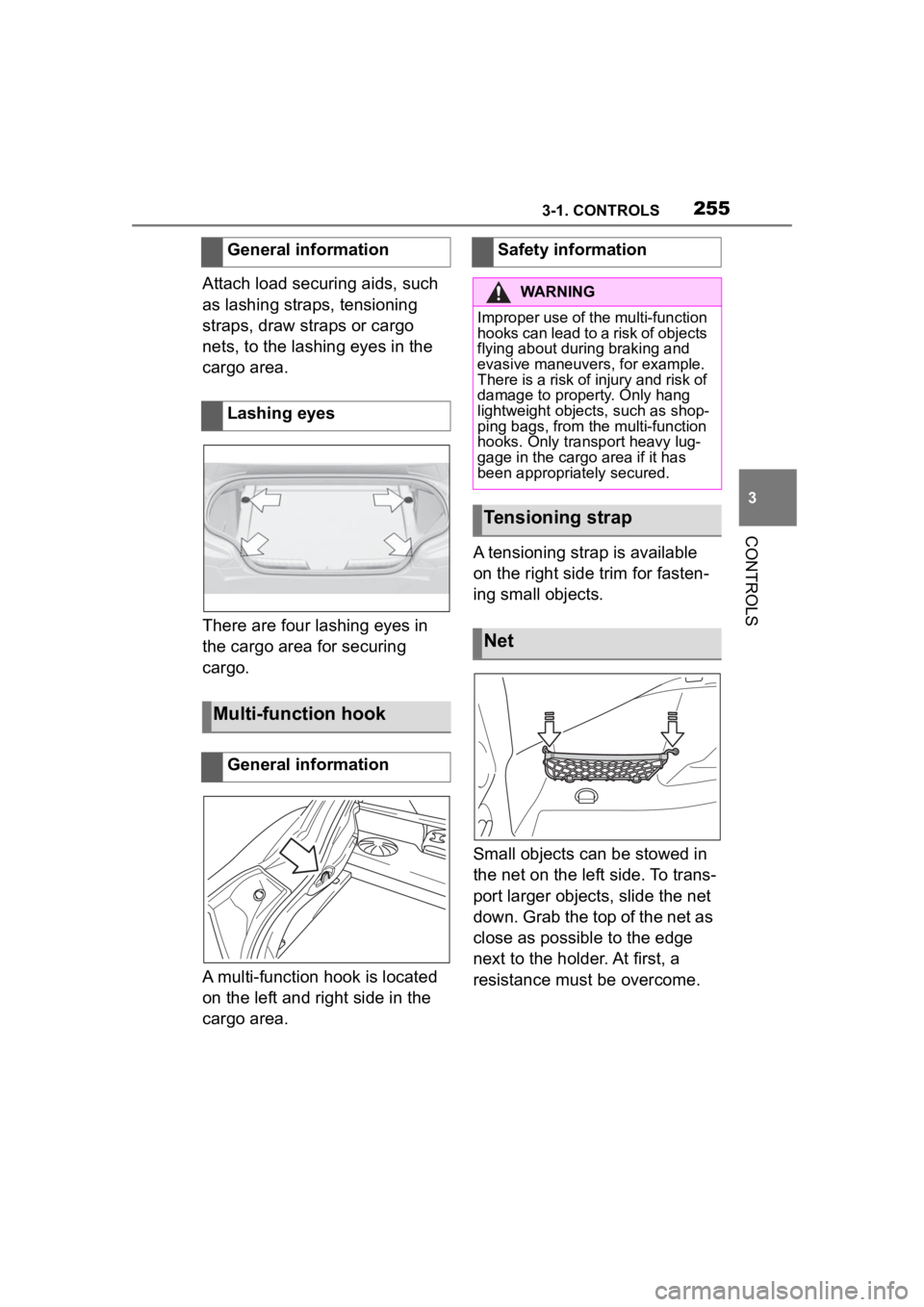
There are four lashing eyes in
the cargo area for securing
cargo.
A multi-function hook is located
on the left and right side in the
cargo area.A tensioning strap is available
on the right side trim for fasten-
ing small objects.
Small objects can be stowed in
the net on the left side. To trans-
port larger objects, slide the net
down. Grab the top of the net as
close as possible to the edge
next to the holder. At first, a
resistance must be overcome.
General information
Lashing eyes
Multi-function hook
General information
Safety information
WARNING
Improper use of the multi-function
hooks can lead to a risk of objects
flying about during braking and
evasive maneuvers, for example.
There is a risk of injury and risk of
damage to property. Only hang
lightweight objects, such as shop-
ping bags, from the multi-function
hooks. Only transport heavy lug-
gage in the cargo
area if it has
been appropriately secured.
Tensioning strap
Net
Page 259 of 372
2594-1. DRIVING TIPS
4
DRIVING TIPS
Brake discs and brake pads only
reach their full effectiveness
after approx. 300 miles/500 km.
Drive moderately during this
break-in period.
Observe the break-in proce-
dures again, if components
mentioned above are replaced.Brake system
Following part replace-
ment
General driving notes
Closing the trunk lid
Safety information
WARNING
An open trunk lid protrudes from
the vehicle and can endanger
occupants and other traffic partici-
pants or damage the vehicle in
the event of an a ccident, braking
or evasive maneu vers. In addi-
tion, exhaust fumes may enter the
car's interior. There is a risk of
injury or risk of damage to prop-
erty. Do not drive with the trunk lid
open.
Ice on window glass
NOTICE
The window will be lowered
slightly when pulling on the door
handle. In the eve nt of frost, the
window may freeze up and not be
lowered. There is a risk of dam-
age to property. When pulling on
the door handle, make sure that
the window is lowered. If neces-
sary, remove snow and ice from
the window. Do not open the door
with force.
Hot exhaust gas system
WARNING
High temperatures can occur
underneath the body, for instance
caused by the exhaust gas sys-
tem, while driving. Contact with
the exhaust gas system can
cause burns. The re is a risk of
injury. Do not touch the hot
exhaust gas system, including the
exhaust pipe.
WARNING
If combustible materials, such as
leaves or grass, come in contact
with hot parts of the exhaust gas
system, these materials can
ignite. There is a risk of fire and
injuries. Do not r emove the heat
shields installed and never apply
undercoating to them. Make sure
that no combustible materials can
come in contact with hot vehicle
parts in driving operation, idle or
during parking.
Page 260 of 372
2604-1. DRIVING TIPS
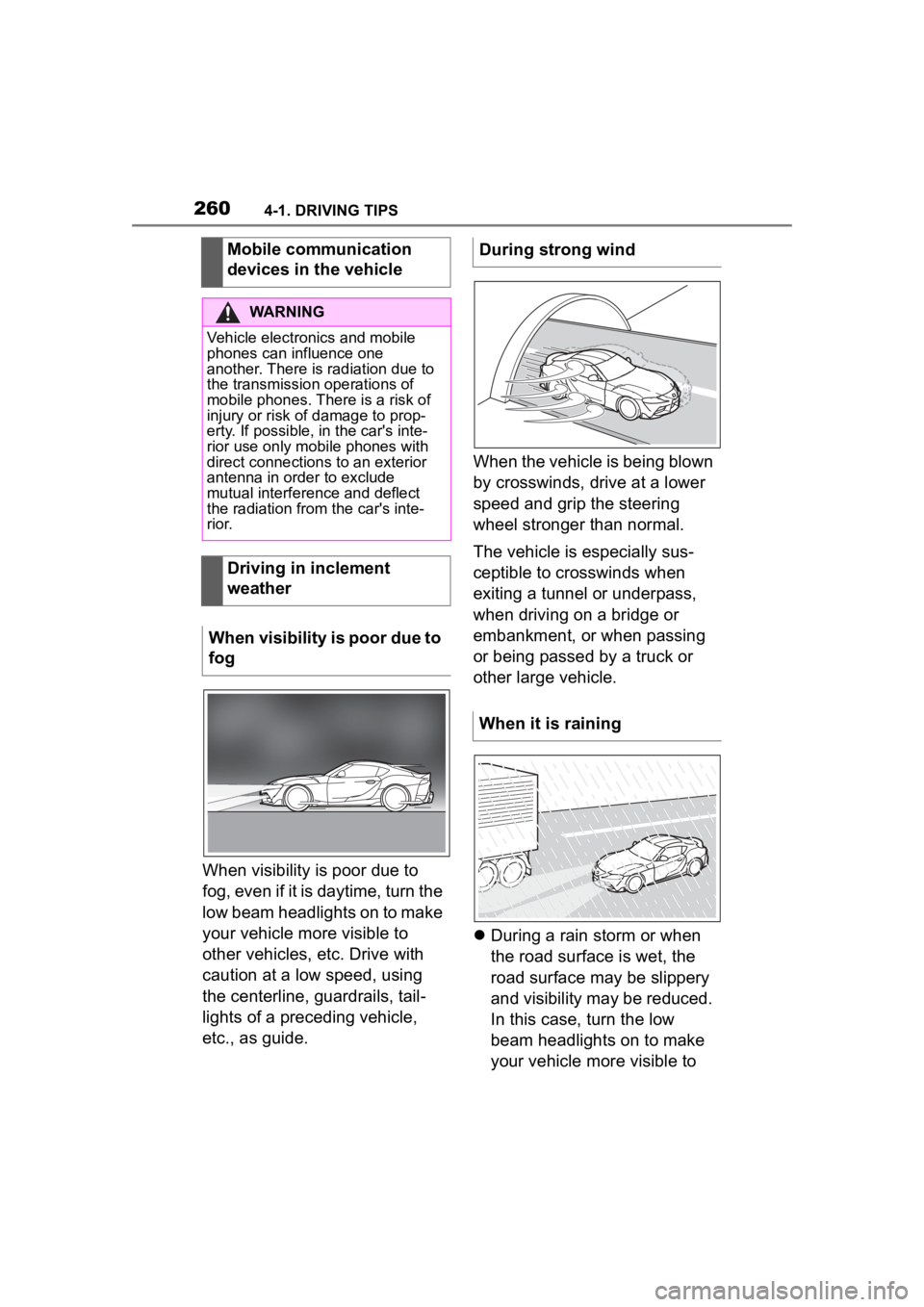
When visibility is poor due to
fog, even if it is daytime, turn the
low beam headlights on to make
your vehicle more visible to
other vehicles, etc. Drive with
caution at a low speed, using
the centerline, guardrails, tail-
lights of a preceding vehicle,
etc., as guide.When the vehicle is being blown
by crosswinds, drive at a lower
speed and grip the steering
wheel stronger than normal.
The vehicle is especially sus-
ceptible to crosswinds when
exiting a tunnel or underpass,
when driving on a bridge or
embankment, or when passing
or being passed by a truck or
other large vehicle.
During a rain storm or when
the road surface is wet, the
road surface may be slippery
and visibility may be reduced.
In this case, turn the low
beam headlights on to make
your vehicle more visible to
Mobile communication
devices in the vehicle
WARNING
Vehicle electronics and mobile
phones can influence one
another. There is radiation due to
the transmission operations of
mobile phones. There is a risk of
injury or risk of
damage to prop-
erty. If possible, in the car's inte-
rior use only mobile phones with
direct connections to an exterior
antenna in order to exclude
mutual interference and deflect
the radiation from the car's inte-
r i o r.
Driving in inclement
weather
When visibility is poor due to
fog
During strong wind
When it is raining
Page 262 of 372

2624-1. DRIVING TIPS
perforated brake discs can emit
functional noises. However,
functional noises have no effect
on the performance and opera-
tional reliability of the brake.
When roads are wet, salted, or
in heavy rain, gently press the
brake pedal every few miles.
Ensure that this action does not
endanger other traffic.
The heat generated during brak-
ing dries brake discs and brake
pads and protects them against
corrosion.
In this way braking efficiency will
be available when you need it.
■General information
Drive long or steep downhill gra-
dients in the gear that requires
least braking effort. Otherwise,
the brakes may overheat and
reduce brake efficiency.
You can increase the engine's
braking effect by shifting down,
going all the way to first gear, if
needed.
■Safety information
Corrosion on the brake discs
and contamination on the brake
pads are increased by the fol-
lowing circumstances:
Low mileage.
Extended periods when the
vehicle is not used at all.
Objects in the area around
the pedals
WARNING
Objects in the dri
ver's floor area
can limit the peda l distance or
block a depressed pedal. There is
a risk of an accident. Stow objects
in the vehicle such that they are
secured and cannot enter into the
driver's floor area. Use floor mats
that are suitable for the vehicle
and can be safely attached to the
floor. Do not use loose floor mats
and do not layer several floor
mats. Make sure that there is suf-
ficient clearance for the pedals.
Ensure that the floor mats are
securely fastened again after they
were removed, fo r instance for
cleaning.
Driving in wet conditions
Hills
WARNING
Light but consis tent brake pres-
sure can lead to high tempera-
tures, brakes wearing out and
possibly even brake failure. There
is a risk of an accident. Avoid
placing excessive stress on the
brake system.
WARNING
In idle state or with the engine
switched off, safety functions, for
instance engine braking effect,
braking assistance and steering
assistance, may not be available.
There is a risk of accident. Do not
attempt to drive in idle state or
with the engine switched off.
Brake disc corrosion