steering TOYOTA SUPRA 2023 Owner's Manual
[x] Cancel search | Manufacturer: TOYOTA, Model Year: 2023, Model line: SUPRA, Model: TOYOTA SUPRA 2023Pages: 372, PDF Size: 6.32 MB
Page 143 of 372
1433-1. CONTROLS
3
CONTROLS
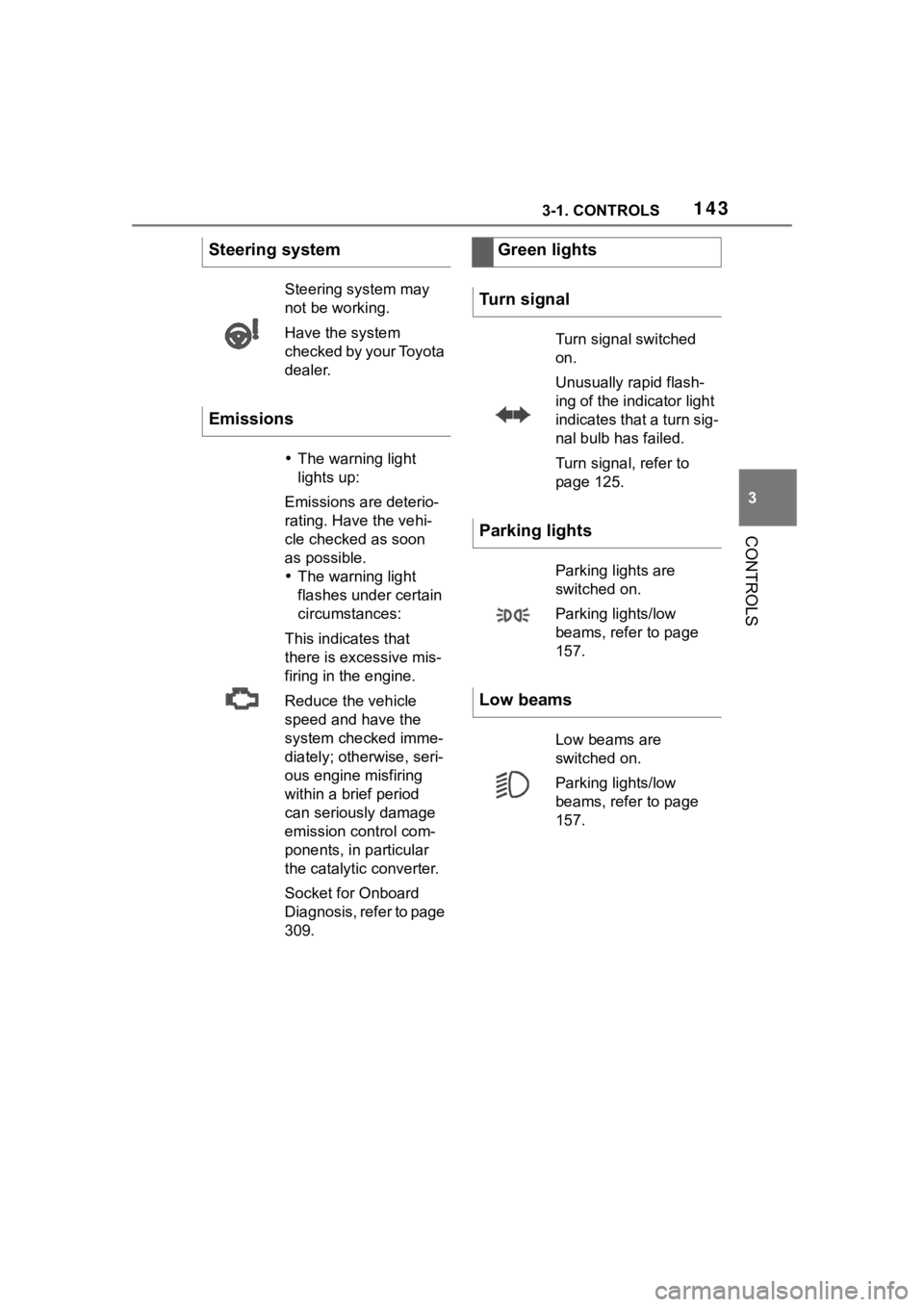
Steering system
Steering system may
not be working.
Have the system
checked by your Toyota
dealer.
Emissions
The warning light
lights up:
Emissions are deterio-
rating. Have the vehi-
cle checked as soon
as possible.
The warning light
flashes under certain
circumstances:
This indicates that
there is excessive mis-
firing in the engine.
Reduce the vehicle
speed and have the
system checked imme-
diately; otherwise, seri-
ous engine misfiring
within a brief period
can seriously damage
emission control com-
ponents, in particular
the catalytic converter.
Socket for Onboard
Diagnosis, refer to page
309.
Green lights
Turn signal
Turn signal switched
on.
Unusually rapid flash-
ing of the indicator light
indicates that a turn sig-
nal bulb has failed.
Turn signal, refer to
page 125.
Parking lights
Parking lights are
switched on.
Parking lights/low
beams, refer to page
157.
Low beams
Low beams are
switched on.
Parking lights/low
beams, refer to page
157.
Page 144 of 372
1443-1. CONTROLS
The current fill level of the fuel
tank is displayed.
Vehicle tilt position may cause
the display to vary.
Information on refueling, refer to
page 268.
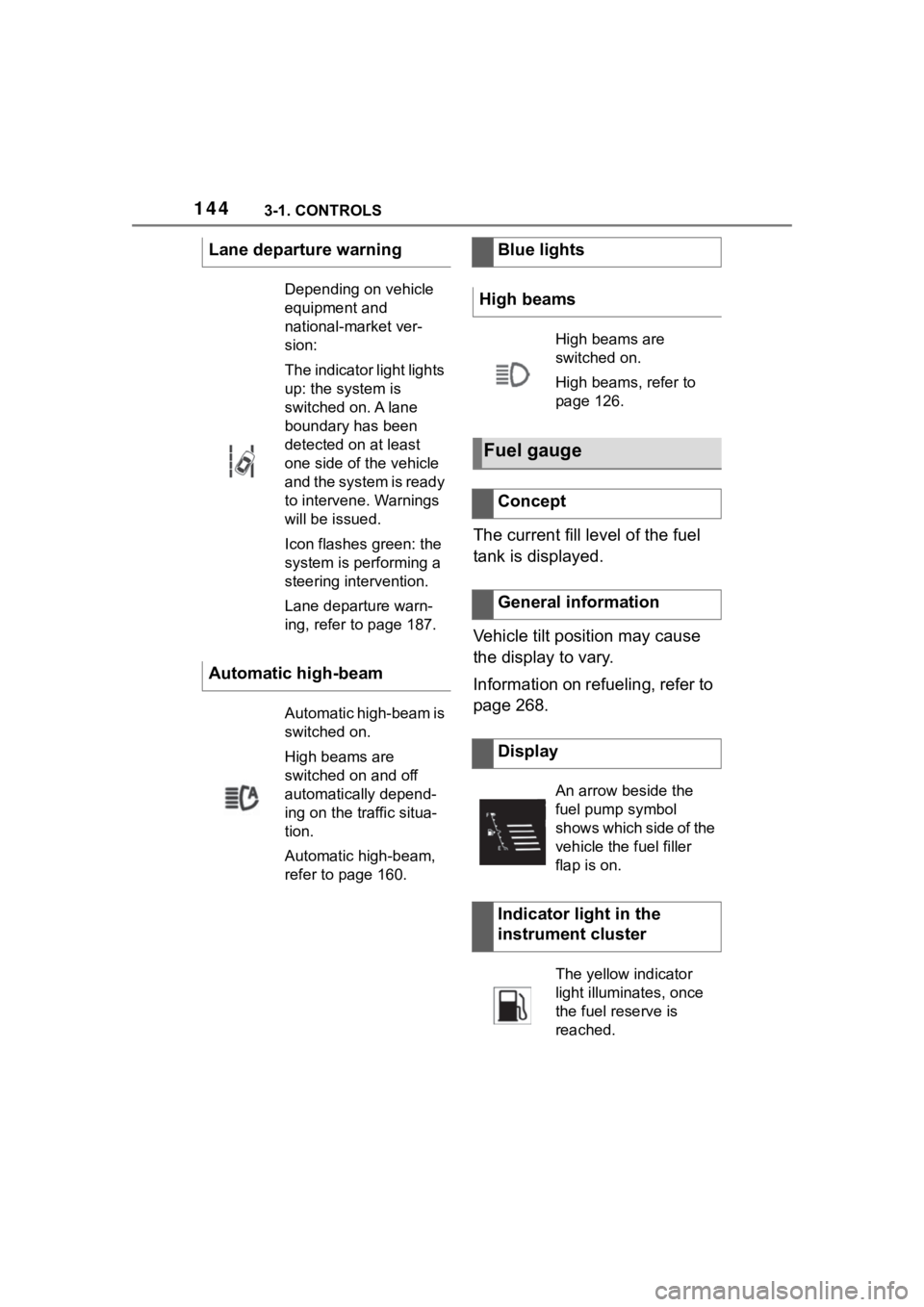
Lane departure warning
Depending on vehicle
equipment and
national-market ver-
sion:
The indicator light lights
up: the system is
switched on. A lane
boundary has been
detected on at least
one side of the vehicle
and the system is ready
to intervene. Warnings
will be issued.
Icon flashes green: the
system is performing a
steering intervention.
Lane departure warn-
ing, refer to page 187.
Automatic high-beam
Automatic high-beam is
switched on.
High beams are
switched on and off
automatically depend-
ing on the traffic situa-
tion.
Automatic high-beam,
refer to page 160.
Blue lights
High beams
High beams are
switched on.
High beams, refer to
page 126.
Fuel gauge
Concept
General information
Display
An arrow beside the
fuel pump symbol
shows which side of the
vehicle the fuel filler
flap is on.
Indicator light in the
instrument cluster
The yellow indicator
light illuminates, once
the fuel reserve is
reached.
Page 149 of 372
1493-1. CONTROLS
3
CONTROLS
Items displayed may differ
depending on the specifications
of the vehicle.
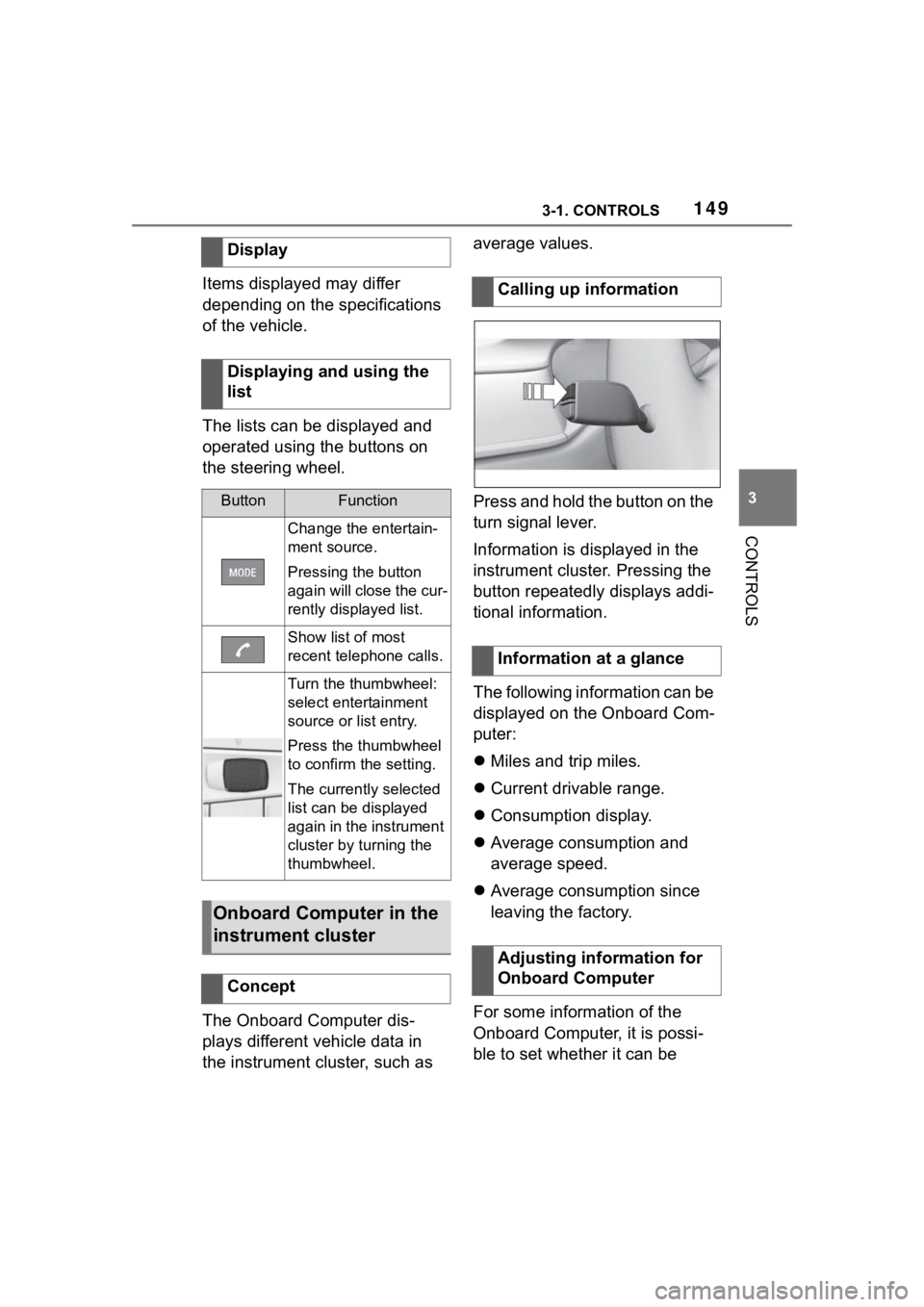
The lists can be displayed and
operated using the buttons on
the steering wheel.
The Onboard Computer dis-
plays different vehicle data in
the instrument cluster, such as average values.
Press and hold the button on the
turn signal lever.
Information is displayed in the
instrument cluster. Pressing the
button repeatedly displays addi-
tional information.
The following information can be
displayed on the Onboard Com-
puter:
Miles and trip miles.
Current drivable range.
Consumption display.
Average consumption and
average speed.
Average consumption since
leaving the factory.
For some information of the
Onboard Computer, it is possi-
ble to set whether it can be
Display
Displaying and using the
list
ButtonFunction
Change the entertain-
ment source.
Pressing the button
again will close the cur-
rently displayed list.
Show list of most
recent telephone calls.
Turn the thumbwheel:
select entertainment
source or list entry.
Press the thumbwheel
to confirm the setting.
The currently selected
list can be displayed
again in the instrument
cluster by turning the
thumbwheel.
Onboard Computer in the
instrument cluster
Concept
Calling up information
Information at a glance
Adjusting information for
Onboard Computer
Page 156 of 372
1563-1. CONTROLS
glass of the Head-up Display.
Windshield dirty on inside or
outside.
Sunglasses with certain polar-
ization filters.
Wet roads.
Unfavorable light conditions.
If the image is distorted, have
the basic settings checked by
your Toyota dealer.
The windshield is part of the
system.
The shape of the windshield
makes it possible to display a
precise image.
A film in the windshield prevents
double images from being gen-
erated.
For this reason, it is strongly
suggested to have the special
windshield replaced by your
Toyota dealer if necessary. This chapter describes all stan-
dard, country-specific and
optional features offered with
the series. It also describes fea-
tures and functions that are not
necessarily available in your
vehicle, e.g., due to the selected
options or country versions. This
also applies to safety-related
functions and systems. When
using these functions and sys-
tems, the applicable laws and
regulations must be observed.
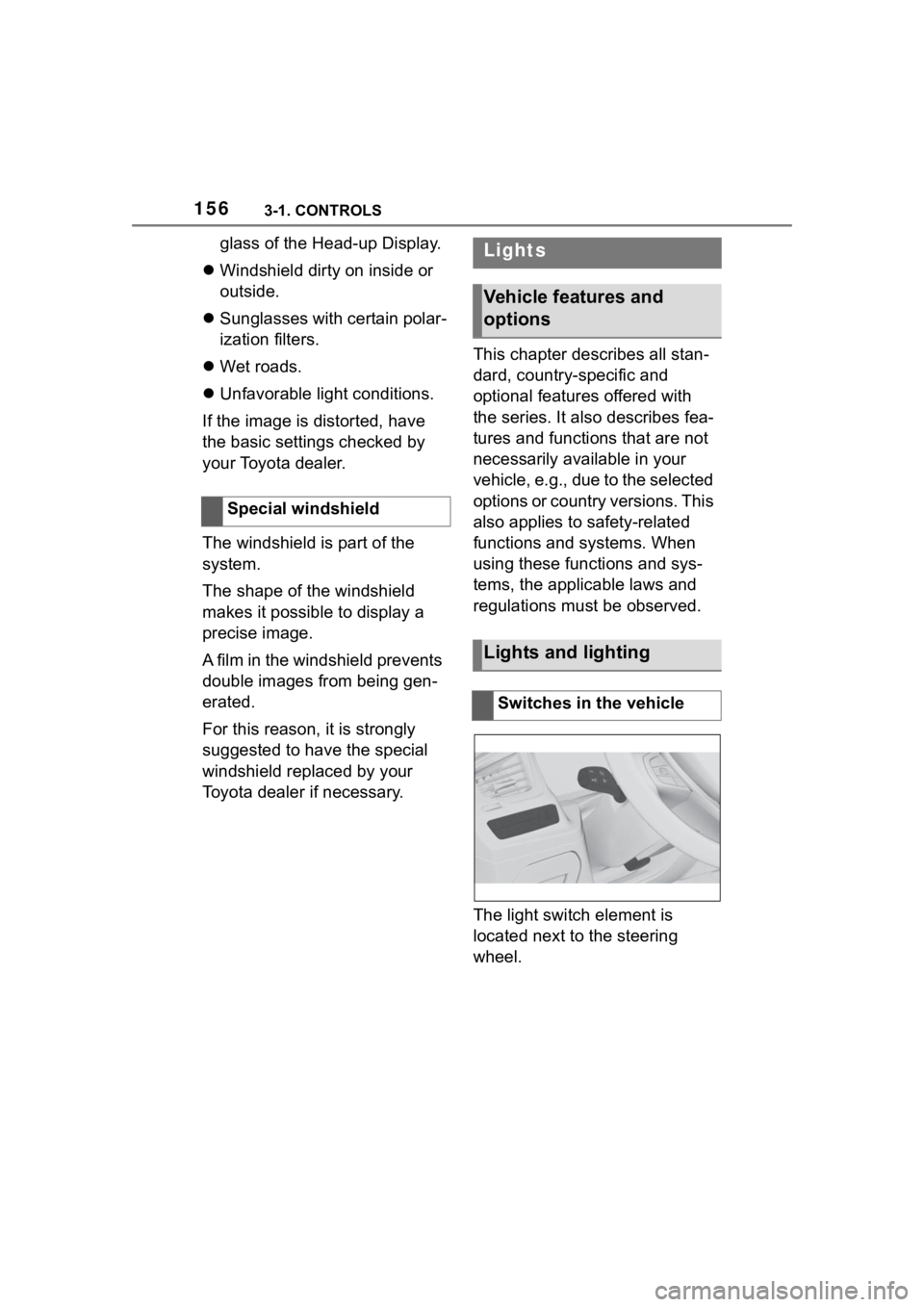
The light switch element is
located next to the steering
wheel.
Special windshieldLights
Vehicle features and
options
Lights and lighting
Switches in the vehicle
Page 165 of 372
1653-1. CONTROLS
3
CONTROLS
Airbags are not triggered in
every impact situation, for
instance in less severe acci-
dents.
Keep a distance from the air-
bags.
Always grasp the steering
wheel on the steering wheel
rim. Hold your hands at the 3
o'clock and 9 o'clock posi-
tions, to keep the risk of injury
to your hands or arms as low
as possible when the airbag is
triggered.
Adjust seat and steering
wheel so that hands can be
crossed over the steering
wheel. Select the settings so
that the shoulder rests against
the backrest when crossing
the hands and the upper body is as far back as possible
while still maintaining a com-
fortable grip on the steering
wheel.
Make sure that the front pas-
senger is sitting correctly, i.e.,
keeps his or her feet and legs
in the floor area and does not
support them on the dash-
board.
Make sure that occupants
keep their heads away from
the side airbag.
There should be no addi-
tional persons, animals or
objects between an airbag
and a person.
Dashboard and windshield on
the front passenger side must
stay clear - do not attach
adhesive labels or coverings
and do not attach brackets or
cables, for instance for GPS
devices or mobile phones.
Do not apply adhesive materi-
als to the airbag cover panels,
do not cover them or modify
them in any way.
Do not use the cover of the
front airbag on the front pas-
senger side as a storage
area.
Do not attach slip covers, seat
cushions or other objects to
the front passenger seat that
are not specifically suited for
seats with integrated side air-
bags.
Protective effect
General information
Information on optimum
effect of the airbags
WARNING
If the seat position is incorrect or
the deployment area of the air-
bags is impaired, the airbag sys-
tem cannot provide protection as
intended and ma y cause addi-
tional injuries due to triggering.
There is a risk o f injuries or dan-
ger to life. Follow the information
on achieving the optimum protec-
tive effect of the airbag system.
Page 166 of 372
1663-1. CONTROLS
Do not hang pieces of cloth-
ing, such as jackets, over the
backrests.
Never modify either the indi-
vidual components or the wir-
ing in the airbag system. This
also applies to steering wheel
covers, the dashboard, and
the seats.
Do not remove the airbag sys-
tem.
Even when you follow all
instructions very closely, injury
from contact with the airbags
cannot be fully ruled out in cer-
tain situations.
The ignition and inflation noise
may lead to short-term and, in
most cases, temporary hearing
impairment in sensitive occu-
pants.
Vehicle modifications for a per-
son with disabilities may affect
the air bag system; contact the
Toyota dealer for further infor-
mation.
Warnings and information on the
airbags are also found on the
sun visors. Functional readiness of
the airbag system
Safety information
WARNING
Individual components can be hot
after triggering of the airbag sys-
tem. There is a risk of injury. Do
not touch individual components.
WARNING
Improperly executed work can
lead to failure, malfunction or
unintentional triggering of the air-
bag system. In the case of a mal-
function, the airbag system might
not trigger as intended despite the
accident severity. There is a risk
of injuries or danger to life. Have
the airbag system checked,
repaired, dismantled and
scrapped by your Toyota dealer.
Display in the instrument
cluster
When drive-ready state is
switched on, the warning
light in the instrument
cluster lights up briefly and
thereby indicates the func-
tion readiness of the entire
airbag system and the belt
tensioners.
Malfunction
Warning light does not
come on when
drive-ready state is
switched on.
The warning light lights
up continuously.
Page 167 of 372

1673-1. CONTROLS
3
CONTROLS
Have the system checked.
The power that deploys the
driver's/front passenger airbags
depends on the position of the
driver's/front passenger seat.
To maintain the accuracy of this
function, calibrate the electrical
front seats as soon as a respec-
tive message appears on the
control display.
For further information:
Electrically adjustable seats,
see page P.101.
The airbags are not designed to
be used in place of the seat
belts.
The SRS front airbags and SRS
knee airbags are designed to
supplement the seat belts, not
be used in place of them, to
increase their effectiveness as
an occupant protection device.
SRS is an acronym for Supplemen-
tal Restraint System
In the event of a collision, the
seat belts restrain the occupants
in their seats, but if the impact of
the collision is especially
severe, there is danger of an
occupant’s head and chest con-
tacting the steering wheel, dash- board and windshield. In this
case, the SRS front airbags and
SRS knee airbags deploy
(inflate), instantly creating an air
cushion to help reduce the
impact on the occupants and
restrain them from contacting
the steering wheel, etc. with
their head, chest and knees.
The SRS front air bags and SRS
knee airbags deploy only when
an impact exceeding a certain
threshold is detected. In a colli-
sion, even if the impact is
severe enough to cause the
vehicle body to deform, the SRS
airbags may not deploy if the
impact of the collision is suffi-
ciently dispersed by the crash
structures of the vehicle body. If
the force of the collision does
not cause the airbags to deploy,
the seatbelts will protect the
occupants.
When an airbag deploys, as it
will inflate nearly instantly, it may
impact an occupant and cause
an injury, or the loud noise emit-
ted by ignition or deployment
may cause temporary partial
loss of hearing. Also, as an air-
bag and nearby parts will be
extremely hot after the airbag
deploys, touching them may
cause burns. For these reasons,
deployment of the airbags is not
entirely risk free. Therefore, in
order to reduce this risk, the air-
bags are designed to only
Setting the front seat posi-
tions
SRS front airbag/SRS knee
airbag
Page 168 of 372
1683-1. CONTROLS
deploy when additional reduc-
tion of the impact applied to the
occupants in a collision is nec-
essary.
WARNING
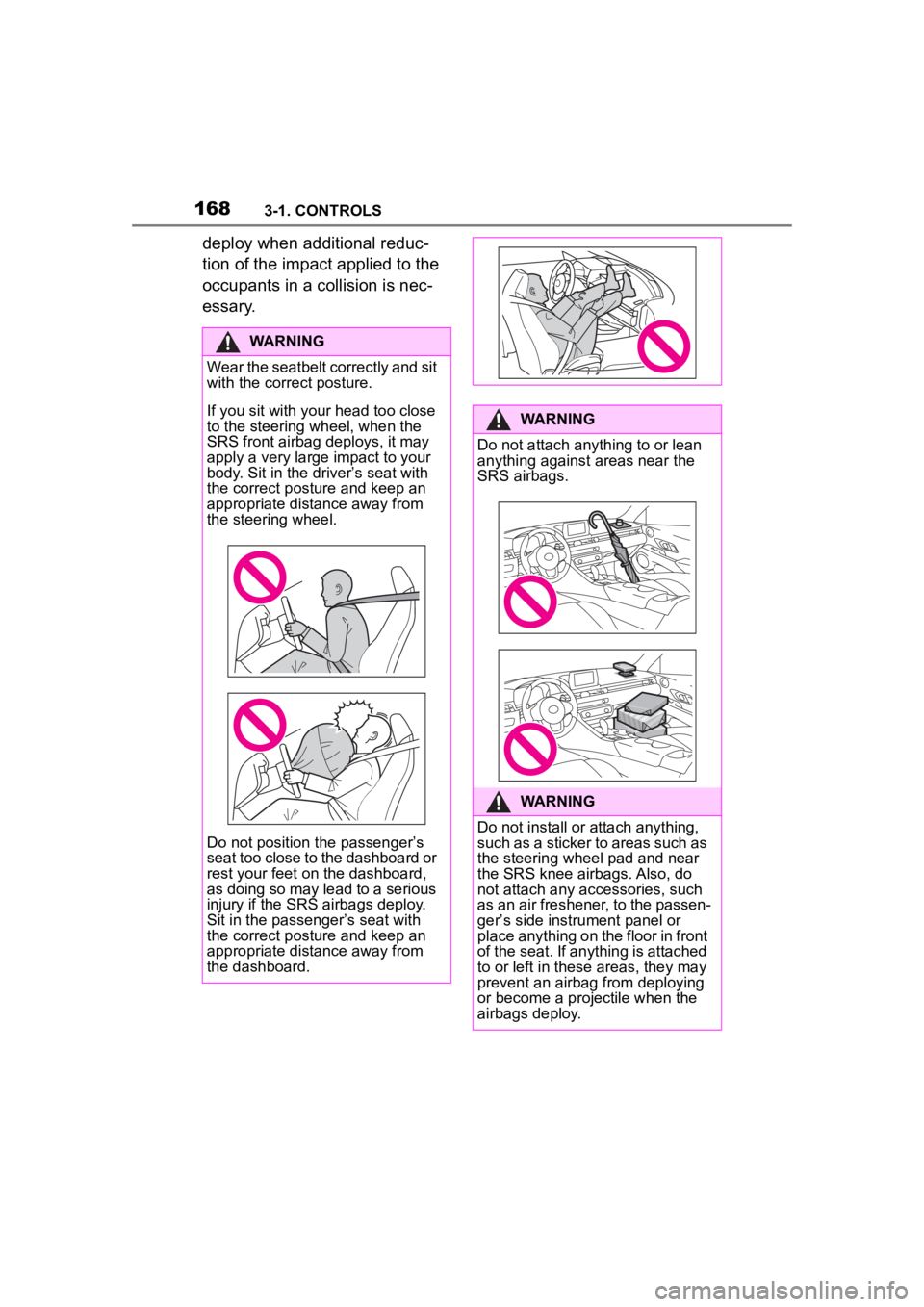
Wear the seatbelt correctly and sit
with the correct posture.
If you sit with your head too close
to the steering wheel, when the
SRS front airbag deploys, it may
apply a very large impact to your
body. Sit in the driver
Page 176 of 372
1763-1. CONTROLS
activated or deactivated.
The system generally detects
children seated in a child
restraint system, particularly in
child restraint systems required
by NHTSA at the point in time
when the vehicle was manufac-
tured. After installing a child
restraint system, make sure that
the indicator light for the
front-seat passenger airbags
lights up. This indicates that the
child restraint system has been
detected and the front-seat pas-
senger airbags are not acti-
vated.Toyota Supra Safety enables
central operation of the driver
assistance systems.
Depending on how the vehicle is
equipped, Toyota Supra Safety
consists of one or more systems
that can help prevent an immi-
nent collision.
Pre-Collision System, refer to
page 178.
Pre-Collision System (for
pedestrians and bicycles),
refer to page 183.
Lane departure warning, refer
to page 187.
Blind spot monitor, refer to
page 191.
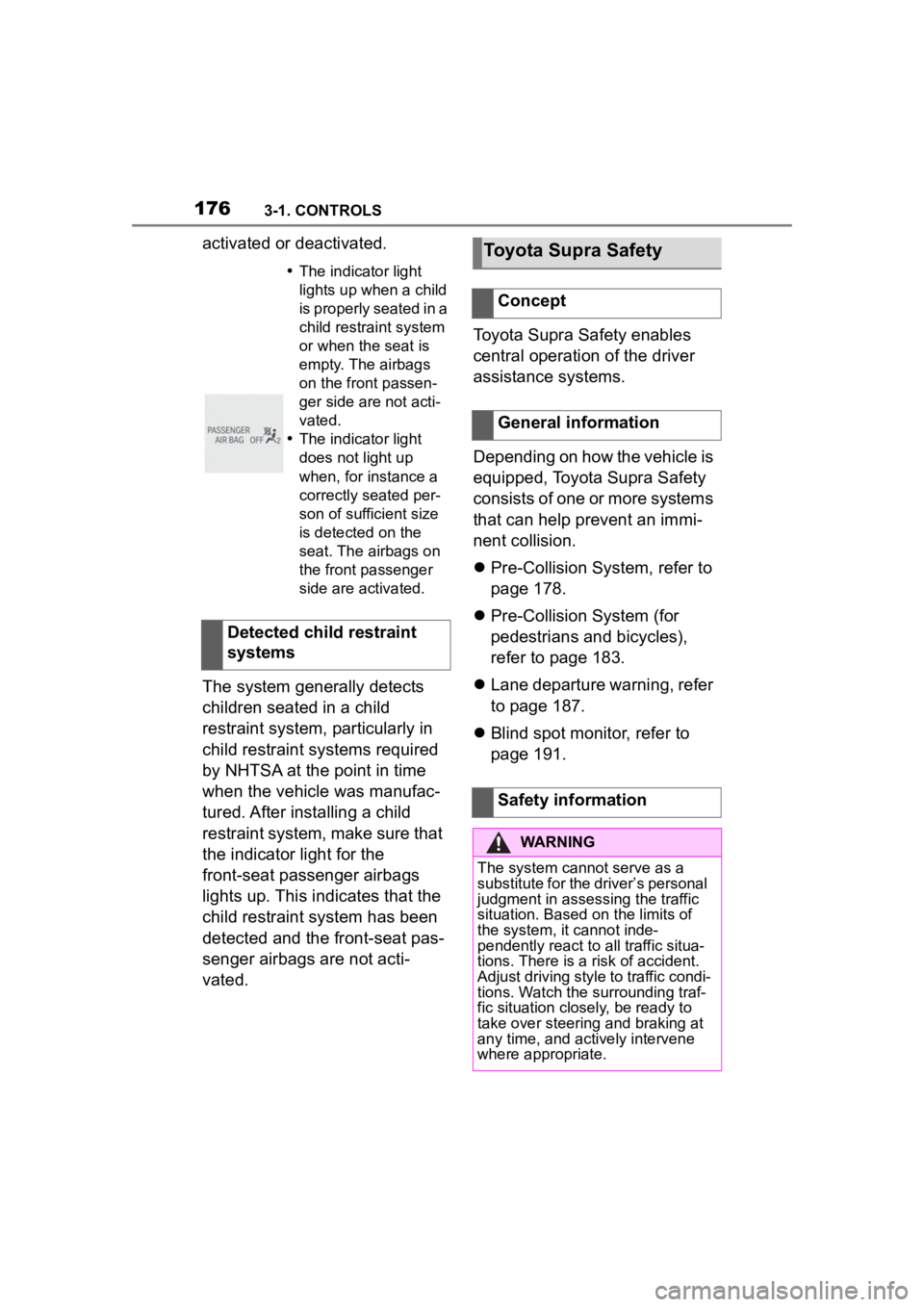
The indicator light
lights up when a child
is properly seated in a
child restraint system
or when the seat is
empty. The airbags
on the front passen-
ger side are not acti-
vated.
The indicator light
does not light up
when, for instance a
correctly seated per-
son of sufficient size
is detected on the
seat. The airbags on
the front passenger
side are activated.
Detected child restraint
systems
Toyota Supra Safety
Concept
General information
Safety information
WARNING
The system cannot serve as a
substitute for the driver’s personal
judgment in assessing the traffic
situation. Based on the limits of
the system, it cannot inde-
pendently react to all traffic situa-
tions. There is a risk of accident.
Adjust driving style to traffic condi-
tions. Watch the surrounding traf-
fic situation closely, be ready to
take over steering and braking at
any time, and actively intervene
where appropriate.
Page 178 of 372
1783-1. CONTROLS
"ALL ON": all Toyota Supra
Safety systems are switched on.
Basic settings are activated for
the sub-functions, for instance
setting for warning time.
"Customized": the Toyota Supra
Safety systems are switched on
according to the individual set-
tings.
Some Toyota Supra Safety sys-
tems cannot be individually
switched off.
All Toyota Supra Safety systems
are switched off.
The system may prevent some
accidents. In the event of an
accident, the system may
reduce impact speed.
The system sounds a warning
before an imminentcollision and
activates brakes inde-
pendently,if needed.
Depending on the equipment
version, the system is controlled by the following sensors:
Camera in the area of the
interior mirror.
Radar sensor in the front
bumper.
The approach control warning is
available even if cruise control
has been deactivated.
With the vehicle approaching
another vehicle intentionally, the
approach control warning and
braking are delayed in order to
avoid false system reactions.
The system issues a two-phase
warning of a possible risk of col-
lision with vehicles at speeds
above approx. 3 mph/5 km/h.
The timing of warnings may vary
with the current driving situation.
Press the button repeat-
edly. The following set-
tings are switched
between:
Press and hold this button:
Front collision mitigation
Concept
General information
Safety information
WARNING
The system cannot serve as a
substitute for the driver's personal
judgment in assessing the traffic
situation. Based on the limits of
the system, it cannot inde-
pendently react to all traffic situa-
tions. There is a risk of accident.
Adjust driving style to traffic condi-
tions. Watch the surrounding traf-
fic situation closely, be ready to
take over steering and braking at
any time, and actively intervene
where appropriate.