light TOYOTA TACOMA 2009 (in English) Repair Manual
[x] Cancel search | Manufacturer: TOYOTA, Model Year: 2009, Model line: TACOMA, Model: TOYOTA TACOMA 2009Pages: 520, PDF Size: 10.75 MB
Page 161 of 520
161
2-3. Operating the lights and wipers
2
When driving
■
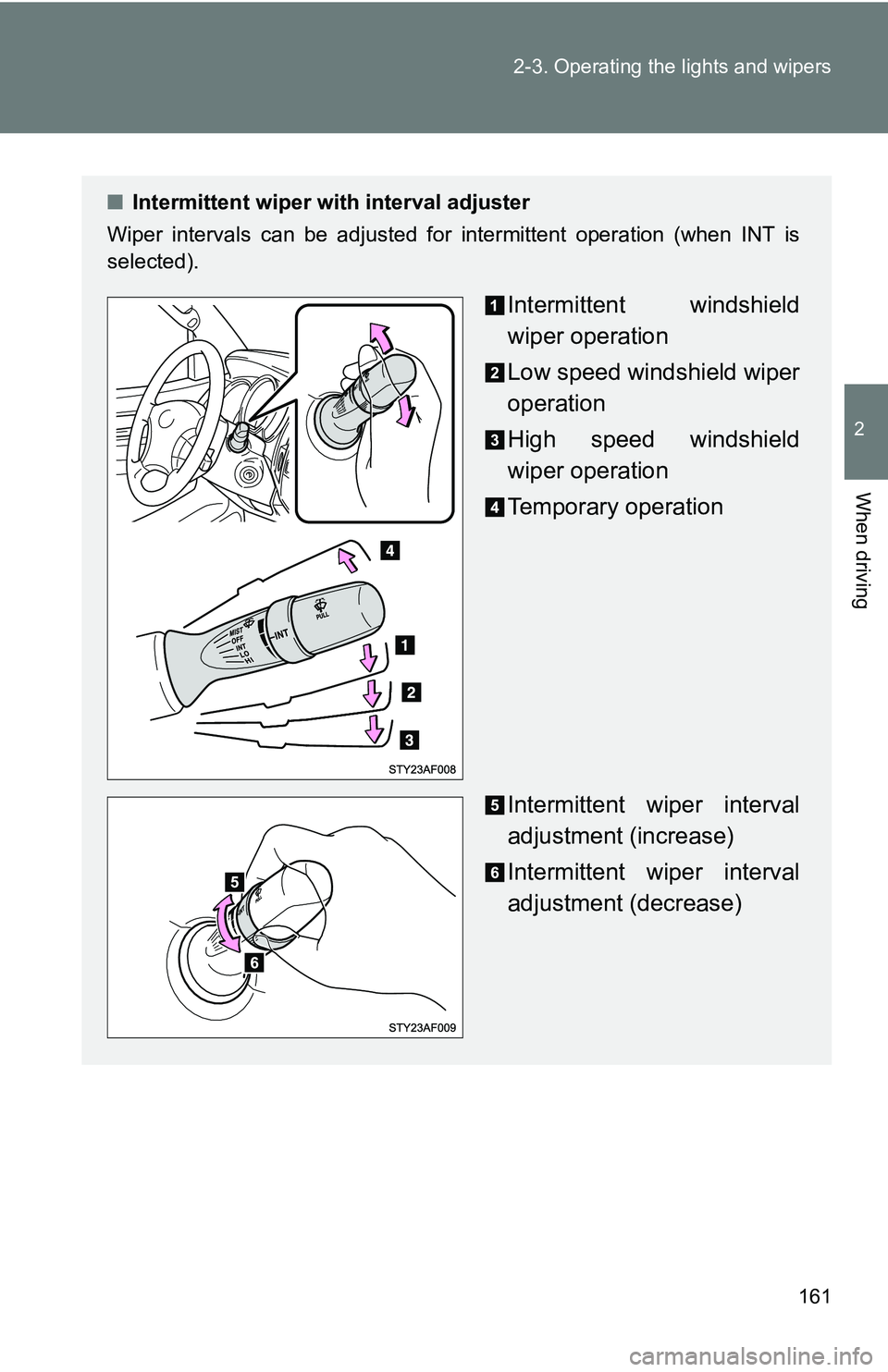
Intermittent wiper with interval adjuster
Wiper intervals can be adjusted for intermittent operation (when INT is
selected).
Intermittent windshield
wiper operation
Low speed windshield wiper
operation
High speed windshield
wiper operation
Temporary operation
Intermittent wiper interval
adjustment (increase)
Intermittent wiper interval
adjustment (decrease)
Page 162 of 520
162 2-3. Operating the lights and wipers
■The windshield wiper and washer can be operated when
The engine switch must be in the ON position.
■ If no windshield washer fluid sprays
Check that the washer nozzles are not blocked and if there is washer fluid in
the windshield washer fluid reservoir.
NOTICE
■When the windshield is dry
Do not use the wipers, as they may damage the windshield.
■ When there is no washer fluid spray from the nozzle
Damage to the washer fluid pump may be caused if the lever is pulled
toward you and held continually.
■ When a nozzle becomes block
Do not try to clear it with a pin or other object. The nozzle will be damaged.
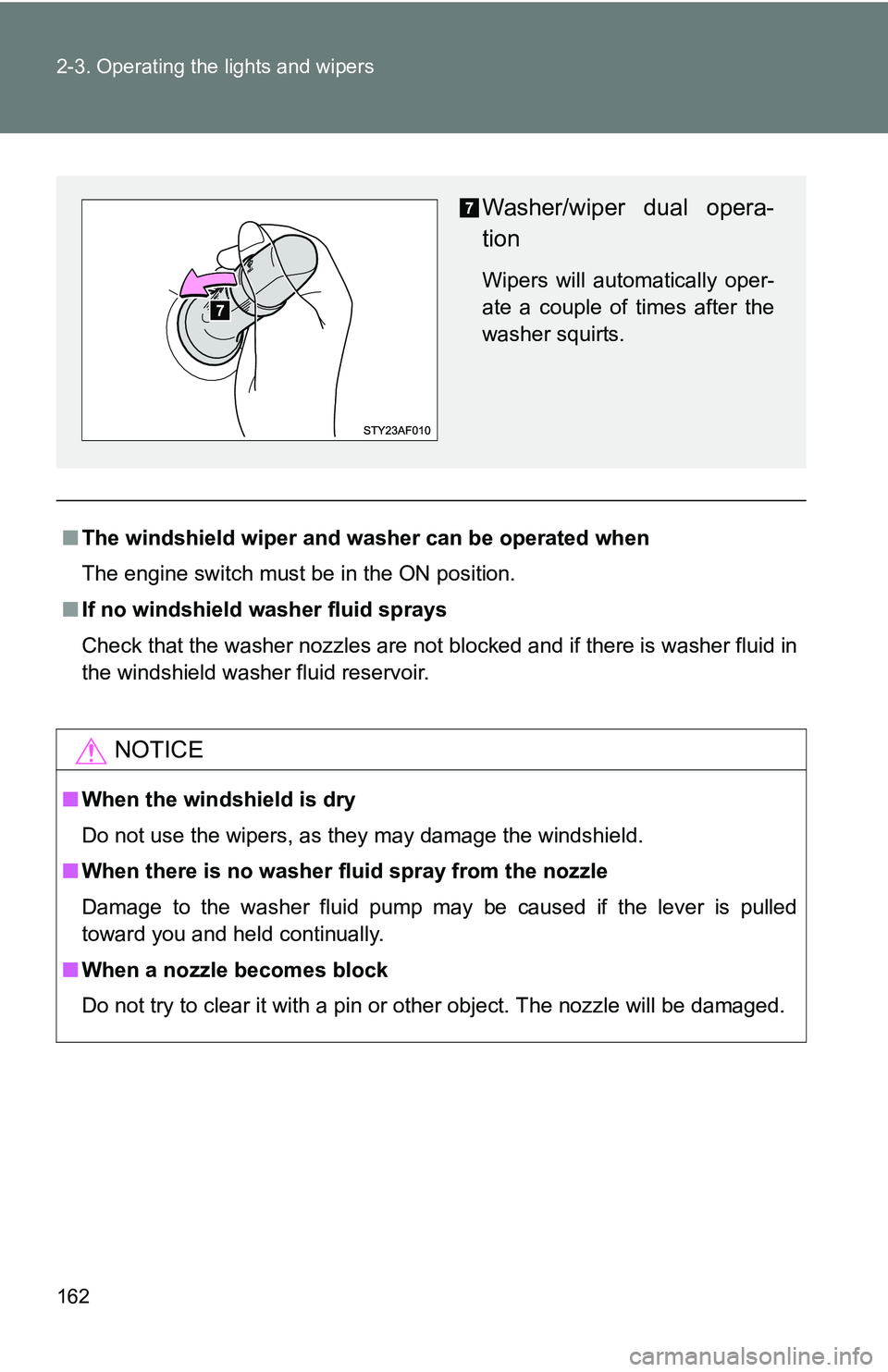
Washer/wiper dual opera-
tion
Wipers will automatically oper-
ate a couple of times after the
washer squirts.
Page 164 of 520
164 2-4. Using other driving systems
■Cruise control can be set when
●The shift lever is in D, 4 (vehicles with 5-speed automatic transmission)
or 3 (vehicles with 4-speed automatic transmission).
● Vehicle speed is more than approximately 25 mph (40 km/h).
■ Accelerating
The vehicle can be accelerated normally.
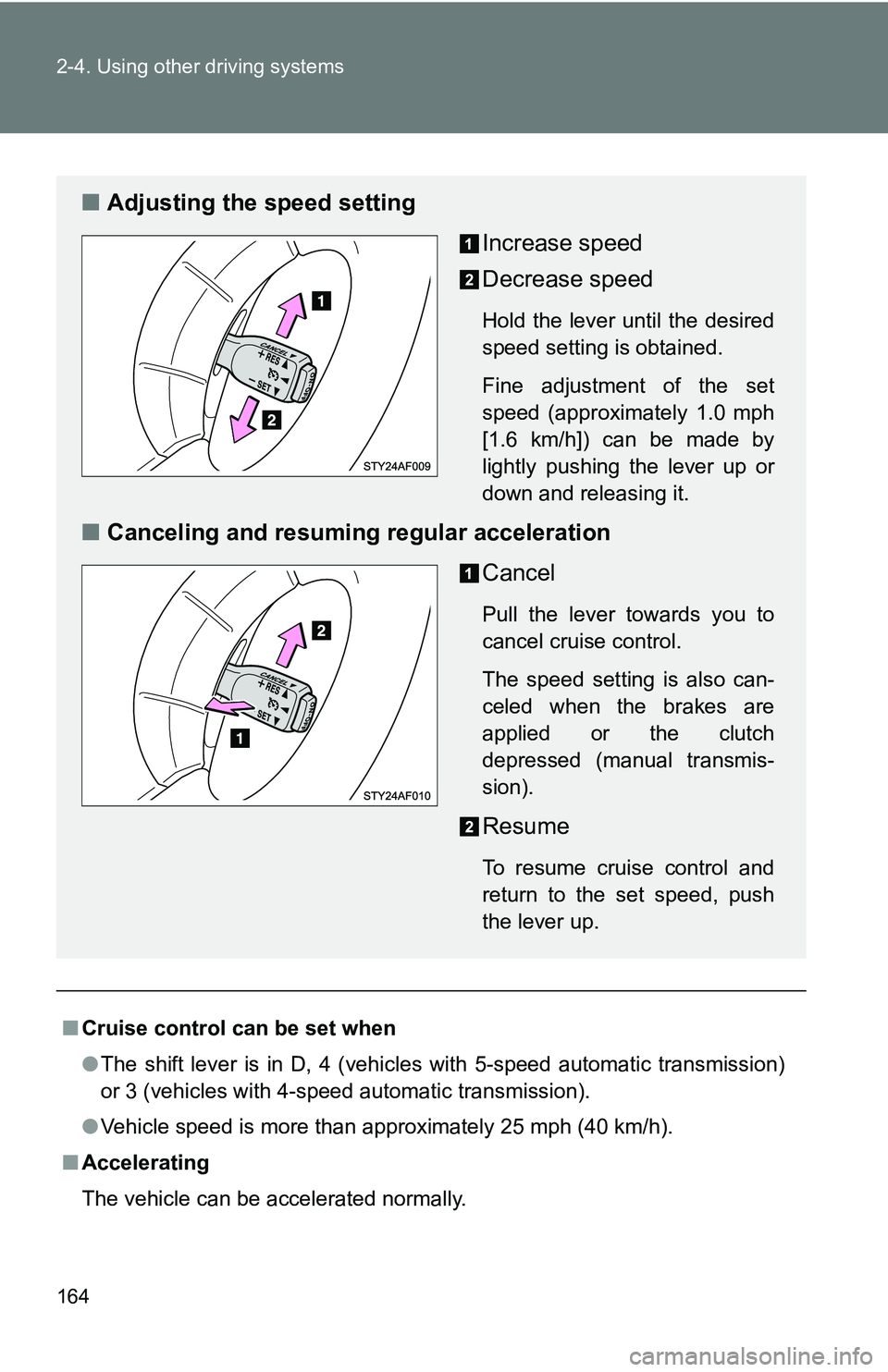
■ Adjusting the speed setting
Increase speed
Decrease speed
Hold the lever until the desired
speed setting is obtained.
Fine adjustment of the set
speed (approximately 1.0 mph
[1.6 km/h]) can be made by
lightly pushing the lever up or
down and releasing it.
■Canceling and resuming regular acceleration
Cancel
Pull the lever towards you to
cancel cruise control.
The speed setting is also can-
celed when the brakes are
applied or the clutch
depressed (manual transmis-
sion).
Resume
To resume cruise control and
return to the set speed, push
the lever up.
Page 165 of 520
165
2-4. Using other
driving systems
2
When driving
■Automatic cruise control cancelation
The set speed is automatically cancelled in any of the following situations.
●Actual vehicle speed falls more than 10 mph (16 km/h) below the preset
vehicle speed.
At this time, the memorized set speed is not retained.
● Actual vehicle speed is below 25 mph (40 km/h).
● VSC is activated.
■ If the cruise control indicator light flashes
Press the ON-OFF button to turn the cruise control off, and then reactivate
the system.
If the cruise control speed cannot be set or if the cruise control cancels
immediately after being activated, there may be a malfunction in the cruise
control system. Have the vehicle inspected by your Toyota dealer.
CAUTION
■ To avoid operating the cruise control by mistake
Keep the ON-OFF button off when not in use.
■ Situations unsuitable for cruise control
Do not use cruise control in any of the following situations.
Doing so may result in control of the vehicle being lost and could cause seri-
ous or fatal accident.
●In heavy traffic
● On roads with sharp bends
● On winding roads
● On slippery roads, such as those covered with rain, ice or snow
● On steep hills
● When towing a trailer
Page 168 of 520
168 2-4. Using other driving systems
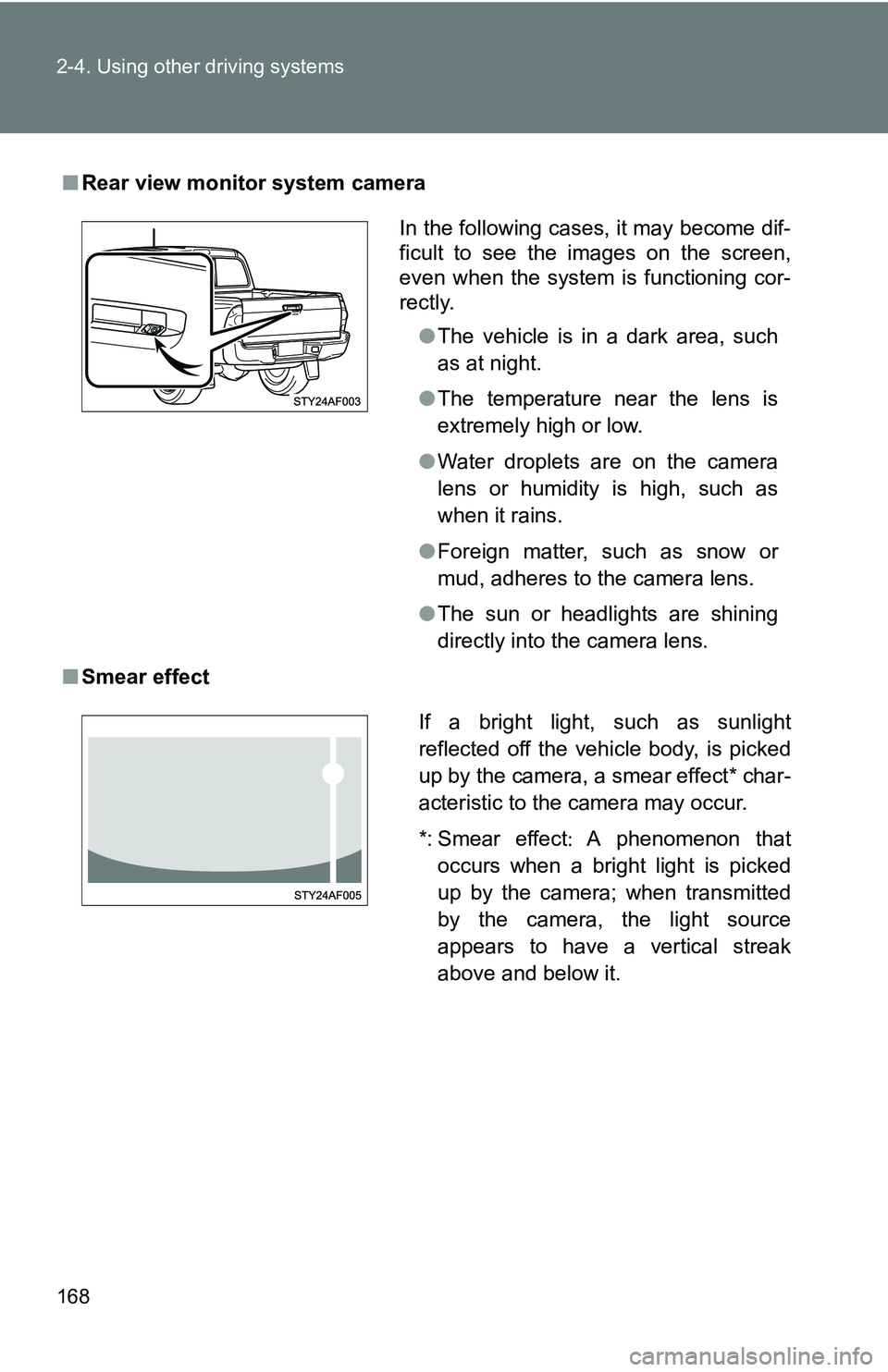
■Rear view monitor system camera
■ Smear effect
In the following cases, it may become dif-
ficult to see the images on the screen,
even when the system is functioning cor-
rectly.
●The vehicle is in a dark area, such
as at night.
● The temperature near the lens is
extremely high or low.
● Water droplets are on the camera
lens or humidity is high, such as
when it rains.
● Foreign matter, such as snow or
mud, adheres to the camera lens.
● The sun or headlights are shining
directly into the camera lens.
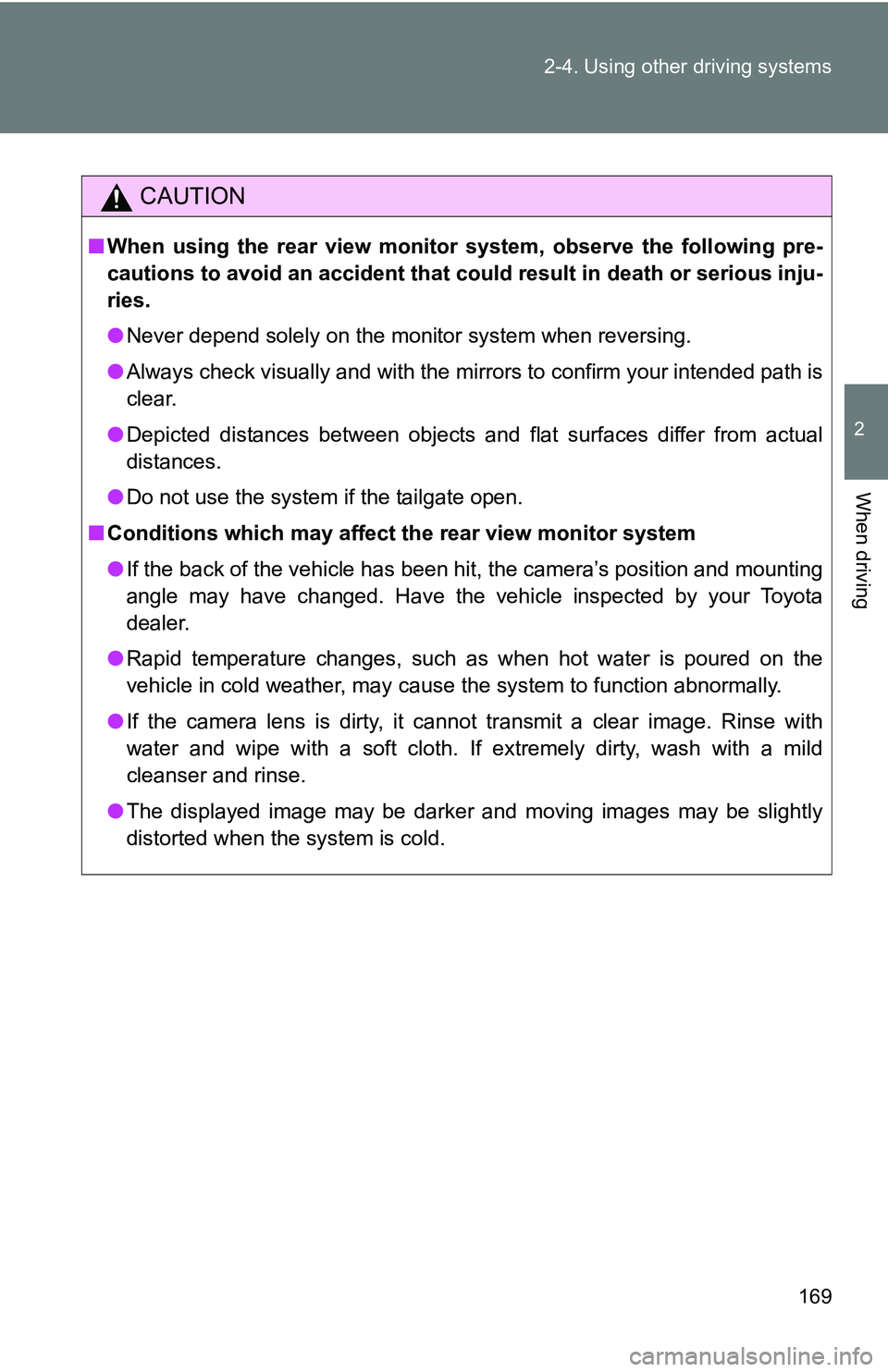
If a bright light, such as sunlight
reflected off the vehicle body, is picked
up by the camera, a smear effect* char-
acteristic to the camera may occur.
*: Smear effect A phenomenon that
occurs when a bright light is picked
up by the camera; when transmitted
by the camera, the light source
appears to have a vertical streak
above and below it.
Page 169 of 520
169
2-4. Using other
driving systems
2
When driving
CAUTION
■When using the rear view monito r system, observe the following pre-
cautions to avoid an accident that coul d result in death or serious inju-
ries.
● Never depend solely on the monitor system when reversing.
● Always check visually and with the mirrors to confirm your intended path is
clear.
● Depicted distances between objects and flat surfaces differ from actual
distances.
● Do not use the system if the tailgate open.
■ Conditions which may affect the rear view monitor system
● If the back of the vehicle has been hit, the camera’s position and mounting
angle may have changed. Have the vehicle inspected by your Toyota
dealer.
● Rapid temperature changes, such as when hot water is poured on the
vehicle in cold weather, may cause the system to function abnormally.
● If the camera lens is dirty, it cannot transmit a clear image. Rinse with
water and wipe with a soft cloth. If extremely dirty, wash with a mild
cleanser and rinse.
● The displayed image may be darker and moving images may be slightly
distorted when the system is cold.
Page 172 of 520
172 2-4. Using other driving systems
■Shifting between H2 and H4
●Shifting from H2 to H4
Reduce the vehicle speed to less than 62 mph (100 km/h) and turn the
front-wheel drive control switch fully clockwise.
● Shifting from H4 to H2.
Turn the front-wheel drive control switch fully counterclockwise.
This can be done at any speed. You need not depress the clutch pedal.
(manual transmission)
■ If the four-wheel drive indicator lig ht or the 4LO indicator light blinks
● Shifting from H2 to H4
• If the four-wheel drive indicator continues to blink, drive straight ahead
while accelerating or decelerating.
• If the four-wheel drive indicator continues to blink and the buzzer sounds, stop the vehicle or reduce the vehicle speed to less than 62
mph (100 km/h). Operate the switch again.
● Shifting from H4 to H2
• If the four-wheel drive indicator continues to blink, drive straight ahead
while accelerating or decelerating, or drive forward or backward in a
short distance.
● Shifting to H4 or L4
Automatic transmission
If the 4LO indicator continues to blink when you operate the front-wheel
drive control switch to the H4 or L4 position, drive forward or backward in a
short distance, then stop the vehicle completely, shift the automatic trans-
mission selector lever securely into N and operate the switch again.
Manual transmission
If the 4LO indicator continues to blink when you operate the front-wheel
drive control switch to the H4 or L4 position, drive forward or backward in a
short distance, then stop the vehicle completely, depress the clutch pedal
and operate the switch again.
If the indicator light continues to blink even if doing so, contact your Toyota
dealer as soon as possible. There may be a trouble in the four-wheel drive
system.
Page 179 of 520
179
2-4. Using other
driving systems
2
When driving
Manual transmission
4WD models: Before using the rear differential lock system.
Stop the vehicle or reduce your speed to less than 2 mph (3
km/h). Depress the clutch pedal and put the front-wheel drive
control switch in the L4 position to see if this is sufficient. If
this has no effect, additionally use the rear differential lock
system.
Be sure to stop the wheels.
Depress the clutch pedal.
Press the RR DIFF LOCK switch.
After the rear differential is locked, the indicator will come on.
Slowly release the clutch pedal.
Unlock the rear differential as soon as the vehicle moves.
To unlock the rear differential, push the switch again.
■ Locking the rear differential
●When the rear differential is locked, VSC is automatically turned off.
(The rear differential lock and VSC OFF indicators come on.)
● The following systems do not operate when the rear differential is locked.
It is normal operation for the ABS warning light and VSC OFF indicator to
be on at this time. If the DAC switch turns on, the downhill assist cont\
rol
system indicator light flashes.
•ABS
• Brake assist system
•VSC
•TRAC
• Downhill assist control system
• Hill-start assist control system
■ The rear differential lock is disengaged when
●Shift the front-wheel drive control switch to H2 or H4 position. (4WD mod-
els)
Never forget to turn off the switch after using this feature.
Page 181 of 520
181
2-4. Using other driving systems
2
When driving
Downhill Assist Control system (if equipped)
The downhill assist control system helps to prevent excessive speed
on steep downhill descents.
■System operation
The system will operate when the vehicle is traveling under 15
mph (25 km/h) and the front-wheel drive control switch is in the
L4 position.
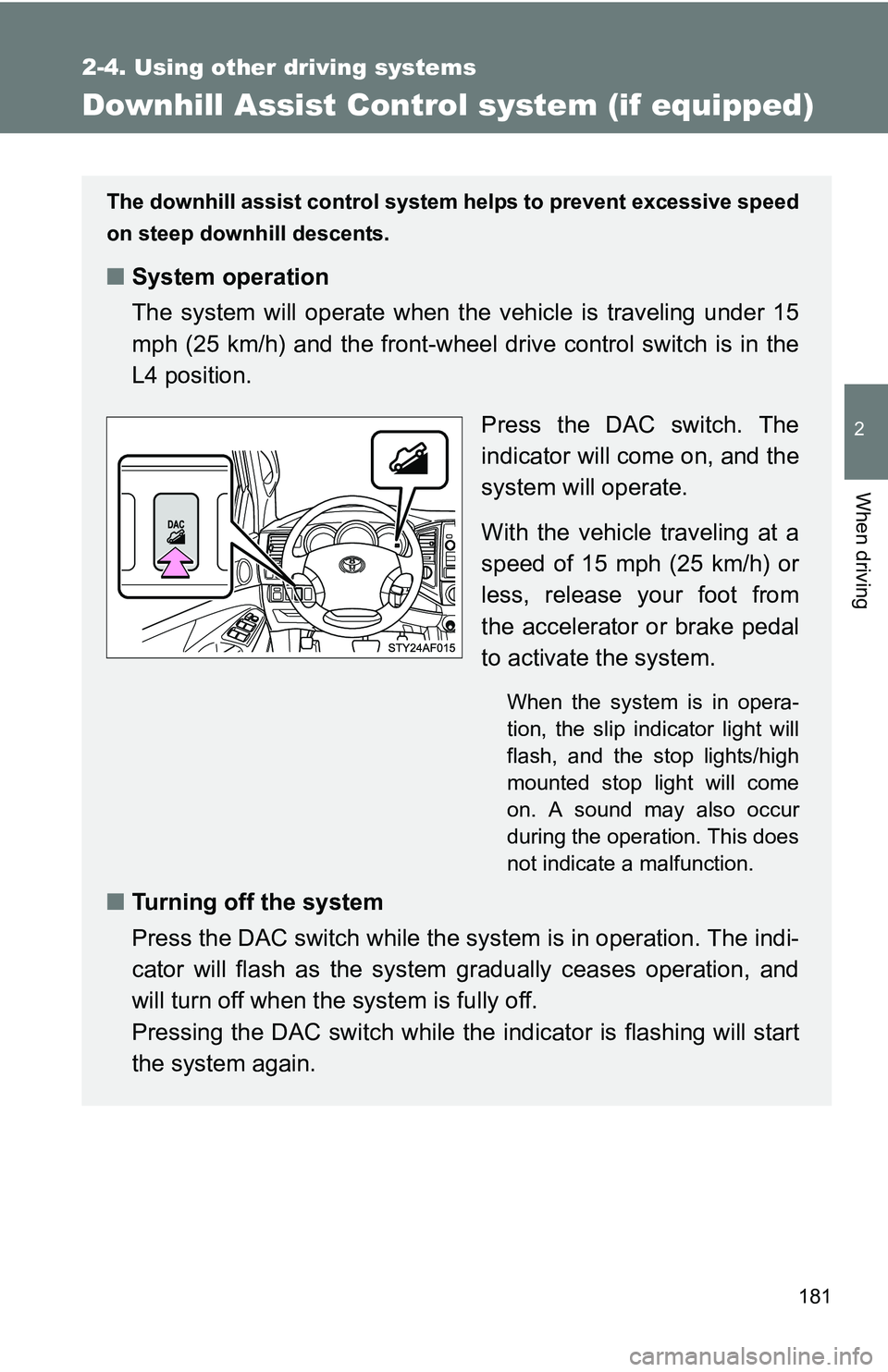
Press the DAC switch. The
indicator will come on, and the
system will operate.
With the vehicle traveling at a
speed of 15 mph (25 km/h) or
less, release your foot from
the accelerator or brake pedal
to activate the system.
When the system is in opera-
tion, the slip indicator light will
flash, and the stop lights/high
mounted stop light will come
on. A sound may also occur
during the operation. This does
not indicate a malfunction.
■Turning off the system
Press the DAC switch while the syst em is in operation. The indi-
cator will flash as the system gradually ceases operation, and
will turn off when the system is fully off.
Pressing the DAC switch while the indicator is flashing will start
the system again.
Page 182 of 520
182 2-4. Using other driving systems
■Operating tips
The system will operate when the shift lever is in a position other than P.
However, to make effective use of the system it is recommended that the
shift lever be shifted to 2 or L.
■ The system will not operate when
●The front-wheel drive control switch is in the H2 or H4 position.
● The rear differential is locked.
■ The downhill assist control system indicator light flashes when
● The selector lever is in the N position.
● The front-wheel drive control switch is in the H2 or H4 position.
● The rear differential is locked.
■ If the brake system overheats
The system will cease operation and a buzzer will sound to alert the driver.
Stop the vehicle in a safe place. (There is no problem with continuing normal
driving.)
■ System malfunction
●The downhill assist control system indicator does not come on when the
engine switch is turned to the ON position.
● The downhill assist control system indicator does not come on when the
DAC switch is pressed.
In the above cases have your vehicle checked by your Toyota dealer.
CAUTION
■Do not rely excessively on the downhill assist control system.
It may not be able to maintain a low speed over road surfaces on which slid-
ing can easily occur, such as extremely steep slopes or icy or muddy roads.