automatic TOYOTA VERSO 2014 Owners Manual
[x] Cancel search | Manufacturer: TOYOTA, Model Year: 2014, Model line: VERSO, Model: TOYOTA VERSO 2014Pages: 650, PDF Size: 36.61 MB
Page 2 of 650

TABLE OF CONTENTSIndex
2
1-1. Key information
Keys ...................................... 38
1-2. Opening, closing and locking
the doors
Smart entry & start system.. 42
Wireless remote control ........ 64
Side doors............................. 73
Back door.............................. 79
1-3. Adjustable components
(seats, mirrors, steering
wheel)
Front seats ............................ 84
Rear seats........................... 86
Head restraints ..................... 94
Seat belts .............................. 96
Steering wheel .................... 104
Anti-glare inside rear view mirror
105
Outside rear view mirrors.... 109
1-4. Opening and closing the win-
dows and panoramic roof
shade
Power windows ................... 112
Panoramic roof shade....... 115
1-5. Refueling
Opening the fuel tank cap ... 118
1-6. Theft deterrent systemEngine immobilizer system 124
Double locking system..... 134
Alarm................................ 136
1-7. Safety information
Correct driving posture ....... 145
SRS airbags ....................... 147
Child restraint systems ....... 158
Installing child restraints ..... 166
Airbag manual on-off system ....
177
2-1. Driving procedures
Driving the vehicle .............. 182
Engine (ignition) switch (vehicles
without smart entry & start sys-
tem) .................................. 196
Engine (ignition) switch (vehicles
with smart entry & start system)
200
Multidrive.......................... 206
Automatic transmission.... 212
Manual transmission........ 220
Turn signal lever................. 224
Parking brake ..................... 225
Horn ................................... 227
2-2. Instrument cluster
Gauges and meters............ 228
Indicators and warning lights.....
233
Multi-information display .... 239
1Before driving
2When driving
VERSO_WE.book Page 2 Thursday, June 19, 2014 11:31 AM
Page 3 of 650
1
2
3
4
5
6
3
2-3. Operating the lights and wip-
ers
Headlight switch.................. 251
Fog light switch ................... 258
Windshield wipers and washer ..
259
Rear window wiper and washer .
264
2-4. Using other driving systems
Cruise control.................... 265
Speed limiter..................... 269
Toyota parking assist-sensor...
272
Stop & Start system.......... 280
Driving assist systems ........ 287
Hill-start assist control......... 293
2-5. Driving information
Cargo and luggage ............. 295
Winter driving tips ............... 298
Trailer towing (except Morocco)
302
3-1. Using the air conditioning sys-
tem and defogger
Manual air conditioning system
312
Automatic air conditioning sys-
tem.................................. 317
Power heater..................... 324
Rear window and outside rear
view mirror defoggers ....... 3263-2. Using the audio system
Audio system types.......... 328
Using the radio................. 330
Using the CD player......... 334
Playing back MP3 and WMA
discs............................... 339
Operating an iPod............ 345
Operating a USB memory 352
Optimal use of the audio sys-
tem................................. 359
Using the AUX port........... 361
Using the steering wheel audio
switches ........................... 362
3-3. Using the interior lights
Interior lights list ................. 365
• Personal/interior lights main
switch 366
• Personal/interior lights...... 367
• Personal/interior lights...... 368
3-4. Using the storage features
List of storage features....... 369
• Glove box ......................... 370
• Glove box and console box .....
371
• Console box and overhead
console 372
• Overhead console and cup
holders 373
• Cup holders and bottle holders
374
• Bottle holders and auxiliary
boxes 375
• Auxiliary boxes ................. 376
• Auxiliary boxes ................. 377
3-5. Other interior features
3Interior features
VERSO_WE.book Page 3 Thursday, June 19, 2014 11:31 AM
Page 4 of 650

TABLE OF CONTENTSIndex
4
Sun visors ........................... 378
Vanity mirrors...................... 379
Conversation mirror ............ 380
Power outlets ...................... 381
Seat heaters...................... 383
Armrests............................ 385
Front seatback tables........ 386
Rear side sunshades........ 388
Assist grips ......................... 389
Floor mat............................. 390
Luggage compartment features .
392
4-1. Maintenance and care
Cleaning and protecting the ve-
hicle exterior ..................... 402
Cleaning and protecting the ve-
hicle interior ...................... 406
4-2. Maintenance
Maintenance requirements . 409
4-3. Do-it-yourself maintenance
Do-it-yourself service precau-
tions .................................. 412
Hood ................................... 416
Positioning a floor jack ........ 418
Engine compartment........... 420
Tires .................................... 443
Tire inflation pressure ......... 457
Wheels ................................ 459
Air conditioning filter ........... 462
Key battery.......................... 465Checking and replacing fuses ...
469
Light bulbs .......................... 484
5-1. Essential information
Emergency flashers ........... 502
If your vehicle needs to be towed
503
If you think something is wrong .
512
Fuel pump shut off system (gas-
oline engine)..................... 513
5-2. Steps to take in an emergency
If a warning light turns on or a
warning buzzer sounds... . 514
If a warning message is dis-
played............................... 523
If you have a flat tire (vehicles
with spare tire).................. 536
If you have a flat tire (vehicles
with emergency tire puncture
repair kit) .......................... 552
If the engine will not start ... 576
If the shift lever cannot be shifted
from “P” (vehicles with a Multid-
rive or an automatic transmis-
sion) ................................. 579
If you lose your keys .......... 580
If you cannot operate the back
door opener ...................... 581
If the electronic key does not op-
erate properly (vehicles with
smart entry & start system) .....
582
4Maintenance and care
5When trouble arises
VERSO_WE.book Page 4 Thursday, June 19, 2014 11:31 AM
Page 15 of 650
15
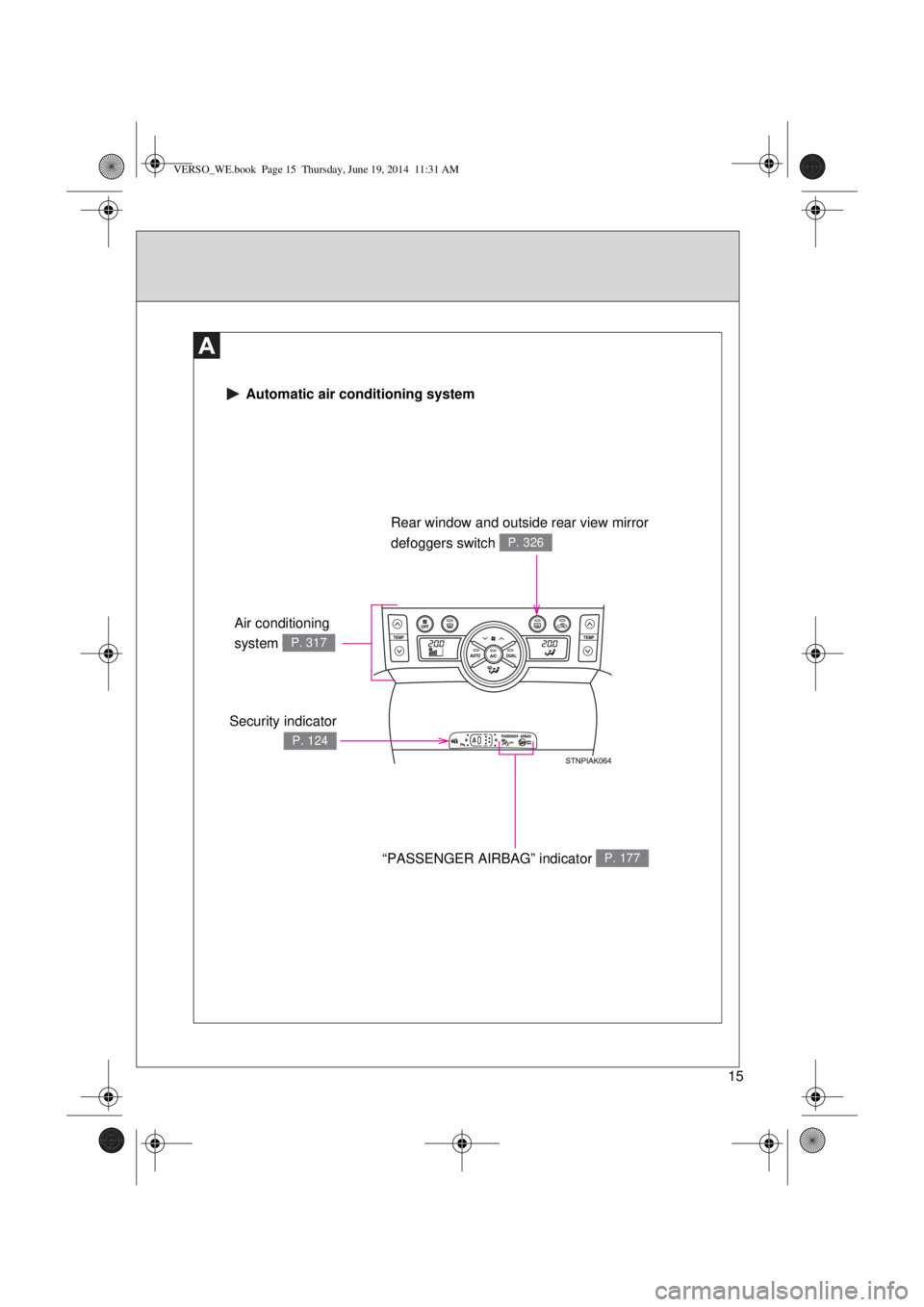
Automatic air conditioning system
Security indicator
P. 124
Rear window and outside rear view mirror
defoggers switch
P. 326
“PASSENGER AIRBAG” indicator P. 177
Air conditioning
system
P. 317
VERSO_WE.book Page 15 Thursday, June 19, 2014 11:31 AM
Page 26 of 650
26
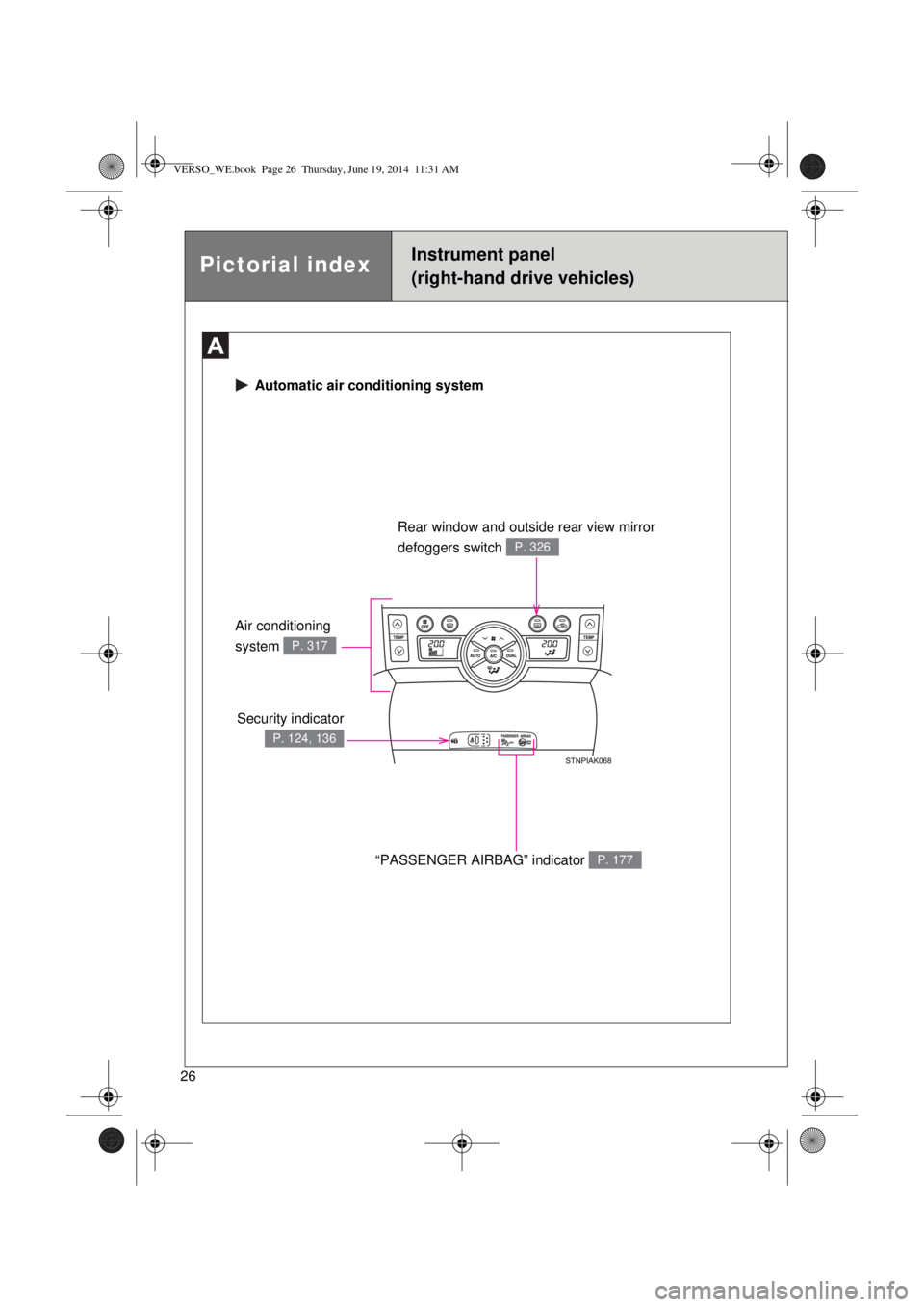
Automatic air conditioning system
Security indicator
P. 124, 136
Rear window and outside rear view mirror
defoggers switch
P. 326
“PASSENGER AIRBAG” indicator P. 177
Air conditioning
system
P. 317
Pictorial indexInstrument panel
(right-hand drive vehicles)
VERSO_WE.book Page 26 Thursday, June 19, 2014 11:31 AM
Page 43 of 650
43 1-2. Opening, closing and locking the doors
1
Before driving
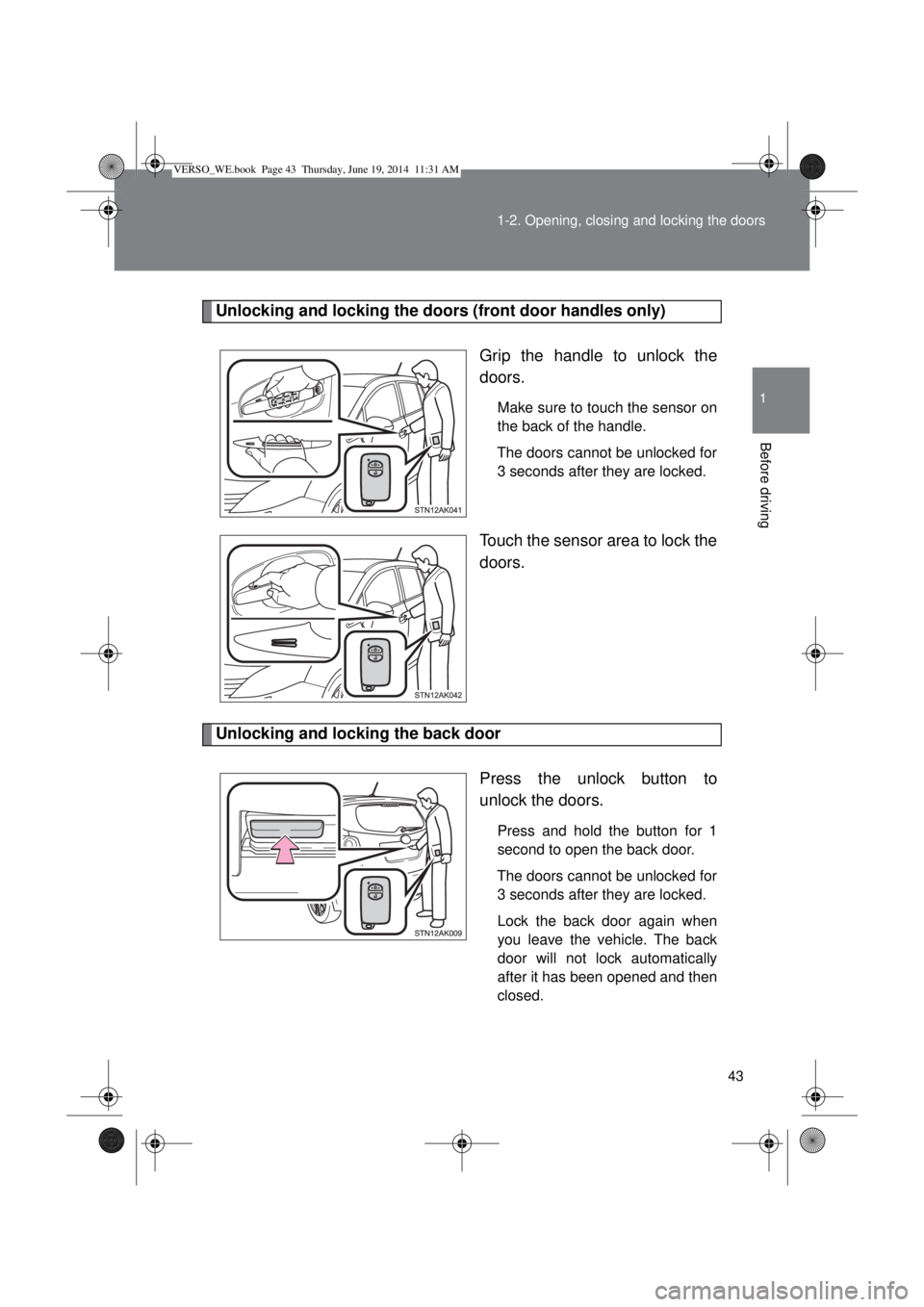
Unlocking and locking the doors (front door handles only)
Grip the handle to unlock the
doors.
Make sure to touch the sensor on
the back of the handle.
The doors cannot be unlocked for
3 seconds after they are locked.
Touch the sensor area to lock the
doors.
Unlocking and locking the back door
Press the unlock button to
unlock the doors.
Press and hold the button for 1
second to open the back door.
The doors cannot be unlocked for
3 seconds after they are locked.
Lock the back door again when
you leave the vehicle. The back
door will not lock automatically
after it has been opened and then
closed.
VERSO_WE.book Page 43 Thursday, June 19, 2014 11:31 AM
Page 49 of 650
49 1-2. Opening, closing and locking the doors
1
Before driving
Note for door unlocking operation
The doors may not be unlocked when a door handle is operated quickly,
or if you suddenly enter the operating range of the exterior antenna and
operate a door handle. In this case, return the door handle to its original
position, unlock the doors again, and then check that the doors are
unlocked before pulling the door handle.
When taking hold of a door handle while wearing gloves, the unlocking
response may become slow or the doors may not be unlocked.
If there is another electronic key in the operating range, the response
time to unlock the doors after a door handle is taken hold of may become
longer.
When the vehicle is not driven for extended periods
To prevent theft of the vehicle, do not leave the electronic key within 2 m
(6 ft.) of the vehicle.
The smart entry & start system can be disabled. (P. 629)
Security feature
If a door is not opened within approximately 30 seconds after the vehicle is
unlocked, the security feature automatically locks the vehicle again.
VERSO_WE.book Page 49 Thursday, June 19, 2014 11:31 AM
Page 64 of 650
64
1-2. Opening, closing and locking the doors
Wireless remote control
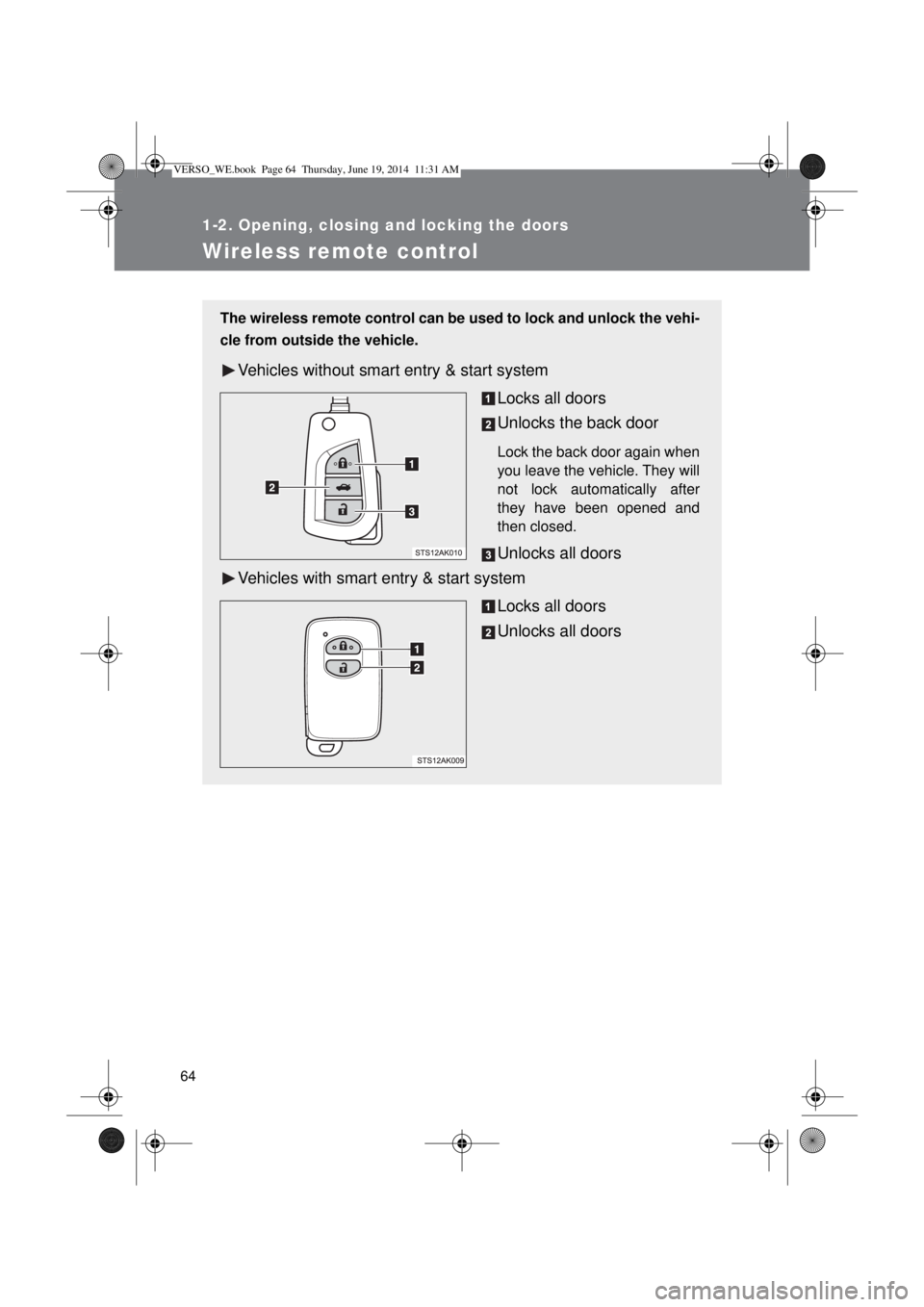
The wireless remote control can be used to lock and unlock the vehi-
cle from outside the vehicle.
Vehicles without smart entry & start system
Locks all doors
Unlocks the back door
Lock the back door again when
you leave the vehicle. They will
not lock automatically after
they have been opened and
then closed.
Unlocks all doors
Vehicles with smart entry & start system
Locks all doors
Unlocks all doors
VERSO_WE.book Page 64 Thursday, June 19, 2014 11:31 AM
Page 65 of 650

65 1-2. Opening, closing and locking the doors
1
Before driving
Operation signals
The emergency flashers flash to indicate that the doors have been locked/
unlocked. (Locked: Once; Unlocked: Twice)
Door lock buzzer
If the door is not fully closed, a buzzer sounds continuously for 5 seconds if
an attempt to lock the door is made. Fully close the door to stop the buzzer,
and lock the vehicle once more.
Back door operation (vehicles without smart entry & start system)
When the back door is locked, it can be unlocked by the back door unlock
button of the wireless key. Lock the back door again when you leave the
vehicle. The back door will not lock automatically after it has been opened
and then closed.
Alarm (if equipped)
Using the wireless remote control to lock the doors will set the alarm system.
(P. 136)
Key battery depletion
Vehicles without smart entry & start system
If the wireless remote control function does not operate, the battery may
be depleted. Replace the battery when necessary. (P. 465)
Vehicles with smart entry & start system
P. 47, 465
Security feature
If a door is not opened within approximately 30 seconds after the vehicle is
unlocked, the security feature automatically locks the vehicle again.
If the wireless remote control does not operate properly
Vehicles without smart entry & start system
Locking and unlocking the doors: Use the key. (P. 73)
Vehicles with smart entry & start system
P. 582
VERSO_WE.book Page 65 Thursday, June 19, 2014 11:31 AM
Page 76 of 650
76 1-2. Opening, closing and locking the doors
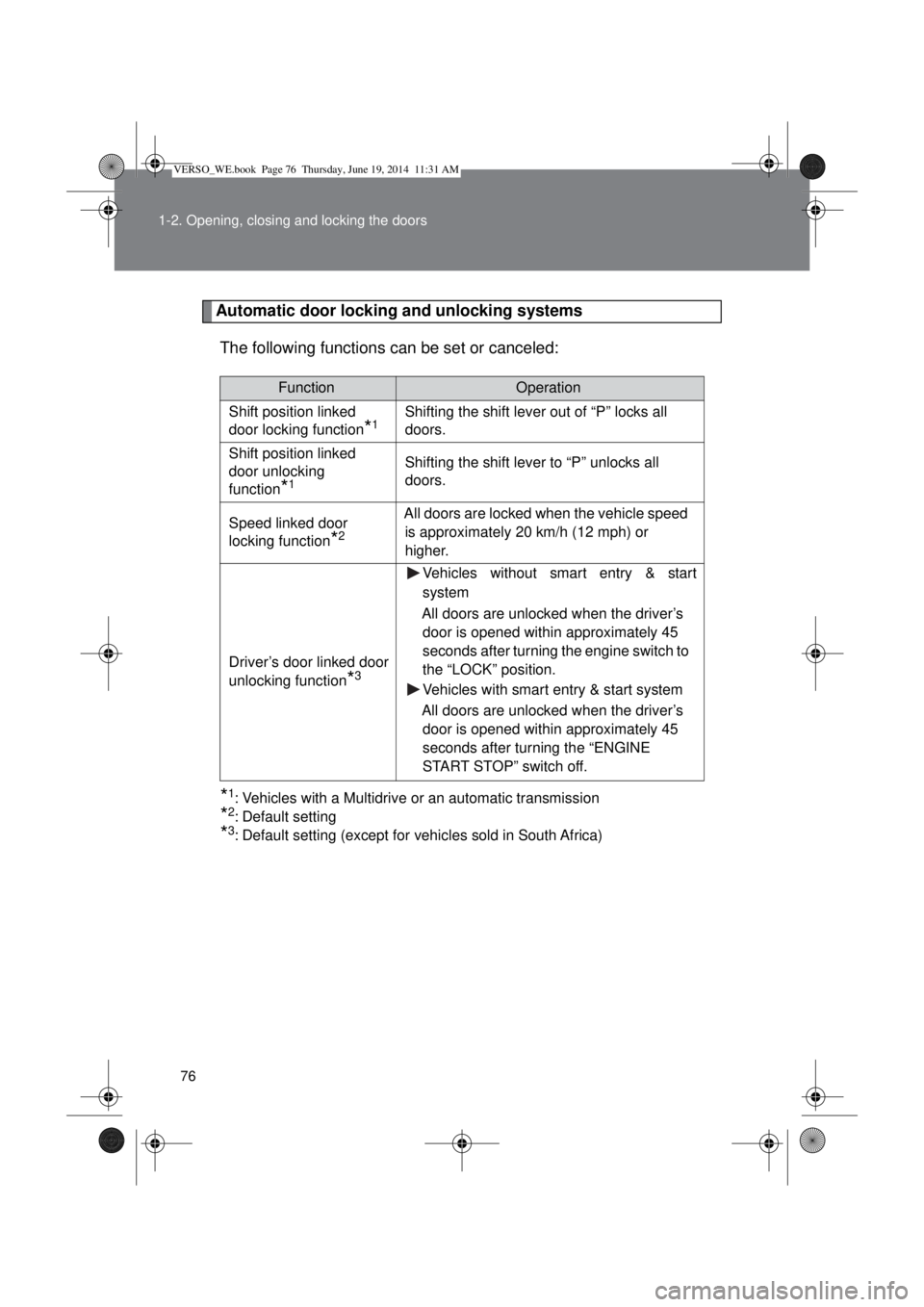
Automatic door locking and unlocking systems
The following functions can be set or canceled:
*1: Vehicles with a Multidrive or an automatic transmission
*2: Default setting
*3: Default setting (except for vehicles sold in South Africa)
FunctionOperation
Shift position linked
door locking function
*1Shifting the shift lever out of “P” locks all
doors.
Shift position linked
door unlocking
function
*1
Shifting the shift lever to “P” unlocks all
doors.
Speed linked door
locking function
*2
All doors are locked when the vehicle speed
is approximately 20 km/h (12 mph) or
higher.
Driver’s door linked door
unlocking function
*3
Vehicles without smart entry & start
system
All doors are unlocked when the driver’s
door is opened within approximately 45
seconds after turning the engine switch to
the “LOCK” position.
Vehicles with smart entry & start system
All doors are unlocked when the driver’s
door is opened within approximately 45
seconds after turning the “ENGINE
START STOP” switch off.
VERSO_WE.book Page 76 Thursday, June 19, 2014 11:31 AM