display TOYOTA VERSO 2014 User Guide
[x] Cancel search | Manufacturer: TOYOTA, Model Year: 2014, Model line: VERSO, Model: TOYOTA VERSO 2014Pages: 650, PDF Size: 36.61 MB
Page 214 of 650
214 2-1. Driving procedures
Driving in the “D” position
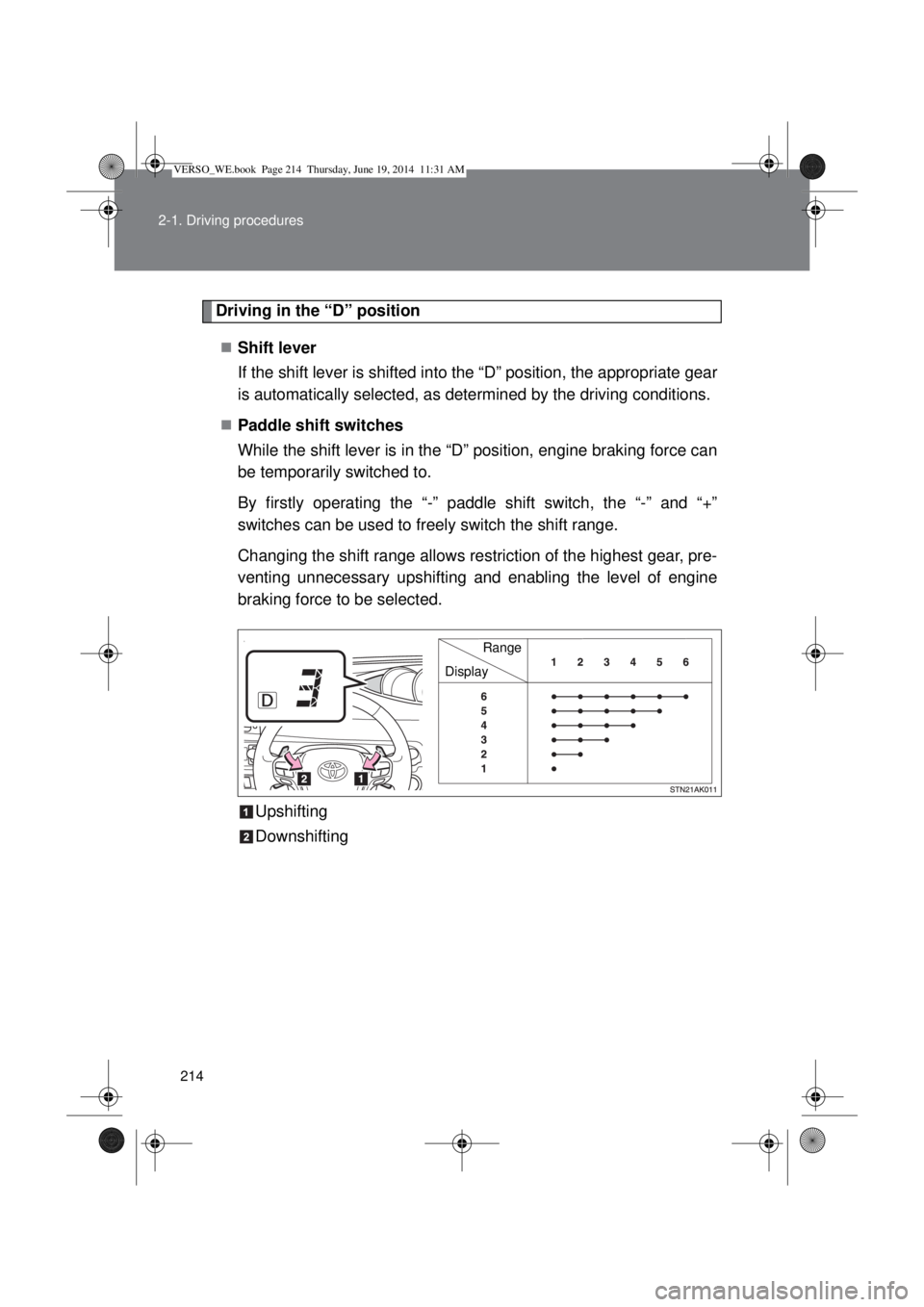
Shift lever
If the shift lever is shifted into the “D” position, the appropriate gear
is automatically selected, as determined by the driving conditions.
Paddle shift switches
While the shift lever is in the “D” position, engine braking force can
be temporarily switched to.
By firstly operating the “-” paddle shift switch, the “-” and “+”
switches can be used to freely switch the shift range.
Changing the shift range allows restriction of the highest gear, pre-
venting unnecessary upshifting and enabling the level of engine
braking force to be selected.
Upshifting
Downshifting
DisplayRange
VERSO_WE.book Page 214 Thursday, June 19, 2014 11:31 AM
Page 216 of 650
216 2-1. Driving procedures
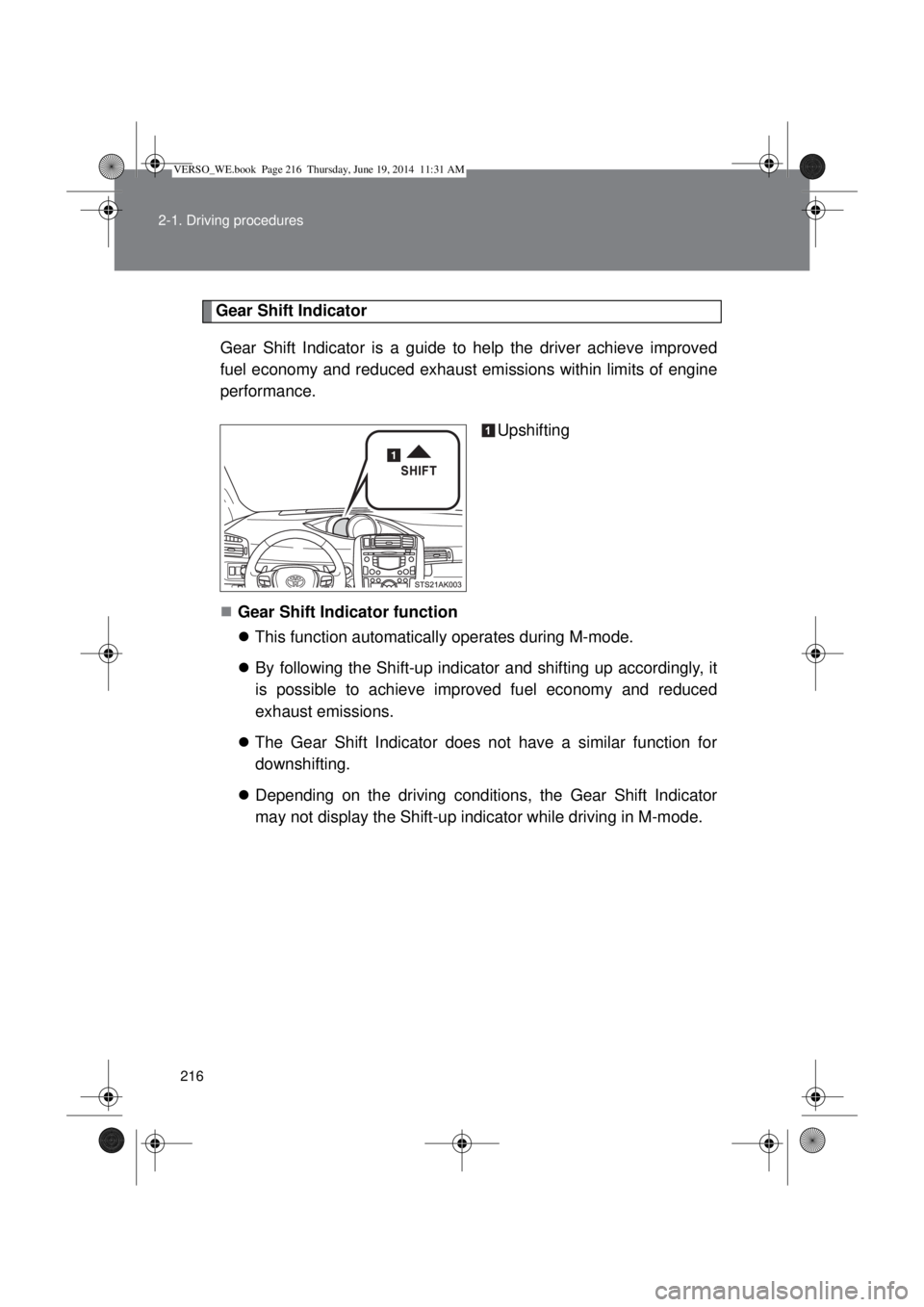
Gear Shift Indicator
Gear Shift Indicator is a guide to help the driver achieve improved
fuel economy and reduced exhaust emissions within limits of engine
performance.
Upshifting
Gear Shift Indicator function
This function automatically operates during M-mode.
By following the Shift-up indicator and shifting up accordingly, it
is possible to achieve improved fuel economy and reduced
exhaust emissions.
The Gear Shift Indicator does not have a similar function for
downshifting.
Depending on the driving conditions, the Gear Shift Indicator
may not display the Shift-up indicator while driving in M-mode.
VERSO_WE.book Page 216 Thursday, June 19, 2014 11:31 AM
Page 218 of 650
218 2-1. Driving procedures
If the shift lever cannot be shifted from “P”
P. 579
If the “M” indicator is not displayed after shifting the shift lever to the
“M” position
Vehicles without smart entry & start system: Within a few seconds of
turning the engine switch to the “ON” position, the transmission will not
go into “M” mode if the shift lever is moved to the “M” position.
Vehicles with smart entry & start system: Within a few seconds of turning
the “ENGINE START STOP” switch to IGNITION ON mode, the transmis-
sion will not go into “M” mode if the shift lever is moved to the “M” posi-
tion.
This is because a system check is being performed. In this case, wait a
moment and then try moving the shift lever to the “M” position again.
If the display does not change to “M” on an occasion other than that
described above, it may indicate a malfunction in the transmission sys-
tem. Have your vehicle inspected by any authorized Toyota dealer or
repairer, or another duly qualified and equipped professional immedi-
ately.
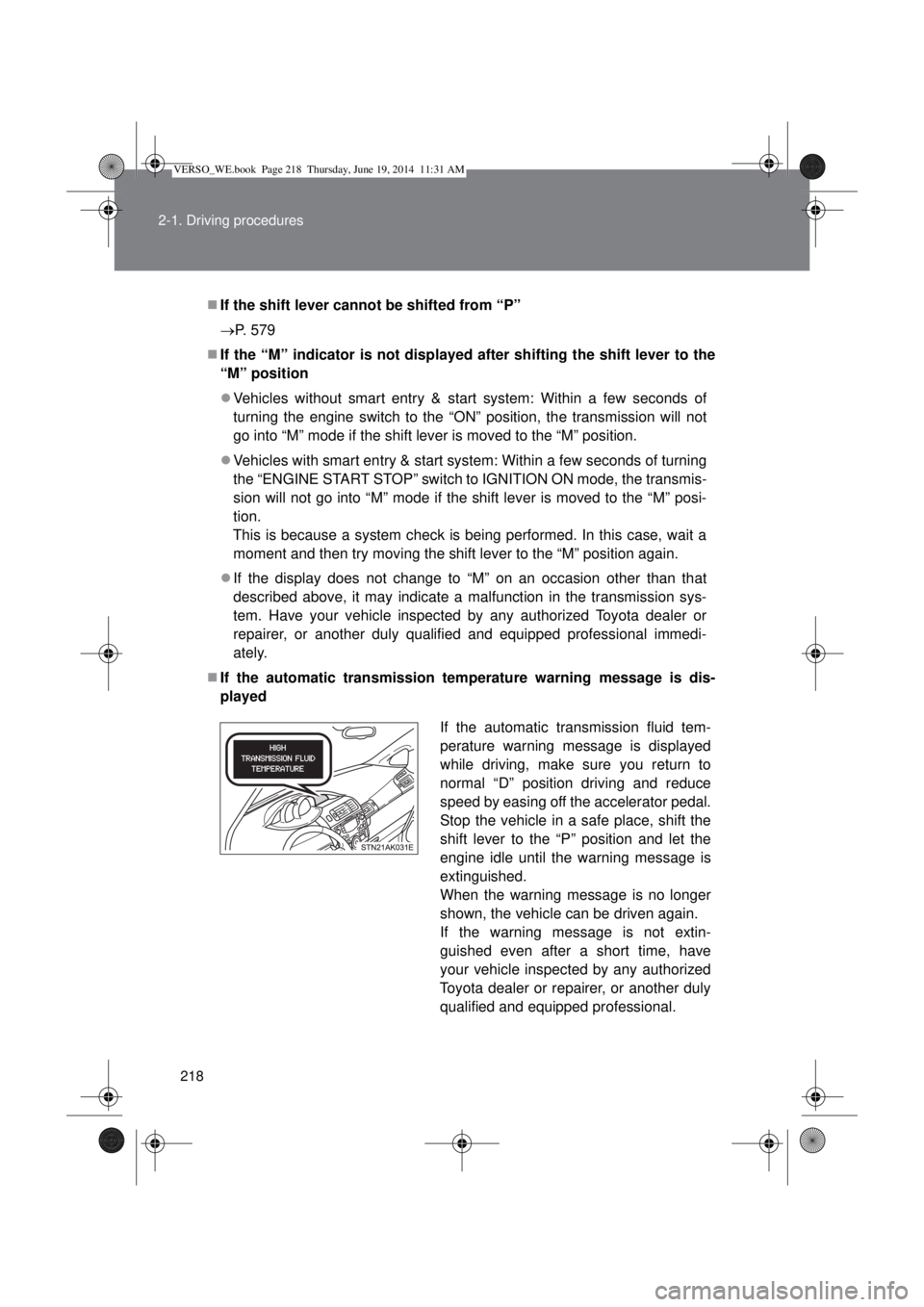
If the automatic transmission temperature warning message is dis-
played
If the automatic transmission fluid tem-
perature warning message is displayed
while driving, make sure you return to
normal “D” position driving and reduce
speed by easing off the accelerator pedal.
Stop the vehicle in a safe place, shift the
shift lever to the “P” position and let the
engine idle until the warning message is
extinguished.
When the warning message is no longer
shown, the vehicle can be driven again.
If the warning message is not extin-
guished even after a short time, have
your vehicle inspected by any authorized
Toyota dealer or repairer, or another duly
qualified and equipped professional.
VERSO_WE.book Page 218 Thursday, June 19, 2014 11:31 AM
Page 219 of 650
219 2-1. Driving procedures
2
When driving
AI-SHIFT
AI-SHIFT automatically selects the suitable gear according to driver perfor-
mance and driving conditions.
AI-SHIFT automatically operates when the shift lever is in the “D” position.
(Shifting the shift lever to the “M” position cancels the function.)
CAUTION
Gear Shift Indicator display
For safety, the driver should not look only at the display. Refer to the display
when it is safe to do so while considering actual traffic and road conditions.
Failure to do so may lead to an accident.
VERSO_WE.book Page 219 Thursday, June 19, 2014 11:31 AM
Page 221 of 650
221 2-1. Driving procedures
2
When driving
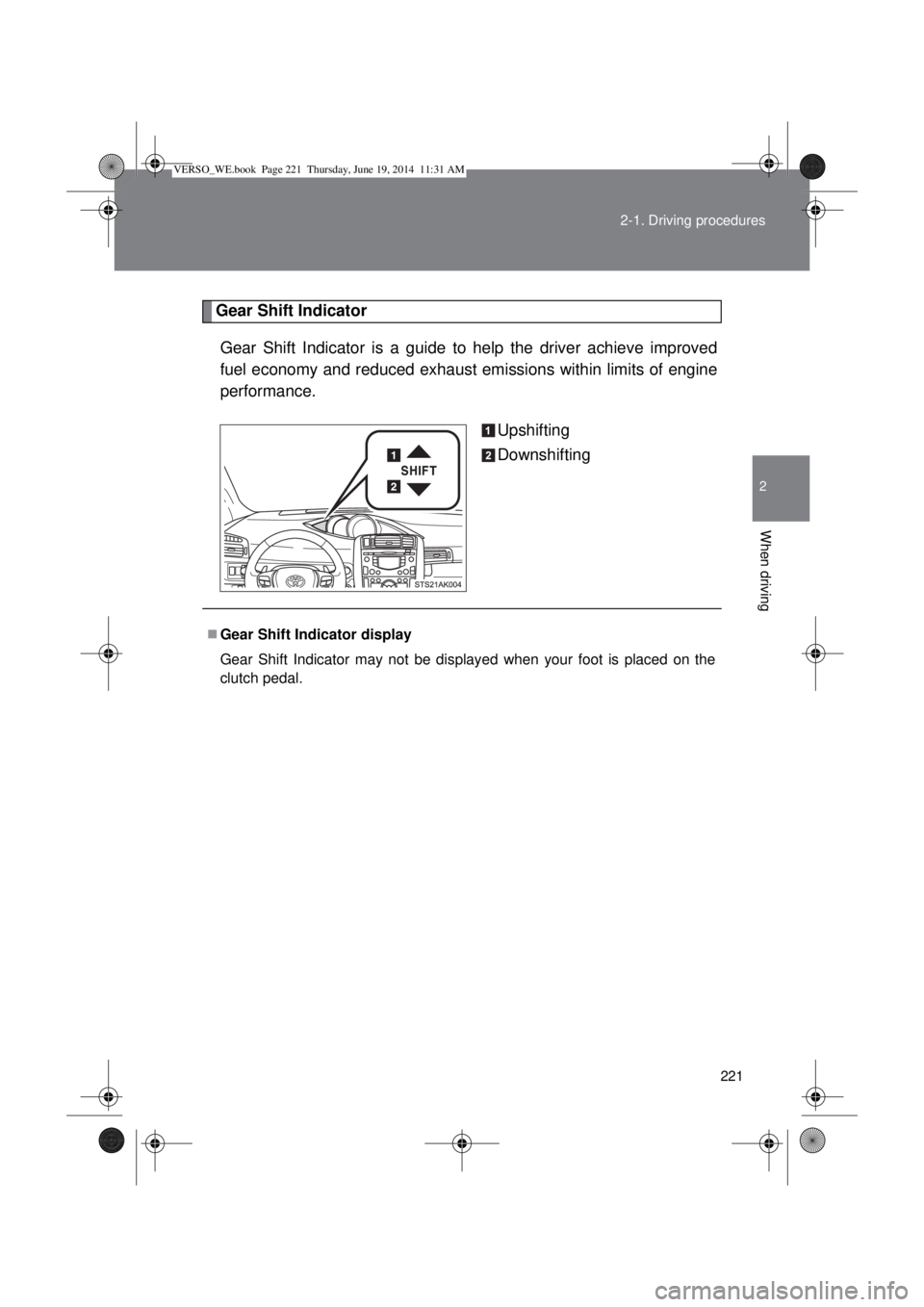
Gear Shift Indicator
Gear Shift Indicator is a guide to help the driver achieve improved
fuel economy and reduced exhaust emissions within limits of engine
performance.
Upshifting
Downshifting
Gear Shift Indicator display
Gear Shift Indicator may not be displayed when your foot is placed on the
clutch pedal.
VERSO_WE.book Page 221 Thursday, June 19, 2014 11:31 AM
Page 222 of 650
222 2-1. Driving procedures
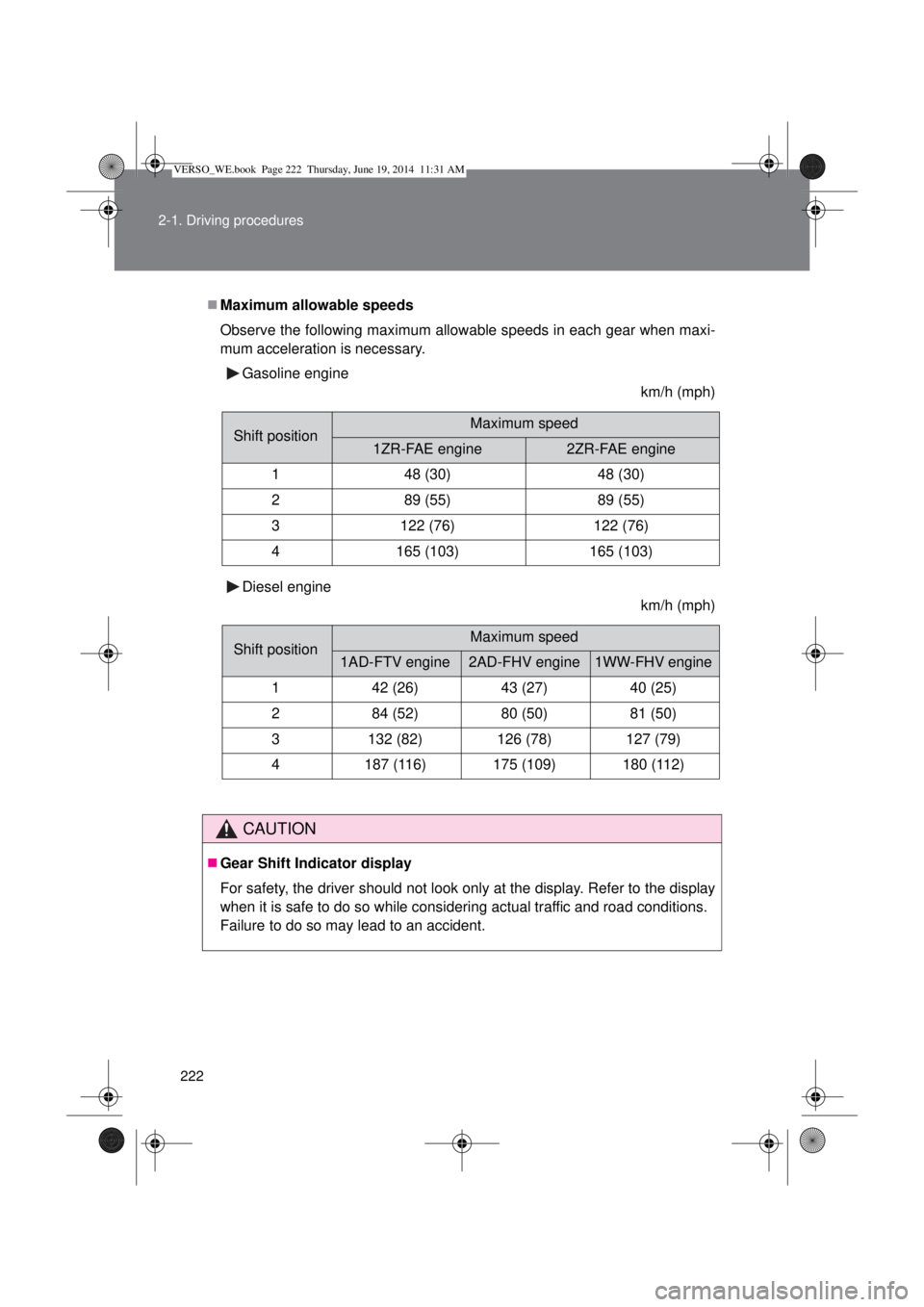
Maximum allowable speeds
Observe the following maximum allowable speeds in each gear when maxi-
mum acceleration is necessary.
Gasoline engine
km/h (mph)
Diesel engine
km/h (mph)
CAUTION
Gear Shift Indicator display
For safety, the driver should not look only at the display. Refer to the display
when it is safe to do so while considering actual traffic and road conditions.
Failure to do so may lead to an accident.
Shift positionMaximum speed
1ZR-FAE engine2ZR-FAE engine
148 (30)48 (30)
289 (55)89 (55)
3122 (76)122 (76)
4165 (103)165 (103)
Shift positionMaximum speed
1AD-FTV engine2AD-FHV engine1WW-FHV engine
142 (26)43 (27)40 (25)
284 (52)80 (50)81 (50)
3132 (82)126 (78)127 (79)
4187 (116)175 (109)180 (112)
VERSO_WE.book Page 222 Thursday, June 19, 2014 11:31 AM
Page 228 of 650
228
2-2. Instrument cluster
Gauges and meters
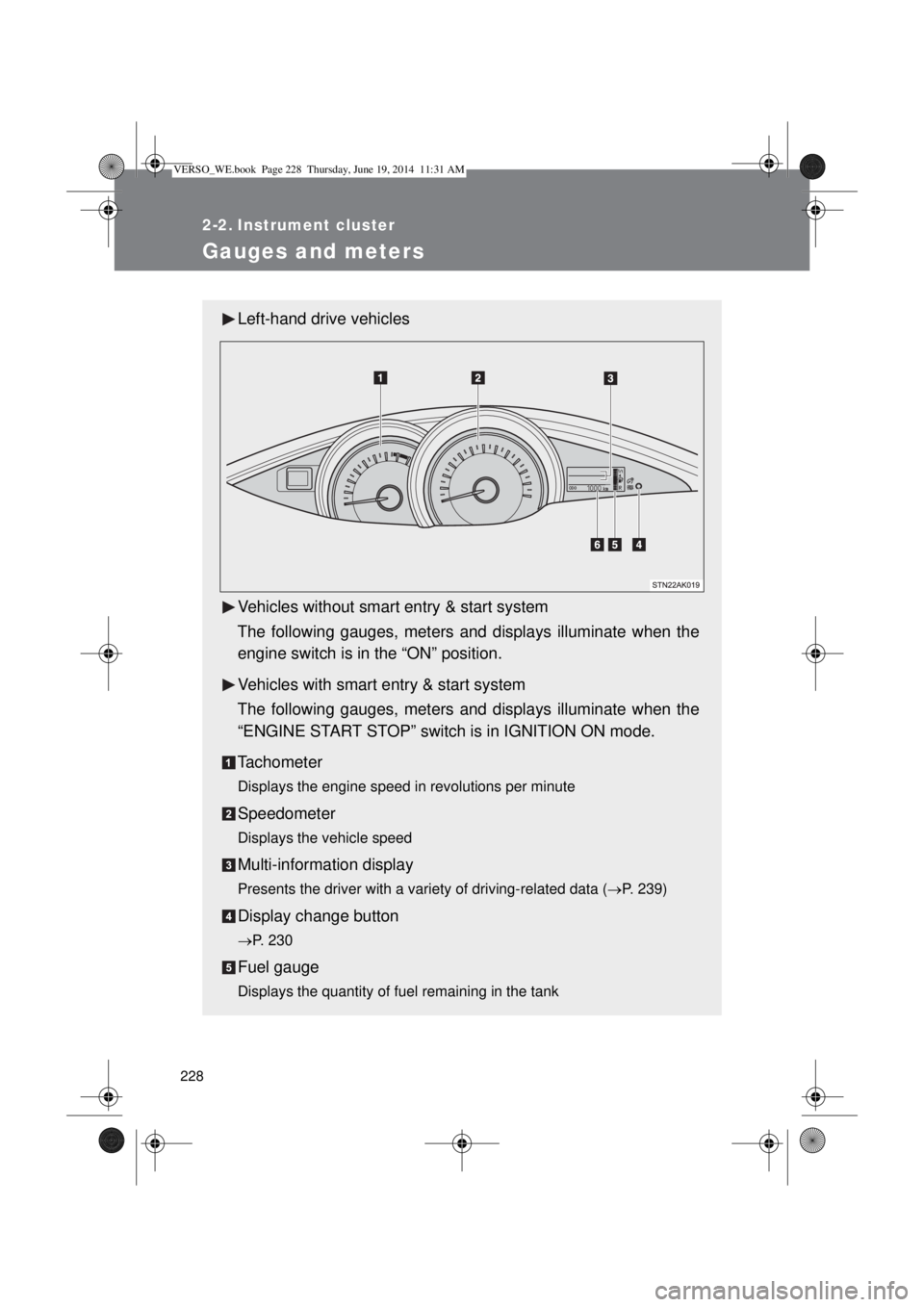
Left-hand drive vehicles
Vehicles without smart entry & start system
The following gauges, meters and displays illuminate when the
engine switch is in the “ON” position.
Vehicles with smart entry & start system
The following gauges, meters and displays illuminate when the
“ENGINE START STOP” switch is in IGNITION ON mode.
Tachometer
Displays the engine speed in revolutions per minute
Speedometer
Displays the vehicle speed
Multi-information display
Presents the driver with a variety of driving-related data (P. 239)
Display change button
P. 230
Fuel gauge
Displays the quantity of fuel remaining in the tank
VERSO_WE.book Page 228 Thursday, June 19, 2014 11:31 AM
Page 229 of 650
229 2-2. Instrument cluster
2
When driving
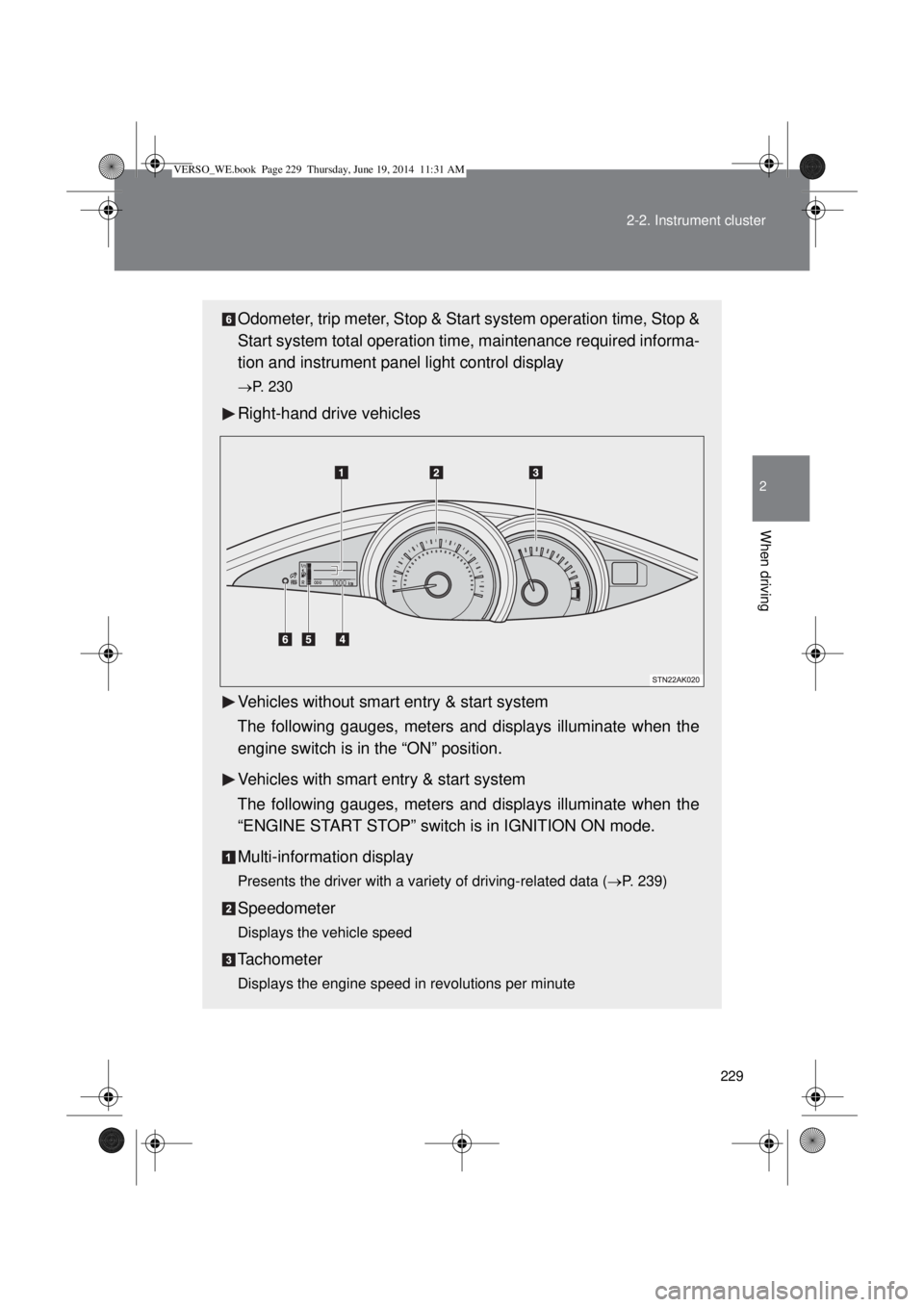
Odometer, trip meter, Stop & Start system operation time, Stop &
Start system total operation time, maintenance required informa-
tion and instrument panel light control display
P. 230
Right-hand drive vehicles
Vehicles without smart entry & start system
The following gauges, meters and displays illuminate when the
engine switch is in the “ON” position.
Vehicles with smart entry & start system
The following gauges, meters and displays illuminate when the
“ENGINE START STOP” switch is in IGNITION ON mode.
Multi-information display
Presents the driver with a variety of driving-related data (P. 239)
Speedometer
Displays the vehicle speed
Tachometer
Displays the engine speed in revolutions per minute
VERSO_WE.book Page 229 Thursday, June 19, 2014 11:31 AM
Page 230 of 650
230 2-2. Instrument cluster
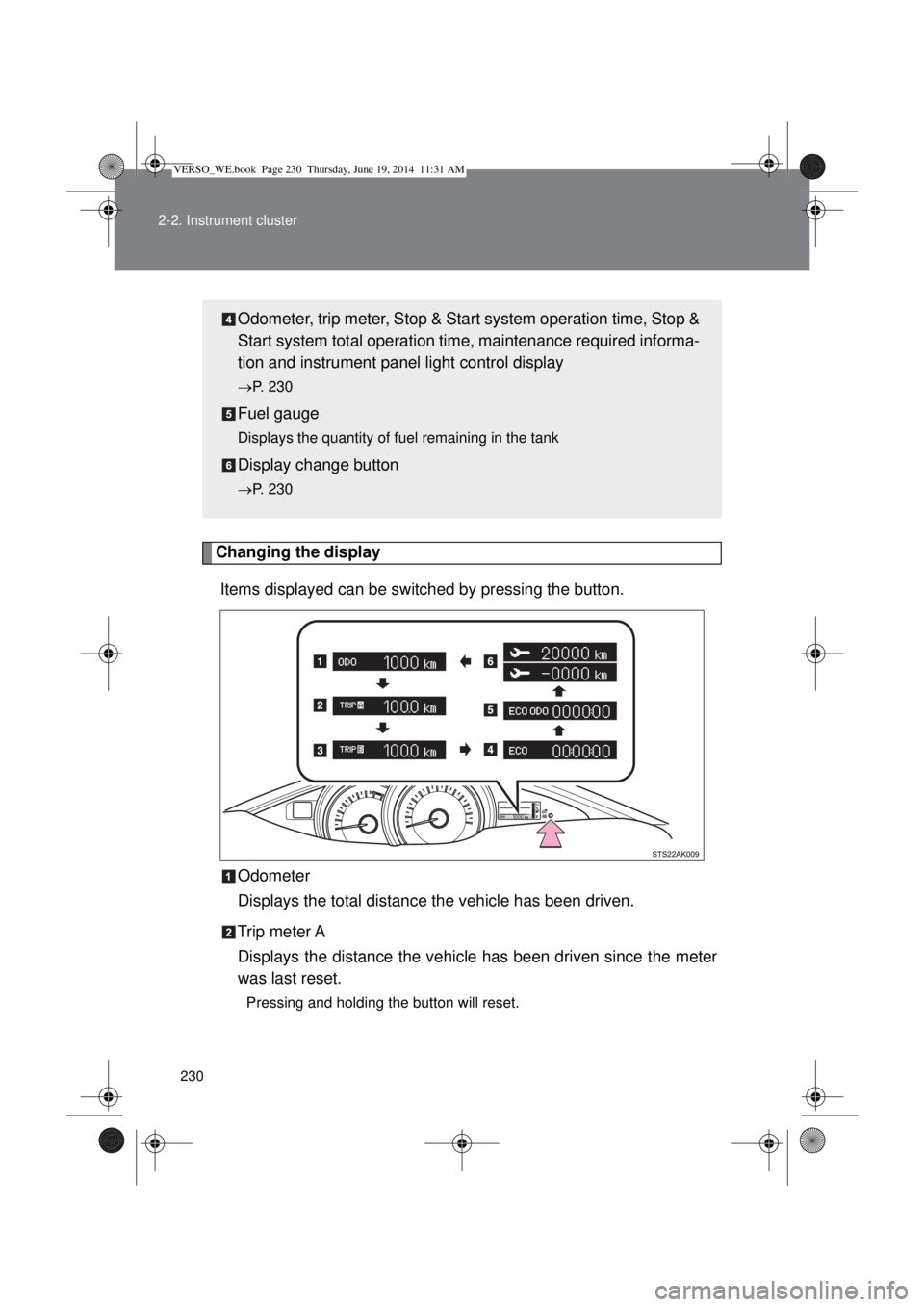
Changing the display
Items displayed can be switched by pressing the button.
Odometer
Displays the total distance the vehicle has been driven.
Trip meter A
Displays the distance the vehicle has been driven since the meter
was last reset.
Pressing and holding the button will reset.
Odometer, trip meter, Stop & Start system operation time, Stop &
Start system total operation time, maintenance required informa-
tion and instrument panel light control display
P. 230
Fuel gauge
Displays the quantity of fuel remaining in the tank
Display change button
P. 230
VERSO_WE.book Page 230 Thursday, June 19, 2014 11:31 AM
Page 231 of 650

231 2-2. Instrument cluster
2
When driving
Trip meter B
Displays the distance the vehicle has been driven since the meter
was last reset.
Press and hold the button will reset.
Stop & Start system operation time (if equipped)
Displays the amount of time the engine was stopped due to opera-
tion of the Stop & Start system during the current trip.
Vehicles without smart entry & start system:
From the engine switch in the “ON” position to the engine switch in
the “LOCK” position.
Vehicles with smart entry & start system:
From the “ENGINE START STOP” switch in IGNITION ON mode
to the “ENGINE START STOP” switch off.
Stop & Start system total operation time (if equipped)
Displays the total amount of time that the engine has been stopped
due to operation of the Stop & Start system since the system was
last reset.
Maintenance required information (1WW-FHV engine only)
Displays the remaining distance until the engine oil should be
changed. If “-” is displayed before distance, it means oil mainte-
nance is overdue. Have the engine oil changed by any authorized
Toyota dealer or repairer, or another duly qualified and equipped
professional.
• Displays the Maintenance required information when the engine switch
is turned to the “ON” position (vehicles without smart entry & start sys-
tem) or the “ENGINE START STOP” is switched to IGNITION ON mode
(vehicles with smart entry & start system).
• Maintenance required information reset method (P. 428).
VERSO_WE.book Page 231 Thursday, June 19, 2014 11:31 AM