display TOYOTA VERSO 2014 Owner's Guide
[x] Cancel search | Manufacturer: TOYOTA, Model Year: 2014, Model line: VERSO, Model: TOYOTA VERSO 2014Pages: 650, PDF Size: 36.61 MB
Page 250 of 650
250 2-2. Instrument cluster
Liquid crystal display
Small spots or light spots may appear on the display. This phenomenon is
characteristic of liquid crystal displays, and there is no problem to continue
using the display.
NOTICE
The multi-information display at low temperatures
Allow the interior of the vehicle to warm up before using the liquid crystal
information display. At extremely low temperatures, the information display
monitor may respond slowly, and display changes may be delayed.
VERSO_WE.book Page 250 Thursday, June 19, 2014 11:31 AM
Page 273 of 650
273 2-4. Using other driving systems
2
When driving
Display
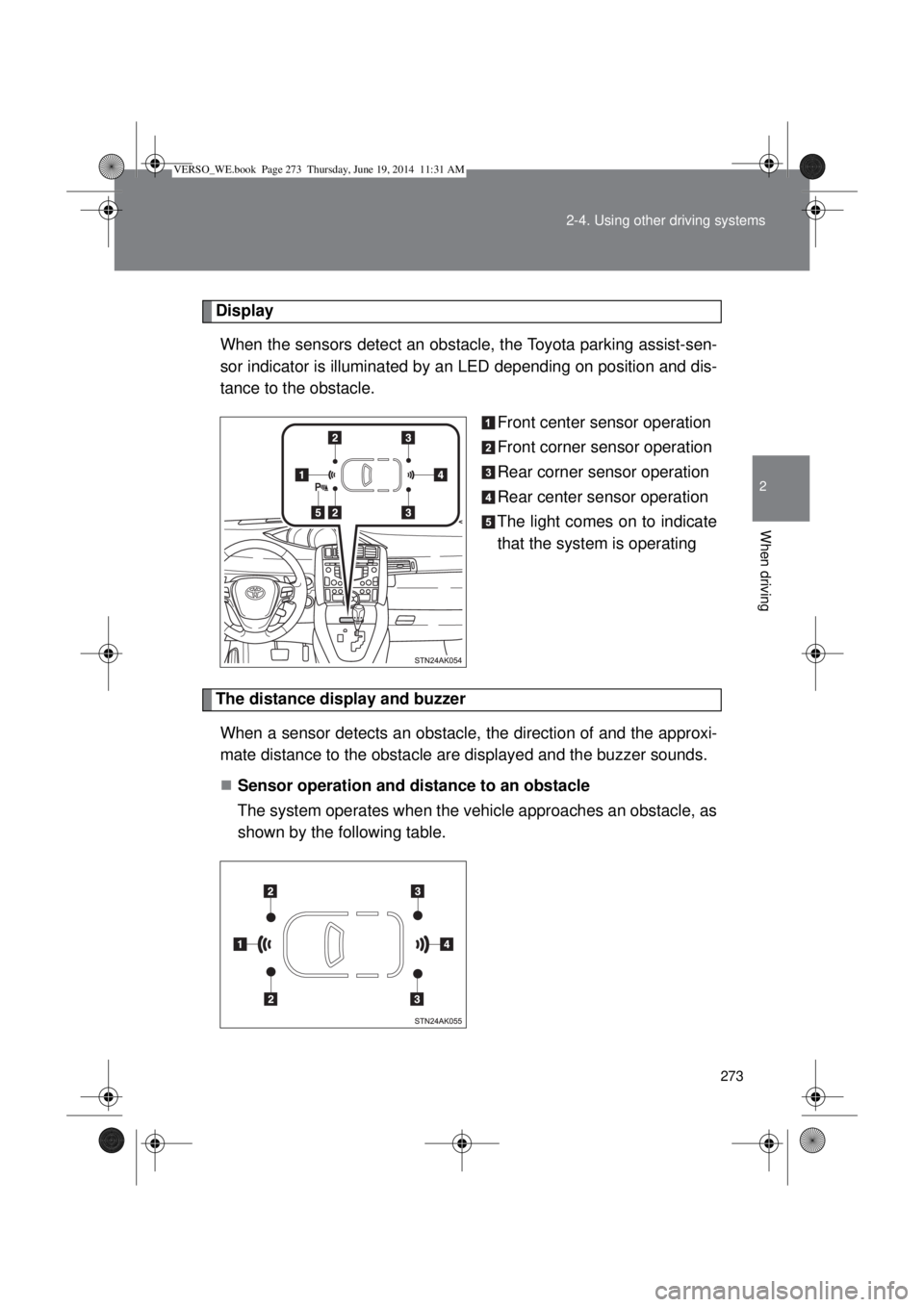
When the sensors detect an obstacle, the Toyota parking assist-sen-
sor indicator is illuminated by an LED depending on position and dis-
tance to the obstacle.
Front center sensor operation
Front corner sensor operation
Rear corner sensor operation
Rear center sensor operation
The light comes on to indicate
that the system is operating
The distance display and buzzer
When a sensor detects an obstacle, the direction of and the approxi-
mate distance to the obstacle are displayed and the buzzer sounds.
Sensor operation and distance to an obstacle
The system operates when the vehicle approaches an obstacle, as
shown by the following table.
VERSO_WE.book Page 273 Thursday, June 19, 2014 11:31 AM
Page 285 of 650
285 2-4. Using other driving systems
2
When driving
The Stop & Start system operation time and Stop & Start system total
operation time display
P. 230
Replacing battery
The installed battery is specific to the Stop & Start system. It should only be
replaced with a battery of identical type and rating.
Ask any authorized Toyota dealer or repairer, or another duly qualified and
equipped professional for further details.
CAUTION
When the Stop & Start system is operating
Keep the shift lever in “N” and apply the brake pedal or parking brake for
safety while the engine is stopped due to the Stop & Start system (while
Stop & Start indicator is on).
Unexpected accidents may occur due to the automatic engine start func-
tion.
Do not leave the vehicle while the engine is stopped due to the Stop &
Start system (while Stop & Start indicator is on).
Unexpected accidents may occur due to the automatic engine start func-
tion.
Ensure that the engine is not stopped by the Stop & Start system while the
vehicle is in a poorly ventilated area. The engine may restart due to the
automatic engine start function, causing exhaust gases to collect and
enter the vehicle and resulting in death or a serious health hazard.
VERSO_WE.book Page 285 Thursday, June 19, 2014 11:31 AM
Page 288 of 650
288 2-4. Using other driving systems
When the TRC and VSC+ are operating
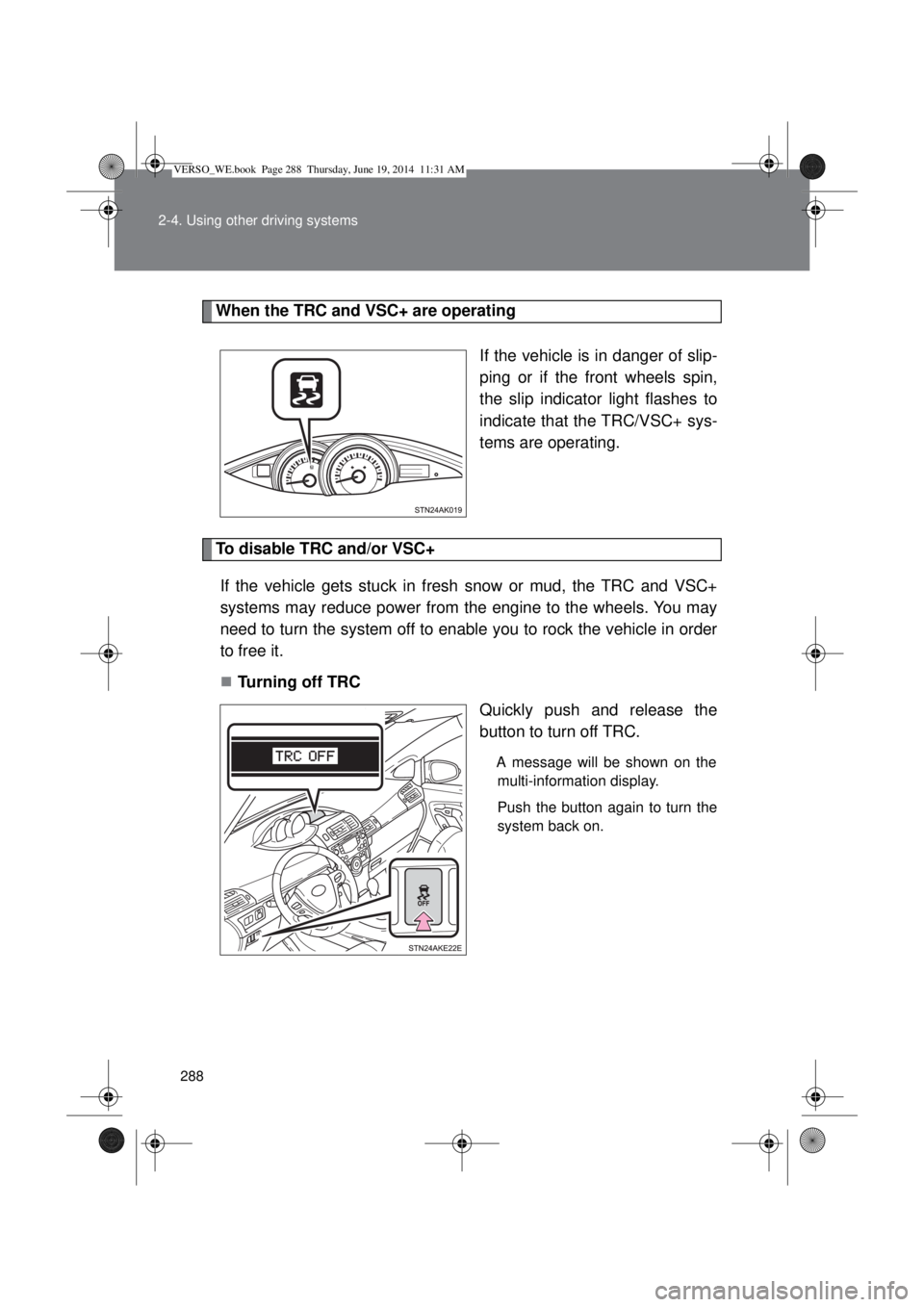
If the vehicle is in danger of slip-
ping or if the front wheels spin,
the slip indicator light flashes to
indicate that the TRC/VSC+ sys-
tems are operating.
To disable TRC and/or VSC+
If the vehicle gets stuck in fresh snow or mud, the TRC and VSC+
systems may reduce power from the engine to the wheels. You may
need to turn the system off to enable you to rock the vehicle in order
to free it.
Turning off TRC
Quickly push and release the
button to turn off TRC.
A message will be shown on the
multi-information display.
Push the button again to turn the
system back on.
VERSO_WE.book Page 288 Thursday, June 19, 2014 11:31 AM
Page 289 of 650
289 2-4. Using other driving systems
2
When driving
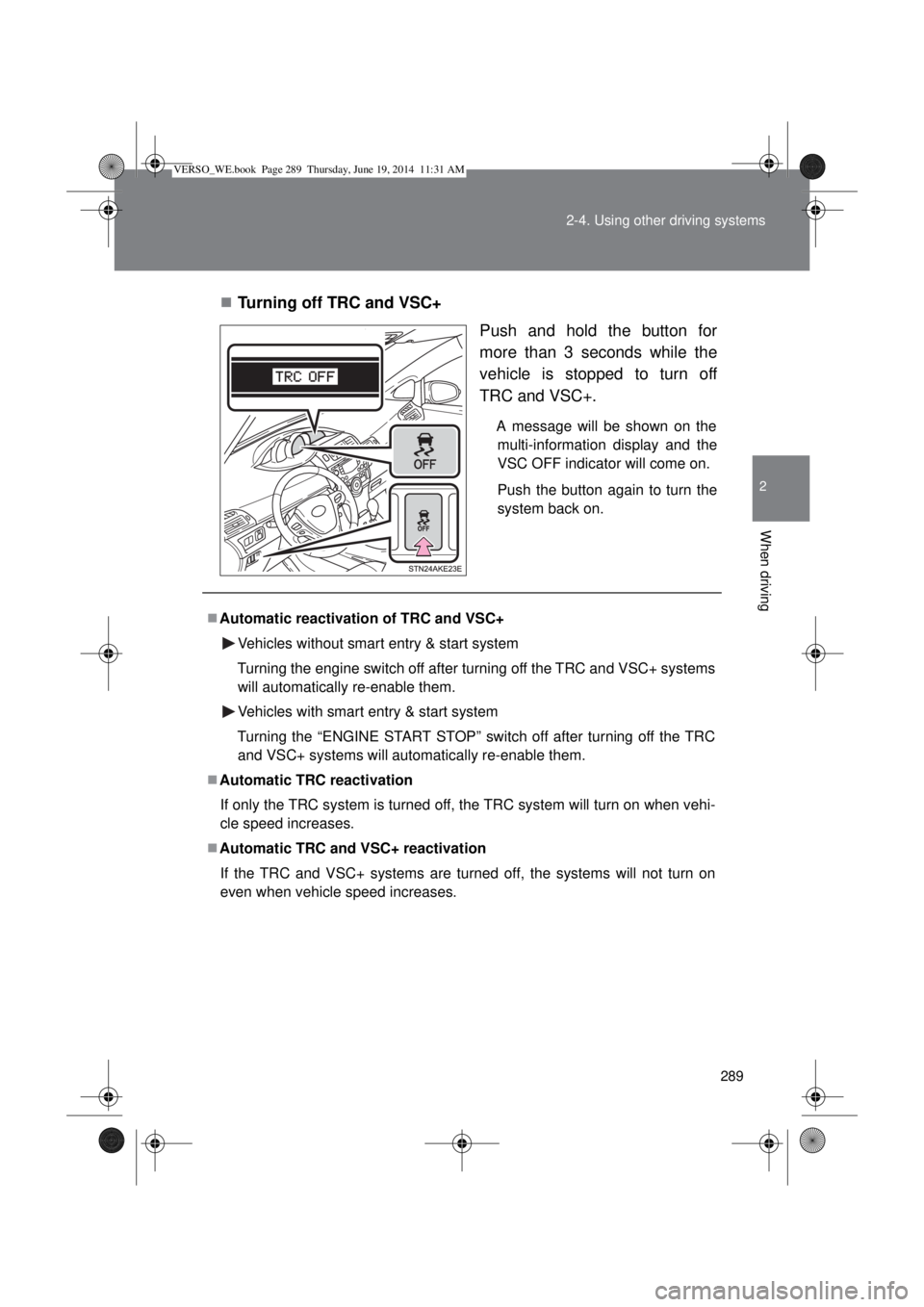
Turning off TRC and VSC+
Push and hold the button for
more than 3 seconds while the
vehicle is stopped to turn off
TRC and VSC+.
A message will be shown on the
multi-information display and the
VSC OFF indicator will come on.
Push the button again to turn the
system back on.
Automatic reactivation of TRC and VSC+
Vehicles without smart entry & start system
Turning the engine switch off after turning off the TRC and VSC+ systems
will automatically re-enable them.
Vehicles with smart entry & start system
Turning the “ENGINE START STOP” switch off after turning off the TRC
and VSC+ systems will automatically re-enable them.
Automatic TRC reactivation
If only the TRC system is turned off, the TRC system will turn on when vehi-
cle speed increases.
Automatic TRC and VSC+ reactivation
If the TRC and VSC+ systems are turned off, the systems will not turn on
even when vehicle speed increases.
VERSO_WE.book Page 289 Thursday, June 19, 2014 11:31 AM
Page 317 of 650
317
3-1. Using the air conditioning system and defogger
3
Interior features
Automatic air conditioning system
Using the automatic mode
Press .
The air conditioning system will begin to operate. Air outlets and fan
speed are automatically adjusted according to the temperature set-
ting.
Press “” to increase the temperature and “” to decrease the
temperature on (left-hand drive vehicles) or (right-
hand drive vehicles) on the driver side.
The temperature for the driver and front passenger seats can be set
separately. (P. 318)
: If equipped
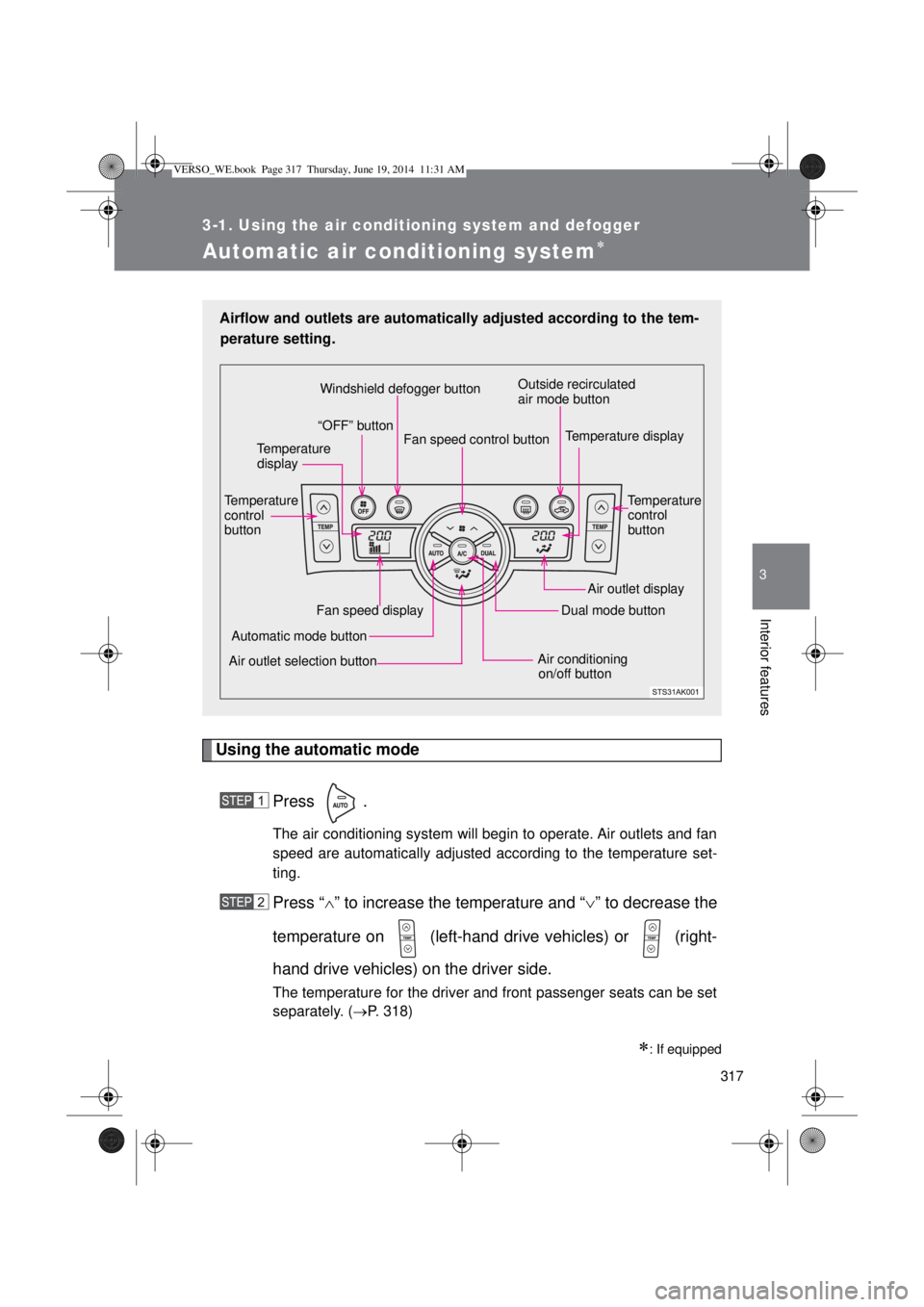
Airflow and outlets are automatically adjusted according to the tem-
perature setting.
Outside recirculated
air mode button
Temperature display
Temperature
control
button
Air outlet display
Dual mode button
Air conditioning
on/off button Air outlet selection buttonAutomatic mode buttonFan speed display Temperature
control
buttonTemperature
displayFan speed control button “OFF” buttonWindshield defogger button
VERSO_WE.book Page 317 Thursday, June 19, 2014 11:31 AM
Page 318 of 650
318 3-1. Using the air conditioning system and defogger
Automatic mode indicator
If the fan speed setting or air flow modes are operated, the auto-
matic mode indicator goes off. However, automatic mode for func-
tions other than that operated are maintained.
Adjusting the settings
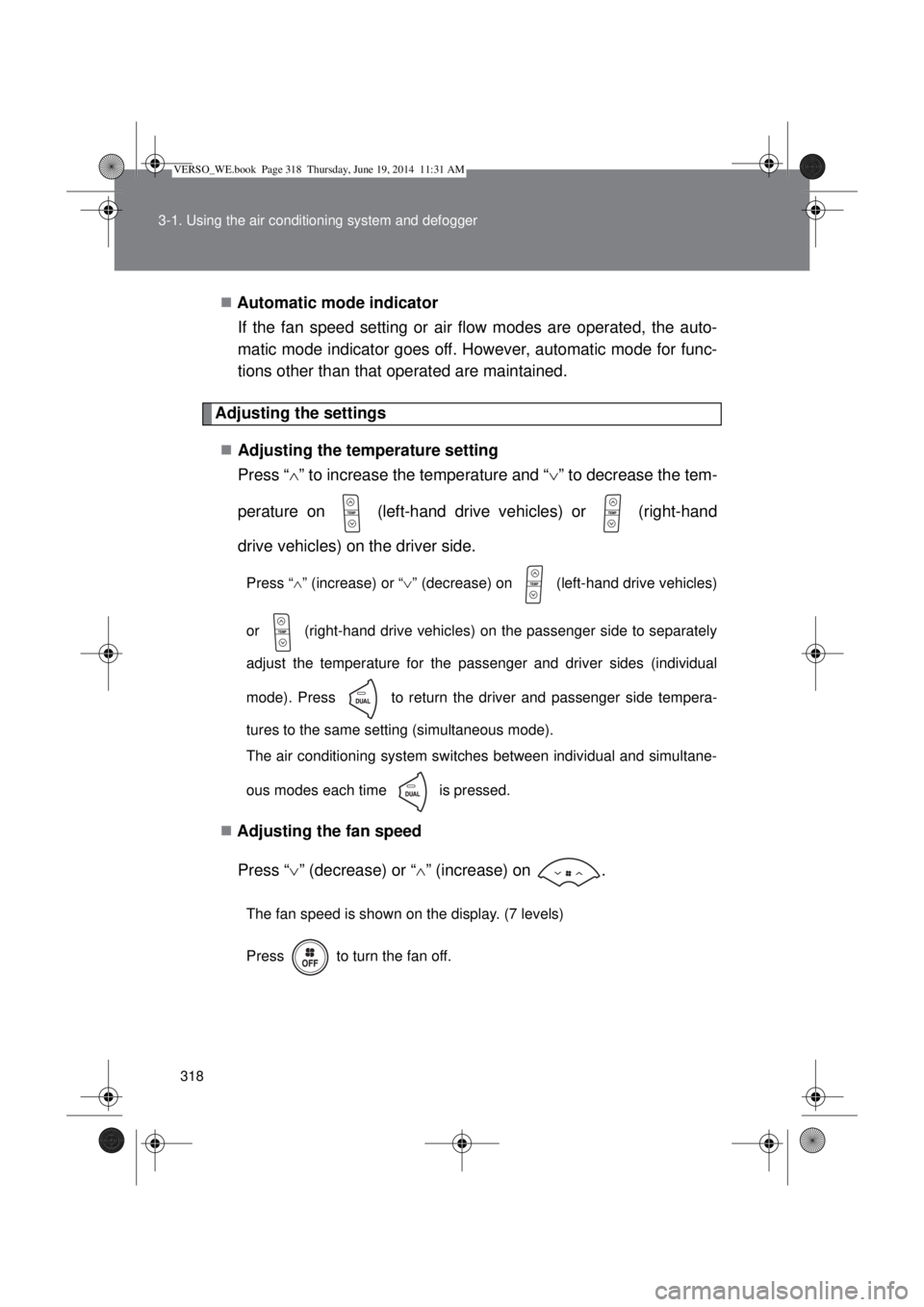
Adjusting the temperature setting
Press “” to increase the temperature and “” to decrease the tem-
perature on (left-hand drive vehicles) or (right-hand
drive vehicles) on the driver side.
Press “” (increase) or “” (decrease) on (left-hand drive vehicles)
or (right-hand drive vehicles) on the passenger side to separately
adjust the temperature for the passenger and driver sides (individual
mode). Press
to return the driver and passenger side tempera-
tures to the same setting (simultaneous mode).
The air conditioning system switches between individual and simultane-
ous modes each time
is pressed.
Adjusting the fan speed
Press “” (decrease) or “” (increase) on .
The fan speed is shown on the display. (7 levels)
Press to turn the fan off.
VERSO_WE.book Page 318 Thursday, June 19, 2014 11:31 AM
Page 330 of 650
330
3-2. Using the audio system
Using the radio
Setting station presets
In AF-ON mode the radio changes frequency to the strongest signal
of the selected station.
Search for desired stations by turning or pressing “
”or
“” on .
Press and hold the button (from to ) the station is to be
set to until you hear a beep.
: If equipped
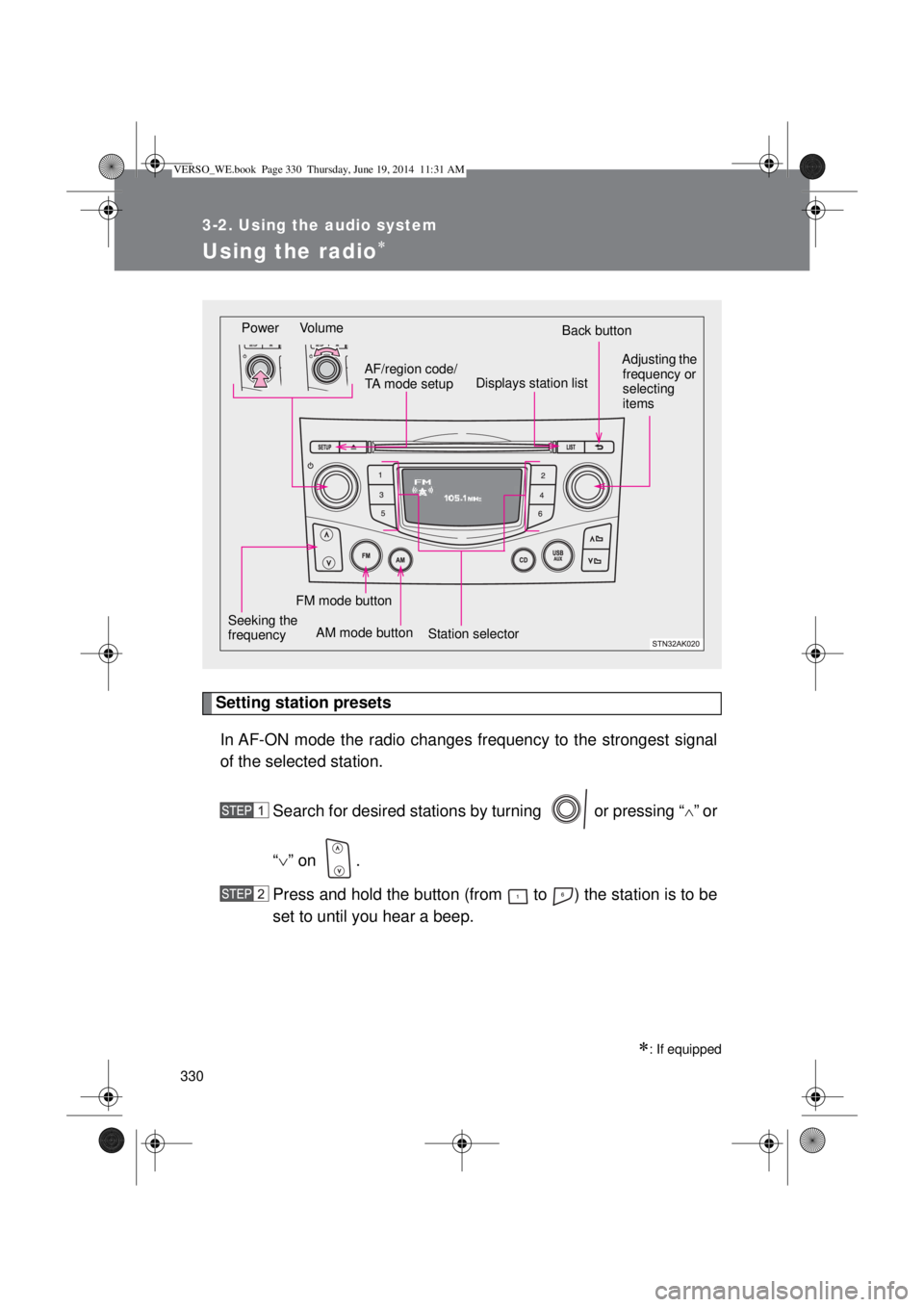
Power Volume
Station selectorBack button
Adjusting the
frequency or
selecting
items
AM mode buttonAF/region code/
TA mode setup
Seeking the
frequency
Displays station list
FM mode button
VERSO_WE.book Page 330 Thursday, June 19, 2014 11:31 AM
Page 331 of 650
331 3-2. Using the audio system
3
Interior features
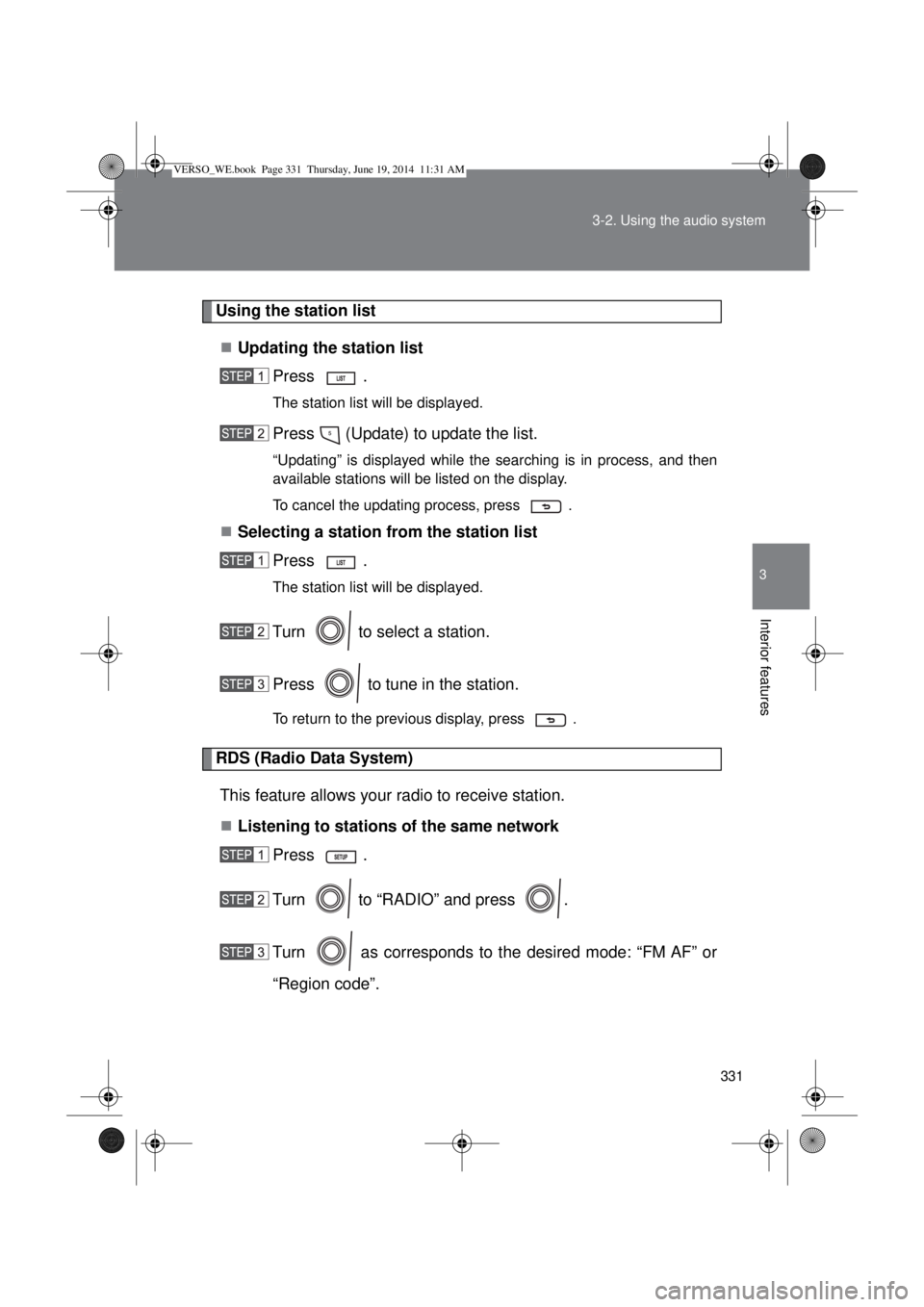
Using the station list
Updating the station list
Press .
The station list will be displayed.
Press (Update) to update the list.
“Updating” is displayed while the searching is in process, and then
available stations will be listed on the display.
To cancel the updating process, press .
Selecting a station from the station list
Press .
The station list will be displayed.
Turn to select a station.
Press to tune in the station.
To return to the previous display, press .
RDS (Radio Data System)
This feature allows your radio to receive station.
Listening to stations of the same network
Press .
Turn to “RADIO” and press .
Turn as corresponds to the desired mode: “FM AF” or
“Region code”.
VERSO_WE.book Page 331 Thursday, June 19, 2014 11:31 AM
Page 334 of 650
334
3-2. Using the audio system
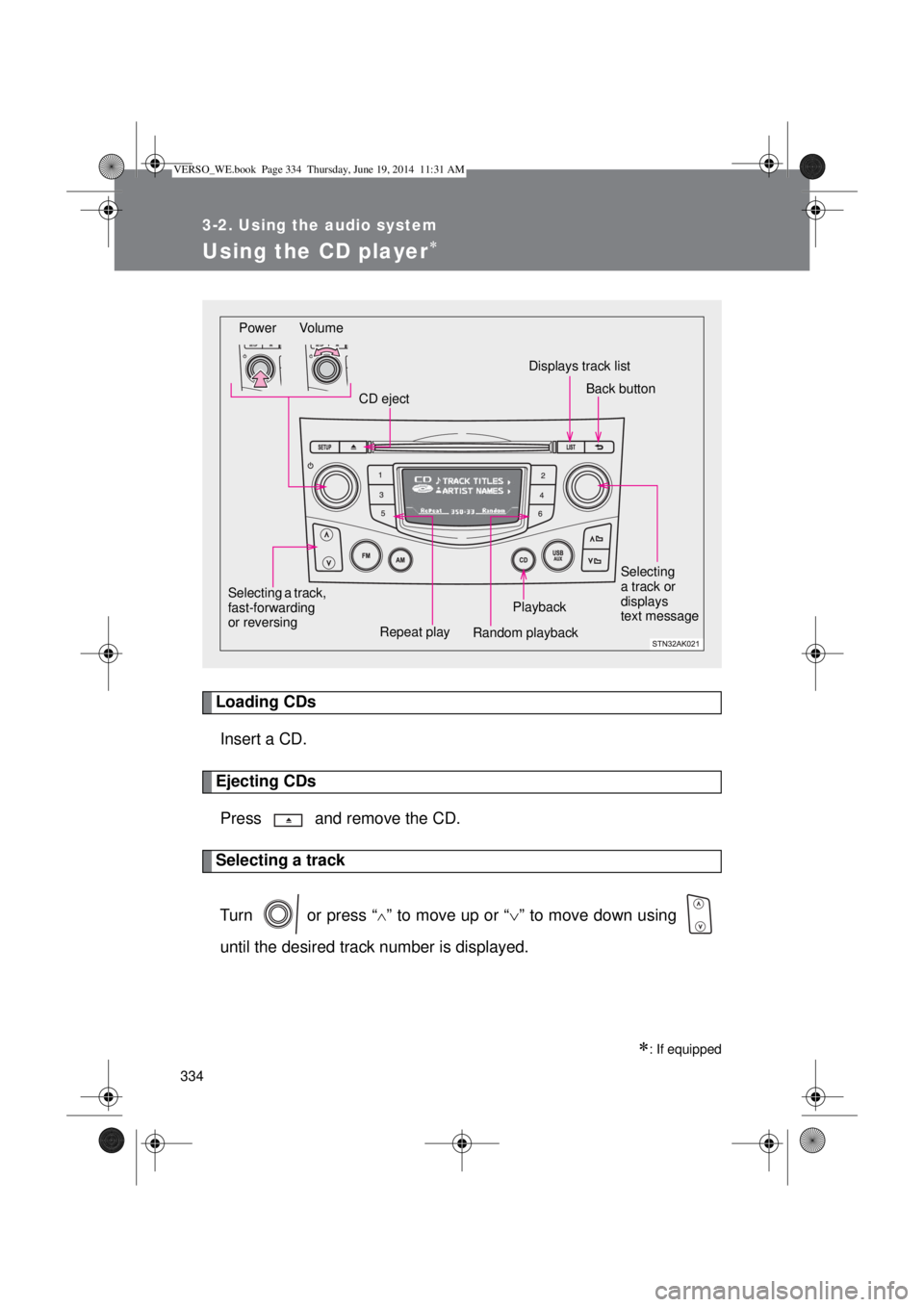
Using the CD player
Loading CDs
Insert a CD.
Ejecting CDs
Press and remove the CD.
Selecting a track
Turn or press “
” to move up or “” to move down using
until the desired track number is displayed.
: If equipped
Power Volume
CD ejectDisplays track list
Playback
Repeat play
Random playback Selecting a track,
fast-forwarding
or reversing
Selecting
a track or
displays
text message
Back button
VERSO_WE.book Page 334 Thursday, June 19, 2014 11:31 AM