display TOYOTA VERSO 2014 Workshop Manual
[x] Cancel search | Manufacturer: TOYOTA, Model Year: 2014, Model line: VERSO, Model: TOYOTA VERSO 2014Pages: 650, PDF Size: 36.61 MB
Page 352 of 650
352
3-2. Using the audio system
Operating a USB memor y
: If equipped
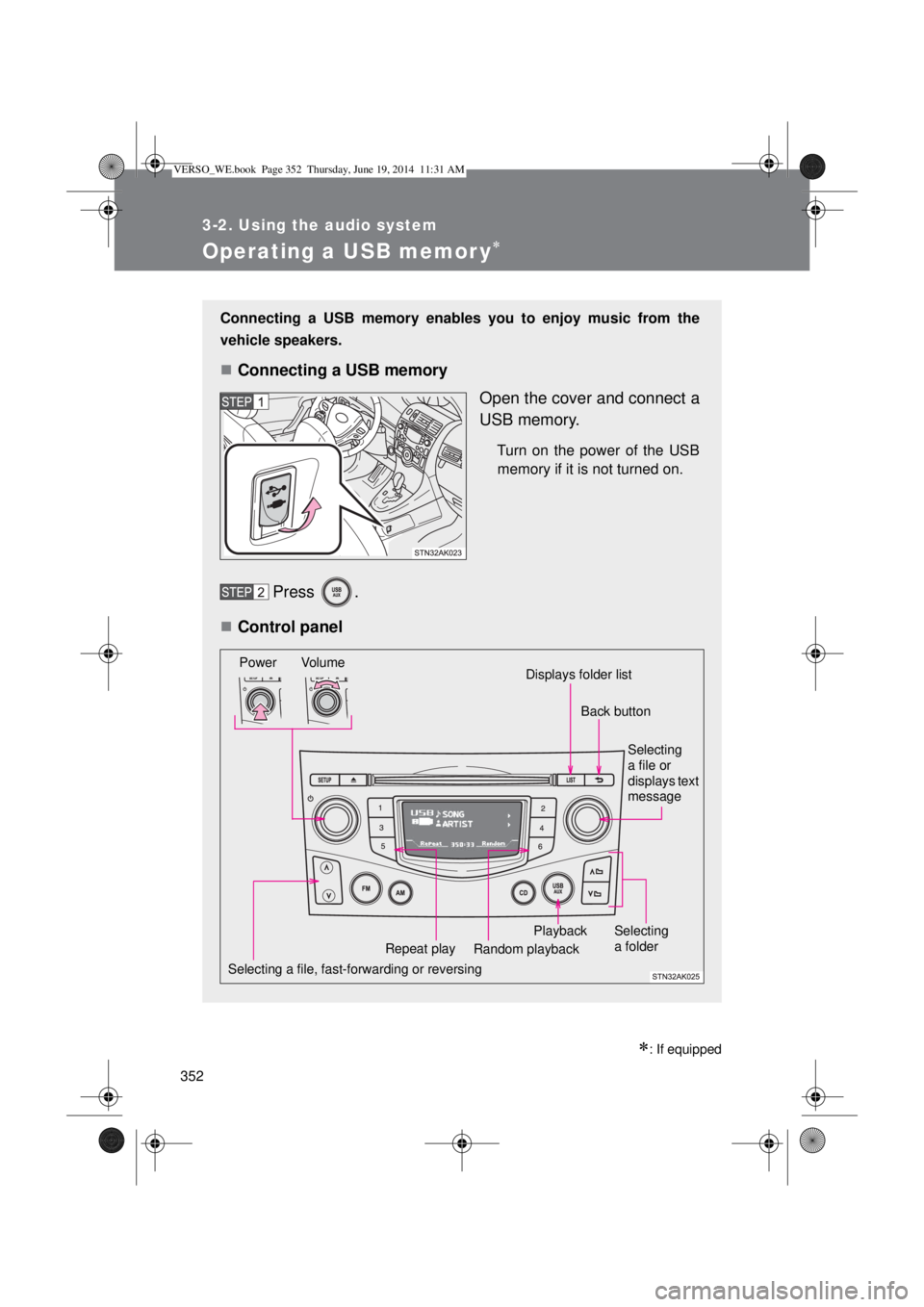
Connecting a USB memory enables you to enjoy music from the
vehicle speakers.
Connecting a USB memory
Open the cover and connect a
USB memory.
Turn on the power of the USB
memory if it is not turned on.
Press .
Control panel
Selecting a file, fast-forwarding or reversingPower Volume
Random playback Repeat playPlaybackSelecting
a file or
displays text
message
Selecting
a folder
Displays folder list
Back button
VERSO_WE.book Page 352 Thursday, June 19, 2014 11:31 AM
Page 353 of 650
353 3-2. Using the audio system
3
Interior features
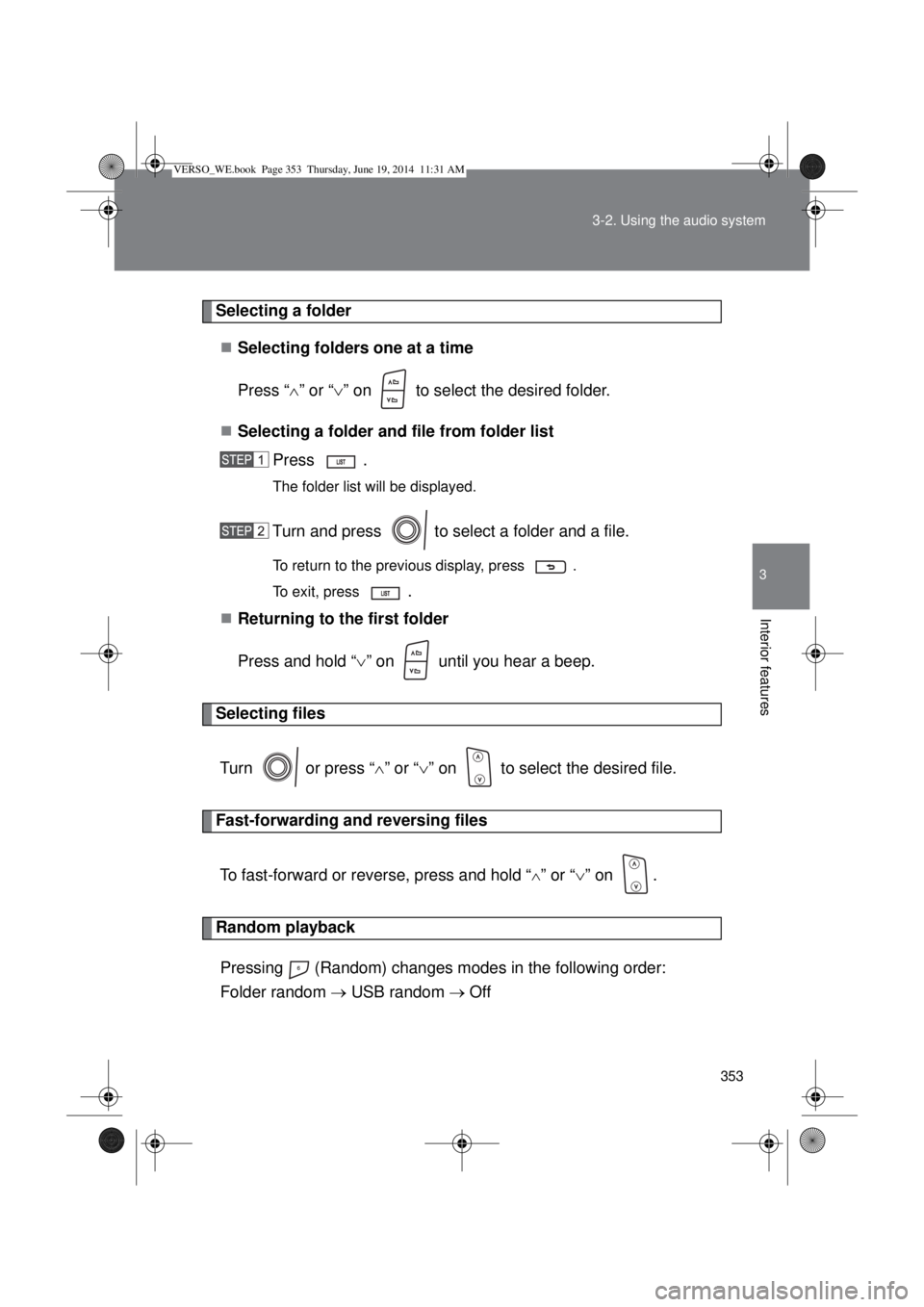
Selecting a folder
Selecting folders one at a time
Press “” or “” on to select the desired folder.
Selecting a folder and file from folder list
Press .
The folder list will be displayed.
Turn and press to select a folder and a file.
To return to the previous display, press .
To exit, press
.
Returning to the first folder
Press and hold “” on until you hear a beep.
Selecting files
Turn or press “” or “” on to select the desired file.
Fast-forwarding and reversing files
To fast-forward or reverse, press and hold “
” or “” on .
Random playback
Pressing (Random) changes modes in the following order:
Folder random USB random Off
VERSO_WE.book Page 353 Thursday, June 19, 2014 11:31 AM
Page 354 of 650
354 3-2. Using the audio system
Repeat play
Pressing (Repeat) changes modes in the following order:
File repeat Folder repeat
* Off
*: Available except when Random (random playback) is selected
Switching the display
Press .
Track title, Artist name and Album title (MP3 only) are shown on the dis-
play.
To return to the previous display, press or .
USB memory functions
Depending on the USB memory that is connected to the system, the
device itself may not be operable and certain functions may not be avail-
able. If the device is inoperable or a function is unavailable due to a mal-
function (as opposed to a system specification), disconnecting the device
and reconnecting it once again may resolve the problem.
If the USB memory still does not begin operation after being discon-
nected and reconnected, format the memory.
Display
P. 336
Error messages
“ERROR”: This indicates a problem in the USB memory or its connection.
“NO MUSIC”: This indicates that no MP3/WMA files are included in the USB
memory.
VERSO_WE.book Page 354 Thursday, June 19, 2014 11:31 AM
Page 355 of 650
355 3-2. Using the audio system
3
Interior features
USB memory
Compatible devices
USB memory that can be used for MP3 and WMA playback
Compatible device formats
The following device formats can be used:
• USB communication formats: USB2.0 FS (12 mbps)
• File formats: FAT16/32 (Windows)
• Correspondence class: Mass storage class
MP3 and WMA files written in any format other than those listed above
may not play correctly, and their file names and folder names may not be
displayed correctly.
Items related to standards and limitations are as follows:
• Maximum directory hierarchy: 8 levels
• Maximum number of folders in a device: 999 (including the root)
• Maximum number of files in a device: 9999
• Maximum number of files per folder: 255
MP3 and WMA files
MP3 (MPEG Audio LAYER 3) is a standard audio compression format.
Files can be compressed to approximately 1/10 of their original size using
MP3 compression.
WMA (Windows Media Audio) is a Microsoft audio compression format.
This format compresses audio data to a size smaller than that of the MP3
format.
There is a limit to the MP3 and WMA file standards that can be used and
to the media/formats on which the files are recorded.
VERSO_WE.book Page 355 Thursday, June 19, 2014 11:31 AM
Page 359 of 650
359
3-2. Using the audio system
3
Interior features
Optimal use of the audio system
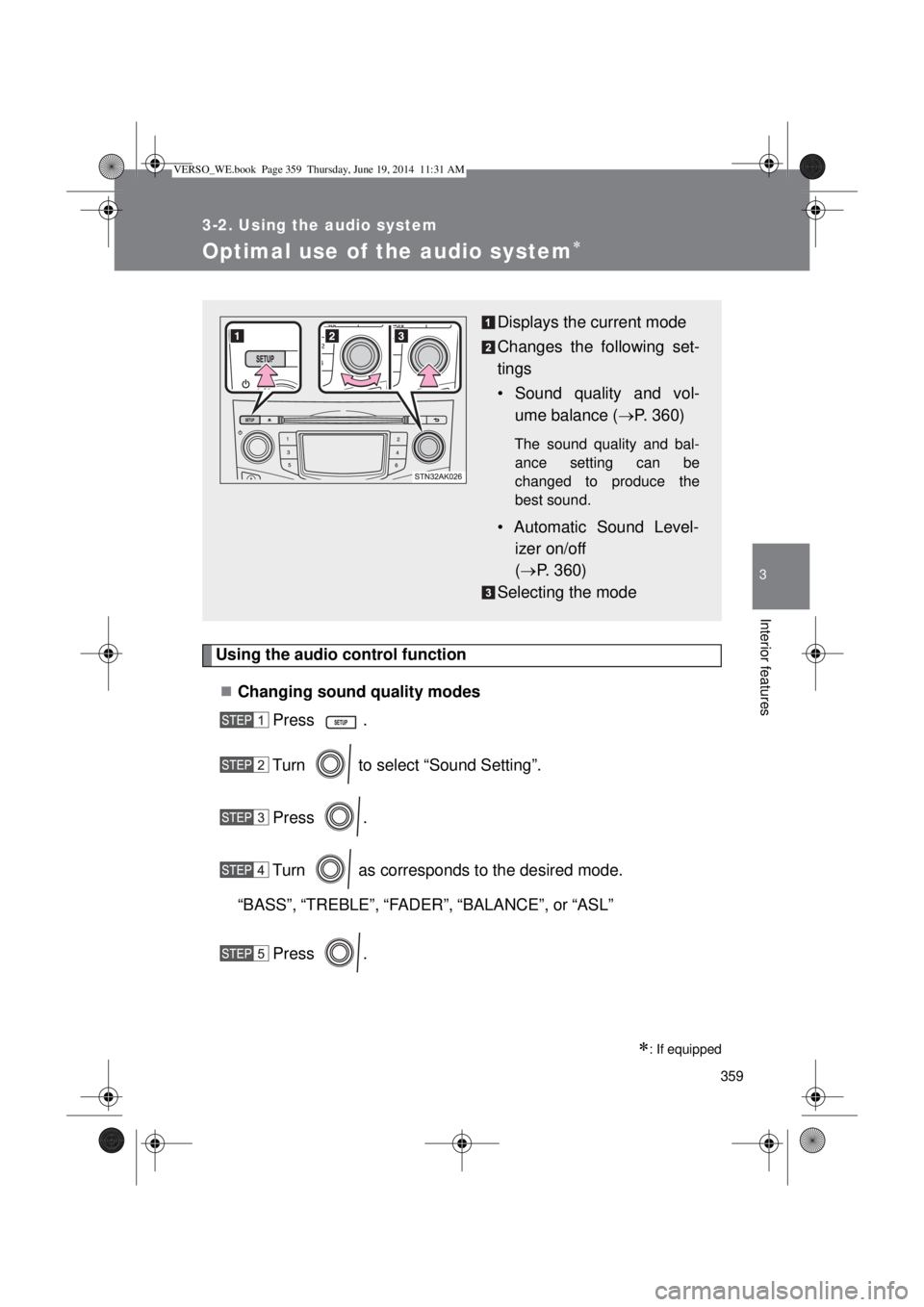
Using the audio control function
Changing sound quality modes
Press .
Turn to select “Sound Setting”.
Press .
Turn as corresponds to the desired mode.
“BASS”,“TREBLE”,“FADER”,“BALANCE”, or“ASL”
Press .
: If equipped
Displays the current mode
Changes the following set-
tings
• Sound quality and vol-
ume balance (P. 360)
The sound quality and bal-
ance setting can be
changed to produce the
best sound.
• Automatic Sound Level-
izer on/off
(P. 360)
Selecting the mode
VERSO_WE.book Page 359 Thursday, June 19, 2014 11:31 AM
Page 360 of 650
360 3-2. Using the audio system
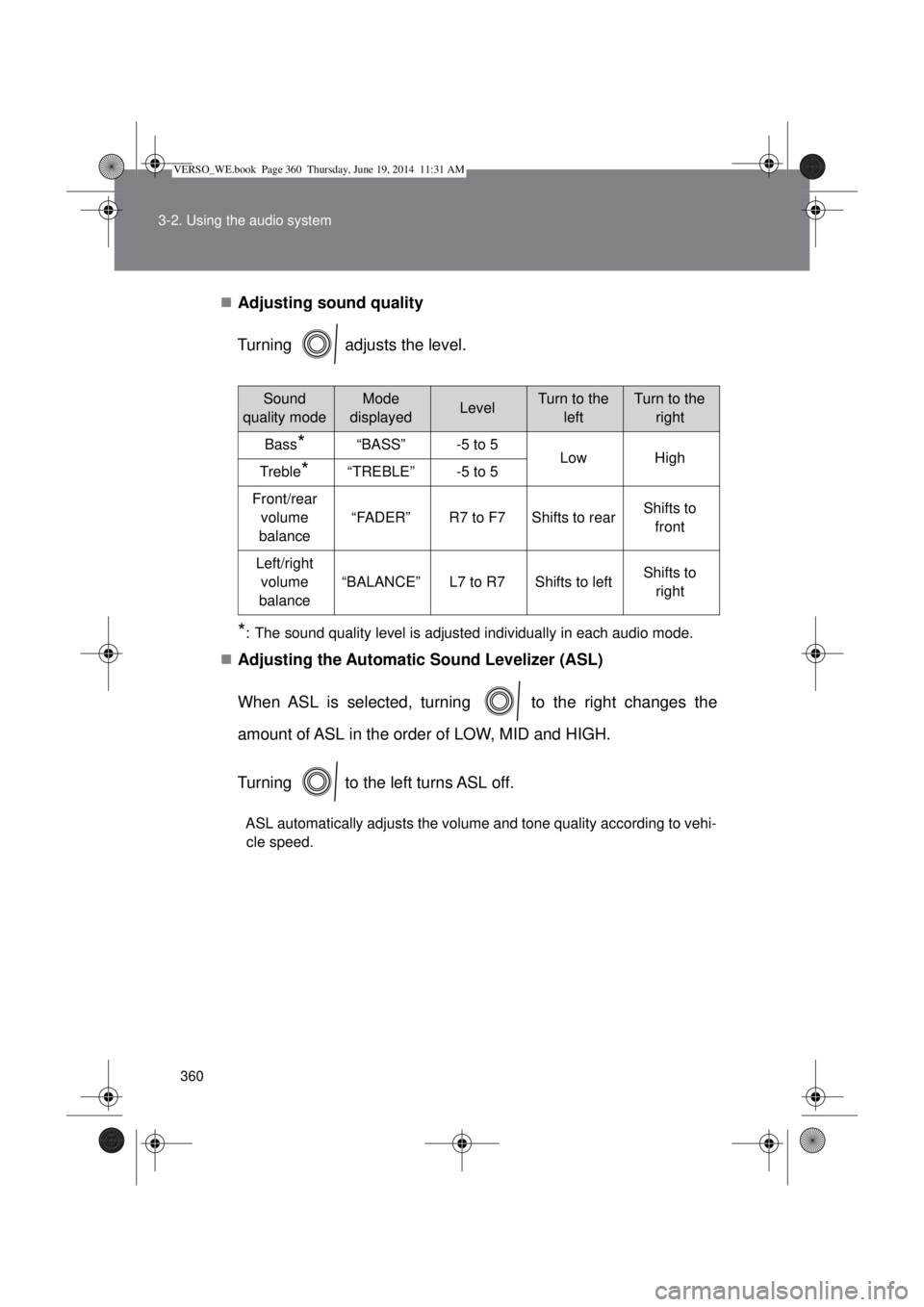
Adjusting sound quality
Turning adjusts the level.
*: The sound quality level is adjusted individually in each audio mode.
Adjusting the Automatic Sound Levelizer (ASL)
When ASL is selected, turning to the right changes the
amount of ASL in the order of LOW, MID and HIGH.
Turning to the left turns ASL off.
ASL automatically adjusts the volume and tone quality according to vehi-
cle speed.
Sound
quality modeMode
displayedLevelTurn to the
leftTurn to the
right
Bass*“BASS”-5 to 5LowHighTreble*“TREBLE”-5 to 5
Front/rear
volume
balance
“FADER”R7 to F7Shifts to rearShifts to
front
Left/right
volume
balance
“BALANCE”L7 to R7Shifts to leftShifts to
right
VERSO_WE.book Page 360 Thursday, June 19, 2014 11:31 AM
Page 361 of 650
361
3-2. Using the audio system
3
Interior features
Using the AUX port
: If equipped
Operating portable audio devices connected to the audio system
The volume can be adjusted using the vehicle’s audio controls. All other
adjustments must be made on the portable audio device itself.
When using a portable audio device connected to the power outlet
Noise may occur during playback. Use the power source of the portable
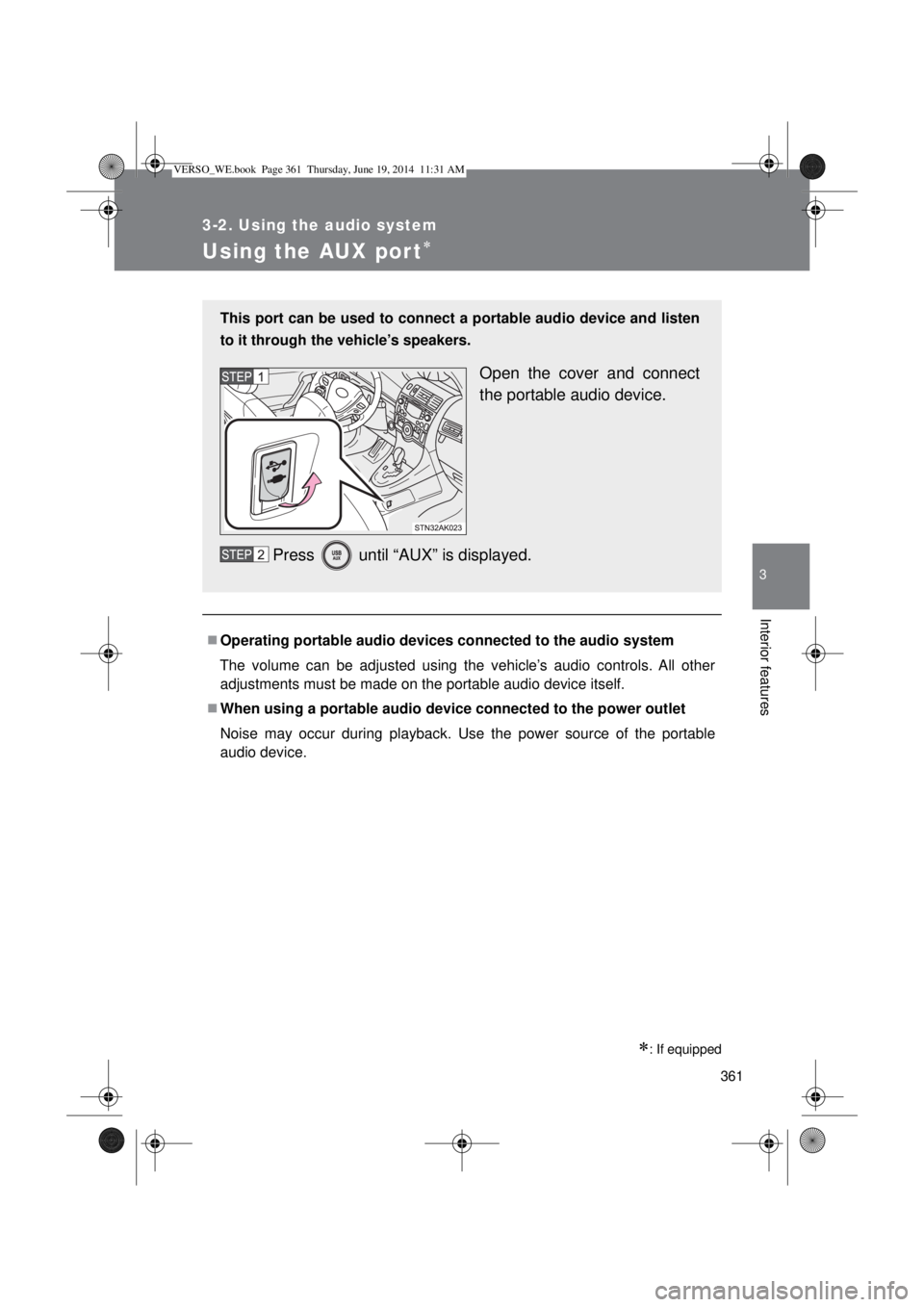
audio device. This port can be used to connect a portable audio device and listen
to it through the vehicle’s speakers.
Open the cover and connect
the portable audio device.
Press until “AUX” is displayed.
VERSO_WE.book Page 361 Thursday, June 19, 2014 11:31 AM
Page 428 of 650
428 4-3. Do-it-yourself maintenance
Engine oil consumption
A certain amount of engine oil will be consumed while driving. In the follow-
ing situations, oil consumption may increase, and engine oil may need to be
refilled in between oil maintenance intervals.
When the engine is new, for example directly after purchasing the vehicle
or after replacing the engine
If low quality oil or oil of an inappropriate viscosity is used
When driving at high engine speeds or with a heavy load, when towing,
or when driving while accelerating or decelerating frequently
When leaving the engine idling for a long time, or when driving frequently
through heavy traffic
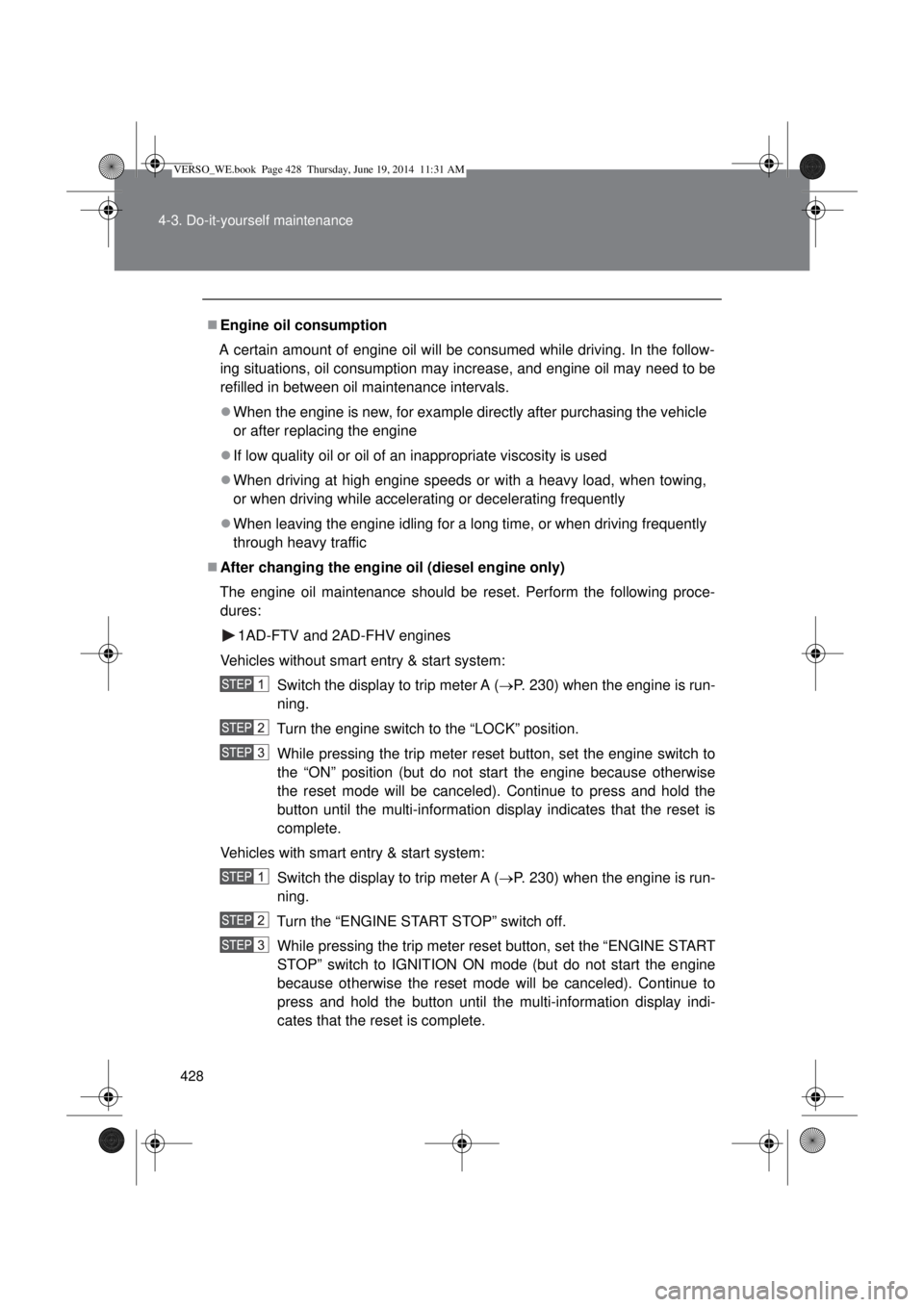
After changing the engine oil (diesel engine only)
The engine oil maintenance should be reset. Perform the following proce-
dures:
1AD-FTV and 2AD-FHV engines
Vehicles without smart entry & start system:
Switch the display to trip meter A (P. 230) when the engine is run-
ning.
Turn the engine switch to the “LOCK” position.
While pressing the trip meter reset button, set the engine switch to
the “ON” position (but do not start the engine because otherwise
the reset mode will be canceled). Continue to press and hold the
button until the multi-information display indicates that the reset is
complete.
Vehicles with smart entry & start system:
Switch the display to trip meter A (P. 230) when the engine is run-
ning.
Turn the “ENGINE START STOP” switch off.
While pressing the trip meter reset button, set the “ENGINE START
STOP” switch to IGNITION ON mode (but do not start the engine
because otherwise the reset mode will be canceled). Continue to
press and hold the button until the multi-information display indi-
cates that the reset is complete.
VERSO_WE.book Page 428 Thursday, June 19, 2014 11:31 AM
Page 429 of 650
429 4-3. Do-it-yourself maintenance
4
Maintenance and care
1WW-FHV engine
Switch the display to the trip meter A (P. 230) and then turn the
engine switch to the “ON” position (vehicles without smart entry &
start system) or the “ENGINE START STOP” switch to IGNITION
ON mode (vehicles with smart entry & start system).
While pressing the display change button (P. 230), turn the
engine switch to the “LOCK” position (vehicles without smart entry
& start system) or “ENGINE START STOP” switch off (vehicles with
smart entry & start system).
Turn the engine switch to the “ON” position (vehicles without smart
entry & start system) or the “ENGINE START STOP” switch to
IGNITION ON mode (vehicles with smart entry & start system).
CAUTION
Used engine oil
Used engine oil contains potentially harmful contaminants which may
cause skin disorders such as inflammation or skin cancer, so care should
be taken to avoid prolonged and repeated contact. To remove used engine
oil from your skin, wash thoroughly with soap and water.
Dispose of used oil and filters only in a safe and acceptable manner. Do
not dispose of used oil and filters in household trash, in sewers or onto the
ground. Call any authorized Toyota dealer or repairer, or another duly
qualified and equipped professional, service station or auto parts store for
information concerning recycling or disposal.
Do not leave used engine oil within the reach of children.
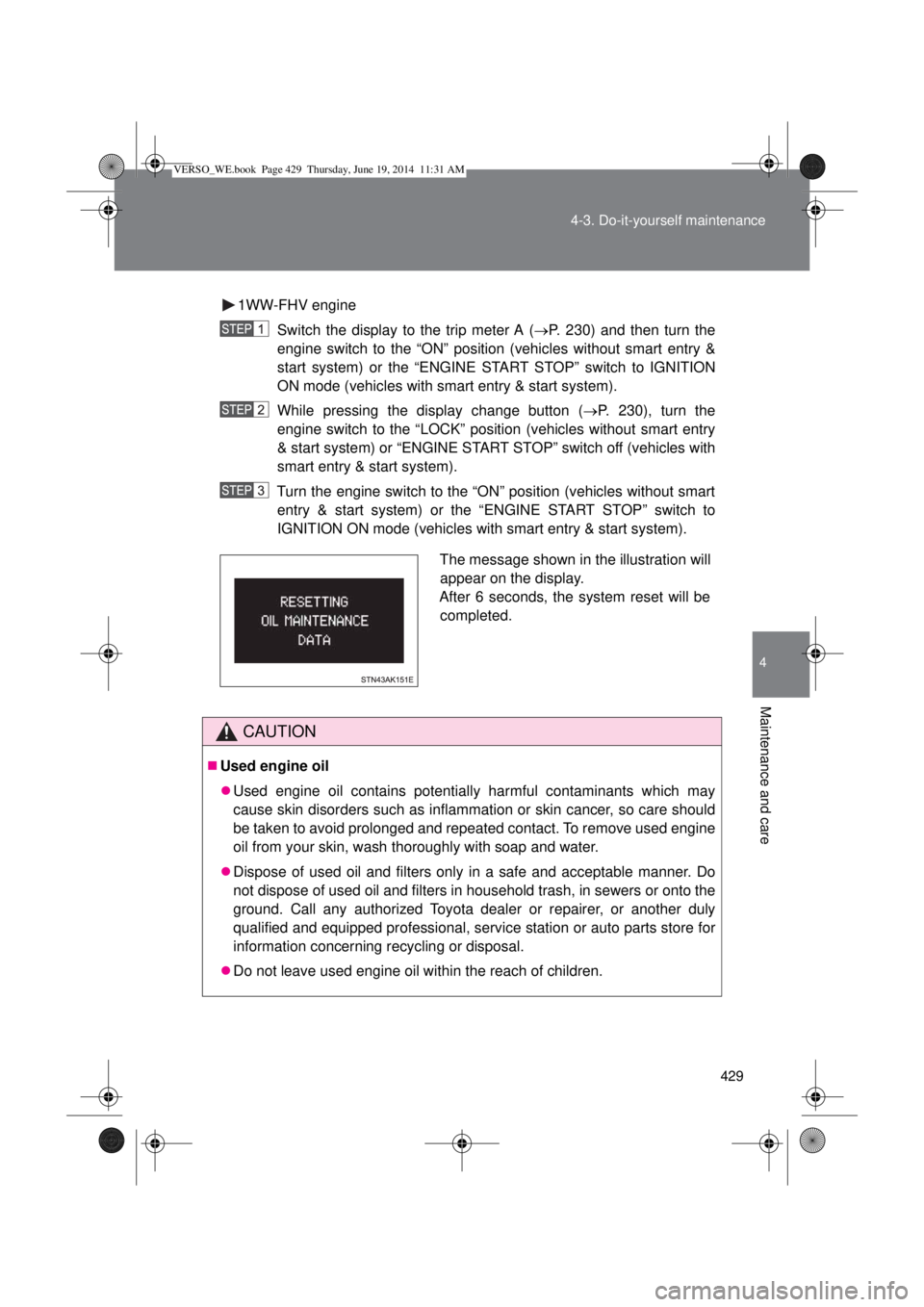
The message shown in the illustration will
appear on the display.
After 6 seconds, the system reset will be
completed.
VERSO_WE.book Page 429 Thursday, June 19, 2014 11:31 AM
Page 439 of 650
439 4-3. Do-it-yourself maintenance
4
Maintenance and care
Fuel filter (diesel engine only)
The water in the fuel filter needs to be drained in either of the follow-
ing situations:
• The “DRAIN WATER FROM FUEL FILTER” warning message is
shown on the multi-information display and a buzzer sounds.
(P. 525)
• 1WW-FHV engine only: Every 20000 km (12000 miles) or 12
months.
1AD-FTV and 2AD-FHV engines
You may drain the fuel filter yourself. However, as the operation is dif-
ficult, we recommend having it drained by any authorized Toyota
dealer or repairer, or another duly qualified and equipped profes-
sional. Even if you decide to drain it yourself, contact any authorized
Toyota dealer or repairer, or another duly qualified and equipped pro-
fessional.
Vehicles without smart entry & start system:
Turn the engine switch to the “LOCK” position.
Vehicles with smart entry & start system:
Turn the “ENGINE START STOP” switch off.
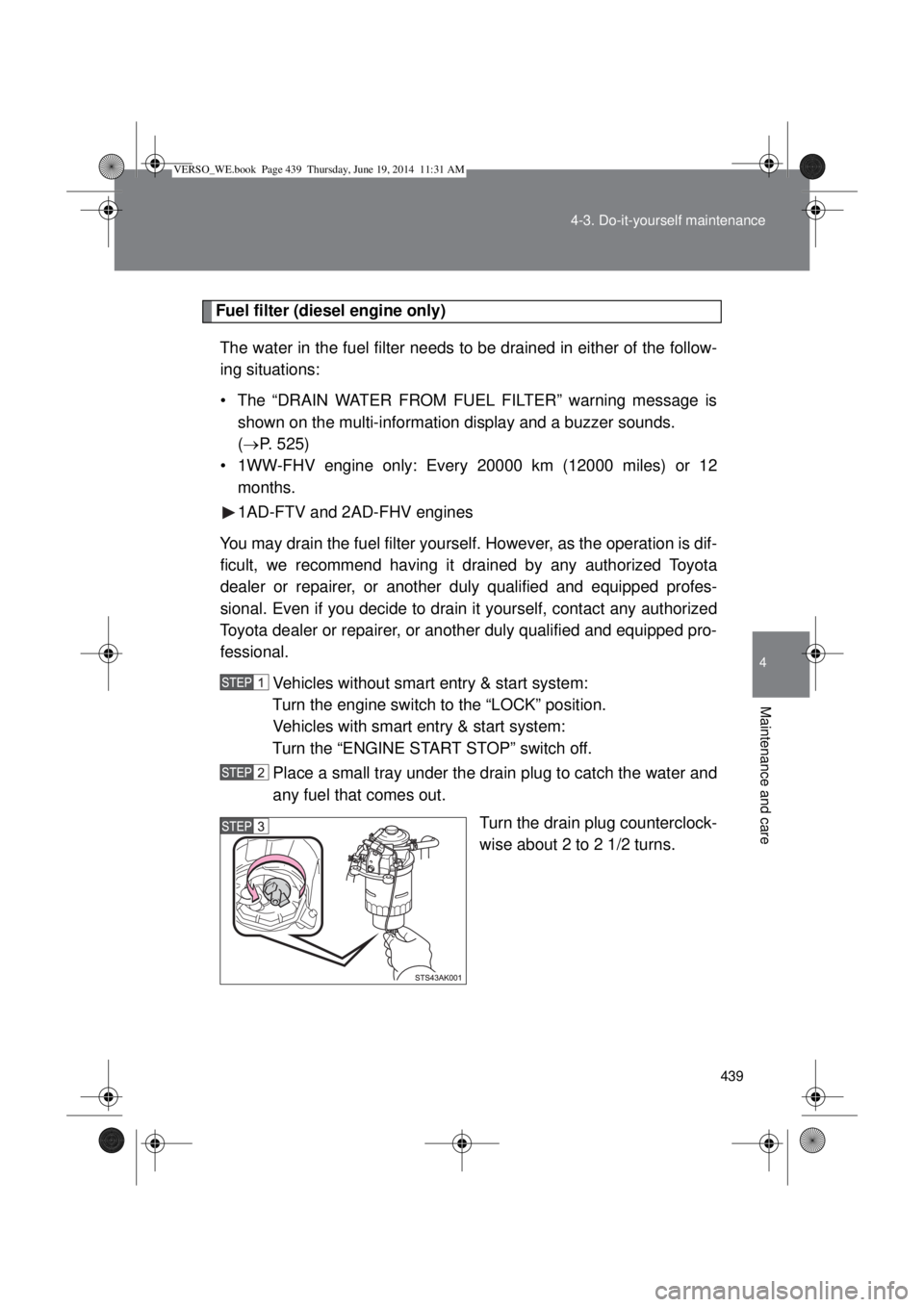
Place a small tray under the drain plug to catch the water and
any fuel that comes out.
Turn the drain plug counterclock-
wise about 2 to 2 1/2 turns.
VERSO_WE.book Page 439 Thursday, June 19, 2014 11:31 AM