starting TOYOTA VERSO 2014 User Guide
[x] Cancel search | Manufacturer: TOYOTA, Model Year: 2014, Model line: VERSO, Model: TOYOTA VERSO 2014Pages: 650, PDF Size: 36.61 MB
Page 199 of 650
199 2-1. Driving procedures
2
When driving
NOTICE
To prevent battery discharge
Do not leave the engine switch in the “ACC” or “ON” position for long periods
if the engine is not the engine running.
When starting the engine
Do not crank for more than 30 seconds at a time. This may overheat the
starter and wiring systems.
Do not race the cold engine.
If the engine becomes difficult to start or stalls frequently, have your vehi-
cle checked by any authorized Toyota dealer or repairer, or another duly
qualified and equipped professional immediately.
VERSO_WE.book Page 199 Thursday, June 19, 2014 11:31 AM
Page 200 of 650
200
2-1. Driving procedures
Engine (ignition) switch (vehicles with smart entr y & start system)
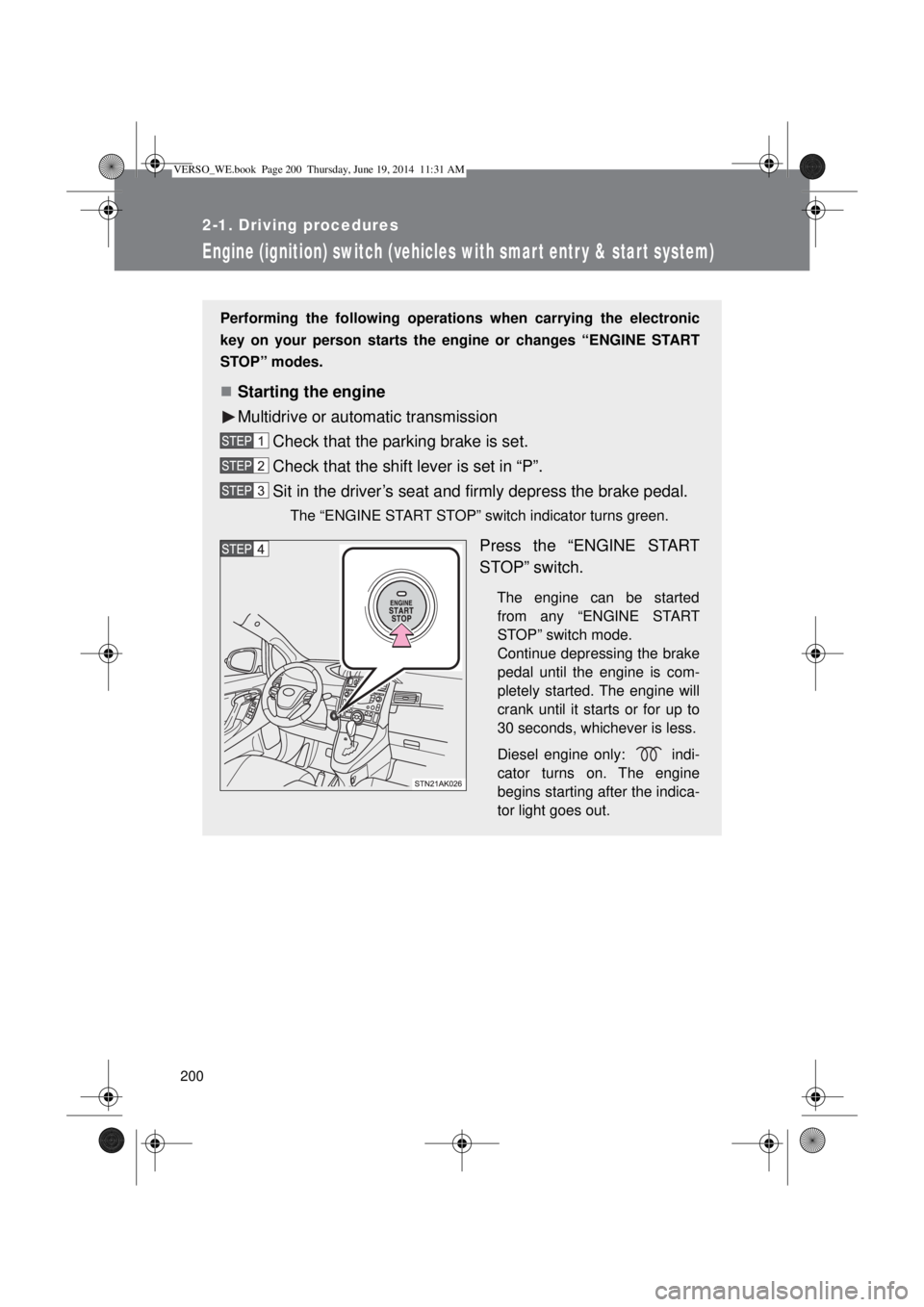
Performing the following operations when carrying the electronic
key on your person starts the engine or changes “ENGINE START
STOP” modes.
Starting the engine
Multidrive or automatic transmission
Check that the parking brake is set.
Check that the shift lever is set in “P”.
Sit in the driver’s seat and firmly depress the brake pedal.
The “ENGINE START STOP” switch indicator turns green.
Press the “ENGINE START
STOP” switch.
The engine can be started
from any “ENGINE START
STOP” switch mode.
Continue depressing the brake
pedal until the engine is com-
pletely started. The engine will
crank until it starts or for up to
30 seconds, whichever is less.
Diesel engine only: indi-
cator turns on. The engine
begins starting after the indica-
tor light goes out.
VERSO_WE.book Page 200 Thursday, June 19, 2014 11:31 AM
Page 201 of 650
201 2-1. Driving procedures
2
When driving
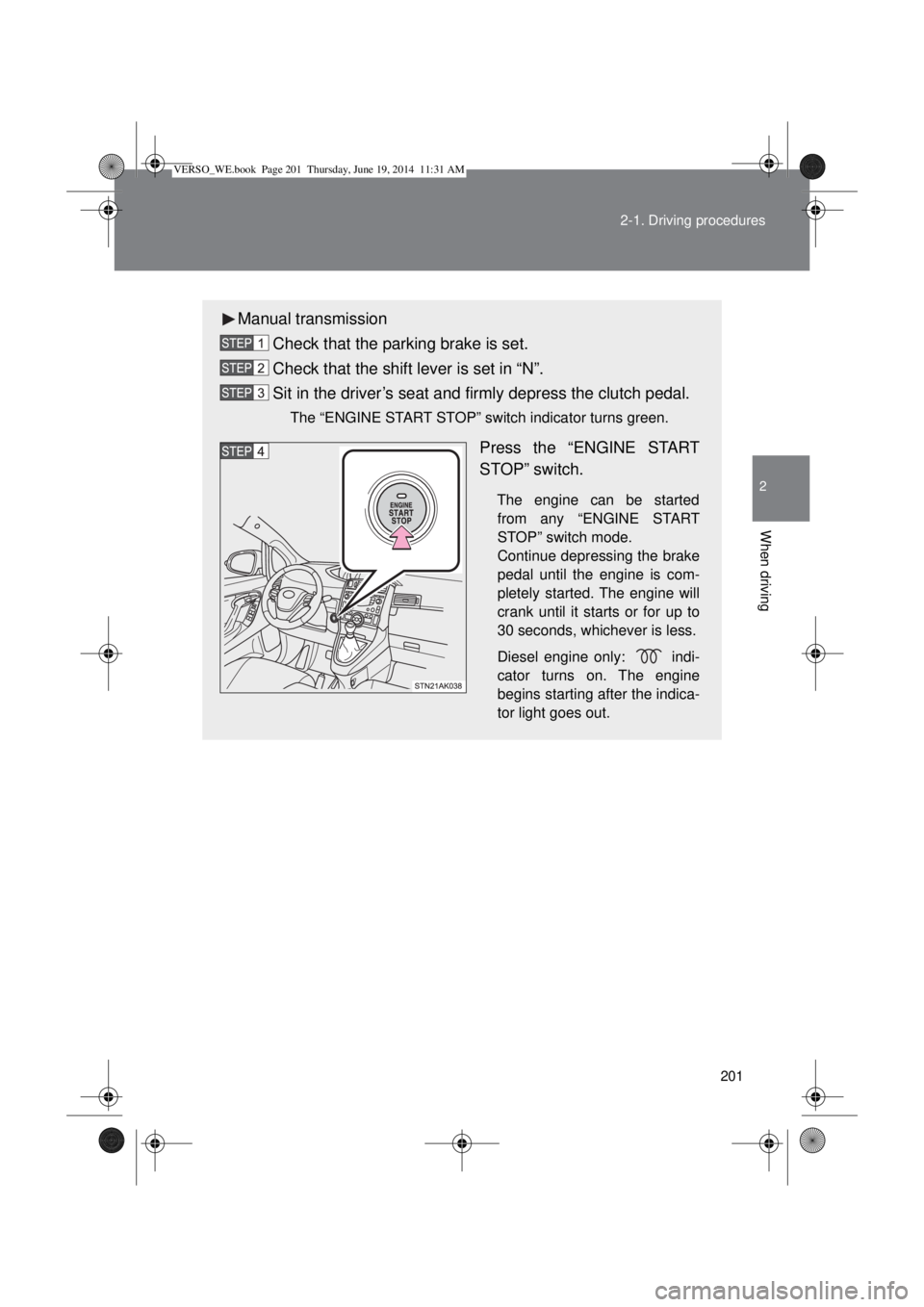
Manual transmission
Check that the parking brake is set.
Check that the shift lever is set in “N”.
Sit in the driver’s seat and firmly depress the clutch pedal.
The “ENGINE START STOP” switch indicator turns green.
Press the “ENGINE START
STOP” switch.
The engine can be started
from any “ENGINE START
STOP” switch mode.
Continue depressing the brake
pedal until the engine is com-
pletely started. The engine will
crank until it starts or for up to
30 seconds, whichever is less.
Diesel engine only: indi-
cator turns on. The engine
begins starting after the indica-
tor light goes out.
VERSO_WE.book Page 201 Thursday, June 19, 2014 11:31 AM
Page 204 of 650
204 2-1. Driving procedures
Auto power off function
Vehicles with a Multidrive or an automatic transmission
If the vehicle is left in ACCESSORY mode for more than 20 minutes with
the shift lever in “P”, the “ENGINE START STOP” switch will automatically
turn off.
Vehicles with a manual transmission
If the vehicle is left in ACCESSORY mode for more than 20 minutes, the
“ENGINE START STOP” switch will automatically turn off.
“ENGINE START STOP” switch operation
When operating the “ENGINE START STOP” switch, push it quickly and
firmly. If the switch is not pushed firmly, the mode may not change or the
engine may not start. Furthermore, if the switch is pushed quickly and firmly,
there is no need to hold it down.
Electronic key battery depletion
P. 47
When the electronic key battery is discharged
P. 582
Conditions affecting operation
P. 63
Note for the smart entry & start system
P. 47
CAUTION
When starting the engine
Always start the engine while sitting in the driver’s seat. Do not depress the
accelerator pedal while starting the engine under any circumstances.
Doing so may cause an accident resulting in death or serious injury.
VERSO_WE.book Page 204 Thursday, June 19, 2014 11:31 AM
Page 205 of 650
205 2-1. Driving procedures
2
When driving
CAUTION
Caution while driving
If the vehicle is coasting without engine power, for example if the engine
stalls, do not open a door or operate the locks until the vehicle is completely
stopped in a safe condition. Driving with the steering locked may cause an
accident, resulting in death or serious injury.
Stopping the engine in an emergency
If you want to stop the engine in an emergency while driving the vehicle,
press and hold the “ENGINE START STOP” switch for more than 2 seconds,
or press it briefly 3 times or more in succession. (P. 595)
However, do not touch the “ENGINE START STOP” switch while driving
except in an emergency. Turning the engine off while driving will not cause
loss of steering or braking control, but the power assist to these systems will
be lost. This will make it more difficult to steer and brake, so you should pull
over and stop the vehicle as soon as it is safe to do so.
NOTICE
To prevent battery discharge
Do not leave the “ENGINE START STOP” switch in ACCESSORY or IGNI-
TION ON mode for long periods without the engine running.
When starting the engine
Do not race a cold engine.
If the engine becomes difficult to start or stalls frequently, have your vehi-
cle checked by any authorized Toyota dealer or repairer, or another duly
qualified and equipped professional immediately.
“ENGINE START STOP” switch operation
If you feel something catching or sense irregular resistance when operating
the “ENGINE START STOP” switch, then there may be a malfunction. Imme-
diately contact any authorized Toyota dealer or repairer, or another duly
qualified and equipped professional.
VERSO_WE.book Page 205 Thursday, June 19, 2014 11:31 AM
Page 207 of 650
207 2-1. Driving procedures
2
When driving
Selecting a shift position
*1: To improve fuel consumption and reduce noises, set the shift lever in
the “D” position for normal driving.
*2: If equipped, by selecting gear step using paddle shift switches, you can
control engine braking forces.
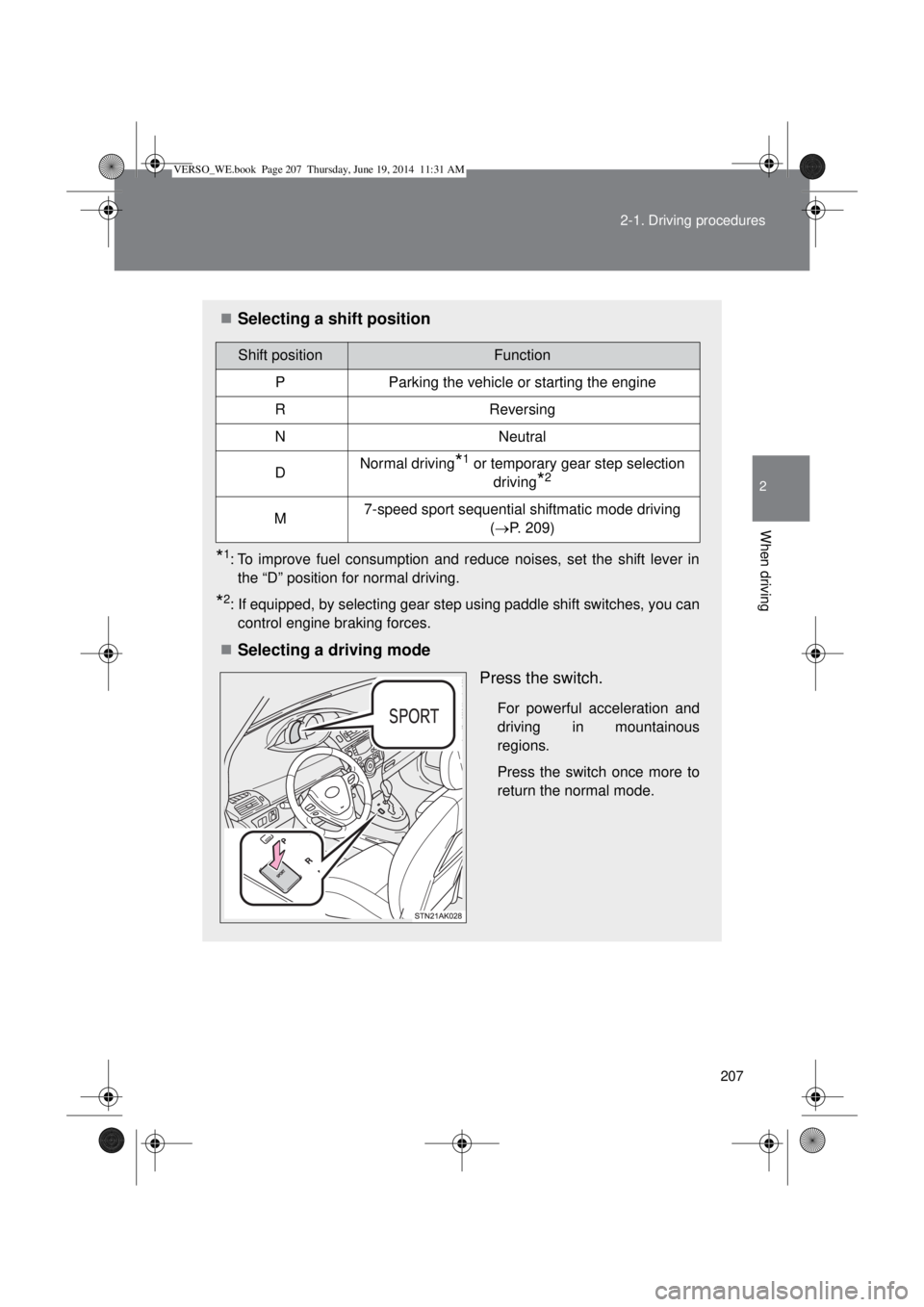
Selecting a driving mode
Press the switch.
For powerful acceleration and
driving in mountainous
regions.
Press the switch once more to
return the normal mode.
Shift positionFunction
PParking the vehicle or starting the engine
RReversing
NNeutral
DNormal driving*1 or temporary gear step selection
driving
*2
M7-speed sport sequential shiftmatic mode driving
(P. 209)
VERSO_WE.book Page 207 Thursday, June 19, 2014 11:31 AM
Page 213 of 650
213 2-1. Driving procedures
2
When driving
Selecting a shift position
*1: Shifting to the “D” position allows the system to select a gear suitable
for the driving conditions.
Setting the shift lever to the “D” position is recommended for normal
driving.
*2: If equipped, by selecting shift ranges using paddle shift switches, you
can control engine braking forces.
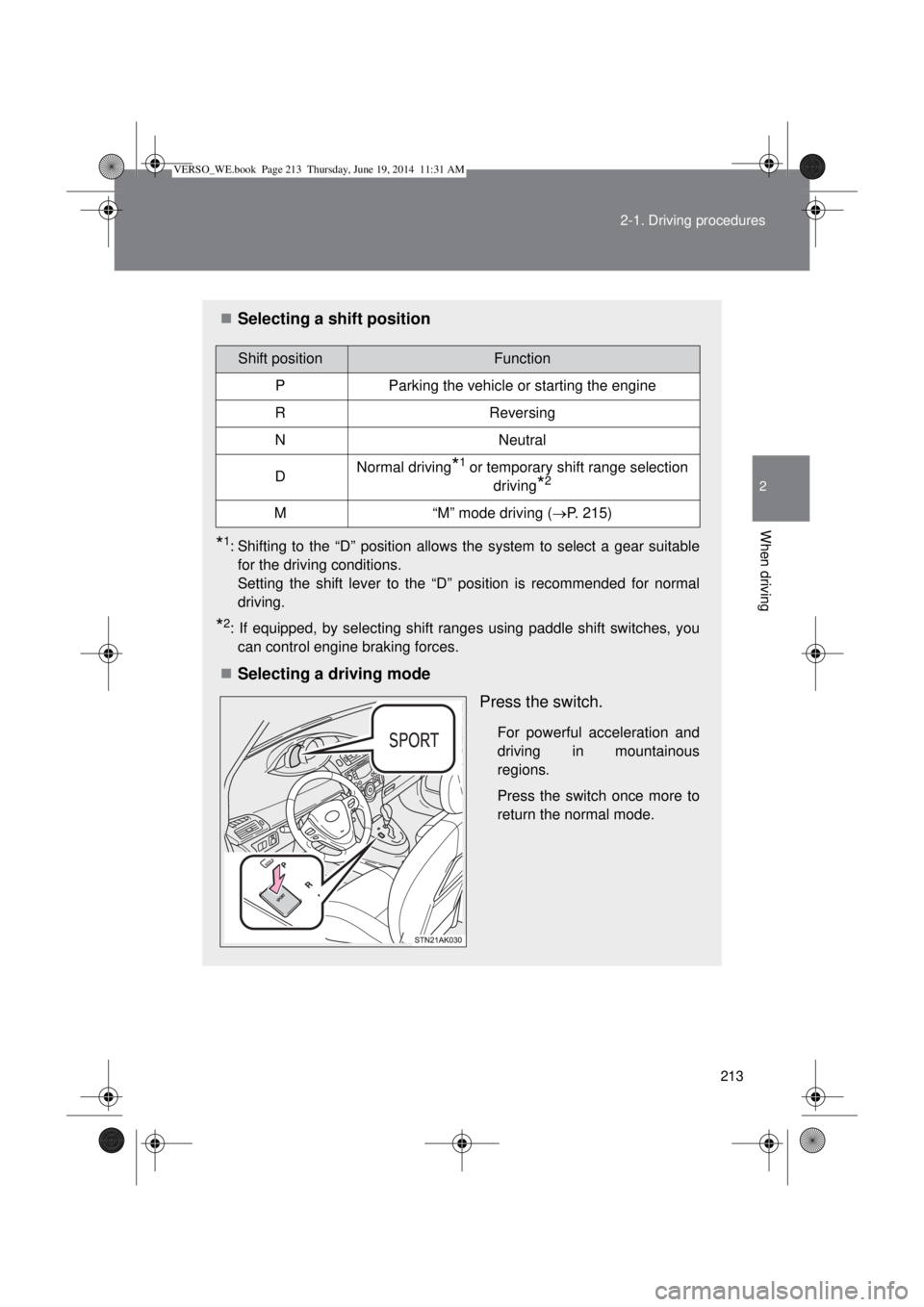
Selecting a driving mode
Press the switch.
For powerful acceleration and
driving in mountainous
regions.
Press the switch once more to
return the normal mode.
Shift positionFunction
PParking the vehicle or starting the engine
RReversing
NNeutral
DNormal driving*1 or temporary shift range selection
driving
*2
M“M” mode driving (P. 215)
VERSO_WE.book Page 213 Thursday, June 19, 2014 11:31 AM
Page 254 of 650
254 2-3. Operating the lights and wipers
Daytime running light system (if equipped)
To make your vehicle more visible to other drivers, the daytime run-
ning lights turn on automatically whenever the engine is started and
then the parking brake is released. (However, the daytime running
light system will be canceled when the headlight switch is operated
manually or the automatic headlight system turns on the tail lights.)
Daytime running lights are not designed for use at night.
Deactivating/reactivating the daytime running light system
Follow the procedure below.
Vehicles without smart entry & start system: Turn the engine
switch to the “ON” position. Turn off the headlights, tail lights
and automatic headlights system, and set the parking brake.
Vehicles with smart entry & start system: Turn the “ENGINE
START STOP” switch to IGNITION ON mode. Turn off the
headlights, tail lights and automatic headlights system, and
set the parking brake.
Start the engine.
You must perform step 3 within 5 seconds of starting the engine.
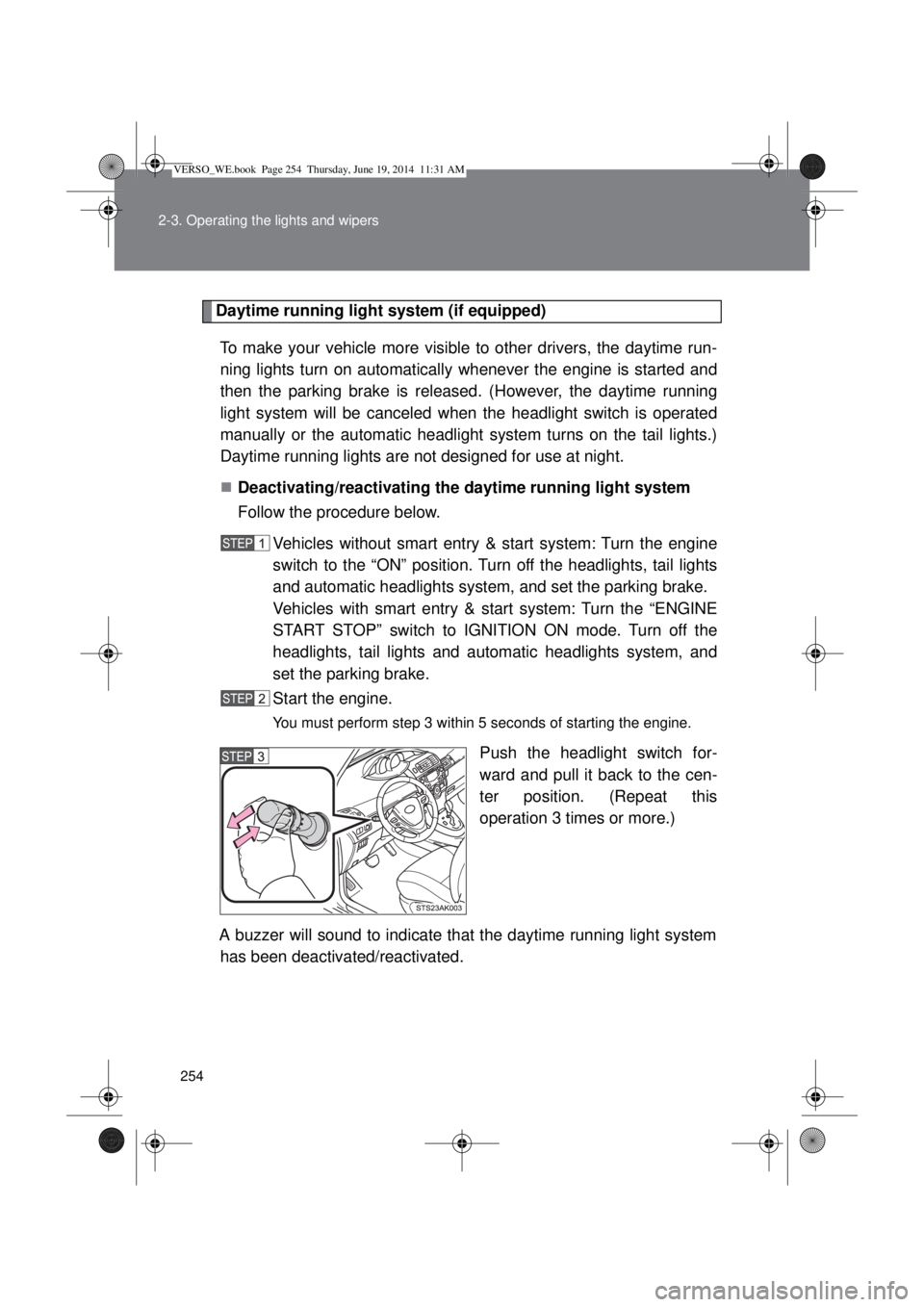
Push the headlight switch for-
ward and pull it back to the cen-
ter position. (Repeat this
operation 3 times or more.)
A buzzer will sound to indicate that the daytime running light system
has been deactivated/reactivated.
VERSO_WE.book Page 254 Thursday, June 19, 2014 11:31 AM
Page 280 of 650
280
2-4. Using other driving systems
Stop & Start system
: If equipped
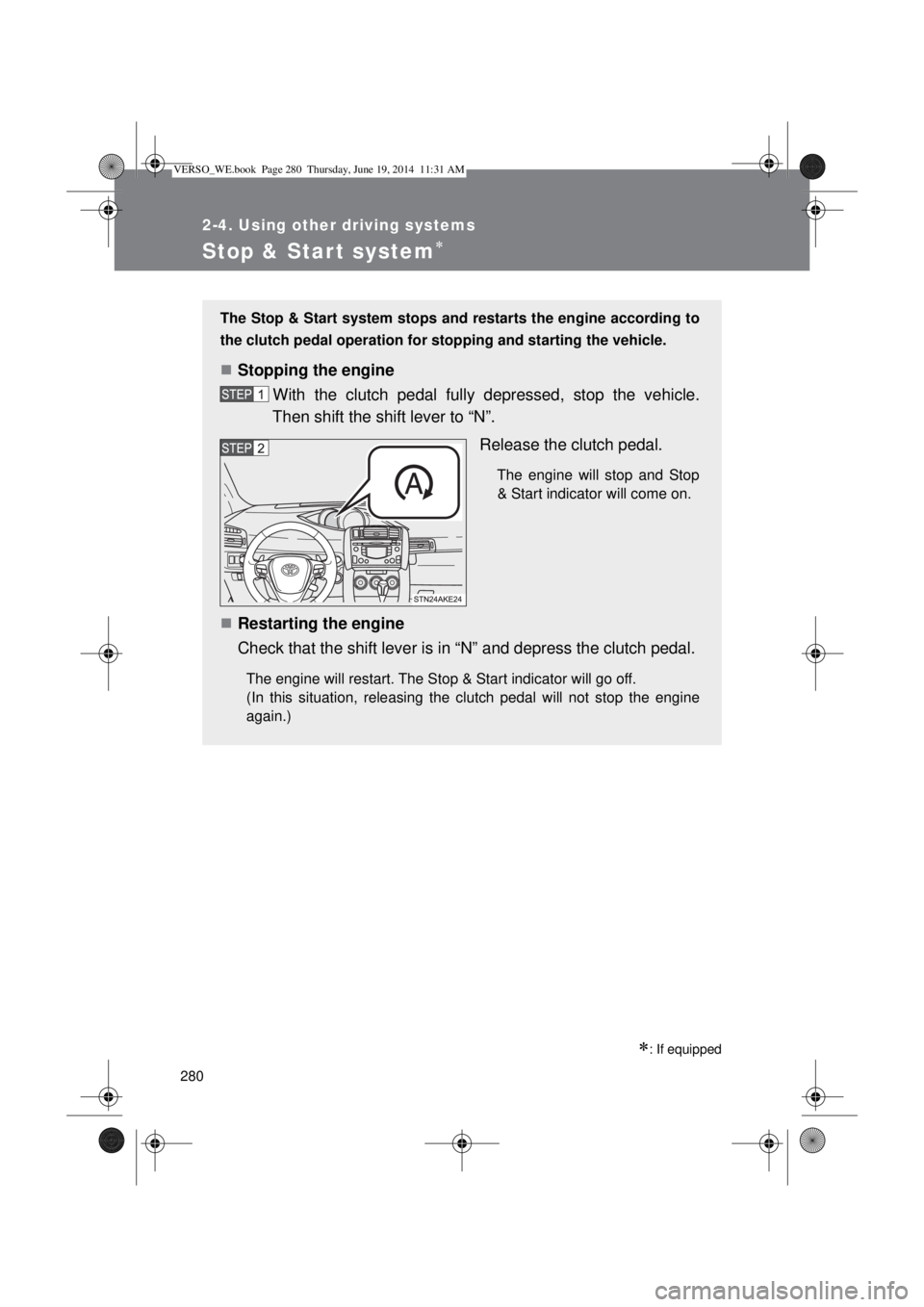
The Stop & Start system stops and restarts the engine according to
the clutch pedal operation for stopping and starting the vehicle.
Stopping the engine
With the clutch pedal fully depressed, stop the vehicle.
Then shift the shift lever to “N”.
Release the clutch pedal.
The engine will stop and Stop
& Start indicator will come on.
Restarting the engine
Check that the shift lever is in “N” and depress the clutch pedal.
The engine will restart. The Stop & Start indicator will go off.
(In this situation, releasing the clutch pedal will not stop the engine
again.)
VERSO_WE.book Page 280 Thursday, June 19, 2014 11:31 AM
Page 287 of 650
287
2-4. Using other driving systems
2
When driving
Driving assist systems
To help enhance driving safety and performance, the following sys-
tems operate automatically in response to various driving situations.
Be aware, however, that these systems are supplementary and
should not be relied upon too heavily when operating the vehicle.
ABS (Anti-lock Brake System)
Helps to prevent wheel lock when the brakes are applied suddenly, or if
the brakes are applied while driving on a slippery road surface.
Brake assist
Generates an increased level of braking force after the brake pedal is
depressed, when the system detects a panic stop situation.
VSC+ (Vehicle Stability Control +)
Provides cooperative control of the ABS, TRC, VSC and EPS.
Helps to maintain directional stability when swerving on slippery road
surfaces by controlling steering performance.
TRC (Traction Control)
Helps to maintains drive power and prevents the front wheels from
spinning when starting the vehicle or accelerating on slippery roads.
EPS (Electric Power Steering)
Employs an electric motor to reduce the amount of effort needed to turn
the steering wheel.
Hill-start assist control
P. 293
VERSO_WE.book Page 287 Thursday, June 19, 2014 11:31 AM