instrument cluster TOYOTA VERSO 2015 User Guide
[x] Cancel search | Manufacturer: TOYOTA, Model Year: 2015, Model line: VERSO, Model: TOYOTA VERSO 2015Pages: 650, PDF Size: 36.61 MB
Page 236 of 650
236 2-2. Instrument cluster
*1: These lights turn on when the engine switch is turned to the “ON” posi-
tion (vehicles without smart entry & start system) or the “ENGINE
START STOP” switch is turned to IGNITION ON mode (vehicles with
smart entry & start system) to indicate that a system check is being
performed. They will turn off after the engine is started, or after a few
seconds. There may be a malfunction in a system if a light does not
come on, or if the lights do not turn off. Have the vehicle inspected by
any authorized Toyota dealer or repairer, or another duly qualified and
equipped professional for details.
*2: The light flashes to indicate that the system is operating.
*3: Vehicles with a Multidrive or an automatic transmission
*4: This indicator turns on in blue when the engine coolant temperature is
low.
*5: Vehicles with an Automatic transmission
*6: Vehicles with a Manual transmission
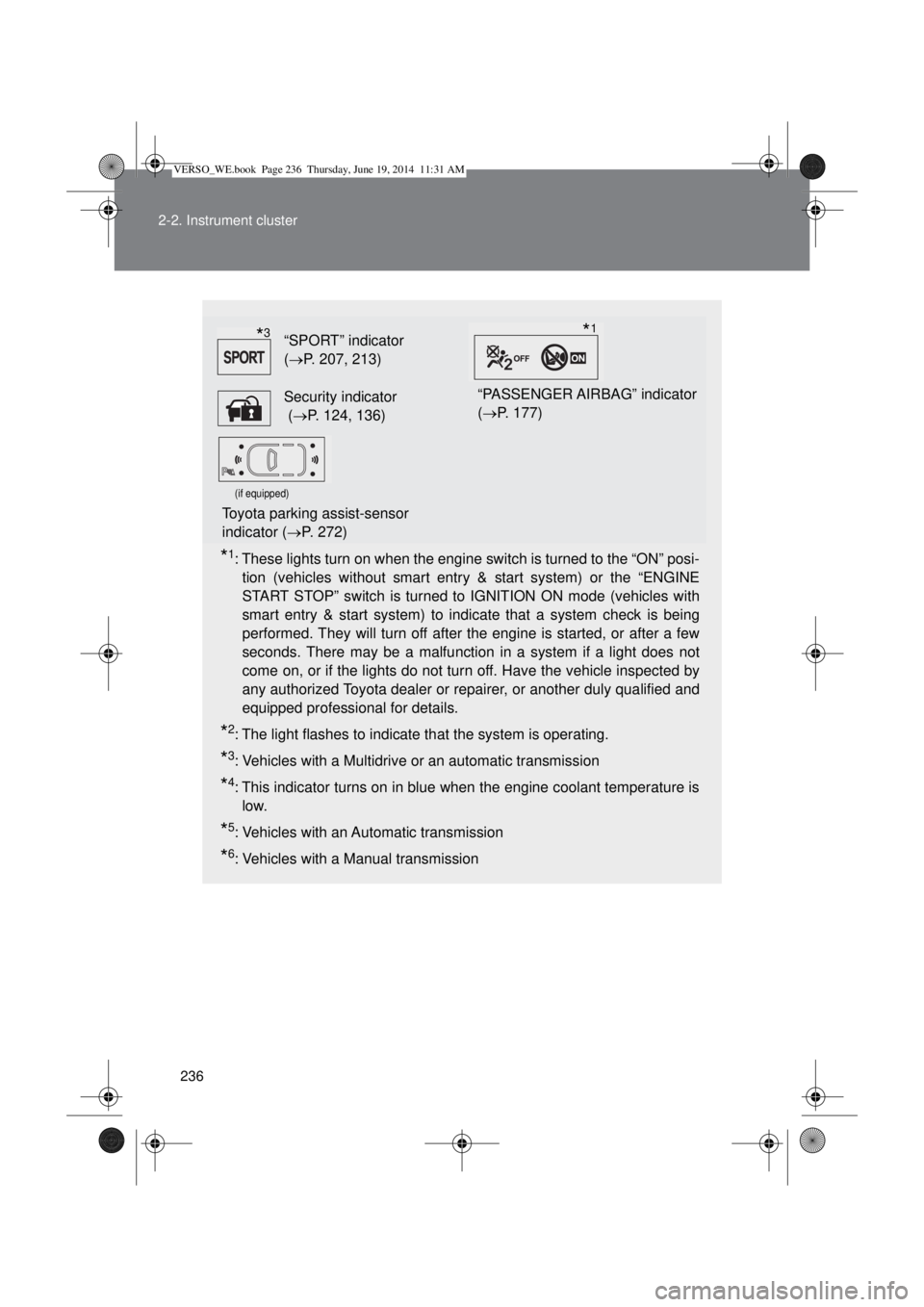
“SPORT” indicator
(P. 207, 213)
Security indicator
(P. 124, 136)“PASSENGER AIRBAG” indicator
(P. 177)
(if equipped)
Toyota parking assist-sensor
indicator (P. 272)
*3*1
VERSO_WE.book Page 236 Thursday, June 19, 2014 11:31 AM
Page 237 of 650
237 2-2. Instrument cluster
2
When driving
Warning lights
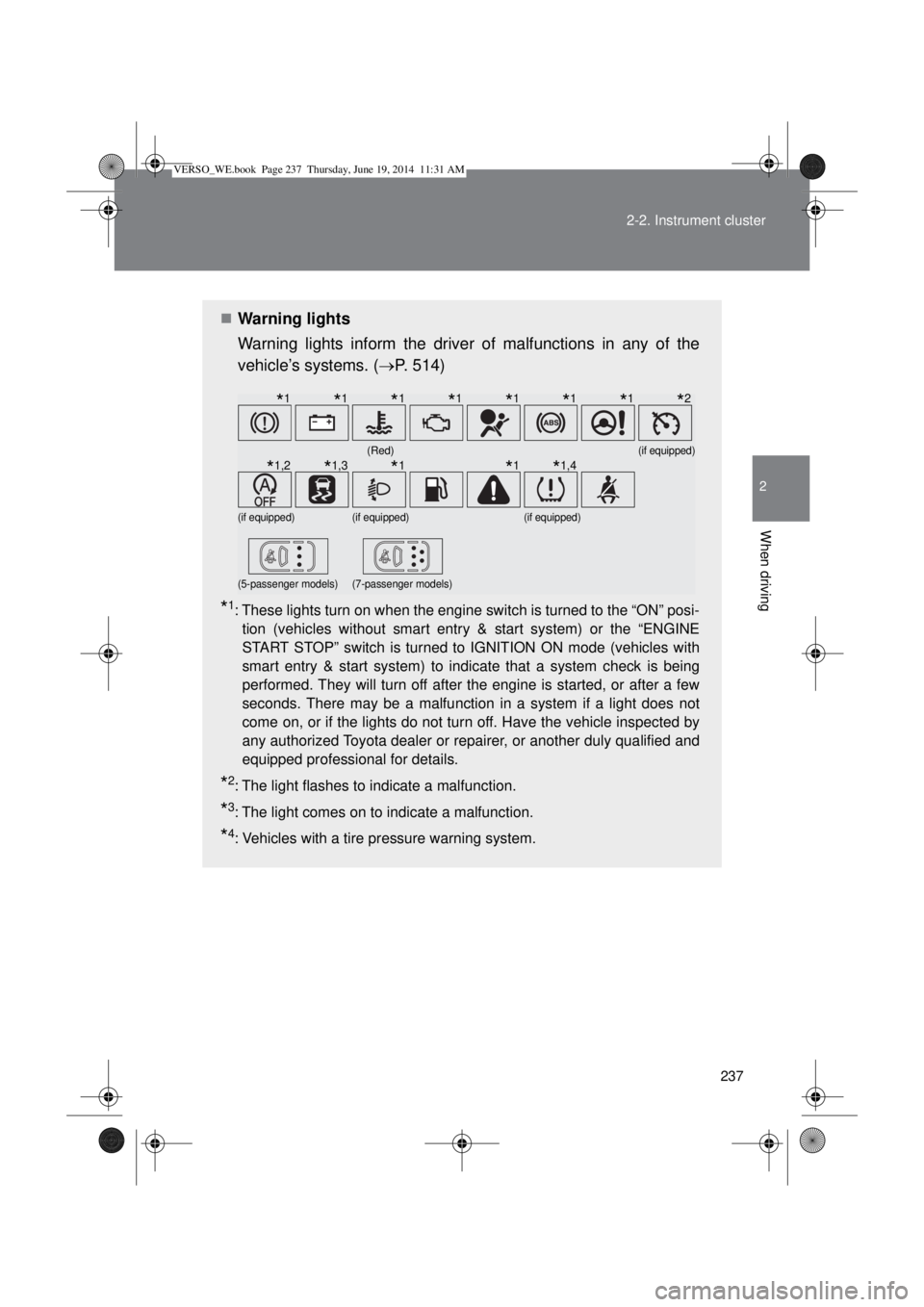
Warning lights inform the driver of malfunctions in any of the
vehicle’s systems. (P. 514)
*1: These lights turn on when the engine switch is turned to the “ON” posi-
tion (vehicles without smart entry & start system) or the “ENGINE
START STOP” switch is turned to IGNITION ON mode (vehicles with
smart entry & start system) to indicate that a system check is being
performed. They will turn off after the engine is started, or after a few
seconds. There may be a malfunction in a system if a light does not
come on, or if the lights do not turn off. Have the vehicle inspected by
any authorized Toyota dealer or repairer, or another duly qualified and
equipped professional for details.
*2: The light flashes to indicate a malfunction.
*3: The light comes on to indicate a malfunction.
*4: Vehicles with a tire pressure warning system.
(Red)(if equipped)
(if equipped)(if equipped)(if equipped)
(5-passenger models)(7-passenger models)
*1*1*1*1*1*1*1*2
*1,2*1,3*1*1*1,4
VERSO_WE.book Page 237 Thursday, June 19, 2014 11:31 AM
Page 238 of 650
238 2-2. Instrument cluster
CAUTION
If a safety system warning light does not come on
Should a safety system light such as ABS and the SRS airbag warning light
not come on when you start the engine, this could mean that these systems
are not available to help protect you in an accident, which could result in
death or serious injury. Have the vehicle inspected by any authorized Toyota
dealer or repairer, or another duly qualified and equipped professional imme-
diately if this occurs.
VERSO_WE.book Page 238 Thursday, June 19, 2014 11:31 AM
Page 239 of 650
239
2-2. Instrument cluster
2
When driving
Multi-information display
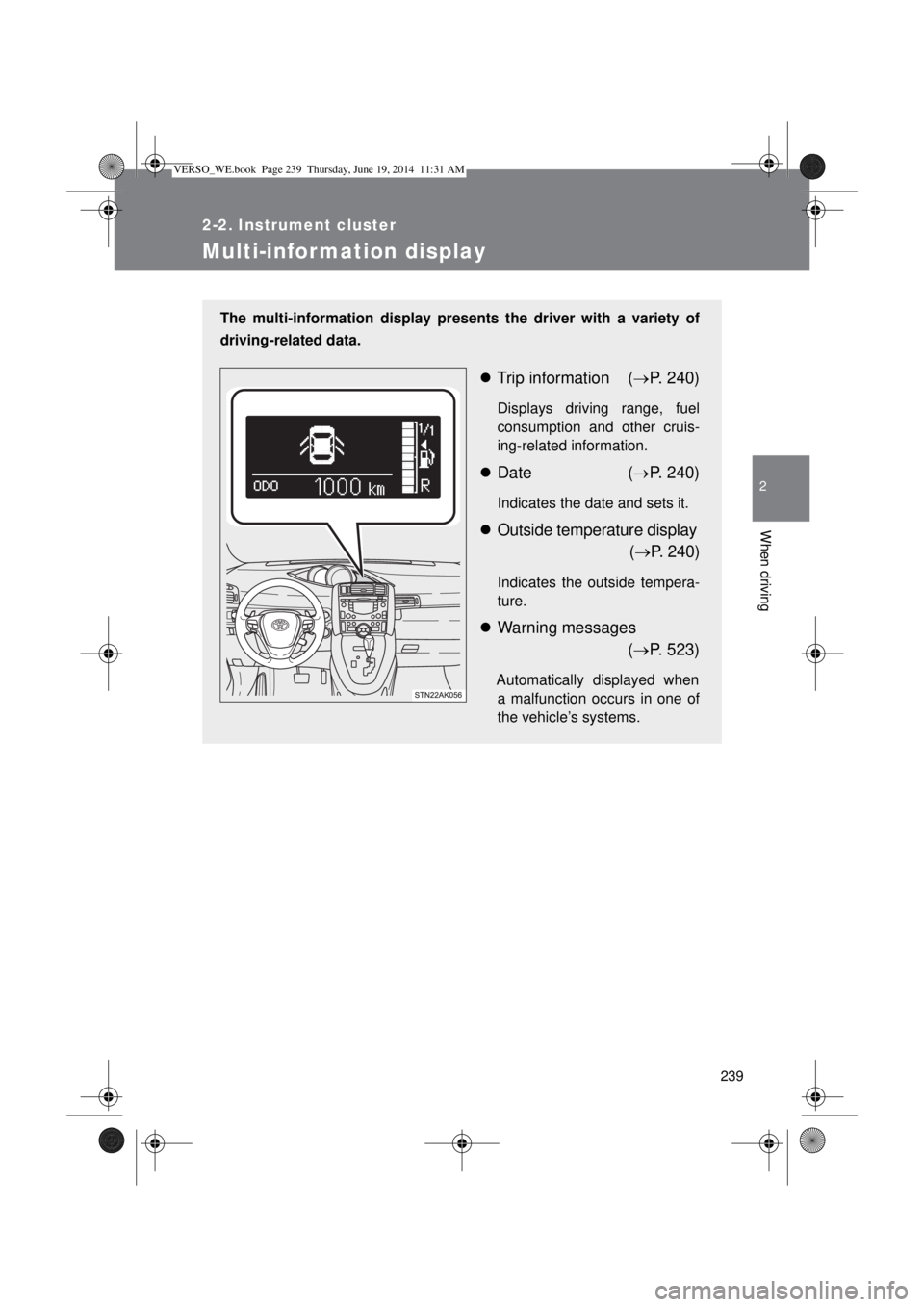
The multi-information display presents the driver with a variety of
driving-related data.
Trip information (P. 240)
Displays driving range, fuel
consumption and other cruis-
ing-related information.
Date (P. 240)
Indicates the date and sets it.
Outside temperature display
(P. 240)
Indicates the outside tempera-
ture.
Warning messages
(P. 523)
Automatically displayed when
a malfunction occurs in one of
the vehicle’s systems.
VERSO_WE.book Page 239 Thursday, June 19, 2014 11:31 AM
Page 240 of 650
240 2-2. Instrument cluster
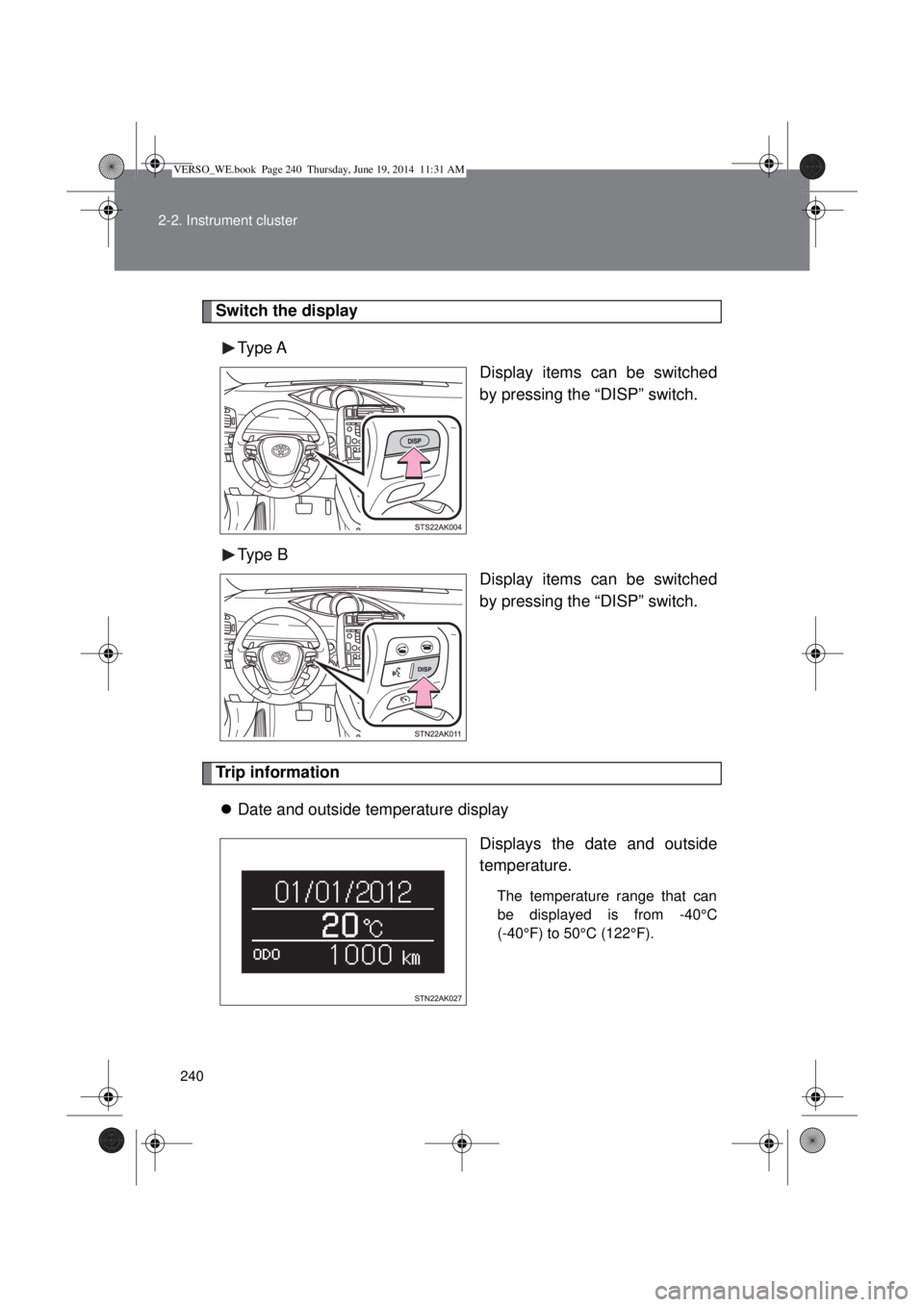
Switch the display
Type A
Display items can be switched
by pressing the “DISP” switch.
Type B
Display items can be switched
by pressing the “DISP” switch.
Trip information
Date and outside temperature display
Displays the date and outside
temperature.
The temperature range that can
be displayed is from -40°C
(-40°F) to 50°C (122°F).
VERSO_WE.book Page 240 Thursday, June 19, 2014 11:31 AM
Page 241 of 650
241 2-2. Instrument cluster
2
When driving
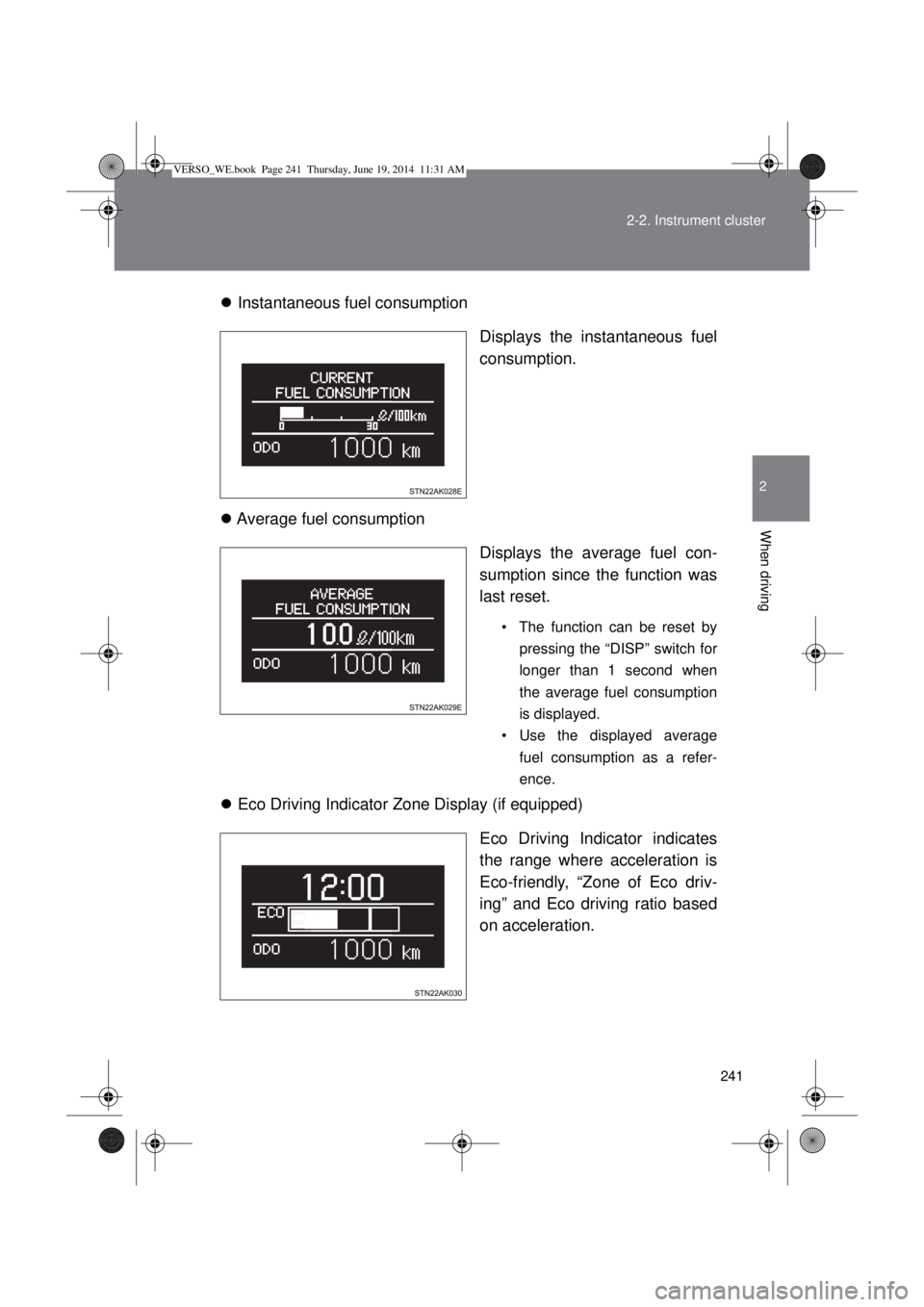
Instantaneous fuel consumption
Displays the instantaneous fuel
consumption.
Average fuel consumption
Displays the average fuel con-
sumption since the function was
last reset.
• The function can be reset by
pressing the “DISP” switch for
longer than 1 second when
the average fuel consumption
is displayed.
• Use the displayed average
fuel consumption as a refer-
ence.
Eco Driving Indicator Zone Display (if equipped)
Eco Driving Indicator indicates
the range where acceleration is
Eco-friendly, “Zone of Eco driv-
ing” and Eco driving ratio based
on acceleration.
VERSO_WE.book Page 241 Thursday, June 19, 2014 11:31 AM
Page 242 of 650
242 2-2. Instrument cluster
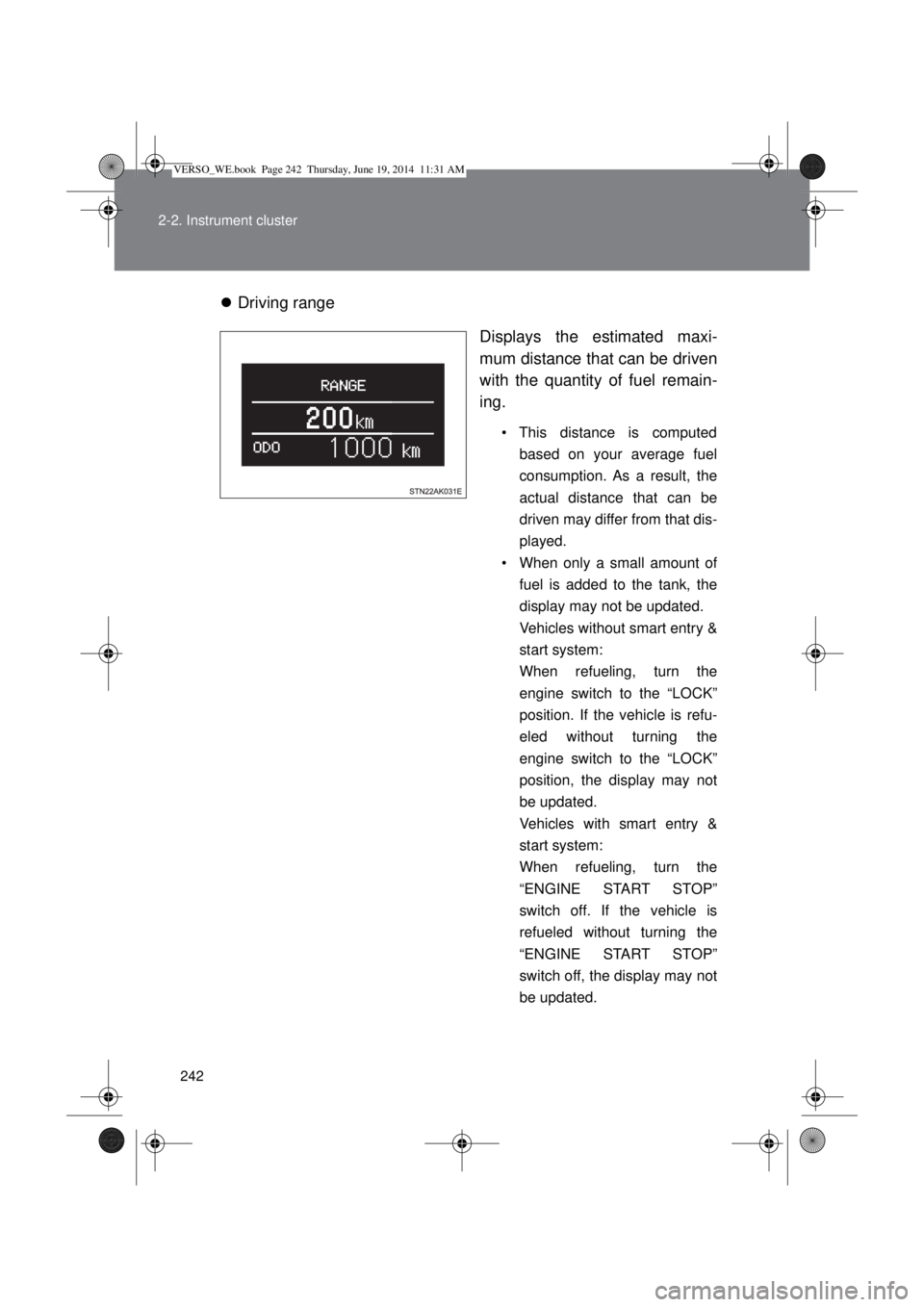
Driving range
Displays the estimated maxi-
mum distance that can be driven
with the quantity of fuel remain-
ing.
• This distance is computed
based on your average fuel
consumption. As a result, the
actual distance that can be
driven may differ from that dis-
played.
• When only a small amount of
fuel is added to the tank, the
display may not be updated.
Vehicles without smart entry &
start system:
When refueling, turn the
engine switch to the “LOCK”
position. If the vehicle is refu-
eled without turning the
engine switch to the “LOCK”
position, the display may not
be updated.
Vehicles with smart entry &
start system:
When refueling, turn the
“ENGINE START STOP”
switch off. If the vehicle is
refueled without turning the
“ENGINE START STOP”
switch off, the display may not
be updated.
VERSO_WE.book Page 242 Thursday, June 19, 2014 11:31 AM
Page 243 of 650
243 2-2. Instrument cluster
2
When driving
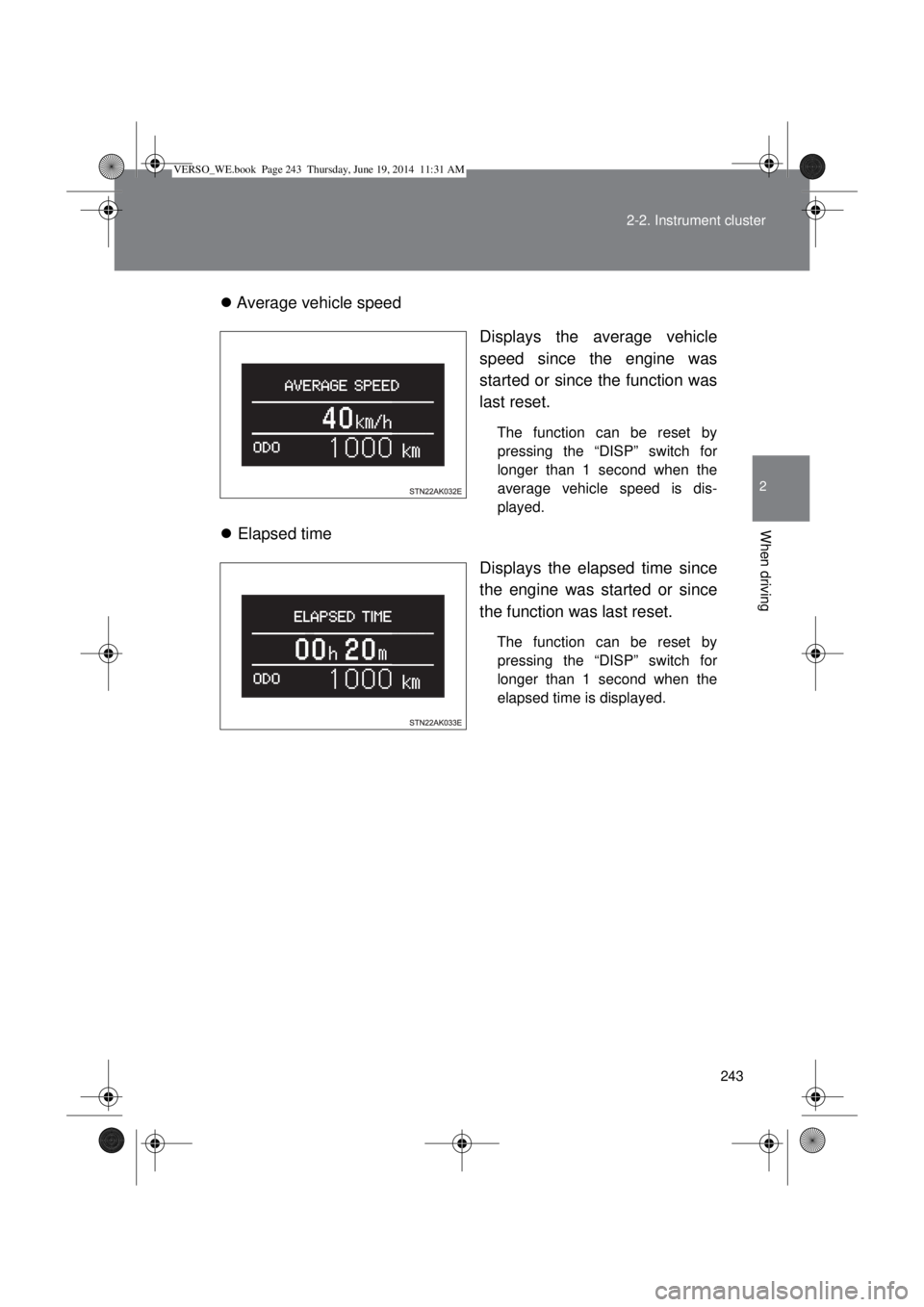
Average vehicle speed
Displays the average vehicle
speed since the engine was
started or since the function was
last reset.
The function can be reset by
pressing the “DISP” switch for
longer than 1 second when the
average vehicle speed is dis-
played.
Elapsed time
Displays the elapsed time since
the engine was started or since
the function was last reset.
The function can be reset by
pressing the “DISP” switch for
longer than 1 second when the
elapsed time is displayed.
VERSO_WE.book Page 243 Thursday, June 19, 2014 11:31 AM
Page 244 of 650
244 2-2. Instrument cluster
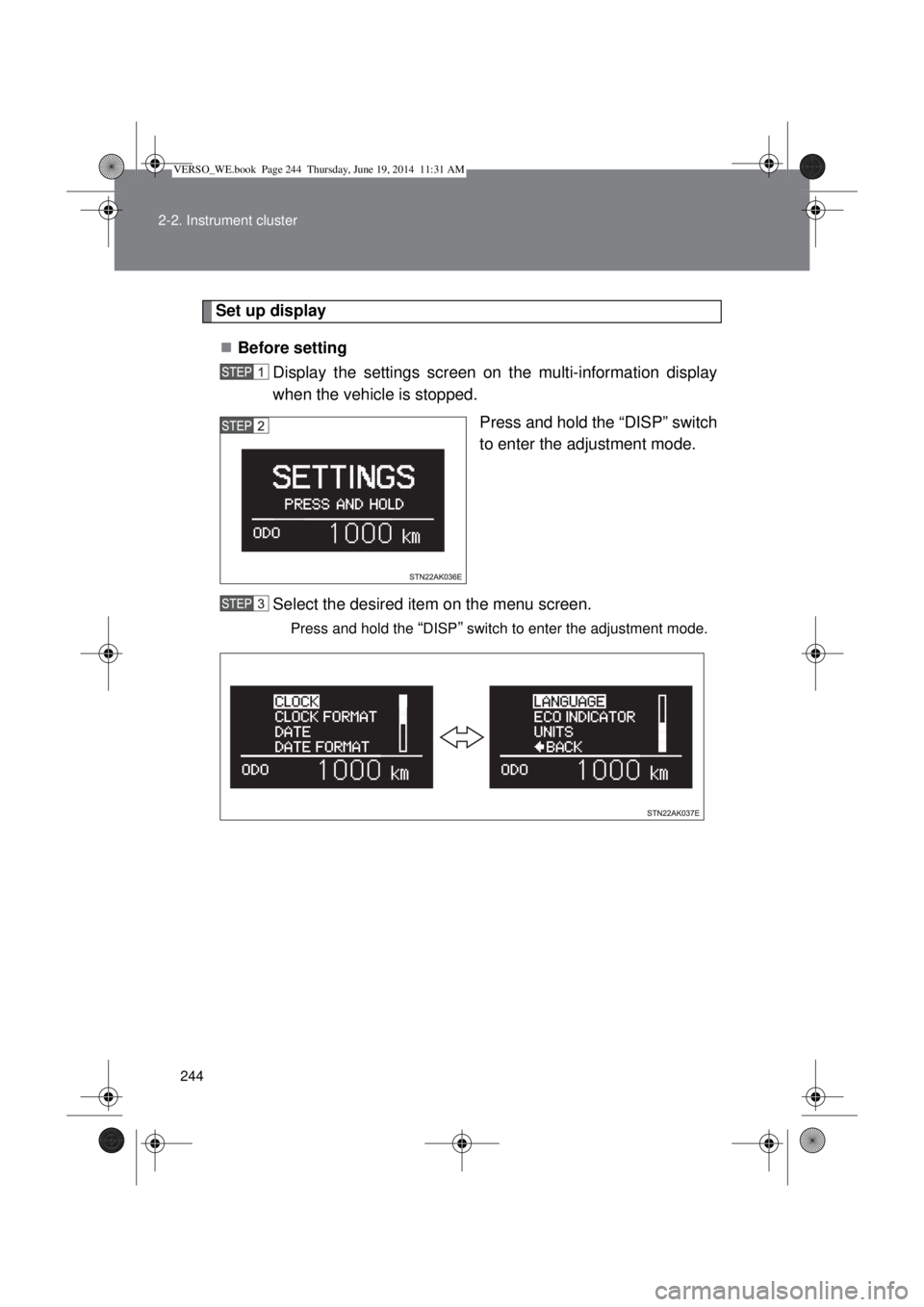
Set up display
Before setting
Display the settings screen on the multi-information display
when the vehicle is stopped.
Press and hold the “DISP” switch
to enter the adjustment mode.
Select the desired item on the menu screen.
Press and hold the “DISP” switch to enter the adjustment mode.
VERSO_WE.book Page 244 Thursday, June 19, 2014 11:31 AM
Page 245 of 650
245 2-2. Instrument cluster
2
When driving
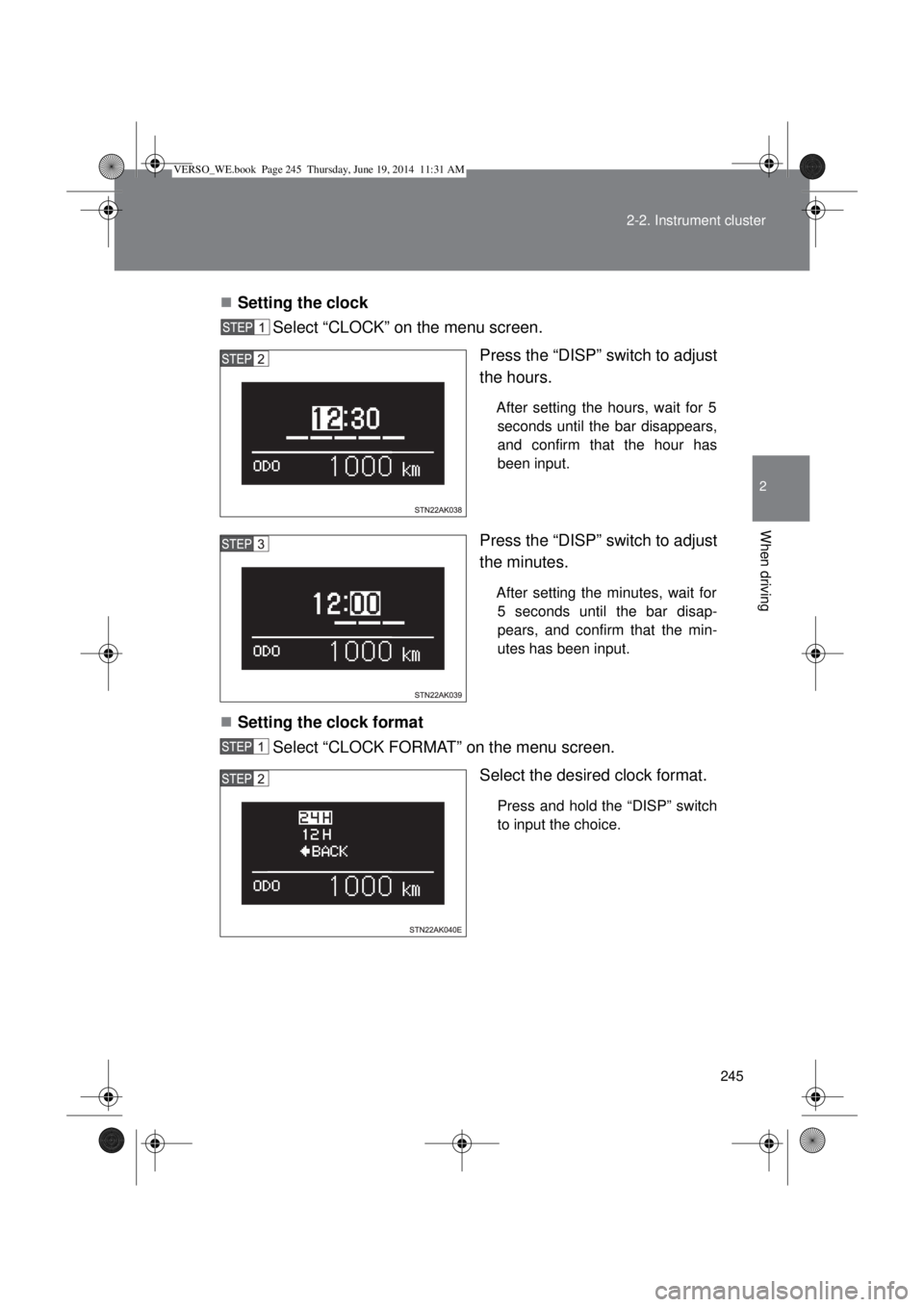
Setting the clock
Select “CLOCK” on the menu screen.
Press the “DISP” switch to adjust
the hours.
After setting the hours, wait for 5
seconds until the bar disappears,
and confirm that the hour has
been input.
Press the “DISP” switch to adjust
the minutes.
After setting the minutes, wait for
5 seconds until the bar disap-
pears, and confirm that the min-
utes has been input.
Setting the clock format
Select “CLOCK FORMAT” on the menu screen.
Select the desired clock format.
Press and hold the “DISP” switch
to input the choice.
VERSO_WE.book Page 245 Thursday, June 19, 2014 11:31 AM