display TOYOTA VERSO 2015 Owner's Manual
[x] Cancel search | Manufacturer: TOYOTA, Model Year: 2015, Model line: VERSO, Model: TOYOTA VERSO 2015Pages: 650, PDF Size: 36.61 MB
Page 232 of 650
232 2-2. Instrument cluster
Instrument panel light control
The brightness of the instrument panel lights, for when the headlight
switch is on, can be adjusted 5 brightness levels.
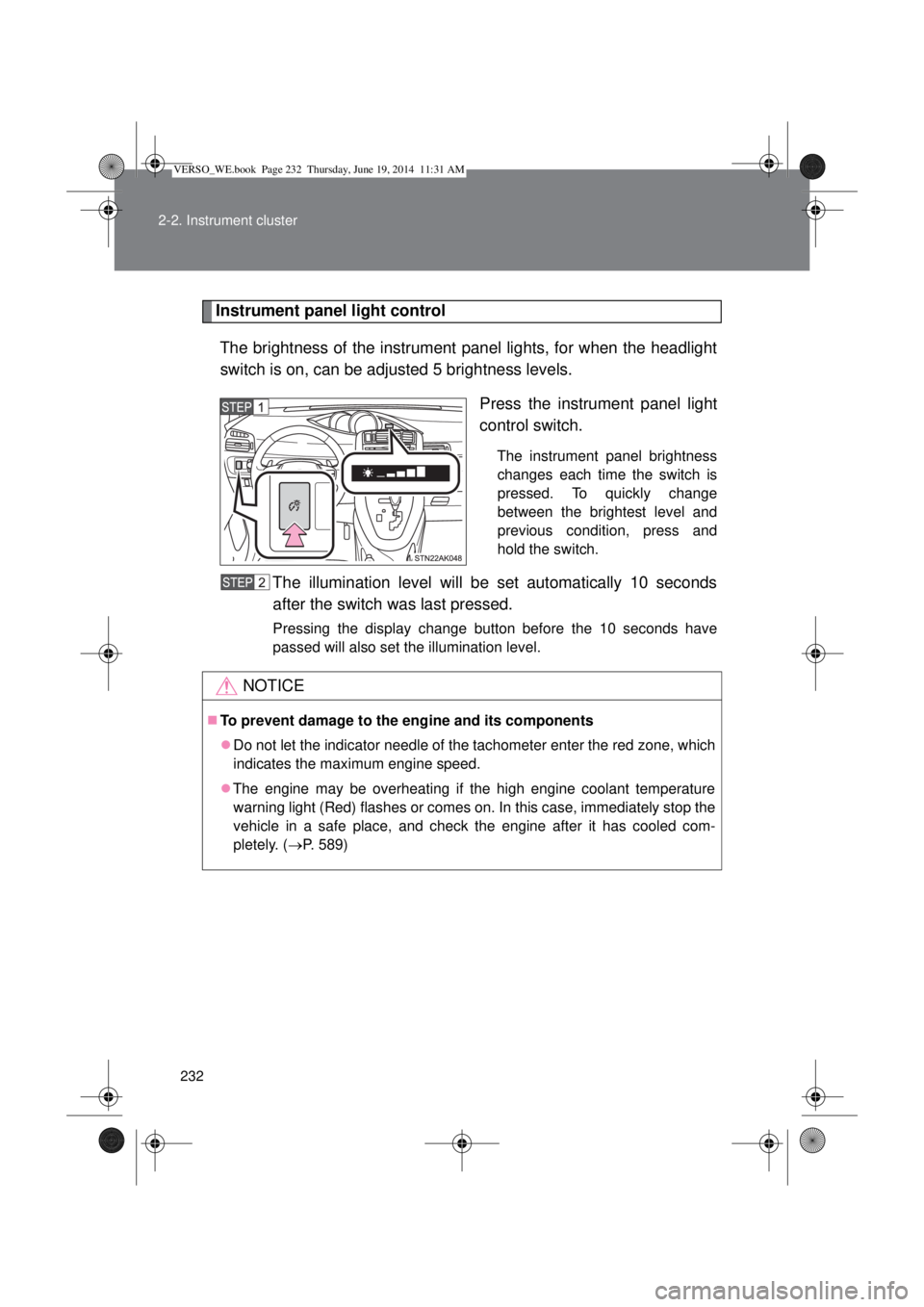
Press the instrument panel light
control switch.
The instrument panel brightness
changes each time the switch is
pressed. To quickly change
between the brightest level and
previous condition, press and
hold the switch.
The illumination level will be set automatically 10 seconds
after the switch was last pressed.
Pressing the display change button before the 10 seconds have
passed will also set the illumination level.
NOTICE
To prevent damage to the engine and its components
Do not let the indicator needle of the tachometer enter the red zone, which
indicates the maximum engine speed.
The engine may be overheating if the high engine coolant temperature
warning light (Red) flashes or comes on. In this case, immediately stop the
vehicle in a safe place, and check the engine after it has cooled com-
pletely. (P. 589)
VERSO_WE.book Page 232 Thursday, June 19, 2014 11:31 AM
Page 233 of 650
233
2-2. Instrument cluster
2
When driving
Indicators and warning lights
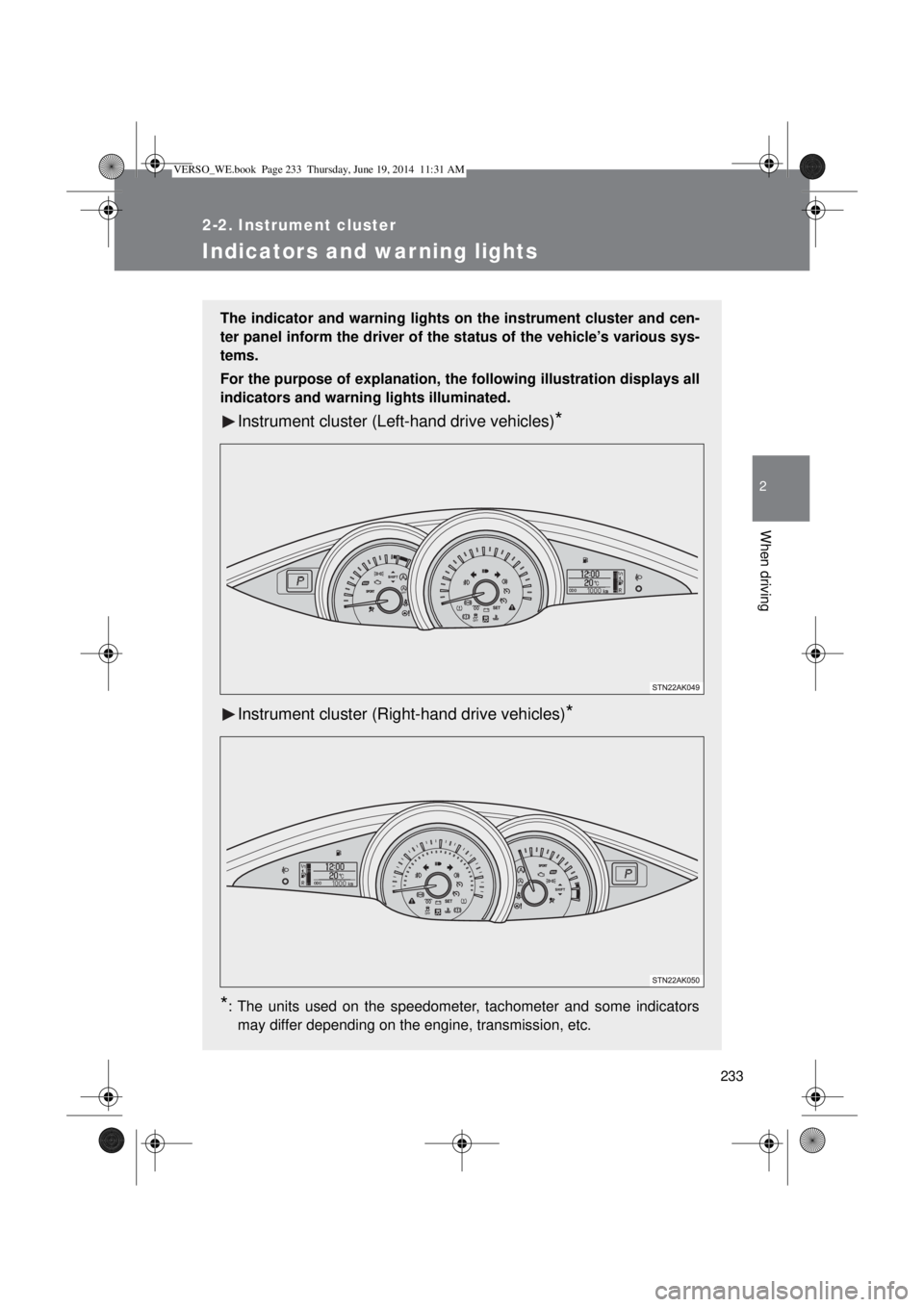
The indicator and warning lights on the instrument cluster and cen-
ter panel inform the driver of the status of the vehicle’s various sys-
tems.
For the purpose of explanation, the following illustration displays all
indicators and warning lights illuminated.
Instrument cluster (Left-hand drive vehicles)*
Instrument cluster (Right-hand drive vehicles)*
*
: The units used on the speedometer, tachometer and some indicators
may differ depending on the engine, transmission, etc.
VERSO_WE.book Page 233 Thursday, June 19, 2014 11:31 AM
Page 239 of 650
239
2-2. Instrument cluster
2
When driving
Multi-information display
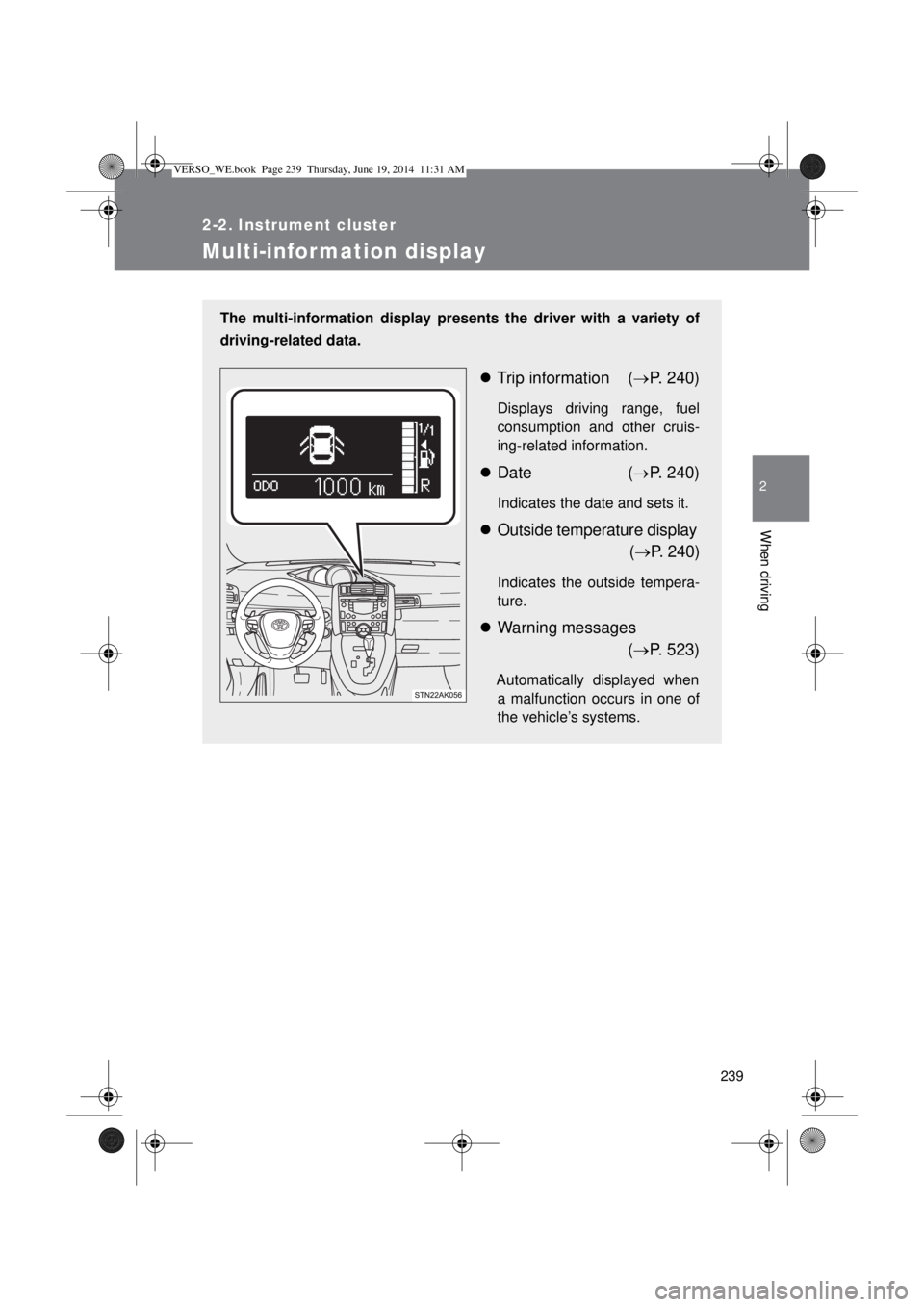
The multi-information display presents the driver with a variety of
driving-related data.
Trip information (P. 240)
Displays driving range, fuel
consumption and other cruis-
ing-related information.
Date (P. 240)
Indicates the date and sets it.
Outside temperature display
(P. 240)
Indicates the outside tempera-
ture.
Warning messages
(P. 523)
Automatically displayed when
a malfunction occurs in one of
the vehicle’s systems.
VERSO_WE.book Page 239 Thursday, June 19, 2014 11:31 AM
Page 240 of 650
240 2-2. Instrument cluster
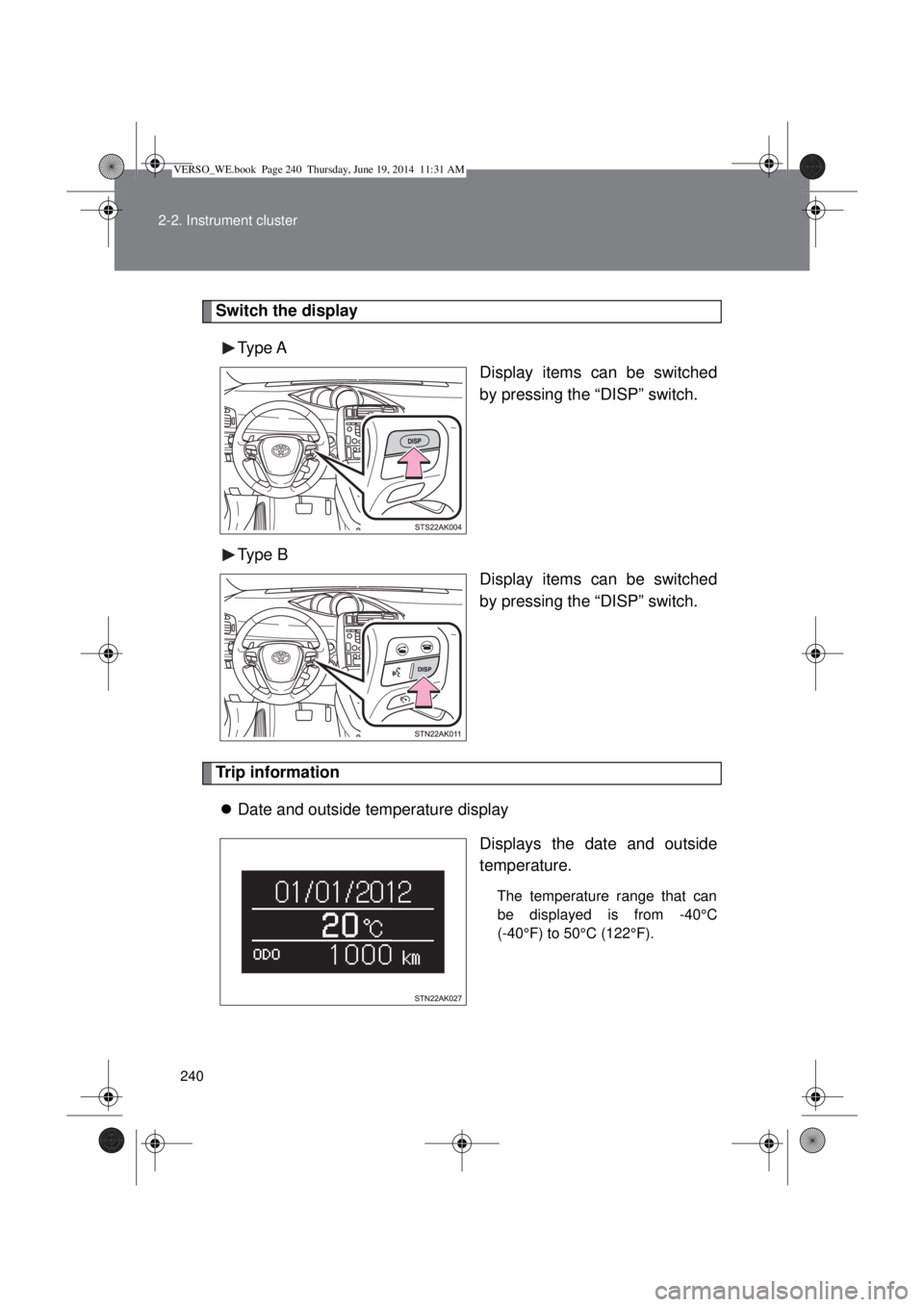
Switch the display
Type A
Display items can be switched
by pressing the “DISP” switch.
Type B
Display items can be switched
by pressing the “DISP” switch.
Trip information
Date and outside temperature display
Displays the date and outside
temperature.
The temperature range that can
be displayed is from -40°C
(-40°F) to 50°C (122°F).
VERSO_WE.book Page 240 Thursday, June 19, 2014 11:31 AM
Page 241 of 650
241 2-2. Instrument cluster
2
When driving
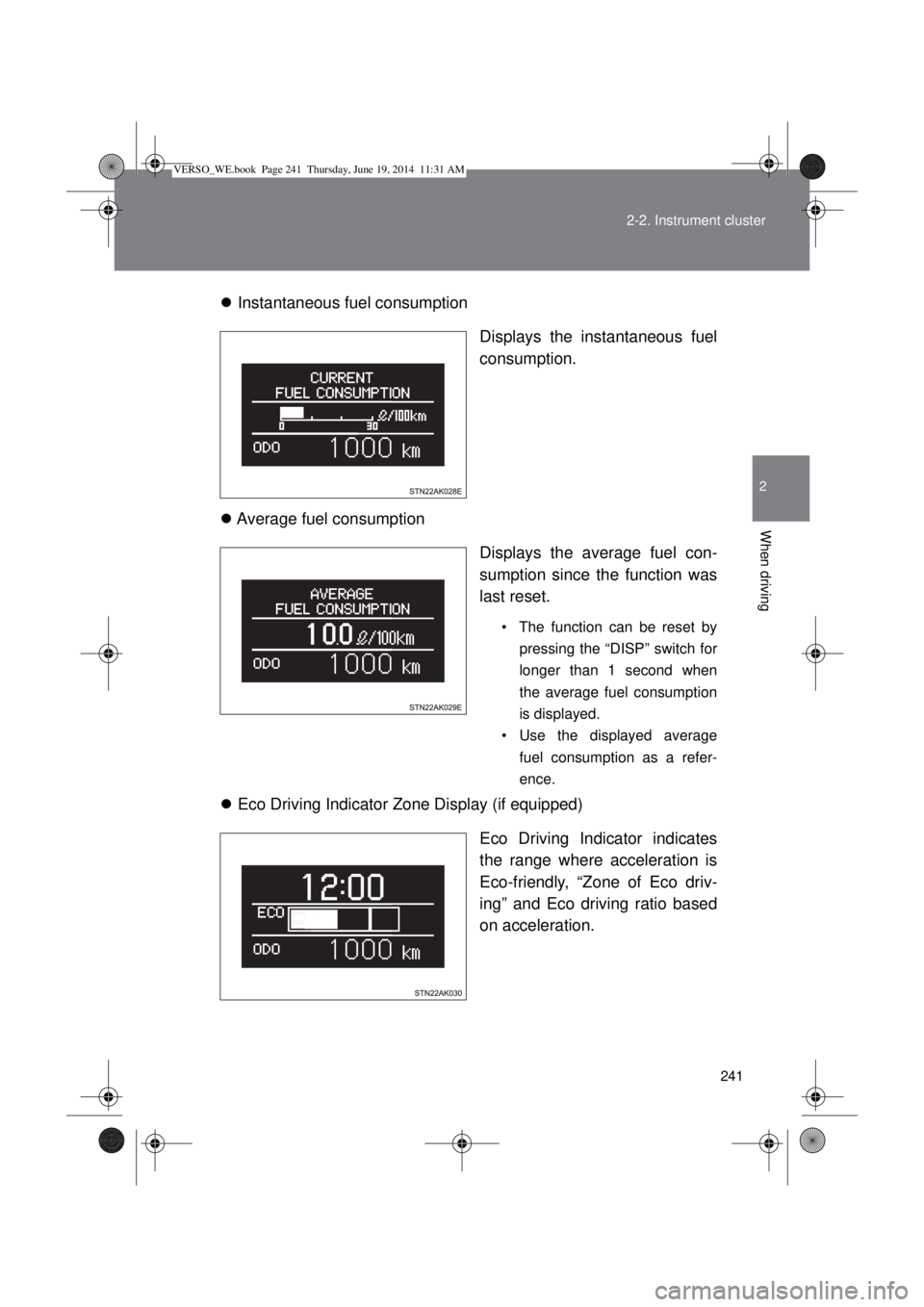
Instantaneous fuel consumption
Displays the instantaneous fuel
consumption.
Average fuel consumption
Displays the average fuel con-
sumption since the function was
last reset.
• The function can be reset by
pressing the “DISP” switch for
longer than 1 second when
the average fuel consumption
is displayed.
• Use the displayed average
fuel consumption as a refer-
ence.
Eco Driving Indicator Zone Display (if equipped)
Eco Driving Indicator indicates
the range where acceleration is
Eco-friendly, “Zone of Eco driv-
ing” and Eco driving ratio based
on acceleration.
VERSO_WE.book Page 241 Thursday, June 19, 2014 11:31 AM
Page 242 of 650
242 2-2. Instrument cluster
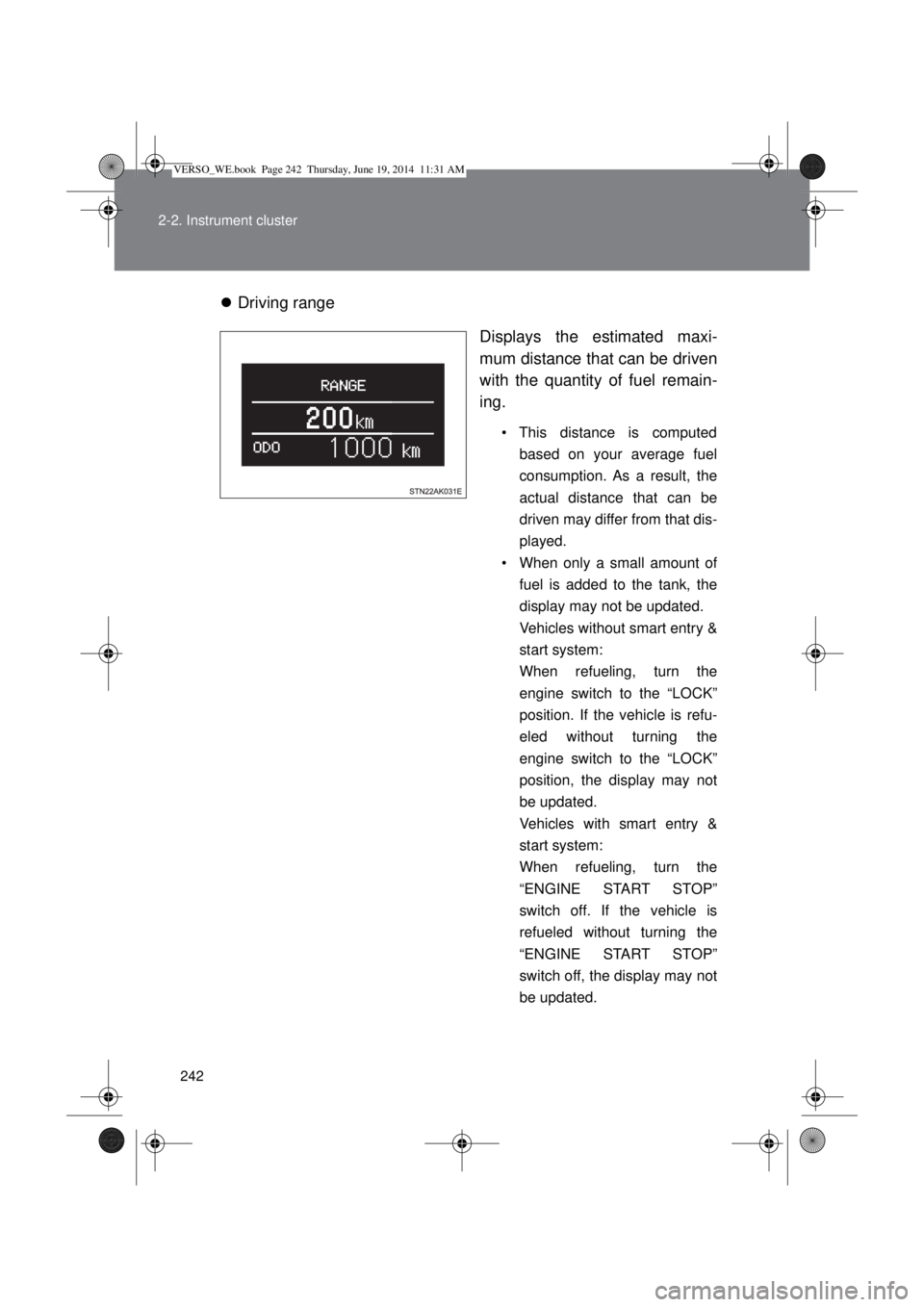
Driving range
Displays the estimated maxi-
mum distance that can be driven
with the quantity of fuel remain-
ing.
• This distance is computed
based on your average fuel
consumption. As a result, the
actual distance that can be
driven may differ from that dis-
played.
• When only a small amount of
fuel is added to the tank, the
display may not be updated.
Vehicles without smart entry &
start system:
When refueling, turn the
engine switch to the “LOCK”
position. If the vehicle is refu-
eled without turning the
engine switch to the “LOCK”
position, the display may not
be updated.
Vehicles with smart entry &
start system:
When refueling, turn the
“ENGINE START STOP”
switch off. If the vehicle is
refueled without turning the
“ENGINE START STOP”
switch off, the display may not
be updated.
VERSO_WE.book Page 242 Thursday, June 19, 2014 11:31 AM
Page 243 of 650
243 2-2. Instrument cluster
2
When driving
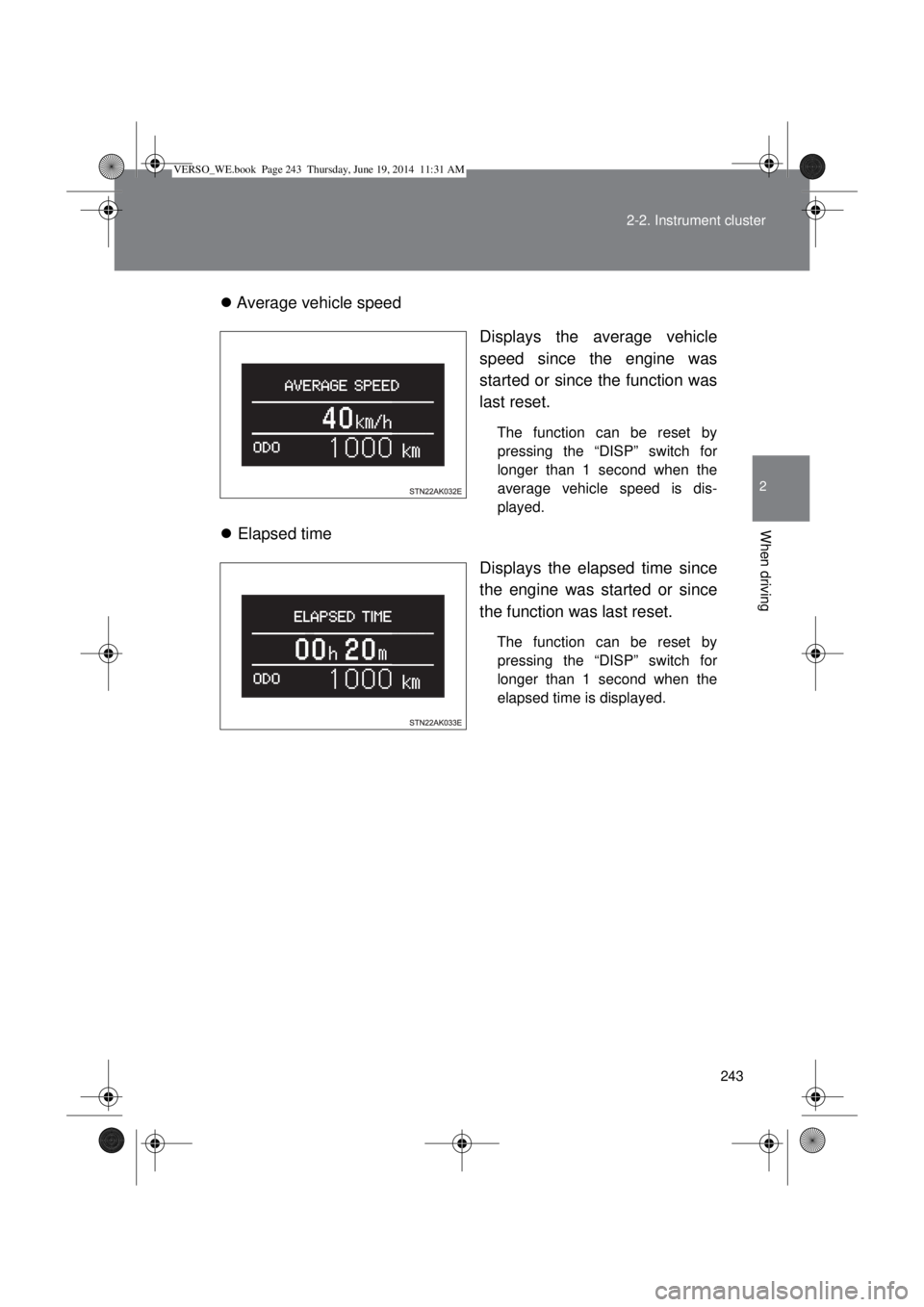
Average vehicle speed
Displays the average vehicle
speed since the engine was
started or since the function was
last reset.
The function can be reset by
pressing the “DISP” switch for
longer than 1 second when the
average vehicle speed is dis-
played.
Elapsed time
Displays the elapsed time since
the engine was started or since
the function was last reset.
The function can be reset by
pressing the “DISP” switch for
longer than 1 second when the
elapsed time is displayed.
VERSO_WE.book Page 243 Thursday, June 19, 2014 11:31 AM
Page 244 of 650
244 2-2. Instrument cluster
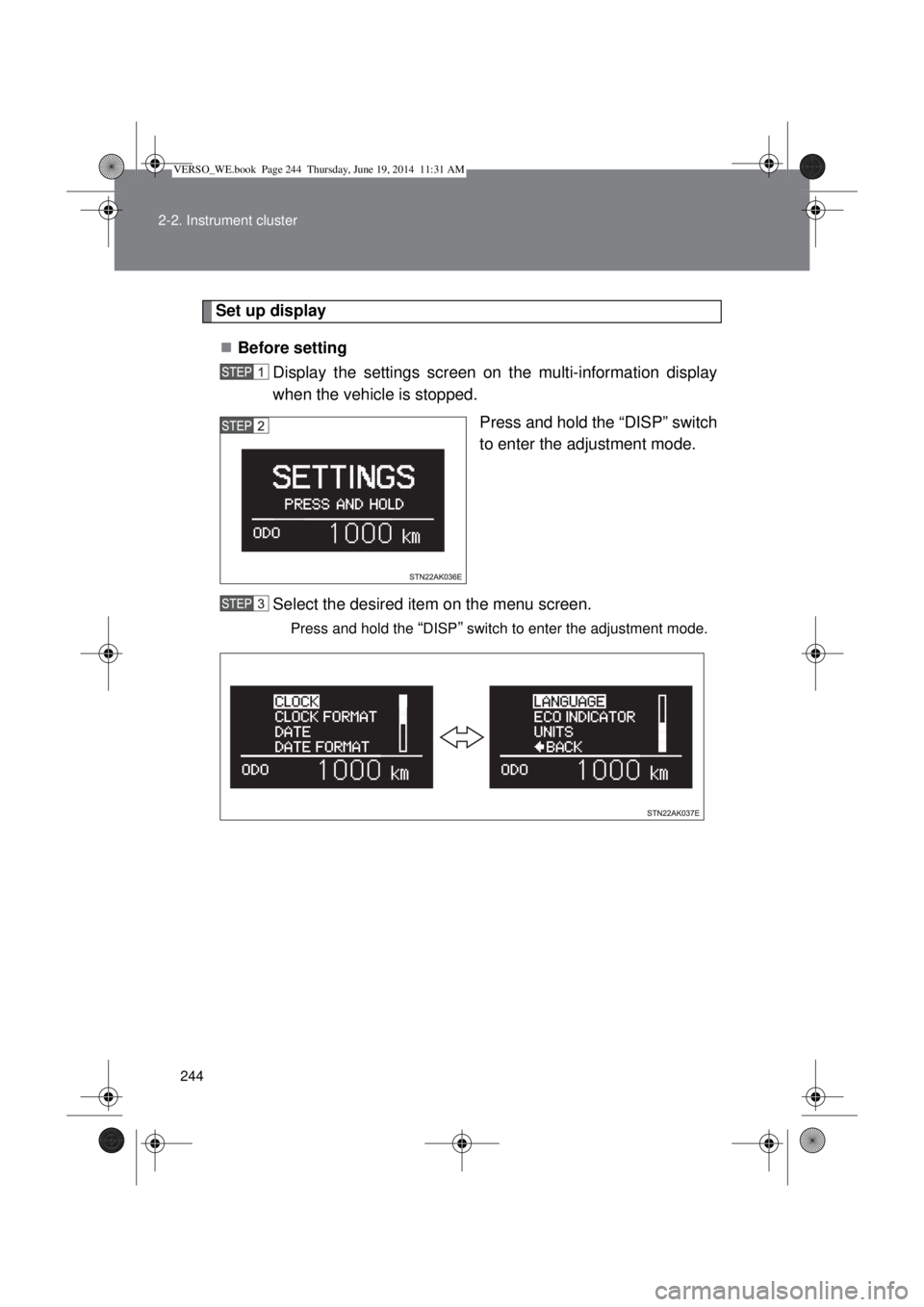
Set up display
Before setting
Display the settings screen on the multi-information display
when the vehicle is stopped.
Press and hold the “DISP” switch
to enter the adjustment mode.
Select the desired item on the menu screen.
Press and hold the “DISP” switch to enter the adjustment mode.
VERSO_WE.book Page 244 Thursday, June 19, 2014 11:31 AM
Page 247 of 650
247 2-2. Instrument cluster
2
When driving
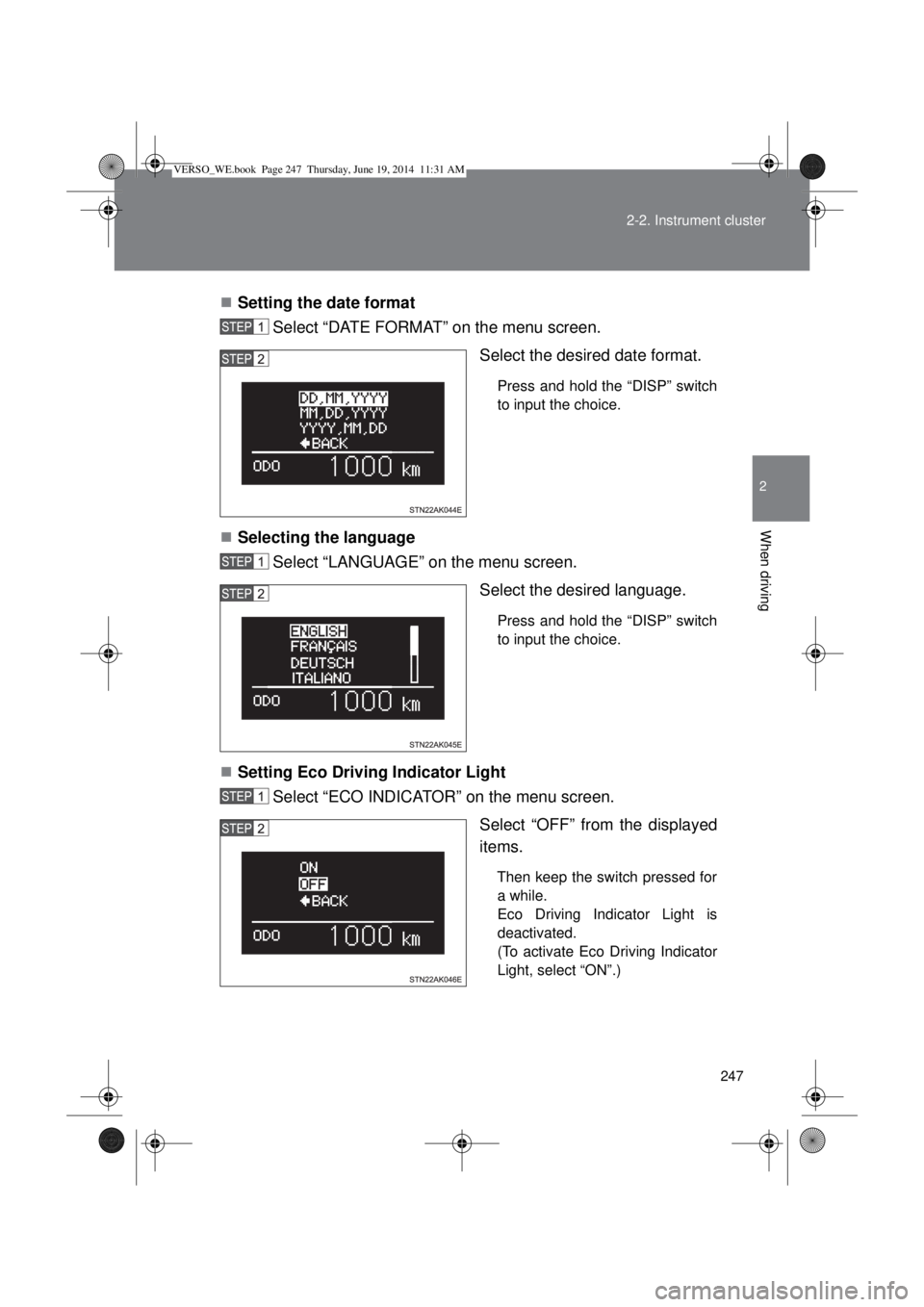
Setting the date format
Select “DATE FORMAT” on the menu screen.
Select the desired date format.
Press and hold the “DISP” switch
to input the choice.
Selecting the language
Select “LANGUAGE” on the menu screen.
Select the desired language.
Press and hold the “DISP” switch
to input the choice.
Setting Eco Driving Indicator Light
Select “ECO INDICATOR” on the menu screen.
Select “OFF” from the displayed
items.
Then keep the switch pressed for
a while.
Eco Driving Indicator Light is
deactivated.
(To activate Eco Driving Indicator
Light, select “ON”.)
VERSO_WE.book Page 247 Thursday, June 19, 2014 11:31 AM
Page 249 of 650
249 2-2. Instrument cluster
2
When driving
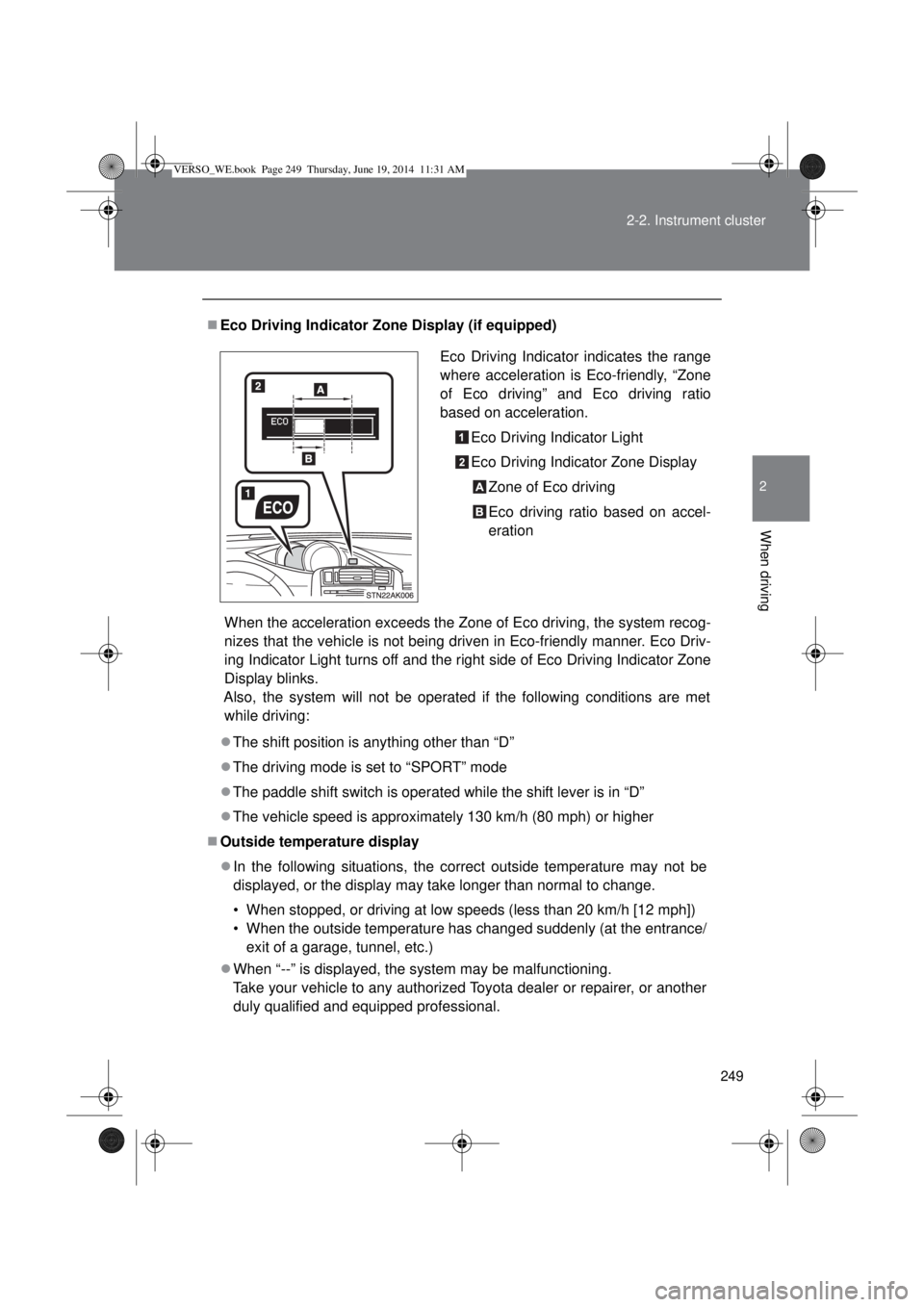
Eco Driving Indicator Zone Display (if equipped)
When the acceleration exceeds the Zone of Eco driving, the system recog-
nizes that the vehicle is not being driven in Eco-friendly manner. Eco Driv-
ing Indicator Light turns off and the right side of Eco Driving Indicator Zone
Display blinks.
Also, the system will not be operated if the following conditions are met
while driving:
The shift position is anything other than “D”
The driving mode is set to “SPORT” mode
The paddle shift switch is operated while the shift lever is in “D”
The vehicle speed is approximately 130 km/h (80 mph) or higher
Outside temperature display
In the following situations, the correct outside temperature may not be
displayed, or the display may take longer than normal to change.
• When stopped, or driving at low speeds (less than 20 km/h [12 mph])
• When the outside temperature has changed suddenly (at the entrance/
exit of a garage, tunnel, etc.)
When “--” is displayed, the system may be malfunctioning.
Take your vehicle to any authorized Toyota dealer or repairer, or another
duly qualified and equipped professional.Eco Driving Indicator indicates the range
where acceleration is Eco-friendly, “Zone
of Eco driving” and Eco driving ratio
based on acceleration.
Eco Driving Indicator Light
Eco Driving Indicator Zone Display
Zone of Eco driving
Eco driving ratio based on accel-
eration
VERSO_WE.book Page 249 Thursday, June 19, 2014 11:31 AM