key TOYOTA VERSO 2015 Owner's Manual
[x] Cancel search | Manufacturer: TOYOTA, Model Year: 2015, Model line: VERSO, Model: TOYOTA VERSO 2015Pages: 650, PDF Size: 36.61 MB
Page 74 of 650
74 1-2. Opening, closing and locking the doors
Locking the driver’s door from the outside without a key
Move the inside door lock button to the lock position.
Close the door while pulling the door handle.
Vehicles without smart entry & start system
The door cannot be locked if the key is in the engine switch.
Vehicles with smart entry & start system
The door cannot be locked if the “ENGINE START STOP” switch is
in the ACCESSORY or IGNITION ON mode, or the electronic key
is left inside the vehicle.
The key may not be detected correctly and the door may be locked.
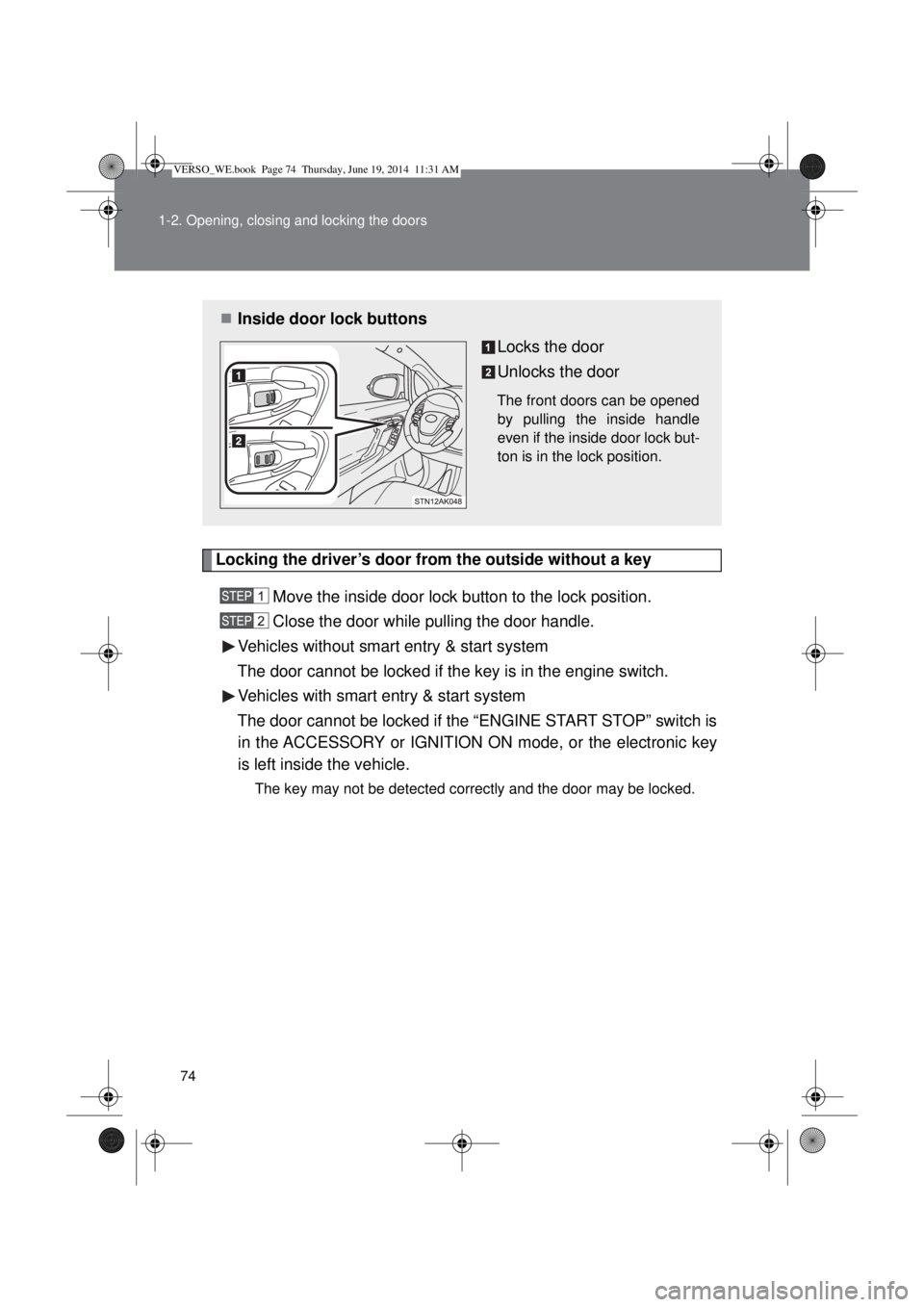
Inside door lock buttons
Locks the door
Unlocks the door
The front doors can be opened
by pulling the inside handle
even if the inside door lock but-
ton is in the lock position.
VERSO_WE.book Page 74 Thursday, June 19, 2014 11:31 AM
Page 78 of 650
78 1-2. Opening, closing and locking the doors
When the setting or canceling operation is complete, all doors are
locked and then unlocked.
Vehicles with Navigation/Multimedia system
P. 629
Impact detection door lock release system
In the event that the vehicle is subject to a strong impact, all the doors are
unlocked. Depending on the force of the impact or the type of accident, how-
ever, the system may not operate.
Using the mechanical key (vehicles with smart entry & start system)
The doors can also be locked and unlocked with the mechanical key.
(P. 582)
CAUTION
To prevent an accident
Observe the following precautions while driving the vehicle.
Failing to do so may result in a door opening and an occupant falling out,
resulting in death or serious injury.
Always use a seat belt.
Ensure that all doors are properly closed.
Do not pull the inside handle of the doors while driving.
The doors may be opened and the passengers are thrown out of the vehi-
cle and it may result in serious injury or death.
Be especially careful for the front doors, as the doors may be opened even
if the inside door lock buttons are in locked position.
Set the rear door child-protector locks when children are seated in the rear
seat.
VERSO_WE.book Page 78 Thursday, June 19, 2014 11:31 AM
Page 79 of 650
79
1
1-2. Opening, closing and locking the doors
Before driving
Back door
The back door can be locked/unlocked and opened by the following
procedures.
Locking and unlocking the back door
Smart entry & start system (if equipped)
P. 42
Wireless remote control
P. 64
Key
P. 73
Door lock switch
P. 73
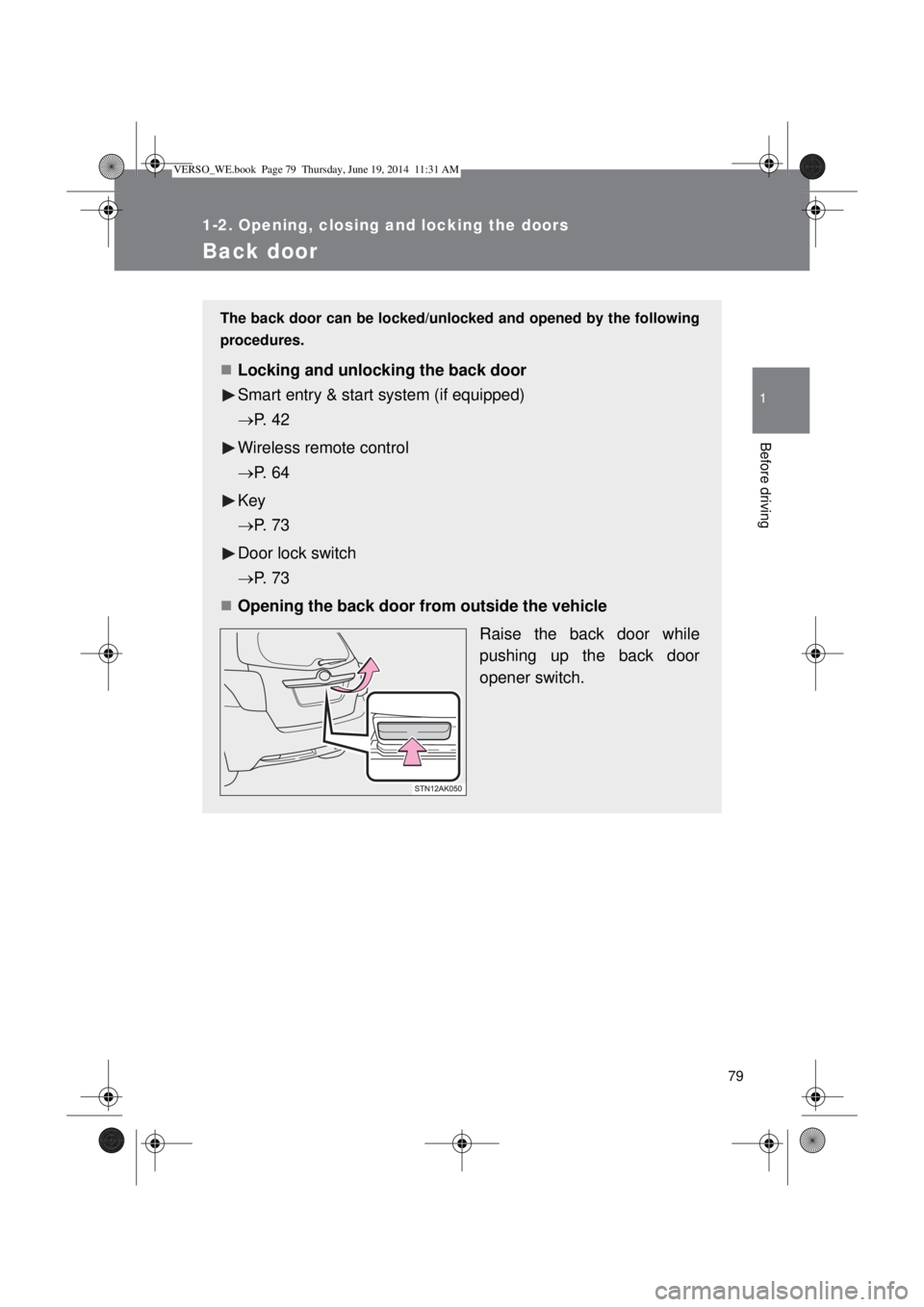
Opening the back door from outside the vehicle
Raise the back door while
pushing up the back door
opener switch.
VERSO_WE.book Page 79 Thursday, June 19, 2014 11:31 AM
Page 124 of 650
124
1-6. Theft deterrent system
Engine immobilizer system
The vehicle’s keys have built-in transponder chips that prevent the
engine from starting if the key has not been previously registered in
the vehicle’s on-board computer.
Never leave the keys inside the vehicle when you leave the vehicle.
This system is designed to help prevent vehicle theft but does not
guarantee absolute security against all vehicle thefts.
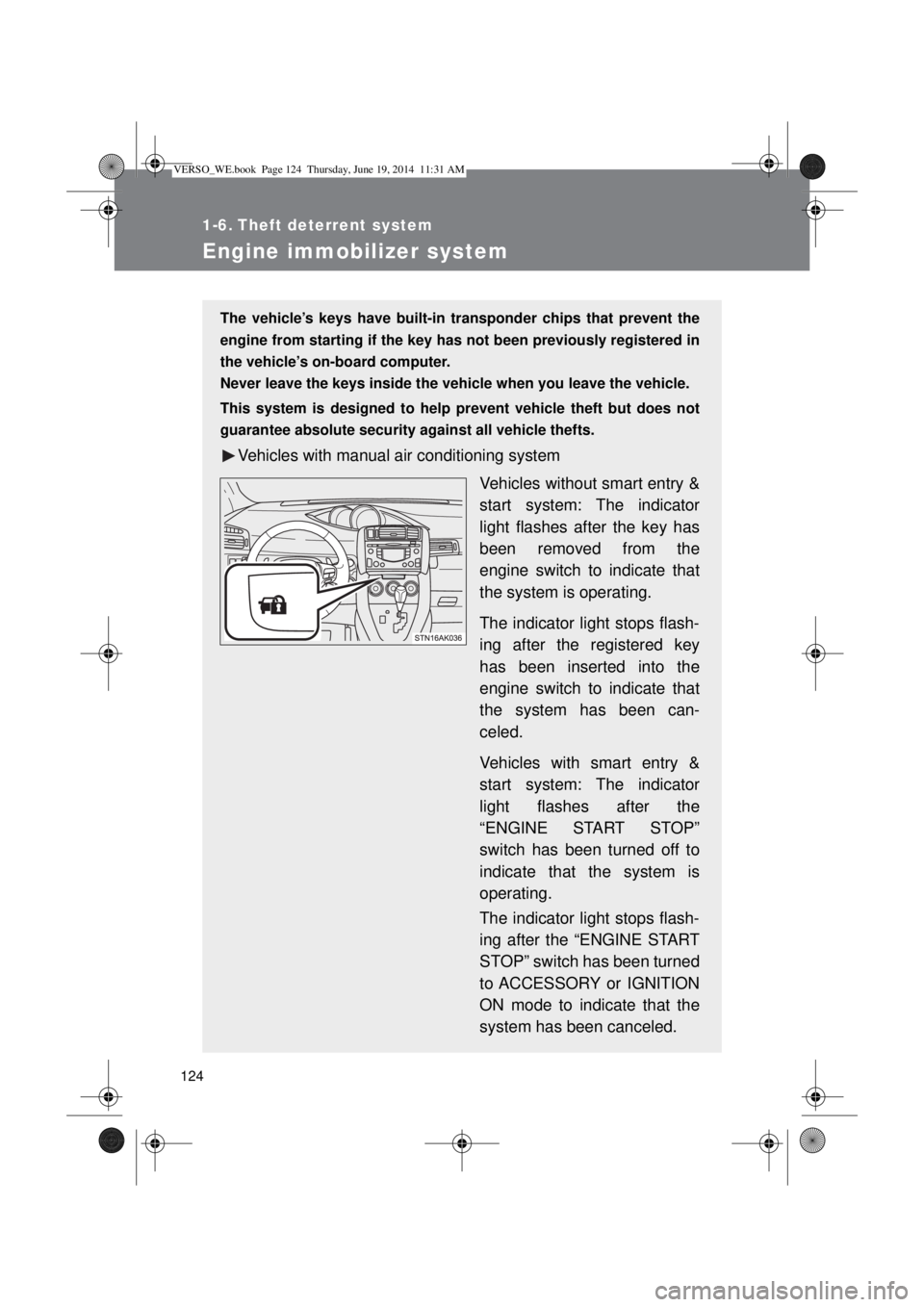
Vehicles with manual air conditioning system
Vehicles without smart entry &
start system: The indicator
light flashes after the key has
been removed from the
engine switch to indicate that
the system is operating.
The indicator light stops flash-
ing after the registered key
has been inserted into the
engine switch to indicate that
the system has been can-
celed.
Vehicles with smart entry &
start system: The indicator
light flashes after the
“ENGINE START STOP”
switch has been turned off to
indicate that the system is
operating.
The indicator light stops flash-
ing after the “ENGINE START
STOP” switch has been turned
to ACCESSORY or IGNITION
ON mode to indicate that the
system has been canceled.
VERSO_WE.book Page 124 Thursday, June 19, 2014 11:31 AM
Page 125 of 650
125 1-6. Theft deterrent system
1
Before driving
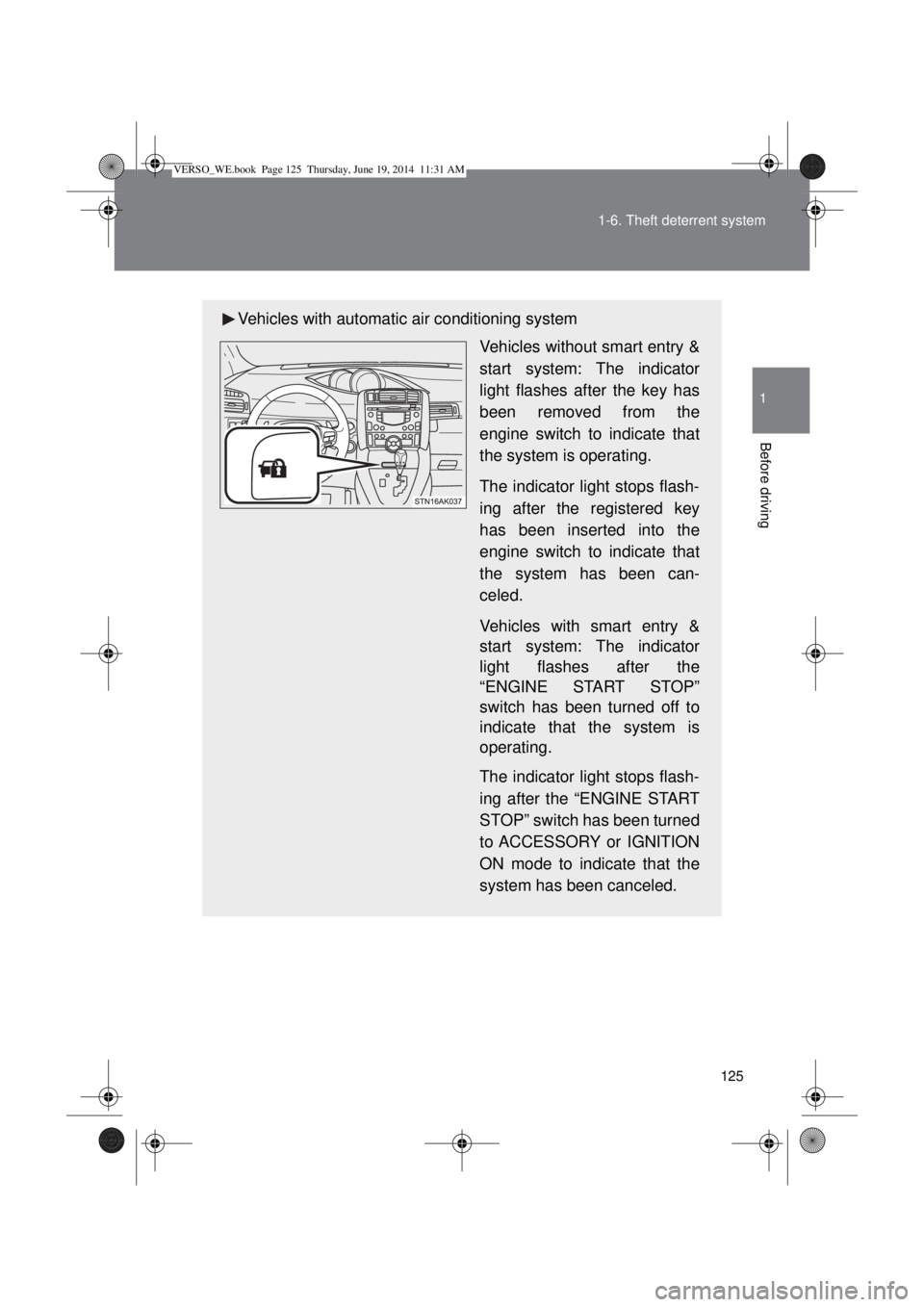
Vehicles with automatic air conditioning system
Vehicles without smart entry &
start system: The indicator
light flashes after the key has
been removed from the
engine switch to indicate that
the system is operating.
The indicator light stops flash-
ing after the registered key
has been inserted into the
engine switch to indicate that
the system has been can-
celed.
Vehicles with smart entry &
start system: The indicator
light flashes after the
“ENGINE START STOP”
switch has been turned off to
indicate that the system is
operating.
The indicator light stops flash-
ing after the “ENGINE START
STOP” switch has been turned
to ACCESSORY or IGNITION
ON mode to indicate that the
system has been canceled.
VERSO_WE.book Page 125 Thursday, June 19, 2014 11:31 AM
Page 126 of 650

126 1-6. Theft deterrent system
System maintenance
The vehicle has a maintenance-free type engine immobilizer system.
Conditions that may cause the system to malfunction
If the grip portion of the key is in contact with a metallic object
If the key is in close proximity to or touching a key to the security system
(key with a built-in transponder chip) of another vehicle
VERSO_WE.book Page 126 Thursday, June 19, 2014 11:31 AM
Page 139 of 650
139 1-6. Theft deterrent system
1
Before driving
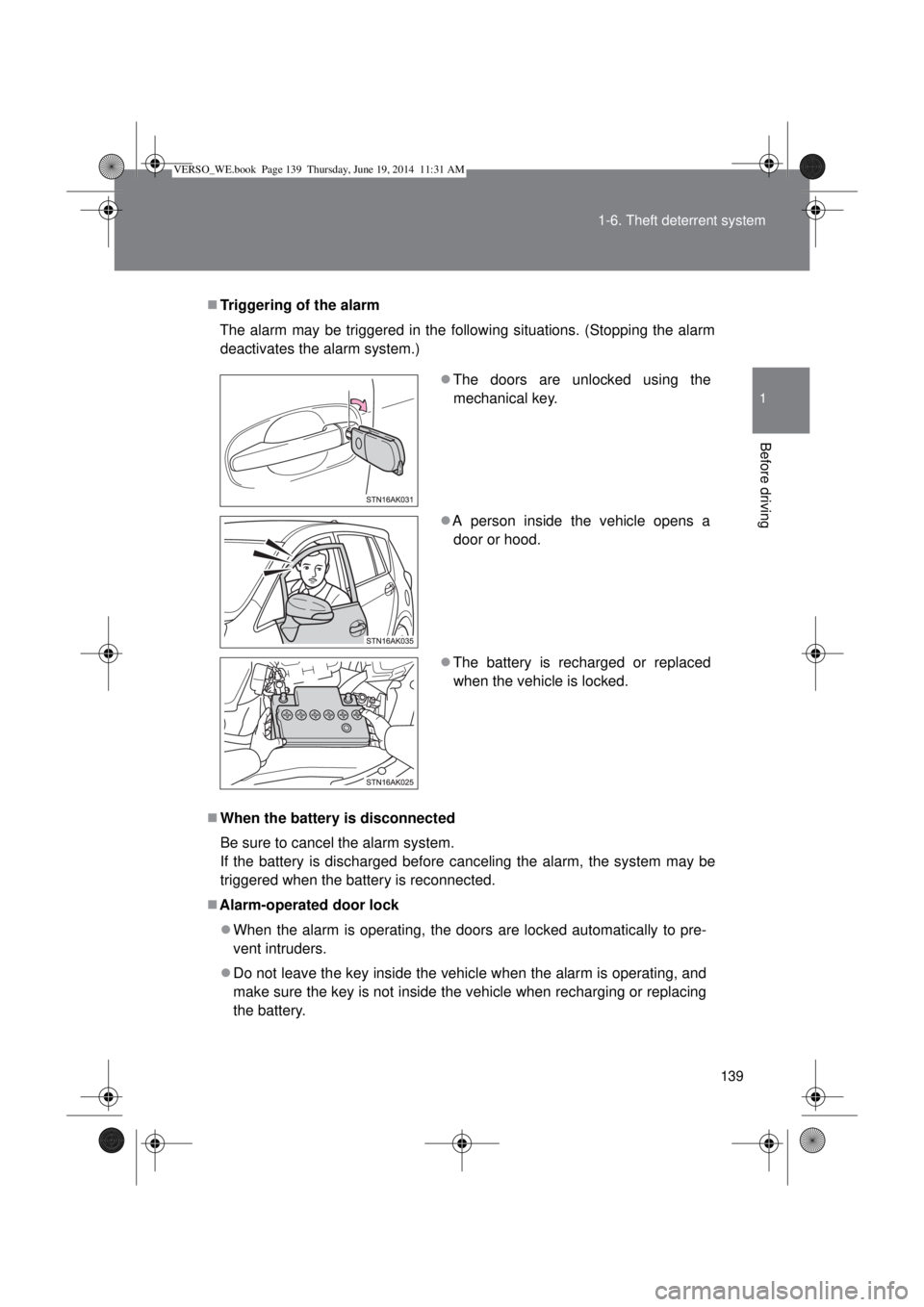
Triggering of the alarm
The alarm may be triggered in the following situations. (Stopping the alarm
deactivates the alarm system.)
When the battery is disconnected
Be sure to cancel the alarm system.
If the battery is discharged before canceling the alarm, the system may be
triggered when the battery is reconnected.
Alarm-operated door lock
When the alarm is operating, the doors are locked automatically to pre-
vent intruders.
Do not leave the key inside the vehicle when the alarm is operating, and
make sure the key is not inside the vehicle when recharging or replacing
the battery.The doors are unlocked using the
mechanical key.
A person inside the vehicle opens a
door or hood.
The battery is recharged or replaced
when the vehicle is locked.
VERSO_WE.book Page 139 Thursday, June 19, 2014 11:31 AM
Page 155 of 650
155 1-7. Safety information
1
Before driving
CAUTION
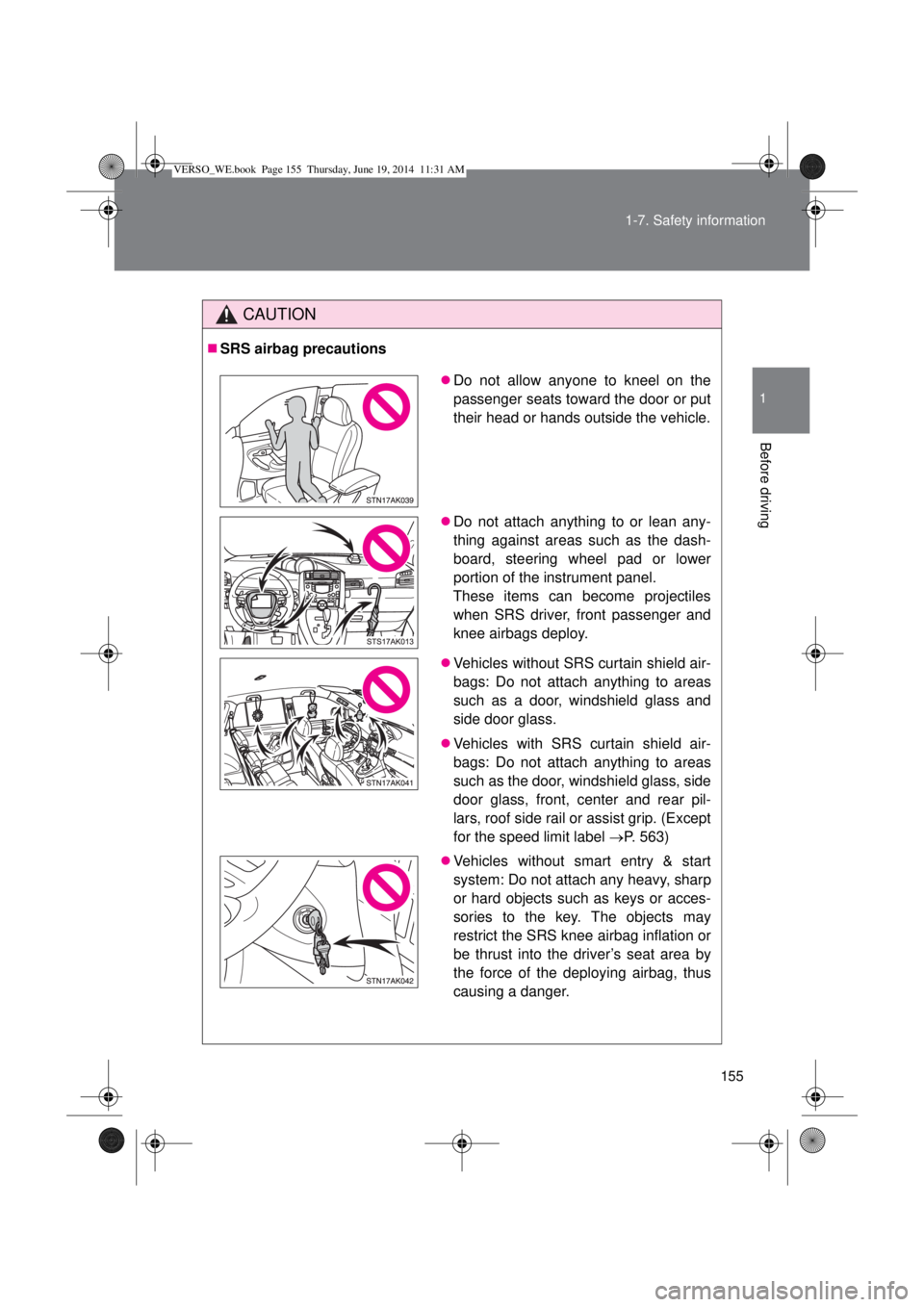
SRS airbag precautions
Do not allow anyone to kneel on the
passenger seats toward the door or put
their head or hands outside the vehicle.
Do not attach anything to or lean any-
thing against areas such as the dash-
board, steering wheel pad or lower
portion of the instrument panel.
These items can become projectiles
when SRS driver, front passenger and
knee airbags deploy.
Vehicles without SRS curtain shield air-
bags: Do not attach anything to areas
such as a door, windshield glass and
side door glass.
Vehicles with SRS curtain shield air-
bags: Do not attach anything to areas
such as the door, windshield glass, side
door glass, front, center and rear pil-
lars, roof side rail or assist grip. (Except
for the speed limit label P. 563)
Vehicles without smart entry & start
system: Do not attach any heavy, sharp
or hard objects such as keys or acces-
sories to the key. The objects may
restrict the SRS knee airbag inflation or
be thrust into the driver’s seat area by
the force of the deploying airbag, thus
causing a danger.
VERSO_WE.book Page 155 Thursday, June 19, 2014 11:31 AM
Page 161 of 650
161 1-7. Safety information
1
Before driving
Key of letters inserted in the above table:
U: Suitable for “universal” category child restraint system approved
for the use in this mass group.
X: Not suitable seat position for children in this mass group.
The child restraint systems mentioned in the table may not be avail-
able outside of the EU area.
NOTE:
Other child restraint system which is different from the system men-
tioned in the table can be used, but the suitability of the systems must
be carefully checked with the child restraint system manufacturer
concerned and the seller of those seats.
VERSO_WE.book Page 161 Thursday, June 19, 2014 11:31 AM
Page 163 of 650
163 1-7. Safety information
1
Before driving
Key of letters inserted in the above table:
IUF: Suitable for ISOFIX forward child restraint systems of universal
category approved for the use in this mass group.
X: ISOFIX position not suitable for ISOFIX child restraint systems
in the mass group and/or size class.
The child restraint systems mentioned in the table may not be avail-
able outside of the EU area.
NOTE:
Other child restraint system which is different from the system men-
tioned in the table can be used, but the suitability of the systems must
be carefully checked with the child restraint system manufacturer
concerned and the seller of those seats.
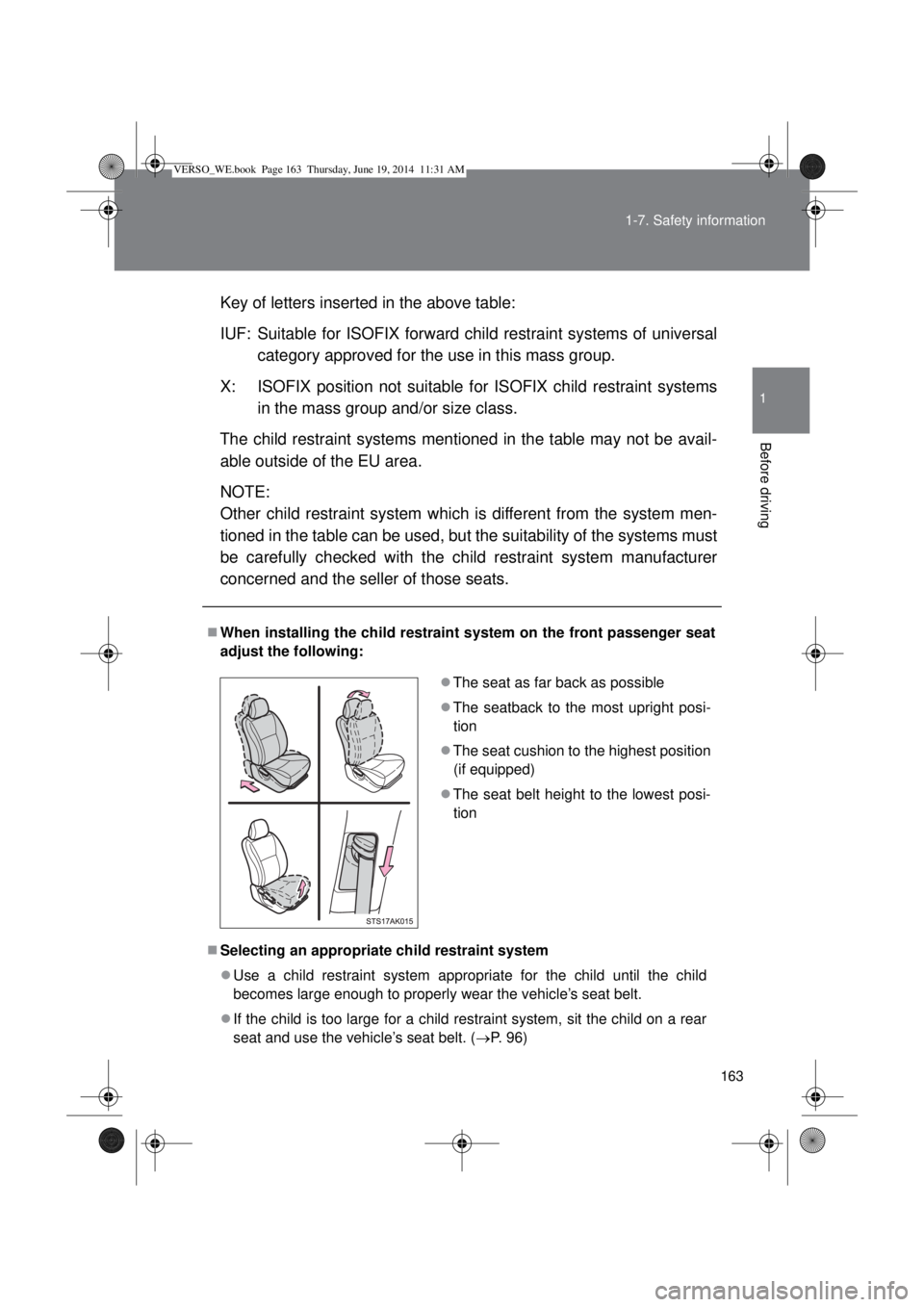
When installing the child restraint system on the front passenger seat
adjust the following:
Selecting an appropriate child restraint system
Use a child restraint system appropriate for the child until the child
becomes large enough to properly wear the vehicle’s seat belt.
If the child is too large for a child restraint system, sit the child on a rear
seat and use the vehicle’s seat belt. (P. 96) The seat as far back as possible
The seatback to the most upright posi-
tion
The seat cushion to the highest position
(if equipped)
The seat belt height to the lowest posi-
tion
VERSO_WE.book Page 163 Thursday, June 19, 2014 11:31 AM