light TOYOTA VERSO 2017 Owner's Manual
[x] Cancel search | Manufacturer: TOYOTA, Model Year: 2017, Model line: VERSO, Model: TOYOTA VERSO 2017Pages: 668, PDF Size: 49.7 MB
Page 107 of 668
107
1-3. Adjustable components (seats, mirrors, steering wheel)
1
Before driving
VERSO_EE_OM64517E
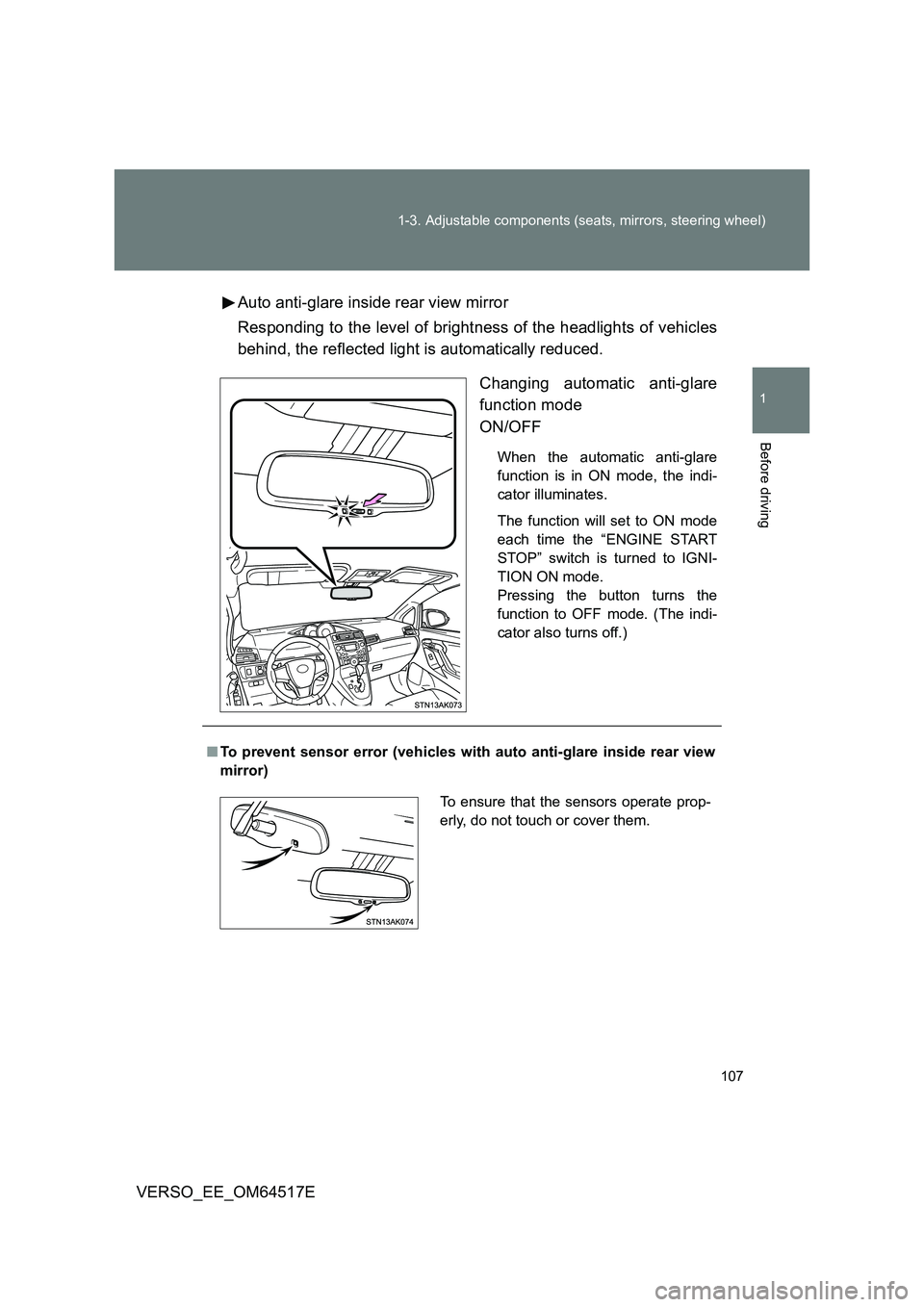
Auto anti-glare inside rear view mirror
Responding to the level of brightness of the headlights of vehicles
behind, the reflected light is automatically reduced.
Changing automatic anti-glare
function mode
ON/OFF
When the automatic anti-glare
function is in ON mode, the indi-
cator illuminates.
The function will set to ON mode
each time the “ENGINE START
STOP” switch is turned to IGNI-
TION ON mode.
Pressing the button turns the
function to OFF mode. (The indi-
cator also turns off.)
■ To prevent sensor error (vehicles with auto anti-glare inside rear view
mirror)
To ensure that the sensors operate prop-
erly, do not touch or cover them.
Page 113 of 668
113
1-4. Opening and closing the windows and panoramic roof shade
1
Before driving
VERSO_EE_OM64517E
■ The power windows can be operated when
Vehicles without smart entry & start system
The engine switch is in the “ON” position.
Vehicles with smart entry & start system
The “ENGINE START STOP” switch is in IGNITION ON mode.
■ Operating the power windows after turning the engine off
Vehicles without smart entry & start system
The power windows can be operated for approximately 45 seconds even
after the engine switch is turned to the “ACC” or “LOCK” position. They
cannot, however, be operated once either front door is opened.
Vehicles with smart entry & start system
The power windows can be operated for approximately 45 seconds even
after the “ENGINE START STOP” switch is turned to ACCESSORY mode
or turned off. They cannot, however, be operated once either front door is
opened.
■ Jam protection function
If an object becomes caught between the window and the window frame,
window travel is stopped and the window is opened slightly.
■ When the power window does not close normally
If the jam protection function is operating abnormally and a window cannot
be closed, perform the following operat ions using the power window switch
on the relevant door.
● After stopping the vehicle, the window can be closed by holding the
power window switch in the one-touch closing position while the engine
switch is turned to the “ON” position (vehicles without smart entry & start
system) or the “ENGINE START STOP” switch is turned to IGNITION ON
mode (vehicles with smart entry & start system).
Page 114 of 668

114
1-4. Opening and closing the windows and panoramic roof shade
VERSO_EE_OM64517E
● If the window still cannot be closed even by carrying out the operation
explained above, initialize the function by performing the following proce-
dure.
Hold the power window switch in the one-touch closing position.
Continue holding the switch for a further 6 seconds after the win-
dow has closed.
Hold the power window switch in the one-touch opening position.
Continue holding the switch for a further 2 seconds after the win-
dow has opened completely.
Hold the power window switch in the one-touch closing position
once again. Continue holding the switch for a further 2 seconds
after the window has closed.
If you release the switch while the window is moving, start again from the
beginning. If the window continues to close but then re-open slightly even
after performing the above procedure correctly, have the vehicle inspected
by any authorized Toyota dealer or repairer, or another duly qualified and
equipped professional.
Page 116 of 668
116
1-4. Opening and closing the windows and panoramic roof shade
VERSO_EE_OM64517E
Panoramic roof shade
: If equipped
■The panoramic roof shade can be operated when
Vehicles without smart entry & start system
The engine switch is in the “ON” position.
Vehicles with smart entry & start system
The “ENGINE START STOP” switch is in IGNITION ON mode.
■ Jam protection function
If an object is detected between the panoramic roof shade and the frame
while closing, travel is stopped and the panoramic roof shade opens slightly.
■ If the panoramic roof shade cannot be closed automatically
Keep the switch depressed.
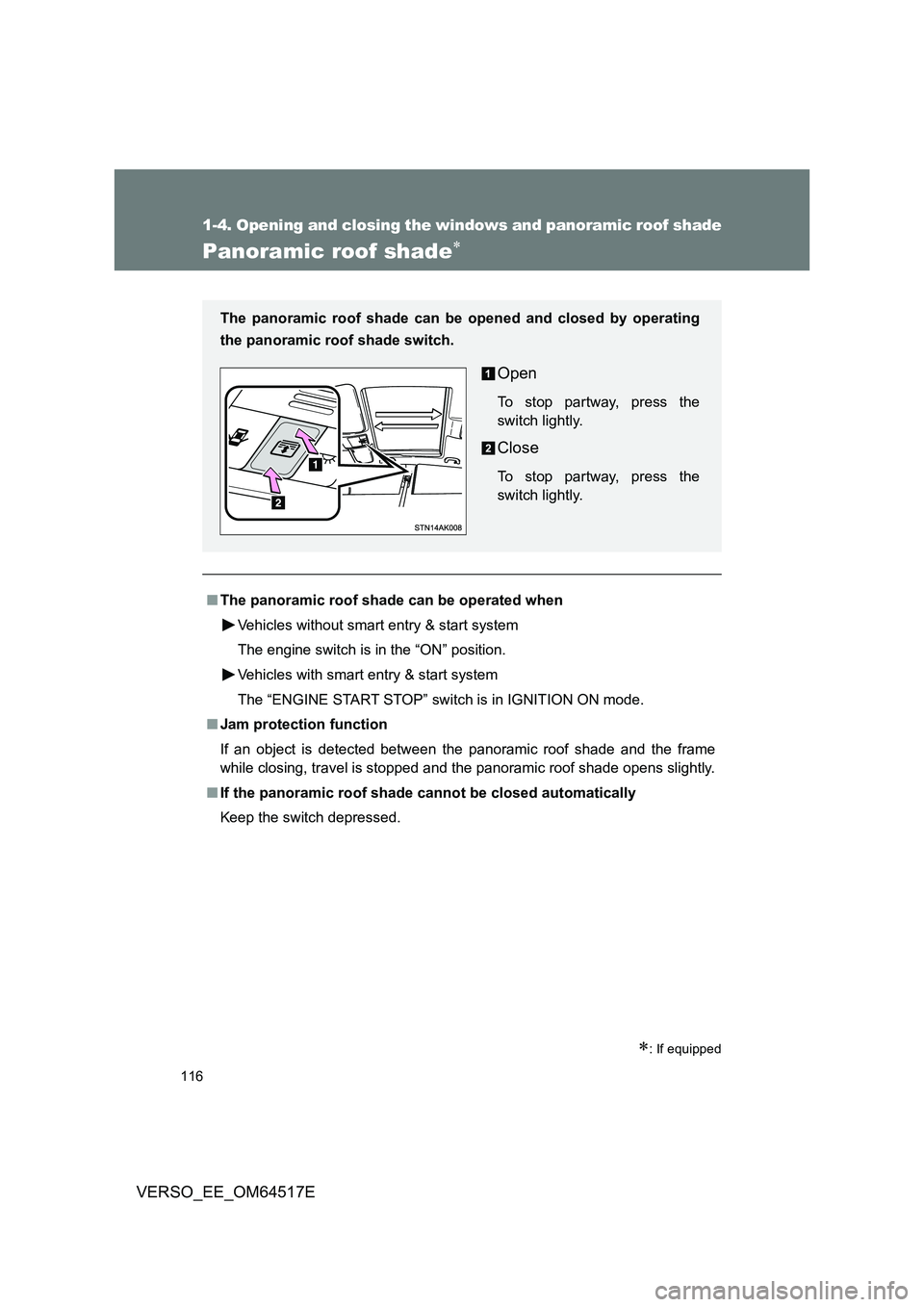
The panoramic roof shade can be opened and closed by operating
the panoramic roof shade switch.
Open
To stop partway, press the
switch lightly.
Close
To stop partway, press the
switch lightly.
Page 118 of 668

118
1-4. Opening and closing the windows and panoramic roof shade
VERSO_EE_OM64517E
WARNING
■ To prevent burns or injury
● The jam protection function may operate if a load or impact, similar to that
applied when a foreign object is caught in the roof shade, is applied by
environmental or driving conditions.
● The underside of the roof will become hot if the vehicle is left in the direct
sunlight for a long period of time. Do not touch the parts inside the gap
between the roof underside and the roof shade, as you may burn yourself.
● Do not touch any rough or sheared parts of the roof underside, as you may
injure yourself.
NOTICE
■ To prevent battery discharge
Do not operate the panoramic roof shade when the engine is not running.
■ To ensure normal operation of the panoramic roof shade
Observe the following precautions:
● Do not place excessive load on the motor or other components.
● Do not place objects where they may hinder opening and closing opera-
tions.
● Do not attach items to the panoramic roof shade.
● Keep the opening clean and clear of obstructions.
● Do not operate the panoramic roof shade continuously for long periods of
time.
Page 121 of 668
121
1-5. Refueling
1
Before driving
VERSO_EE_OM64517E
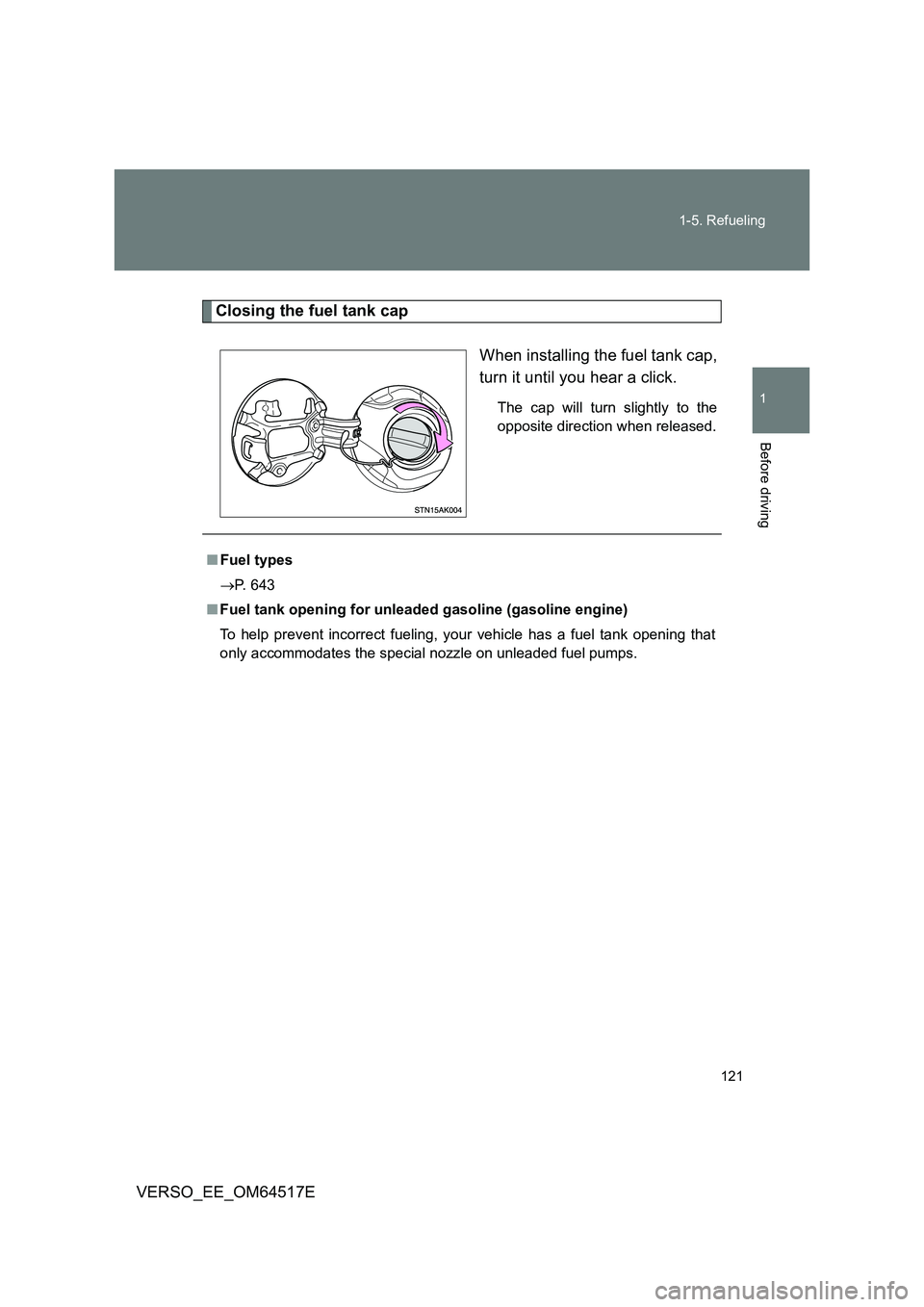
Closing the fuel tank cap
When installing the fuel tank cap,
turn it until you hear a click.
The cap will turn slightly to the
opposite direction when released.
■ Fuel types
P. 643
■ Fuel tank opening for unleaded gasoline (gasoline engine)
To help prevent incorrect fueling, your vehicle has a fuel tank opening that
only accommodates the special nozzle on unleaded fuel pumps.
Page 124 of 668

124
VERSO_EE_OM64517E
1-6. Theft deterrent system
Engine immobilizer system
The vehicle’s keys have built-in transponder chips that prevent the
engine from starting if the key h as not been previously registered in
the vehicle’s on-board computer.
Never leave the keys inside the vehicle when you leave the vehicle.
This system is designed to help prevent vehicle theft but does not
guarantee absolute security against all vehicle thefts.
Vehicles with manual air conditioning system
Vehicles without smart entry &
start system: The indicator
light flashes after the key has
been removed from the
engine switch to indicate that
the system is operating.
The indicator light stops flash-
ing after the registered key
has been inserted into the
engine switch to indicate that
the system has been can-
celed.
Vehicles with smart entry &
start system: The indicator
light flashes after the
“ENGINE START STOP”
switch has been turned off to
indicate that the system is
operating.
The indicator light stops flash-
ing after the “ENGINE START
STOP” switch has been turned
to ACCESSORY or IGNITION
ON mode to indicate that the
system has been canceled.
Page 125 of 668
125
1-6. Theft deterrent system
1
Before driving
VERSO_EE_OM64517E
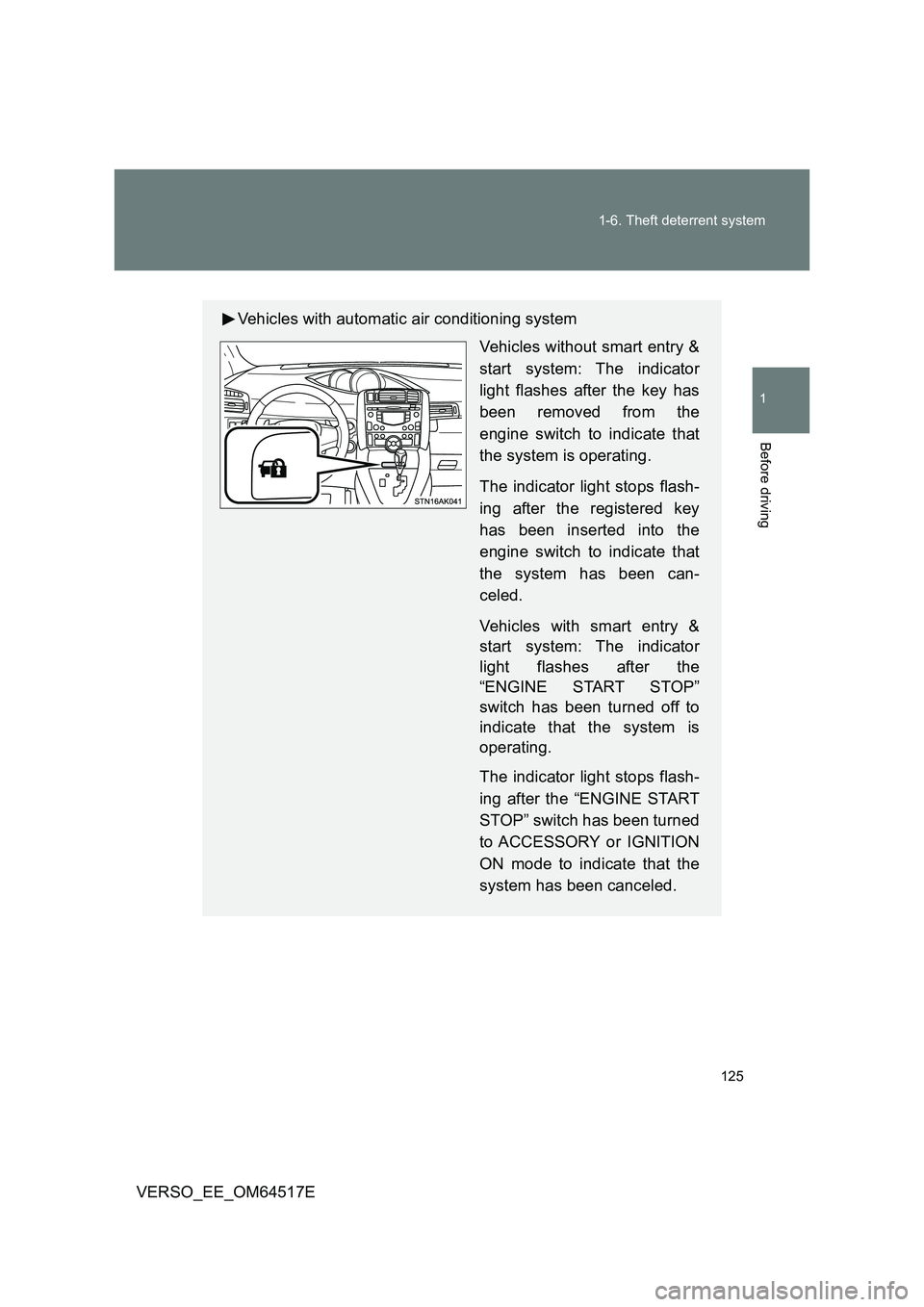
Vehicles with automatic air conditioning system
Vehicles without smart entry &
start system: The indicator
light flashes after the key has
been removed from the
engine switch to indicate that
the system is operating.
The indicator light stops flash-
ing after the registered key
has been inserted into the
engine switch to indicate that
the system has been can-
celed.
Vehicles with smart entry &
start system: The indicator
light flashes after the
“ENGINE START STOP”
switch has been turned off to
indicate that the system is
operating.
The indicator light stops flash-
ing after the “ENGINE START
STOP” switch has been turned
to ACCESSORY or IGNITION
ON mode to indicate that the
system has been canceled.
Page 137 of 668
137
1
1-6. Theft deterrent system
Before driving
VERSO_EE_OM64517E
Alarm
: If equipped
The system sounds the alarm and flashes the lights when forcible
entry is detected.
■ Triggering of the alarm
The alarm is triggered in the following situations when the alarm
is set.
● A locked door is unlocked or opened in any way other than
using the entry function (vehicles with smart entry & start sys-
tem) or wireless remote control. (The doors will lock again
automatically.)
● The hood is opened.
● Vehicles with the intrusion sensor: The intrusion sensor
detects something moving inside the vehicle. (An intruder gets
in the vehicle.)
● Vehicles with the glass breakage sensor: The back door win-
dow is tapped or broken.
● The battery is reconnected.
Page 138 of 668
138
1-6. Theft deterrent system
VERSO_EE_OM64517E
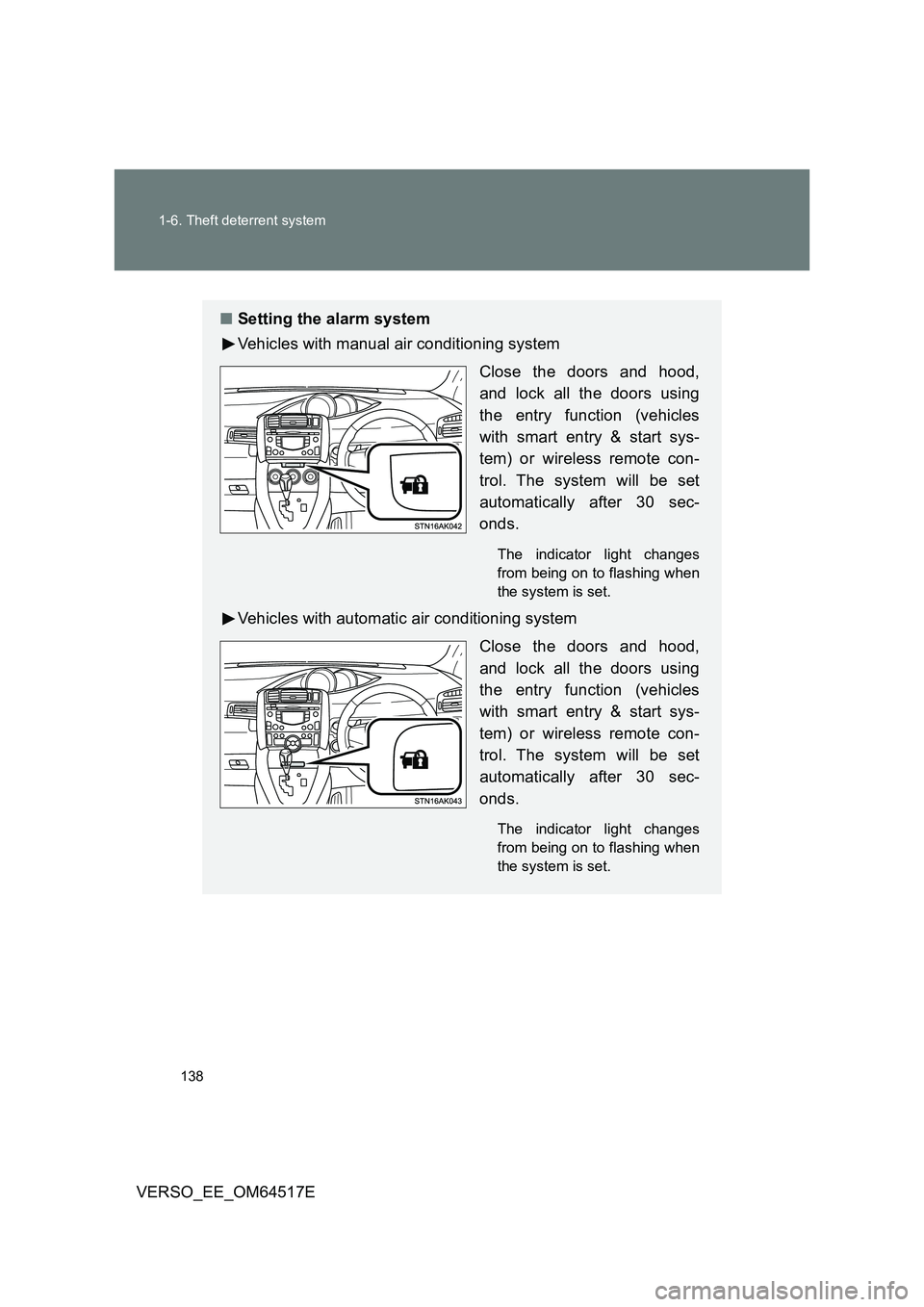
■ Setting the alarm system
Vehicles with manual air conditioning system
Close the doors and hood,
and lock all the doors using
the entry function (vehicles
with smart entry & start sys-
tem) or wireless remote con-
trol. The system will be set
automatically after 30 sec-
onds.
The indicator light changes
from being on to flashing when
the system is set.
Vehicles with automatic air conditioning system
Close the doors and hood,
and lock all the doors using
the entry function (vehicles
with smart entry & start sys-
tem) or wireless remote con-
trol. The system will be set
automatically after 30 sec-
onds.
The indicator light changes
from being on to flashing when
the system is set.