display TOYOTA xB 2013 Owners Manual (in English)
[x] Cancel search | Manufacturer: TOYOTA, Model Year: 2013, Model line: xB, Model: TOYOTA xB 2013Pages: 396, PDF Size: 10.16 MB
Page 2 of 396
TABLE OF CONTENTSIndex
2
Scion_xB_OM_OM12G46U_(U)
1-1. Key informationKeys ..................................... 24
1-2. Opening, closing and locking the doors
Wireless remote control ....... 27
Side doors ............................ 31
Back door ............................. 37
1-3. Adjustable components (seats, mirrors, steering
wheel)
Front seats ........................... 43
Rear seats ............................ 44
Head restraints ..................... 46
Seat belts ............................. 48
Steering wheel ..................... 55
Anti-glare inside rear view mirror .................................. 56
Outside rear view mirrors ..... 57
1-4. Opening and closing the windows
Power windows .................... 59
1-5. Refueling Opening the fuel tank cap .... 61 1-6. Theft deterrent system
Engine immobilizer system ................................ 65
Theft prevention labels (for U.S.A.) ......................... 67
1-7. Safety information Correct driving posture ......... 68
SRS airbags ......................... 70
Front passenger occupant classification system ........... 82
Child restraint systems ......... 88
Installing child restraints ....... 93
2-1. Driving procedures Driving the vehicle .............. 106
Engine (ignition) switch....... 119
Automatic transmission ...... 123
Manual transmission........... 127
Turn signal lever ................. 128
Parking brake ..................... 129
Horn .................................... 130
2-2. Instrument cluster Gauges and meters ............ 131
Indicators and warning lights ................................. 134
Multi-information display ..... 137
1Before driving
2When driving
Page 3 of 396
1
2
3
4
5
6
7
3
Scion_xB_OM_OM12G46U_(U)
2-3. Operating the lights and Windshield wipers
Headlight switch .................. 140
Windshield wipers and washer .............................. 143
Rear window wiper and washer .............................. 146
2-4. Using other driving systems Cruise control ...................... 148
Driving assist systems ........ 152
2-5. Driving information Cargo and luggage ............. 157
Vehicle load limits ............... 162
Winter driving tips ............... 163
Trailer towing ...................... 168
Dinghy towing (automatic transmission) .................... 169
Dinghy towing (manual transmission) .................... 170
3-1. Using the air conditioning system and defogger
Air conditioning system ....... 174
Rear window and outside rear view mirror
defoggers .......................... 180 3-2. Using the audio system
Using the AUX port/USB port ................................... 181
Using the steering wheel audio switches.................. 182
Using the microphone ........ 183
3-3. Using the interior lights Interior lights list ................. 184
• Interior light ...................... 185
• Personal lights.................. 185
3-4. Using the storage features List of storage features ....... 187
• Glove box ......................... 188
• Console box ..................... 189
• Cup holders ...................... 190
• Auxiliary box ..................... 192
• Bottle holders ................... 193
3-5. Other interior features Sun visors........................... 194
Vanity mirrors ..................... 195
Clock .................................. 196
Outside temperature display .............................. 197
Power outlet ....................... 198
Coat hooks ......................... 199
Assist grips ......................... 200
Floor mat ............................ 201
Luggage compartment features ............................ 203
3Interior features
Page 12 of 396
12
Scion_xB_OM_OM12G46U_(U)
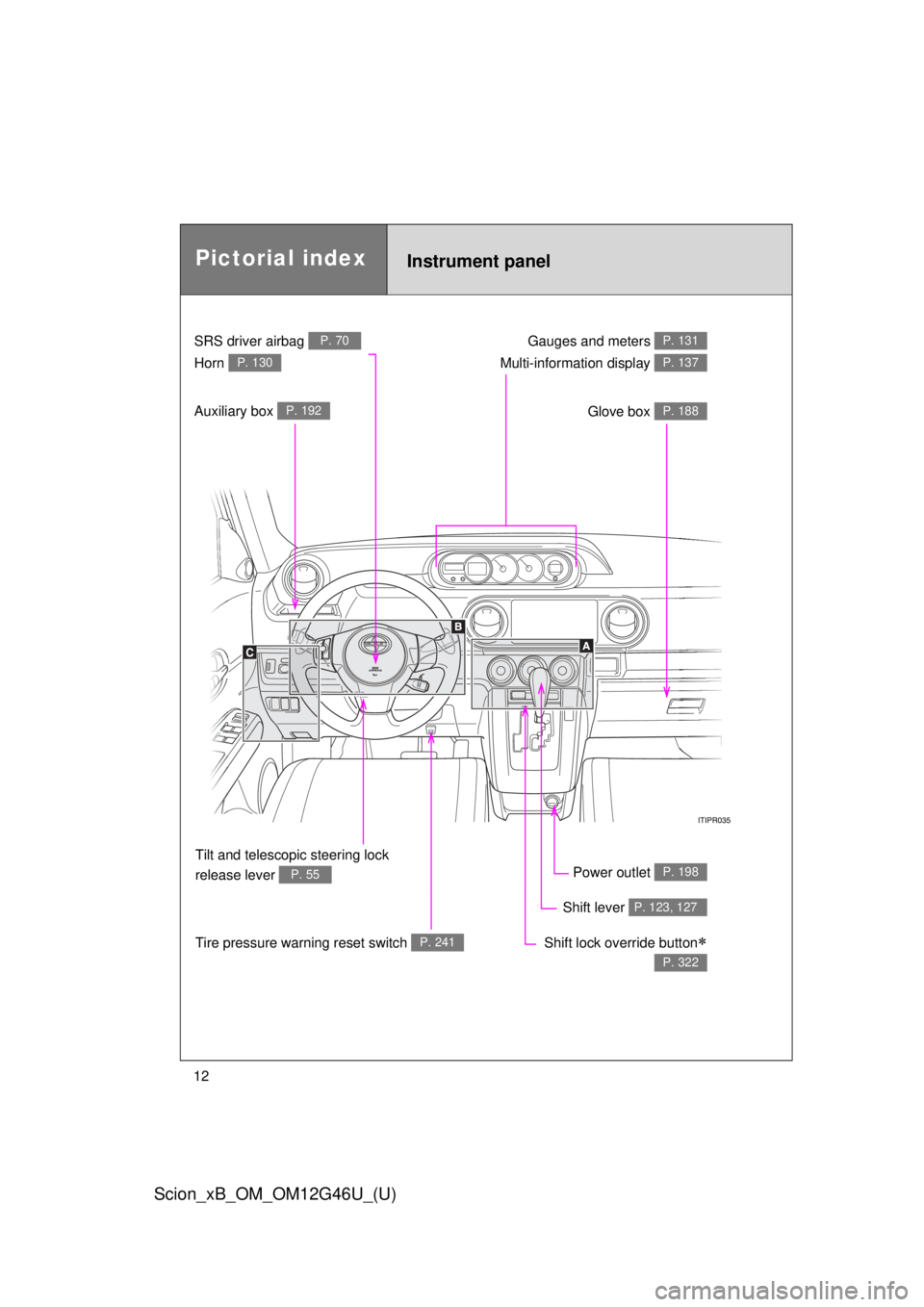
Gauges and meters P. 131
Glove box P. 188
Power outlet P. 198
Shift lever P. 123, 127
Shift lock override button
P. 322
SRS driver airbag P. 70
Horn P. 130
Tilt and telescopic steering lock
release lever
P. 55
Tire pressure warning reset switch P. 241
Auxiliary box P. 192
Multi-information display P. 137
Instrument panelPictorial index
Page 93 of 396
93
1
1-7. Safety information
Before driving
Scion_xB_OM_OM12G46U_(U)
Installing child restraints
Follow the child restraint system manufacturer’s instructions. Firmly
secure child restraints to the seat s using the LATCH anchors or a
seat belt. Attach the top tether stra p when installing a child restraint.
The lap/shoulder belt can be used if your child restraint system is
not compatible with the LATCH (Low er Anchors and Tethers for Chil-
dren) system.
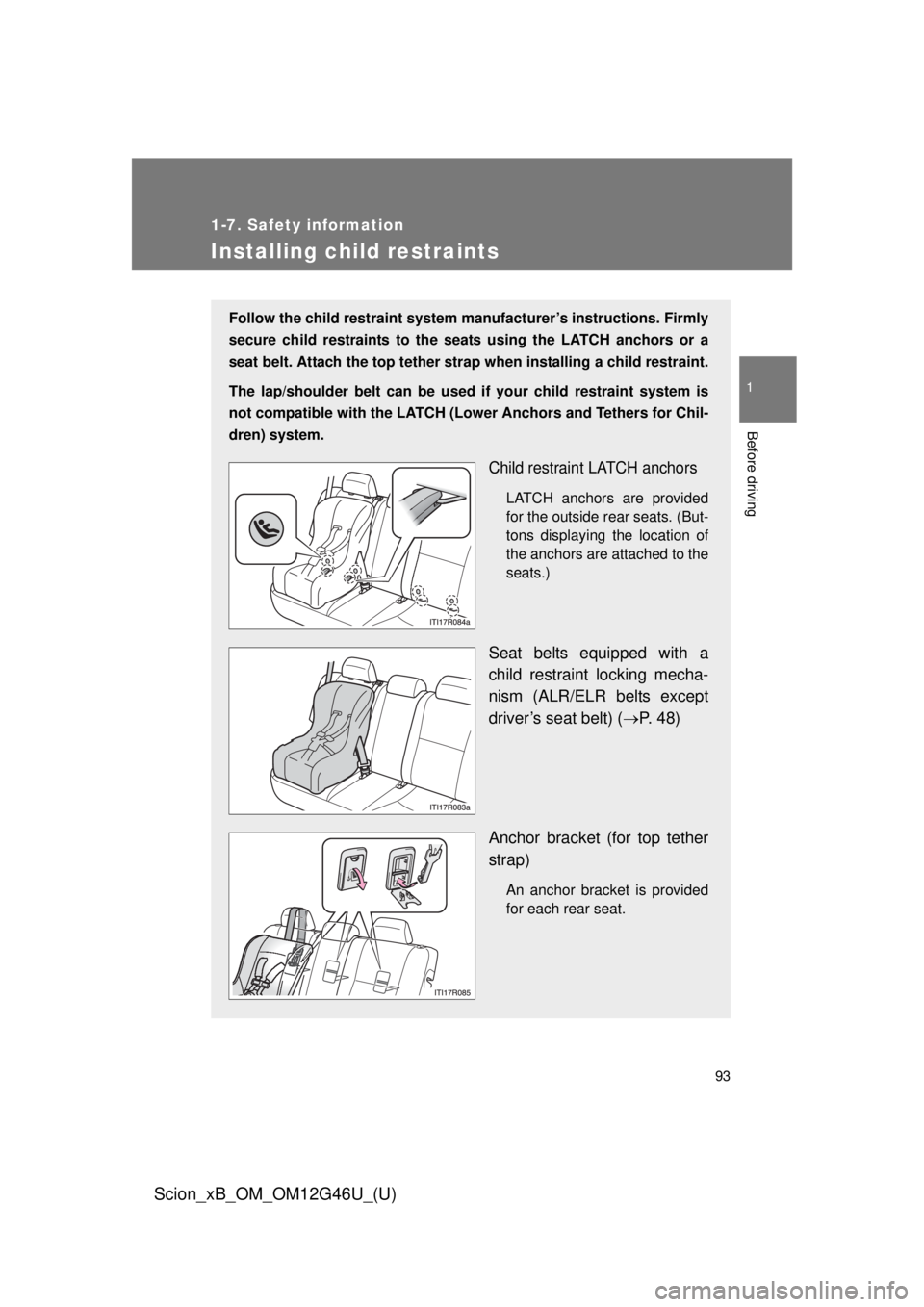
Child restraint LATCH anchors
LATCH anchors are provided
for the outside rear seats. (But-
tons displaying the location of
the anchors are attached to the
seats.)
Seat belts equipped with a
child restraint locking mecha-
nism (ALR/ELR belts except
driver’s seat belt) ( P. 48)
Anchor bracket (for top tether
strap)
An anchor bracket is provided
for each rear seat.
Page 105 of 396
When driving2
105
Scion_xB_OM_OM12G46U_(U)
2-1. Driving proceduresDriving the vehicle............ 106
Engine (ignition) switch .... 119
Automatic transmission .... 123
Manual transmission ........ 127
Turn signal lever .............. 128
Parking brake ................... 129
Horn ................................. 130
2-2. Instrument cluster Gauges and meters ......... 131
Indicators and warning lights .............................. 134
Multi-information display............................ 137 2-3. Operating the lights and
Windshield wipers
Headlight switch ............... 140
Windshield wipers and washer ........................... 143
Rear window wiper and washer ........................... 146
2-4. Using other driving systems
Cruise control ................... 148
Driving assist systems ..... 152
2-5. Driving information Cargo and luggage .......... 157
Vehicle load limits ............ 162
Winter driving tips ............ 163
Trailer towing ................... 168
Dinghy towing (automatic transmission) ................. 169
Dinghy towing (manual transmission) ................. 170
Page 131 of 396

131
2
When driving
Scion_xB_OM_OM12G46U_(U)
2-2. Instrument cluster
Gauges and meters
Multi-information display
P. 137
Speedometer
Displays the vehicle speed.
Tachometer
Displays the engine speed in revolutions per minute.
Fuel gauge
Displays the quantity of fuel remaining in the tank.
Clock
P. 196
Page 132 of 396
132 2-2. Instrument cluster
Scion_xB_OM_OM12G46U_(U)
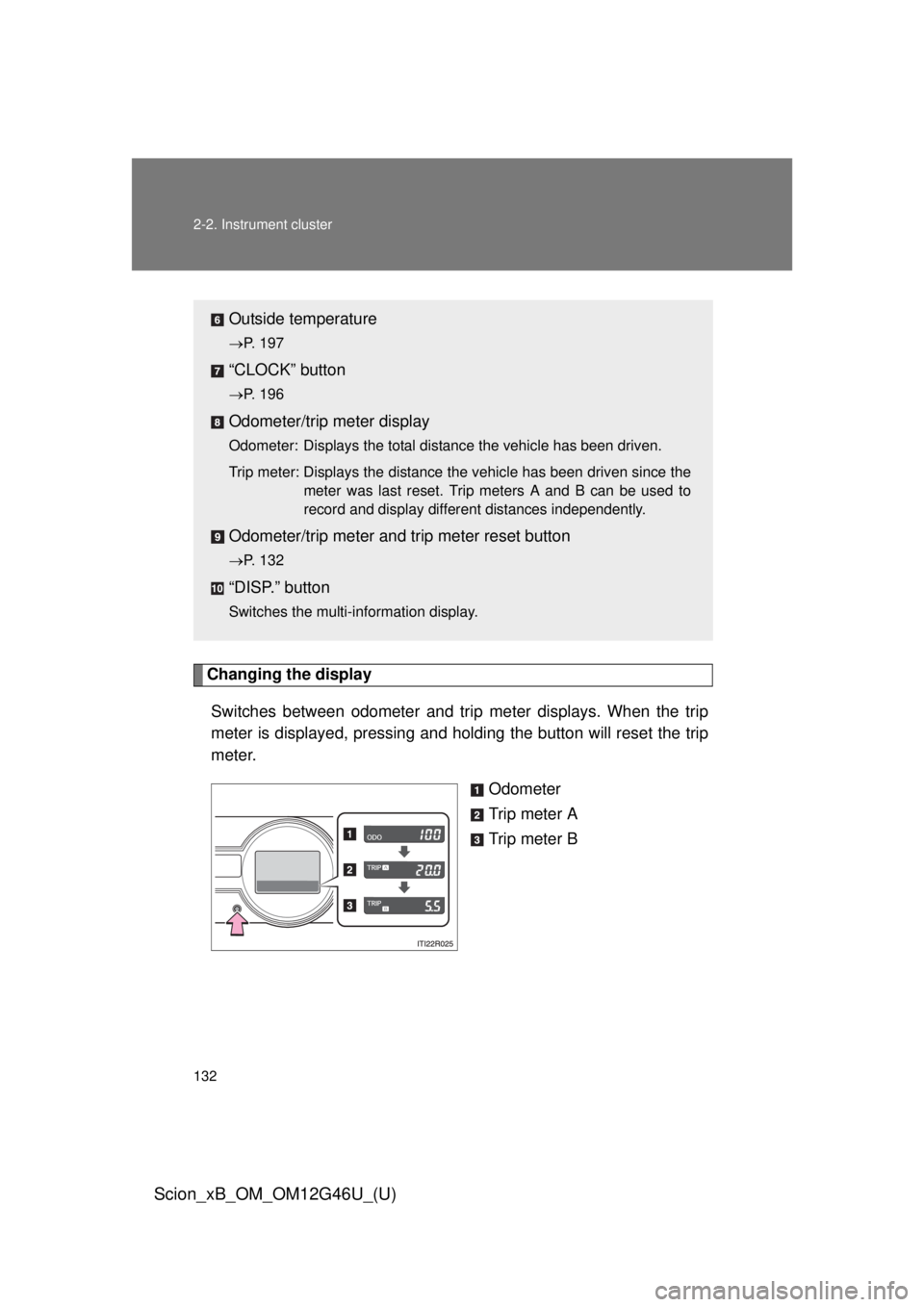
Changing the displaySwitches between odometer and trip meter displays. When the trip
meter is displayed, pressing and holding the button will reset the trip
meter. Odometer
Trip meter A
Trip meter B
Outside temperature
P. 197
“CLOCK” button
P. 196
Odometer/trip meter display
Odometer: Displays the total distance the vehicle has been driven.
Trip meter: Displays the distance the vehicle has been driven since the
meter was last reset. Trip meters A and B can be used to
record and display different distances independently.
Odometer/trip meter and trip meter reset button
P. 132
“DISP.” button
Switches the multi-information display.
Page 133 of 396
133
2-2. Instrument cluster
2
When driving
Scion_xB_OM_OM12G46U_(U)
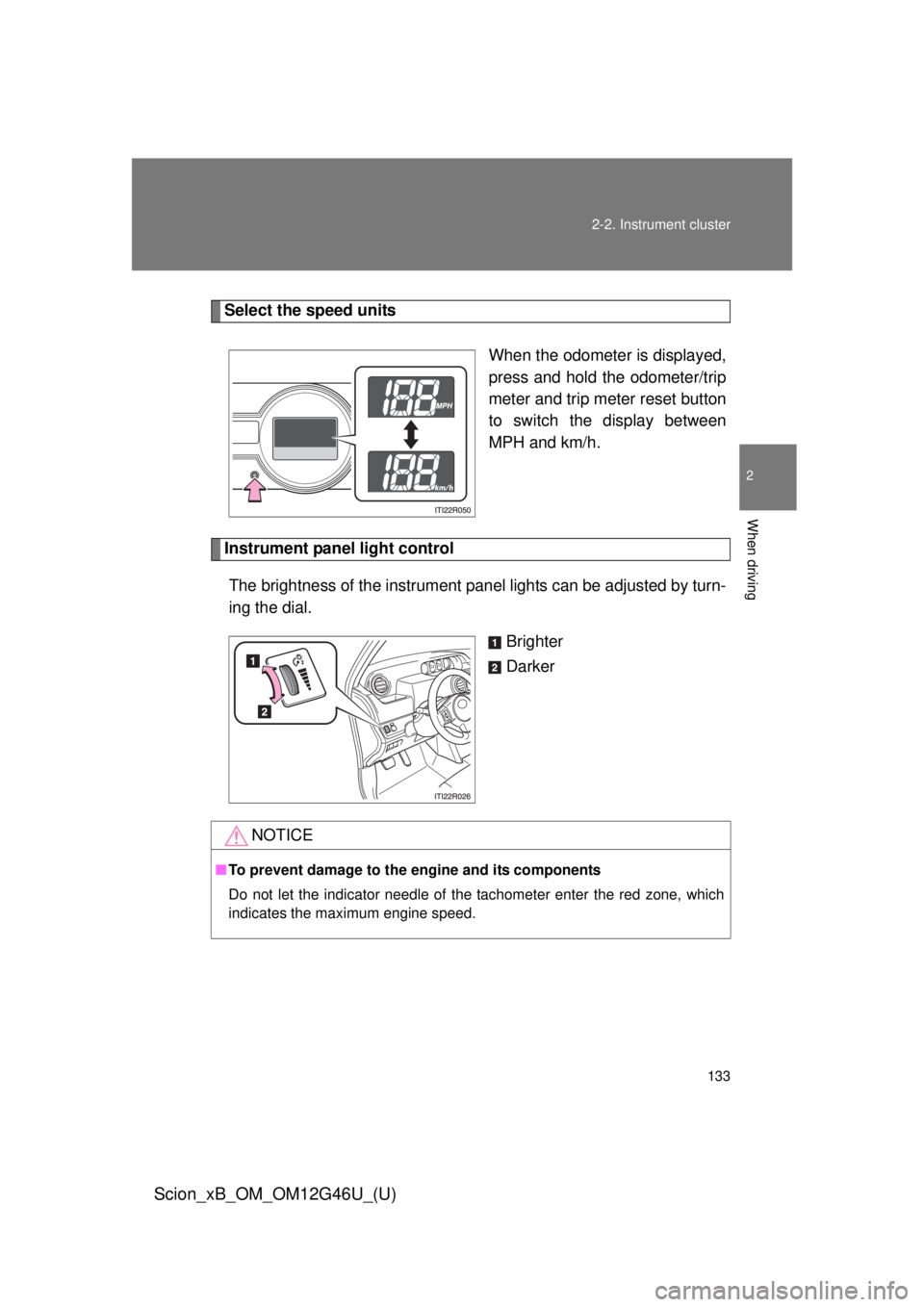
Select the speed units
When the odometer is displayed,
press and hold the odometer/trip
meter and trip meter reset button
to switch the display between
MPH and km/h.
Instrument panel light controlThe brightness of the instrument pa nel lights can be adjusted by turn-
ing the dial.
Brighter
Darker
NOTICE
■To prevent damage to the engine and its components
Do not let the indicator needle of the tachometer enter the red zone, which
indicates the maximum engine speed.
Page 137 of 396
137
2-2. Instrument cluster
2
When driving
Scion_xB_OM_OM12G46U_(U)
Multi-information display
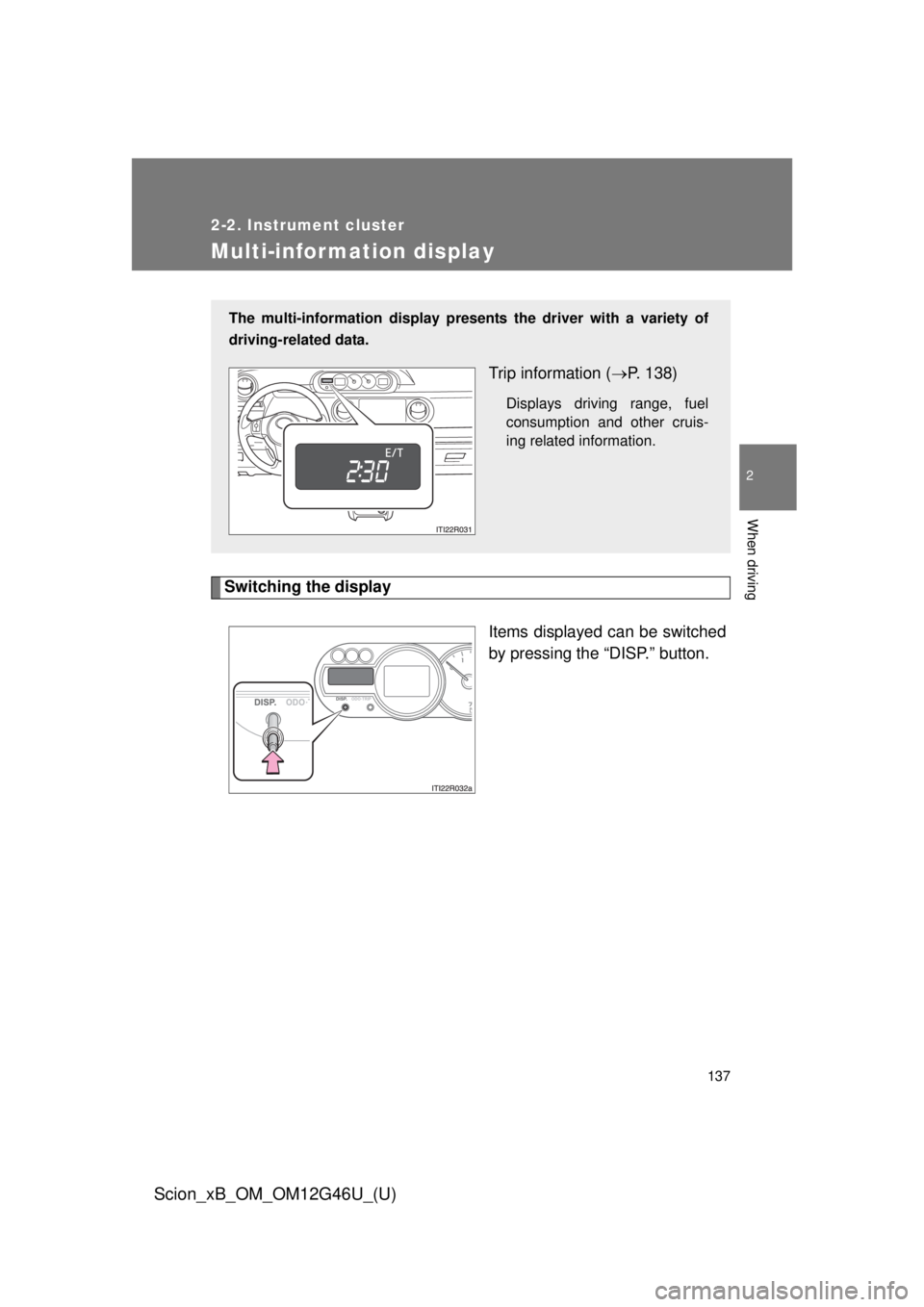
Switching the displayItems displayed can be switched
by pressing the “DISP.” button.
The multi-information display presen ts the driver with a variety of
driving-related data.
Trip information ( P. 138)
Displays driving range, fuel
consumption and other cruis-
ing related information.
Page 138 of 396
138 2-2. Instrument cluster
Scion_xB_OM_OM12G46U_(U)
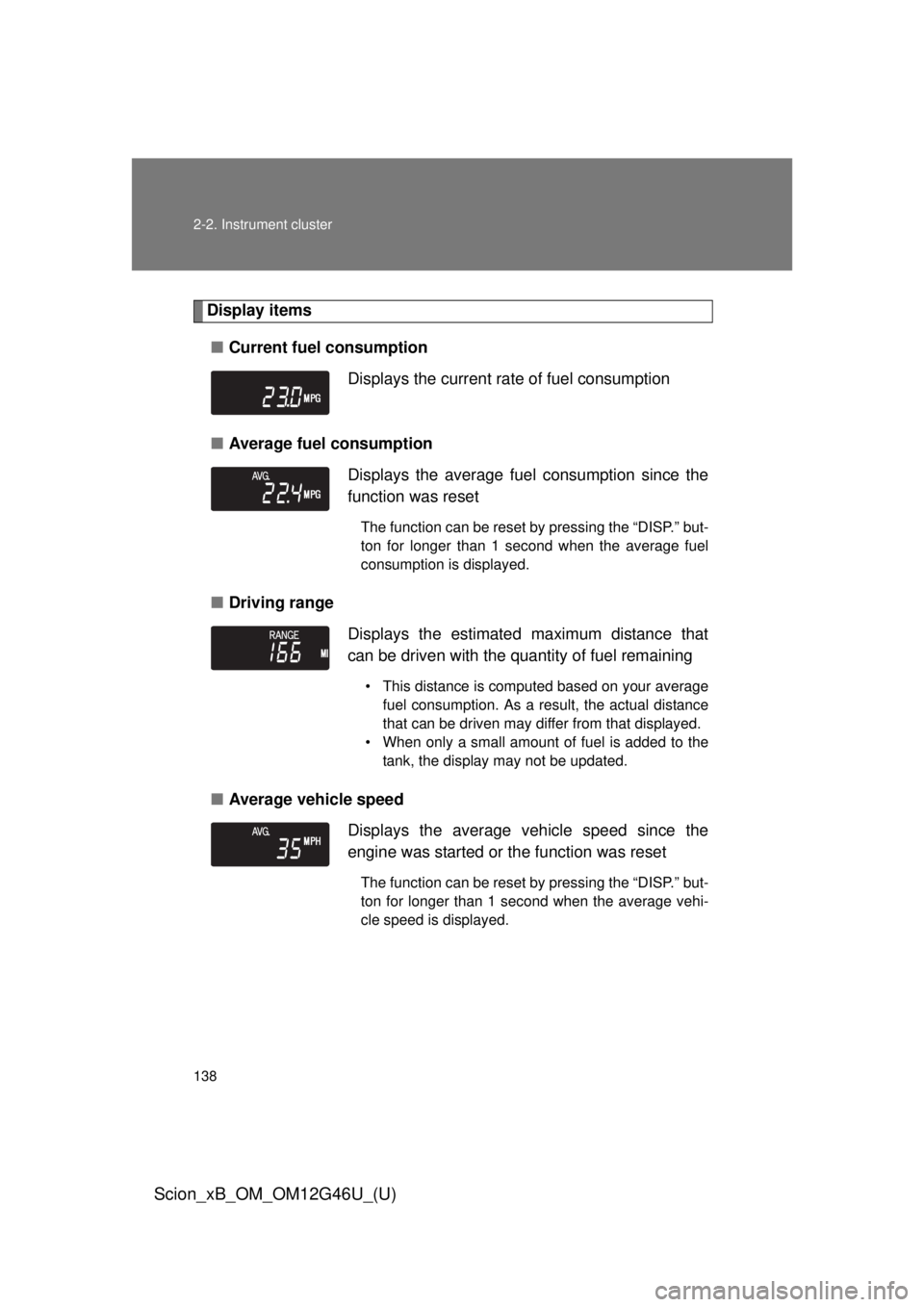
Display items■ Current fuel consumption
■ Average fuel consumption
■ Driving range
■ Average vehicle speed Displays the current rate of fuel consumption
Displays the average fuel
consumption since the
function was reset
The function can be reset by pressing the “DISP.” but-
ton for longer than 1 second when the average fuel
consumption is displayed.
Displays the estimated maximum distance that
can be driven with the quantity of fuel remaining
• This distance is computed based on your average fuel consumption. As a result, the actual distance
that can be driven may differ from that displayed.
• When only a small amount of fuel is added to the tank, the display may not be updated.
Displays the average vehicle speed since the
engine was started or the function was reset
The function can be reset by pressing the “DISP.” but-
ton for longer than 1 second when the average vehi-
cle speed is displayed.