display TOYOTA xD 2012 Owners Manual (in English)
[x] Cancel search | Manufacturer: TOYOTA, Model Year: 2012, Model line: xD, Model: TOYOTA xD 2012Pages: 392, PDF Size: 8.62 MB
Page 3 of 392
1
2
3
4
5
6
7
3
Scion_xD_U_(OM52C20U)
2-2. Instrument clusterGauges and meters ............ 132
Indicators and warning lights .................... 134
Multi-information display............................... 137
2-3. Operating the lights and
Windshield wipers
Headlight switch .................. 141
Windshield wipers and
washer .............................. 144
Rear window wiper and
washer .............................. 147
2-4. Using other driving systems Cruise control ...................... 149
Driving assist systems ........ 153
2-5. Driving information Cargo and luggage ............. 158
Vehicle load limits ............... 163
Winter driving tips ............... 164
Trailer towing ...................... 169
Dinghy towing (automatic
transmission) .................... 170
Dinghy towing (manual
transmission) .................... 171 3-1. Using the air conditioning
system and defogger
Air conditioning system ...... 174
Rear window and outside
rear view mirror
defoggers ......................... 181
3-2. Using the audio system Using the AUX port/
USB port........................... 182
Using the steering wheel
audio switches.................. 183
Using the microphone ........ 184
3-3. Using the interior lights Interior lights list ................. 185
• Interior light ...................... 186
• Personal lights.................. 186
3-4. Using the storage features List of storage features ....... 187
• Glove boxes ..................... 188
• Cup holders ...................... 189
• Auxiliary box ..................... 191
• Bottle holders ................... 192
3-5. Other interior features Sun visors........................... 193
Vanity mirrors ..................... 194
Clock .................................. 195
Power outlet ....................... 196
Floor mat ............................ 197
Luggage compartment
features ............................ 199
3Interior features
Page 12 of 392
12
Scion_xD_U_(OM52C20U)
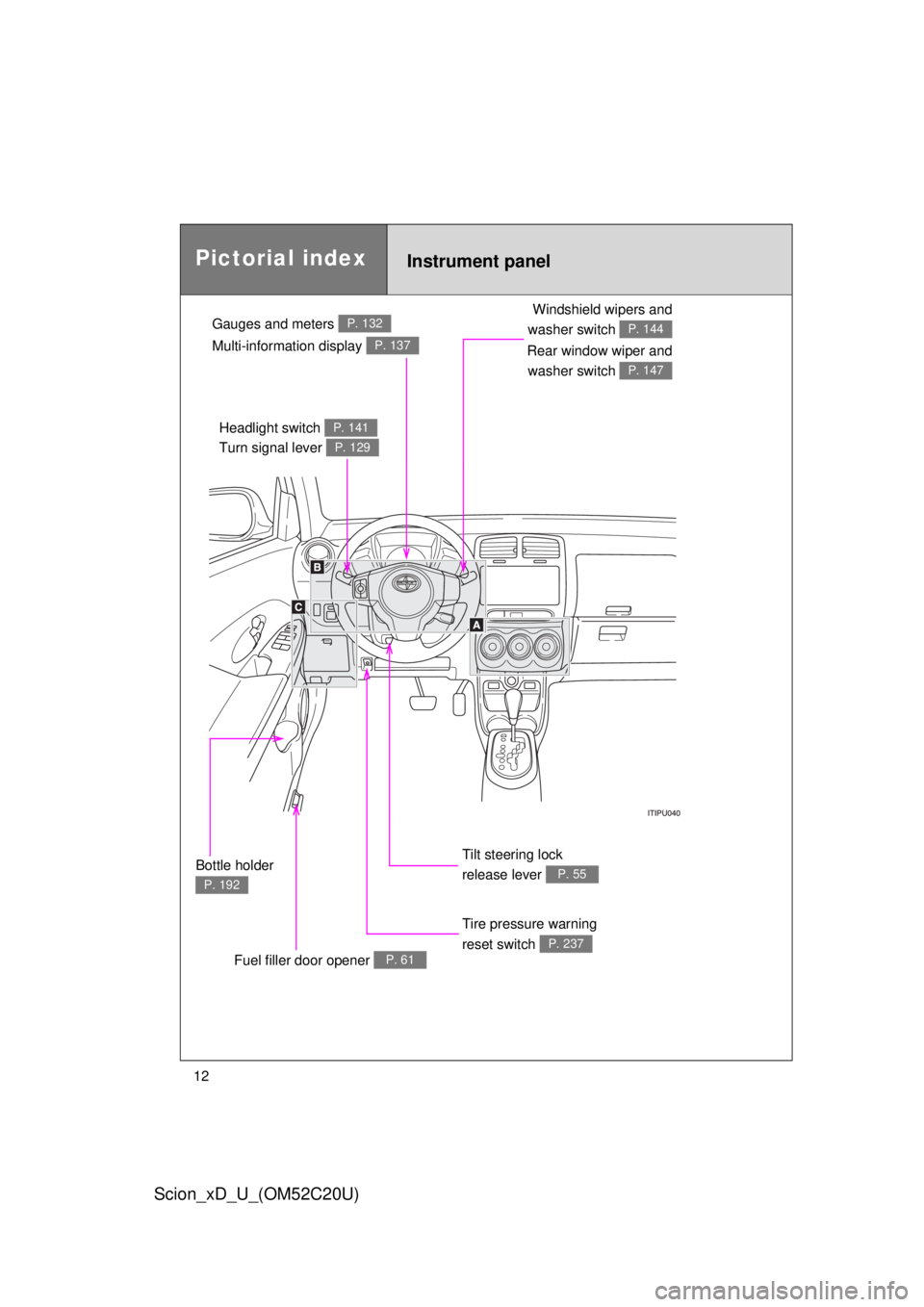
Gauges and meters P. 132
Tilt steering lock
release lever
P. 55
Tire pressure warning
reset switch
P. 237
Multi-information display P. 137
Instrument panelPictorial index
Fuel filler door opener P. 61
Windshield wipers and
washer switch
P. 144
Rear window wiper and washer switch
P. 147
Headlight switch P. 141
Turn signal lever P. 129
Bottle holder
P. 192
Page 93 of 392
93
1
1-7. Safety information
Before driving
Scion_xD_U_(OM52C20U)
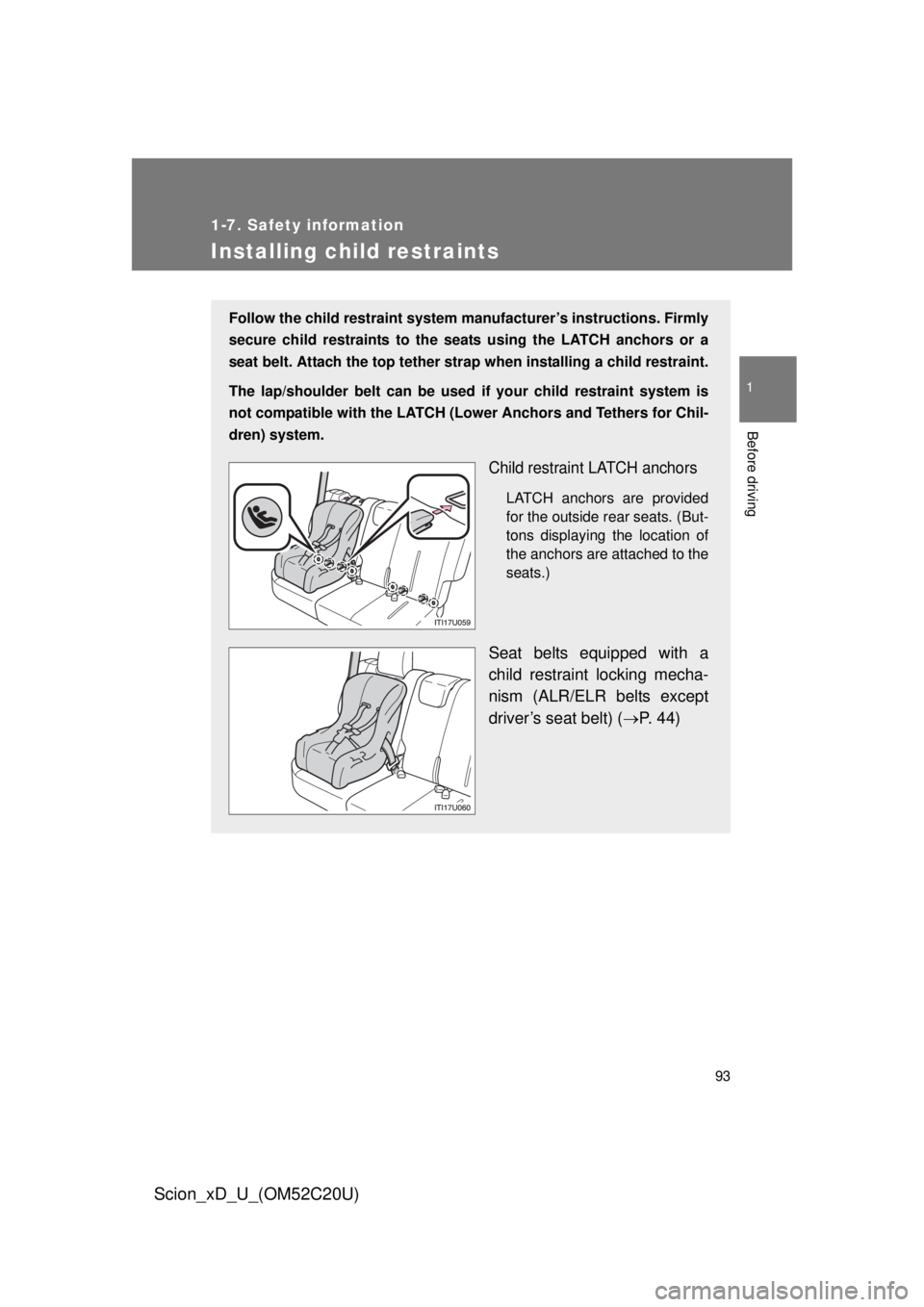
Installing child restraints
Follow the child restraint system manufacturer’s instructions. Firmly
secure child restraints to the seat s using the LATCH anchors or a
seat belt. Attach the top tether stra p when installing a child restraint.
The lap/shoulder belt can be used if your child restraint system is
not compatible with the LATCH (Low er Anchors and Tethers for Chil-
dren) system.
Child restraint LATCH anchors
LATCH anchors are provided
for the outside rear seats. (But-
tons displaying the location of
the anchors are attached to the
seats.)
Seat belts equipped with a
child restraint locking mecha-
nism (ALR/ELR belts except
driver’s seat belt) ( P. 44)
Page 107 of 392
When driving2
107
Scion_xD_U_(OM52C20U)
2-1. Driving proceduresDriving the vehicle............ 108
Engine (ignition) switch ............................. 121
Automatic
transmission................... 125
Manual transmission ........ 128
Turn signal lever .............. 129
Parking brake ................... 130
Horn ................................. 131
2-2. Instrument cluster Gauges and meters ......... 132
Indicators and warning lights ................. 134
Multi-information display............................ 137 2-3. Operating the lights and
Windshield wipers
Headlight switch ............... 141
Windshield wipers and
washer ........................... 144
Rear window wiper and
washer ........................... 147
2-4. Using other driving systems Cruise control ................... 149
Driving assist systems ..... 153
2-5. Driving information Cargo and luggage .......... 158
Vehicle load limits ............ 163
Winter driving tips ............ 164
Trailer towing ................... 169
Dinghy towing (automatic
transmission) ................. 170
Dinghy towing (manual
transmission) ................. 171
Page 132 of 392
132
Scion_xD_U_(OM52C20U)
2-2. Instrument cluster
Gauges and meters
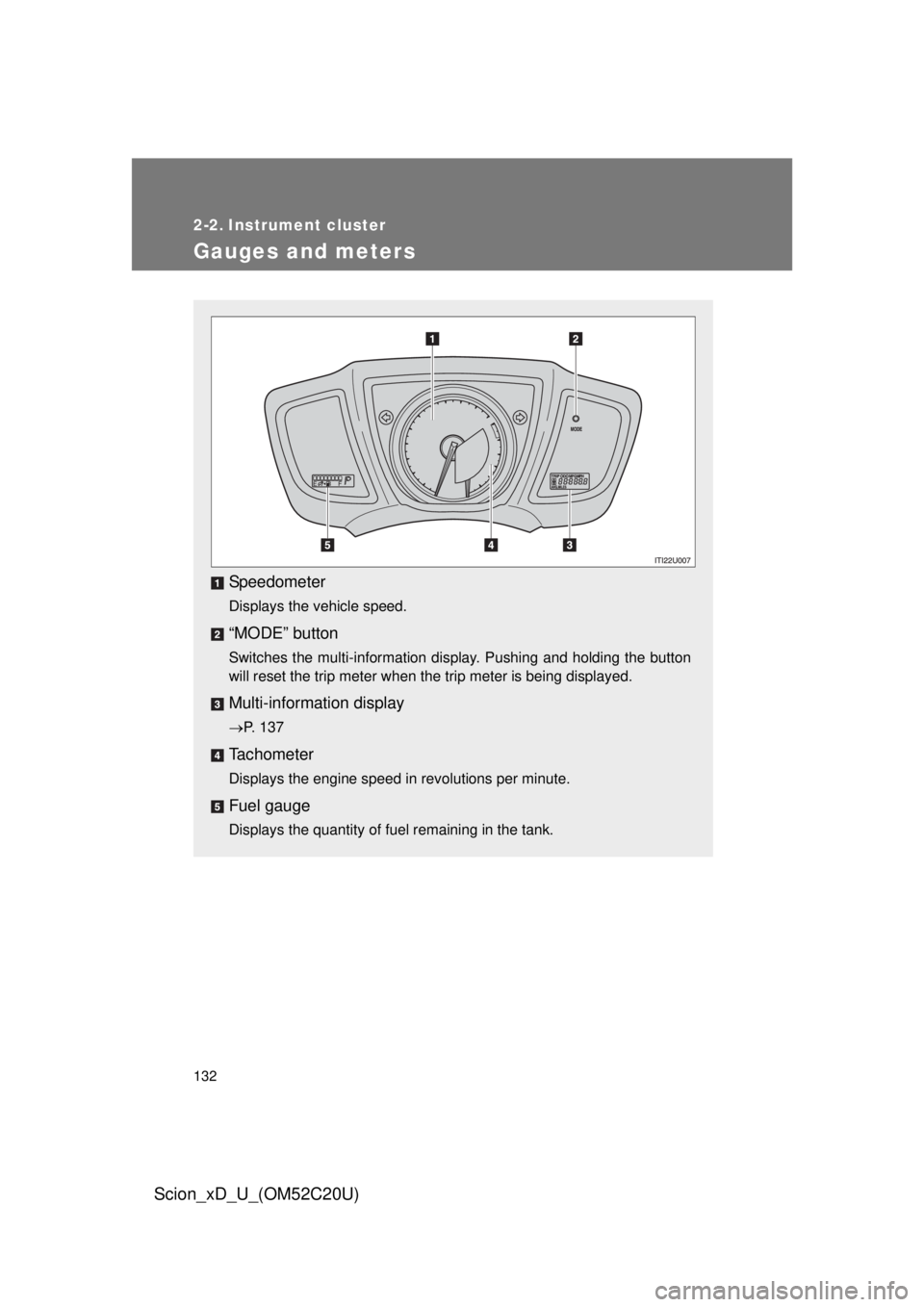
Speedometer
Displays the vehicle speed.
“MODE” button
Switches the multi-information display. Pushing and holding the button
will reset the trip meter when the trip meter is being displayed.
Multi-information display
P. 137
Tachometer
Displays the engine speed in revolutions per minute.
Fuel gauge
Displays the quantity of fuel remaining in the tank.
Page 133 of 392
133
2-2. Instrument cluster
2
When driving
Scion_xD_U_(OM52C20U)
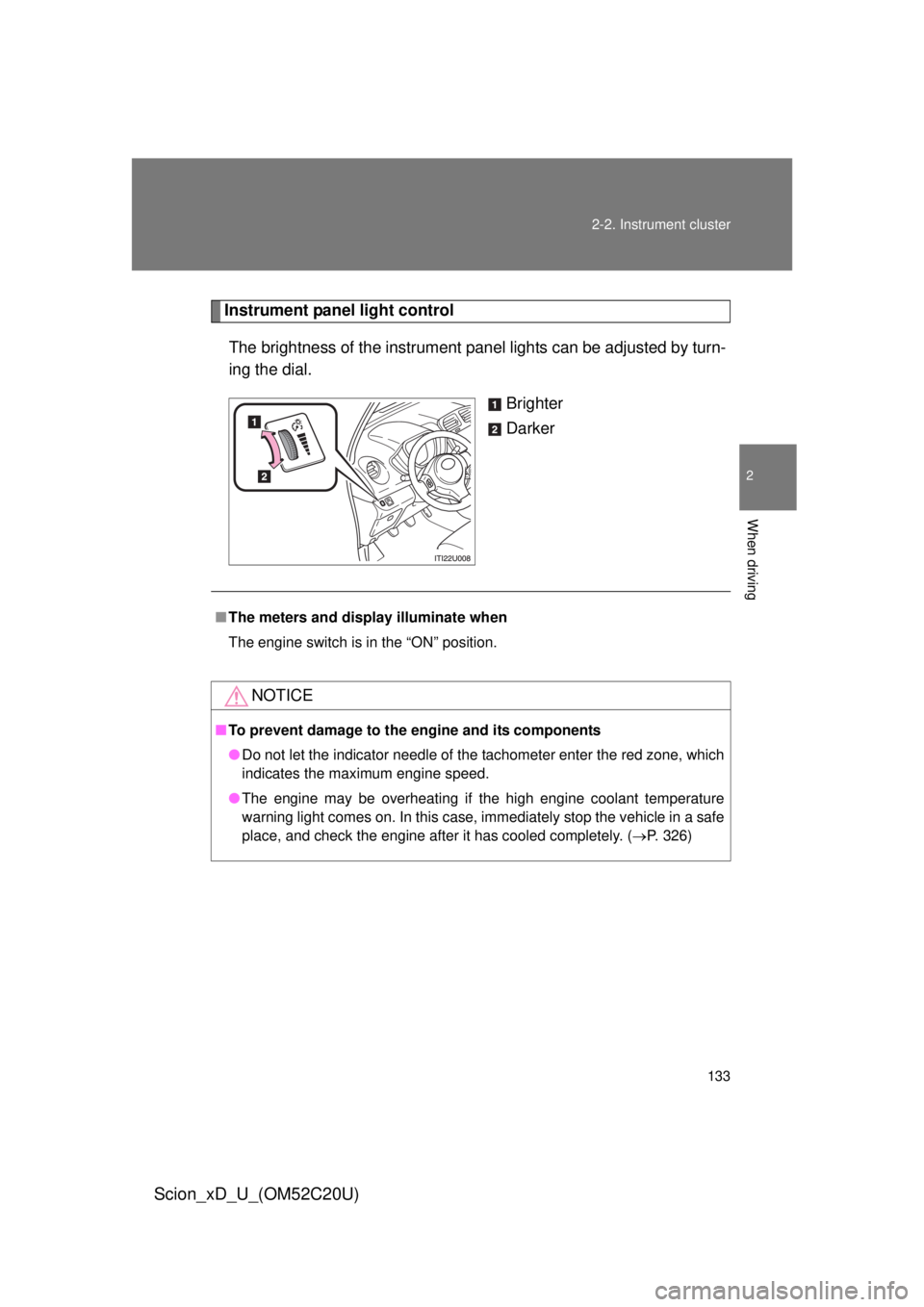
Instrument panel light control
The brightness of the instrument pa nel lights can be adjusted by turn-
ing the dial.
Brighter
Darker
■The meters and display illuminate when
The engine switch is in the “ON” position.
NOTICE
■To prevent damage to the engine and its components
● Do not let the indicator needle of the tachometer enter the red zone, which
indicates the maximum engine speed.
● The engine may be overheating if the high engine coolant temperature
warning light comes on. In this case, immediately stop the vehicle in a safe
place, and check the engine after it has cooled completely. ( P. 326)
Page 137 of 392
137
2-2. Instrument cluster
2
When driving
Scion_xD_U_(OM52C20U)
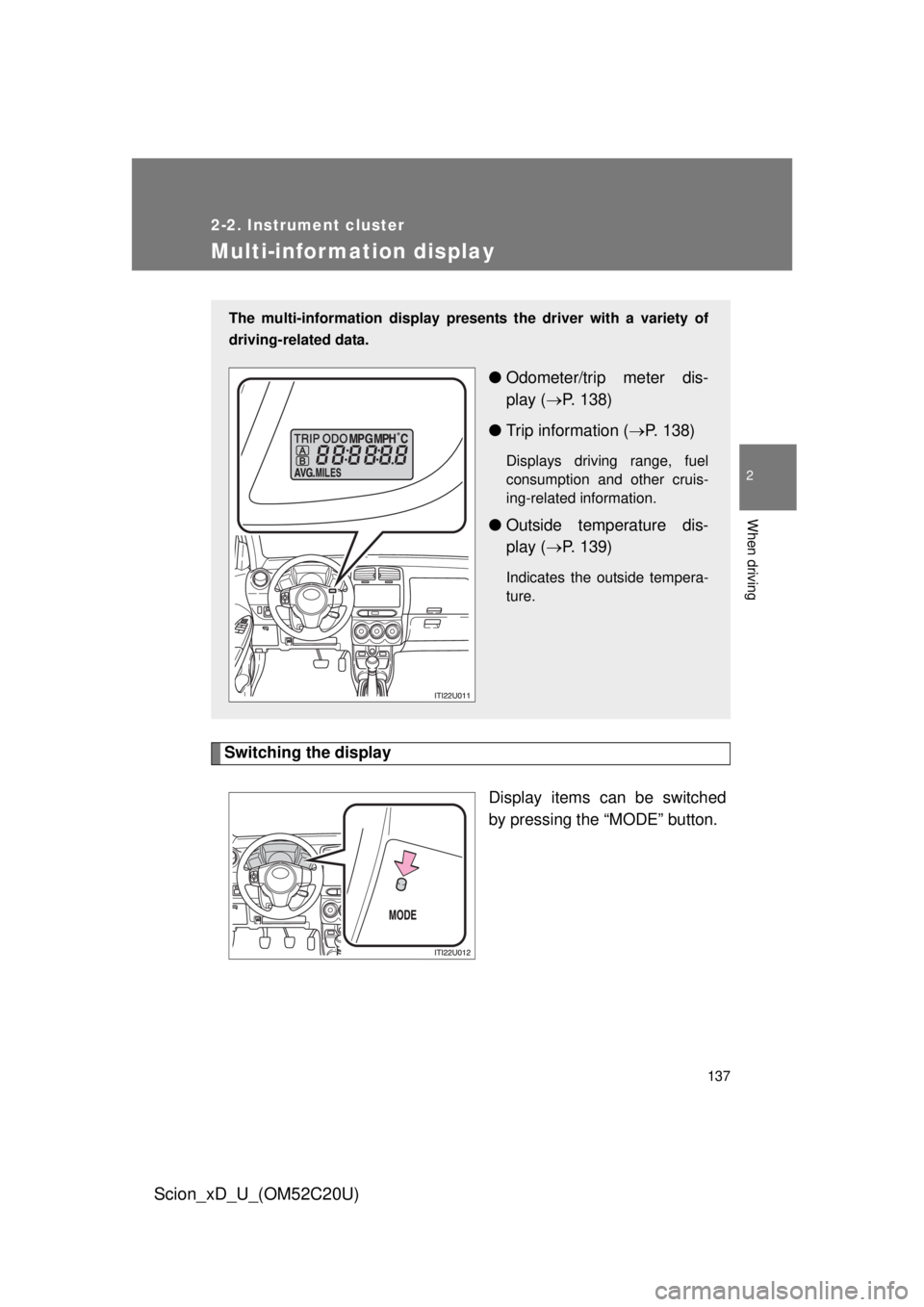
Multi-information display
Switching the displayDisplay items can be switched
by pressing the “MODE” button.
The multi-information display presents the driver with a variety of
driving-related data.
● Odometer/trip meter dis-
play ( P. 138)
● Trip information ( P. 138)
Displays driving range, fuel
consumption and other cruis-
ing-related information.
● Outside temperature dis-
play ( P. 139)
Indicates the outside tempera-
ture.
Page 138 of 392
138 2-2. Instrument cluster
Scion_xD_U_(OM52C20U)
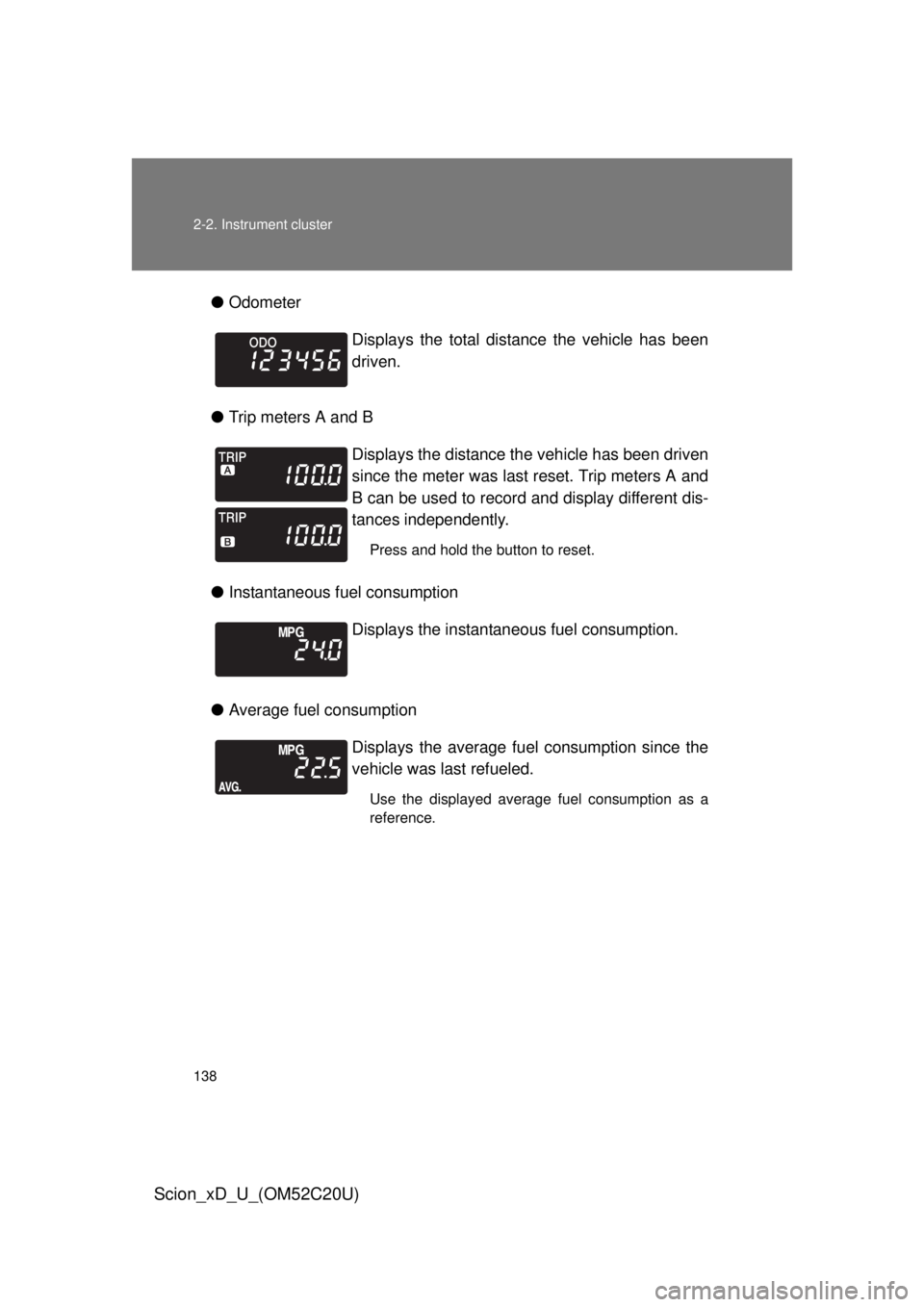
●Odometer
● Trip meters A and B
● Instantaneous fuel consumption
● Average fuel consumption Displays the total distance the vehicle has been
driven.
Displays the distance the vehicle has been driven
since the meter was last reset. Trip meters A and
B can be used to record and display different dis-
tances independently.
Press and hold the button to reset.
Displays the instantan
eous fuel consumption.
Displays the average fuel consumption since the
vehicle was last refueled.
Use the displayed average fuel consumption as a
reference.
Page 139 of 392
139
2-2. Instrument cluster
2
When driving
Scion_xD_U_(OM52C20U)
●
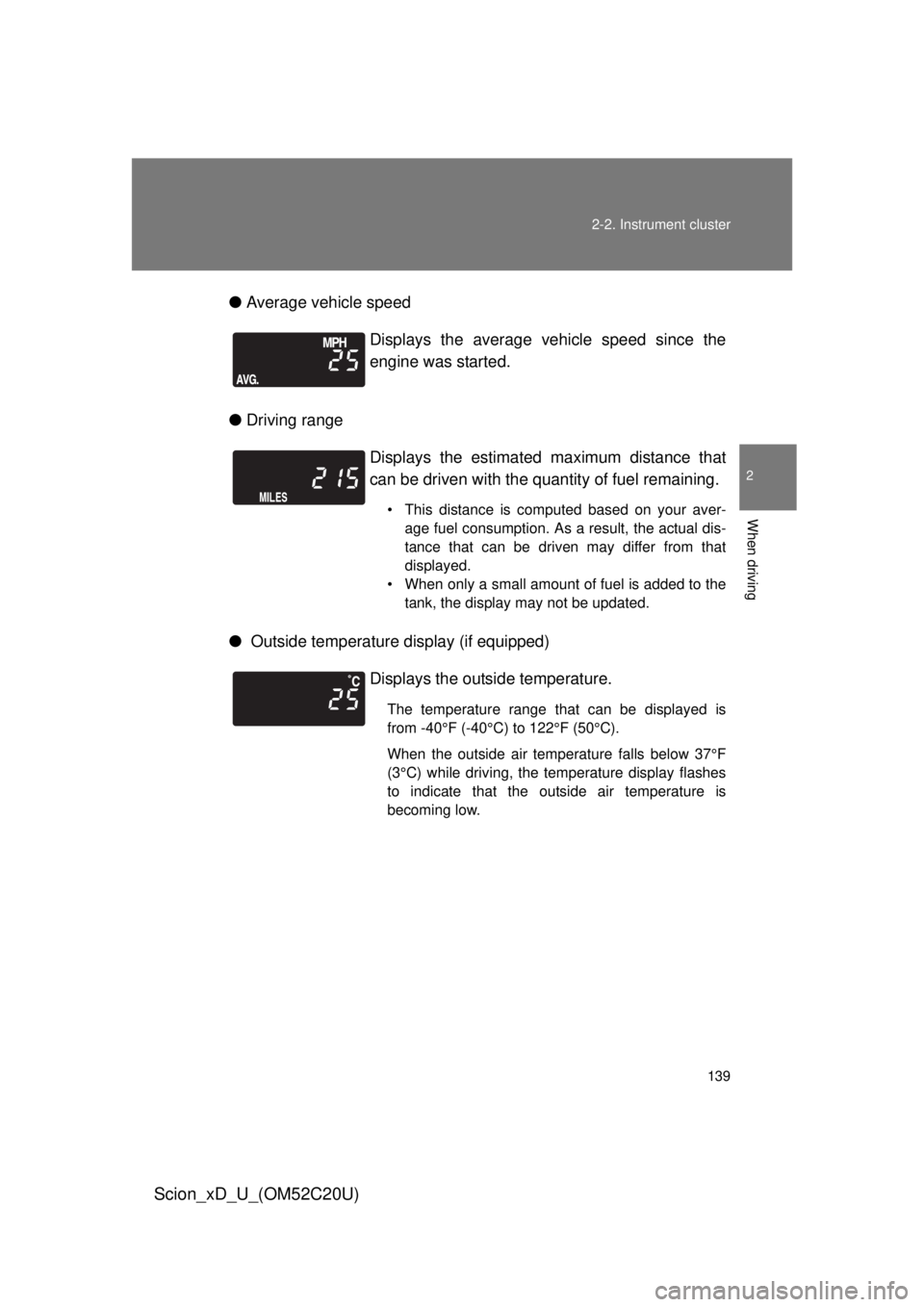
Average vehicle speed
● Driving range
● Outside temperature display (if equipped) Displays the average vehicle speed since the
engine was started.
Displays the estimated
maximum distance that
can be driven with the quantity of fuel remaining.
• This distance is computed based on your aver- age fuel consumption. As a result, the actual dis-
tance that can be driven may differ from that
displayed.
• When only a small amount of fuel is added to the tank, the display may not be updated.
Displays the outside temperature.
The temperature range that can be displayed is
from -40°F (-40°C) to 122°F (50°C).
When the outside air temperature falls below 37°F
(3°C) while driving, the temperature display flashes
to indicate that the outside air temperature is
becoming low.
Page 140 of 392
140 2-2. Instrument cluster
Scion_xD_U_(OM52C20U)
■When disconnecting and reco nnecting battery terminals
The following information data will be reset:
● Instantaneous fuel consumption
● Average fuel consumption
● Average vehicle speed
● Driving range
■ Outside temperature display (if equipped)
● In the following situations, the correct outside temperature may not be
displayed, or the display may take longer than normal to change.
• When stopped, or driving at low speeds (less than 12 mph [20 km/h])
• When the outside temperature has changed suddenly (at the entrance/
exit of a garage, tunnel, etc.)
● When “--” is displayed, the system may be malfunctioning.
Have the vehicle inspected by your Scion dealer.
NOTICE
■ The multi-information disp lay at low temperatures
Allow the interior of the vehicle to warm up before using the liquid crystal
information display. At extremely low temperatures, the information display
monitor may respond slowly, and display changes may be delayed.