cruise control TOYOTA YARIS 2022 User Guide
[x] Cancel search | Manufacturer: TOYOTA, Model Year: 2022, Model line: YARIS, Model: TOYOTA YARIS 2022Pages: 590, PDF Size: 128.6 MB
Page 120 of 590
118
HV Owner's Manual_Europe_M52N30_en
2-1. Instrument cluster
Display angle
Select to adjust the angle of the head-
up display.
■Enabling/disabling of the head-up
display
If the head-up display is disabled, it will remain disabled when the power switch
is turned off then back to ON.
■Display brightness
The brightness of the head-up display
can be adjusted on of the multi-
information display. Also, it is automati-
cally adjusted according to the ambient
brightness.
■Driving support system status
display
Displays the operational status of
the following systems:
Dynamic radar cruise control
with full-speed range (if
equipped) ( P.230)
LTA (Lane Tracing Assist) (if
equipped) ( P.220)
Details of content displayed on the
head-up display may differ from that
displayed on the multi-information dis-
play. For details, refer to the explana-
tion of each system.
■Navigation system-linked dis-
play area (if equipped)
Displays the following items which
are linked to the navigation system:
Street name
Route guidance to destination (if
equipped)
Compass (heading-up display)
Pop-up displays for the following
systems will be displayed when
necessary:
■Driving support systems
Displays a warning/sugges-
tion/advice message or the operat-
ing state of a relevant system.
PCS (Pre-Collision System) (if
WARNING
■Caution for changing settings of the head-up display
If the hybrid system is operating while
changing certain settings on the set- tings display, ensure that the vehicle is parked in a place with adequate
ventilation. In a closed area such as a garage, exhaust gases including harmful carbon monoxide (CO) may
collect and enter the vehicle. This may lead to death or a serious health hazard.
NOTICE
■When changing the settings of the head-up display
To prevent 12-volt battery discharge, ensure that the hybrid system is oper-ating while changing the settings of
the head-up display.
Driving support system sta-
tus/navigation system-
linked display area
Pop-up display
Page 161 of 590
4
159
HV Owner's Manual_Europe_M52N30_en
4
Driving
Driving
4-1. Before driving
Driving the vehicle ............ 160
Cargo and luggage ........... 166
Trailer towing (vehicles without
towing packages - including
Reunion) ......................... 167
Trailer towing (vehicles with
towing packages - except for
Reunion) ......................... 167
4-2. Driving procedures
Power (ignition) switch (vehi-
cles without a smart entry &
start system) ................... 173
Power (ignition) switch (vehi-
cles with a smart entry & start
system) ........................... 175
EV drive mode .................. 179
Hybrid transmission .......... 181
Turn signal lever ............... 184
Parking brake ................... 184
Brake Hold ........................ 187
4-3. Operating the lights and wip-
ers
Headlight switch ............... 190
AHB (Automatic High Beam)
....................................... 193
Fog light switch ................. 196
Windshield wipers and washer
....................................... 197
Rear window wiper and washer
....................................... 200
4-4. Refueling
Opening the fuel tank cap. 202
4-5. Using the driving support
systems
Toyota Safety Sense ......... 204
PCS (Pre-Collision System)
........................................ 209
LTA (Lane Tracing Assist) . 220
Dynamic radar cruise control
with full-speed range ...... 230
Speed limiter ..................... 242
RSA (Road Sign Assist) .... 244
BSM (Blind Spot Monitor) . 248
Toyota parking assist-sensor
........................................ 253
RCTA (Rear Crossing Traffic
Alert) ............................... 260
PKSB (Parking Support Brake)
........................................ 265
Parking Support Brake function
(static objects) ................ 270
Parking Support Brake function
(rear-crossing vehicles) .. 273
Driving mode select switch 275
GPF (Gasoline Particulate Fil-
ter) system ...................... 276
Driving assist systems ...... 277
4-6. Driving tips
Hybrid vehicle driving tips . 282
Winter driving tips ............. 284
Page 174 of 590
172
HV Owner's Manual_Europe_M52N30_en
4-1. Before driving
WARNING
■Vehicle speed in towing
Observe the legal maximum speeds
for trailer towing.
■Before descending hills or long
declines
Reduce speed and downshift. How- ever, never downshift suddenly while
descending steep or long downhill grades.
■Operation of the brake pedal
Do not hold the brake pedal depressed often or for long periods of
time. Doing so may result in the brake overheating or reduce braking effects.
■To avoid accident or injury
●Vehicles with a compact spare tire: Do not tow a trailer when the com-
pact spare tire is installed on your vehicle.
●Vehicles with the emergency tire puncture repair kit: Do not tow a trailer when the tire installed is
repaired with the emergency tire puncture repair kit.
●Vehicles with a Dynamic radar cruise control: Do not use dynamic radar cruise control when you are
towing.
NOTICE
■Do not directly splice trailer
lights
Directly splicing trailer lights may damage your vehicle’s electrical sys-
tem and cause a malfunction.
Page 183 of 590
181
4
HV Owner's Manual_Europe_M52N30_en
4-2. Driving procedures
Driving
*: To improve fuel efficiency and reduce
noise, shift the shift lever to D for nor-
mal driving.
■Restraining sudden start (Drive- Start Control)
P. 1 6 5
■When driving with dynamic radar
cruise control with full-speed range activated
Even when switching the driving mode
to power mode with the intent of enabling engine braking, engine braking will not occur because dynamic radar
cruise control with full-speed range will not be canceled. ( P.275)
WARNING
■Caution while driving
When driving in EV drive mode, pay
special attention to the area around the vehicle. Because there is no engine noise, pedestrians, people rid-
ing bicycles or other people and vehi- cles in the area may not be aware of the vehicle starting off or approaching
them.
Take extra care while driving even if the acoustic vehicle alerting system is
active.
Hybrid transmission
Select the shift position
depending on your purpose
and situation.
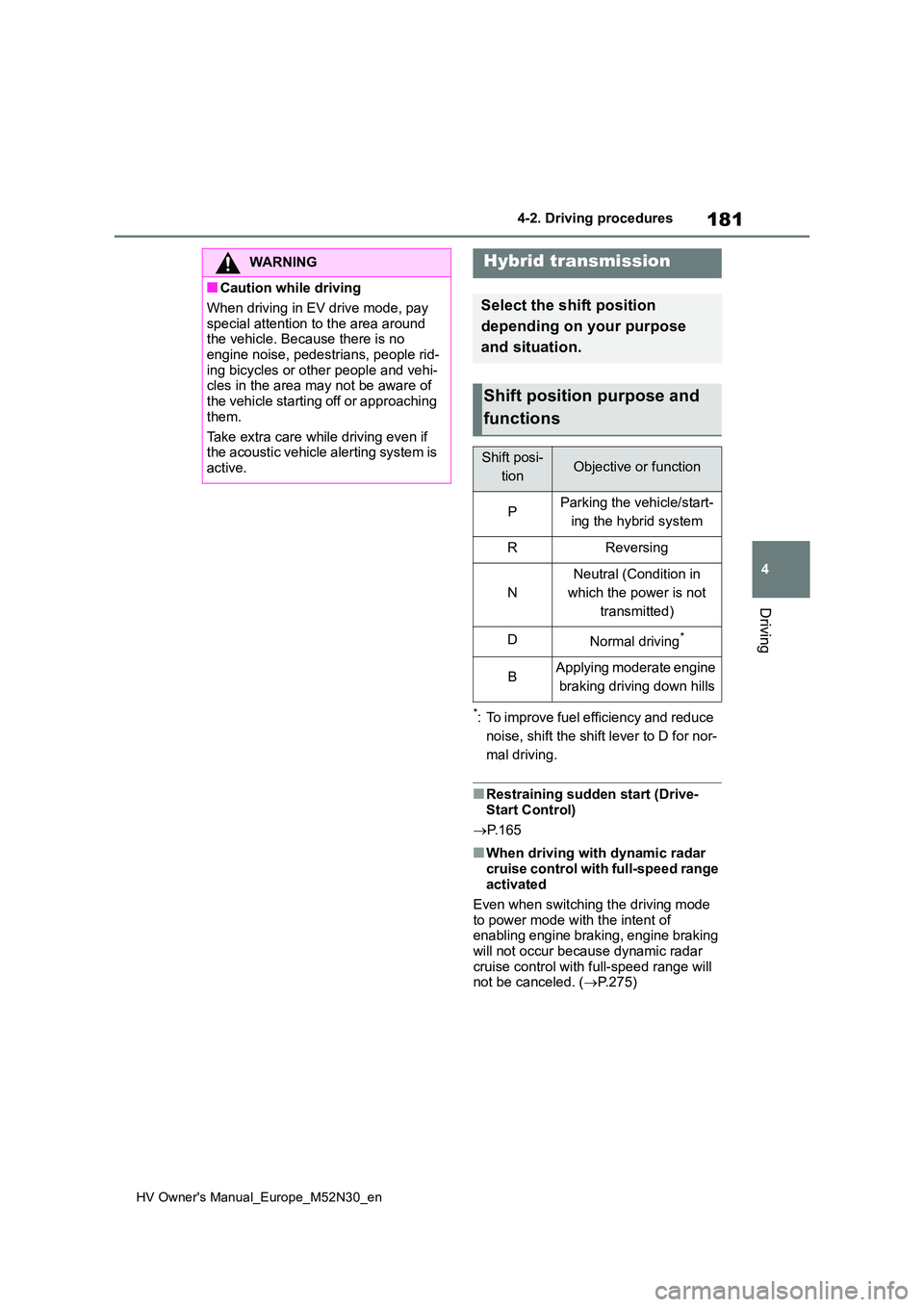
Shift position purpose and
functions
Shift posi-
tionObjective or function
PParking the vehicle/start-
ing the hybrid system
RReversing
N
Neutral (Condition in
which the power is not
transmitted)
DNormal driving*
BApplying moderate engine
braking driving down hills
Page 206 of 590
204
HV Owner's Manual_Europe_M52N30_en
4-5. Using the driving support systems
4-5.Using the d riving s upport sy ste ms
*: If equipped
■PCS (Pre-Collision System)
P. 2 0 9
■LTA (Lane Tracing Assist)
P. 2 2 0
■AHB (Automatic High Beam)
P. 1 9 3
■RSA (Road Sign Assist) (if
equipped)
P. 2 4 4
■Dynamic radar cruise control
with full-speed range
P. 2 3 0
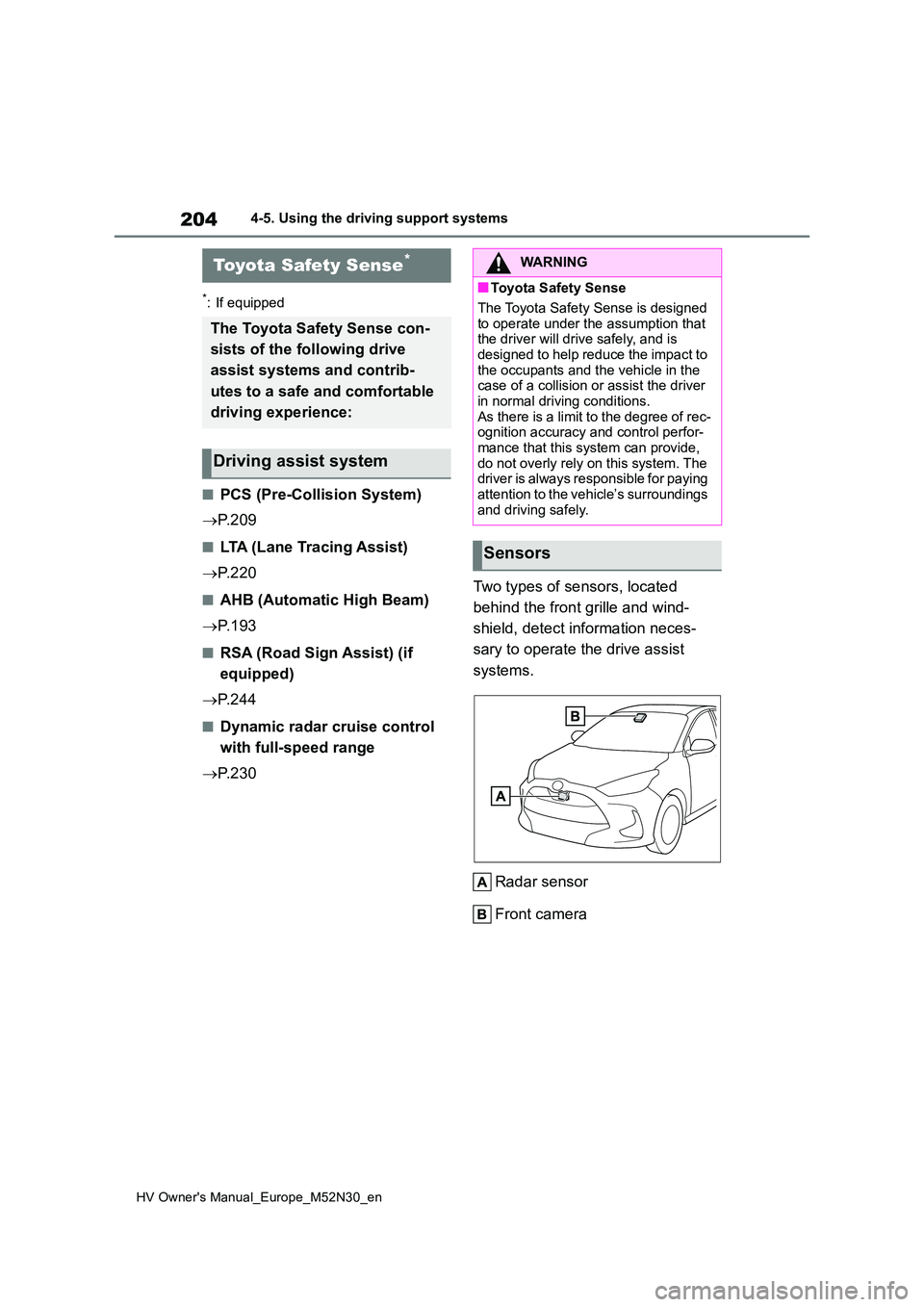
Two types of sensors, located
behind the front grille and wind-
shield, detect information neces-
sary to operate the drive assist
systems.
Radar sensor
Front camera
Toyota Safety Sense*
The Toyota Safety Sense con-
sists of the following drive
assist systems and contrib-
utes to a safe and comfortable
driving experience:
Driving assist system
WARNING
■Toyota Safety Sense
The Toyota Safety Sense is designed
to operate under the assumption that the driver will drive safely, and is designed to help reduce the impact to
the occupants and the vehicle in the case of a collision or assist the driver in normal driving conditions.
As there is a limit to the degree of rec- ognition accuracy and control perfor-mance that this system can provide,
do not overly rely on this system. The driver is always responsible for paying attention to the vehicle’s surroundings
and driving safely.
Sensors
Page 222 of 590
220
HV Owner's Manual_Europe_M52N30_en
4-5. Using the driving support systems
*: If equipped
While driving on a road with clear
white (yellow) lane lines, the LTA
system warns the driver if the vehi-
cle may deviate from the current
lane or course*, and also can
slightly operate the steering wheel
to help avoid deviation from the
lane or course*. Also, while the
dynamic radar cruise control with
full-speed range is operating, this
system will operate the steering
wheel to maintain the vehicle’s lane
position.
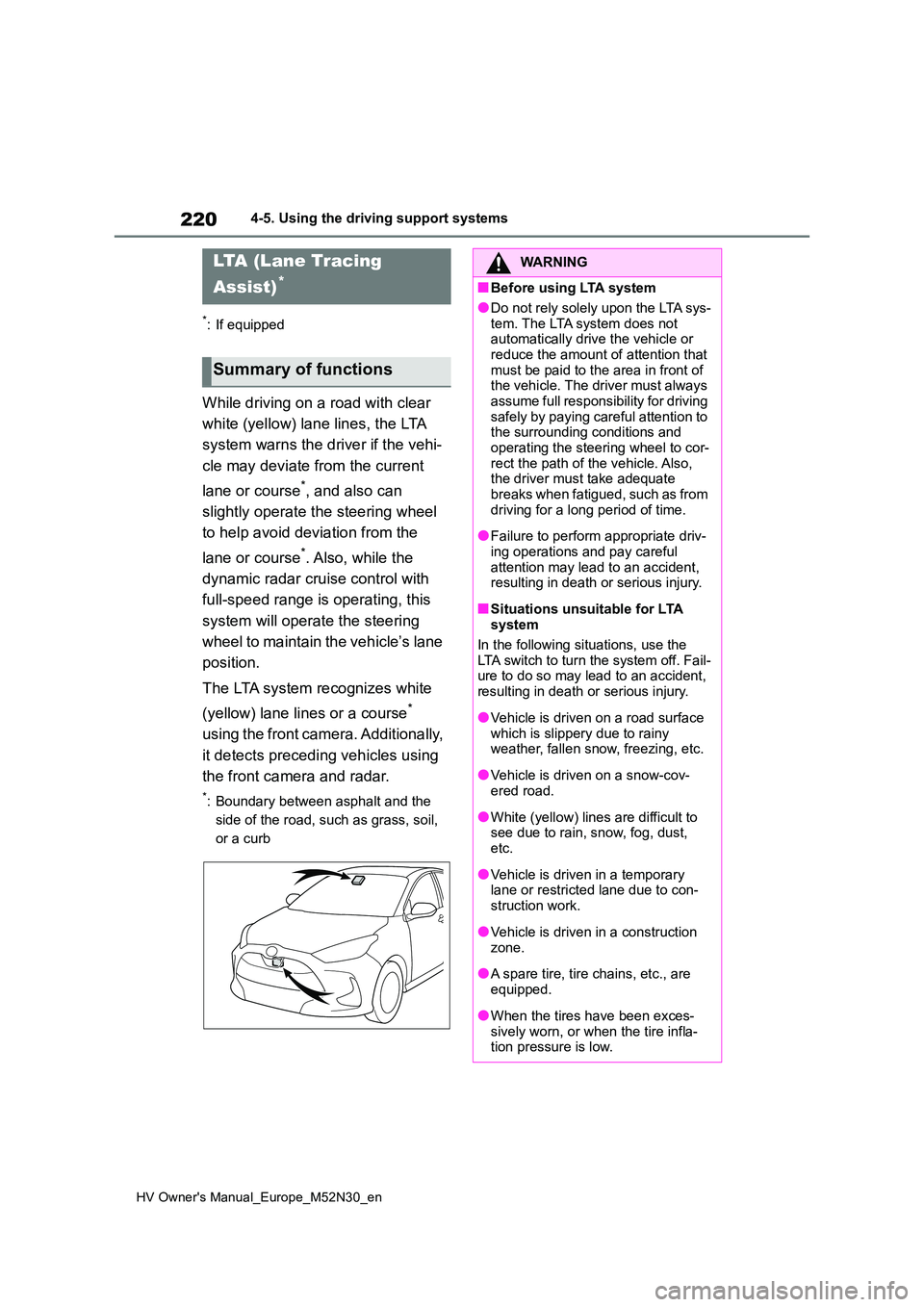
The LTA system recognizes white
(yellow) lane lines or a course*
using the front camera. Additionally,
it detects preceding vehicles using
the front camera and radar.
*: Boundary between asphalt and the
side of the road, such as grass, soil,
or a curb
LTA (Lane Tracing
Assist)*
Summary of functions
WARNING
■Before using LTA system
●Do not rely solely upon the LTA sys-
tem. The LTA system does not automatically drive the vehicle or reduce the amount of attention that
must be paid to the area in front of the vehicle. The driver must always assume full responsibility for driving
safely by paying careful attention to the surrounding conditions and operating the steering wheel to cor-
rect the path of the vehicle. Also, the driver must take adequate breaks when fatigued, such as from
driving for a long period of time.
●Failure to perform appropriate driv-
ing operations and pay careful attention may lead to an accident, resulting in death or serious injury.
■Situations unsuitable for LTA system
In the following situations, use the LTA switch to turn the system off. Fail-ure to do so may lead to an accident,
resulting in death or serious injury.
●Vehicle is driven on a road surface
which is slippery due to rainy weather, fallen snow, freezing, etc.
●Vehicle is driven on a snow-cov-ered road.
●White (yellow) lines are difficult to see due to rain, snow, fog, dust, etc.
●Vehicle is driven in a temporary lane or restricted lane due to con-
struction work.
●Vehicle is driven in a construction
zone.
●A spare tire, tire chains, etc., are
equipped.
●When the tires have been exces-
sively worn, or when the tire infla- tion pressure is low.
Page 226 of 590
224
HV Owner's Manual_Europe_M52N30_en
4-5. Using the driving support systems
side of the road, such as grass, soil,
or a curb
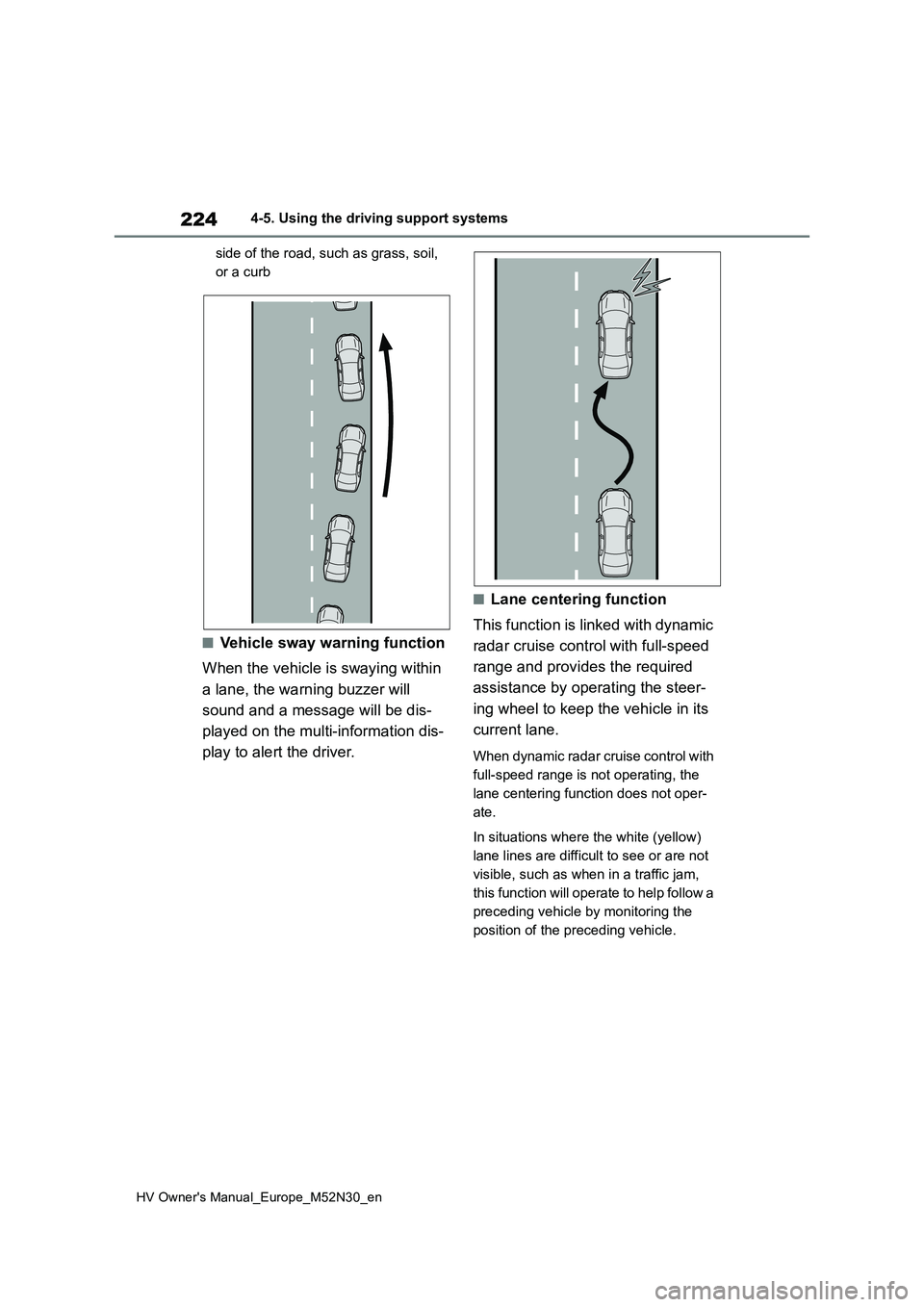
■Vehicle sway warning function
When the vehicle is swaying within
a lane, the warning buzzer will
sound and a message will be dis-
played on the multi-information dis-
play to alert the driver.
■Lane centering function
This function is linked with dynamic
radar cruise control with full-speed
range and provides the required
assistance by operating the steer-
ing wheel to keep the vehicle in its
current lane.
When dynamic radar cruise control with
full-speed range is not operating, the
lane centering function does not oper-
ate.
In situations where the white (yellow)
lane lines are difficult to see or are not
visible, such as when in a traffic jam,
this function will operate to help follow a
preceding vehicle by monitoring the
position of the preceding vehicle.
Page 229 of 590
227
4
HV Owner's Manual_Europe_M52N30_en
4-5. Using the driving support systems
Driving
• LTA is turned on.
• Vehicle speed is approximately 50
km/h (32 mph) or more.*1
• System recognizes white (yellow) lane
lines or a course*2. (When a white
[yellow] line or course*2 is recognized on only one side, the system will oper-
ate only for the recognized side.) • Width of traffic lane is approximately 3 m (9.8 ft.) or more.
• Turn signal lever is not operated.
(Vehicle with BSM: Except when
another vehicle is in the lane on the side
where the turn signal was operated)
• Vehicle is not being driven around a sharp curve.
• No system malfunctions are detected. ( P.229)*1: The function operates even if the
vehicle speed is less than approxi-
mately 50 km/h (32 mph) when the
lane centering function is operating.
*2: Boundary between asphalt and the
side of the road, such as grass, soil,
or a curb
●Steering assist function
This function operates when all of the
following conditions are met in addition
to the operation conditions for the lane
departure alert function.
• Vehicle is not accelerated or deceler- ated by a fixed amount or more.
• Steering wheel is not operated with a steering force level suitable for chang-ing lanes.
• ABS, VSC, TRC and PCS are not operating.• TRC or VSC is not turned off.
• Hands off steering wheel warning is not displayed. ( P.228)
●Vehicle sway warning function
This function operates when all of the
following conditions are met.
• Setting for “Sway Warning” in of
the multi-information display is set to
“ON”. ( P.431) • Vehicle speed is approximately 50
km/h (32 mph) or more. • Width of traffic lane is approximately 3 m (9.8 ft.) or more.
• No system malfunctions are detected. ( P.229)
●Lane centering function
This function operates when all of the
following conditions are met.
• LTA is turned on.
• Setting for “Lane Center” in of the
multi-information display is set to “ON”
( P.431) • This function recognizes white (yel- low) lane lines or the position of a pre-
ceding vehicle (except when the preceding vehicle is small, such as a motorcycle).
• The dynamic radar cruise control with full-speed range is operating in vehi-cle-to-vehicle distance control mode.
• Width of traffic lane is approximately 3 to 4 m (10 to 13 ft.).• Turn signal lever is not operated.
• Vehicle is not being driven around a sharp curve.• No system malfunctions are detected.
( P.229) • Vehicle does not accelerate or decel-erate by a fixed amount or more.
• Steering wheel is not operated with a steering force level suitable for chang-ing lanes.
• ABS, VSC, TRC and PCS are not operating.• TRC or VSC is not turned off.
• Hands off steering wheel warning is not displayed. ( P.228) • The vehicle is being driven in the
center of a lane. • Steering assist function is not operat-ing.
■Temporary cancelation of functions
●When operation conditions are no lon-ger met, a function may be temporar-
ily canceled. However, when the operation conditions are met again, operation of the function is automati-
Page 232 of 590
230
HV Owner's Manual_Europe_M52N30_en
4-5. Using the driving support systems
*: If equipped
In vehicle-to-vehicle distance con-
trol mode, the vehicle automati-
cally accelerates, decelerates and
stops to match the speed changes
of the preceding vehicle even if the
accelerator pedal is not depressed.
In constant speed control mode,
the vehicle runs at a fixed speed.
Use the dynamic radar cruise con-
trol with full-speed range on free-
ways and highways.
Vehicle-to-vehicle distance con-
trol mode ( P.233)
Constant speed control mode
( P.237)
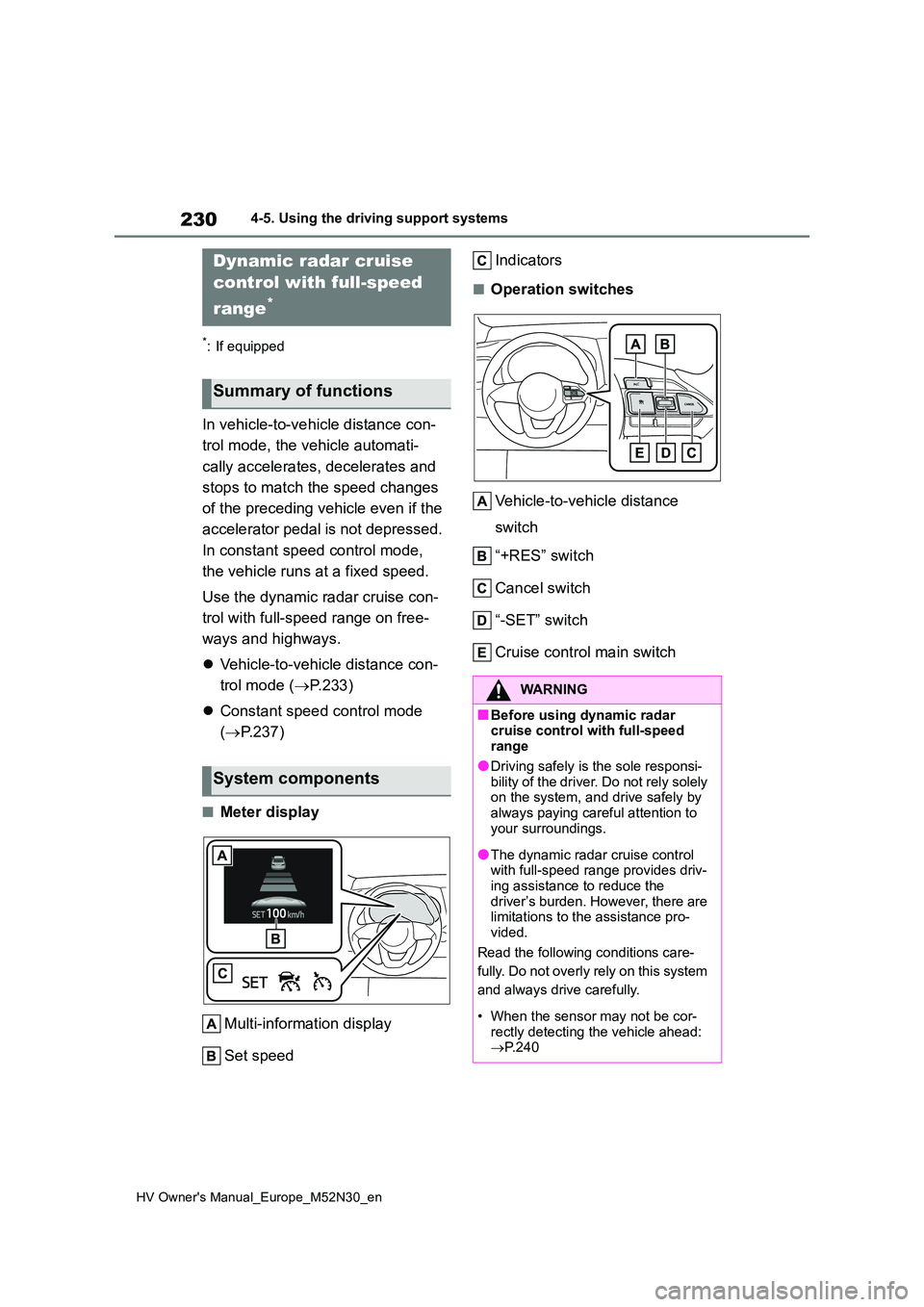
■Meter display
Multi-information display
Set speed
Indicators
■Operation switches
Vehicle-to-vehicle distance
switch
“+RES” switch
Cancel switch
“-SET” switch
Cruise control main switch
Dynamic radar cruise
control with full-speed
range*
Summary of functions
System components
WARNING
■Before using dynamic radar cruise control with full-speed range
●Driving safely is the sole responsi-bility of the driver. Do not rely solely on the system, and drive safely by
always paying careful attention to your surroundings.
●The dynamic radar cruise control with full-speed range provides driv-ing assistance to reduce the
driver’s burden. However, there are limitations to the assistance pro-vided.
Read the following conditions care-
fully. Do not overly rely on this system
and always drive carefully.
• When the sensor may not be cor-
rectly detecting the vehicle ahead: P.240
Page 234 of 590
232
HV Owner's Manual_Europe_M52N30_en
4-5. Using the driving support systems
WARNING
■Situations unsuitable for dynamic radar cruise control
with full-speed range
Do not use dynamic radar cruise con- trol with full-speed range in any of the
following situations. Doing so may result in inappropriate speed control and could cause an accident resulting
in death or serious injury.
●Roads where there are pedestrians,
cyclists, etc.
●In heavy traffic
●On roads with sharp bends
●On winding roads
●On slippery roads, such as those
covered with rain, ice or snow
●On steep downhills, or where there
are sudden changes between sharp up and down gradients
Vehicle speed may exceed the set
speed when driving down a steep hill.
●At entrances to freeways and high- ways
●When weather conditions are bad enough that they may prevent the
sensors from detecting correctly (fog, snow, sandstorm, heavy rain, etc.)
●When there is rain, snow, etc., on the front surface of the radar or
front camera
●In traffic conditions that require fre-
quent repeated acceleration and deceleration
●When your vehicle is towing a trailer (vehicles with towing pack-ages) or during emergency towing
●When an approach warning buzzer is heard often