lock TOYOTA YARIS 2022 Owner's Manual
[x] Cancel search | Manufacturer: TOYOTA, Model Year: 2022, Model line: YARIS, Model: TOYOTA YARIS 2022Pages: 590, PDF Size: 128.6 MB
Page 84 of 590
82
HV Owner's Manual_Europe_M52N30_en
1-4. Hybrid system
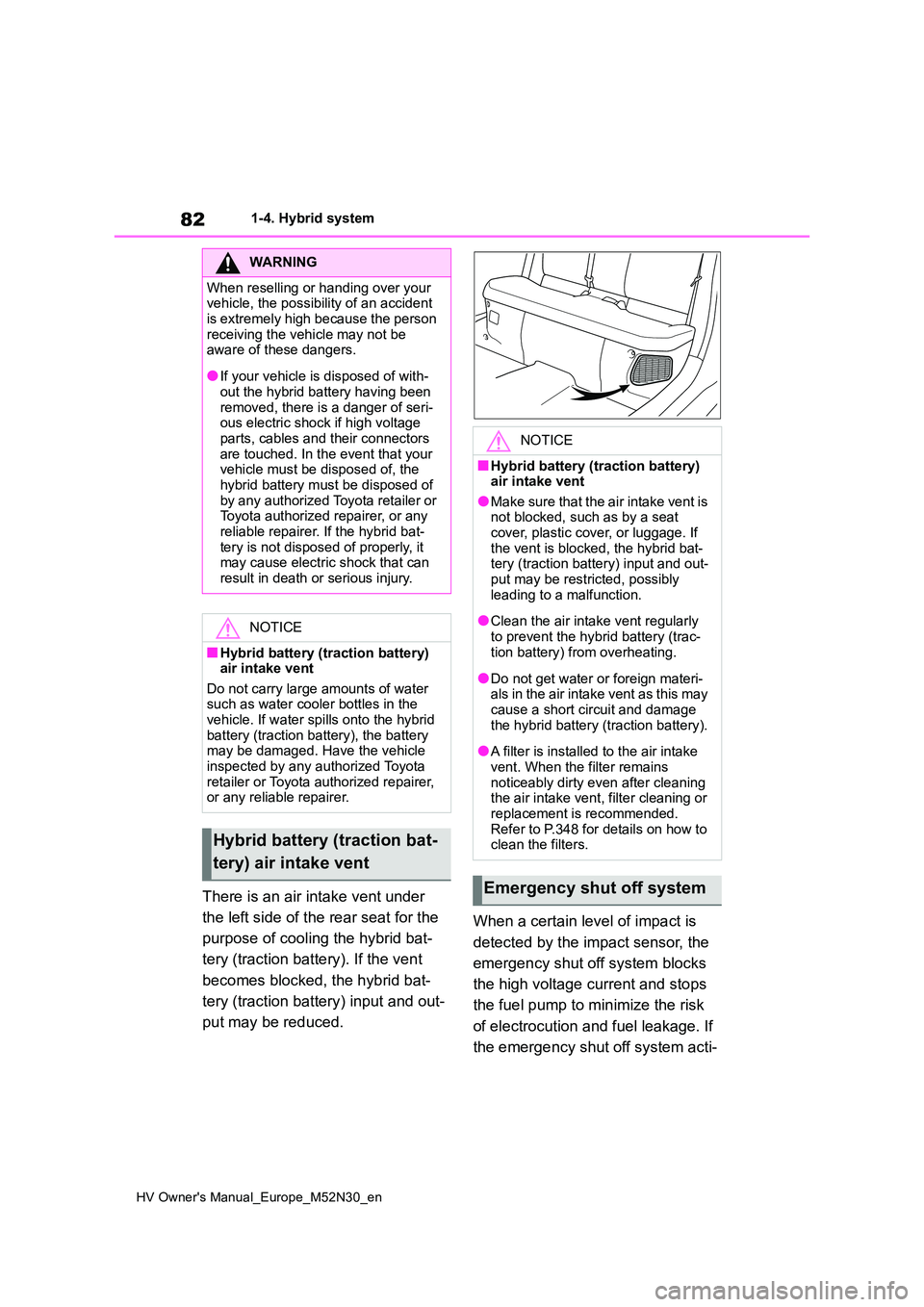
There is an air intake vent under
the left side of the rear seat for the
purpose of cooling the hybrid bat-
tery (traction battery). If the vent
becomes blocked, the hybrid bat-
tery (traction battery) input and out-
put may be reduced.
When a certain level of impact is
detected by the impact sensor, the
emergency shut off system blocks
the high voltage current and stops
the fuel pump to minimize the risk
of electrocution and fuel leakage. If
the emergency shut off system acti-
WARNING
When reselling or handing over your vehicle, the possibility of an accident
is extremely high because the person receiving the vehicle may not be aware of these dangers.
●If your vehicle is disposed of with-out the hybrid battery having been
removed, there is a danger of seri- ous electric shock if high voltage parts, cables and their connectors
are touched. In the event that your vehicle must be disposed of, the hybrid battery must be disposed of
by any authorized Toyota retailer or Toyota authorized repairer, or any reliable repairer. If the hybrid bat-
tery is not disposed of properly, it may cause electric shock that can result in death or serious injury.
NOTICE
■Hybrid battery (traction battery) air intake vent
Do not carry large amounts of water such as water cooler bottles in the vehicle. If water spills onto the hybrid
battery (traction battery), the battery may be damaged. Have the vehicle inspected by any authorized Toyota
retailer or Toyota authorized repairer, or any reliable repairer.
Hybrid battery (traction bat-
tery) air intake vent
NOTICE
■Hybrid battery (traction battery) air intake vent
●Make sure that the air intake vent is not blocked, such as by a seat cover, plastic cover, or luggage. If
the vent is blocked, the hybrid bat- tery (traction battery) input and out-put may be restricted, possibly
leading to a malfunction.
●Clean the air intake vent regularly
to prevent the hybrid battery (trac- tion battery) from overheating.
●Do not get water or foreign materi-als in the air intake vent as this may cause a short circuit and damage
the hybrid battery (traction battery).
●A filter is installed to the air intake
vent. When the filter remains noticeably dirty even after cleaning the air intake vent, filter cleaning or
replacement is recommended. Refer to P.348 for details on how to clean the filters.
Emergency shut off system
Page 87 of 590
85
1
HV Owner's Manual_Europe_M52N30_en
1-5. Theft deterrent system
For safety and security
*: If equipped
■Setting
Turn the power switch off, have all
the passengers exit the vehicle and
ensure that all the doors are closed.
Using the entry function (if
equipped): Touch the sensor area
on the outside door handle twice
within 5 seconds.
Using the wireless remote control:
Press twice within 5 seconds.
■Canceling
Using the entry function (if
equipped): Hold the outside door
handle.
Using the wireless remote control:
Press .
Double locking system*
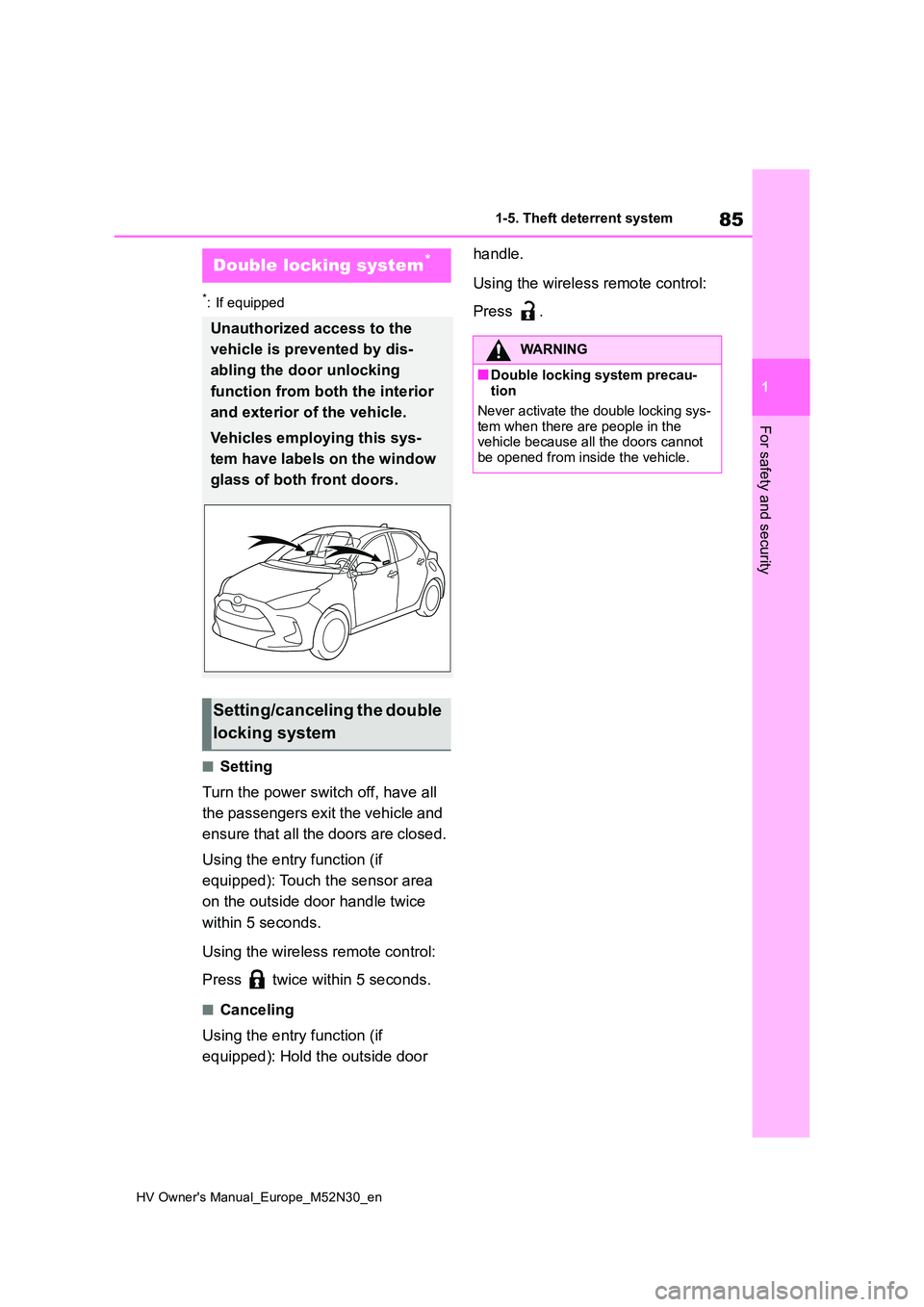
Unauthorized access to the
vehicle is prevented by dis-
abling the door unlocking
function from both the interior
and exterior of the vehicle.
Vehicles employing this sys-
tem have labels on the window
glass of both front doors.
Setting/canceling the double
locking system
WARNING
■Double locking system precau- tion
Never activate the double locking sys-
tem when there are people in the vehicle because all the doors cannot be opened from inside the vehicle.
Page 88 of 590
86
HV Owner's Manual_Europe_M52N30_en
1-5. Theft deterrent system
*: If equipped
■Items to check before locking
the vehicle
To prevent unexpected triggering of
the alarm and vehicle theft, make
sure of the following:
Nobody is in the vehicle.
The windows are closed before
the alarm is set.
No valuables or other personal
items are left in the vehicle.
■Setting
Close the door and hood, and lock
all the doors using the entry func-
tion (if equipped) or wireless
remote control. The system will set
automatically after 30 seconds.
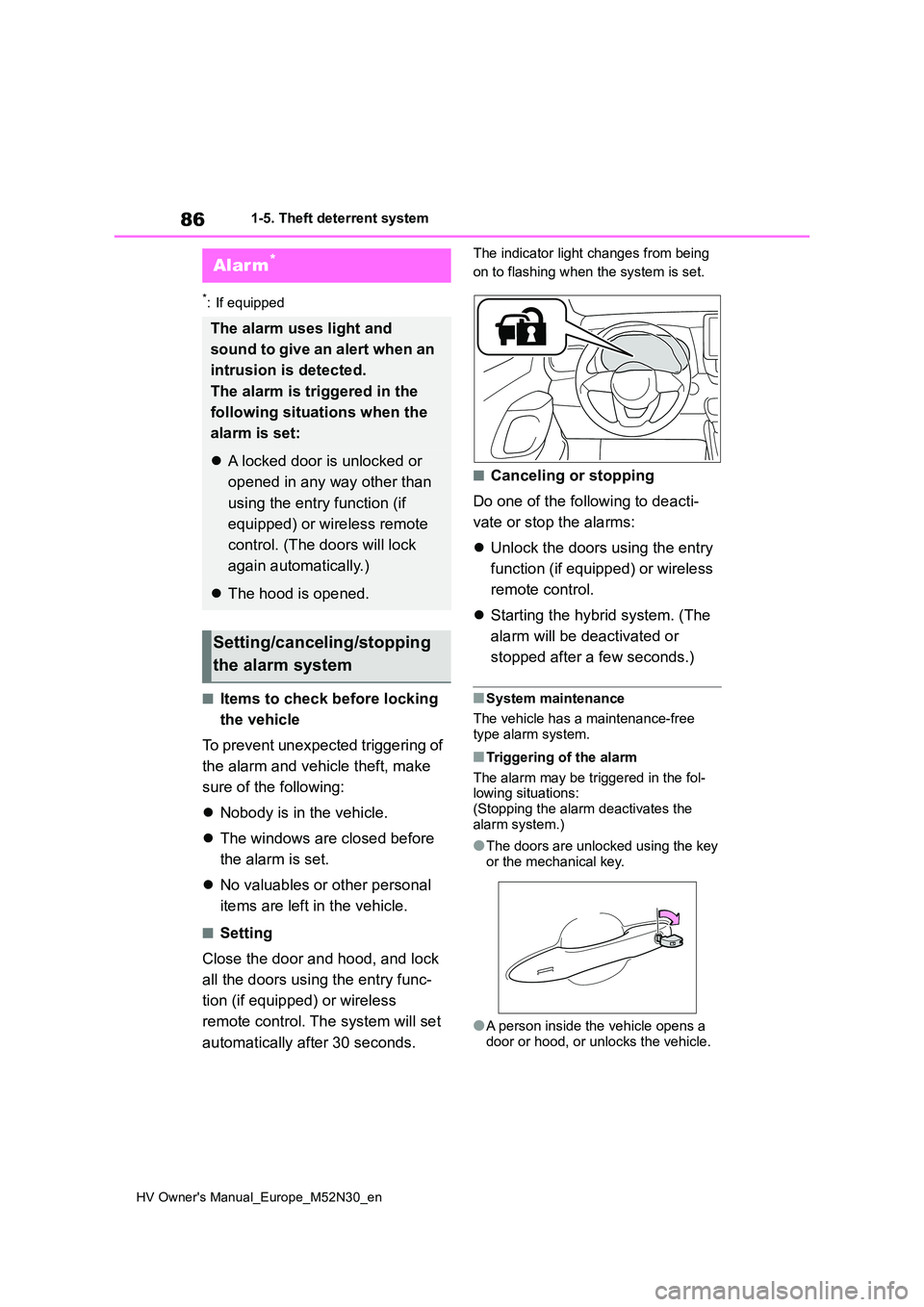
The indicator light changes from being
on to flashing when the system is set.
■Canceling or stopping
Do one of the following to deacti-
vate or stop the alarms:
Unlock the doors using the entry
function (if equipped) or wireless
remote control.
Starting the hybrid system. (The
alarm will be deactivated or
stopped after a few seconds.)
■System maintenance
The vehicle has a maintenance-free type alarm system.
■Triggering of the alarm
The alarm may be triggered in the fol- lowing situations: (Stopping the alarm deactivates the
alarm system.)
●The doors are unlocked using the key
or the mechanical key.
●A person inside the vehicle opens a
door or hood, or unlocks the vehicle.
Alarm*
The alarm uses light and
sound to give an alert when an
intrusion is detected.
The alarm is triggered in the
following situations when the
alarm is set:
A locked door is unlocked or
opened in any way other than
using the entry function (if
equipped) or wireless remote
control. (The doors will lock
again automatically.)
The hood is opened.
Setting/canceling/stopping
the alarm system
Page 89 of 590
87
1
HV Owner's Manual_Europe_M52N30_en
1-5. Theft deterrent system
For safety and security
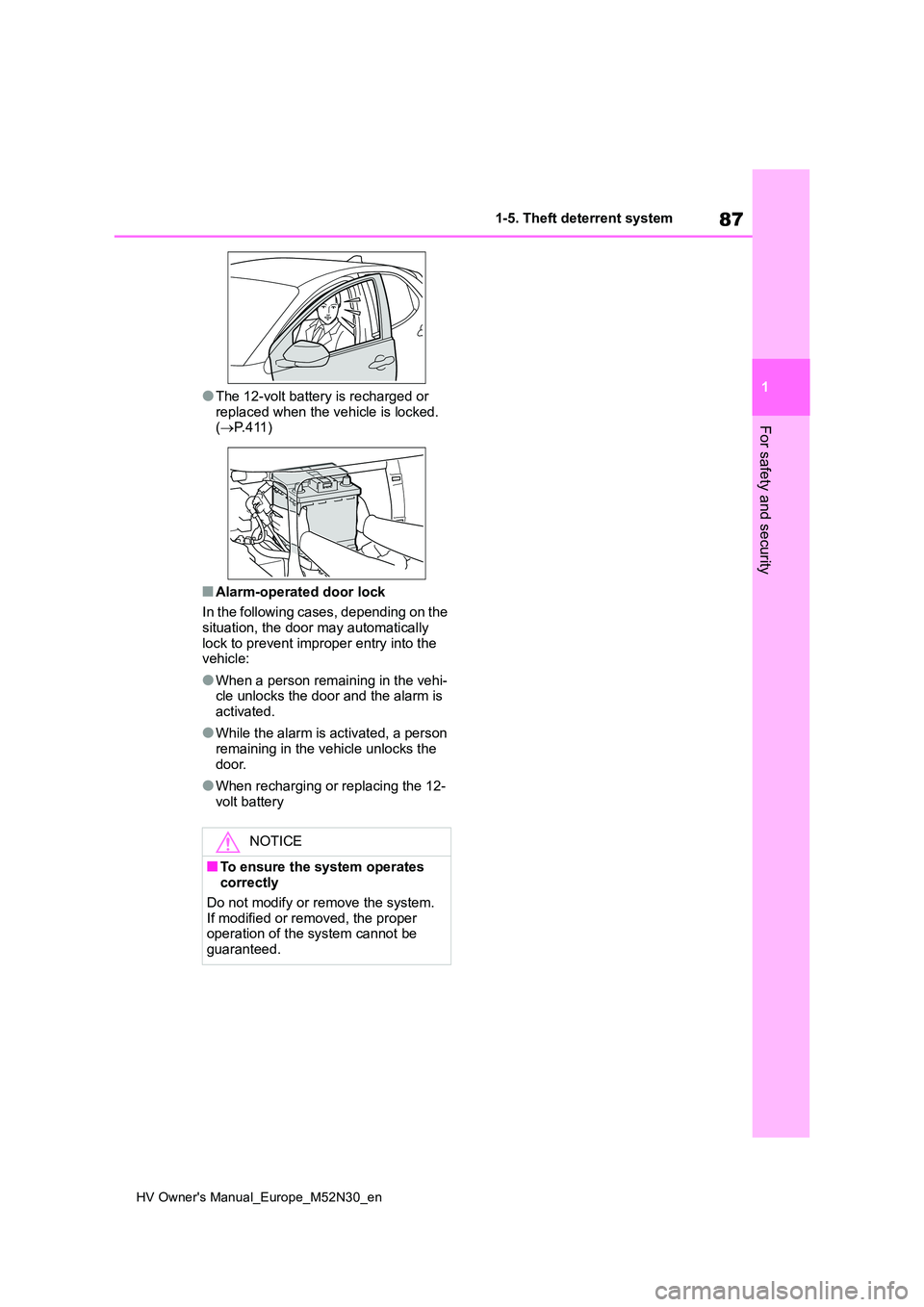
●The 12-volt battery is recharged or
replaced when the vehicle is locked. ( P. 4 1 1 )
■Alarm-operated door lock
In the following cases, depending on the situation, the door may automatically
lock to prevent improper entry into the vehicle:
●When a person remaining in the vehi-cle unlocks the door and the alarm is activated.
●While the alarm is activated, a person remaining in the vehicle unlocks the
door.
●When recharging or replacing the 12-
volt battery
NOTICE
■To ensure the system operates correctly
Do not modify or remove the system. If modified or removed, the proper operation of the system cannot be
guaranteed.
Page 96 of 590
94
HV Owner's Manual_Europe_M52N30_en
2-1. Instrument cluster
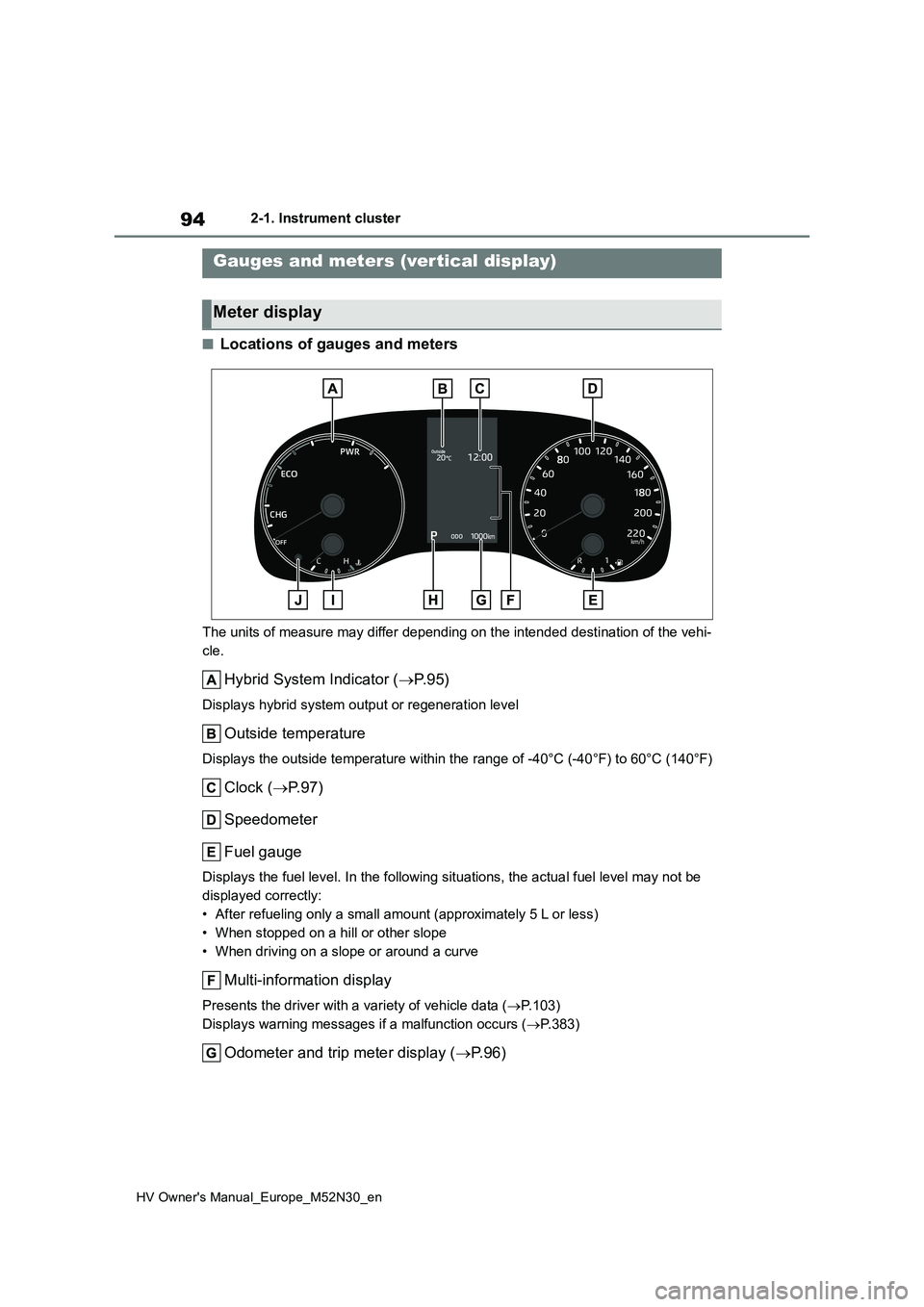
■Locations of gauges and meters
The units of measure may differ depending on the intended destination of the vehi-
cle.
Hybrid System Indicator ( P. 9 5 )
Displays hybrid system output or regeneration level
Outside temperature
Displays the outside temperature within the range of -40°C (-40°F) to 60°C (140°F)
Clock (P.97)
Speedometer
Fuel gauge
Displays the fuel level. In the following situations, the actua l fuel level may not be
displayed correctly:
• After refueling only a small amount (approximately 5 L or less )
• When stopped on a hill or other slope
• When driving on a slope or around a curve
Multi-information display
Presents the driver with a variety of vehicle data ( P.103)
Displays warning messages if a malfunction occurs ( P.383)
Odometer and trip meter display (P. 9 6 )
Gauges and meters (vertical display)
Meter display
Page 99 of 590
97
2
HV Owner's Manual_Europe_M52N30_en
2-1. Instrument cluster
Vehicle status information and indicators
■Display items
Odometer
Displays the total distance the vehicle
has been driven.
Trip meter A/Trip meter B
Displays the distance the vehicle has
been driven since the meter was last
reset. Trip meters A and B can be used
to record and display different distances
independently.
To reset, display the desired trip meter
and press and hold the display change
button.
Distance until next engine oil
change
Displays the distance the vehicle can
be driven until an oil change is neces-
sary.
The distance until the next engine oil
change will also be displayed in the fol-
lowing situations:
• When the power switch is turned to
ON.
• When a warning message indicating
that oil maintenance should be per-
formed soon or is required is dis-
played.
• Resetting: P. 3 2 7
■Adjusting the minute to “00”
1 Press or to select of
the multi-information display.
2 Press or to select “Clock
: 00”.
Press the to set the clock to the
beginning of the nearest hour.
e.g.
1:00 to 1:29 1:00
1:30 to 1:59 2:00
■Changing the clock
1 Press or to select of
the multi-information display.
2 Press or to select “Clock
: 00”.
3 Press and hold the .
4 Press or to select an
item to be changed.
5 Press or to change the
setting.
The following can be changed:
12-hour/24-hour format
Hour
Minute
The clocks on the following can be
adjusted on the multimedia system
screen.
Multi-information display
Multimedia system screen
For details, refer to “Navigation and
multimedia system Owner’s man-
Adjusting the clock (vehi-
cles without 7-inch/8-inch
display multimedia system)
Adjusting the clock (vehi-
cles with 7-inch/8-inch dis-
play multimedia system)
Page 100 of 590
98
HV Owner's Manual_Europe_M52N30_en
2-1. Instrument cluster
ual”.
■Clock settings screen (vehicles
with 7-inch/8-inch display multime- dia system)
If “Clock : 00” is displayed when is
selected on the multi-information dis-
play, the system may be malfunctioning.
Have the vehicle inspected by any
authorized Toyota retailer or Toyota
authorized repairer, or any reliable
repairer.
The brightness of the instrument
panel lights can be adjusted on
select to the multi-information
display.
The brightness of the instrument panel
lights can be adjusted separately for
when the tail lights are on and off.
1 Press or to select of
the multi-information display.
2 Press or to select ,
and then press and hold the
.
3 Press or to change the
brightness.
Adjusting the instrument
panel light control
Page 101 of 590
99
2
HV Owner's Manual_Europe_M52N30_en
2-1. Instrument cluster
Vehicle status information and indicators
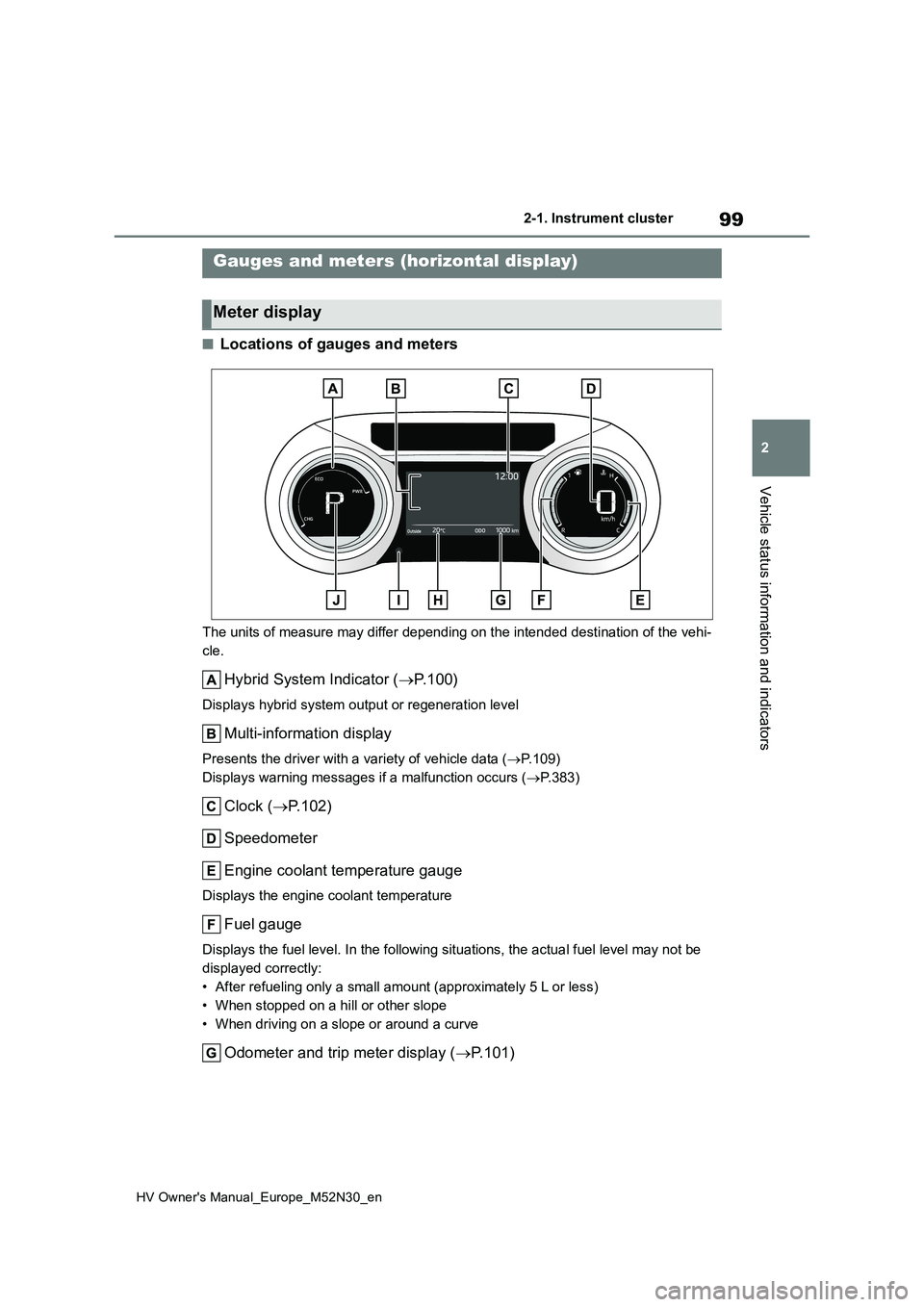
■Locations of gauges and meters
The units of measure may differ depending on the intended destination of the vehi-
cle.
Hybrid System Indicator ( P. 1 0 0 )
Displays hybrid system output or regeneration level
Multi-information display
Presents the driver with a variety of vehicle data (P.109)
Displays warning messages if a malfunction occurs ( P.383)
Clock (P.102)
Speedometer
Engine coolant temperature gauge
Displays the engine coolant temperature
Fuel gauge
Displays the fuel level. In the following situations, the actua l fuel level may not be
displayed correctly:
• After refueling only a small amount (approximately 5 L or less )
• When stopped on a hill or other slope
• When driving on a slope or around a curve
Odometer and trip meter display ( P.101)
Gauges and meters (horizontal display)
Meter display
Page 104 of 590
102
HV Owner's Manual_Europe_M52N30_en
2-1. Instrument cluster
reset. Trip meters A and B can be used
to record and display different distances
independently.
To reset, display the desired trip meter
and press and hold the display change
button.
Distance until next engine oil
change
Displays the distance the vehicle can
be driven until an oil change is neces-
sary.
The distance until the next engine oil
change will also be displayed in the fol-
lowing situations:
• When the power switch is turned to
ON.
• When a warning message indicating
that oil maintenance should be per-
formed soon or is required is dis-
played.
• Resetting: P. 3 2 7
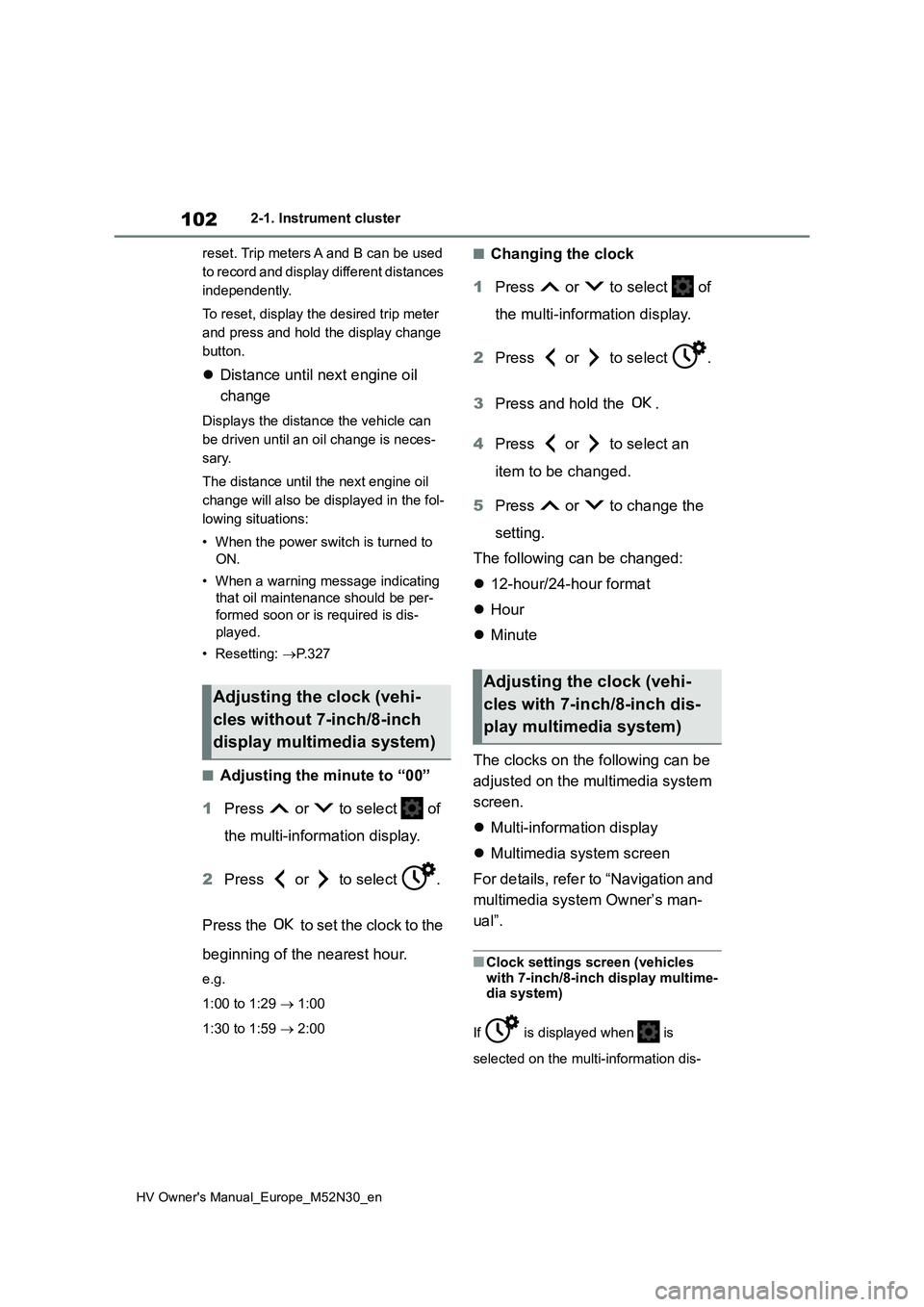
■Adjusting the minute to “00”
1 Press or to select of
the multi-information display.
2 Press or to select .
Press the to set the clock to the
beginning of the nearest hour.
e.g.
1:00 to 1:29 1:00
1:30 to 1:59 2:00
■Changing the clock
1 Press or to select of
the multi-information display.
2 Press or to select .
3 Press and hold the .
4 Press or to select an
item to be changed.
5 Press or to change the
setting.
The following can be changed:
12-hour/24-hour format
Hour
Minute
The clocks on the following can be
adjusted on the multimedia system
screen.
Multi-information display
Multimedia system screen
For details, refer to “Navigation and
multimedia system Owner’s man-
ual”.
■Clock settings screen (vehicles
with 7-inch/8-inch display multime- dia system)
If is displayed when is
selected on the multi-information dis-
Adjusting the clock (vehi-
cles without 7-inch/8-inch
display multimedia system)
Adjusting the clock (vehi-
cles with 7-inch/8-inch dis-
play multimedia system)
Page 110 of 590
108
HV Owner's Manual_Europe_M52N30_en
2-1. Instrument cluster
• “Distance”: Displays the distance
driven since the display was reset*
• “Total Time”: Displays the elapsed
time since the display was reset*
*: To reset, display the desired item and
press and hold the meter control
switch.
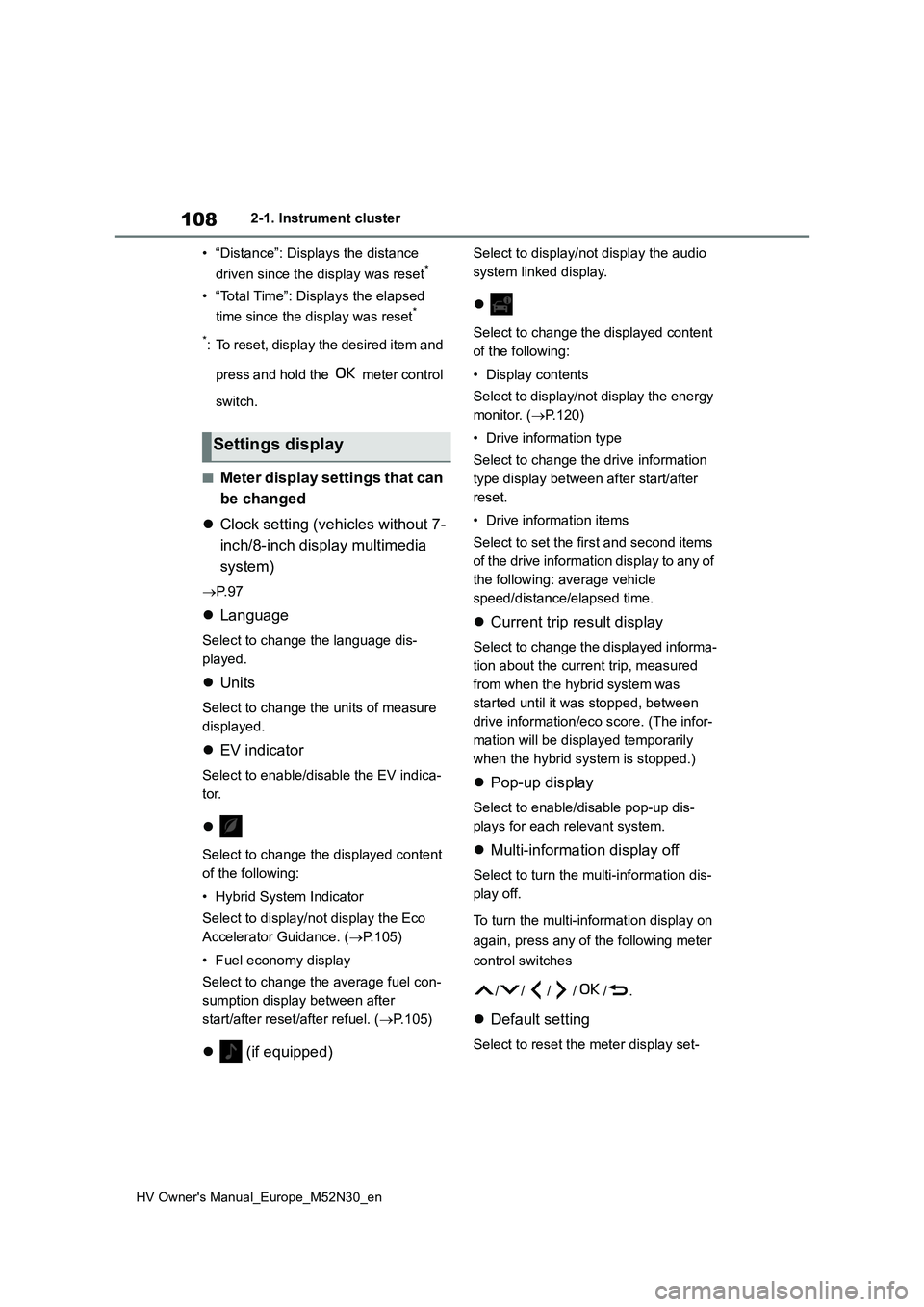
■Meter display settings that can
be changed
Clock setting (vehicles without 7-
inch/8-inch display multimedia
system)
P. 9 7
Language
Select to change the language dis-
played.
Units
Select to change the units of measure
displayed.
EV indicator
Select to enable/disable the EV indica-
tor.
Select to change the displayed content
of the following:
• Hybrid System Indicator
Select to display/not display the Eco
Accelerator Guidance. ( P.105)
• Fuel economy display
Select to change the average fuel con-
sumption display between after
start/after reset/after refuel. ( P.105)
(if equipped)
Select to display/not display the audio
system linked display.
Select to change the displayed content
of the following:
• Display contents
Select to display/not display the energy
monitor. ( P.120)
• Drive information type
Select to change the drive information
type display between after start/after
reset.
• Drive information items
Select to set the first and second items
of the drive information display to any of
the following: average vehicle
speed/distance/elapsed time.
Current trip result display
Select to change the displayed informa-
tion about the current trip, measured
from when the hybrid system was
started until it was stopped, between
drive information/eco score. (The infor-
mation will be displayed temporarily
when the hybrid system is stopped.)
Pop-up display
Select to enable/disable pop-up dis-
plays for each relevant system.
Multi-information display off
Select to turn the multi-information dis-
play off.
To turn the multi-information display on
again, press any of the following meter
control switches
//// /.
Default setting
Select to reset the meter display set-
Settings display