Drive TOYOTA YARIS 2022 Manual Online
[x] Cancel search | Manufacturer: TOYOTA, Model Year: 2022, Model line: YARIS, Model: TOYOTA YARIS 2022Pages: 590, PDF Size: 128.6 MB
Page 190 of 590
188
HV Owner's Manual_Europe_M52N30_en
4-2. Driving procedures
enabled, the system will turn off and the
brake hold standby indicator light will go off. In addition, if any of the conditions are detected while the system is holding
the brake, a warning buzzer will sound and a message will be shown on the multi-information display. The parking
brake will then be set automatically.
■Brake hold function
●If the brake pedal is left released for a
period of about 3 minutes after the system has started holding the brake, the parking brake will be set automati-
cally. In this case, a warning buzzer sounds and a message is shown on the multi-information display.
●To turn the system off while the sys-tem is holding the brake, firmly
depress the brake pedal and press the button again.
●The brake hold function may not hold the vehicle when the vehicle is on a steep incline. In this situation, it may
be necessary for the driver to apply the brakes. A warning buzzer will sound and the multi-information dis-
play will inform the driver of this situa- tion. If a warning message is shown on the multi-information display, read
the message and follow the instruc- tions.
■When the parking brake is set auto-matically while the system is hold-
ing the brakes
Perform any of the following operations to release the parking brake.
●Depress the accelerator pedal. (The parking brake will not be released
automatically if the seat belt is not fas- tened.)
●Operate the parking brake switch with the brake pedal depressed.
Make sure that the parking brake indica-
tor light goes off. ( P.184)
■When an inspection at any autho-
rized Toyota retailer or Toyota authorized repairer, or any reliable repairer is necessary
When the brake hold standby indicator (green) does not illuminate even when the brake hold switch is pressed with the
brake hold system operating conditions met, the system may be malfunctioning. Have the vehicle inspected at any
authorized Toyota retailer or Toyota authorized repairer, or any reliable repairer.
■If “Brake Hold Malfunction Press
Brake to Deactivate Visit Your Dealer” or “Brake Hold Malfunction Visit Your Dealer” is displayed on
the multi-information display
The system may be malfunctioning. Have the vehicle inspected by any
authorized Toyota retailer or Toyota authorized repairer, or any reliable repairer.
■Warning messages and buzzers
Warning messages and buzzers are used to indicate a system malfunction or to inform the driver of the need for cau-
tion. If a warning message is shown on the multi-information display, read the message and follow the instructions.
■If the brake hold operated indicator
flashes
P. 3 8 1
WARNING
■When the vehicle is on a steep
incline
When using the brake hold system on a steep incline, exercise caution. The
brake hold function may not hold the vehicle in such a situation.
■When stopped on a slippery road
The system cannot stop the vehicle when the gripping ability of the tires
has been exceeded. Do not use the system when stopped on a slippery road.
Page 192 of 590
190
HV Owner's Manual_Europe_M52N30_en
4-3. Operating the lights and wipers
4-3.Operating the lights and wipers
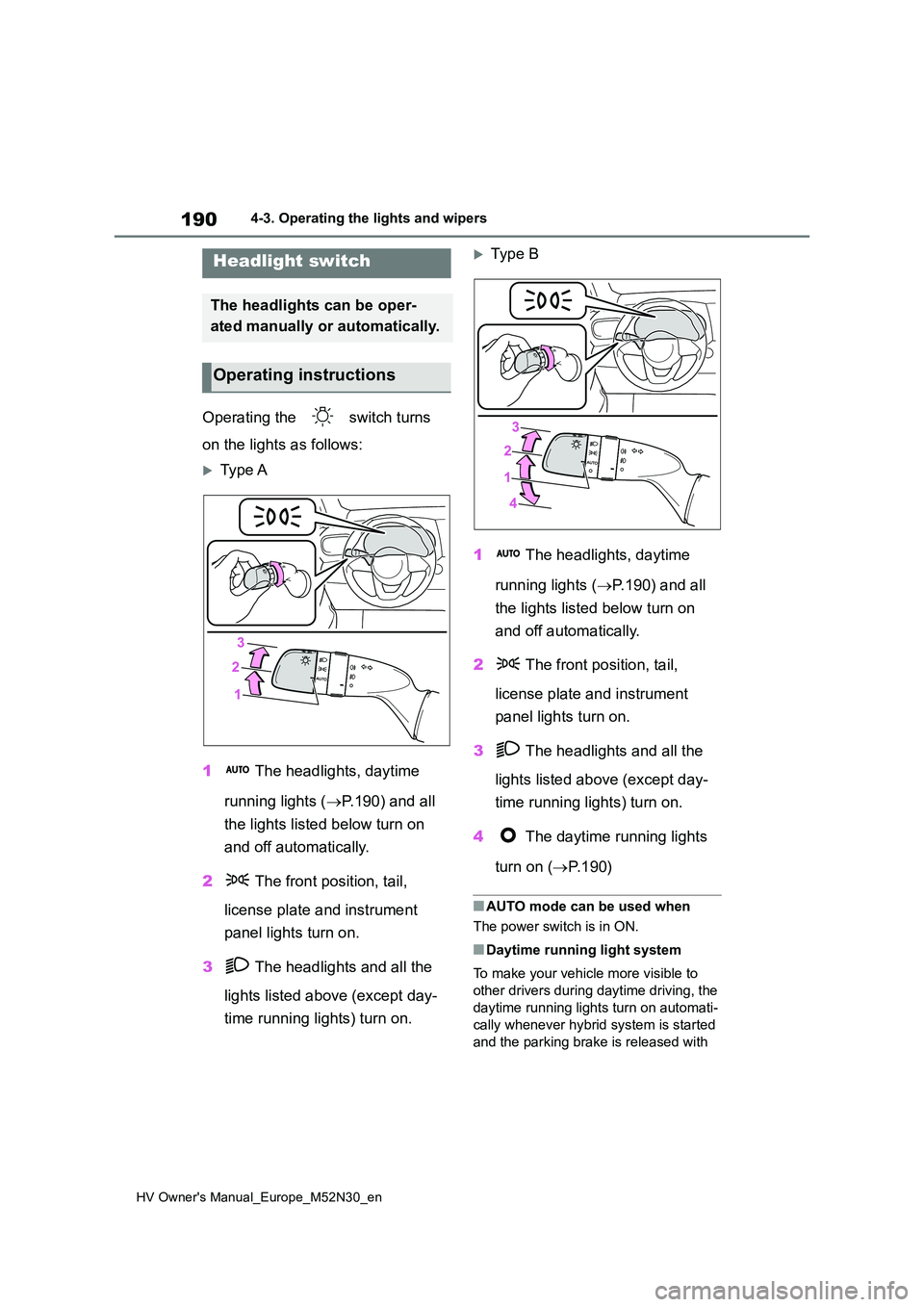
Operating the switch turns
on the lights as follows:
Type A
1 The headlights, daytime
running lights ( P.190) and all
the lights listed below turn on
and off automatically.
2 The front position, tail,
license plate and instrument
panel lights turn on.
3 The headlights and all the
lights listed above (except day-
time running lights) turn on.
Typ e B
1 The headlights, daytime
running lights ( P.190) and all
the lights listed below turn on
and off automatically.
2 The front position, tail,
license plate and instrument
panel lights turn on.
3 The headlights and all the
lights listed above (except day-
time running lights) turn on.
4 The daytime running lights
turn on ( P. 1 9 0 )
■AUTO mode can be used when
The power switch is in ON.
■Daytime running light system
To make your vehicle more visible to
other drivers during daytime driving, the
daytime running lights turn on automati-
cally whenever hybrid system is started
and the parking brake is released with
Headlight switch
The headlights can be oper-
ated manually or automatically.
Operating instructions
Page 193 of 590
191
4
HV Owner's Manual_Europe_M52N30_en
4-3. Operating the lights and wipers
Driving
the headlight switch in the or
position. (LED type headlights only: Illu-
minate brighter than the front position
lights.) Daytime running lights are not
designed for use at night.
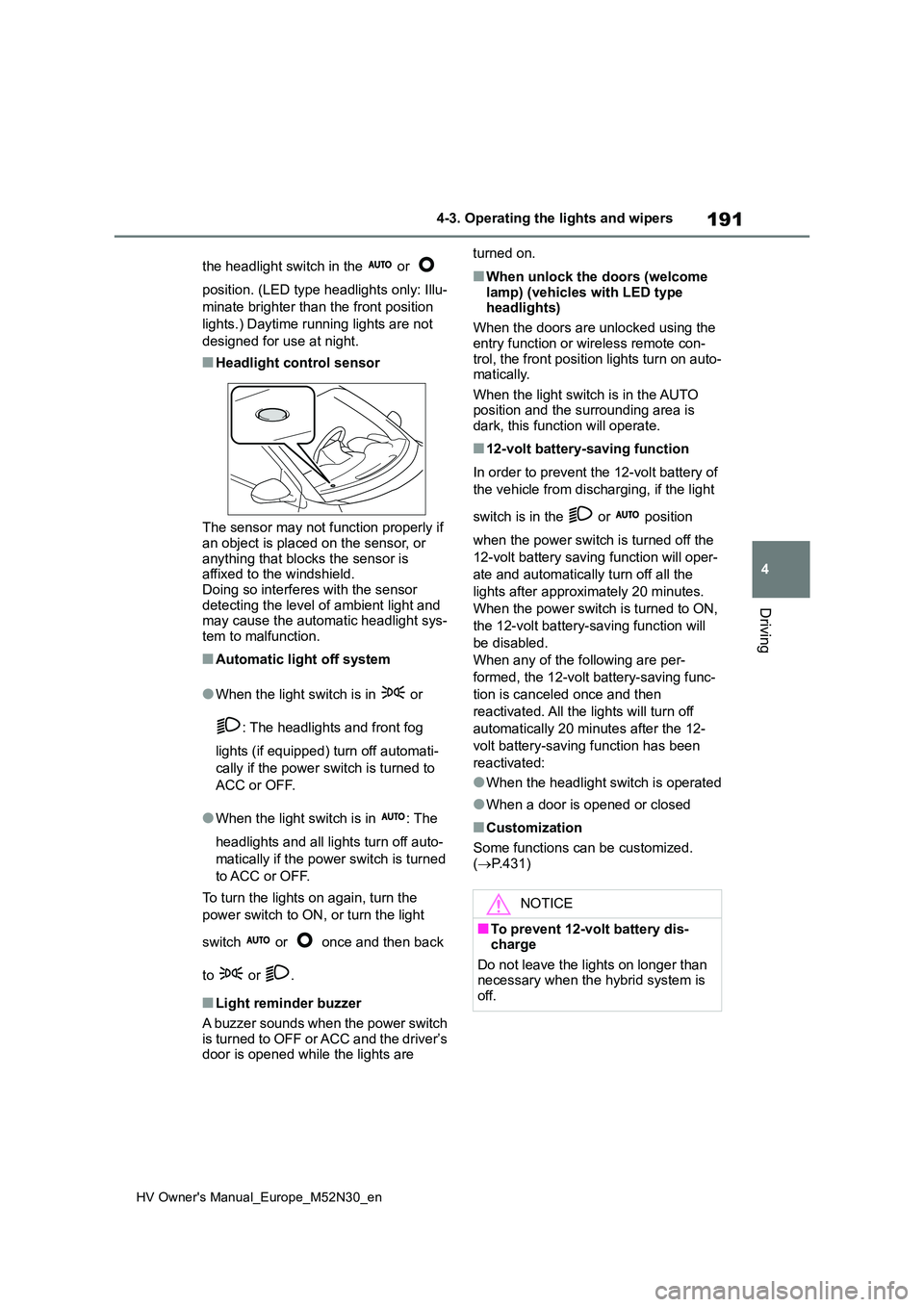
■Headlight control sensor
The sensor may not function properly if an object is placed on the sensor, or
anything that blocks the sensor is affixed to the windshield.Doing so interferes with the sensor
detecting the level of ambient light and may cause the automatic headlight sys-tem to malfunction.
■Automatic light off system
●When the light switch is in or
: The headlights and front fog
lights (if equipped) turn off automati-
cally if the power switch is turned to
ACC or OFF.
●When the light switch is in : The
headlights and all lights turn off auto-
matically if the power switch is turned
to ACC or OFF.
To turn the lights on again, turn the
power switch to ON, or turn the light
switch or once and then back
to or .
■Light reminder buzzer
A buzzer sounds when the power switch
is turned to OFF or ACC and the driver’s door is opened while the lights are
turned on.
■When unlock the doors (welcome
lamp) (vehicles with LED type headlights)
When the doors are unlocked using the
entry function or wireless remote con- trol, the front position lights turn on auto-matically.
When the light switch is in the AUTO position and the surrounding area is dark, this function will operate.
■12-volt battery-saving function
In order to prevent the 12-volt battery of
the vehicle from discharging, if the light
switch is in the or position
when the power switch is turned off the
12-volt battery saving function will oper-
ate and automatically turn off all the
lights after approximately 20 minutes.
When the power switch is turned to ON,
the 12-volt battery-saving function will
be disabled.
When any of the following are per-
formed, the 12-volt battery-saving func-
tion is canceled once and then
reactivated. All the lights will turn off
automatically 20 minutes after the 12-
volt battery-saving function has been
reactivated:
●When the headlight switch is operated
●When a door is opened or closed
■Customization
Some functions can be customized.
( P.431)
NOTICE
■To prevent 12-volt battery dis- charge
Do not leave the lights on longer than necessary when the hybrid system is off.
Page 195 of 590
193
4
HV Owner's Manual_Europe_M52N30_en
4-3. Operating the lights and wipers
Driving
■Guide to dial settings
Left-hand drive vehicles
Right-hand drive vehicles
*: If equipped
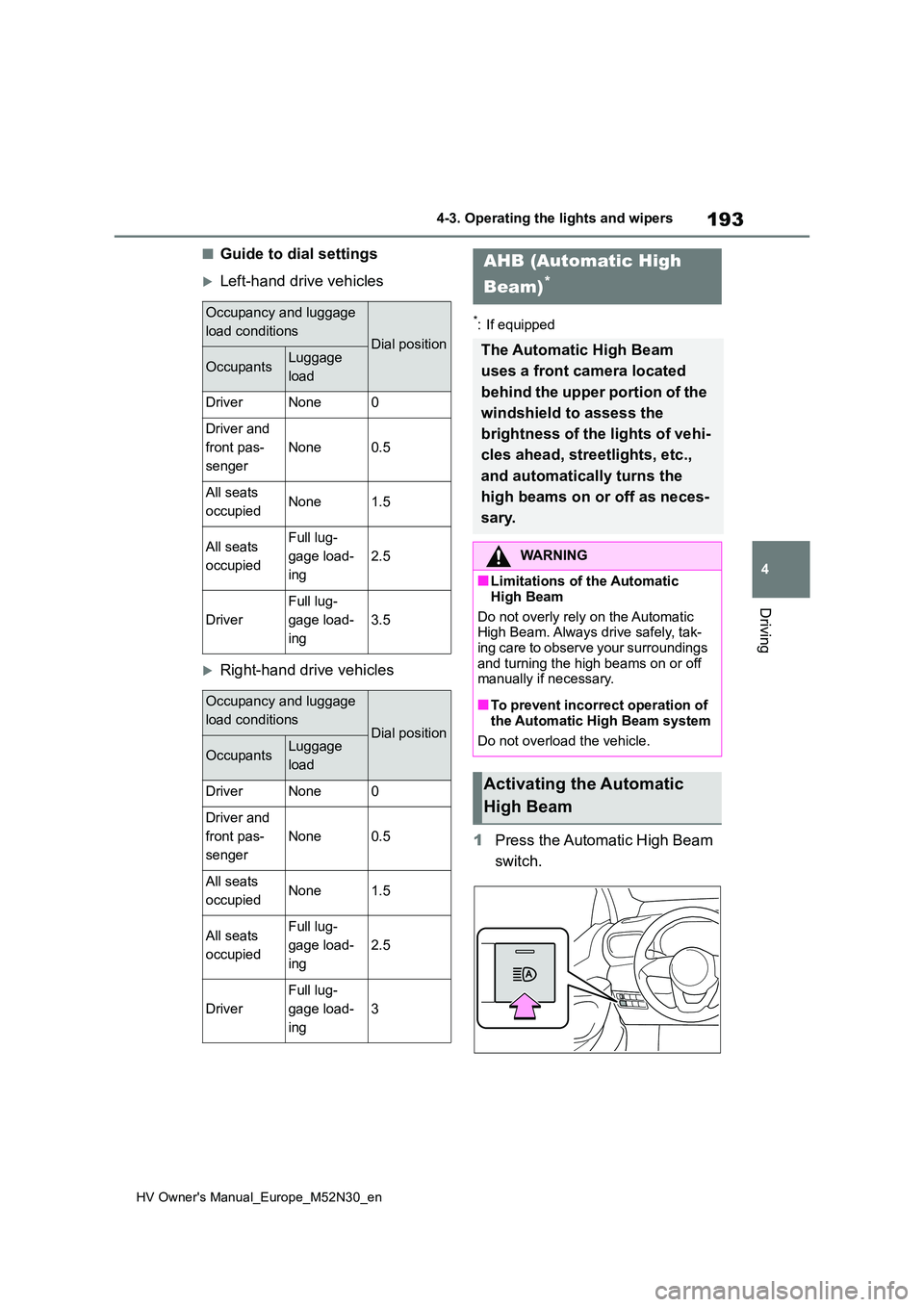
1Press the Automatic High Beam
switch.
Occupancy and luggage
load conditionsDial position
OccupantsLuggage
load
DriverNone0
Driver and
front pas-
senger
None0.5
All seats
occupiedNone1.5
All seats
occupied
Full lug-
gage load-
ing
2.5
Driver
Full lug-
gage load-
ing
3.5
Occupancy and luggage
load conditionsDial position
OccupantsLuggage
load
DriverNone0
Driver and
front pas-
senger
None0.5
All seats
occupiedNone1.5
All seats
occupied
Full lug-
gage load-
ing
2.5
Driver
Full lug-
gage load-
ing
3
AHB (Automatic High
Beam)*
The Automatic High Beam
uses a front camera located
behind the upper portion of the
windshield to assess the
brightness of the lights of vehi-
cles ahead, streetlights, etc.,
and automatically turns the
high beams on or off as neces-
sary.
WARNING
■Limitations of the Automatic
High Beam
Do not overly rely on the Automatic High Beam. Always drive safely, tak-
ing care to observe your surroundings and turning the high beams on or off manually if necessary.
■To prevent incorrect operation of
the Automatic High Beam system
Do not overload the vehicle.
Activating the Automatic
High Beam
Page 197 of 590
195
4
HV Owner's Manual_Europe_M52N30_en
4-3. Operating the lights and wipers
Driving
fog, mist, ice, dirt, etc.
• When the windshield is cracked or damaged• When the front camera is deformed or
dirty • When the temperature of the front camera is extremely high
• When the surrounding brightness level is equal to that of headlights, tail lights or fog lights
• When headlights or tail lights of vehi- cles ahead are turned off, dirty, chang-ing color, or not aimed properly
• When the vehicle is hit by water, snow, dust, etc., from a preceding vehicle
• When driving through an area of inter- mittently changing brightness and darkness
• When frequently and repeatedly driv- ing ascending/descending roads, or roads with rough, bumpy or uneven
surfaces (such as stone-paved roads, gravel roads, etc.)• When frequently and repeatedly tak-
ing curves or driving on a winding road• When there is a highly reflective
object ahead of the vehicle, such as a sign or mirror• When the back of a preceding vehicle
is highly reflective, such as a con- tainer on a truck• When the vehicle’s headlights are
damaged or dirty, or are not aimed properly• When the vehicle is listing or titling
due to a flat tire, a trailer being towed, etc.• When the headlights are changed
between the high beams and low beams repeatedly in an abnormal manner
• When the driver believes that the high beams may be flashing or dazzling pedestrians or other drivers
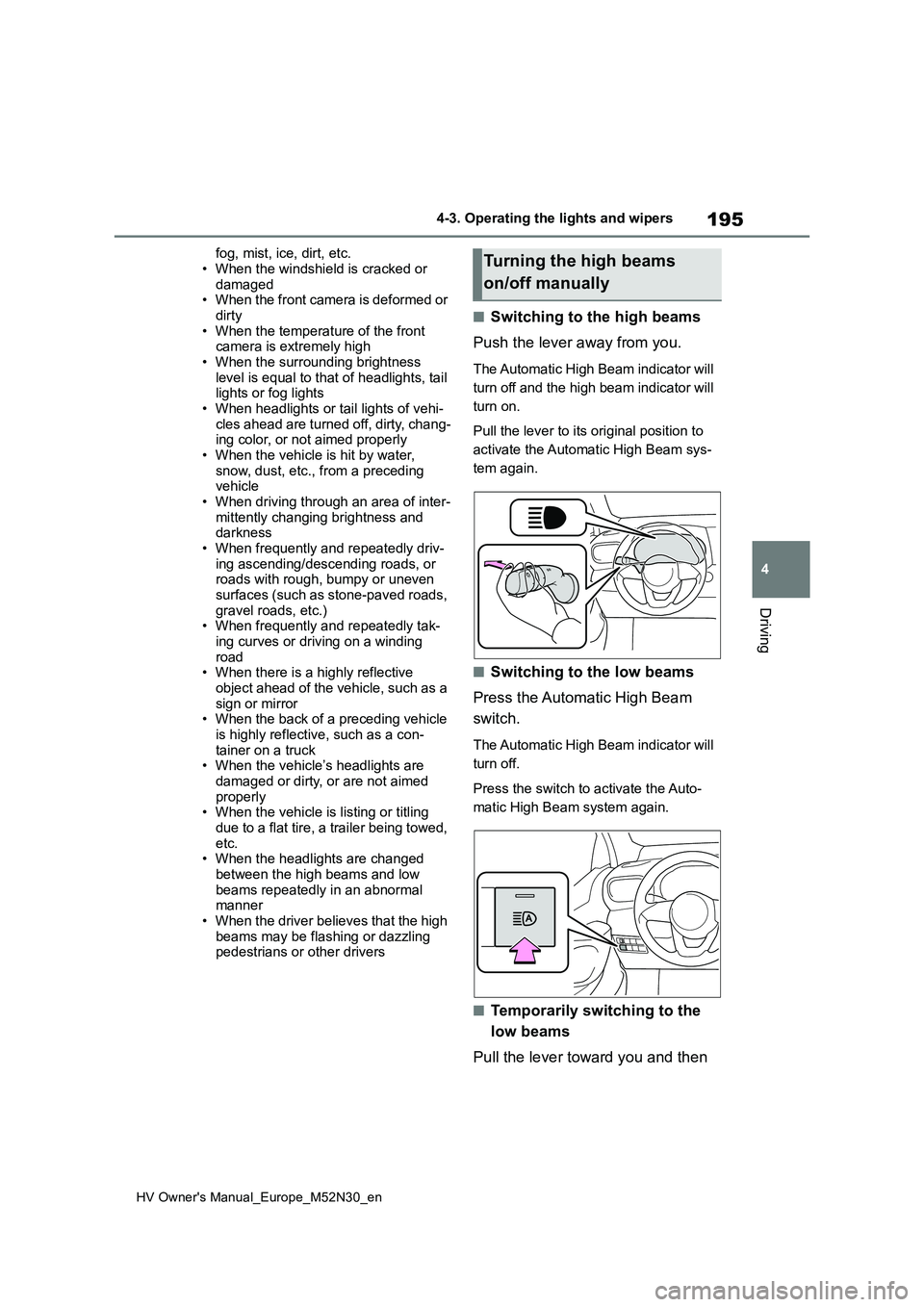
■Switching to the high beams
Push the lever away from you.
The Automatic High Beam indicator will
turn off and the high beam indicator will
turn on.
Pull the lever to its original position to
activate the Automatic High Beam sys-
tem again.
■Switching to the low beams
Press the Automatic High Beam
switch.
The Automatic High Beam indicator will
turn off.
Press the switch to activate the Auto-
matic High Beam system again.
■Temporarily switching to the
low beams
Pull the lever toward you and then
Turning the high beams
on/off manually
Page 198 of 590
196
HV Owner's Manual_Europe_M52N30_en
4-3. Operating the lights and wipers
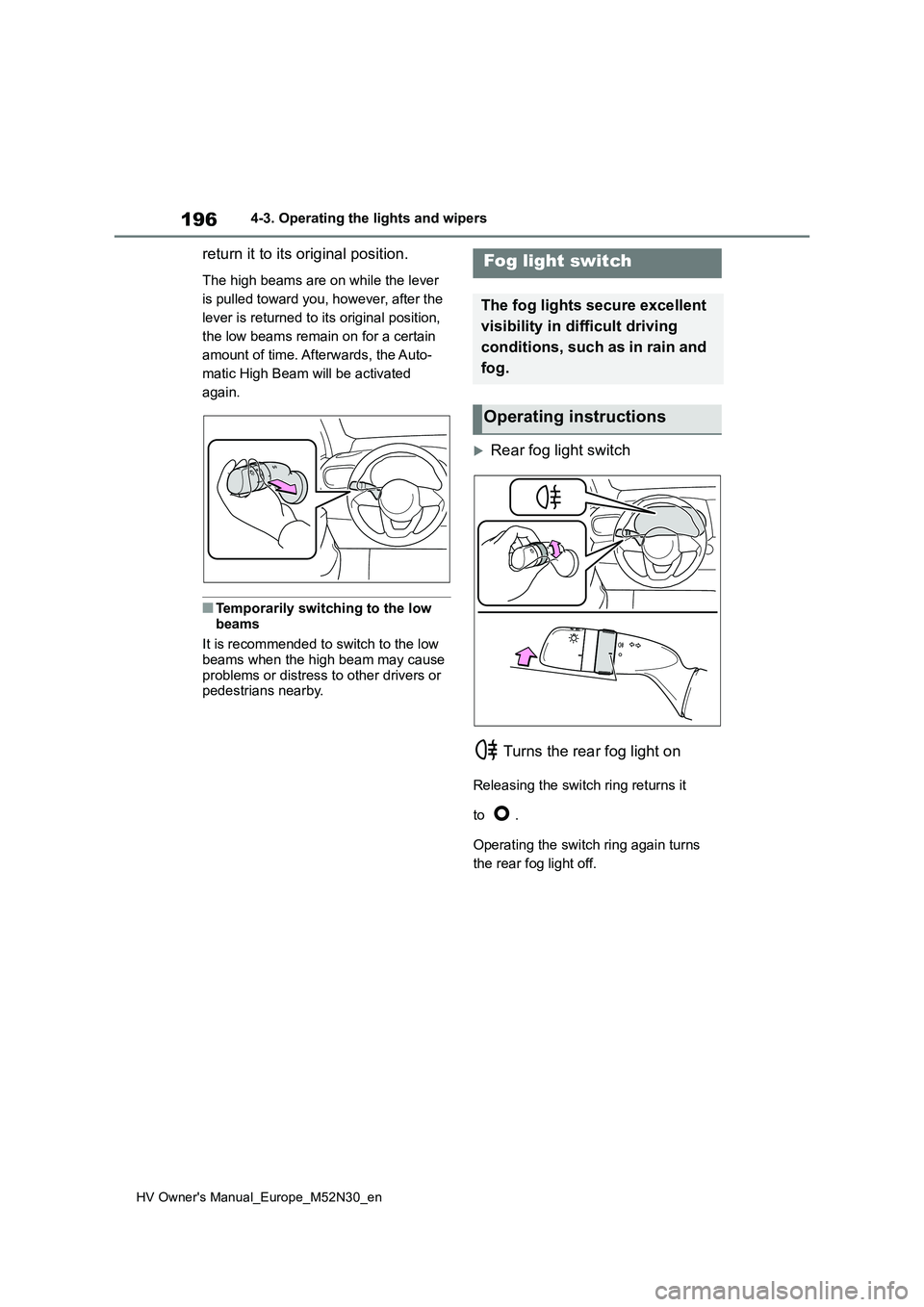
return it to its original position.
The high beams are on while the lever
is pulled toward you, however, after the
lever is returned to its original position,
the low beams remain on for a certain
amount of time. Afterwards, the Auto-
matic High Beam will be activated
again.
■Temporarily switching to the low
beams
It is recommended to switch to the low beams when the high beam may cause
problems or distress to other drivers or pedestrians nearby.
Rear fog light switch
Turns the rear fog light on
Releasing the switch ring returns it
to .
Operating the switch ring again turns
the rear fog light off.
Fog light switch
The fog lights secure excellent
visibility in di fficult driving
conditions, such as in rain and
fog.
Operating instructions
Page 206 of 590
204
HV Owner's Manual_Europe_M52N30_en
4-5. Using the driving support systems
4-5.Using the d riving s upport sy ste ms
*: If equipped
■PCS (Pre-Collision System)
P. 2 0 9
■LTA (Lane Tracing Assist)
P. 2 2 0
■AHB (Automatic High Beam)
P. 1 9 3
■RSA (Road Sign Assist) (if
equipped)
P. 2 4 4
■Dynamic radar cruise control
with full-speed range
P. 2 3 0
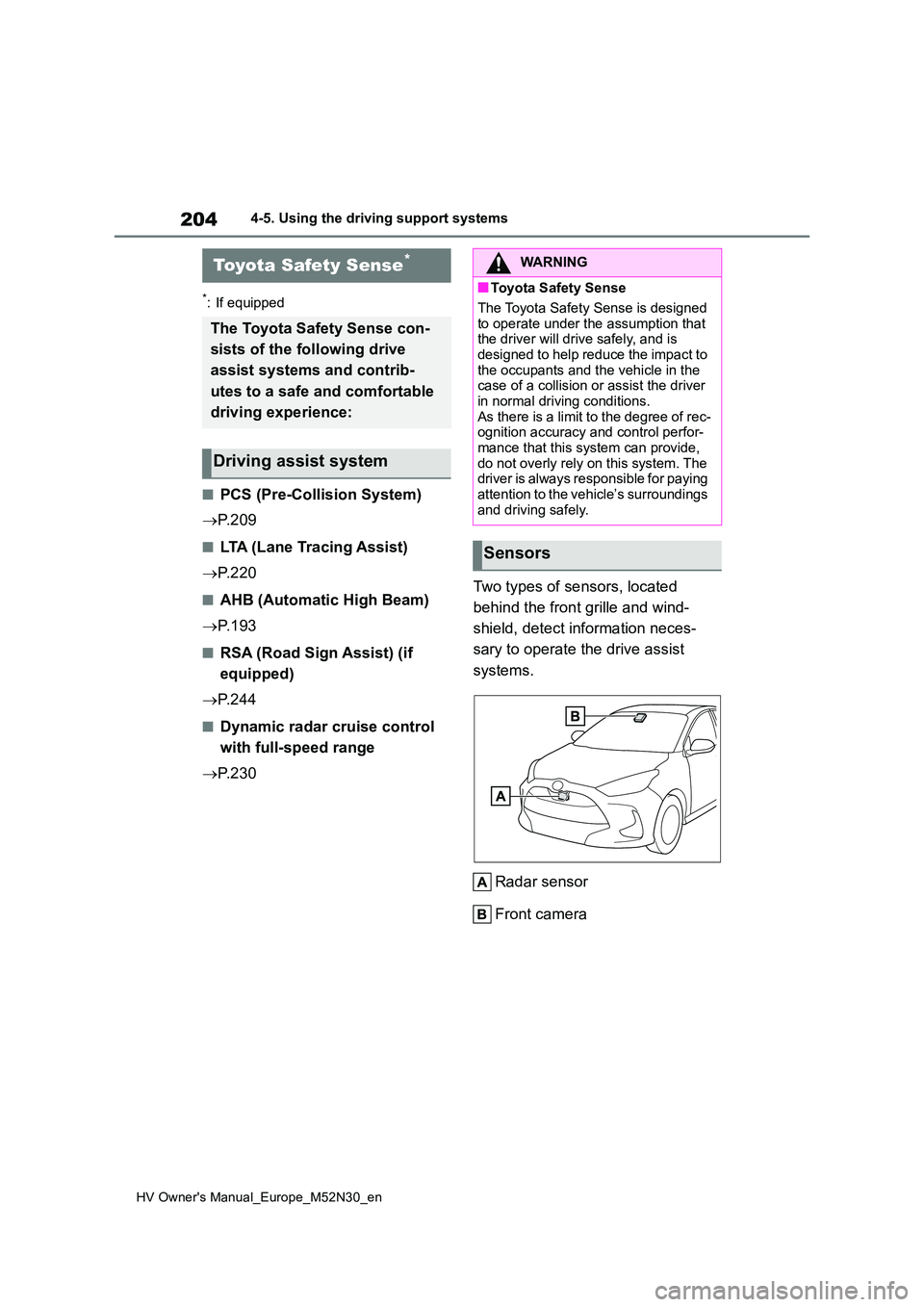
Two types of sensors, located
behind the front grille and wind-
shield, detect information neces-
sary to operate the drive assist
systems.
Radar sensor
Front camera
Toyota Safety Sense*
The Toyota Safety Sense con-
sists of the following drive
assist systems and contrib-
utes to a safe and comfortable
driving experience:
Driving assist system
WARNING
■Toyota Safety Sense
The Toyota Safety Sense is designed
to operate under the assumption that the driver will drive safely, and is designed to help reduce the impact to
the occupants and the vehicle in the case of a collision or assist the driver in normal driving conditions.
As there is a limit to the degree of rec- ognition accuracy and control perfor-mance that this system can provide,
do not overly rely on this system. The driver is always responsible for paying attention to the vehicle’s surroundings
and driving safely.
Sensors
Page 210 of 590
208
HV Owner's Manual_Europe_M52N30_en
4-5. Using the driving support systems
●In the following situations, if the situation has changed (or the vehicle has been
driven for some time) and the normal operating conditions are d etected, the mes- sage will disappear and the system will become operational.
If the message does not disappear, contact any authorized Toyot a retailer or Toyota
authorized repairer, or any reliable repairer.
• When the temperature around the radar sensor is outside of the operational range,
such as when the vehicle is in the sun or in an extremely cold environment • When the front camera cannot detect objects in front of the ve hicle, such as when driving in the dark, snow, or fog, or when bright lights are sh ining into the front
camera • Depending on the conditions in the vicinity of the vehicle, th e radar may judge the surrounding environment can not be properly recognized. In that case, “Pre-Colli-
sion System Unavailable See Owner’s Manual” is displayed.
Page 211 of 590
209
4
HV Owner's Manual_Europe_M52N30_en
4-5. Using the driving support systems
Driving
*: If equipped
The system can detect the follow-
ing (The detectable objects differs
depending on the function.):
Vehicles
Bicyclists
Pedestrians
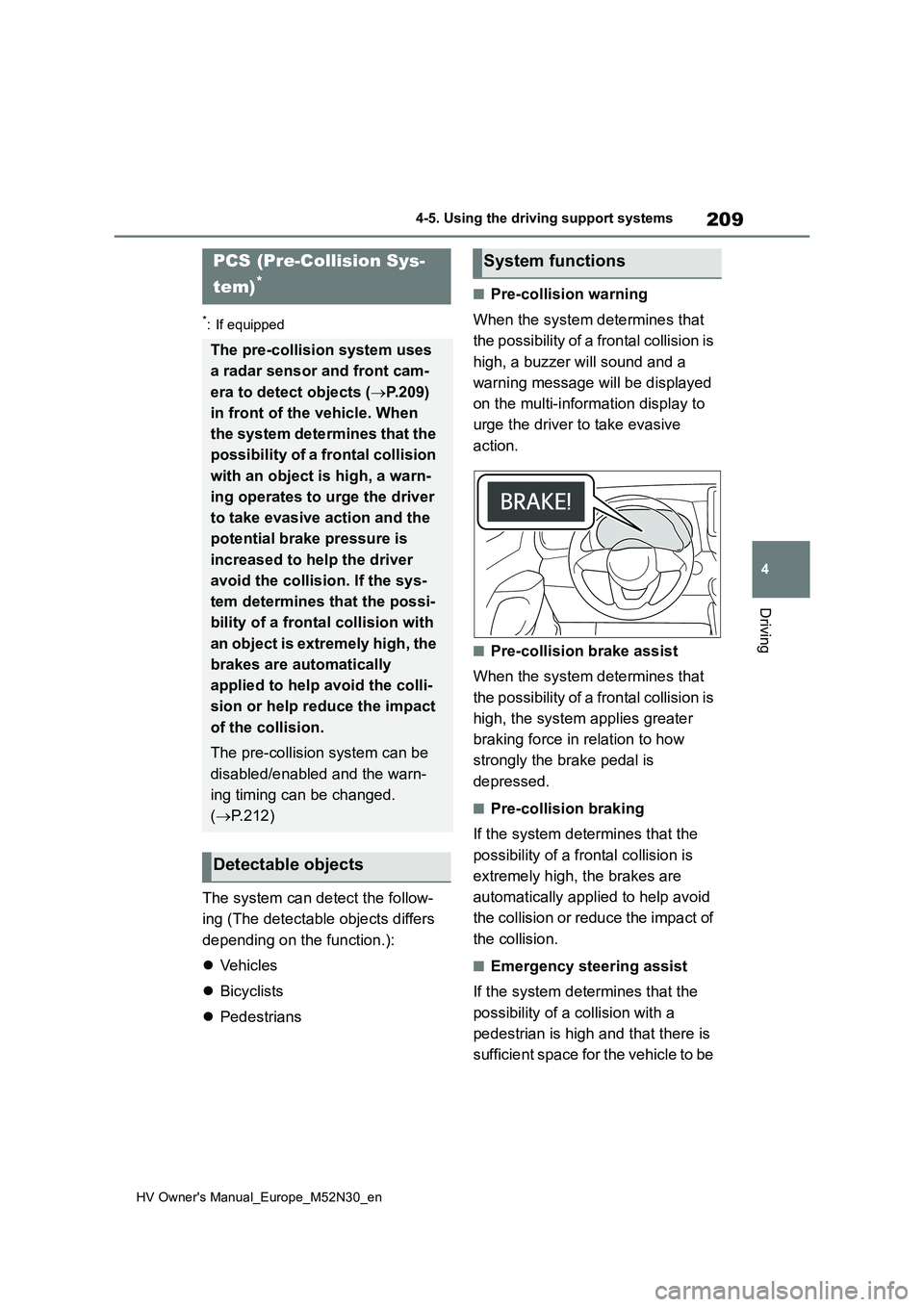
■Pre-collision warning
When the system determines that
the possibility of a frontal collision is
high, a buzzer will sound and a
warning message will be displayed
on the multi-information display to
urge the driver to take evasive
action.
■Pre-collision brake assist
When the system determines that
the possibility of a frontal collision is
high, the system applies greater
braking force in relation to how
strongly the brake pedal is
depressed.
■Pre-collision braking
If the system determines that the
possibility of a frontal collision is
extremely high, the brakes are
automatically applied to help avoid
the collision or reduce the impact of
the collision.
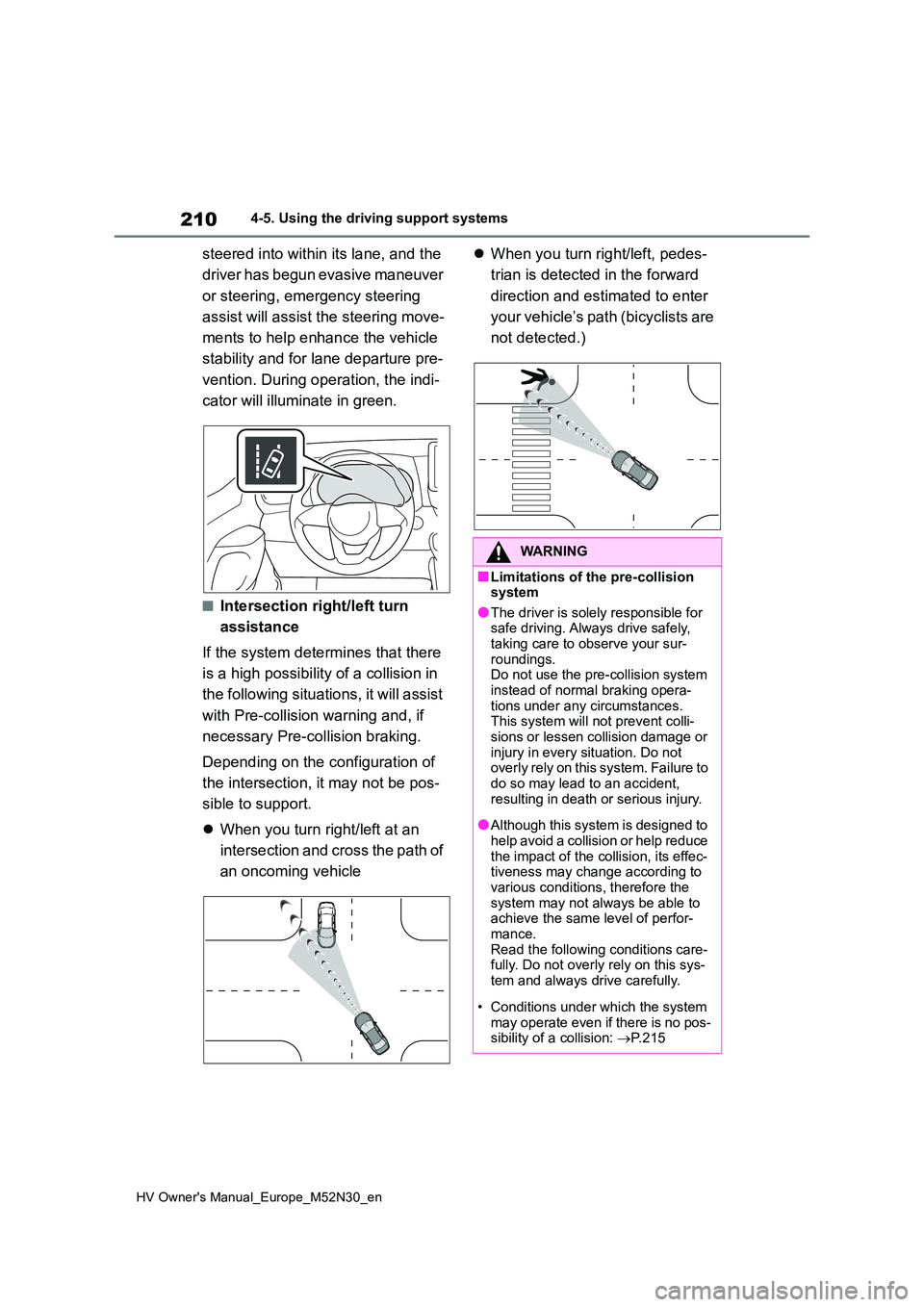
■Emergency steering assist
If the system determines that the
possibility of a collision with a
pedestrian is high and that there is
sufficient space for the vehicle to be
PCS (Pre-Collision Sys-
tem)*
The pre-collision system uses
a radar sensor and front cam-
era to detect objects ( P.209)
in front of the vehicle. When
the system determines that the
possibility of a frontal collision
with an object is high, a warn-
ing operates to urge the driver
to take evasive action and the
potential brake pressure is
increased to he lp the driver
avoid the collision. If the sys-
tem determines that the possi-
bility of a frontal collision with
an object is extremely high, the
brakes are automatically
applied to help avoid the colli-
sion or help reduce the impact
of the collision.
The pre-collision system can be
disabled/enabled and the warn-
ing timing can be changed.
( P.212)
Detectable objects
System functions
Page 212 of 590
210
HV Owner's Manual_Europe_M52N30_en
4-5. Using the driving support systems
steered into within its lane, and the
driver has begun evasive maneuver
or steering, emergency steering
assist will assist the steering move-
ments to help enhance the vehicle
stability and for lane departure pre-
vention. During operation, the indi-
cator will illuminate in green.
■Intersection right/left turn
assistance
If the system determines that there
is a high possibility of a collision in
the following situations, it will assist
with Pre-collision warning and, if
necessary Pre-collision braking.
Depending on the configuration of
the intersection, it may not be pos-
sible to support.
When you turn right/left at an
intersection and cross the path of
an oncoming vehicle
When you turn right/left, pedes-
trian is detected in the forward
direction and estimated to enter
your vehicle’s path (bicyclists are
not detected.)
WARNING
■Limitations of the pre-collision system
●The driver is solely responsible for safe driving. Always drive safely, taking care to observe your sur-
roundings. Do not use the pre-collision system instead of normal braking opera-
tions under any circumstances. This system will not prevent colli-sions or lessen collision damage or
injury in every situation. Do not overly rely on this system. Failure to do so may lead to an accident,
resulting in death or serious injury.
●Although this system is designed to
help avoid a collision or help reduce the impact of the collision, its effec-tiveness may change according to
various conditions, therefore the system may not always be able to achieve the same level of perfor-
mance. Read the following conditions care-fully. Do not overly rely on this sys-
tem and always drive carefully.
• Conditions under which the system
may operate even if there is no pos- sibility of a collision: P. 2 1 5