Screen TOYOTA YARIS CROSS 2021 Owner's Manual
[x] Cancel search | Manufacturer: TOYOTA, Model Year: 2021, Model line: YARIS CROSS, Model: TOYOTA YARIS CROSS 2021Pages: 650, PDF Size: 132.86 MB
Page 307 of 650
305
4
YARIS CROSS Owner's Manual_Europe_M52K60_en
4-5. Using the driving support systems
Driving
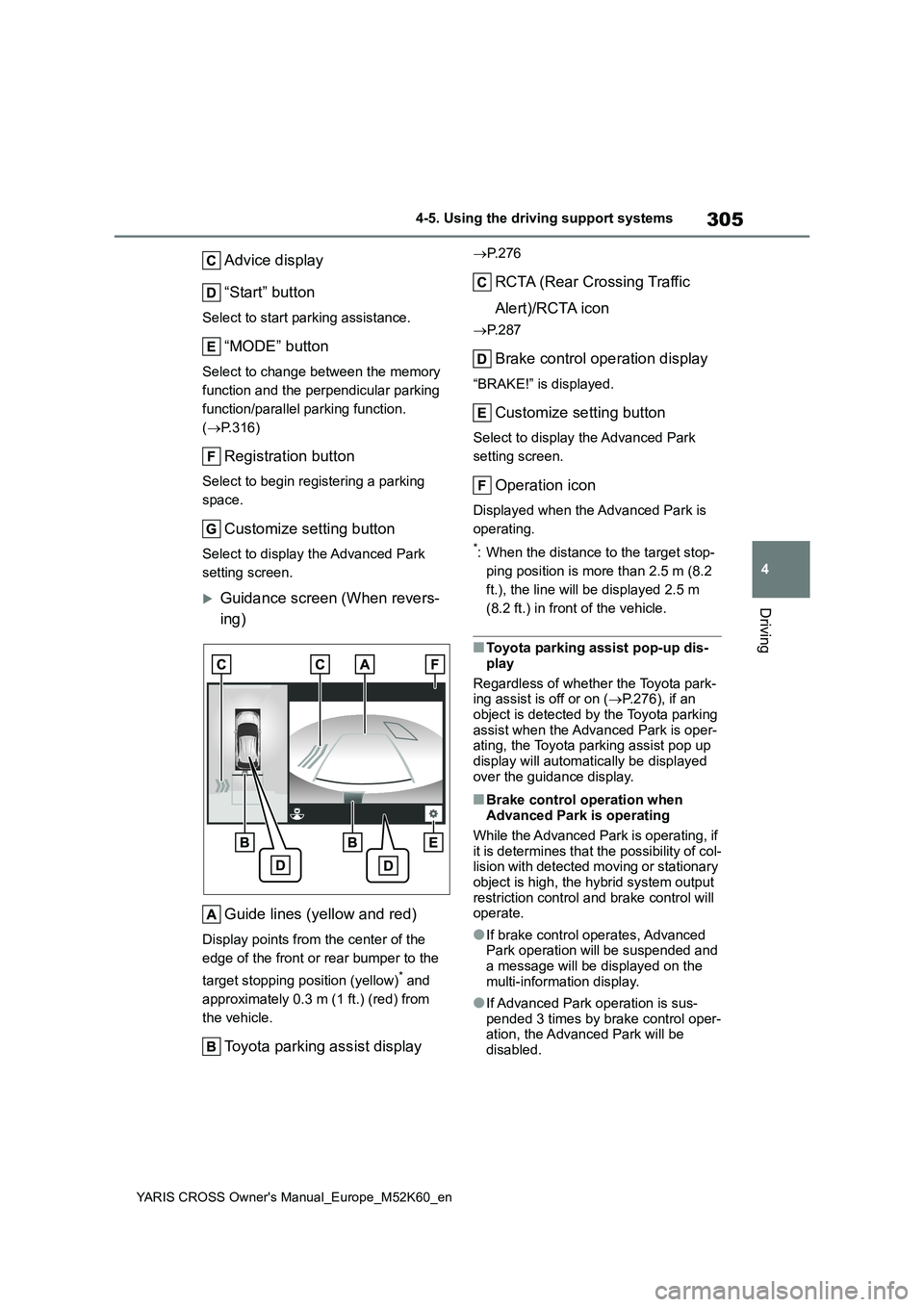
Advice display
“Start” button
Select to start parking assistance.
“MODE” button
Select to change between the memory
function and the perpendicular parking
function/parallel parking function.
( P.316)
Registration button
Select to begin registering a parking
space.
Customize setting button
Select to display the Advanced Park
setting screen.
Guidance screen (When revers-
ing)
Guide lines (yellow and red)
Display points from the center of the
edge of the front or rear bumper to the
target stopping position (yellow)* and
approximately 0.3 m (1 ft.) (red) from
the vehicle.
Toyota parking assist display
P. 2 7 6
RCTA (Rear Crossing Traffic
Alert)/RCTA icon
P. 2 8 7
Brake control operation display
“BRAKE!” is displayed.
Customize setting button
Select to display the Advanced Park
setting screen.
Operation icon
Displayed when the Advanced Park is
operating.
*: When the distance to the target stop-
ping position is more than 2.5 m (8.2
ft.), the line will be displayed 2.5 m
(8.2 ft.) in front of the vehicle.
■Toyota parking assist pop-up dis-
play
Regardless of whether the Toyota park- ing assist is off or on ( P.276), if an
object is detected by the Toyota parking assist when the Advanced Park is oper-ating, the Toyota parking assist pop up
display will automatically be displayed over the guidance display.
■Brake control operation when Advanced Park is operating
While the Advanced Park is operating, if it is determines that the possibility of col-lision with detected moving or stationary
object is high, the hybrid system output restriction control and brake control will operate.
●If brake control operates, Advanced Park operation will be suspended and
a message will be displayed on the multi-information display.
●If Advanced Park operation is sus-pended 3 times by brake control oper-ation, the Advanced Park will be
disabled.
Page 310 of 650
308
YARIS CROSS Owner's Manual_Europe_M52K60_en
4-5. Using the driving support systems
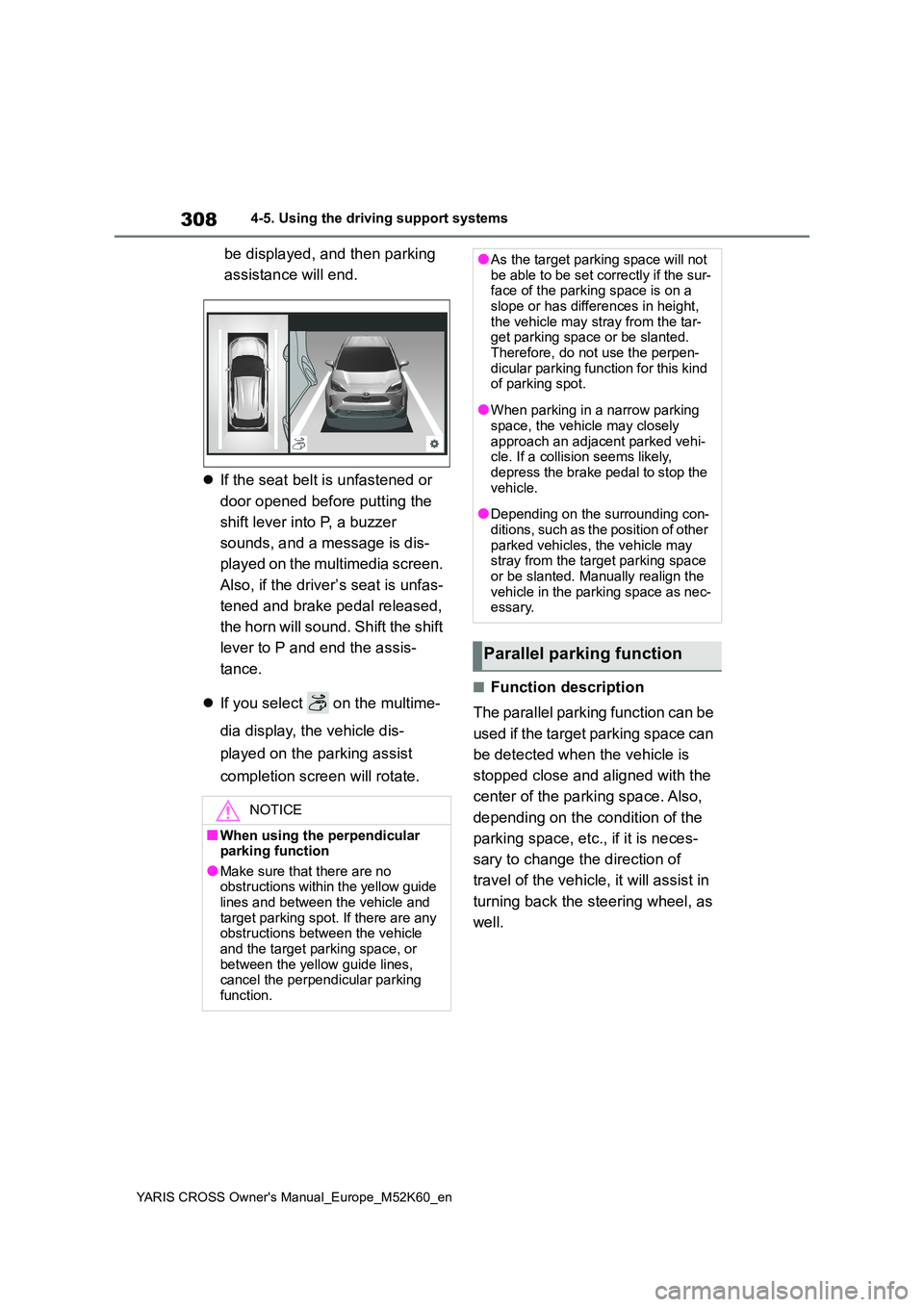
be displayed, and then parking
assistance will end.
If the seat belt is unfastened or
door opened before putting the
shift lever into P, a buzzer
sounds, and a message is dis-
played on the multimedia screen.
Also, if the driver’s seat is unfas-
tened and brake pedal released,
the horn will sound. Shift the shift
lever to P and end the assis-
tance.
If you select on the multime-
dia display, the vehicle dis-
played on the parking assist
completion screen will rotate.
■Function description
The parallel parking function can be
used if the target parking space can
be detected when the vehicle is
stopped close and aligned with the
center of the parking space. Also,
depending on the condition of the
parking space, etc., if it is neces-
sary to change the direction of
travel of the vehicle, it will assist in
turning back the steering wheel, as
well.
NOTICE
■When using the perpendicular parking function
●Make sure that there are no obstructions within the yellow guide lines and between the vehicle and
target parking spot. If there are any obstructions between the vehicle and the target parking space, or
between the yellow guide lines, cancel the perpendicular parking function.
●As the target parking space will not be able to be set correctly if the sur-face of the parking space is on a
slope or has differences in height, the vehicle may stray from the tar-get parking space or be slanted.
Therefore, do not use the perpen- dicular parking function for this kind of parking spot.
●When parking in a narrow parking space, the vehicle may closely
approach an adjacent parked vehi- cle. If a collision seems likely, depress the brake pedal to stop the
vehicle.
●Depending on the surrounding con-
ditions, such as the position of other parked vehicles, the vehicle may stray from the target parking space
or be slanted. Manually realign the vehicle in the parking space as nec-essary.
Parallel parking function
Page 312 of 650
310
YARIS CROSS Owner's Manual_Europe_M52K60_en
4-5. Using the driving support systems
When the brake pedal is
released, “Moving Forward...”
will be displayed and the vehicle
will begin moving forward.
To cancel assistance, press the
Advanced Park main switch.
If assistance is canceled, “Advanced
Park Cancelled” will be displayed.
4 Perform operations as indicated
by the advice displays until the
vehicle stops in the target park-
ing space.
5 When shift lever is put into P
after the vehicle is stopped,
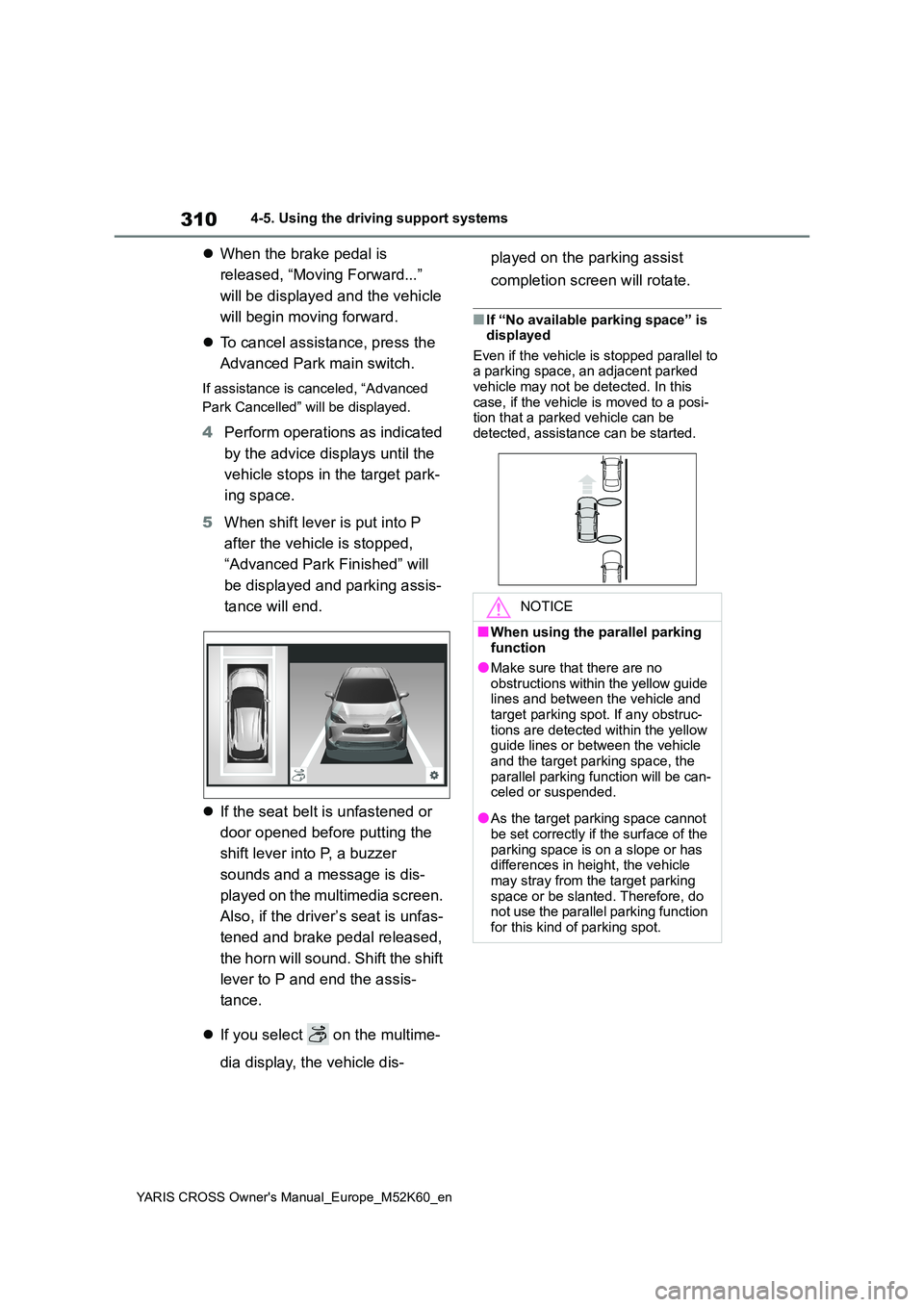
“Advanced Park Finished” will
be displayed and parking assis-
tance will end.
If the seat belt is unfastened or
door opened before putting the
shift lever into P, a buzzer
sounds and a message is dis-
played on the multimedia screen.
Also, if the driver’s seat is unfas-
tened and brake pedal released,
the horn will sound. Shift the shift
lever to P and end the assis-
tance.
If you select on the multime-
dia display, the vehicle dis-
played on the parking assist
completion screen will rotate.
■If “No available parking space” is displayed
Even if the vehicle is stopped parallel to a parking space, an adjacent parked vehicle may not be detected. In this
case, if the vehicle is moved to a posi- tion that a parked vehicle can be detected, assistance can be started.
NOTICE
■When using the parallel parking function
●Make sure that there are no obstructions within the yellow guide lines and between the vehicle and
target parking spot. If any obstruc- tions are detected within the yellow guide lines or between the vehicle
and the target parking space, the parallel parking function will be can-celed or suspended.
●As the target parking space cannot be set correctly if the surface of the
parking space is on a slope or has differences in height, the vehicle may stray from the target parking
space or be slanted. Therefore, do not use the parallel parking function for this kind of parking spot.
Page 313 of 650
311
4
YARIS CROSS Owner's Manual_Europe_M52K60_en
4-5. Using the driving support systems
Driving
■Function description
When departing from a parallel
parking spot, by selecting the direc-
tion you wish to depart, the parallel
parking departure function will pro-
vide assistance, steering wheel,
brake pedal, and accelerator pedal
operations, to guide the vehicle to a
position which you can depart from
the parking space.
■Leaving a parking space using
the parallel parking departure
function
1 With the brake pedal depressed
and P shift position selected,
press the Advanced Park main
switch and check that the depar-
ture direction selection screen is
NOTICE
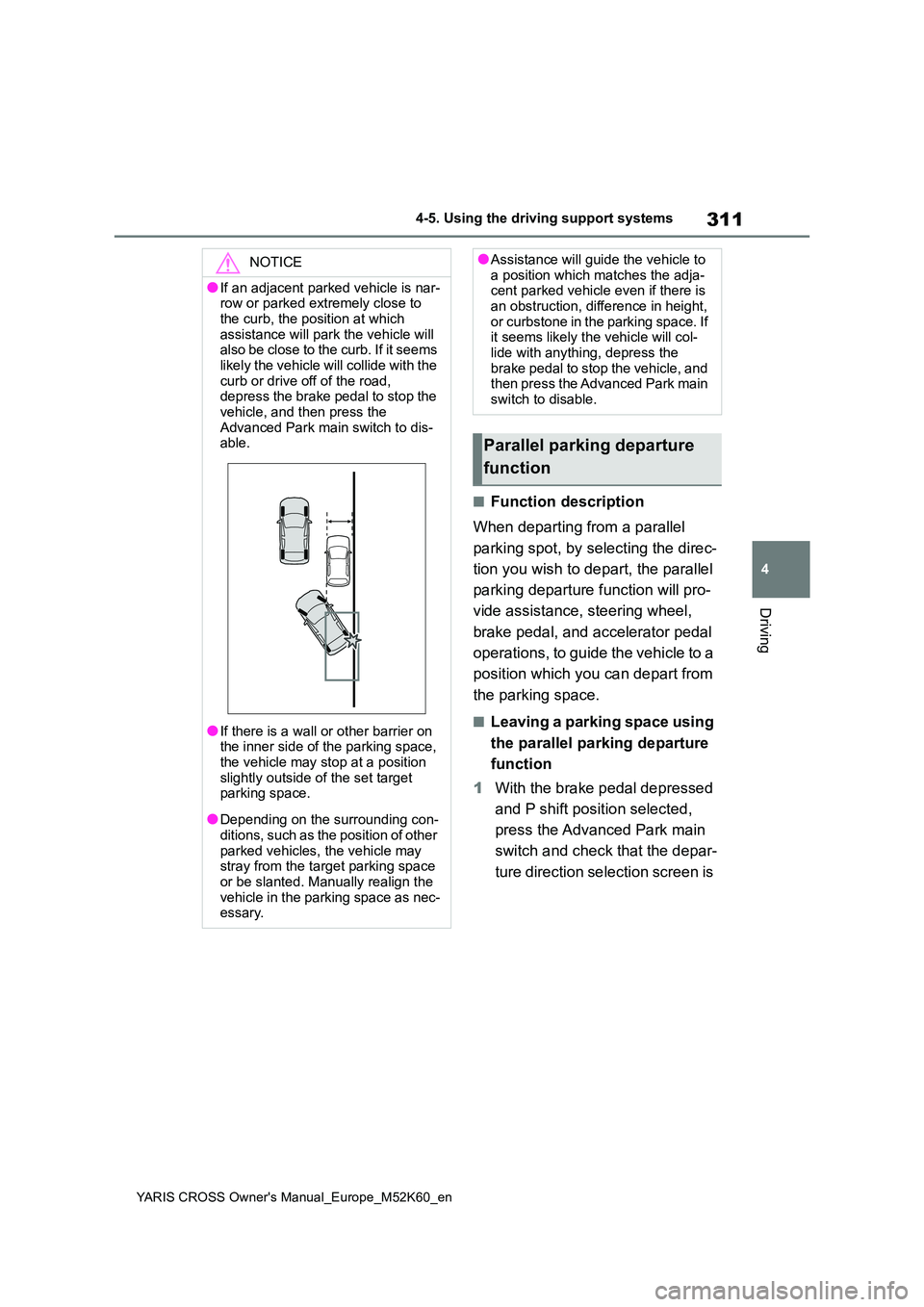
●If an adjacent parked vehicle is nar- row or parked extremely close to
the curb, the position at which assistance will park the vehicle will also be close to the curb. If it seems
likely the vehicle will collide with the curb or drive off of the road, depress the brake pedal to stop the
vehicle, and then press the Advanced Park main switch to dis-able.
●If there is a wall or other barrier on the inner side of the parking space,
the vehicle may stop at a position slightly outside of the set target parking space.
●Depending on the surrounding con-ditions, such as the position of other
parked vehicles, the vehicle may stray from the target parking space or be slanted. Manually realign the
vehicle in the parking space as nec- essary.
●Assistance will guide the vehicle to a position which matches the adja-cent parked vehicle even if there is
an obstruction, difference in height, or curbstone in the parking space. If it seems likely the vehicle will col-
lide with anything, depress the brake pedal to stop the vehicle, and then press the Advanced Park main
switch to disable.
Parallel parking departure
function
Page 318 of 650
316
YARIS CROSS Owner's Manual_Europe_M52K60_en
4-5. Using the driving support systems
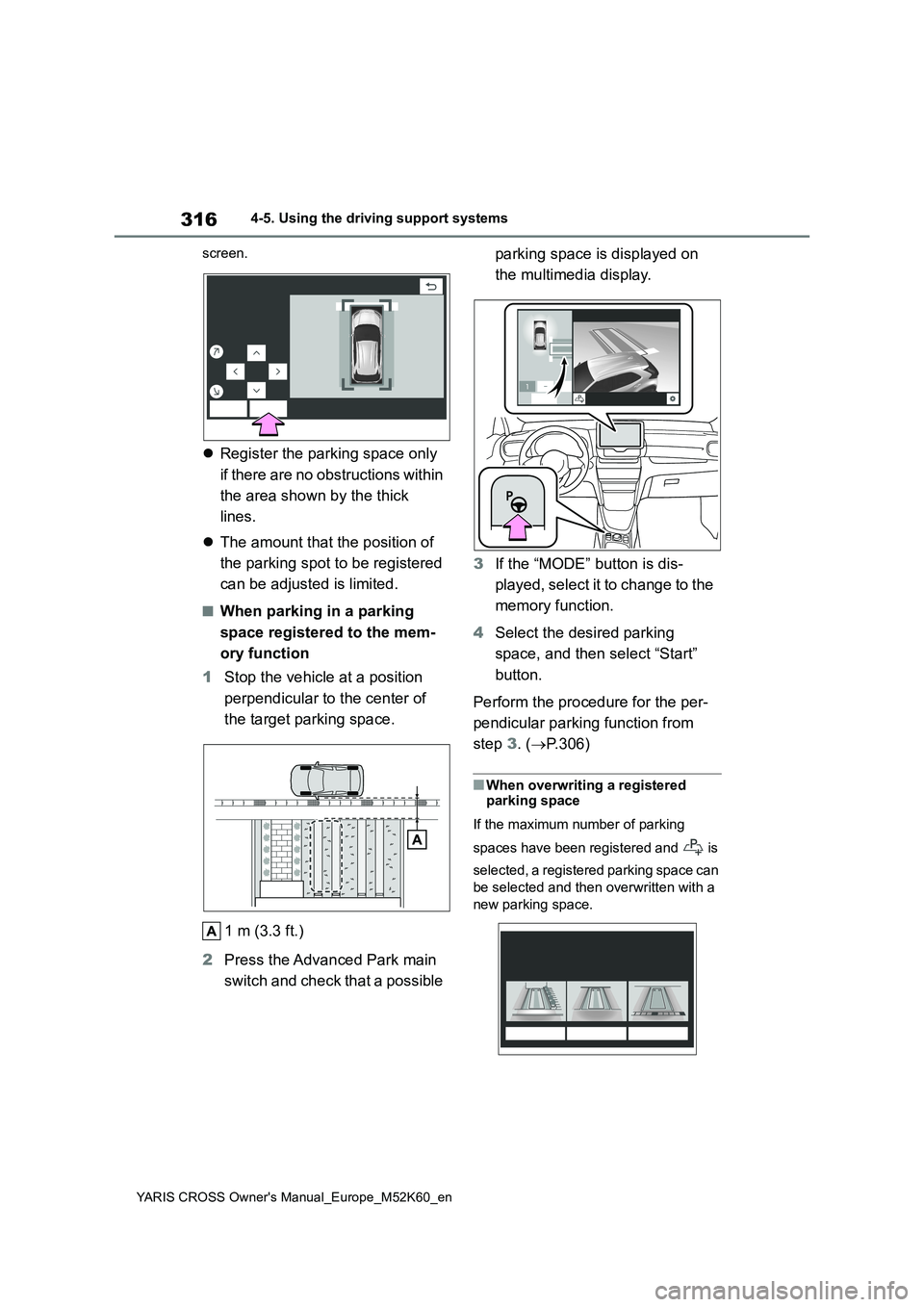
screen.
Register the parking space only
if there are no obstructions within
the area shown by the thick
lines.
The amount that the position of
the parking spot to be registered
can be adjusted is limited.
■When parking in a parking
space registered to the mem-
ory function
1 Stop the vehicle at a position
perpendicular to the center of
the target parking space.
1 m (3.3 ft.)
2 Press the Advanced Park main
switch and check that a possible
parking space is displayed on
the multimedia display.
3 If the “MODE” button is dis-
played, select it to change to the
memory function.
4 Select the desired parking
space, and then select “Start”
button.
Perform the procedure for the per-
pendicular parking function from
step 3. (P.306)
■When overwriting a registered parking space
If the maximum number of parking
spaces have been registered and is
selected, a registered parking space can
be selected and then overwritten with a
new parking space.
Page 327 of 650
325
4
YARIS CROSS Owner's Manual_Europe_M52K60_en
4-5. Using the driving support systems
Driving
■When a parking space cannot
be registered
■If a black screen is displayed on the
multimedia display when the Advanced Park is operating
The multimedia system or Advanced
Park is being affected by radio waves or may be malfunctioning. If a radio antenna is installed near a camera,
move it to a location as far from the cameras as possible. If a radio antenna is not installed near a camera, and the
screen does not return to normal after turning the power switch off and then starting the hybrid system again, have
the vehicle inspected by any authorized Toyota retailer or Toyota authorized repairer, or any reliable repairer.
■If the hybrid battery (traction bat-
tery) has been disconnected and reconnected
The system needs to be initialized. To
initialize the system, drive the vehicle straight ahead for 5 seconds or more at a speed of approximately 35 km/h (22
mph) or more.
For details on the following, refer to
“Panoramic view monitor” of
“Accelerator pedal
was pressed”
The accelerator
pedal was
depressed while
assistance was
being performed
Release the
accelerator pedal
and then select
“Start” button to
start assistance
again.
“Shift position was
changed manually”
The shift position
was changed to a
position other than
the one indicated
by the Advanced
Park during the
assist
Change the shift
position as
instructed by the
Advanced Park
and then select
“Start” button to
start assistance
again.
MessageCondition/Correc-
tive Action
MessageCondition/Correc-
tive Action
“No available park-
ing space to regis-
ter”
was selected
at a parking space
that cannot be
detected
Operate the
Advanced Park at
a parking space
where the road
surface can be
recognized
Precautions for use
Page 328 of 650
326
YARIS CROSS Owner's Manual_Europe_M52K60_en
4-5. Using the driving support systems
“Peripheral monitoring system” in
the “Navigation and multimedia
system Owner’s manual”.
Displayable range of the screens
Cameras
Differences between displayed
images and the actual road
Differences between displayed
images and the actual objects
■Situations in which white park-
ing space box may not be rec-
ognized properly
In situations such as the following,
parking space box on the road sur-
face may not be detected:
When the parking space does
not use white lines (parking
space boundaries are marked
with rope, blocks, etc.)
When the parking space box are
faded or dirty, making them
unclear
When the road surface is bright,
such as concrete, and the con-
trast between it and the white
parking space box is small
When the parking space box are
any color other than yellow or
white
When the area surrounding the
parking space is dark, such as at
night, in an underground parking
lot, parking garage, etc.
When it is raining or has rained
and the road surface is wet and
reflective or there are puddles
When the sun is shining directly
into a camera, such as in the
early morning or evening
When the parking space is cov-
ered with snow or de-icing agent
When there marks from repairs
or other marks on the road sur-
face, or there is a traffic bollard,
or other object on the road sur-
face
When the color or brightness of
the road surface is uneven
When a camera has been
splashed by hot or cold water
and the lens has fogged up
When the appearance of the
parking space is affected by the
shadow of the vehicle or trees
When a camera lens is dirty or
covered with water droplets
In situations such as the following,
the target parking space may not
be recognized correctly:
When there marks from repairs
or other marks on the road sur-
face, or there is a parking block,
traffic bollard, or other object on
the road surface
When it is raining or has rained
and the road surface is wet and
reflective or there are puddles
When the color or brightness of
the road surface is uneven
When the parking space is on a
slope
When the appearance of the
Page 330 of 650
328
YARIS CROSS Owner's Manual_Europe_M52K60_en
4-5. Using the driving support systems
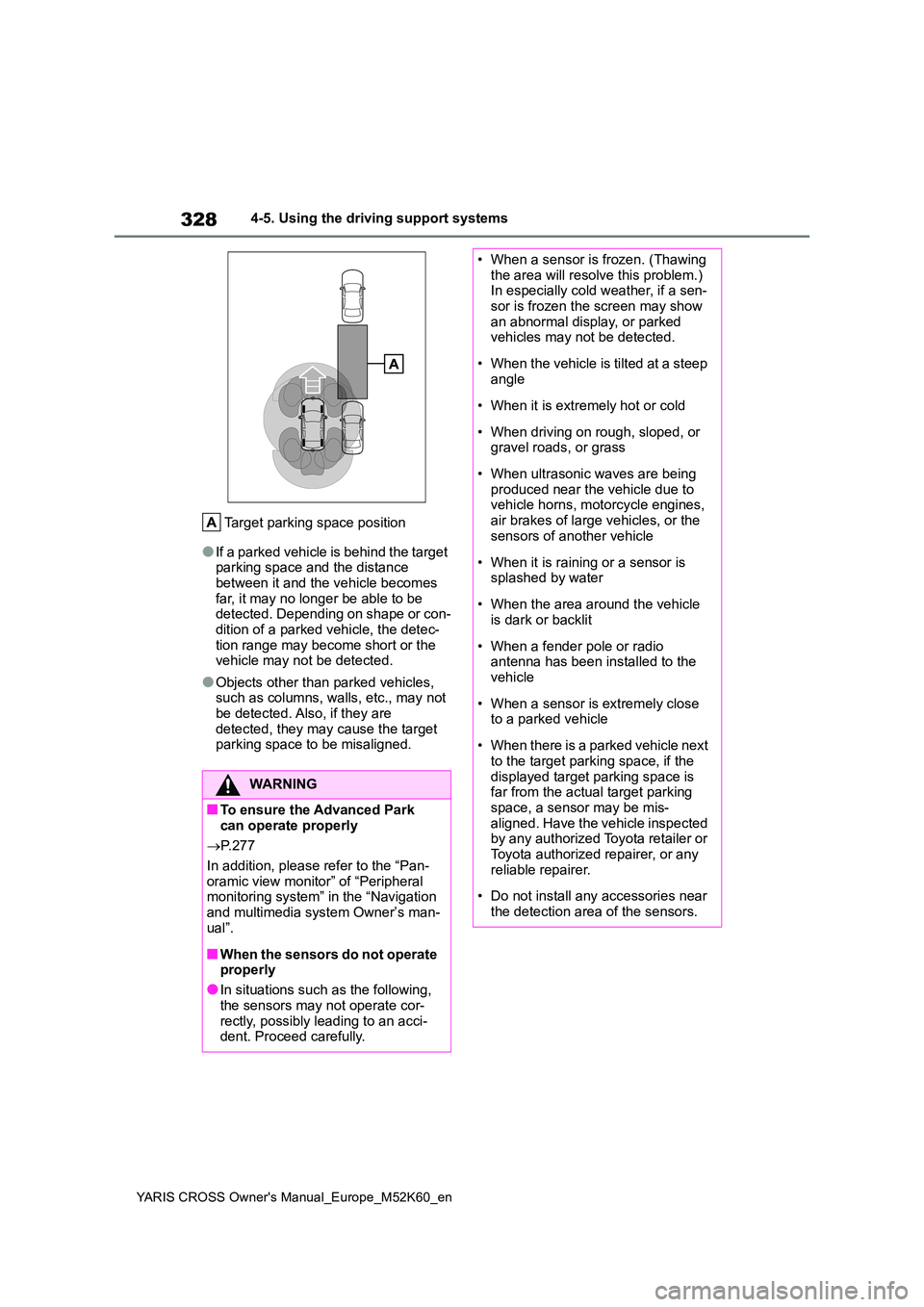
Target parking space position
●If a parked vehicle is behind the target parking space and the distance between it and the vehicle becomes
far, it may no longer be able to be detected. Depending on shape or con-dition of a parked vehicle, the detec-
tion range may become short or the vehicle may not be detected.
●Objects other than parked vehicles, such as columns, walls, etc., may not be detected. Also, if they are
detected, they may cause the target parking space to be misaligned.
WARNING
■To ensure the Advanced Park can operate properly
P. 2 7 7
In addition, please refer to the “Pan- oramic view monitor” of “Peripheral monitoring system” in the “Navigation
and multimedia system Owner’s man- ual”.
■When the sensors do not operate properly
●In situations such as the following,
the sensors may not operate cor- rectly, possibly leading to an acci-dent. Proceed carefully.
• When a sensor is frozen. (Thawing the area will resolve this problem.) In especially cold weather, if a sen-
sor is frozen the screen may show an abnormal display, or parked vehicles may not be detected.
• When the vehicle is tilted at a steep angle
• When it is extremely hot or cold
• When driving on rough, sloped, or gravel roads, or grass
• When ultrasonic waves are being produced near the vehicle due to vehicle horns, motorcycle engines,
air brakes of large vehicles, or the sensors of another vehicle
• When it is raining or a sensor is splashed by water
• When the area around the vehicle is dark or backlit
• When a fender pole or radio antenna has been installed to the vehicle
• When a sensor is extremely close to a parked vehicle
• When there is a parked vehicle next to the target parking space, if the
displayed target parking space is far from the actual target parking space, a sensor may be mis-
aligned. Have the vehicle inspected by any authorized Toyota retailer or Toyota authorized repairer, or any
reliable repairer.
• Do not install any accessories near
the detection area of the sensors.
Page 354 of 650
352
YARIS CROSS Owner's Manual_Europe_M52K60_en
5-1. Using the air conditioning system and defogger
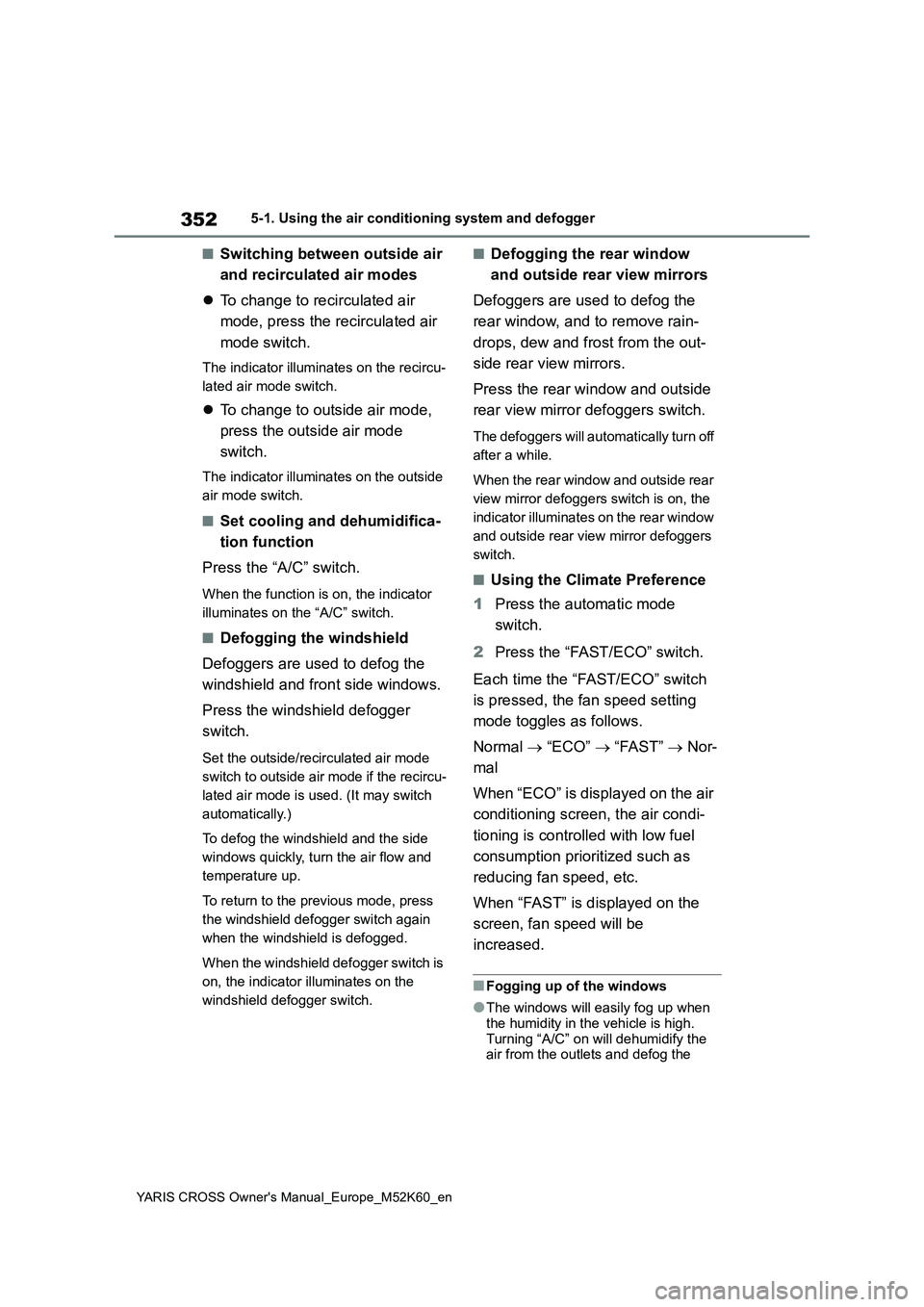
■Switching between outside air
and recirculated air modes
To change to recirculated air
mode, press the recirculated air
mode switch.
The indicator illuminates on the recircu-
lated air mode switch.
To change to outside air mode,
press the outside air mode
switch.
The indicator illuminates on the outside
air mode switch.
■Set cooling and dehumidifica-
tion function
Press the “A/C” switch.
When the function is on, the indicator
illuminates on the “A/C” switch.
■Defogging the windshield
Defoggers are used to defog the
windshield and front side windows.
Press the windshield defogger
switch.
Set the outside/recirculated air mode
switch to outside air mode if the recircu-
lated air mode is used. (It may switch
automatically.)
To defog the windshield and the side
windows quickly, turn the air flow and
temperature up.
To return to the previous mode, press
the windshield defogger switch again
when the windshield is defogged.
When the windshield defogger switch is
on, the indicator illuminates on the
windshield defogger switch.
■Defogging the rear window
and outside rear view mirrors
Defoggers are used to defog the
rear window, and to remove rain-
drops, dew and frost from the out-
side rear view mirrors.
Press the rear window and outside
rear view mirror defoggers switch.
The defoggers will automatically turn off
after a while.
When the rear window and outside rear
view mirror defoggers switch is on, the
indicator illuminates on the rear window
and outside rear view mirror defoggers
switch.
■Using the Climate Preference
1 Press the automatic mode
switch.
2 Press the “FAST/ECO” switch.
Each time the “FAST/ECO” switch
is pressed, the fan speed setting
mode toggles as follows.
Normal “ECO” “FAST” Nor-
mal
When “ECO” is displayed on the air
conditioning screen, the air condi-
tioning is controlled with low fuel
consumption prioritized such as
reducing fan speed, etc.
When “FAST” is displayed on the
screen, fan speed will be
increased.
■Fogging up of the windows
●The windows will easily fog up when
the humidity in the vehicle is high. Turning “A/C” on will dehumidify the air from the outlets and defog the
Page 400 of 650
398
YARIS CROSS Owner's Manual_Europe_M52K60_en
6-3. Do-it-yourself maintenance
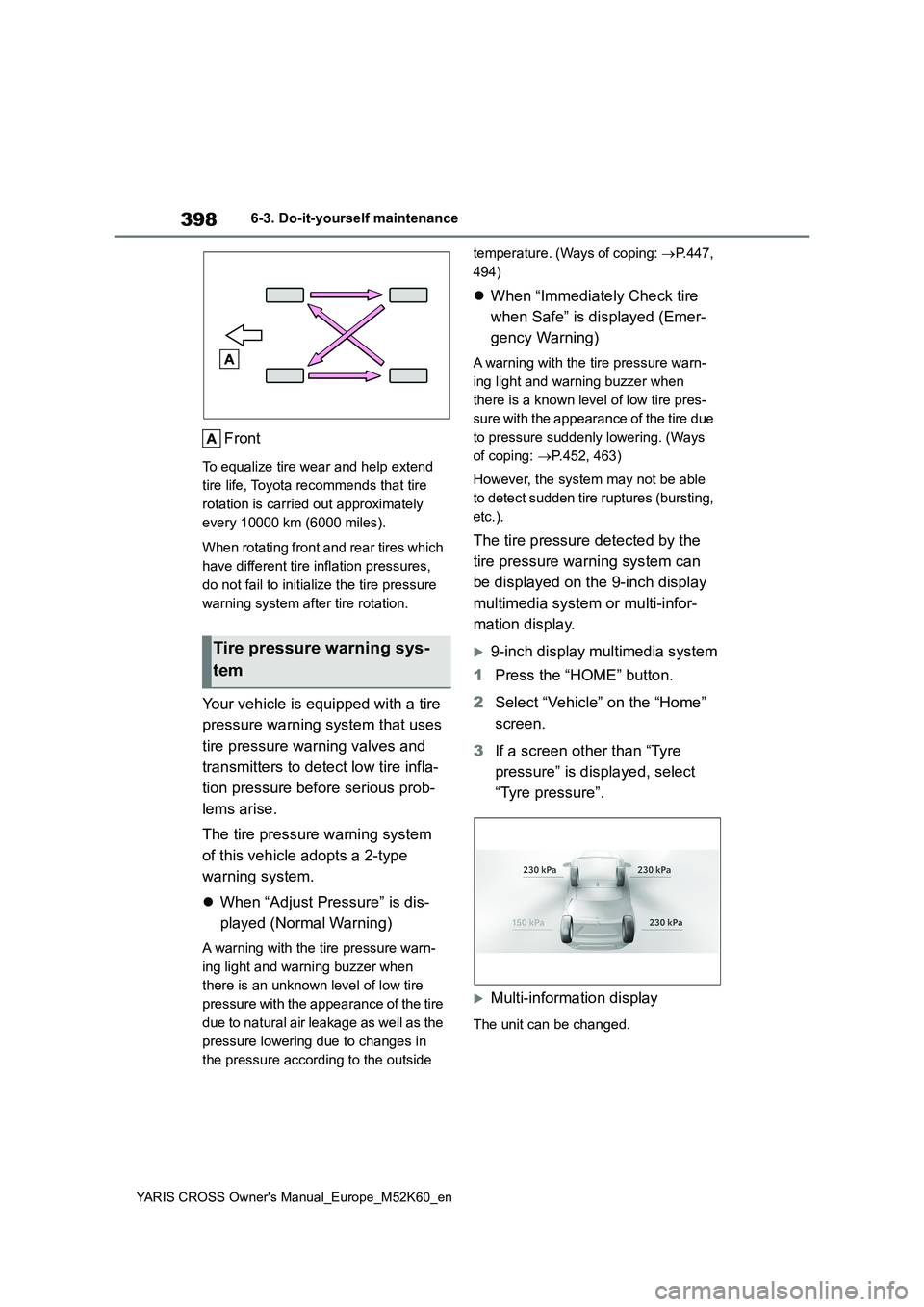
Front
To equalize tire wear and help extend
tire life, Toyota recommends that tire
rotation is carried out approximately
every 10000 km (6000 miles).
When rotating front and rear tires which
have different tire inflation pressures,
do not fail to initialize the tire pressure
warning system after tire rotation.
Your vehicle is equipped with a tire
pressure warning system that uses
tire pressure warning valves and
transmitters to detect low tire infla-
tion pressure before serious prob-
lems arise.
The tire pressure warning system
of this vehicle adopts a 2-type
warning system.
When “Adjust Pressure” is dis-
played (Normal Warning)
A warning with the tire pressure warn-
ing light and warning buzzer when
there is an unknown level of low tire
pressure with the appearance of the tire
due to natural air leakage as well as the
pressure lowering due to changes in
the pressure according to the outside
temperature. (Ways of coping: P.447,
494)
When “Immediately Check tire
when Safe” is displayed (Emer-
gency Warning)
A warning with the tire pressure warn-
ing light and warning buzzer when
there is a known level of low tire pres-
sure with the appearance of the tire due
to pressure suddenly lowering. (Ways
of coping: P.452, 463)
However, the system may not be able
to detect sudden tire ruptures (bursting,
etc.).
The tire pressure detected by the
tire pressure warning system can
be displayed on the 9-inch display
multimedia system or multi-infor-
mation display.
9-inch display multimedia system
1 Press the “HOME” button.
2 Select “Vehicle” on the “Home”
screen.
3 If a screen other than “Tyre
pressure” is displayed, select
“Tyre pressure”.
Multi-information display
The unit can be changed.
Tire pressure warning sys-
tem