driving mode TOYOTA YARIS CROSS 2022 User Guide
[x] Cancel search | Manufacturer: TOYOTA, Model Year: 2022, Model line: YARIS CROSS, Model: TOYOTA YARIS CROSS 2022Pages: 618, PDF Size: 130.77 MB
Page 139 of 618
137
3
CV Owner's Manual_Europe_M52N20_en
3-2. Opening, closing and locking the doors
Before driving
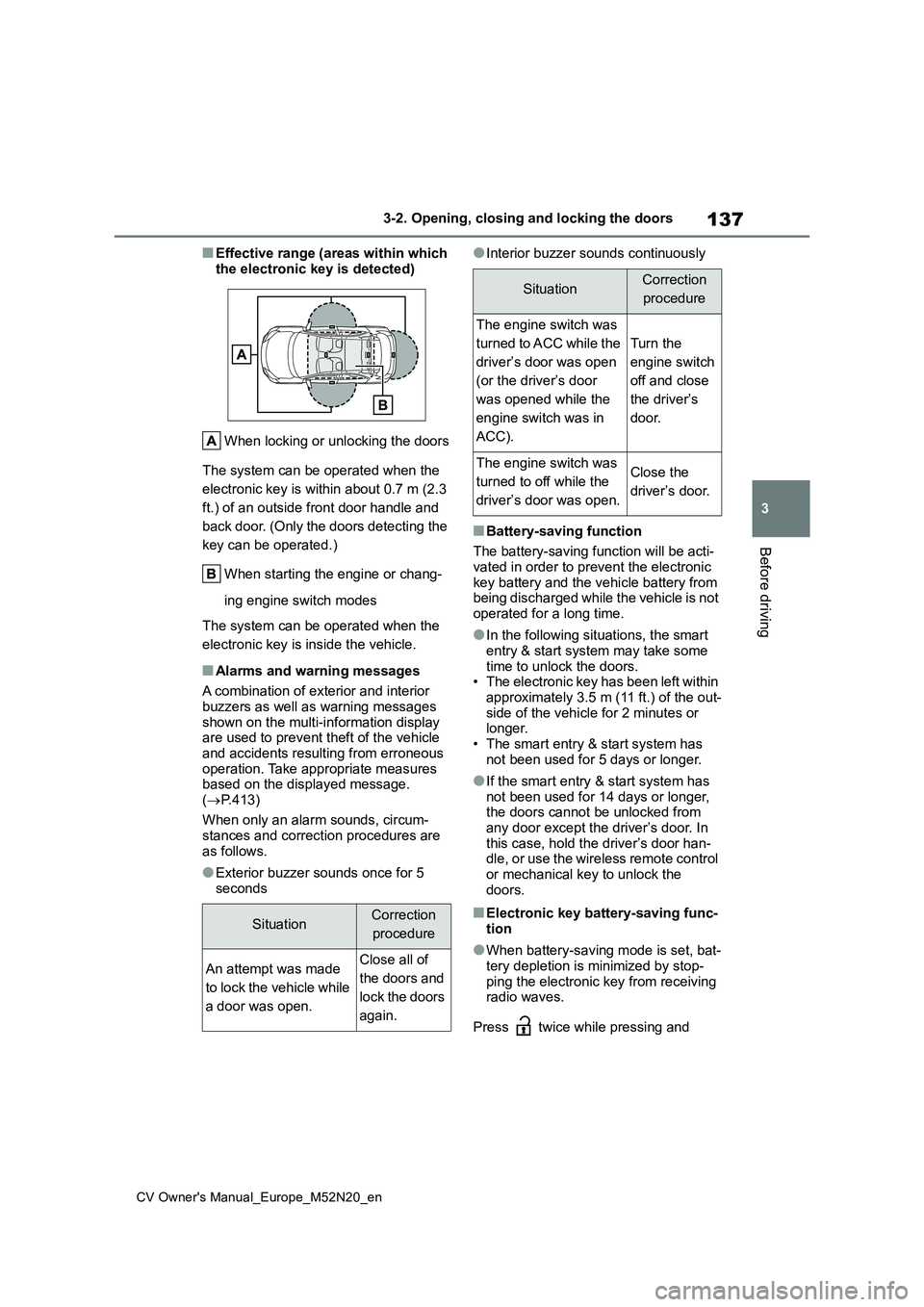
■Effective range (areas within which
the electronic key is detected)
When locking or unlocking the doors
The system can be operated when the
electronic key is within about 0.7 m (2.3
ft.) of an outside front door handle and
back door. (Only the doors detecting the
key can be operated.)
When starting the engine or chang-
ing engine switch modes
The system can be operated when the
electronic key is inside the vehicle.
■Alarms and warning messages
A combination of exterior and interior
buzzers as well as warning messages shown on the multi-information display are used to prevent theft of the vehicle
and accidents resulting from erroneous operation. Take appropriate measures based on the displayed message.
( P.413)
When only an alarm sounds, circum-
stances and correction procedures are as follows.
●Exterior buzzer sounds once for 5 seconds
●Interior buzzer sounds continuously
■Battery-saving function
The battery-saving function will be acti-
vated in order to prevent the electronic key battery and the vehicle battery from being discharged while the vehicle is not
operated for a long time.
●In the following situations, the smart
entry & start system may take some time to unlock the doors.• The electronic key has been left within
approximately 3.5 m (11 ft.) of the out- side of the vehicle for 2 minutes or longer.
• The smart entry & start system has not been used for 5 days or longer.
●If the smart entry & start system has not been used for 14 days or longer, the doors cannot be unlocked from
any door except the driver’s door. In this case, hold the driver’s door han-dle, or use the wireless remote control
or mechanical key to unlock the doors.
■Electronic key battery-saving func-tion
●When battery-saving mode is set, bat-tery depletion is minimized by stop-
ping the electronic key from receiving radio waves.
Press twice while pressing and
SituationCorrection
procedure
An attempt was made
to lock the vehicle while
a door was open.
Close all of
the doors and
lock the doors
again.
SituationCorrection
procedure
The engine switch was
turned to ACC while the
driver’s door was open
(or the driver’s door
was opened while the
engine switch was in
ACC).
Turn the
engine switch
off and close
the driver’s
door.
The engine switch was
turned to off while the
driver’s door was open.
Close the
driver’s door.
Page 141 of 618
139
3
CV Owner's Manual_Europe_M52N20_en
3-2. Opening, closing and locking the doors
Before driving
the engine is started or engine switch
modes are changed.
●Do not leave the electronic key on top
of the instrument panel or near the door pockets when exiting the vehicle. Depending on the radio wave recep-
tion conditions, it may be detected by the antenna outside the cabin and the door will become lockable from the
outside, possibly trapping the elec- tronic key inside the vehicle.
●As long as the electronic key is within the effective range, the doors may be locked or unlocked by anyone. How-
ever, only the doors detecting the electronic key can be used to unlock the vehicle.
●Even if the electronic key is not inside the vehicle, it may be possible to start
the engine if the electronic key is near the window.
●The doors may unlock or lock if a large amount of water splashes on the door handle, such as in the rain or in a
car wash when the electronic key is within the effective range. (The doors will automatically be locked after
approximately 30 seconds if the doors are not opened and closed.)
●If the wireless remote control is used to lock the doors when the electronic key is near the vehicle, there is a pos-
sibility that the door may not be unlocked by the entry function. (Use the wireless remote control to unlock
the doors.)
●Touching the door lock or unlock sen-
sor while wearing gloves may prevent lock or unlock operation.
●When the lock operation is performed using the lock sensor, recognition sig-nals will be shown up to two consecu-
tive times. After this, no recognition signals will be given.
●If the door handle becomes wet while the electronic key is within the effec-tive range, the door may lock and
unlock repeatedly. In that case, follow the following correction procedures to
wash the vehicle:
• Place the electronic key in a location 2 m (6 ft.) or more away from the vehi-cle. (Take care to ensure that the key
is not stolen.) • Set the electronic key to battery-sav-ing mode to disable the smart entry &
start system. ( P.137)
●If the electronic key is inside the vehi-
cle and a door handle becomes wet during a car wash, a message may be shown on the multi-information dis-
play and a buzzer will sound outside the vehicle. To turn off the alarm, lock all the doors.
●The lock sensor may not work prop-erly if it comes into contact with ice,
snow, mud, etc. Clean the lock sensor and attempt to operate it again.
●A sudden handle operation or a han-dle operation immediately after enter-ing the effective range may prevent
the doors from being unlocked. Touch the door unlock sensor and check that the doors are unlocked before pulling
the door handle again.
●If there is another electronic key in the
detection area, it may take slightly lon- ger to unlock the doors after the door handle is gripped.
■When the vehicle is not driven for
extended periods
●To prevent theft of the vehicle, do not
leave the electronic key within 2 m (6 ft.) of the vehicle.
●The smart entry & start system can be deactivated in advance. ( P.457)
●Setting the electronic key to battery- saving mode helps to reduce key bat-tery depletion. ( P.137)
■To operate the system properly
Make sure to carry the electronic key when operating the system. Do not get the electronic key too close to the vehi-
cle when operating the system from the outside of the vehicle.Depending on the position and holding
condition of the electronic key, the key may not be detected correctly and the
Page 151 of 618
149
3
CV Owner's Manual_Europe_M52N20_en
3-4. Adjusting the steering wheel and mirrors
Before driving
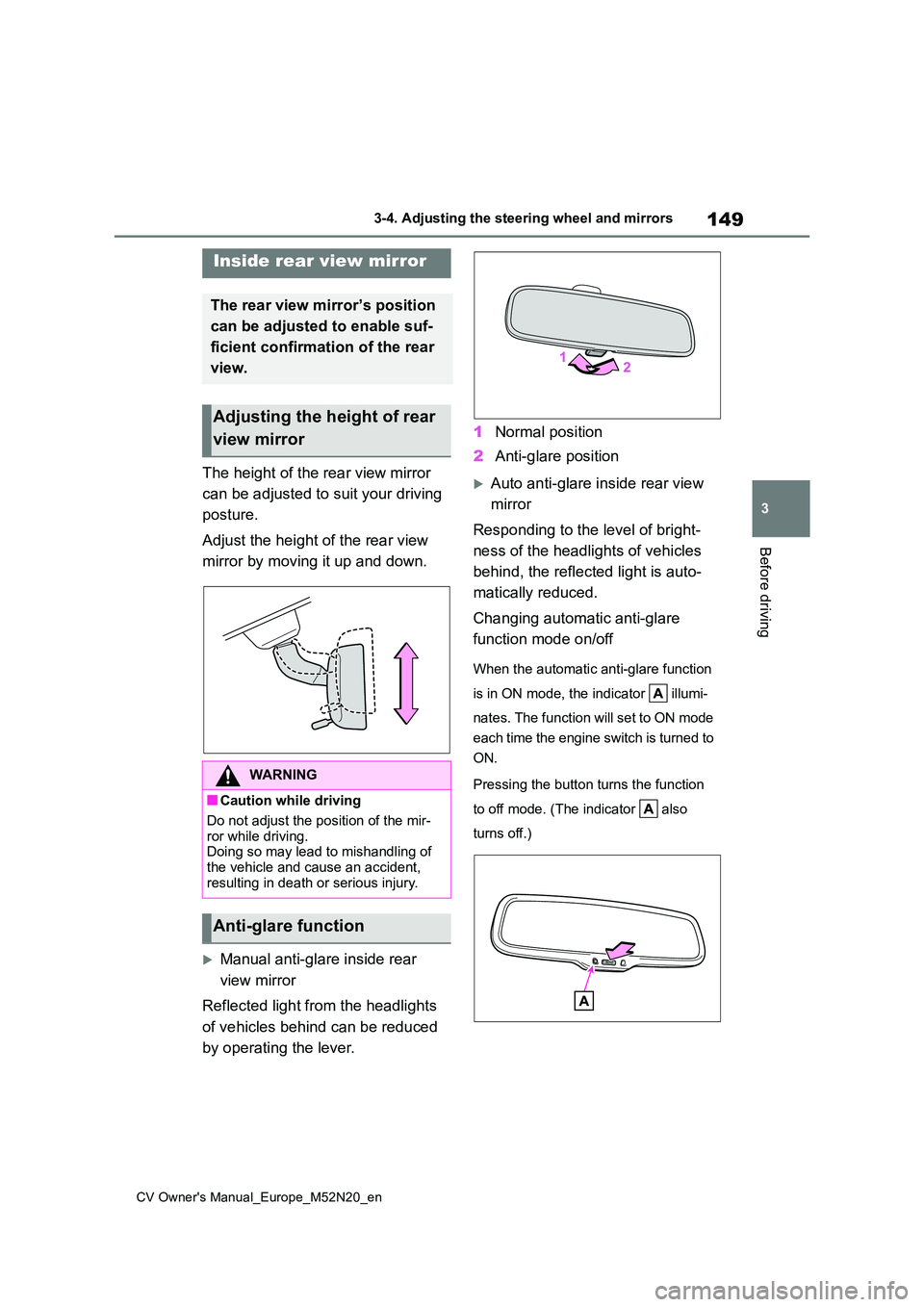
The height of the rear view mirror
can be adjusted to suit your driving
posture.
Adjust the height of the rear view
mirror by moving it up and down.
Manual anti-glare inside rear
view mirror
Reflected light from the headlights
of vehicles behind can be reduced
by operating the lever.
1 Normal position
2 Anti-glare position
Auto anti-glare inside rear view
mirror
Responding to the level of bright-
ness of the headlights of vehicles
behind, the reflected light is auto-
matically reduced.
Changing automatic anti-glare
function mode on/off
When the automatic anti-glare function
is in ON mode, the indicator illumi-
nates. The function will set to ON mode
each time the engine switch is turned to
ON.
Pressing the button turns the function
to off mode. (The indicator also
turns off.)
Inside rear view mirror
The rear view mirror’s position
can be adjusted to enable suf-
ficient confirmation of the rear
view.
Adjusting the height of rear
view mirror
WARNING
■Caution while driving
Do not adjust the position of the mir-
ror while driving. Doing so may lead to mishandling of the vehicle and cause an accident,
resulting in death or serious injury.
Anti-glare function
Page 153 of 618
151
3
CV Owner's Manual_Europe_M52N20_en
3-4. Adjusting the steering wheel and mirrors
Before driving
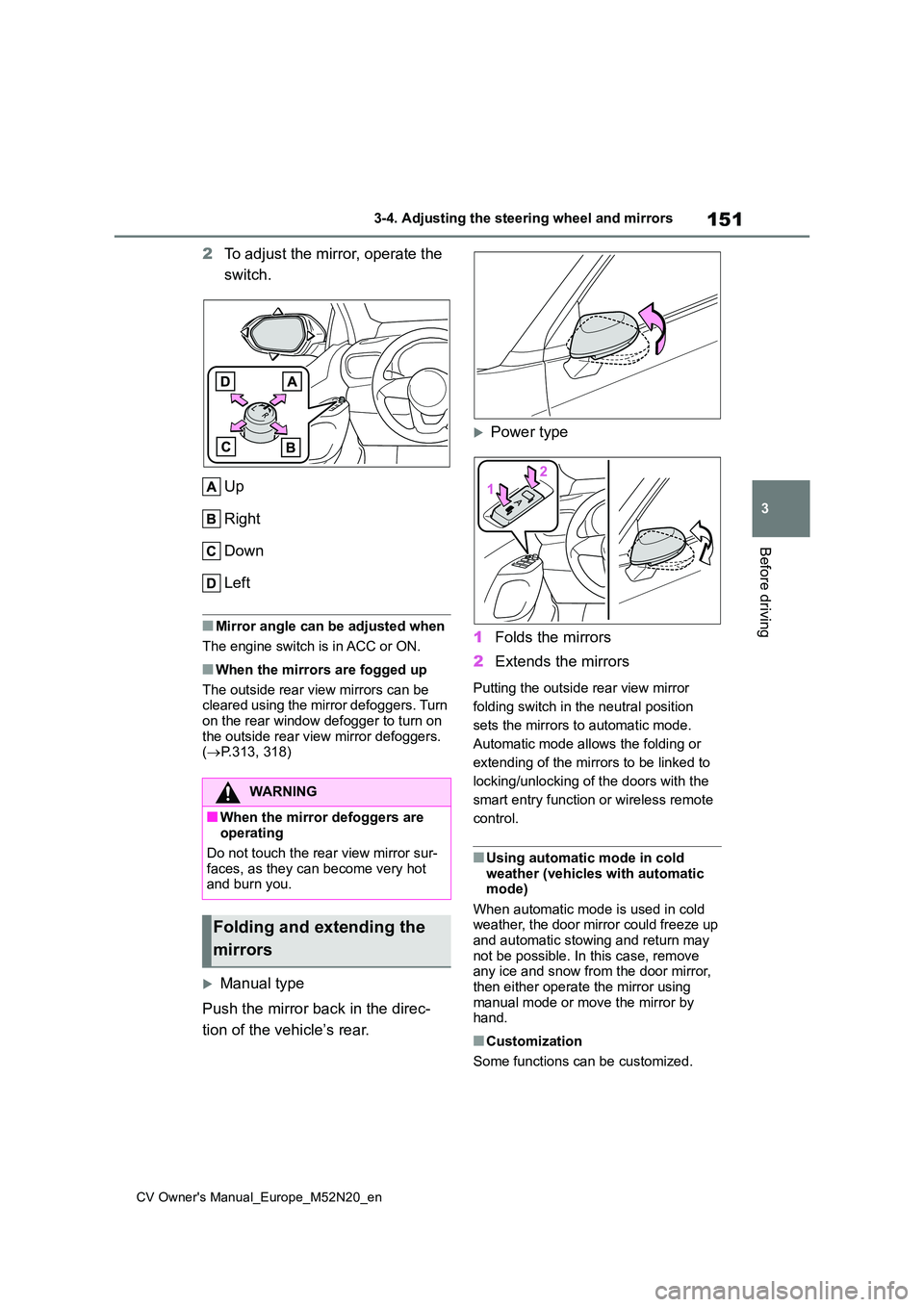
2To adjust the mirror, operate the
switch.
Up
Right
Down
Left
■Mirror angle can be adjusted when
The engine switch is in ACC or ON.
■When the mirrors are fogged up
The outside rear view mirrors can be cleared using the mirror defoggers. Turn
on the rear window defogger to turn on the outside rear view mirror defoggers. ( P.313, 318)
Manual type
Push the mirror back in the direc-
tion of the vehicle’s rear.
Power type
1 Folds the mirrors
2 Extends the mirrors
Putting the outside rear view mirror
folding switch in the neutral position
sets the mirrors to automatic mode.
Automatic mode allows the folding or
extending of the mirrors to be linked to
locking/unlocking of the doors with the
smart entry function or wireless remote
control.
■Using automatic mode in cold weather (vehicles with automatic mode)
When automatic mode is used in cold weather, the door mirror could freeze up and automatic stowing and return may
not be possible. In this case, remove any ice and snow from the door mirror, then either operate the mirror using
manual mode or move the mirror by hand.
■Customization
Some functions can be customized.
WARNING
■When the mirror defoggers are operating
Do not touch the rear view mirror sur-
faces, as they can become very hot and burn you.
Folding and extending the
mirrors
Page 159 of 618
4
157
CV Owner's Manual_Europe_M52N20_en
4
Driving
Driving
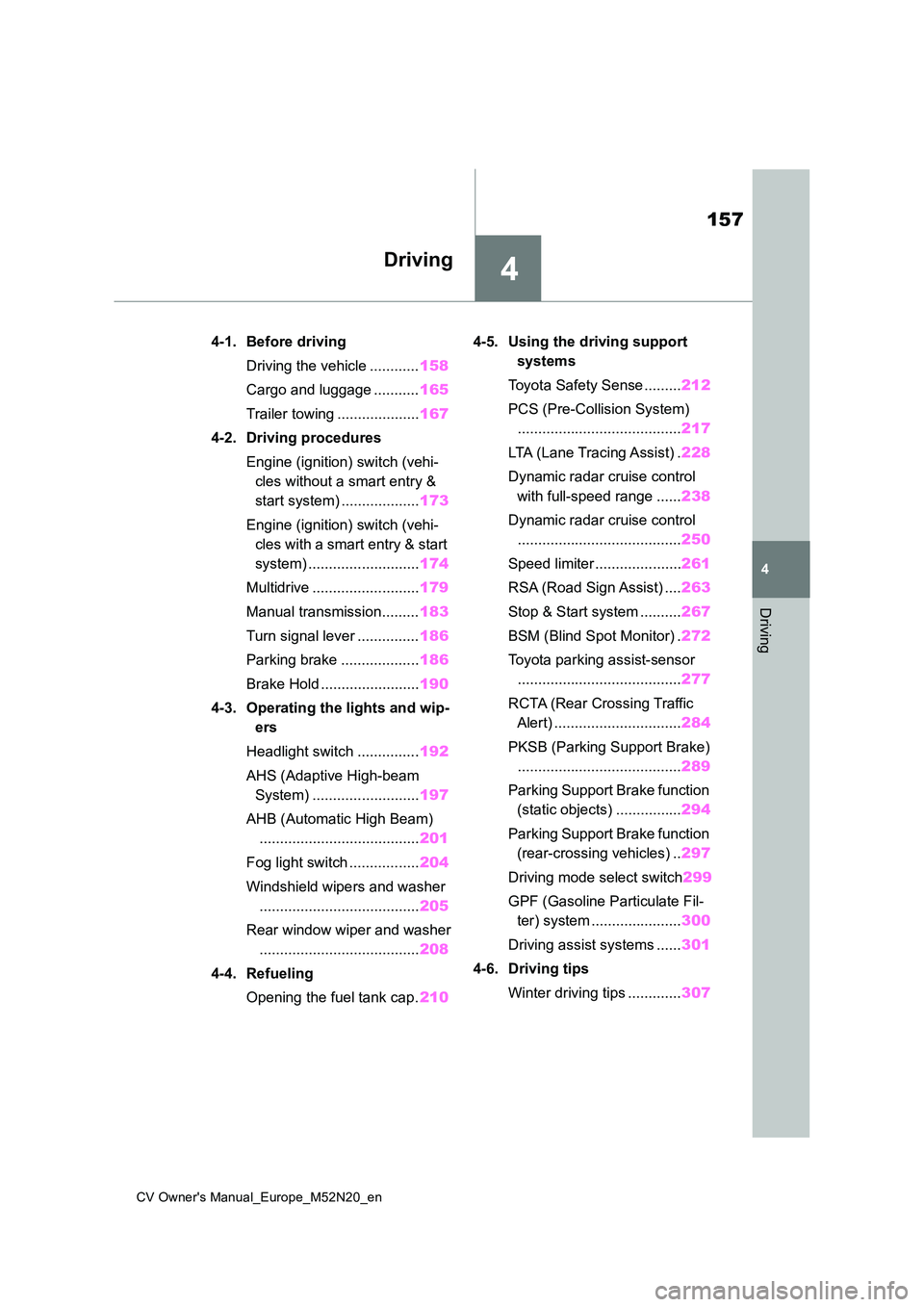
4-1. Before driving
Driving the vehicle ............ 158
Cargo and luggage ........... 165
Trailer towing .................... 167
4-2. Driving procedures
Engine (ignition) switch (vehi-
cles without a smart entry &
start system) ................... 173
Engine (ignition) switch (vehi-
cles with a smart entry & start
system) ........................... 174
Multidrive .......................... 179
Manual transmission......... 183
Turn signal lever ............... 186
Parking brake ................... 186
Brake Hold ........................ 190
4-3. Operating the lights and wip-
ers
Headlight switch ............... 192
AHS (Adaptive High-beam
System) .......................... 197
AHB (Automatic High Beam)
....................................... 201
Fog light switch ................. 204
Windshield wipers and washer
....................................... 205
Rear window wiper and washer
....................................... 208
4-4. Refueling
Opening the fuel tank cap. 210
4-5. Using the driving support
systems
Toyota Safety Sense ......... 212
PCS (Pre-Collision System)
........................................ 217
LTA (Lane Tracing Assist) . 228
Dynamic radar cruise control
with full-speed range ...... 238
Dynamic radar cruise control
........................................ 250
Speed limiter ..................... 261
RSA (Road Sign Assist) .... 263
Stop & Start system .......... 267
BSM (Blind Spot Monitor) . 272
Toyota parking assist-sensor
........................................ 277
RCTA (Rear Crossing Traffic
Alert) ............................... 284
PKSB (Parking Support Brake)
........................................ 289
Parking Support Brake function
(static objects) ................ 294
Parking Support Brake function
(rear-crossing vehicles) .. 297
Driving mode select switch 299
GPF (Gasoline Particulate Fil-
ter) system ...................... 300
Driving assist systems ...... 301
4-6. Driving tips
Winter driving tips ............. 307
Page 160 of 618
158
CV Owner's Manual_Europe_M52N20_en
4-1. Before driving
4-1.Before driv in g
■Starting the engine
P.173, 174
■Driving
Multidrive
1 With the brake pedal depressed,
shift the shift lever to D.
( P.179)
2 Release the parking brake.
( P.186)
If the parking brake is in automatic mode, the parking brake is release
automatically when shifting the shift lever to any position other than P. ( P.187)
3Gradually release the brake
pedal and gently depress the
accelerator pedal to accelerate
the vehicle.
Manual transmission
1 While depressing the clutch
pedal, shift the shift lever to 1.
( P.183)
2 Release the parking brake.
( P.186)
If the parking brake is in automatic mode, the parking brake is released automatically when depress the accel-
erator pedal. ( P.188)
3Gradually release the clutch
pedal. At the same time, gently
depress the accelerator pedal to
accelerate the vehicle.
■Stopping
Multidrive
1 With the shift lever in D, depress
the brake pedal.
Vehicles with a Stop & Start system: If the Stop & Start system is enabled, depressing the brake pedal will stop the
engine. ( P.267)
2If necessary, set the parking
brake.
If the vehicle is to be stopped for an
extended period of time, shift the shift lever to P. ( P.179)
Manual transmission
1 While depressing the clutch
pedal, depress the brake pedal.
2 If necessary, set the parking
brake.
If the vehicle is to be stopped for an extended period of time, shift the shift
lever to N. ( P.183)
Vehicles with a Stop & Start system: If the Stop & Start system is enabled,
shifting the shift lever to N and releas- ing the clutch pedal will stop the engine. ( P.267)
■Parking the vehicle
Multidrive
1 With the shift lever in D, depress
the brake pedal to stop the vehi-
cle completely.
2 Set the parking brake (P.186),
and shift the shift lever to P.
( P.179)
Check the parking brake indicator is illuminated.
Driving the vehicle
The following procedures
should be observed to ensure
safe driving:
Driving procedure
Page 162 of 618
160
CV Owner's Manual_Europe_M52N20_en
4-1. Before driving
●The vehicle is judged to be driving
uphill or downhill
●When the accelerator pedal is
released
●When the brake pedal is depressed
while power mode is selected
■Restraining the engine output (Brake Override System)
●When the accelerator and brake ped-als are depressed at the same time, the engine output may be restrained.
●A warning message is displayed on the multi-information display while the
system is operating.
■Breaking in your new Toyota
To extend the life of the vehicle, observ- ing the following precautions is recom-
mended:
●For the first 300 km (186 miles):
Avoid sudden stops.
●For the first 800 km (500 miles):
Do not tow a trailer.
●For the first 1000 km (621 miles): • Do not drive at extremely high speeds.
• Avoid sudden acceleration. • Do not drive continuously in low gears.
• Do not drive at a constant speed for extended periods.
■Operating your vehicle in a foreign country
Comply with the relevant vehicle regis- tration laws and confirm the availability of the correct fuel. ( P.450)
WARNING
Observe the following precautions. Failure to do so may result in death or serious injury.
■When starting the vehicle (vehi-cles with a Multidrive)
Always keep your foot on the brake
pedal while stopped with the engine running. This prevents the vehicle from creeping.
■When driving the vehicle
●Do not drive if you are unfamiliar
with the location of the brake and accelerator pedals to avoid depressing the wrong pedal.
• Accidentally depressing the accel- erator pedal instead of the brake
pedal will result in sudden accelera- tion that may lead to an accident.
• When backing up, you may twist your body around, leading to a diffi-culty in operating the pedals. Make
sure to operate the pedals properly.
• Make sure to keep a correct driving
posture even when moving the vehicle only slightly. This allows you to depress the brake and accelera-
tor pedals properly.
• Depress the brake pedal using your
right foot. Depressing the brake pedal using your left foot may delay response in an emergency, result-
ing in an accident.
●Do not drive the vehicle over or
stop the vehicle near flammable materials.The exhaust system and exhaust
gases can be extremely hot. These hot parts may cause a fire if there is any flammable material nearby.
Page 176 of 618
174
CV Owner's Manual_Europe_M52N20_en
4-2. Driving procedures
Some electrical components such as
the audio system can be used.
3 ON (“ON” position)
All electrical components can be used.
4START (“START” position)
For starting the engine.
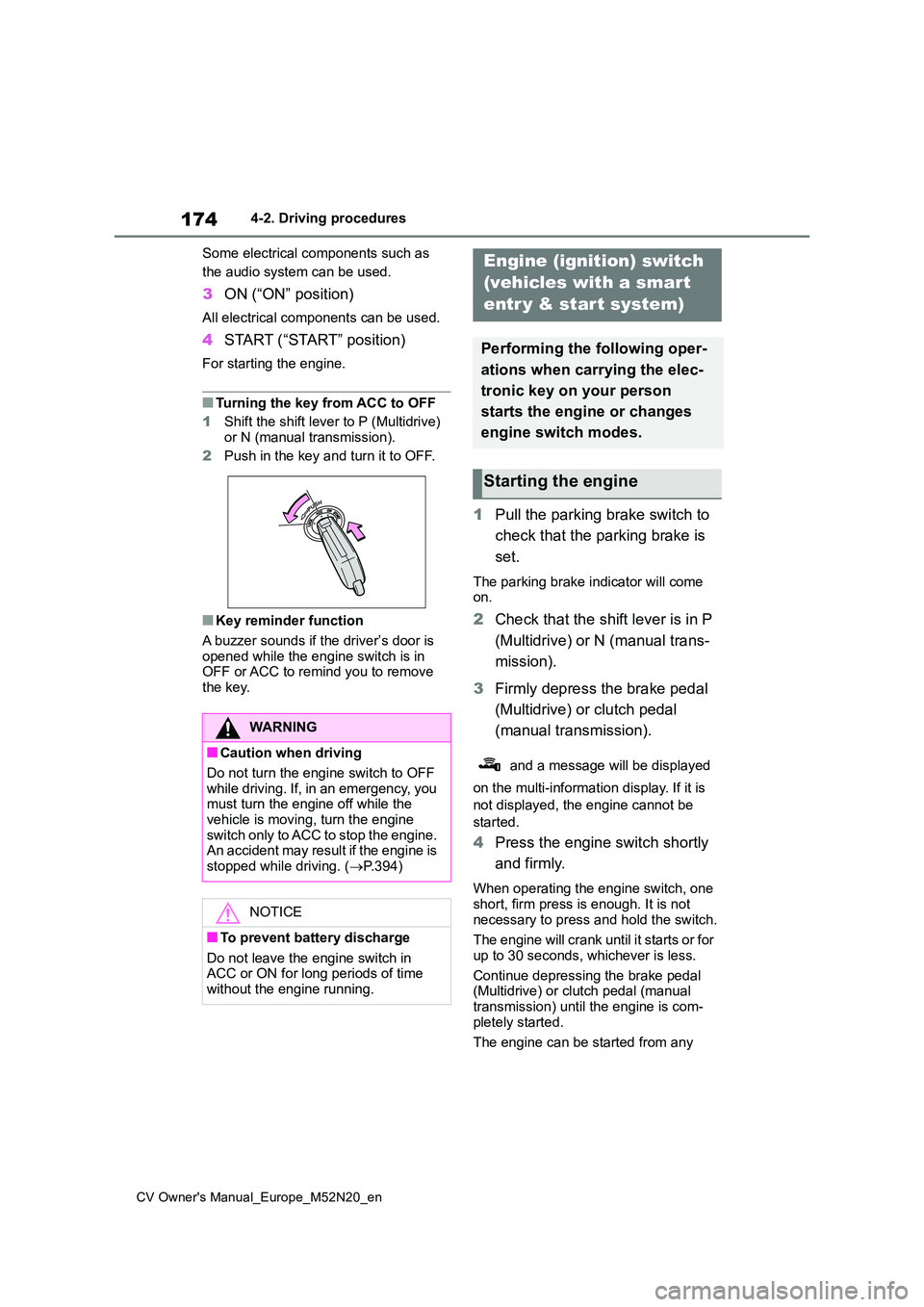
■Turning the key from ACC to OFF
1 Shift the shift lever to P (Multidrive)
or N (manual transmission).
2 Push in the key and turn it to OFF.
■Key reminder function
A buzzer sounds if the driver’s door is opened while the engine switch is in OFF or ACC to remind you to remove
the key.
1 Pull the parking brake switch to
check that the parking brake is
set.
The parking brake indicator will come on.
2 Check that the shift lever is in P
(Multidrive) or N (manual trans-
mission).
3 Firmly depress the brake pedal
(Multidrive) or clutch pedal
(manual transmission).
and a message will be displayed
on the multi-information display. If it is
not displayed, the engine cannot be
started.
4 Press the engine switch shortly
and firmly.
When operating the engine switch, one
short, firm press is enough. It is not necessary to press and hold the switch.
The engine will crank until it starts or for
up to 30 seconds, whichever is less.
Continue depressing the brake pedal (Multidrive) or clutch pedal (manual
transmission) until the engine is com- pletely started.
The engine can be started from any
WARNING
■Caution when driving
Do not turn the engine switch to OFF while driving. If, in an emergency, you must turn the engine off while the
vehicle is moving, turn the engine switch only to ACC to stop the engine. An accident may result if the engine is
stopped while driving. ( P.394)
NOTICE
■To prevent battery discharge
Do not leave the engine switch in ACC or ON for long periods of time without the engine running.
Engine (ignition) switch
(vehicles with a smart
entr y & start system)
Performing the following oper-
ations when carrying the elec-
tronic key on your person
starts the engine or changes
engine switch modes.
Starting the engine
Page 177 of 618
175
4
CV Owner's Manual_Europe_M52N20_en
4-2. Driving procedures
Driving
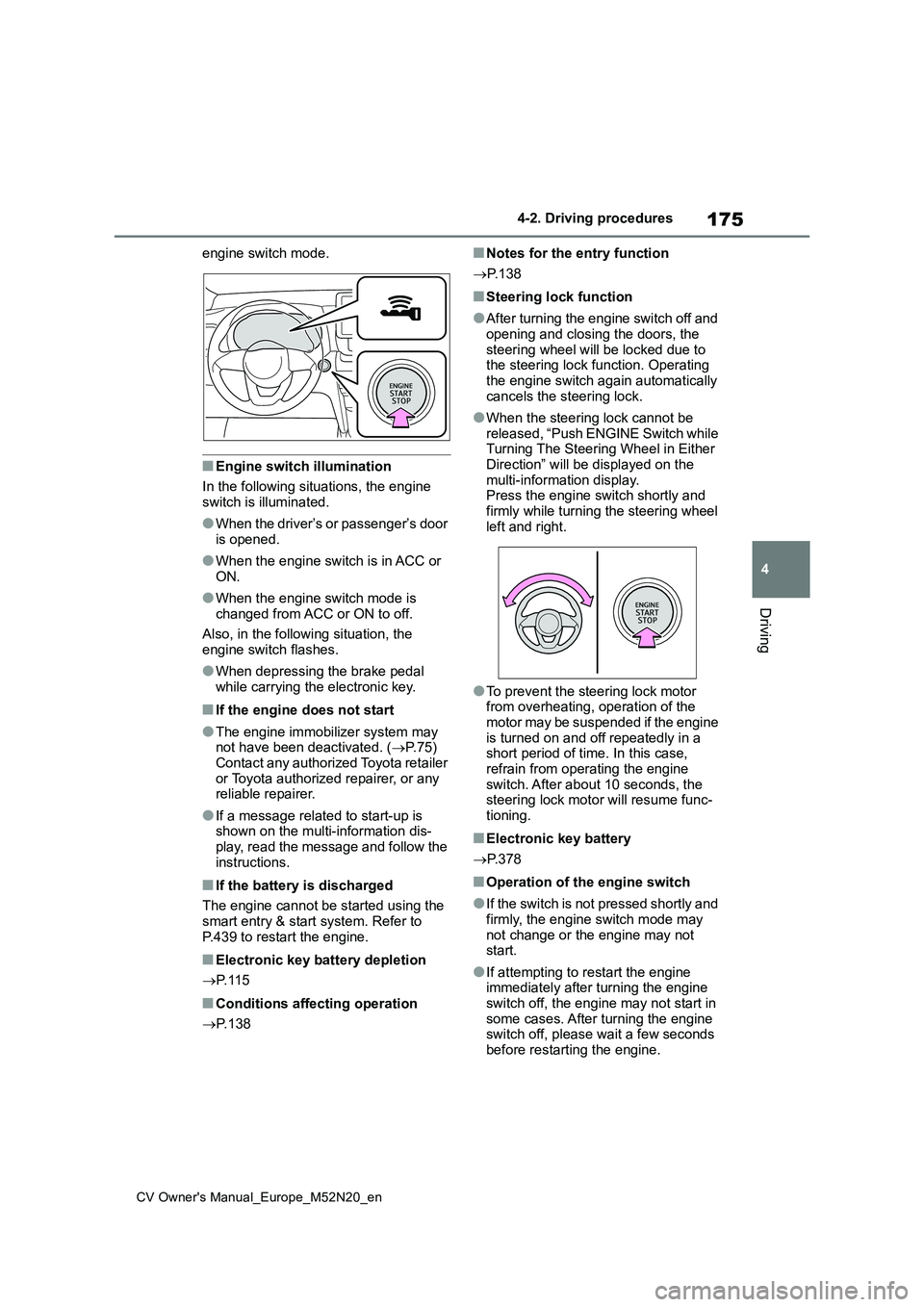
engine switch mode.
■Engine switch illumination
In the following situations, the engine switch is illuminated.
●When the driver’s or passenger’s door is opened.
●When the engine switch is in ACC or ON.
●When the engine switch mode is changed from ACC or ON to off.
Also, in the following situation, the engine switch flashes.
●When depressing the brake pedal while carrying the electronic key.
■If the engine does not start
●The engine immobilizer system may not have been deactivated. ( P.75) Contact any authorized Toyota retailer
or Toyota authorized repairer, or any reliable repairer.
●If a message related to start-up is shown on the multi-information dis-play, read the message and follow the
instructions.
■If the battery is discharged
The engine cannot be started using the
smart entry & start system. Refer to P.439 to restart the engine.
■Electronic key battery depletion
P. 1 1 5
■Conditions affecting operation
P. 1 3 8
■Notes for the entry function
P. 1 3 8
■Steering lock function
●After turning the engine switch off and
opening and closing the doors, the steering wheel will be locked due to the steering lock function. Operating
the engine switch again automatically cancels the steering lock.
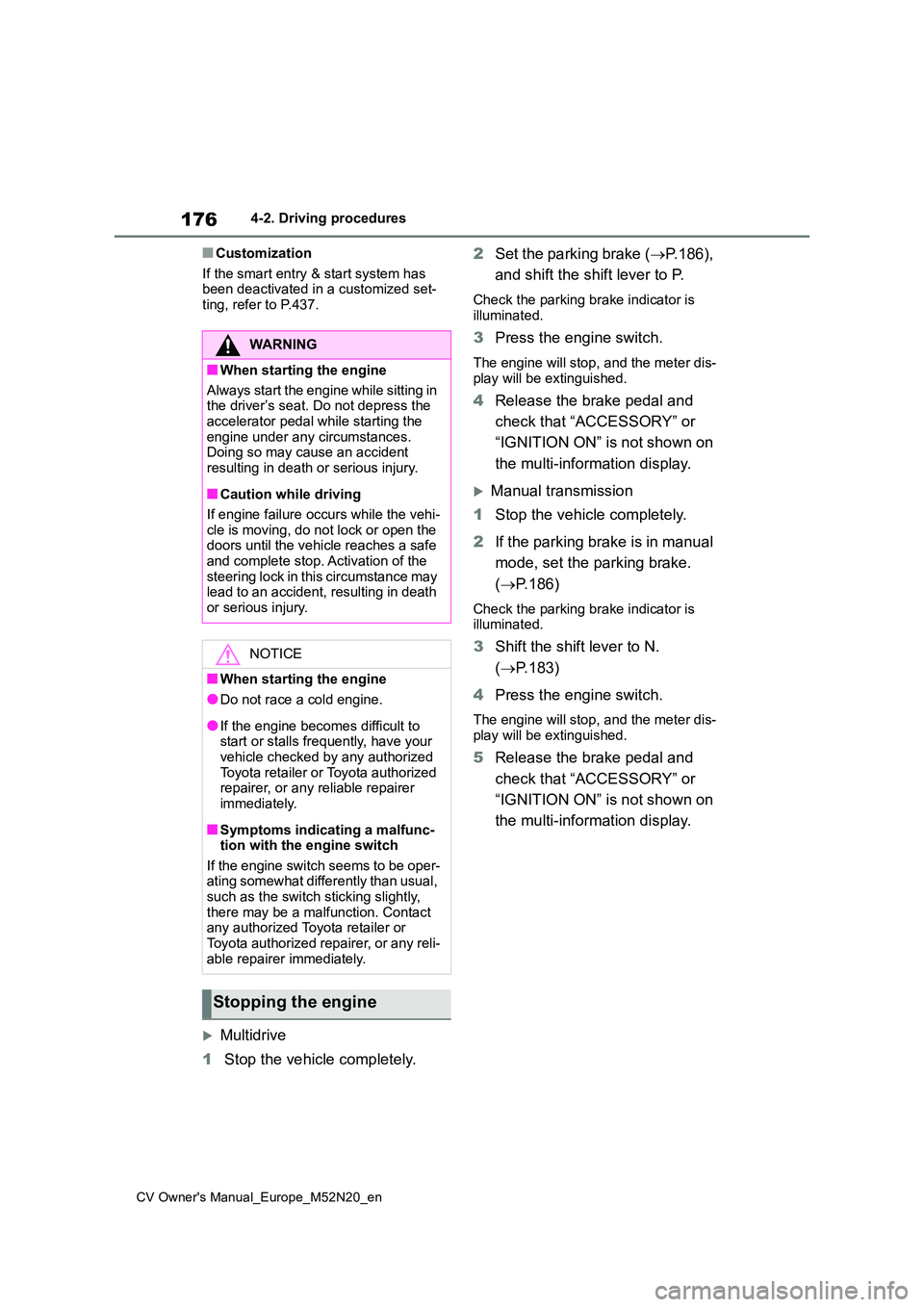
●When the steering lock cannot be released, “Push ENGINE Switch while Turning The Steering Wheel in Either
Direction” will be displayed on the multi-information display.Press the engine switch shortly and
firmly while turning the steering wheel left and right.
●To prevent the steering lock motor from overheating, operation of the motor may be suspended if the engine
is turned on and off repeatedly in a short period of time. In this case, refrain from operating the engine
switch. After about 10 seconds, the steering lock motor will resume func-tioning.
■Electronic key battery
P. 3 7 8
■Operation of the engine switch
●If the switch is not pressed shortly and
firmly, the engine switch mode may not change or the engine may not start.
●If attempting to restart the engine immediately after turning the engine
switch off, the engine may not start in some cases. After turning the engine switch off, please wait a few seconds
before restarting the engine.
Page 178 of 618
176
CV Owner's Manual_Europe_M52N20_en
4-2. Driving procedures
■Customization
If the smart entry & start system has been deactivated in a customized set-ting, refer to P.437.
Multidrive
1 Stop the vehicle completely.
2 Set the parking brake (P.186),
and shift the shift lever to P.
Check the parking brake indicator is
illuminated.
3 Press the engine switch.
The engine will stop, and the meter dis- play will be extinguished.
4 Release the brake pedal and
check that “ACCESSORY” or
“IGNITION ON” is not shown on
the multi-information display.
Manual transmission
1 Stop the vehicle completely.
2 If the parking brake is in manual
mode, set the parking brake.
( P.186)
Check the parking brake indicator is illuminated.
3 Shift the shift lever to N.
( P.183)
4 Press the engine switch.
The engine will stop, and the meter dis-
play will be extinguished.
5 Release the brake pedal and
check that “ACCESSORY” or
“IGNITION ON” is not shown on
the multi-information display.
WARNING
■When starting the engine
A lwa ys st a r t t h e e ng i ne whi l e s it t in g in the driver’s seat. Do not depress the
accelerator pedal while starting the engine under any circumstances.Doing so may cause an accident
resulting in death or serious injury.
■Caution while driving
If engine failure occurs while the vehi- cle is moving, do not lock or open the doors until the vehicle reaches a safe
and complete stop. Activation of the steering lock in this circumstance may lead to an accident, resulting in death
or serious injury.
NOTICE
■When starting the engine
●Do not race a cold engine.
●If the engine becomes difficult to start or stalls frequently, have your vehicle checked by any authorized
Toyota retailer or Toyota authorized repairer, or any reliable repairer immediately.
■Symptoms indicating a malfunc-tion with the engine switch
If the engine switch seems to be oper- ating somewhat differently than usual, such as the switch sticking slightly,
there may be a malfunction. Contact any authorized Toyota retailer or Toyota authorized repairer, or any reli-
able repairer immediately.
Stopping the engine