Mode VOLKSWAGEN TIGUAN 2017 Owner´s Manual
[x] Cancel search | Manufacturer: VOLKSWAGEN, Model Year: 2017, Model line: TIGUAN, Model: VOLKSWAGEN TIGUAN 2017Pages: 341, PDF Size: 9.14 MB
Page 201 of 341
The automatic braking intervention takes place a maximum of once per parking manoeuvre. The
parking manoeuvre will be cancelled if a speed of approximately 7 km/h (4 mph) is exceeded again.
Automatic cancellation of driving in/out of a parking space
Park Assist cancels the manoeuvre for driving into or leaving a parking space if one of the following
situations occurs:
•The button is pressed.
•The driver intervenes using the steering wheel.
•The driver door is opened.
•The parking operation is not completed within around six minutes.
•There is a system fault.
•TCS is switched off or is taking corrective action.
Automatic braking intervention to minimise damage
In some countries, Park Assist can assist the driver with an automatic braking intervention in certain
situations ⇒.
Depending on the vehicle equipment and certain conditions, e.g. weather, load or inclination of the
vehicle, Park Assist can automatically brake the vehicle before an obstacle. Following this
intervention, the driver must depress the brake pedal. An automatic braking intervention is activated
to minimise damage and ends the parking manoeuvre.
Looking for a parking space
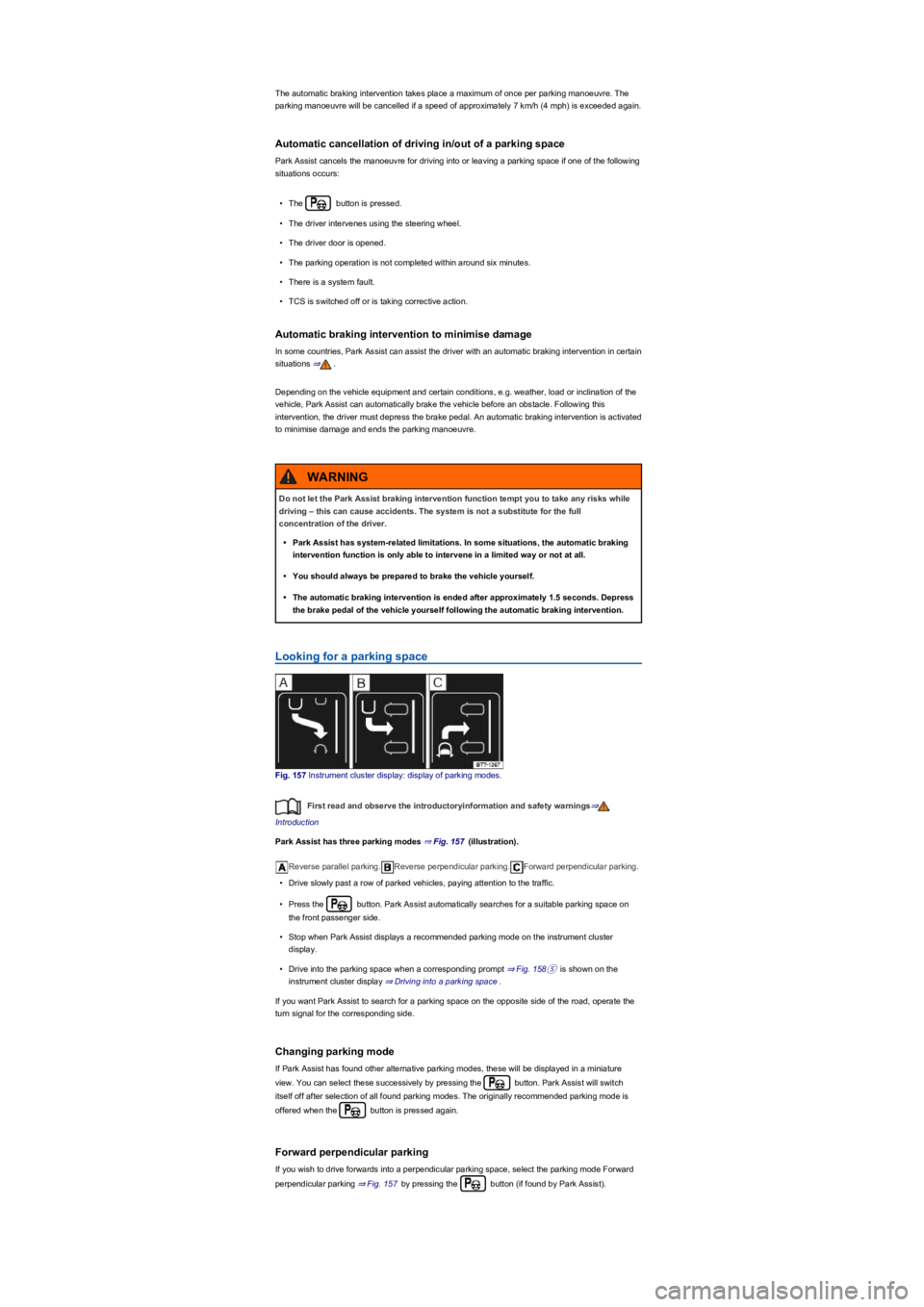
Fig. 157 Instrument cluster display: display of parking modes.
First read and observe the introductoryinformation and safety warnings⇒
Introduction
Park Assist has three parking modes ⇒ Fig. 157 (illustration).
Reverse parallel parking.Reverse perpendicular parking.Forward perpendicular parking.
•Drive slowly past a row of parked vehicles, paying attention to the traffic.
•Press the button. Park Assist automatically searches for a suitable parking space on
the front passenger side.
•Stop when Park Assist displays a recommended parking mode on the instrument cluster
display.
•Drive into the parking space when a corresponding prompt ⇒ Fig. 158⑤ is shown on the
instrument cluster display ⇒ Driving into a parking space.
If you want Park Assist to search for a parking space on the opposite side of the road, operate the
turn signal for the corresponding side.
Changing parking mode
If Park Assist has found other alternative parking modes, these will be displayed in a miniature
view. You can select these successively by pressing the button. Park Assist will switch
itself off after selection of all found parking modes. The originally recommended parking mode is
offered when the button is pressed again.
Forward perpendicular parking
If you wish to drive forwards into a perpendicular parking space, select the parking mode Forward
perpendicular parking ⇒ Fig. 157 by pressing the button (if found by Park Assist).
Do not let the Park Assist braking intervention function tempt you to take any risks while
driving – this can cause accidents. The system is not a substitute for the full
concentration of the driver.
•Park Assist has system-related limitations. In some situations, the automatic braking
intervention function is only able to intervene in a limited way or not at all.
•You should always be prepared to brake the vehicle yourself.
•The automatic braking intervention is ended after approximately 1.5 seconds. Depress
the brake pedal of the vehicle yourself following the automatic braking intervention.
WARNING
Page 202 of 341
Park Assist can be activated retroactively. If a suitable parking space was driven past before,
it is displayed.
Driving into a parking space
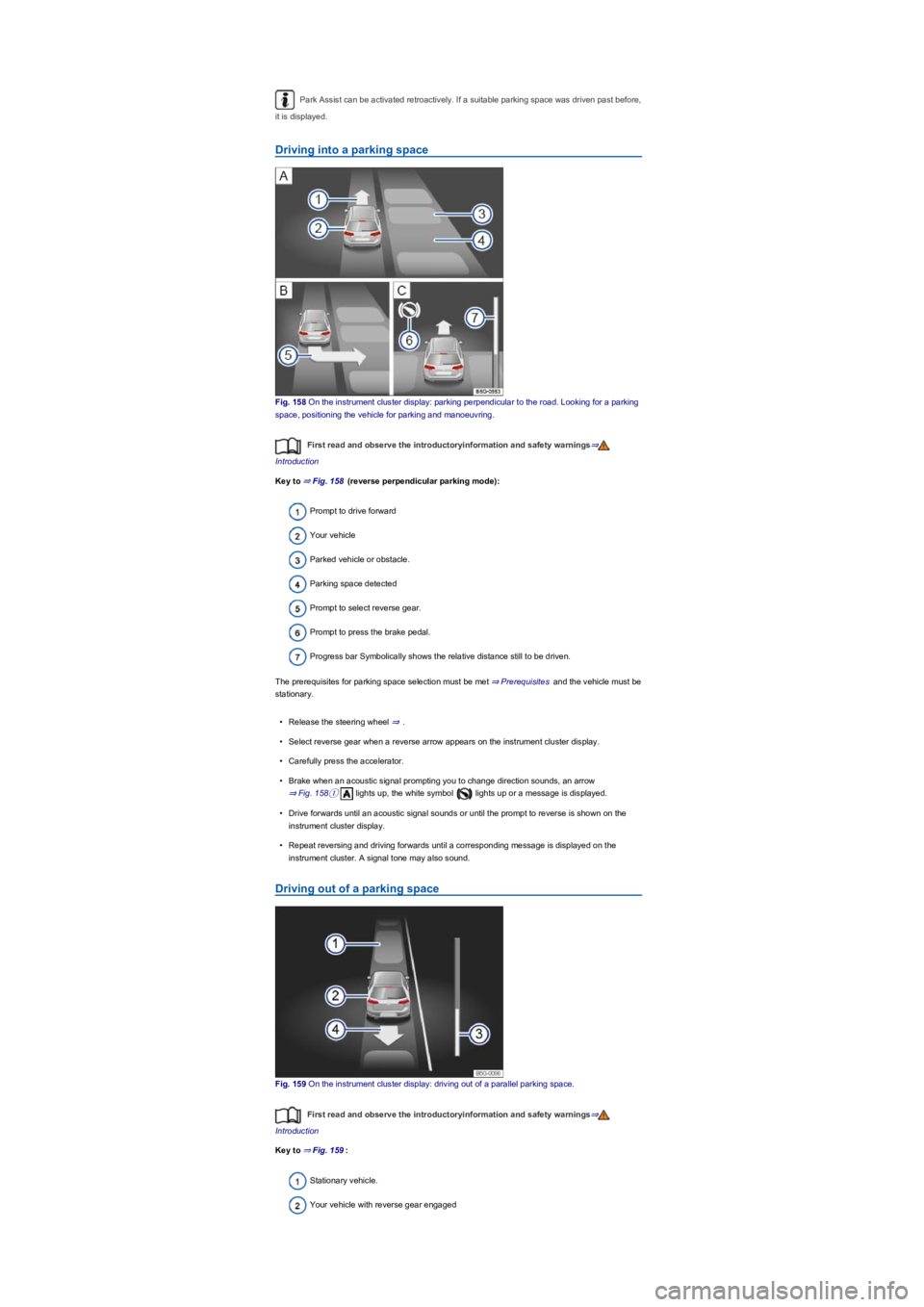
Fig. 158 On the instrument cluster display: parking perpendicular to the road. Looking for a parking
space, positioning the vehicle for parking and manoeuvring.
First read and observe the introductoryinformation and safety warnings⇒
Introduction
Key to ⇒ Fig. 158 (reverse perpendicular parking mode):
Prompt to drive forward
Your vehicle
Parked vehicle or obstacle.
Parking space detected
Prompt to select reverse gear.
Prompt to press the brake pedal.
Progress bar Symbolically shows the relative distance still to be driven.
The prerequisites for parking space selection must be met ⇒ Prerequisites and the vehicle must be
stationary.
•Release the steering wheel ⇒.
•Select reverse gear when a reverse arrow appears on the instrument cluster display.
•Carefully press the accelerator.
•Brake when an acoustic signal prompting you to change direction sounds, an arrow
⇒ Fig. 158① lights up, the white symbol lights up or a message is displayed.
•Drive forwards until an acoustic signal sounds or until the prompt to reverse is shown on the
instrument cluster display.
•Repeat reversing and driving forwards until a corresponding message is displayed on the
instrument cluster. A signal tone may also sound.
Driving out of a parking space
Fig. 159 On the instrument cluster display: driving out of a parallel parking space.
First read and observe the introductoryinformation and safety warnings⇒
Introduction
Key to ⇒ Fig. 159:
Stationary vehicle.
Your vehicle with reverse gear engaged
Page 205 of 341
•Left screen: the vehicle is shown in the bird's eye view. The view in the right area of the screen
changes when you touch an individual area.
•Right screen: the individual camera images are displayed corresponding to the area selected in
the left screen.
In addition, the available menu options and camera views for the corresponding camera are shown
at the right-hand side of the screen.
Displays the bird's eye view.Hides the bird's eye view.Switches sound on and off.
Adjusts brightness, contrast and colour.3D views.xCloses the current display.
The auxiliary lines and boxes are shown by the system independently of the vehicle surroundings.
There is no detection of obstacles. Drivers must judge for themselves whether the vehicle will fit
into the parking space.
Area View hides all the auxiliary orientation lines in the area of the rear camera when the factory-
fitted towing bracket is electrically connected to a trailer ⇒ Trailer towing.
Operating camera views
First read and observe the introductoryinformation and safety warnings⇒
Introduction
•Touch the area next to the vehicle.
•Select a corresponding view by means of the function buttons at the edge of the image.
The displayed red lines indicate a distance of approximately 40 cm from the vehicle.
Camera views in front of the vehicle
Crossing traffic.Perpendicular parking. Orientation lines are displayed as a guide. See
rear view camera system mode 1 ⇒ Rear view camera system (Rear View).Off-road.
Camera views next to the vehicle
Both areas next to the vehicle simultaneously.Driver side only.Front passenger side only.
Camera views behind the vehicle
Perpendicular parking. Orientation lines are displayed as a guide. See rear view camera
system mode 1 ⇒ Rear view camera system (Rear View).Parallel parking. The coloured
auxiliary boxes and lines are provided for orientation. See rear view camera system mode 2 ⇒ Rear
view camera system (Rear View).Trailer support. See rear view camera system mode 3
⇒ Rear view camera system (Rear View).Crossing traffic. See rear view camera system mode
4 ⇒ Rear view camera system (Rear View).
3D views
Top view of the vehicle and surroundings. Depending on the vehicle equipment level, the
Park Distance Control vehicle path display may also be shown.Top view of the vehicle and
surroundings.Vehicle and surrounding area are shown at an angle from above.
Vehicle and surrounding area are shown from the side.
The viewing angle can be changed by swiping in the direction of the arrows.
Troubleshooting
First read and observe the introductoryinformation and safety warnings⇒
Introduction
No camera visibility, error message, system switches itself off
•Clean the camera or remove the stickers or camera accessories ⇒ Caring for and cleaning the
vehicle exterior.
•Check whether any damage is visible.
The system is not responding as expected
•The cameras are dirty ⇒ Caring for and cleaning the vehicle exterior. The camera visibility may
be impaired by dirt and snow or also residue from cleaning agents or coatings.
•The system requirements must be met ⇒ Prerequisites.
•The cameras are covered by water.
•The vehicle is damaged in the area around the camera, e.g. caused by parking collisions.
•The detection range of the cameras is blocked by add-on parts, e.g. bicycle carriers.
•Changes have been made to the paintwork around the camera or the construction has been
modified, e.g. vehicle front end or the running gear.
Response to all circumstances
•Switch off the system temporarily.
•Check whether any of the causes described below apply.
•You can switch the system back on again once you have rectified the cause of the problem.
Page 209 of 341
Electronic Stability Control (ESC)
ESC helps to reduce the risk of skidding and to improve driving stability in certain driving situations
⇒.
Depending on the vehicle equipment, ESC can be switched to a Sport mode ⇒ Switching TCS on
and off.
When ESC is regulating, the yellow indicator lamp is shown on the instrument cluster display.
Traction control system (TCS)
The TCS reduces the drive output if wheelspin occurs and adapts the output to suit road surface
conditions. The TCS makes it easier to pull away, accelerate and drive up hills.
Depending on the vehicle equipment, the TCS can be switched off in exceptional circumstances
⇒ Switching TCS on and off.
When the TCS is regulating, the yellow indicator lamp is shown on the instrument cluster
display.
Anti-lock brake system
The anti-lock brake system can prevent the wheels from locking when the brakes are applied up
until the point where the vehicle is nearly stationary and assists the driver in steering the vehicle
and keeping it under control.
Brake assist system
The brake assist system can help to reduce the stopping distance. The brake assist system
reinforces brake pressure when the driver depresses the brake pedal quickly in an emergency
situation.
Do not reduce the pressure on the brake pedal when the brake assist system is regulating. If you
reduce the pressure on the brake pedal, the brake assist system will switch off the brake servo.
Electronic differential lock (EDL and XDS)
EDL brakes the wheel that has lost traction and distributes the driving force to the other drive
wheels.
The EDL switches off automatically under unusually heavy loads to prevent the disc brake from
overheating. The EDL switches back on again automatically as soon as the brake has cooled down.
XDS applies pressure to the brake of the wheel on the inside of the bend. This will improve traction,
helping the vehicle to remain in the required lane longer.
Automatic Post-Collision Braking System
In the event of an accident, the Automatic Post-Collision Braking System can help the driver to
reduce the risk of skidding, and the danger of secondary collisions, through automatic braking.
The Automatic Post-Collision Braking System functions only in front, side and rear collisions when
the airbag control unit detects a corresponding trigger threshold during the accident.
The ESC brakes the vehicle automatically, provided that the hydraulic braking system, the ESC and
the electrical system are undamaged in the accident and remain functional.
The following actions override automatic braking in the event of an accident:
•When the driver depresses the accelerator. No automatic braking occurs.
•When the brake pressure transmitted through the depressed brake pedal is greater than the
brake pressure provided by the system. The vehicle is braked manually.
Page 213 of 341
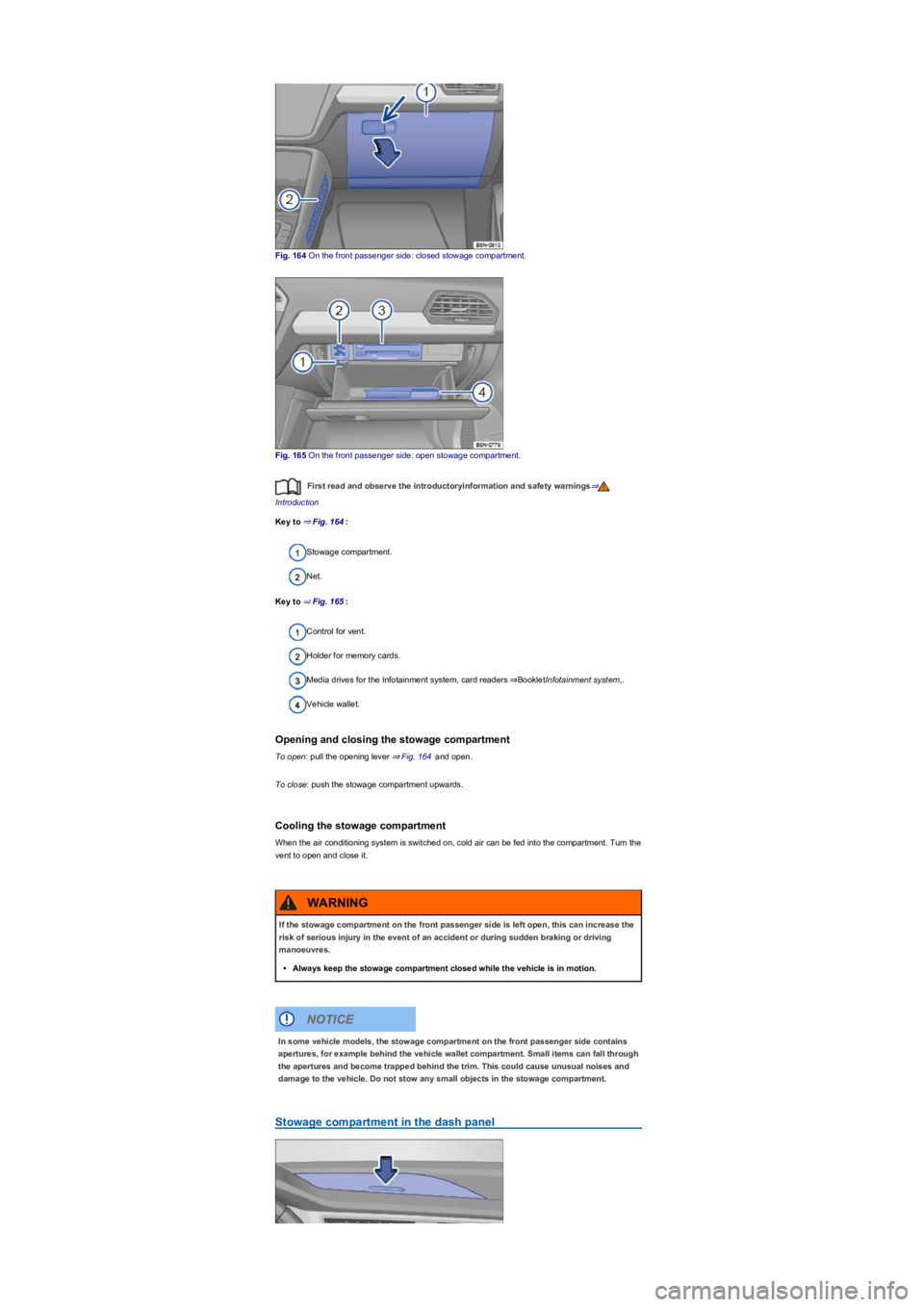
Fig. 164 On the front passenger side: closed stowage compartment.
Fig. 165 On the front passenger side: open stowage compartment.
First read and observe the introductoryinformation and safety warnings⇒
Introduction
Key to ⇒ Fig. 164:
Stowage compartment.
Net.
Key to ⇒ Fig. 165:
Control for vent.
Holder for memory cards.
Media drives for the Infotainment system, card readers ⇒BookletInfotainment system,.
Vehicle wallet.
Opening and closing the stowage compartment
To open: pull the opening lever ⇒ Fig. 164 and open.
To close: push the stowage compartment upwards.
Cooling the stowage compartment
When the air conditioning system is switched on, cold air can be fed into the compartment. Turn the
vent to open and close it.
Stowage compartment in the dash panel
If the stowage compartment on the front passenger side is left open, this can increase the
risk of serious injury in the event of an accident or during sudden braking or driving
manoeuvres.
•Always keep the stowage compartment closed while the vehicle is in motion.
WARNING
In some vehicle models, the stowage compartment on the front passenger side contains
apertures, for example behind the vehicle wallet compartment. Small items can fall through
the apertures and become trapped behind the trim. This could cause unusual noises and
damage to the vehicle. Do not stow any small objects in the stowage compartment.
NOTICE
Page 231 of 341
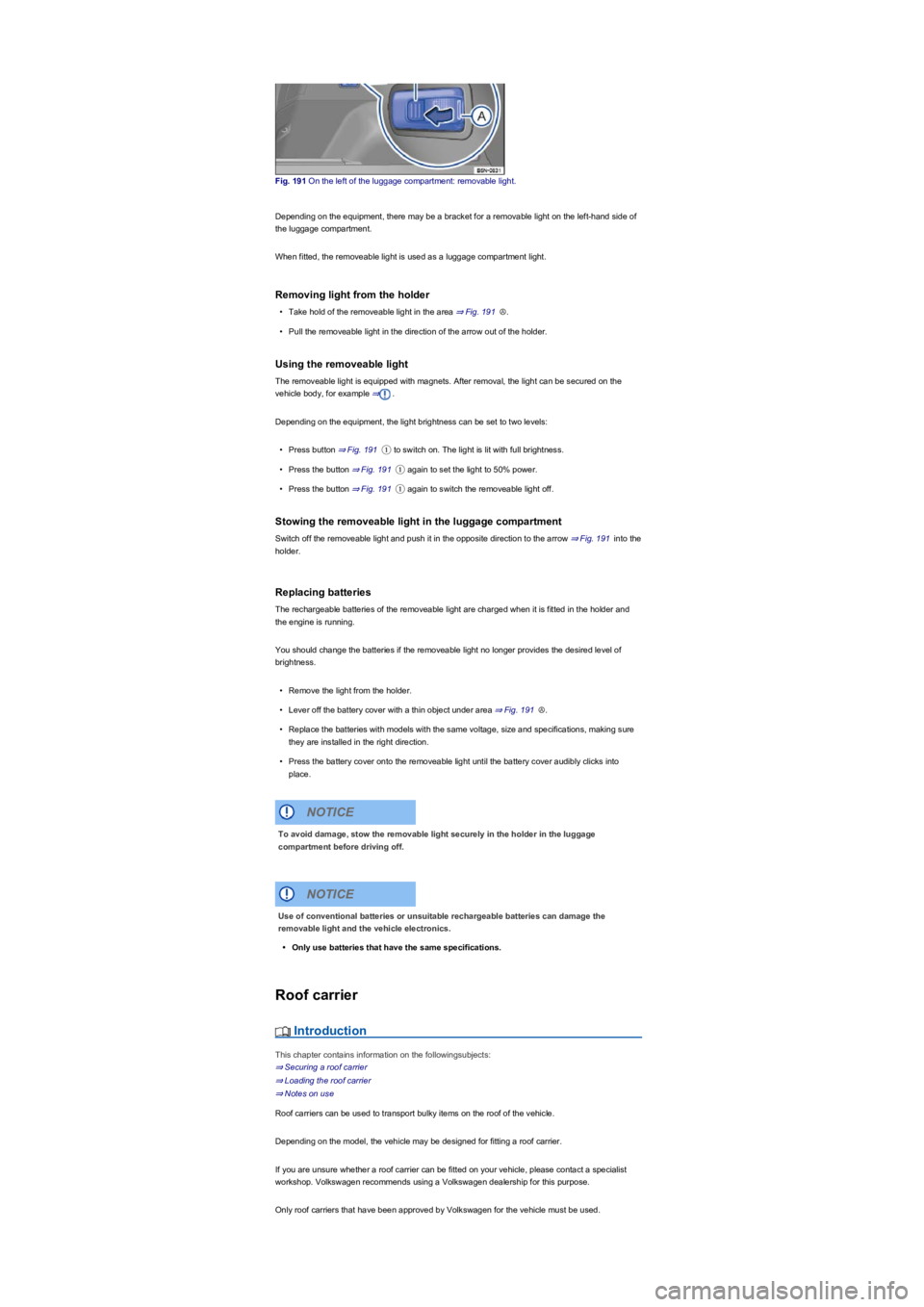
Fig. 191 On the left of the luggage compartment: removable light.
Depending on the equipment, there may be a bracket for a removable light on the left-hand side of
the luggage compartment.
When fitted, the removeable light is used as a luggage compartment light.
Removing light from the holder
•Take hold of the removeable light in the area ⇒ Fig. 191Ⓐ.
•Pull the removeable light in the direction of the arrow out of the holder.
Using the removeable light
The removeable light is equipped with magnets. After removal, the light can be secured on the
vehicle body, for example ⇒.
Depending on the equipment, the light brightness can be set to two levels:
•Press button ⇒ Fig. 191① to switch on. The light is lit with full brightness.
•Press the button ⇒ Fig. 191① again to set the light to 50% power.
•Press the button ⇒ Fig. 191① again to switch the removeable light off.
Stowing the removeable light in the luggage compartment
Switch off the removeable light and push it in the opposite direction to the arrow ⇒ Fig. 191 into the
holder.
Replacing batteries
The rechargeable batteries of the removeable light are charged when it is fitted in the holder and
the engine is running.
You should change the batteries if the removeable light no longer provides the desired level of
brightness.
•Remove the light from the holder.
•Lever off the battery cover with a thin object under area ⇒ Fig. 191Ⓐ.
•Replace the batteries with models with the same voltage, size and specifications, making sure
they are installed in the right direction.
•Press the battery cover onto the removeable light until the battery cover audibly clicks into
place.
Roof carrier
Introduction
This chapter contains information on the followingsubjects:
⇒ Securing a roof carrier
⇒ Loading the roof carrier
⇒ Notes on use
Roof carriers can be used to transport bulky items on the roof of the vehicle.
Depending on the model, the vehicle may be designed for fitting a roof carrier.
If you are unsure whether a roof carrier can be fitted on your vehicle, please contact a specialist
workshop. Volkswagen recommends using a Volkswagen dealership for this purpose.
Only roof carriers that have been approved by Volkswagen for the vehicle must be used.
To avoid damage, stow the removable light securely in the holder in the luggage
compartment before driving off.
NOTICE
Use of conventional batteries or unsuitable rechargeable batteries can damage the
removable light and the vehicle electronics.
•Only use batteries that have the same specifications.
NOTICE
Page 239 of 341
If there is a fault in the vehicle or trailer electrical systems or in the anti-theft alarm or if there
is a fault in the anti-theft alarm, have the vehicle checked by a qualified workshop.
If the engine is not running and electrical equipment is switched on in the trailer via the trailer
socket, the 12-volt vehicle battery will discharge.
If the 12-volt vehicle battery charge level is low, the electrical connection to the trailer will be
interrupted automatically.
Loading the trailer
First read and observe the introductoryinformation and safety warnings⇒
Introduction
Trailer weight and drawbar load
The trailer weight is the weight that the vehicle can pull ⇒. The drawbar load is the load that is
exerted vertically from above onto the ball head of the towing bracket ⇒ Information on technical
data.
The figures for trailer weights and draw bar weights that are given on the data plate of the towing
bracket are for certification purposes only. The correct values for your specific model, which may be
lower than these figures, are given in the vehicle registration documents. All data in the official
vehicle documents take precedence over these data.
The maximum permitted drawbar load exerted by the trailer drawbar on the ball head of the towing
bracket must not exceed 100 kg.
In the interest of driving safety, Volkswagen recommends that you always use the maximum
drawbar load. The response of the trailer on the road will be poor if the drawbar load is too small.
The drawbar load increases the weight on the rear axle and reduces the maximum load level as a
result.
Gross combination weight rating
The combination weight is made up of the actual weight of the loaded vehicle and of the loaded
trailer.
In some countries, trailers are divided into different classes. Volkswagen recommends that you
contact a qualified workshop to find out about suitable trailers.
Loading the trailer
The weight of the load should be distributed evenly. The maximum permitted drawbar load should
be utilised. Do not place the load only at the front or the rear of the trailer:
•Distribute the load in the trailer so that heavy objects are either over or as near to the axle as
possible.
•Secure all loads on the trailer properly.
Tyre pressure
Follow the trailer manufacturer's recommendations concerning the tyre pressure for the trailer tyres.
When towing a trailer, inflate the tyres on the towing vehicle with the maximum permitted tyre
pressure ⇒ Tyre pressure.
Accidents and serious injuries can occur if you exceed the vehicle's maximum permitted
gross axle weight rating, drawbar load, gross vehicle weight rating or gross combination
weight rating.
•Never exceed the specified values.
•Never let the actual weights at the front and rear axles exceed the gross axle weight
ratings. Never exceed the permissible gross vehicle weight for the vehicle with weight
at the front and rear of the vehicle.
WARNING
Loads that may slide can severely impair stability and driving safety, which can cause
accidents and severe injuries.
•Always load trailers correctly.
•Always secure loads properly using suitable and undamaged securing straps.
WARNING
Page 240 of 341
Trailer towing
First read and observe the introductoryinformation and safety warnings⇒
Introduction
Headlight adjustment
Towing a trailer can raise the front end of the vehicle enough for the dipped beam to blind other
road users. Use the headlight range control to lower the light cone as required. Vehicles with
automatic headlight range adjustment are adjusted automatically.
Things to note when driving with a trailer
•If the trailer has an overrun brake, apply the brakes gently at first and then firmly. This will
prevent the jerking that can be caused by the trailer wheels locking.
•The combination weight causes the braking distance to increase.
•Engage a lower gear prior to inclines (manual gearbox or Tiptronic mode of the automatic
gearbox) to additionally make use of engine braking. The brake system could otherwise
overheat and fail.
•The vehicle's centre of gravity and, in turn, the vehicle's handling, will change because of the
trailer load and the increased combined towing weight of the vehicle and trailer.
•The weight distribution of a loaded trailer with an unladen towing vehicle is very unfavourable.
When driving in this situation, drive particularly carefully and slowly.
Pulling off on slopes when towing a trailer
A vehicle towing a trailer is liable to roll back a short distance when moving off on a slope,
depending on the angle of the slope and the total weight of the trailer and vehicle.
When towing a trailer, pull off on slopes as follows:
•Depress and hold the brake pedal.
•Press button once to switch off the electronic parking brake ⇒ Electronic parking
brake.
•Manual gearbox: depress the clutch fully.
•Select first gear ⇒ Manual gearbox: selecting a gear or selector lever position D/S⇒ DSG dual
clutch gearbox.
•Pull on the button and hold it in this position to hold the vehicle and trailer with the
electronic parking brake.
•Release the brake pedal.
•Pull away slowly. To do this, slowly release the clutch pedal for a manual gearbox.
•Only let go of the button when the engine has sufficient power to move off.
Trailer stabilisation
First read and observe the introductoryinformation and safety warnings⇒
Introduction
The trailer stabilisation function can detect if an attached trailer is starting to lurch from side to side
and can provide countersteer.
Trailer stabilisation is a subsidiary function of the Electronic Stability Control (ESC).
®
Incorrect trailer towing can cause loss of vehicle control and serious personal injury.
•Towing a trailer and transporting heavy or bulky items can change the way the vehicle
handles and increase the braking distance.
•Always drive carefully and think ahead. Brake earlier than in normal driving.
•Always adapt your speed and driving style to suit visibility, weather, road and traffic
conditions. Reduce your speed, particularly when going downhill.
•Accelerate carefully and gently. Avoid abrupt and sudden driving and braking
manoeuvres.
•Take special care when overtaking. Reduce your speed immediately if the trailer shows
even the slightest sign of snaking.
•Never try to stop a trailer from snaking by increasing your speed.
•Keep to speed limits which may be lower for vehicles with trailers than for vehicles
without trailers.
WARNING
Page 250 of 341
Diesel
Vehicles with a diesel engine must be run on diesel in compliance with the European standard
EN 590 or the German standard DIN 590 ⇒.
Where diesel complying with the specified standard is not available, Volkswagen dealerships will
have information on what kind of diesel is suitable for the vehicle.
If and when
Vehicle toolkit
Introduction
This chapter contains information on the followingsubjects:
⇒ Stowage
⇒ Contents
⇒ Collapsible chock
Observe any country-specific legislation when securing your vehicle in the event of a breakdown.
Stowage
First read and observe the introductoryinformation and safety warnings⇒
Introduction
The vehicle tool kit may be located in various positions in the luggage compartment:
•In a bag on the left or right in the stowage areas of the luggage compartment ⇒ Luggage
compartment equipment.
•In a foam rubber holder under the luggage compartment floor ⇒ Luggage compartment
equipment.
In some models, the luggage compartment may contain a loose box with a vehicle tool kit. This
supplied vehicle tool kit is intended for a possible switch of winter tyres and does not need to be
carried in the vehicle at all times.
After using the vehicle jack, crank it back to its original position so that it can be stored
safely.
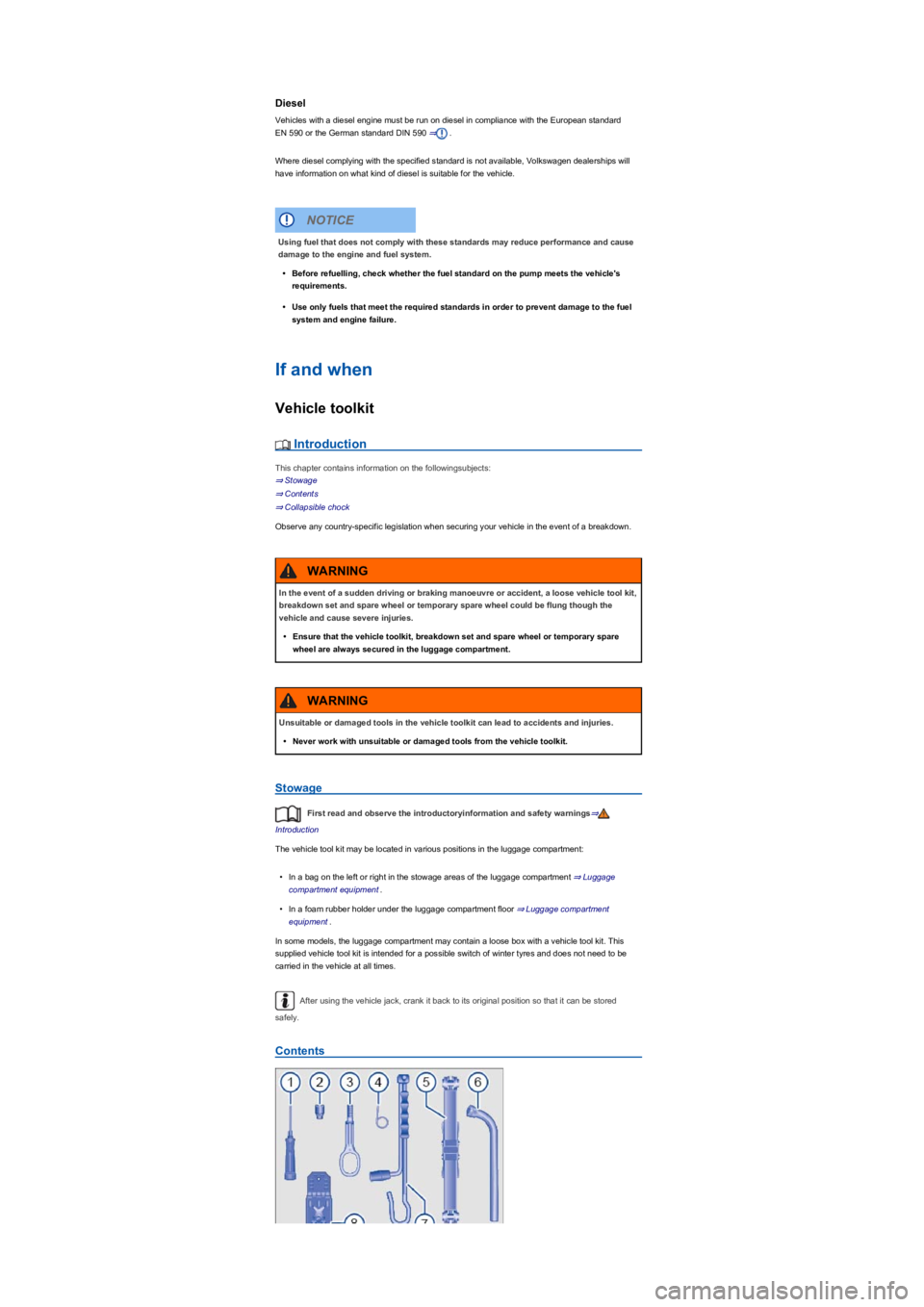
Contents
Using fuel that does not comply with these standards may reduce performance and cause
damage to the engine and fuel system.
•Before refuelling, check whether the fuel standard on the pump meets the vehicle's
requirements.
•Use only fuels that meet the required standards in order to prevent damage to the fuel
system and engine failure.
NOTICE
In the event of a sudden driving or braking manoeuvre or accident, a loose vehicle tool kit,
breakdown set and spare wheel or temporary spare wheel could be flung though the
vehicle and cause severe injuries.
•Ensure that the vehicle toolkit, breakdown set and spare wheel or temporary spare
wheel are always secured in the luggage compartment.
WARNING
Unsuitable or damaged tools in the vehicle toolkit can lead to accidents and injuries.
•Never work with unsuitable or damaged tools from the vehicle toolkit.
WARNING
Page 284 of 341
Fig. 231 In the engine compartment: cap on the brake fluid container.
Brake fluid will gradually absorb water from the surrounding air. The brake system will be damaged
if there is too much water in the brake fluid. The boiling point of the brake fluid is also considerably
reduced by the water content. Heavy use of the brakes may cause a vapour lock in the brake
system if the water content is too high. Vapour locks reduce levels of braking power, considerably
increase braking distance and can even cause the brake system to fail completely. Your own safety
and that of other road users depends on having a brake system that functions properly at all times
⇒.
Brake fluid specification
Volkswagen has developed a brake fluid that has been optimised for the brake system in the
vehicle. To ensure optimal operation of the brake system, Volkswagen expressly recommends the
use of brake fluid compliant with VW standard 501 14.
Before using a particular brake fluid, check that the specifications printed on the container
correspond to the vehicle requirements.
Brake fluid that is compliant with VW standard 501 14 is available from Volkswagen dealerships.
If this brake fluid is not available and it is necessary to use another high-quality brake fluid instead,
brake fluid that is compliant with DIN ISO 4925 CLASS 4 or US standard FMVSS 116 DOT 4 can
be used.
Not all brake fluids that are compliant with DIN ISO 4925 CLASS 4 or US standard FMVSS 116
DOT 4 have the same chemical composition. Some of these brake fluids may contain chemicals
that can damage or destroy brake system components over time.
Volkswagen therefore recommends the use of brake fluid that is compliant with
VW standard 501 14 to ensure sustained optimal operation of the brake system.
Brake fluid that is compliant with VW standard 501 14 fulfils the requirements of DIN ISO 4925
CLASS 4 or US standard FMVSS 116 DOT 4.
Brake fluid level
Brake fluid level is too low. Do not drive on! Check the brake fluid level.
The brake fluid level must always be between the MIN and MAX marking on the brake fluid
reservoir or above the MIN marking ⇒.
The brake fluid level cannot be checked accurately in all models as engine components may
partially conceal the brake fluid container. If the brake fluid level cannot be read exactly, please go
to a qualified workshop.
The brake fluid level drops slightly when the vehicle is being used as the brake pads wear and the
brakes are automatically adjusted.
Changing the brake fluid
The brake fluid should be changed by a qualified workshop. Volkswagen recommends using a
Volkswagen dealership for this purpose. Only brake fluid that conforms with the required
specification should be used.