spec VOLKSWAGEN TIGUAN 2017 Owner´s Manual
[x] Cancel search | Manufacturer: VOLKSWAGEN, Model Year: 2017, Model line: TIGUAN, Model: VOLKSWAGEN TIGUAN 2017Pages: 341, PDF Size: 9.14 MB
Page 162 of 341
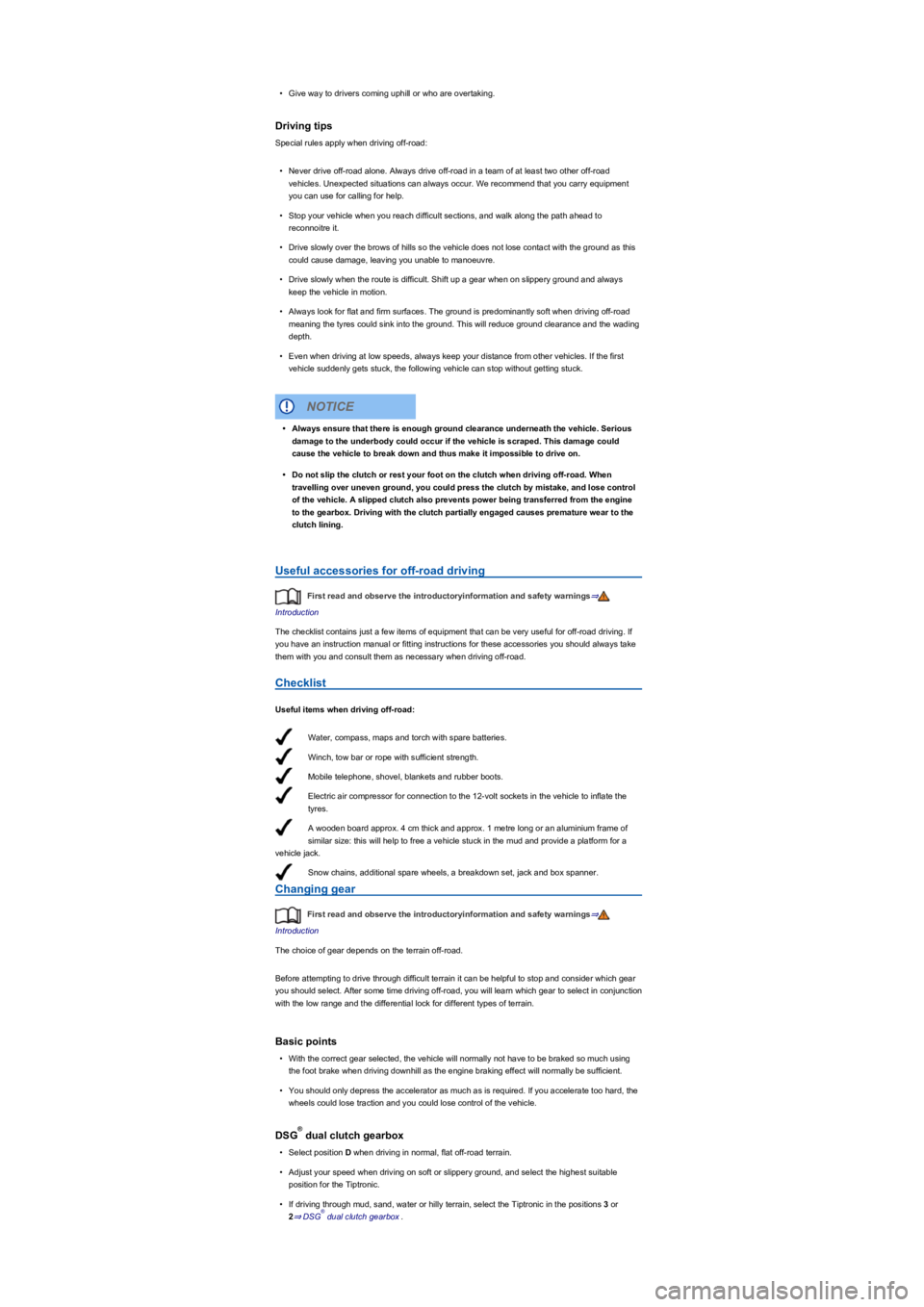
Water, compass, maps and torch with spare batteries.
Winch, tow bar or rope with sufficient strength.
Mobile telephone, shovel, blankets and rubber boots.
Electric air compressor for connection to the 12-volt sockets in the vehicle to inflate the
tyres.
A wooden board approx. 4 cm thick and approx. 1 metre long or an aluminium frame of
similar size: this will help to free a vehicle stuck in the mud and provide a platform for a
vehicle jack.
Snow chains, additional spare wheels, a breakdown set, jack and box spanner.
•Give way to drivers coming uphill or who are overtaking.
Driving tips
Special rules apply when driving off-road:
•Never drive off-road alone. Always drive off-road in a team of at least two other off-road
vehicles. Unexpected situations can always occur. We recommend that you carry equipment
you can use for calling for help.
•Stop your vehicle when you reach difficult sections, and walk along the path ahead to
reconnoitre it.
•Drive slowly over the brows of hills so the vehicle does not lose contact with the ground as this
could cause damage, leaving you unable to manoeuvre.
•Drive slowly when the route is difficult. Shift up a gear when on slippery ground and always
keep the vehicle in motion.
•Always look for flat and firm surfaces. The ground is predominantly soft when driving off-road
meaning the tyres could sink into the ground. This will reduce ground clearance and the wading
depth.
•Even when driving at low speeds, always keep your distance from other vehicles. If the first
vehicle suddenly gets stuck, the following vehicle can stop without getting stuck.
Useful accessories for off-road driving
First read and observe the introductoryinformation and safety warnings⇒
Introduction
The checklist contains just a few items of equipment that can be very useful for off-road driving. If
you have an instruction manual or fitting instructions for these accessories you should always take
them with you and consult them as necessary when driving off-road.
Checklist
Useful items when driving off-road:
Changing gear
First read and observe the introductoryinformation and safety warnings⇒
Introduction
The choice of gear depends on the terrain off-road.
Before attempting to drive through difficult terrain it can be helpful to stop and consider which gear
you should select. After some time driving off-road, you will learn which gear to select in conjunction
with the low range and the differential lock for different types of terrain.
Basic points
•With the correct gear selected, the vehicle will normally not have to be braked so much using
the foot brake when driving downhill as the engine braking effect will normally be sufficient.
•You should only depress the accelerator as much as is required. If you accelerate too hard, the
wheels could lose traction and you could lose control of the vehicle.
DSG dual clutch gearbox
•Select position D when driving in normal, flat off-road terrain.
•Adjust your speed when driving on soft or slippery ground, and select the highest suitable
position for the Tiptronic.
•If driving through mud, sand, water or hilly terrain, select the Tiptronic in the positions 3 or
2⇒ DSG dual clutch gearbox.
•Always ensure that there is enough ground clearance underneath the vehicle. Serious
damage to the underbody could occur if the vehicle is scraped. This damage could
cause the vehicle to break down and thus make it impossible to drive on.
•Do not slip the clutch or rest your foot on the clutch when driving off-road. When
travelling over uneven ground, you could press the clutch by mistake, and lose control
of the vehicle. A slipped clutch also prevents power being transferred from the engine
to the gearbox. Driving with the clutch partially engaged causes premature wear to the
clutch lining.
NOTICE
®
®
Page 167 of 341
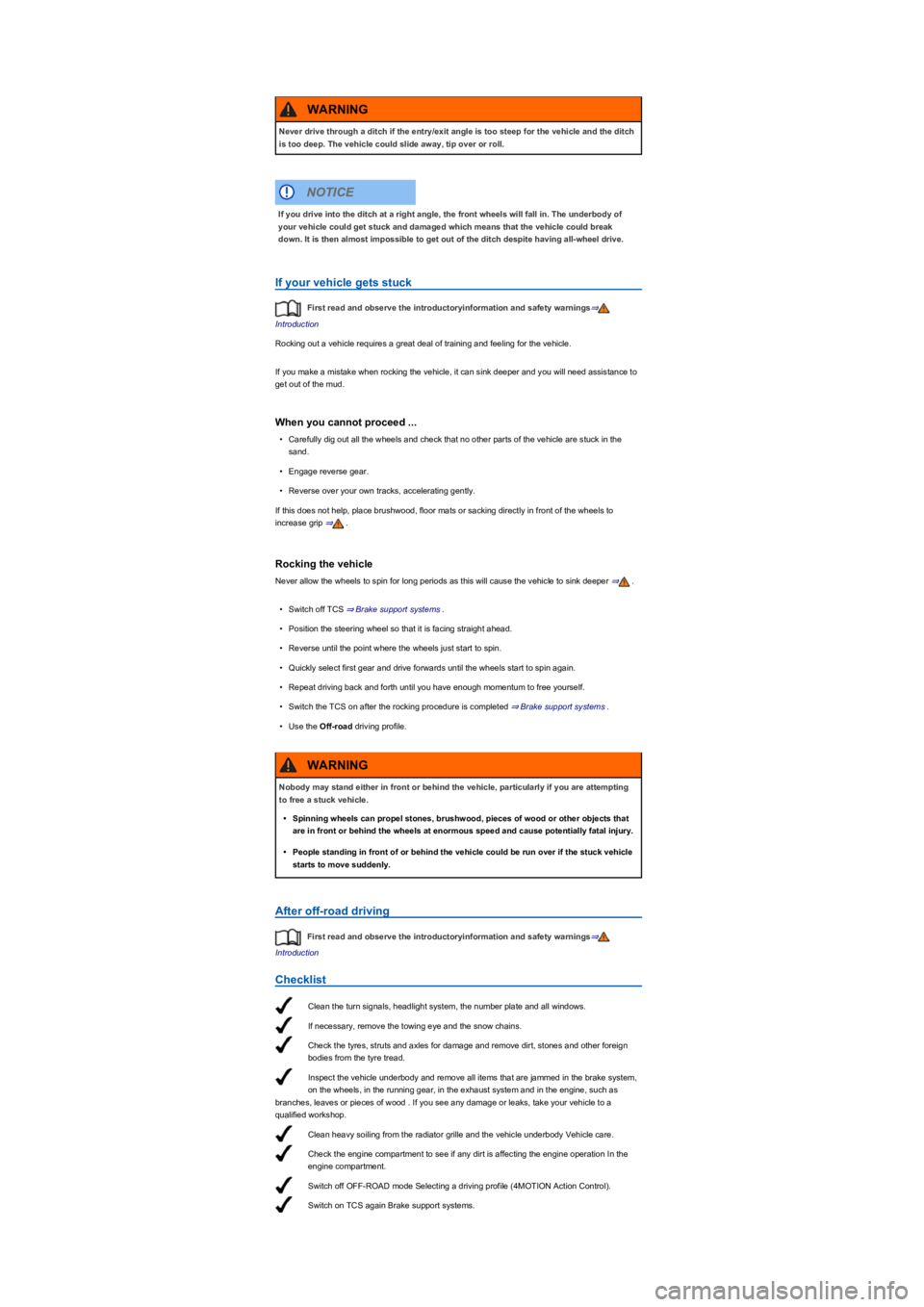
Clean the turn signals, headlight system, the number plate and all windows.
If necessary, remove the towing eye and the snow chains.
Check the tyres, struts and axles for damage and remove dirt, stones and other foreign
bodies from the tyre tread.
Inspect the vehicle underbody and remove all items that are jammed in the brake system,
on the wheels, in the running gear, in the exhaust system and in the engine, such as
branches, leaves or pieces of wood . If you see any damage or leaks, take your vehicle to a
qualified workshop.
Clean heavy soiling from the radiator grille and the vehicle underbody Vehicle care.
Check the engine compartment to see if any dirt is affecting the engine operation In the
engine compartment.
Switch off OFF-ROAD mode Selecting a driving profile (4MOTION Action Control).
Switch on TCS again Brake support systems.
If your vehicle gets stuck
First read and observe the introductoryinformation and safety warnings⇒
Introduction
Rocking out a vehicle requires a great deal of training and feeling for the vehicle.
If you make a mistake when rocking the vehicle, it can sink deeper and you will need assistance to
get out of the mud.
When you cannot proceed ...
•Carefully dig out all the wheels and check that no other parts of the vehicle are stuck in the
sand.
•Engage reverse gear.
•Reverse over your own tracks, accelerating gently.
If this does not help, place brushwood, floor mats or sacking directly in front of the wheels to
increase grip ⇒.
Rocking the vehicle
Never allow the wheels to spin for long periods as this will cause the vehicle to sink deeper ⇒.
•Switch off TCS ⇒ Brake support systems.
•Position the steering wheel so that it is facing straight ahead.
•Reverse until the point where the wheels just start to spin.
•Quickly select first gear and drive forwards until the wheels start to spin again.
•Repeat driving back and forth until you have enough momentum to free yourself.
•Switch the TCS on after the rocking procedure is completed ⇒ Brake support systems.
•Use the Off-road driving profile.
After off-road driving
First read and observe the introductoryinformation and safety warnings⇒
Introduction
Checklist
Never drive through a ditch if the entry/exit angle is too steep for the vehicle and the ditch
is too deep. The vehicle could slide away, tip over or roll.
WARNING
If you drive into the ditch at a right angle, the front wheels will fall in. The underbody of
your vehicle could get stuck and damaged which means that the vehicle could break
down. It is then almost impossible to get out of the ditch despite having all-wheel drive.
NOTICE
Nobody may stand either in front or behind the vehicle, particularly if you are attempting
to free a stuck vehicle.
•Spinning wheels can propel stones, brushwood, pieces of wood or other objects that
are in front or behind the wheels at enormous speed and cause potentially fatal injury.
•People standing in front of or behind the vehicle could be run over if the stuck vehicle
starts to move suddenly.
WARNING
Page 173 of 341
The current speed is stored as the maximum speed. The green indicator lamp also lights up.
Setting the speed
You can adjust the stored speed:
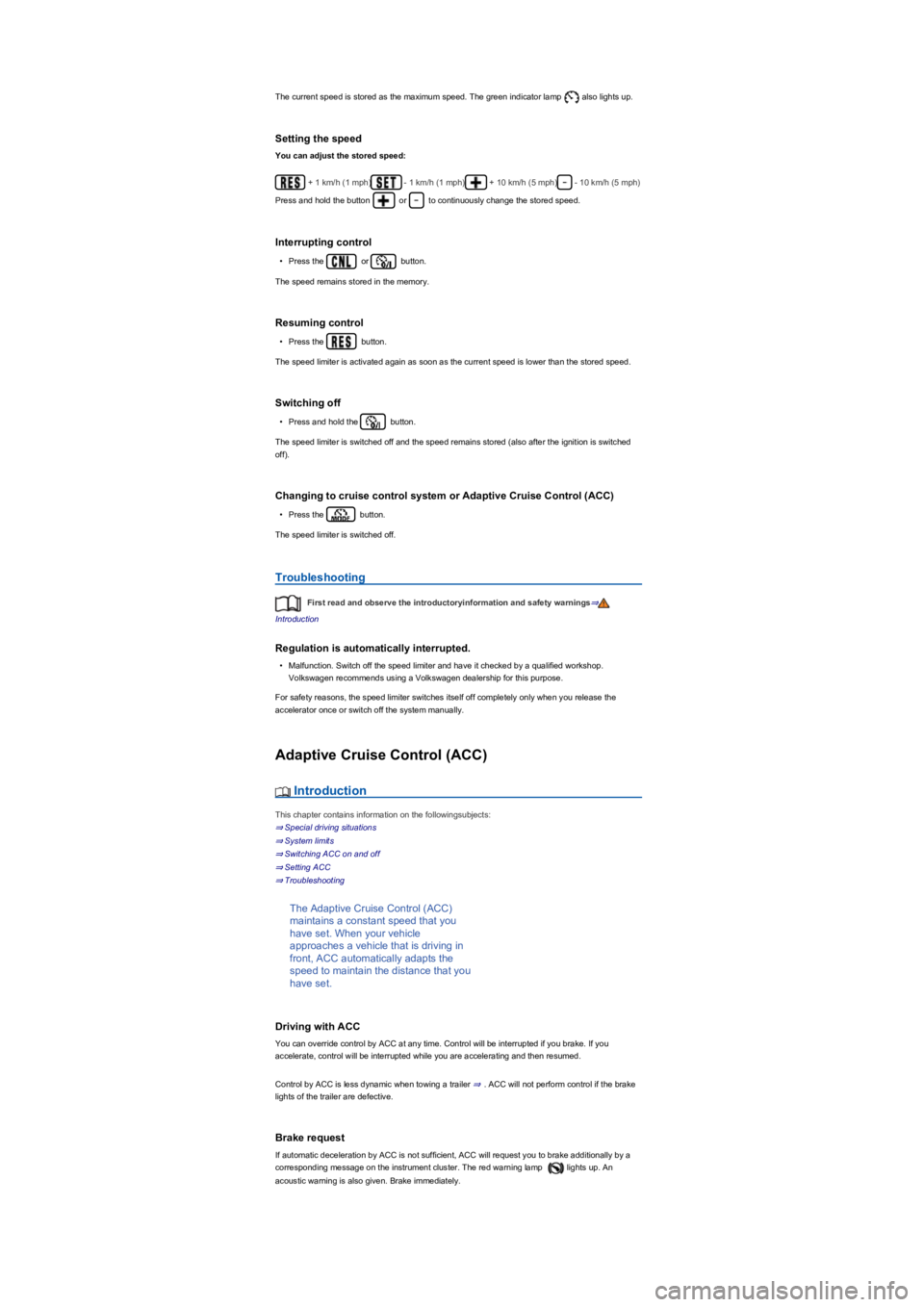
+ 1 km/h (1 mph)- 1 km/h (1 mph)+ 10 km/h (5 mph)- 10 km/h (5 mph)
Press and hold the button or to continuously change the stored speed.
Interrupting control
•Press the or button.
The speed remains stored in the memory.
Resuming control
•Press the button.
The speed limiter is activated again as soon as the current speed is lower than the stored speed.
Switching off
•Press and hold the button.
The speed limiter is switched off and the speed remains stored (also after the ignition is switched
off).
Changing to cruise control system or Adaptive Cruise Control (ACC)
•Press the button.
The speed limiter is switched off.
Troubleshooting
First read and observe the introductoryinformation and safety warnings⇒
Introduction
Regulation is automatically interrupted.
•Malfunction. Switch off the speed limiter and have it checked by a qualified workshop.
Volkswagen recommends using a Volkswagen dealership for this purpose.
For safety reasons, the speed limiter switches itself off completely only when you release the
accelerator once or switch off the system manually.
Adaptive Cruise Control (ACC)
Introduction
This chapter contains information on the followingsubjects:
⇒ Special driving situations
⇒ System limits
⇒ Switching ACC on and off
⇒ Setting ACC
⇒ Troubleshooting
The Adaptive Cruise Control (ACC)
maintains a constant speed that you
have set. When your vehicle
approaches a vehicle that is driving in
front, ACC automatically adapts the
speed to maintain the distance that you
have set.
Driving with ACC
You can override control by ACC at any time. Control will be interrupted if you brake. If you
accelerate, control will be interrupted while you are accelerating and then resumed.
Control by ACC is less dynamic when towing a trailer ⇒. ACC will not perform control if the brake
lights of the trailer are defective.
Brake request
If automatic deceleration by ACC is not sufficient, ACC will request you to brake additionally by a
corresponding message on the instrument cluster. The red warning lamp lights up. An
acoustic warning is also given. Brake immediately.
Page 174 of 341
Speed range
ACC controls the vehicle in the speed range between 30 km/h (20 mph) and 160 km/h (100 mph)
or 210 km/h (130 mph). This speed range may differ in certain markets.
Radar sensor
ACC detects driving situations by means of the radar sensor at the front of the vehicle ⇒ Front
view. The range of the radar sensor is up to approximately 120 m.
Does the vehicle have ACC?
The vehicle is equipped with ACC if you can make settings for ACC in the vehicle settings of the
Infotainment system ⇒ Vehicle settings menu.
If the vehicle has ACC, the cruise control system is not available as an independent system.
Special driving situations
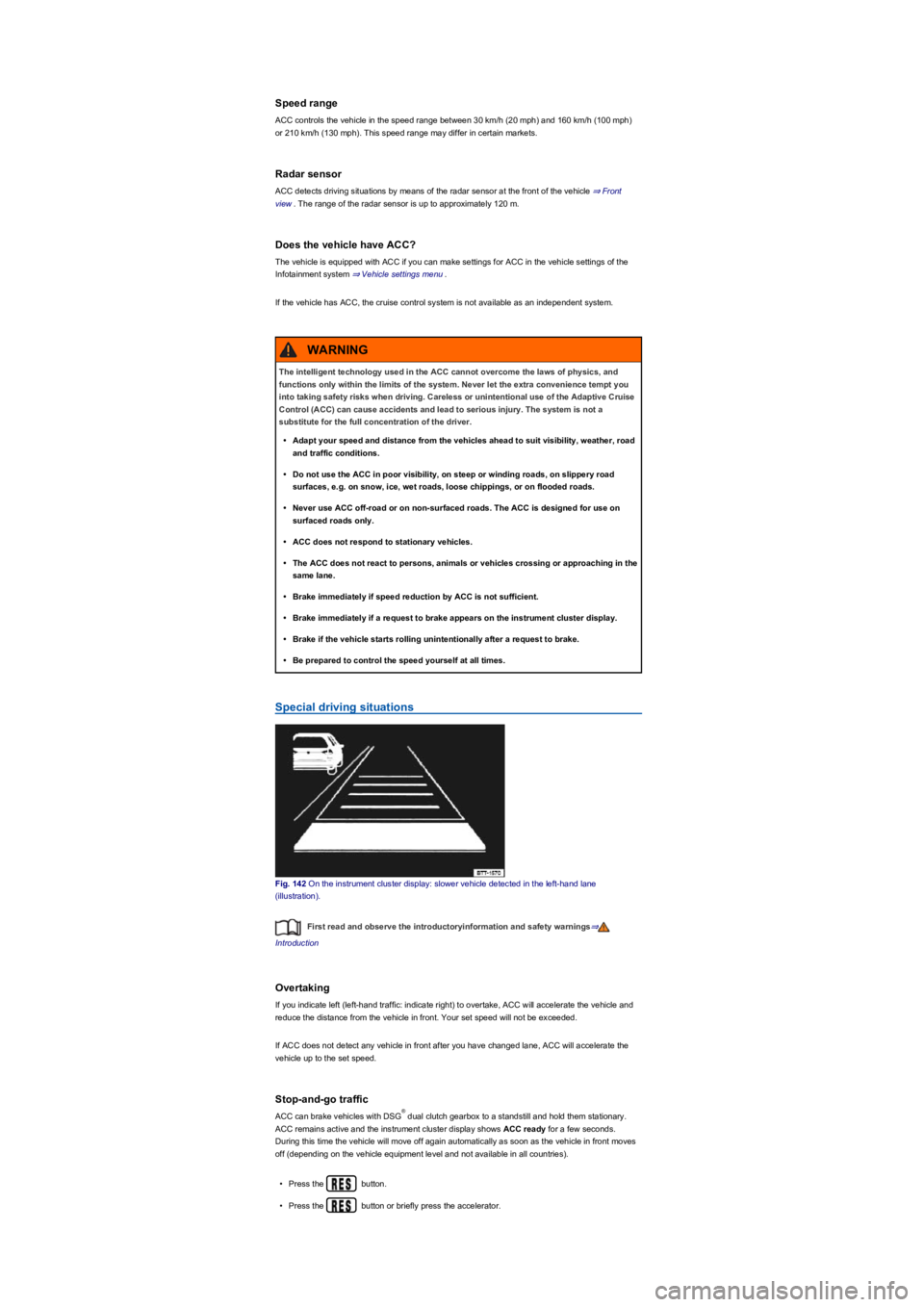
Fig. 142 On the instrument cluster display: slower vehicle detected in the left-hand lane
(illustration).
First read and observe the introductoryinformation and safety warnings⇒
Introduction
Overtaking
If you indicate left (left-hand traffic: indicate right) to overtake, ACC will accelerate the vehicle and
reduce the distance from the vehicle in front. Your set speed will not be exceeded.
If ACC does not detect any vehicle in front after you have changed lane, ACC will accelerate the
vehicle up to the set speed.
Stop-and-go traffic
ACC can brake vehicles with DSG dual clutch gearbox to a standstill and hold them stationary.
ACC remains active and the instrument cluster display shows ACC ready for a few seconds.
During this time the vehicle will move off again automatically as soon as the vehicle in front moves
off (depending on the vehicle equipment level and not available in all countries).
•Press the button.
•Press the button or briefly press the accelerator.
The intelligent technology used in the ACC cannot overcome the laws of physics, and
functions only within the limits of the system. Never let the extra convenience tempt you
into taking safety risks when driving. Careless or unintentional use of the Adaptive Cruise
Control (ACC) can cause accidents and lead to serious injury. The system is not a
substitute for the full concentration of the driver.
•Adapt your speed and distance from the vehicles ahead to suit visibility, weather, road
and traffic conditions.
•Do not use the ACC in poor visibility, on steep or winding roads, on slippery road
surfaces, e.g. on snow, ice, wet roads, loose chippings, or on flooded roads.
•Never use ACC off-road or on non-surfaced roads. The ACC is designed for use on
surfaced roads only.
•ACC does not respond to stationary vehicles.
•The ACC does not react to persons, animals or vehicles crossing or approaching in the
same lane.
•Brake immediately if speed reduction by ACC is not sufficient.
•Brake immediately if a request to brake appears on the instrument cluster display.
•Brake if the vehicle starts rolling unintentionally after a request to brake.
•Be prepared to control the speed yourself at all times.
WARNING
®
Page 177 of 341
•Press the button.
ACC is switched off.
Setting ACC
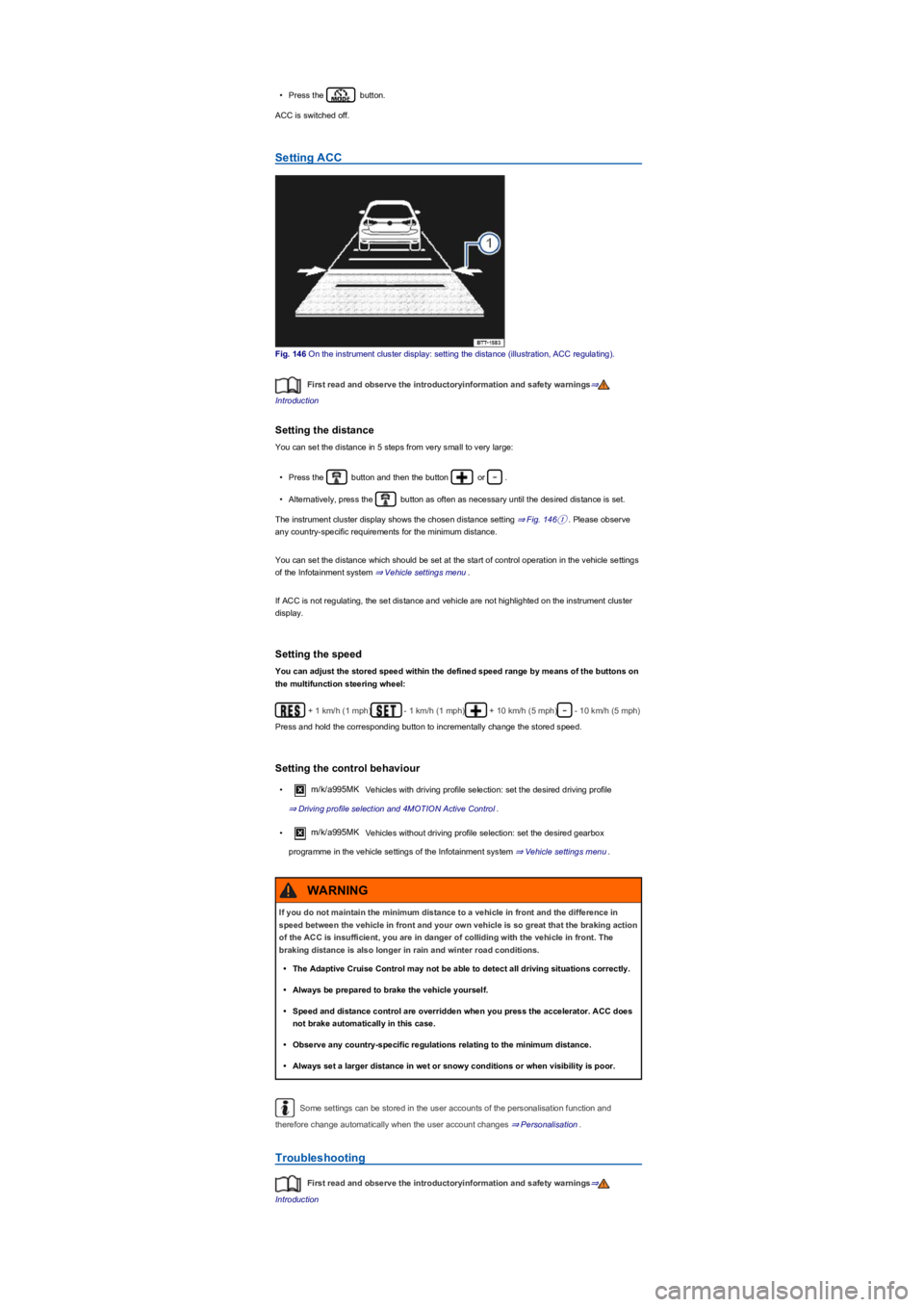
Fig. 146 On the instrument cluster display: setting the distance (illustration, ACC regulating).
First read and observe the introductoryinformation and safety warnings⇒
Introduction
Setting the distance
You can set the distance in 5 steps from very small to very large:
•Press the button and then the button or .
•Alternatively, press the button as often as necessary until the desired distance is set.
The instrument cluster display shows the chosen distance setting ⇒ Fig. 146①. Please observe
any country-specific requirements for the minimum distance.
You can set the distance which should be set at the start of control operation in the vehicle settings
of the Infotainment system ⇒ Vehicle settings menu.
If ACC is not regulating, the set distance and vehicle are not highlighted on the instrument cluster
display.
Setting the speed
You can adjust the stored speed within the defined speed range by means of the buttons on
the multifunction steering wheel:
+ 1 km/h (1 mph)- 1 km/h (1 mph)+ 10 km/h (5 mph)- 10 km/h (5 mph)
Press and hold the corresponding button to incrementally change the stored speed.
Setting the control behaviour
•m/k/a995MK Vehicles with driving profile selection: set the desired driving profile
⇒ Driving profile selection and 4MOTION Active Control.
•m/k/a995MK Vehicles without driving profile selection: set the desired gearbox
programme in the vehicle settings of the Infotainment system ⇒ Vehicle settings menu.
Some settings can be stored in the user accounts of the personalisation function and
therefore change automatically when the user account changes ⇒ Personalisation.
Troubleshooting
First read and observe the introductoryinformation and safety warnings⇒
Introduction
If you do not maintain the minimum distance to a vehicle in front and the difference in
speed between the vehicle in front and your own vehicle is so great that the braking action
of the ACC is insufficient, you are in danger of colliding with the vehicle in front. The
braking distance is also longer in rain and winter road conditions.
•The Adaptive Cruise Control may not be able to detect all driving situations correctly.
•Always be prepared to brake the vehicle yourself.
•Speed and distance control are overridden when you press the accelerator. ACC does
not brake automatically in this case.
•Observe any country-specific regulations relating to the minimum distance.
•Always set a larger distance in wet or snowy conditions or when visibility is poor.
WARNING
Page 181 of 341
System limits
First read and observe the introductoryinformation and safety warnings⇒
Introduction
Front Assist has physical and system-related limitations. From the driver's perspective, some Front
Assist reactions may therefore occur unexpectedly or with a delay in certain circumstances. You
should therefore always be prepared to take full control of the vehicle if necessary.
•In tight bends.
•If the accelerator is fully depressed.
•If Front Assist is switched off or faulty.
•If TCS is switched off manually.
•If ESC is taking corrective action.
•If there is a fault in several brake lights on the vehicle or on a trailer with an electrical
connection to the vehicle ⇒.
•If the radar sensor is dirty or covered.
•If there are metal objects, e.g. tracks in the road or metal plates used in roadworks, or road
signs, above and adjacent to the road.
•If the vehicle is reversing.
•Under hard acceleration.
•In snow or heavy rain.
•In case of narrow vehicles, e.g. motorbikes.
•If vehicles are travelling slightly to the left or right of your vehicle.
•If vehicles are crossing in front of your vehicle.
•If there is oncoming traffic.
•If pedestrians are standing in front of the vehicle, approaching the vehicle, or moving in the
same direction as the vehicle.
•In complex driving situations, e.g. at traffic islands.
•In unclear traffic situations, e.g. vehicles ahead are heavily braking or turning off.
•When loads or attachment parts on other vehicles protrude to the side, rear or above the normal
dimensions of the vehicle.
Switching off Front Assist
•If the vehicle is being towed.
•If the vehicle is on a rolling road test bed.
•If the vehicle is driven in areas other than public roads.
•If the radar sensor is faulty.
•After external force on the radar sensor, e.g. after a rear-end collision.
•In the event of multiple unwanted interventions.
•If the radar sensor is covered temporarily by any auxiliary equipment, e.g. auxiliary headlights.
•If the vehicle is loaded onto a truck, car ferry or motorail train.
The intelligent Pedestrian Monitoring technology cannot overcome the laws of physics,
and functions only within the limits of the system. Never let the extra convenience
afforded by the Pedestrian Monitoring system tempt you into taking any risks when
driving. The driver is always responsible for braking in time.
•If Pedestrian Monitoring issues a warning, brake your vehicle immediately depending
on the traffic situation or avoid the pedestrian.
•The Pedestrian Monitoring system cannot prevent accidents and serious injuries on its
own.
•The Pedestrian Monitoring system can issue unnecessary warnings and carry out
unwanted braking interventions in complex driving situations, e.g. on a twisting main
road.
•The Pedestrian Monitoring system can issue unnecessary warnings and carry out
unwanted braking interventions when its function is impaired, e.g. if the radar sensor is
covered or its position has been changed.
•Be prepared to take over control of the vehicle yourself at all times.
WARNING
Failure to switch off Front Assist in the situations mentioned can result in accidents and
serious injuries.
WARNING
Page 187 of 341
The integrated Rear Traffic Alert provides assistance when reversing out of a parking space and
manoeuvring.
System limits
Use the lane keeping system only on paved roads.
The lane change system may interpret the traffic situation incorrectly in the following driving
situations, for example:
•In tight bends.
•When driving in the middle of two lanes.
•When road lanes are of varying width.
•At the brow of a hill.
•In poor weather conditions.
•Where there are special roadside structures, e.g. high or offset crash barriers.
You can save some settings in the user accounts of the personalisation function
⇒ Personalisation.
Driving with the lane change system
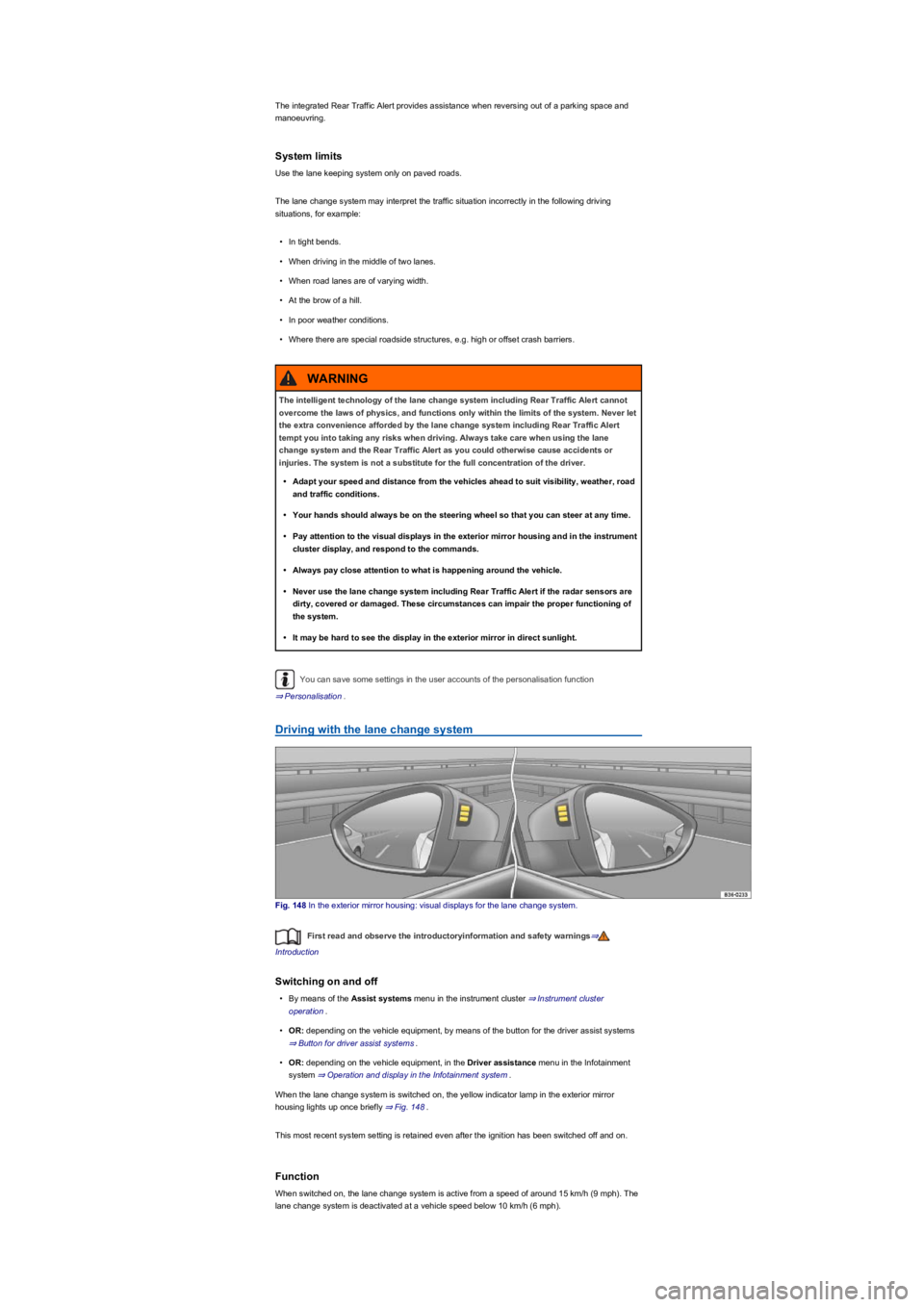
Fig. 148 In the exterior mirror housing: visual displays for the lane change system.
First read and observe the introductoryinformation and safety warnings⇒
Introduction
Switching on and off
•By means of the Assist systems menu in the instrument cluster ⇒ Instrument cluster
operation.
•OR: depending on the vehicle equipment, by means of the button for the driver assist systems
⇒ Button for driver assist systems.
•OR: depending on the vehicle equipment, in the Driver assistance menu in the Infotainment
system ⇒ Operation and display in the Infotainment system.
When the lane change system is switched on, the yellow indicator lamp in the exterior mirror
housing lights up once briefly ⇒ Fig. 148.
This most recent system setting is retained even after the ignition has been switched off and on.
Function
When switched on, the lane change system is active from a speed of around 15 km/h (9 mph). The
lane change system is deactivated at a vehicle speed below 10 km/h (6 mph).
The intelligent technology of the lane change system including Rear Traffic Alert cannot
overcome the laws of physics, and functions only within the limits of the system. Never let
the extra convenience afforded by the lane change system including Rear Traffic Alert
tempt you into taking any risks when driving. Always take care when using the lane
change system and the Rear Traffic Alert as you could otherwise cause accidents or
injuries. The system is not a substitute for the full concentration of the driver.
•Adapt your speed and distance from the vehicles ahead to suit visibility, weather, road
and traffic conditions.
•Your hands should always be on the steering wheel so that you can steer at any time.
•Pay attention to the visual displays in the exterior mirror housing and in the instrument
cluster display, and respond to the commands.
•Always pay close attention to what is happening around the vehicle.
•Never use the lane change system including Rear Traffic Alert if the radar sensors are
dirty, covered or damaged. These circumstances can impair the proper functioning of
the system.
•It may be hard to see the display in the exterior mirror in direct sunlight.
WARNING
Page 188 of 341
In the following driving situations, the yellow indicator lamp lights up in the housing of the respective
exterior mirror:
•If your vehicle is being overtaken.
•When overtaking another vehicle with a speed difference of up to approximately 15 km/h
(9 mph). No display will be shown if the takeover manoeuvre is much faster.
The yellow indicator lamp flashes if a possible critical situation is detected when you indicate in the
direction of the detected vehicle.
The quicker another vehicle approaches, the earlier there is a corresponding display in the exterior
mirror.
Lane change system Side Assist Plus
If the vehicle is equipped with a lane keeping system and the system is switched on, the driver is
warned by a corrective steering intervention when changing lanes during a possible critical situation
(information level, warning level). The steering intervention also occurs when the turn signal is
activated for the corresponding direction. If the steering intervention is overridden by the driver, the
steering wheel vibrates to give an additional warning.
Automatic deactivation
The lane change system will switch off automatically if the radar sensors are permanently covered.
This can be caused by a layer of ice or snow in front of the radar sensor, for example.
A text message will be shown on the instrument cluster display.
If the lane change system sensor has been automatically deactivated, the system cannot be
activated until the ignition has been switched off and back on again.
The lane change system and Rear Traffic Alert are switched off automatically when the factory-
fitted towing bracket is electrically connected with a trailer or similar ⇒ Trailer towing. The lane
change system and Rear Traffic Alert are automatically switched on again when the trailer is
unhitched from the vehicle. The lane change system and Rear Traffic Alert must be switched off
manually if a non-factory-fitted towing bracket is used.
Brightness
The brightness of the visual display will automatically adapt to the light levels.
The basic brightness level can be set in the Infotainment system ⇒ Operation and display in the
Infotainment system.
The lane change system is not active during the setting procedure.
Rear Traffic Alert
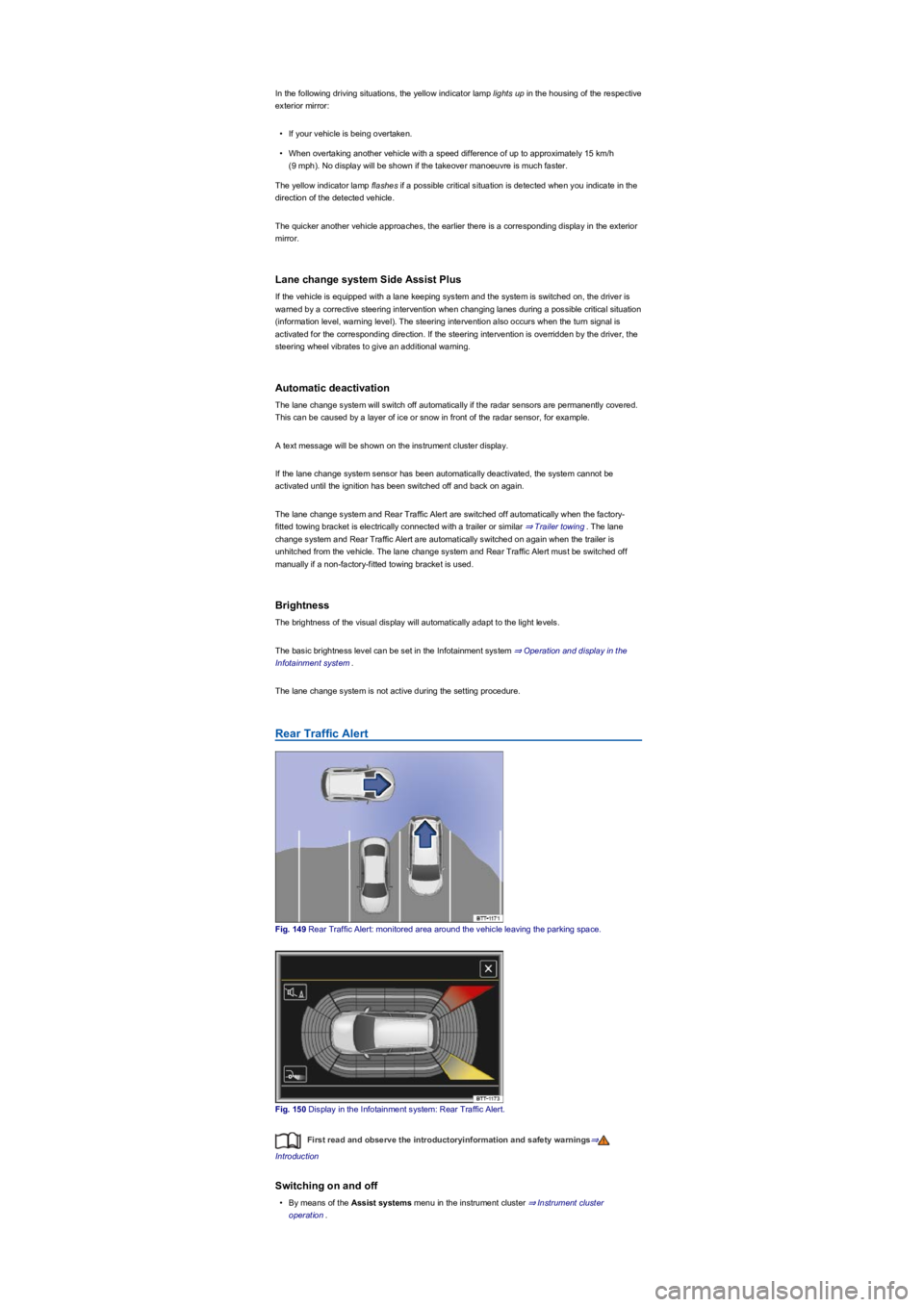
Fig. 149 Rear Traffic Alert: monitored area around the vehicle leaving the parking space.
Fig. 150 Display in the Infotainment system: Rear Traffic Alert.
First read and observe the introductoryinformation and safety warnings⇒
Introduction
Switching on and off
•By means of the Assist systems menu in the instrument cluster ⇒ Instrument cluster
operation.
Page 190 of 341
Parking and manoeuvring
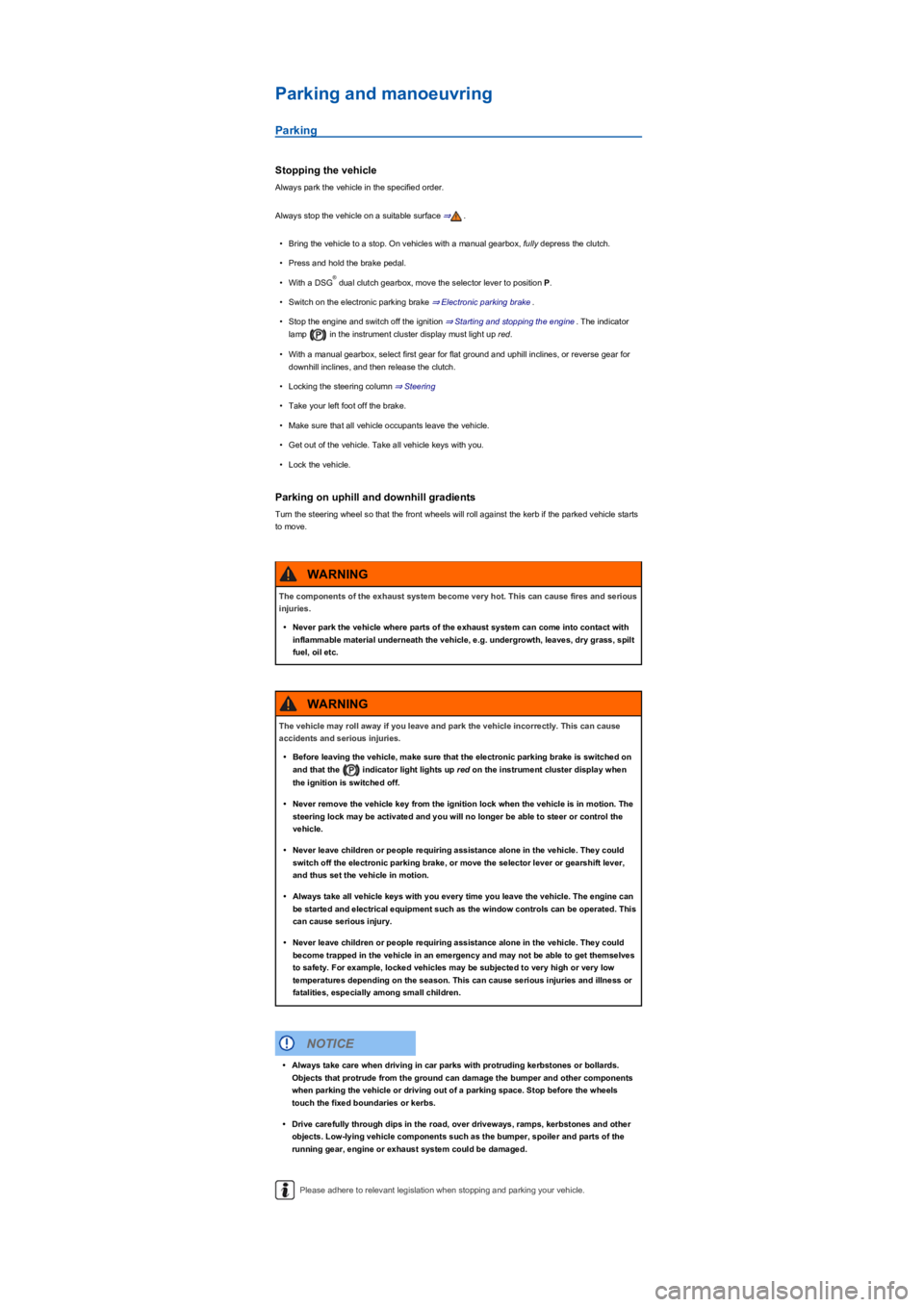
Parking
Stopping the vehicle
Always park the vehicle in the specified order.
Always stop the vehicle on a suitable surface ⇒.
•Bring the vehicle to a stop. On vehicles with a manual gearbox, fully depress the clutch.
•Press and hold the brake pedal.
•With a DSG dual clutch gearbox, move the selector lever to position P.
•Switch on the electronic parking brake ⇒ Electronic parking brake.
•Stop the engine and switch off the ignition ⇒ Starting and stopping the engine. The indicator
lamp in the instrument cluster display must light up red.
•With a manual gearbox, select first gear for flat ground and uphill inclines, or reverse gear for
downhill inclines, and then release the clutch.
•Locking the steering column ⇒ Steering
•Take your left foot off the brake.
•Make sure that all vehicle occupants leave the vehicle.
•Get out of the vehicle. Take all vehicle keys with you.
•Lock the vehicle.
Parking on uphill and downhill gradients
Turn the steering wheel so that the front wheels will roll against the kerb if the parked vehicle starts
to move.
Please adhere to relevant legislation when stopping and parking your vehicle.
®
The components of the exhaust system become very hot. This can cause fires and serious
injuries.
•Never park the vehicle where parts of the exhaust system can come into contact with
inflammable material underneath the vehicle, e.g. undergrowth, leaves, dry grass, spilt
fuel, oil etc.
WARNING
The vehicle may roll away if you leave and park the vehicle incorrectly. This can cause
accidents and serious injuries.
•Before leaving the vehicle, make sure that the electronic parking brake is switched on
and that the indicator light lights up red on the instrument cluster display when
the ignition is switched off.
•Never remove the vehicle key from the ignition lock when the vehicle is in motion. The
steering lock may be activated and you will no longer be able to steer or control the
vehicle.
•Never leave children or people requiring assistance alone in the vehicle. They could
switch off the electronic parking brake, or move the selector lever or gearshift lever,
and thus set the vehicle in motion.
•Always take all vehicle keys with you every time you leave the vehicle. The engine can
be started and electrical equipment such as the window controls can be operated. This
can cause serious injury.
•Never leave children or people requiring assistance alone in the vehicle. They could
become trapped in the vehicle in an emergency and may not be able to get themselves
to safety. For example, locked vehicles may be subjected to very high or very low
temperatures depending on the season. This can cause serious injuries and illness or
fatalities, especially among small children.
WARNING
•Always take care when driving in car parks with protruding kerbstones or bollards.
Objects that protrude from the ground can damage the bumper and other components
when parking the vehicle or driving out of a parking space. Stop before the wheels
touch the fixed boundaries or kerbs.
•Drive carefully through dips in the road, over driveways, ramps, kerbstones and other
objects. Low-lying vehicle components such as the bumper, spoiler and parts of the
running gear, engine or exhaust system could be damaged.
NOTICE
Page 192 of 341
Troubleshooting
Warning and indicator lamps on the instrument cluster display
Fault in electronic parking brake. Go to a qualified workshop.
Electronic parking brake does not switch off
The electronic parking brake will not switch itself off if the prerequisites for switching off are not met
or the 12-volt vehicle battery is discharged. Use jump leads ⇒ Jump starting.
Noises of the electronic parking brake
•Noises may be heard when the electronic parking brake is switched on or off.
•If the electronic parking brake has not been used for a long period, the system will carry out
occasional automatic and acoustic checks when the vehicle is parked.
Auto Hold function
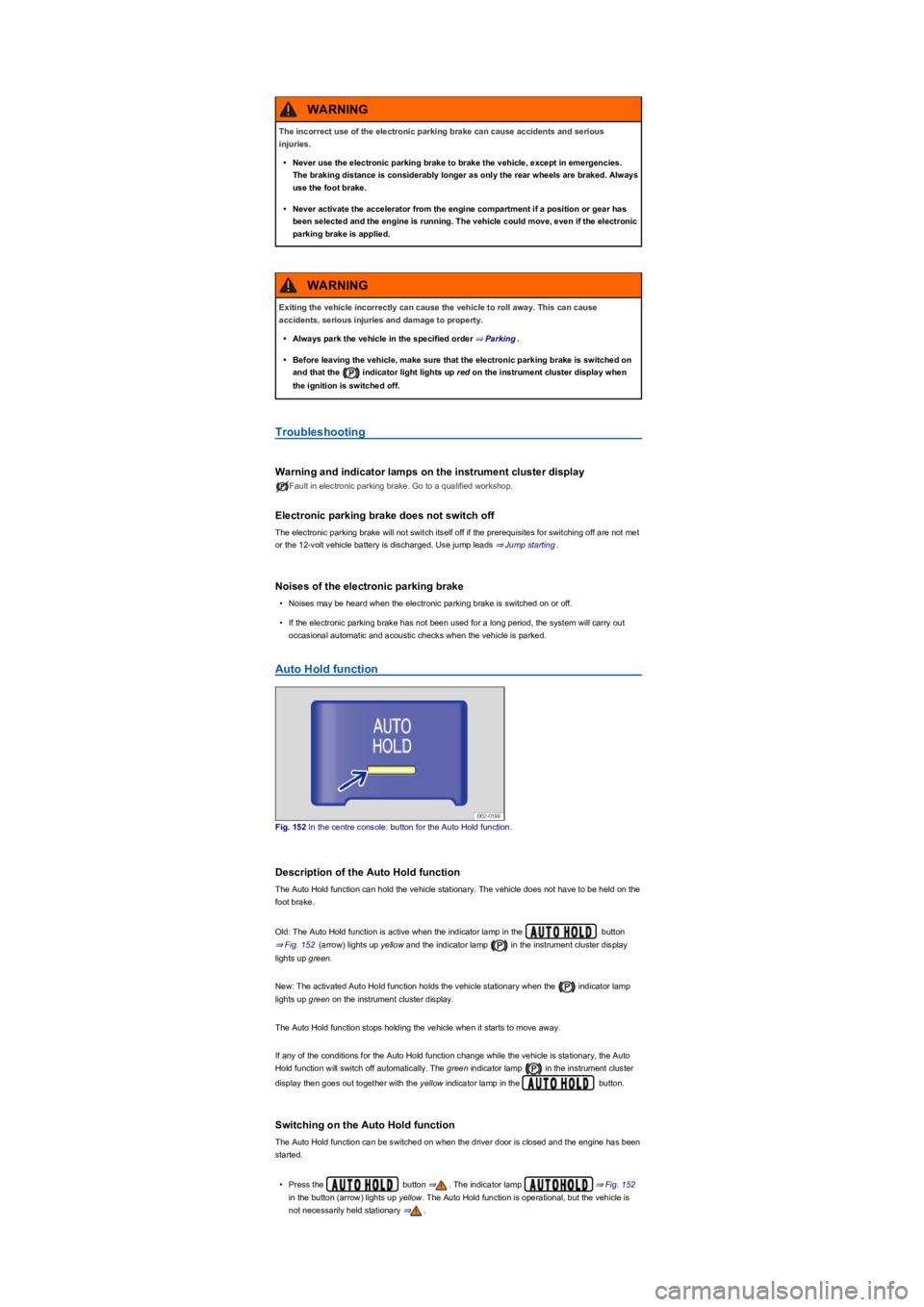
Fig. 152 In the centre console: button for the Auto Hold function.
Description of the Auto Hold function
The Auto Hold function can hold the vehicle stationary. The vehicle does not have to be held on the
foot brake.
Old: The Auto Hold function is active when the indicator lamp in the button
⇒ Fig. 152 (arrow) lights up yellow and the indicator lamp in the instrument cluster display
lights up green.
New: The activated Auto Hold function holds the vehicle stationary when the indicator lamp
lights up green on the instrument cluster display.
The Auto Hold function stops holding the vehicle when it starts to move away.
If any of the conditions for the Auto Hold function change while the vehicle is stationary, the Auto
Hold function will switch off automatically. The green indicator lamp in the instrument cluster
display then goes out together with the yellow indicator lamp in the button.
Switching on the Auto Hold function
The Auto Hold function can be switched on when the driver door is closed and the engine has been
started.
•Press the button ⇒. The indicator lamp ⇒ Fig. 152
in the button (arrow) lights up yellow. The Auto Hold function is operational, but the vehicle is
not necessarily held stationary ⇒.
The incorrect use of the electronic parking brake can cause accidents and serious
injuries.
•Never use the electronic parking brake to brake the vehicle, except in emergencies.
The braking distance is considerably longer as only the rear wheels are braked. Always
use the foot brake.
•Never activate the accelerator from the engine compartment if a position or gear has
been selected and the engine is running. The vehicle could move, even if the electronic
parking brake is applied.
WARNING
Exiting the vehicle incorrectly can cause the vehicle to roll away. This can cause
accidents, serious injuries and damage to property.
•Always park the vehicle in the specified order ⇒ Parking.
•Before leaving the vehicle, make sure that the electronic parking brake is switched on
and that the indicator light lights up red on the instrument cluster display when
the ignition is switched off.
WARNING