low outside VOLKSWAGEN TRANSPORTER 2014 Owners Manual
[x] Cancel search | Manufacturer: VOLKSWAGEN, Model Year: 2014, Model line: TRANSPORTER, Model: VOLKSWAGEN TRANSPORTER 2014Pages: 486, PDF Size: 69.28 MB
Page 18 of 486
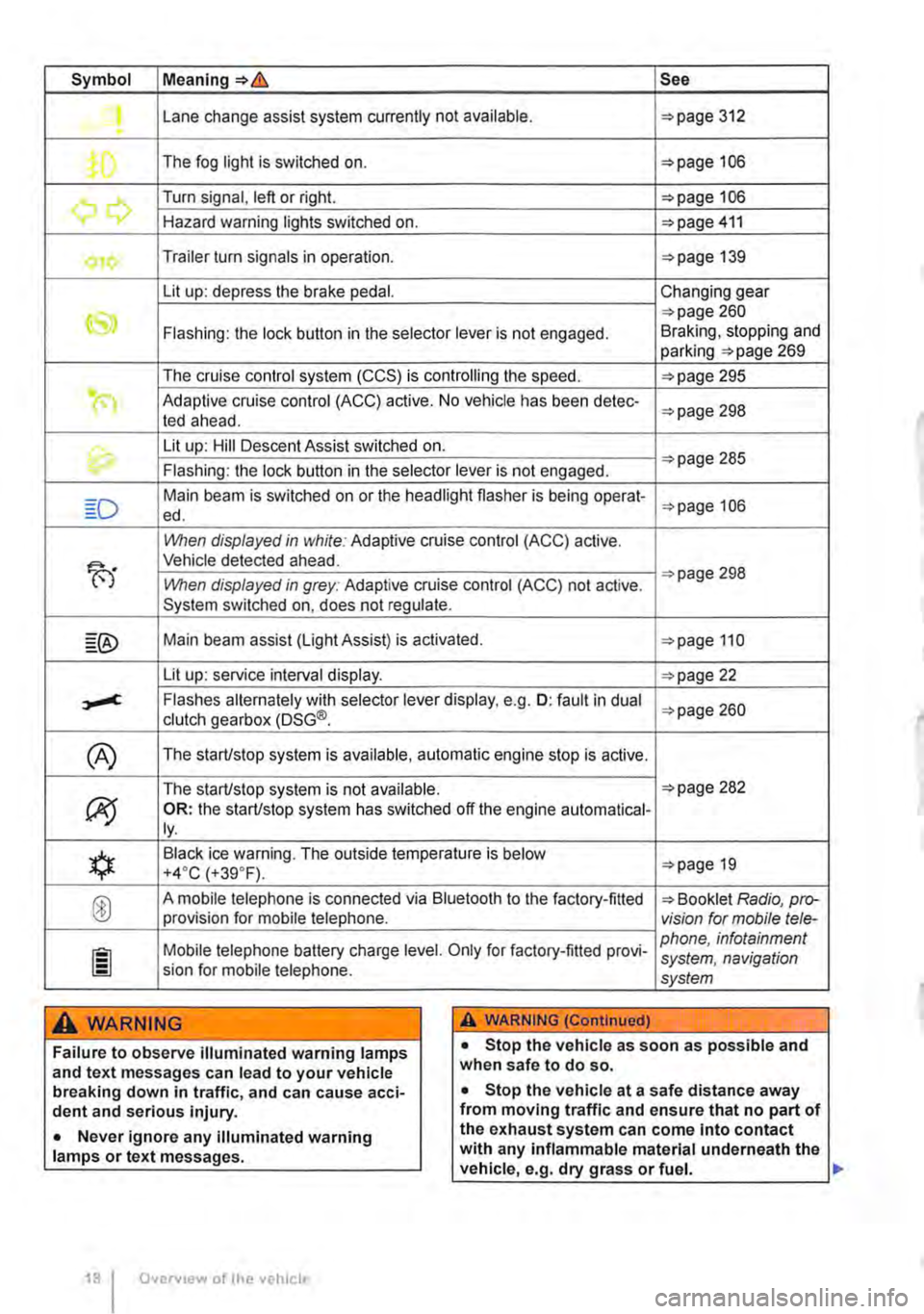
Symbol Meaning=>& See
Lane change assist system currently not available. =>page 312 .
The fog light is switched on. =>page 106
.......,,...., Turn signal, left or right. =>page 106 r., Hazard warning lights switched on. =>page 411
Trailer turn signals in operation. =>page 139
Lit up: depress the brake pedal. Changing gear
CS» =>page 260 Flashing: the lock button in the selector lever is not engaged. Braking, stopping and parking =>page 269
The cruise control system (CCS) is controlling the speed. =>page 295
(") Adaptive cruise control (ACC) active. No vehicle has been detec-ted ahead. =>page 298
th. Lit up: Hill Descent Assist switched on. =>page 285 Flashing: the lock button in the selector lever is not engaged.
Main beam is switched on or the headlight flasher is being opera!-=>page 106 ed.
When displayed in white: Adaptive cruise control (ACC) active.
B'
Vehicle detected ahead.
When displayed in grey: Adaptive cruise control (ACC) not active. =>page 298
System switched on, does not regulate.
Main beam assist (Light Assist) is activated. =>page 110
Lit up: service interval display. =>page 22
,....c. Flashes alternately with selector lever display, e.g. 0: fault in dual clutch gearbox (DSG®. =>page 260
(A) The starUstop system is available, automatic engine stop is active.
The starUstop system is not available. =>page 282
(J9 OR: the starUstop system has switched off the engine automatical-ly.
*
Black ice warning. The outside temperature is below =>page 19 +4·c (+39.F).
® A mobile telephone is connected via Bluetooth to the factory-fitted => Booklet Radio, pro-provision for mobile telephone. vision for mobile tele-
Mobile telephone battery charge level. Only for factory-fitted provi-phone, infotainment system, navigation sion for mobile telephone. system
A WARNING A WARNING (Continued)
Failure to observe illuminated warning lamps and text messages can lead to your vehicle breaking down in traffic, and can cause acci-dent and serious injury.
• Never ignore any illuminated warning lamps or text messages.
Overv1ew of the vehicle
• Stop the vehicle as soon as possible and when safe to do so.
• Stop the vehicle at a safe distance away from moving traffic and ensure that no part of the exhaust system can come Into contact with any inflammable material underneath the vehicle, e.g. dry grass or fuel. ll>
Page 21 of 486
Displays
r-T'n First read and observe the introductory L-J,:.,U information and safety warnings & on page 19.
The types of information displayed in the instru-ment cluster=:. Fig. 14@ vary according to the ve-hicle's equipment level:
• Warning and information messages
• Mileage displays
• Time
• Outside temperature
• Compass display
• Selector lever positions =:.page 260
• Gear-change indicator =>page 260
• Multifunction display (MFD) and menus for vari-ous settings =>page 24
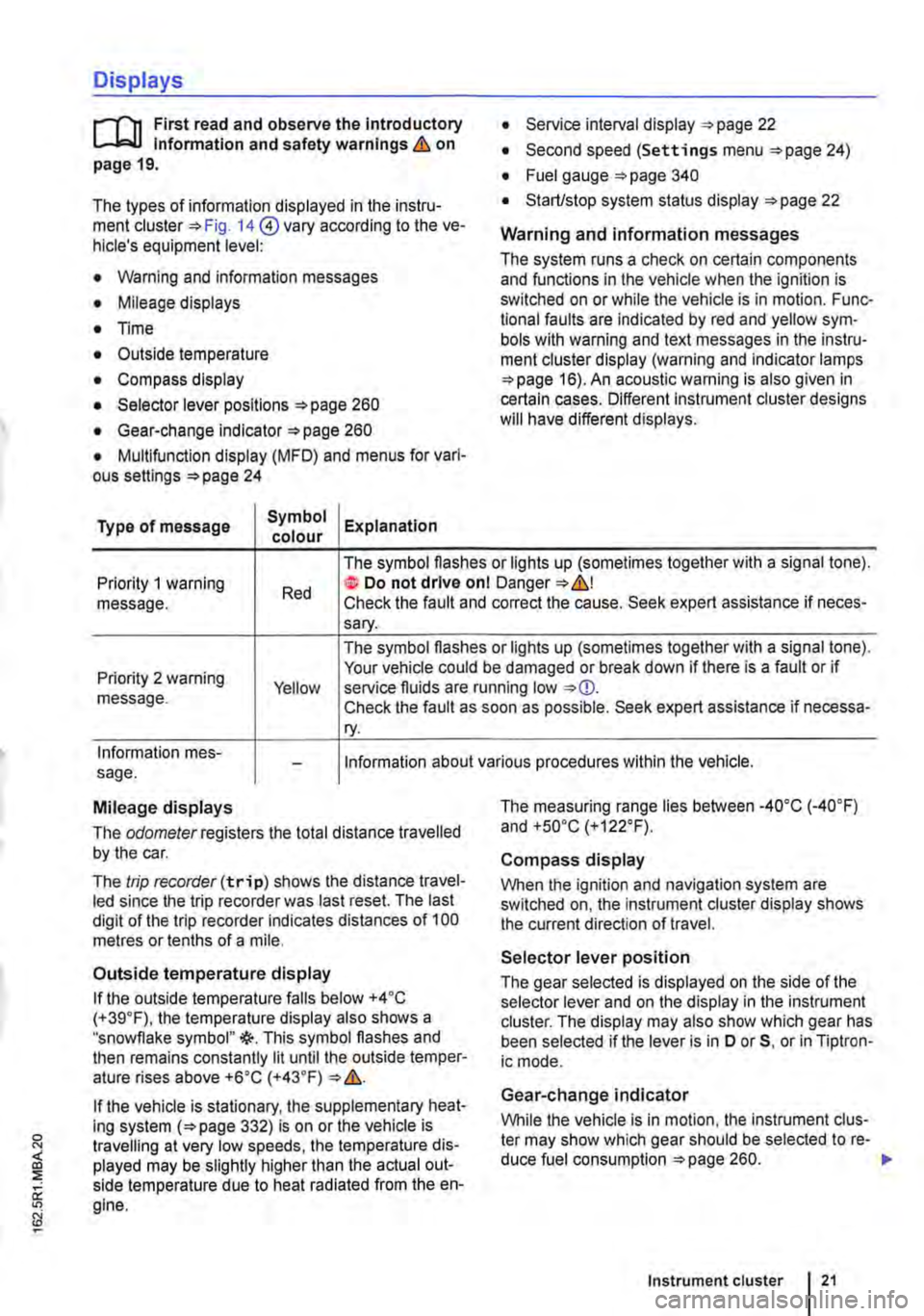
Type of message Symbol Explanation colour
• Service interval display =:.page 22
• Second speed (Settings menu =>page 24)
• Fuel gauge =:.page 340
• Start/stop system status display =:.page 22
Warning and information messages
The system runs a check on certain components and functions in the vehicle when the ignition is switched on or while the vehicle is in motion. Func-tional faults are indicated by red and yellow sym· bols with warning and text messages in the instru-ment cluster display (warning and indicator lamps =>page 16). An acoustic warning is also given in certain cases. Different instrument cluster designs will have different displays.
Priority 1 warning message. Red
The symbol flashes or lights up (sometimes together with a signal tone). te Do not drive onl Danger=:.&,! Check the fault and correct the cause. Seek expert assistance if neces-sary.
Priority 2 warning message. Yellow
The symbol flashes or lights up (sometimes together with a signal tone). Your vehicle could be damaged or break down if there is a fault or if service fluids are running low Check the fault as soon as possible. Seek expert assistance if necessa-ry.
Information mes-sage. Information about various procedures within the vehicle.
Mileage displays
The odomelerregisters the total distance travelled by the car.
The trip recorder(trip) shows the distance travel-led since the trip recorder was last reset. The last digit of the trip recorder indicates distances of 100 metres or tenths of a mile.
Outside temperature display
If the outside temperature falls below +4 ·c (+39.F), the temperature display also shows a "snowflake symbol"{(-. This symbol flashes and then remains constantly lit until the outside temper-ature rises above +6•c (+43.F)
If the vehicle is stationary, the supplementary heat-ing system (=>page 332) is on or the vehicle is travelling at very low speeds, the temperature dis-played may be slightly higher than the actual out-side temperature due to heat radiated from the en-gine.
The measuring range lies between -4o•c (·40.F) and +so•c (+122°F).
Compass display
When the ignition and navigation system are switched on, the instrument cluster display shows the current direction of travel.
Selector lever position
The gear selected is displayed on the side of the selector lever and on the display in the instrument cluster. The display may also show which gear has been selected if the lever is in D or 5, or in Tiptron-ic mode.
Gear-change indicator
While the vehicle is in motion, the instrument clus-ter may show which gear should be selected to re-duce fuel consumption =>page 260. .-
Instrument cluster 21
Page 39 of 486
Replacing the battery
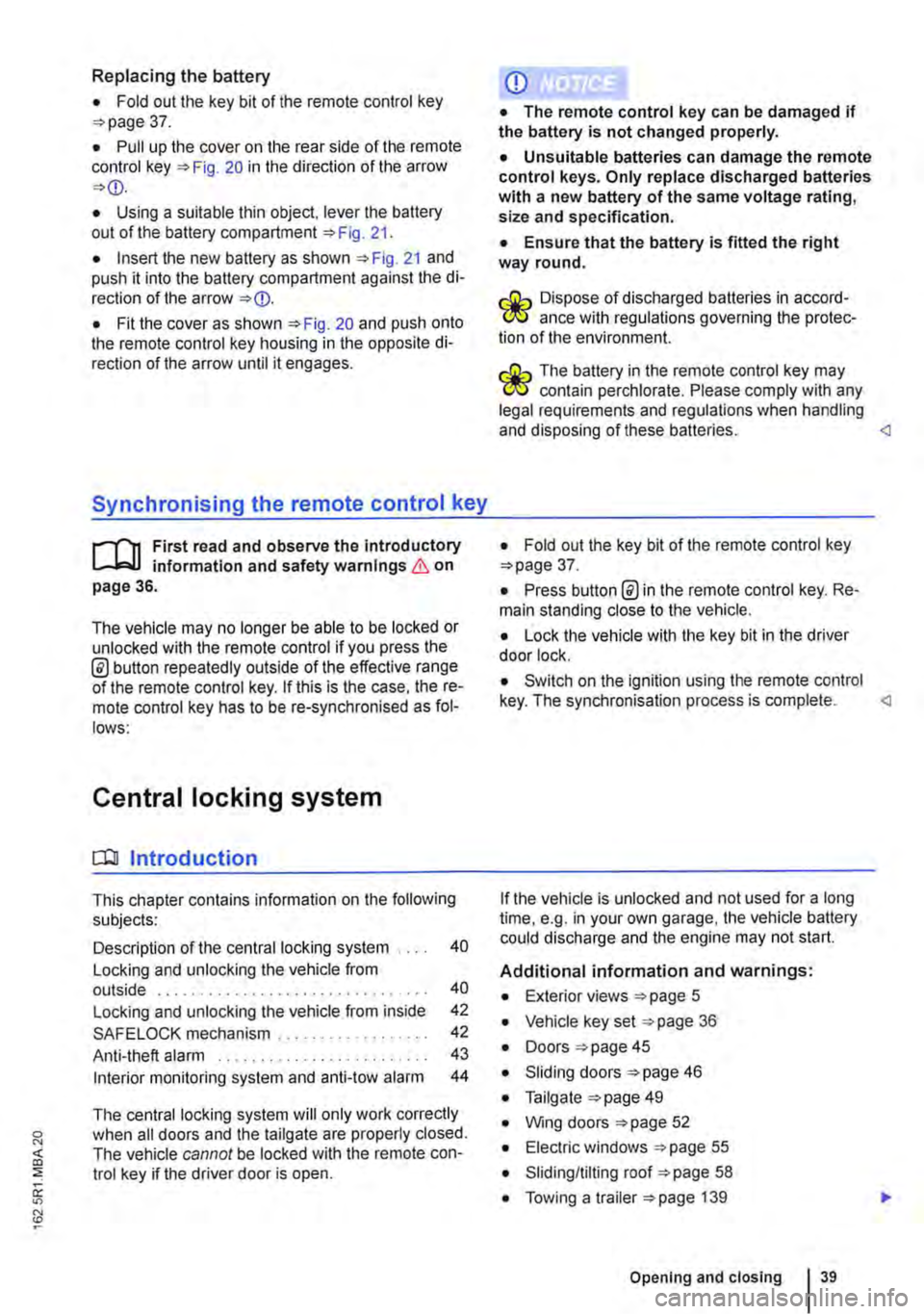
• Fold out the key bit of the remote control key =>page 37.
• Pull up the cover on the rear side of the remote control key =>Fig. 20 in the direction of the arrow =>
• Insert the new battery as shown =>Fig. 21 and push it into the battery compartment against the di-rection of the arrow =>
Synchronising the remote control key
,--m First read and observe the introductory L-.lo:.ll information and safety warnings & on page 36.
The vehicle may no longer be able to be locked or unlocked with the remote control if you press the @ button repeatedly outside of the effective range of the remote control key. If this is the case. the re-mote control key has to be re-synchronised as fol-lows:
Central locking system
CQ Introduction
This chapter contains information on the following subjects:
Description of the central locking system . . . . 40
Locking and unlocking the vehicle from outside . . . . . . . . . . . . . . . . . . . . . . . . . . . . . . . . 40
Locking and unlocking the vehicle from inside
SAFELOCK mechanism ................. .
Anti-theft alarm ........................ .
Interior monitoring system and anti-tow alarm
42
42
43
44
The central locking system will only work correctly when all doors and the tailgate are properly closed. The vehicle cannot be locked with the remote con-trol key if the driver door is open.
CD
• The remote control key can be damaged if the battery is not changed properly.
• Unsuitable batteries can damage the remote control keys. Only replace discharged batteries with a new battery of the same voltage rating, size and specification.
• Ensure that the battery Is fitted the right way round.
r:lib Dispose of discharged batteries in accord-W ance with regulations governing the protec-tion of the environment.
r:lib The battery in the remote control key may W contain perchlorate. Please comply with any legal requirements and regulations when handling and disposing of these batteries.
• Press button @in the remote control key. Re-main standing close to the vehicle.
• Lock the vehicle with the key bit in the driver door lock.
• Switch on the ignition using the remote control key. The synchronisation process is complete.
Additional information and warnings:
• Exterior views =>page 5
• Vehicle key set =>page 36
• Doors => page 45
• Sliding doors =>page 46
• Tailgate =>page 49
• Wing doors =>page 52
• Electric windows =>page 55
• Sliding/tilting roof =>page 58
• Towing a trailer =>page 139
Opening and closing 39
Page 40 of 486
• Cleaning and caring for the vehide exterior 380
• Manual opening and dosing 413
A WARNING
Improper use of the central locking system could lead to serious injury.
• The central locking system locks all doors. Locking the vehicle from the inside can prevent accidental opening of the doors and unauthorised persons from entering the vehicle. However, locked doors can delay as-sistance to passengers inside the vehicle in the event of an accident or emergency.
• Never leave children or people requiring assistance alone in the vehicle. All doors can be locked from the Inside using the central
6 WARNING (Continued)
locking button. This may mean that people lock themselves In the vehicle. People locked In the vehicle may be subjected to very high or very low temperatures.
• Temperatures Inside a locked vehicle may reach extremes of heat or cold, according to season. This can cause serious Injuries and Illness or fatalities, especially to small chil-dren.
• Never leave anyone Inside a locked vehi-cle. People In the vehicle could become trap-ped In an emergency and may not be able to get themselves to safety.
• Doors and the tailgate should therefore only be opened or closed when you are sure that nobody Is in their path.
Description of the central locking system
r"'f"n First read and observe the Introductory L-Jc.l.l Information and safety warnings & on page 39.
The central locking system enables you to lock and unlock all the doors and the tailgate or wing doors from one point.
• From outside the vehicle with the remote con-trol key.
• From inside the vehicle with the central locking button 42.
• Mechanically with the key in the driver door lock cylinder.
The doors and the tailgate can be locked or un-locked manually if the remote control key or central locking system fails. <1
locking and unlocking the vehicle from outside
liJ
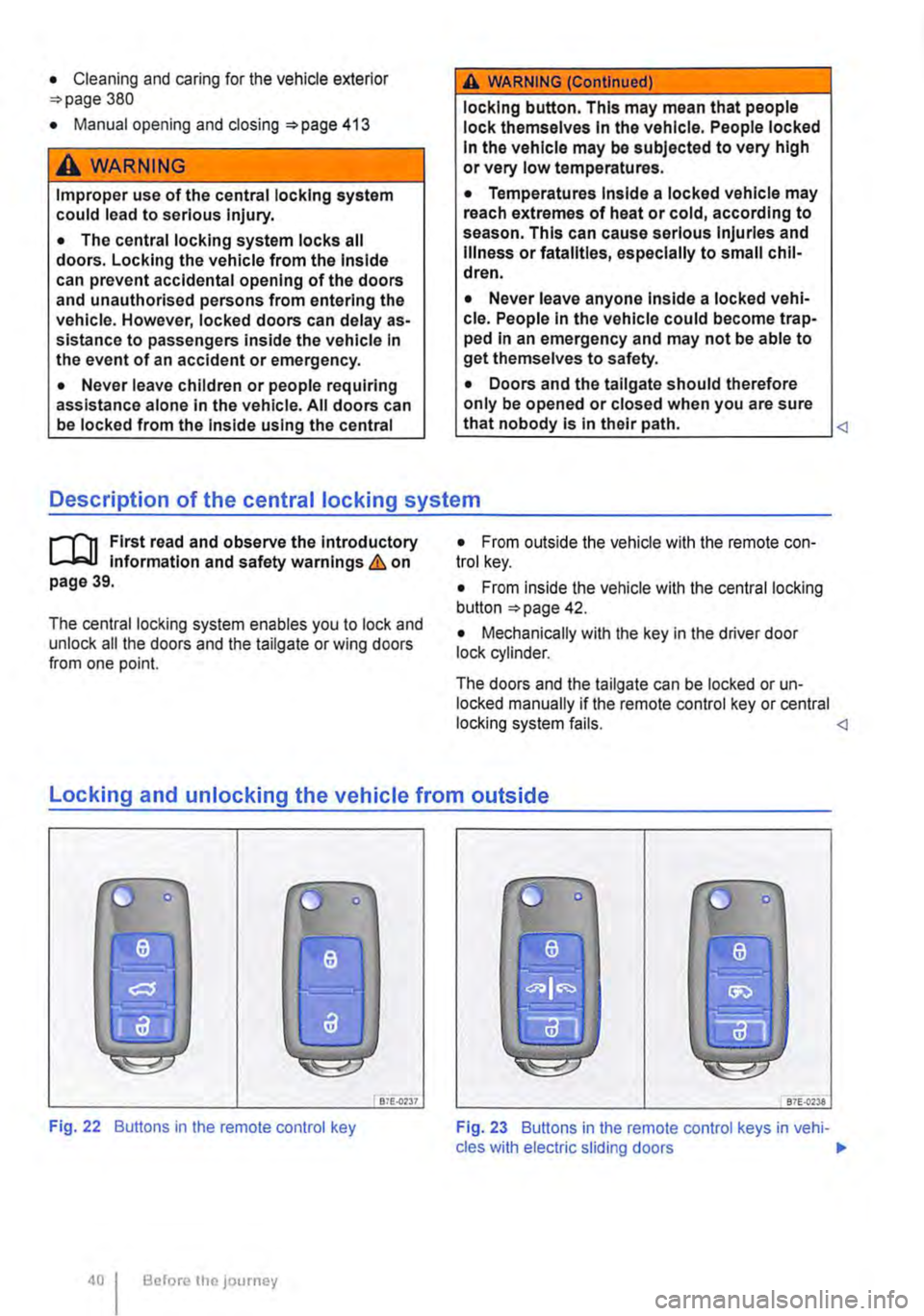
Fig. 22 Buttons in the remote control key
Before the JOurney
Bi£..0237 87E-{)'238
Fig. 23 Buttons in the remote control keys in vehi-cles with electric sliding doors .,.
Page 42 of 486
Locking and unlocking the vehicle from inside
c
1 PSG-0030
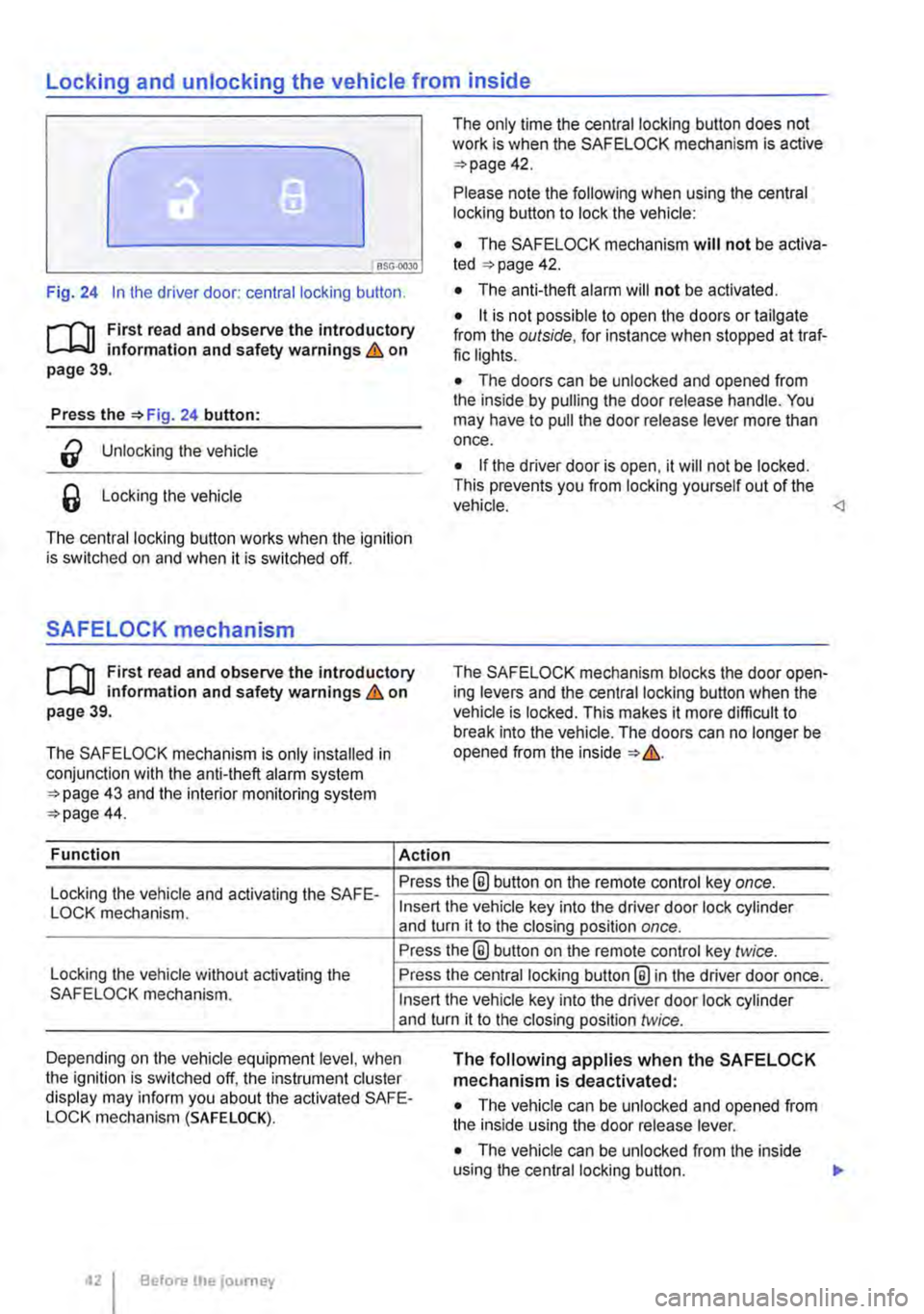
Fig. 24 In the driver door: central locking button.
rf'n First read and observe the introductory L.-J=.I.I information and safety warnings & on page 39.
Press the =>Fig. 24 button:
a Unlocking the vehicle
6 Locking the vehicle
The central locking button works when the ignition is switched on and when it is switched off.
SAFELOCK mechanism
rf'n First read and observe the introductory L.-J=.I.I information and safety warnings & on page 39.
The SAFELOCK mechanism is only installed in conjunction with the anti-theft alarm system =>page 43 and the interior monitoring system =>page 44.
Function Action
The only time the central locking button does not work is when the SAFE LOCK mechanism is active =>page 42.
Please note the following when using the central locking button to lock the vehicle:
• The SAFELOCK mechanism will not be activa-ted =:>page 42.
• The anti-theft alarm will not be activated.
• it is not possible to open the doors or tailgate from the outside, for instance when stopped at traf-fic lights.
• The doors can be unlocked and opened from the inside by pulling the door release handle. You may have to pull the door release lever more than once.
• If the driver door is open, it will not be locked. This prevents you from locking yourself out of the vehicle.
Locking the vehicle and activating the SAFE-Press the® button on the remote control key once.
LOCK mechanism.
Locking the vehicle without activating the SAFELOCK mechanism.
Insert the vehicle key into the driver door lock cylinder and turn it to the closing position once.
Press the@ button on the remote control key twice.
Press the central locking button@ in the driver door once.
Insert the vehicle key into the driver door lock cylinder and turn it to the closing position twice.
Depending on the vehicle equipment level, when the ignition is switched off, the instrument cluster display may inform you about the activated SAFE-LOCK mechanism (SAFE LOCK).
The following applies when the SAFELOCK mechanism is deactivated:
• The vehicle can be unlocked and opened from the inside using the door release lever.
• The vehicle can be unlocked from the inside using the central locking button. .,.
Before the journey
Page 46 of 486
Sliding doors
o:D Introduction
This chapter contains information on the following subjects:
Opening and closing a sliding door manually . 46 Opening and closing the sliding door electrically . . . . . . . . . . . . . . . . . . . . . . . . . . . 4 7 Roll-back function on the electric sliding doors . . . . . . . . . . . . . . . . . . . . . . . . . . . . . . . . . . 48 Child proof lock in the sliding door . . . . . . . . . 48
Additional information and warnings:
• Exterior views 5
• Vehicle key set 36
• Central locking system 39
• Manual opening and dosing 413
A WARNING
If the sliding door is not properly closed it could open suddenly while the vehicle is in motion. This could lead to severe injuries.
• Stop as soon as possible and close the sliding door.
A WARNING (Continued)
• Make sure that the sliding door Is properly closed and that the lock has engaged. The closed sliding door must be flush with the surrounding body panels.
• Sliding doors should only be opened or closed when you are sure that nobody Is in their operating area.
A WARNING
If the sliding door is not opened properly it could close suddenly. This could lead to se-vere injuries.
• Always open the sliding doors fully.
A WARNING
Opening sliding doors while the vehicle is In motion is dangerous. The sliding door could be automatically pushed open or closed when the vehicle accelerates and brakes. Risk of severe injury.
• Never open sliding doors while the vehicle is in motion.
l'"'""("n First read and observe the Introductory L-J,...U Information and safety warnings & on page 46.
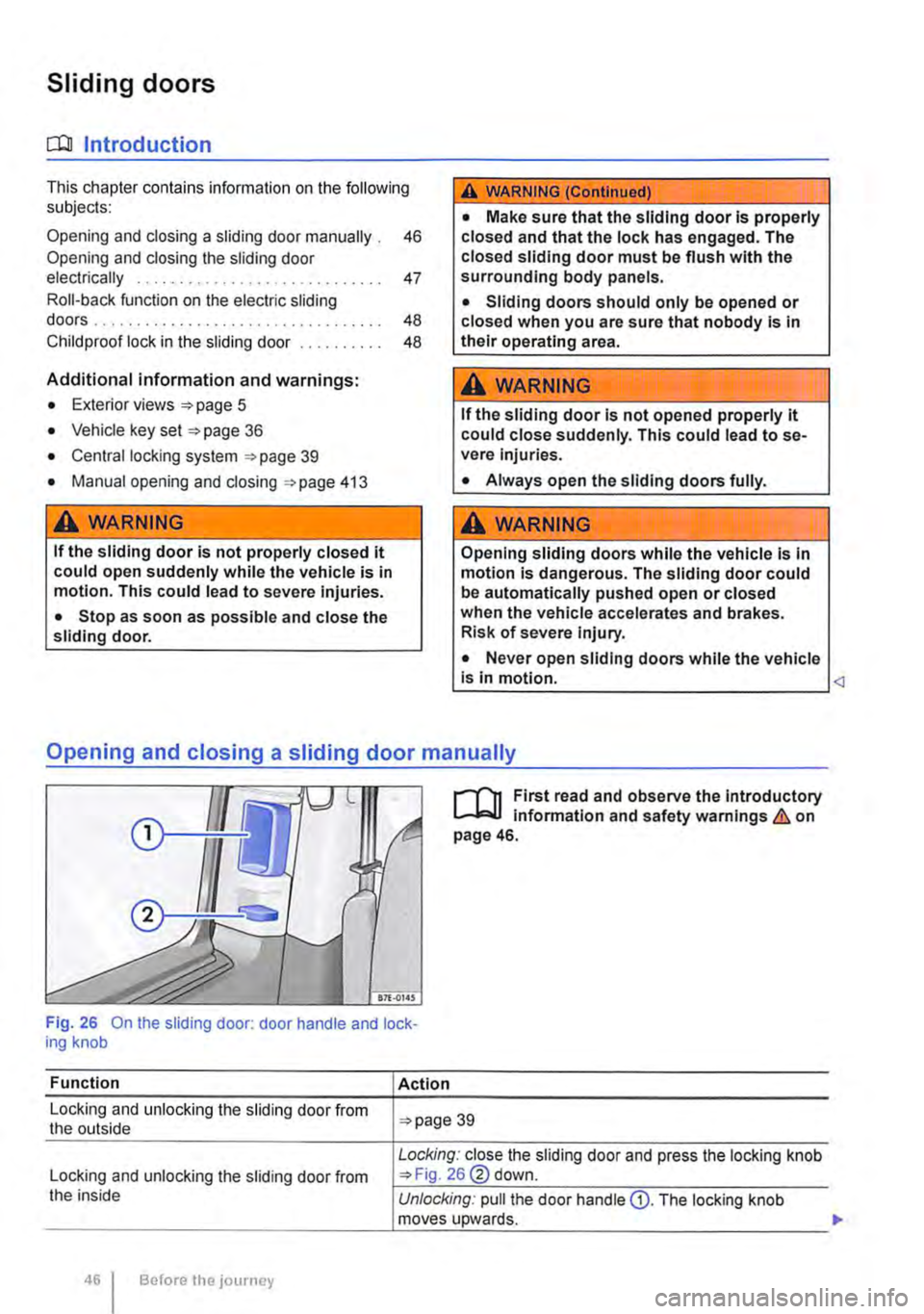
Fig. 26 On the sliding door: door handle and lock-ing knob
Function
Locking and unlocking the sliding door from the outside
Locking and unlocking the sliding door from the inside
Before the journey
Action
39
Locking: close the sliding door and press the locking knob 26@ down.
Unlocking: pull the door handle Q). The locking knob moves upwards. .,.
Page 47 of 486
Function
Opening the sliding door from the outside
Opening the sliding door from the inside
Closing the sliding door
Action
Pull the outside handle of the unlocked sliding door and open the door fully.
Pull the inside handle CD of the unlocked sliding door and open the door fully.
Pulling the inside or outside door handle and push the sliding door using a little force to close it. Make sure that the sliding door is properly closed.
IL
850-0043 .--87£..0147
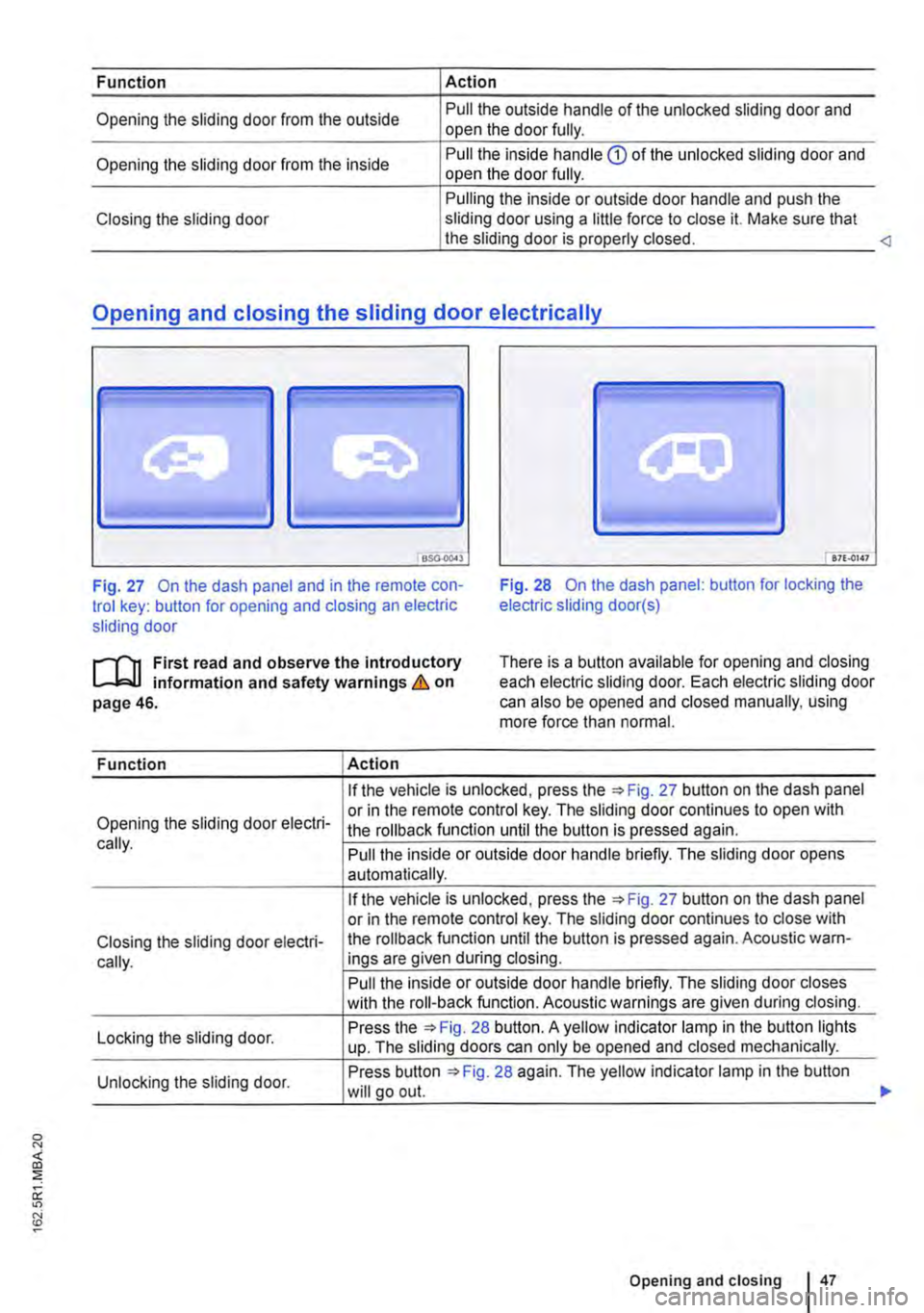
Fig. 27 On the dash panel and in the remote con-trol key: button for opening and closing an electric sliding door
Fig. 28 On the dash panel: button for locking the electric sliding door(s)
.--m First read and observe the introductory l-J,::JJ information and safety warnings & on page 46.
There is a button available for opening and closing each electric sliding door. Each electric sliding door can also be opened and closed manually, using more force than normal.
Function Action
If the vehicle is unlocked, press Fig. 27 button on the dash panel
Opening the sliding door electri-or in the remote control key. The sliding door continues to open with the rollback function until the button is pressed again. cally. Pull the inside or outside door handle briefly. The sliding door opens automatically.
If the vehicle is unlocked, press the 27 button on the dash panel or in the remote control key. The sliding door continues to close with
Closing the sliding door electri-the roll back function until the button is pressed again. Acoustic warn-
cally. ings are given during closing.
Pull the inside or outside door handle briefly. The sliding door closes with the roll-back function. Acoustic warnings are given during closing.
Locking the sliding door. Press the 28 button. A yellow indicator lamp in the button lights up. The sliding doors can only be opened and closed mechanically.
Unlocking the sliding door. Press button 28 again. The yellow indicator lamp in the button will go out.
Opening and closing I 47
...
Page 49 of 486
Switching the child lock on and off
• Unlock the vehicle and open the appropriate sliding door.
• Use the vehicle key to bring the slot to the de-sired position.
Slot position =>Fig. 29 or =>Fig. 30:
® Child lock is switched off.
@ Child lock is switched on.
A WARNING
When the child lock is activated, the door cannot be opened from the Inside.
Tailgate
a:n Introduction
This chapter contains information on the following subjects:
Warning lamp . . . . . . . . . . . . . . . . . . . . . . 50
Opening and closing the tallgate from the outside . . . . . . . . . . . . . . . . . . . . . . . . . . . . 50
Unlocking and locking the tailgate from the inside . . . . . . . . . . . . . . . . . . . . . . . . . . . . . . . . . 51
Child proof lock in the tailgate . . . . . . . 52
Additional information and warnings:
• Exterior views 5
• Central locking system 39
• Transporting 125
• Manual opening and closing 413
A WARNING
Incorrect and unsupervised unlocking, open-ing or closing of the tail gate can cause acci-dents and serious injuries.
• Therefore the tailgate should only be opened or closed when you are sure there is no-one in its path.
• Never close the tailgate by pushing it down with your hand on the window. The rear window could shatter and cause Injuries.
• After closing the tailgate, check that it is closed and locked correctly so that it does not open while the vehicle is in motion. The closed tailgate must be flush with the sur-rounding body panels.
A WARNING (Continued)
• Never leave children or people requiring assistance alone In the vehicle when the doors are locked. This may mean that these people lock themselves In the vehicle. They could become trapped In the vehicle in an emergency and may not be able to get them-selves to safety. People locked In the vehicle may be subjected to very high or very low temperatures.
• Temperatures inside a locked vehicle may reach extremes of heat or cold, according to season. This can cause serious injuries and Illness or fatalities, especially to small chil-dren.
• Always keep the tailgate closed while the vehicle Is In motion so that no toxic exhaust fumes can enter the vehicle Interior.
• Never open the tailgate if a load is attach-ed to it, e.g. a rack or luggage carrier. lt may also not possible to open the tailgate if there are objects attached to it, e.g. bicycles. The additional load might cause the open tailgate to close by itself. Support the tail gate as nec-essary or remove the load from the surface.
• Close and lock the tailgate and all vehicle doors when the vehicle Is not In use. Make sure there Is no-one left In the vehicle.
• Never leave children playing unattended In or around the vehicle, especially when the tailgate is open. Children could climb Into the luggage compartment and shut the tailgate, thereby trapping themselves Inside. Tempera-tures Inside a locked vehicle may reach ex-tremes of heat or cold, according to season. This can cause serious Injuries and Illness or fatalities, especially to small children.
• Never leave children or people requiring assistance alone in the vehicle. They could use the vehicle key or central locking button to lock the vehicle and thereby trap them-selves Inside. .,.
Opening and closing
Page 52 of 486
Childproof lock in the tailgate
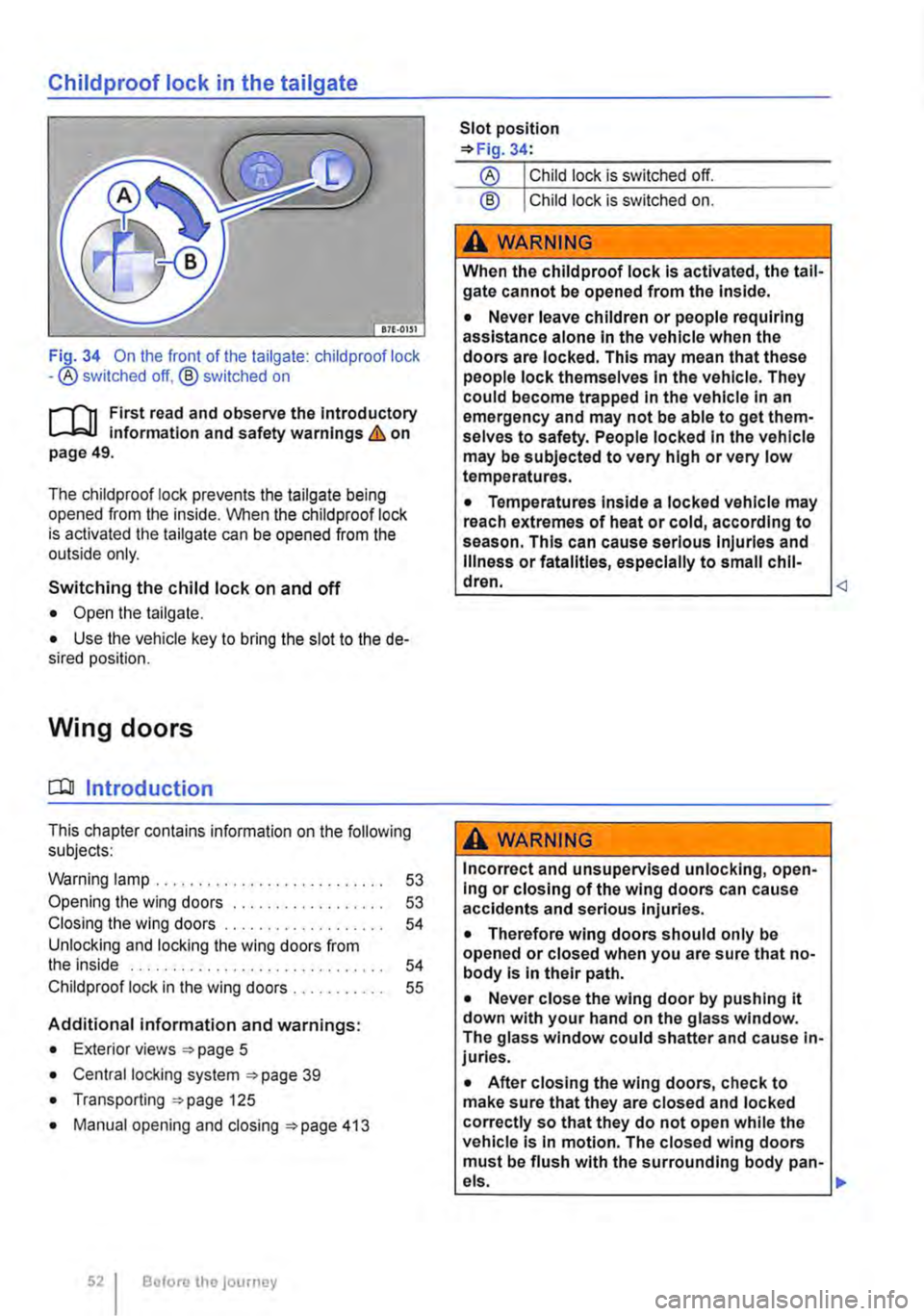
Fi_Q-34 On the front of the tailgate: child proof lock -®switched off, @ switched on
rJ'n First read and observe the introductory l-J.:.U information and safety warnings & on page 49.
The childproof lock prevents the tailgate being opened from the inside. When the child proof lock is activated the tailgate can be opened from the outside only.
Switching the child lock on and off
• Open the tailgate.
• Use the vehicle key to bring the slot to the de-sired position.
Wing doors
CQJ Introduction
This chapter contains information on the following subjects:
Warning lamp . . . . . . . . . . 53
Opening the wing doors 53 Closing the wing doors 54 Unlocking and locking the wing doors from the inside . . . . . . . . . . . . . . . . . . . . . . . . . . . . . . 54 Child proof lock in the wing doors . 55
Additional information and warnings:
• Exterior views =>page 5
• Central locking system =>page 39
• Transporting =>page 125
• Manual opening and closing =>page 413
52 Before the journey
Slot position =>Fig. 34:
@ Child lock is switched on.
A WARNING
When the childproof lock Is activated, the tail-gate cannot be opened from the Inside.
• Never leave children or people requiring assistance alone In the vehicle when the doors are locked. This may mean that these people lock themselves In the vehicle. They could become trapped In the vehicle In an emergency and may not be able to get them-selves to safety. People locked In the vehicle may be subjected to very high or very low temperatures.
• Temperatures Inside a locked vehicle may reach extremes of heat or cold, according to season. This can cause serious Injuries and Illness or fatalities, especially to small chil-dren.
Incorrect and unsupervised unlocking, open-Ing or closing of the wing doors can cause accidents and serious Injuries.
• Therefore wing doors should only be opened or closed when you are sure that no-body Is In their path.
• Never close the wing door by pushing it down with your hand on the glass window. The glass window could shatter and cause in-juries.
• After closing the wing doors, check to make sure that they are closed and locked correctly so that they do not open while the vehicle Is In motion. The closed wing doors must be flush with the surrounding body pan-
•
Page 55 of 486
Opening the wing door from the inside
• Make sure that the child proof lock is not active and that the safety knob is in the upper position 35{!).
• Pull the lever® to unlock the wing doors.
• Push the left-hand wing door back to open it. <1
Childproof lock in the wing doors
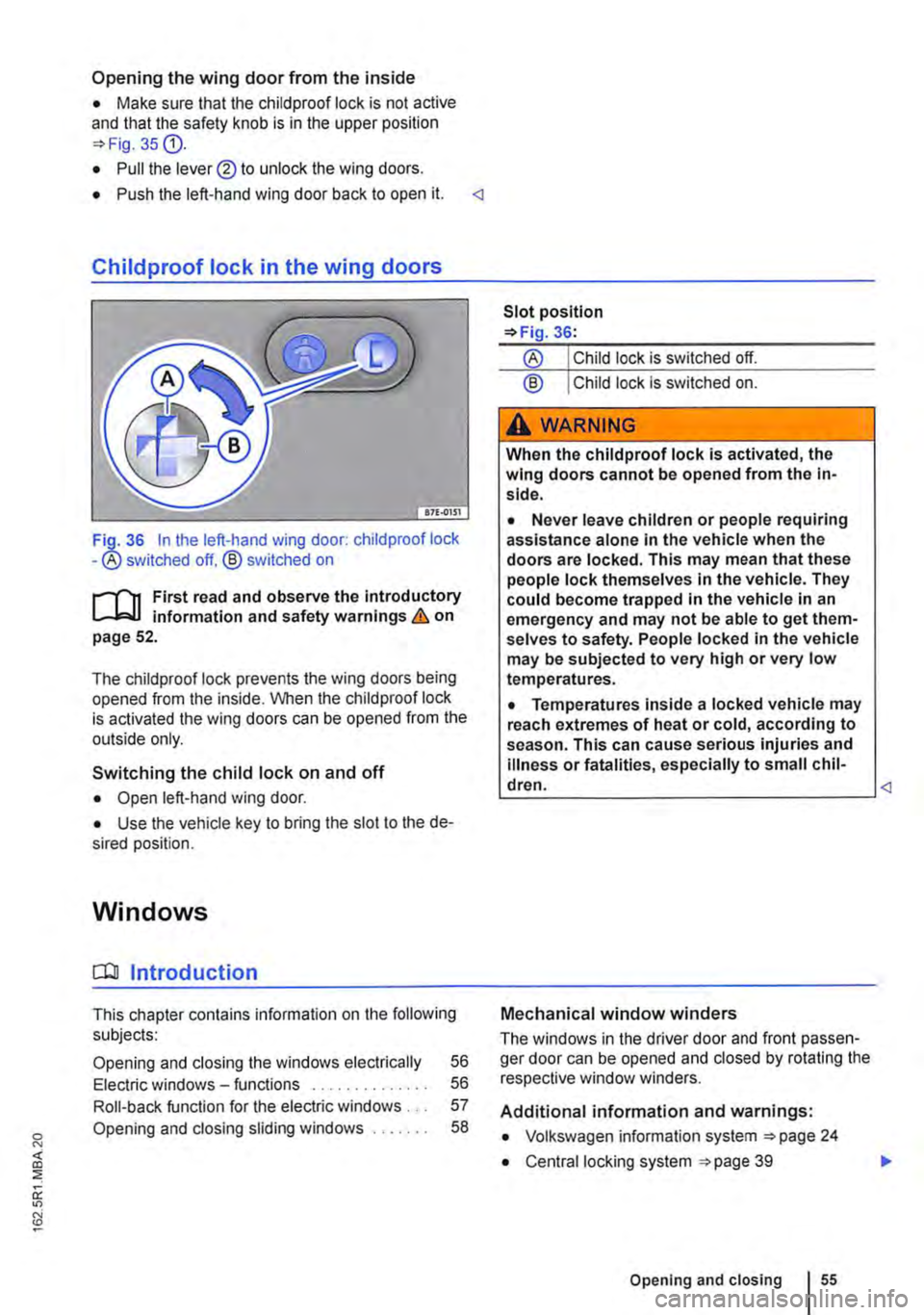
36 In the left-hand wing door: child proof lock -® switched off. ® switched on
,......,.., First read and observe the introductory information and safety warnings & on page 52.
The chiidproof lock prevents the wing doors being opened from the inside. When the child proof lock is activated the wing doors can be opened from the outside only.
Switching the child lock on and off
• Open left-hand wing door.
• Use the vehicle key to bring the slot to the de-sired position.
Windows
a:n Introduction
This chapter contains information on the following subjects:
Opening and closing the windows electrically 56
Electric windows -functions . . . . . . . . . . . . . . 56
Roll-back function for the electric windows . . . 57
Opening and closing sliding windows . . . . . . . 58
® Child lock is switched on.
A WARNING
When the child proof lock is activated, the wing doors cannot be opened from the in-side.
• Never leave children or people requiring assistance alone in the vehicle when the doors are locked. This may mean that these people lock themselves in the vehicle. They could become trapped in the vehicle in an emergency and may not be able to get them-selves to safety. People locked in the vehicle may be subjected to very high or very low temperatures.
• Temperatures inside a locked vehicle may reach extremes of heat or cold, according to season. This can cause serious injuries and illness or fatalities, especially to small chil-dren. <1
Mechanical window winders
The windows in the driver door and front passen-ger door can be opened and closed by rotating the respective window winders.
Additional information and warnings:
• Volkswagen information system 24
• Central locking system 39
Opening and closing I 55
..