lock VOLVO S60 2007 Owner's Manual
[x] Cancel search | Manufacturer: VOLVO, Model Year: 2007, Model line: S60, Model: VOLVO S60 2007Pages: 200, PDF Size: 4.03 MB
Page 52 of 200
Increasing or decreasing speed
Use + or - in the following ways to increase or decrease the vehicle's speed
Press and hold down + or - until the vehicle reaches the desired speed.
Press + or - for approximately a half second and release the button to increase or decrease vehicle speed by
approximately 1 mph (1.6 km/h).
NOTE: Cruise control will not function at speeds below approximately 20 mph (30 km/h).
Braking
Cruise control is automatically disengaged when the brake pedal is depressed. The currently set speed is stored in
memory.
Pressing resume will return the vehicle to the previously set speed.
Acceleration
Momentary acceleration, such as when passing another vehicle, does not affect cruise control operation. The vehicle
will automatically return to the previously set speed when you release the accelerator pedal.
Disengaging cruise control
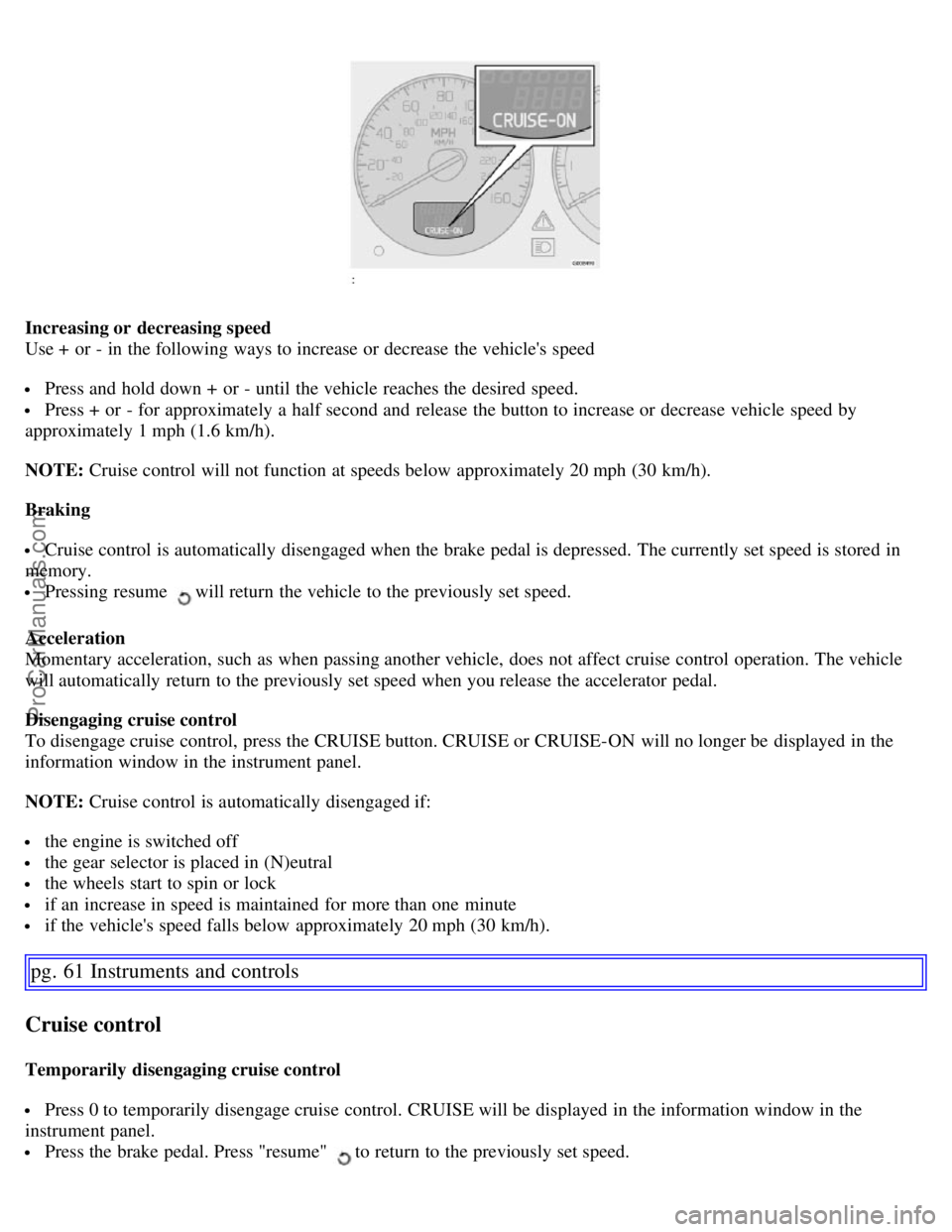
To disengage cruise control, press the CRUISE button. CRUISE or CRUISE-ON will no longer be displayed in the
information window in the instrument panel.
NOTE: Cruise control is automatically disengaged if:
the engine is switched off
the gear selector is placed in (N)eutral
the wheels start to spin or lock
if an increase in speed is maintained for more than one minute
if the vehicle's speed falls below approximately 20 mph (30 km/h).
pg. 61 Instruments and controls
Cruise control
Temporarily disengaging cruise control
Press 0 to temporarily disengage cruise control. CRUISE will be displayed in the information window in the
instrument panel.
Press the brake pedal. Press "resume" to return to the previously set speed.
ProCarManuals.com
Page 56 of 200
Power windows in the rear doors
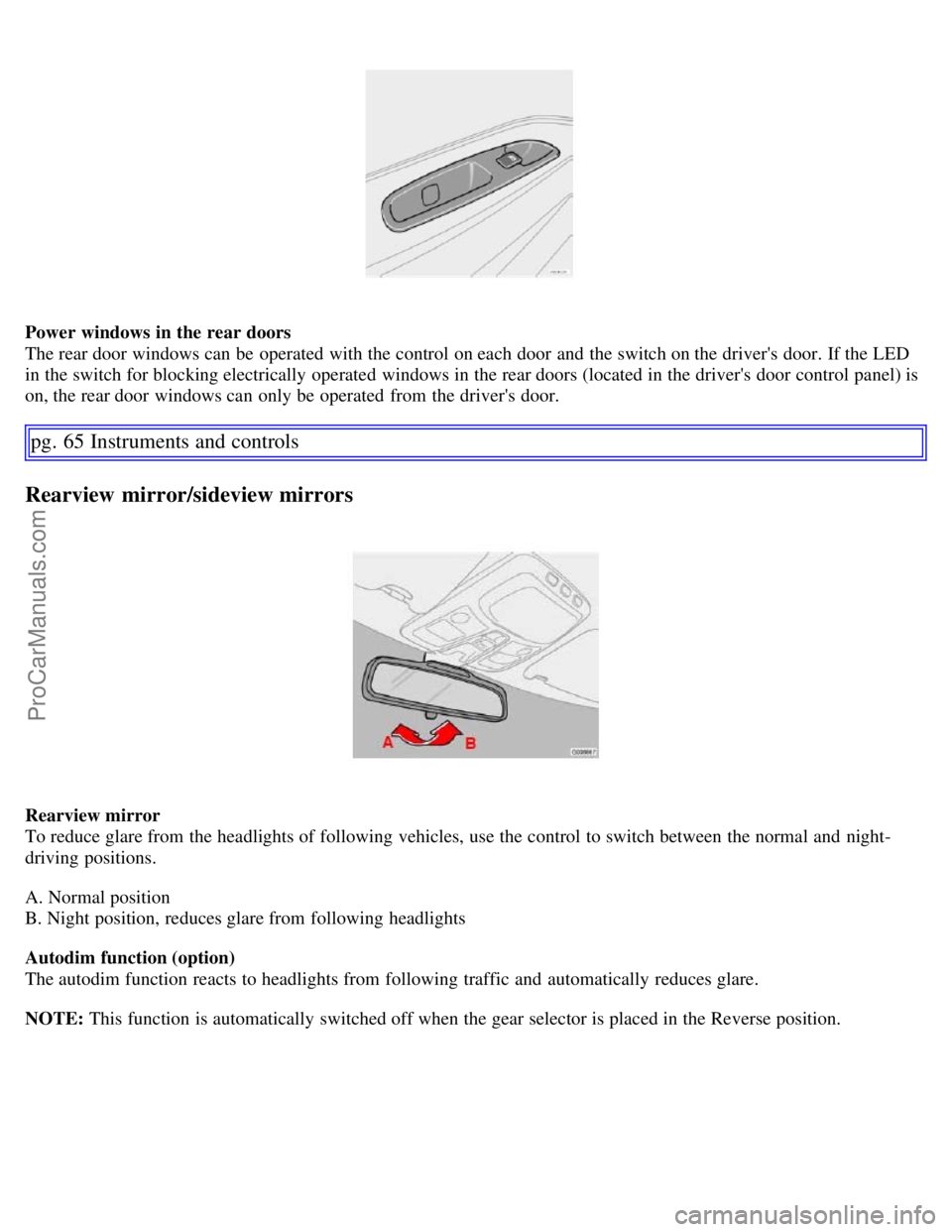
The rear door windows can be operated with the control on each door and the switch on the driver's door. If the LED
in the switch for blocking electrically operated windows in the rear doors (located in the driver's door control panel) is
on, the rear door windows can only be operated from the driver's door.
pg. 65 Instruments and controls
Rearview mirror/sideview mirrors
Rearview mirror
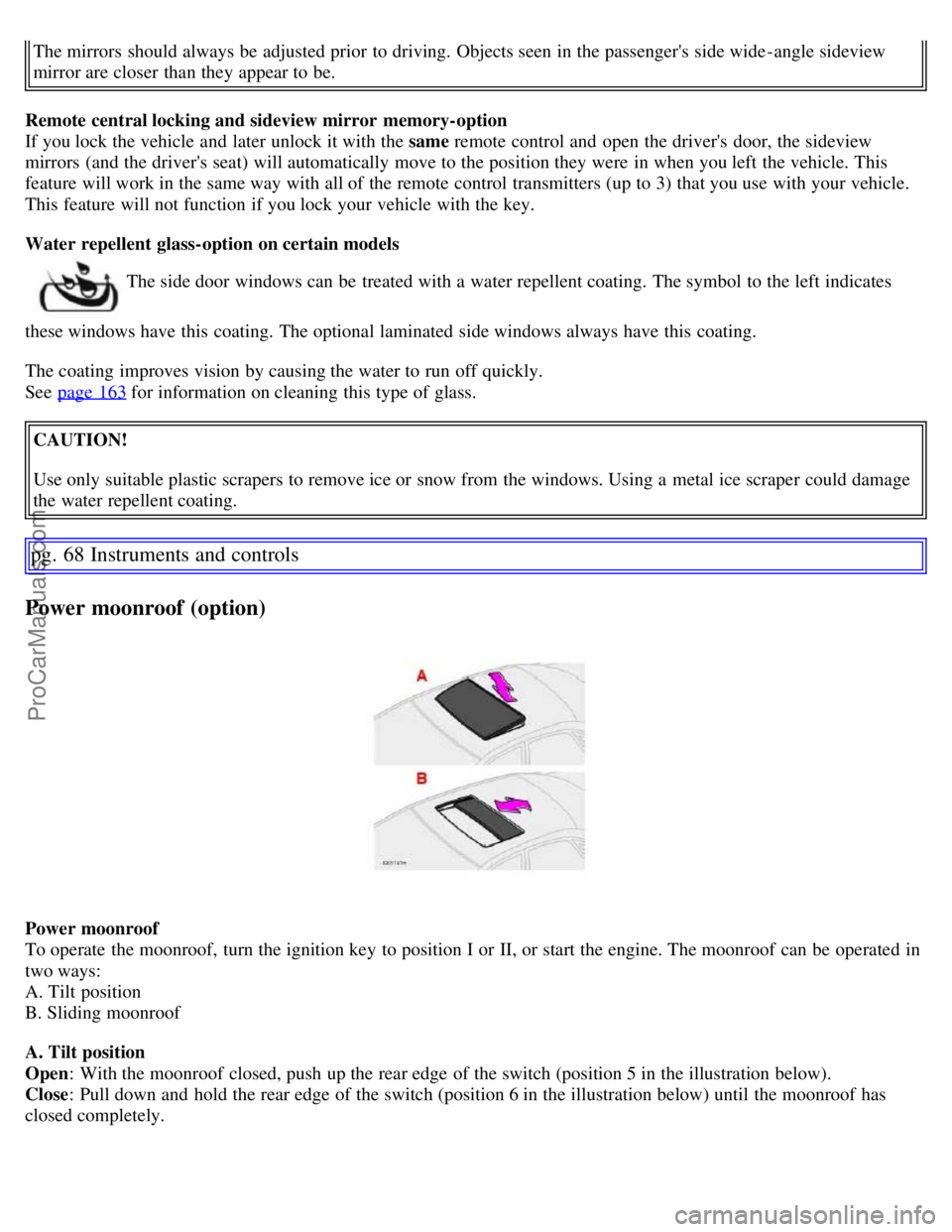
To reduce glare from the headlights of following vehicles, use the control to switch between the normal and night-
driving positions.
A. Normal position
B. Night position, reduces glare from following headlights
Autodim function (option)
The autodim function reacts to headlights from following traffic and automatically reduces glare.
NOTE: This function is automatically switched off when the gear selector is placed in the Reverse position.
ProCarManuals.com
Page 59 of 200
The mirrors should always be adjusted prior to driving. Objects seen in the passenger's side wide -angle sideview
mirror are closer than they appear to be.
Remote central locking and sideview mirror memory-option
If you lock the vehicle and later unlock it with the same remote control and open the driver's door, the sideview
mirrors (and the driver's seat) will automatically move to the position they were in when you left the vehicle. This
feature will work in the same way with all of the remote control transmitters (up to 3) that you use with your vehicle.
This feature will not function if you lock your vehicle with the key.
Water repellent glass-option on certain models
The side door windows can be treated with a water repellent coating. The symbol to the left indicates
these windows have this coating. The optional laminated side windows always have this coating.
The coating improves vision by causing the water to run off quickly.
See page 163
for information on cleaning this type of glass.
CAUTION!
Use only suitable plastic scrapers to remove ice or snow from the windows. Using a metal ice scraper could damage
the water repellent coating.
pg. 68 Instruments and controls
Power moonroof (option)
Power moonroof
To operate the moonroof, turn the ignition key to position I or II, or start the engine. The moonroof can be operated in
two ways:
A. Tilt position
B. Sliding moonroof
A. Tilt position
Open : With the moonroof closed, push up the rear edge of the switch (position 5 in the illustration below).
Close : Pull down and hold the rear edge of the switch (position 6 in the illustration below) until the moonroof has
closed completely.
ProCarManuals.com
Page 65 of 200
AUTO
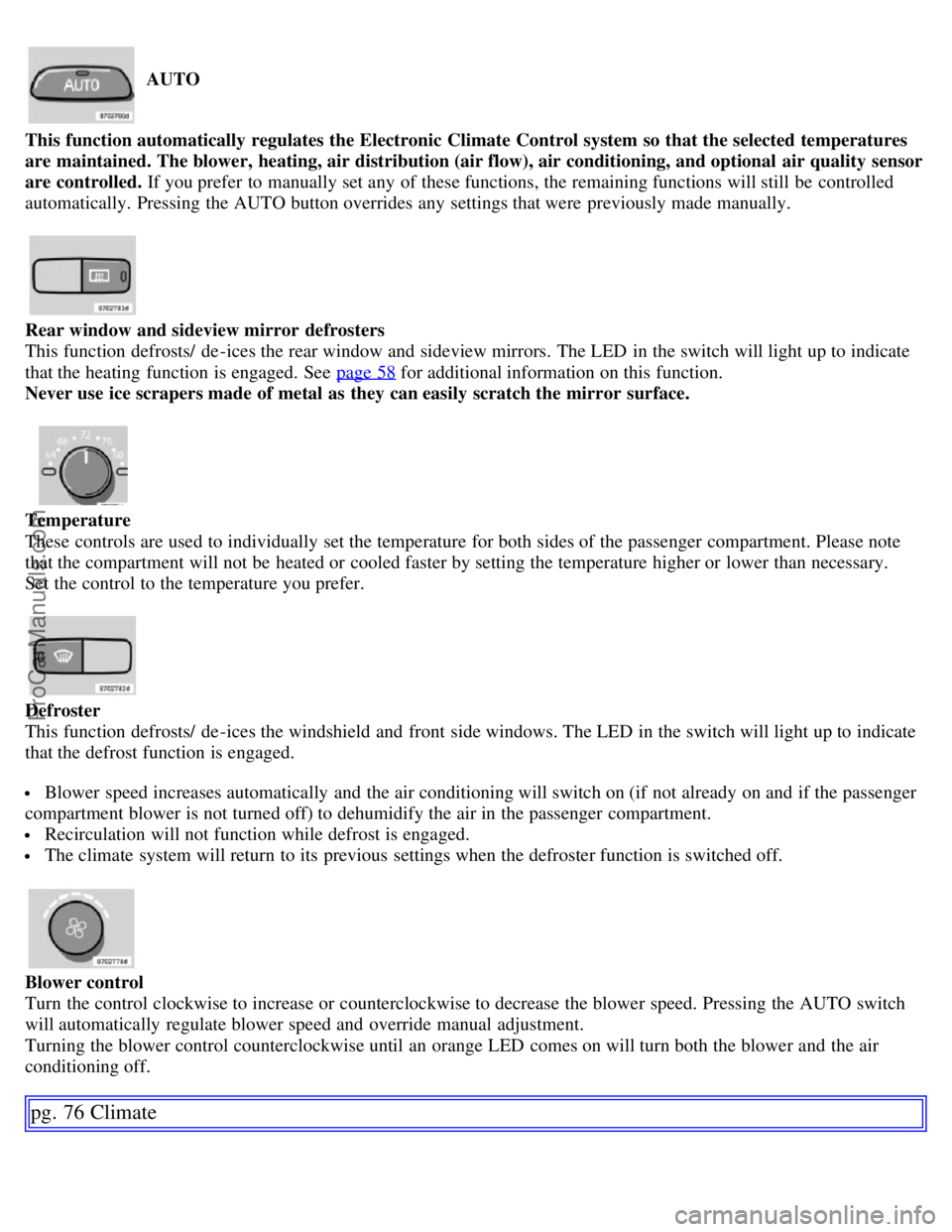
This function automatically regulates the Electronic Climate Control system so that the selected temperatures
are maintained. The blower, heating, air distribution (air flow), air conditioning, and optional air quality sensor
are controlled. If you prefer to manually set any of these functions, the remaining functions will still be controlled
automatically. Pressing the AUTO button overrides any settings that were previously made manually.
Rear window and sideview mirror defrosters
This function defrosts/ de -ices the rear window and sideview mirrors. The LED in the switch will light up to indicate
that the heating function is engaged. See page 58
for additional information on this function.
Never use ice scrapers made of metal as they can easily scratch the mirror surface.
Temperature
These controls are used to individually set the temperature for both sides of the passenger compartment. Please note
that the compartment will not be heated or cooled faster by setting the temperature higher or lower than necessary.
Set the control to the temperature you prefer.
Defroster
This function defrosts/ de -ices the windshield and front side windows. The LED in the switch will light up to indicate
that the defrost function is engaged.
Blower speed increases automatically and the air conditioning will switch on (if not already on and if the passenger
compartment blower is not turned off) to dehumidify the air in the passenger compartment.
Recirculation will not function while defrost is engaged.
The climate system will return to its previous settings when the defroster function is switched off.
Blower control
Turn the control clockwise to increase or counterclockwise to decrease the blower speed. Pressing the AUTO switch
will automatically regulate blower speed and override manual adjustment.
Turning the blower control counterclockwise until an orange LED comes on will turn both the blower and the air
conditioning off.
pg. 76 Climate
ProCarManuals.com
Page 69 of 200
2 0 0 7
VOLVO S60
Interior
pg. 79 Interior
Front seats 80
Interior lighting84
Storage compartments86
Rear seat and trunk90
Spare wheel, tools and jack93
pg. 80 Interior
Front seats
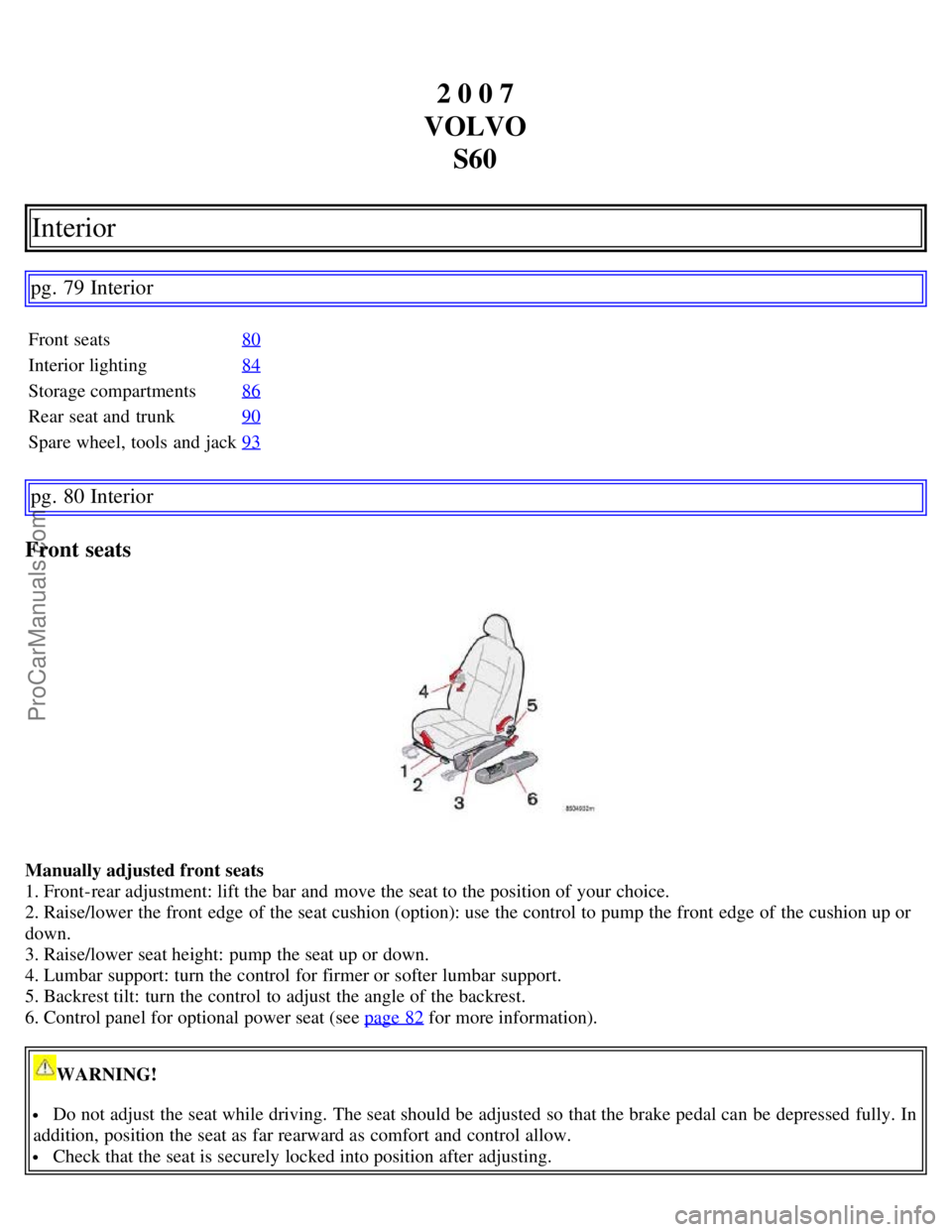
Manually adjusted front seats
1. Front-rear adjustment: lift the bar and move the seat to the position of your choice.
2. Raise/lower the front edge of the seat cushion (option): use the control to pump the front edge of the cushion up or
down.
3. Raise/lower seat height: pump the seat up or down.
4. Lumbar support: turn the control for firmer or softer lumbar support.
5. Backrest tilt: turn the control to adjust the angle of the backrest.
6. Control panel for optional power seat (see page 82
for more information).
WARNING!
Do not adjust the seat while driving. The seat should be adjusted so that the brake pedal can be depressed fully. In
addition, position the seat as far rearward as comfort and control allow.
Check that the seat is securely locked into position after adjusting.
ProCarManuals.com
Page 70 of 200
pg. 81 Interior
Front seats
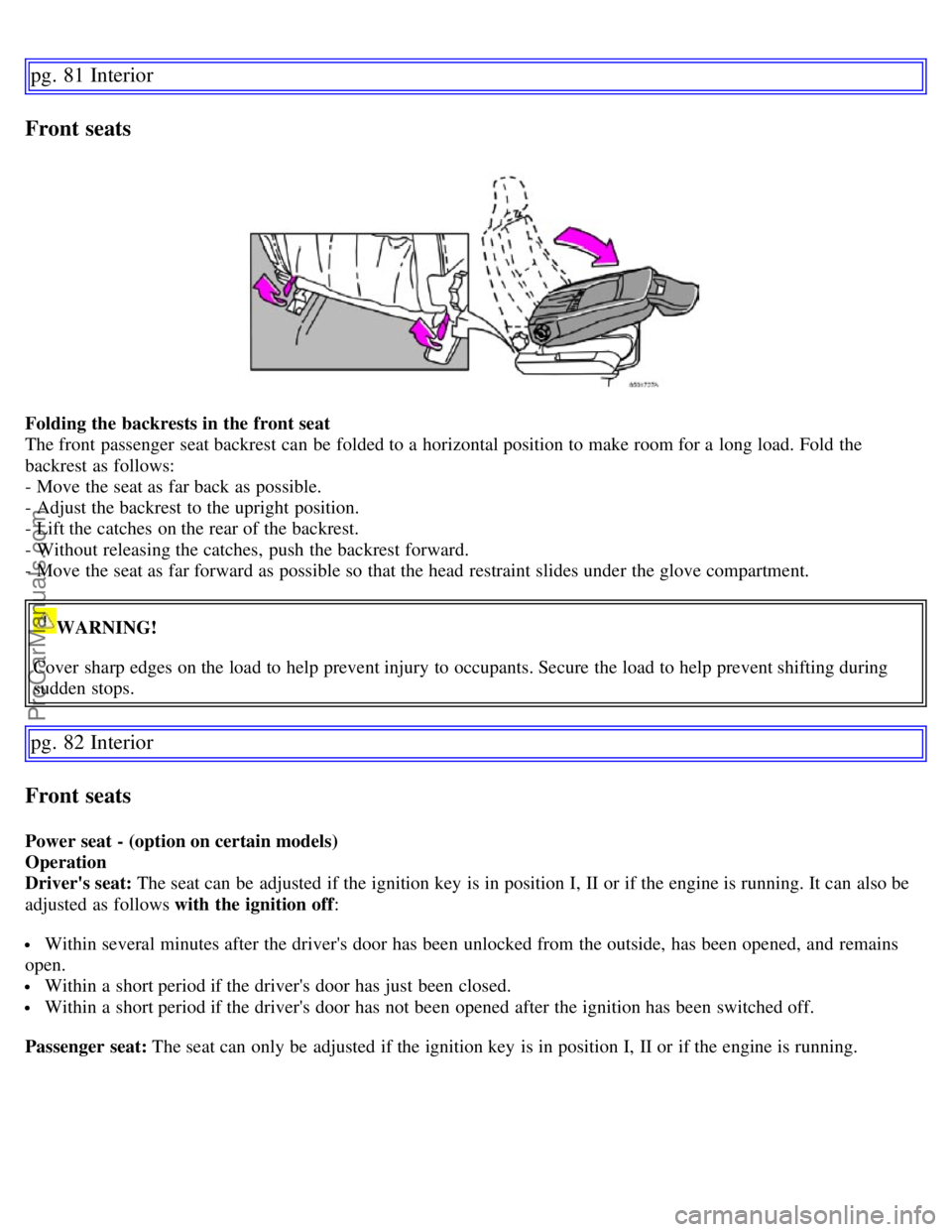
Folding the backrests in the front seat
The front passenger seat backrest can be folded to a horizontal position to make room for a long load. Fold the
backrest as follows:
- Move the seat as far back as possible.
- Adjust the backrest to the upright position.
- Lift the catches on the rear of the backrest.
- Without releasing the catches, push the backrest forward.
- Move the seat as far forward as possible so that the head restraint slides under the glove compartment.
WARNING!
Cover sharp edges on the load to help prevent injury to occupants. Secure the load to help prevent shifting during
sudden stops.
pg. 82 Interior
Front seats
Power seat - (option on certain models)
Operation
Driver's seat: The seat can be adjusted if the ignition key is in position I, II or if the engine is running. It can also be
adjusted as follows with the ignition off :
Within several minutes after the driver's door has been unlocked from the outside, has been opened, and remains
open.
Within a short period if the driver's door has just been closed.
Within a short period if the driver's door has not been opened after the ignition has been switched off.
Passenger seat: The seat can only be adjusted if the ignition key is in position I, II or if the engine is running.
ProCarManuals.com
Page 71 of 200
Seat adjustment
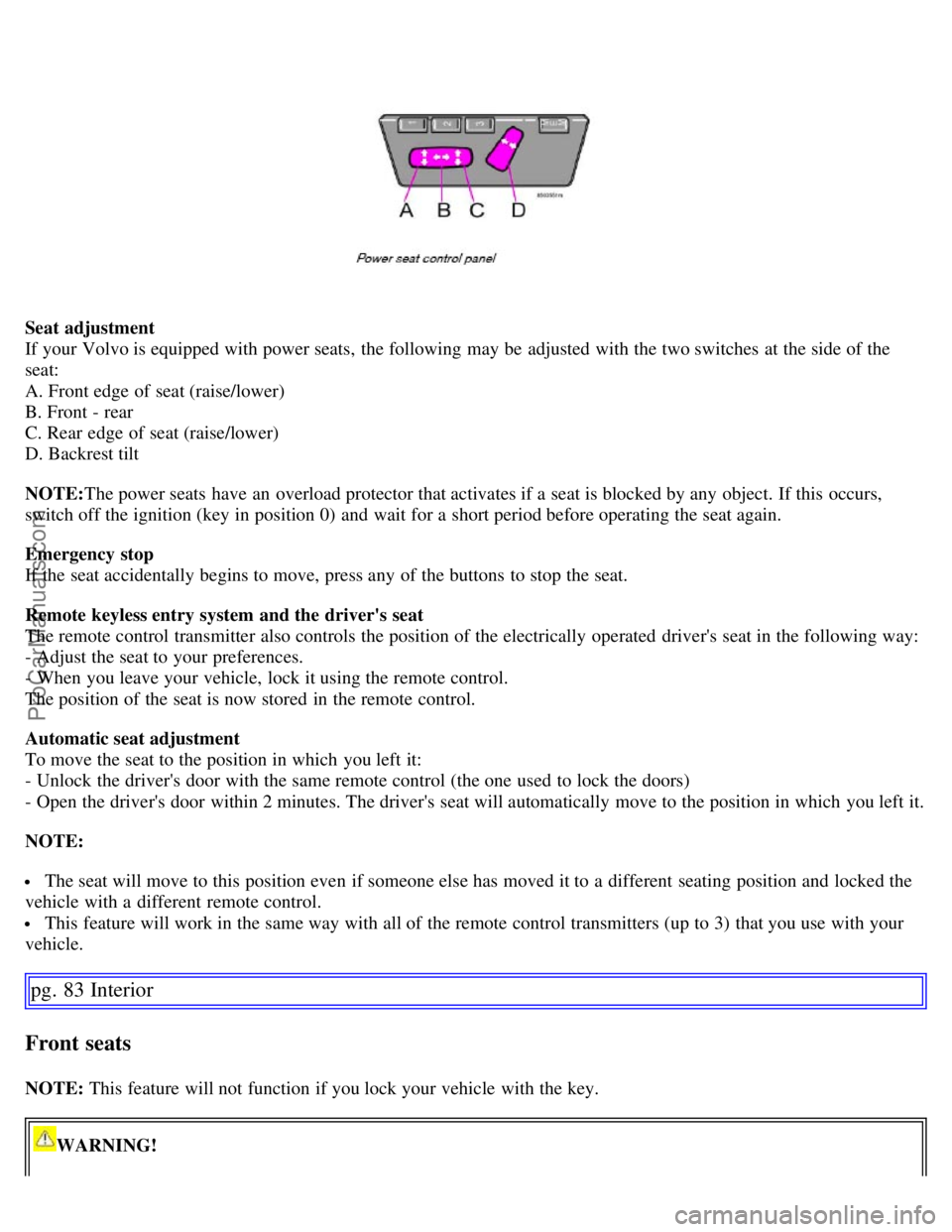
If your Volvo is equipped with power seats, the following may be adjusted with the two switches at the side of the
seat:
A. Front edge of seat (raise/lower)
B. Front - rear
C. Rear edge of seat (raise/lower)
D. Backrest tilt
NOTE:The power seats have an overload protector that activates if a seat is blocked by any object. If this occurs,
switch off the ignition (key in position 0) and wait for a short period before operating the seat again.
Emergency stop
If the seat accidentally begins to move, press any of the buttons to stop the seat.
Remote keyless entry system and the driver's seat
The remote control transmitter also controls the position of the electrically operated driver's seat in the following way:
- Adjust the seat to your preferences.
- When you leave your vehicle, lock it using the remote control.
The position of the seat is now stored in the remote control.
Automatic seat adjustment
To move the seat to the position in which you left it:
- Unlock the driver's door with the same remote control (the one used to lock the doors)
- Open the driver's door within 2 minutes. The driver's seat will automatically move to the position in which you left it.
NOTE:
The seat will move to this position even if someone else has moved it to a different seating position and locked the
vehicle with a different remote control.
This feature will work in the same way with all of the remote control transmitters (up to 3) that you use with your
vehicle.
pg. 83 Interior
Front seats
NOTE: This feature will not function if you lock your vehicle with the key.
WARNING!
ProCarManuals.com
Page 73 of 200
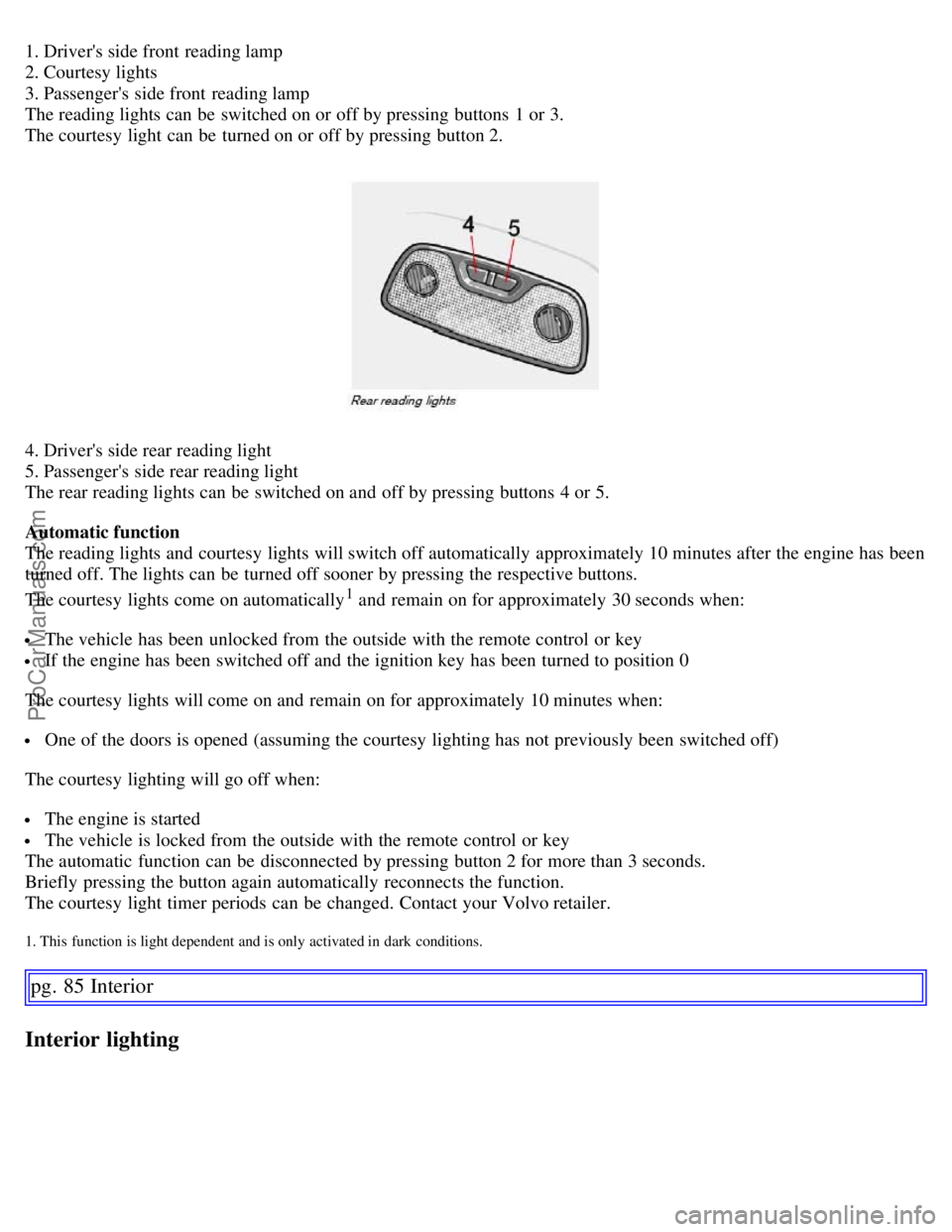
1. Driver's side front reading lamp
2. Courtesy lights
3. Passenger's side front reading lamp
The reading lights can be switched on or off by pressing buttons 1 or 3.
The courtesy light can be turned on or off by pressing button 2.
4. Driver's side rear reading light
5. Passenger's side rear reading light
The rear reading lights can be switched on and off by pressing buttons 4 or 5.
Automatic function
The reading lights and courtesy lights will switch off automatically approximately 10 minutes after the engine has been
turned off. The lights can be turned off sooner by pressing the respective buttons.
The courtesy lights come on automatically
1 and remain on for approximately 30 seconds when:
The vehicle has been unlocked from the outside with the remote control or key
If the engine has been switched off and the ignition key has been turned to position 0
The courtesy lights will come on and remain on for approximately 10 minutes when:
One of the doors is opened (assuming the courtesy lighting has not previously been switched off)
The courtesy lighting will go off when:
The engine is started
The vehicle is locked from the outside with the remote control or key
The automatic function can be disconnected by pressing button 2 for more than 3 seconds.
Briefly pressing the button again automatically reconnects the function.
The courtesy light timer periods can be changed. Contact your Volvo retailer.
1. This function is light dependent and is only activated in dark conditions.
pg. 85 Interior
Interior lighting
ProCarManuals.com
Page 78 of 200
WARNING!
Keep vehicle doors and the luggage compartment locked and keep keys out of a child's reach. Unsupervised
children could lock themselves in an open trunk and risk injury. Children should be taught not to play in vehicles.
On hot days, the temperature in the trunk or vehicle interior can rise very quickly. Exposure of people to these
high temperatures for even a short period of time can cause heat-related injury or death. Small children are
particularly at risk.
WARNING!
When the backrest is returned to the upright position, check that it is properly locked in place. Return the head
restraints to the upright position.
Long loads should always be securely anchored to help avoid injury in the event of a sudden stop.
Always turn the engine off and apply the parking brake when loading/ unloading the vehicle.
Place the transmission in the (P)ark position (automatic transmission) to help prevent inadvertent movement of the
gear selector.
The vehicle features a 60/40 split fold-downs rear seat. This function is performed by handles inside the trunk,
and also provides a means for children and adults to enter the passenger compartment in the event they become
locked inside the trunk.
Adults are advised to familiarize themselves with the operation and location of the release handles.
To fold down the rear seats from inside the trunk, pull the release control handles located on either side of the
trunk.
pg. 91 Interior
Rear seat and trunk
Carrying long loads (ski hatch)
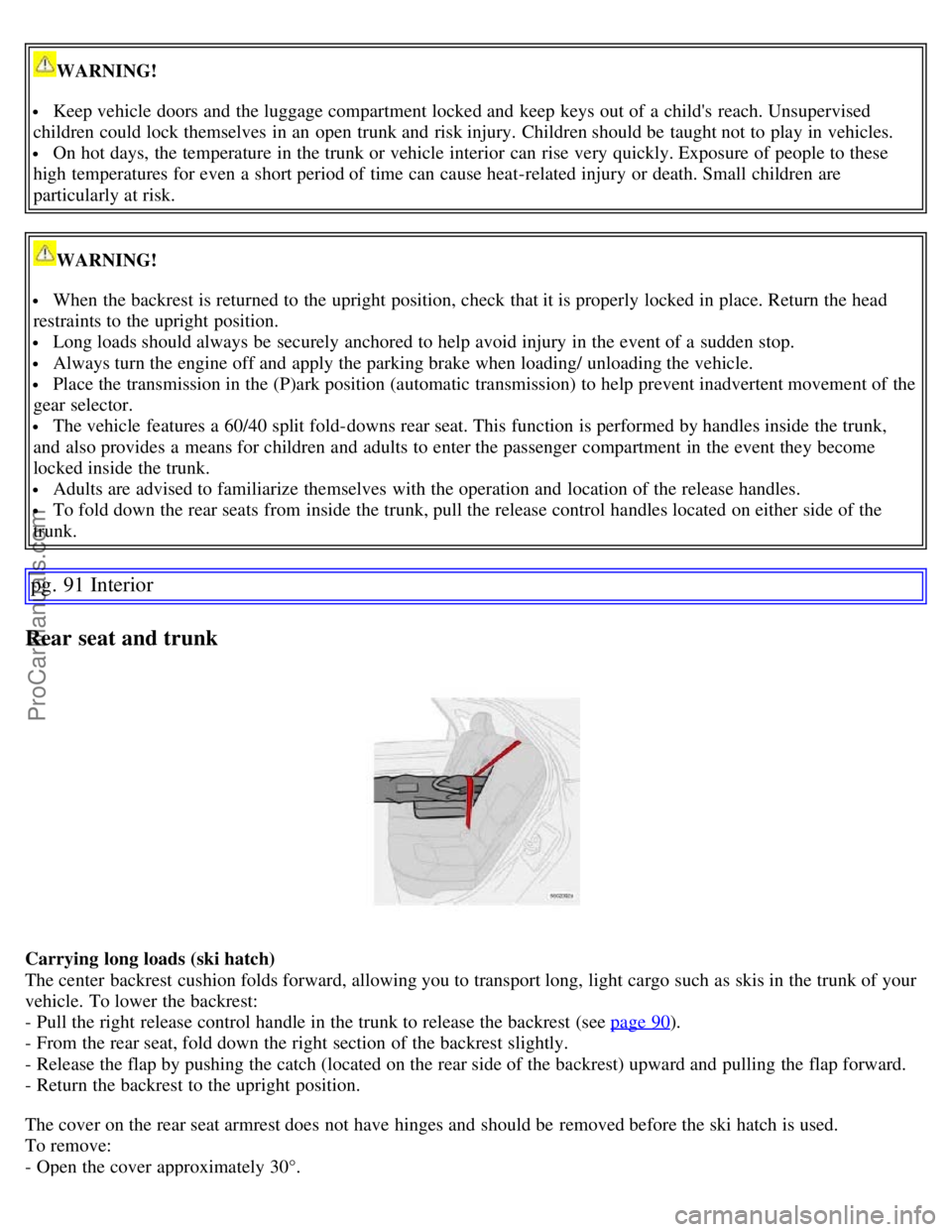
The center backrest cushion folds forward, allowing you to transport long, light cargo such as skis in the trunk of your
vehicle. To lower the backrest:
- Pull the right release control handle in the trunk to release the backrest (see page 90
).
- From the rear seat, fold down the right section of the backrest slightly.
- Release the flap by pushing the catch (located on the rear side of the backrest) upward and pulling the flap forward.
- Return the backrest to the upright position.
The cover on the rear seat armrest does not have hinges and should be removed before the ski hatch is used.
To remove:
- Open the cover approximately 30°.
ProCarManuals.com
Page 81 of 200
2 0 0 7
VOLVO S60
Locks and alarm
pg. 95 Locks and alarm
Keys 96
Remote control97
Locking and unlocking100
Child safety locks102
Alarm103
pg. 96 Locks and alarm
Keys
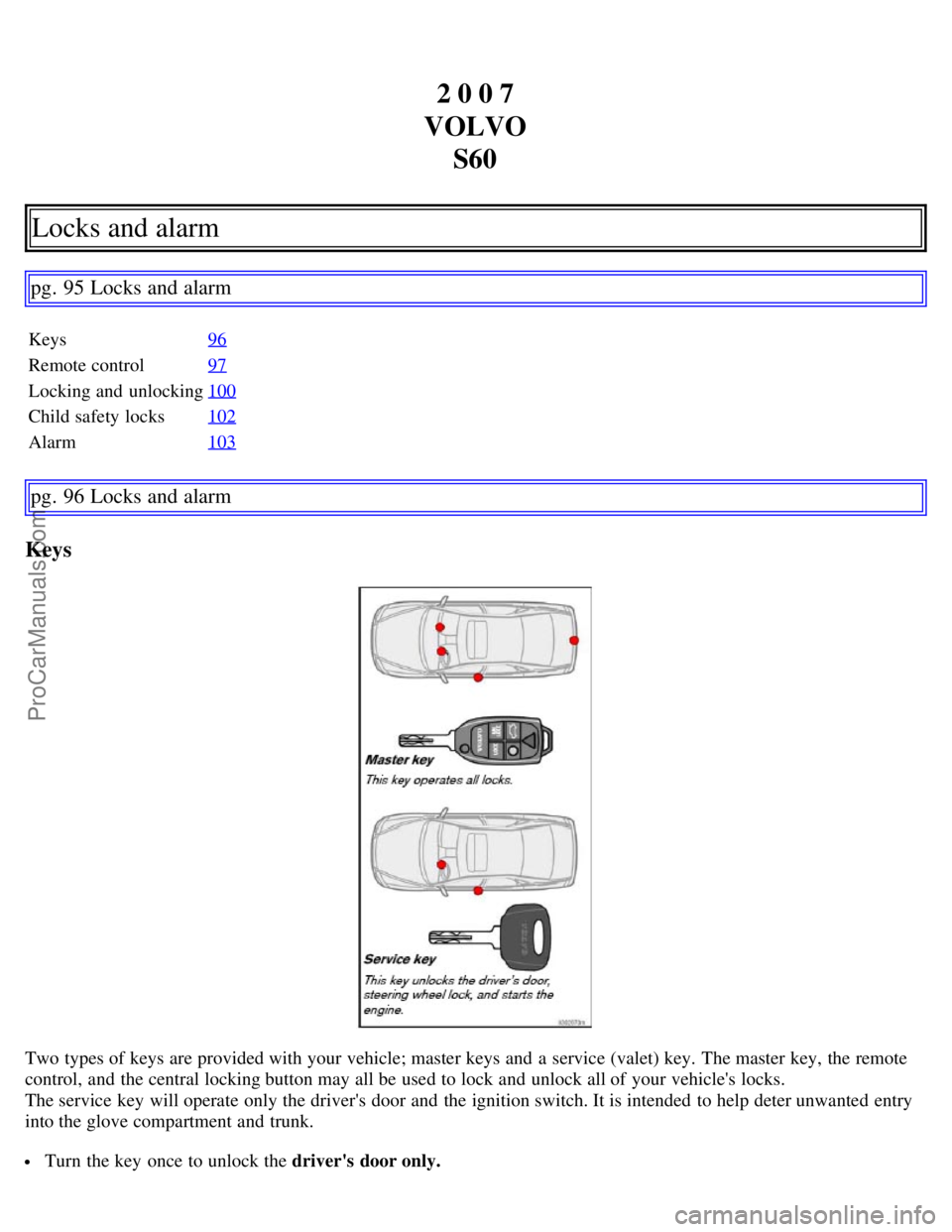
Two types of keys are provided with your vehicle; master keys and a service (valet) key. The master key, the remote
control, and the central locking button may all be used to lock and unlock all of your vehicle's locks.
The service key will operate only the driver's door and the ignition switch. It is intended to help deter unwanted entry
into the glove compartment and trunk.
Turn the key once to unlock the driver's door only.
ProCarManuals.com