mirror VOLVO S60 INSCRIPTION 2016 Owner´s Manual
[x] Cancel search | Manufacturer: VOLVO, Model Year: 2016, Model line: S60 INSCRIPTION, Model: VOLVO S60 INSCRIPTION 2016Pages: 344, PDF Size: 7.24 MB
Page 89 of 344
03 Instruments and controls
03
}}
* Option/accessory, for more information, see Introduction.87
NOTE
• Movement of the windows will stop if they are obstructed in any way.
• To reduce buffeting wind noise if therear windows are opened, also openthe front windows slightly.
Manual up/down–Move one of the controls up/down slightly.
> The power windows move up/down as
long as the control is held in position.
Auto up/down–Move one of the controls up/down as far as possible and release it.
> The window will open or close com-pletely.
ResettingIf the battery has been disconnected, the auto open function must be reset so that itwill work properly.
1. Gently raise the front section of the but- ton to close the window and hold it for one second.
2. Release the button briefly.
3. Raise the front section of the button again for one second.
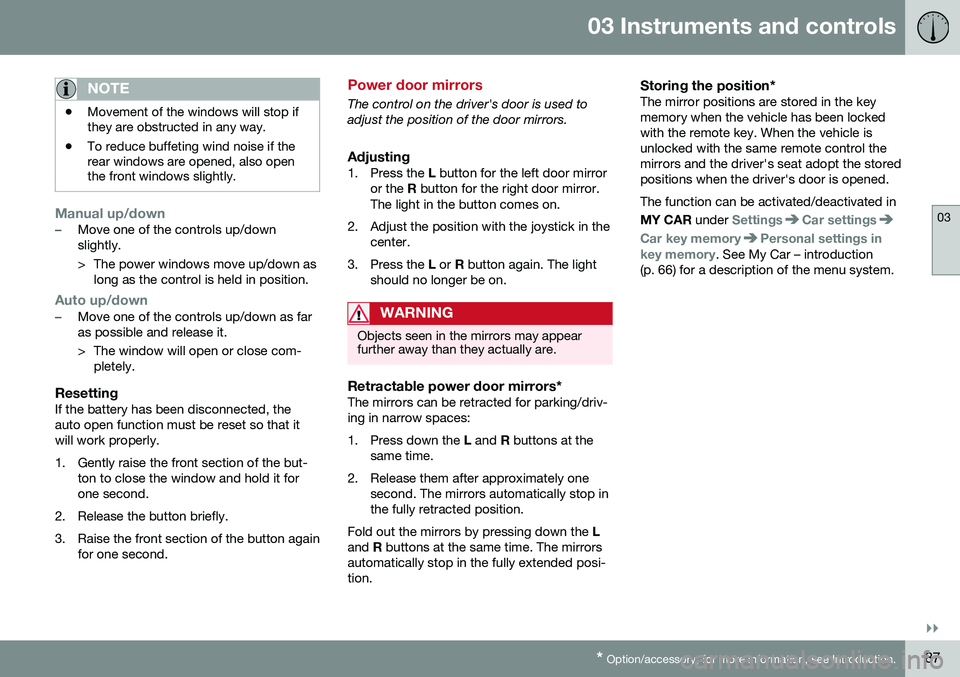
Power door mirrors
The control on the driver's door is used to adjust the position of the door mirrors.
Adjusting1. Press the L button for the left door mirror
or the R button for the right door mirror.
The light in the button comes on.
2. Adjust the position with the joystick in the center.
3. Press the L or R button again. The light
should no longer be on.
WARNING
Objects seen in the mirrors may appear further away than they actually are.
Retractable power door mirrors*The mirrors can be retracted for parking/driv- ing in narrow spaces:
1. Press down the L and R buttons at the
same time.
2. Release them after approximately one second. The mirrors automatically stop in the fully retracted position.
Fold out the mirrors by pressing down the L
and R buttons at the same time. The mirrors
automatically stop in the fully extended posi-tion.
Storing the position*The mirror positions are stored in the keymemory when the vehicle has been lockedwith the remote key. When the vehicle isunlocked with the same remote control themirrors and the driver's seat adopt the storedpositions when the driver's door is opened. The function can be activated/deactivated in MY CAR under
SettingsCar settings
Car key memoryPersonal settings in
key memory. See My Car – introduction
(p. 66) for a description of the menu system.
Page 90 of 344
||
03 Instruments and controls
03
88* Option/accessory, for more information, see Introduction.
Tilting the door mirrors when parking*The door mirrors can be tilted down to help give the driver a better view along the sides ofthe vehicle, for example when parallel park-ing. To activate this function, select reverse gear and press the L or R mirror control button to
tilt the mirror down. The function can be activated/deactivated in MY CAR under
SettingsCar settings
Side mirror settingsTilt left mirror or Tilt
right mirror
. See My Car – introduction
(p. 66) for a description of the menu system. The door mirror will reset to its normal posi- tion: • after 10 seconds when reverse is disen- gaged and the car remains stopped.
• immediately when reverse is disengagedand the vehicle's forward speed exceedsapproximately 6 mph (10 km/h).
• immediately if you press the correspond-ing
L or R button again.
• when the engine is turned off.
• when the side mirrors are folded in.
NOTE
Only one mirror can be tilted down at a time.
Home safe and approach lightingThe light on the door mirrors comes on when approach lighting or home safe lighting isselected, see Approach lighting (p. 83) andHome safe lighting (p. 83).
Related information
• Interior rearview mirror (p. 90)
• Heated windshield*, rear window and door mirror defrosters (p. 89)
• Power door mirrors – automatic tilting/retraction (p. 88)
Power door mirrors – automatic tilting/retraction
The control on the driver's door is used to adjust the position of the door mirrors.
Automatically tilting the door mirrors
when parking
The door mirrors can tilt down automaticallyto help give the driver a better view along thesides of the vehicle, for example when paral-lel parking. When the transmission is nolonger in reverse, the mirrors will automati-cally return to their original position. This function can be activated/deactivated in MY CAR under
SettingsCar settings
Side mirror settingsIn reverse gear tilt
left mirror
or In reverse gear tilt right
mirror. See My Car – introduction (p. 66) for
information about the MY CAR menu system.
Automatic retraction when lockingWhen the vehicle is locked/unlocked with the remote key the door mirrors are automaticallyretracted/extended. The function can be activated/deactivated in MY CAR under
SettingsCar settings
Side mirror settingsRetract side mirrors
when locking. See My Car – introduction
(p. 66) for a description of the menu system.
Page 91 of 344
03 Instruments and controls
03
* Option/accessory, for more information, see Introduction.89
Resetting to neutralMirrors that have been moved out of position by an external force must be electrically resetto the neutral position for electric retracting/extending to work. • Retract the mirrors with the
L and R but-
tons.
• Fold them out again with the
L and R but-
tons.
The mirrors are now reset in neutral position.
Related information
• Interior rearview mirror (p. 90)
• Heated windshield*, rear window and door mirror defrosters (p. 89)
Heated windshield*, rear window and door mirror defrosters
The heating function is used to defrost/de-ice the windshield and/or the rear window anddoor mirrors.
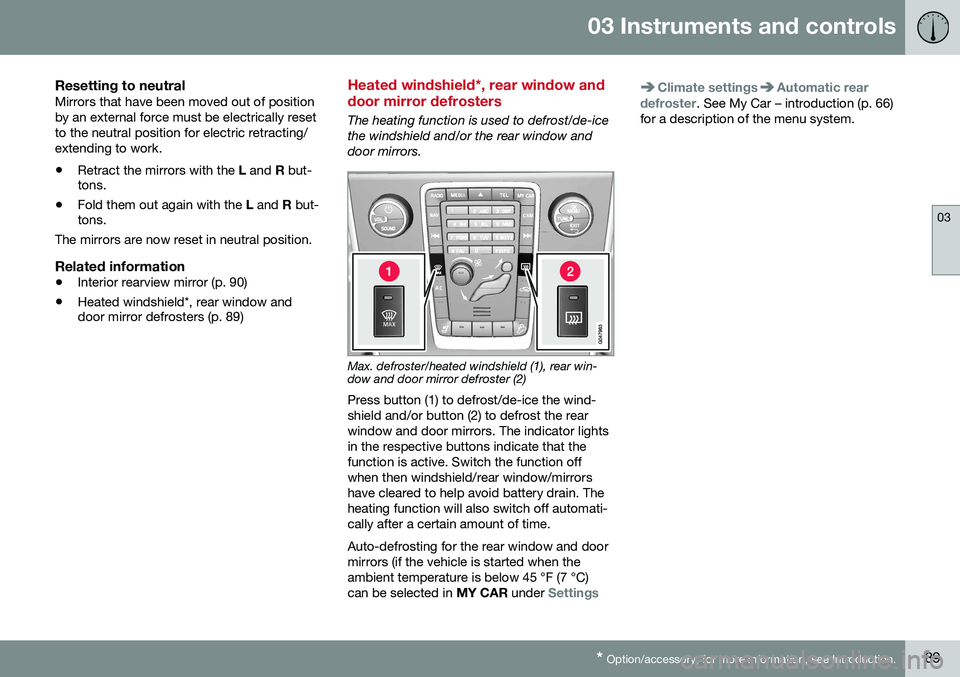
Max. defroster/heated windshield (1), rear win- dow and door mirror defroster (2)
Press button (1) to defrost/de-ice the wind- shield and/or button (2) to defrost the rearwindow and door mirrors. The indicator lightsin the respective buttons indicate that thefunction is active. Switch the function offwhen then windshield/rear window/mirrorshave cleared to help avoid battery drain. Theheating function will also switch off automati-cally after a certain amount of time. Auto-defrosting for the rear window and door mirrors (if the vehicle is started when theambient temperature is below 45 °F (7 °C)can be selected in MY CAR under
Settings
Climate settingsAutomatic rear
defroster. See My Car – introduction (p. 66)
for a description of the menu system.
Page 92 of 344
03 Instruments and controls
03
90* Option/accessory, for more information, see Introduction.
Interior rearview mirror
The interior rearview mirror has an auto-dim function that helps reduce glare from follow-ing vehicle's headlights.
Auto-dim functionThe interior rearview mirror’s auto-dim func-tion is controlled by two sensors: one point-ing forward (located on the forward-facingside of the mirror, which monitors the amountof ambient light) and one pointing rearward(located on the side of the mirror facing thedriver at the upper edge, which senses thestrength of following vehicles' headlights),and work together to help eliminate glare.
NOTE
Related information
• Power door mirrors (p. 87)
Digital compass*
The rear-view mirror has an integrated display that shows the compass direction in whichthe vehicle is traveling.
OperationEight different directions are shown with the abbreviations: N (north), NE (north east), E(east), SE (southeast), S (south), SW (south-
west), W (west) and NW (northwest).
CalibrationNorth America is divided into 15 magnetic zones and the compass will need to be cali-brated if the vehicle is driven into a new one(see the magnetic zones on the map in thefollowing section "Selecting a magneticzone"). To do so:
1. Stop the vehicle in a large open area, safely out of traffic and away from steel structures and high-tension electricalwires. 2. Start the vehicle.
NOTE
•
For best calibration results, switch off all electrical equipment in the vehicle(climate system, windshield wipers,audio system, etc.) and make sure thatall doors are closed.
• Calibration may not succeed or beincorrect if the vehicle's electricalequipment is not switched off.
3.
4. Press and hold the button for 3 seconds
until the number of the current magnetic zone is displayed.
5. Press the button repeatedly until the number of the desired magnetic zone (
1-15) is displayed. See the magnetic
zones on the map in the following section "Selecting a magnetic zone").
6. Wait until
C is again displayed in the mir-
ror.
7. Drive slowly in a circle at a speed of no more than 6 mph (10 km/h) until a direc- tion is displayed. This indicates that cali-bration is complete.
8. Drive around in a circle an additional two times to fine-tune the calibration.
Page 93 of 344
03 Instruments and controls
03
}}
* Option/accessory, for more information, see Introduction.91
9.
Vehicles with an electrically heated windshield:
* if
C is displayed when the
heating function is activated, perform step 7 with the heating function on. Seealso Max. defroster and electricallyheated windshield* (p. 112) for additionalinformation about the heated windshield.
Repeat the calibration procedure if neces-sary.
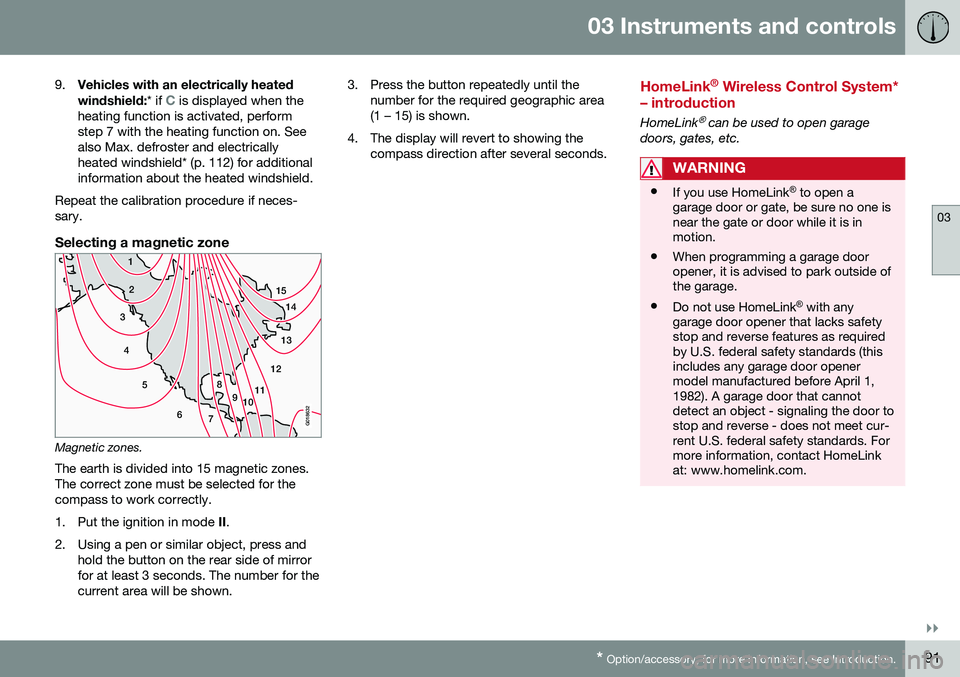
Selecting a magnetic zone
15 14
13
12
11
9
8
7
6
5
4
3
2
1
10
G018632
Magnetic zones.The earth is divided into 15 magnetic zones. The correct zone must be selected for thecompass to work correctly.
1. Put the ignition in mode II.
2. Using a pen or similar object, press and hold the button on the rear side of mirror for at least 3 seconds. The number for thecurrent area will be shown. 3. Press the button repeatedly until the
number for the required geographic area(1 – 15) is shown.
4. The display will revert to showing the compass direction after several seconds.
HomeLink ®
Wireless Control System*
– introduction
HomeLink® can be used to open garage
doors, gates, etc.
WARNING
• If you use HomeLink ®
to open a
garage door or gate, be sure no one is near the gate or door while it is inmotion.
• When programming a garage dooropener, it is advised to park outside ofthe garage.
• Do not use HomeLink ®
with any
garage door opener that lacks safetystop and reverse features as requiredby U.S. federal safety standards (thisincludes any garage door openermodel manufactured before April 1,1982). A garage door that cannotdetect an object - signaling the door tostop and reverse - does not meet cur-rent U.S. federal safety standards. Formore information, contact HomeLinkat: www.homelink.com.
Page 109 of 344
04 Climate
04
* Option/accessory, for more information, see Introduction.107
Climate – general information
The vehicle is equipped with Electronic Cli- mate Control (ECC) (p. 110) that cools, heatsor dehumidifies the air in the passenger com-partment.
Air conditioning
NOTE
• The air conditioning can be switched off, but to ensure the best possible cli-mate comfort in the passenger com-partment and to prevent the windowsfrom misting, it should always be on.
• In warm weather, a small amount ofwater may accumulate under the carwhen it has been parked. This water iscondensation from the A/C systemand is normal.
Fog on the inside of the windowsThe defroster function (p. 112) should be used to remove fog or mist from the inside ofthe windows. Keeping the windows cleanwith a commercially available window wash-ing spray will also help prevent fogging ormisting.
Temporary shut-off of the air conditioning
The air conditioning (p. 112) is momentarily disengaged during full acceleration or when driving uphill with a trailer. This may result ina temporary increase in cabin temperature.
Ice and snowAlways keep the air intake grille at the base ofthe windshield free of snow.
Climate system maintenanceSpecial tools and equipment are required tomaintain and carry out repairs on the climatesystem. Work of this type should only bedone by a trained and qualified Volvo servicetechnician.
RefrigerantVolvo cares about the environment. The airconditioning system in your car contains aCFC-free refrigerant – R134a. This substancewill not deplete the ozone layer. The air con-ditioning system contains 1.76 lbs (800 g) ofR134a. The systems uses PAG oil.
Related information
•
Climate – sensors (p. 107)
• Climate – menu settings (p. 109)
Climate – sensors
The climate system utilizes a number of sen- sors to help regulate the temperature andhumidity level in the passenger compartment.
Sensor location
• The sunlight sensor is located on the top side of the dashboard.
NOTE
The sunlight sensor monitors which side of the car that is most exposed to sunlight.This can mean that the temperature maydiffer between the right and left-side airvents, even if the temperatures set for bothsides of the passenger compartment arethe same.
•The temperature sensor for the passen- ger compartment is located below the cli-mate control panel.
• The outside (ambient) temperature sensoris located on the door mirror.
• The humidity sensor* is located in theinterior rearview mirror.
NOTE
Do not cover or block the sensors with clothing or other objects.
Related information
•
Climate – general information (p. 107)
Page 115 of 344
04 Climate
04
* Option/accessory, for more information, see Introduction.113
•
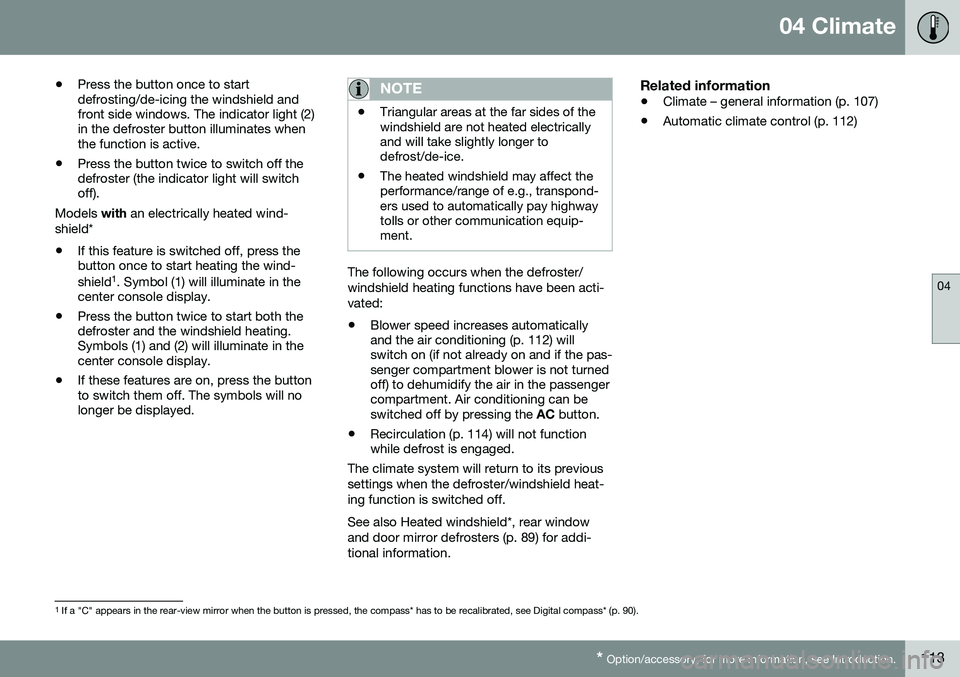
Press the button once to start defrosting/de-icing the windshield andfront side windows. The indicator light (2)in the defroster button illuminates whenthe function is active.
• Press the button twice to switch off thedefroster (the indicator light will switchoff).
Models with an electrically heated wind-
shield*
• If this feature is switched off, press thebutton once to start heating the wind- shield 1
. Symbol (1) will illuminate in the
center console display.
• Press the button twice to start both the defroster and the windshield heating.Symbols (1) and (2) will illuminate in thecenter console display.
• If these features are on, press the buttonto switch them off. The symbols will nolonger be displayed.
NOTE
•Triangular areas at the far sides of the windshield are not heated electricallyand will take slightly longer todefrost/de-ice.
• The heated windshield may affect theperformance/range of e.g., transpond-ers used to automatically pay highwaytolls or other communication equip-ment.
The following occurs when the defroster/ windshield heating functions have been acti-vated: •
Blower speed increases automatically and the air conditioning (p. 112) willswitch on (if not already on and if the pas-senger compartment blower is not turnedoff) to dehumidify the air in the passengercompartment. Air conditioning can beswitched off by pressing the
AC button.
• Recirculation (p. 114) will not functionwhile defrost is engaged.
The climate system will return to its previous
settings when the defroster/windshield heat- ing function is switched off. See also Heated windshield*, rear window and door mirror defrosters (p. 89) for addi-tional information.
Related information
• Climate – general information (p. 107)
• Automatic climate control (p. 112)
1
If a "C" appears in the rear-view mirror when the button is pressed, the compass* has to be recalibrated, see Digital compass* (p. 90).
Page 121 of 344

05 Loading and storage
05
119
Storage spaces
The following is an overview of the storage compartments in the passenger compart-ment.
Related information
•Vanity mirror (p. 120)
Tunnel console
The tunnel console is located between the front seats.
Related information
•Storage spaces (p. 119)
Tunnel console – 12-volt sockets
The electrical sockets can be used for 12-volt accessories such as cell phone chargers andcoolers. For the socket to supply current, theignition must be in at least mode
I (p. 69). The
sockets are located between the cup holdersin the tunnel console and on the rear side ofthe tunnel console (p. 119) for rear seat pas-sengers. The maximum current consumption is 10A (120W) if only one of the 12-volt sockets inthe passenger compartment is in use. If boththe front and rear sockets are used at thesame time, the maximum current consump-tion per socket is 7.5A (90W). The auxiliary sockets can also be used to power a cigarette lighter. Accessory cigarettelighters and ashtrays can be purchased fromyour Volvo retailer.
WARNING
Always keep the sockets covered when not in use.
Related information
• Storage spaces (p. 119)
Page 122 of 344
05 Loading and storage
05
120
Glove compartment
The glove compartment provides a lockable storage compartment for small items. The owner's manual and maps can be kept here. There are also holders for pens and fuelcards. The glove compartment can be lockedmanually with the key blade, see Locking/unlocking – glove compartment (p. 136).
Related information
•Storage spaces (p. 119)
Vanity mirror
The vanity mirrors are located on the upper side of the sun visors. The light comes on automatically when the cover is lifted.
Related information
•Storage spaces (p. 119)
• Bulbs – vanity mirror lighting (p. 293)
Loading – general
The load carrying capacity of your vehicle is determined by factors such as the number ofpassengers, the amount of cargo, the weightof any accessories that may be installed, etc. To increase loading space, the rear seat backrests can be folded down, see Rearseats – folding backrest (p. 74).
• Unstable loads can be secured to the load anchoring eyelets with straps or weblashings to help keep them from shifting.
• Stop the engine and apply the parkingbrake when loading or unloading longobjects. The gear selector can beknocked out of position by long loads,which could set the vehicle in motion.
Related information
•
Load anchoring eyelets (p. 121)
• Loading – roof load carriers (p. 121)
Page 127 of 344

06 Locks and alarm
06
}}
* Option/accessory, for more information, see Introduction.125
Key memory
The memory in the remote key makes it possi- ble to store certain personal settings. The position of the side door mirrors, power driver's seat* and the selected instrument panel theme 1
are stored in the remote keys
when the vehicle is locked. The next time the
driver's door is unlocked with the same
remote key and the door is opened within 2 minutes , the power driver's seat and side
door mirrors will automatically move to theposition that they were in when the doorswere most recently locked with the sameremote key. If the seat/mirrors have not beenreadjusted since the vehicle was locked, theywill already be in the position stored in thatparticular remote key and will not move. Formore information on this feature, see Frontseats – power seat (p. 71). This feature can be activated or deactivated in the vehicle's menu by pressing MY CAR
and going into
SettingsCar settingsCar key memory. For a description of the
menu system, see My Car – introduction (p. 66).
NOTE
If the vehicle is locked with the remote key or is left unlocked for more than 30minutes, the key memory function will bedeactivated. To reactivate the key's memory: • Press the unlock button on the remote key.
For information regarding vehicles with the optional keyless drive, see Keyless drive*–locking/unlocking (p. 131).
Related information
•
Locking/unlocking confirmation (p. 125)
Locking/unlocking confirmation
Settings can be made in the menu system for audible and visual confirmation when thevehicle has been locked or unlocked. Withthese functions activated, the following willoccur when the vehicle is locked/unlocked:
Locking confirmation
•
The turn signals flash once, an audible signal sounds and the door mirrors willfold* in.
Unlocking confirmation
•The turn signals will flash twice and the door mirrors will fold* out.
Making a settingDifferent alternatives for locking/unlocking confirmation can be selected in the menus bypressing
MY CAR on the center console con-
trol panel. • To activate visual confirmation: go to
SettingsCar settingsLight
settings and select Door lock
confirmation light and/or Unlock
confirmation light by pressing OK/
MENU .
• To activate audible confirmation: go to
SettingsCar settingsLock
settings and select Audible
confirmation by pressing OK/MENU.
For a description of the menu system, see My Car – introduction (p. 66).
1 Optional digital instrument panel only