park VOLVO S90 2017 Owner´s Manual
[x] Cancel search | Manufacturer: VOLVO, Model Year: 2017, Model line: S90, Model: VOLVO S90 2017Pages: 548, PDF Size: 11.42 MB
Page 140 of 548
||
INSTRUMENTS AND CONTROLS
1388. Repeat the calibration procedure if neces-
sary.
Related information
• Defrosting windows and mirrors (p. 190)
• Compass (p. 136)
Lighting panel and controls
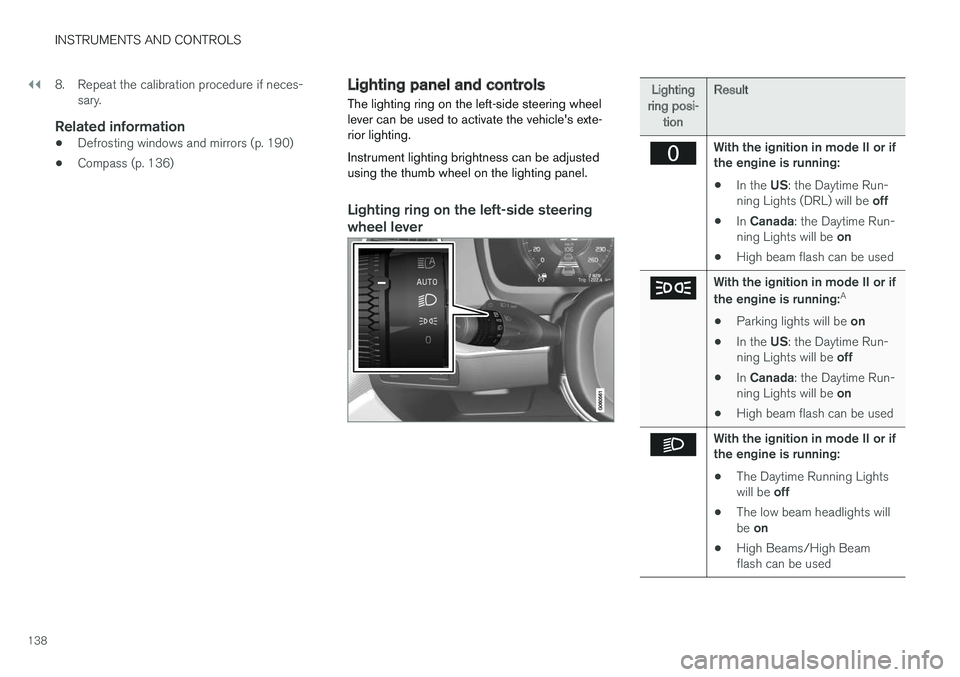
The lighting ring on the left-side steering wheel lever can be used to activate the vehicle's exte-rior lighting. Instrument lighting brightness can be adjusted using the thumb wheel on the lighting panel.
Lighting ring on the left-side steering
wheel lever
Lighting
ring posi- tion Result
With the ignition in mode II or if the engine is running:
• In the
US: the Daytime Run-
ning Lights (DRL) will be off
• In
Canada : the Daytime Run-
ning Lights will be on
• High beam flash can be used
With the ignition in mode II or if the engine is running: A
• Parking lights will be
on
• In the
US: the Daytime Run-
ning Lights will be off
• In
Canada : the Daytime Run-
ning Lights will be on
• High beam flash can be used
With the ignition in mode II or if the engine is running:
• The Daytime Running Lights will be
off
• The low beam headlights willbe
on
• High Beams/High Beam flash can be used
Page 141 of 548
INSTRUMENTS AND CONTROLS
139
Lighting
ring posi- tion Result
With the ignition in mode II or if the engine is running:
• The Daytime Running Lights will be
on in daylight condi-
tions B
• The low beam headlights will automatically switch on indark conditions
• Tunnel detection will be acti-vated
• Active High Beams (AHB)can be activated
• High beam flash can be used
• Continuous high beams canbe used in dark conditions
Active High Beams On/Off
A
The parking lights will be on in this position, even if the ignition is switched off. In dark conditions, the rear parking lights illumi-nate automatically when the trunk is open, regardless of thering's position or ignition mode.
B US models only: The use of Daytime Running Lights can beactivated/deactivated in the center display's Settings menu.
NOTE
Volvo recommends the use of Daytime Run- ning Lights in the United States. The use of these lights is mandatory in Canada .
Volvo recommends using the position
whenever possible.
WARNING
• Daytime Running Lights are a driving aid designed to help make the vehicle visibleto other roads users.
• The driver is always responsible foradapting the use of Daytime RunningLights/headlights according to ambientlighting and weather conditions.
Lighting panel
Instrument lighting
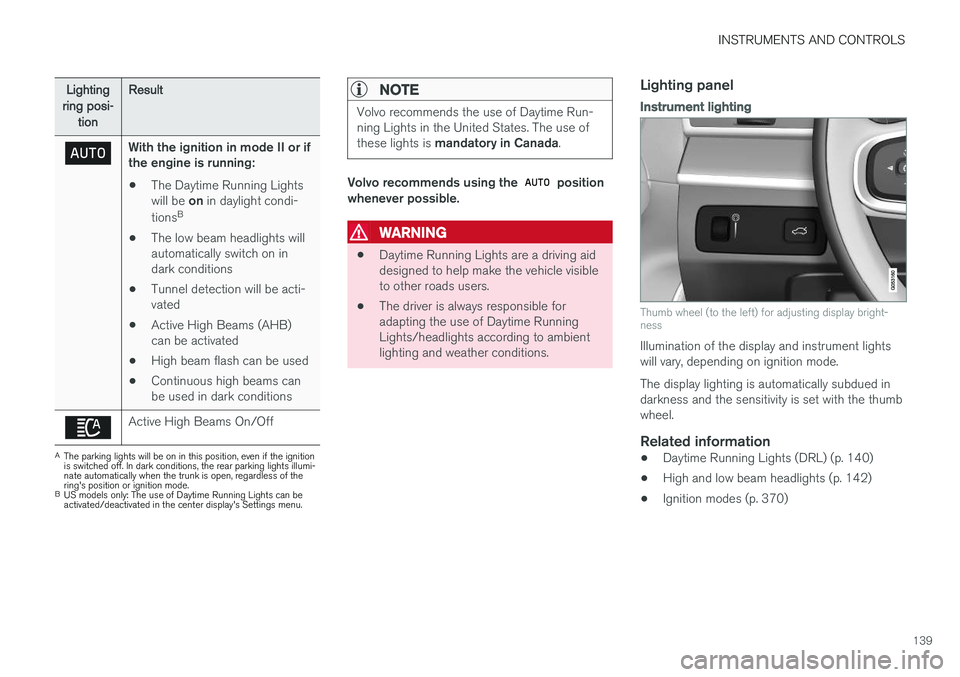
Thumb wheel (to the left) for adjusting display bright- ness
Illumination of the display and instrument lights will vary, depending on ignition mode. The display lighting is automatically subdued in darkness and the sensitivity is set with the thumbwheel.
Related information
• Daytime Running Lights (DRL) (p. 140)
• High and low beam headlights (p. 142)
• Ignition modes (p. 370)
Page 142 of 548
INSTRUMENTS AND CONTROLS
140
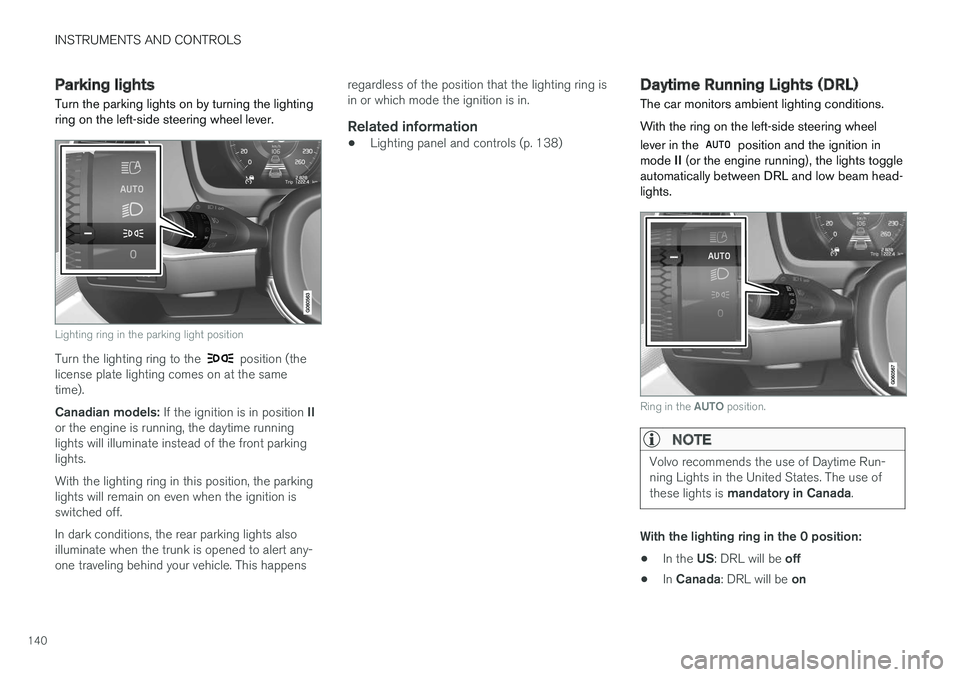
Parking lights Turn the parking lights on by turning the lighting ring on the left-side steering wheel lever.
Lighting ring in the parking light position
Turn the lighting ring to the position (the
license plate lighting comes on at the same time). Canadian models: If the ignition is in position II
or the engine is running, the daytime running lights will illuminate instead of the front parkinglights. With the lighting ring in this position, the parking lights will remain on even when the ignition isswitched off. In dark conditions, the rear parking lights also illuminate when the trunk is opened to alert any-one traveling behind your vehicle. This happens regardless of the position that the lighting ring isin or which mode the ignition is in.
Related information
•
Lighting panel and controls (p. 138)
Daytime Running Lights (DRL)
The car monitors ambient lighting conditions. With the ring on the left-side steering wheel lever in the
position and the ignition in
mode II (or the engine running), the lights toggle
automatically between DRL and low beam head- lights.
Ring in the AUTO position.
NOTE
Volvo recommends the use of Daytime Run- ning Lights in the United States. The use of these lights is mandatory in Canada .
With the lighting ring in the 0 position:
• In the
US: DRL will be off
• In
Canada : DRL will be on
Page 143 of 548
INSTRUMENTS AND CONTROLS
141
With the lighting ring in the
8
position
and the ignition in mode II or if the engine is running :
• In the
US: DRL will be off
• In
Canada : DRL will be on
With the lighting ring in the
position:
• DRL will be
on (the low beam headlights will
automatically switch on in dark conditions)
US models only : DRL can be deactivated in the
center display's Settings view. With
selected, a tunnel detection function
activates the low beams when the vehicle enters a tunnel. With the lighting ring in the
position:
• DRL will be
off and the low beam headlights
will be on
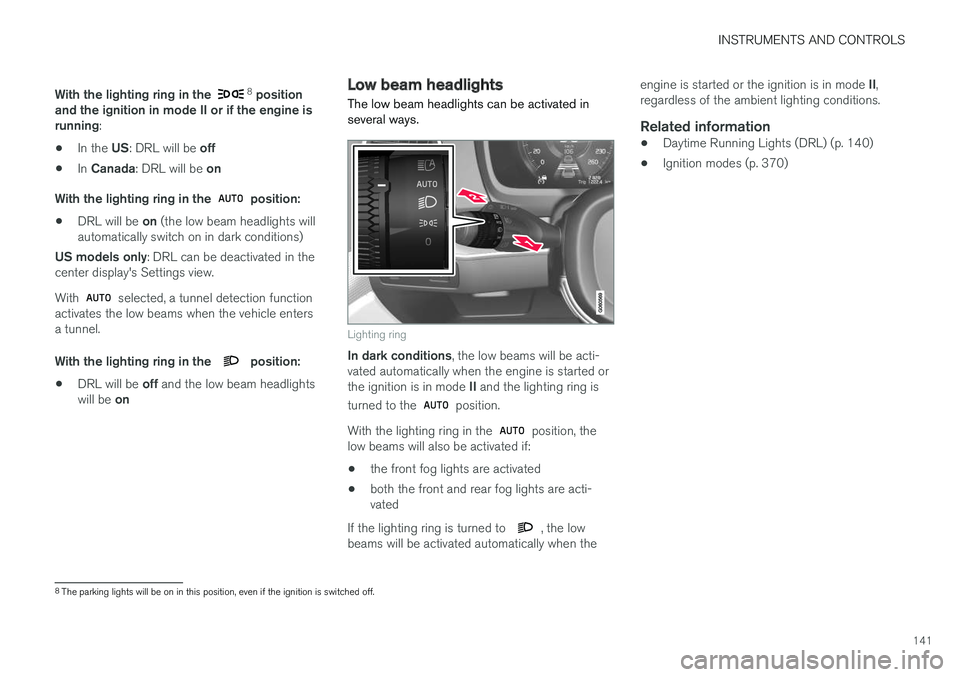
Low beam headlights The low beam headlights can be activated in several ways.
Lighting ring
In dark conditions , the low beams will be acti-
vated automatically when the engine is started or the ignition is in mode II and the lighting ring is
turned to the
position.
With the lighting ring in the
position, the
low beams will also be activated if:
• the front fog lights are activated
• both the front and rear fog lights are acti- vated
If the lighting ring is turned to
, the low
beams will be activated automatically when the engine is started or the ignition is in mode
II,
regardless of the ambient lighting conditions.
Related information
• Daytime Running Lights (DRL) (p. 140)
• Ignition modes (p. 370)
8
The parking lights will be on in this position, even if the ignition is switched off.
Page 146 of 548
||
INSTRUMENTS AND CONTROLS
* Option/accessory.
144
NOTE
This function is only active in twilight or dark conditions, and only when the vehicle is inmotion.
Deactivating/activating the functionABL can be deactivated/activated in two ways in the center display:
Via Function view
Tap the Active Bending
Lights button.
Via settings
1. Tap Settings in Top view.
2. Tap
My CarLightsExterior Lights.
3. Deselect/select
Active Bending Lights.
Related information
• Settings view (p. 109)
Front fog lights
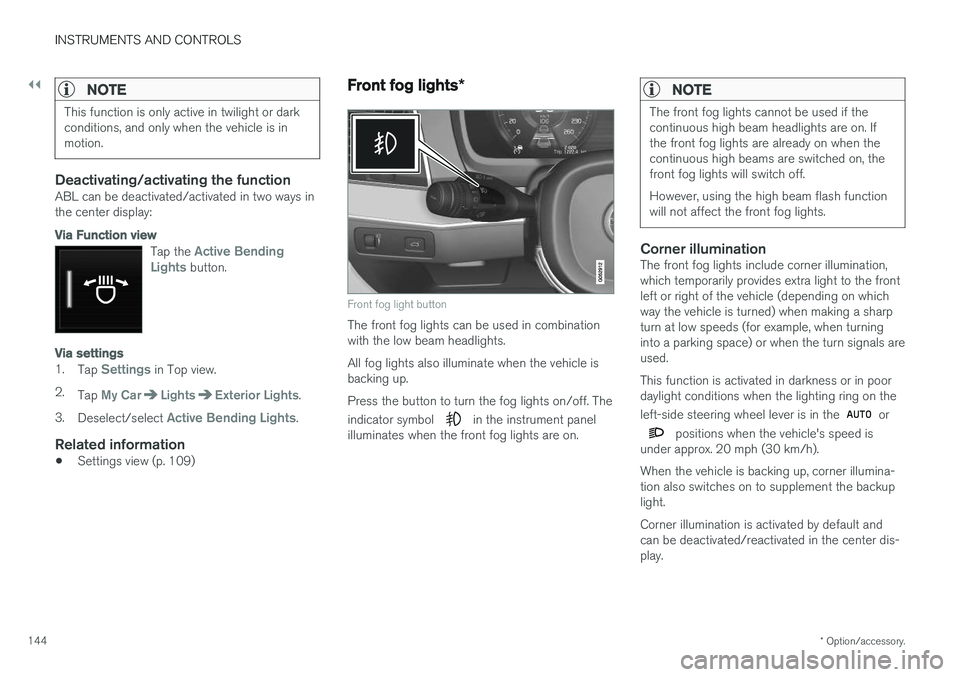
*
Front fog light button
The front fog lights can be used in combination with the low beam headlights. All fog lights also illuminate when the vehicle is backing up. Press the button to turn the fog lights on/off. The indicator symbol
in the instrument panel
illuminates when the front fog lights are on.
NOTE
The front fog lights cannot be used if the continuous high beam headlights are on. Ifthe front fog lights are already on when thecontinuous high beams are switched on, thefront fog lights will switch off. However, using the high beam flash function will not affect the front fog lights.
Corner illuminationThe front fog lights include corner illumination, which temporarily provides extra light to the frontleft or right of the vehicle (depending on whichway the vehicle is turned) when making a sharpturn at low speeds (for example, when turninginto a parking space) or when the turn signals areused. This function is activated in darkness or in poor daylight conditions when the lighting ring on the left-side steering wheel lever is in the
or
positions when the vehicle's speed is
under approx. 20 mph (30 km/h). When the vehicle is backing up, corner illumina- tion also switches on to supplement the backuplight. Corner illumination is activated by default and can be deactivated/reactivated in the center dis-play.
Page 151 of 548
INSTRUMENTS AND CONTROLS
* Option/accessory.149
Brightness
1. In the center display's Top view, select
SettingsMy CarLightsInterior
Mood Lighting.
2. Press
Interior Mood Light Intensity and
choose Off, Low or High.
Change the color of the light
1. In the center display's Top view, select
SettingsMy CarLightsInterior
Mood Lighting.
2. Choose
By Temperature, By Theme orTheme Colors.
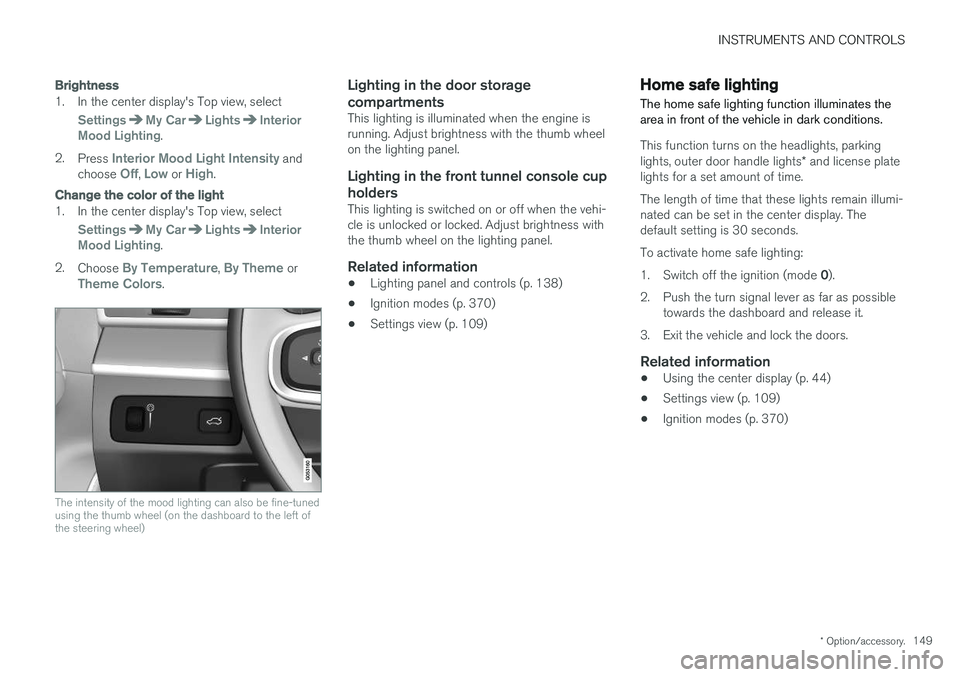
The intensity of the mood lighting can also be fine-tuned using the thumb wheel (on the dashboard to the left ofthe steering wheel)
Lighting in the door storage compartments
This lighting is illuminated when the engine is running. Adjust brightness with the thumb wheelon the lighting panel.
Lighting in the front tunnel console cup
holders
This lighting is switched on or off when the vehi-cle is unlocked or locked. Adjust brightness withthe thumb wheel on the lighting panel.
Related information
• Lighting panel and controls (p. 138)
• Ignition modes (p. 370)
• Settings view (p. 109)
Home safe lighting
The home safe lighting function illuminates the area in front of the vehicle in dark conditions.
This function turns on the headlights, parking lights, outer door handle lights * and license plate
lights for a set amount of time. The length of time that these lights remain illumi- nated can be set in the center display. Thedefault setting is 30 seconds. To activate home safe lighting:1. Switch off the ignition (mode 0).
2. Push the turn signal lever as far as possible towards the dashboard and release it.
3. Exit the vehicle and lock the doors.
Related information
• Using the center display (p. 44)
• Settings view (p. 109)
• Ignition modes (p. 370)
Page 152 of 548
INSTRUMENTS AND CONTROLS
* Option/accessory.
150
Approach lighting
Approach lighting (the parking lights, outer door handle lights *, license plate lighting, courtesy
lighting and footwell lighting) can be activated to provide light as you walk toward the vehicle.
To use this feature, deselect/select Welcome
Light in the center display's menu system.
If this function has been selected in the menu, it
is activated by pressing the unlock button on the remote key as you approach the vehicle .
If a door is opened while the function is activated, the lighting in the outer door handle * and cour-
tesy lighting will remain illuminated for a some- what longer period of time.
Related information
• Settings view (p. 109)
• Home safe lighting (p. 149)
• Remote key (p. 217)
Messages in the instrument panel and center display Information and warning messages are dis- played in the instrument panel and center dis-play.
Instrument panel
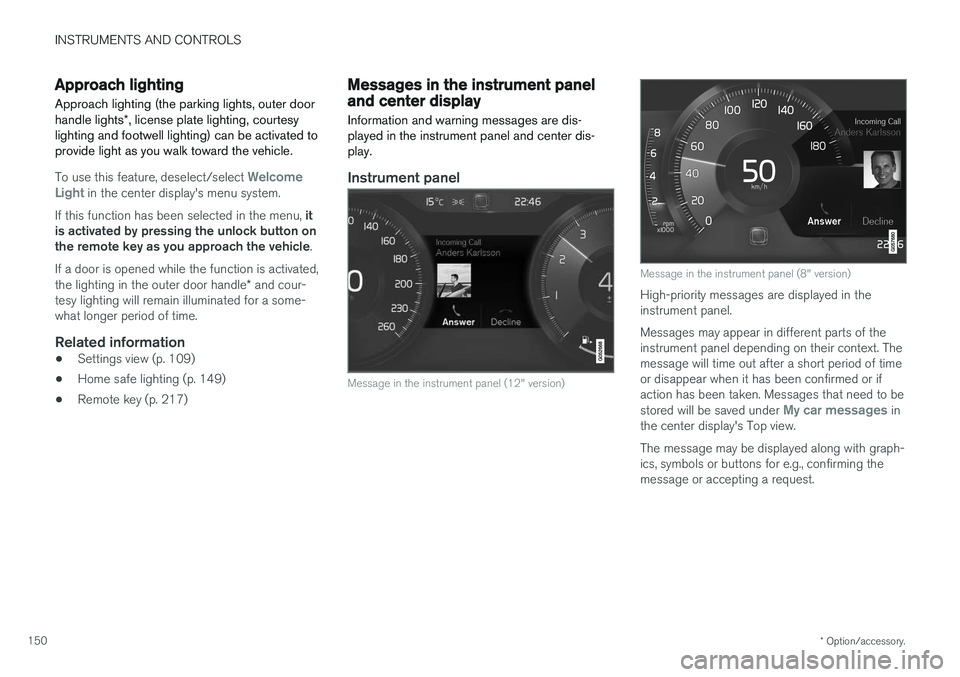
Message in the instrument panel (12" version)
Message in the instrument panel (8" version)
High-priority messages are displayed in the instrument panel. Messages may appear in different parts of the instrument panel depending on their context. Themessage will time out after a short period of timeor disappear when it has been confirmed or ifaction has been taken. Messages that need to be stored will be saved under
My car messages in
the center display's Top view. The message may be displayed along with graph- ics, symbols or buttons for e.g., confirming themessage or accepting a request.
Page 173 of 548
INSTRUMENTS AND CONTROLS
171
WARNING
•When one or more sections of the back- rest is returned to the upright position,check that it is properly locked in place bypushing and pulling it.
• Return the outboard head restraints tothe upright position.
• Long loads should always be securelyanchored to help avoid injury in the eventof a sudden stop.
• Always turn the engine off and apply theparking brake when loading/unloadingthe vehicle.
• Place the transmission in the Park (
P)
position to help prevent inadvertentmovement of the gear selector.
Folding down a section of the backrestThe vehicle must be stationary and one of therear doors must be open before a backrest sec-tion can be folded down.
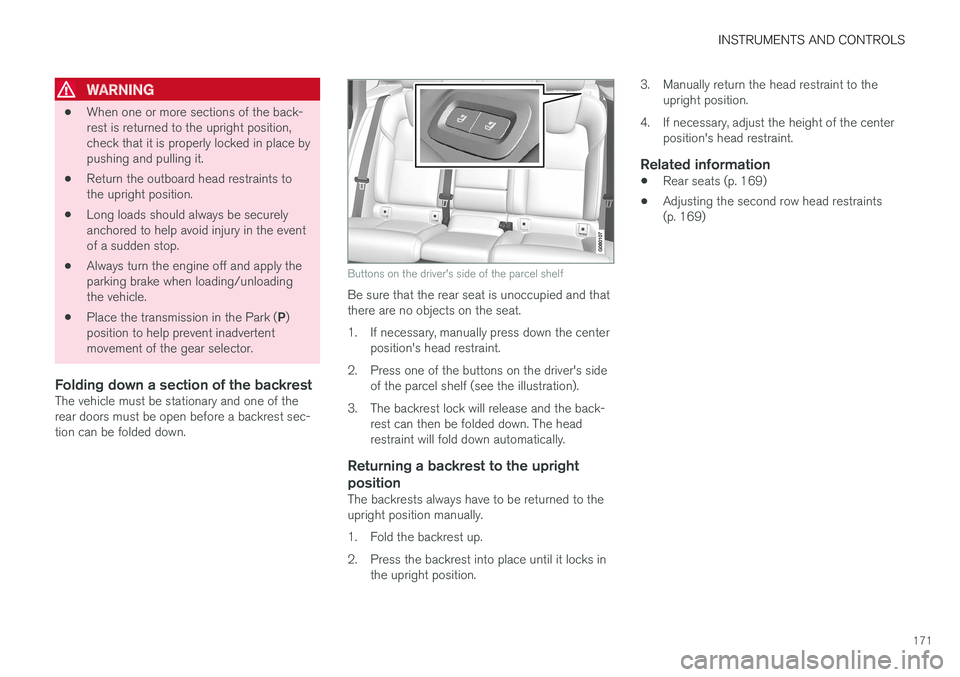
Buttons on the driver's side of the parcel shelf
Be sure that the rear seat is unoccupied and that there are no objects on the seat.
1. If necessary, manually press down the center position's head restraint.
2. Press one of the buttons on the driver's side of the parcel shelf (see the illustration).
3. The backrest lock will release and the back- rest can then be folded down. The head restraint will fold down automatically.
Returning a backrest to the upright position
The backrests always have to be returned to the upright position manually.
1. Fold the backrest up.
2. Press the backrest into place until it locks inthe upright position. 3. Manually return the head restraint to the
upright position.
4. If necessary, adjust the height of the center position's head restraint.
Related information
• Rear seats (p. 169)
• Adjusting the second row head restraints (p. 169)
Page 185 of 548
CLIMATE
}}
* Option/accessory.183
•
Rear climate system controls on the tunnel console
* (p. 185)
• Defrosting windows and mirrors (p. 190)
• Climate system voice commands (p. 122)
• Air quality (p. 179)
Climate system controls in the center display
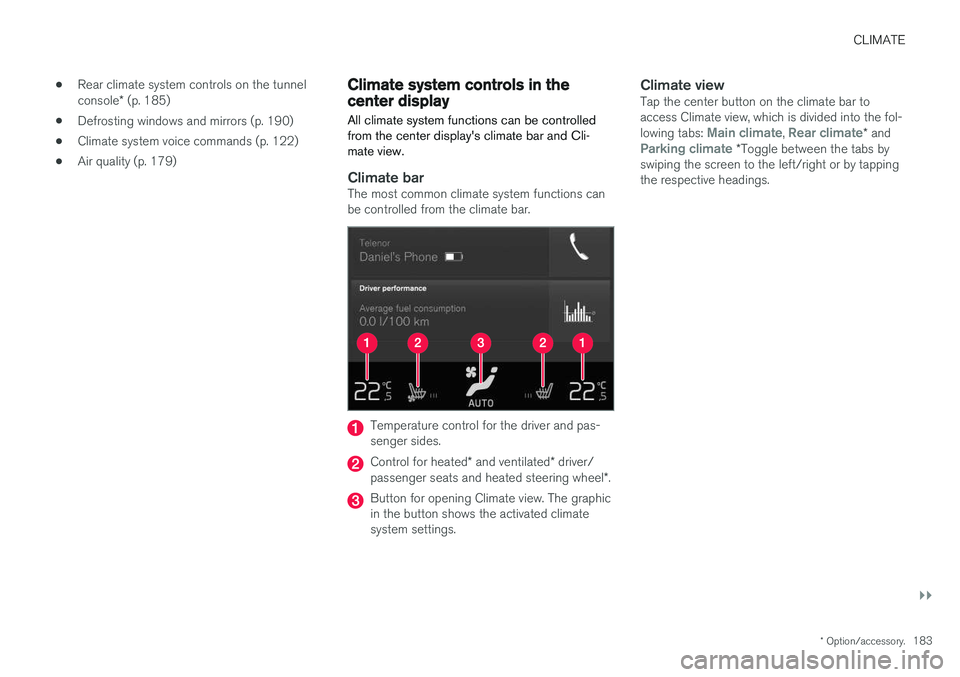
All climate system functions can be controlled from the center display's climate bar and Cli-mate view.
Climate barThe most common climate system functions can be controlled from the climate bar.
Temperature control for the driver and pas- senger sides.
Control for heated * and ventilated * driver/
passenger seats and heated steering wheel *.
Button for opening Climate view. The graphic in the button shows the activated climatesystem settings.
Climate viewTap the center button on the climate bar toaccess Climate view, which is divided into the fol- lowing tabs:
Main climate, Rear climate* andParking climate *Toggle between the tabs by
swiping the screen to the left/right or by tapping the respective headings.
Page 186 of 548
||
CLIMATE
* Option/accessory.
184
Main climate settings
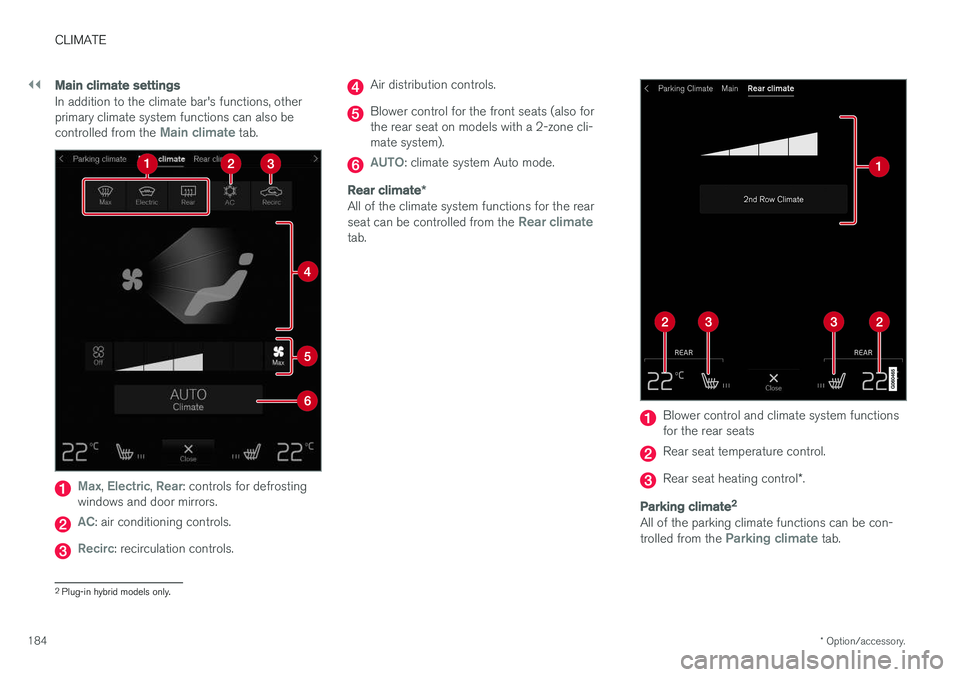
In addition to the climate bar's functions, other primary climate system functions can also be controlled from the
Main climate tab.
Max, Electric, Rear: controls for defrosting
windows and door mirrors.
AC: air conditioning controls.
Recirc: recirculation controls.
Air distribution controls.
Blower control for the front seats (also for the rear seat on models with a 2-zone cli-mate system).
AUTO: climate system Auto mode.
Rear climate *
All of the climate system functions for the rear seat can be controlled from the Rear climatetab.
Blower control and climate system functions for the rear seats
Rear seat temperature control.
Rear seat heating control *.
Parking climate 2
All of the parking climate functions can be con- trolled from the Parking climate tab.
2
Plug-in hybrid models only.