fuel VOLVO S90 2020 Quick Guide
[x] Cancel search | Manufacturer: VOLVO, Model Year: 2020, Model line: S90, Model: VOLVO S90 2020Pages: 643, PDF Size: 13.68 MB
Page 83 of 643

DISPLAYS AND VOICE CONTROL
}}
* Option/accessory.81
Left side In the center Right side
Ambient temperature sensor – Current fuel consumption
Indicator and warning symbols – OdometerB
– – Trip odometer
– – Indicator and warning symbols
– – Voice Control
– – Engine temperature gauge
– – Message (also graphics in some cases)
A
Depends on selected drive mode.
B Total distance.
Instrument panel 12" *
The illustration is generic - details may vary accord- ing to vehicle model.
Page 84 of 643
||
DISPLAYS AND VOICE CONTROL
* Option/accessory.
82 Location in the instrument panel:
Left side In the center Right side
Speedometer Indicator and warning symbols
Tachometer/ECO gaugeA
Trip odometer Ambient temperature sensor Gear indicator Odometer B
Clock Drive Mode
Cruise control/speed limiter information Message (also graphics in some cases) Fuel gauge Road sign information * Door and seat belt status Start/Stop function status
– Media player Distance to empty tank
– Navigation system map*Current fuel consumption
– PhoneApp menu (activated using steering wheel keypad)
– Voice Control –
A
Depends on selected drive mode.
B Total distance.
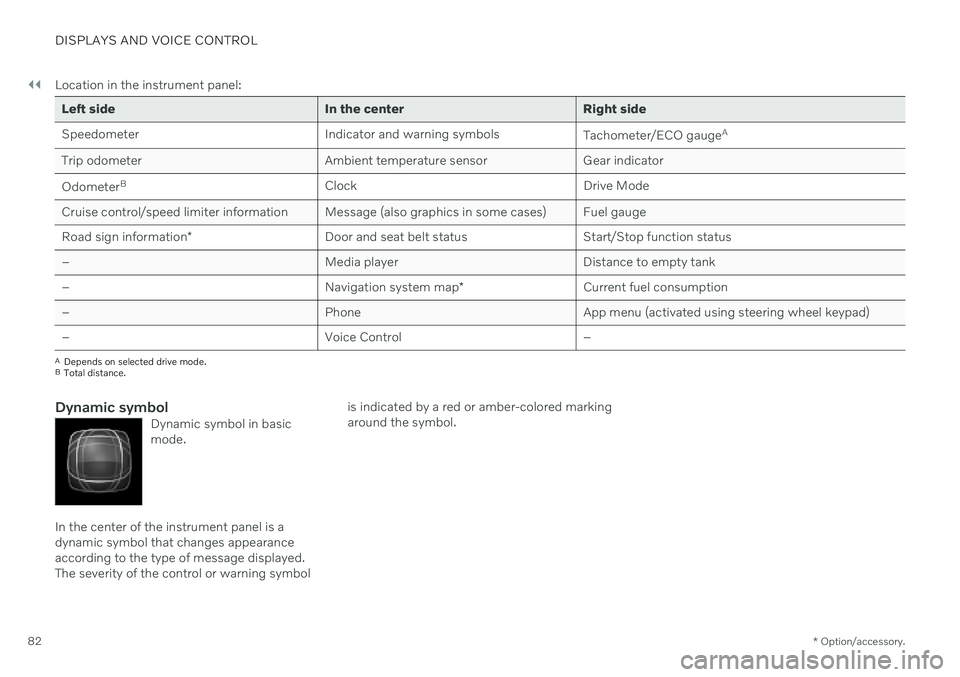
Dynamic symbolDynamic symbol in basic mode.
In the center of the instrument panel is a dynamic symbol that changes appearanceaccording to the type of message displayed.The severity of the control or warning symbol is indicated by a red or amber-colored markingaround the symbol.
Page 87 of 643
DISPLAYS AND VOICE CONTROL
}}
85
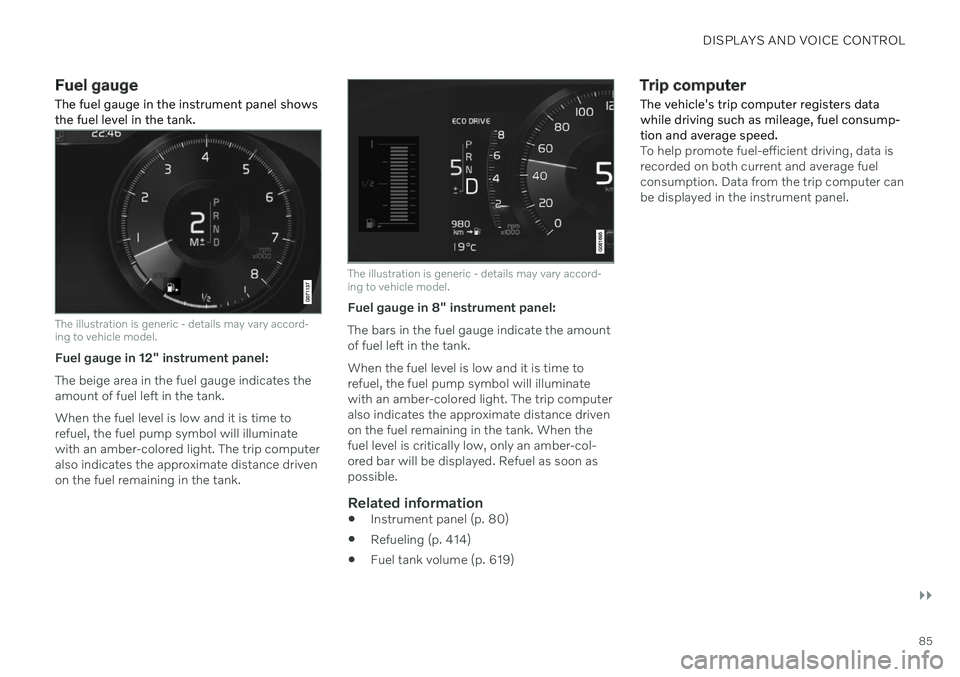
Fuel gauge The fuel gauge in the instrument panel shows the fuel level in the tank.
The illustration is generic - details may vary accord- ing to vehicle model.
Fuel gauge in 12" instrument panel: The beige area in the fuel gauge indicates the amount of fuel left in the tank. When the fuel level is low and it is time to refuel, the fuel pump symbol will illuminatewith an amber-colored light. The trip computeralso indicates the approximate distance drivenon the fuel remaining in the tank.
The illustration is generic - details may vary accord- ing to vehicle model.
Fuel gauge in 8" instrument panel: The bars in the fuel gauge indicate the amount of fuel left in the tank. When the fuel level is low and it is time to refuel, the fuel pump symbol will illuminatewith an amber-colored light. The trip computeralso indicates the approximate distance drivenon the fuel remaining in the tank. When thefuel level is critically low, only an amber-col-ored bar will be displayed. Refuel as soon aspossible.
Related information
Instrument panel (p. 80)
Refueling (p. 414)
Fuel tank volume (p. 619)
Trip computer
The vehicle's trip computer registers data while driving such as mileage, fuel consump-tion and average speed.
To help promote fuel-efficient driving, data is recorded on both current and average fuelconsumption. Data from the trip computer canbe displayed in the instrument panel.
Page 88 of 643
||
DISPLAYS AND VOICE CONTROL
* Option/accessory.
86
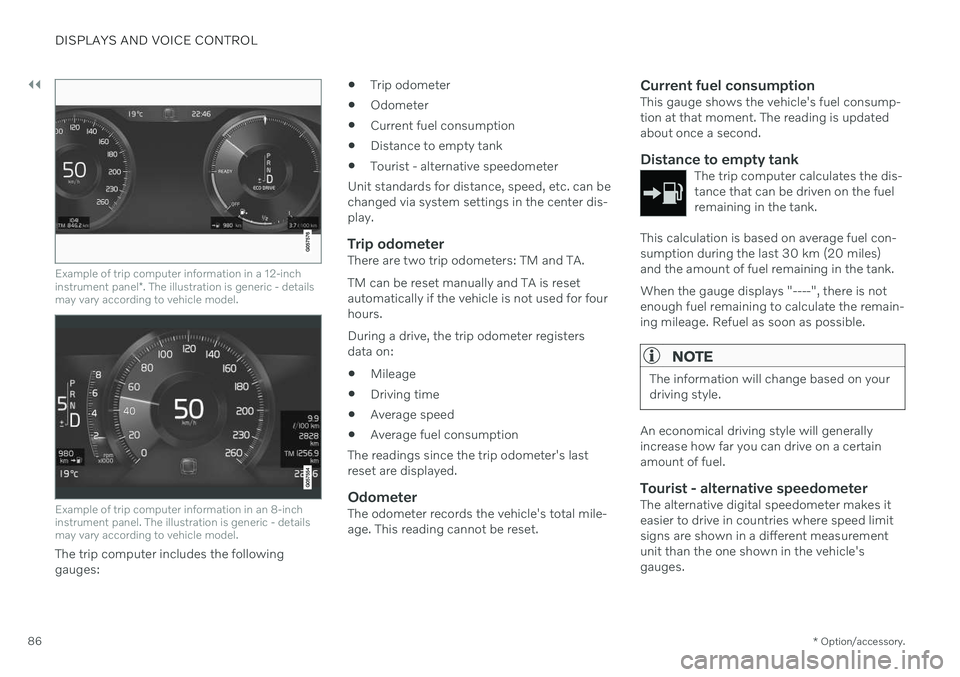
Example of trip computer information in a 12-inch instrument panel *. The illustration is generic - details
may vary according to vehicle model.
Example of trip computer information in an 8-inch instrument panel. The illustration is generic - detailsmay vary according to vehicle model.
The trip computer includes the following gauges:
Trip odometer
Odometer
Current fuel consumption
Distance to empty tank
Tourist - alternative speedometer
Unit standards for distance, speed, etc. can bechanged via system settings in the center dis-play.
Trip odometerThere are two trip odometers: TM and TA. TM can be reset manually and TA is reset automatically if the vehicle is not used for fourhours. During a drive, the trip odometer registers data on:
Mileage
Driving time
Average speed
Average fuel consumption
The readings since the trip odometer's lastreset are displayed.
OdometerThe odometer records the vehicle's total mile-age. This reading cannot be reset.
Current fuel consumptionThis gauge shows the vehicle's fuel consump-tion at that moment. The reading is updatedabout once a second.
Distance to empty tankThe trip computer calculates the dis-tance that can be driven on the fuelremaining in the tank.
This calculation is based on average fuel con- sumption during the last 30 km (20 miles)and the amount of fuel remaining in the tank. When the gauge displays "----", there is not enough fuel remaining to calculate the remain-ing mileage. Refuel as soon as possible.
NOTE
The information will change based on your driving style.
An economical driving style will generally increase how far you can drive on a certainamount of fuel.
Tourist - alternative speedometerThe alternative digital speedometer makes iteasier to drive in countries where speed limitsigns are shown in a different measurementunit than the one shown in the vehicle'sgauges.
Page 90 of 643
||
DISPLAYS AND VOICE CONTROL
883. Scroll down to the option buttons to
choose which information to show in the instrument panel: Odometer
Distance to empty tank
Tourist (alternative speedometer)
Mileage for trip odometer TM, TA or no display of mileage
Current fuel consumption, average fuelconsumption for TM or TA, or no dis-play of fuel consumption
Select or clear a selection using the O but-
ton (4). The change will apply immedi-ately.
Related information
Trip computer (p. 85)
Resetting the trip odometer (p. 88)
Resetting the trip odometer Resetting the trip odometer using the left- side steering wheel lever.
–Reset all information in trip odometer TM (i.e. mileage, average fuel consumption,average speed and driving time) by press-ing and holding the
RESET button on the
left-hand steering wheel lever. Tapping the RESET button only resets the
distance driven.
The TA trip odometer can not be manually reset. It resets automatically if the vehicle isnot used for four hours or more.
Related information
Trip computer (p. 85)
Displaying trip statistics in the center display Trip computer statistics can be displayed graphically in the center display, providing anoverview that facilitates more fuel-efficientdriving.
Open the Driver
performance app in the App
view to display trip statistics. Each bar in the graph repre- sents a driving distance of 1kilometers, 10 kilometers or
100 kilometers (or miles). The bars are addedfrom the right as you drive. The bar at the farright shows the data for the current trip. Average fuel consumption and total driving time are calculated from the most recent resetof the trip statistics.
Page 236 of 643

KEY, LOCKS AND ALARM
* Option/accessory.
234
Remote key
The remote key is used to lock and unlock doors, the trunk lid and the fuel filler door.The remote key must be in the vehicle inorder to start the engine.
Remote key 3
and button-less key (Key Tag) *.
The remote key is not physically used to start the ignition because the vehicle is standard-equipped with keyless start (Passive Start).The key only needs to be in the front section ofthe passenger compartment. For vehicles equipped with keyless locking and unlocking (Passive Entry) *, the engine can
be started with the key anywhere in the vehi- cle. A smaller, lighter and button-less key (KeyTag) is also provided. The remote keys can be linked to differentdriver profiles to store personal settings in thevehicle.
Remote key buttons
The remote key has four buttons, one on the left side and three on the right.
Locking - Press once to lock the doors,
trunk lid and fuel filler door and arm the alarm. Press and hold to close all windows.
Unlocking - Press once to unlock the
doors, trunk lid and fuel filler door and dis- arm the alarm. Press and hold to open all windows at the same time. This total airing function canbe used to e.g. quickly air out the vehiclein hot weather.
Trunk lid - Press to unlock and disarm
the trunk lid only. On vehicles equipped with the power trunk release *, press and
hold to automatically open the tailgate. Press and hold to close an open trunk lid(an audible warning signal will be given).On vehicles not equipped with the powertrunk release, pressing and holding willopen the trunk lid mechanically due to thepreloaded springs.
Panic alarm - Used to attract attention in
emergency situations. Press and hold the button for at least 3 seconds or presstwice within 3 seconds to activate theturn signals and horn. To deactivate, waitat least 5 seconds and press the buttonagain. If no action is taken, the panic alarmwill deactivate automatically after 3minutes.
WARNING
If anyone is left in the vehicle, make sure that power to the power windows and pan-oramic roof is cut off by always taking theremote key with you when you leave thevehicle.
3 The illustration is generic - details may vary according to vehicle model.
Page 238 of 643

||
KEY, LOCKS AND ALARM
* Option/accessory.
236
Related information
Starting the vehicle (p. 378)
Locking and unlocking using the remote key (p. 236)
Remote key range (p. 237)
Replacing the remote key's battery(p. 238)
Detachable key blade (p. 244)
Electronic immobilizer (p. 246)
Linking a remote key to a driver profile(p. 135)
Locking and unlocking using the remote key
All doors, trunk lid and fuel filler door can be locked and unlocked simultaneously usingthe buttons on the remote key.
Locking with remote key
The illustration is generic - details may vary accord- ing to vehicle model.
–Press the button on the remote key to
lock the vehicle.
To activate the locking sequence, the driver's door must be closed 5
. If any of the other doors
or the trunk lid are open, they will be locked and the alarm will be armed once they areclosed.
NOTE
Be aware of the risk of locking the remote key in the vehicle. If the remote key or key tag is left in the vehicle, it will be deactivated whenthe vehicle is locked and the alarm setusing another valid key. The key will bereactivated when the vehicle isunlocked.
If the remote key or Red Key is left inthe vehicle, it will be deactivated evenif the vehicle is locked using Volvo OnCall, and will be reactivated when thevehicle is unlocked using Volvo On Callor another valid key.
Locking when the trunk lid is open
NOTE
If the vehicle is locked and the trunk lid is still open, make sure that the remote key isnot left in the trunk when the trunk lid is closed and the entire vehicle is locked 6
.
Unlocking with remote key
–Press the button on the remote key to
unlock the vehicle.
5 If the vehicle is equipped with keyless locking/unlocking *, all side doors must be closed.
6 If the vehicle is equipped with keyless locking/unlocking and the key is detected inside the vehicle, the trunk lid will not lock when it is closed. *
Page 301 of 643

DRIVER SUPPORT
* Option/accessory.299
Deactivation of the Auto-hold brake function
In certain situations, auto-hold will be deacti- vated when the vehicle is at a standstill andthe function will go into standby mode. Thismeans that the brakes will be released and thevehicle could begin to roll. The driver mustactively apply the brakes to keep the vehiclestationary. This can occur if:
the driver depresses the brake pedal
the parking brake is applied
the gear selector is moved to the
P, N or R
positions
the driver puts the function in standby mode.
Auto Activate Parking BrakeIn certain situations, the parking brake will beapplied to keep the vehicle at a standstill. This occurs if the function is keeping the vehi- cle stationary using the brakes and:
the driver opens the door or unbuckleshis/her seat belt
the function has kept the vehicle at astandstill for more than approx. 5 minutes
the brakes overheat
the driver switches off the engine man-ually.
Related information
Driver support systems (p. 266)
Adaptive Cruise Control
* (p. 276)
Pilot Assist
* (p. 285)
Brake functions (p. 382)
Drive mode for driver support The driver can choose different drive modes to determine how driver support shouldmaintain a time interval to the vehicle ahead.
Settings are made using the
DRIVE MODE
controls. Select one of the following:
Eco - Driver support will focus on provid-
ing good fuel economy, which will increase the time interval to the vehicleahead.
Comfort - Driver support will focus on fol-
lowing the set time interval to the vehicle ahead as smoothly as possible.
Dynamic* - Driver support will focus on
following the set time interval to the vehi- cle ahead more exactly, which could meanfaster acceleration and heavier braking.
Related information
Driver support systems (p. 266)
Drive modes
* (p. 399)
Setting time interval to the vehicle ahead(p. 297)
Page 393 of 643

STARTING AND DRIVING
}}
* Option/accessory.391
Braking assist after a collision
In a collision in which the activation level is reached for the pyrotechnic seat belt tension-ers or airbags, or if a collision with a large ani-mal is detected, the vehicle's brakes will beautomatically activated. This function isintended to help prevent or reduce the effectsof any subsequent collision.
After a serious collision, it may no longer be possible to control and steer the vehicle. Inorder to avoid or mitigate a possible furthercollision with a vehicle or an object in the vehi-cle's path, the brake assist system is activatedautomatically to help stop the vehicle safely. If braking is not appropriate, e.g. if there is a risk of being hit by passing traffic, the drivercan override the system by depressing theaccelerator pedal. This function assumes that the brake system is intact after a collision.
Related information
Rear Collision Warning
* (p. 326)
BLIS
* (p. 327)
Brake functions (p. 382)
Transmission
The transmission is part of the vehicle's drive- line (power transmission) between the engineand the drive wheels. The function of thetransmission is to change gears dependingon speed and power needs.
The vehicle has an 8-speed automatic trans- mission. The number of gears allows theengine's torque and power band to be effec-tively utilized. Two of the gears are overdrivegears that save fuel when driving at a constantengine speed. Manual shifting is also possible.The instrument panel shows the gear currentlyin use.
Related information
Automatic transmission (p. 391)
Automatic transmission
In vehicles with an automatic transmission, the system selects the gear so that drivingwill be as energy-efficient as possible. Thetransmission also has a manual mode.
The transmission is available in different ver- sions. The gear selector indicates which trans-mission the vehicle has. The various gearselectors have different functions.
Overview of large gear selector and gear shift pattern in the instrument panel
4 Hill Start Assist
Page 401 of 643

STARTING AND DRIVING
}}
* Option/accessory.399
All Wheel Drive (AWD) *
All-wheel drive (AWD 8
), also called four-
wheel drive, means that power is distributed to all four wheels, which improves traction.
To achieve the best traction, power is auto- matically directed to the wheels that have thebest grip. The system continuously calculatesthe need for torque to the rear wheels, andcan immediately redistribute up to half of theengine's torque to the rear wheels. All-wheel drive also has a stabilizing effect at higher speeds. In normal driving conditions,most of the engine's power is directed to thefront wheels. When the vehicle is stationary,all-wheel drive is always activated in prepara-tion for maximum traction during acceleration. All-wheel drive reacts differently depending on which drive mode is selected.
Related information
Drive modes
* (p. 399)
Transmission (p. 391)
Drive modes
*
Drive modes affect the vehicle's driving cha- racteristics in different ways to enhance andsimplify the driving experience in certaintypes of situations.
Drive modes enable easy access to the vehi- cle's many functions and settings in differentdriving situations. The following systems areadapted to help optimize driving characteris-tics in each drive mode: Steering
Engine/transmission/all-wheel drive
*
Brakes
Shock absorbers
Instrument panel
Start/Stop function
Climate control settings
Select the drive mode that is adapted to the current driving conditions. Keep in mind thatnot all drive modes are available in all situa-tions.
Available drive modesWhen the engine is started, the vehicle will be in Comfort mode and the start/stop function
will be activated. Drive mode can be changed once the vehicle is started, e.g. to
Individual
mode. Once Individual mode is selected, you
can adjust settings to personal preferences, e.g. to show the tachometer.
Comfort
Comfort is the vehicle's default mode. This
setting offers driving comfort, light steering and soft suspension. In
Comfort mode, no tachometer will be dis-
played in the instrument panel 9
.
Eco
Adapt the vehicle for more fuel-efficient and eco-friendly driving with Eco mode.
In this mode, the Start/Stop function is acti- vated and certain climate settings arereduced. When driving in
Eco mode, an ECO gauge
indicating how economical the driving is will be displayed in the instrument panel.
8 All Wheel Drive
9 Only applies to vehicles with 8-inch instrument panels.