display VOLVO V60 2021 Owners Manual
[x] Cancel search | Manufacturer: VOLVO, Model Year: 2021, Model line: V60, Model: VOLVO V60 2021Pages: 661, PDF Size: 12.68 MB
Page 308 of 661
DRIVER SUPPORT
* Option/accessory.
306
Pilot Assist *63
symbols and
messages
A number of symbols and messages relating to Pilot Assist may be displayed in the instru- ment panel and/or the head-up display *.
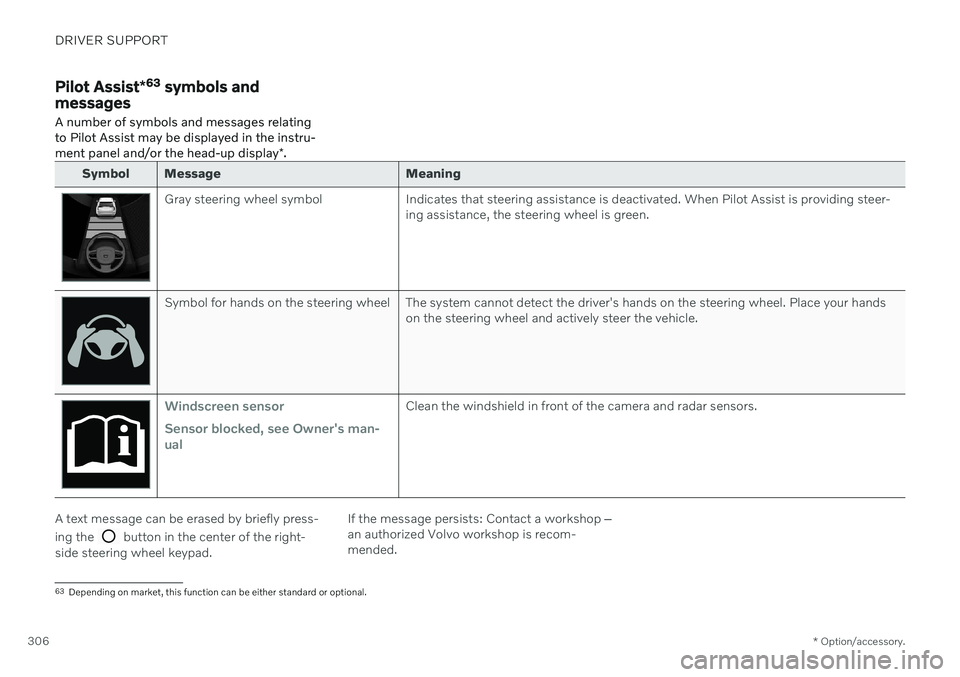
Symbol Message Meaning
Gray steering wheel symbol Indicates that steering assistance is deactivated. When Pilot Assist is providing steer-
ing assistance, the steering wheel is green.
Symbol for hands on the steering wheel The system cannot detect the driver's hands on the steering wheel. Place your handson the steering wheel and actively steer the vehicle.
Windscreen sensor Sensor blocked, see Owner's man- ualClean the windshield in front of the camera and radar sensors.
A text message can be erased by briefly press- ing the
button in the center of the right-
side steering wheel keypad. If the message persists: Contact a workshop
‒
an authorized Volvo workshop is recom- mended.
63 Depending on market, this function can be either standard or optional.
Page 310 of 661
DRIVER SUPPORT
* Option/accessory.
308
Curve Speed Assist (CSA) *64
Curve Speed Assist can help the driver
reduce speed before sharp turns if the preset speed for the driver support function Adap- tive Cruise Control * or Pilot Assist * is deter-
mined to be too high.
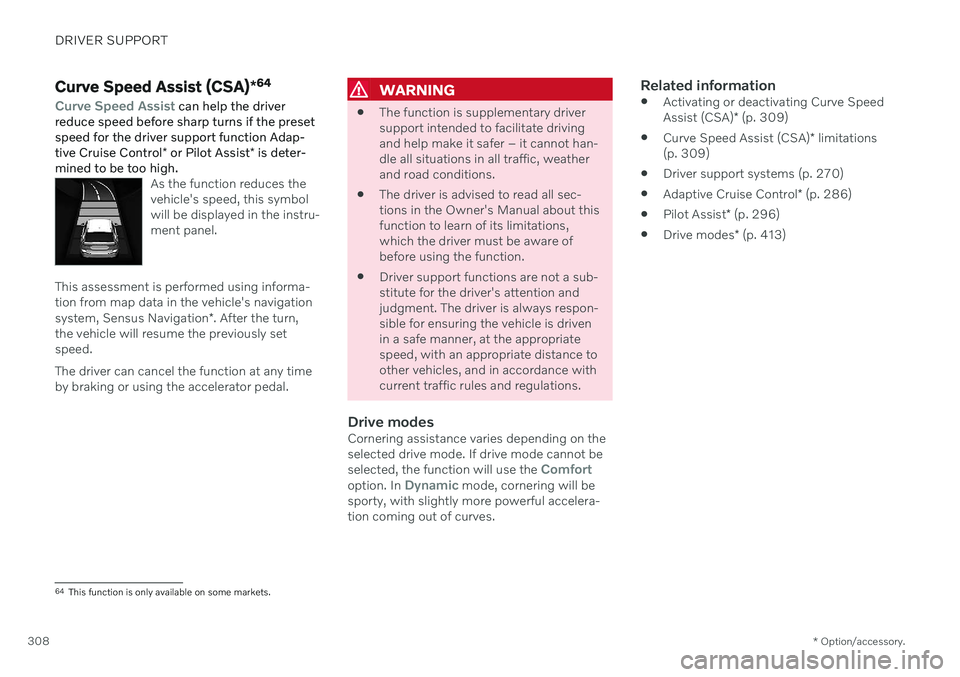
As the function reduces the vehicle's speed, this symbolwill be displayed in the instru-ment panel.
This assessment is performed using informa- tion from map data in the vehicle's navigation system, Sensus Navigation *. After the turn,
the vehicle will resume the previously set speed. The driver can cancel the function at any time by braking or using the accelerator pedal.
WARNING
The function is supplementary driver support intended to facilitate drivingand help make it safer – it cannot han-dle all situations in all traffic, weatherand road conditions.
The driver is advised to read all sec-tions in the Owner's Manual about thisfunction to learn of its limitations,which the driver must be aware ofbefore using the function.
Driver support functions are not a sub-stitute for the driver's attention andjudgment. The driver is always respon-sible for ensuring the vehicle is drivenin a safe manner, at the appropriatespeed, with an appropriate distance toother vehicles, and in accordance withcurrent traffic rules and regulations.
Drive modesCornering assistance varies depending on theselected drive mode. If drive mode cannot be selected, the function will use the
Comfortoption. In Dynamic mode, cornering will be
sporty, with slightly more powerful accelera- tion coming out of curves.
Related information
Activating or deactivating Curve Speed Assist (CSA)
* (p. 309)
Curve Speed Assist (CSA)
* limitations
(p. 309)
Driver support systems (p. 270)
Adaptive Cruise Control
* (p. 286)
Pilot Assist
* (p. 296)
Drive modes
* (p. 413)
64
This function is only available on some markets.
Page 311 of 661
DRIVER SUPPORT
* Option/accessory.309
Activating or deactivating Curve Speed Assist (CSA) *
The Curve Speed Assist (CSA) function can be activated as a supplement to Adaptive Cruise Control * or Pilot Assist *. The driver can
also deactivate the function.
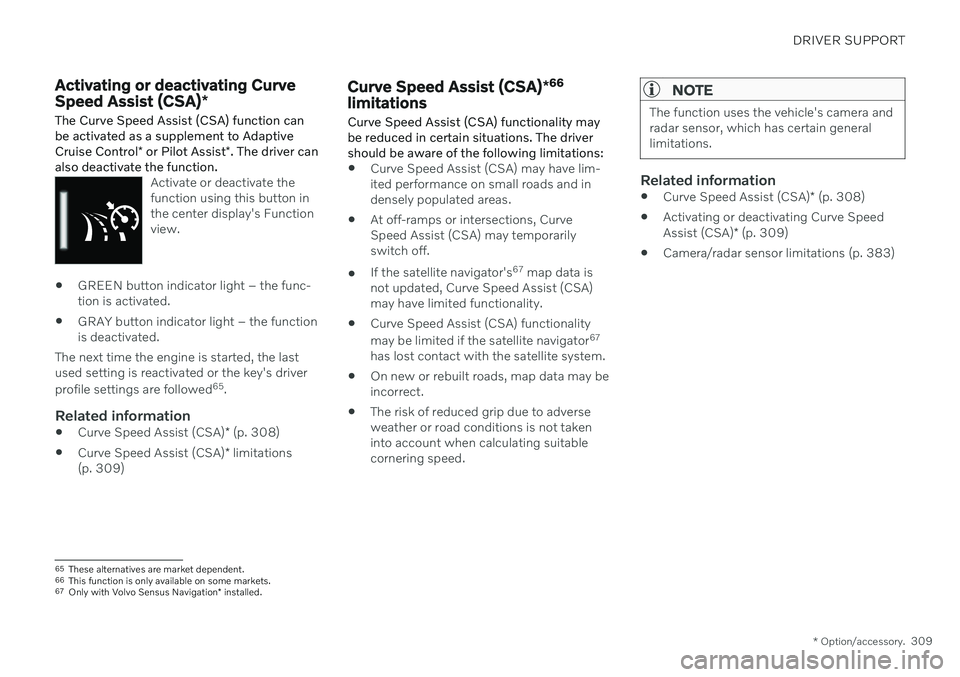
Activate or deactivate the function using this button inthe center display's Functionview.
GREEN button indicator light – the func- tion is activated.
GRAY button indicator light – the functionis deactivated.
The next time the engine is started, the lastused setting is reactivated or the key's driver profile settings are followed 65
.
Related information
Curve Speed Assist (CSA)
* (p. 308)
Curve Speed Assist (CSA)
* limitations
(p. 309)
Curve Speed Assist (CSA) *66
limitations
Curve Speed Assist (CSA) functionality may be reduced in certain situations. The drivershould be aware of the following limitations:
Curve Speed Assist (CSA) may have lim- ited performance on small roads and indensely populated areas.
At off-ramps or intersections, CurveSpeed Assist (CSA) may temporarilyswitch off.
If the satellite navigator's 67
map data is
not updated, Curve Speed Assist (CSA)may have limited functionality.
Curve Speed Assist (CSA) functionality may be limited if the satellite navigator 67
has lost contact with the satellite system.
On new or rebuilt roads, map data may be incorrect.
The risk of reduced grip due to adverseweather or road conditions is not takeninto account when calculating suitablecornering speed.
NOTE
The function uses the vehicle's camera and radar sensor, which has certain generallimitations.
Related information
Curve Speed Assist (CSA)
* (p. 308)
Activating or deactivating Curve Speed Assist (CSA)
* (p. 309)
Camera/radar sensor limitations (p. 383)
65
These alternatives are market dependent.
66 This function is only available on some markets.
67 Only with Volvo Sensus Navigation * installed.
Page 313 of 661
DRIVER SUPPORT
}}
* Option/accessory.311
WARNING
The driver should be aware that if condi- tions suddenly change when using PassingAssistance, the function may implement anundesired acceleration in certain condi-tions. Some situations should be avoided, e.g. if: the vehicle is approaching an exit in the same direction as passing would nor-mally occur
the vehicle ahead slows before yourvehicle has had time to switch to thepassing lane
traffic in the passing lane slows down
Situations of this type can be avoided by temporarily putting Adaptive Cruise Controlor Pilot Assist in standby mode.
Related information
Passing assistance
* (p. 310)
Adaptive Cruise Control
* (p. 286)
Pilot Assist
* (p. 296)
Adaptive Cruise Control
* standby mode
(p. 291)
Pilot Assist
* standby mode (p. 302)
Collision risk warning from driver support
The driver support systems Adaptive Cruise Control * and Pilot Assist * can help alert the
driver if the distance to the vehicle ahead suddenly decreases to an unsafe distance.
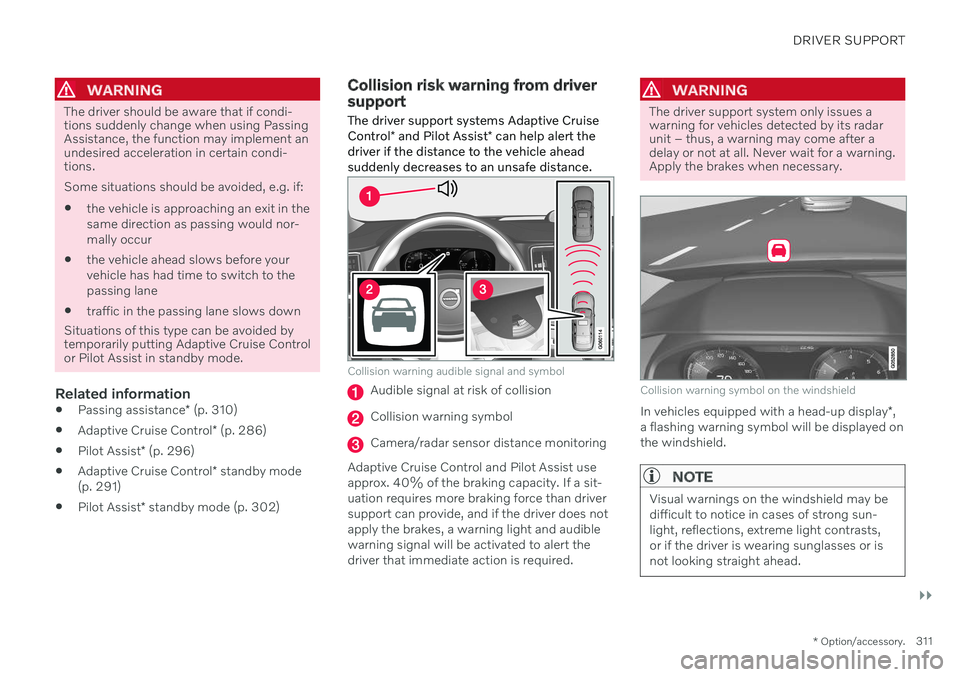
Collision warning audible signal and symbol
Audible signal at risk of collision
Collision warning symbol
Camera/radar sensor distance monitoring
Adaptive Cruise Control and Pilot Assist use approx. 40% of the braking capacity. If a sit-uation requires more braking force than driversupport can provide, and if the driver does not apply the brakes, a warning light and audible warning signal will be activated to alert thedriver that immediate action is required.
WARNING
The driver support system only issues a warning for vehicles detected by its radarunit – thus, a warning may come after adelay or not at all. Never wait for a warning.Apply the brakes when necessary.
Collision warning symbol on the windshield
In vehicles equipped with a head-up display *,
a flashing warning symbol will be displayed on the windshield.
NOTE
Visual warnings on the windshield may be difficult to notice in cases of strong sun-light, reflections, extreme light contrasts,or if the driver is wearing sunglasses or isnot looking straight ahead.
Page 314 of 661
||
DRIVER SUPPORT
* Option/accessory.
312
Related information
Driver support systems (p. 270)
Adaptive Cruise Control
* (p. 286)
Pilot Assist
* (p. 296)
Distance Alert
* (p. 350)
Head-up display
* (p. 140)
Switching target vehicles with driver support
At certain speeds, vehicles with automatic transmissions and the driver support func- tions Adaptive Cruise Control * and Pilot
Assist * can switch target vehicles.
Switching target vehicles
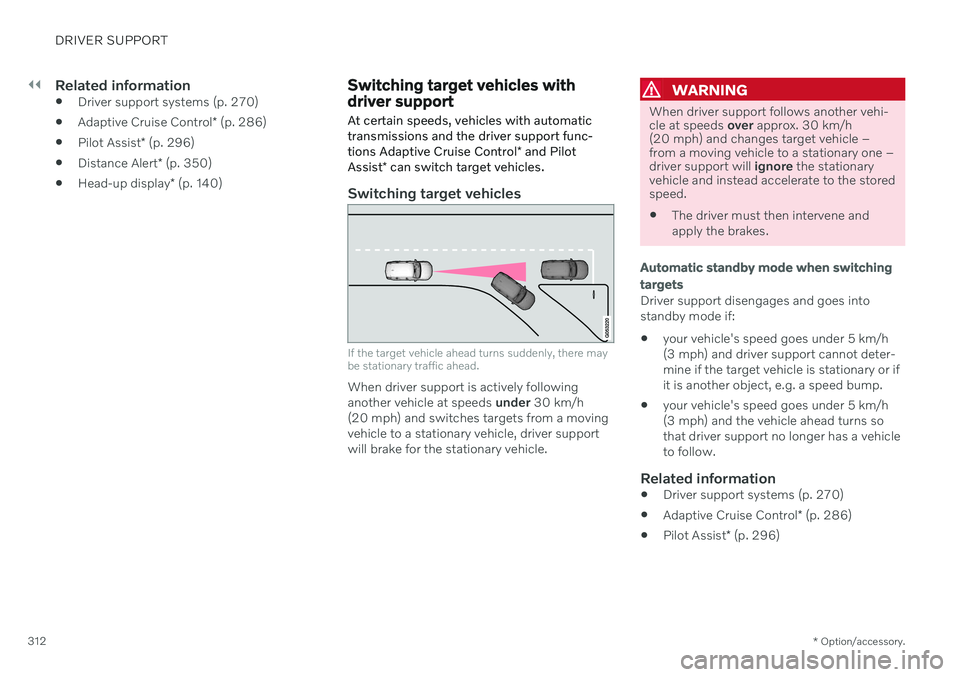
If the target vehicle ahead turns suddenly, there may be stationary traffic ahead.
When driver support is actively following another vehicle at speeds under 30 km/h
(20 mph) and switches targets from a movingvehicle to a stationary vehicle, driver supportwill brake for the stationary vehicle.
WARNING
When driver support follows another vehi- cle at speeds over approx. 30 km/h
(20 mph) and changes target vehicle –from a moving vehicle to a stationary one –driver support will ignore the stationary
vehicle and instead accelerate to the storedspeed. The driver must then intervene and apply the brakes.
Automatic standby mode when switching targets
Driver support disengages and goes into standby mode if:
your vehicle's speed goes under 5 km/h(3 mph) and driver support cannot deter-mine if the target vehicle is stationary or ifit is another object, e.g. a speed bump.
your vehicle's speed goes under 5 km/h(3 mph) and the vehicle ahead turns sothat driver support no longer has a vehicleto follow.
Related information
Driver support systems (p. 270)
Adaptive Cruise Control
* (p. 286)
Pilot Assist
* (p. 296)
Page 317 of 661
DRIVER SUPPORT
}}
* Option/accessory.315
Related information
Drive modes when using time interval to vehicle (p. 315)
Driver support systems (p. 270)
Adaptive Cruise Control
* (p. 286)
Pilot Assist
* (p. 296)
Distance Alert
* (p. 350)
Head-up display
* (p. 140)
Drive modes when using time interval to vehicle
The driver can choose different drive modes to determine how driver support shouldmaintain a time interval to the vehicle ahead.
Settings are made using the DRIVE MODE
controls. Select one of the following:
Eco - Driver support will focus on provid-
ing good fuel economy, which will increase the time interval to the vehicleahead.
Comfort - Driver support will focus on fol-
lowing the set time interval to the vehicle ahead as smoothly as possible.
Dynamic* - Driver support will focus on
following the set time interval to the vehi- cle ahead more exactly, which could meanfaster acceleration and heavier braking.
Related information
Setting time interval to the vehicle ahead(p. 314)
Driver support systems (p. 270)
Drive modes
* (p. 413)
Auto-hold braking with driver support
The driver support functions Adaptive Cruise Control * and Pilot Assist * have a special brake
function in slow traffic and while stationary. In certain situations, the parking brake will beapplied to keep the vehicle at a standstill.
Braking function in slow traffic and at a standstill
In slow-moving, stop-and-go traffic or when stopped at a traffic light, driving will resumeautomatically if the vehicle is stopped for lessthan approx. 3 seconds. If it takes more than 3seconds for the vehicle ahead to begin movingagain, the driver support function will go intostandby mode and the auto-hold brake func-tion will activate.
–The function can be reactivated by:
Pressing the
button on the steer-
ing wheel keypad.
Pressing the accelerator pedal.
> The function will resume following the vehicle ahead if it begins to move within approx. 6 seconds.
WARNING
A noticeable increase in speed may follow when the speed is resumed with the
steering wheel button.
Page 320 of 661
||
DRIVER SUPPORT
318
Lane Keeping Aid does not intervene
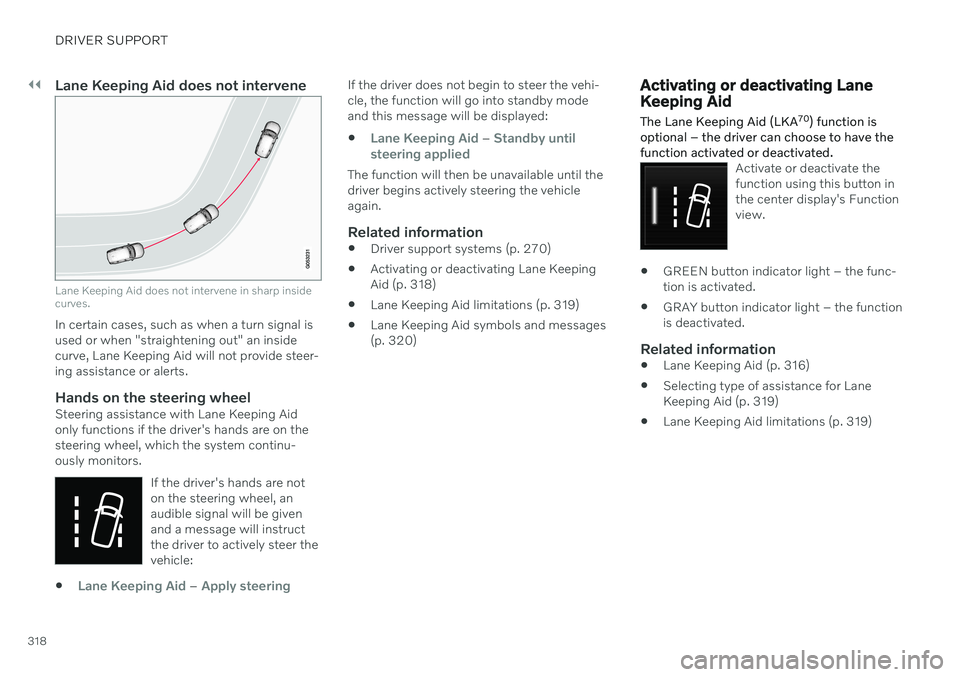
Lane Keeping Aid does not intervene in sharp inside curves.
In certain cases, such as when a turn signal is used or when "straightening out" an insidecurve, Lane Keeping Aid will not provide steer-ing assistance or alerts.
Hands on the steering wheelSteering assistance with Lane Keeping Aidonly functions if the driver's hands are on thesteering wheel, which the system continu-ously monitors.If the driver's hands are noton the steering wheel, anaudible signal will be givenand a message will instructthe driver to actively steer thevehicle:
Lane Keeping Aid – Apply steering
If the driver does not begin to steer the vehi- cle, the function will go into standby modeand this message will be displayed:
Lane Keeping Aid – Standby until
steering applied
The function will then be unavailable until the driver begins actively steering the vehicleagain.
Related information
Driver support systems (p. 270)
Activating or deactivating Lane KeepingAid (p. 318)
Lane Keeping Aid limitations (p. 319)
Lane Keeping Aid symbols and messages(p. 320)
Activating or deactivating Lane Keeping Aid
The Lane Keeping Aid (LKA 70
) function is
optional – the driver can choose to have the function activated or deactivated.
Activate or deactivate the function using this button inthe center display's Functionview.
GREEN button indicator light – the func- tion is activated.
GRAY button indicator light – the functionis deactivated.
Related information
Lane Keeping Aid (p. 316)
Selecting type of assistance for LaneKeeping Aid (p. 319)
Lane Keeping Aid limitations (p. 319)
Page 321 of 661
DRIVER SUPPORT
319
Selecting type of assistance for Lane Keeping Aid
The driver can determine what types of assis- tance Lane Keeping Aid (LKA 71
) should pro-
vide if the vehicle veers from its lane.
1. Select SettingsMy CarIntelliSafein the center display's Top view.
2. Under
Lane Keeping Aid Mode, select
what assistance the function should pro- vide:
Assist the driver will receive steering
assistance but no warning.
Warning – the driver is only warned
through vibrations in the steering wheel.
Both – the driver receives steering
assistance and a warning through vibrations in the steering wheel.
Related information
Lane Keeping Aid (p. 316)
Lane Keeping Aid limitations
In certain demanding driving conditions, Lane Keeping Aid (LKA 72
) may not be able to prop-
erly assist the driver. In these situations, it is recommended that the function be deacti-vated.
Examples of such situations include:
road work
winter driving conditions
poor road surfaces
a very sporty driving style
bad weather with reduced visibility
roads with indistinct or no lane markings
sharp edges or lines other than the lane's side markings
when speed-dependent power steeringwheel resistance is working at reducedpower – e.g. during cooling due to over-heating.
The function cannot detect barriers, railings orsimilar obstacles at the side of the lane.
NOTE
The function uses the vehicle's camera and radar sensor, which has certain generallimitations.
Related information
Lane Keeping Aid (p. 316)
Speed-dependent steering wheel resis- tance (p. 270)
Camera/radar sensor limitations (p. 383)
70
Lane Keeping Aid
71 Lane Keeping Aid
72 Lane Keeping Aid
Page 323 of 661
DRIVER SUPPORT
321
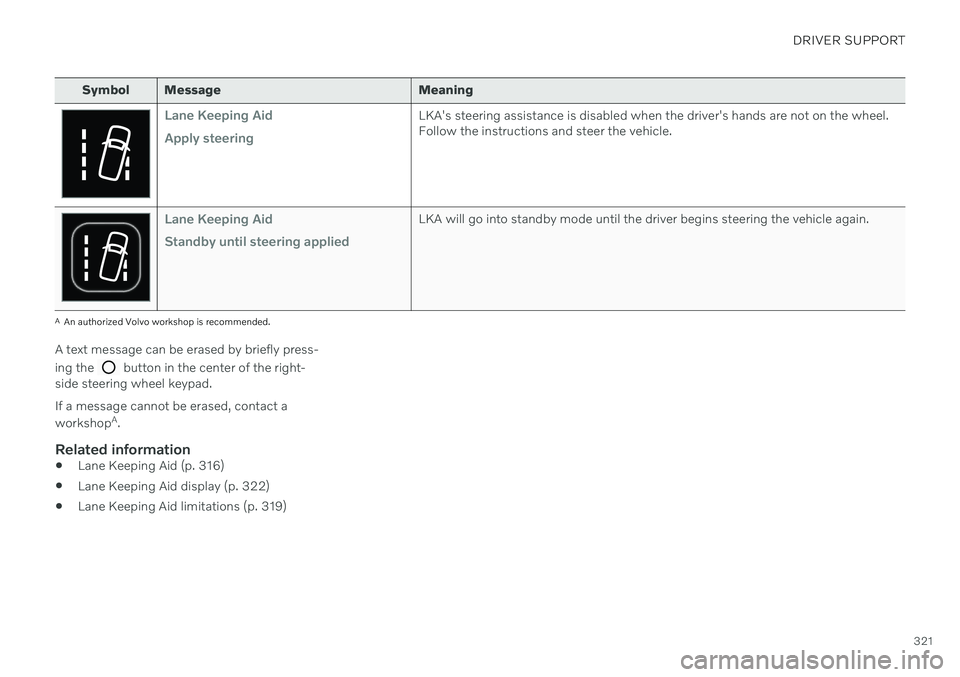
Symbol Message Meaning
Lane Keeping Aid Apply steeringLKA's steering assistance is disabled when the driver's hands are not on the wheel. Follow the instructions and steer the vehicle.
Lane Keeping Aid Standby until steering appliedLKA will go into standby mode until the driver begins steering the vehicle again.
AAn authorized Volvo workshop is recommended.
A text message can be erased by briefly press- ing the
button in the center of the right-
side steering wheel keypad. If a message cannot be erased, contact a workshop A
.
Related information
Lane Keeping Aid (p. 316)
Lane Keeping Aid display (p. 322)
Lane Keeping Aid limitations (p. 319)
Page 324 of 661
DRIVER SUPPORT
322
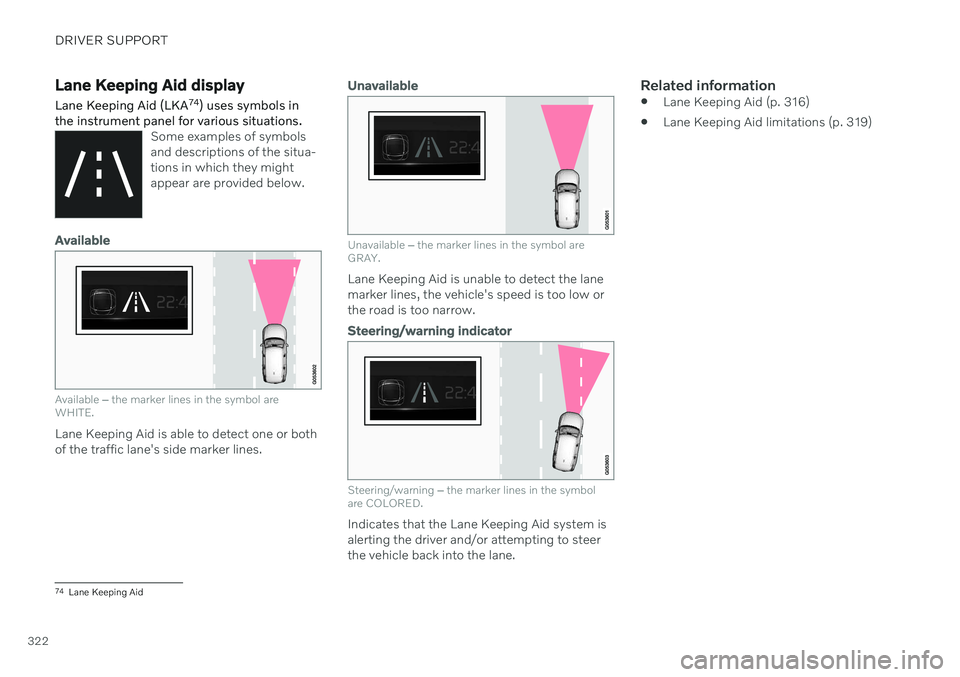
Lane Keeping Aid display Lane Keeping Aid (LKA74
) uses symbols in
the instrument panel for various situations.
Some examples of symbols and descriptions of the situa-tions in which they mightappear are provided below.
Available
Available ‒ the marker lines in the symbol are
WHITE.
Lane Keeping Aid is able to detect one or both of the traffic lane's side marker lines.
Unavailable
Unavailable ‒ the marker lines in the symbol are
GRAY.
Lane Keeping Aid is unable to detect the lane marker lines, the vehicle's speed is too low orthe road is too narrow.
Steering/warning indicator
Steering/warning ‒
the marker lines in the symbol
are COLORED.
Indicates that the Lane Keeping Aid system is alerting the driver and/or attempting to steerthe vehicle back into the lane.
Related information
Lane Keeping Aid (p. 316)
Lane Keeping Aid limitations (p. 319)
74
Lane Keeping Aid