lock VOLVO V90 2017 Owners Manual
[x] Cancel search | Manufacturer: VOLVO, Model Year: 2017, Model line: V90, Model: VOLVO V90 2017Pages: 594, PDF Size: 15.07 MB
Page 330 of 594
||
DRIVER SUPPORT
328
CauseAction
The windscreen surface in front of the camera and radar unit is dirty or covered with ice or snow. Clean dirt, ice and snow from the windscreen surface in front of the camera andradar unit.
Thick fog and heavy rain or snow block the radar signals or the cameraview. No action. Sometimes the unit does not work during heavy rain or snowfall.
Water or snow from the road surface swirls up and blocks the radarsignals or camera view. No action. Sometimes the unit does not work on a very wet or snow-covered roadsurface.
Dirt has appeared between the inside of the windscreen and the cam-era and radar unit. Visit a workshop to have the windscreen inside the unit's cover cleaned - anauthorised Volvo workshop is recommended.
Strong oncoming light No action. The camera unit is reset automatically in more favourable light condi-tions.
NOTE
Keep the windscreen clean in front of the camera and radar unit.
High temperatureAt very high temperatures the camera and radar unit can temporarily be switched off forabout 15 minutes after the engine is started soas to protect the unit's electronics. The cameraand radar unit restarts automatically when thetemperature has fallen sufficiently.
Damaged windscreen
IMPORTANT
If a crack, scratch or stone chip in the wind- screen in front of one of the camera andradar unit “windows” covers an area ofapprox. 0.5 x 3.0 mm or larger, a workshopmust be contacted to have the windscreenreplaced. An authorised Volvo workshop isrecommended. If not rectified it can lead to reduced perform- ance for the driver support systems that usethe camera and radar unit.
This may mean that functions are reduced, deactivated completely or give incorrect func-tion response. To avoid the risk of failed, deficient or reduced operation of driver support systemsthat use the radar unit, the following alsoapplies:
• Volvo recommends
against repairing
cracks, scratches or stone chips in thearea in front of the camera and radar unit.Instead, the whole windscreen should bereplaced.
• Before replacing a windscreen, contactan authorised Volvo workshop to verify
Page 339 of 594
DRIVER SUPPORT
}}
337
has the opportunity to avoid a collision via a steering manoeuvre. However, if City Safety anticipates that an evasive manoeuvre is not possible due to traffic in anadjacent lane, the function can assist the driverby automatically starting to brake at an earlierstage.
WARNING
City Safety's ability to anticipate a certain sit- uation is an aid, and does not work in all driv-ing situations or traffic, weather and road con-ditions. The driver always bears ultimate responsibility for ensuring that the vehicle is driven safelyand that applicable laws and road traffic regu-lations are followed.
Related information
•
City Safety (p. 330)
• Limitations of City Safety (p. 337)
Limitations of City Safety
The City Safety function may have limitations in certain situations.
Surroundings
Low objects
Low-hanging objects, e.g. a flag/pennant for pro- jecting load, or accessories such as auxiliarylamps and bull bars that are higher than the bon-net limit the function.
Skidding
On slippery road surfaces the braking distance is extended, which may reduce the capacity of CitySafety to avoid a collision. In such situations, theanti-lock brakes and the stability control ESC willgive the best possible braking force with main-tained stability.
Oncoming light
The visual warning signal in the windscreen may be difficult to notice in the event of strong sun-light, reflections, when sunglasses are beingworn or if the driver is not looking straight ahead.
Heat
In the event of high passenger compartment temperature caused by e.g. strong sunlight, thevisual warning signal in the windscreen may betemporarily disengaged.
The camera and radar unit's field of view
The camera's field of vision is limited, which is why pedestrians, large animals, cyclists and vehi- cles in some situations cannot be detected, orthey are detected later than anticipated. Dirty vehicles may be detected later than others and if it is dark, motorcycles may be detected lateor not at all. If a text message in the driver display indicates that the camera and radar unit is obstructed, CitySafety may be unable to detect pedestrians, largeanimals, cyclists, vehicles or road lines ahead ofthe car. This means that the functionality of CitySafety may be reduced. However, an error message is not shown in all situations where the windscreen sensors areobstructed. The driver must therefore take care tokeep the area of windscreen in front of the cam-era and radar unit clear.
IMPORTANT
Maintenance and replacement of City Safety components must only be performed by aworkshop - an authorised Volvo workshop isrecommended.
Driver intervention
Reversing
When your own car is reversing, City Safety is temporarily deactivated.
Page 361 of 594
DRIVER SUPPORT
359
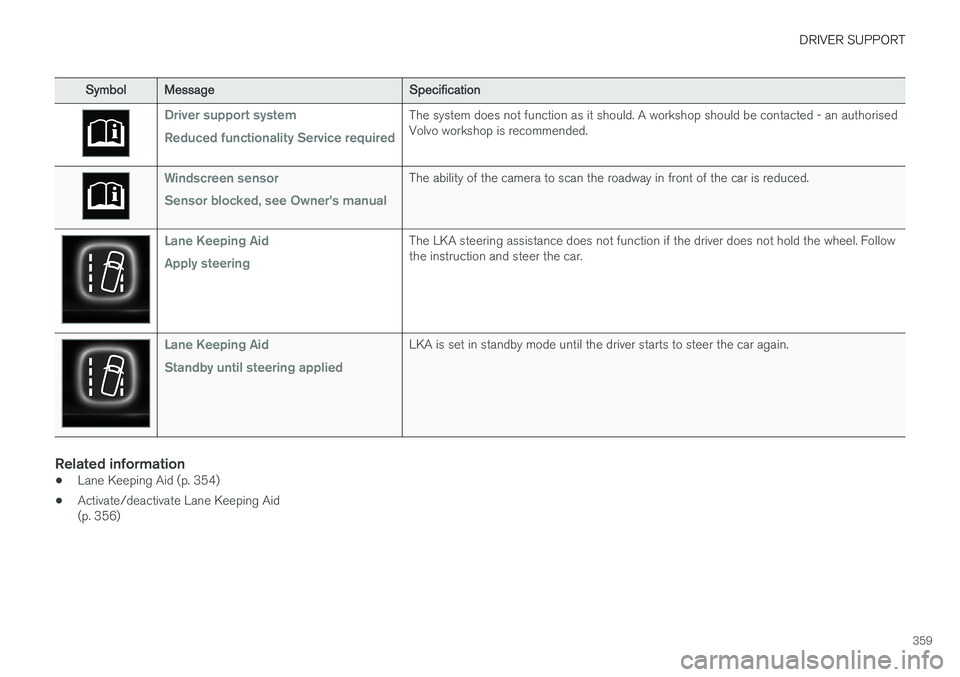
SymbolMessage Specification
Driver support system Reduced functionality Service requiredThe system does not function as it should. A workshop should be contacted - an authorised Volvo workshop is recommended.
Windscreen sensor Sensor blocked, see Owner's manualThe ability of the camera to scan the roadway in front of the car is reduced.
Lane Keeping Aid Apply steeringThe LKA steering assistance does not function if the driver does not hold the wheel. Follow the instruction and steer the car.
Lane Keeping Aid Standby until steering appliedLKA is set in standby mode until the driver starts to steer the car again.
Related information
•Lane Keeping Aid (p. 354)
• Activate/deactivate Lane Keeping Aid (p. 356)
Page 364 of 594
DRIVER SUPPORT
362
Symbols and messages for Run-off Mitigation A number of symbols and messages regarding the Run-off Mitigation Run-off Mitigation can beshown in the driver display.The following table shows some examples.
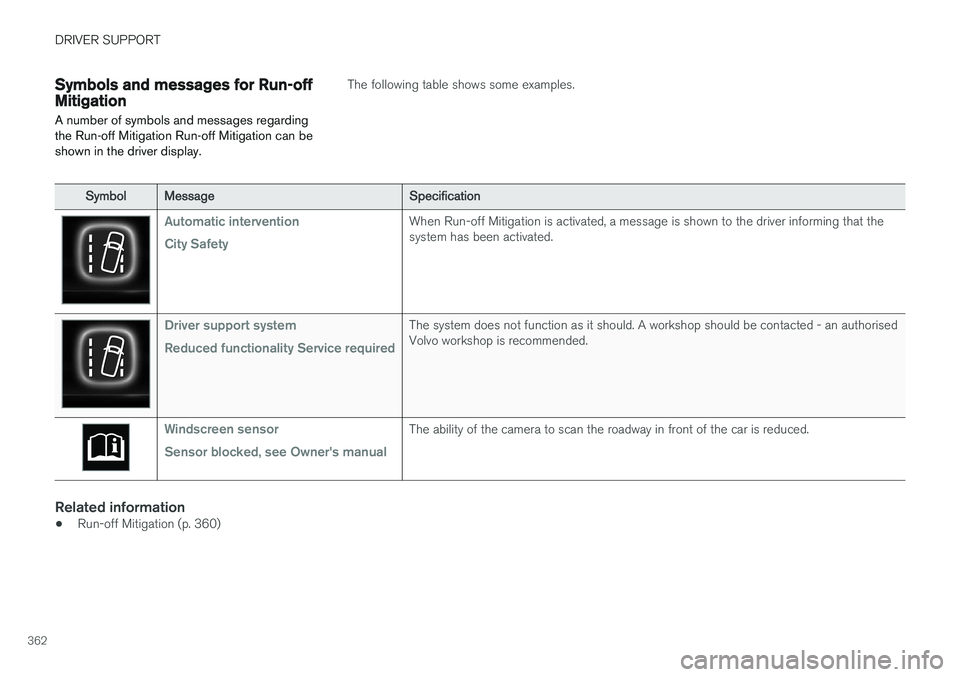
SymbolMessage Specification
Automatic intervention City SafetyWhen Run-off Mitigation is activated, a message is shown to the driver informing that the system has been activated.
Driver support system Reduced functionality Service requiredThe system does not function as it should. A workshop should be contacted - an authorised Volvo workshop is recommended.
Windscreen sensor Sensor blocked, see Owner's manualThe ability of the camera to scan the roadway in front of the car is reduced.
Related information
•Run-off Mitigation (p. 360)
Page 369 of 594
DRIVER SUPPORT
* Option/accessory.367
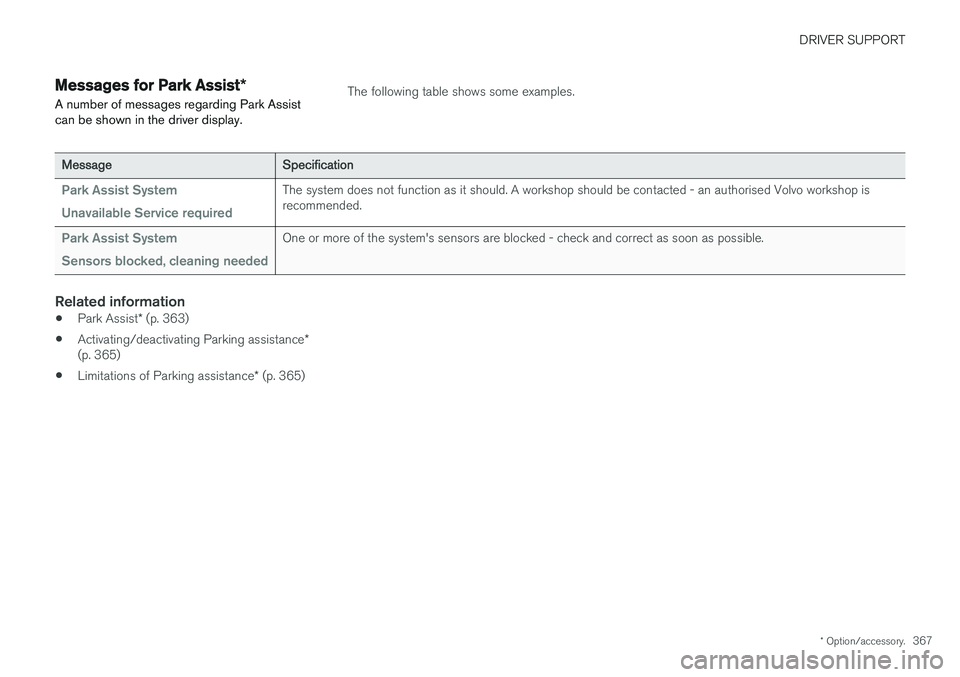
Messages for Park Assist *
A number of messages regarding Park Assist can be shown in the driver display.The following table shows some examples.
Message Specification
Park Assist System Unavailable Service requiredThe system does not function as it should. A workshop should be contacted - an authorised Volvo workshop is recommended.
Park Assist System Sensors blocked, cleaning neededOne or more of the system's sensors are blocked - check and correct as soon as possible.
Related information
•Park Assist
* (p. 363)
• Activating/deactivating Parking assistance
*
(p. 365)
• Limitations of Parking assistance
* (p. 365)
Page 381 of 594
DRIVER SUPPORT
}}
* Option/accessory.379
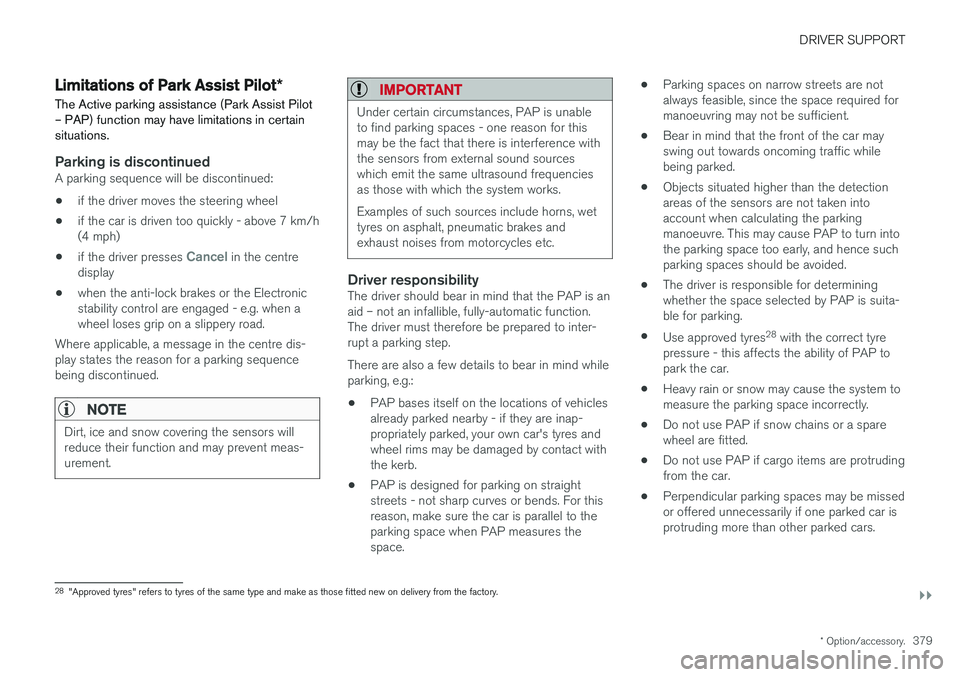
Limitations of Park Assist Pilot *
The Active parking assistance (Park Assist Pilot – PAP) function may have limitations in certainsituations.
Parking is discontinuedA parking sequence will be discontinued:
• if the driver moves the steering wheel
• if the car is driven too quickly - above 7 km/h (4 mph)
• if the driver presses
Cancel in the centre
display
• when the anti-lock brakes or the Electronic stability control are engaged - e.g. when awheel loses grip on a slippery road.
Where applicable, a message in the centre dis-play states the reason for a parking sequencebeing discontinued.
NOTE
Dirt, ice and snow covering the sensors will reduce their function and may prevent meas-urement.
IMPORTANT
Under certain circumstances, PAP is unable to find parking spaces - one reason for thismay be the fact that there is interference withthe sensors from external sound sourceswhich emit the same ultrasound frequenciesas those with which the system works. Examples of such sources include horns, wet tyres on asphalt, pneumatic brakes andexhaust noises from motorcycles etc.
Driver responsibilityThe driver should bear in mind that the PAP is an aid – not an infallible, fully-automatic function.The driver must therefore be prepared to inter-rupt a parking step. There are also a few details to bear in mind while parking, e.g.:
• PAP bases itself on the locations of vehiclesalready parked nearby - if they are inap-propriately parked, your own car's tyres andwheel rims may be damaged by contact withthe kerb.
• PAP is designed for parking on straightstreets - not sharp curves or bends. For thisreason, make sure the car is parallel to theparking space when PAP measures thespace. •
Parking spaces on narrow streets are notalways feasible, since the space required formanoeuvring may not be sufficient.
• Bear in mind that the front of the car mayswing out towards oncoming traffic whilebeing parked.
• Objects situated higher than the detectionareas of the sensors are not taken intoaccount when calculating the parkingmanoeuvre. This may cause PAP to turn intothe parking space too early, and hence suchparking spaces should be avoided.
• The driver is responsible for determiningwhether the space selected by PAP is suita-ble for parking.
• Use approved tyres 28
with the correct tyre
pressure - this affects the ability of PAP topark the car.
• Heavy rain or snow may cause the system tomeasure the parking space incorrectly.
• Do not use PAP if snow chains or a sparewheel are fitted.
• Do not use PAP if cargo items are protrudingfrom the car.
• Perpendicular parking spaces may be missedor offered unnecessarily if one parked car isprotruding more than other parked cars.
28
"Approved tyres" refers to tyres of the same type and make as those fitted new on delivery from the factory.
Page 383 of 594
DRIVER SUPPORT
* Option/accessory.381
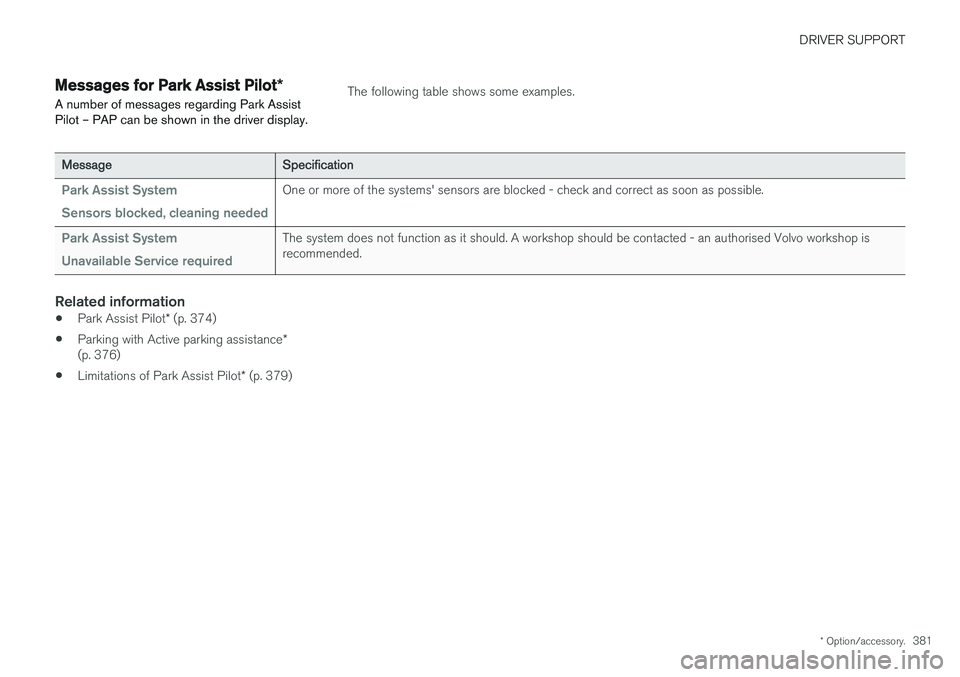
Messages for Park Assist Pilot *
A number of messages regarding Park Assist Pilot – PAP can be shown in the driver display.The following table shows some examples.
Message Specification
Park Assist System Sensors blocked, cleaning neededOne or more of the systems' sensors are blocked - check and correct as soon as possible.
Park Assist System Unavailable Service requiredThe system does not function as it should. A workshop should be contacted - an authorised Volvo workshop is recommended.
Related information
•Park Assist Pilot
* (p. 374)
• Parking with Active parking assistance
*
(p. 376)
• Limitations of Park Assist Pilot
* (p. 379)
Page 386 of 594
STARTING AND DRIVING
* Option/accessory.
384
Alcohol lock *
The function of the alcohol lock is to prevent the car from being driven by individuals under theinfluence of alcohol. Before the engine can bestarted the driver must take a breath test thatverifies that he/she is not under the influence ofalcohol. Alcohol lock calibration takes place inaccordance with each market's limit value inforce for driving legally.
The car has an interface for the electrical con- nection of the different makes and models ofalcohol lock recommended by Volvo. The inter-face facilitates alcohol lock connection, and givesthe option of an integrated function includingmessages related to the alcohol lock in the car'smain display. For information about a specificalcohol lock, please refer to its owner's manual.
WARNING
The alcohol lock is an aid and does not exempt the driver from responsibility. It isalways the responsibility of the driver to besober and to drive the car safely.
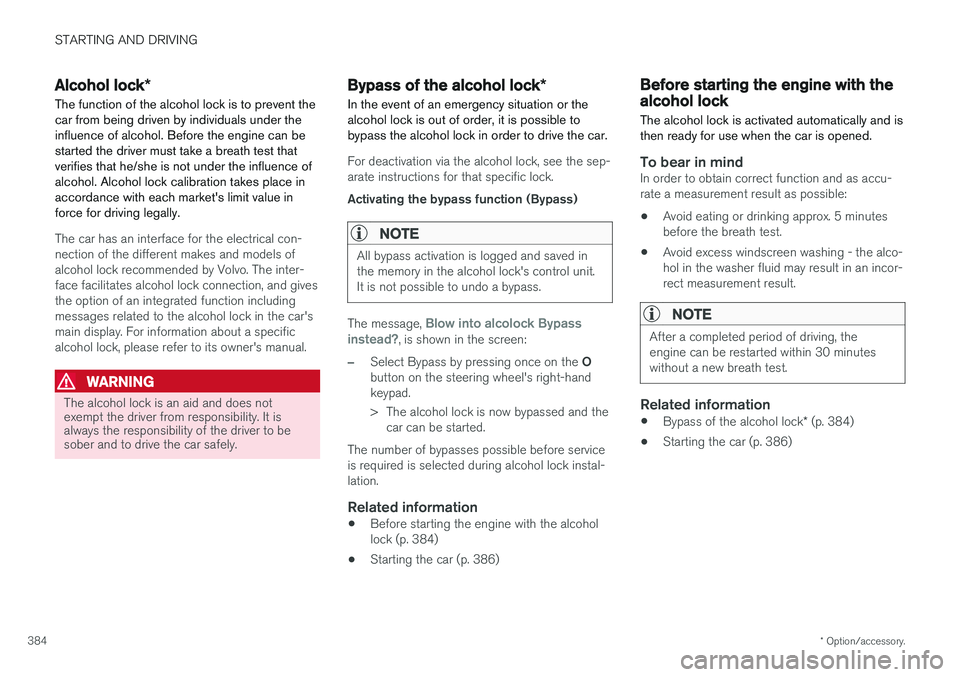
Bypass of the alcohol lock *
In the event of an emergency situation or the alcohol lock is out of order, it is possible tobypass the alcohol lock in order to drive the car.
For deactivation via the alcohol lock, see the sep- arate instructions for that specific lock. Activating the bypass function (Bypass)
NOTE
All bypass activation is logged and saved in the memory in the alcohol lock's control unit.It is not possible to undo a bypass.
The message, Blow into alcolock Bypass
instead?, is shown in the screen:
–Select Bypass by pressing once on the O
button on the steering wheel's right-hand keypad.
> The alcohol lock is now bypassed and the car can be started.
The number of bypasses possible before service is required is selected during alcohol lock instal-lation.
Related information
• Before starting the engine with the alcohollock (p. 384)
• Starting the car (p. 386)
Before starting the engine with the alcohol lock
The alcohol lock is activated automatically and is then ready for use when the car is opened.
To bear in mindIn order to obtain correct function and as accu- rate a measurement result as possible: • Avoid eating or drinking approx. 5 minutes before the breath test.
• Avoid excess windscreen washing - the alco-hol in the washer fluid may result in an incor-rect measurement result.
NOTE
After a completed period of driving, the engine can be restarted within 30 minuteswithout a new breath test.
Related information
•
Bypass of the alcohol lock
* (p. 384)
• Starting the car (p. 386)
Page 387 of 594
STARTING AND DRIVING
}}
385
Ignition positions The car's electrical system can be set in different levels/positions and in this way make the differ-ent functions available.
In order to facilitate the use of a limited number of functions with the engine switched off, thecar's electrical system can be set in 3 different levels - 0, I and II. These levels are described
with the denomination "ignition position" throughout the owner's manual. The following table shows the functions available in each ignition position/level:
Level Functions
0 •Odometer, clock and temperature gauge are illuminated.
• Power seats can be adjusted.
• The power windows can be used.
• The centre display is started andcan be used.
• It is possible to start the audio.
The functions are time-controlled inthis ignition position and are switchedoff automatically after a period of time.
I •Panorama roof, power windows,12V socket in the passenger com-partment, navigation, phone, venti-lation fan and windscreen wiperscan be used.
• Power seats can be adjusted.
• 12 V sockets in the cargo areacan be used.
• The audio is started automaticallyif it was running when the car wasleft.
Power is taken from the battery inthis ignition position.Level Functions
II •The headlamps come on.
• Warning/indicator lamps illuminate for 5 seconds.
• Several other systems are acti-vated. However, heating in seatcushions and the rear window canonly be activated after the car hasbeen started.
This ignition position consumes alot of current from the battery andshould therefore be avoided!
Selecting ignition position
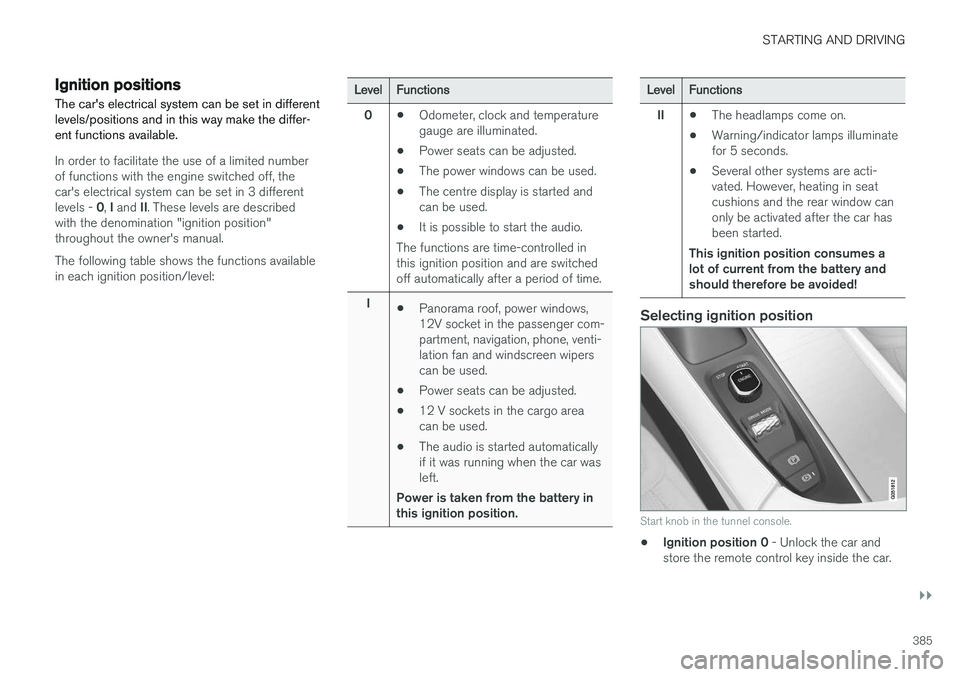
Start knob in the tunnel console.
• Ignition position 0
- Unlock the car and
store the remote control key inside the car.
Page 388 of 594
||
STARTING AND DRIVING
* Option/accessory.
386
NOTE
To reach level I or II without starting the
engine - do not depress the brake pedal, or
the clutch pedal for cars with manual gear changing, when these ignition positions are tobe selected.
• Ignition position I
- Turn the ignition dial to
START and release it. The control automati-
cally returns to its starting position.
• Ignition position II
- Turn the ignition dial to
START and hold it in the START position for
approx. 4 seconds. Then release the knob, which automatically returns to its startingposition.
• Back to ignition position 0
- To return to
ignition position 0 from position I and II -
Turn the ignition dial to STOP and release it.
The control automatically returns to its star-ting position.
Related information
• Starting the car (p. 386)
• Switching off the car (p. 387)
• Driver display (p. 90)
Starting the car
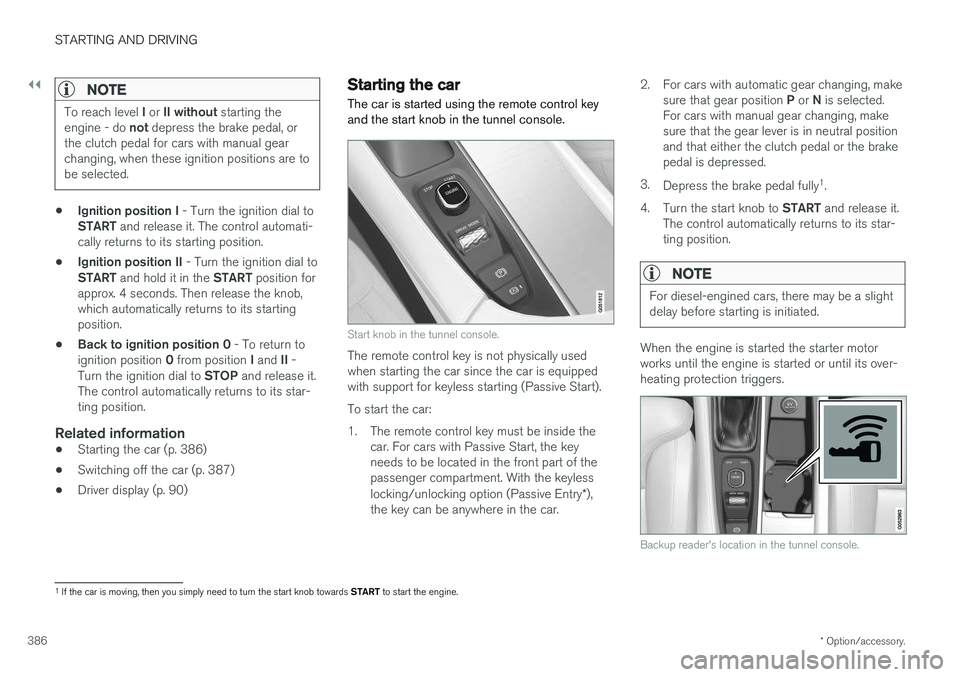
The car is started using the remote control key and the start knob in the tunnel console.
Start knob in the tunnel console.
The remote control key is not physically used when starting the car since the car is equippedwith support for keyless starting (Passive Start). To start the car:
1. The remote control key must be inside the car. For cars with Passive Start, the key needs to be located in the front part of thepassenger compartment. With the keyless locking/unlocking option (Passive Entry *),
the key can be anywhere in the car. 2. For cars with automatic gear changing, make
sure that gear position P or N is selected.
For cars with manual gear changing, make sure that the gear lever is in neutral positionand that either the clutch pedal or the brakepedal is depressed.
3. Depress the brake pedal fully 1
.
4. Turn the start knob to START and release it.
The control automatically returns to its star-ting position.
NOTE
For diesel-engined cars, there may be a slight delay before starting is initiated.
When the engine is started the starter motor works until the engine is started or until its over-heating protection triggers.
Backup reader's location in the tunnel console.
1 If the car is moving, then you simply need to turn the start knob towards START to start the engine.