lock VOLVO V90 2017 Manual Online
[x] Cancel search | Manufacturer: VOLVO, Model Year: 2017, Model line: V90, Model: VOLVO V90 2017Pages: 594, PDF Size: 15.07 MB
Page 270 of 594
||
LOCKS AND ALARM
268
Country/AreaType approval
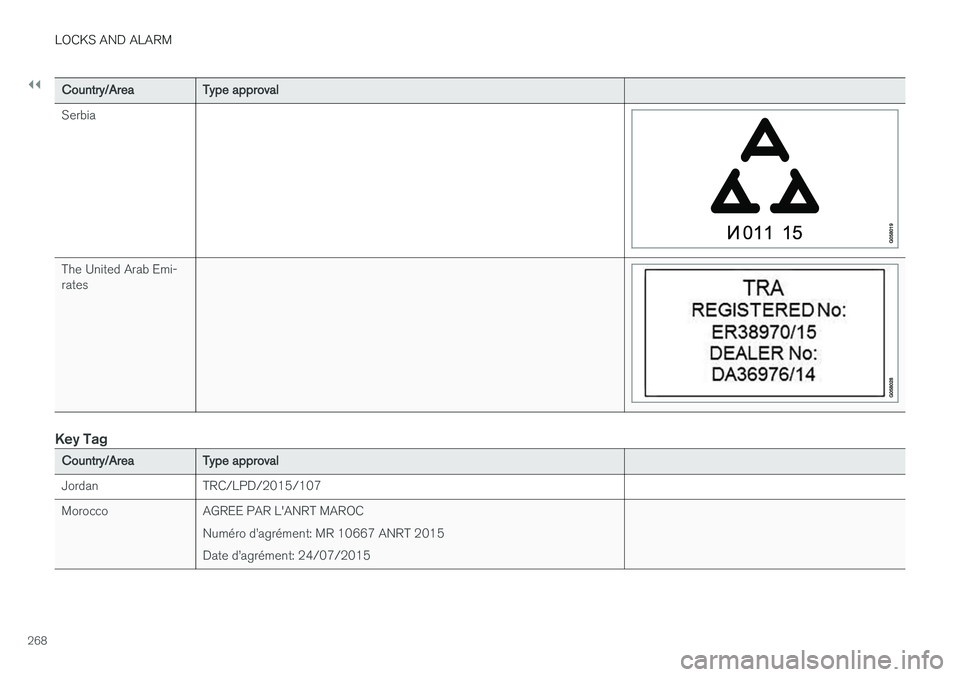
Serbia
The United Arab Emi- rates
Key Tag
Country/Area Type approval
Jordan TRC/LPD/2015/107
Morocco AGREE PAR L'ANRT MAROC Numéro d
Page 271 of 594
LOCKS AND ALARM
}}
269
Country/AreaType approval
Mexico IFETEL Marca: HUF Modelo (s): HUF8432NOM-121-SCT1-2009La operación de este equipo está sujeta a las siguientes dos condiciones: (1) es posible que este equipo o dispositivo no cause interferencia perjudicial y(2) este equipo o dispositivo debe aceptar cualquier interferencia, incluyendola que pueda causar su operación no deseada.
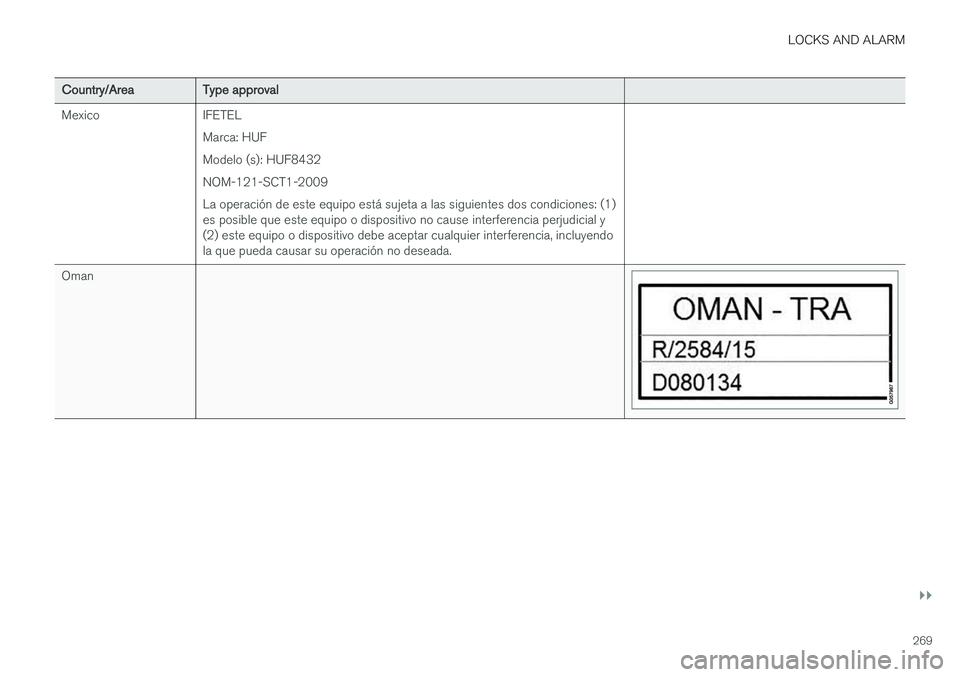
Oman
Page 272 of 594
||
LOCKS AND ALARM
270
Country/AreaType approval
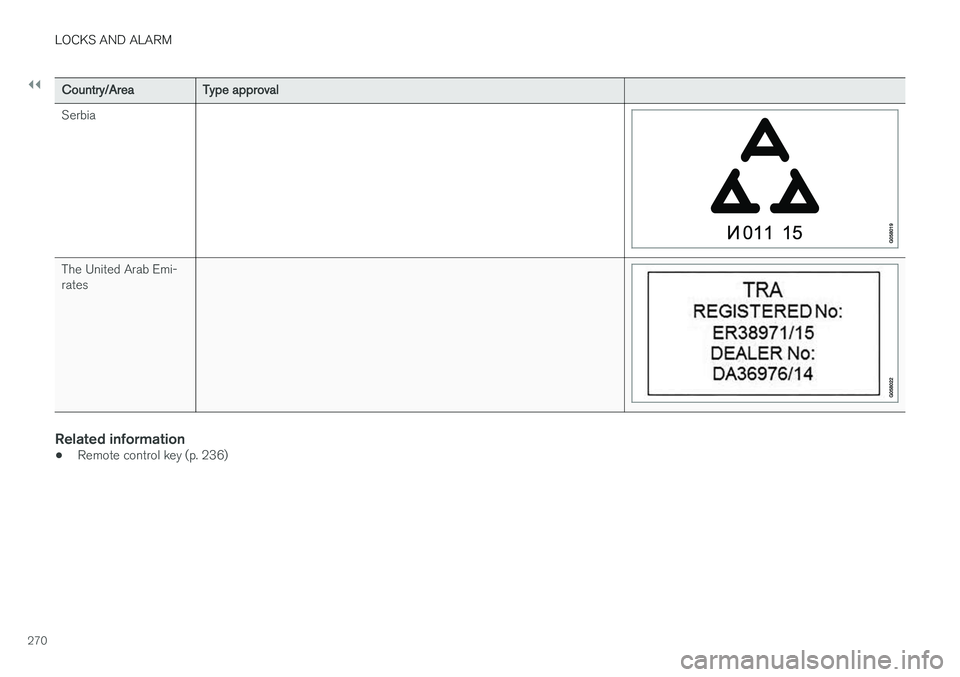
Serbia
The United Arab Emi- rates
Related information
• Remote control key (p. 236)
Page 299 of 594
DRIVER SUPPORT
}}
* Option/accessory.297
Deactivating/activating the adaptive cruise control *
The adaptive cruise control (Adaptive Cruise Control - ACC) can be temporarily deactivatedso that it is set in the standby mode and canlater be reactivated.
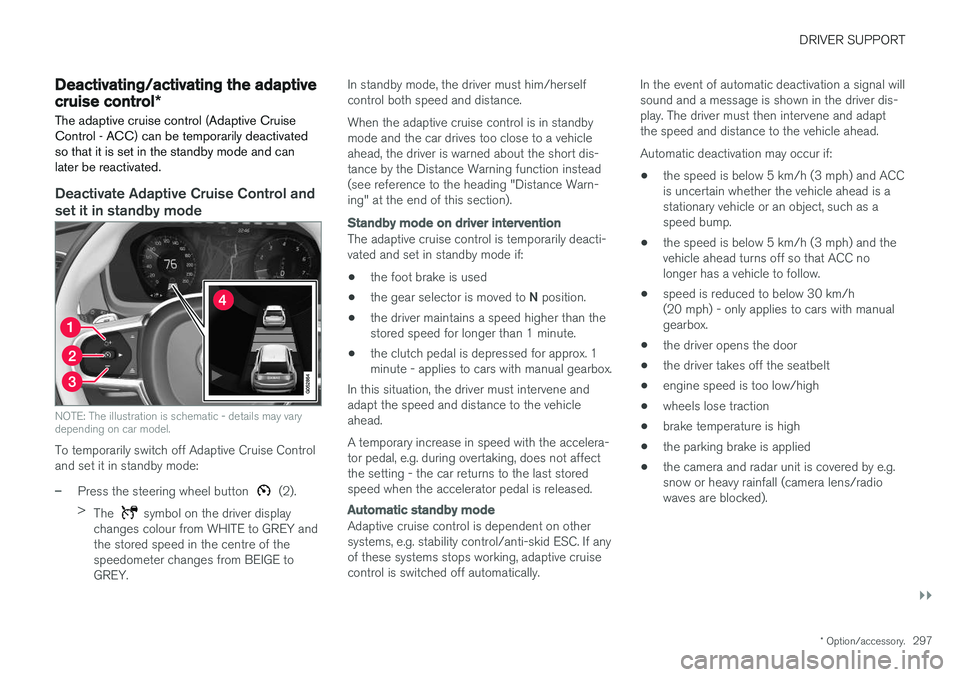
Deactivate Adaptive Cruise Control and set it in standby mode
NOTE: The illustration is schematic - details may vary depending on car model.
To temporarily switch off Adaptive Cruise Control and set it in standby mode:
–Press the steering wheel button (2).
> The
symbol on the driver display
changes colour from WHITE to GREY and the stored speed in the centre of thespeedometer changes from BEIGE toGREY. In standby mode, the driver must him/herselfcontrol both speed and distance. When the adaptive cruise control is in standby mode and the car drives too close to a vehicleahead, the driver is warned about the short dis-tance by the Distance Warning function instead(see reference to the heading "Distance Warn-ing" at the end of this section).
Standby mode on driver intervention
The adaptive cruise control is temporarily deacti- vated and set in standby mode if:
• the foot brake is used
• the gear selector is moved to
N position.
• the driver maintains a speed higher than thestored speed for longer than 1 minute.
• the clutch pedal is depressed for approx. 1minute - applies to cars with manual gearbox.
In this situation, the driver must intervene andadapt the speed and distance to the vehicleahead. A temporary increase in speed with the accelera- tor pedal, e.g. during overtaking, does not affectthe setting - the car returns to the last storedspeed when the accelerator pedal is released.
Automatic standby mode
Adaptive cruise control is dependent on other systems, e.g. stability control/anti-skid ESC. If anyof these systems stops working, adaptive cruisecontrol is switched off automatically. In the event of automatic deactivation a signal willsound and a message is shown in the driver dis-play. The driver must then intervene and adaptthe speed and distance to the vehicle ahead. Automatic deactivation may occur if:
• the speed is below 5 km/h (3 mph) and ACC is uncertain whether the vehicle ahead is astationary vehicle or an object, such as aspeed bump.
• the speed is below 5 km/h (3 mph) and thevehicle ahead turns off so that ACC nolonger has a vehicle to follow.
• speed is reduced to below 30 km/h(20 mph) - only applies to cars with manualgearbox.
• the driver opens the door
• the driver takes off the seatbelt
• engine speed is too low/high
• wheels lose traction
• brake temperature is high
• the parking brake is applied
• the camera and radar unit is covered by e.g.snow or heavy rainfall (camera lens/radiowaves are blocked).
Page 305 of 594
DRIVER SUPPORT
* Option/accessory.303
SymbolMessage Specification
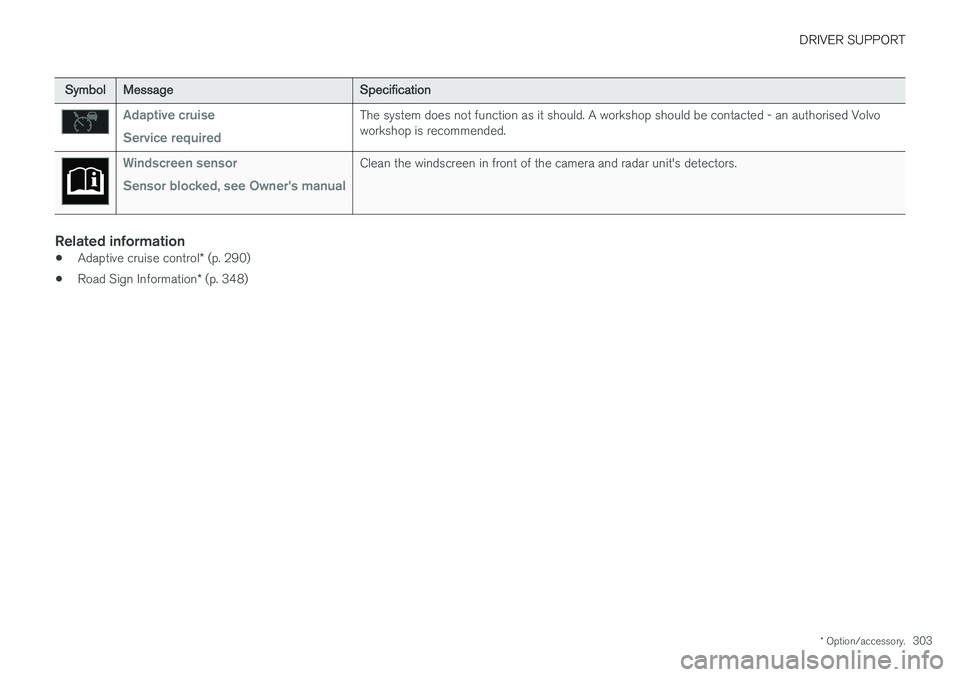
Adaptive cruise Service requiredThe system does not function as it should. A workshop should be contacted - an authorised Volvo workshop is recommended.
Windscreen sensor Sensor blocked, see Owner's manualClean the windscreen in front of the camera and radar unit's detectors.
Related information
•Adaptive cruise control
* (p. 290)
• Road Sign Information
* (p. 348)
Page 314 of 594
||
DRIVER SUPPORT
* Option/accessory.
312
Automatic standby mode
Pilot Assist is dependent on other systems, e.g. stability control/anti-skid ESC. If any of theseother systems stops working, Pilot Assist isswitched off automatically. In the event of automatic deactivation a signal will sound and a message is shown in the driver dis-play. The driver must then intervene and adaptthe speed and distance to the vehicle ahead. Automatic deactivation may occur if:
• the speed is below 5 km/h (3 mph) and Pilot Assist is uncertain whether the vehicle aheadis a stationary vehicle or an object, such as aspeed bump.
• the speed is below 5 km/h (3 mph) and thevehicle ahead turns off so that Pilot Assist nolonger has a vehicle to follow.
• speed is reduced to below 30 km/h(20 mph) - only applies to cars with manualgearbox.
• the driver's hands are not on the steeringwheel
• the driver opens the door
• the driver takes off the seatbelt
• engine speed is too low/high
• wheels lose traction
• brake temperature is high
• the parking brake is applied •
the camera and radar unit is covered by e.g.snow or heavy rainfall (camera lens/radiowaves are blocked).
Reactivating Pilot Assist from the
standby mode
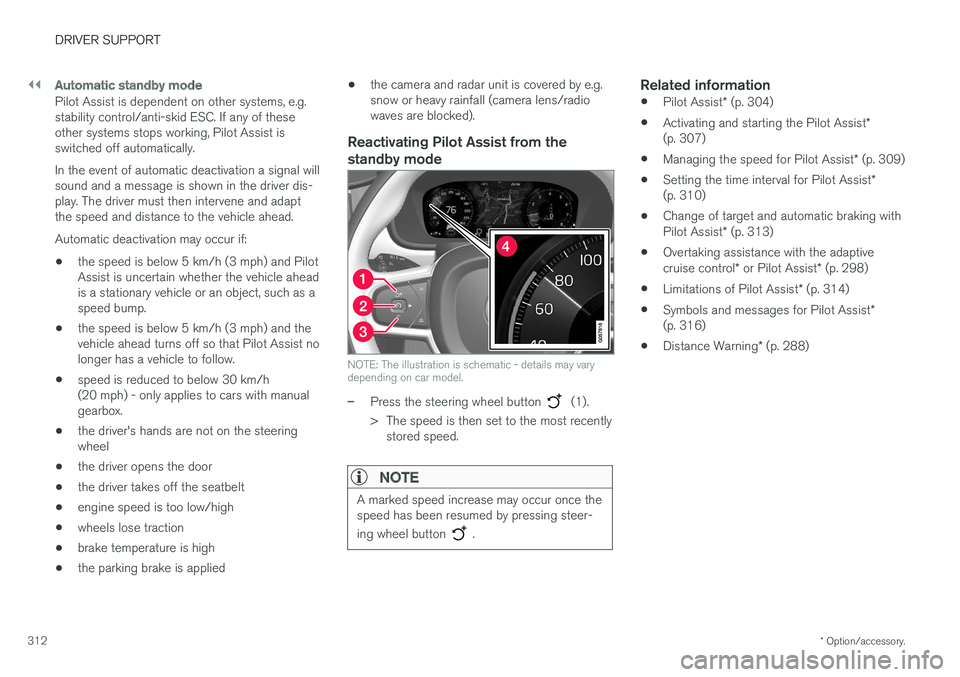
NOTE: The illustration is schematic - details may vary depending on car model.
–Press the steering wheel button (1).
> The speed is then set to the most recently stored speed.
NOTE
A marked speed increase may occur once the speed has been resumed by pressing steer- ing wheel button
.
Related information
• Pilot Assist
* (p. 304)
• Activating and starting the Pilot Assist
*
(p. 307)
• Managing the speed for Pilot Assist
* (p. 309)
• Setting the time interval for Pilot Assist
*
(p. 310)
• Change of target and automatic braking with Pilot Assist
* (p. 313)
• Overtaking assistance with the adaptivecruise control
* or Pilot Assist * (p. 298)
• Limitations of Pilot Assist
* (p. 314)
• Symbols and messages for Pilot Assist
*
(p. 316)
• Distance Warning
* (p. 288)
Page 317 of 594
DRIVER SUPPORT
}}
* Option/accessory.315
IMPORTANT
In certain situations, Pilot Assist steering assistance may have difficulty helping thedriver in the right way or it may be automati-cally deactivated - in which case, the use ofPilot Assist is not recommended. Examples ofsuch situations may be that: •the lane markings are worn, missing or cross each other.
• lane division is unclear, for example, whenthe lanes divide or merge or at exits or inthe event of multiple sets of markings.
• edges or other lines than lane markingsare present on or near the road, e.g.curbs, joints or repairs to the road sur-face, edges of barriers, roadside edges orstrong shadows.
• the lane is narrow or winding.
• the lane contains ridges or holes.
• weather conditions are poor, e.g. rain,snow or fog or slush or impaired viewwith poor light conditions, back-lighting,wet road surface etc.
The driver should also note that Pilot Assisthas the following limitations: • High kerbs, roadside barriers, temporary obstacles (traffic cones, safety barriers,etc.) are not detected. Alternatively, theymay be detected incorrectly as lane
markings, with a subsequent risk of con- tact between the car and such obstacles.The driver must ensure him/herself thatthe car is at a suitable distance from suchobstacles.
• The camera and radar sensor does nothave the capacity to detect all oncomingobjects and obstacles in traffic environ-ments, e.g. potholes, stationary obstaclesor objects which completely or partiallyblock the route.
• Pilot Assist does not "see" pedestrians,animals, etc.
• The recommended steering input is forcelimited, which means that it cannotalways help the driver to steer and keepthe car within the lane.
The driver always has the possibility of correcting or adjusting a steering intervention imposed byPilot Assist and can turn the steering wheel tothe desired position.
Steep roads and/or heavy loadBear in mind that Pilot Assist is primarilyintended for use when driving on level road surfa-ces. The function may have difficulty in keepingthe correct distance from the vehicle ahead whendriving on steep downhill slopes - in which case,be extra attentive and ready to brake. Do not usePilot Assist with a heavy load or with a trailer con-nected to the car.
Miscellaneous
•Off Road drive mode cannot be selected
when Pilot Assist is activated.
NOTE
The function uses the car's camera unit, which has some general limitations, see the"Limitations for camera unit" section.
NOTE
The function uses the car's radar unit, which has some general limitations, see the "Limita-tions for radar unit" section.
Related information
• Pilot Assist
* (p. 304)
• Activating and starting the Pilot Assist
*
(p. 307)
• Managing the speed for Pilot Assist
* (p. 309)
• Setting the time interval for Pilot Assist
*
(p. 310)
• Change of target and automatic braking with Pilot Assist
* (p. 313)
• Deactivating/activating the Pilot Assist
*
(p. 311)
• Overtaking assistance with the adaptivecruise control
* or Pilot Assist * (p. 298)
Page 321 of 594
DRIVER SUPPORT
}}
319
Limitations of the radar unit The radar unit has certain limitations - which in turn also limits those functions that use the unit.
Blocked unit
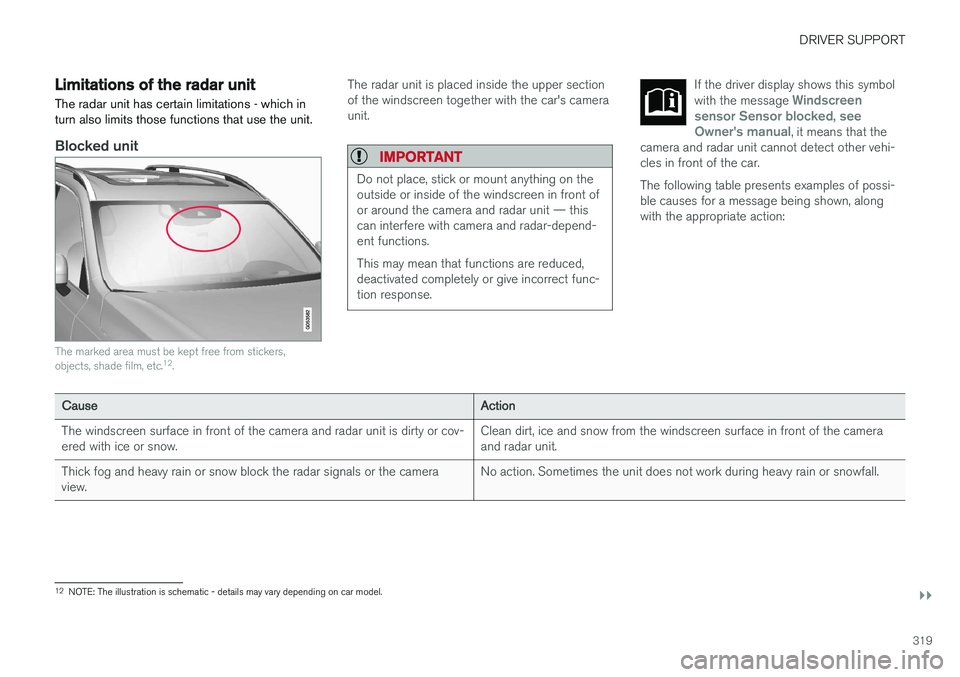
The marked area must be kept free from stickers, objects, shade film, etc.12
.
The radar unit is placed inside the upper section of the windscreen together with the car's cameraunit.
IMPORTANT
Do not place, stick or mount anything on the outside or inside of the windscreen in front ofor around the camera and radar unit — thiscan interfere with camera and radar-depend-ent functions. This may mean that functions are reduced, deactivated completely or give incorrect func-tion response.
If the driver display shows this symbol with the message Windscreen
sensor Sensor blocked, see
Owner's manual, it means that the
camera and radar unit cannot detect other vehi- cles in front of the car.
The following table presents examples of possi- ble causes for a message being shown, alongwith the appropriate action:
Cause Action
The windscreen surface in front of the camera and radar unit is dirty or cov- ered with ice or snow. Clean dirt, ice and snow from the windscreen surface in front of the cameraand radar unit.
Thick fog and heavy rain or snow block the radar signals or the cameraview. No action. Sometimes the unit does not work during heavy rain or snowfall.
12
NOTE: The illustration is schematic - details may vary depending on car model.
Page 322 of 594
||
DRIVER SUPPORT
320
CauseAction
Water or snow from the road surface swirls up and blocks the radar signals or camera view. No action. Sometimes the unit does not work on a very wet or snow-coveredroad surface.
Dirt has appeared between the inside of the windscreen and the cameraand radar unit. Visit a workshop to have the windscreen inside the unit's cover cleaned - anauthorised Volvo workshop is recommended.
NOTE
Keep the windscreen clean in front of the camera and radar unit.
Vehicle speedThe capacity of the radar unit to detect vehicles ahead is reduced significantly if:
• the speed of the vehicle ahead is signifi-cantly different from that of your own car
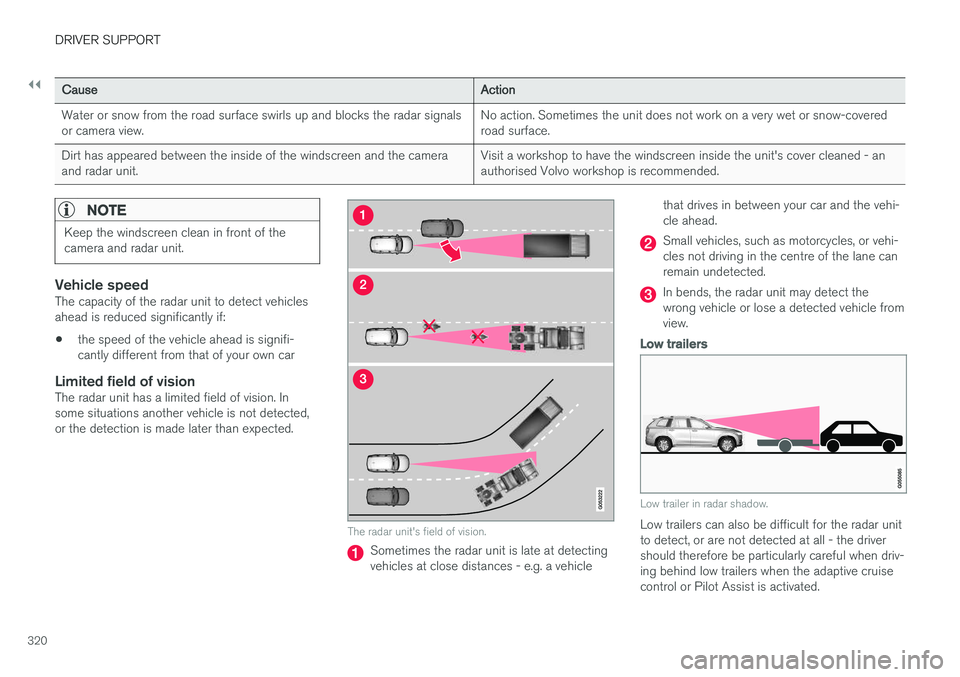
Limited field of visionThe radar unit has a limited field of vision. Insome situations another vehicle is not detected,or the detection is made later than expected.
The radar unit's field of vision.
Sometimes the radar unit is late at detecting vehicles at close distances - e.g. a vehicle that drives in between your car and the vehi-cle ahead.
Small vehicles, such as motorcycles, or vehi- cles not driving in the centre of the lane canremain undetected.
In bends, the radar unit may detect the wrong vehicle or lose a detected vehicle fromview.
Low trailers
Low trailer in radar shadow.
Low trailers can also be difficult for the radar unit to detect, or are not detected at all - the drivershould therefore be particularly careful when driv-ing behind low trailers when the adaptive cruisecontrol or Pilot Assist is activated.
Page 329 of 594
DRIVER SUPPORT
}}
327
Limitations of the camera unit
The camera unit has certain limitations - which in turn also limits those functions that use the unit.
Impaired visionThe camera has limitations similar to the human eye, i.e. it can "see" worse in for example intensesnowfall or rain, dense fog, heavy dust stormsand snow flurries. Under such conditions, thefunctions of camera-dependent systems could besignificantly reduced or temporarily disengaged. Strong oncoming light, reflections in the carriage- way, snow or ice on the road surface, dirty roadsurfaces or unclear lane markings can also sig-nificantly reduce camera function when it is usedto scan the carriageway to detect pedestrians,cyclists, large animals and other vehicles.
Blocked unit
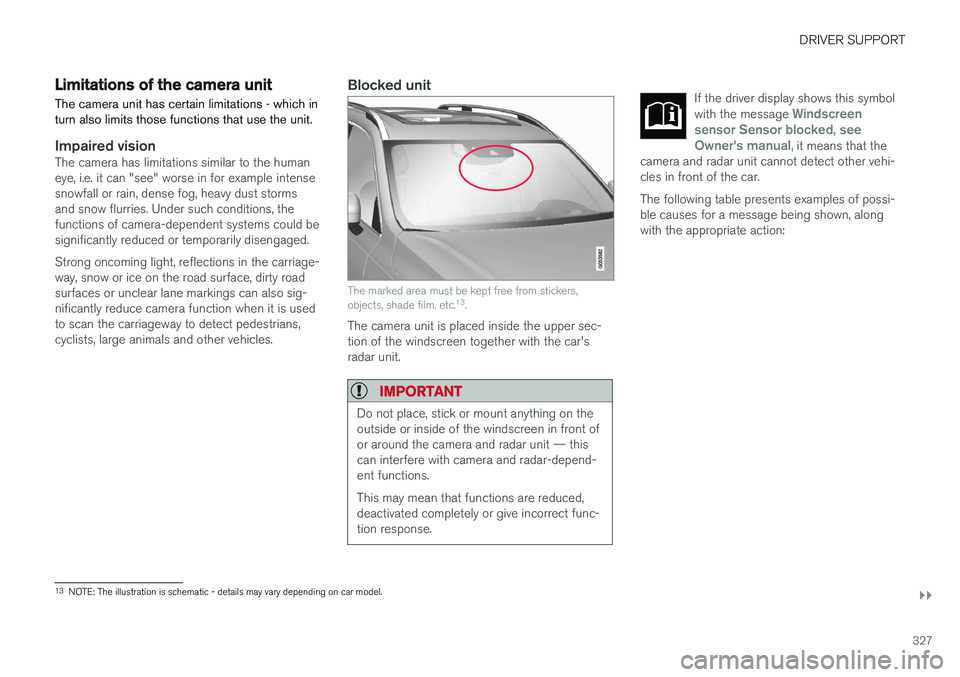
The marked area must be kept free from stickers, objects, shade film, etc. 13
.
The camera unit is placed inside the upper sec- tion of the windscreen together with the car'sradar unit.
IMPORTANT
Do not place, stick or mount anything on the outside or inside of the windscreen in front ofor around the camera and radar unit — thiscan interfere with camera and radar-depend-ent functions. This may mean that functions are reduced, deactivated completely or give incorrect func-tion response.
If the driver display shows this symbol with the message Windscreen
sensor Sensor blocked, see
Owner's manual, it means that the
camera and radar unit cannot detect other vehi- cles in front of the car.
The following table presents examples of possi- ble causes for a message being shown, alongwith the appropriate action:
13 NOTE: The illustration is schematic - details may vary depending on car model.