warning VOLVO V90 2017 Owners Manual
[x] Cancel search | Manufacturer: VOLVO, Model Year: 2017, Model line: V90, Model: VOLVO V90 2017Pages: 594, PDF Size: 15.07 MB
Page 389 of 594
STARTING AND DRIVING
387
If the message
Car key not found is shown in
the driver display when starting, place the remote control key on the backup reader in the cupholder. Then try to start again.
NOTE
When the remote control key is placed in the cup holder, make sure that no other car keys,metal objects or electronic apparatus (e.g.mobile phones, tablets, laptops or chargers)are in the cup holder. Several car keys closeto each other in the cup holder can causeinterference with each other.
IMPORTANT
If the engine fails to start after 3 attempts - wait for 3 minutes before making a furtherattempt. Starting capacity increases if the bat-tery is allowed to recover.
WARNING
Never remove the remote control key from
the car while driving or during towing.
WARNING
Always take the remote control key out from the car when leaving the car and make surethe car's electrical system is in ignition posi- tion 0 - especially if there are children in the
car.
NOTE
The idling speed can be noticeably higher than normal for certain engine types duringcold starting. This is done in order that theemissions system can reach normal operatingtemperature as quickly as possible, whichminimises exhaust emissions and protects theenvironment.
Related information
• Ignition positions (p. 385)
• Switching off the car (p. 387)
• Remote control key (p. 236)
• Replacing the battery in the remote control key (p. 257)
Switching off the car
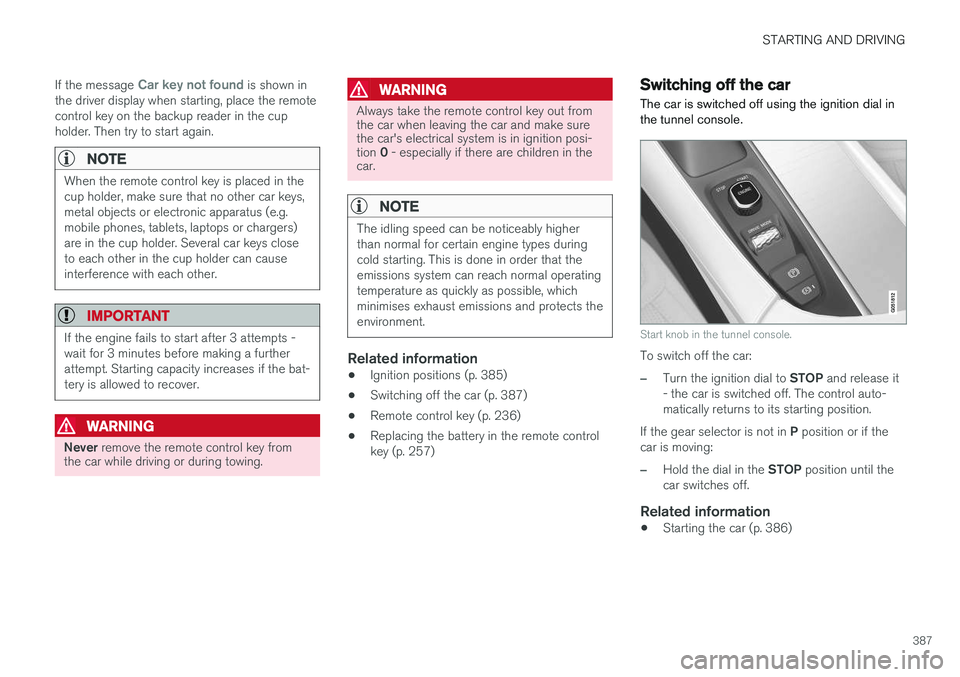
The car is switched off using the ignition dial in the tunnel console.
Start knob in the tunnel console.
To switch off the car:
–Turn the ignition dial to STOP and release it
- the car is switched off. The control auto- matically returns to its starting position.
If the gear selector is not in P position or if the
car is moving:
–Hold the dial in the STOP position until the
car switches off.
Related information
• Starting the car (p. 386)
Page 391 of 594
STARTING AND DRIVING
}}
389
11. Start the engine in the car with the dis-
charged battery.
IMPORTANT
Do not touch the connections between cable and car during the starting attempt. There is arisk of sparks forming.
12. Remove the jump leads in reverse order -first the black and then the red. Make sure that none of the black jump lead's clamps comes into contact with the car'spositive jump-starting point/donor battery'spositive terminal or the clamp connected tothe red jump lead.
WARNING
• The battery can generate oxyhydrogen gas, which is highly explosive. A spark canbe formed if a jump lead is connectedincorrectly, and this can be enough forthe battery to explode.
• The battery contains sulphuric acid, whichcan cause serious burns.
• If sulphuric acid comes into contact witheyes, skin or clothing, flush with largequantities of water. If acid splashes intothe eyes - seek medical attention imme-diately.
Related information
•Starter battery (p. 530)
• Ignition positions (p. 385)
• Starting the car (p. 386)
• Opening and closing the bonnet (p. 514)
Gearbox
The gearbox is part of the car's driveline (power transmission) between engine and drive wheels.The function of the gearbox is to change thegear ratio depending on speed and powerrequirements.
There are two main types of gearbox, manual and automatic. The manual gearbox has six gears. The automatic gearbox can have either eight gears or six gearsdepending on which engine the car is equippedwith. The number of gear changes means thatthe engine's torque and power range can beused effectively. It is also possible to select gears manually with the automatic gearbox. The driver display respec-tively shows which gear or gear position is cur-rently in use.
IMPORTANT
To prevent damage to any drive system com- ponents, the working temperature of thegearbox is checked. If there is a risk of over-heating, a warning symbol illuminates in thedriver display and a text message is shown -follow the recommendation given.
Symbols in the driver displayIf a fault should occur in the gearbox, the driver display shows a symbol and a message.
Page 392 of 594
||
STARTING AND DRIVING
* Option/accessory.
390
Symbol Specification
Information or error message for gearbox. Follow the recommenda-tion given.
Hot or overheated gearbox. Follow the recommendation given.
Related information
•Gear positions for automatic gearbox (p. 390)
• Manual gearbox (p. 392)
• Gear shift indicator
* (p. 392)
Gear positions for automatic gearbox
With an automatic gearbox, the system chooses the gear so that driving is optimal. The gearboxalso has a manual gearshift mode.
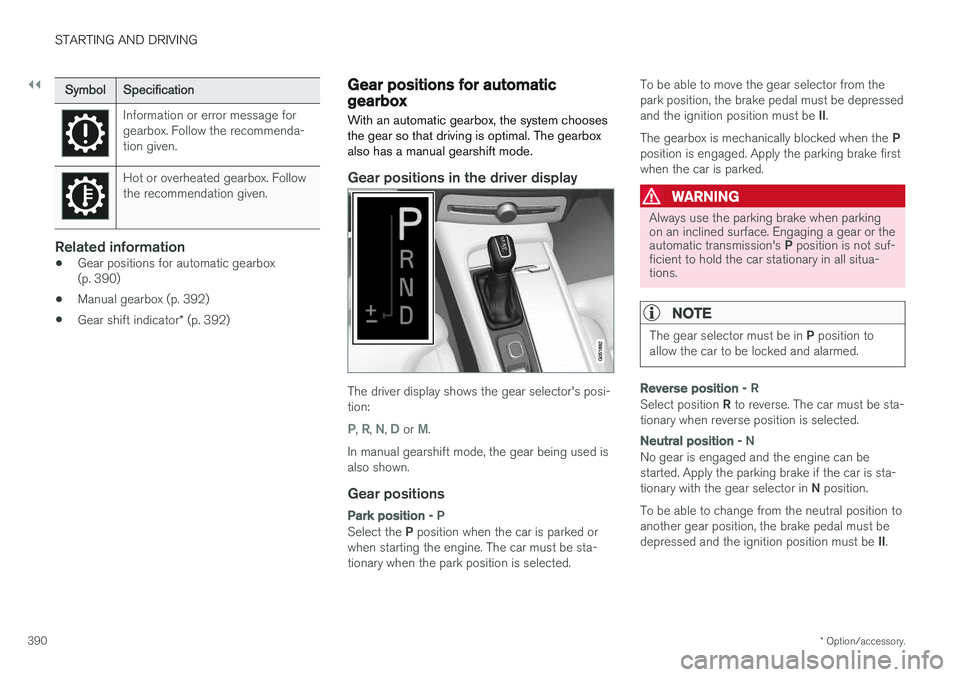
Gear positions in the driver display
The driver display shows the gear selector's posi- tion:
P, R, N, D or M.
In manual gearshift mode, the gear being used is also shown.
Gear positions
Park position - P
Select the P position when the car is parked or
when starting the engine. The car must be sta- tionary when the park position is selected. To be able to move the gear selector from thepark position, the brake pedal must be depressed and the ignition position must be
II.
The gearbox is mechanically blocked when the P
position is engaged. Apply the parking brake first when the car is parked.
WARNING
Always use the parking brake when parking on an inclined surface. Engaging a gear or the automatic transmission's P position is not suf-
ficient to hold the car stationary in all situa- tions.
NOTE
The gear selector must be in P position to
allow the car to be locked and alarmed.
Reverse position - R
Select position R to reverse. The car must be sta-
tionary when reverse position is selected.
Neutral position - N
No gear is engaged and the engine can be started. Apply the parking brake if the car is sta- tionary with the gear selector in N position.
To be able to change from the neutral position to another gear position, the brake pedal must be depressed and the ignition position must be II.
Page 394 of 594
STARTING AND DRIVING
* Option/accessory.
392
Manual gearbox
With a manual gearbox, the driver selects a suit- able gear manually, according to speed andpower requirements at the time.
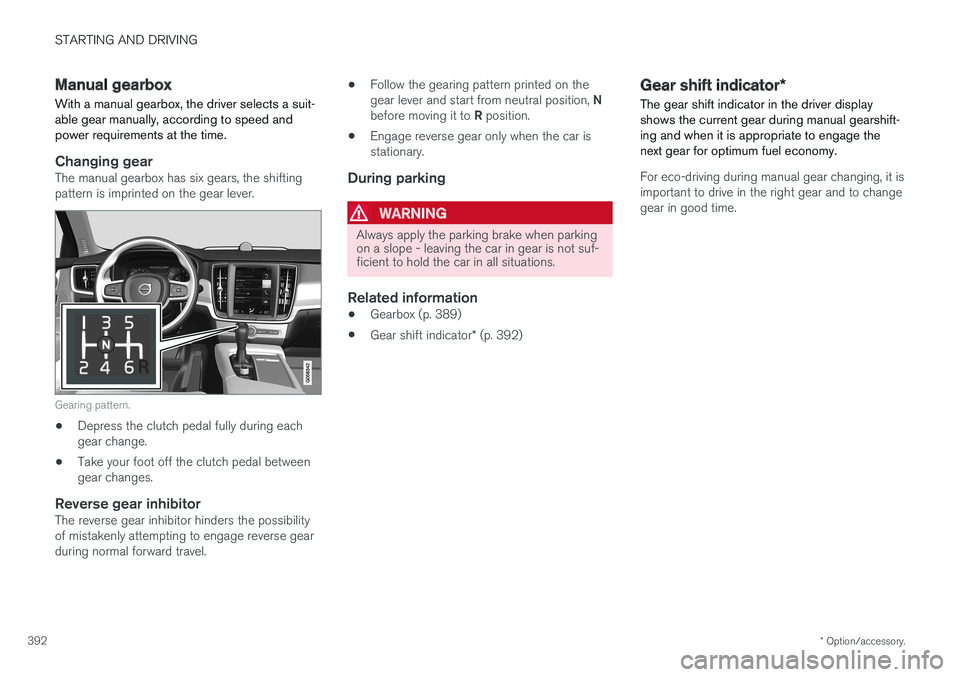
Changing gearThe manual gearbox has six gears, the shifting pattern is imprinted on the gear lever.
Gearing pattern.
• Depress the clutch pedal fully during each gear change.
• Take your foot off the clutch pedal betweengear changes.
Reverse gear inhibitorThe reverse gear inhibitor hinders the possibilityof mistakenly attempting to engage reverse gearduring normal forward travel. •
Follow the gearing pattern printed on the gear lever and start from neutral position,
N
before moving it to R position.
• Engage reverse gear only when the car is stationary.
During parking
WARNING
Always apply the parking brake when parking on a slope - leaving the car in gear is not suf-ficient to hold the car in all situations.
Related information
• Gearbox (p. 389)
• Gear shift indicator
* (p. 392)
Gear shift indicator *
The gear shift indicator in the driver display shows the current gear during manual gearshift-ing and when it is appropriate to engage thenext gear for optimum fuel economy.
For eco-driving during manual gear changing, it is important to drive in the right gear and to changegear in good time.
Page 408 of 594
STARTING AND DRIVING
406
Brake functions
The car's brakes are used to reduce the speed or prevent the car from rolling.
Besides the foot brake and parking brake, the car is equipped with several automatic brake assistfunctions. These can assist the driver by notneeding to keep his/her foot on the brake pedalwhen stationary at a traffic light, when starting onan uphill gradient or when driving on a downhillgradient. Depending on the car's equipment, the following auto braking functions are available:
• Automatic braking when stationary (AutoHold)
• Hill start assist (Hill Start Assist)
• Auto braking after a collision
• City Safety
Related information
•
Foot brake (p. 406)
• Parking brake (p. 409)
• Hill start assist (p. 412)
• Automatic braking when stationary (p. 412)
• Auto braking after a collision (p. 408)
Foot brake
The foot brake is used to reduce the car's speed while driving.
Foot brake systemThe car is equipped with two brake circuits. If a brake circuit is damaged, the brake pedal willengage deeper. Higher pressure on the pedal willtherefore be needed to produce the normal brak-ing effect. The driver's brake pedal pressure is assisted by a brake servo.
WARNING
The brake servo only works when the engine is running.
If the foot brake is used when the engine is switched off then the pedal will feel stiff and ahigher pedal pressure must be used to brake thecar. In very hilly terrain or when driving with a heavy load the brakes can be relieved by using enginebraking in manual gearshift mode. Engine brakingis most efficiently used if the same gear is useddownhill as up.
Anti-lock braking systemThe car has anti-lock brakes, Anti-lock BrakingSystem (ABS), which prevent the wheels fromlocking while braking and allows maintained steering control. Vibration may be felt in thebrake pedal when this is engaged and this is nor-mal. A short test of the ABS system is made automat- ically after the engine has been started when thedriver releases the brake pedal. A further auto-matic test of the system may be made at lowspeed. The test may be experienced as pulses inthe brake pedal.
Braking on wet roadsWhen driving for a prolonged period of time inheavy rain without braking, the braking effect maybe delayed slightly when next using the brakes.This may also be the case after a car wash. It isthen necessary to depress the brake pedal moreforcefully. You should therefore maintain agreater distance to the vehicles in front. Brake the car firmly after driving on wet roads or using a car wash. This warms up the brake discs,enabling them to dry faster and protecting themagainst corrosion. Bear in mind the current trafficsituation when braking.
Braking on salted roadsWhen driving on salted roads, a layer of salt mayform on the brake discs and brake linings. Thismay extend braking distance. You should there-fore maintain an extra large safety distance tovehicles in front. In addition, make sure you dothe following:
Page 409 of 594
STARTING AND DRIVING
407
•
Brake now and again to remove any layer of salt. Make sure that other road users are notput at risk by the braking.
• Gently depress the brake pedal after finish-ing driving and before starting your next trip.
MaintenanceTo keep the car as safe and reliable as possible,follow the Volvo service intervals as specified inthe Service and Warranty Booklet. New and replaced brake linings and brake discs do not provide optimal braking effect until theyhave been "worn in" a few hundred kilometres.Compensate for the reduced braking effect bydepressing the brake pedal harder. Volvo recom-mends only fitting brake linings that are approvedfor your Volvo.
IMPORTANT
The wear on the brake system's components must be checked regularly. Contact a workshop for information about the procedure or engage a workshop to carry outthe inspection - an authorised Volvo work-shop is recommended.
Symbols in the driver display
Symbol
Specification
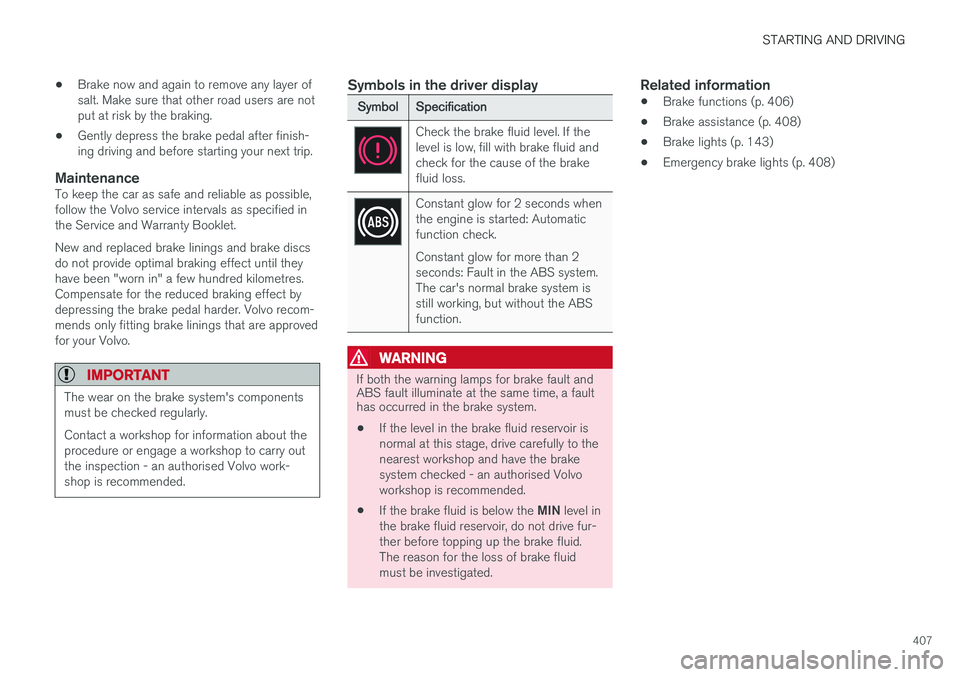
Check the brake fluid level. If the level is low, fill with brake fluid andcheck for the cause of the brakefluid loss.
Constant glow for 2 seconds when the engine is started: Automaticfunction check. Constant glow for more than 2 seconds: Fault in the ABS system.The car's normal brake system isstill working, but without the ABSfunction.
WARNING
If both the warning lamps for brake fault and ABS fault illuminate at the same time, a faulthas occurred in the brake system.
• If the level in the brake fluid reservoir is normal at this stage, drive carefully to thenearest workshop and have the brakesystem checked - an authorised Volvoworkshop is recommended.
• If the brake fluid is below the
MIN level in
the brake fluid reservoir, do not drive fur-ther before topping up the brake fluid.The reason for the loss of brake fluidmust be investigated.
Related information
• Brake functions (p. 406)
• Brake assistance (p. 408)
• Brake lights (p. 143)
• Emergency brake lights (p. 408)
Page 410 of 594
STARTING AND DRIVING
408
Emergency brake lightsEmergency brake lights are activated to alert vehicles behind about heavy braking. The func-tion means that the brake light flashes instead of- as in normal braking - shining with a constantglow.
The emergency brake lights are activated during heavy braking or if the ABS system is activated athigh speeds. After emergency braking to a lowspeed, the brake lights return from flashing to thenormal constant glow. The car's hazard warningflashers are activated at the same time. Theseflash until the driver accelerates the car to ahigher speed again or switches off the hazardwarning flashers.
Related information
• Foot brake (p. 406)
• Hazard warning flashers (p. 143)
• Brake lights (p. 143)
Brake assistance
The brake assist system, BAS (Brake Assist System), helps to increase brake force duringbraking, thereby shortening the braking distance.
The system detects the way in which the driver brakes and increases brake force where neces-sary. The brake force can be boosted up to thelevel when the ABS system is engaged. Thefunction is suspended when the pressure on thebrake pedal decreases.
NOTE
When BAS is activated the brake pedal low- ers slightly more than usual, depress (hold)the brake pedal as long as necessary. When the brake pedal is released, all braking ceases.
Related information
• Foot brake (p. 406)
Auto braking after a collision In the event of a collision in which the activation level is reached for the pyrotechnic seatbelt ten-sioners or airbags, or if a collision with a largeanimal is detected, the car's brakes are automat-ically applied. This function is to prevent orreduce the effects of any subsequent collision.
After a serious collision there is a risk that it is no longer possible to control and steer the car. Inorder to avoid or mitigate a possible further colli-sion with a vehicle or an object in the vehicle'spath, the auto braking system is activated auto-matically and brakes the car in a safe manner. Brake lights and hazard warning lights are acti- vated during braking. When the car has stopped,the hazard warning lights continue to flash andthe parking brake is applied. If braking is not appropriate, e.g. if there is a risk of being hit by following traffic, the system can beoverridden by the driver depressing the accelera-tor pedal. The function assumes that the brake system is intact after the collision. See also the sections "Rear Collision Warning" and "Blind Spot Information".
Related information
• Brake functions (p. 406)
• Seatbelt tensioner (p. 59)
• Airbags (p. 63)
Page 411 of 594
STARTING AND DRIVING
* Option/accessory.409
•
Rear Collision Warning (p. 340)
• Blind Spot Information
* (p. 340)
Parking brake The parking brake prevents the car from rolling away from stationary by means of mechanicallylocking/blocking two wheels.
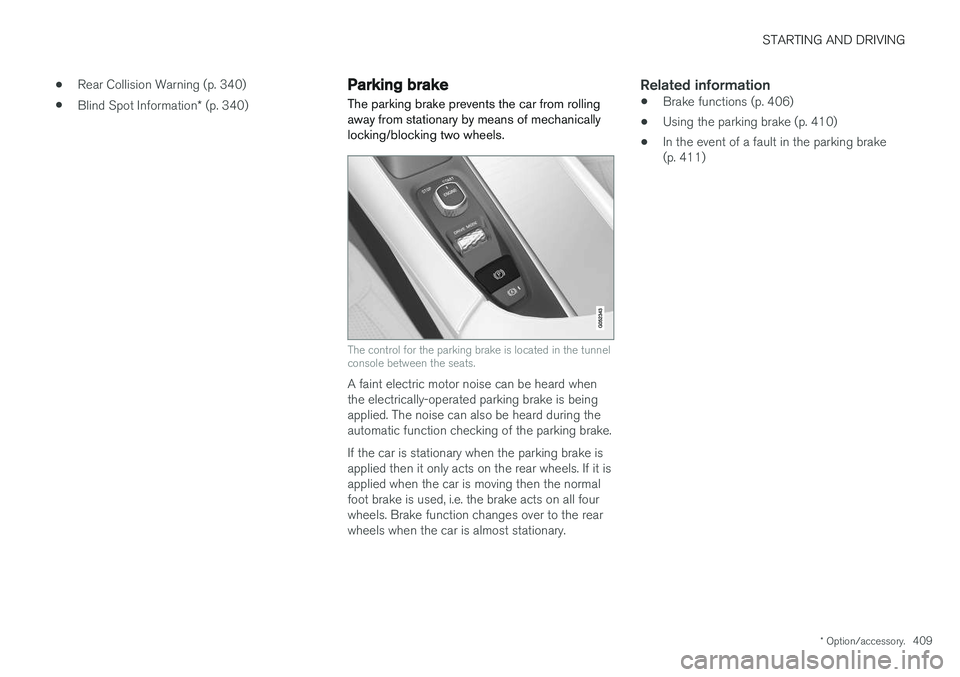
The control for the parking brake is located in the tunnel console between the seats.
A faint electric motor noise can be heard when the electrically-operated parking brake is beingapplied. The noise can also be heard during theautomatic function checking of the parking brake. If the car is stationary when the parking brake is applied then it only acts on the rear wheels. If it isapplied when the car is moving then the normalfoot brake is used, i.e. the brake acts on all fourwheels. Brake function changes over to the rearwheels when the car is almost stationary.
Related information
• Brake functions (p. 406)
• Using the parking brake (p. 410)
• In the event of a fault in the parking brake(p. 411)
Page 413 of 594
STARTING AND DRIVING
}}
411
Releasing automatically
1. Put the seatbelt on.
2. Start the car.
3. With automatic gearbox:Select gear position D or R and depress the
accelerator pedal.With manual gearbox:Engage a suitable gear, release the clutch and depress the accelerator pedal.
> The parking brake releases and the sym- bol in the driver display extinguishes.
Parking on a hill
WARNING
Always use the parking brake when parking on an inclined surface. Engaging a gear or the automatic transmission's P position is not suf-
ficient to hold the car stationary in all situa- tions.
If the car is parked facing uphill: • Turn the wheels
away from the kerb.
If the car is parked facing downhill:
• Turn the wheels
towards the kerb.
Heavy load uphill
A heavy load, such as a trailer, can cause the car to roll backward when the parking brake isreleased automatically on a steep incline. Avoid this by pulling the control upwards while drivingthe car away. Release the control when theengine achieves traction.
Settings for parking brake
Automatic activation of the parking brake isselected via the centre display. Automatic activation when the car is switched off:1.
Press
Settings in the top view.
2. Press
My CarParking Brake and
Suspension and deselect/select the func-
tion Auto Activate Parking Brake.
Related information
• Parking brake (p. 409)
• In the event of a fault in the parking brake (p. 411)
• Automatic braking when stationary (p. 412)
In the event of a fault in the parking brake
Contact an authorised Volvo workshop if it is not possible to release or apply the parking brakeafter several attempts.
An acoustic warning signal sounds when driving with the parking brake applied. If the car has to be parked before a possible fault is rectified then the wheels must be turned as ifparking on a hill and the gear selector must be in position P, or engage first gear if the car has a
manual gearbox.
Low battery voltageIf the battery voltage is too low then the parking brake can neither be released nor applied. Con-nect a donor battery if the battery voltage is toolow.
Replacing the brake liningsThe rear brake linings must be replaced at aworkshop due to the design of the electrically-operated parking brake - an authorised Volvoworkshop is recommended.
Page 416 of 594
||
STARTING AND DRIVING
414
IMPORTANT
Engine damage can occur if water enters the air filter. In depths greater than 25 cm, water could enter the transmission. This reduces the lubri-cating ability of the oils and shortens theservice life of these systems. Damage to any component, engine, transmis- sion, turbocharger, differential or its internalcomponents caused by flooding, hydrostaticlocking or oil shortage, is not covered by thewarranty. In the event of the engine stalling in water, do not try restart - tow the car from the water toa workshop - an authorised Volvo workshop isrecommended. Risk of engine breakdown.
Related information
•Towing (p. 431)
• Recovering the car (p. 432)
Overheating in the engine and drive system
Under special conditions, for example hard driv- ing in hilly terrain and hot climate, there is a riskthat the engine and drive system may overheat -in particular with a heavy load.
• In the event of overheating, the engine's power may be limited temporarily.
• Remove any auxiliary lamps from in front ofthe grille when driving in hot climates.
• If the temperature in the engine's coolingsystem becomes too high then a warningsymbol is illuminated and the driver display shows the message
Engine temperature
High temperature Stop safely. Stop the
car in a safe way and allow the engine to run at idling speed for several minutes and cooldown.
• If the message
Engine temperature High
temperature Turn off engine or Engine
coolant Level low, turn off engine is
shown, stop the car and switch off the engine.
• In the event of overheating in the gearbox, analternative gear shift program will beselected. In addition, a built-in protectionfunction is activated that, amongst otherthings, illuminates a warning symbol and thedriver display shows the message
Transmission warm Reduce speed to
lower temperature or Transmission hot Stop safely, wait for cooling
. Follow the
recommendation given, reduce speed or stop the car in a safe way and allow the engine torun at idling speed for several minutes toenable the gearbox to cool down.
• If the car overheats, the air conditioning maybe switched off temporarily.
• Do not turn the engine off immediately youstop after a hard drive.
NOTE
It is normal for the engine's cooling fan to operate for a time after the engine has beenswitched off.
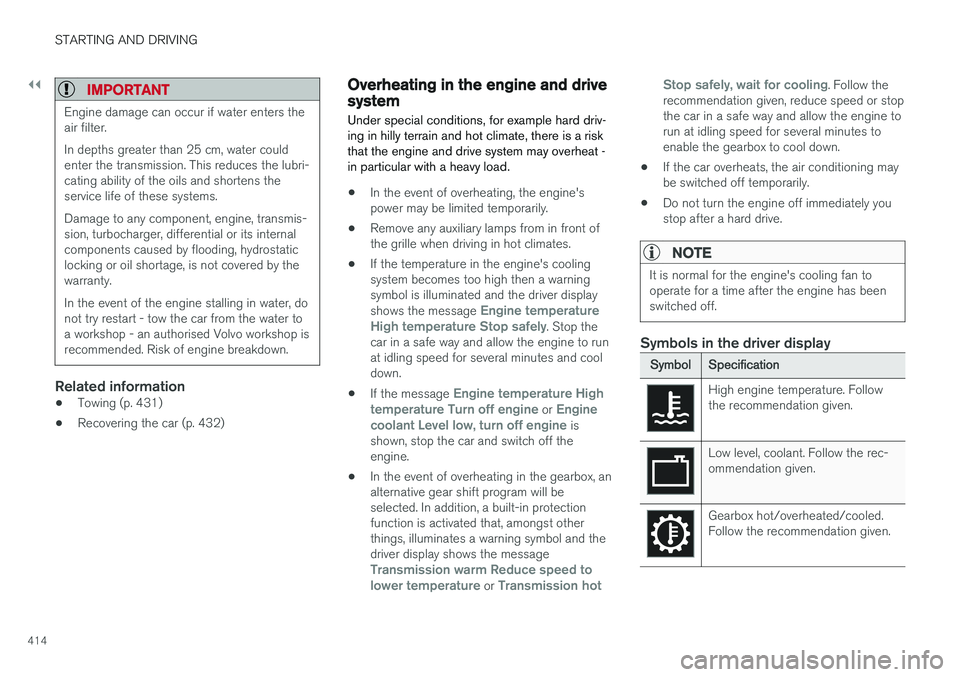
Symbols in the driver display
Symbol
Specification
High engine temperature. Follow the recommendation given.
Low level, coolant. Follow the rec- ommendation given.
Gearbox hot/overheated/cooled. Follow the recommendation given.