speed camera VOLVO V90 2017 User Guide
[x] Cancel search | Manufacturer: VOLVO, Model Year: 2017, Model line: V90, Model: VOLVO V90 2017Pages: 594, PDF Size: 15.07 MB
Page 317 of 594
DRIVER SUPPORT
}}
* Option/accessory.315
IMPORTANT
In certain situations, Pilot Assist steering assistance may have difficulty helping thedriver in the right way or it may be automati-cally deactivated - in which case, the use ofPilot Assist is not recommended. Examples ofsuch situations may be that: •the lane markings are worn, missing or cross each other.
• lane division is unclear, for example, whenthe lanes divide or merge or at exits or inthe event of multiple sets of markings.
• edges or other lines than lane markingsare present on or near the road, e.g.curbs, joints or repairs to the road sur-face, edges of barriers, roadside edges orstrong shadows.
• the lane is narrow or winding.
• the lane contains ridges or holes.
• weather conditions are poor, e.g. rain,snow or fog or slush or impaired viewwith poor light conditions, back-lighting,wet road surface etc.
The driver should also note that Pilot Assisthas the following limitations: • High kerbs, roadside barriers, temporary obstacles (traffic cones, safety barriers,etc.) are not detected. Alternatively, theymay be detected incorrectly as lane
markings, with a subsequent risk of con- tact between the car and such obstacles.The driver must ensure him/herself thatthe car is at a suitable distance from suchobstacles.
• The camera and radar sensor does nothave the capacity to detect all oncomingobjects and obstacles in traffic environ-ments, e.g. potholes, stationary obstaclesor objects which completely or partiallyblock the route.
• Pilot Assist does not "see" pedestrians,animals, etc.
• The recommended steering input is forcelimited, which means that it cannotalways help the driver to steer and keepthe car within the lane.
The driver always has the possibility of correcting or adjusting a steering intervention imposed byPilot Assist and can turn the steering wheel tothe desired position.
Steep roads and/or heavy loadBear in mind that Pilot Assist is primarilyintended for use when driving on level road surfa-ces. The function may have difficulty in keepingthe correct distance from the vehicle ahead whendriving on steep downhill slopes - in which case,be extra attentive and ready to brake. Do not usePilot Assist with a heavy load or with a trailer con-nected to the car.
Miscellaneous
•Off Road drive mode cannot be selected
when Pilot Assist is activated.
NOTE
The function uses the car's camera unit, which has some general limitations, see the"Limitations for camera unit" section.
NOTE
The function uses the car's radar unit, which has some general limitations, see the "Limita-tions for radar unit" section.
Related information
• Pilot Assist
* (p. 304)
• Activating and starting the Pilot Assist
*
(p. 307)
• Managing the speed for Pilot Assist
* (p. 309)
• Setting the time interval for Pilot Assist
*
(p. 310)
• Change of target and automatic braking with Pilot Assist
* (p. 313)
• Deactivating/activating the Pilot Assist
*
(p. 311)
• Overtaking assistance with the adaptivecruise control
* or Pilot Assist * (p. 298)
Page 318 of 594
DRIVER SUPPORT
* Option/accessory.
316 •
Symbols and messages for Pilot Assist
*
(p. 316)
• Limitations of the camera unit (p. 327)
• Limitations of the radar unit (p. 319)
Symbols and messages for Pilot Assist
*
A number of symbols and messages regarding
Pilot Assist can be shown via the driver display and/or the head-up display *.
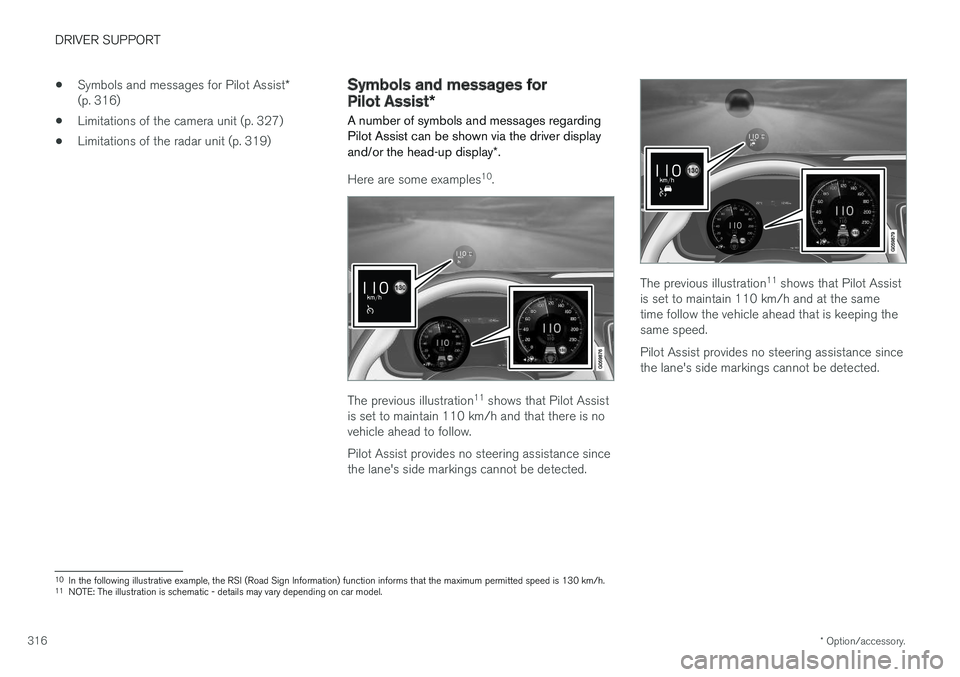
Here are some examples 10
.
The previous illustration 11
shows that Pilot Assist
is set to maintain 110 km/h and that there is no vehicle ahead to follow. Pilot Assist provides no steering assistance since the lane's side markings cannot be detected.
The previous illustration 11
shows that Pilot Assist
is set to maintain 110 km/h and at the same time follow the vehicle ahead that is keeping thesame speed. Pilot Assist provides no steering assistance since the lane's side markings cannot be detected.
10 In the following illustrative example, the RSI (Road Sign Information) function informs that the maximum permitted speed is 130 km/h.
11 NOTE: The illustration is schematic - details may vary depending on car model.
Page 322 of 594
||
DRIVER SUPPORT
320
CauseAction
Water or snow from the road surface swirls up and blocks the radar signals or camera view. No action. Sometimes the unit does not work on a very wet or snow-coveredroad surface.
Dirt has appeared between the inside of the windscreen and the cameraand radar unit. Visit a workshop to have the windscreen inside the unit's cover cleaned - anauthorised Volvo workshop is recommended.
NOTE
Keep the windscreen clean in front of the camera and radar unit.
Vehicle speedThe capacity of the radar unit to detect vehicles ahead is reduced significantly if:
• the speed of the vehicle ahead is signifi-cantly different from that of your own car
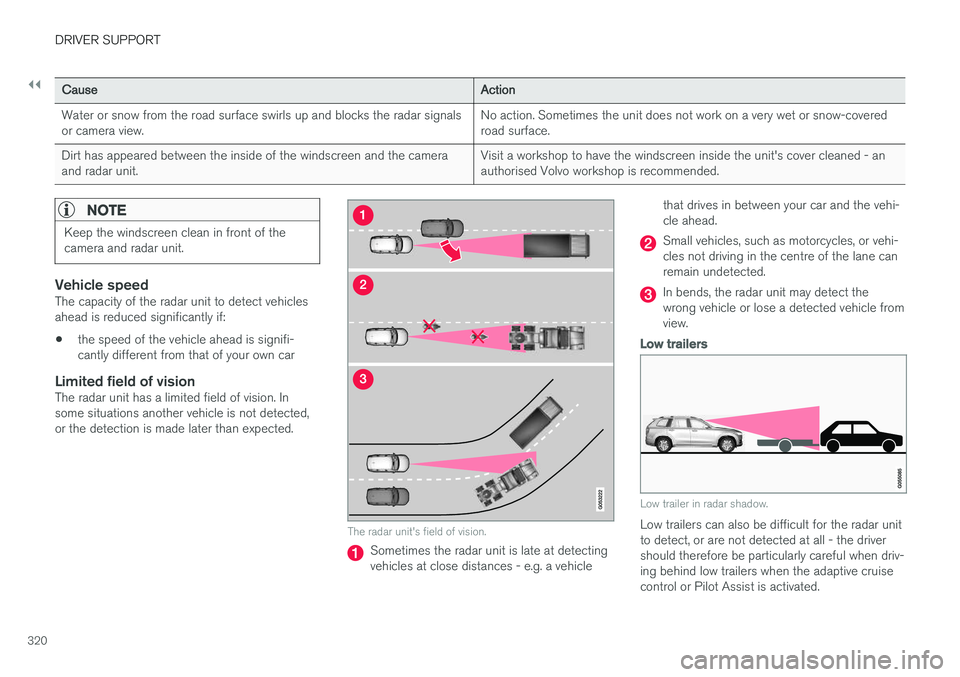
Limited field of visionThe radar unit has a limited field of vision. Insome situations another vehicle is not detected,or the detection is made later than expected.
The radar unit's field of vision.
Sometimes the radar unit is late at detecting vehicles at close distances - e.g. a vehicle that drives in between your car and the vehi-cle ahead.
Small vehicles, such as motorcycles, or vehi- cles not driving in the centre of the lane canremain undetected.
In bends, the radar unit may detect the wrong vehicle or lose a detected vehicle fromview.
Low trailers
Low trailer in radar shadow.
Low trailers can also be difficult for the radar unit to detect, or are not detected at all - the drivershould therefore be particularly careful when driv-ing behind low trailers when the adaptive cruisecontrol or Pilot Assist is activated.
Page 333 of 594
DRIVER SUPPORT
}}
331
WARNING
City Safety is an aid and does not work in all driving situations, traffic, weather and roadconditions. Warning only activated in the event of a high risk for collision. This section and the section"Limitations for City Safety" inform about limi-tations that the driver should be aware ofbefore using City Safety. Warnings and brake interventions for pedes- trians and cyclists are deactivated at vehiclespeeds above 70 km/h (43 mph). City Safety's auto-brake function can prevent a collision or reduce collision speed. Toensure full brake performance, the drivershould always depress the brake pedal - evenif the car auto-brakes. City Safety does not activates any auto-brake functions in the event of heavy acceleration. The driver is always responsible for maintain- ing the correct distance and speed - neverwait for a collision warning or for City Safetyto intervene.
Market limitationCity Safety is not available in all countries. If City Safety does not appear in the centre display's
Settings menu, the car is not equipped with this
function. Search path in the top menu:
SettingsMy
Car
IntelliSafe
Overview
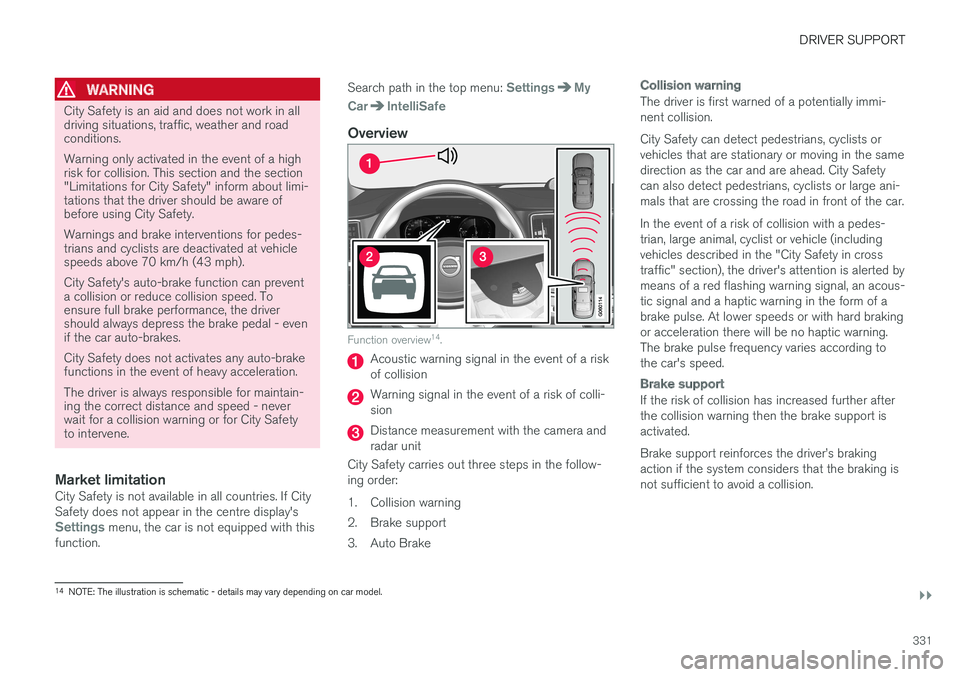
Function overview 14
.
Acoustic warning signal in the event of a risk of collision
Warning signal in the event of a risk of colli- sion
Distance measurement with the camera and radar unit
City Safety carries out three steps in the follow-ing order:
1. Collision warning
2. Brake support
3. Auto Brake
Collision warning
The driver is first warned of a potentially immi- nent collision. City Safety can detect pedestrians, cyclists or vehicles that are stationary or moving in the samedirection as the car and are ahead. City Safetycan also detect pedestrians, cyclists or large ani-mals that are crossing the road in front of the car. In the event of a risk of collision with a pedes- trian, large animal, cyclist or vehicle (includingvehicles described in the "City Safety in crosstraffic" section), the driver's attention is alerted bymeans of a red flashing warning signal, an acous-tic signal and a haptic warning in the form of abrake pulse. At lower speeds or with hard brakingor acceleration there will be no haptic warning.The brake pulse frequency varies according tothe car's speed.
Brake support
If the risk of collision has increased further after the collision warning then the brake support isactivated. Brake support reinforces the driver
Page 336 of 594
||
DRIVER SUPPORT
334bicycle outline, requiring the ability to identify the bicycle, head, arms, shoulders, legs, upper andlower body plus a normal human pattern of move-ment. If large parts of the cyclist's body or bicycle are not visible to the function's camera then the sys-tem cannot detect a cyclist. For the function to be able to detect a cyclist, he/she must be an adult and riding a bicycledesigned for adults.
WARNING
City Safety is an aid, and cannot detect all cyclists in all situations and, for example, can-not see: •
partially obscured cyclists.
• cyclists wearing clothing that obscures the body outline.
• bicycles loaded with large objects.
The driver is always responsible that the vehi- cle is driven correctly and with a safety dis-tance adapted to the speed.
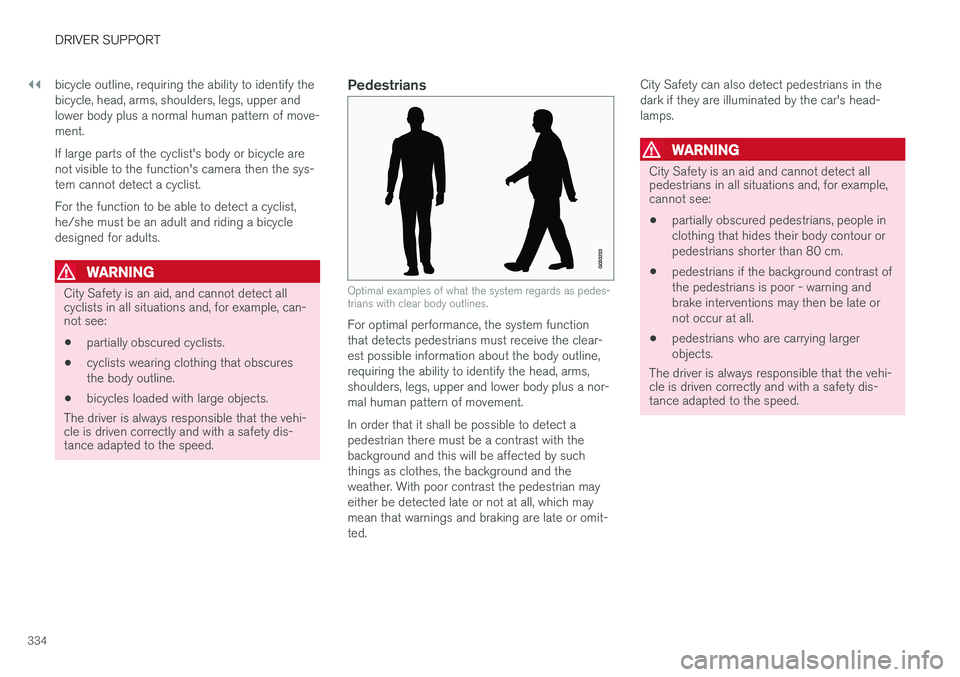
Pedestrians
Optimal examples of what the system regards as pedes- trians with clear body outlines.
For optimal performance, the system function that detects pedestrians must receive the clear-est possible information about the body outline,requiring the ability to identify the head, arms,shoulders, legs, upper and lower body plus a nor-mal human pattern of movement. In order that it shall be possible to detect a pedestrian there must be a contrast with thebackground and this will be affected by suchthings as clothes, the background and theweather. With poor contrast the pedestrian mayeither be detected late or not at all, which maymean that warnings and braking are late or omit-ted. City Safety can also detect pedestrians in thedark if they are illuminated by the car's head-lamps.
WARNING
City Safety is an aid and cannot detect all pedestrians in all situations and, for example,cannot see:
• partially obscured pedestrians, people in clothing that hides their body contour orpedestrians shorter than 80 cm.
• pedestrians if the background contrast ofthe pedestrians is poor - warning andbrake interventions may then be late ornot occur at all.
• pedestrians who are carrying largerobjects.
The driver is always responsible that the vehi-
cle is driven correctly and with a safety dis- tance adapted to the speed.
Page 337 of 594
DRIVER SUPPORT
}}
335
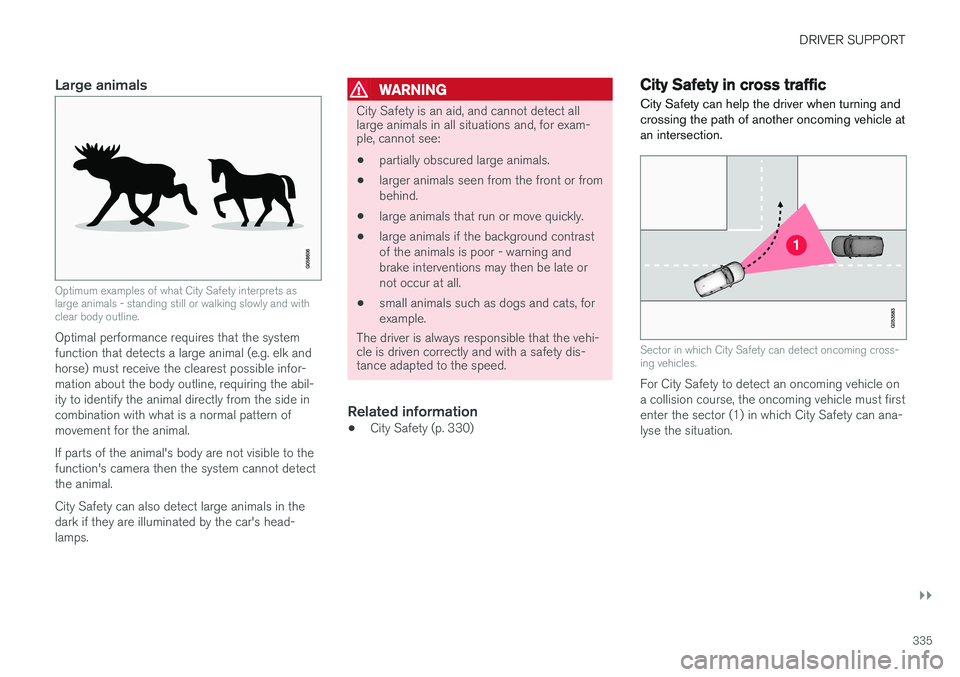
Large animals
Optimum examples of what City Safety interprets as large animals - standing still or walking slowly and withclear body outline.
Optimal performance requires that the system function that detects a large animal (e.g. elk andhorse) must receive the clearest possible infor-mation about the body outline, requiring the abil-ity to identify the animal directly from the side incombination with what is a normal pattern ofmovement for the animal. If parts of the animal's body are not visible to the function's camera then the system cannot detectthe animal. City Safety can also detect large animals in the dark if they are illuminated by the car's head-lamps.
WARNING
City Safety is an aid, and cannot detect all large animals in all situations and, for exam-ple, cannot see:
• partially obscured large animals.
• larger animals seen from the front or from behind.
• large animals that run or move quickly.
• large animals if the background contrastof the animals is poor - warning andbrake interventions may then be late ornot occur at all.
• small animals such as dogs and cats, forexample.
The driver is always responsible that the vehi- cle is driven correctly and with a safety dis-tance adapted to the speed.
Related information
• City Safety (p. 330)
City Safety in cross traffic
City Safety can help the driver when turning and crossing the path of another oncoming vehicle atan intersection.
Sector in which City Safety can detect oncoming cross- ing vehicles.
For City Safety to detect an oncoming vehicle on a collision course, the oncoming vehicle must firstenter the sector (1) in which City Safety can ana-lyse the situation.
Page 340 of 594
||
DRIVER SUPPORT
338
Low speed
City Safety is not activated at very low speeds - below 4 km/h (3 mph) - and the system there-fore does not intervene in situations where yourcar is approaching a vehicle ahead very slowly,e.g. when parking.
Active driver
Driver commands are always prioritised, which is why City Safety does not intervene or postponewarning/intervention in situations where thedriver is steering and accelerating in a decisivemanner, even if a collision is unavoidable. Active and aware driving behaviour can therefore delay a collision warning and intervention in orderto minimise unnecessary warnings.
Miscellaneous
WARNING
Warnings and brake interventions could be implemented late or not at all if a traffic situa-tion or external influences mean that the cam-era and radar unit cannot detect pedestrians,cyclists, large animals or vehicles correctly. For vehicles to be detected at night, their headlamps and rear lamp cluster must beswitched on and shining clearly. The camera and radar unit has a limited range for pedestrians and cyclists. The system canprovide effective warnings and brake interven-tions as long as the relative speed is below50 km/h (30 mph). For stationary or slow-moving vehicles, warnings and brake interven-tions are effective at vehicle speeds up to70 km/h (43 mph). Speed reduction for largeanimals is less than 15 km/h (9 mph) andcan be achieved at vehicle speeds above70 km/h (43 mph). The warning and brakeintervention for large animals is less effectiveat lower speeds. Warnings for stationary or slow-moving vehi- cles and large animals could be disengageddue to darkness or poor visibility. Warnings and brake interventions for pedes- trians and cyclists are deactivated at vehiclespeeds exceeding 70 km/h (43 mph). Do not place, stick or mount anything on the outside or inside of the windscreen in front ofor around the camera and radar unit — thiscan interfere with camera-dependent func-tions.
Objects, snow, ice or dirt in the area of the camera sensor may reduce its function, fullydeactivate it or give incorrect functionresponse.
NOTE
The function uses the car's camera unit, which has some general limitations, see the"Limitations for camera unit" section.
NOTE
The function uses the car's radar unit, which has some general limitations, see the "Limita-tions for radar unit" section.
Related information
•City Safety (p. 330)
• Limitations of the camera unit (p. 327)
• Limitations of the radar unit (p. 319)
Page 350 of 594
DRIVER SUPPORT
* Option/accessory.
348
Road Sign Information *
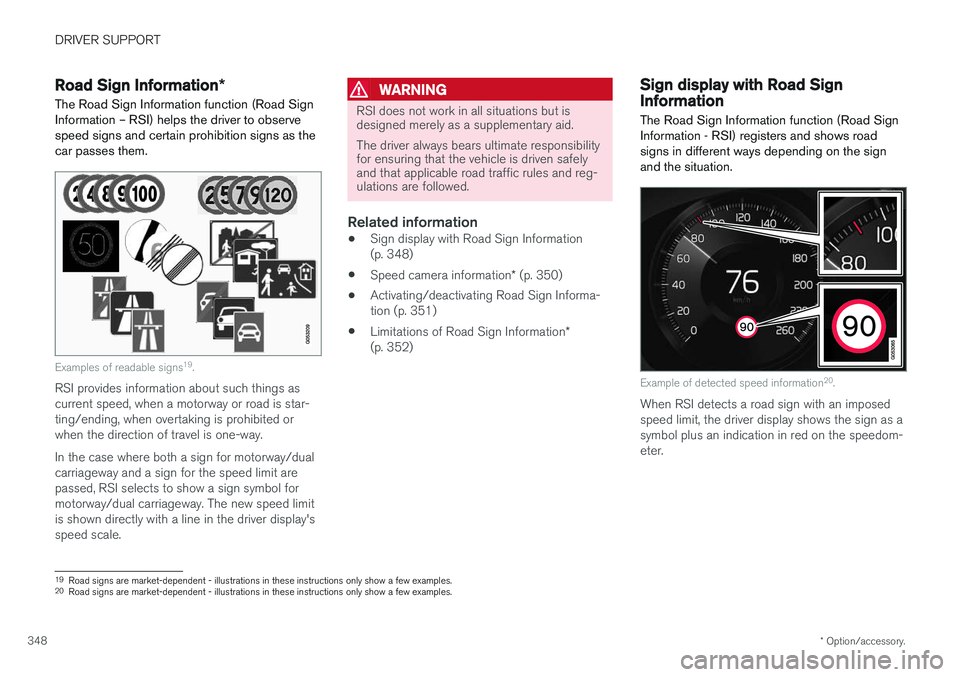
The Road Sign Information function (Road Sign Information – RSI) helps the driver to observespeed signs and certain prohibition signs as thecar passes them.
Examples of readable signs 19
.
RSI provides information about such things as current speed, when a motorway or road is star-ting/ending, when overtaking is prohibited orwhen the direction of travel is one-way. In the case where both a sign for motorway/dual carriageway and a sign for the speed limit arepassed, RSI selects to show a sign symbol formotorway/dual carriageway. The new speed limitis shown directly with a line in the driver display'sspeed scale.
WARNING
RSI does not work in all situations but is designed merely as a supplementary aid. The driver always bears ultimate responsibility for ensuring that the vehicle is driven safelyand that applicable road traffic rules and reg-ulations are followed.
Related information
• Sign display with Road Sign Information (p. 348)
• Speed camera information
* (p. 350)
• Activating/deactivating Road Sign Informa-tion (p. 351)
• Limitations of Road Sign Information
*
(p. 352)
Sign display with Road Sign Information
The Road Sign Information function (Road Sign
Information - RSI) registers and shows roadsigns in different ways depending on the signand the situation.
Example of detected speed information 20
.
When RSI detects a road sign with an imposed speed limit, the driver display shows the sign as asymbol plus an indication in red on the speedom-eter.
19 Road signs are market-dependent - illustrations in these instructions only show a few examples.
20 Road signs are market-dependent - illustrations in these instructions only show a few examples.
Page 352 of 594
||
DRIVER SUPPORT
* Option/accessory.
350
Sensus NavigationIf the car is equipped with Sensus Navigation, speed information is read from the navigationunit in the following cases:
• On detecting signs that indirectly indicate aspeed limit, such as motorway, dual carriage-way and city limit signs.
• If a previously detected sign is assumed notto apply any longer, but no new sign hasbeen detected.
NOTE
If a downloaded third-party app is used for navigation then there is no support for speed-related information.
Sign for "School" and "Children at play"
If the warning sign for "School" or "Children at play" is includedin the satellite navigator's mapdata, the driver display shows a sign20
of this type.
Related information
• Road Sign Information
* (p. 348)
• Activating/deactivating Road Sign Informa- tion (p. 351)
Speed camera information
*
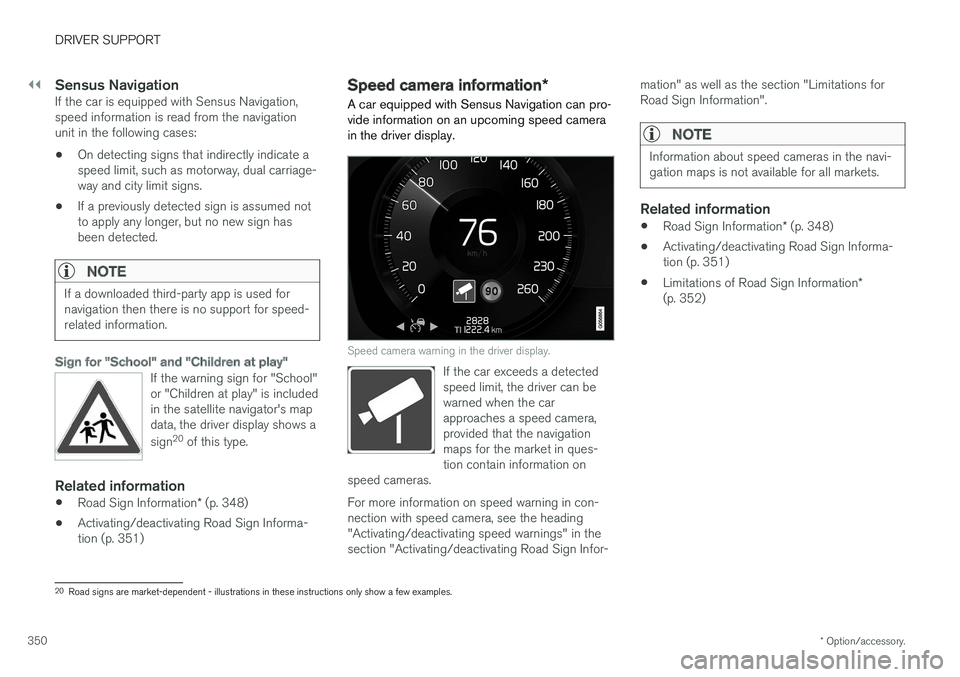
A car equipped with Sensus Navigation can pro- vide information on an upcoming speed camerain the driver display.
Speed camera warning in the driver display.
If the car exceeds a detected speed limit, the driver can bewarned when the carapproaches a speed camera,provided that the navigationmaps for the market in ques-tion contain information on
speed cameras.
For more information on speed warning in con- nection with speed camera, see the heading"Activating/deactivating speed warnings" in thesection "Activating/deactivating Road Sign Infor- mation" as well as the section "Limitations forRoad Sign Information".
NOTE
Information about speed cameras in the navi- gation maps is not available for all markets.
Related information
•
Road Sign Information
* (p. 348)
• Activating/deactivating Road Sign Informa- tion (p. 351)
• Limitations of Road Sign Information
*
(p. 352)
20 Road signs are market-dependent - illustrations in these instructions only show a few examples.
Page 353 of 594
DRIVER SUPPORT
* Option/accessory.351
Activating/deactivating Road Sign Information
The Road Sign Information (Road Sign Information - RSI) function can be activated/deactivated.
Activating/deactivating Road Sign
Information
The function is activated/deac- tivated in function view in thecentre display.
–Tap on the Road Sign Information button
in function view.
> RSI is activated and the button shows a green indicator - a grey indicator means that RSI is deactivated.
Activating/deactivating speed warningsThe speed warning function warns the driverwhen the applicable speed limit is exceeded. Aspeed warning is always given if the speed limit isexceeded in connection with speed camera infor-mation. The driver can choose to have the func-tion activated or deactivated. The speed warning is given bythe driver display symbol show-ing the applicable maximumpermitted speed temporarilyflashing when this speed isexceeded.
1.
Press Settings in the centre display's top
view.
2. Press
My CarIntelliSafeRoad Sign
Information.
3. Select
Speed Limit Warning to activate/
deactivate speed warnings.
> A speed selector is shown if the function is activated.
4. Adjust the limit for when a speed warning is to be given, either up or down, by pressing the up/down arrows. Note that no consideration is given to any boundary adjustment made when the driverdisplay shows the speed camera symbol.
Activating/deactivating the acoustic warning.
It is also possible to have an acoustic warning in connection with a speed warning: 1.Press
Settings in the centre display's top
view. 2.
Press
My CarIntelliSafeRoad Sign
Information.
3. Select
Audio Warning to activate/deacti-
vate the acoustic warning.
With the
Audio Warning function activated, the
driver is also warned when driving towards a no- entry entrance.
Related information
• Road Sign Information
* (p. 348)
• Speed camera information
* (p. 350)
• Sign display with Road Sign Information(p. 348)