ESP VOLVO V90 2017 Owner's Manual
[x] Cancel search | Manufacturer: VOLVO, Model Year: 2017, Model line: V90, Model: VOLVO V90 2017Pages: 594, PDF Size: 15.07 MB
Page 143 of 594
INSTRUMENTS AND CONTROLS
* Option/accessory.141
Active bending lights *
Active bending lights are designed to provide maximum illumination in bends and junctions. Cars with LED 26
headlamps * can have active
bending lights, depending on the car's equip- ment level.
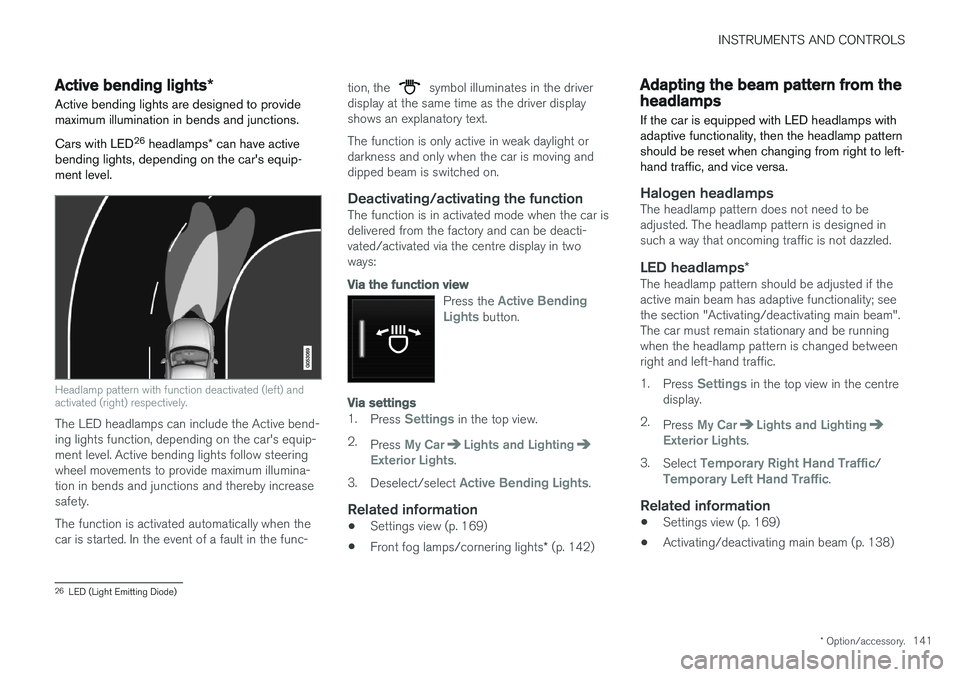
Headlamp pattern with function deactivated (left) and activated (right) respectively.
The LED headlamps can include the Active bend- ing lights function, depending on the car's equip-ment level. Active bending lights follow steeringwheel movements to provide maximum illumina-tion in bends and junctions and thereby increasesafety. The function is activated automatically when the car is started. In the event of a fault in the func- tion, the
symbol illuminates in the driver
display at the same time as the driver display shows an explanatory text. The function is only active in weak daylight or darkness and only when the car is moving anddipped beam is switched on.
Deactivating/activating the functionThe function is in activated mode when the car isdelivered from the factory and can be deacti-vated/activated via the centre display in twoways:
Via the function view
Press the Active Bending
Lights button.
Via settings
1. Press Settings in the top view.
2. Press
My CarLights and LightingExterior Lights.
3. Deselect/select
Active Bending Lights.
Related information
• Settings view (p. 169)
• Front fog lamps/cornering lights
* (p. 142)
Adapting the beam pattern from the headlamps
If the car is equipped with LED headlamps with adaptive functionality, then the headlamp patternshould be reset when changing from right to left-hand traffic, and vice versa.
Halogen headlampsThe headlamp pattern does not need to be adjusted. The headlamp pattern is designed insuch a way that oncoming traffic is not dazzled.
LED headlamps *The headlamp pattern should be adjusted if theactive main beam has adaptive functionality; seethe section "Activating/deactivating main beam".The car must remain stationary and be runningwhen the headlamp pattern is changed betweenright and left-hand traffic. 1.
Press
Settings in the top view in the centre
display.
2. Press
My CarLights and LightingExterior Lights.
3. Select
Temporary Right Hand Traffic/Temporary Left Hand Traffic.
Related information
• Settings view (p. 169)
• Activating/deactivating main beam (p. 138)
26
LED (Light Emitting Diode)
Page 145 of 594
INSTRUMENTS AND CONTROLS
}}
* Option/accessory.143
Press the on/off button. The
symbol in the
driver display illuminates when the rear fog lamp is switched on. The rear fog lamp is switched off automatically when:
• the ignition knob is turned to
STOP or when
the stalk switch's rotating ring is set in posi- tion
• the stalk switch's rotating ring is in position
and the front fog lamps are switched
off.
NOTE
Regulations on the use of rear fog lamps vary from country to country.
Related information
• Headlamp control (p. 134)
• Front fog lamps/cornering lights
* (p. 142)
• Ignition positions (p. 385)
Brake lights The brake light automatically comes on during braking.
The brake light is switched on when the brake pedal is depressed. In addition, it is switched onwhen one of driver support systems Adaptive cruise control
*, City Safety or Rear Collision
Warning brakes the car.
Related information
• Emergency brake lights (p. 408)
• Adaptive cruise control
* (p. 290)
• City Safety (p. 330)
• Rear Collision Warning (p. 340)
Hazard warning flashers
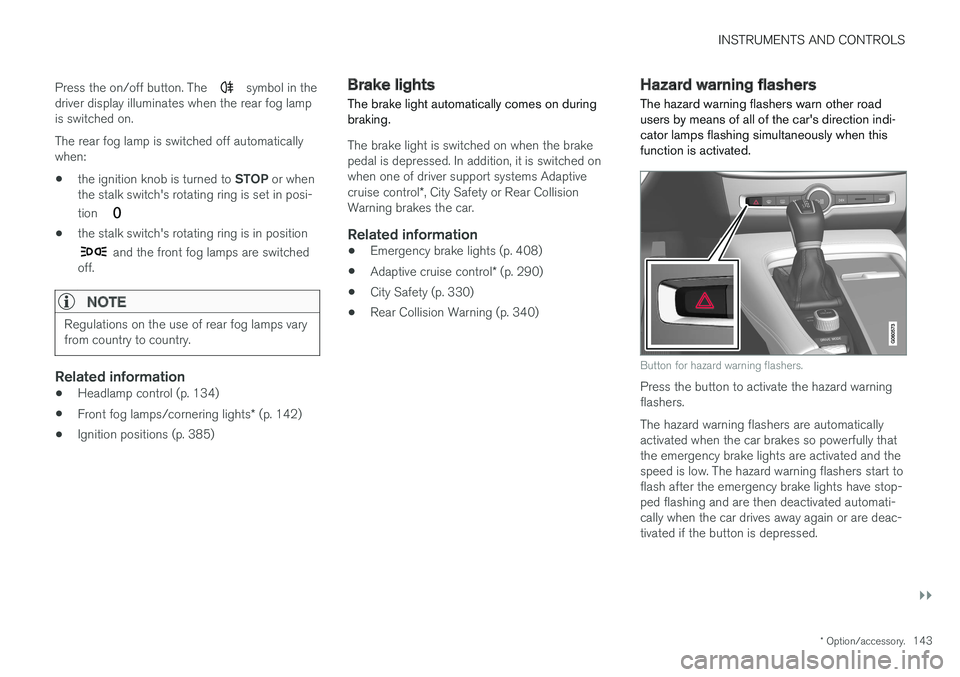
The hazard warning flashers warn other road users by means of all of the car's direction indi-cator lamps flashing simultaneously when thisfunction is activated.
Button for hazard warning flashers.
Press the button to activate the hazard warning flashers. The hazard warning flashers are automatically activated when the car brakes so powerfully thatthe emergency brake lights are activated and thespeed is low. The hazard warning flashers start toflash after the emergency brake lights have stop-ped flashing and are then deactivated automati-cally when the car drives away again or are deac-tivated if the button is depressed.
Page 147 of 594
INSTRUMENTS AND CONTROLS
}}
145
Passenger compartment lighting
The passenger compartment lighting is acti- vated/deactivated with the buttons in the over-head controls above the front seats and the rearseat.
All lighting in the passenger compartment can be switched on and off manually within 30 minutesfrom when:
• the car has been switched off and its electri- cal system is in ignition position
0
• the car has been unlocked but it has not been started.
Front lighting
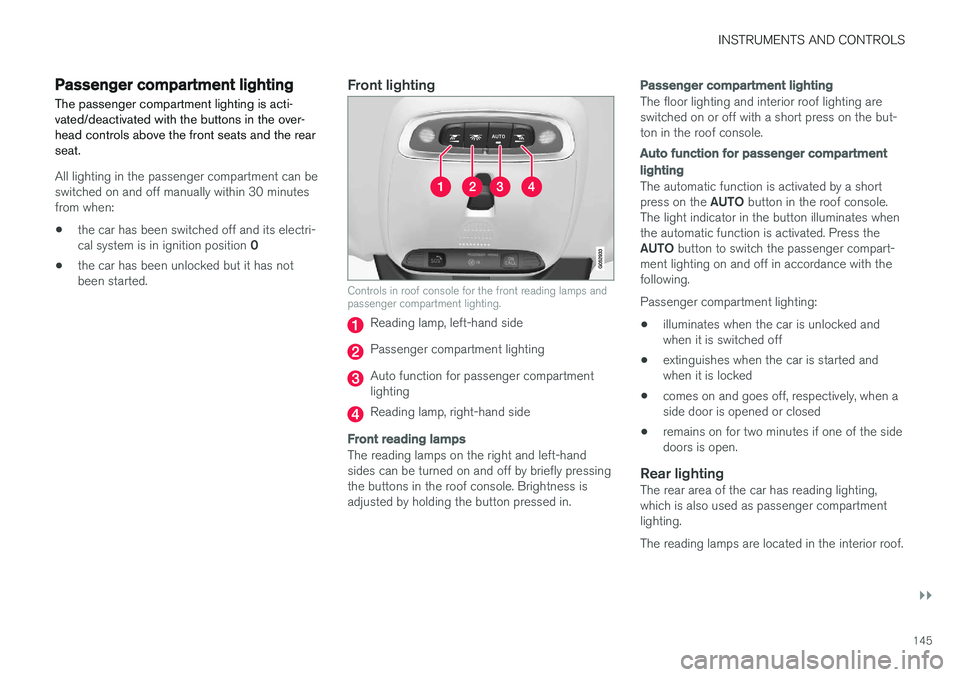
Controls in roof console for the front reading lamps and passenger compartment lighting.
Reading lamp, left-hand side
Passenger compartment lighting
Auto function for passenger compartment lighting
Reading lamp, right-hand side
Front reading lamps
The reading lamps on the right and left-hand sides can be turned on and off by briefly pressingthe buttons in the roof console. Brightness isadjusted by holding the button pressed in.
Passenger compartment lighting
The floor lighting and interior roof lighting are switched on or off with a short press on the but-ton in the roof console.
Auto function for passenger compartment lighting
The automatic function is activated by a short press on the
AUTO button in the roof console.
The light indicator in the button illuminates when the automatic function is activated. Press the AUTO button to switch the passenger compart-
ment lighting on and off in accordance with the following. Passenger compartment lighting: • illuminates when the car is unlocked and when it is switched off
• extinguishes when the car is started andwhen it is locked
• comes on and goes off, respectively, when aside door is opened or closed
• remains on for two minutes if one of the sidedoors is open.
Rear lightingThe rear area of the car has reading lighting,which is also used as passenger compartmentlighting. The reading lamps are located in the interior roof.
Page 148 of 594
||
INSTRUMENTS AND CONTROLS
* Option/accessory.
146
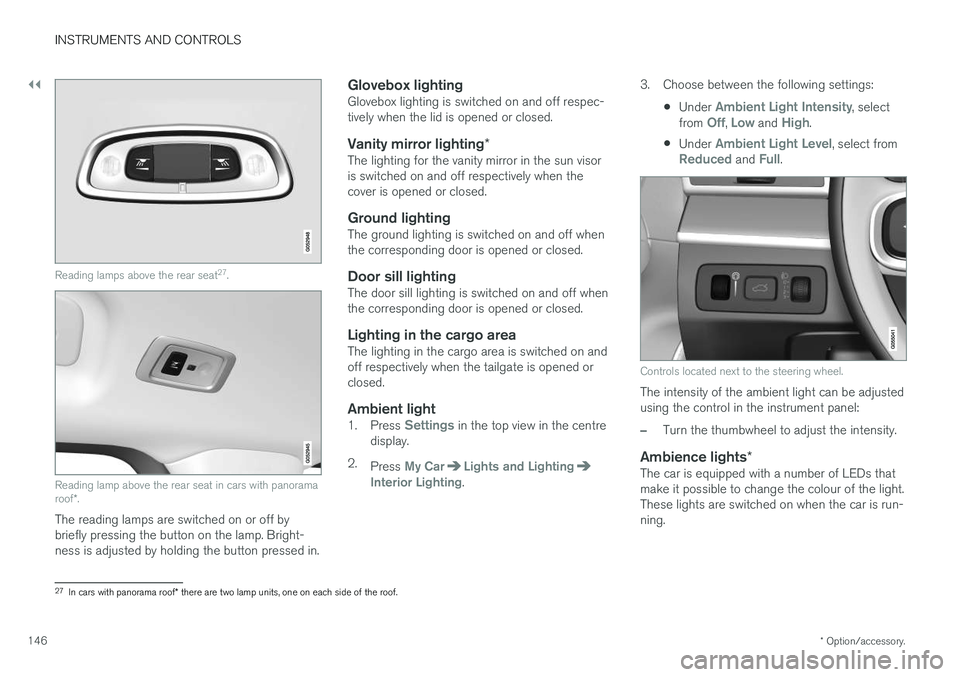
Reading lamps above the rear seat 27
.
Reading lamp above the rear seat in cars with panorama roof *.
The reading lamps are switched on or off by briefly pressing the button on the lamp. Bright-ness is adjusted by holding the button pressed in.
Glovebox lightingGlovebox lighting is switched on and off respec-tively when the lid is opened or closed.
Vanity mirror lighting *The lighting for the vanity mirror in the sun visoris switched on and off respectively when thecover is opened or closed.
Ground lightingThe ground lighting is switched on and off whenthe corresponding door is opened or closed.
Door sill lightingThe door sill lighting is switched on and off whenthe corresponding door is opened or closed.
Lighting in the cargo areaThe lighting in the cargo area is switched on andoff respectively when the tailgate is opened orclosed.
Ambient light1.
Press Settings in the top view in the centre
display.
2. Press
My CarLights and LightingInterior Lighting. 3. Choose between the following settings:
•Under
Ambient Light Intensity, select
from Off, Low and High.
• Under
Ambient Light Level, select fromReduced and Full.
Controls located next to the steering wheel.
The intensity of the ambient light can be adjusted using the control in the instrument panel:
–Turn the thumbwheel to adjust the intensity.
Ambience lights
*The car is equipped with a number of LEDs that make it possible to change the colour of the light.These lights are switched on when the car is run-ning.
27
In cars with panorama roof * there are two lamp units, one on each side of the roof.
Page 156 of 594
||
INSTRUMENTS AND CONTROLS
* Option/accessory.
154
Memory function in power front seat *Door mirror positions can be saved in the mem- ory function of the power front seat.
Angling the door mirror when parking 28The door mirror can be angled down for thedriver to view the side of the road when parkingfor example.
–Engage reverse gear and press the
L or R
button.
When reverse gear is disengaged the mirror automatically returns to its original position afterapprox. 10 seconds, or earlier by pressing the button labelled L or R respectively.
Automatic angling of the door mirror
when parking 28
When reverse gear is engaged the door mirror is automatically angled down so that the driver cansee the side of the road when parking for exam-ple. When reverse gear is disengaged the mirrorautomatically returns to its original position aftera short time. Settings for this function are set via the centre display: 1.
Press
Settings in the top view.
2. Press
My CarMirrors and Easy Entry. 3.
Under
Exterior Mirror Tilt at Reverse,
select Off, Driver, Passenger or Both to
activate/deactivate and to select which review mirror should be angled.
Automatic retraction when locking *When the car is locked/unlocked with the remotecontrol key the door mirrors are automaticallyretracted/extended. The function can be activated/deactivated via the centre display: 1.
Press
Settings in the top view.
2. Press
My CarMirrors and Easy Entry.
3. Select
Fold Mirror When Locked to acti-
vate/deactivate.
Resetting to neutralMirrors that have been moved out of position by an external force must be reset electrically to theneutral position for electric retracting/extendingto work correctly: 1. Retract the mirrors with the L and R buttons.
2. Fold them out again with the L and R but-
tons.
3. Repeat the above procedure as necessary.The mirrors are now reset in neutral position.
Automatic dimming *Bright light from behind is automatically dimmed by the interior rearview and door mirrors. For the door mirrors to be fitted with this function requires that the interior rearview mirror also hasautomatic dimming, see the section "Interior rear-view mirror". Automatic dimming is always active while driving, apart from when gearbox reverse position isselected. Dimming sensitivity can be adjusted inthree levels and will affect the interior rearviewand the door mirrors.
NOTE
When sensitivity is changed there is no imme- diately noticeable change in dimming, but thechange will be complete after a while.
Settings for this function are set via the centre display: 1.
Press
Settings in the top view.
2. Press
My CarMirrors and Easy Entry.
3. Under
Rearview Mirror Auto Dimming,
select Normal, Dark or Light.
28 Only in combination with power seat with memory.
Page 172 of 594
||
INSTRUMENTS AND CONTROLS
170
Types of settings
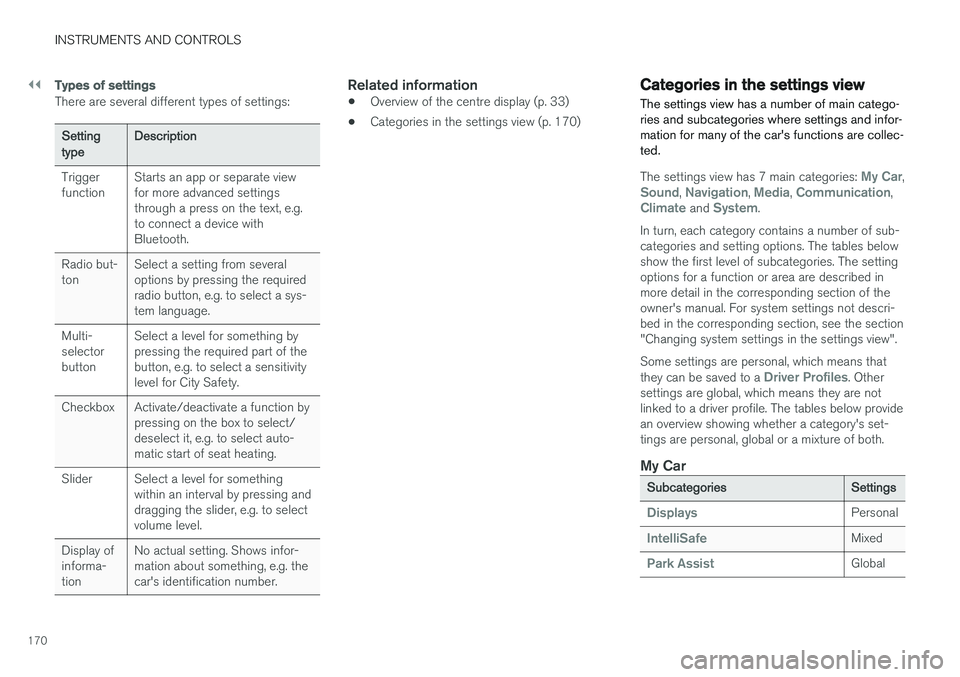
There are several different types of settings:
Setting typeDescription
Trigger function Starts an app or separate viewfor more advanced settingsthrough a press on the text, e.g.to connect a device withBluetooth.
Radio but-ton Select a setting from severaloptions by pressing the requiredradio button, e.g. to select a sys-tem language.
Multi-selectorbutton Select a level for something bypressing the required part of thebutton, e.g. to select a sensitivitylevel for City Safety.
Checkbox Activate/deactivate a function by pressing on the box to select/deselect it, e.g. to select auto-matic start of seat heating.
Slider Select a level for something within an interval by pressing anddragging the slider, e.g. to selectvolume level.
Display ofinforma-tion No actual setting. Shows infor-mation about something, e.g. thecar's identification number.
Related information
•
Overview of the centre display (p. 33)
• Categories in the settings view (p. 170)
Categories in the settings view The settings view has a number of main catego- ries and subcategories where settings and infor-mation for many of the car's functions are collec-ted.
The settings view has 7 main categories: My Car,Sound, Navigation, Media, Communication,Climate and System.
In turn, each category contains a number of sub- categories and setting options. The tables belowshow the first level of subcategories. The settingoptions for a function or area are described inmore detail in the corresponding section of theowner's manual. For system settings not descri-bed in the corresponding section, see the section"Changing system settings in the settings view". Some settings are personal, which means that they can be saved to a
Driver Profiles. Other
settings are global, which means they are not linked to a driver profile. The tables below providean overview showing whether a category's set-tings are personal, global or a mixture of both.
My Car
Subcategories Settings
DisplaysPersonal
IntelliSafeMixed
Park AssistGlobal
Page 185 of 594
CLIMATE CONTROL
* Option/accessory.183
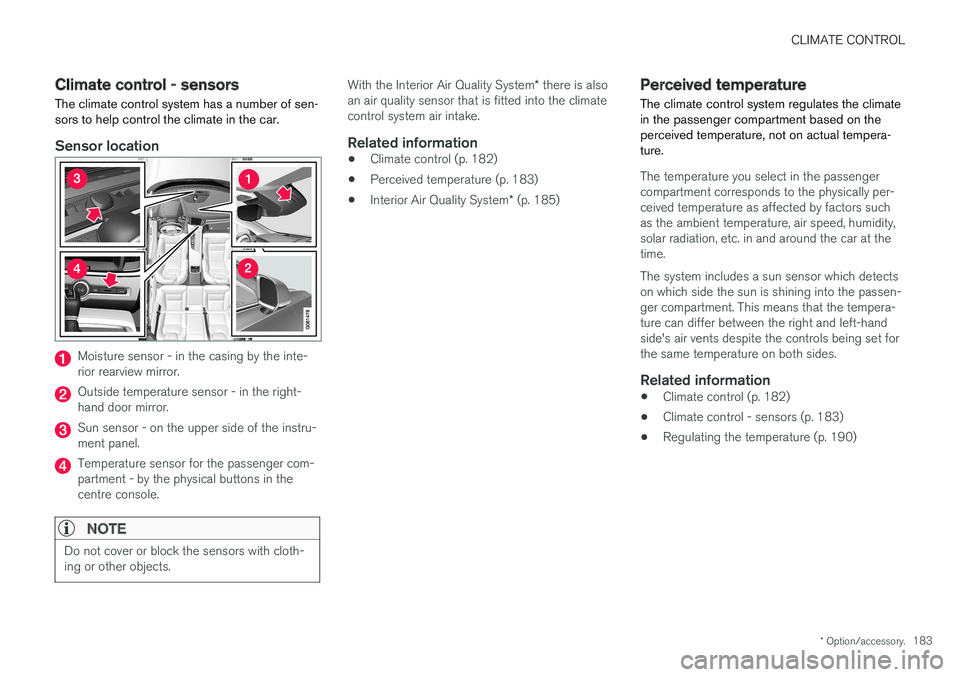
Climate control - sensors The climate control system has a number of sen- sors to help control the climate in the car.
Sensor location
Moisture sensor - in the casing by the inte- rior rearview mirror.
Outside temperature sensor - in the right- hand door mirror.
Sun sensor - on the upper side of the instru- ment panel.
Temperature sensor for the passenger com- partment - by the physical buttons in thecentre console.
NOTE
Do not cover or block the sensors with cloth- ing or other objects.
With the Interior Air Quality System * there is also
an air quality sensor that is fitted into the climate control system air intake.
Related information
• Climate control (p. 182)
• Perceived temperature (p. 183)
• Interior Air Quality System
* (p. 185)
Perceived temperature
The climate control system regulates the climate in the passenger compartment based on theperceived temperature, not on actual tempera-ture.
The temperature you select in the passenger compartment corresponds to the physically per-ceived temperature as affected by factors suchas the ambient temperature, air speed, humidity,solar radiation, etc. in and around the car at thetime. The system includes a sun sensor which detects on which side the sun is shining into the passen-ger compartment. This means that the tempera-ture can differ between the right and left-handside's air vents despite the controls being set forthe same temperature on both sides.
Related information
• Climate control (p. 182)
• Climate control - sensors (p. 183)
• Regulating the temperature (p. 190)
Page 189 of 594
CLIMATE CONTROL
}}
* Option/accessory.187
Climate controls in the centre display All climate functions can be regulated from the climate row and the climate view in the centredisplay.
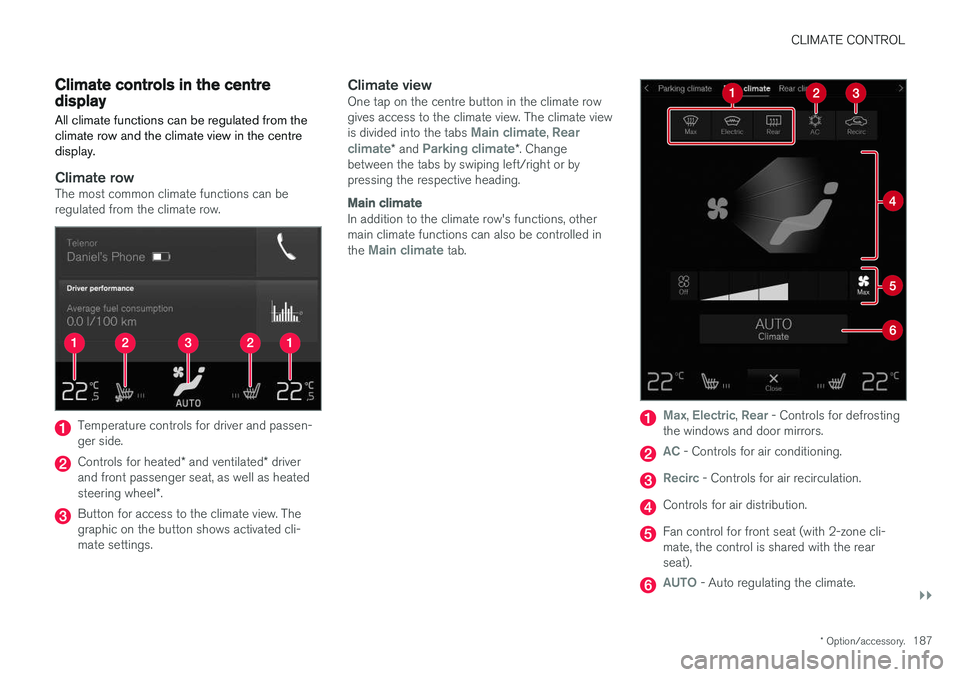
Climate rowThe most common climate functions can be regulated from the climate row.
Temperature controls for driver and passen- ger side.
Controls for heated * and ventilated * driver
and front passenger seat, as well as heated steering wheel *.
Button for access to the climate view. The graphic on the button shows activated cli-mate settings.
Climate viewOne tap on the centre button in the climate rowgives access to the climate view. The climate view is divided into the tabs
Main climate, Rear
climate* and Parking climate*. Change
between the tabs by swiping left/right or by pressing the respective heading.
Main climate
In addition to the climate row's functions, other main climate functions can also be controlled in the
Main climate tab.
Max, Electric, Rear - Controls for defrosting
the windows and door mirrors.
AC - Controls for air conditioning.
Recirc - Controls for air recirculation.
Controls for air distribution.
Fan control for front seat (with 2-zone cli- mate, the control is shared with the rearseat).
AUTO - Auto regulating the climate.
Page 200 of 594
CLIMATE CONTROL
198•
Table of air distribution options (p. 201)
• Auto-regulating the climate (p. 189)
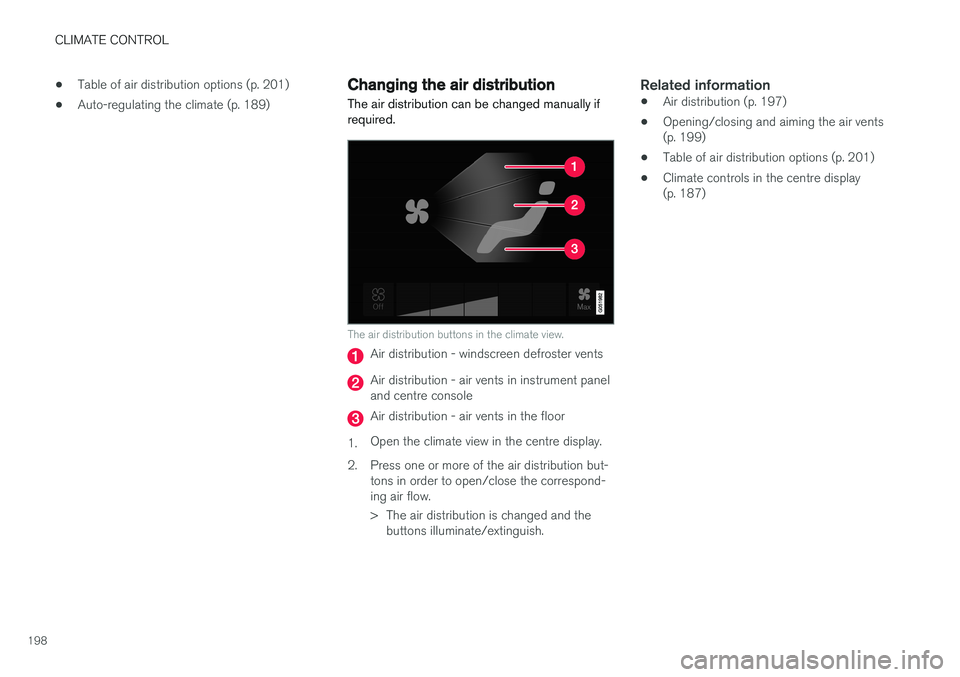
Changing the air distribution
The air distribution can be changed manually if required.
The air distribution buttons in the climate view.
Air distribution - windscreen defroster vents
Air distribution - air vents in instrument panel and centre console
Air distribution - air vents in the floor
1. Open the climate view in the centre display.
2. Press one or more of the air distribution but- tons in order to open/close the correspond- ing air flow.
> The air distribution is changed and thebuttons illuminate/extinguish.
Related information
• Air distribution (p. 197)
• Opening/closing and aiming the air vents (p. 199)
• Table of air distribution options (p. 201)
• Climate controls in the centre display(p. 187)
Page 229 of 594
LOADING AND STORAGE
}}
227
Loading
There are a number of things to remember when loading the car.
Payload depends on the car's kerb weight. The total of the weight of the passengers and allaccessories reduces the car's payload by a cor-responding weight.
WARNING
The car