rear view VOLVO XC60 T8 2018 Owner´s Manual
[x] Cancel search | Manufacturer: VOLVO, Model Year: 2018, Model line: XC60 T8, Model: VOLVO XC60 T8 2018Pages: 674, PDF Size: 11.93 MB
Page 6 of 674
4
Resetting user data when the vehicle changes owners130
Resetting center display settings 131
Setting types in the center display 131
Table of settings in the center display 132
Driver profiles 133
Selecting a driver profile 134
Changing a driver profile's name 135
Resetting driver profile settings 135
Linking a remote key to a driver profile 135
Messages in the center display 136
Handling messages in the center display 137
Handling messages saved from thecenter display 138
Head-up display *
138
Activating and deactivating the head- up display * 140
Head-up display settings *
140
Voice control 141
Using voice commands 142
Voice control for cellular phones 143
Voice control for radio and media 144
Voice control settings 144
LIGHTING
Lighting panel and controls148
Adjusting light functions via the cen- ter display 149
Parking lights 150
Daytime running lights 150
Low beams 151
Using high beam 152
Active high beam 153
Using turn signals 154
Active Bending Lights *
155
Rear fog light 155
Brake lights 156
Emergency brake lights 156
Hazard warning flashers 157
Using home safe lighting 157
Welcome Light 157
Interior Lighting 158
Adjusting interior lighting 159
WINDOWS, GLASS AND MIRRORS
Windows, glass and mirrors162
Pinch protection for windows and sun curtains 162
Reset procedure for pinch protection 163
Power windows 163
Operating the power windows 164
Rearview/door mirrors 165
Adjusting the rearview mirror dim-ming function 166
Adjusting the door mirrors 166
Panoramic roof *
168
Operating the panoramic roof *
169
Auto closing the panoramic roof * sun
curtain 171
Using the windshield wipers 172
Heated windshield washer nozzles *
173
Using the rain sensor 173
Using the rain sensor's memory function 174
Using the windshield and headlightwashers 175
Using the rear window wiper/washer 176
Using automatic rear window wipingwhen backing up 176
Page 11 of 674

9
Steering assistance during collision risks from oncoming traffic366
Activating/deactivating Steeringassistance during collision risks withoncoming vehicles 367
Limitations of steering assistanceduring collision risks from oncomingtraffic 367
Steering assistance during collision risks from behind * 368
Activating/deactivating Steering assistance during collision risks from behind * 369
Limitations of steering assistance during collision risks from behind 369
Symbols and messages for steeringassistance during collision risks 371
Park Assist *
372
Park Assist front, rear and sides 373
Activating/deactivating Park Assist 374
Park Assist limitations 374
Recommended maintenance forPark Assist 375
Park Assist symbols and messages 376
Park Assist Camera *
377
Park Assist Camera views 378
Park Assist Camera trajectory lines 379
Sensor field from Park Assist forPark Assist Camera 381
Starting the Park Assist Camera
382
Park Assist Camera limitations 382
Recommended maintenance of the Park Assist Camera 384
Park Assist Camera symbols andmessages 385
Park Assist Pilot *
386
Types of parking with Park Assist Pilot 386
Parking with Park Assist Pilot 387
Leaving a parking space with ParkAssist Pilot 390
Park Assist Pilot * limitations
391
Recommended maintenance forPark Assist Pilot 393
Park Assist Pilot * messages
394
HYBRID INFORMATION
General information about Twin Engine
396
Charging the hybrid battery 397
Charging current 398
Charge cable 399
Charging cable residual current device 400
Charging cable temperature monitoring 401
Opening and closing the charging socket cover 401
Initiating hybrid battery charging 402
Charging status in the vehicle'scharging socket 404
Charging status in the chargingcable's charging module 405
Charging status in the instrument panel 406
Stopping hybrid battery charging 408
Twin Engine symbols and messagesin the instrument panel 409
Long-term storage of vehicles withhybrid batteries 411
Page 15 of 674
13
LOADING, STORAGE AND
PASSENGER COMPARTMENT
Passenger compartment interior570
Tunnel console 571
Electrical outlets 572
Using the electrical outlets 574
Using the glove compartment 575
Sun visors 576
Cargo compartment 577
Loading recommendations 577
Roof loads and load carriers 578
Grocery bag holders 579
Load anchoring eyelets 579
Rear seat ski hatch 580
Installing and removing the cargo compartment cover * 580
Operating the cargo compartment cover *
582
Installing and removing the steelcargo grid * 583
Installing and removing the cargo net *
584
MAINTENANCE AND SERVICE
Volvo's service program
588
Data transfer between vehicle and workshop over Wi-Fi 590
Download Center 591
Handling system updates via Down-load Center 591
Vehicle status 592
Scheduling service and repairs 593
Sending vehicle information to theworkshop 594
Hoisting the vehicle 595
Opening and closing the hood 597
Climate control system service 598
Replacing a windshield with head-up display * 598
Engine compartment overview 599
Engine oil 600
Checking and filling engine oil 601
Refilling coolant 602
Replacing bulbs 603
Bulb specifications 604
Start battery 605
Hybrid battery 609
Battery symbols 610
Fuses and fuseboxes 610
Replacing fuses 611
Fuses in the engine compartment612
Fuses under the glove compartment 616
Fuses in the cargo compartment 619
Cleaning the interior 623
Cleaning the center display 623
Cleaning the head-up display *
624
Cleaning fabric upholstery and ceil- ing liner 625
Cleaning the seat belt 625
Cleaning floor mats and inlay mats 625
Cleaning leather upholstery 626
Cleaning the leather steering wheel 627
Cleaning interior plastic, metal andwood surfaces 628
Cleaning the exterior 628
Polishing and waxing 629
Hand washing 629
Automatic car washes 631
High-pressure washing 632
Cleaning the wiper blades 632
Cleaning exterior plastic, rubber andtrim components 633
Cleaning rims 634
Corrosion protection 634
Paintwork 635
Page 58 of 674
||
SAFETY
56
WARNING
•No objects or accessory equipment, e.g. dashboard covers, may be placed on,attached to, or installed near the air bagcover (the area above the glove compart-ment) or the area affected by airbagdeployment.
• There should be no loose articles, suchas coffee cups on the floor, seat, or dash-board area.
• Never try to open the airbag cover on thesteering wheel or the passenger's sidedashboard. This should only be done by atrained and qualified Volvo service techni-cian.
• Failure to follow these instructions canresult in injury to the vehicle's occupants.
Related information
• Airbags (p. 52)
• Occupant weight sensor (p. 56)
Occupant weight sensor
The Occupant Weight Sensor (OWS) is designed to meet the regulatory requirements ofFederal Motor Vehicle Safety Standard (FMVSS)208 and is designed to disable (will not inflate)the passenger's side front airbag under certainconditions.
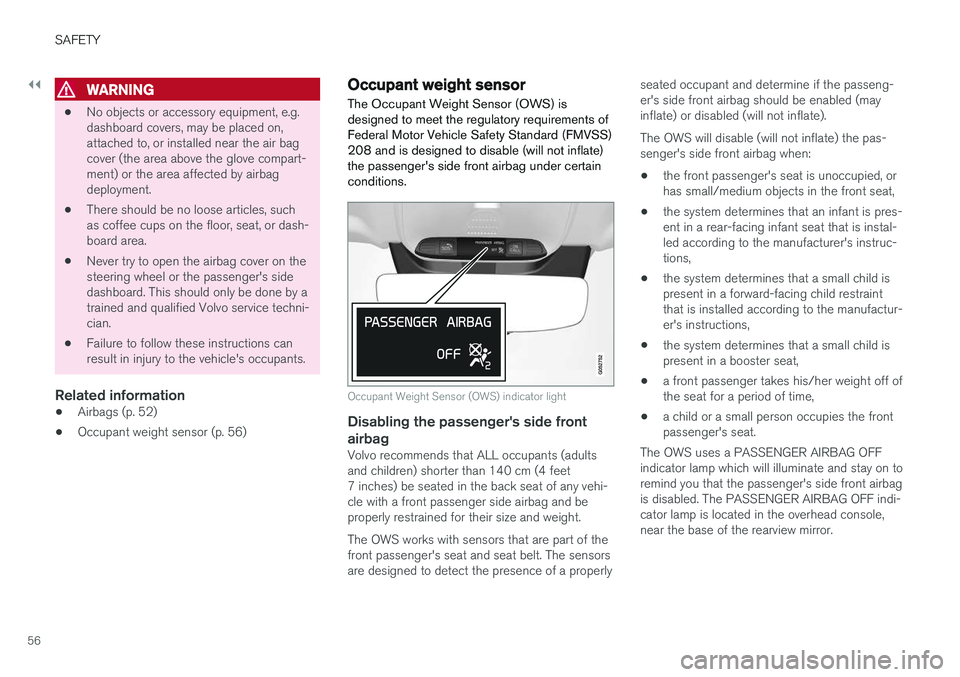
Occupant Weight Sensor (OWS) indicator light
Disabling the passenger's side front airbag
Volvo recommends that ALL occupants (adults and children) shorter than 140 cm (4 feet7 inches) be seated in the back seat of any vehi-cle with a front passenger side airbag and beproperly restrained for their size and weight. The OWS works with sensors that are part of the front passenger's seat and seat belt. The sensors are designed to detect the presence of a properly seated occupant and determine if the passeng- er's side front airbag should be enabled (mayinflate) or disabled (will not inflate). The OWS will disable (will not inflate) the pas- senger's side front airbag when:
• the front passenger's seat is unoccupied, orhas small/medium objects in the front seat,
• the system determines that an infant is pres-ent in a rear-facing infant seat that is instal-led according to the manufacturer's instruc-tions,
• the system determines that a small child ispresent in a forward-facing child restraintthat is installed according to the manufactur-er's instructions,
• the system determines that a small child ispresent in a booster seat,
• a front passenger takes his/her weight off ofthe seat for a period of time,
• a child or a small person occupies the frontpassenger's seat.
The OWS uses a PASSENGER AIRBAG OFFindicator lamp which will illuminate and stay on toremind you that the passenger's side front airbagis disabled. The PASSENGER AIRBAG OFF indi-cator lamp is located in the overhead console,near the base of the rearview mirror.
Page 67 of 674
SAFETY
}}
65
Child restraints
Suitable child restraints should always be used when children travel in the vehicle.
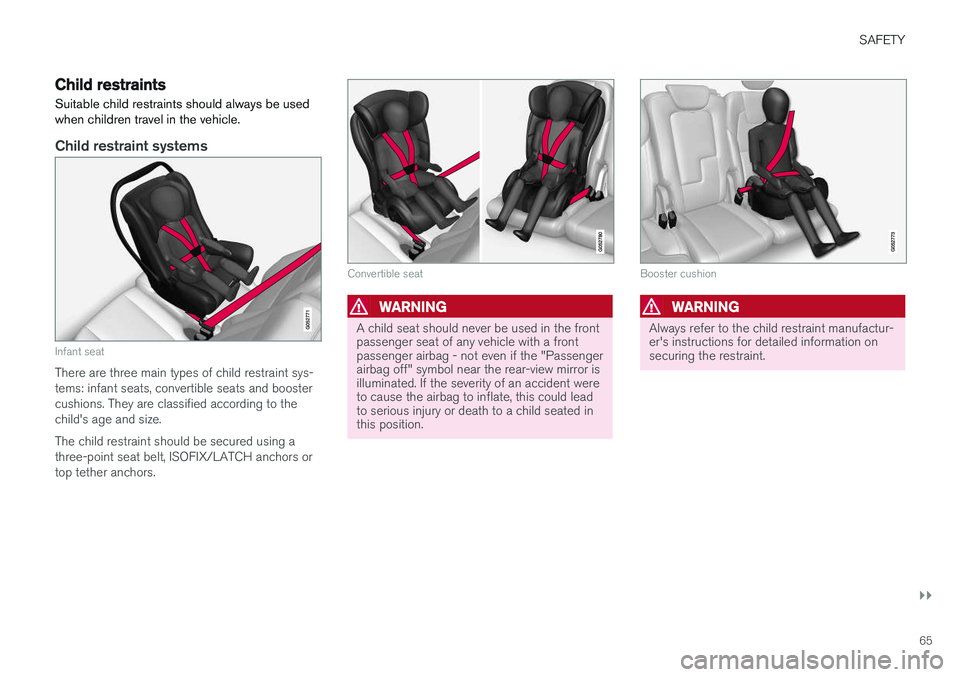
Child restraint systems
Infant seat
There are three main types of child restraint sys- tems: infant seats, convertible seats and boostercushions. They are classified according to thechild's age and size. The child restraint should be secured using a three-point seat belt, ISOFIX/LATCH anchors ortop tether anchors.
Convertible seat
WARNING
A child seat should never be used in the front passenger seat of any vehicle with a frontpassenger airbag - not even if the "Passengerairbag off" symbol near the rear-view mirror isilluminated. If the severity of an accident wereto cause the airbag to inflate, this could leadto serious injury or death to a child seated inthis position.
Booster cushion
WARNING
Always refer to the child restraint manufactur- er's instructions for detailed information onsecuring the restraint.
Page 69 of 674
SAFETY
}}
67
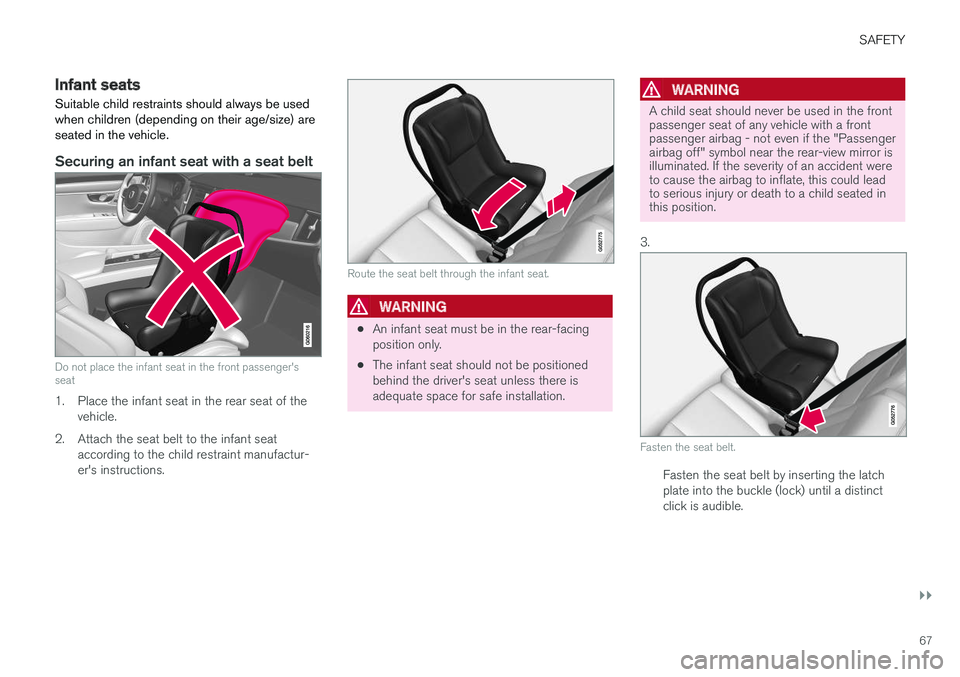
Infant seatsSuitable child restraints should always be used when children (depending on their age/size) areseated in the vehicle.
Securing an infant seat with a seat belt
Do not place the infant seat in the front passenger's seat
1. Place the infant seat in the rear seat of the vehicle.
2. Attach the seat belt to the infant seat according to the child restraint manufactur- er's instructions.
Route the seat belt through the infant seat.
WARNING
•An infant seat must be in the rear-facing position only.
• The infant seat should not be positionedbehind the driver's seat unless there isadequate space for safe installation.
WARNING
A child seat should never be used in the front passenger seat of any vehicle with a frontpassenger airbag - not even if the "Passengerairbag off" symbol near the rear-view mirror isilluminated. If the severity of an accident wereto cause the airbag to inflate, this could leadto serious injury or death to a child seated inthis position.
3.
Fasten the seat belt.
Fasten the seat belt by inserting the latch plate into the buckle (lock) until a distinctclick is audible.
Page 72 of 674
||
SAFETY
70
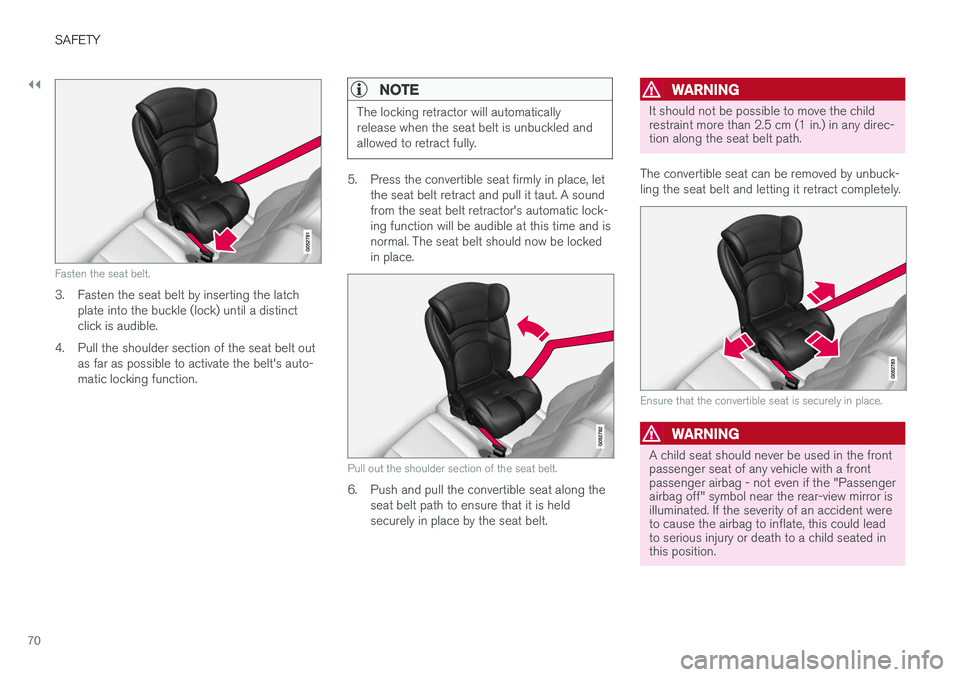
Fasten the seat belt.
3. Fasten the seat belt by inserting the latchplate into the buckle (lock) until a distinct click is audible.
4. Pull the shoulder section of the seat belt out as far as possible to activate the belt's auto-matic locking function.
NOTE
The locking retractor will automatically release when the seat belt is unbuckled andallowed to retract fully.
5. Press the convertible seat firmly in place, letthe seat belt retract and pull it taut. A sound from the seat belt retractor's automatic lock-ing function will be audible at this time and isnormal. The seat belt should now be lockedin place.
Pull out the shoulder section of the seat belt.
6. Push and pull the convertible seat along theseat belt path to ensure that it is held securely in place by the seat belt.
WARNING
It should not be possible to move the child restraint more than 2.5 cm (1 in.) in any direc-tion along the seat belt path.
The convertible seat can be removed by unbuck- ling the seat belt and letting it retract completely.
Ensure that the convertible seat is securely in place.
WARNING
A child seat should never be used in the front passenger seat of any vehicle with a frontpassenger airbag - not even if the "Passengerairbag off" symbol near the rear-view mirror isilluminated. If the severity of an accident wereto cause the airbag to inflate, this could leadto serious injury or death to a child seated inthis position.
Page 80 of 674
DISPLAYS AND VOICE CONTROL
* Option/accessory.
78
Instruments and controls in left-hand drive vehicles
The overviews show the location of the vehicle's
displays and controls.
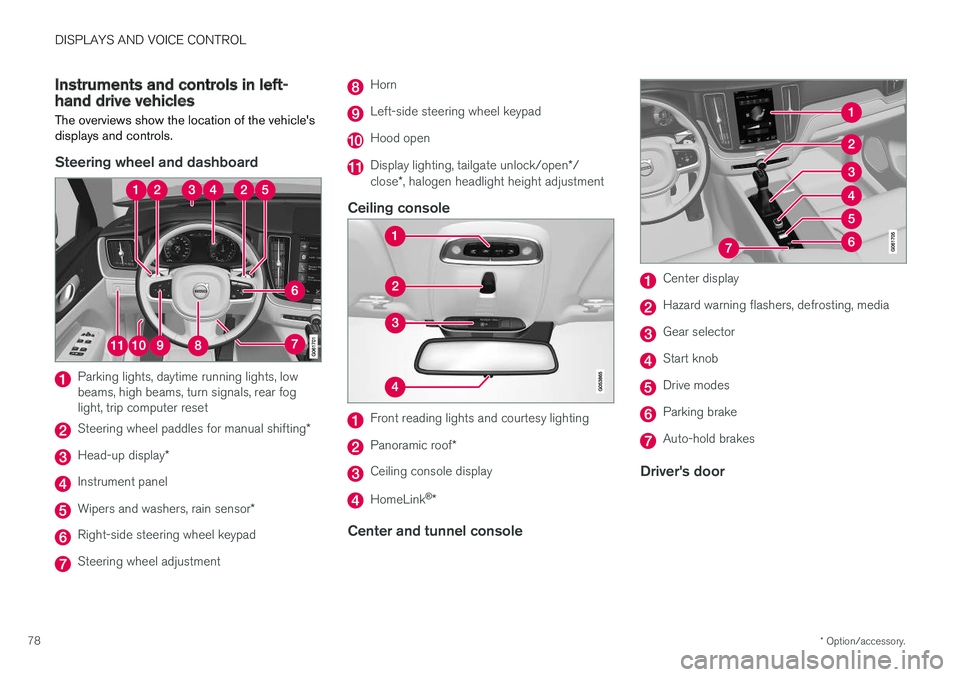
Steering wheel and dashboard
Parking lights, daytime running lights, low beams, high beams, turn signals, rear foglight, trip computer reset
Steering wheel paddles for manual shifting *
Head-up display*
Instrument panel
Wipers and washers, rain sensor *
Right-side steering wheel keypad
Steering wheel adjustment
Horn
Left-side steering wheel keypad
Hood open
Display lighting, tailgate unlock/open */
close *, halogen headlight height adjustment
Ceiling console
Front reading lights and courtesy lighting
Panoramic roof *
Ceiling console display
HomeLink®
*
Center and tunnel console
Center display
Hazard warning flashers, defrosting, media
Gear selector
Start knob
Drive modes
Parking brake
Auto-hold brakes
Driver's door
Page 151 of 674
LIGHTING
* Option/accessory.149
WARNING
The vehicle lighting system cannot in all situa- tions determine when the daylight is too weakor not strong enough, e.g. when there is fogor rain. The driver is always responsible for driving the vehicle with lighting that is safe for the trafficconditions and as specified by applicable traf-fic regulations.
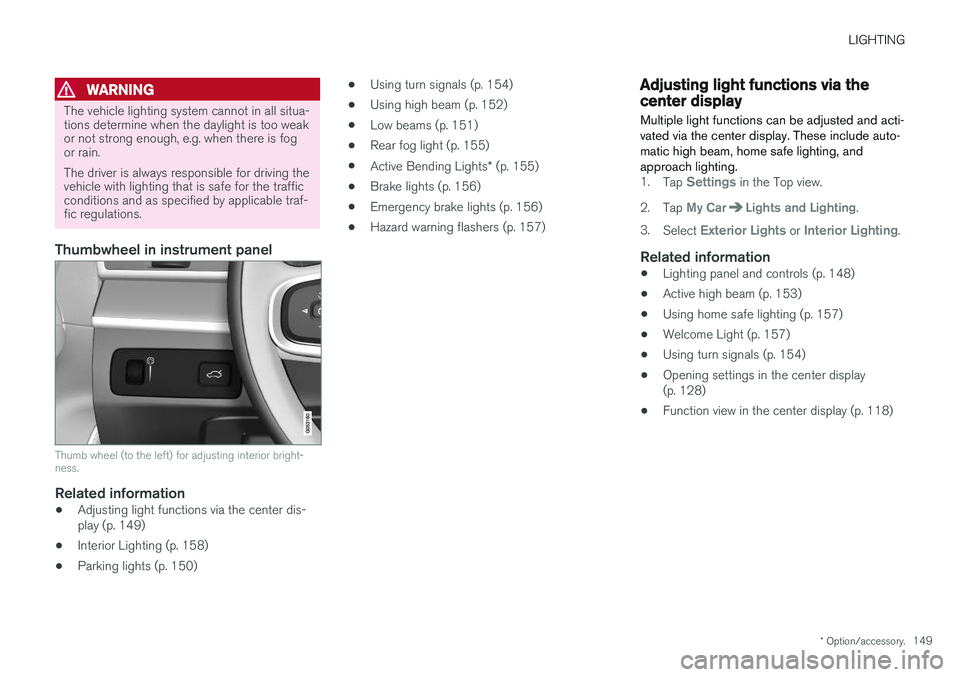
Thumbwheel in instrument panel
Thumb wheel (to the left) for adjusting interior bright- ness.
Related information
•Adjusting light functions via the center dis- play (p. 149)
• Interior Lighting (p. 158)
• Parking lights (p. 150) •
Using turn signals (p. 154)
• Using high beam (p. 152)
• Low beams (p. 151)
• Rear fog light (p. 155)
• Active Bending Lights
* (p. 155)
• Brake lights (p. 156)
• Emergency brake lights (p. 156)
• Hazard warning flashers (p. 157)
Adjusting light functions via thecenter display
Multiple light functions can be adjusted and acti- vated via the center display. These include auto-matic high beam, home safe lighting, andapproach lighting.
1. Tap Settings in the Top view.
2. Tap
My CarLights and Lighting.
3. Select
Exterior Lights or Interior Lighting.
Related information
• Lighting panel and controls (p. 148)
• Active high beam (p. 153)
• Using home safe lighting (p. 157)
• Welcome Light (p. 157)
• Using turn signals (p. 154)
• Opening settings in the center display (p. 128)
• Function view in the center display (p. 118)
Page 157 of 674
LIGHTING
}}
* Option/accessory.155
Active Bending Lights *
Active Bending Lights (ABL) are designed to help provide maximum illumination in curves andintersections. Depending on equipment level, vehicles with LED 5
headlights * may be equipped
with Active Bending Lights.
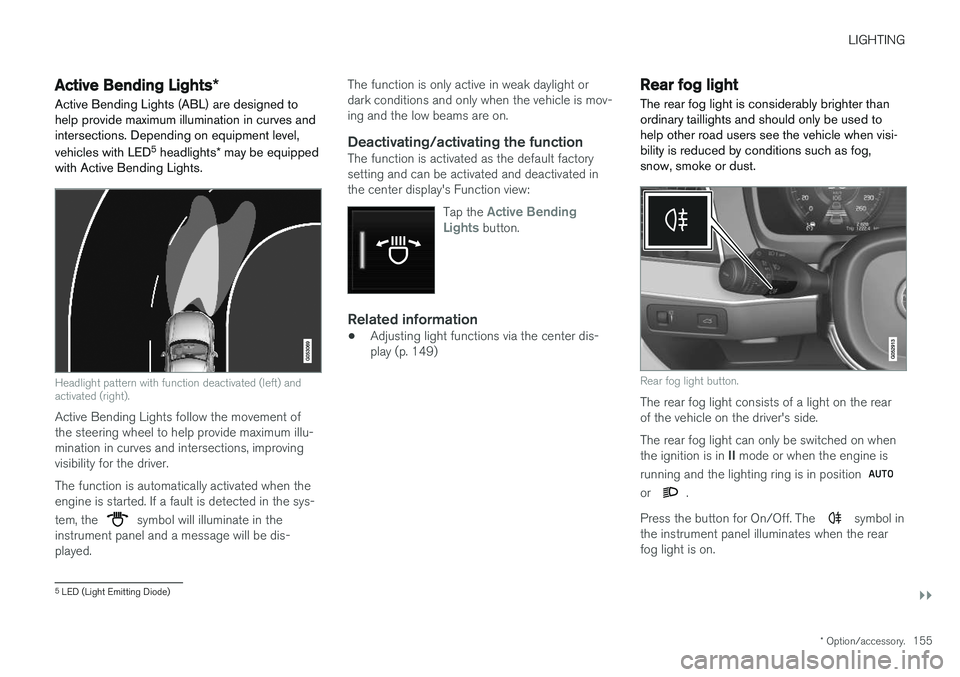
Headlight pattern with function deactivated (left) and activated (right).
Active Bending Lights follow the movement of the steering wheel to help provide maximum illu-mination in curves and intersections, improvingvisibility for the driver. The function is automatically activated when the engine is started. If a fault is detected in the sys- tem, the
symbol will illuminate in the
instrument panel and a message will be dis- played. The function is only active in weak daylight ordark conditions and only when the vehicle is mov-ing and the low beams are on.
Deactivating/activating the functionThe function is activated as the default factorysetting and can be activated and deactivated inthe center display's Function view:
Tap the
Active Bending
Lights button.
Related information
• Adjusting light functions via the center dis- play (p. 149)
Rear fog light
The rear fog light is considerably brighter than ordinary taillights and should only be used tohelp other road users see the vehicle when visi-bility is reduced by conditions such as fog,snow, smoke or dust.
Rear fog light button.
The rear fog light consists of a light on the rear of the vehicle on the driver's side. The rear fog light can only be switched on when the ignition is in II mode or when the engine is
running and the lighting ring is in position
or .
Press the button for On/Off. The
symbol in
the instrument panel illuminates when the rear fog light is on.
5 LED (Light Emitting Diode)