ESP VOLVO XC90 2017 Owner´s Manual
[x] Cancel search | Manufacturer: VOLVO, Model Year: 2017, Model line: XC90, Model: VOLVO XC90 2017Pages: 560, PDF Size: 9.97 MB
Page 330 of 560
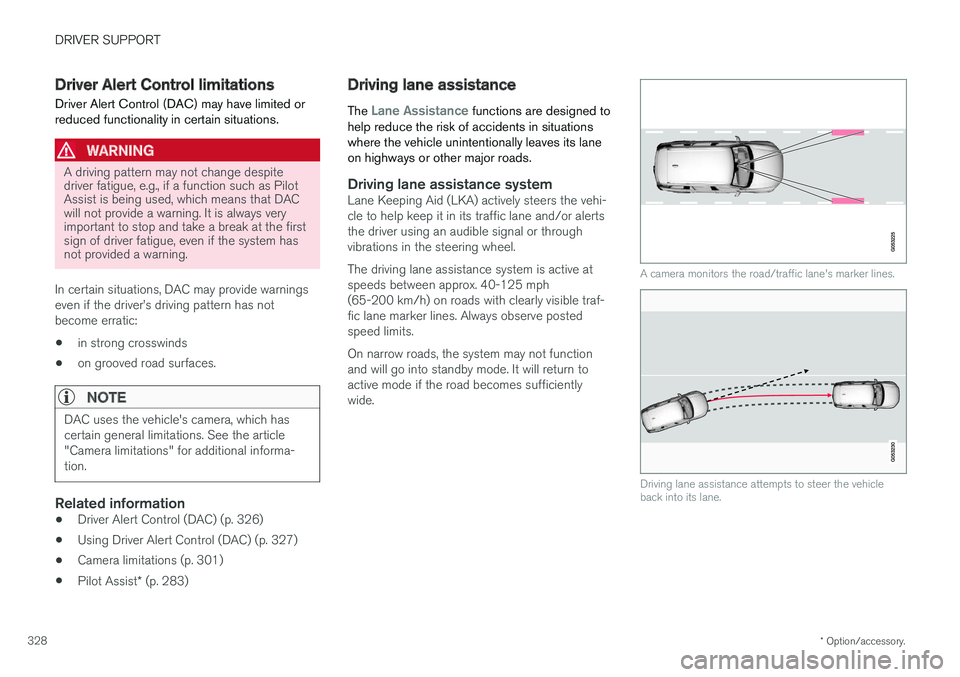
DRIVER SUPPORT
* Option/accessory.
328
Driver Alert Control limitations
Driver Alert Control (DAC) may have limited or reduced functionality in certain situations.
WARNING
A driving pattern may not change despite driver fatigue, e.g., if a function such as PilotAssist is being used, which means that DACwill not provide a warning. It is always veryimportant to stop and take a break at the firstsign of driver fatigue, even if the system hasnot provided a warning.
In certain situations, DAC may provide warnings even if the driver
Page 331 of 560
DRIVER SUPPORT
}}
329
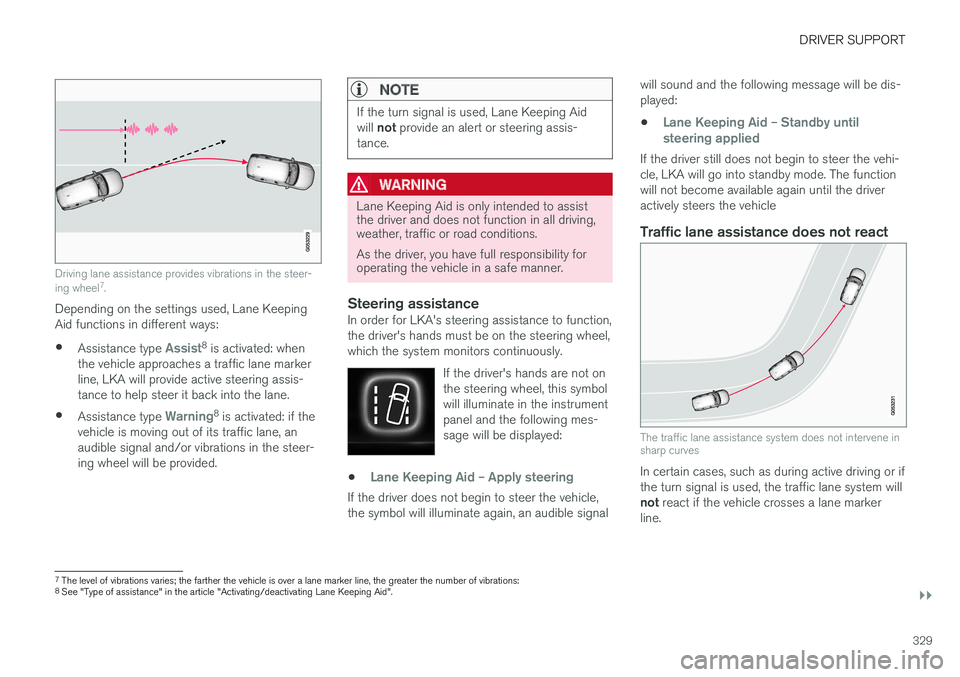
Driving lane assistance provides vibrations in the steer- ing wheel7
.
Depending on the settings used, Lane Keeping Aid functions in different ways:
• Assistance type
Assist8
is activated: when
the vehicle approaches a traffic lane marker line, LKA will provide active steering assis-tance to help steer it back into the lane.
• Assistance type
Warning8
is activated: if the
vehicle is moving out of its traffic lane, an audible signal and/or vibrations in the steer-ing wheel will be provided.
NOTE
If the turn signal is used, Lane Keeping Aid will not provide an alert or steering assis-
tance.
WARNING
Lane Keeping Aid is only intended to assist the driver and does not function in all driving,weather, traffic or road conditions. As the driver, you have full responsibility for operating the vehicle in a safe manner.
Steering assistanceIn order for LKA's steering assistance to function, the driver's hands must be on the steering wheel,which the system monitors continuously.
If the driver's hands are not onthe steering wheel, this symbolwill illuminate in the instrumentpanel and the following mes-sage will be displayed:
•Lane Keeping Aid – Apply steering
If the driver does not begin to steer the vehicle, the symbol will illuminate again, an audible signal will sound and the following message will be dis-played:
•
Lane Keeping Aid – Standby until
steering applied
If the driver still does not begin to steer the vehi- cle, LKA will go into standby mode. The functionwill not become available again until the driveractively steers the vehicle
Traffic lane assistance does not react
The traffic lane assistance system does not intervene in sharp curves
In certain cases, such as during active driving or if the turn signal is used, the traffic lane system will not react if the vehicle crosses a lane marker
line.
7 The level of vibrations varies; the farther the vehicle is over a lane marker line, the greater the number of vibrations:
8 See "Type of assistance" in the article "Activating/deactivating Lane Keeping Aid".
Page 336 of 560
||
DRIVER SUPPORT
* Option/accessory.
334 To activate Run-off Mitigation:
• Select (tap) the box for
Collision
Avoidance Assistance, Steering aid
during increased collision risk.
The setting selected when the engine was switched off will be used the next time theengine is started.
LimitationsIn certain situations, it may be difficult for Run-offMitigation to assist the driver. In such cases, it isadvisable to deactivate the function. Examples of these situations include:
• road construction
• winter driving conditions
• poor road surfaces
• narrow roads
• a very active driving style
• bad weather with reduced visibility
• edges or lines other than the lane's marker lines
• roads with indistinct or no lane marker lines
The Run-off Mitigation function use the vehicle'scamera, which has general limitations. See thearticle "Camera limitations".
WARNING
• Run-off Mitigation is only intended to assist the driver and does not function inall driving, weather, traffic or road condi-tions.
• This function cannot detect barriers, railsor similar obstructions at the side of aroad or traffic lane.
• As the driver, you have full responsibilityfor operating the vehicle in a safe man-ner.
Related information
•
Run-off Mitigation
* symbols and messages
(p. 335)
• Driving lane assistance (p. 328)
• Camera limitations (p. 301)
Page 340 of 560
DRIVER SUPPORT
* Option/accessory.
338
Park Assist limitations
The Park Assist system has certain limitations.
NOTE
A trailer hitch whose wiring is integrated with the vehicle's electrical system will be takeninto account when measuring the availablespace behind the vehicle.
NOTE
• The system will not detect high objects, such as a loading dock, etc.
• Certain materials or fabrics may not bedetected by the sensors. Objects made ofthese materials or people wearing cloth-ing made of these fabrics may not bedetected.
• Children or animals near the vehicle maynot always be detected.
• Objects such as chains, thin shiny polesor low objects may temporarily not bedetected by the system. This may resultin the pulsing tone unexpectedly stoppinginstead of changing to a constant tone asthe vehicle approaches the object. Insuch cases, use caution when backing upor stop the vehicle to help avoid damage.
• In certain circumstances, the park assistsystem may give unexpected warning sig-nals that can be caused by externalsound sources that use the same ultra-sound frequencies as the system. Thismay include such things as the horns ofother vehicles, wet tires on asphalt, pneu-matic brakes, motorcycle exhaust pipes,other vehicles with similar ultrasound sys-tems, etc. This does not indicate a fault inthe system.
Cleaning the sensors
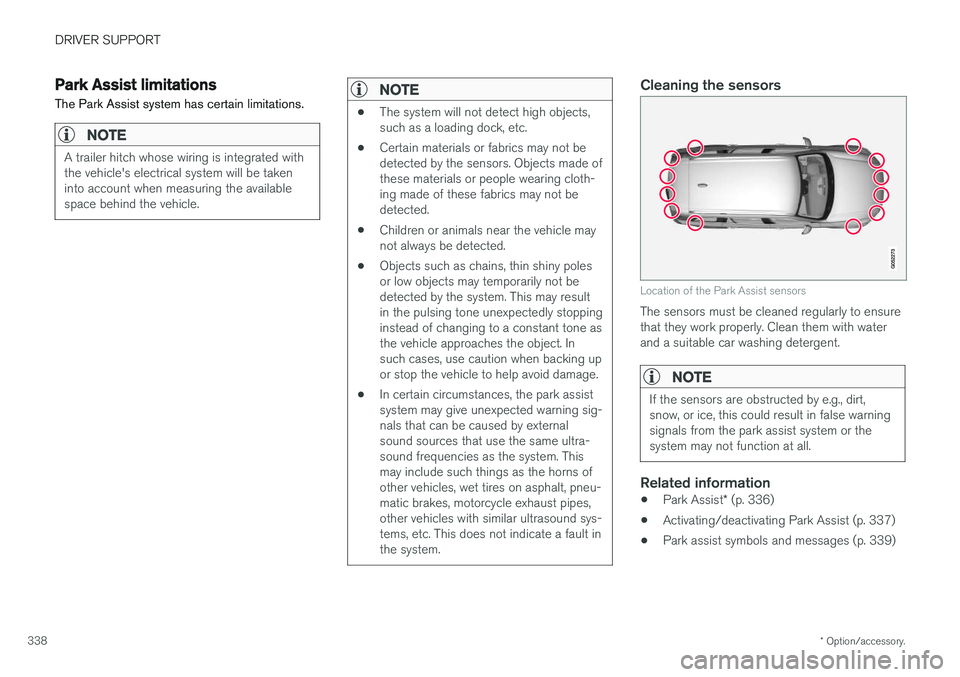
Location of the Park Assist sensors
The sensors must be cleaned regularly to ensure that they work properly. Clean them with waterand a suitable car washing detergent.
NOTE
If the sensors are obstructed by e.g., dirt, snow, or ice, this could result in false warningsignals from the park assist system or thesystem may not function at all.
Related information
•
Park Assist
* (p. 336)
• Activating/deactivating Park Assist (p. 337)
• Park assist symbols and messages (p. 339)
Page 342 of 560
DRIVER SUPPORT
* Option/accessory.
340
Park Assist Camera (PAC) *
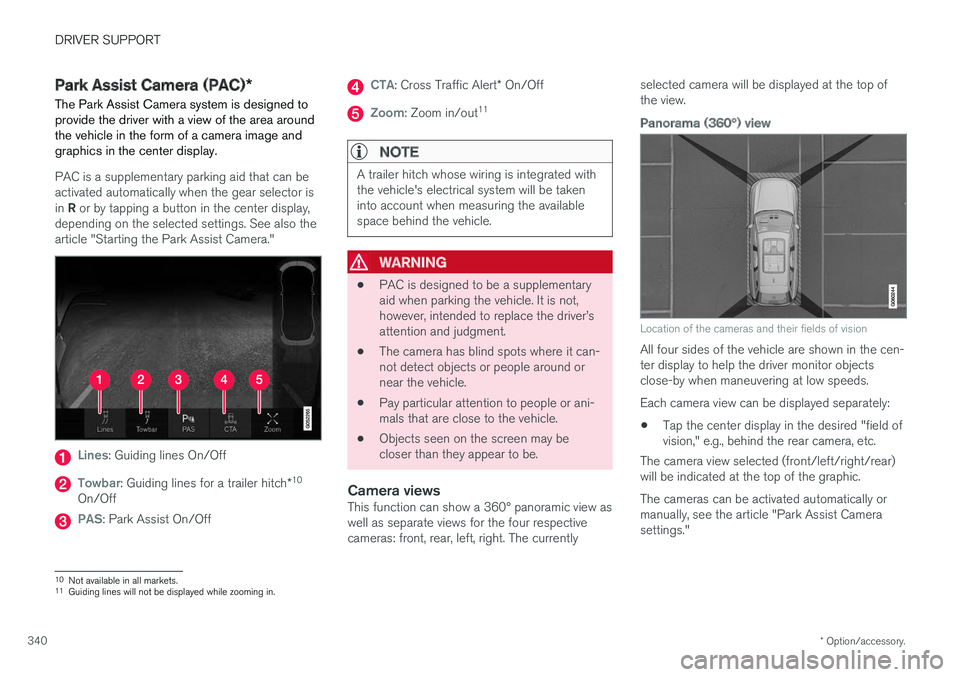
The Park Assist Camera system is designed to provide the driver with a view of the area aroundthe vehicle in the form of a camera image andgraphics in the center display.
PAC is a supplementary parking aid that can be activated automatically when the gear selector is in R or by tapping a button in the center display,
depending on the selected settings. See also the article "Starting the Park Assist Camera."
Lines: Guiding lines On/Off
Towbar: Guiding lines for a trailer hitch *10
On/Off
PAS: Park Assist On/Off
CTA: Cross Traffic Alert * On/Off
Zoom: Zoom in/out 11
NOTE
A trailer hitch whose wiring is integrated with the vehicle's electrical system will be takeninto account when measuring the availablespace behind the vehicle.
WARNING
•
PAC is designed to be a supplementary aid when parking the vehicle. It is not,however, intended to replace the driver
Page 343 of 560
DRIVER SUPPORT
}}
* Option/accessory.341
Backing up
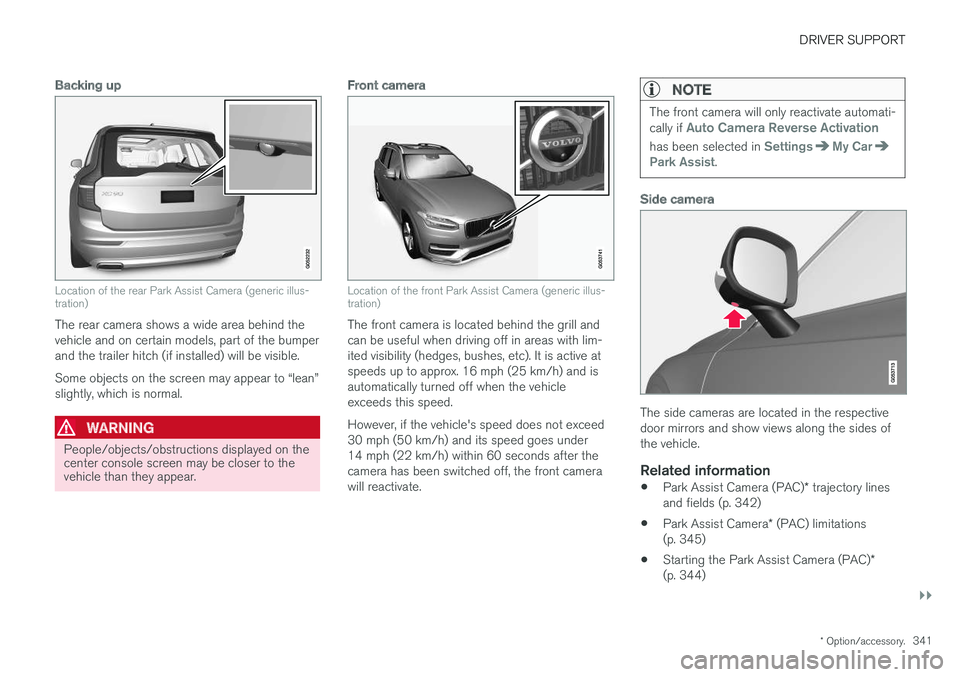
Location of the rear Park Assist Camera (generic illus- tration)
The rear camera shows a wide area behind the vehicle and on certain models, part of the bumperand the trailer hitch (if installed) will be visible. Some objects on the screen may appear to “lean” slightly, which is normal.
WARNING
People/objects/obstructions displayed on the center console screen may be closer to thevehicle than they appear.
Front camera
Location of the front Park Assist Camera (generic illus- tration)
The front camera is located behind the grill and can be useful when driving off in areas with lim-ited visibility (hedges, bushes, etc). It is active atspeeds up to approx. 16 mph (25 km/h) and isautomatically turned off when the vehicleexceeds this speed. However, if the vehicle's speed does not exceed 30 mph (50 km/h) and its speed goes under14 mph (22 km/h) within 60 seconds after thecamera has been switched off, the front camerawill reactivate.
NOTE
The front camera will only reactivate automati- cally if Auto Camera Reverse Activation
has been selected in SettingsMy CarPark Assist.
Side camera
The side cameras are located in the respective door mirrors and show views along the sides ofthe vehicle.
Related information
•Park Assist Camera (PAC)
* trajectory lines
and fields (p. 342)
• Park Assist Camera
* (PAC) limitations
(p. 345)
• Starting the Park Assist Camera (PAC)
*
(p. 344)
Page 348 of 560
||
DRIVER SUPPORT
* Option/accessory.
346
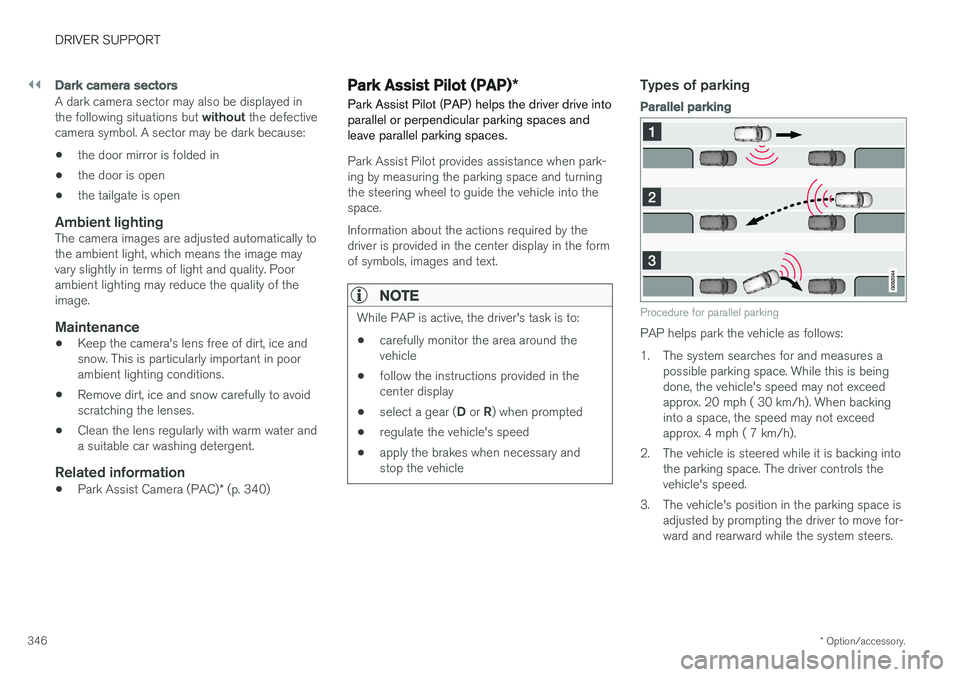
Dark camera sectors
A dark camera sector may also be displayed in the following situations but without the defective
camera symbol. A sector may be dark because: • the door mirror is folded in
• the door is open
• the tailgate is open
Ambient lightingThe camera images are adjusted automatically to the ambient light, which means the image mayvary slightly in terms of light and quality. Poorambient lighting may reduce the quality of theimage.
Maintenance
•Keep the camera's lens free of dirt, ice andsnow. This is particularly important in poorambient lighting conditions.
• Remove dirt, ice and snow carefully to avoidscratching the lenses.
• Clean the lens regularly with warm water anda suitable car washing detergent.
Related information
•
Park Assist Camera (PAC)
* (p. 340)
Park Assist Pilot (PAP) *
Park Assist Pilot (PAP) helps the driver drive into parallel or perpendicular parking spaces andleave parallel parking spaces.
Park Assist Pilot provides assistance when park- ing by measuring the parking space and turningthe steering wheel to guide the vehicle into thespace. Information about the actions required by the driver is provided in the center display in the formof symbols, images and text.
NOTE
While PAP is active, the driver's task is to:
• carefully monitor the area around the vehicle
• follow the instructions provided in thecenter display
• select a gear (
D or R) when prompted
• regulate the vehicle's speed
• apply the brakes when necessary andstop the vehicle
Types of parking
Parallel parking
Procedure for parallel parking
PAP helps park the vehicle as follows:
1. The system searches for and measures a
possible parking space. While this is being done, the vehicle's speed may not exceedapprox. 20 mph ( 30 km/h). When backinginto a space, the speed may not exceedapprox. 4 mph ( 7 km/h).
2. The vehicle is steered while it is backing into the parking space. The driver controls thevehicle's speed.
3. The vehicle's position in the parking space is adjusted by prompting the driver to move for-ward and rearward while the system steers.
Page 349 of 560
DRIVER SUPPORT
}}
* Option/accessory.347
Perpendicular parking
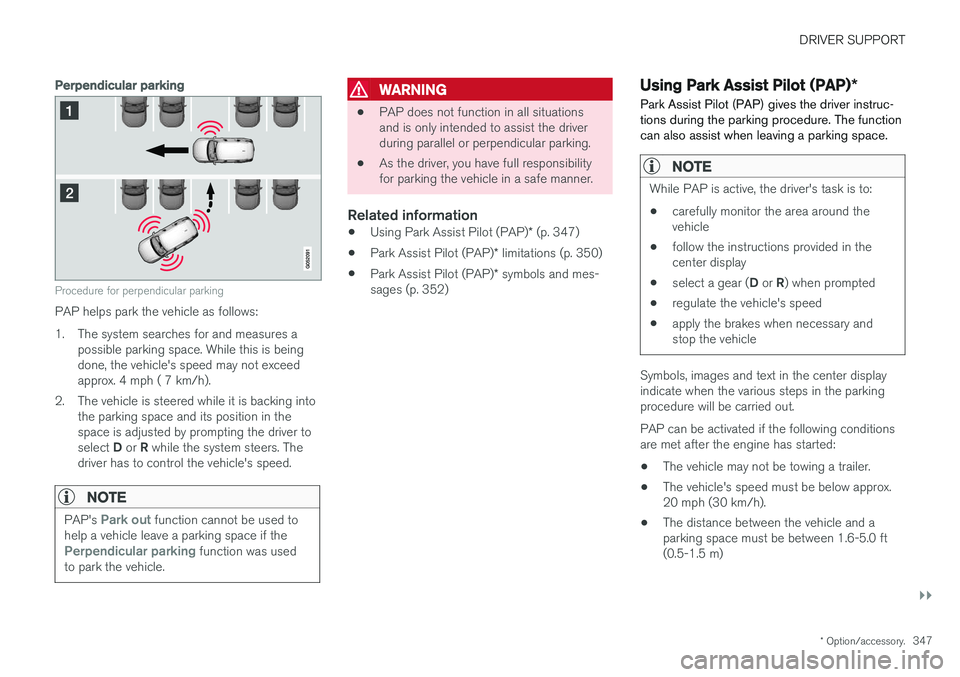
Procedure for perpendicular parking
PAP helps park the vehicle as follows:
1. The system searches for and measures a
possible parking space. While this is being done, the vehicle's speed may not exceedapprox. 4 mph ( 7 km/h).
2. The vehicle is steered while it is backing into the parking space and its position in thespace is adjusted by prompting the driver to select D or R while the system steers. The
driver has to control the vehicle's speed.
NOTE
PAP's Park out function cannot be used to
help a vehicle leave a parking space if the
Perpendicular parking function was used
to park the vehicle.
WARNING
• PAP does not function in all situations and is only intended to assist the driverduring parallel or perpendicular parking.
• As the driver, you have full responsibilityfor parking the vehicle in a safe manner.
Related information
•
Using Park Assist Pilot (PAP)
* (p. 347)
• Park Assist Pilot (PAP)
* limitations (p. 350)
• Park Assist Pilot (PAP)
* symbols and mes-
sages (p. 352)
Using Park Assist Pilot (PAP) *
Park Assist Pilot (PAP) gives the driver instruc- tions during the parking procedure. The functioncan also assist when leaving a parking space.
NOTE
While PAP is active, the driver's task is to:
• carefully monitor the area around the vehicle
• follow the instructions provided in thecenter display
• select a gear (
D or R) when prompted
• regulate the vehicle's speed
• apply the brakes when necessary andstop the vehicle
Symbols, images and text in the center display indicate when the various steps in the parkingprocedure will be carried out. PAP can be activated if the following conditions are met after the engine has started:
• The vehicle may not be towing a trailer.
• The vehicle's speed must be below approx.20 mph (30 km/h).
• The distance between the vehicle and aparking space must be between 1.6-5.0 ft(0.5-1.5 m)
Page 353 of 560
DRIVER SUPPORT
* Option/accessory.351
Points to keep in mindPAP is a parking aid only and the driver should always be prepared to take control and cancel aparking sequence. This can be due to one ormore of the following factors:
• PAP's function is based on the way that thevehicles are parked behind and in front ofyour parking space. If they are, for example,parked too close to the curb, there is a riskthat your vehicle's tires or wheel rims couldbe damaged by the curb during the parkingprocedure.
• PAP is intended to provide parking assis-tance on straight streets, not sections ofstreet with curved or irregular curbs. Be surethat your vehicle is parallel to the curb whenPAP measures the parking space.
• PAP may not be able to provide parkingassistance on narrow streets due to lack ofspace to maneuver the vehicle. In situationslike this, it may help to drive between1.5-5.0 ft (0.5-1.5 m) from the side of theroad where the parking space is located.
• Use only approved tires with the correct infla-tion pressure because this affects PAP'scapacity to provide parking assistance.Changing to a different approved tire sizemay affect PAP's parameters. Consult atrained and qualified Volvo service technician. •
Heavy rain or snow may inhibit PAP'scapacity to correctly measure a parkingspace.
• Do not use PAP when using snow chainsand/or a temporary spare tire.
• Do not use PAP if there are any objects pro-truding from the vehicle.
WARNING
•
The front end of your vehicle may turn out toward oncoming traffic during the park-ing procedure.
• Objects located above the parking sen-sors' field of vision are not included whenPAP measures a parking space. For thisreason, PAP may turn into the parkingspace too soon. Avoid parking spaces ofthis type.
• The driver is always responsible for deter-mining if PAP has selected a suitableparking space.
Maintenance
Location of the PAP sensors
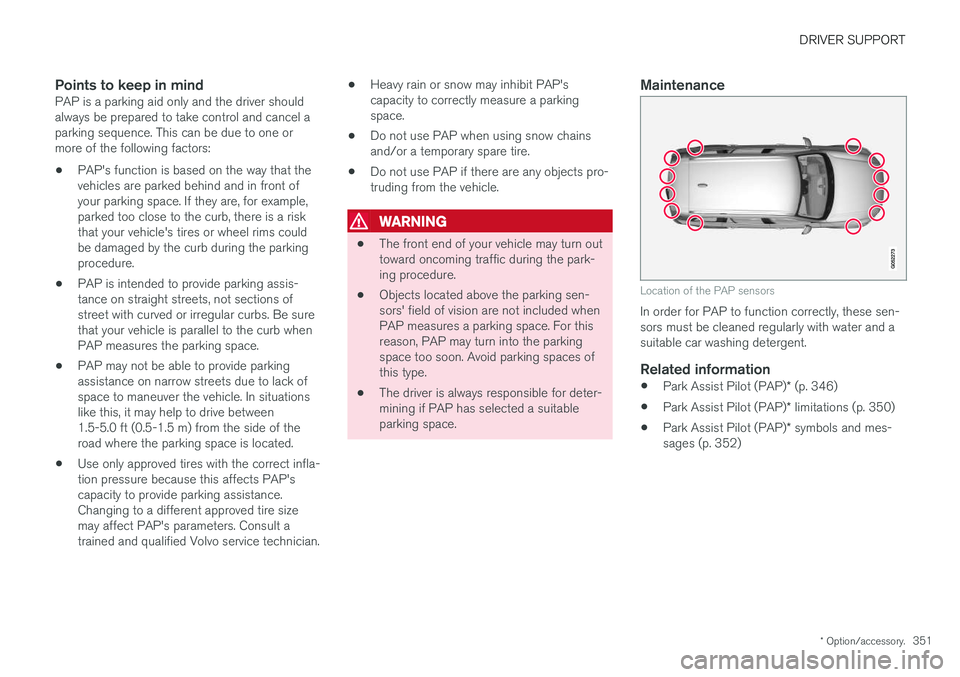
In order for PAP to function correctly, these sen- sors must be cleaned regularly with water and asuitable car washing detergent.
Related information
•
Park Assist Pilot (PAP)
* (p. 346)
• Park Assist Pilot (PAP)
* limitations (p. 350)
• Park Assist Pilot (PAP)
* symbols and mes-
sages (p. 352)
Page 360 of 560
STARTING AND DRIVING
* Option/accessory.
358
Emergency brake lights
The emergency brake lights activate in the event of hard braking/rapid deceleration at most nor-mal driving speeds or if the ABS system is acti-vated. This function causes an additional taillighton each side of the vehicle to illuminate to helpalert vehicles traveling behind.
Once the emergency brake lights have been acti- vated, if the driver releases the brake pedal, thebrake lights will return to their normal function.
Related information
• Brakes (p. 354)
• Hazard warning flashers (p. 146)
• Brake lights (p. 146)
Hill Descent Control (HDC) HDC is a type of low-speed automatic engine brake and makes it possible to increase ordecrease the vehicle's speed on steep downhillgradients using only the accelerator pedal, with-out applying the brakes.
HDC is particularly useful when driving down steep hills with rough surfaces, and where theroad may have slippery patches.
WARNING
HDC does not function in all situations, and is a supplementary braking aid. The driver hasfull responsibility for driving in a safe manner.
FunctionHDC allows the vehicle to roll forward or in reverse at very low speed with enhanced enginebraking. However, speed can be adjusted to ahigher level with the accelerator pedal. When theaccelerator pedal is released, the vehicle willreturn to very low speed regardless of the steep-ness of the hill and without applying the brakes.The brake lights illuminate when HDC is func-tioning. The driver can use the brakes to slow or stop the vehicle at any time. HDC is activated along with Low Speed Control (LSC), which together make driving on slipperysurfaces at low speeds easier. When HDC and LSC are activated, this changesthe response from the accelerator pedal andengine.
Activating HDCThis function can be activated in different ways,depending on how the vehicle is equipped.
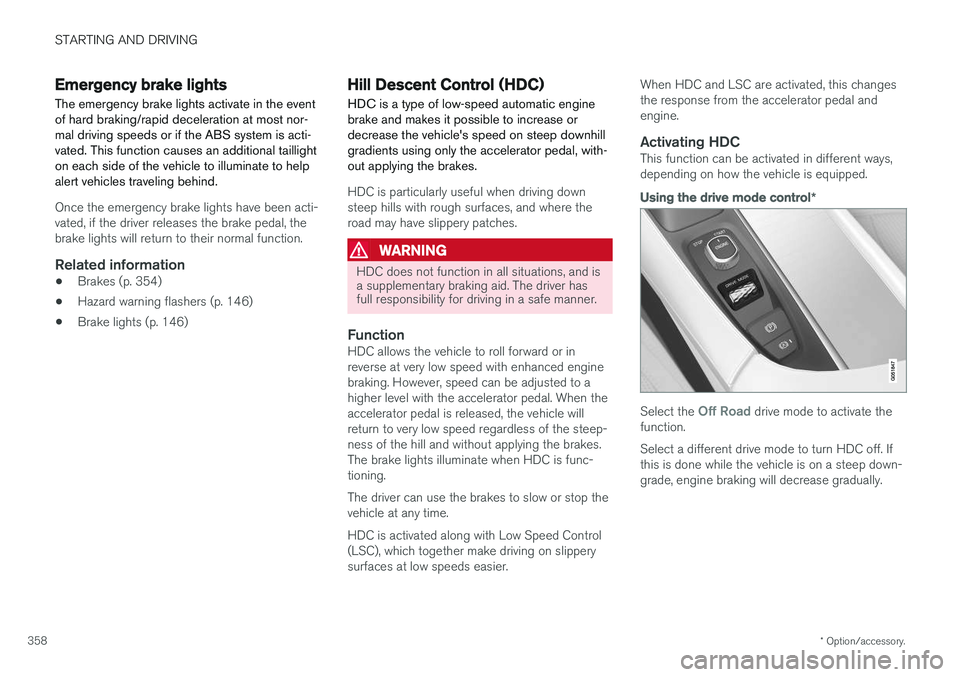
Using the drive mode control
*
Select the Off Road drive mode to activate the
function. Select a different drive mode to turn HDC off. If this is done while the vehicle is on a steep down-grade, engine braking will decrease gradually.