brake VOLVO XC90 TWIN ENGINE 2018 Manual Online
[x] Cancel search | Manufacturer: VOLVO, Model Year: 2018, Model line: XC90 TWIN ENGINE, Model: VOLVO XC90 TWIN ENGINE 2018Pages: 686, PDF Size: 17 MB
Page 442 of 686

||STARTING AND DRIVING
* Option/accessory.
440 Help functions
The system will automatically shift to P:
• if the ignition is switched off while D or R is
selected.
• if the driver unbuckles the seat belt and
opens the driver's door while the vehicle is
running with the gear selector in a gear other
than P.
To park a vehicle with an unbuckled seat belt and
open door – end P mode by shifting to R or D
again.
Reverse - R
Select R when backing up. The vehicle must be
stationary when Reverse is selected.
Neutral - N
No gear is selected and the engine can be
started. Apply the parking brake if the vehicle is
stationary with the gear selector in N.
To move the gear selector from Neutral to
another gear, the brake pedal must be depressed
and the ignition in mode II.
D drive mode
D is the normal driving gear position. The trans-
mission shifts up or down automatically depend-
ing on acceleration and speed. The vehicle must
be stationary when the gear selector is moved
from R to D.
Brake - B
B can be selected at any time during a drive. In B
mode, the engine braking function is activated
when the accelerator pedal is released, which
helps charge the hybrid battery. This offers addi-
tional opportunities to recharge the hybrid bat-
tery, since the battery is charged even when the
brake pedal is not depressed. B mode in the instrument panel.
From B mode, it is possible to manually shift to
lower gears. The currently selected gear (1-8) will
be displayed in the instrument panel.
• Pull the gear selector backward once to shift
down one gear.
• Pull the gear selector backward again to shift
down to lower gears.
To shift manually to a higher gear, the vehicle
must be equipped with steering wheel paddles*. •
Push the gear selector forward to return to D
mode.
For smooth shifting and engine performance, the
transmission will shift down automatically if the
vehicle's speed becomes too low for the selected
gear.
Related information
• Shiftlock (p. 442)
• Using the steering wheel paddles* to shift
(p. 441)
• The kickdown function (p. 442)
• Gear indicator* (p. 442)
Page 444 of 686

STARTING AND DRIVING
* Option/accessory.
442 Shiftlock
The automatic transmission's shiftlock function
helps prevent inadvertently moving the gear
selector between different positions.
Automatic shiftlockThe automatic shiftlock has a separate safety
system.
From Park - P
To move the gear selector from the P position,
the brake pedal must be depressed and the igni-
tion in mode II.
From Neutral - N
If the gear selector is in N and the vehicle has
been stationary for at least 3 seconds (with or
without the engine running), the gear selector will
be locked in that position.
To move the gear selector from N to another
gear, the brake pedal must be depressed and the
ignition in mode II.
Messages in the instrument panelIf the gear selector is locked in position, a mes-
sage will appear in the instrument panel, e.g.
Gear lever Press brake pedal to activate
gear lever.
There is no mechanical shiftlock function.
Related information
• Gear selector positions for automatic trans-
missions (p. 439) The kickdown function
Kickdown is used when maximum acceleration is
needed, e.g. when passing. When the accelerator pedal is depressed all the
way to the floor (past the normal full accelerator
position), the transmission will automatically
engage kickdown, i.e. immediately shift down to a
lower gear.
If the accelerator pedal is released from the kick-
down position, the transmission will automatically
shift up again.
Safety function
The transmission control module is equipped with
a downshift protection feature to help prevent the
engine from overheating.
In some conditions, the transmission will prevent
downshifting/kickdown if this would lead to such
high engine speed (rpm) that the engine could
be damaged. If the driver still attempts downshift-
ing or kickdown at a high rpm, nothing will hap-
pen and the original gear will remain selected.
With kickdown, the vehicle can downshift one or
more steps at a time depending on the engine
speed. The vehicle upshifts when the engine rea-
ches its maximum rpm to prevent engine dam-
age.
Related information
• Gear selector positions for automatic trans-
missions (p. 439) Gear indicator*
The gear indicator in the instrument panel shows
the gear currently being used for manual shifting
and indicates when another gear should be
selected to optimize fuel economy. For eco-friendly driving when manually shifting, it
is important to use the correct gear and to shift
gears in good time.
The gear indicator in the instrument panel shows
the gear currently being used and indicates with
an upward-facing arrow if a higher gear should
be selected. The gear indicator is shown in gear
B. Gear indicator in instrument panel
2
.
Related information
• Gear selector positions for automatic trans-
missions (p. 439)
Page 447 of 686

STARTING AND DRIVING
}}
* Option/accessory. 445
Drive modes
Drive modes affect the vehicle's driving charac-
teristics in different ways to enhance and sim-
plify the driving experience in certain types of sit-
uations. Drive modes enable easy access to the vehicle's
many functions and settings in different driving
situations. The following systems are adapted to
help optimize driving characteristics in each drive
mode:
• Steering
• Engine/transmission/all-wheel drive
• Brakes
• Pneumatic suspension* and shock absorbers
• Instrument panel
• Climate control settings
Select the drive mode that is best suited to the
current driving conditions. Keep in mind that not
all drive modes are available in all situations.
Available drive modes
WARNING Keep in mind that the vehicle does not emit
any engine noise when using the electric
motor and may therefore be difficult to detect
for children, pedestrians, cyclists or animals.
This is particularly true at low speeds, e.g. in
parking lots.
WARNING
Do not leave the vehicle in an unventilated
area with a drive mode activated and the com-
bustion engine switched off. The engine will
start automatically if the charge level in the
hybrid battery is low and the resulting exhaust
gases can be very harmful to people and ani-
mals.
HYBRID
•
This is the default mode in which the electric
motor and combustion engine work together.
The vehicle starts in Hybrid mode. The control
system uses both the electric motor and the gas-
oline engine - separately or in tandem - and cal-
culates optimal utilization with regard to perform-
ance, fuel consumption and comfort. At high
speeds, ground clearance is automatically low-
ered 4
to reduce air resistance. Driving capacity on
the electric motor alone is determined by factors such as the hybrid battery's charge level, the
need for heat/cooling in the passenger compart-
ment, etc.
If there is sufficient charge in the battery, it is
possible to drive solely on electric power. When
the accelerator pedal is pressed, only the electric
motor will be activated until the battery reaches a
certain charge level. Above this level, the current
in the battery cannot supply the power requested
by the accelerator pedal and the combustion
engine will start.
When the hybrid battery's charge level is low, the
combustion engine will start more frequently to
save the remaining current in the battery. Charge
the hybrid battery from a 120-240 volt outlet
using a charging cable, or activate
Charge in
Function view to reset the option of only using
the electric motor.
This drive mode is designed for low energy con-
sumption with an optimized mix between the
electric motor and gasoline engine, without com-
promising on climate comfort or driving experi-
ence. When faster acceleration is requested by
the driver, the electric driveline will be utilized to
help provide maximum additional power. The
vehicle also monitors the driving conditions and
automatically engages all-wheel drive if neces-
sary. All-wheel drive and extra electric power are
always available regardless of the battery's
charging status. 4
For vehicles with pneumatic suspension.
Page 449 of 686
STARTING AND DRIVING
}}
447
OFF ROAD
• Maximizes the vehicle's ability to traverse dif-
ficult terrain or poor roads.
In this mode, ground clearance 4
is high, steering
is light, and all-wheel drive and Hill Descent
Control are activated.
This drive mode is only available at low speeds,
up to 40 km/h (25 mph). If this speed is excee-
ded, Off road mode will be cancelled and AWD
mode will be activated instead.
All-wheel drive requires both the combustion and
electric motor to be in continuous operation,
which results in higher fuel consumption.
In Off road mode, a compass will be displayed
between the speedometer and the tachometer in
the instrument panel. The permissible speed
range will be shown in the speedometer.
This drive mode is optimized for maximum control
when driving at low speeds on very poor roads or
difficult terrain. It raises the chassis 4
, reduces
driveline throttle response, and locks the vehicle
in all-wheel drive. The Hill Descent Control func-
tion facilitates controlled driving on steep down-
grades.NOTE This drive mode is not designed to be used
for normal street driving.
NOTE
Due to the increased ground clearance, if the
OFF ROAD mode was selected when the
engine was switched off, the suspension will
lower when the engine is restarted.
CAUTION
Do not use the OFF ROAD drive mode when
towing a trailer without an electrical connec-
tion. This could result in damage to the pneu-
matic suspension system's bellows.
AWD
•
Improves the vehicle's traction and handling
by increasing all-wheel drive.
This drive mode locks the vehicle in all-wheel
drive. An optimal distribution between front and
rear axle torque helps provide the best possible
control, stability and traction, e.g. on slippery
roads or when towing a heavy trailer or another
vehicle. The AWD drive mode is always available
regardless of the hybrid battery's charge status. Both the combustion engine and the electric
motor are engaged to enable all-wheel drive,
which results in higher fuel consumption.
In the other drive modes, the vehicle automati-
cally adapts the need for all-wheel drive accord-
ing to the road surface, and can activate the elec-
tric motor or start the combustion engine as nee-
ded.
POWER
•
Power mode is designed to provide sportier
driving characteristics and a faster accelera-
tion response.
This drive mode maximizes the combined power
from the combustion engine and the electric
motor by providing power to both the front and
rear wheels. Gear shifting will be faster and more
distinct and the transmission will prioritize gears
with a higher traction force. Steering response is
faster, suspension is stiffer and ground clearance
is lower 4
to help reduce body roll when cornering.
Both the combustion engine and the electric
motor are engaged to enable all-wheel drive,
which results in higher fuel consumption.
This drive mode is optimized for maximum per-
formance and throttle response. It changes the
throttle response, gear shifting program and
turbo boost system. Chassis settings and steer-
ing and brake response are also optimized. The
Power drive mode is always available regardless
of the hybrid battery's charge status. 4
For vehicles with pneumatic suspension.
Page 450 of 686

||STARTING AND DRIVING
448
INDIVIDUAL
•
Customizes drive mode to personal preferen-
ces.
Select one of the drive modes as a basis and
adjust the settings to achieve your preferred driv-
ing characteristics. These settings will be stored
in your driver profile.
Individual drive mode is only available if it has
been activated in the center display. Settings view
5
for Individual drive mode.
1. Tap Settings in the Top view.
2.
Tap My Car Individual Drive Mode
and
select Individual Drive Mode. 3.
Under Presets, select one of the following
drive modes as a basis: Pure, Hybrid or Power.
The following settings can be modified:
• Driver Display
• Steering force
• Powertrain Characteristics
• Brake Characteristics
• Suspension Control
• ECO Climate.
Using the combustion engineAn advanced control system determines the dis-
tance that the vehicle can be driven on the com-
bustion engine, electric motor, or both at the
same time.
Its primary function is to use the motor/engine
and the current available in the hybrid battery as
efficiently as possible based on the characteris-
tics of the various drive modes and the power
output requested by the driver by pressing the
accelerator pedal.
In certain cases, temporary limitations in the sys-
tem or mandatory functions to help maintain a
low overall emissions level may result in greater
use of the combustion engine. 5
The image is schematic and the details may vary depending on vehicle mod\
el or software update.
Page 455 of 686

STARTING AND DRIVING
}}
* Option/accessory. 453
Leveling control settings*
The vehicle can be lowered or raised to make it
easier to load or for passengers to get in and
out.
Turn off leveling control before lifting the vehicle
with a jack to help avoid problems with the
pneumatic suspension.
Adjusting loading mode Use the buttons in the cargo compartment to
raise or lower the rear section of the vehicle to
facilitate loading or unloading the vehicle or con-
necting or disconnecting a trailer.
Center display settings
Easy Entry and Exit Suspension Control
The vehicle can be lowered to make it easier to
get in and out.
Activating easy entry in the center display: 1.
Tap Settings in the Top view.
2.
Tap My Car Mirrors and Convenience
.
3. Select Easy Entry and Exit Suspension
Control.
>
When the vehicle is parked and the
engine is turned off, the level is lowered.
(Level adjustment will stop if a side door
is opened and will resume after a slight
delay when the door has been closed.)
When the engine is started and the vehi-
cle begins to move, the level will be raised
to the height set by the selected drive
mode.
Disable Leveling Control
In certain situations, this function must be turned
off, e.g. before the vehicle is raised using a jack*.
The level difference caused by raising the vehicle
with a jack could cause problems with the pneu-
matic suspension.
Turning off the function in the center display:
1. Tap Settings in the Top view.
2.
Tap My Car Parking Brake and
Suspension .
3. Select Disable Leveling Control.
Related information
•Leveling control* and suspension (p. 450)
• Loading recommendations (p. 586) Low Speed Control
The low-speed function, Low Speed Control
(LSC), facilitates and improves control and trac-
tion on rough roads and slippery surfaces, e.g.
when towing a trailer on grass or up boat ramps.
The function is included in the Off Road drive
mode.
Low Speed Control is designed for driving on
rough roads and when towing trailers at low
speeds, up to approximately 40 km/h (25 mph).
When driving at low speeds, LSC prioritizes low
gears and all-wheel drive to help avoid wheel spin
and improve traction on all wheels. The accelera-
tor pedal will be less responsive to improve trac-
tion and speed control at low speeds.
The function is activated together with Hill
Descent Control (HDC), which makes it possible
to control speed going down steep hills using the
accelerator pedal and reduces the need to use
the brake pedal. The system makes it possible to
maintain a low and uniform speed when driving
down steep hills.
Page 456 of 686

||STARTING AND DRIVING
454
NOTE
When LSC with HDC is activated in the OFF
ROAD drive mode, the feel of the accelerator
pedal and engine response will change.
NOTE
This drive mode is not designed to be used
for normal street driving.
NOTE
The function is deactivated when driving at
high speeds and must be reactivated at lower
speeds if so desired.
Related information
•
Activating and deactivating Low Speed Con-
trol using the function button (p. 454)
• Changing drive mode (p. 449)
• Hill Descent Control (p. 454)
• All Wheel Drive (AWD) (p. 443) Activating and deactivating Low
Speed Control using the function
button
Vehicles that are not equipped with drive mode
controls in the tunnel console have a function
button for Low Speed Control with Hill Descent
Control in the center display's Function view.
Selecting Low Speed Control in the
center display's Function view
– Tap the Hill Descent Control button to
activate or deactivate the function. > An indicator light in the button will illumi-
nate when the function is activated.
When the engine is switched off, the function will
be automatically deactivated.
NOTE The function is deactivated when driving at
high speeds and must be reactivated at lower
speeds if so desired.
Related information
•
Low Speed Control (p. 453)
• Changing drive mode (p. 449) Hill Descent Control
The function for assisting when driving downhill,
Hill Descent Control (HDC), is a low-speed
function with increased engine braking. The
function makes it possible to increase or
decrease the vehicle's speed on steep downhill
gradients by only using the accelerator pedal,
without applying the brakes.
The function is included in the Off Road drive
mode.
HDC is designed for driving on rough roads at
low speeds and downhill gradients with slippery
or otherwise difficult road surfaces. The driver
does not need to use the brake pedal but can
instead focus on steering.
WARNING
HDC is only intended to be a supplementary
braking aid and it does not function in all sit-
uations.
The driver is always ultimately responsible for
operating the vehicle in a safe manner.
FunctionHill Descent Control allows the vehicle to move
forward or backward at very low speeds assisted
by the brake system. The driver can increase the
speed by pressing the accelerator pedal. When
the accelerator pedal is released, the vehicle will
return to very low speed regardless of how steep
Page 457 of 686

STARTING AND DRIVING
}}
455
the hill is and without the brakes needing to be
applied. The brake lights will illuminate when the
function is activated.
The driver can brake to stop or slow the vehicle
at any time by depressing the brake pedal.
HDC is activated along with Low Speed Control
(LSC), which facilitates and improves traction and
control on rough and slippery surfaces. The sys-
tem is intended to be used at low speeds, up to
approximately 40 km/h (25 mph).
To keep in mind when using HDC
•
If the function is switched off while driving on
a steep downhill gradient, braking effect will
be gradually reduced.
• HDC can be used in gear positions D and R,
and in manual gears 1 or 2.
• It is not possible to manually shift to third
gear or higher when HDC is active.
NOTE When LSC with HDC is activated in the OFF
ROAD drive mode, the feel of the accelerator
pedal and engine response will change.
NOTE
This drive mode is not designed to be used
for normal street driving.
NOTE The function is deactivated when driving at
high speeds and must be reactivated at lower
speeds if so desired.
Related information
•
Activating and deactivating Hill Descent Con-
trol using the function button (p. 455)
• Changing drive mode (p. 449)
• Low Speed Control (p. 453)
• All Wheel Drive (AWD) (p. 443) Activating and deactivating Hill
Descent Control using the function
button
Vehicles that are not equipped with drive mode
controls in the tunnel console have a function
button for Hill Descent Control with Hill
Descent Control in the center display's Func-
tion view.
Selecting Hill Descent Control in the
center display's Function view
HDC only works at low speeds.
– Tap the
Hill Descent Control button to
activate or deactivate the function. > An indicator light in the button will illumi-
nate when the function is activated.
When the engine is switched off, the function will
be automatically deactivated.
NOTE The function is deactivated when driving at
high speeds and must be reactivated at lower
speeds if so desired.
Page 459 of 686
STARTING AND DRIVING
}}
457
Driving
• Choose the Pure drive mode to help mini-
mize electric power consumption.
• Maintain a steady speed and a generous fol-
lowing distance to traffic ahead to minimize
braking. This drive mode has the lowest
power consumption.
• Balance energy requirements using the
accelerator pedal. Use the indicator on the
instrument panel to see available electric
power and avoid starting the combustion
engine unnecessarily. The electric motor is
more effective than the combustion engine,
especially at low speeds.
• When braking is necessary, brake gently
using the brake pedal. This will recharge the
hybrid battery. A regenerative function is
integrated in the brake pedal and can be
augmented by the electric motor's braking
capacity when the gear selector is in mode
B.
• Higher speeds increase energy consumption
- air resistance increases with speed.
• Activate the
Hold function in the Function
view at high speeds when traveling farther
than is possible using the hybrid battery's
capacity.
• Whenever possible, avoid using the Charge
function to charge the hybrid battery. Charg-
ing the battery using the combustion engine increases fuel consumption and carbon diox-
ide emissions.
• In a cold climate, reduce heating of the wind-
shield/rear window, mirrors, seats and the
steering wheel.
• Maintain the correct pressure in the tires and
check pressure regularly.
• The type of tires used could affect energy
consumption - consult a retailer for advice on
suitable tires.
• Remove unnecessary items from the vehicle
- the heavier the load, the higher the fuel
consumption.
• Roof loads increase air resistance and
increase fuel consumption. Remove roof
boxes, ski racks, etc. that are not in use.
• Avoid driving with the windows open.
• Do not keep the vehicle still on an upward
gradient by using the accelerator pedal. Use
the brakes instead.
Related information
•
Drive-E
‒
purer driving pleasure (p. 27)
• Factors affecting electric motor range
(p. 458)
• Using the electric motor only (p. 457)
• Hybrid gauge (p. 87)
• Checking tire pressure (p. 557) Using the electric motor only
When using the electric motor, Volvo Twin
Engine provides a combination of good fuel
economy, low emissions and high performance.
For energy-efficient driving:
• Select the Pure drive mode to help maximize
driving range using only the electric motor.
• Balance energy requirements using the
accelerator pedal. Use the indicator on the
instrument panel's hybrid gauge to see avail-
able electric power and avoid starting the
combustion engine unnecessarily.
• When braking is necessary, brake gently
using the brake pedal. This will recharge the
hybrid battery.
• Activate the
Hold function in the Function
view at high speeds when traveling farther
than is possible using the hybrid battery's
capacity.
• Reduce current consumption in the passen-
ger compartment by reducing e.g. fan speed,
electric heating, or air conditioning use.
Also follow the general economical driving advice
regarding speed, tires and load to maximize
range.
Related information
• General information about Twin Engine
(p. 406)
• Economical driving (p. 456)
Page 462 of 686
||STARTING AND DRIVING
460
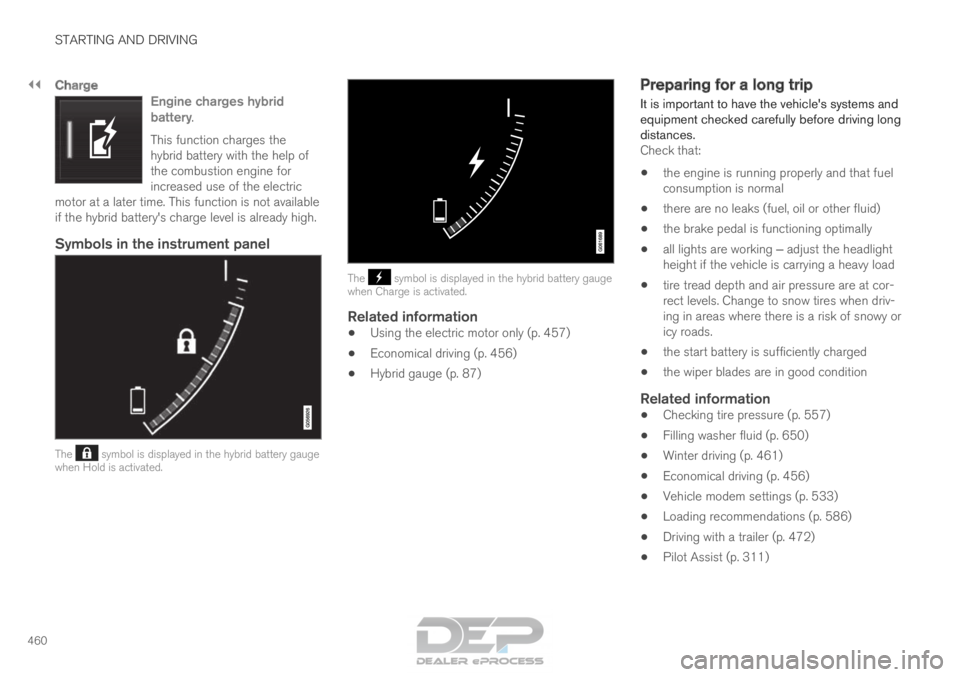
Charge
Engine charges hybrid
battery.
This function charges the
hybrid battery with the help of
the combustion engine for
increased use of the electric
motor at a later time. This function is not available
if the hybrid battery's charge level is already high.
Symbols in the instrument panel The symbol is displayed in the hybrid battery gauge
when Hold is activated. The symbol is displayed in the hybrid battery gauge
when Charge is activated.
Related information
• Using the electric motor only (p. 457)
• Economical driving (p. 456)
• Hybrid gauge (p. 87) Preparing for a long trip
It is important to have the vehicle's systems and
equipment checked carefully before driving long
distances.
Check that:
• the engine is running properly and that fuel
consumption is normal
• there are no leaks (fuel, oil or other fluid)
• the brake pedal is functioning optimally
• all lights are working ‒ adjust the headlight
height if the vehicle is carrying a heavy load
• tire tread depth and air pressure are at cor-
rect levels. Change to snow tires when driv-
ing in areas where there is a risk of snowy or
icy roads.
• the start battery is sufficiently charged
• the wiper blades are in good condition
Related information
• Checking tire pressure (p. 557)
• Filling washer fluid (p. 650)
• Winter driving (p. 461)
• Economical driving (p. 456)
• Vehicle modem settings (p. 533)
• Loading recommendations (p. 586)
• Driving with a trailer (p. 472)
• Pilot Assist (p. 311)